How to Get AI to Write LinkedIn Posts in Your Own Voice (Not a Generic One)
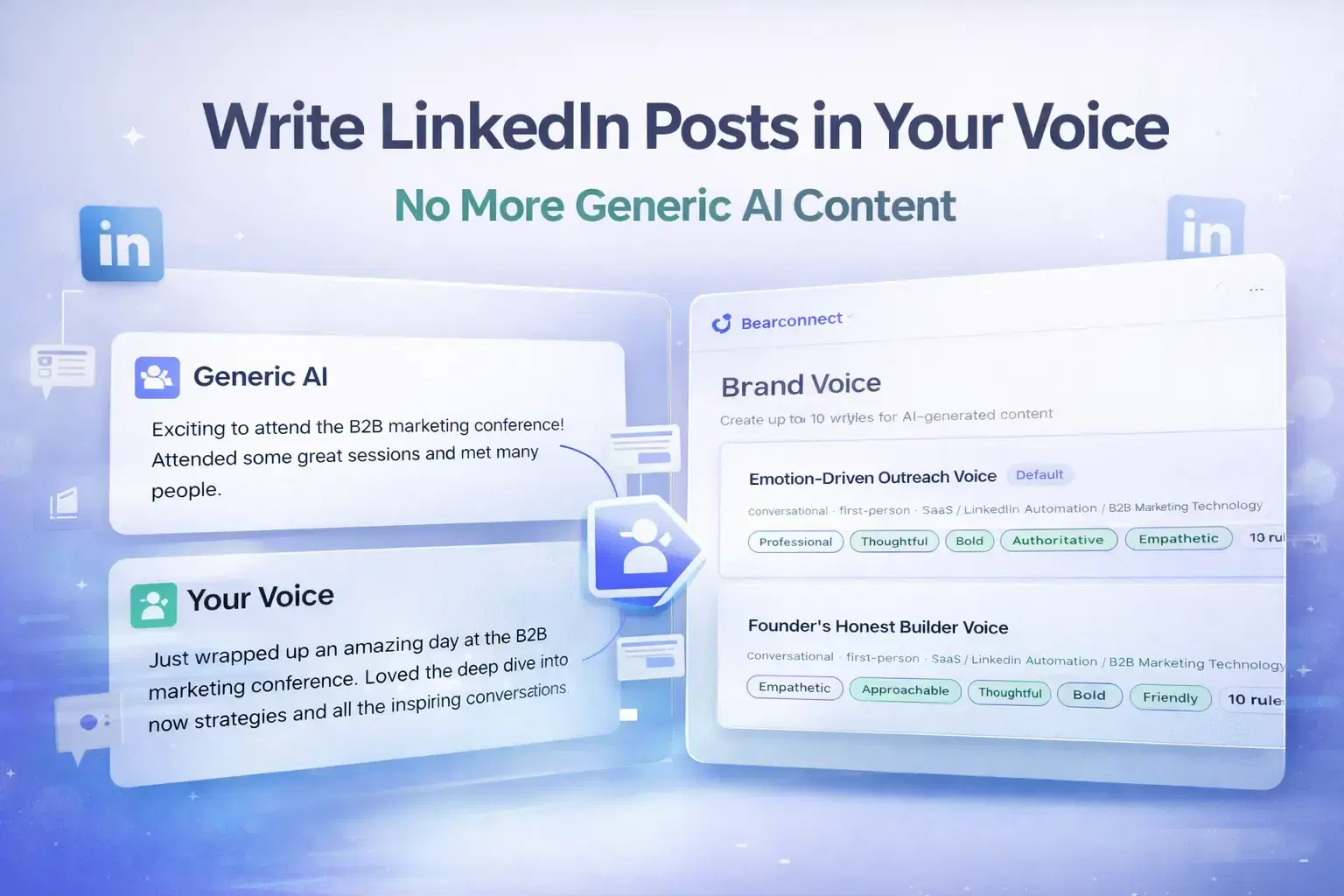
You can get AI to write LinkedIn posts that sound exactly like you by “configuring a Brand Voice profile” before generating content.
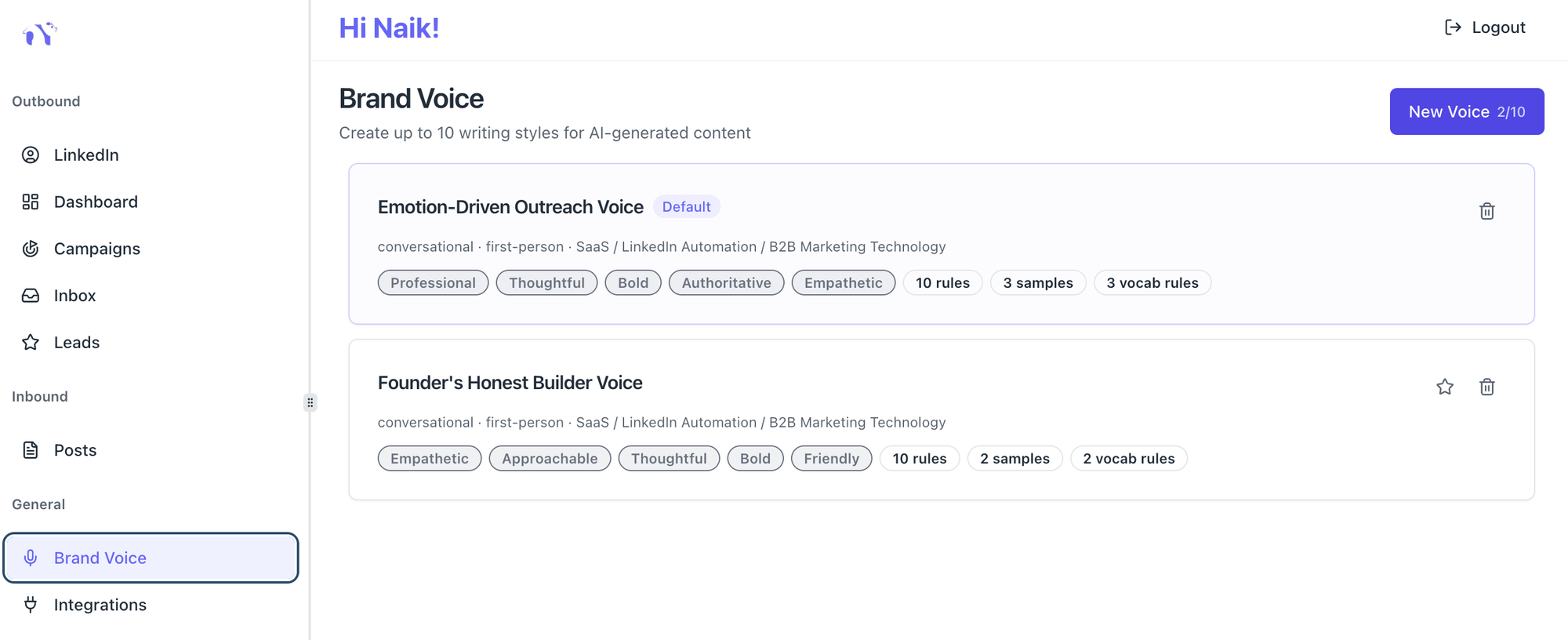
Set your tone, vocabulary rules, formatting preferences, and writing samples once. Every post the AI writes after that will follow those rules automatically.
TL;DR
- Generic AI output fails on LinkedIn because it writes for the average person. You are not average.
- Brand Voice configuration lets you define tone, vocabulary, formatting, and custom rules for the AI to follow.
- You can upload writing samples so the AI mirrors your actual phrasing and rhythm.
- Once set up, every post the AI generates automatically matches your style without you editing it.
- Tools like Bearconnect let you save up to 10 Brand Voice profiles for different goals or clients.
Why AI LinkedIn Posts Sound Robotic (And Who Is Actually at Fault)

Generic AI output is not a writing quality problem. It is a configuration problem.
Most people open an AI tool, type a topic, and hit generate. The AI has no idea who you are, how you speak, or what your audience expects.
So it writes for the middle of the bell curve: safe, structured, and forgettable.
The result looks like this:
- Overused openers like "In today's fast-paced world..."
- Vague hooks that apply to everyone and no one
- Bullet points that summarize the obvious
- A tone that sounds like every other founder in your niche
The fix is not a better prompt. The fix is a voice configuration layer that sits between you and the AI.
What "Brand Voice Configuration" Actually Means

Brand Voice configuration is a set of stored instructions that tells the AI how to write specifically for you before it generates a single word.
Think of it as a creative brief that never changes. You write it once. The AI reads it every time.
A proper Brand Voice configuration covers six things:
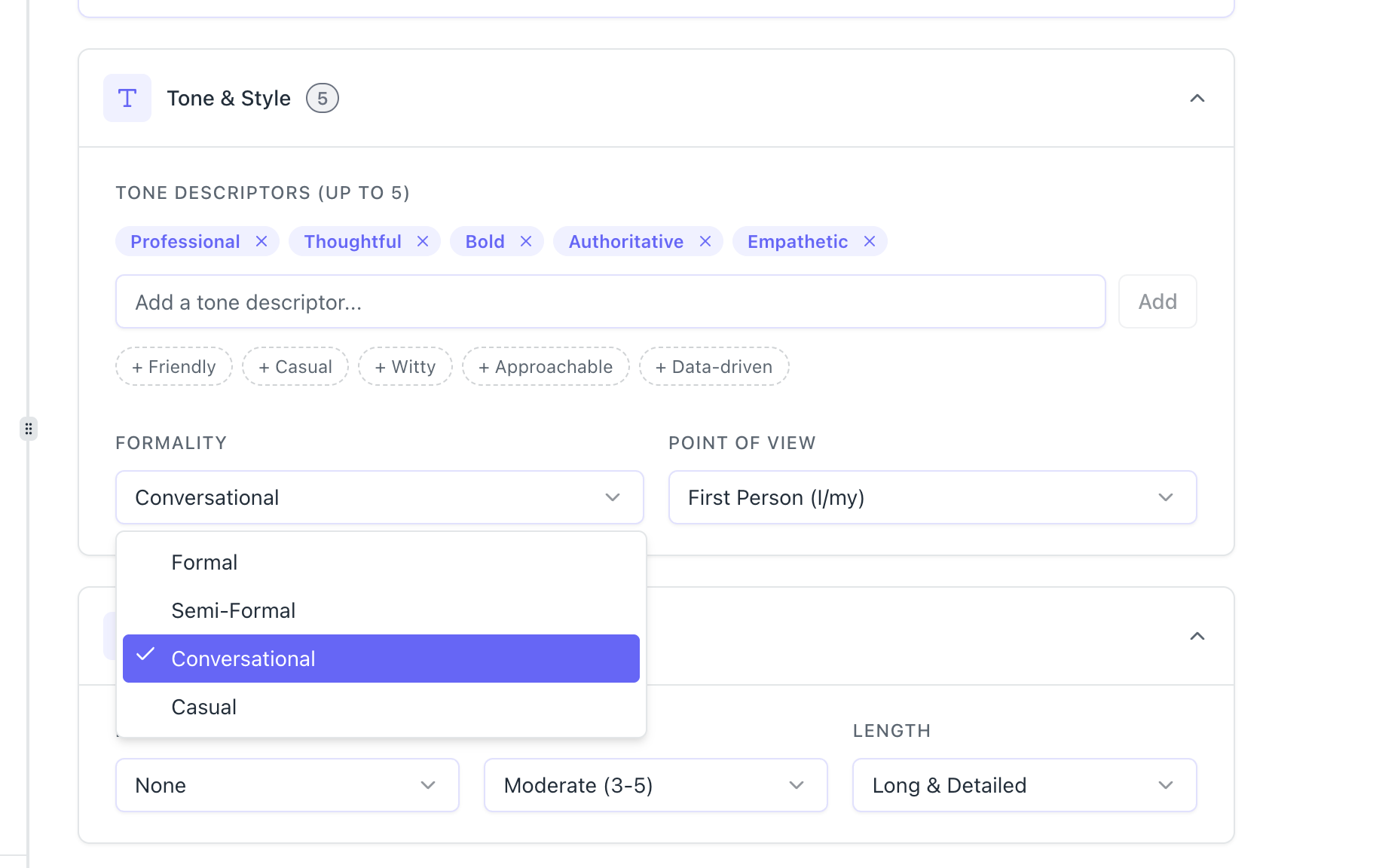
- Tone descriptors - words like Professional, Bold, Thoughtful, or Empathetic that define the personality of your writing
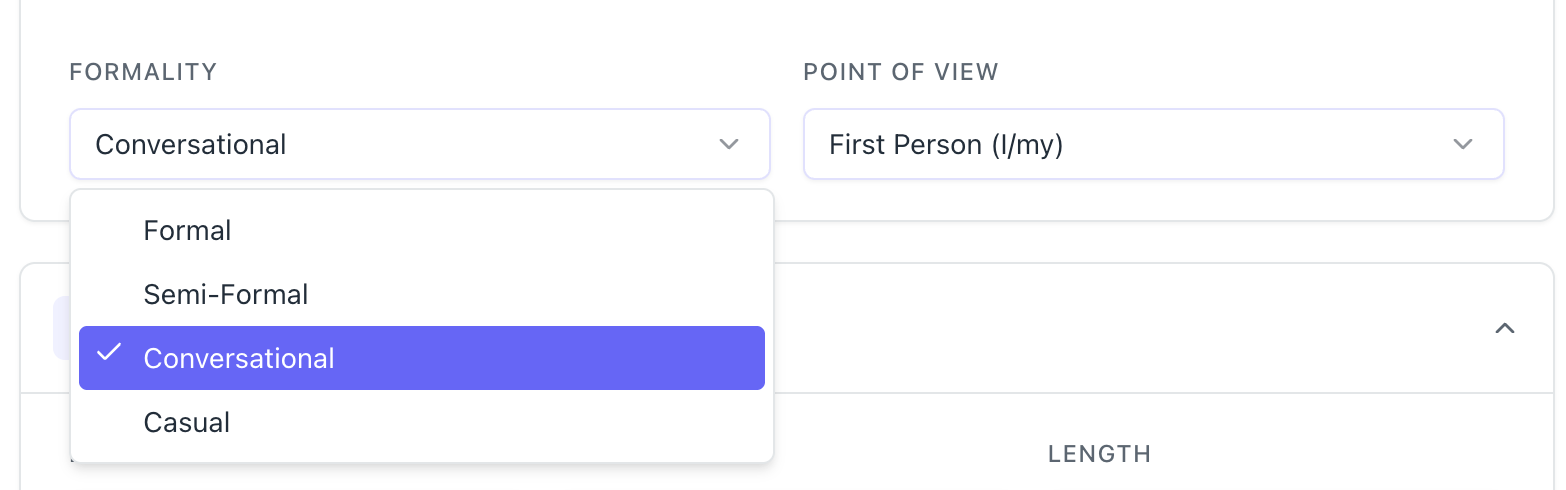
- Formality level - Conversational, Semi-Formal, or Formal depending on your audience
- Point of view - First Person (I/my), Second Person (You/your), or Third Person
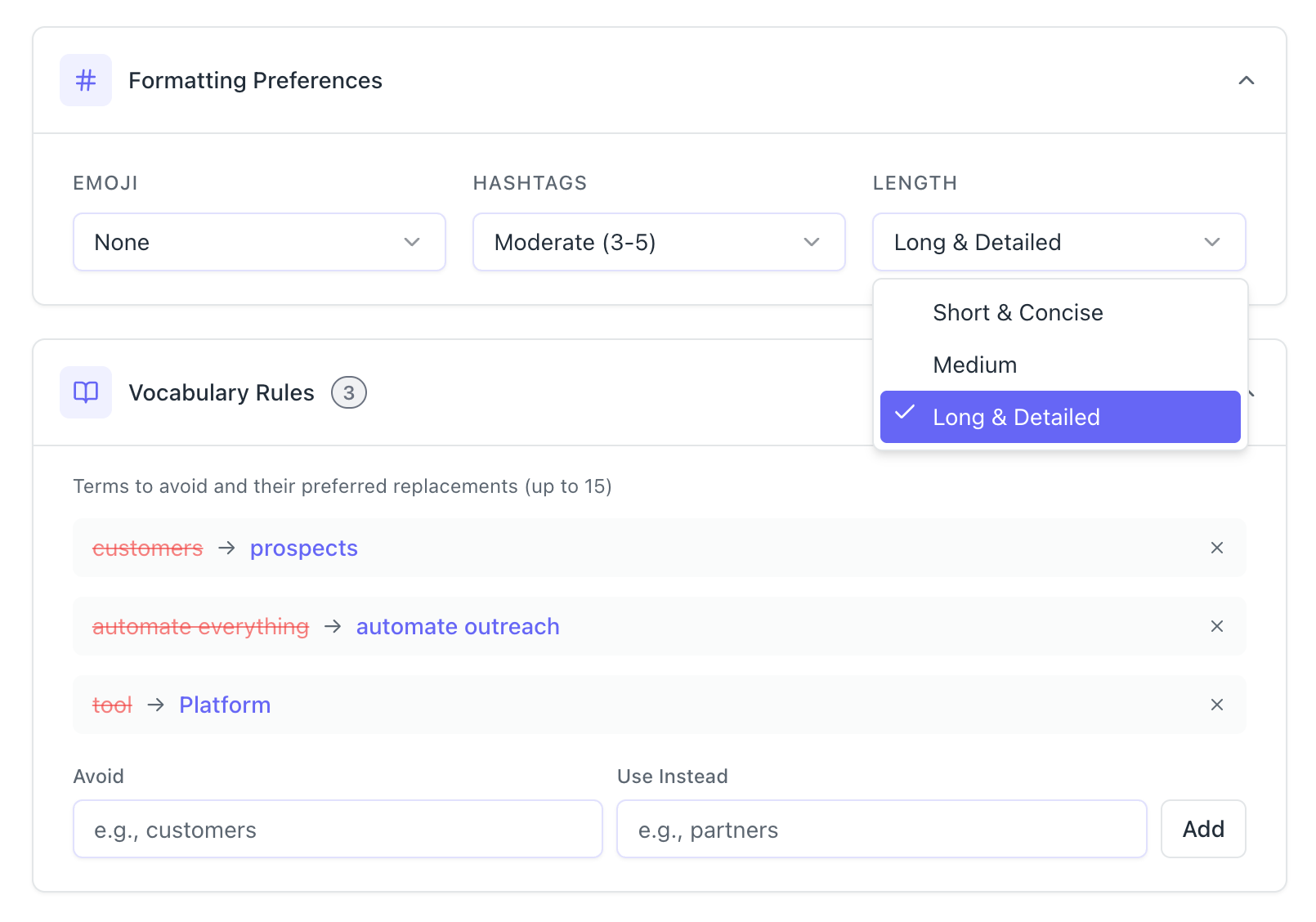
- Formatting rules - how many emojis, how many hashtags, and how long each post should be
- Vocabulary rules - specific words to avoid and the preferred replacements
- Writing samples - real examples of your best posts that the AI uses as a style reference
When all six are configured, the AI stops guessing and starts matching.
The Vocabulary Rule Most People Skip (And Why It Matters Most)
Vocabulary rules are the single most underused setting in AI writing tools. They are also the most effective at making output sound like you.
Every professional has words they never use. A founder who values relationships might never say "customers."
They say "partners" or "clients." A sales coach who hates jargon might block words like "synergy," "leverage," or "circle back."
When you do not set these rules, the AI defaults to generic business language. When you do set them, it speaks your dialect.
Here is how a vocabulary rule works in practice:
- Avoid: "customers" | Use instead: "partners"
- Avoid: "leverage" | Use instead: "use"
- Avoid: "touch base" | Use instead: "connect"
You can set up to 15 word swap rules. That small list has a large effect on how natural the output feels.
Pro Tip: Read your last 10 LinkedIn posts. List every word you never actually say out loud. Add each one to your avoid list. That single exercise will transform your AI output.
How Writing Samples Make the AI Sound Like You, Not Like AI
Writing samples are the closest thing to cloning your voice that currently exists in AI tools.
When you paste 3 to 5 examples of your actual LinkedIn posts into a Brand Voice profile,
the AI uses them as its primary style reference. It picks up on:
- How long your sentences tend to be
- Whether you open with a question, a statement, or a bold claim
- How you transition between ideas
- Whether you end posts with a question or a direct CTA
Example scenario: A founder who writes short, punchy posts with no hashtags and always ends with a one-line question adds three of their top posts as writing samples.
The AI now generates posts with that same pacing and structure automatically. No manual editing required.
The AI uses the first two samples you upload as its primary reference. Upload your two strongest, most representative posts first.
Setting Up Your Brand Voice: A Step-by-Step Walkthrough
Brand Voice setup takes under 3 minutes when you know what you want.
Step 1: Name Your Voice Profile
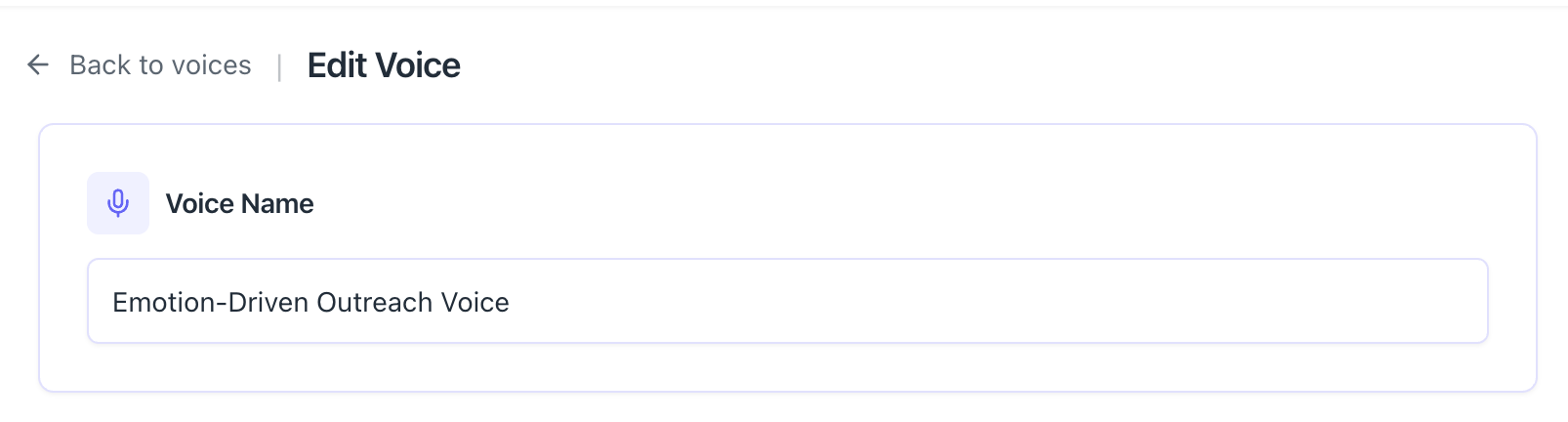
- Give it a descriptive label like "Founder Persona" or "Sales Outreach."
- This matters if you manage multiple profiles or write for different purposes.
Step 2: Set Tone and Style
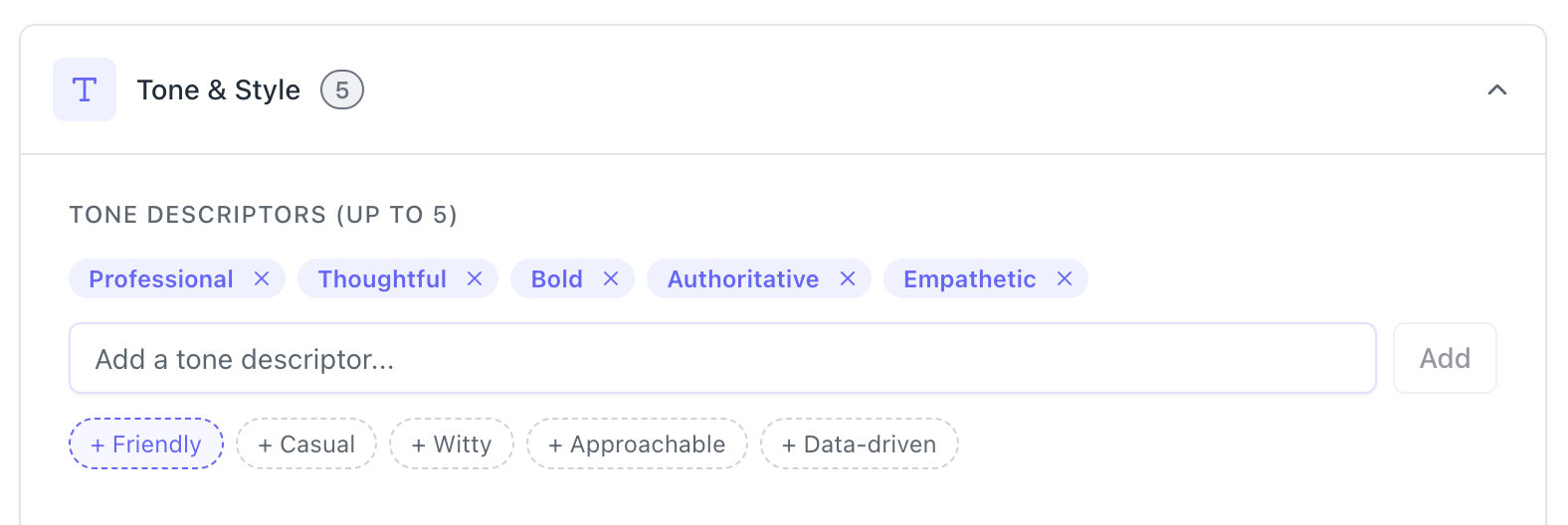
Pick up to 5 tone descriptors. Choose what actually describes your writing, not what sounds impressive. Set your formality level and point of view.
Step 3: Configure Formatting Preferences
Choose:
- Emoji usage: None, Minimal, or Moderate
- Hashtag count: None, Minimal (1 to 2), or Moderate (3 to 5)
- Post length: Short and Punchy, Medium, or Long and Detailed
Step 4: Add Vocabulary Rules
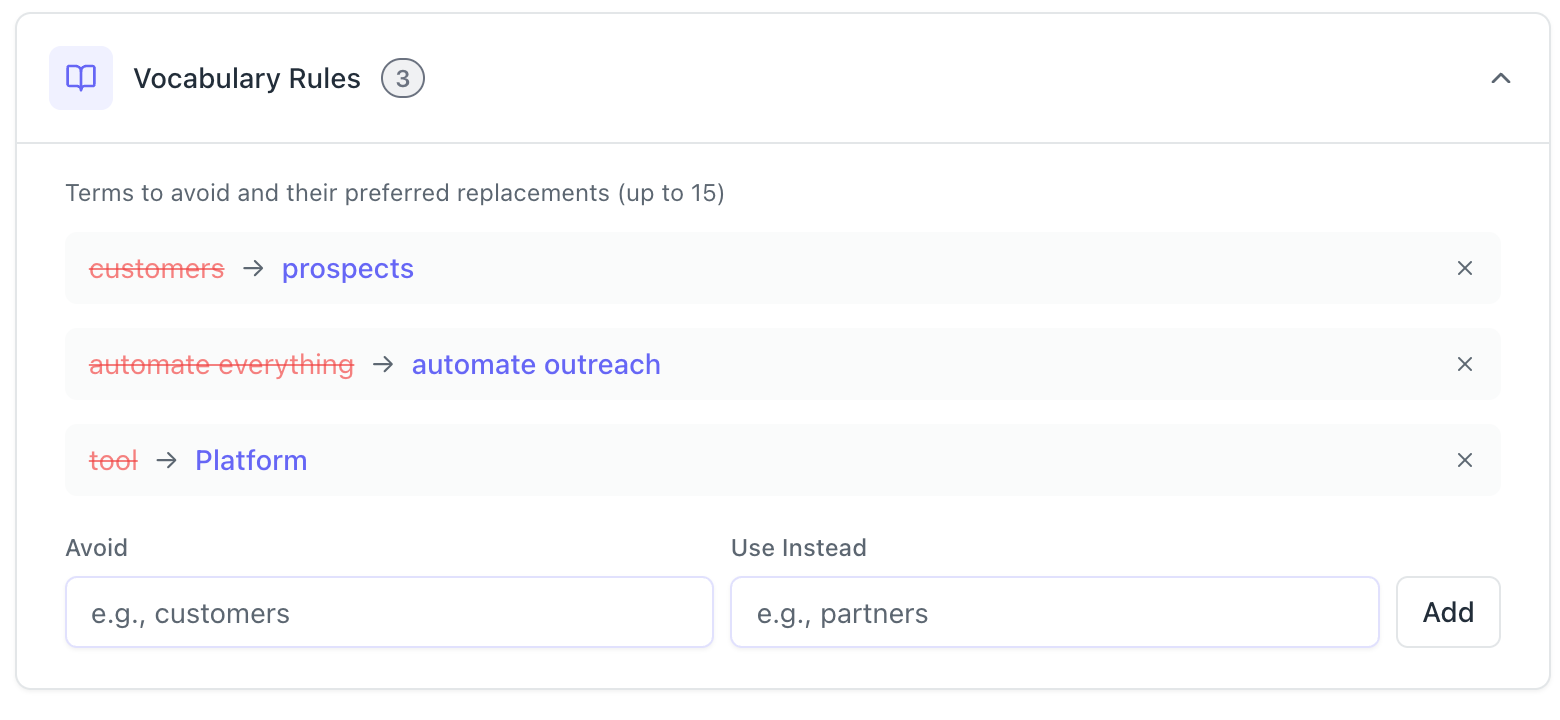
Add your word swap pairs. Start with 5 to 10. You can expand later.
Step 5: Add Custom Writing Rules
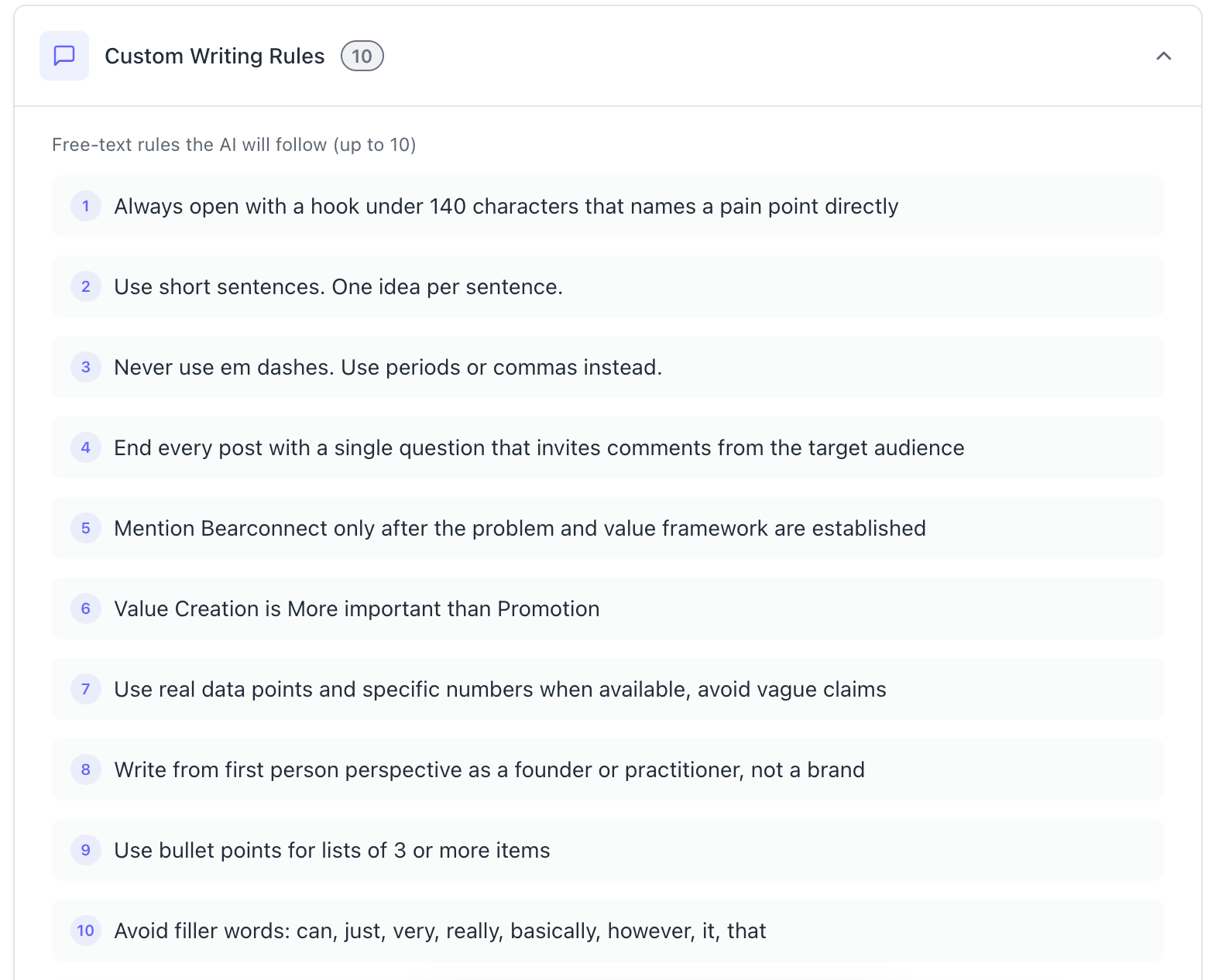
These are free-text instructions the AI must always follow. Examples:
- "Always end with a question"
- "Never use exclamation marks"
- "Keep sentences under 15 words"
You can add up to 10 rules per profile.
Step 6: Upload Writing Samples
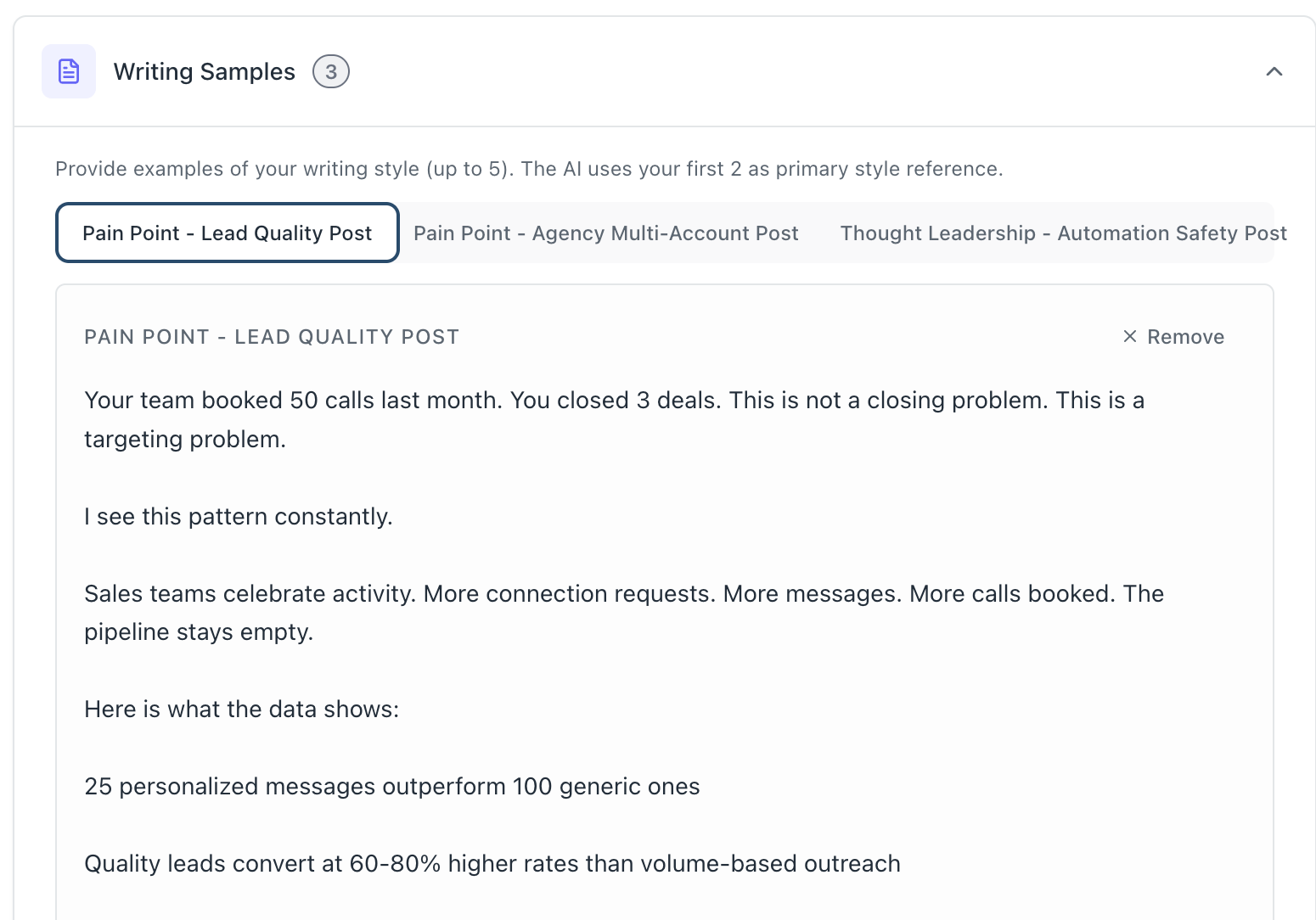
Paste 3 to 5 of your best LinkedIn posts. Put your two most representative ones first.
Step 7: Add Professional Context
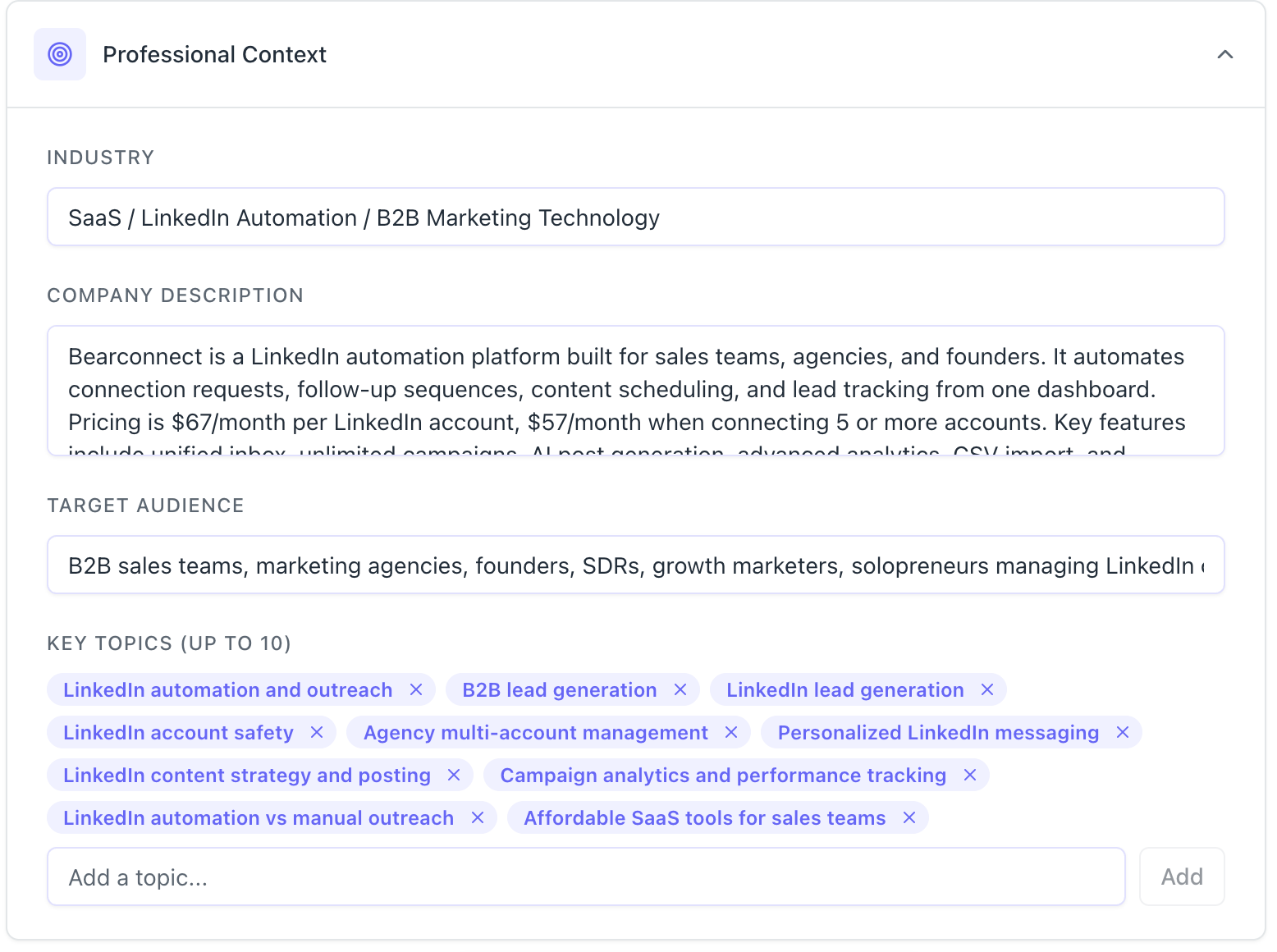
Tell the AI your industry, your company description, your target audience, and the topics you regularly write about. This shapes the examples and hooks it uses.
Step 8: Save
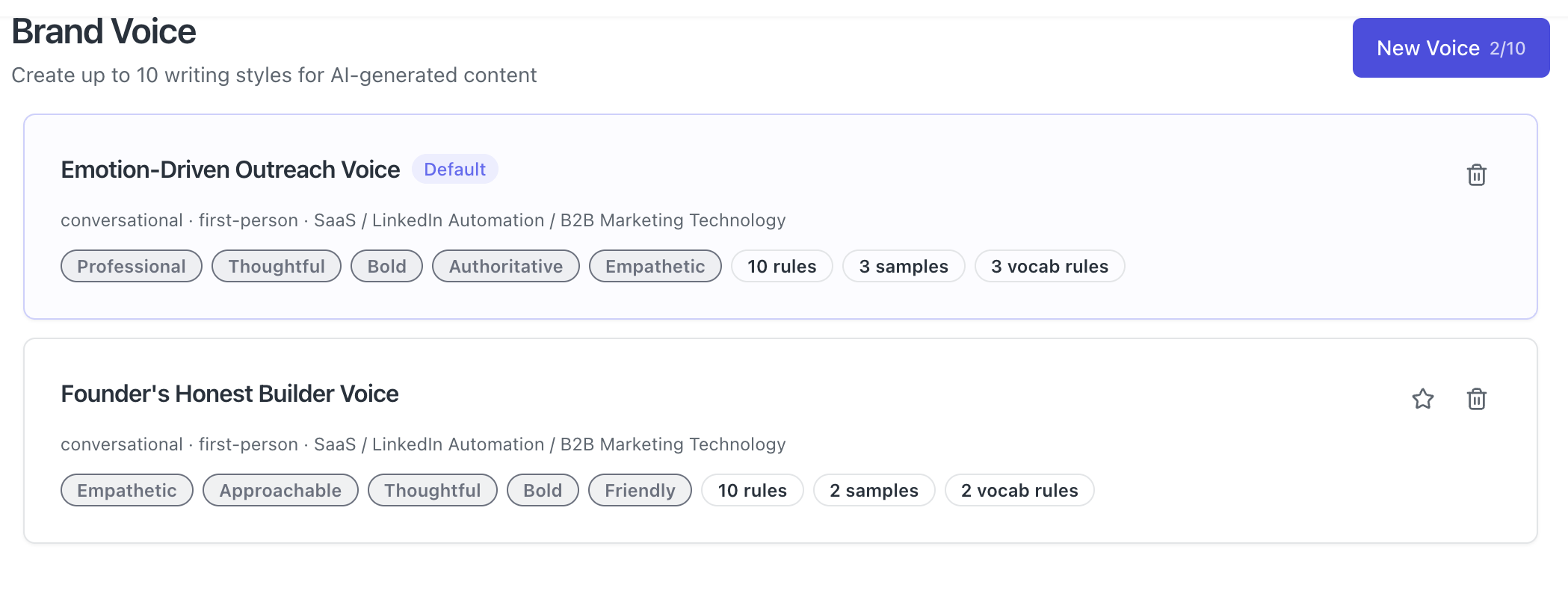
Every post generated after this point will follow your Brand Voice automatically.
Pro Tip: Create a separate Brand Voice profile for different content goals. Use one profile for thought leadership posts and another for outreach-style content. The tone, vocabulary, and rules will shift depending on the job.
Where Brand Voice Actually Applies Inside Bearconnect
Brand Voice in Bearconnect works in two places: post creation and inbox AI replies.
1. LinkedIn Post Creation:
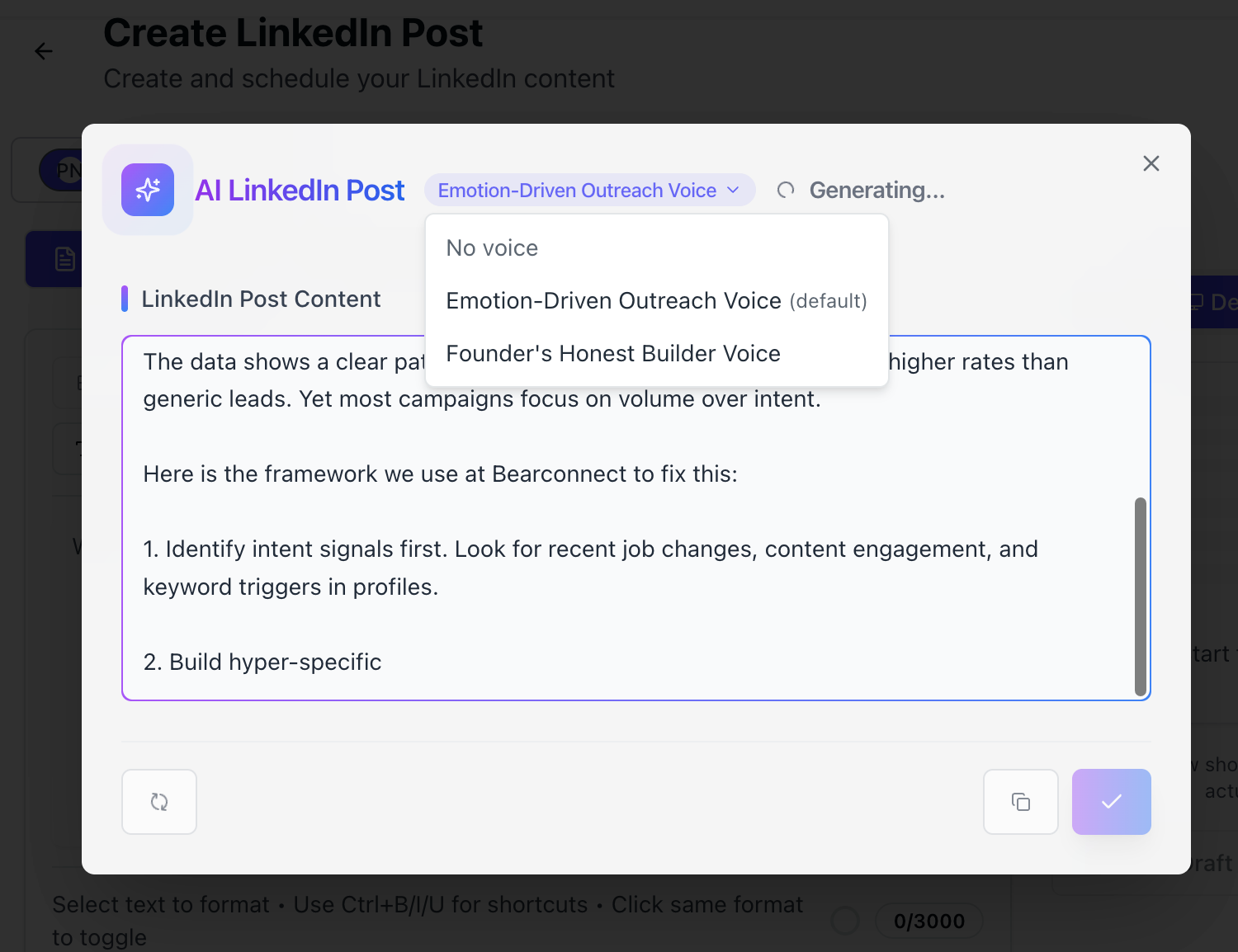
- When you write a new post using Bearconnect's AI post tool, it pulls the active Brand Voice profile and applies every rule before generating the draft.
- You get a post that already matches your style without a single edit.
2. Inbox AI Reply:
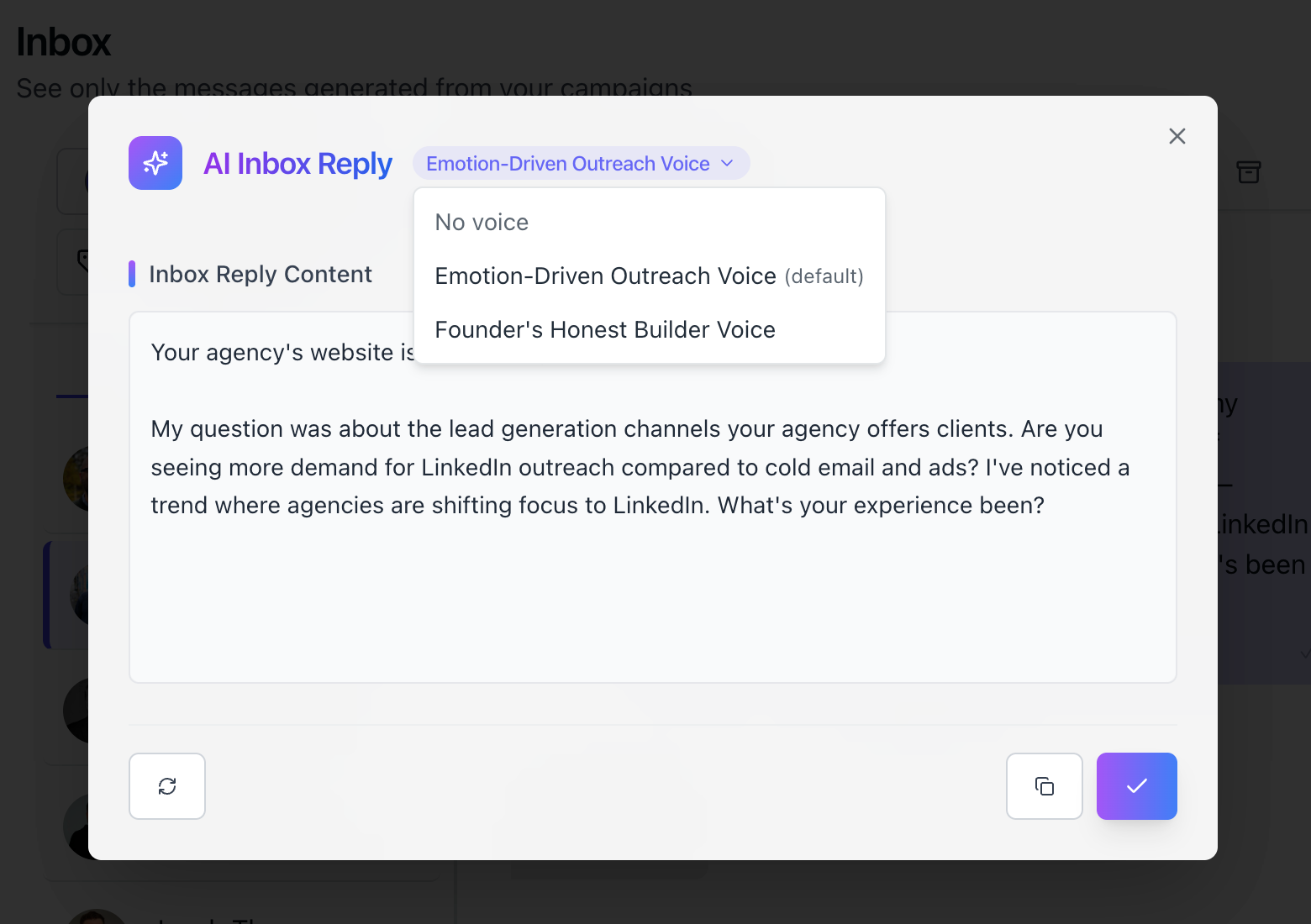
- When someone messages you and you use AI to generate a reply from your unified inbox, that reply also follows your Brand Voice.
- Your outreach responses stay consistent with your content voice.
This is especially useful for agencies. A team managing 10 client LinkedIn accounts can set a different Brand Voice for each client. Every post and reply generated for Client A sounds like Client A. Every one for Client B sounds like Client B.
What Consistent Brand Voice Does for Your LinkedIn Growth
Consistent voice builds audience recognition faster than any posting hack.
When your audience reads 3 posts from you in a week and all 3 feel like the same person wrote them, they start to associate that voice with you.
That recognition builds trust. Trust drives follows. Follows drive inbound messages.
The opposite is also true. When your posts sound different every week because you are editing AI output or switching between tools, people cannot lock in a mental picture of who you are.
Here is a simple benchmark to test your own consistency:
- Print out your last 10 LinkedIn posts without your name on them
- Ask a colleague to identify which ones came from the same person
- If they cannot, your voice is inconsistent
Brand Voice configuration solves this at the system level, not the post level.
Who Gets the Most Value from Brand Voice Configuration
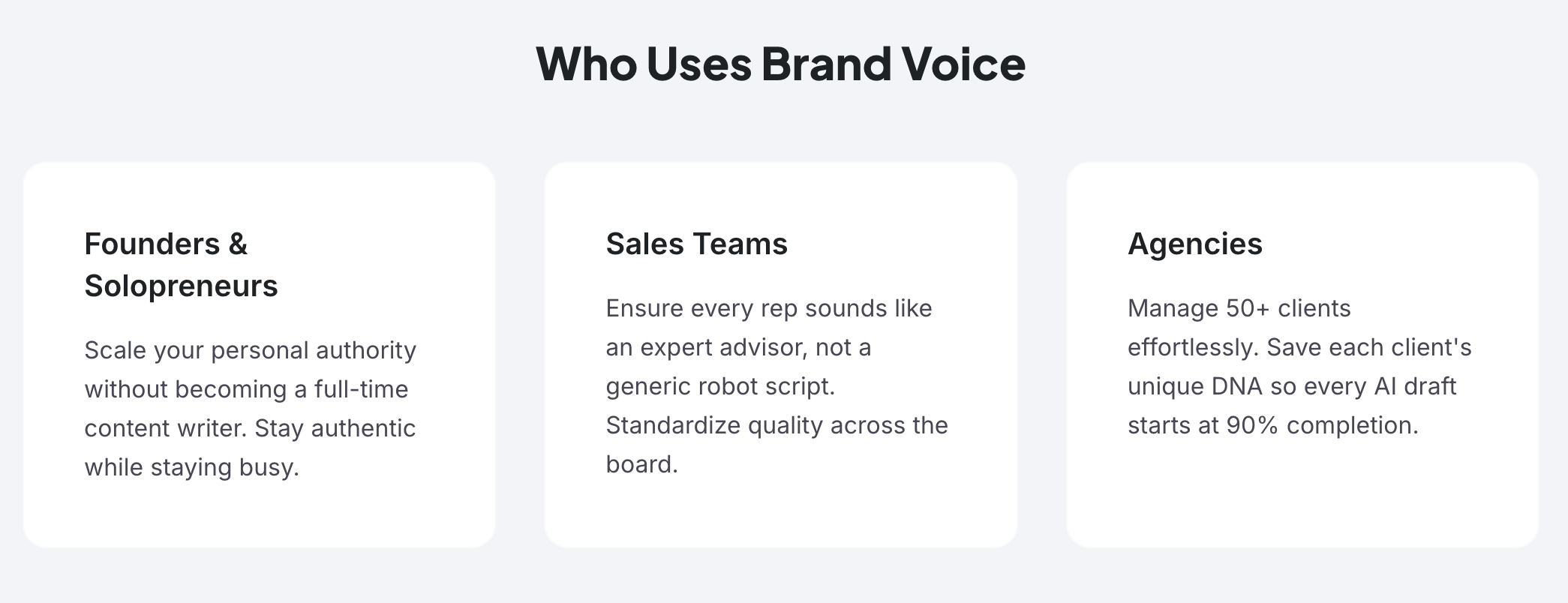
Brand Voice works for anyone who creates LinkedIn content at volume, but three groups see the clearest return.
- Founders and Solopreneurs: Your audience follows you, not your company. Consistency in how you write keeps that personal connection intact even when AI is doing the heavy lifting.
- Sales Teams: Each rep has a different personality. Set individual Brand Voice profiles for each team member. Their connection requests, follow-ups, and posts all feel personal instead of templated.
- Agencies: Managing multiple client accounts is the exact use case Brand Voice was built for. Different tone, different vocabulary, different rules. Same efficient workflow.
Pro Tip: If you run an agency, name each Brand Voice profile after the client. "Sarah from TechFlow" or "Marcus at GrowthCo." Switch profiles in seconds when you switch accounts.
5 FAQs About AI LinkedIn Voice Configuration
Q1: How many Brand Voice profiles can I create in Bearconnect?
You can create up to 10 Brand Voice profiles. Each one has its own tone, vocabulary rules, formatting preferences, and writing samples. Use different profiles for different goals or different client accounts.
Q2: Will the AI always follow my Brand Voice rules?
Yes. Every setting you configure is treated as a hard instruction, not a suggestion. Vocabulary swaps, custom writing rules, and tone settings apply on every generation automatically.
Q3: Can I use Brand Voice for LinkedIn replies, not just posts?
Yes. Brand Voice applies to both LinkedIn post creation and AI replies inside Bearconnect's unified inbox. Your outreach responses match your content voice automatically.
Q4: What if I want to switch voices for a specific post?
You can switch your active Brand Voice profile at any time from your dashboard. Select a different profile before generating, and the new rules apply immediately to that post.
Q5: Do I need writing samples for Brand Voice to work?
Writing samples are optional but strongly recommended. They give the AI a real style reference beyond tone descriptors. Without samples, the AI uses your settings as a guide. With samples, it mirrors your actual phrasing and rhythm.
Start Writing LinkedIn Posts That Sound Like You
Generic AI posts are a configuration problem, not a writing quality problem.
The fix is a Brand Voice profile that tells the AI your tone, your words, your rules, and your style before it writes a single sentence.
Set it up once. Let it run forever.
Try Bearconnect's Brand Voice feature free for 7 days. Create your first profile in under 3 minutes and generate your first on-brand LinkedIn post today at bearconnect.io.
Already using Bearconnect?
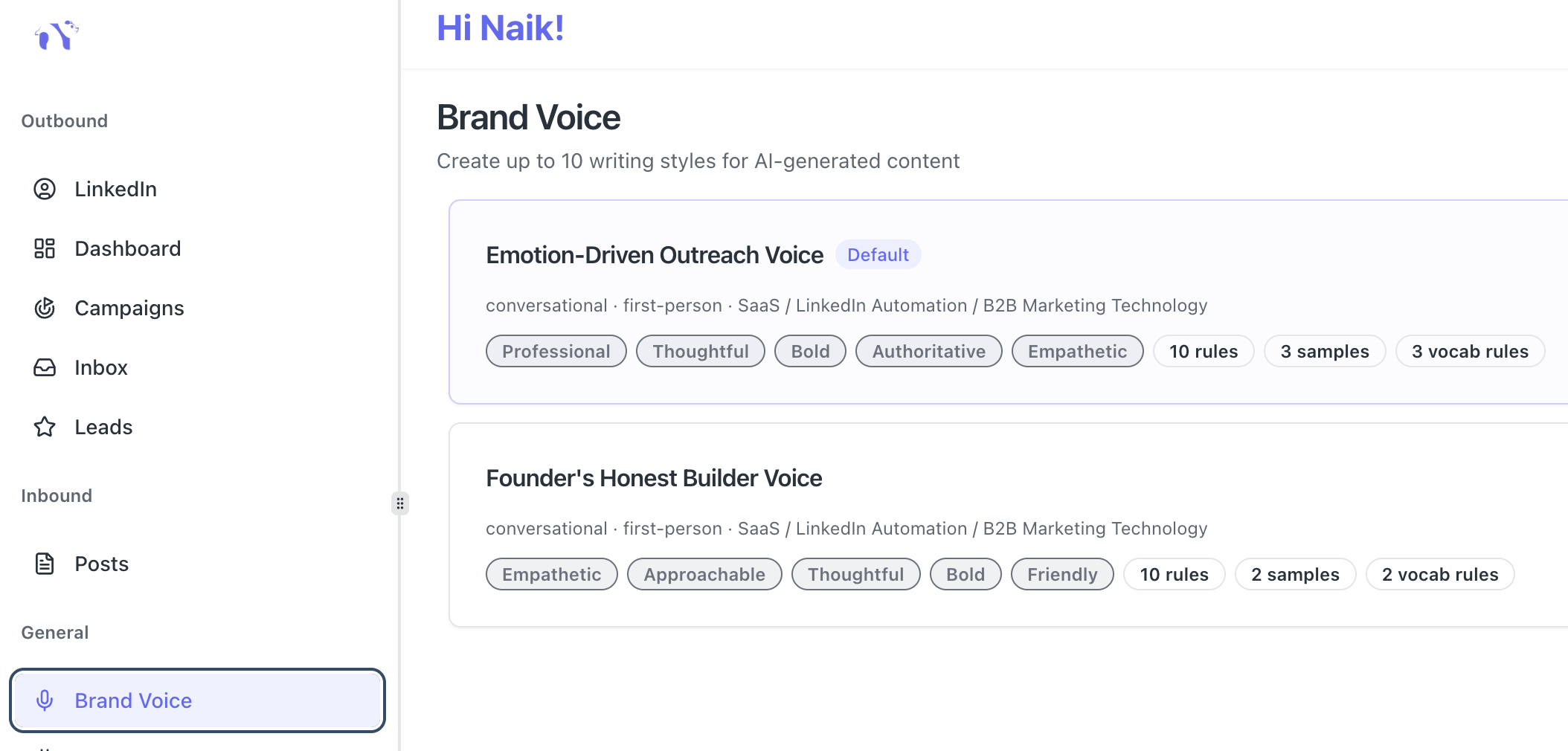
Head to the Brand Voice section in your dashboard and set up your profile now. Your next post should sound exactly like you wrote it yourself.
Ready to Transform Your LinkedIn Strategy?
Join thousands of professionals already using Bearconnect to automate their outreach and grow their network.
7-day free trial • Cancel anytime