Expandi Review 2025: Features, Pros & Cons, and Better Alternatives
Considering Expandi for LinkedIn automation?
In this Expandi review, I will walk you through everything you need to know about this popular LinkedIn automation tool the features, pricing, strengths, and limitations so you can make an informed decision.
Let's explore whether Expandi fits your business needs or if better alternatives exist.
Expandi Platform Overview with Pros & Cons
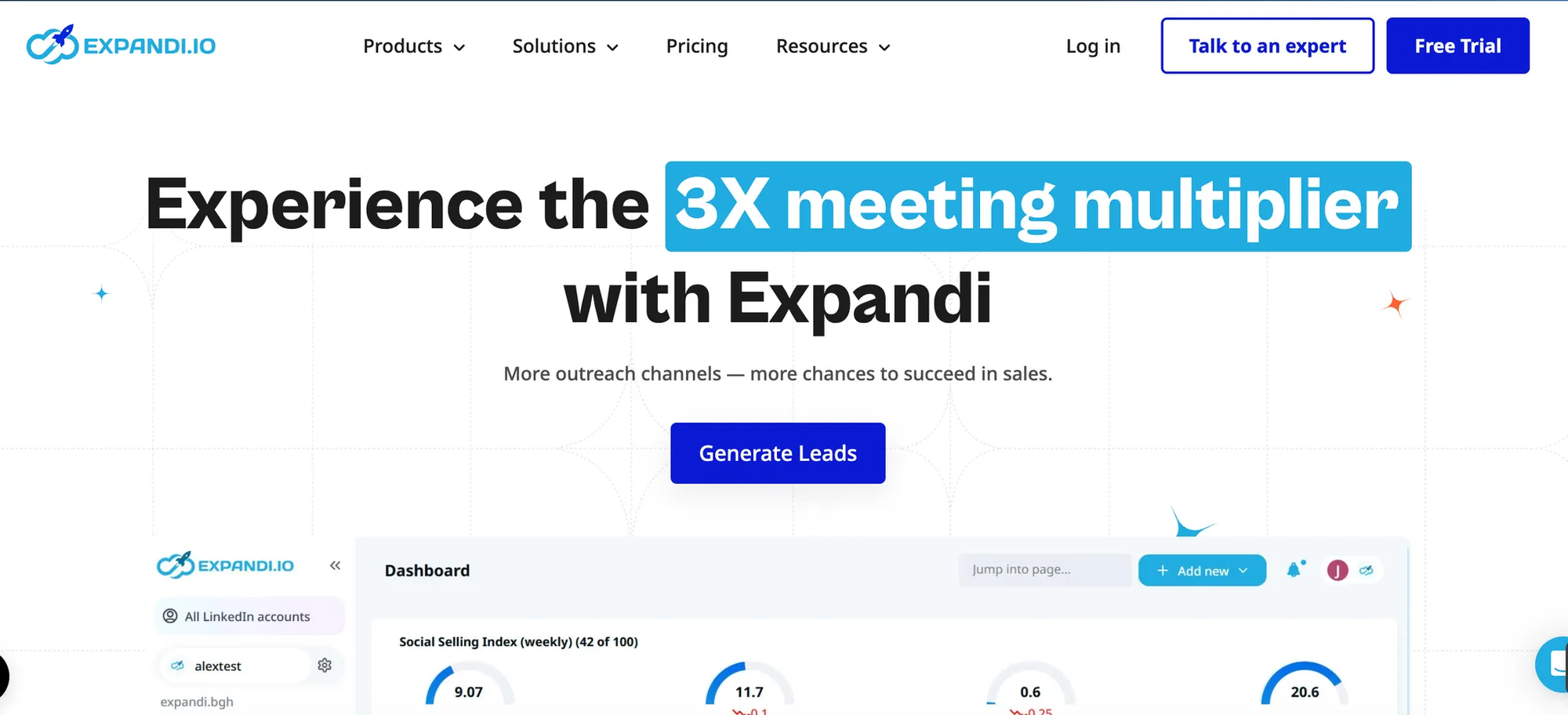
Expandi stands as a cloud-based LinkedIn automation platform targeting sales teams, recruiters, marketers, and agencies focused on scaling outreach efforts.
The tool automates connection requests, message sequences, profile visits, and follow-ups without requiring browser extensions.
Operating entirely in the cloud means campaigns run continuously, even when computers are powered off.
Pros of Expandi:
- Cloud infrastructure: Campaigns execute 24/7 without browser dependency or active computer sessions.
- Advanced personalization: Dynamic text replacement, image customization, and GIF messaging increase engagement rates significantly.
- Smart sequences: Automated workflows adapt based on prospect behavior and responses.
- Comprehensive analytics: Track connection acceptance rates, message opens, and response metrics in detail.
- CRM connectivity: Integrates with HubSpot, Pipedrive, Zapier, and Salesforce for seamless lead management.
Cons of Expandi:
- Platform limitation: Works exclusively on LinkedIn, requiring additional tools for multichannel outreach.
- Steep pricing: Starting at $99 per account monthly, costs escalate rapidly for agencies managing multiple clients.
- Complex interface: Users report overwhelming settings and configurations during initial setup.
- Account safety concerns: Some users experienced LinkedIn restrictions despite safety features.
- Limited collaboration: No unified inbox for managing multiple accounts or responding on behalf of team members.
Core Features of Expandi
Understanding Expandi's capabilities helps determine if it matches your automation requirements.
1. Cloud-Based Automation
Expandi operates through virtual assistants that mimic human LinkedIn behavior patterns.
Campaigns continue running regardless of browser status or computer availability.
Safety features include IP rotation, randomized delays, and dedicated IP addresses to minimize detection risks.
2. LinkedIn Outreach Sequences
Build multi-step campaigns combining profile visits, connection requests, messages, InMails, and endorsements.
Set custom delays between actions and configure automatic reply detection that pauses sequences when prospects respond.
Smart sequences adjust dynamically based on recipient interactions, unlike rigid scheduled campaigns.
3. Personalization Capabilities
Dynamic variables pull data like first names, companies, job titles, and custom fields into messages.
Hyperise integration enables personalized images and GIFs within connection requests and messages.
However, setup requires manual API token copying between platforms, which users find non-intuitive.
4. Email Integration
Pair LinkedIn outreach with automated email follow-ups for multichannel engagement.
Compatible with Gmail, Outlook, and Yahoo without third-party tools.
Email warmup features prevent spam flagging, but leads won't auto-pause when replying via email.
5. Lead Generation Tools
Import prospects directly from LinkedIn searches or Sales Navigator URLs.
Mobile Connector Campaign simulates mobile connection requests, allowing 70 to 105 weekly requests beyond standard limits.
Note that mobile connector cannot personalize connection requests, limiting customization.
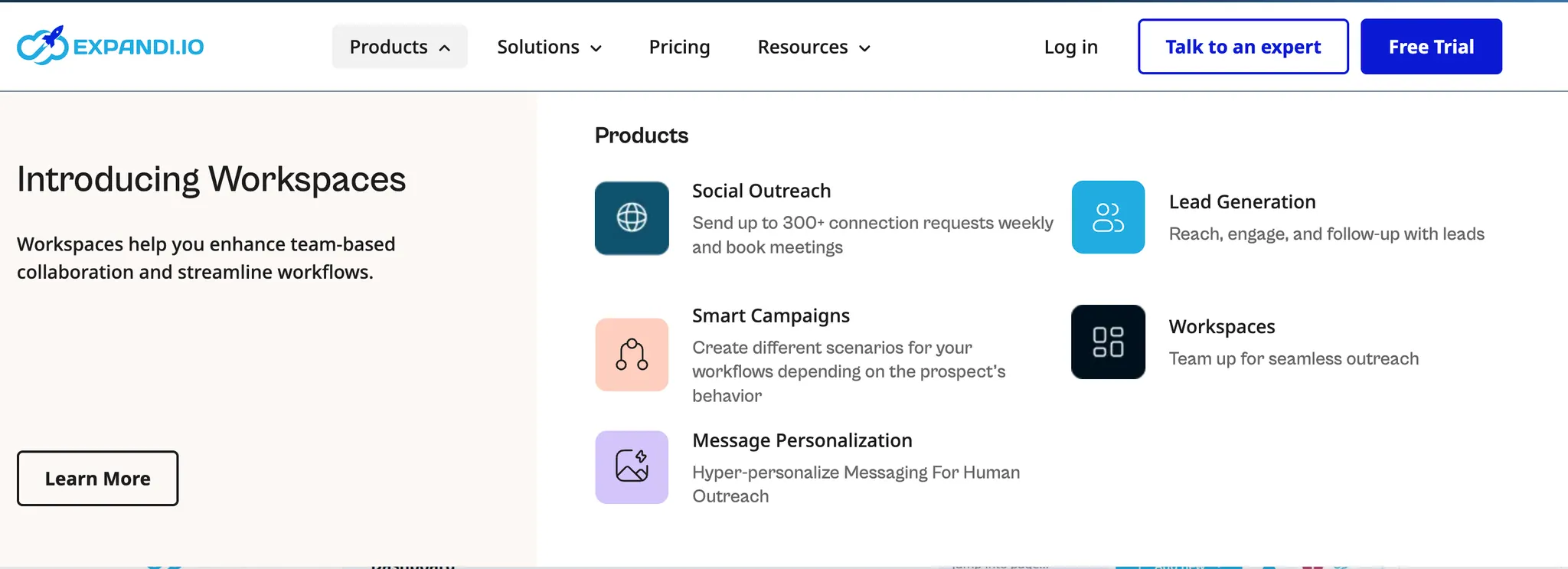
6. Workspaces for Teams
Organize campaigns across different LinkedIn profiles using separate workspaces.
Invite team members with admin or member roles and customize permissions.
Major limitation: team members cannot respond to messages on each other's behalf.
7. Analytics and Reporting
Monitor detailed metrics covering company follows, connection requests, email sends, endorsements, event invitations, replies, post engagement, and profile visits.
A/B testing functionality helps refine messaging for optimal engagement rates.
Export data for deeper analysis or CRM integration.
Expandi Pricing Structure
Understanding cost implications matters when evaluating LinkedIn automation investments.
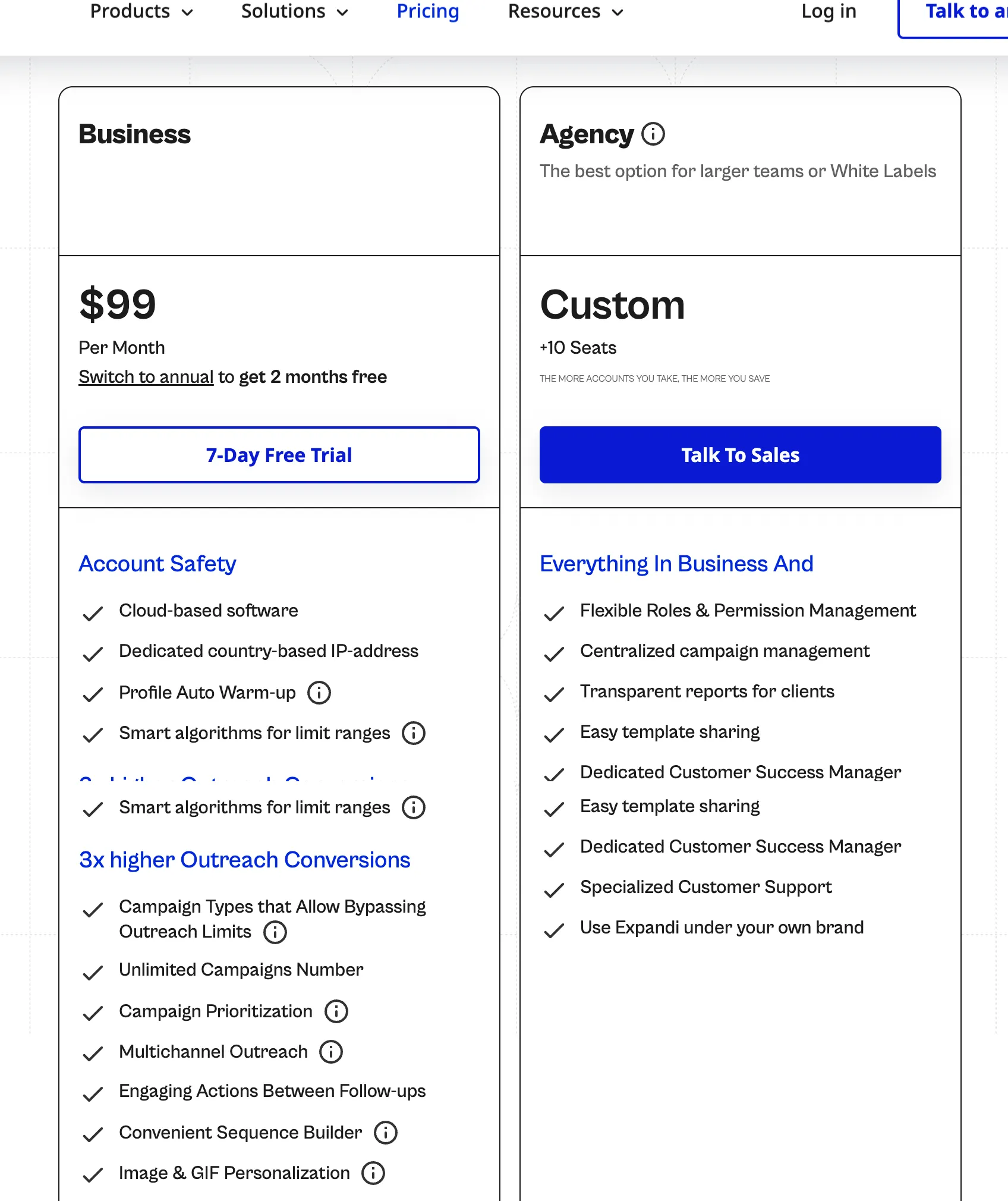
1. Business Plan: $99/Month
- Unlimited campaigns with LinkedIn and email outreach capabilities.
- Includes smart automation, IP rotation, human-like behavior simulation, detailed analytics, blacklist management, integrations, and duplication prevention.
- GIF and video personalization available as add-ons.
2. Agency Plan: Custom Pricing
- Requires 10+ seats with pricing disclosed only through scheduled sales calls.
- Adds team roles, permissions, centralized campaign management, client reporting, white-label branding, and dedicated Customer Success Manager.
3. Free Trial
- Seven-day trial available but requires credit card information.
- Limited timeframe makes measuring actual outreach success difficult.
4. Cost Analysis
- For agencies managing 10 client accounts, monthly costs reach $990 or higher.
- Scaling becomes expensive compared to flat-rate alternatives.
Expandi Alternative: Bearconnect
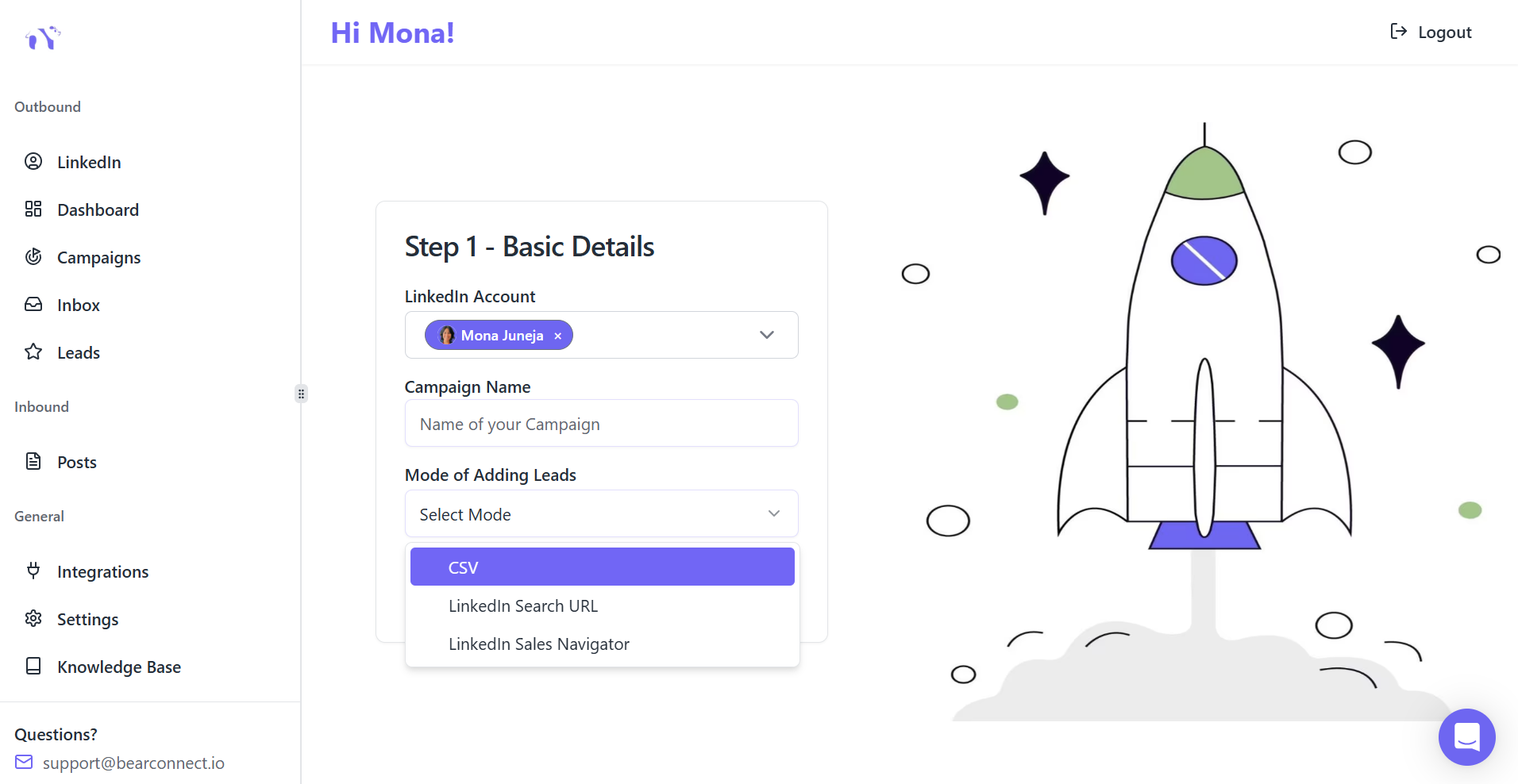
Bearconnect offers Powerful LinkedIn automation built specifically for agencies, sales teams, and founders needing affordable scalability.
Why Bearconnect Outperforms Expandi
- Transparent pricing: Just $67 per LinkedIn account per month. Agencies managing 10+ accounts save thousands compared to Expandi's per-account model.
- Unified inbox: Consolidate all LinkedIn conversations from multiple accounts into one dashboard. Filter, tag, and reply on teammates' behalf without switching profiles.
- Dual automation: Automate both inbound content (AI post generation and scheduling) and outbound messaging simultaneously. Expandi focuses solely on outbound campaigns.
- Intuitive setup: Launch campaigns within minutes using pre-built templates and straightforward dashboard navigation.
Minimal learning curve compared to Expandi's complex interface.
- AI-powered content: Built-in AI generates LinkedIn posts and schedules content for visibility alongside automated outreach.
- Transparent pricing: All pricing clearly listed without requiring sales calls.
Cost Comparison
Managing 1 LinkedIn accounts costs $99 monthly with Expandi versus $67 monthly with Bearconnect.
For agencies, this represents over 40% cost savings while gaining superior collaboration features.
Other Expandi Competitors Worth Considering
Beyond Bearconnect, several alternatives provide different approaches to LinkedIn automation.
- Dripify: Cloud-based automation with similar CRM integrations and campaign management.
- Dux-Soup: Offers both browser extension and cloud options at lower entry price points.
- Waalaxy: Combines LinkedIn and email outreach for true multichannel campaigns.
- Phantombuster: Advanced scraping and automation capabilities designed for technical users.
- Meet Alfred: Focuses on multi-touch campaigns across LinkedIn, email, and Twitter.
User Experience and Reviews
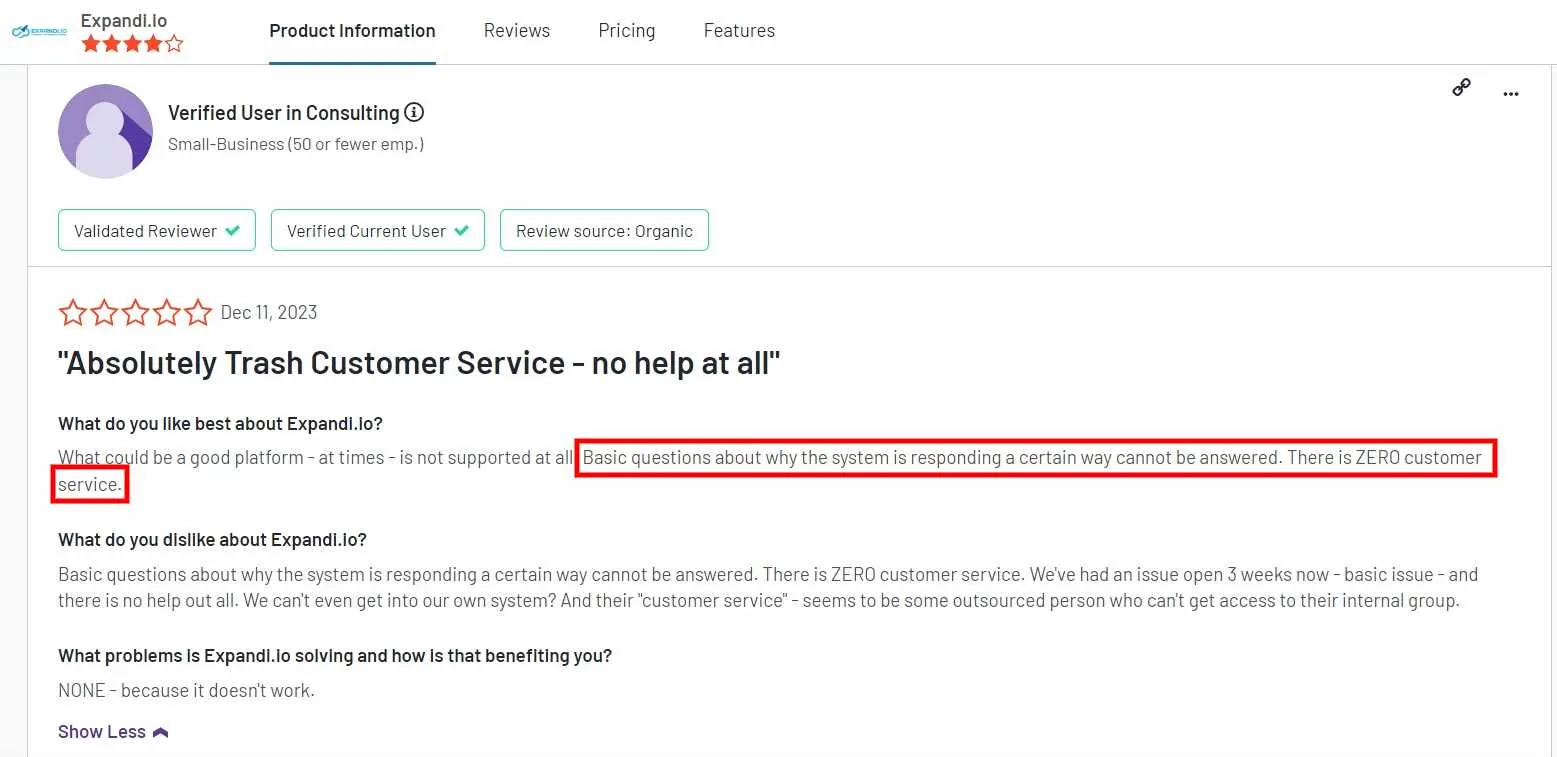
Real user feedback reveals important considerations beyond marketing claims.
Expandi maintains a 4.2 rating on G2, indicating generally positive reception.
Users praise campaign management features, LinkedIn integration quality, and responsive customer support.
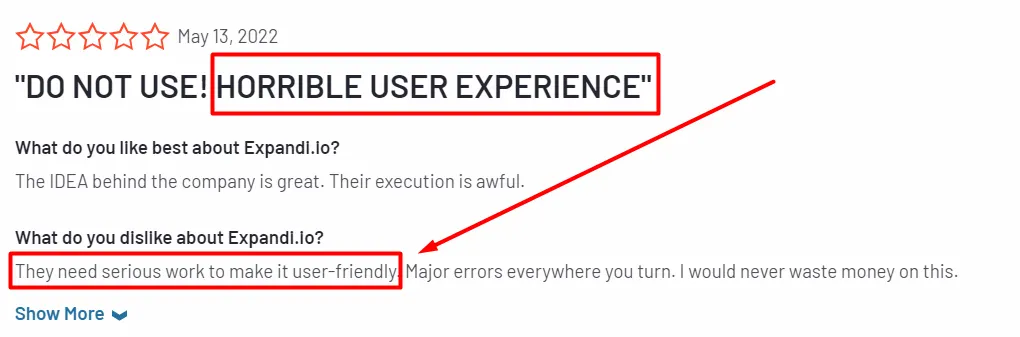
However, common complaints include confusing setup processes, especially for advanced workflows and external CRM connections.
Navigation could be more intuitive according to multiple reviewers.
High pricing and LinkedIn account bans represent the most serious concerns mentioned across review platforms.
Final Verdict: Is Expandi Worth Your Investment?
Expandi delivers solid LinkedIn automation for specific use cases but faces limitations that impact scalability and team collaboration.
Choose Expandi If You:
- Operate one or two LinkedIn accounts independently.
- Prioritize advanced personalization with images and GIFs.
- Need detailed analytics and existing CRM integrations.
- Can invest $99 to $199 monthly per LinkedIn account.
- Work solo without requiring team inbox collaboration.
Consider Alternative Bearconnect If You:
- Manage multiple LinkedIn accounts for clients or team members.
- Require unified inbox functionality for team collaboration.
- Want to combine content creation with outreach automation.
- Need transparent, predictable pricing regardless of account quantity.
- Prefer beginner-friendly interfaces with minimal learning curves.
Why Teams Choose Bearconnect Over Expandi
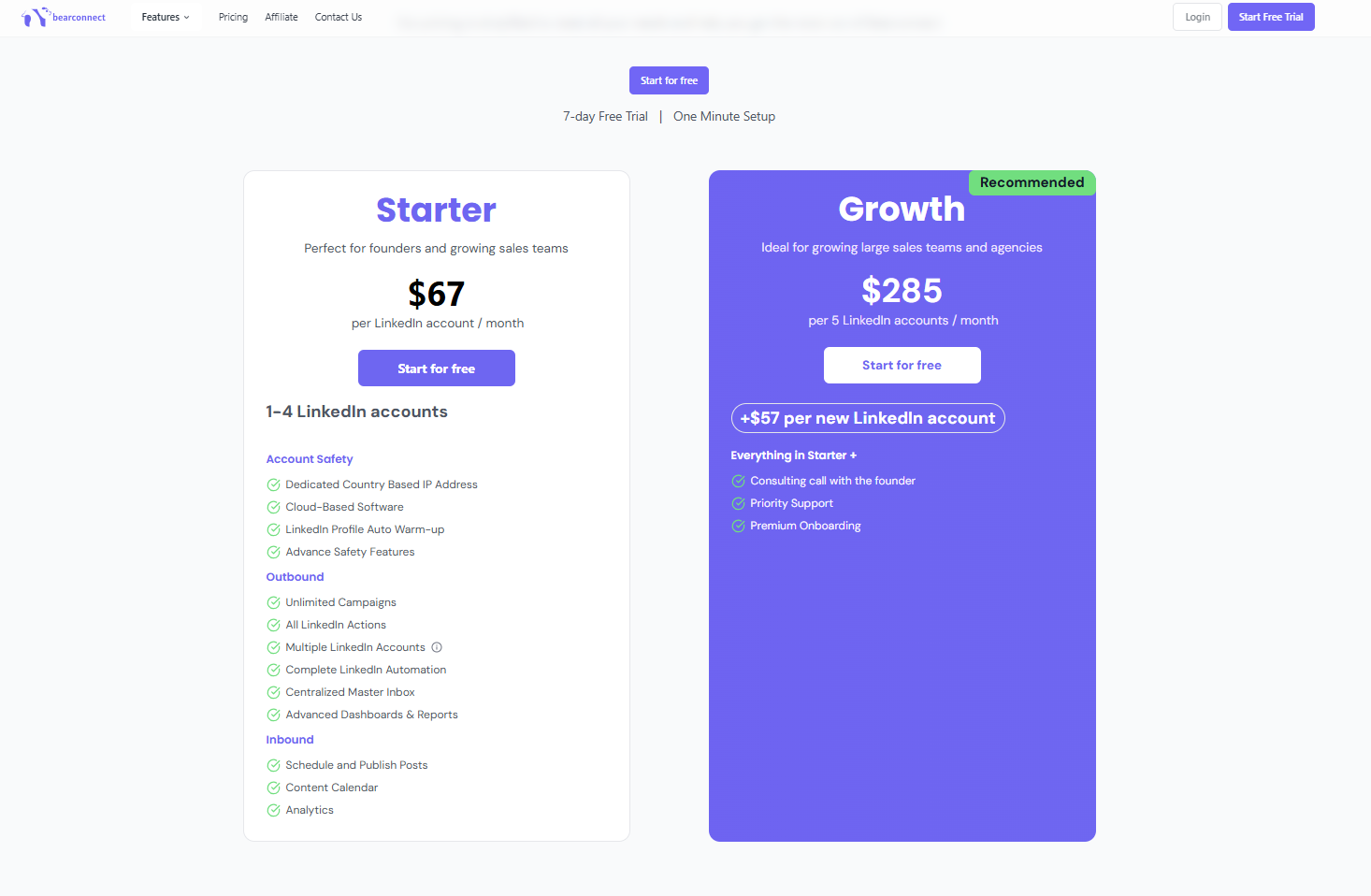
Bearconnect addresses Expandi's key limitations while delivering superior value for scaling operations.
- The $67 monthly rate applies per LinkedIn account; Expandi’s pricing starts at $99 per LinkedIn account per month.
- Unified inbox management eliminates constant profile switching and enables team members to respond on behalf of colleagues.
- Combined inbound and outbound automation increases visibility through scheduled content while simultaneously running connection campaigns.
- Pre-built campaign templates and intuitive design mean faster setup and immediate ROI.
Ready to scale LinkedIn outreach affordably? Bearconnect delivers enterprise-grade automation at a fraction of competitor costs.
Start your free trial today and experience why agencies, sales teams, and founders choose Bearconnect for sustainable LinkedIn growth.
Frequently Asked Questions (FAQs)
1. How much does Expandi cost in 2025?
Expandi costs $99 per month or $79 per month billed annually. Agency plans require 10+ seats with custom pricing. This per-account model becomes expensive when managing multiple LinkedIn profiles.
2. Is Expandi safe for LinkedIn automation?
Expandi includes safety features like dedicated IPs and randomized delays, but no automation tool is 100% safe. Users report account restrictions and bans despite safety measures. LinkedIn prohibits third-party automation, so all tools carry inherent risks.
3. Does Expandi work without LinkedIn Sales Navigator?
Yes, Expandi works perfectly with free LinkedIn accounts. Sales Navigator is optional and provides advanced filtering but isn't required for Expandi's core functionality.
4. What is the best alternative to Expandi?
Bearconnect offers the best value at $67 per month versus Expandi's $99 per month. It includes unified inbox, AI content scheduling, account rotation, and agency workspaces that Expandi lacks.
Ready to Transform Your LinkedIn Strategy?
Join thousands of professionals already using Bearconnect to automate their outreach and grow their network.
7-day free trial • Cancel anytime
Related Articles
How to Set Up n8n Integration in Bearconnect: Build Self-Hosted LinkedIn Lead Workflows Without Code
Connect Bearconnect with n8n to automate LinkedIn lead workflows using flexible, self-hosted automation. Sync data across your CRM and tools, build custom workflows, and gain full control over your automation setup.
How to Set Up Make Integration in Bearconnect: Build Visual Lead Workflows Across Any App Without Code
Connect Bearconnect with Make to build visual LinkedIn lead workflows across your CRM, Slack, and other tools without code. Automate lead capture, streamline processes, and sync data seamlessly in real time.
How to Set Up Zapier Integration in Bearconnect: Auto-Send Leads to Your CRM, Slack, or Google Sheets
Connect Bearconnect with Zapier to automatically send LinkedIn leads to your CRM, Slack, or Google Sheets. This step-by-step guide helps you streamline workflows, reduce manual work, and capture leads in real time.