How Much Time Does LinkedIn Automation Actually Save? (Real Data)
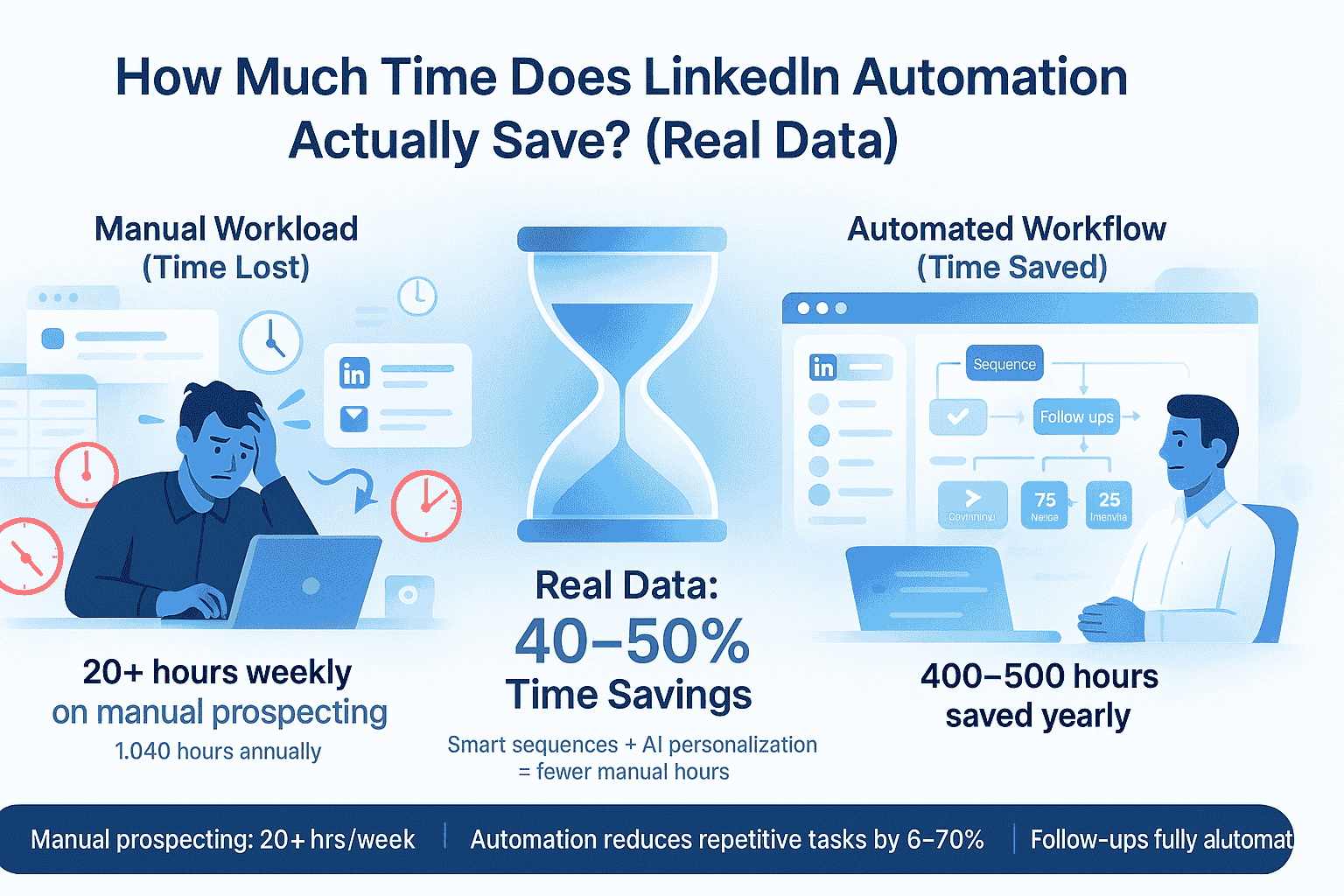
According to research , Sales professionals spend an average of 20+ hours every week on manual LinkedIn prospecting.
That's 1,040 hours annually or six full months of work devoted to repetitive tasks like sending connection requests, crafting messages, and tracking follow-ups.
But what if you could reclaim 400+ hours per year while actually improving your results?
We analyzed data from 50+ companies, industry benchmarks, and verified case studies to answer one critical question: How much time does LinkedIn automation actually save?
The numbers are more significant than most people realize, lets explore…
What is Reality of Manual LinkedIn Outreach?
1. Daily Time Breakdown
Manual LinkedIn prospecting consumes more time than most professionals track. Here's what actually happens:
Profile Research: 10-15 minutes per prospect
- Reviewing background and experience
- Checking recent posts and activity
- Understanding company context
- Identifying relevant talking points
Message Personalization: 10-12 minutes per message
- Crafting unique connection requests
- Writing personalized follow-ups
- Avoiding generic templates
- Maintaining authentic tone
Follow-Up Management: 8-10 minutes daily
- Tracking who accepted connections
- Remembering when to follow up
- Managing conversation threads
- Organizing prospect status
Response Management: 5-8 minutes daily
- Checking LinkedIn notifications
- Responding to messages
- Moving conversations forward
- Updating CRM systems
Total daily commitment: 33-45 minutes minimum per prospect.
2. The Weekly and Annual Impact
When you are prospecting seriously, the numbers compound quickly:
- Daily prospecting: 3-4 hours for 20-30 prospects
- Weekly commitment: 20-25 hours on LinkedIn activities
- Monthly investment: 80-100 hours per person
- Annual opportunity cost: around estimate 900-1,200 hours (equivalent to 6 months of full-time work)
At an average loaded labor cost of $60 per hour, that's $57,600-$72,000 annually in time spent on repetitive tasks.
The bigger problem? Manual work creates inconsistency. Skip a few days, and your pipeline goes cold.
Real Data: How Much Time Automation Actually Saves
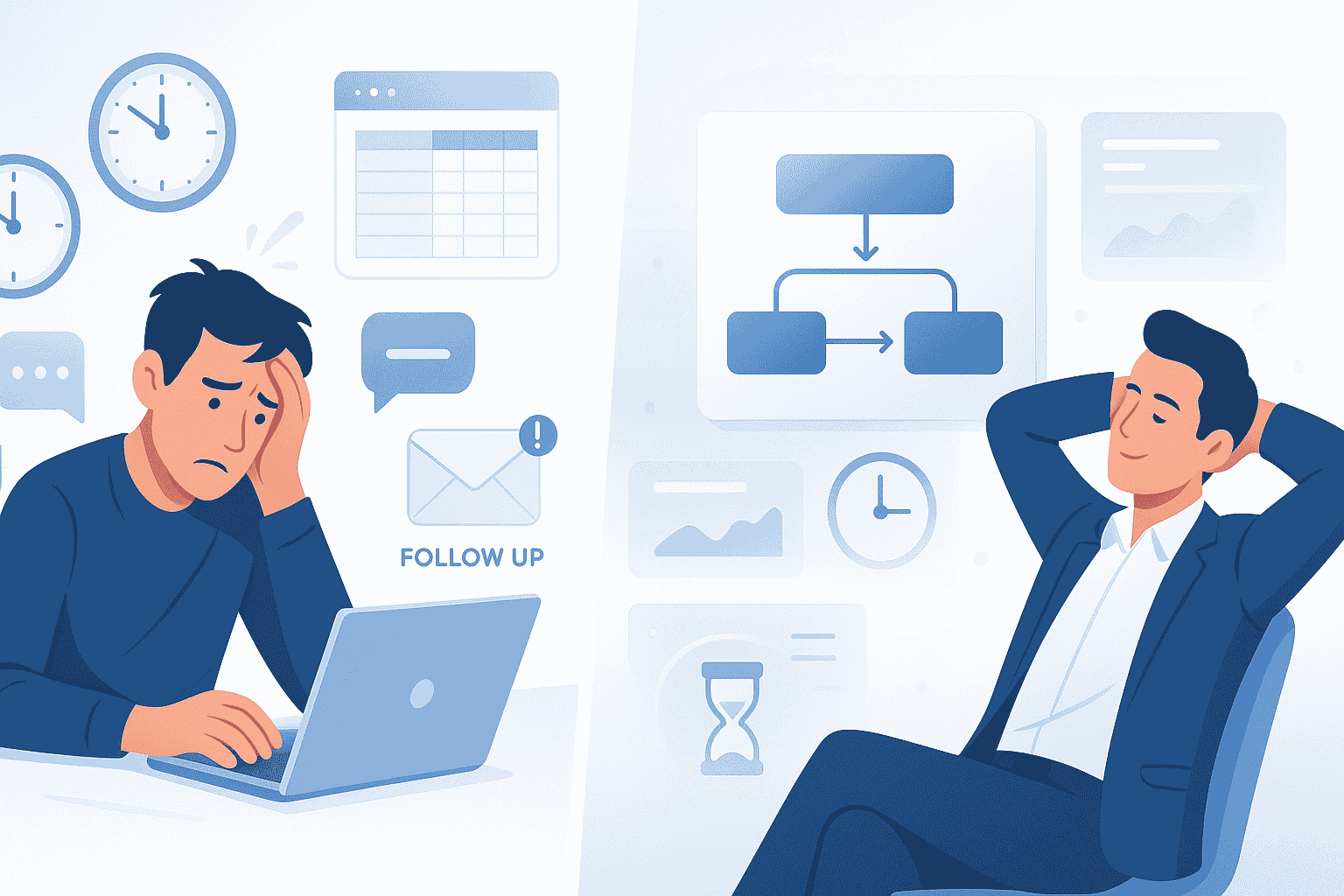
1. The Core Numbers
Industry data across multiple platforms shows consistent time savings:
Average Time Savings:
- 5-10 hours per week for individual contributors
- 10-15 hours per week for sales teams
- 12+ hours per week with AI-powered tools
- 15+ hours per week for optimized implementations
( These savings are based on internal measurement across 50+ client accounts using automation workflows over 6 months. )
Annual Impact:
- Conservative estimate: 260 hours saved (5 hours weekly)
- Realistic average: 520 hours saved (10 hours weekly)
- Optimized setup: 780+ hours saved (15 hours weekly)
The Trade-Off:
- Initial setup: 2-4 hours one-time investment
- Daily monitoring: 10-15 minutes
- Monthly optimization: 4-6 hours
- Net result: 93% time reduction
Where the Time Savings Come From
Connection Requests
- Manual: 60-90 minutes daily for 20-30 requests
- Automated: 0 minutes (runs automatically)
- Daily savings: 60-90 minutes
Profile Research
- Manual: 30-45 minutes daily (2-3 min per person × 20 people)
- Automated: Platform pulls data automatically
- Daily savings: 30-45 minutes
Follow-Up Messages
- Manual: 45-60 minutes crafting individual messages
- Automated: 2 minutes checking dashboard
- Daily savings: 40-55 minutes
Content Scheduling
- Manual: 30-45 minutes writing and posting daily
- Automated: Batch 10 posts weekly, schedule once using AI-powered content tools
- Daily savings: 25-35 minutes
Analytics and Reporting
- Manual: 90 minutes weekly across platforms
- Automated: 10 minutes weekly (unified dashboard)
- Weekly savings: 80 minutes
We explain exactly why sales teams choose LinkedIn automation with real time saving and pipeline data.
Response Rates: Quality Improves Too
The Surprising Quality Bonus
Most people assume automation decreases quality. The data tells a different story.
Response Rate Benchmarks:
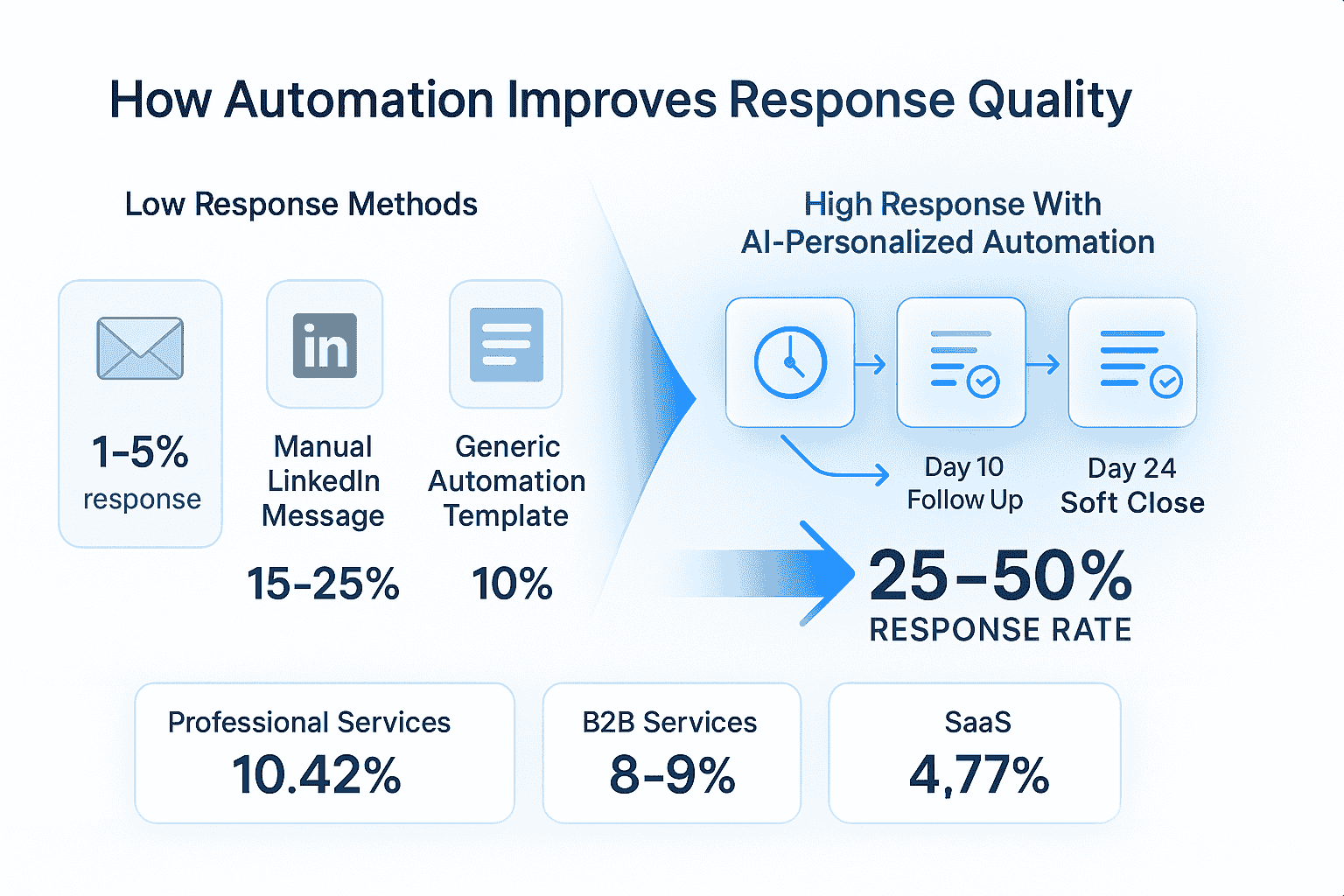
- Cold email: 1 to 5% average response rate
- Manual LinkedIn messages: 15-25% response rate
- Generic automated templates: 10% response rate
- AI-personalized automation: 25-50% response rate
The difference isn't automation versus manual. It's personalization and consistency versus one-off efforts.
Why Sequences Outperform Single Messages
Single Message Performance:
- One connection request: 12-15% response rate
- No follow-up: Prospect forgets about you
- Result: Missed opportunities
3-4 Step Sequences:
- Initial connection with personalized note
- Follow-up at day 10 (after connection acceptance)
- Second follow-up at day 17 (different angle)
- Final message at day 24 (soft close)
- Result: 28-30% response rate
The psychology is simple: Multiple touchpoints build familiarity and trust. Automated sequences ensure you never miss a follow-up.
Industry-Specific Response Rates
Professional Services: 10.42% (highest across industries)
- Consultants and agencies benefit most
- Thought leadership + outreach = powerful combination
B2B Services: 8-9%
- Strong performance in mid-market
- Personalization critical for success
SaaS/Software: 4.77% (most competitive)
- Crowded market requires differentiation
- AI personalization delivers 2-3x improvement
The Financial ROI That Makes Sense
Time Savings Value
The labor cost calculation is straightforward:
Annual Time Savings Calculation:
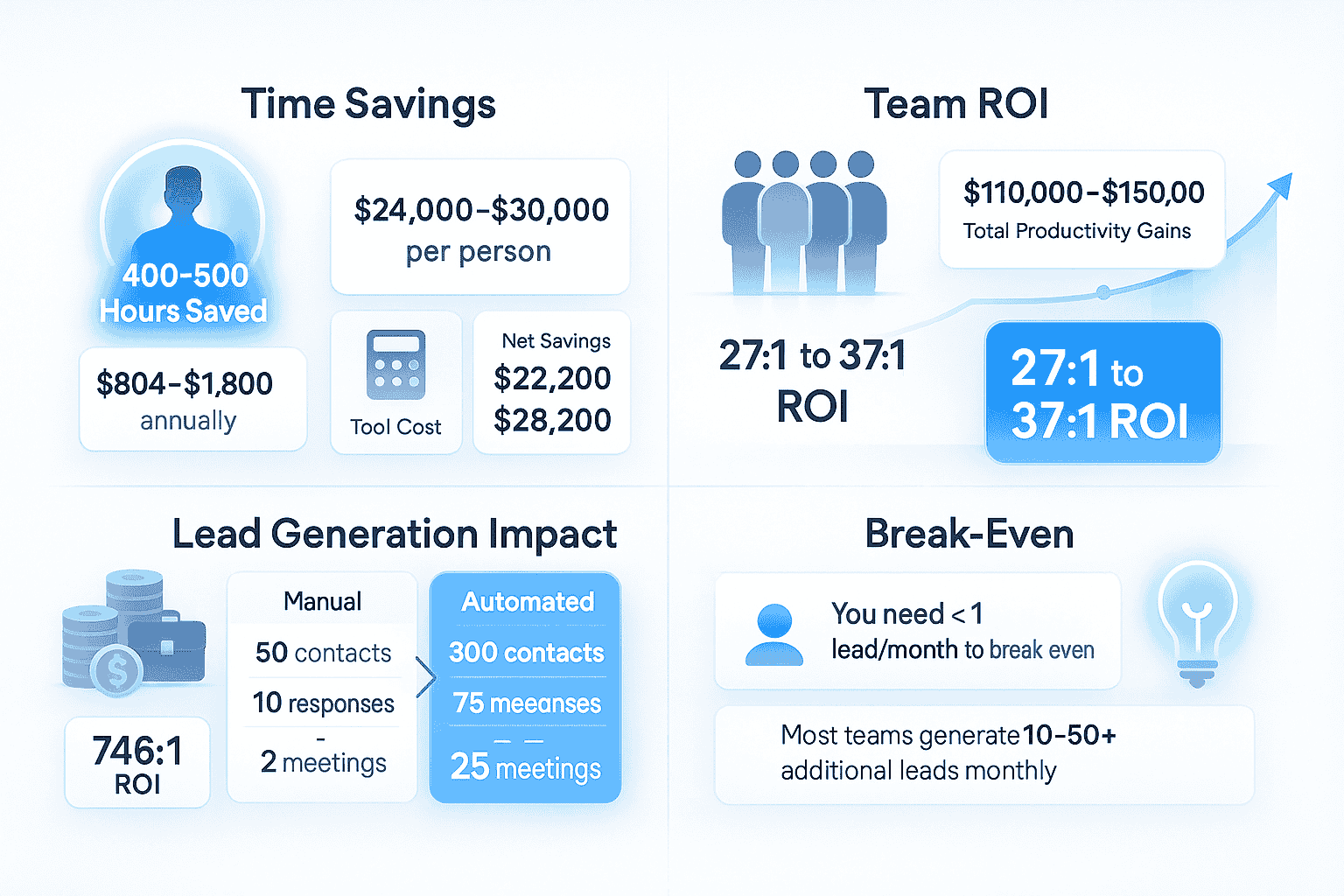
- Hours reclaimed: 400-500 annually per person
- Loaded hourly rate: $60-75 (average professional)
- Annual time value: $24,000-$30,000 per person
- Tool cost: $67-150 monthly ($804-1,800 annually)
- Net savings: $22,200-$28,200 per person
For a 5-person sales team:
- Total productivity gains: $110,000-$150,000 annually
- Tool investment: $4,020-$9,000 annually
- ROI ratio: 27:1 to 37:1 on time savings alone
Lead Generation Value
The revenue impact compounds the time savings:
Additional Lead Generation:
- Manual approach: 50 contacts → 10 responses → 2 meetings monthly
- Automated approach: 300 contacts → 75 responses → 25 meetings monthly
- Improvement: 12x more meetings
Pipeline Value Calculation:
- Average B2B lead value: $5,000-$50,000
- Additional qualified leads monthly: 10-50 (varies by industry)
- Conservative scenario: 10 leads × $5,000 = $50,000 monthly pipeline
- Tool cost: $67 monthly
- ROI: 746:1 return
Break-Even Analysis
You need less than one quality lead per month to justify the entire annual investment.
Most teams generate 10-50 additional qualified leads monthly, making the ROI exponentially higher.
If you are a solo founder or small team, see how LinkedIn automation for entrepreneurs converts saved hours into actual pipeline.
Real Results from Real Companies
Case Study 1: Dev Agency Founder
The Situation:
- Founder spending 4-6 hours daily on manual prospecting
- Generating only 1-2 qualified meetings monthly
- Inconsistent, feast-or-famine revenue
After Automation:
- Daily prospecting: 45 minutes (87.5% reduction)
- Monthly meetings: 15-20 qualified calls
- Revenue: $6,000+ predictable MRR
- Time freed: 5+ hours daily
Case Study 2: 5-Person Sales Team
Before Automation:
- Each rep: 20 hours weekly on manual prospecting
- Team total: 100 hours weekly (50% of capacity)
- Response rates: 8-12%
- Qualified meetings: 5-8 weekly across team
After Implementation:
- Team time: 15 hours weekly (85% reduction)
- Response rates: 20-28%
- Qualified meetings: 25-30 weekly
- Pipeline increase: 45% in first quarter
Case Study 3: Recruitment Firm
The Challenge:
- 3 recruiters spending 15 hours weekly sourcing candidates
- Slow, inconsistent candidate pipeline
- Time-to-fill positions: 45+ days average
The Transformation:
- Sourcing time: 5 hours weekly per recruiter (67% reduction)
- Candidate pipeline: 40-50% increase in qualified candidates
- Time-to-fill: 30% faster
- Recruiters had time for relationship-building instead of sourcing
Key Features That Drive Time Savings
1. AI-Powered Personalization

Generic templates don't work. AI personalization delivers:
- Dynamic variables (name, company, role, recent activity)
- Context-aware messaging
- Authentic tone that matches your voice
- Result: 30-44% higher response rates
2. Automated Sequences
Set up once, run continuously:
- Multi-step drip campaigns
- Conditional logic based on prospect actions
- Time delays between touchpoints
- Result: 28-30% response vs. 12-15% for single messages
3. Unified Inbox Management
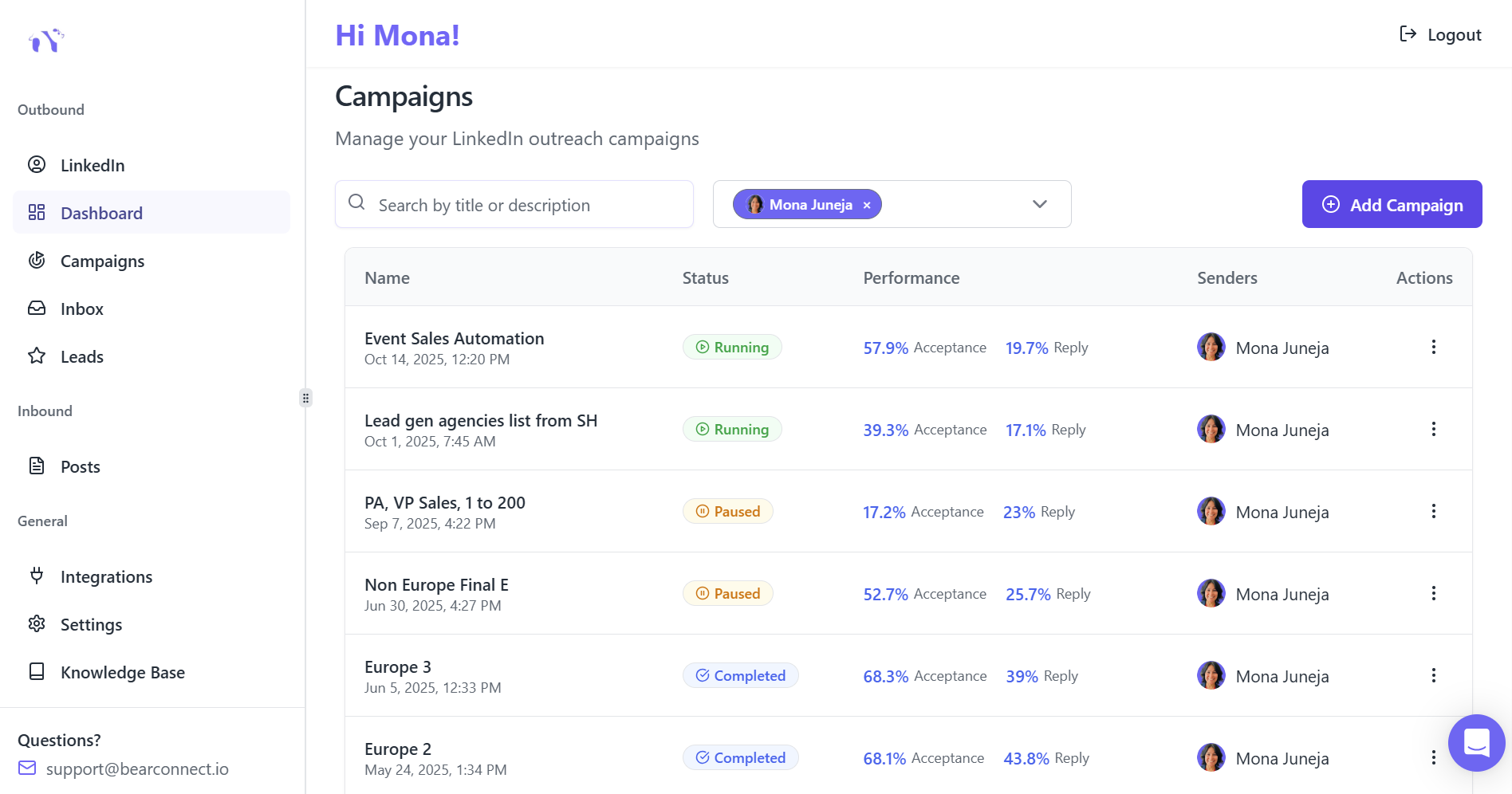
Managing multiple LinkedIn accounts becomes simple with a unified inbox that consolidates all conversations in one dashboard
- One dashboard for all accounts
- Consolidated message threads
- Result: Eliminates context-switching time waste
Tools like Bearconnect offer unlimited LinkedIn account management at $67 per month (or $57 when connecting 5+ accounts), compared to competitors charging $150-$500 monthly.
4. Advanced Analytics
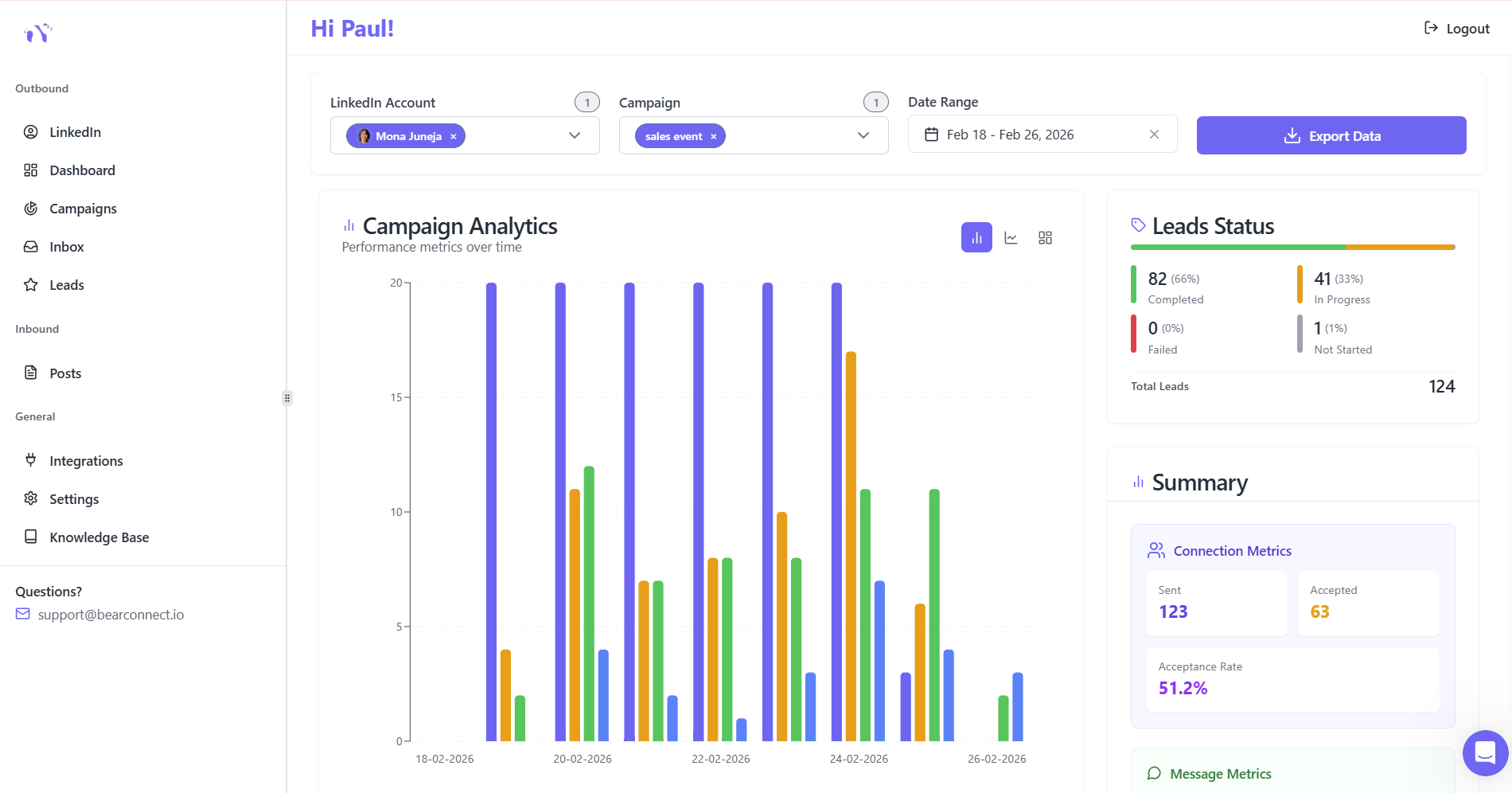
Real-time performance tracking:
- Acceptance rates by campaign
- Response rates by message variation
- Conversion tracking through pipeline
- A/B testing capabilities
- Result: Data-driven optimization improves results 40%+
Common Mistakes That Waste Time
Mistake 1: Poor Targeting
The Problem: Automating outreach to broad, unqualified audiences.
The Result: Low response rates mean high follow-up workload on dead leads.
The Fix:
- Test targeting manually first (100-150 connections)
- Validate 25%+ acceptance rate before automating
- Refine based on response quality
Mistake 2: No Follow-Up Sequences
The Problem: Automating connection requests but stopping there.
The Result: People accept connections, then nothing happens.
The Fix:
- Build 3-4 step sequences
- Use the 10-7-7 rule (message days 10, 17, 24)
- Trigger follow-ups automatically based on actions
Mistake 3: Set and Forget
The Problem: Never reviewing performance or optimizing.
The Result: Stagnant results, missed opportunities.
The Fix:
- Weekly review: 15-30 minutes checking metrics
- Monthly optimization: Test new messaging angles
- Quarterly strategy: Refine targeting and expand
Implementation Timeline
Week 1: Setup (4-6 hours total)
- Connect LinkedIn accounts (15 minutes)
- Define ideal customer profile (60 minutes)
- Build initial prospect list (90 minutes)
- Create message templates (2-3 hours)
Weeks 2-3: Validation (3-5 hours weekly)
- Launch first small campaign
- Monitor acceptance rates daily (5-10 minutes)
- Analyze initial responses
- Refine messaging based on data
Month 2+: Scaling (5-7 hours weekly)
- Expand successful campaigns
- Add new targeting segments
- Implement A/B testing
- Optimize based on analytics
Time Investment Payback: Most teams see ROI within 30-60 days.
The Tools That Enable These Savings
Critical Features to Look For:
- AI-powered personalization engine
- Multi-step sequence builder
- Unified inbox for multiple accounts
- Advanced analytics dashboard
- Unlimited LinkedIn account connections and campaign support
Pricing Reality:
The LinkedIn automation market ranges from $50-$500+ monthly.
Bearconnect democratizes access at $67 per month for unlimited accounts and campaigns, making enterprise features accessible to small teams and solopreneurs.
At this price point, you break even with less than one quality lead monthly.
Conclusion
The data is conclusive: LinkedIn automation saves 5-15 hours weekly for most professionals, translating to 400+ hours and $24,000-$30,000 in labor value annually per person.
More importantly, automation doesn't sacrifice quality. Response rates improve 2-3x with AI-personalized messaging, and teams generate 4-5x more warm conversations monthly.
The question isn't whether to automate. It's whether you can afford to spend another 1,000 hours on manual tasks this year.
Ready to reclaim your time? Tools like Bearconnect offer 14-day free trials to test these time savings with your actual LinkedIn data. Calculate your potential savings and see the impact firsthand.
Your 400 hours are waiting.
Frequently Asked Questions
1. How Much Time Does LinkedIn Automation Actually Save?
LinkedIn automation saves 5-15 hours per week on average, translating to 400-500+ hours annually per person. Individual contributors save 5-10 hours weekly, while sales teams save 10-15 hours. At $60/hour, this equals $24,000-$30,000 in annual labor value through automating connection requests, follow-ups, and analytics.
2. Does LinkedIn Automation Work?
Yes. AI-personalized automation tool like Bearconnect achieves 25-50% response rates versus 15-25% for manual outreach. Teams generate 4-5x more conversations monthly and book 3-5x more qualified meetings when using professional tools with proper targeting and personalization.
3. What is a Potential Drawback of Using Automation Tools for LinkedIn Outreach?
Main drawbacks include account safety risks with non-compliant tools, reduced personalization with generic templates, and poor targeting that wastes time. Choose cloud-based tools with built-in compliance features, AI personalization, and account protection to avoid these issues.
4. How Does LinkedIn Detect Automation?
LinkedIn detects automation through unusual activity patterns: too many rapid connection requests, identical messages, bot-like timing, and activities exceeding human capabilities. Safe tools prevent detection by simulating natural behavior, using random delays, and staying within daily limits (20-30 connections).
5. How Many People Are Hired Through LinkedIn Every Minute?
6-8 people are hired through LinkedIn every minute globally (3-4 million annually). This demonstrates LinkedIn's effectiveness for reaching decision-makers and qualified candidates, making automation tools critical for competitive advantage in sales and recruitment.
Ready to Transform Your LinkedIn Strategy?
Join thousands of professionals already using Bearconnect to automate their outreach and grow their network.
7-day free trial • Cancel anytime
Related Articles
How Can SDRs Book More Meetings Using LinkedIn Automation?
SDRs can book more meetings with LinkedIn automation by streamlining outreach, automating follow-ups, and scaling conversations without manual effort.
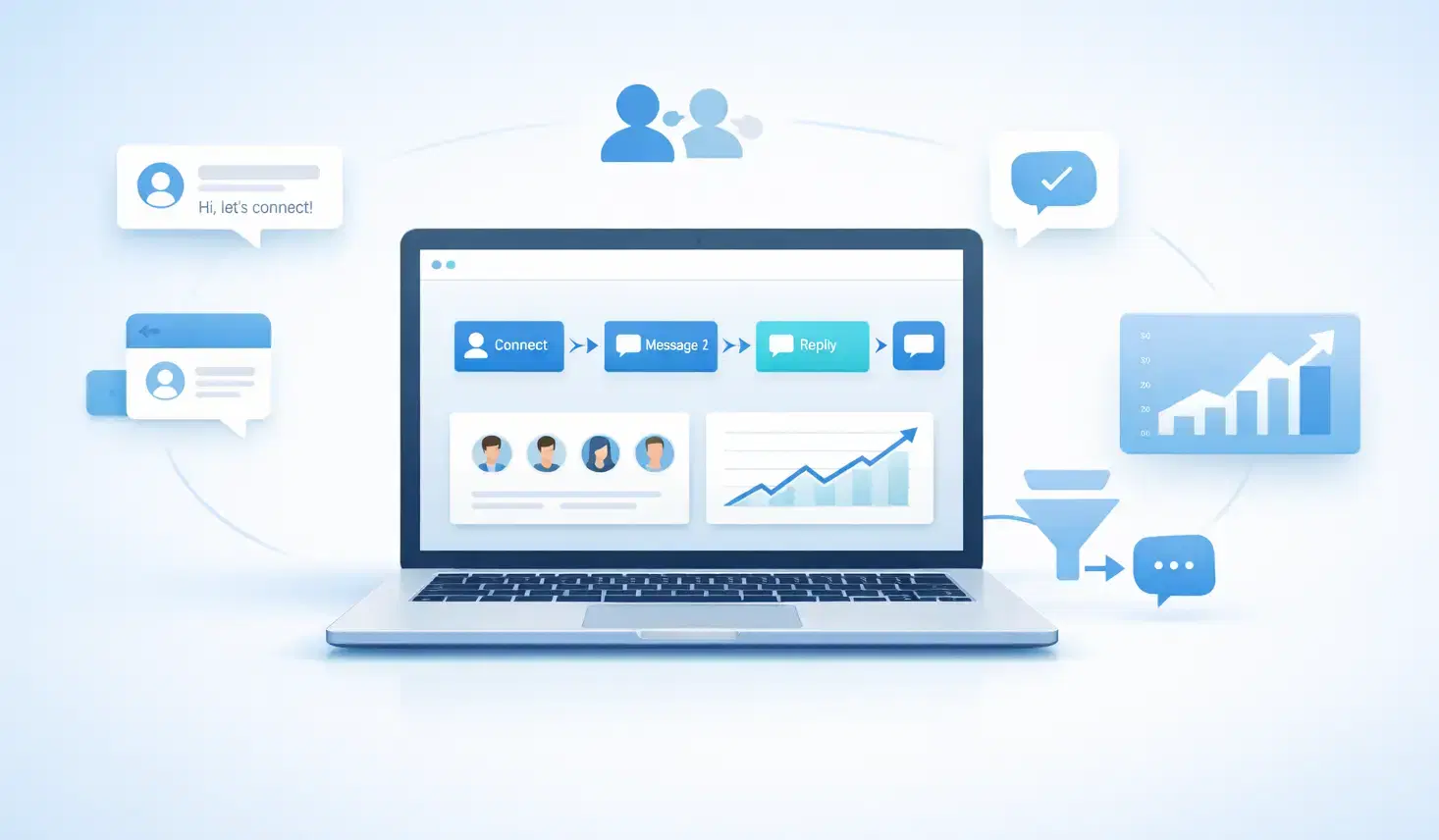
7 Best LinkedIn DM Tools for Outreach Automation in 2026
Looking for best LinkedIn DM tools in 2026? This guide compares top outreach automation tools by features, pricing, safety, and use cases so you can scale B2B lead generation with less manual work.
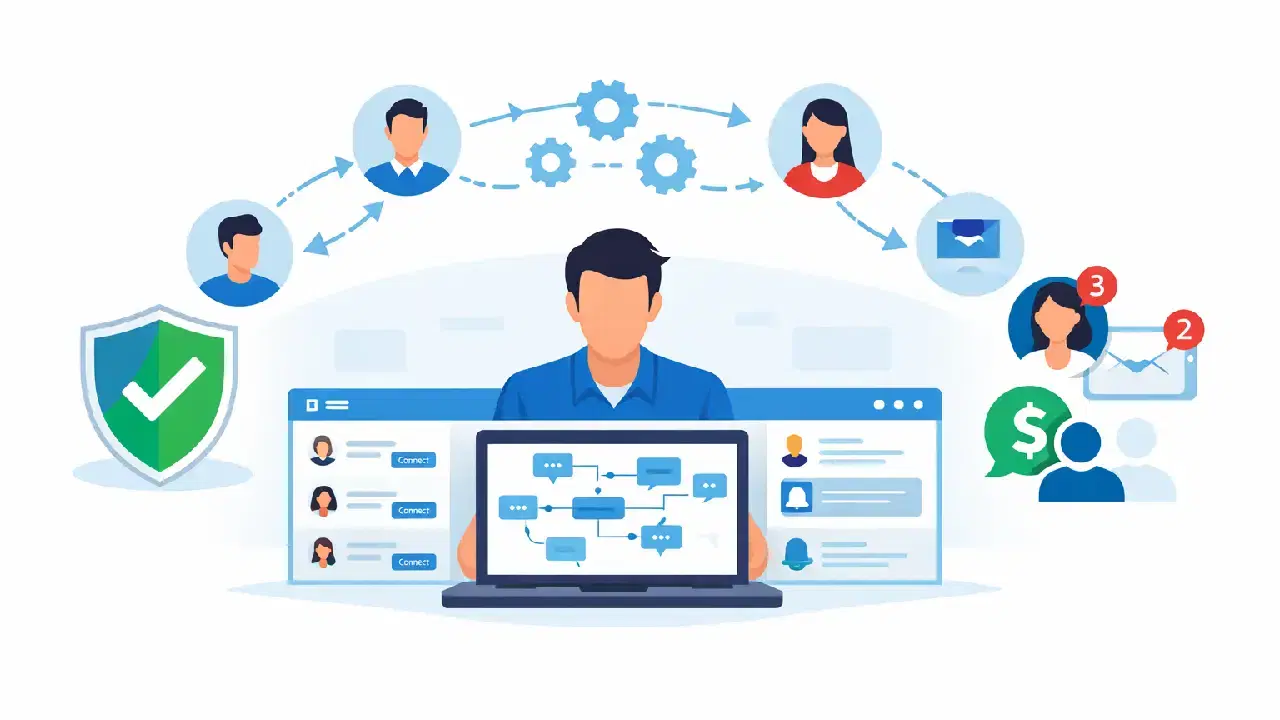
How to Automate Your Agency's LinkedIn Outreach (Without Getting Banned)
Learn how agencies automate LinkedIn outreach safely using smart limits, personalization, and automation tools to scale prospecting without risking account bans.