How to Generate 50+ Qualified LinkedIn Leads Per Week Without Spending Hours on Manual Outreach?
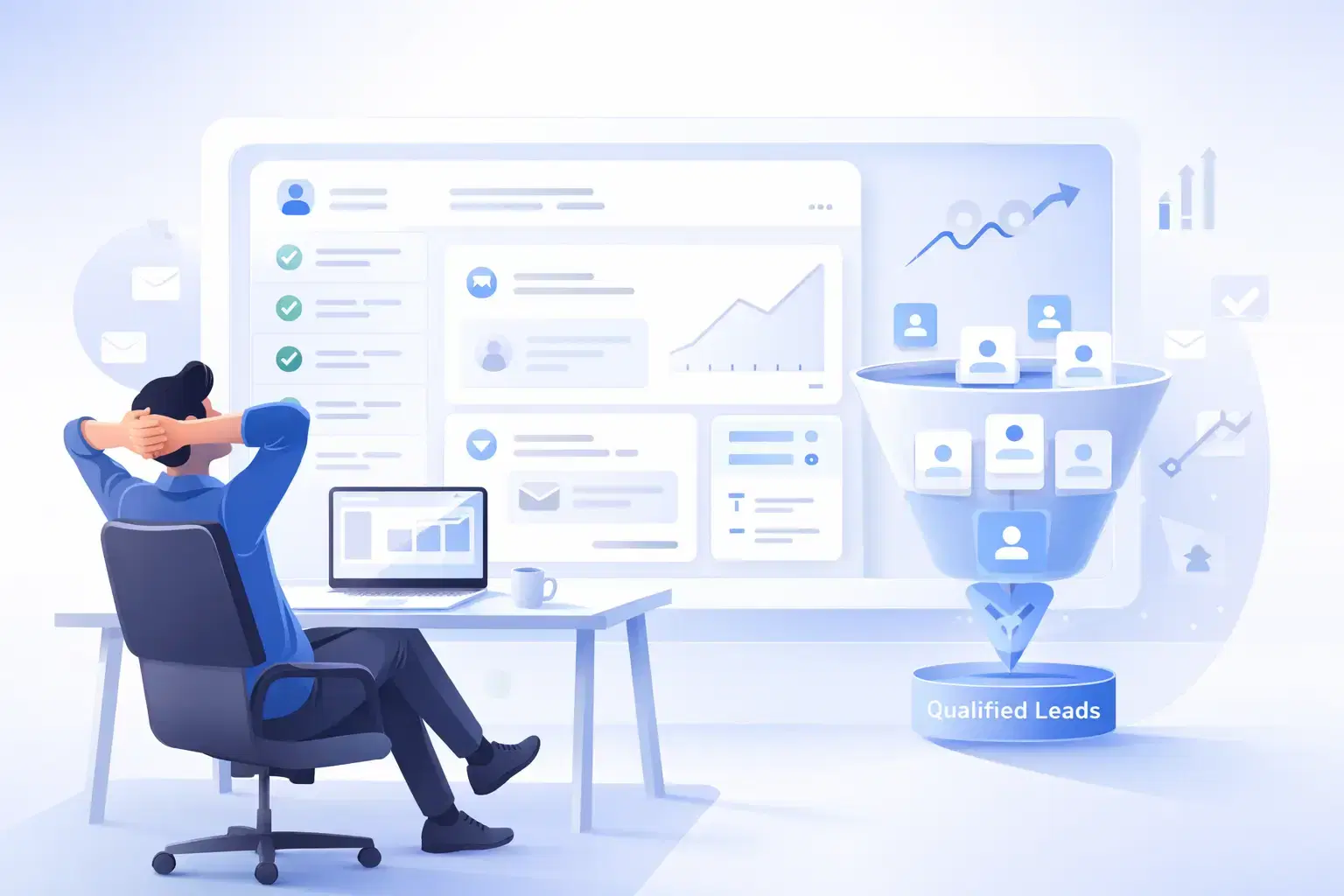
Generating 50+ qualified leads per week on LinkedIn requires a systematic approach combining targeted prospecting, personalized automation, and consistent content visibility.
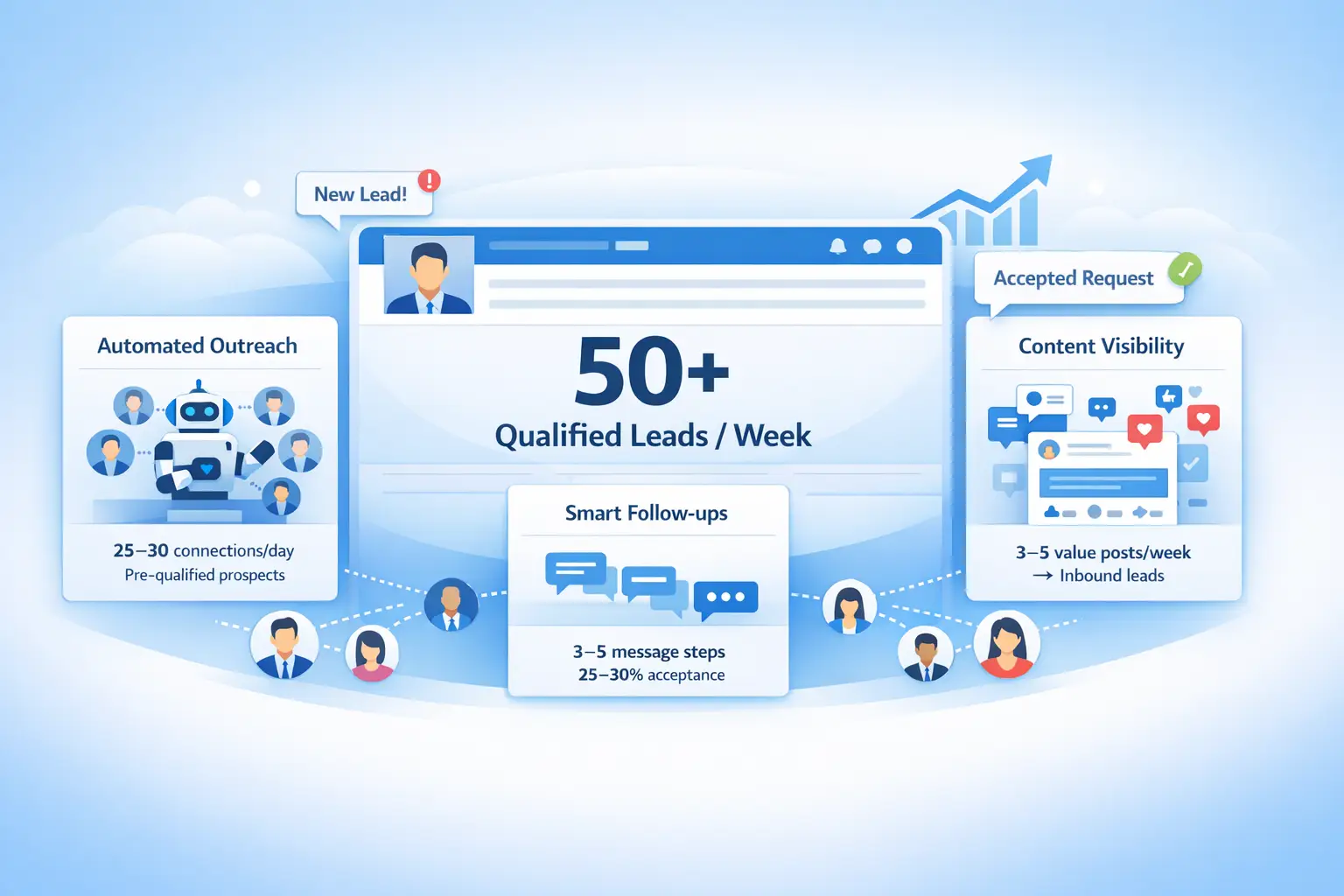
The proven formula:
- Automate 20-25 daily connection requests to pre-qualified prospects
- Follow up with 3-5 step drip sequences achieving 25-30% acceptance rates
- Post 3-5 value-driven pieces of content weekly to attract inbound leads.
TL;DR: Your Quick Guide to 50+ Weekly LinkedIn Leads
- Target the right audience: Use LinkedIn's advanced search filters (job title, industry, company size, seniority) to identify your ideal customer profile before sending requests.
- Automate strategically: Set up 3-5 step follow-up sequences with 5-7 day intervals between messages to achieve 5-15% conversion rates.
- Personalize at scale: AI-assisted messages with manual personalization achieve 32-48% higher performance than generic templates.
- Content drives inbound: Professionals using combined content + outreach strategies achieve 10.42% response rates, 2x higher than outreach alone.
- Track and optimize: Monitor connection acceptance rates, response rates, and conversion metrics to scale what works.
Why 50+ Weekly Leads Is Achievable on LinkedIn
The LinkedIn Advantage for B2B
- LinkedIn hosts 1.3 billion users, with 67% of B2B sales teams already using some form of automation.
- Unlike other platforms where users seek entertainment, LinkedIn users arrive in business mode, actively looking for solutions.
- The platform's professional context creates a unique opportunity.
The Math Behind 50+ Leads
Here's how the numbers work in your favor:
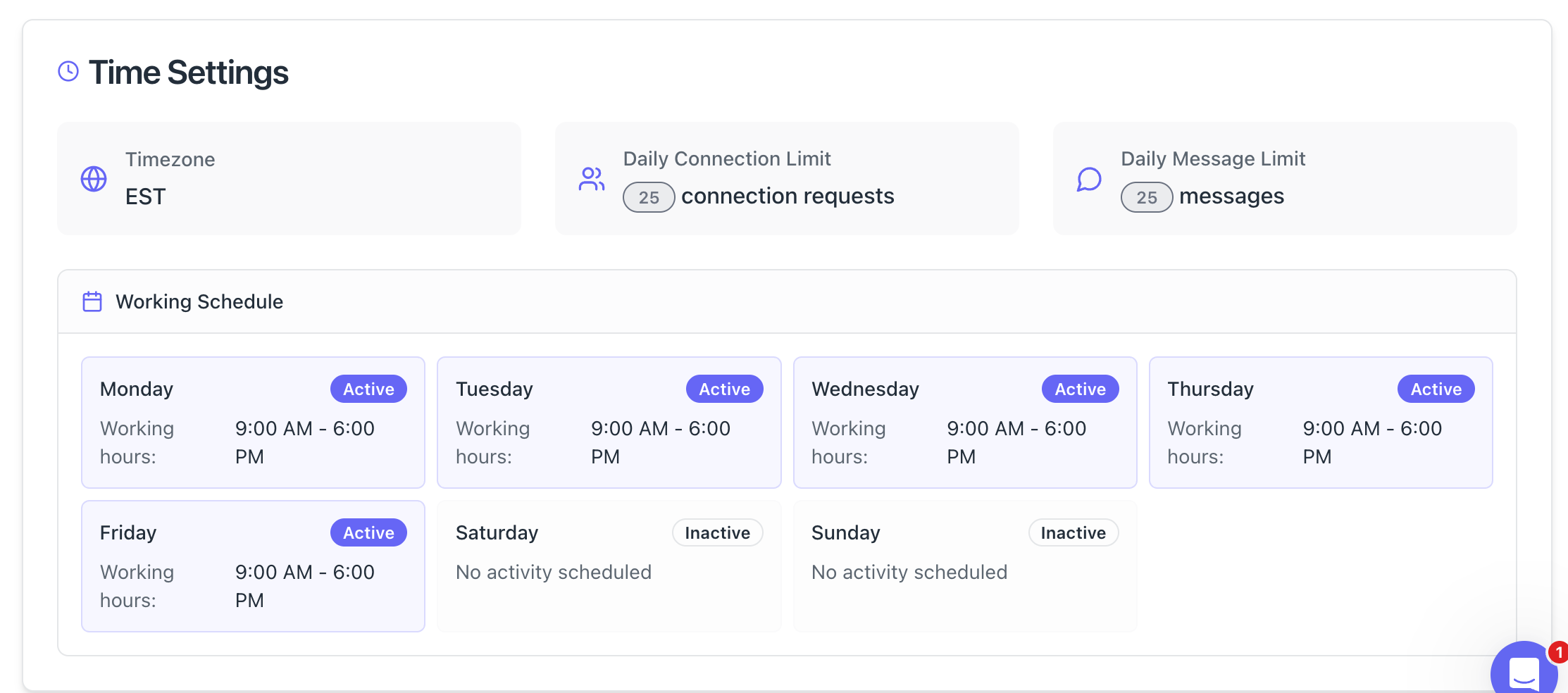
- Send 20-25 connection requests daily (LinkedIn's safe limit)
- Achieve 25-30% acceptance rate = 50-60 new connections weekly
- Convert 10-15% through follow-up sequences = 5-9 qualified conversations
- Combine with 3-5 inbound leads from content = 50+ total weekly leads
This formula is repeatable and scalable once you have the right system in place.
Step 1: Define Your Ideal Customer Profile (ICP)
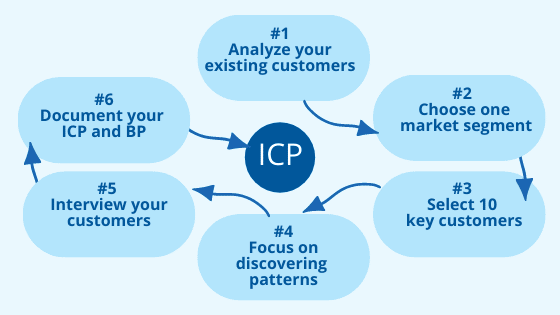
Who Are You Actually Targeting?
Before sending a single connection request, nail down your ICP with precision. Generic targeting wastes time and damages your acceptance rates.
Essential ICP Criteria
Build your target profile using these filters:
- Job titles: Decision-makers like Directors, VPs, Founders, Heads of Department
- Company size: 50-500 employees for mid-market, 10-50 for SMBs
- Industry: B2B SaaS, professional services, agencies, tech companies
- Geography: Target time zones where you operate
- Pain points: Identify the specific problems your solution solves
Pro Tip: Use LinkedIn Sales Navigator filters or Boolean search strings to build lists of 500-1000 prospects per segment. The more specific your ICP targeting, the higher your conversion rates.
Step 2: Build Your Lead Source (Search URL Method)
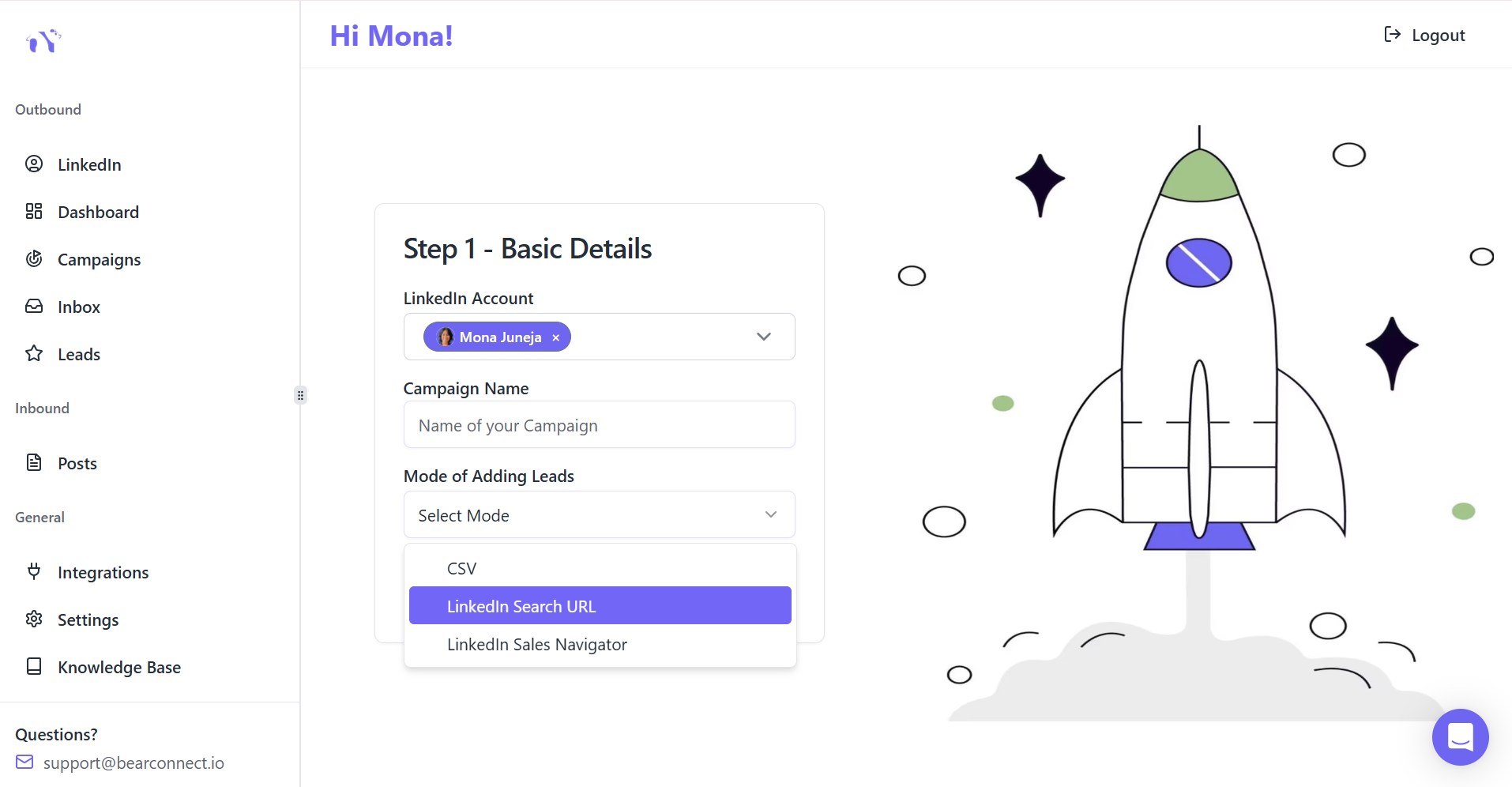
Why Search URLs Outperform Static Lists
Instead of uploading a CSV file that becomes outdated, use LinkedIn's People search URL. It continuously pulls fresh prospects matching your criteria.
Static lists decay quickly as people change jobs, but search URLs adapt automatically.
How to Create Your Search URL
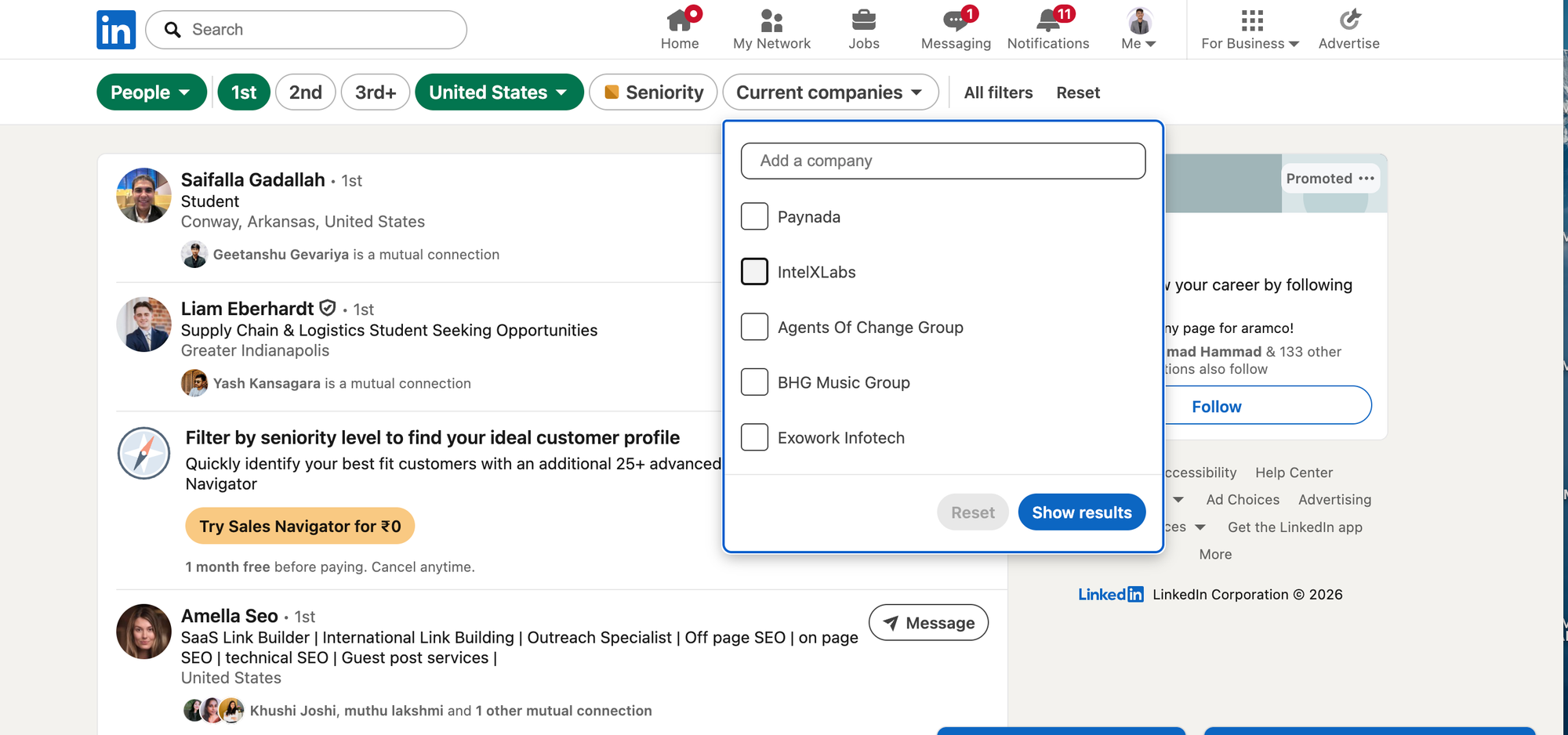
Follow this simple process:
- Go to LinkedIn and use People search filters
- Select job titles, industries, company sizes, locations
- Add keywords to tighten relevance (e.g., "sales automation," "lead generation")
- Copy the full URL from your browser
Use this as your campaign's lead source
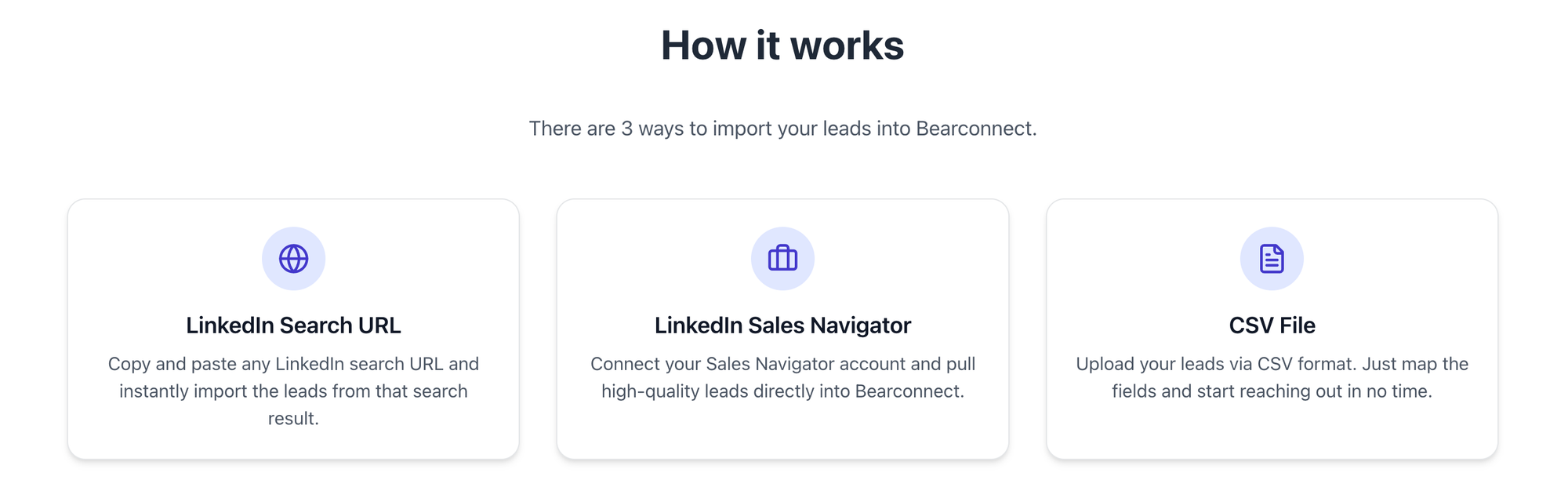
Result: Your campaign automatically refreshes as new prospects join LinkedIn or change roles to fit your filters. This creates a self-updating connection funnel.
Step 3: Craft Personalized Connection Requests
The 3-Part Connection Request Formula
Generic requests get 15% acceptance rates. Personalized requests hit 25-30%.
Your connection request is your first impression. Make it count.
Winning Structure
Use this proven three-part framework:
- Relevant observation: “It looks like your team is currently expanding the sales function.”
- Common ground: "As someone also focused on B2B lead gen..."
- Soft value offer: "I share strategies on LinkedIn automation that might be useful"
What NOT to Do
Avoid these common mistakes:
- Don't pitch your product in connection requests
- Skip generic connection requests that lack a reason or context.
- Don’t use the standard “I’d like to add you to my professional network” message.
Personalization doesn't mean writing unique messages for each prospect. Use dynamic fields and templates with 3-5 variations to maintain authenticity at scale.
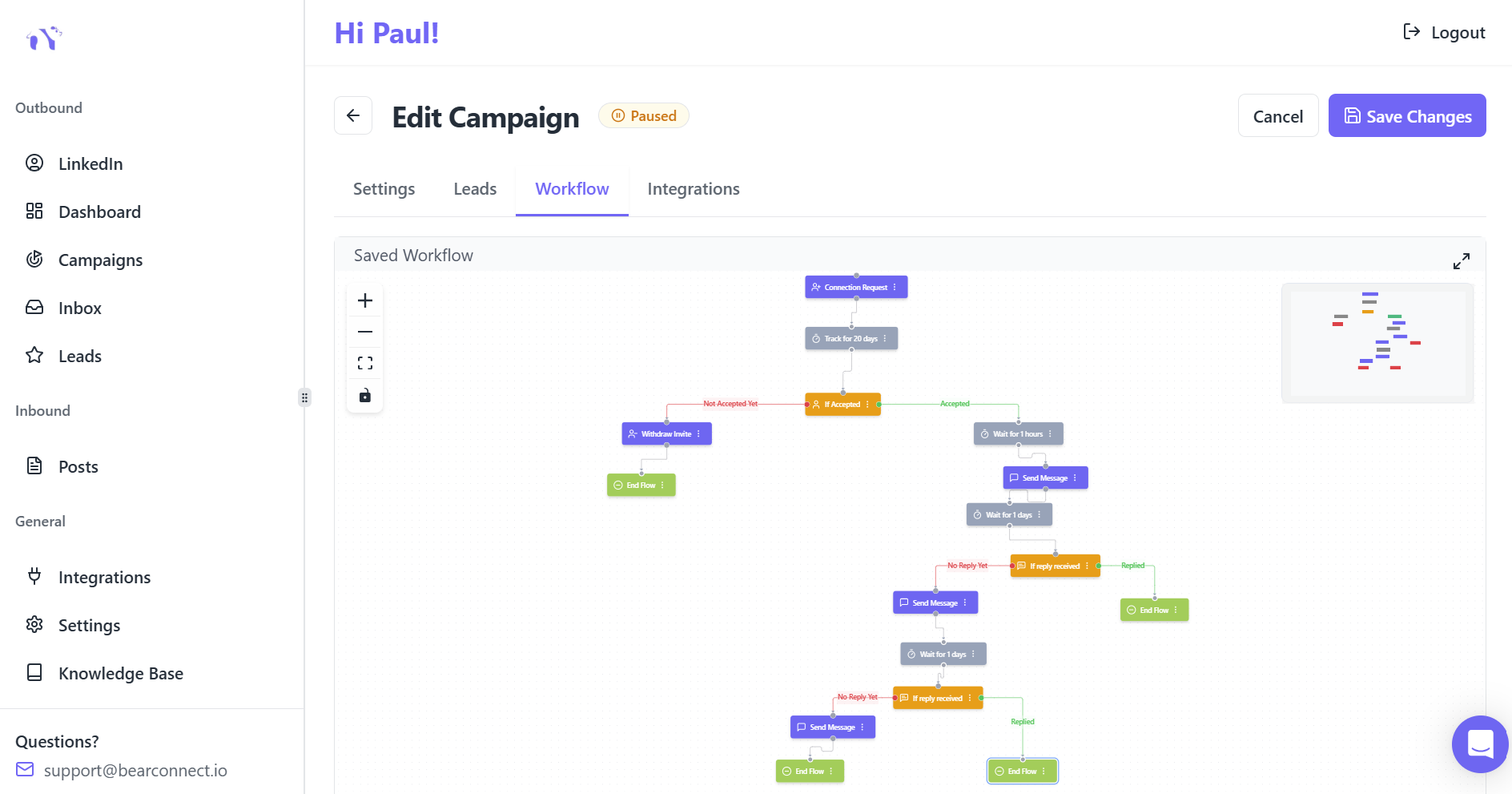
Step 4: Set Up Multi-Touch Follow-Up Sequences
Why Single Messages Fail
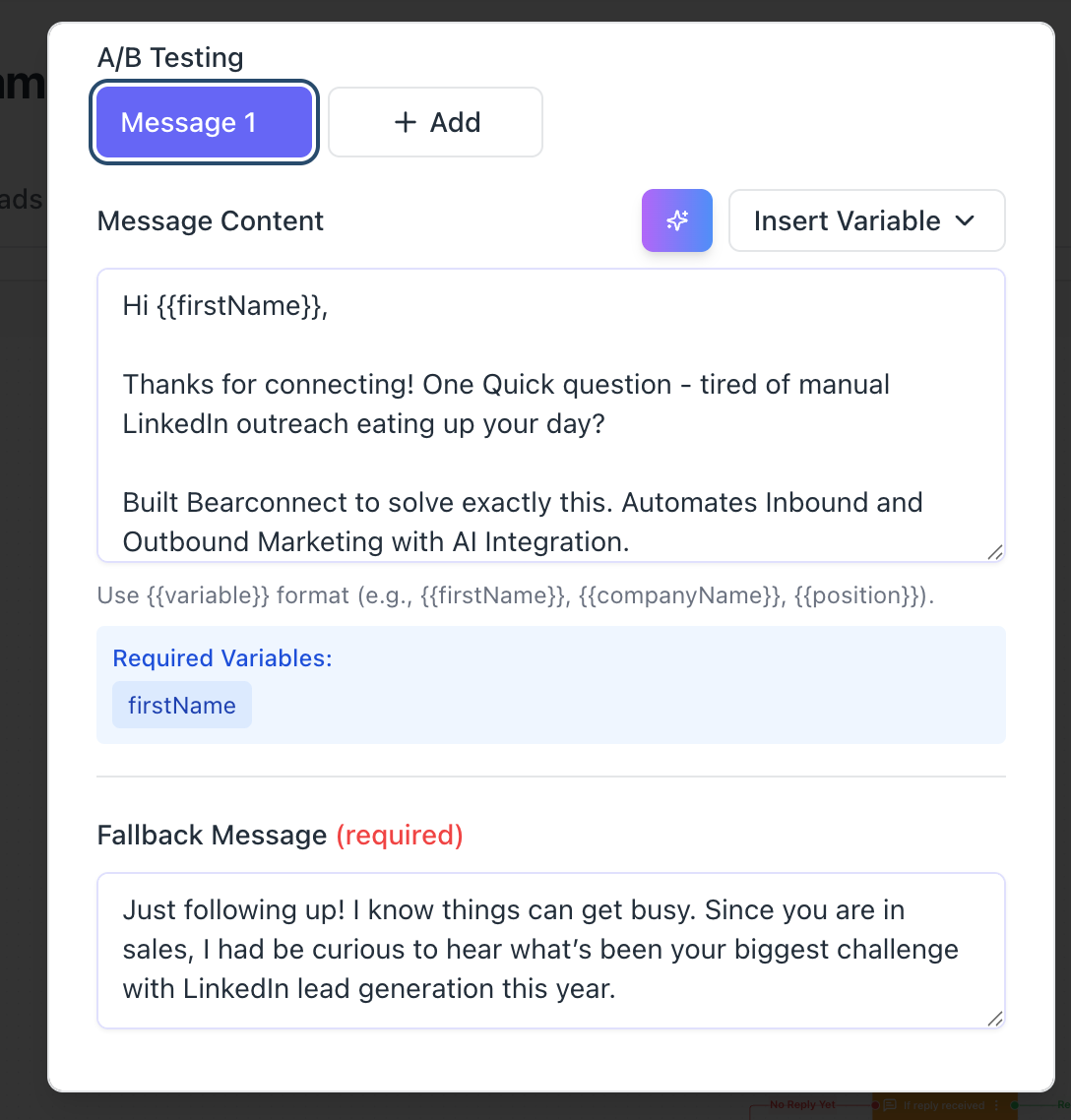
80% of sales happen after 5+ touchpoints, yet most people give up after one message. Your DM workflows need multiple nurture sequences built in.
Single-touch outreach leaves 80% of potential deals on the table.
The 5-Step Drip Sequence That Converts
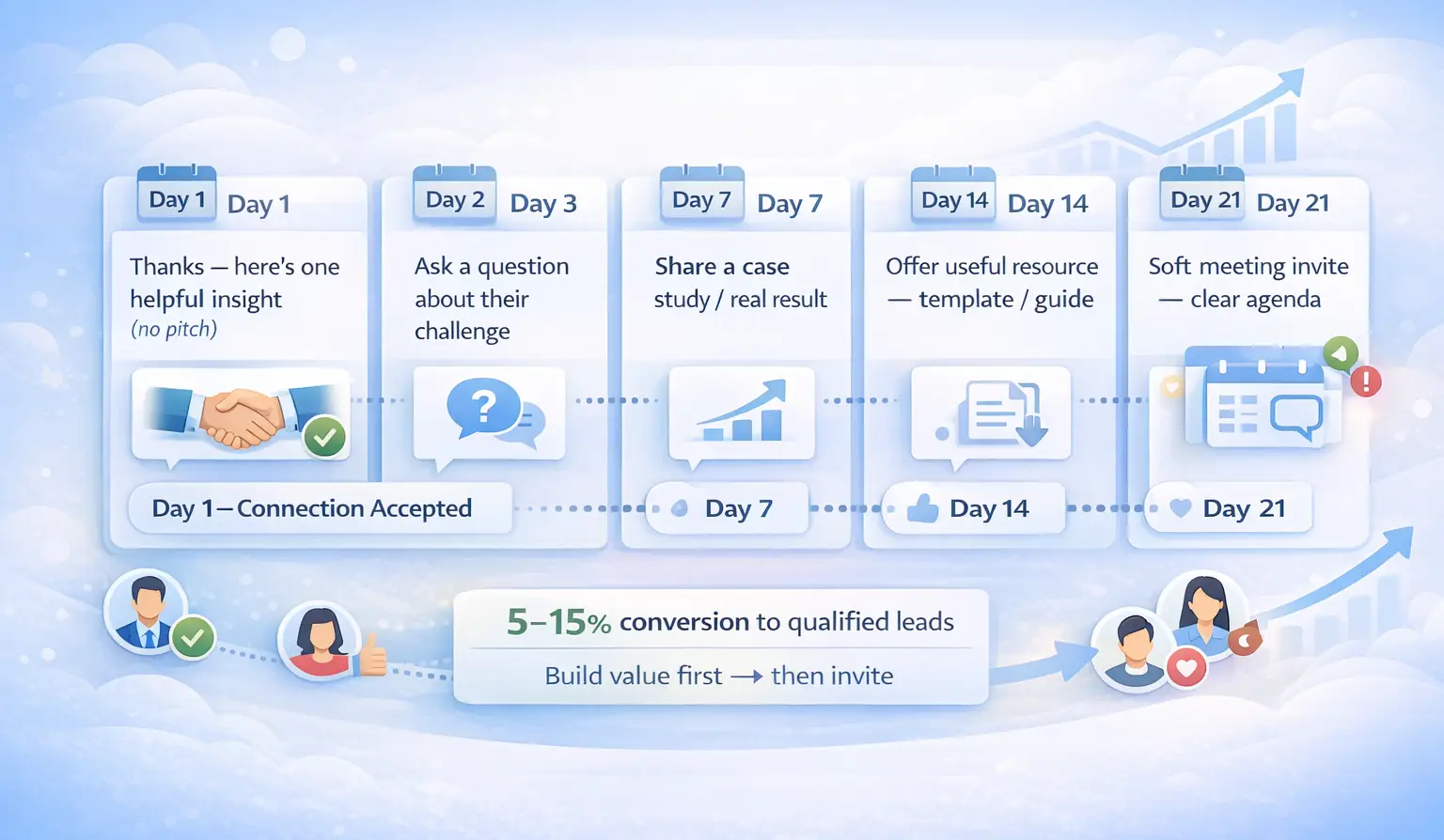
Implement this proven timeline:
- Day 1 (Connection accepted): Thank them, share one valuable insight (no pitch)
- Day 3: Ask a relevant question about their business challenge
- Day 7: Share a case study or specific result you've achieved
- Day 14: Offer a specific resource (template, guide, free audit)
- Day 21: Soft meeting invitation with clear agenda
Conversion Benchmark: Systematic drip sequences convert 5-15% of connections to qualified leads. This approach builds trust before asking for time.
Step 5: Create Content That Attracts Inbound Leads
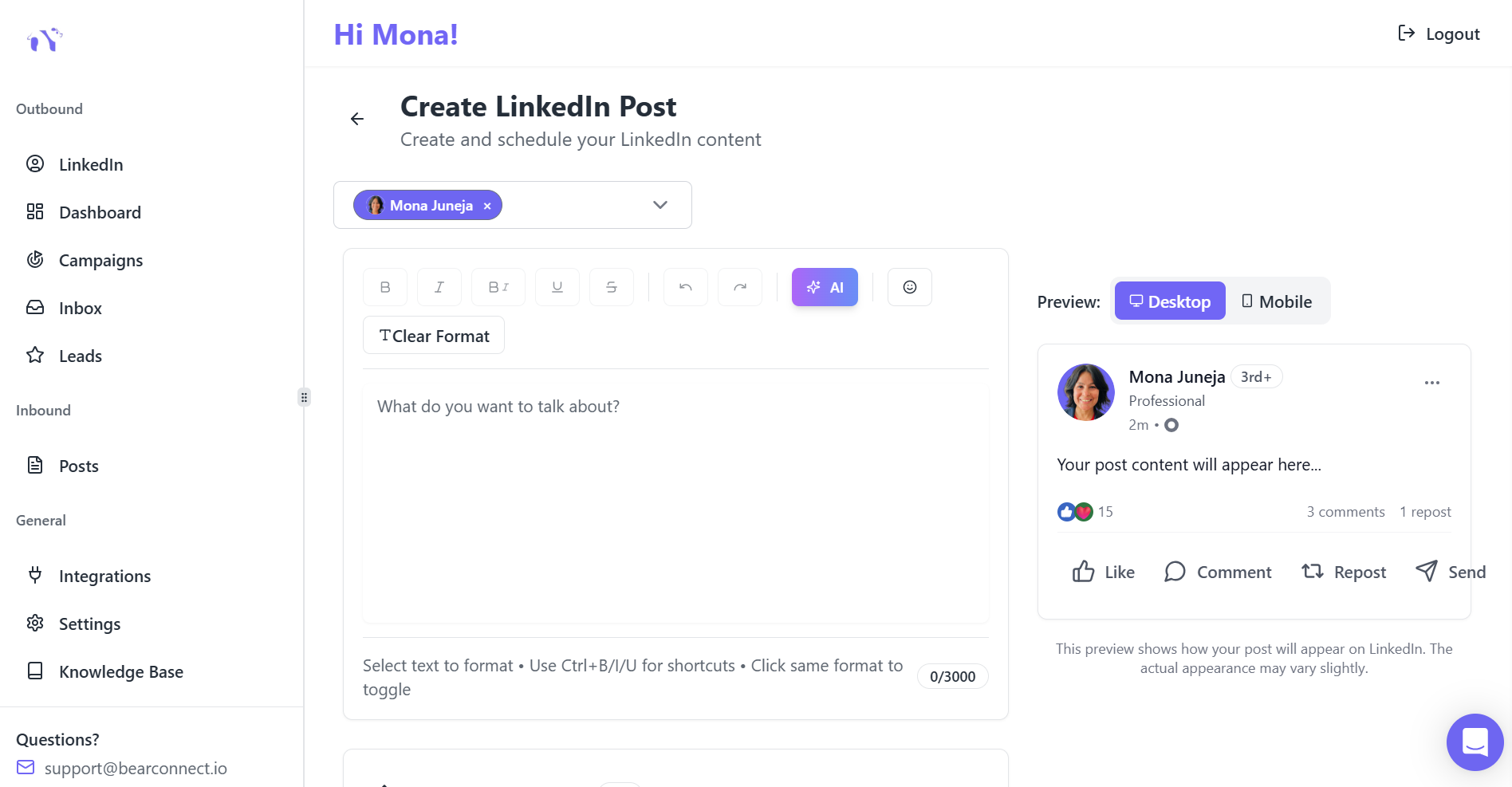
Content Amplifies Your Outreach
Professionals using combined content + outreach achieve 10.42% response rates vs. 5% for outreach alone. Content serves as social proof when prospects check your profile.
Your posts warm up cold prospects before you ever message them.
High-Impact Content Mix
Balance your content across these categories:
- 40% Actionable tips and how-tos
- 30% Original frameworks and insights
- 20% Case studies with measurable results
- 10% Personal experiences with business lessons
Posting Schedule for Maximum Visibility
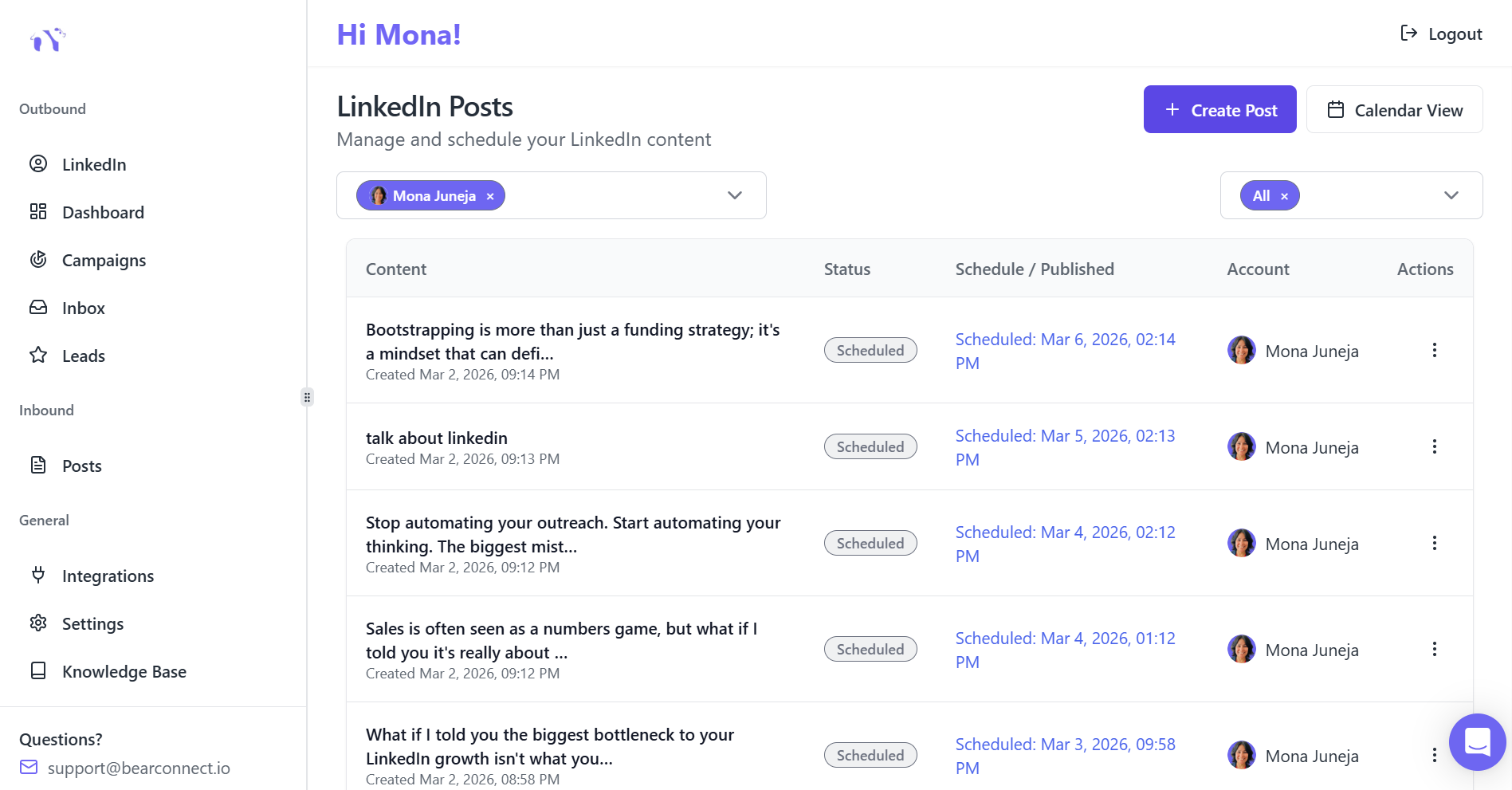
Optimize your posting rhythm:
- Frequency: 3-5 posts per week (Tuesday-Thursday, 9 AM-12 PM EST)
- Format: Mix long-form text posts (hooks + frameworks) with short insights
- Consistency: Post at the same times weekly. The algorithm rewards predictability
Consistent visibility builds authority. When your connection request arrives, they already recognize your name.
Step 6: Use Automation Tools Safely
The Smart Automation Approach
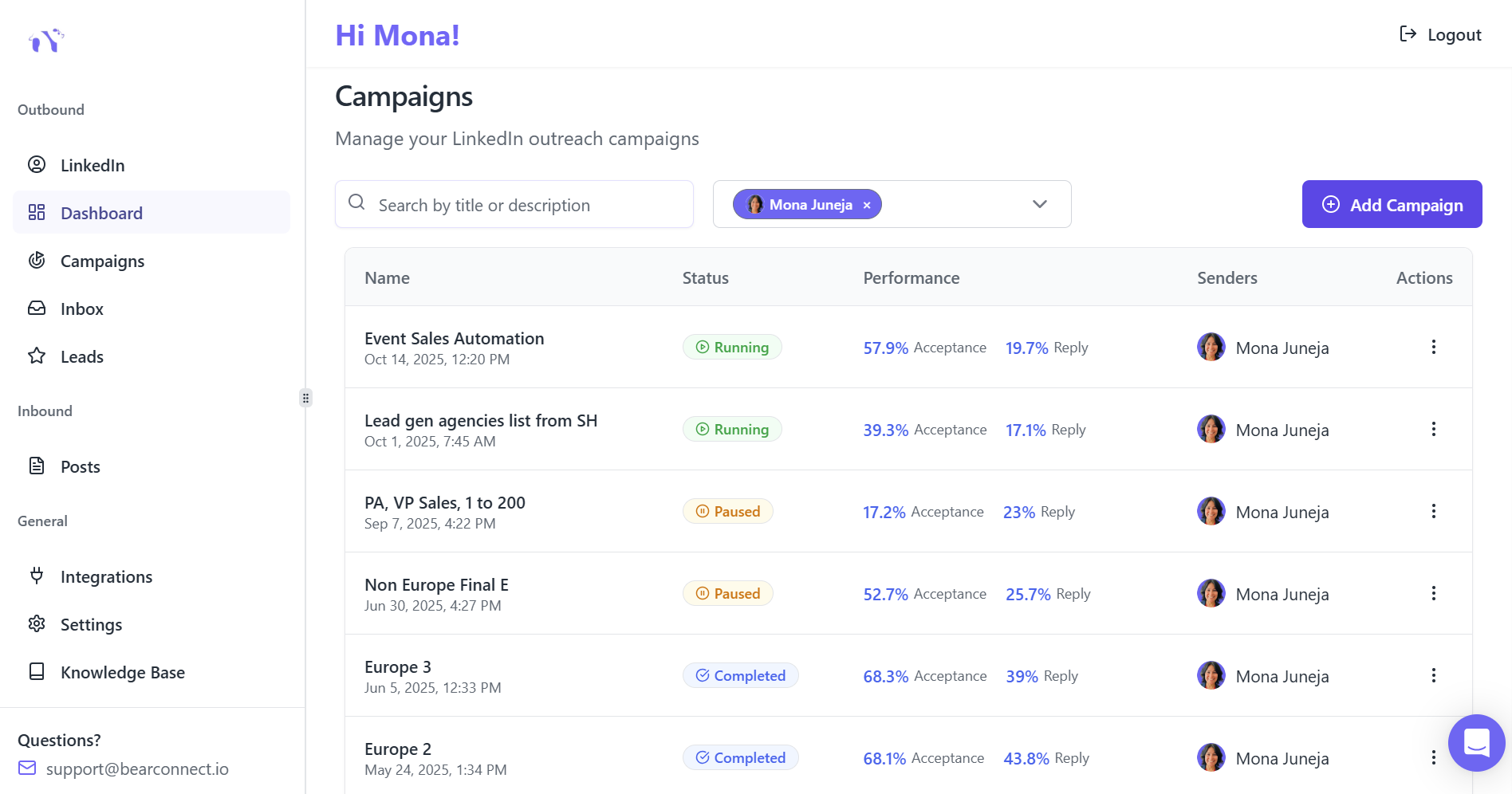
LinkedIn automation saves 10-15 hours per week and generates 5-10x more qualified connections. But safety must come first.
Aggressive automation destroys accounts. Smart automation builds sustainable pipelines.
Safety-First Automation Practices
Follow these guidelines:
- Start with 10-15 requests daily, then gradually increase to 20-25
- Add varied pauses between actions so activity doesn’t look automated.
- Operate from local IPs, not cloud-based servers
- Never exceed LinkedIn's weekly limits (100-150 connection requests)
Tools That Work in 2026
Tools like Bearconnect offer unlimited campaign support, unified inbox management, and AI-powered content creation while maintaining LinkedIn compliance.
The platform includes CRM integration capabilities with HubSpot and Salesforce for seamless lead management.
Step 7: Track Performance and Optimize
Metrics That Matter
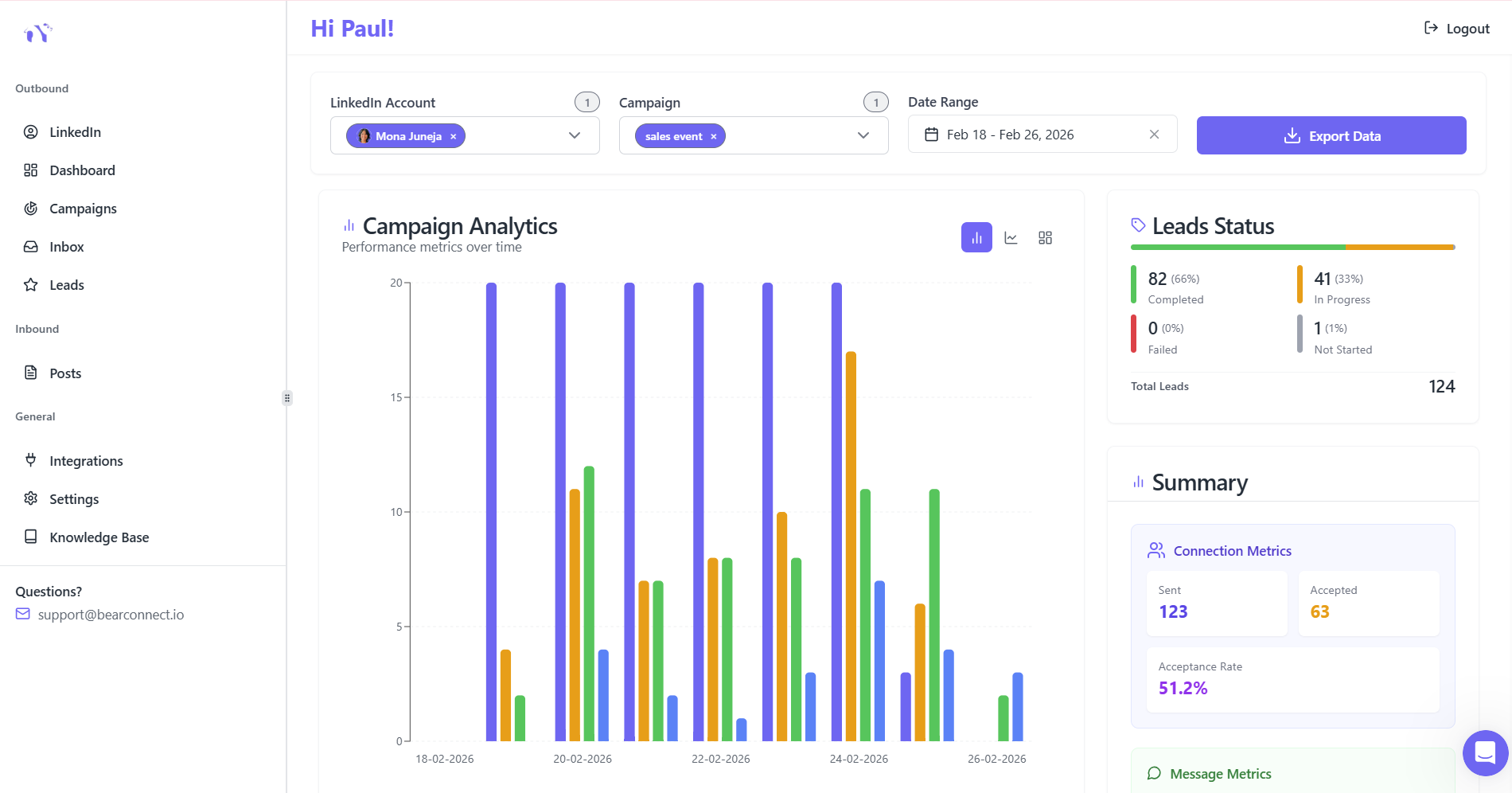
You can't improve what you don't measure. Track these KPIs weekly.
Key Performance Indicators
Monitor these four metrics:
- Connection acceptance rate: Target 25-30%
- Message response rate: Target 10-15%
- Qualified conversation rate: Target 5-10%
- Meeting booking rate: Target 2-5% of total connections
Optimization Strategy
Use this continuous improvement approach:
- A/B test message variations every 2 weeks
- Double down on campaigns with >30% acceptance rates
- Pause underperforming sequences and refine messaging
- Update target criteria based on response quality
Data-driven optimization separates winning campaigns from mediocre ones.
The 90-Day Results You Can Expect
Realistic Benchmarks
Based on 10,000+ analyzed campaigns, B2B teams following this system achieve:
Quantitative Outcomes (90 Days)
Expect these measurable results:
- 500-1000 new quality connections
- 75-150 qualified conversations started
- 15-30 booked meetings
- 5-10 opportunities added to pipeline
- 80% reduction in manual outreach time
Weekly Breakdown (Weeks 5-12)
Once your system hits momentum:
- 50-60 new connections weekly
- 10-15 meaningful conversations
- 2-4 qualified meetings booked
These numbers reflect campaigns using proper ICP targeting and nurture sequences, not spray-and-pray approaches.
Common Mistakes That Kill Lead Generation
Mistake #1: Mass Connection Requests Without Research
Sending requests to anyone and everyone tanks your acceptance rate. Quality targeting beats quantity every time.
Mistake #2: Pitching Too Early
87% of prospects ignore sales messages in first contact. Build value before asking for meetings.
Mistake #3: Inconsistent Follow-Up
Most leads convert between touchpoints 3-7, not touchpoint 1. Your connection funnels need persistence built in.
Mistake #4: Ignoring Content Strategy
Outbound-only approaches miss 40-50% of potential inbound leads. Content creates warm introductions.
Mistake #5: Set-and-Forget Automation
Campaigns need weekly optimization based on performance data. Review metrics and adjust messaging regularly.
Your Next Step: Start Your First Campaign This Week
You now have the complete roadmap to generate 50+ qualified leads weekly on LinkedIn.
Week 1 Action Plan
Take these immediate steps:
- Define your ICP and create a LinkedIn search URL
- Write 3 connection request templates with personalization
- Build your first 5-step follow-up sequence
- Schedule 5 value-driven posts for the next 2 weeks
Want to Automate This System?
If you are managing multiple LinkedIn accounts or want to scale without the manual work, tools like Bearconnect handle the heavy lifting. Connection requests, follow-ups, content scheduling, and analytics all run from one unified dashboard.
Start simple. Stay consistent. Track everything. The leads will follow.
Frequently Asked Questions
Q1: How long does it take to see results from LinkedIn automation?
Most campaigns generate first qualified conversations within 7-10 days. Expect consistent 50+ weekly leads by week 4-5 once your system is optimized and acceptance rates stabilize above 25%.
Q2: Is LinkedIn automation safe or will my account get banned?
LinkedIn automation is safe when using local IPs, random delays, and staying within daily limits of 20-25 connection requests. Tools that mimic human behavior and operate from real locations maintain compliance and avoid detection.
Q3: Do I need LinkedIn Sales Navigator for lead generation?
Sales Navigator is helpful but not required. You can build effective search URLs using LinkedIn's free People search filters. Sales Navigator adds advanced filtering and InMail credits but isn't essential for 50+ weekly leads.
Q4: How is cold prospecting different from warm prospecting on LinkedIn?
Cold prospecting targets people with no prior relationship, requiring 5-7 touchpoints to convert. Warm prospecting targets engaged content viewers or mutual connections, converting 2-3x faster with 2-3 touchpoints in your nurture sequences.
Q5: How do I personalize messages at scale without spending hours?
Use dynamic fields for company name, job title, and recent posts, then create 3-5 message templates per campaign stage. AI-assisted tools like Bearconnect generate personalized variations automatically while maintaining authentic tone and CRM integration for seamless workflows
Ready to Transform Your LinkedIn Strategy?
Join thousands of professionals already using Bearconnect to automate their outreach and grow their network.
7-day free trial • Cancel anytime
Related Articles
How to See More LinkedIn Profile Viewers Without Paying for Premium (Free Methods)
See more LinkedIn profile viewers without Premium using free methods. Learn how to uncover hidden viewers and turn profile visits into leads.
How to Use AI to Write LinkedIn Posts That Actually Get Leads
AI can write LinkedIn posts that generate real B2B leads but only if you use the right strategy. This guide shows how to use AI for LinkedIn content, create high-converting posts, and turn profile views into qualified leads using proven frameworks.
How to Automate Your Agency's LinkedIn Outreach (Without Getting Banned)
Learn how agencies automate LinkedIn outreach safely using smart limits, personalization, and automation tools to scale prospecting without risking account bans.