Is There a Dripify Alternative with No Credit Limit That Actually Works for LinkedIn Outreach?
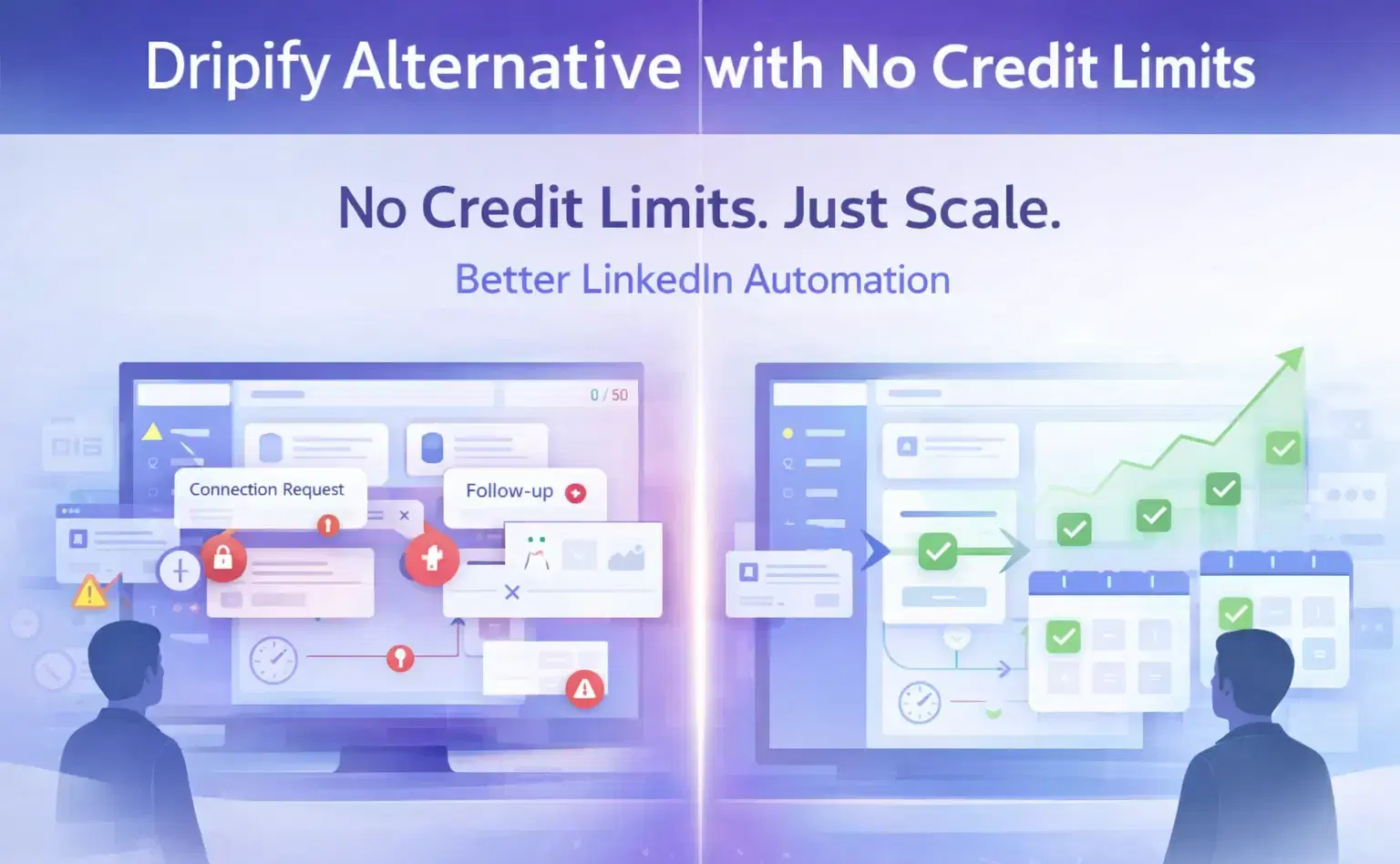
Yes. Bearconnect is a Dripify alternative with no credit system, no campaign caps, and a unified inbox built for unlimited LinkedIn outreach at $67/month per LinkedIn account.
TL;DR
- Dripify Basic ($39/mo) locks you to 1 drip campaign and hard daily action limits
- Dripify charges $29 to $99 extra for email finder credit top-ups on top of your plan cost
- Dripify offers no dedicated inbox on its Basic plan and only a single-account inbox on Pro
- Bearconnect gives you unlimited campaigns, zero credit restrictions, and a unified inbox across all your LinkedIn accounts at $67/month
- The switch does not just change your tool. It removes the limits that were quietly killing your pipeline
Why Dripify Users Start Looking for an Alternative
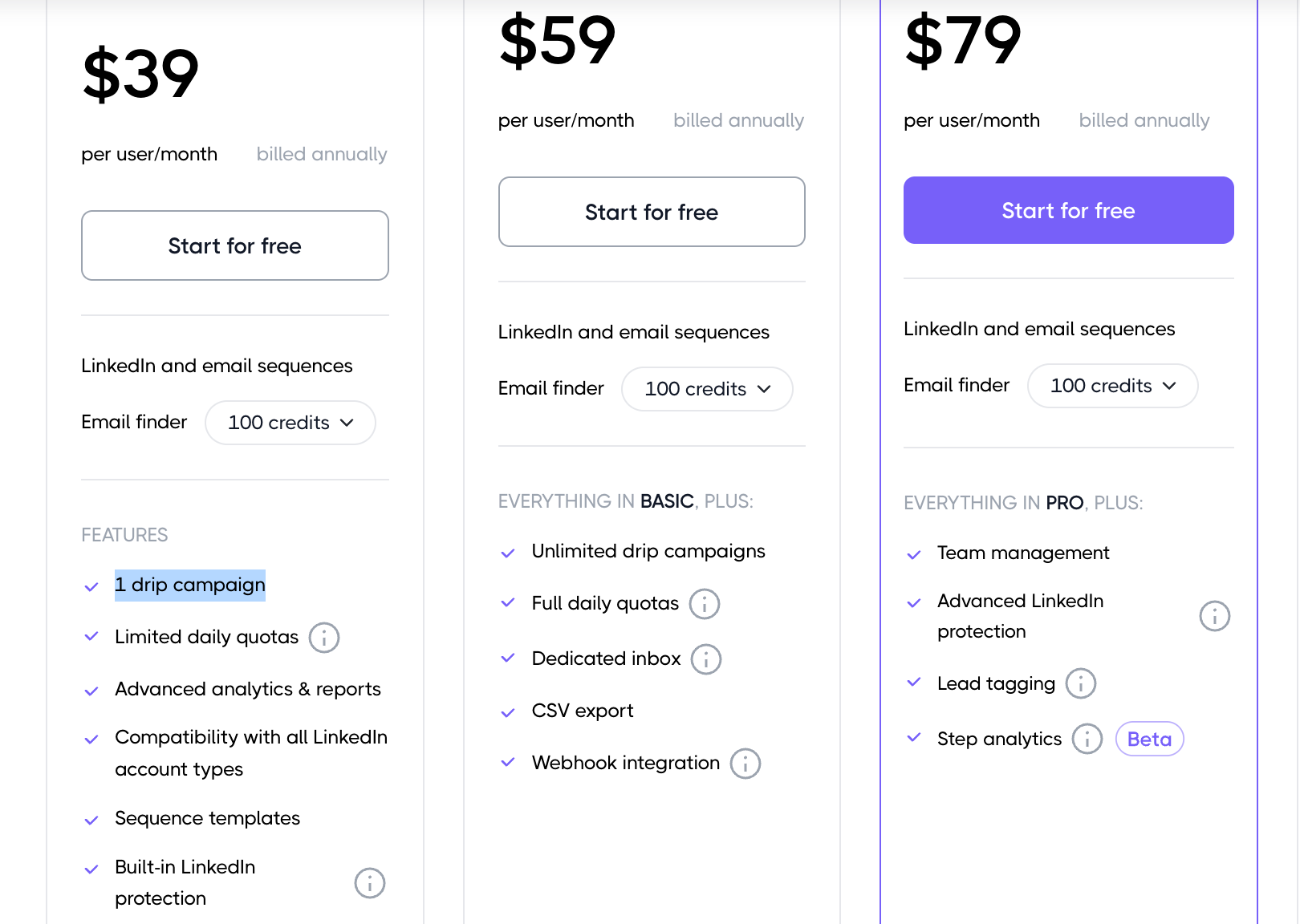
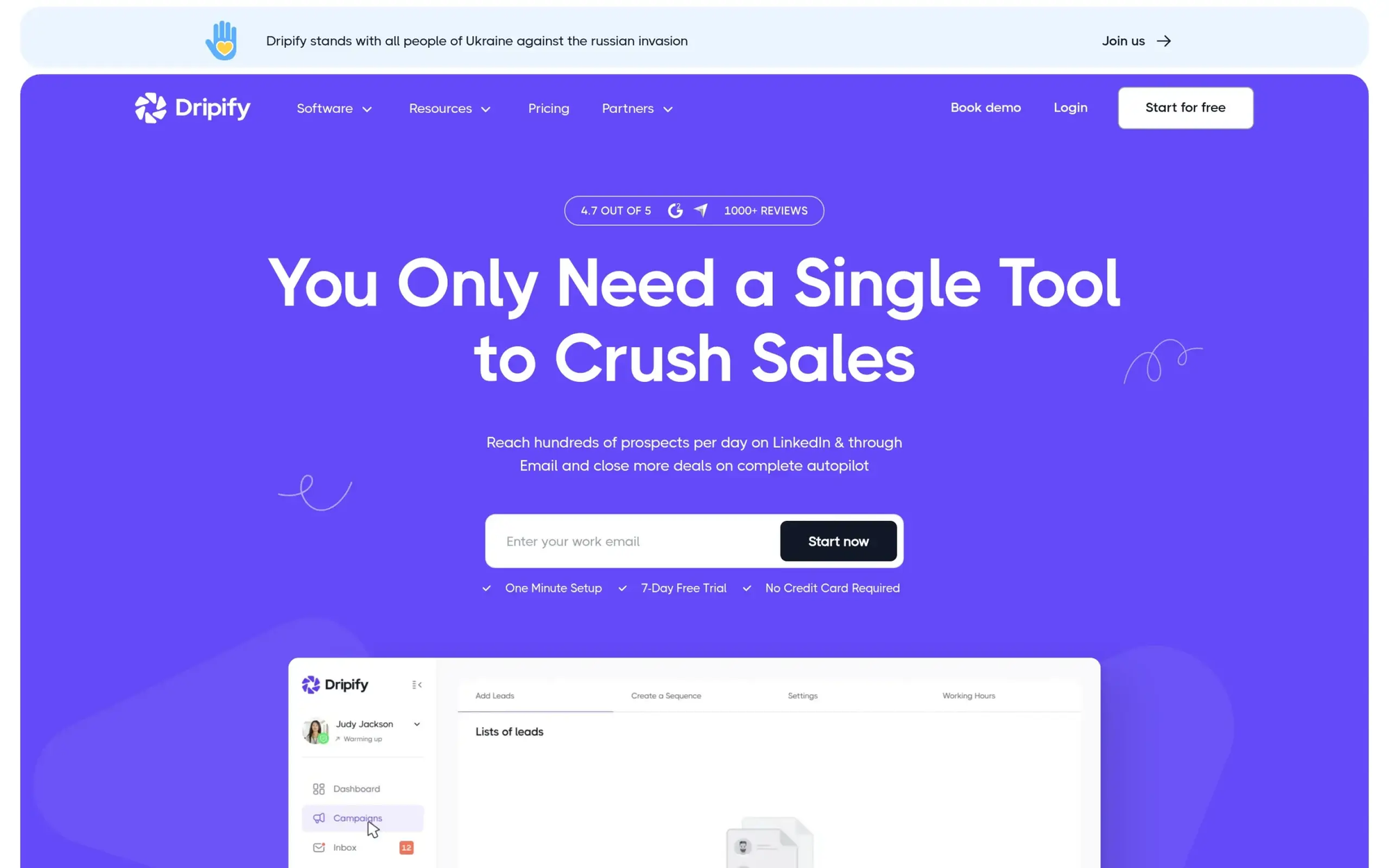
The 1-campaign cap is the single biggest reason users leave Dripify Basic.
Most sales reps and founders sign up for Dripify at $39/month because the price looks clean. Then week two hits. You want to test a second message sequence for a different buyer persona.
Dripify blocks you. One active drip campaign is the hard ceiling on the Basic plan.
Read our full Dripify review to see exactly how the platform limits you at each tier.
That is not a minor restriction. For anyone running B2B outreach, one campaign means one audience, one message, and zero room to test.
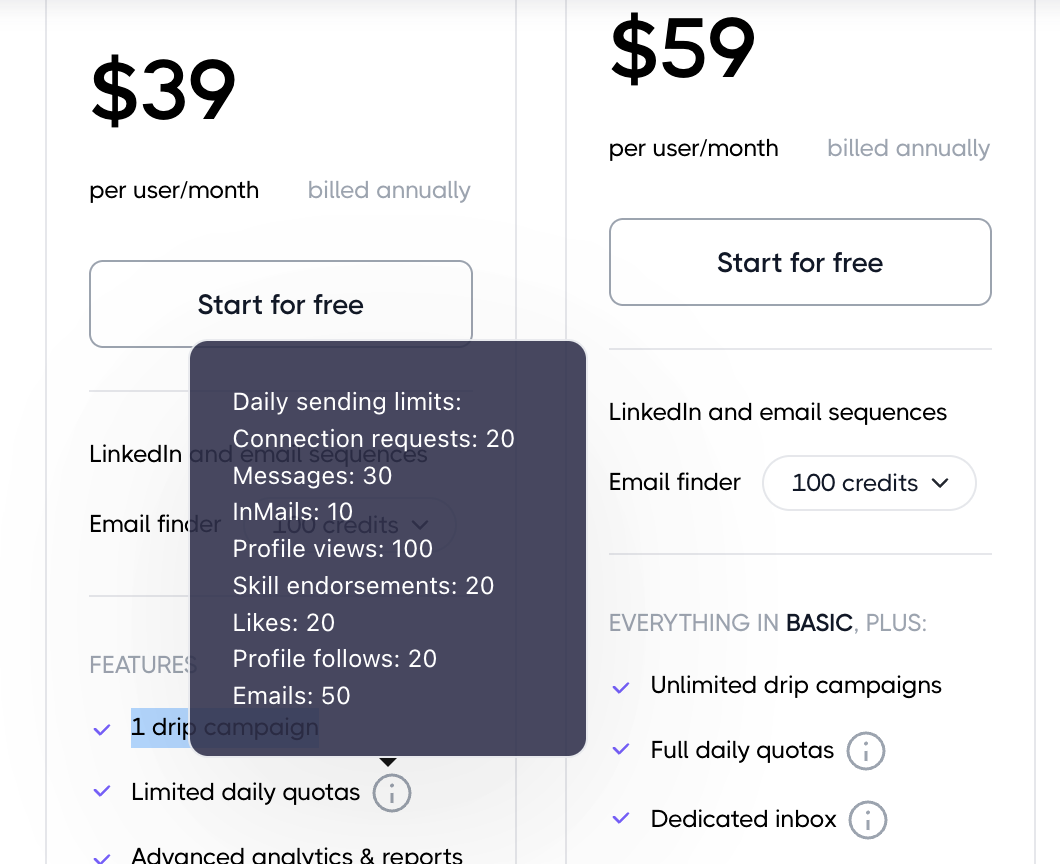
The daily sending limits on Basic make it worse:
- Connection requests: 20 per day
- Messages: 30 per day
- InMails: 10 per day
- Profile views: 100 per day
- Emails: 50 per day
These numbers are not conservative safety limits. They are structural caps baked into the plan to push you toward upgrading.
The Credit Add-On Cost Nobody Calculates at Signup
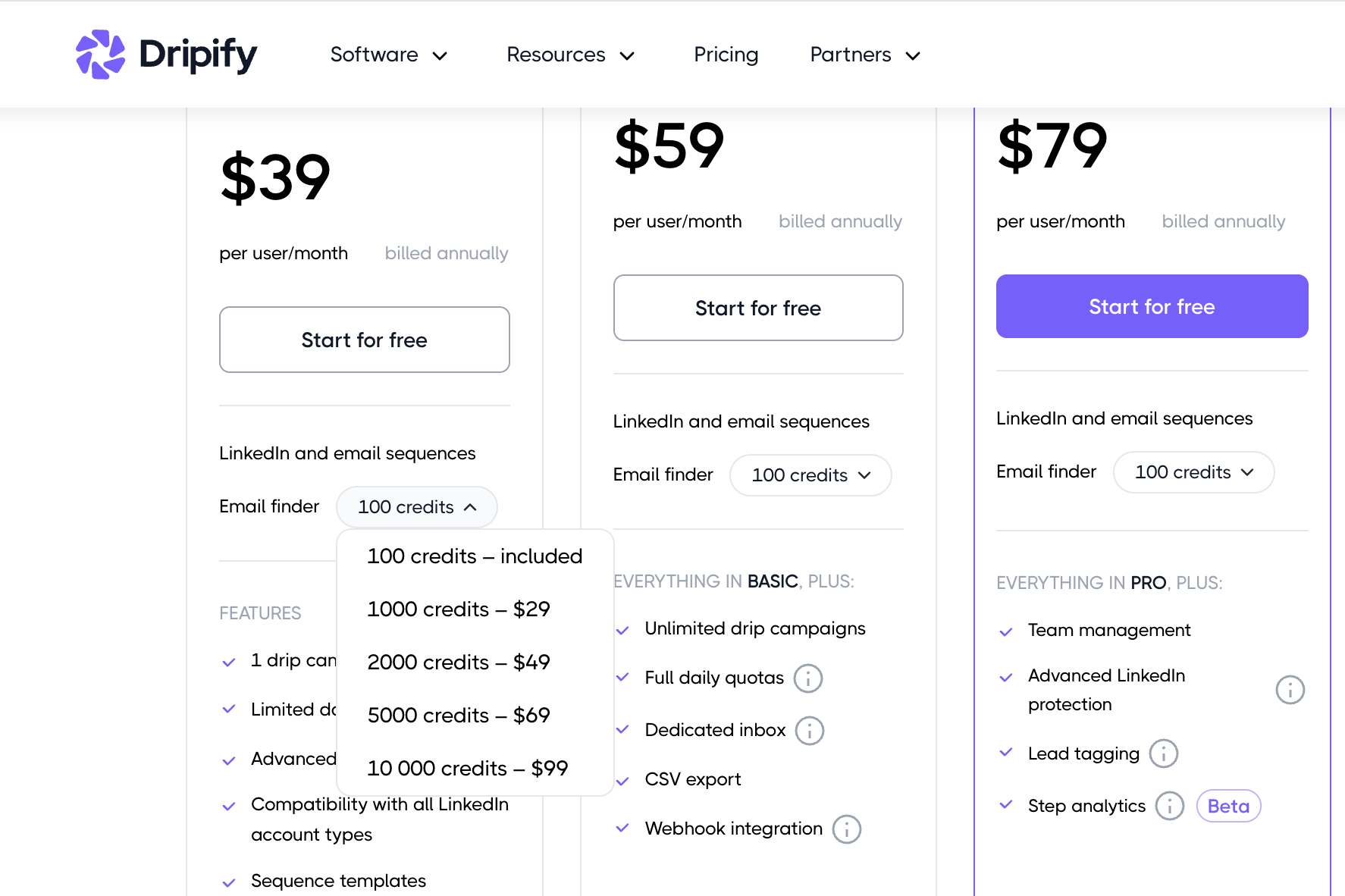
Dripify's email finder credit system turns a $39 plan into a variable monthly bill.
- Every Dripify plan includes 100 email finder credits.
- For a solo outreach user running one focused campaign, 100 credits may last the month.
- For anyone doing serious volume, they run out by day 10.
Here is what extra credits cost:
| Credit Block | Additional Cost |
|---|---|
| 1,000 credits | $29 |
| 2,000 credits | $49 |
| 5,000 credits | $69 |
| 10,000 credits | $99 |
A user on Dripify Basic who tops up with 1,000 credits twice a month pays $39 + $58 = $97/month.
That is more than Bearconnect at $67, with fewer features and more restrictions.
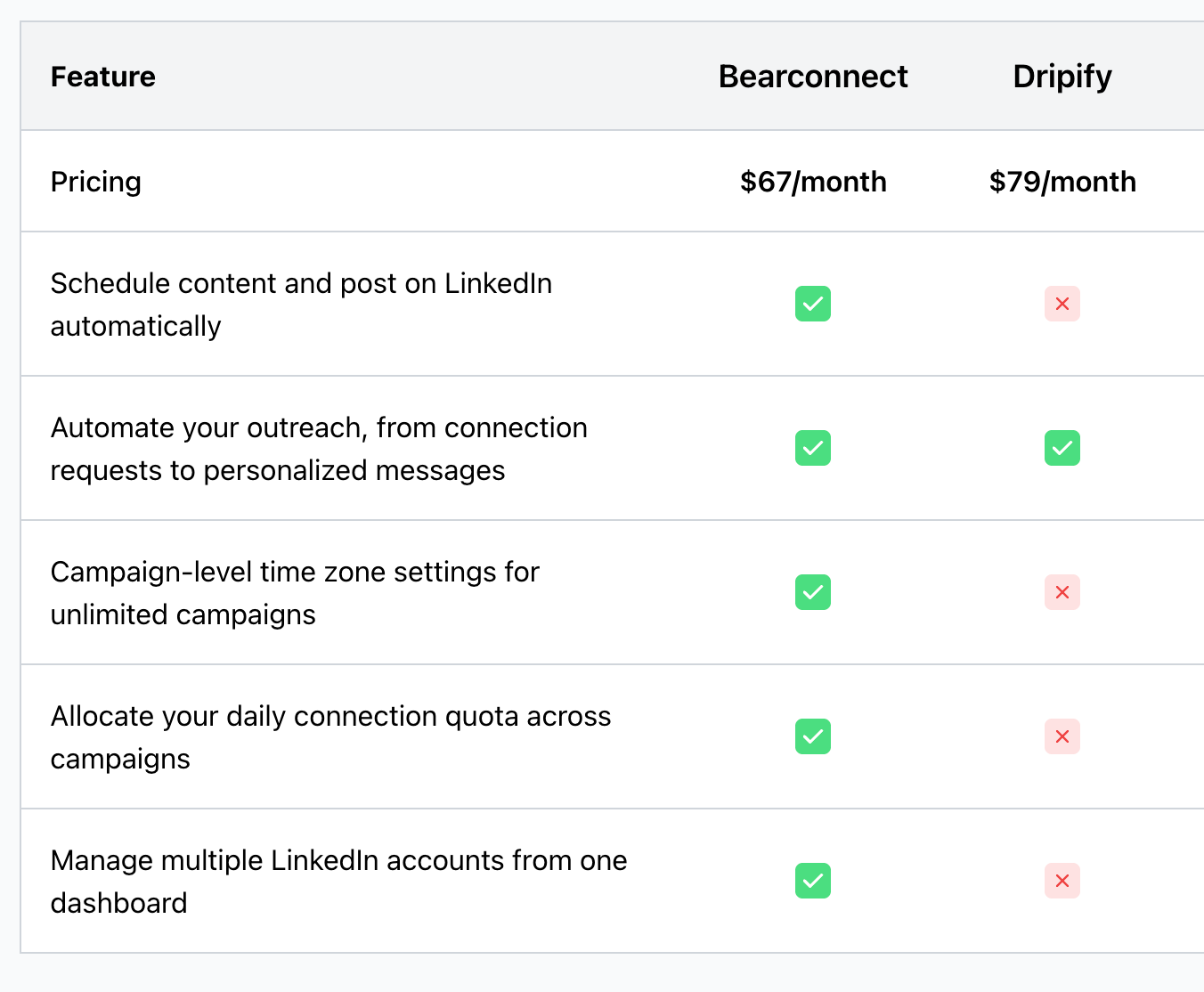
Pro Tip: Add up every Dripify invoice for the last 3 months. Include plan cost and every credit top-up. That is your actual Dripify cost. Compare that number, not the base plan price, to any alternative.
What "Full Daily Quotas" on Dripify Pro Actually Means
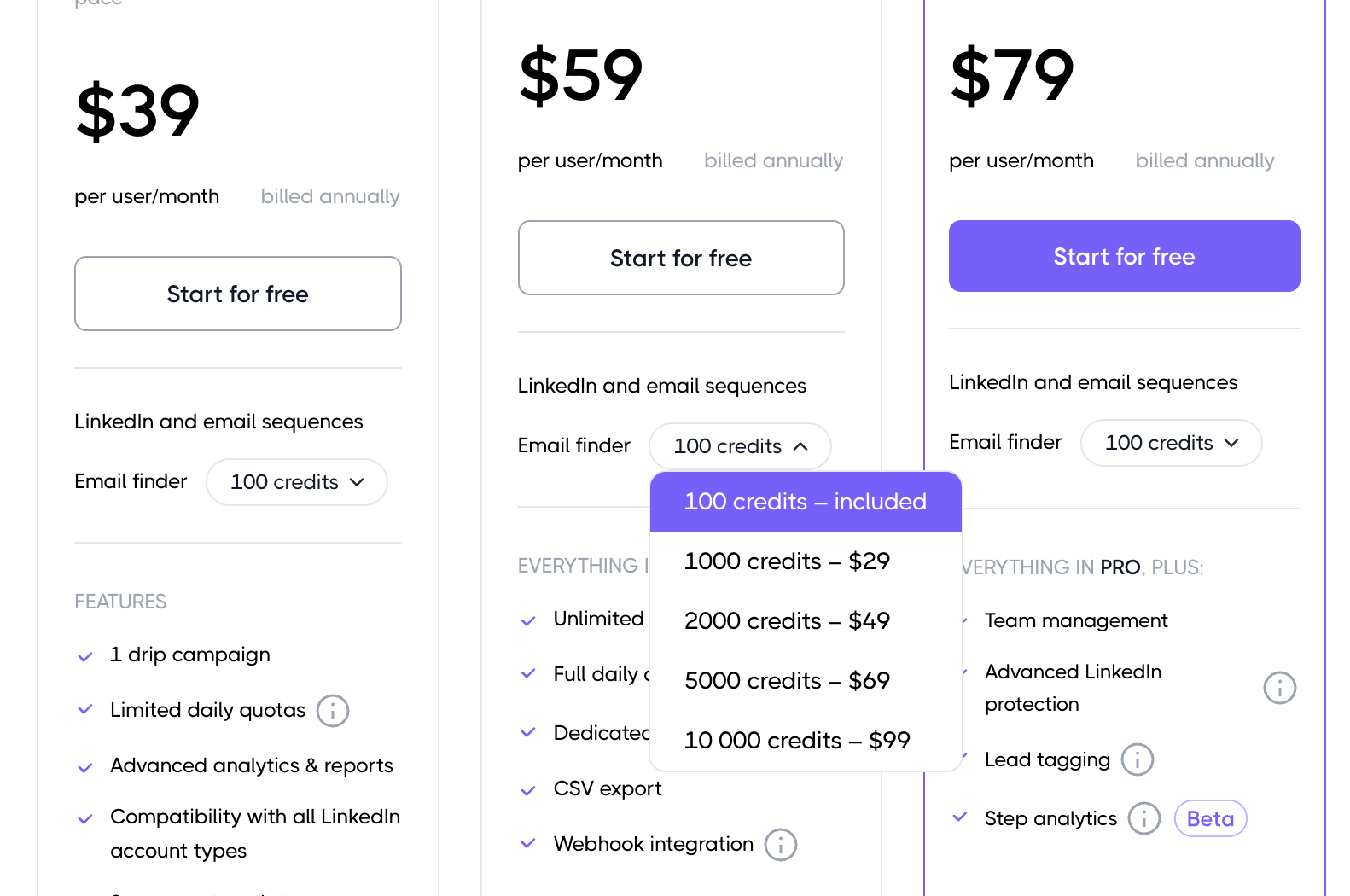
Upgrading to Dripify Pro ($59/mo) gives you more room, not no limits.
Dripify markets Pro with "full daily quotas." What that actually means is your daily caps increase.
The caps do not disappear. On Pro, you get:
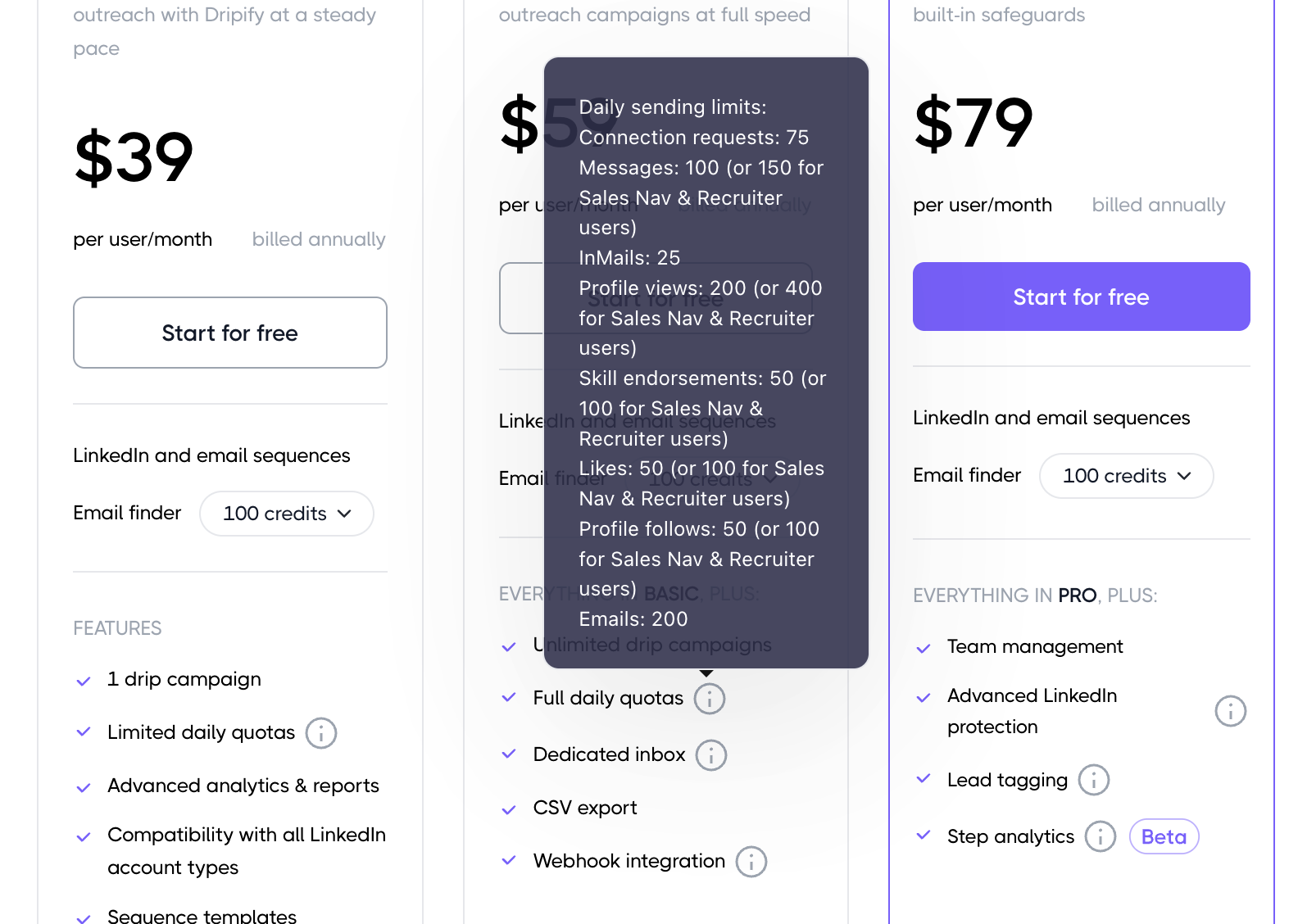
- Connection requests: 75 per day
- Messages: 100 per day (150 for Sales Nav and Recruiter users)
- InMails: 25 per day
- Profile views: 200 per day (400 for Sales Nav and Recruiter users)
- Emails: 200 per day
For a single user running one or two campaigns, this may feel sufficient.
For anyone managing multiple LinkedIn accounts, running outreach for clients, or targeting different audience segments with separate sequences, these numbers create a daily bottleneck within a few weeks.
The Problem "Full Quotas" Creates for Agencies
Agency owners hit Dripify's per-seat limit before they hit LinkedIn's actual safe limits.
- An agency managing 5 client LinkedIn accounts on Dripify needs 5 separate seats. Each seat runs its own limited quota. There is no cross-account inbox.
- There is no centralized dashboard. Every client account is a separate login, a separate invoice, and a separate set of daily caps.
See how agencies solve this with LinkedIn automation for agencies and learn the exact workflow for managing multiple LinkedIn accounts from one place.
That is the operational tax Dripify charges agencies. It compounds every time you add a new client.
The Inbox Problem That Quietly Kills Response Rates
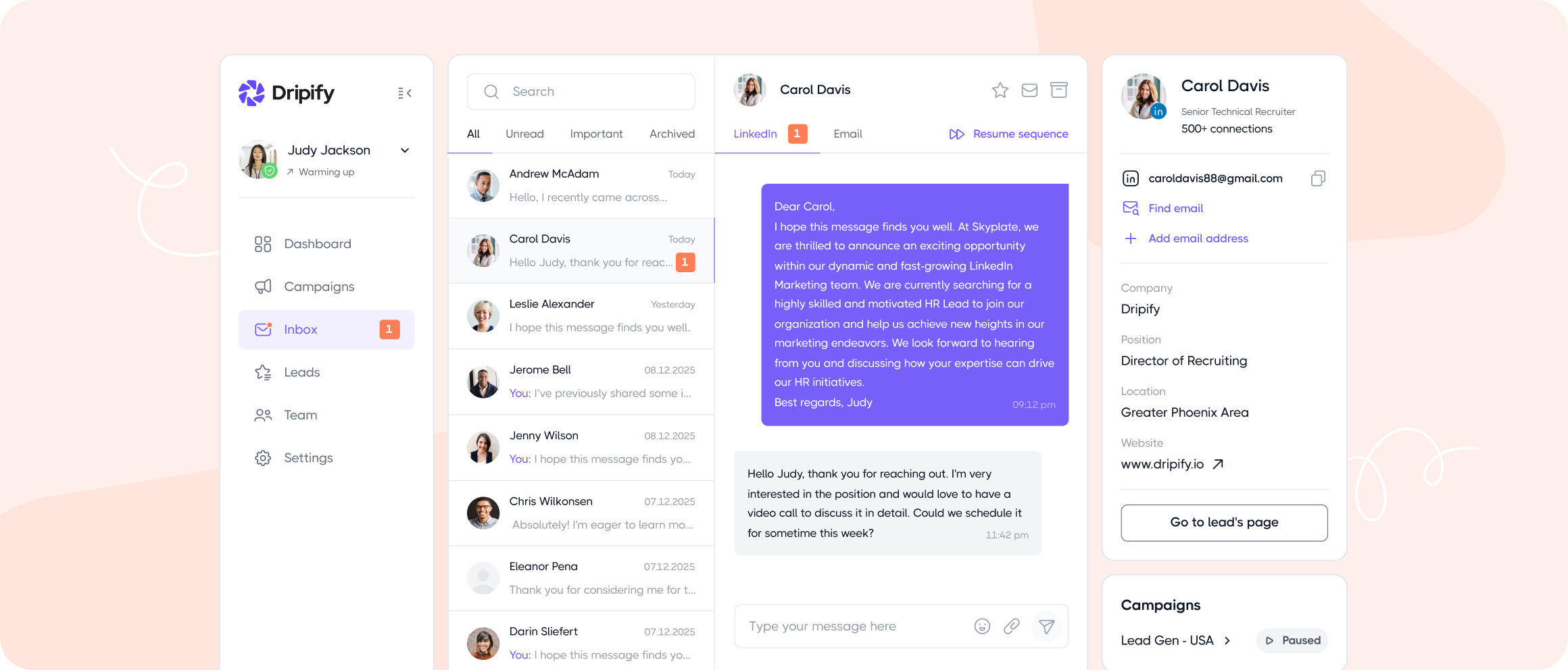
Dripify Basic has no dedicated inbox. Replies land directly in LinkedIn and get missed.
- When your campaign generates replies, you need one place to manage them fast. Response time on LinkedIn outreach directly affects conversion rates.
- A 2-hour response window performs significantly better than a 12-hour one, especially when a prospect is actively evaluating vendors.
- Dripify Basic has no inbox management. You handle replies inside LinkedIn manually.
Dripify Pro adds a dedicated inbox, but only for one account. If you run outreach across two or more LinkedIn profiles, you are back to tab switching.
What a Unified Inbox Changes in Practice
A unified inbox is not a comfort feature. It is a lead protection feature.
Without it, here is what happens in a typical agency setup:
- Client A's prospects reply on a Tuesday evening
- You log in Wednesday morning, miss 3 replies because you checked the wrong account
- One of those replies was a booked meeting that went cold overnight
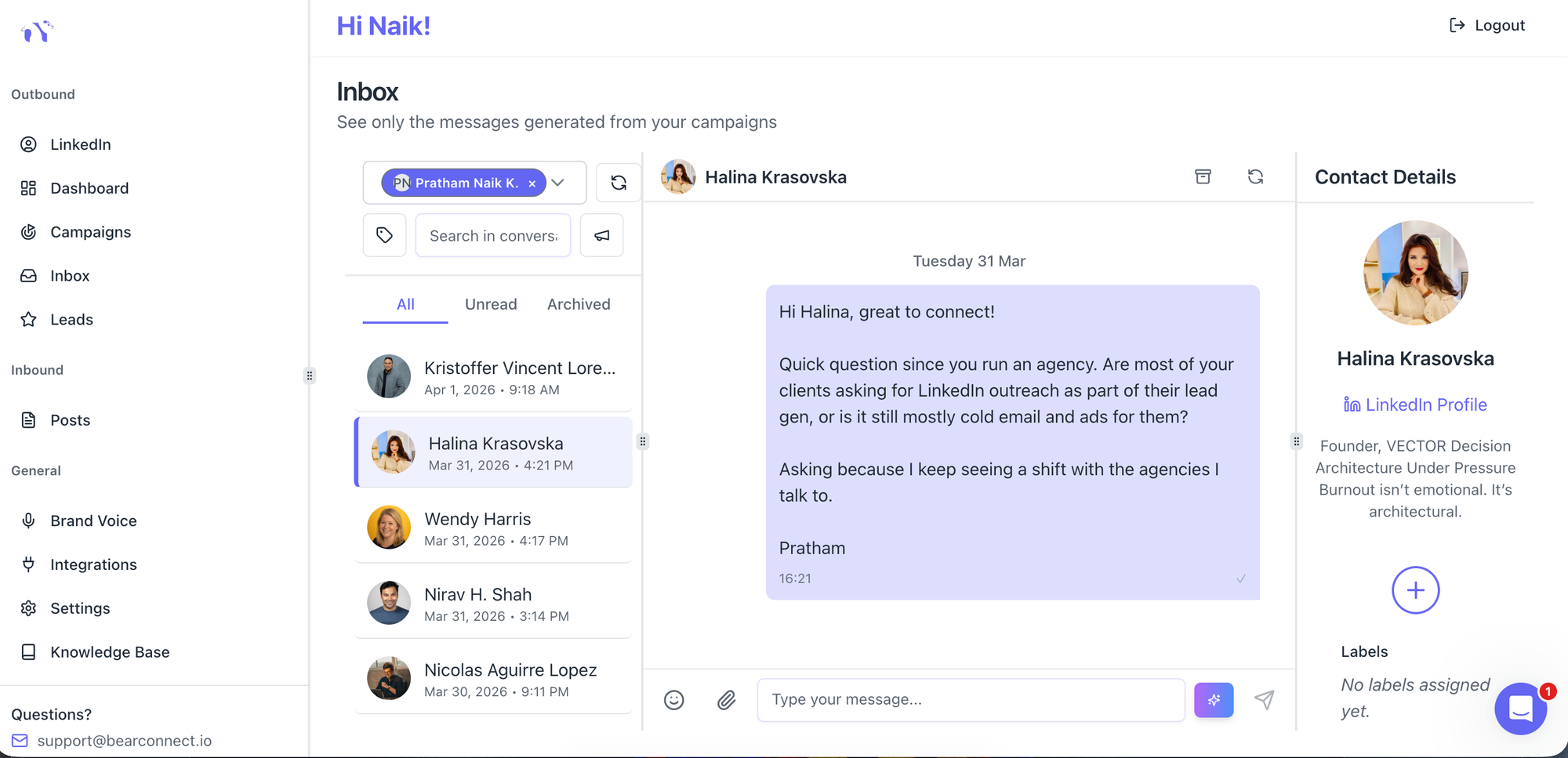
Bearconnect's unified inbox pulls conversations from all connected LinkedIn accounts into one view.
You read, reply, and track everything without switching profiles. No lead falls through because you were looking at the wrong screen.
Pro Tip: Track your average reply time for the first 30 days after switching to a unified inbox. Most users see a 40 to 60 percent improvement in reply speed purely from having everything in one place.
Dripify vs Bearconnect: Direct Feature Comparison
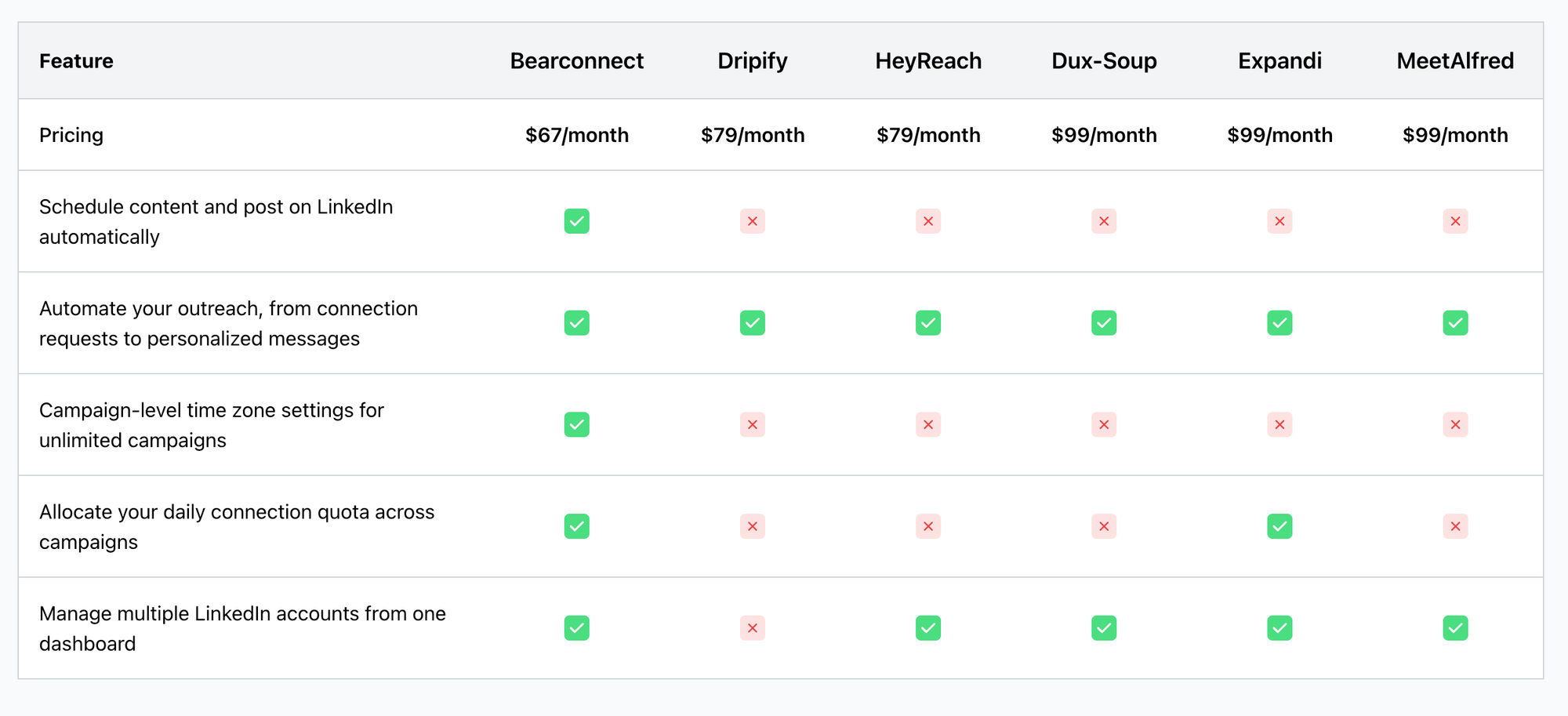
Bearconnect removes the three core restrictions that push users off Dripify: the campaign cap, the credit system, and the inbox limitation.
| Feature | Dripify Basic ($39/mo) | Dripify Pro ($59/mo) | Bearconnect ($67/mo) |
|---|---|---|---|
| Drip campaigns | 1 only | Unlimited | Unlimited |
| Daily action quotas | Hard limited | Capped at "full" | Smart throttled, no hard block |
| Email finder credits | 100 included, paid add-ons | 100 included, paid add-ons | No campaign credit system |
| Dedicated inbox | No | Yes, 1 account only | Unified across all accounts |
| Multiple LinkedIn accounts | No | No | Unlimited |
| AI post creation | No | No | Yes |
| Post scheduling | No | No | Yes |
| CRM integrations | No | Webhook only | HubSpot, Pipedrive, Make, n8n |
- The $28 gap between Dripify Basic and Bearconnect is not the real comparison.
- The real comparison is between a capped tool with add-on costs and an uncapped tool with a flat price.
See the full side-by-side on the Bearconnect vs Dripify comparison page.
A Real Scenario: What One Founder Experienced
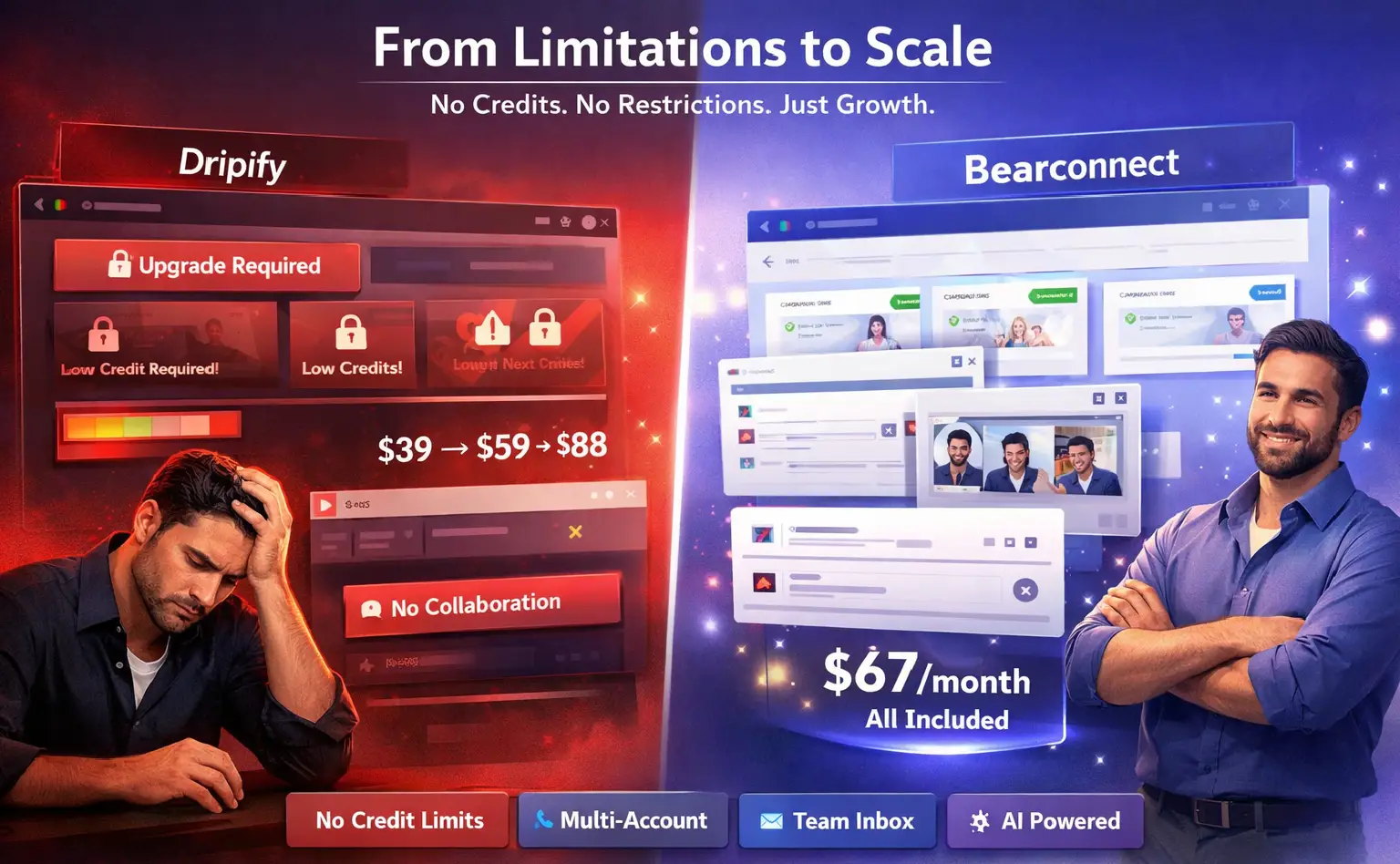
A B2B SaaS founder starts on Dripify Basic at $39/month targeting HR directors.
- By week three, they want a second campaign targeting operations managers. Dripify blocks it. They upgrade to Pro: now $59/month.
- They need more email finder credits to enrich their lead list. They add 1,000 credits: now $88/month.
- They need a teammate to help manage replies. Dripify's inbox does not support team collaboration without another seat.
- At $88/month with one account, no AI content, and no team inbox, they switch to Bearconnect at $67/month.
Same week, they launch 3 campaigns, connect 2 LinkedIn accounts, and set up the unified inbox for their teammate.
What Actually Changes After the Switch
Switching to a Dripify alternative with no credit limit changes your output capacity, not just your monthly bill.
Here is what changes immediately:
- Campaign volume: Run 5, 10, or 15 campaigns at the same time with no restriction
- Inbox control: All replies from all accounts in one dashboard, visible to your whole team
- Budget predictability: One flat monthly price, no surprise credit invoices
- Content and outreach together: Schedule LinkedIn posts and run outreach campaigns from the same platform
- Multi-account management: Connect as many LinkedIn accounts as you need under one login
The Behavioral Change Nobody Talks About
On a capped tool, you ration outreach without realizing it.
When you only have one campaign slot, you overthink which audience to prioritize.
- When you watch daily quotas tick down, you delay sending follow-ups. When credits run low, you stop enriching new leads.
- That conservative behavior is not strategy. It is the tool limiting your thinking.
- After switching to Bearconnect, the first thing most users do is launch 2 or 3 campaigns they had been putting off.
- Those campaigns, not the new tool, generate the first batch of additional leads.
Pro Tip: Keep a list of campaigns you wanted to run but held back on Dripify due to limits. That list is your launch queue on day one of your Bearconnect trial.
Who Should Switch Right Now
You are a good candidate for switching if any one of these is true for you.
Switch to Bearconnect if you:
- Hit Dripify's 1-campaign cap and had to choose between audiences
- Pay for credit top-ups regularly on top of your base plan cost
- Manage more than one LinkedIn account for your business or clients
- Miss replies because there is no central inbox view
- Want LinkedIn post scheduling and AI content creation in the same tool as your outreach
Stay on Dripify if you:
- Run a single campaign per month with no plans to scale
- Work with one LinkedIn account and no team
Most active users outgrow Dripify Basic in 30 to 45 days. Most outgrow Pro within 3 months when multi-account needs emerge.
How to Switch From Dripify to Bearconnect
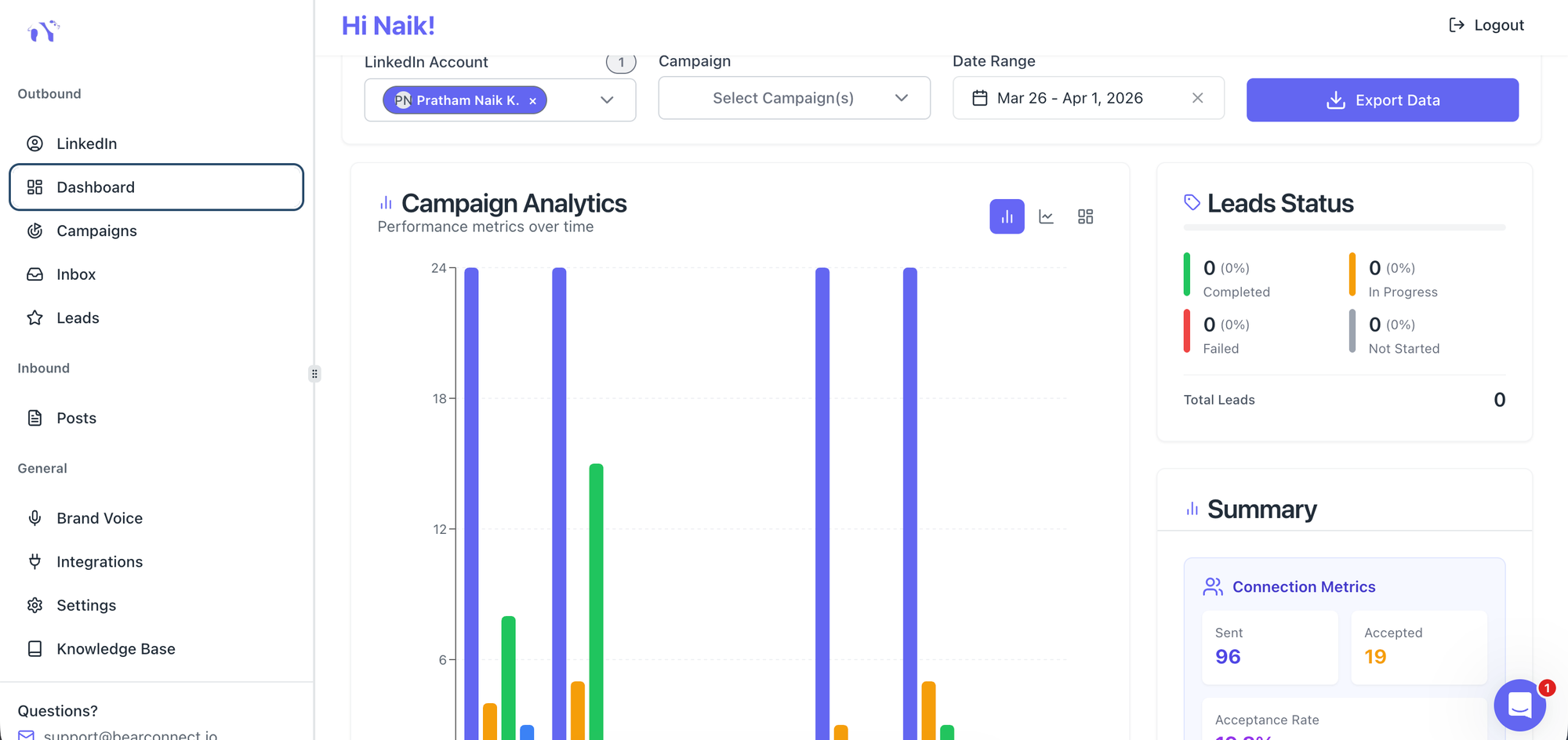
The full switch takes less than one workday. You do not lose pipeline in the process.
- Export your active lead lists from Dripify as CSV files
- Sign up for Bearconnect's 7-day free trial
- Connect your LinkedIn account(s) to the Bearconnect dashboard
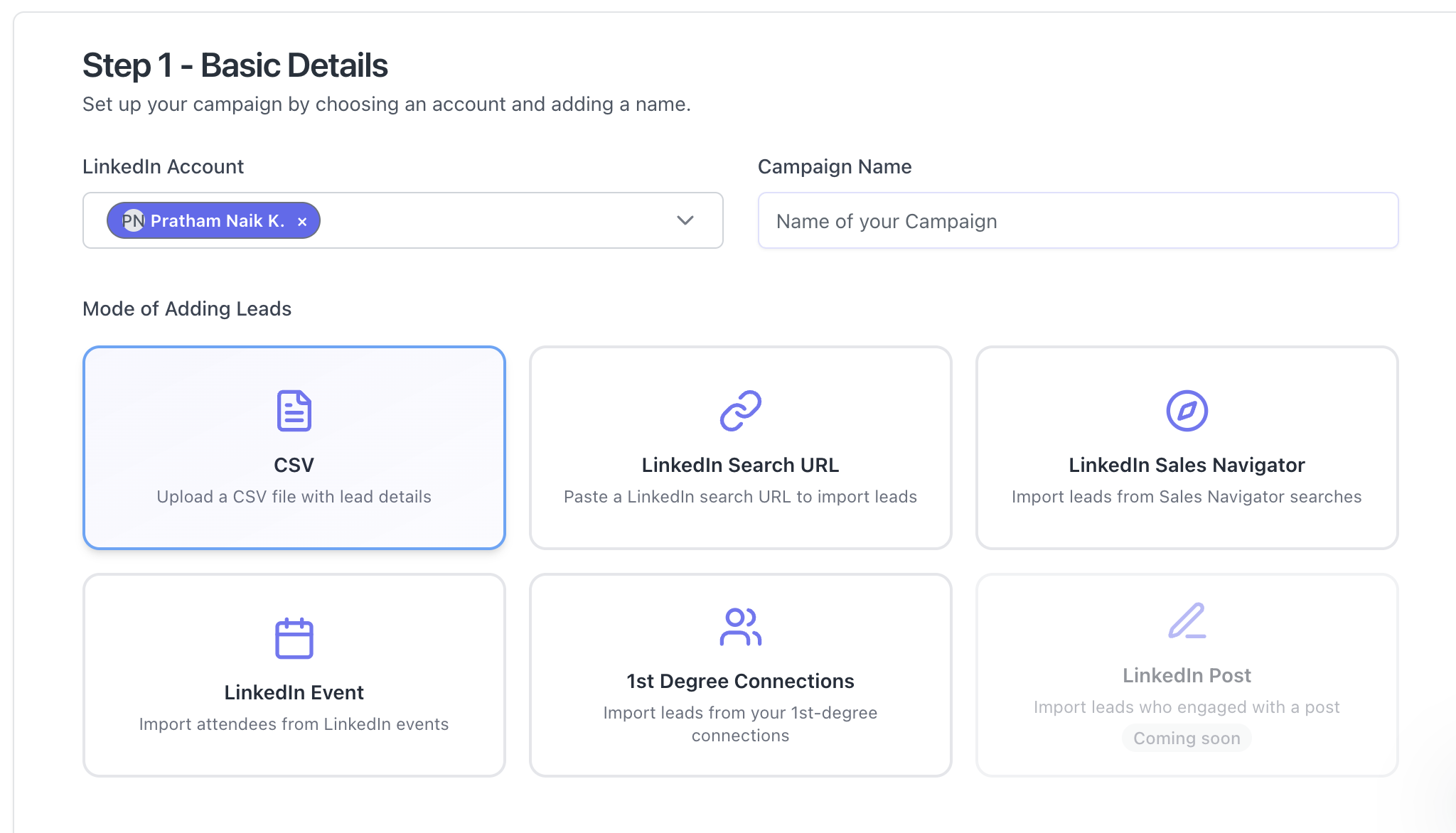
- Import your CSV lead lists and map the data fields
- Rebuild your drip sequences in Bearconnect's sequence builder
- Set up your unified inbox to see all account conversations in one place
- Activate post scheduling if you want inbound content running alongside outreach
Most users complete setup in 1-2 hours. The first campaign goes live the same day.
Pro Tip: Run Bearconnect and Dripify in parallel during the 7-day free trial. Launch your highest-priority campaign on Bearconnect and compare reply rates before you cancel Dripify.
5 Frequently Asked Questions
1. Is Bearconnect actually cheaper than Dripify?
Bearconnect at $67/month costs more than Dripify Basic at $39/month on paper. But once you add credit top-ups and plan upgrades for unlimited campaigns, most active Dripify users spend $70 to $100+ per month. Bearconnect is a flat $67 per LinkedIn account with no paid add-ons for campaigns.
2. Does Bearconnect have daily LinkedIn action limits?
Bearconnect uses smart throttling to keep your LinkedIn account safe, but it does not impose hard credit-based campaign limits. Actions are paced to mimic organic behavior, which protects your account from LinkedIn detection without blocking your output volume.
3. Can I manage multiple LinkedIn accounts in Bearconnect?
Yes. Bearconnect supports unlimited LinkedIn account connections on one seat. Dripify requires a separate seat for each LinkedIn account. For agencies or sales teams managing multiple profiles, this difference alone justifies the switch.
4. Does Bearconnect have a unified inbox like a CRM?
Yes. Bearconnect's unified inbox pulls conversations from all connected LinkedIn accounts into a single dashboard. You and your team can read and reply without switching between LinkedIn profiles. Dripify's inbox only covers one account even on paid plans.
5. What happens to active Dripify campaigns when I switch?
Dripify does not transfer data to external tools. Export your lead lists as CSV, import them into Bearconnect, and rebuild your sequences. Most users complete this in under 4 hours. You can run both tools in parallel until your Dripify billing cycle ends so no active outreach is interrupted.
Ready to Run LinkedIn Outreach Without Credit Restrictions?
You have seen exactly where Dripify limits your campaigns, your inbox, and your monthly budget.
Start your free 7-day trial on Bearconnect.
Connect your LinkedIn account, launch as many campaigns as you want, and manage every reply from one inbox before you pay a single dollar.
Related Reads
Ready to Transform Your LinkedIn Strategy?
Join thousands of professionals already using Bearconnect to automate their outreach and grow their network.
7-day free trial • Cancel anytime
Related Articles

How B2B Sales Teams Close More Deals by Automating LinkedIn Outreach?
Automate LinkedIn outreach to help B2B sales teams generate leads, start conversations, and close more deals faster with proven strategies.
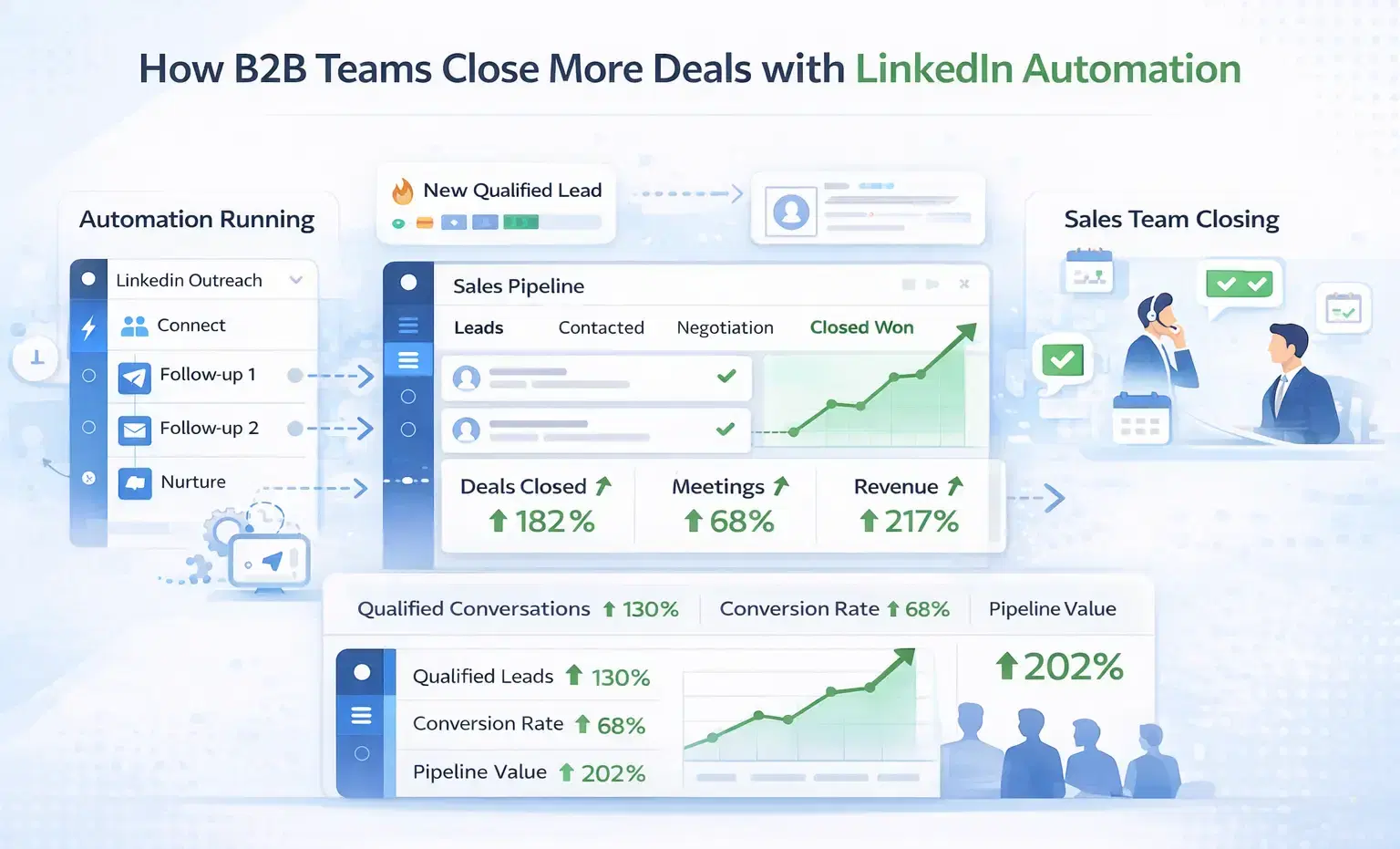
How B2B Sales Teams Close More Deals by Automating LinkedIn Outreach?
B2B sales teams waste hours on manual LinkedIn outreach. Automation fixes that more meetings, less grind, better conversions at scale.
How Can SDRs Book More Meetings Using LinkedIn Automation?
SDRs can book more meetings with LinkedIn automation by streamlining outreach, automating follow-ups, and scaling conversations without manual effort.