LinkedIn InMail (2026): Costs, Credits & Best Practices to Improve Response Rates
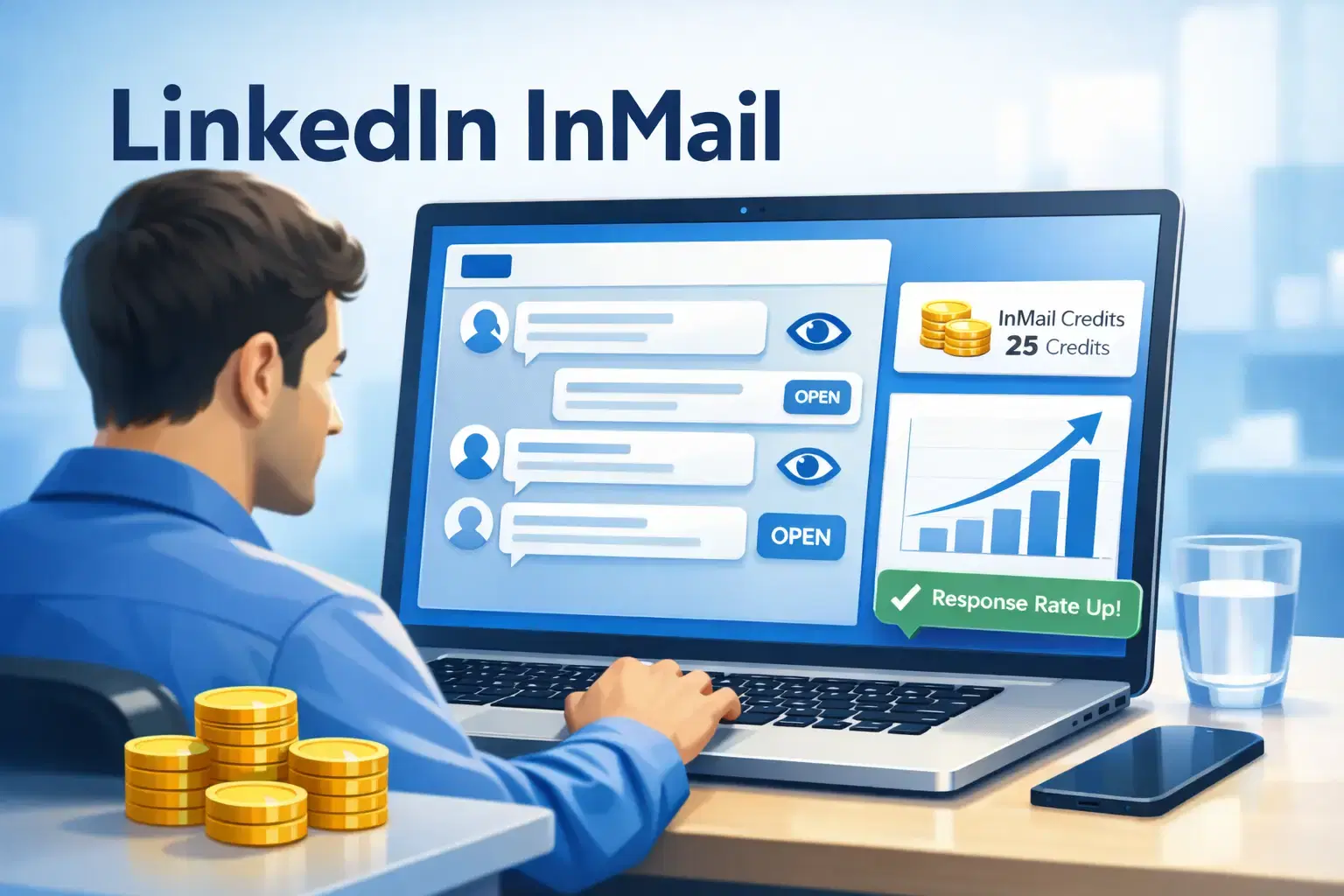
LinkedIn InMail in 2026 costs between $10 to $21 per additional credit depending on your subscription tier, with Premium plans including 5-15 free monthly credits.
Sales Navigator plans offering 20-50 credits. The average InMail response rate ranges from 10% to 25% but using personalized subject lines and value-focused messaging can push response rates 2-3x higher
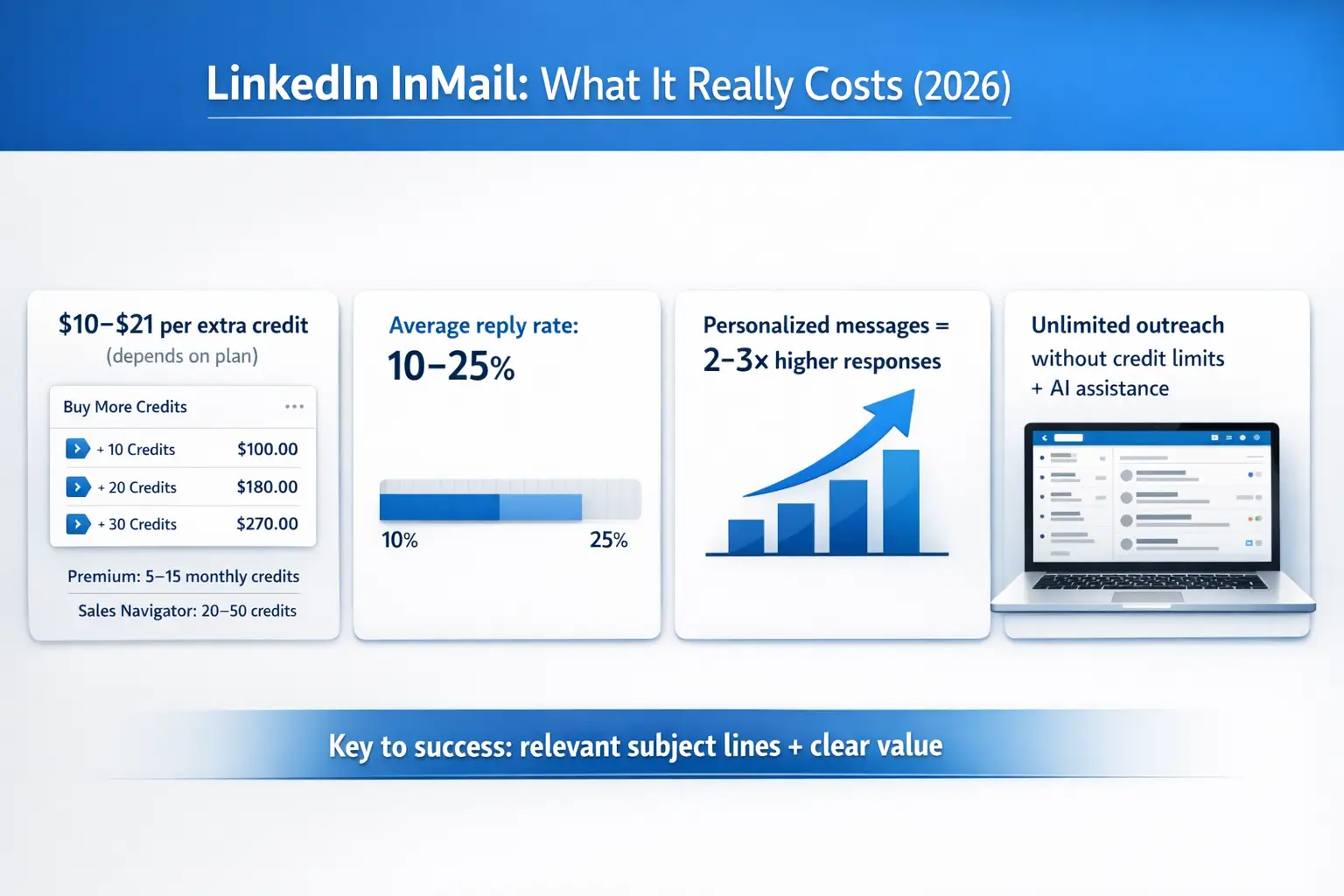
TL;DR: Quick LinkedIn InMail Overview
- Cost per InMail: $10 for extra credits (Premium) or up to $21 per credit for standalone purchases
- Free monthly credits: 5-15 with Premium Career/Business, 20-50 with Sales Navigator plans
- Average response rate: 10-25% when measured within 30 days
- Key to success: Personalization, clear subject lines, and value-focused messaging drive 2-3x better results
Why This Guide Matters Now
- LinkedIn InMail prices jumped 600% in late 2025, forcing sales teams to rethink outreach budgets.
- This guide reflects the latest 2026 pricing, credit systems, and proven tactics to maximize your ROI.
- If you send more than 10 InMails per month, understanding these changes could save you hundreds of dollars while improving your response rates.
What Is LinkedIn InMail and How Does It Work?
LinkedIn InMail is a premium messaging feature that lets you contact anyone on LinkedIn, even if you are not connected. Unlike regular messages that require a connection, InMail reaches people directly in their LinkedIn inbox.
Key features include:
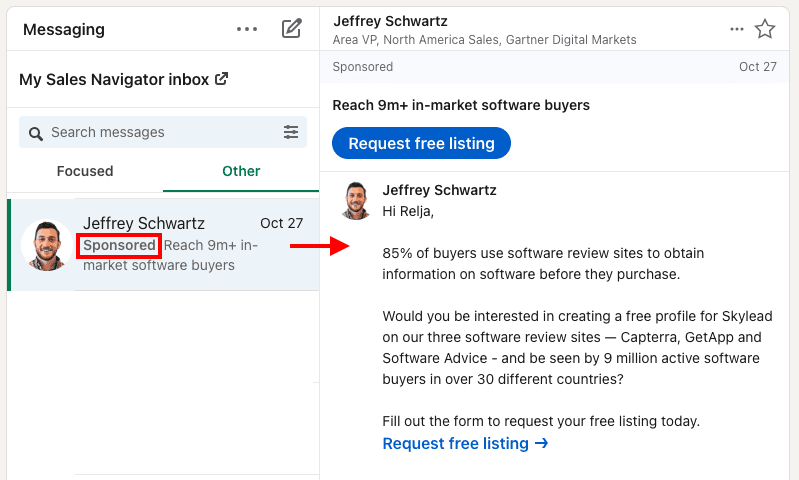
- Direct access to decision makers without connection requests
- Message priority placement in recipient inboxes
- 30-day response tracking built into LinkedIn analytics
- Credit refund if recipient responds within 90 days (Sales Navigator only)
InMail works best for targeted outreach to specific prospects when connection requests might get ignored or when you need faster response times.
LinkedIn InMail Pricing Breakdown for 2026
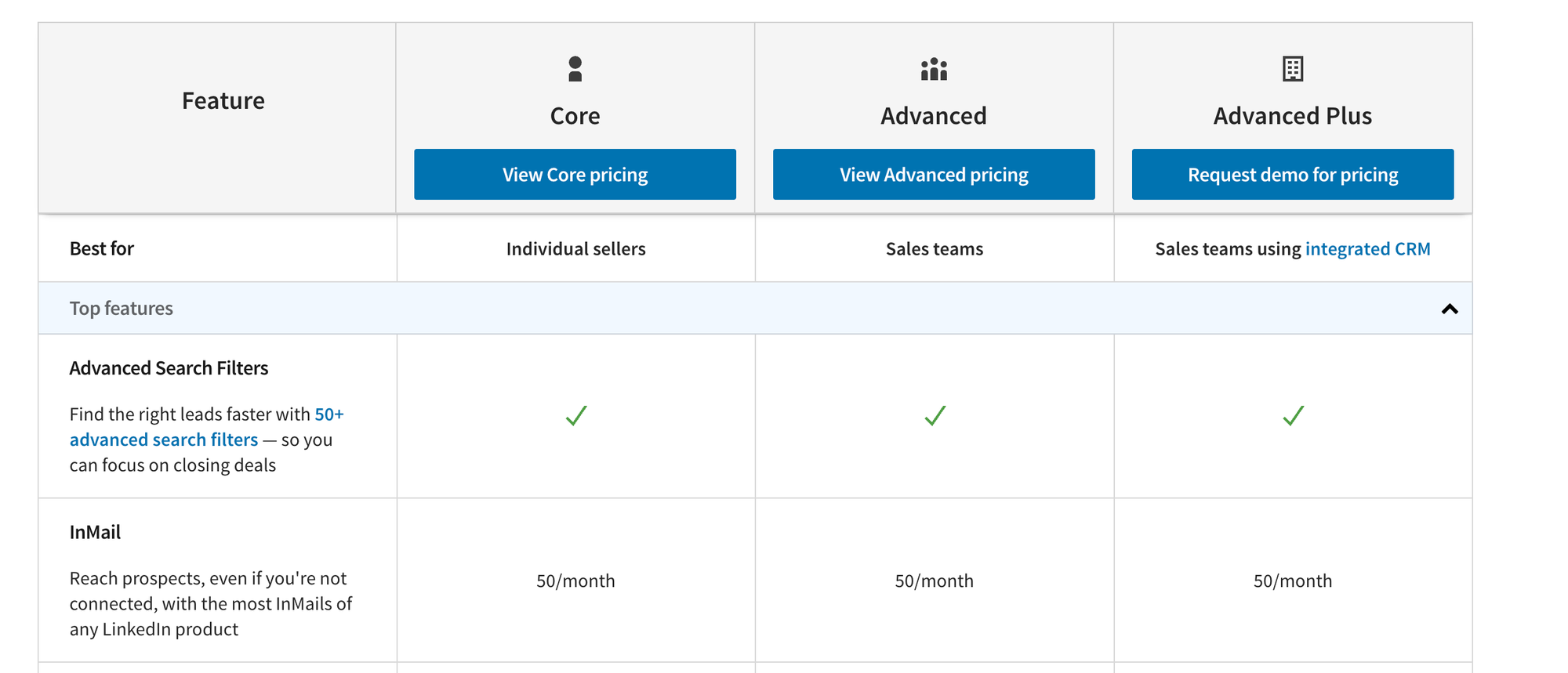
How Much Do InMail Credits Cost?
LinkedIn InMail pricing varies by subscription tier:
Premium Plans (Career/Business)
- Monthly credits included: 5-15 credits
- Cost per additional credit: $10
- Best for: Individual professionals and small teams
Sales Navigator Plans
- Monthly credits included: 20-50 credits (tier dependent)
- Cost per additional credit: $10-15
- Best for: Sales teams doing high-volume outreach
Recruiter Plans
- Monthly credits included: 30-150 credits
- Cost per additional credit: Variable based on contract
- Best for: Hiring teams and recruitment agencies
If budget is tight, read how LinkedIn automation works without Sales Navigator so you do not overpay just to send more messages.
The 2025 Price Increase You Should Know About
In October 2025, LinkedIn raised standalone InMail credit prices from $3 to $21 per credit, a 600% increase.
What this means for your budget:
- Sending 100 InMails could cost $1,000-2,100 if buying extra credits
- Sales Navigator subscriptions became more cost-effective for regular users
- Many teams switched to connection-based outreach or automation tools
Understanding LinkedIn InMail Credits System
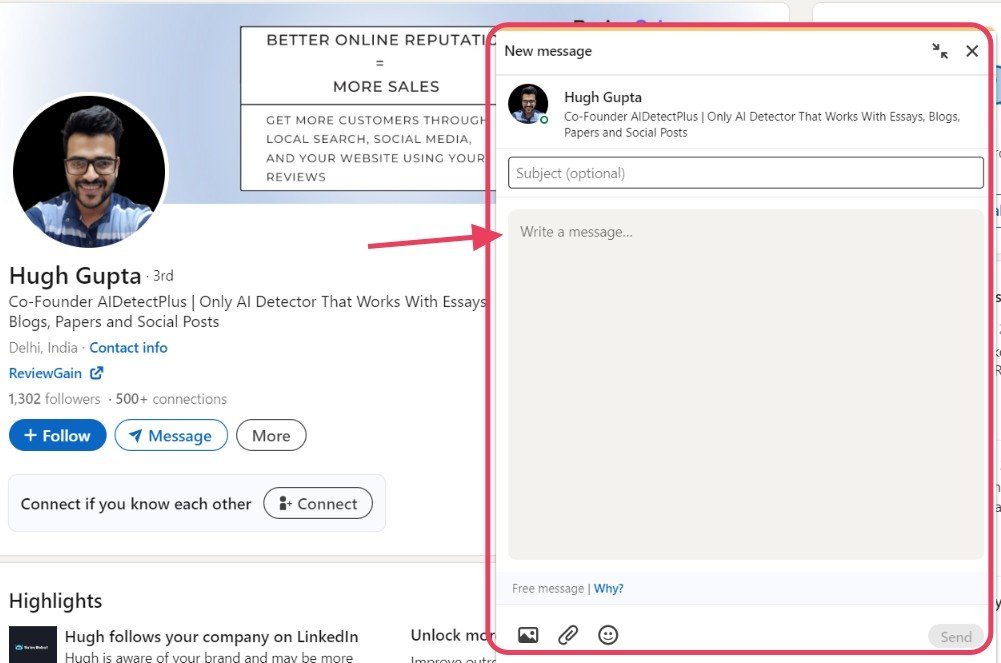
How Many Credits Do You Get Per Month?
Your monthly InMail allocation depends on your plan:
- LinkedIn Premium: 5-15 credits/month
- Sales Navigator Core: 20 credits/month
- Sales Navigator Advanced: 30 credits/month
- Sales Navigator Advanced Plus: 50 credits/month
- Recruiter Lite: 30 credits/month
Credits reset monthly but do not roll over to the next month. Unused credits expire, so plan your outreach accordingly.
Do InMail Credits Get Refunded?

Yes, but only under specific conditions:
- Recipient must respond within 90 days
- Only applies to Sales Navigator and Recruiter accounts
- Premium account credits do not get refunded
- Response must be substantive (not just "not interested")
This refund feature makes Sales Navigator more cost-effective for teams doing high-volume prospecting.
What Are Typical LinkedIn InMail Response Rates?
Industry Benchmarks for 2026
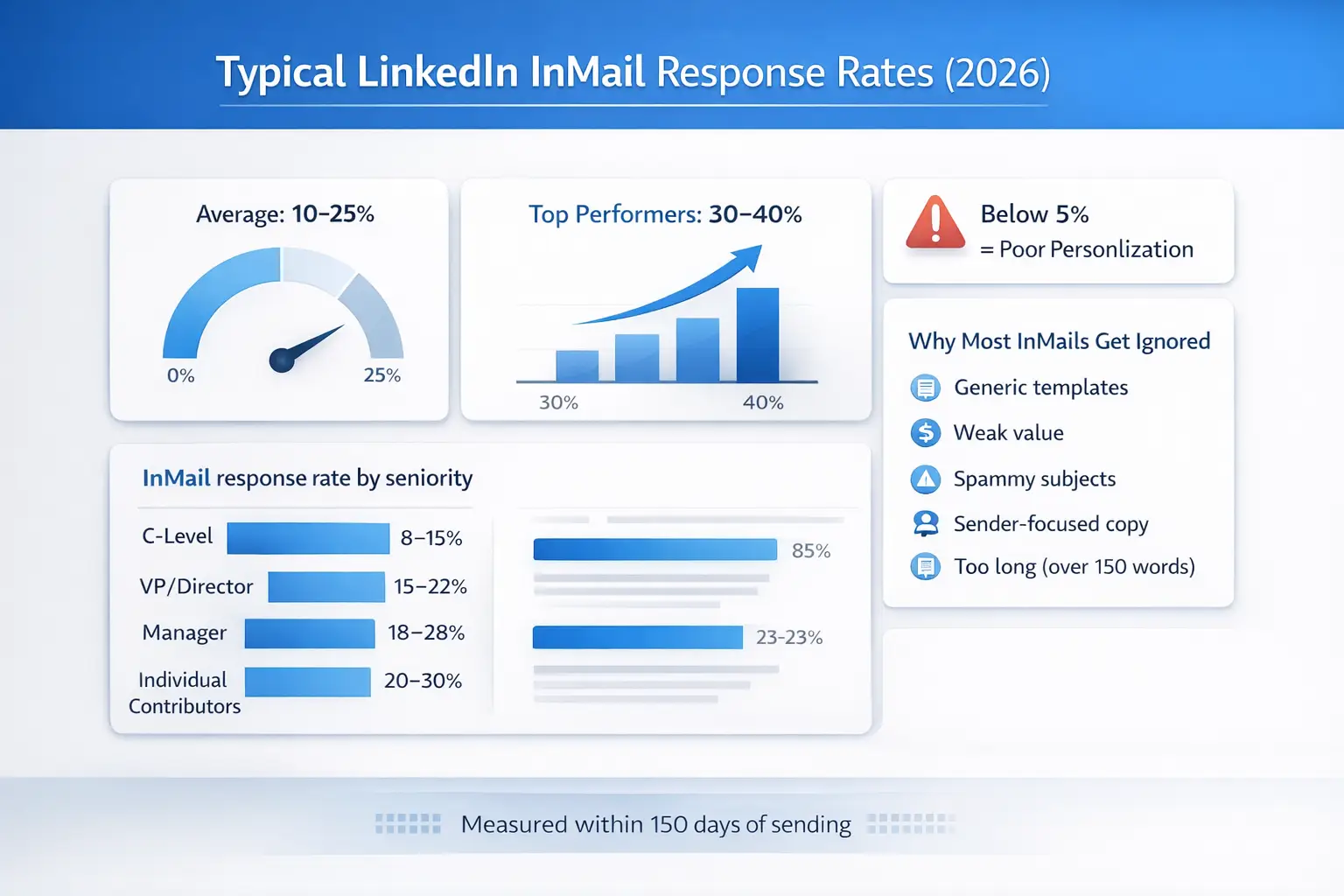
LinkedIn defines InMail response rate as replies received within 30 days of sending. Current benchmarks show:
- Average response rate: 10-25% across all industries
- Top performers: 30-40% with highly personalized messages
- Poor performers: Below 5% with generic templates
Response rates by recipient seniority:
- C-level executives: 8-15%
- VP/Director level: 15-22%
- Manager level: 18-28%
- Individual contributors: 20-30%
Why Most InMails Get Ignored
Based on LinkedIn data and user feedback, here are the top reasons for low response rates:
- Generic templates that lack personalization
- Unclear value proposition in first 2 sentences
- Subject lines that read like spam
- Messages focused on sender needs, not recipient benefits
- Too long (over 150 words)
8 Best Practices to Improve Your InMail Response Rates
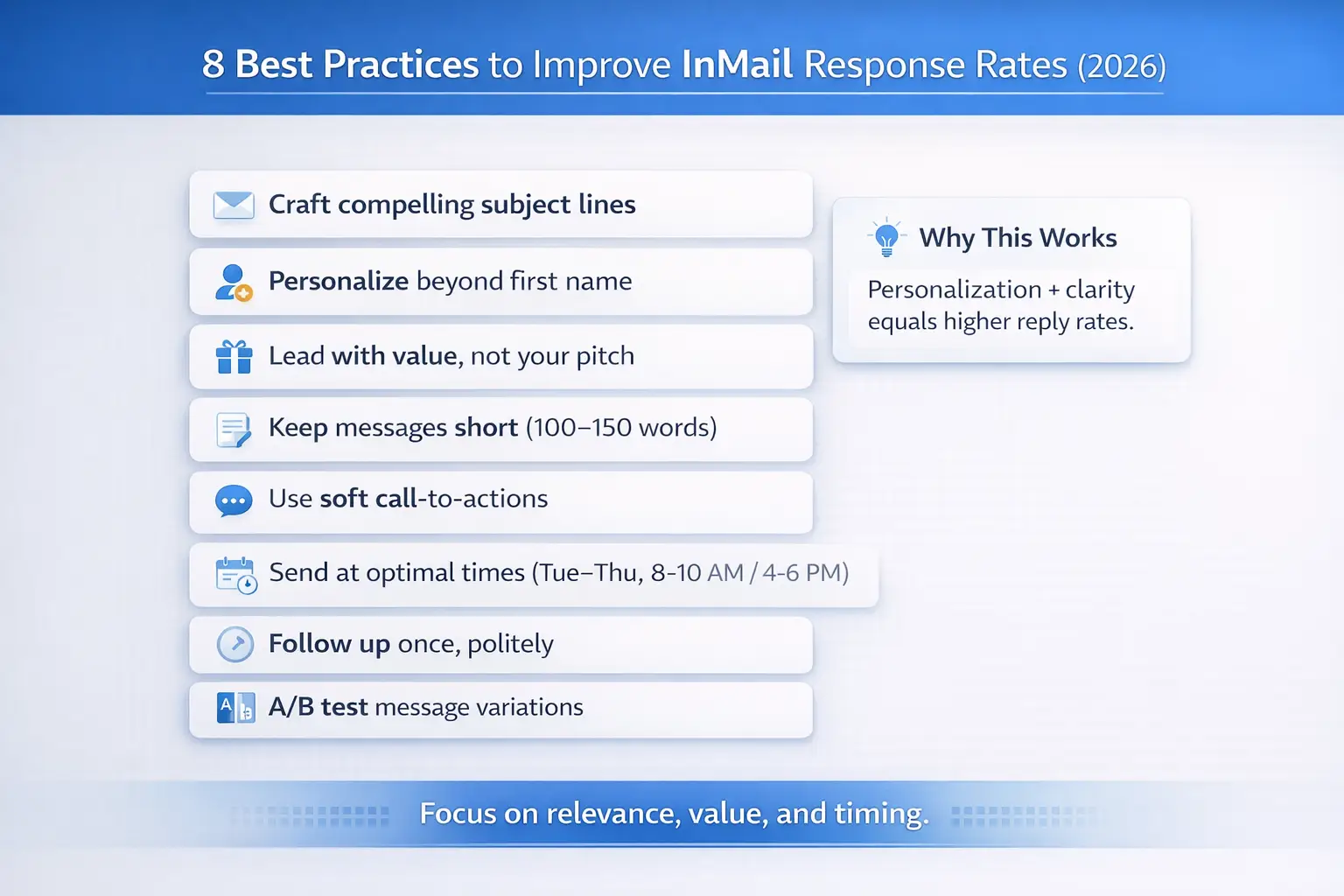
1. Craft Compelling Subject Lines
A strong subject line is the deciding factor in whether your InMail gets opened. Keep it under 50 characters and create curiosity without being clickbait.
Examples that work:
- "Quick question about [specific project]"
- "[Mutual connection] suggested I reach out"
- "Saw your post on [specific topic]"
2. Personalize Beyond First Name
Real personalization references specific details about the recipient:
- Recent posts they shared
- Company milestones or funding news
- Shared connections or groups
- Relevant work experience or achievements
Avoid: "Hi [First Name], I noticed you work in sales..." This is lazy personalization that everyone uses.
Learn how to automate LinkedIn messages while maintaining personalization.
3. Lead with Value, Not Your Pitch
The first 2 sentences must answer "Why should I care?"
- “I saw that your team has recently begun growing into European markets.” I worked with 3 SaaS companies doing the same thing and learned some costly mistakes you can avoid."
- Bad opening: "My name is John and I work at XYZ company. We help businesses like yours improve efficiency..."
4. Keep It Short and Scannable
InMails under 100-150 words get 25% higher response rates. Structure your message with:
- 1-2 sentence opening (value hook)
- 2-3 sentences explaining relevance
- Clear call-to-action (not a hard sell)
Use line breaks between sections for easy scanning.
5. Include a Soft Call-to-Action
Avoid asking for 30-minute calls immediately. Lower-commitment CTAs work better:
- "Would a 10-minute chat next week make sense?"
- "Are you open to a quick exchange of ideas?"
- "Can I send you a 2-minute case study?"
6. Send at Optimal Times
LinkedIn InMail data shows best response rates occur:
- Days: Tuesday-Thursday
- Times: 8-10 AM or 4-6 PM (recipient's timezone)
- Avoid: Monday mornings and Friday afternoons
7. Follow Up Strategically
If no response after 7 days, send one polite follow-up. Reference your previous message and add new value:
"Following up on my message from last week about [topic]. Since then, I came across [relevant resource] that might interest you."
Do not send more than one follow-up through InMail as credits are expensive.
For multi-step follow-up sequences without credit limits, consider LinkedIn message automation tools.
8. A/B Test Your Messages
Track what works by testing:
- Different subject lines
- Value propositions
- Message length
- CTA variations
LinkedIn provides response rate analytics for Sales Navigator users. Use this data to refine your approach.
InMail or Connection Requests: What’s the Better Choice?
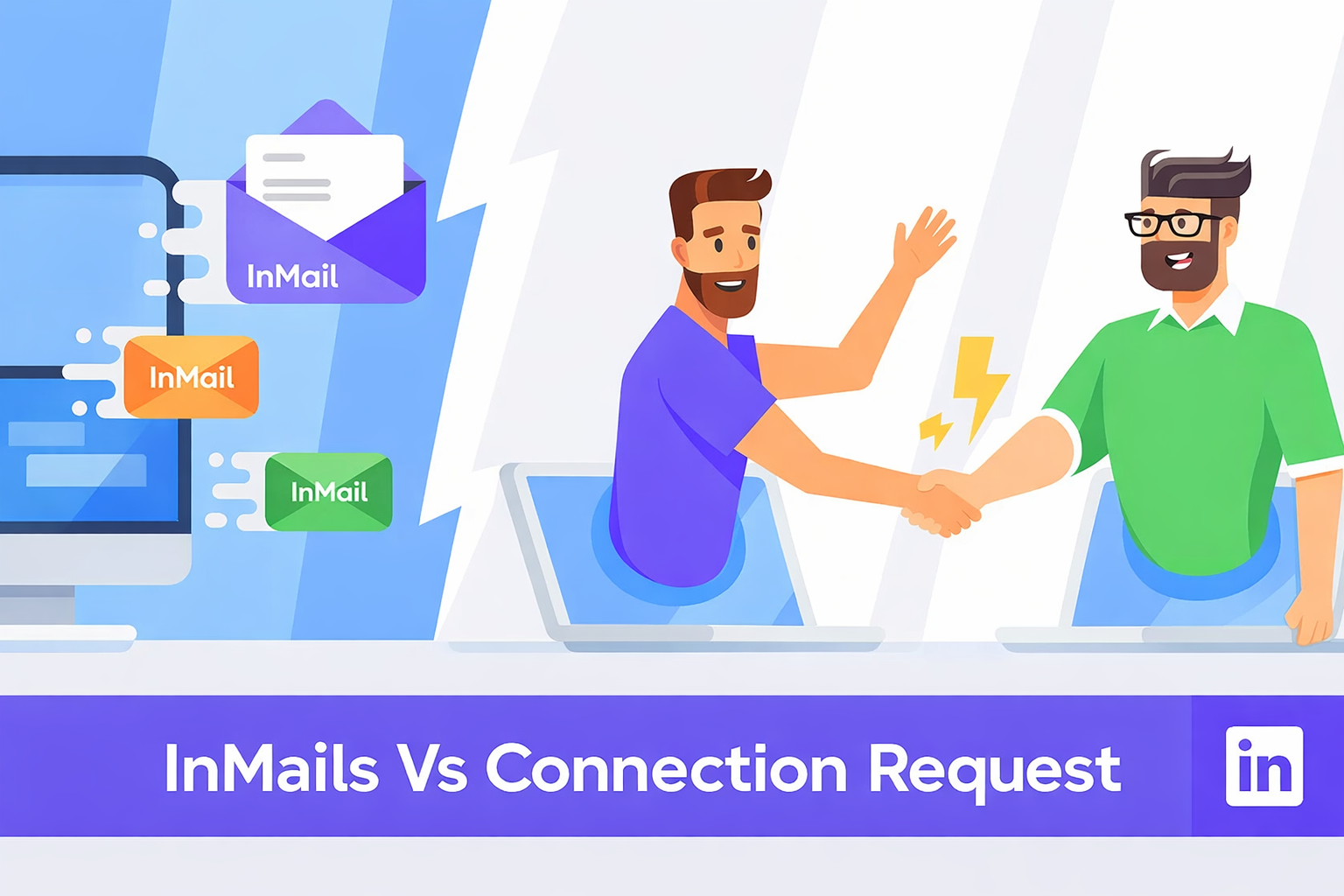
When to Use InMail
InMail makes sense when:
- Targeting executives who rarely accept connection requests
- Time-sensitive opportunities requiring immediate attention
- You have already maxed out weekly connection request limits
- The prospect has "InMail only" preferences enabled
When to Use Connection Requests Instead
Connection requests are better for:
- Building long-term relationships
- Budget-conscious outreach (free option)
- Prospects likely to accept (2nd-degree connections)
- When you can send multiple touchpoints over time
Learn how to automate LinkedIn connection requests without losing personalization
Cost comparison:
- 100 InMails: $1,000-2,100 (with additional credits)
- 100 connection requests: $0 (within weekly limits)
How LinkedIn Automation Tools Compare to InMail
The Cost-Effective Alternative
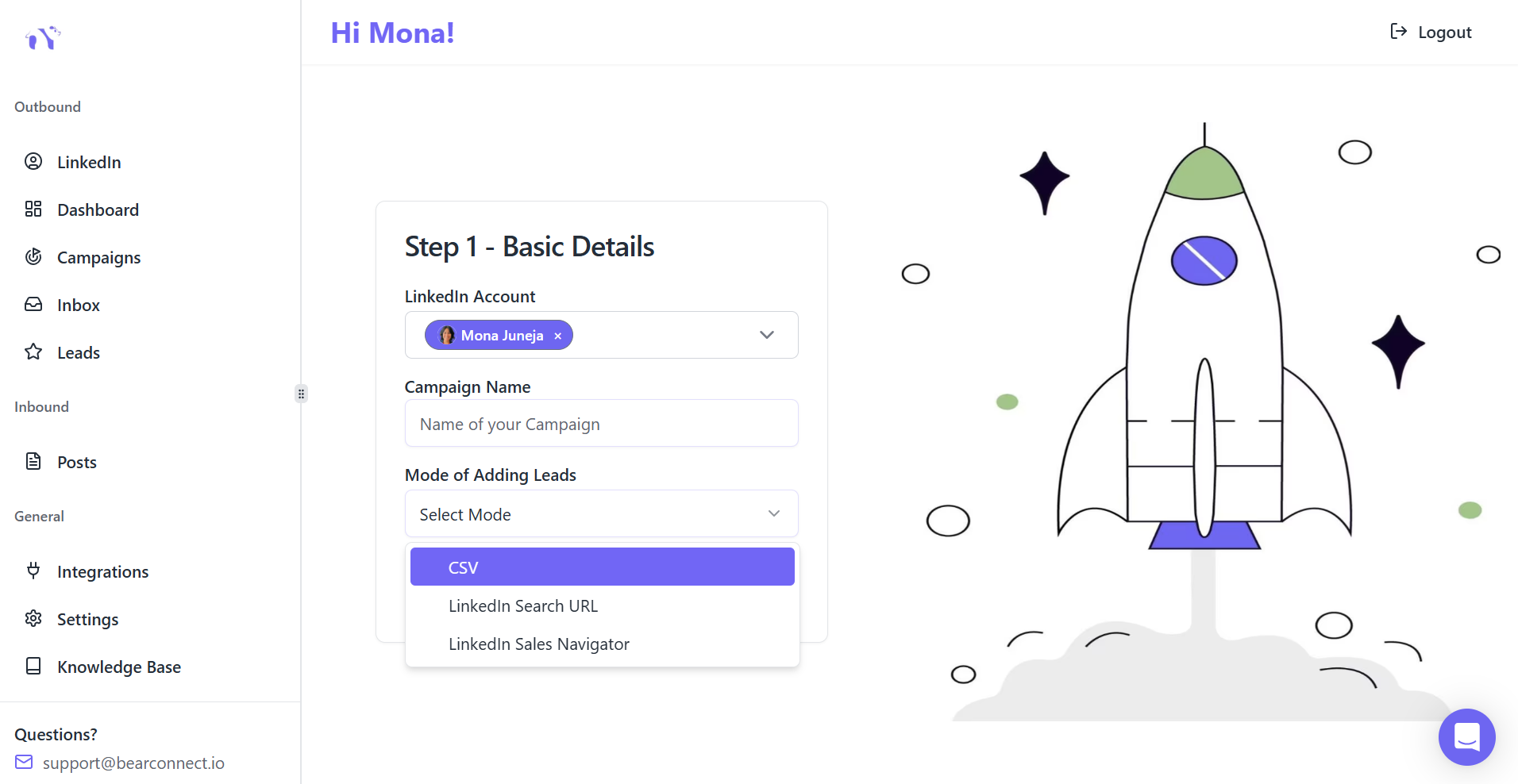
Bearconnect pricing:
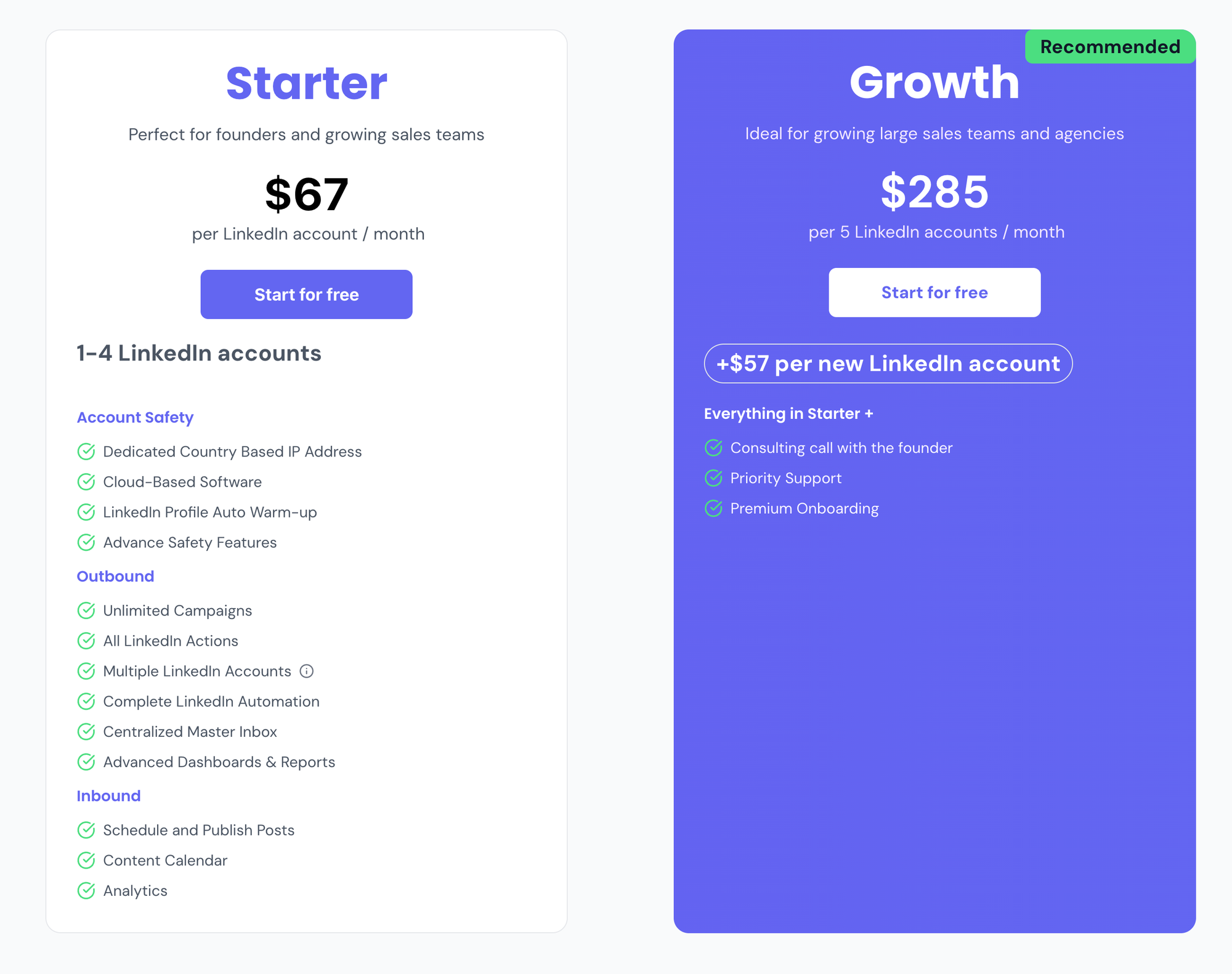
- $67/month per LinkedIn account
- $57/month per account for 5+ accounts
- Unlimited connection requests and follow-up messages
- Unified inbox to manage all conversations
When automation works better:

- High-volume outreach campaigns (50+ prospects/week)
- Multi-step sequence campaigns
- Teams managing multiple LinkedIn accounts
- Budget constraints limiting InMail use
Automation tools focus on connection-based outreach rather than InMail, which avoids credit costs entirely while maintaining personalization at scale.
5 Common LinkedIn InMail Mistakes to Avoid
1. Sending mass generic messages
Batch-and-blast tactics kill your response rates and waste expensive credits.
2. Making it all about you
Prospects do not care about your quota or company awards. Focus on their pain points.
3. Ignoring the mobile experience
Over 60% of LinkedIn users check messages on mobile. Keep messages short and scannable.
4. Using salesy language
Words like "opportunity," "solution," and "game-changer" trigger spam filters and turn off readers.
5. Not testing different approaches
If your response rate is below 15%, test new subject lines, opening hooks, and CTAs.
Avoid common LinkedIn automation mistakes that kill conversions.
Frequently Asked Questions (FAQs)
Q1: How many InMail credits do I get with LinkedIn Premium?
LinkedIn Premium Career and Business accounts include 5-15 InMail credits per month depending on your specific plan tier. These credits reset monthly but do not roll over, so unused credits expire at the end of each billing cycle.
Q2: Can I get my InMail credits back if someone responds?
Only Sales Navigator and Recruiter account holders receive credit refunds when recipients respond within 90 days. Premium account InMail credits are not refundable regardless of response status.
Q3: What is a good InMail response rate?
LinkedIn data shows average InMail response rates range from 10-25% across industries. Response rates above 20% are considered good, while top performers with highly personalized messaging achieve 30-40% response rates.
Q4: Is LinkedIn InMail worth the cost in 2026?
InMail is worth the cost if you are targeting high-value prospects, have budget for $10-21 per message, and can craft personalized outreach. For high-volume campaigns, connection-based automation tools at $57 offer better ROI than buying hundreds of InMail credits.
Q5: How long should my LinkedIn InMail message be?
Keep InMail messages under 100-150 words for best results. Shorter messages (75-100 words) get read more often, while messages over 200 words see significantly lower response rates as recipients lose interest.
Level up your LinkedIn outreach strategy.
LinkedIn InMail works, but at $10-21 per credit, high-volume outreach gets expensive fast.
Smarter alternatives for scaling:
If you send 50+ LinkedIn messages weekly, use automation tools like Bearconnect. Start your 7 day free trial to access all features.
Ready to Transform Your LinkedIn Strategy?
Join thousands of professionals already using Bearconnect to automate their outreach and grow their network.
7-day free trial • Cancel anytime
Related Articles

How B2B Sales Teams Close More Deals by Automating LinkedIn Outreach?
Automate LinkedIn outreach to help B2B sales teams generate leads, start conversations, and close more deals faster with proven strategies.
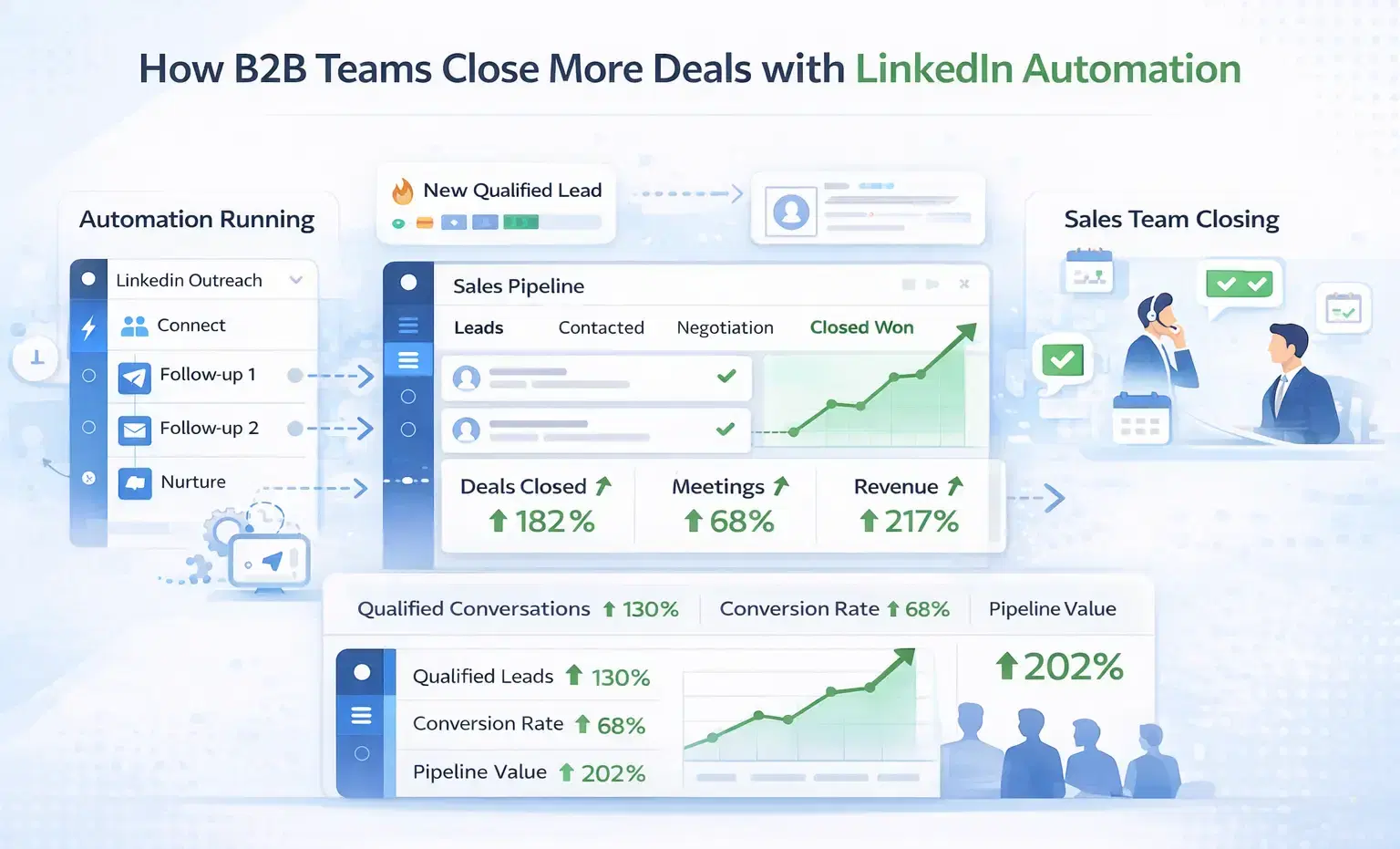
How B2B Sales Teams Close More Deals by Automating LinkedIn Outreach?
B2B sales teams waste hours on manual LinkedIn outreach. Automation fixes that more meetings, less grind, better conversions at scale.
How Can SDRs Book More Meetings Using LinkedIn Automation?
SDRs can book more meetings with LinkedIn automation by streamlining outreach, automating follow-ups, and scaling conversations without manual effort.