Everything in One Campaign
6 lead sources · 3 ready-made flows · 7 step types · 6 integrations
Set it once. Bearconnect follows up for you.
Pick your leads and your steps. Every message goes out on the day you set.
- No manual follow-ups
- Runs in the cloud, even with your laptop off
- Stops when a lead replies (Standard Outreach)
Setup takes minutes
Get started in just a few simple steps
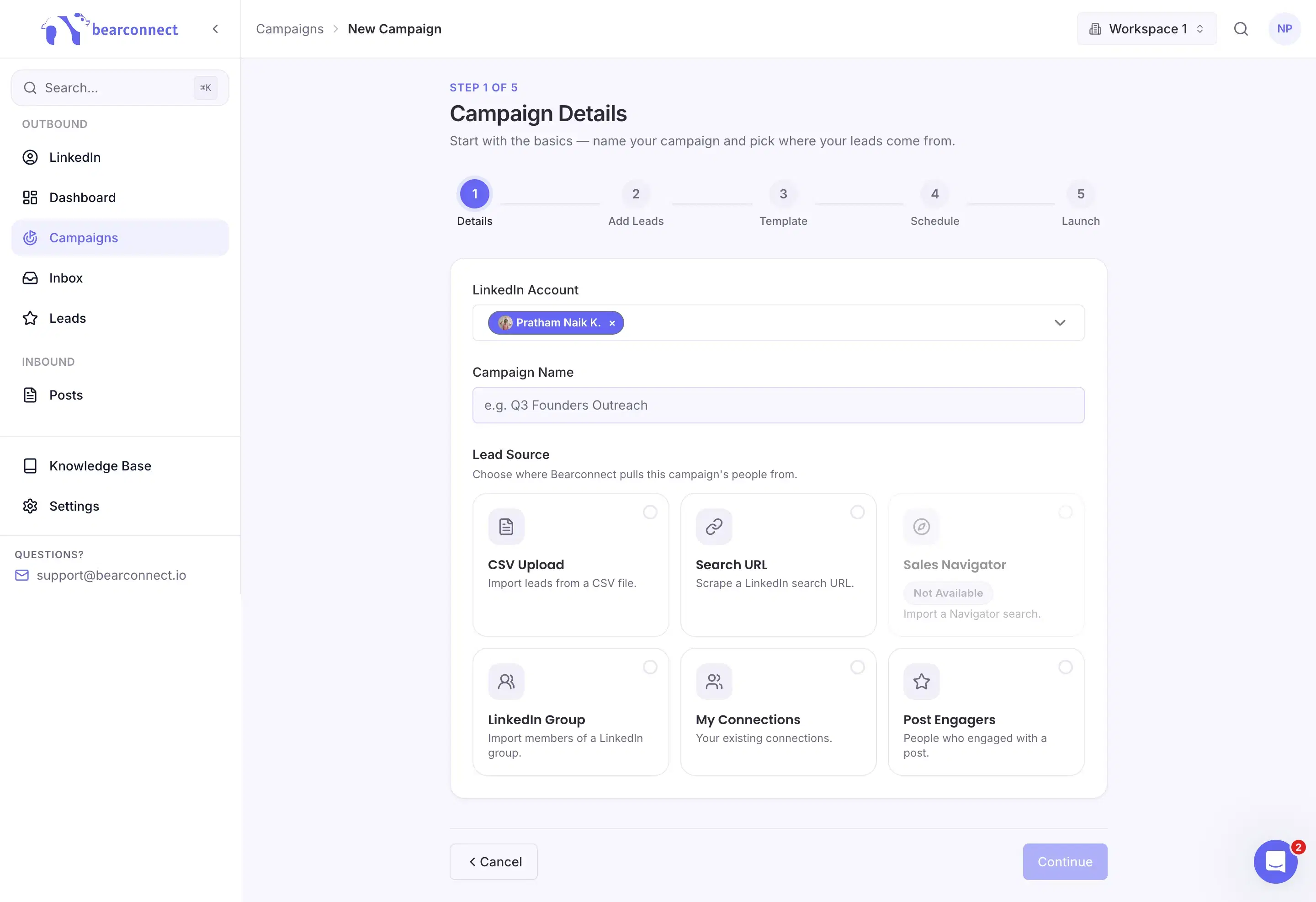
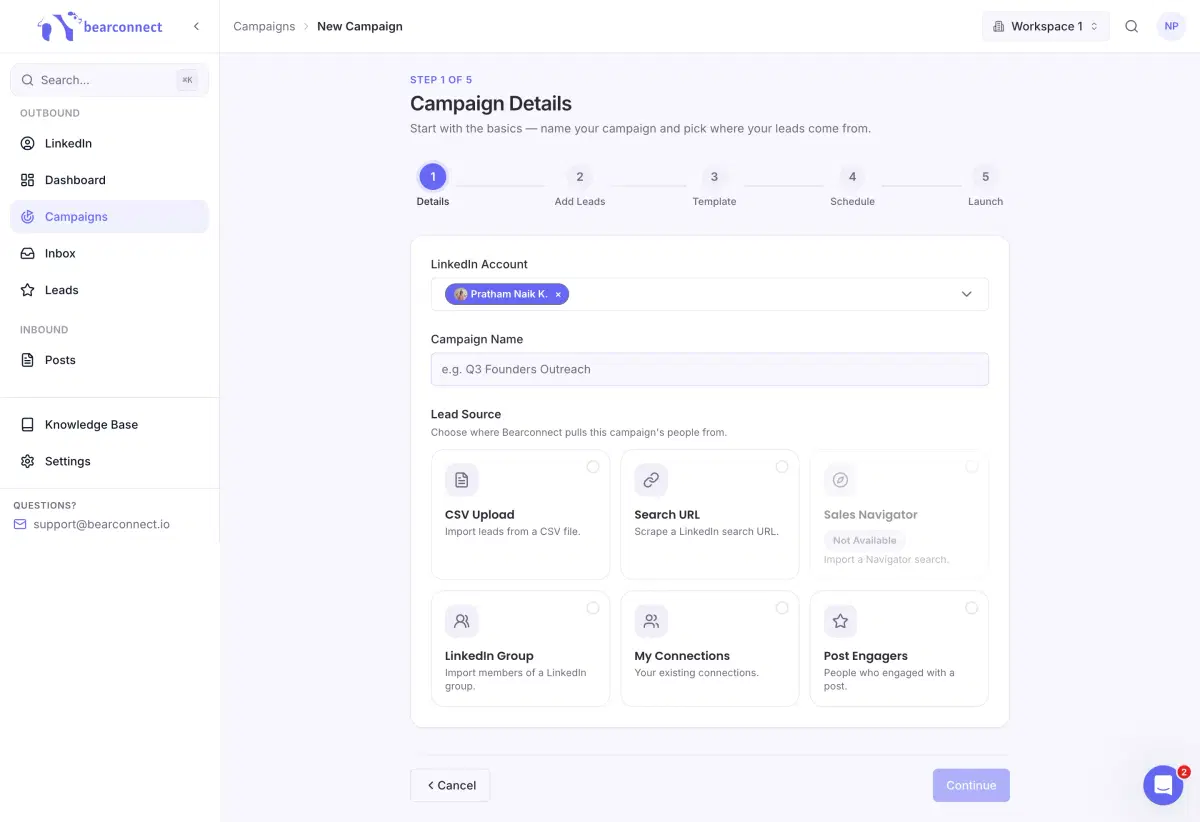
Pick your account and lead source
Go to Campaigns, choose your LinkedIn account and name the campaign. Then choose where your leads come from. The source decides how you import them in the next step.
- LinkedIn search URL: paste any People search
- CSV upload: map your columns and go
- Your connections: Re-engage people you already know
- Sales Navigator: Import your filtered leads straight in
- Post engagers: people who liked or commented on a post
- LinkedIn groups: members of groups in your niche
Import your list
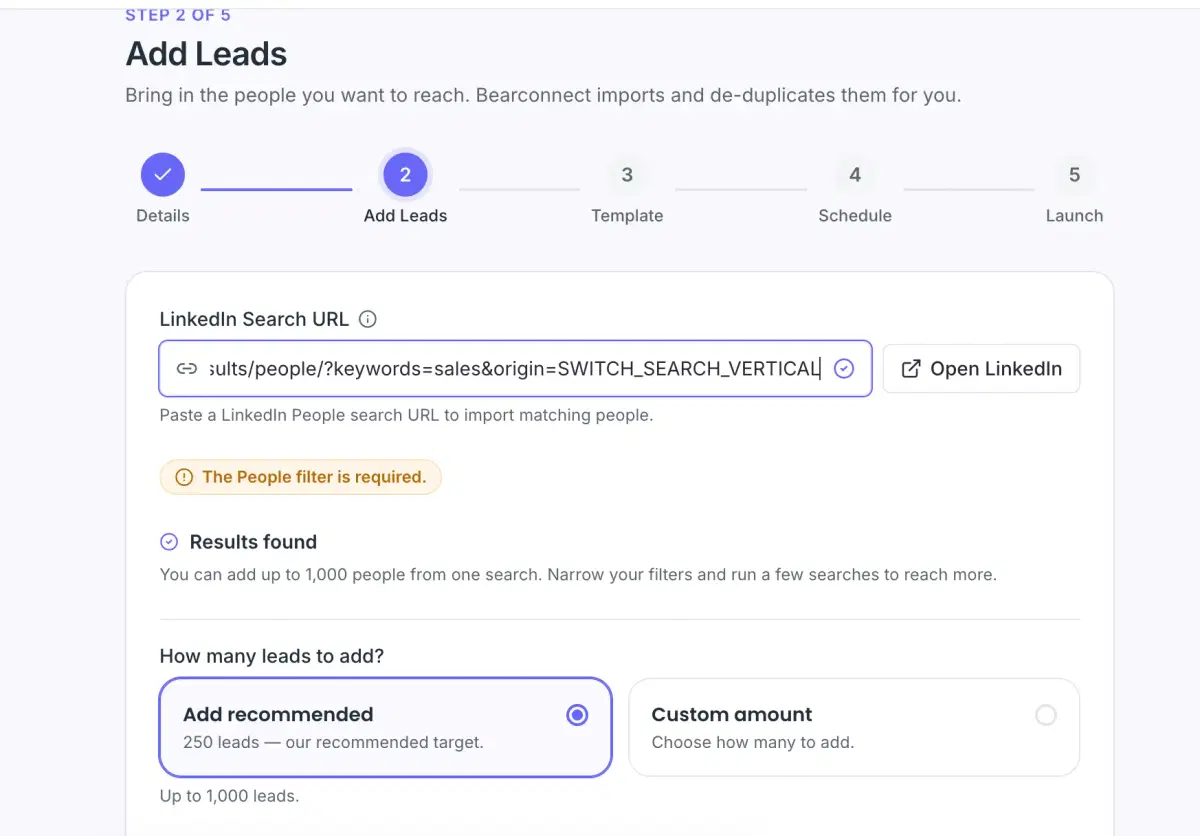
Search for your audience on LinkedIn, apply your filters and paste the URL into Bearconnect. It imports the profiles and removes duplicates for you.
- Import up to 1,000 people per search. We recommend starting with 250.
- Need more? Narrow your filters and run a few searches.
- Skip people you're already connected to
- Skip profiles without a photo
- Skip anyone already in another campaign
- Add more leads later from the campaign's Leads tab
Pick a template
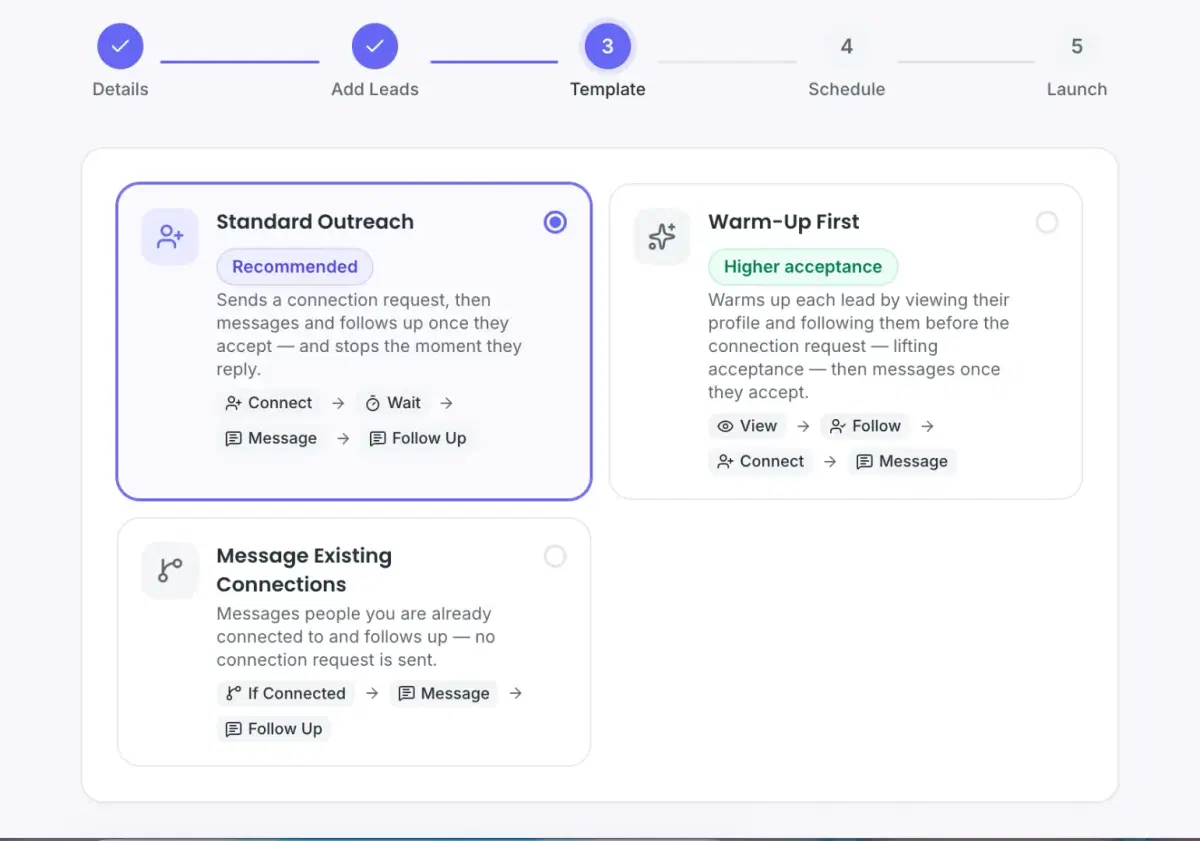
Start from a ready-made flow. Standard Outreach is the recommended one, and you can edit every step later.
- Standard Outreach: Connect, wait, message, follow up. Stops when they reply.
- Warm Leads: View profile, follow, connect, message.
- Message Existing Connections: If connected, message and follow up. No connection request.
Set limits and working hours
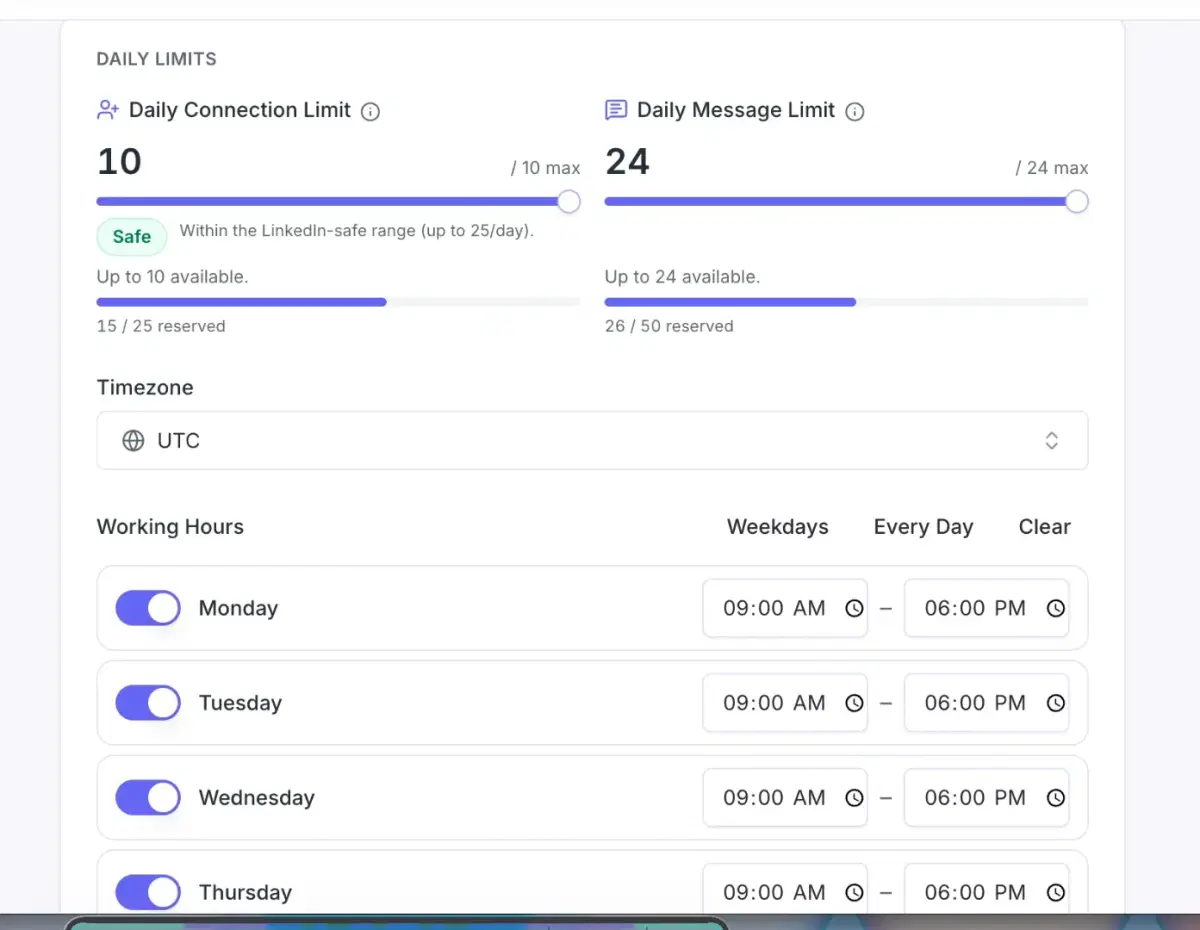
Set a daily limit for connection requests (up to 25) and messages (up to 50) for this campaign. Bearconnect shows how much of your account's daily allowance your other campaigns already use.
- A Safe label shows when your limit sits inside LinkedIn's safe range
- Pick the timezone where your audience is
- Turn each day on or off and set hours per day, or use the Weekdays and Every day shortcuts
Build your drip
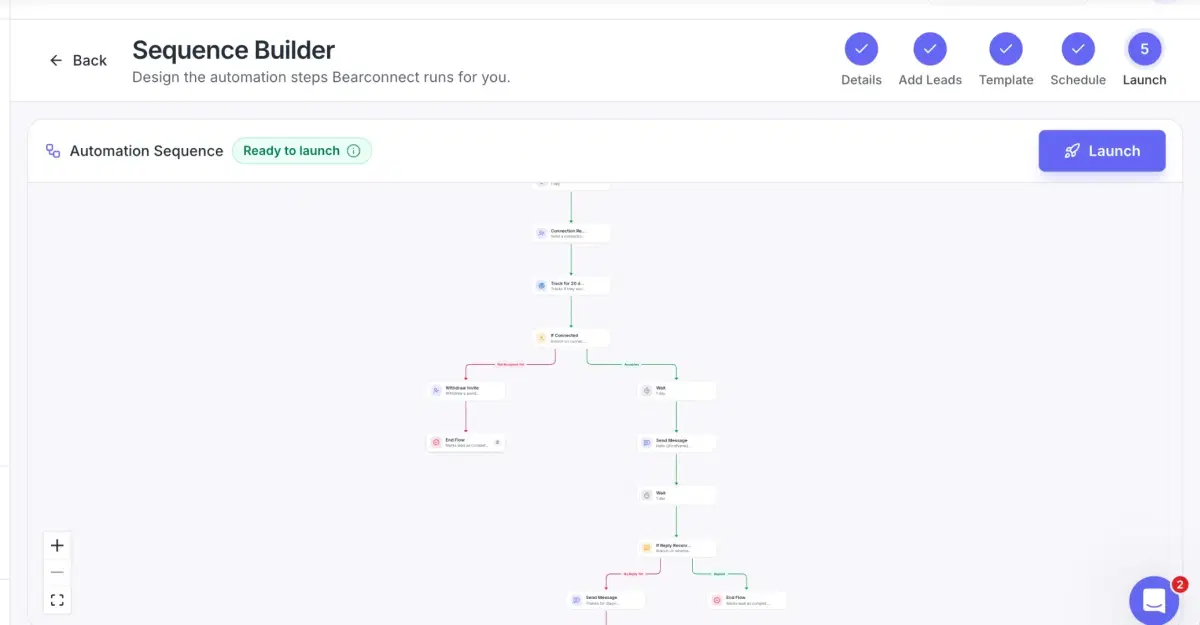
The sequence builder shows every step on one map. Bearconnect fills it from your template, and you can add or remove anything before launch.
With the Warm-Up template, the flow is:
- Before the request: view profile, wait 1 day (editable), follow, wait 1 day, then send the connection request
- If they accept: wait 1 day, then send your message
- If they don't: after 20 days, withdraw the invite and end the flow
Add any of these steps, anywhere in the flow:
Write your messages
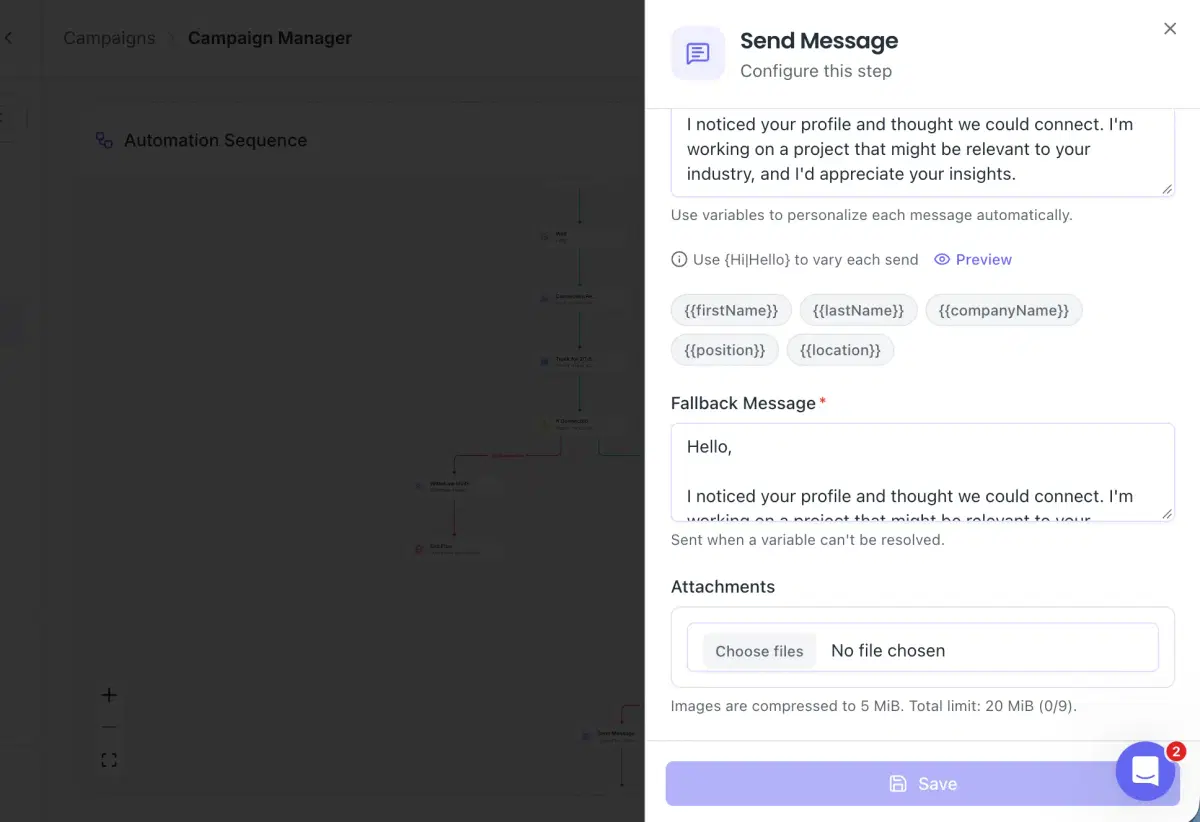
Write your first, second and third message in one editor. Bearconnect fills in each lead's details automatically, and AI Direct Message can draft the text in the voice you choose.
- Variables: {{firstName}} {{lastName}} {{companyName}} {{position}} {{location}}
- Custom variables (CSV only): add your own column to a CSV, like a unique intro line for each lead. Bearconnect reads each person's line and places it in their message
- Fallback message (required): sent when a detail is missing
- Attachments: add up to 9 files, 20 MiB in total
Connect your tools
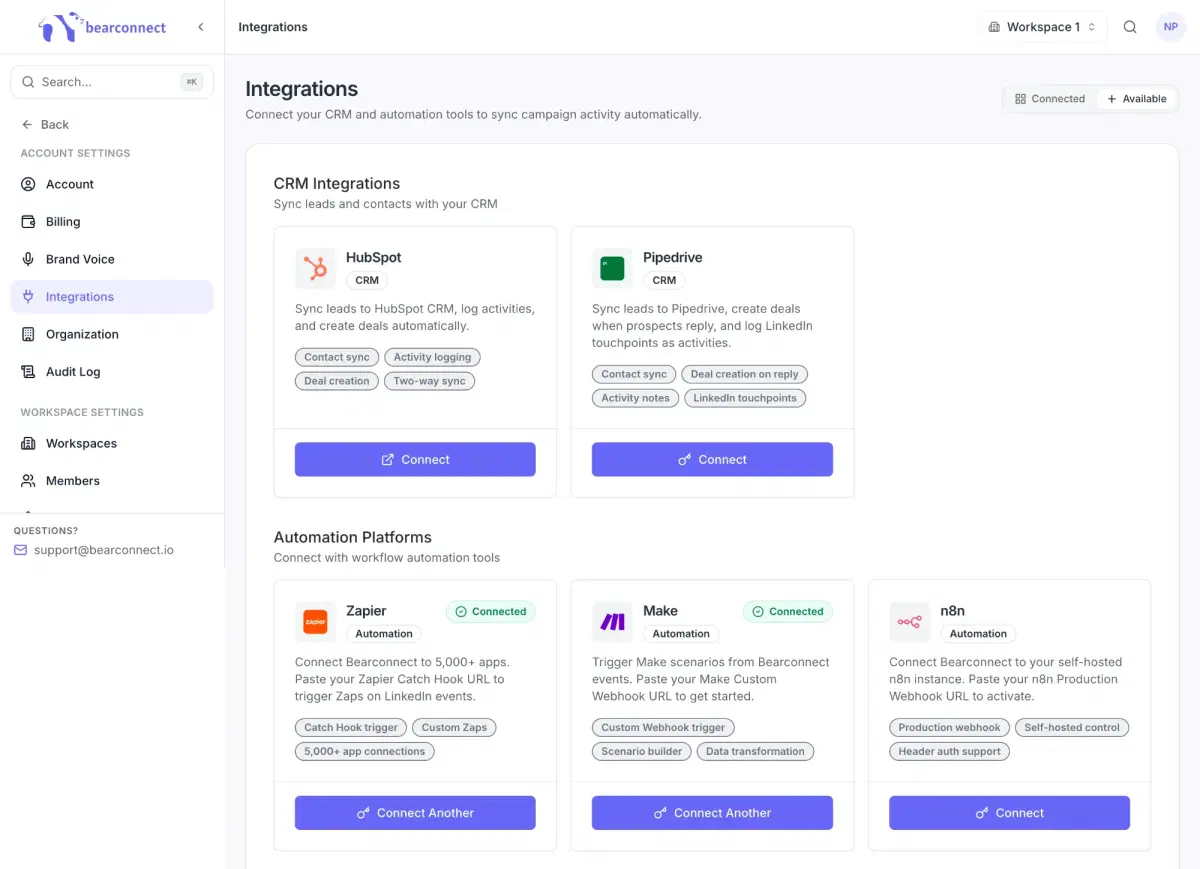
Send campaign activity to the tools your team already uses. Choose which events sync, connection events, message events or both. This step is optional.
- CRM: HubSpot, Pipedrive
- Automation: Zapier, Make, n8n
- Webhooks: send events to any URL
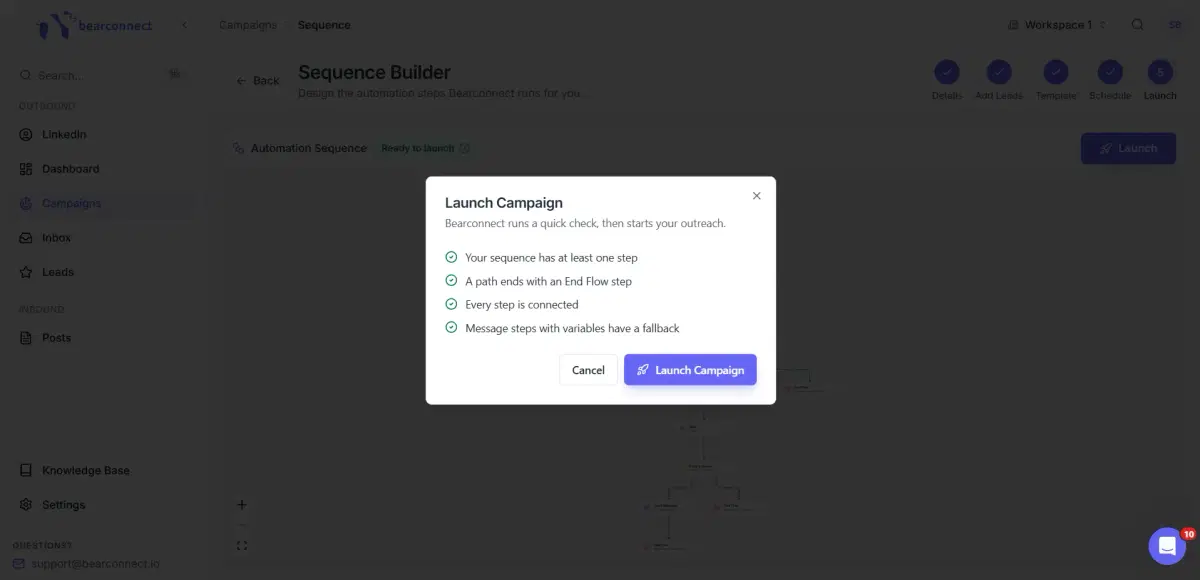
Launch your campaign
Hit the "Launch" button, and your campaign is live. The status bar shows Connection requests sent, Connection requests accepted, Messages sent, how many leads replied
Loved by People Worldwide

Secure & Well-Designed
"Bearconnect stands out because it feels secure and well thought out. The campaign builder is easy to follow. The in-app guidance and tooltip…"

Dylan D.
Product Manager/ UX Design
Friendly Founder
"Friendly founder and good support. easy to use"

Charles R.
Owner-Executive Recruiter-Talent Acquisition
Essential Client Communication
"Highly useful in staying in touch with clients and prospective clients"

Bob B.
Managing Partner & CEO
Safe & Stable Automation
"What I like most about Bearconnect is that it feels safe and stable. Many LinkedIn automation tools feel risky, but Bearconnect has good acc…"

Gagan D.
Director
Very Easy to Use
"It´s very easy to use. I enjoy the Inbound->Posts feature to schedule my posts on Linkedin"

Carlos A.
Director & Founder
Swipe or use the arrows to see more reviews