Multiple LinkedIn Accounts and Teams in One Place with Bearconnect

Run every client, team, and department in its own isolated workspace. Separate LinkedIn accounts, campaigns, leads, inbox, and analytics under one organization, with role based access control for everyone you invite.
7-day Free TrialOne Minute Setup
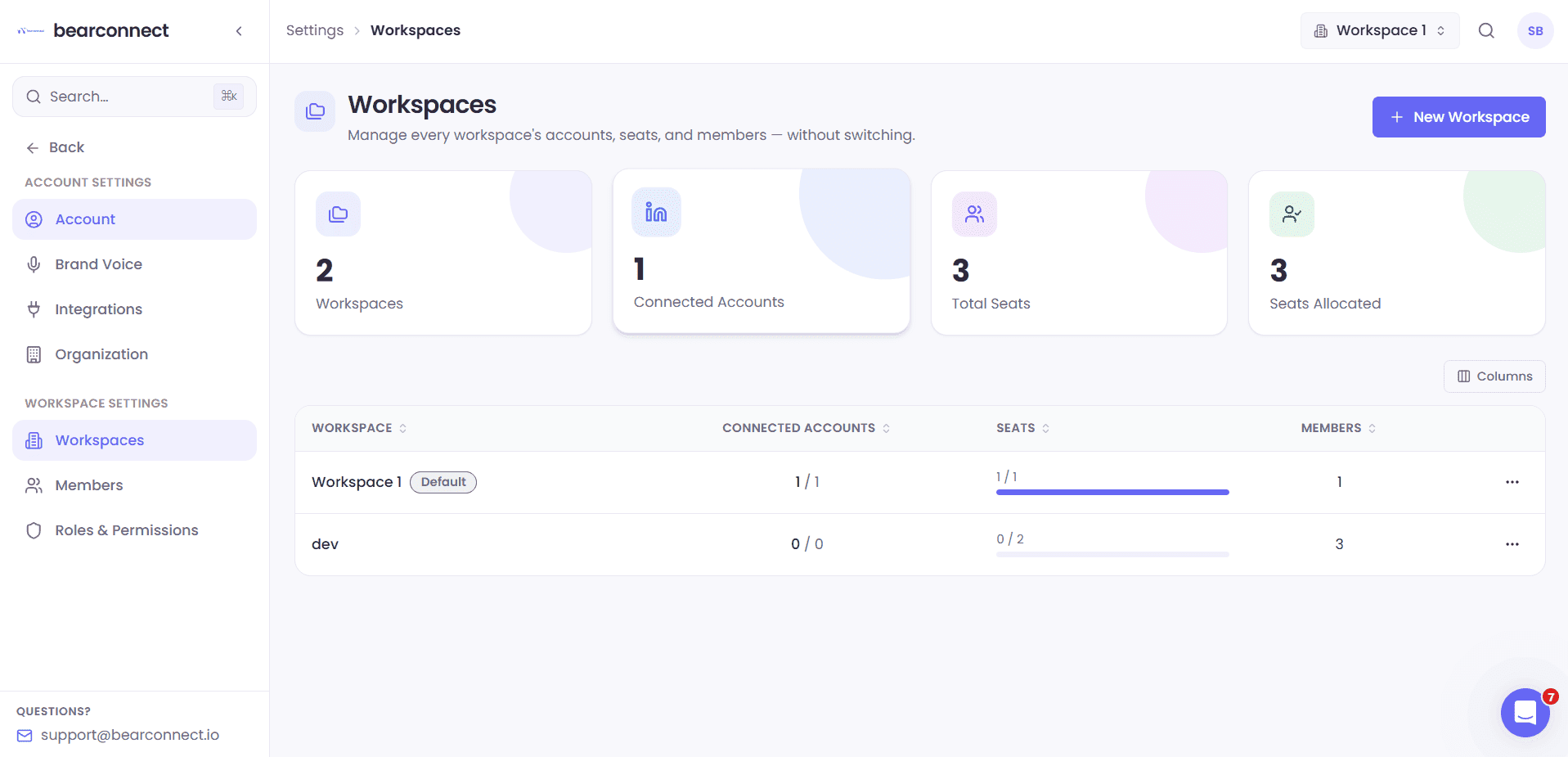
Bearconnect LinkedIn Account Manager Interface

The problem

One Shared Account Breaks the Moment You Add a
Second Client

Client Data Mixes Together

Campaigns, leads, and inbox threads from different clients sit in the same list. One wrong reply damages trust.

Everyone Sees Everything

An SDR should not open billing. A client should not edit campaigns. Without roles, access is all or nothing.

Scaling Gets Messy

More accounts and more people means more confusion about who owns what, and no record of who changed it.

What is a workspace

What Is a Workspace in Bearconnect?

A workspace is a separate, secure environment inside your organization. Each one holds its own LinkedIn accounts, campaigns, leads, inbox, analytics, integrations, labels, workflows, and members.

Your organization sits on top. Billing and global settings stay central. Everything else stays split.
  • One organization for billing and company settings
  • Unlimited workspaces for clients, teams, brands, or departments
  • Nothing is shared between workspaces unless you intentionally allow it
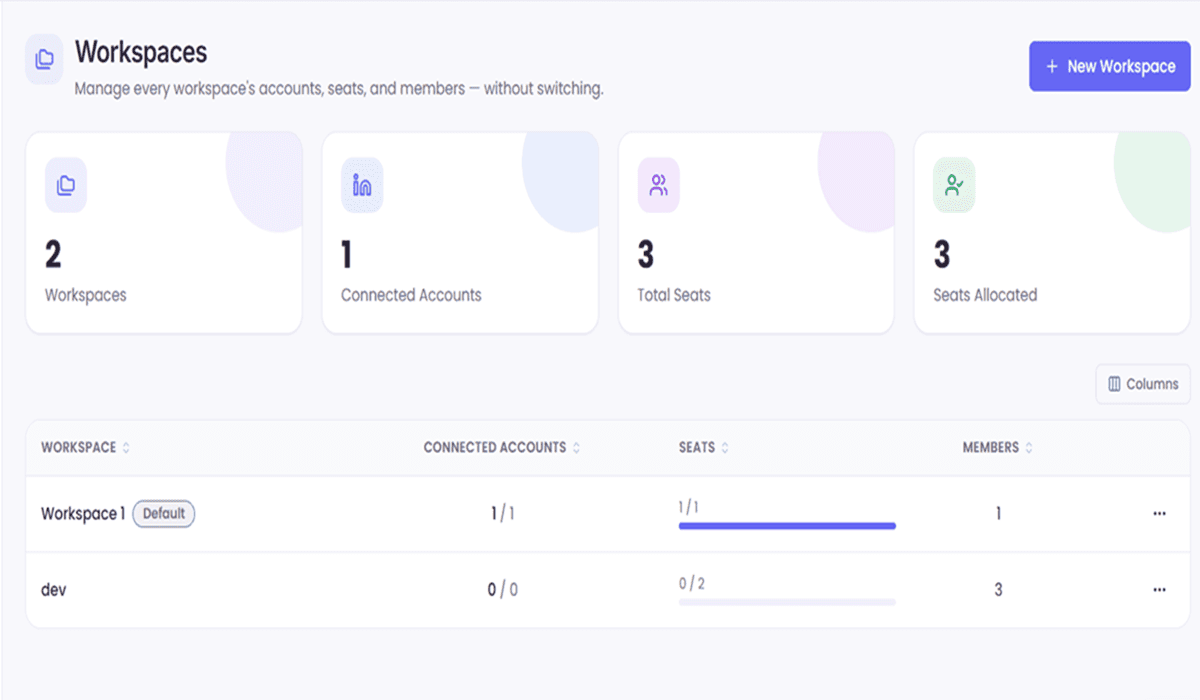
Workspace dashboard with multiple LinkedIn accounts and campaigns

Core Capability Blocks

Everything You Need to Run Multiple Teams and Clients

Bearconnect is built to handle multiple clients, teams, and departments. Each workspace is isolated, with its own LinkedIn accounts, campaigns, leads, inbox, analytics, and members.

Organization management

Manage your entire organization from one place

  • Create and name your organization, with an editable slug
  • Central billing and settings
  • Own multiple workspaces under the same organization
  • Switch between workspaces in one click from the top bar

Multiple workspaces

Separate every client, team, or brand.

  • Create unlimited workspaces, with no cap on how many you can add
  • Separate LinkedIn accounts, campaigns, leads, inbox, analytics, and members
  • Zero data bleed between workspaces
  • Common setups: Client A, Client B, Sales Team, Recruitment Team, Marketing Team

Seat allocation

Workspaces are unlimited. Seats decide how many people can work inside them.

  • Plan seats, allocated seats, seats in use, and available seats in one view
  • Set a seat limit per workspace and split your seat pool the way you want
  • Move seats between workspaces as teams grow or clients change
  • Add seats only when you add people, not when you add a workspace

Team members

Invite people in minutes. Assign them to workspaces and roles.

  • Invite by email, Invite your team, or Invite your clients
  • Once added, search members by name or email
  • See owner, role, and active status at a glance
  • Manage access per workspace, not globally

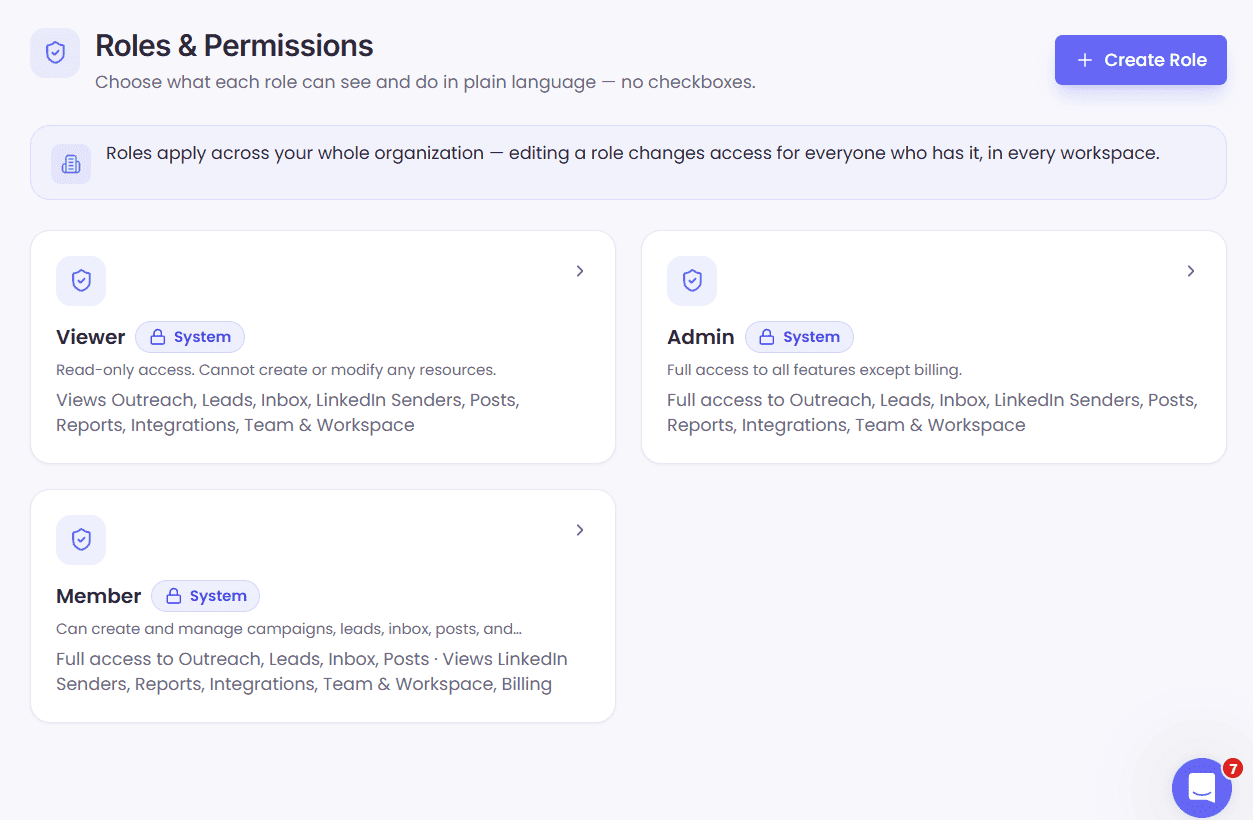
Custom roles

Build the exact role your team runs on.

  • Create unlimited custom roles with granular permissions
  • Clone Admin, Member, or Viewer, or start from scratch
  • Add a description so everyone knows what the role means
  • Edit permissions any time, including after you invite someone

Audit and security

Know who did what. Keep your data monitored.

  • Audit logs for important workspace activity
  • Role based access on every module, so you can control who sees what
  • Workspace level isolation by default
  • Secure permission management from one screen

Permission matrix

Read and write control for every module.

Toggle Read and Write separately for LinkedIn accounts, campaigns, leads, inbox, posts, integrations, brand voice, labels, analytics, workflows, billing, workspace, members, invitations, audit logs, and API keys.

Your organization sits on top. Billing and global settings stay central. Everything else stays split.

  • Give an SDR write access to campaigns and leads, read only on analytics
  • Give a client read only access to campaigns and analytics, no access to leads or inbox
  • Give a manager write access to campaigns, leads, and inbox, read only on analytics
  • Give an admin write access to everything, including billing and workspace settings

How it works

Set Up Your First Workspace in 3 Steps

  1. 1

    Create Your Workspace

    Name it after the client, team, or department, then assign seats from your pool. There is no limit on how many workspaces you create.

  2. 2

    Invite Your People

    Invite teammates or clients by email, assign them to the workspace, and choose a role that controls what they can read or edit.

  3. 3

    Set permissions and launch

    Tune read and write access per module, connect LinkedIn accounts, and start campaigns.

Set up your workspace in 5 minutes and start prospecting today.

Simple, Per-Account Pricing

Know Your Cost Before You Commit

No hidden fees, no complicated tiers. Just straightforward pricing based on how many LinkedIn accounts you want to connect.

PlanMonthlyAnnual (Two Months Free)
1-4 accounts$67 /account/mo$56 /account/mo
5+ accounts$57 /account/mo$47 /account/mo

All plans include unlimited campaigns, unified inbox, and dedicated IP addresses.

Got Questions?

Frequently Asked Questions

A workspace is an isolated environment that holds its own LinkedIn accounts, campaigns, leads, inbox, analytics, and members. It lets one organization run several clients or teams without mixing data.

There is no limit. You can create as many workspaces as you need under one organization. Seats are the only thing you scale, not workspaces.

No. Workspaces are isolated. A member only sees the workspace they are invited to. They cannot see other workspaces, even if they are part of the same organization.

Yes. Assign the Viewer role. Clients can monitor campaigns and performance in read only mode. They cannot edit campaigns, leads, or settings.

Owner, Admin, Member, and Viewer. You can also build custom roles. Owners and Admins can manage workspaces, campaigns, leads, inbox, and settings. Members can run campaigns and manage leads. Viewers can only view campaigns and analytics.

Yes. Clone Admin, Member, or Viewer, or start from an empty role, then set read and write access per module. You can edit roles any time, even after you invite someone.

LinkedIn accounts, campaigns, leads, inbox, posts, integrations, brand voice, labels, analytics, workflows, billing, workspace, members, invitations, audit logs, and API keys.

Your plan includes a seat pool that you allocate across workspaces. You can see plan seats, allocated seats, seats in use, and available seats at any time. Creating a workspace does not consume a seat by itself.

No. Workspaces are unlimited. If you have one seat, you can still create two or more workspaces, you just have one seat of team capacity to spread across them. Add seats when you add people, not when you add a workspace.

Bearconnect pricing is per LinkedIn account. Monthly is $67 per account for 1 to 4 accounts and $57 per account for 5 or more.

Still have questions? Book a demo call with our team
Give Every Client and Team Their Own Secure Workspace

One organization. Unlimited isolated workspaces. Precise permissions. Unlimited LinkedIn accounts under one subscription.

7-day free trial • Cancel anytime