How to Automate LinkedIn Connections Without Losing Personalization
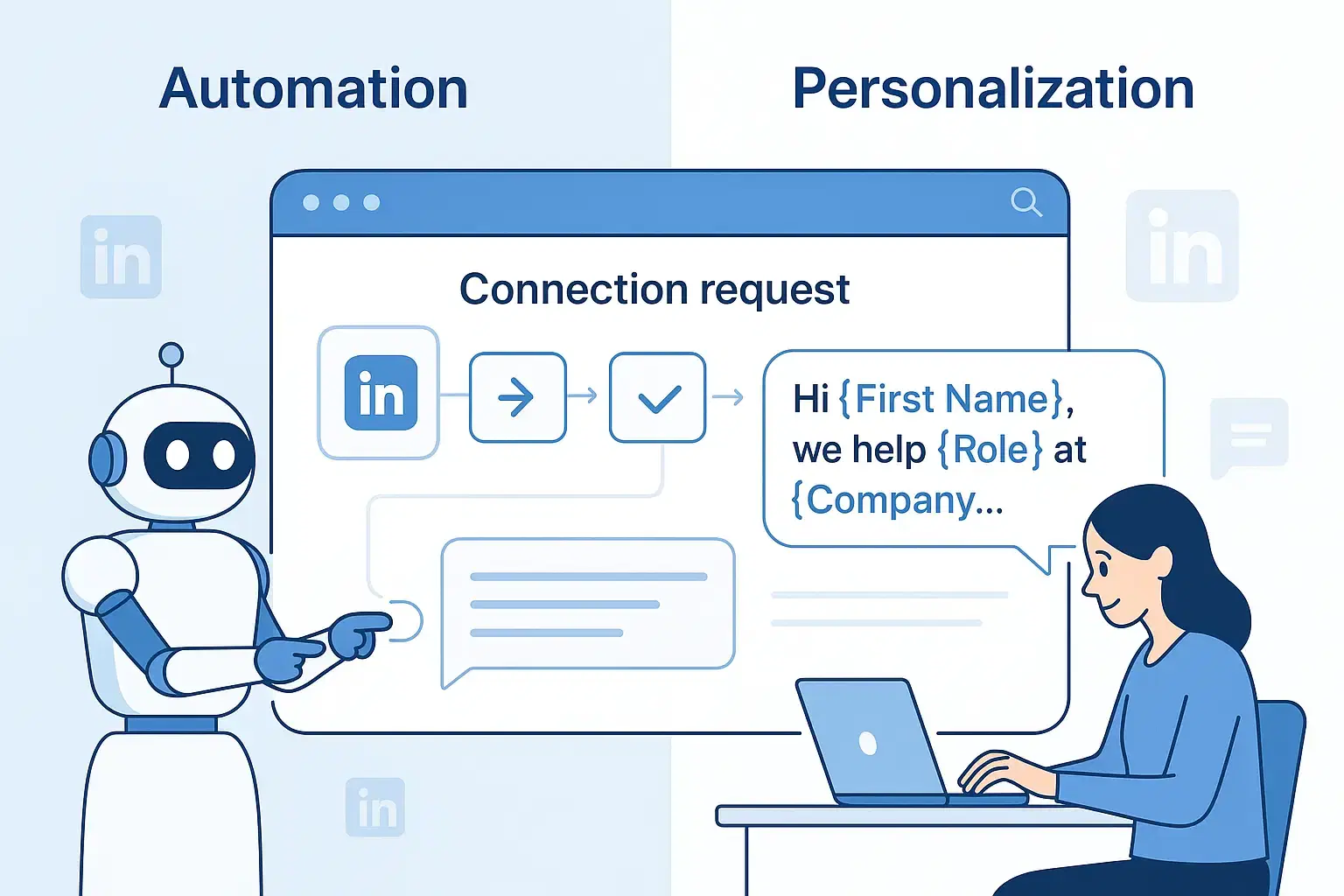
You can automate LinkedIn connections without losing personalization by using dynamic fields, audience segmentation, and multi-step sequences that reference specific prospect details like recent posts, job changes, or shared connections.
The key is combining automation tools with strategic message templates that feel conversational and value-driven rather than sales-focused.
TL;DR: Key Takeaways
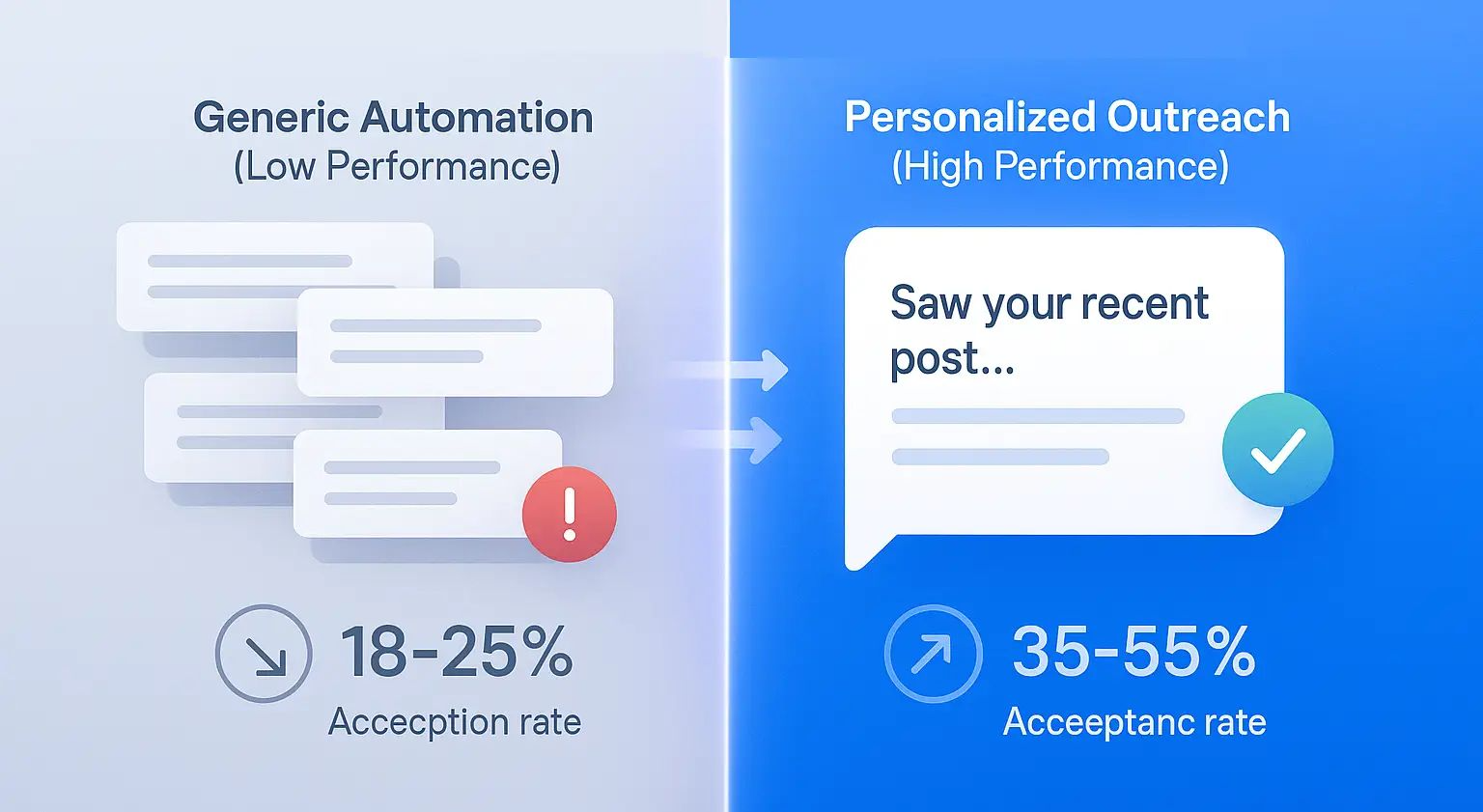
- Personalized connection requests achieve 35-55% acceptance rates vs 18-25% for generic messages
- Use dynamic fields like {{FirstName}}, {{Company}}, and {{JobTitle}} strategically, not just as tokens
- Segment your audience by industry, role, or pain point for relevant messaging
- Keep requests under 200 characters and avoid pitching immediately
- Tools like Bearconnect ($67/month per LinkedIn account, $57 for 5+ accounts) enable safe, personalized automation at scale
- Always stay within LinkedIn limits: 40-80 connection requests daily maximum
Why LinkedIn Automation Requires Personalization in 2026
LinkedIn users receive an average of 50+ connection requests weekly. Generic, template-style messages get ignored or flagged as spam.
Understanding the risks: Read about LinkedIn automation warnings and how to avoid account restrictions.
The data tells a clear story:
- Generic requests: 18-25% acceptance rate
- Personalized requests: 35-55% acceptance rate
- Response rate improvement: 2-3x higher with personalization
What Modern Buyers Expect
- Modern buyers expect context, relevance, and a natural conversational tone in every connection request.
- A value-first approach with clear intent earns more trust and leads to higher acceptance rates.
| Approach | Weekly Hours | What You are Doing |
|---|---|---|
| Manual Outreach | 10-15 hours | Searching profiles, sending requests, tracking follow-ups |
| Generic Automation | 5-8 hours | Setting up campaigns, fixing errors, manual personalization |
| Bearconnect | 2-3 hours | Initial setup, monitoring analytics, optimizing campaigns |
7 Proven Strategies to Personalize Automated Connections
1. Use Dynamic Fields Intelligently
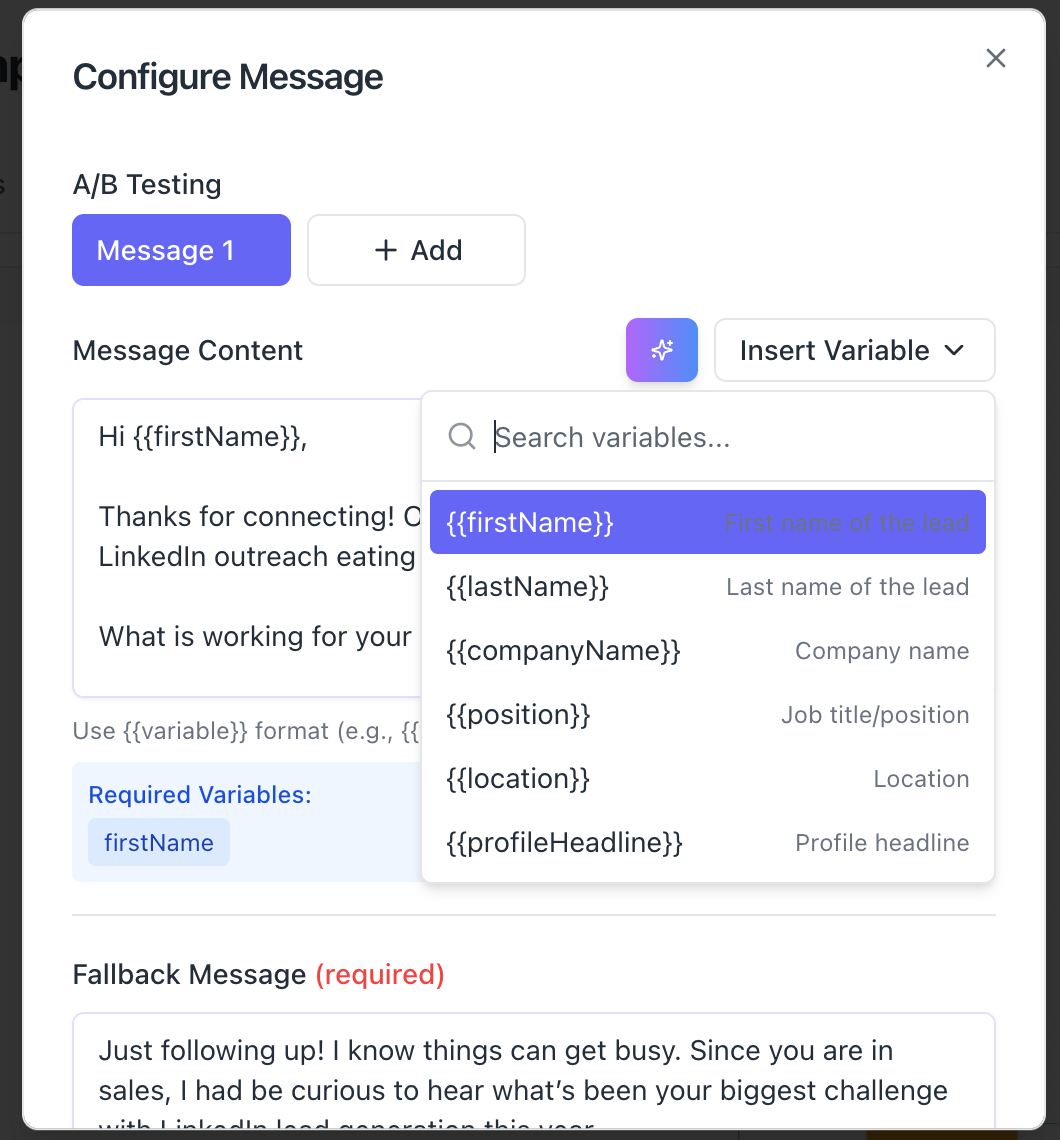
Dynamic personalization goes beyond inserting a first name.
Smart dynamic field usage:
- {{FirstName}} in greeting: "Hey Sarah" not "Hey {{FirstName}}"
- {{Company}} for context: "Saw TechCorp is expanding in Austin"
- {{JobTitle}} for relevance: "As a Sales Director, you might find this useful"
- {{Industry}} for specificity: "SaaS companies like yours often struggle with..."
Example template:
Hi {{FirstName}},

Noticed {{Company}} recently launched in {{Location}}. Your approach to sales automation caught my attention.

Would love to exchange insights on scaling outbound.
Bearconnect's automation platform includes built-in dynamic personalization tokens across unlimited campaigns.
2. Reference Specific LinkedIn Activity

The most powerful personalization references something unique about the prospect.
What to reference:
- Recent posts or articles they shared
- Job changes or promotions (check "Career" section)
- Company news or funding announcements
- Shared LinkedIn groups or connections
- Events they attended or spoke at
Before you start automating, optimize your LinkedIn profile to build credibility and trust.
Example:
"Your post on AI in sales outreach resonated with me, especially the point about balancing automation with authenticity."
This proves you're not mass-messaging and immediately builds credibility.
3. Segment Your Audience for Relevant Messaging
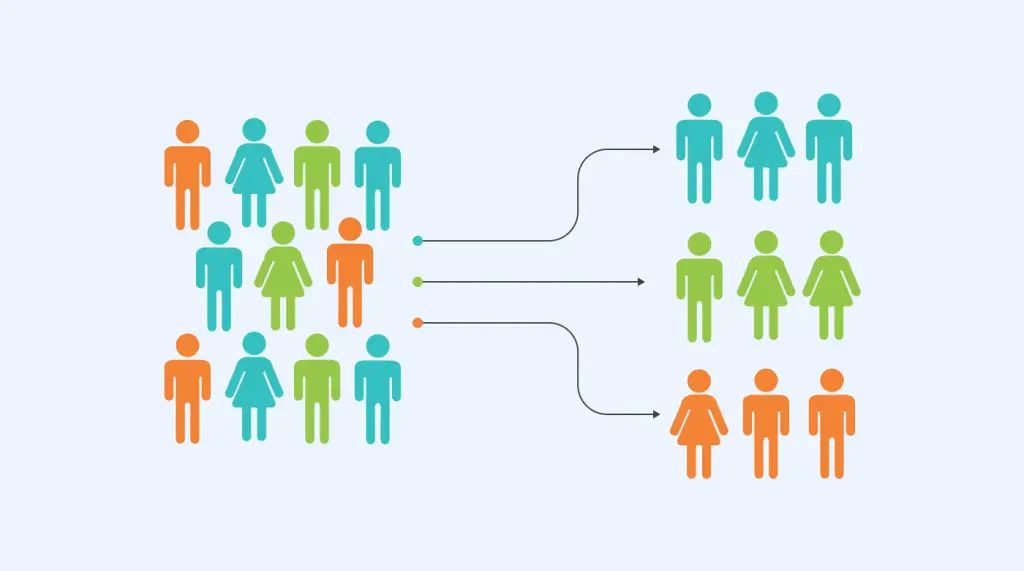
One-size-fits-all messaging kills acceptance rates.
Segmentation strategies:
- By industry: SaaS vs manufacturing vs professional services
- By role: Founders vs SDRs vs Sales Directors
- By company size: Startups vs mid-market vs enterprise
- By pain point: Lead gen vs content visibility vs team scaling
- By geography: Regional references or timezone considerations
Create 3-5 distinct campaigns with tailored messaging for each segment.
Bearconnect supports unlimited campaign creation with advanced targeting filters to reach precise audience segments.
4. Write Conversational, Non-Salesy Messages

Your connection request should sound like a human, not a marketing email.
Avoid these phrases:
- "I hope this message finds you well"
- "I'd like to pick your brain"
- "I have a solution that might interest you"
- "Let me know if you'd like to schedule a call"
Use these instead:
- "What's driving your team's expansion this quarter?"
- "Your approach to [specific topic] caught my attention"
- "Noticed we're both focused on [shared interest]"
- "Would love to exchange insights on [relevant topic]"
Keep connection requests under 200 characters for higher visibility and response rates.
Need message inspiration? Browse proven LinkedIn message templates for automation that maintain authenticity.
5. Leverage Mutual Connections and Shared Experiences
Social proof increases connection acceptance by 40-60%.
Credibility builders:
- "Noticed we're both connected to [Mutual Connection Name]"
- "Saw you attended [Conference Name] last month"
- "We're both members of the [LinkedIn Group] community"
- "Following [Industry Leader] and saw your insightful comment"
This creates instant familiarity and trust without being overly familiar.
6. Master Timing and Delivery
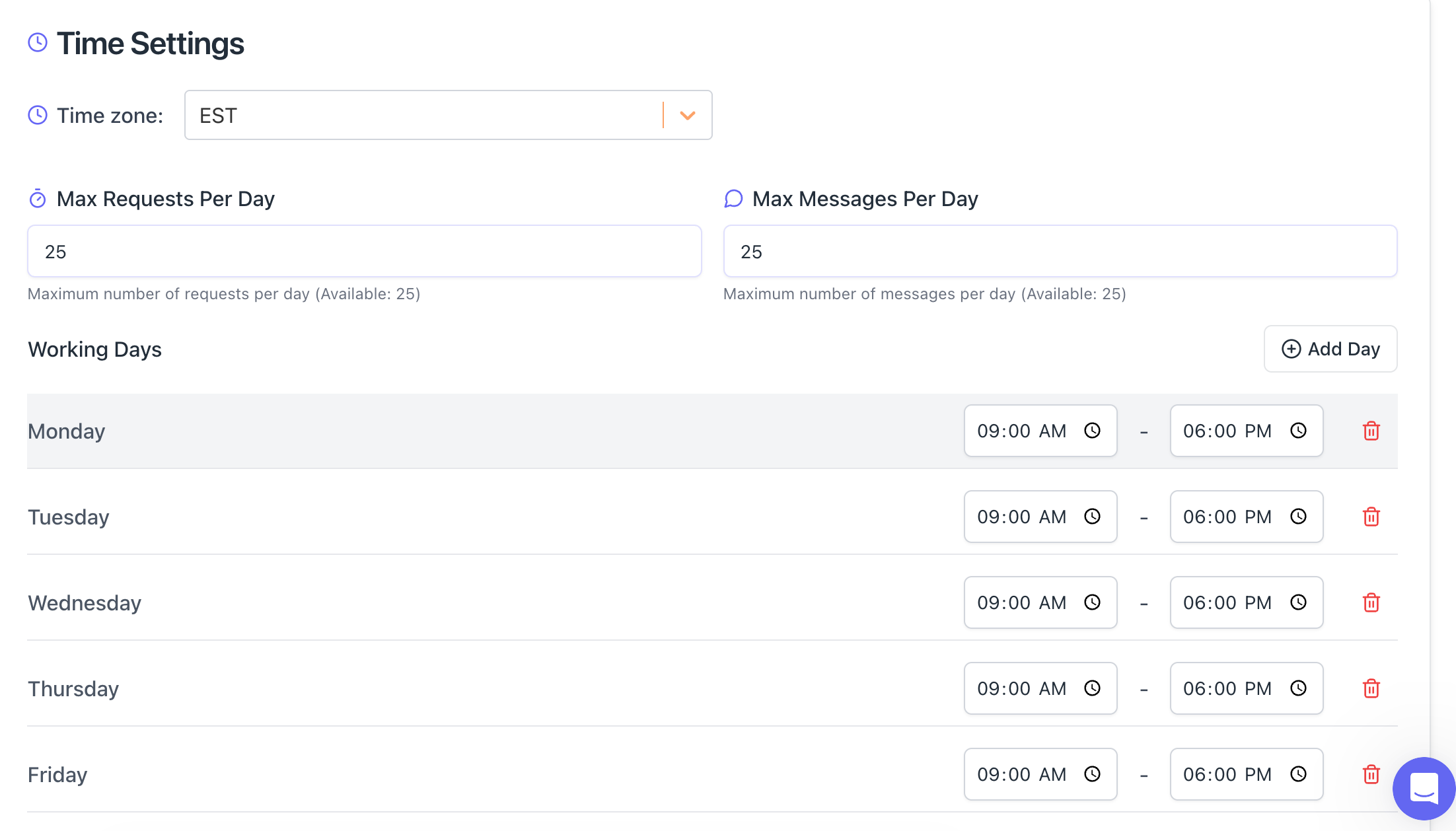
When you send matters as much as what you send.
Optimal sending windows:
- Best days: Tuesday through Thursday
- Best times: 9 AM to 12 PM in prospect's timezone
- Avoid: Weekends, holidays, and late evenings
- Frequency: 40-80 connection requests daily maximum
Bearconnect includes smart scheduling with timezone optimization to maximize visibility.
7. Create Multi-Step Sequences That Feel Natural
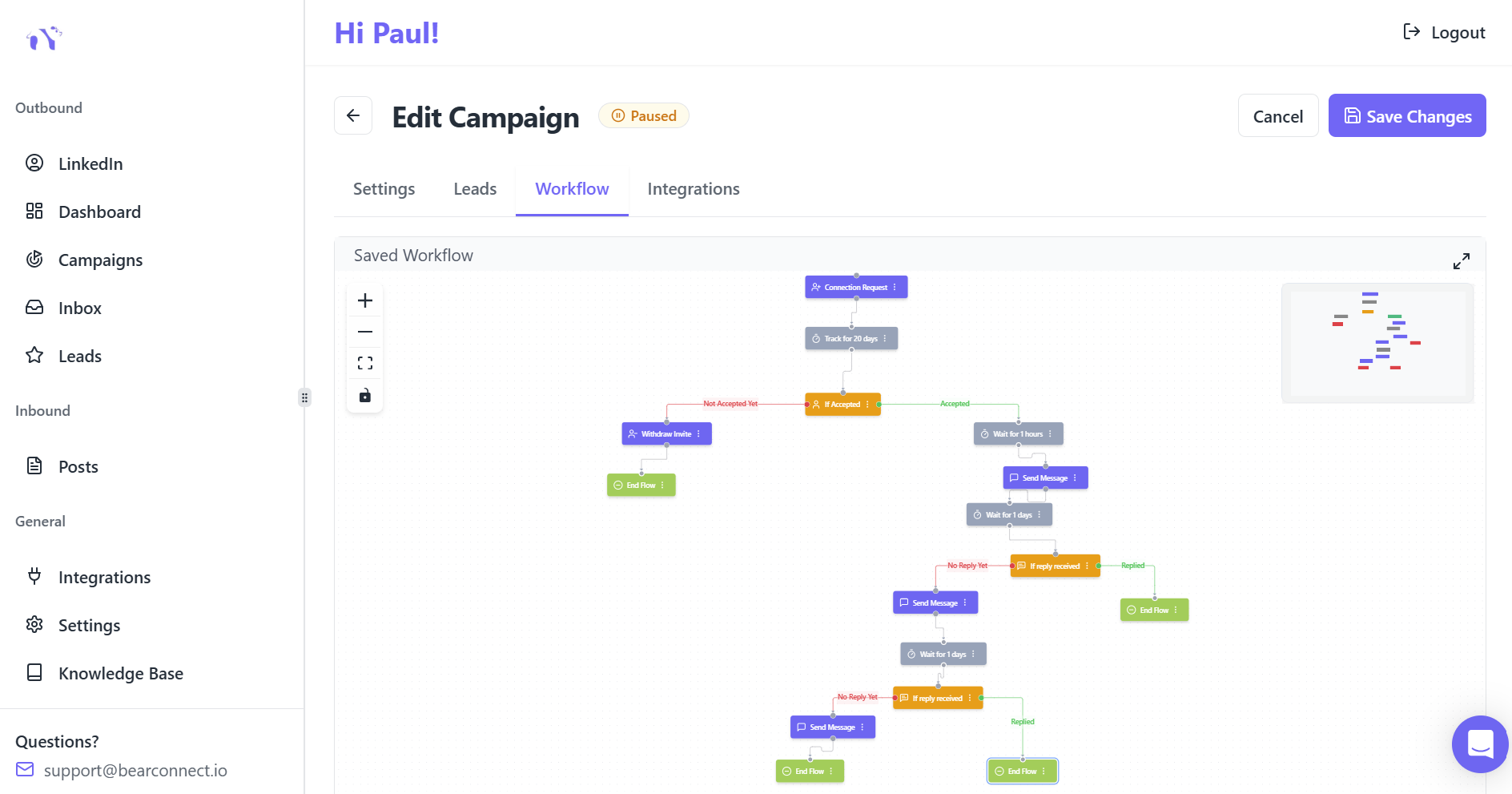
Personalization extends beyond the initial connection request.
Effective sequence structure:
- Step 1: Personalized connection request (Day 0)
- Step 2: Value-first follow-up (Day 3-5 if accepted)
- Step 3: Gentle second touch (Day 7-10 if no response)
- Step 4: Pause sequence (After 2-3 attempts)
Want to dive deeper into automated messaging? Learn how to automate LinkedIn messages with proper timing and personalization.
Step-by-Step: Setting Up Personalized LinkedIn Automation
Step 1: Choose a LinkedIn-Compliant Automation Tool
Your tool must support:
- Dynamic personalization fields
- Human-like behavior patterns (local IPs, smart delays)
- Drip sequence capabilities
- Safety features within LinkedIn limits
Recommended solution: Bearconnect offers personalized automation at $67/month per LinkedIn account ($57/month for 5+ accounts) with unlimited campaigns, AI-powered content creation, and built-in safety features.
Step 2: Define Your Ideal Customer Profile
Get specific about who you're targeting.
Profile criteria:
- Job titles and seniority levels
- Industries and company sizes
- Geographic locations
- Technologies they use
- Pain points they experience
Quality targeting delivers 3-5x better results than broad outreach.
Step 3: Build Personalized Message Templates
Create 3-5 message variations per campaign segment.
Template framework:
- Line 1: Personalized hook (reference specific detail)
- Line 2: Why you're reaching out (value proposition)
- Line 3: Soft call-to-action (no pitch)
Test different hooks, value propositions, and CTAs to optimize performance.
Step 4: Configure Safe Automation Settings
LinkedIn monitors automation patterns aggressively.
Safety guidelines:
- Start with 20-25 requests daily for new accounts
- Use randomized send times (not every hour on the hour)
- Set 5-15 minute delays between actions
- Respect weekly limits: 150 total automation actions
Bearconnect includes local IP behavior mimicry and smart throttling to keep your account safe.
Step 5: Monitor Performance and Optimize
Track these key metrics:
- Connection acceptance rate: Target 35-55%
- Message response rate: Target 5-15%
- Conversion to qualified lead: Target 2-10%
- Time saved weekly: Expect 10-15 hours
A/B test different messages, hooks, and sequences to continuously improve results.
Comparing tools? See how Bearconnect stacks up against LinkedIn Sales Navigator for personalized outreach.
LinkedIn Automation Safety: Why Personalization Protects Your Account
Personalized messages keep your account healthy.
How Personalization Reduces Risk
- LinkedIn flags generic, mass-sent messages as spam
- Higher acceptance rates signal authentic outreach
- Lower report rates protect account standing
- Natural conversation patterns avoid detection
If any step feels confusing, keep the LinkedIn automation made simple guide open as your reference.
Essential Safety Practices
Daily limits:
- 20-25connection requests maximum
- 20-25 messages maximum
- 150 total automation actions weekly
Concerned about safety? Discover the top safe LinkedIn automation tools for 2025.
Behavior patterns:
- Use local IPs, not VPNs
- Vary action timing throughout the day
- Gradually warm up new accounts over 2-3 weeks
- Withdraw pending invites after 30-45 days
Warning signs:
- Acceptance rates below 15%
- Multiple spam reports
- LinkedIn verification challenges
- Account restriction warnings
Bearconnect operates independently of LinkedIn Sales Navigator, reducing detection risk while maintaining full functionality.
Real Results: Personalized Automation in Action
Case Example: SaaS Sales Team
Before automation:
- 12 hours weekly on manual outreach
- 18% connection acceptance rate
- 3-5 qualified leads per week
After implementing personalized automation with Bearconnect:
- 2 hours weekly managing campaigns
- 42% connection acceptance rate
- 15-20 qualified leads per week
- 10 hours saved for actual selling
Success Factors
- Targeted list of 500 ideal prospects by industry
- Industry-specific pain point messaging
- 3-step value-first follow-up sequence
- Weekly optimization based on analytics
Common Personalization Mistakes to Avoid
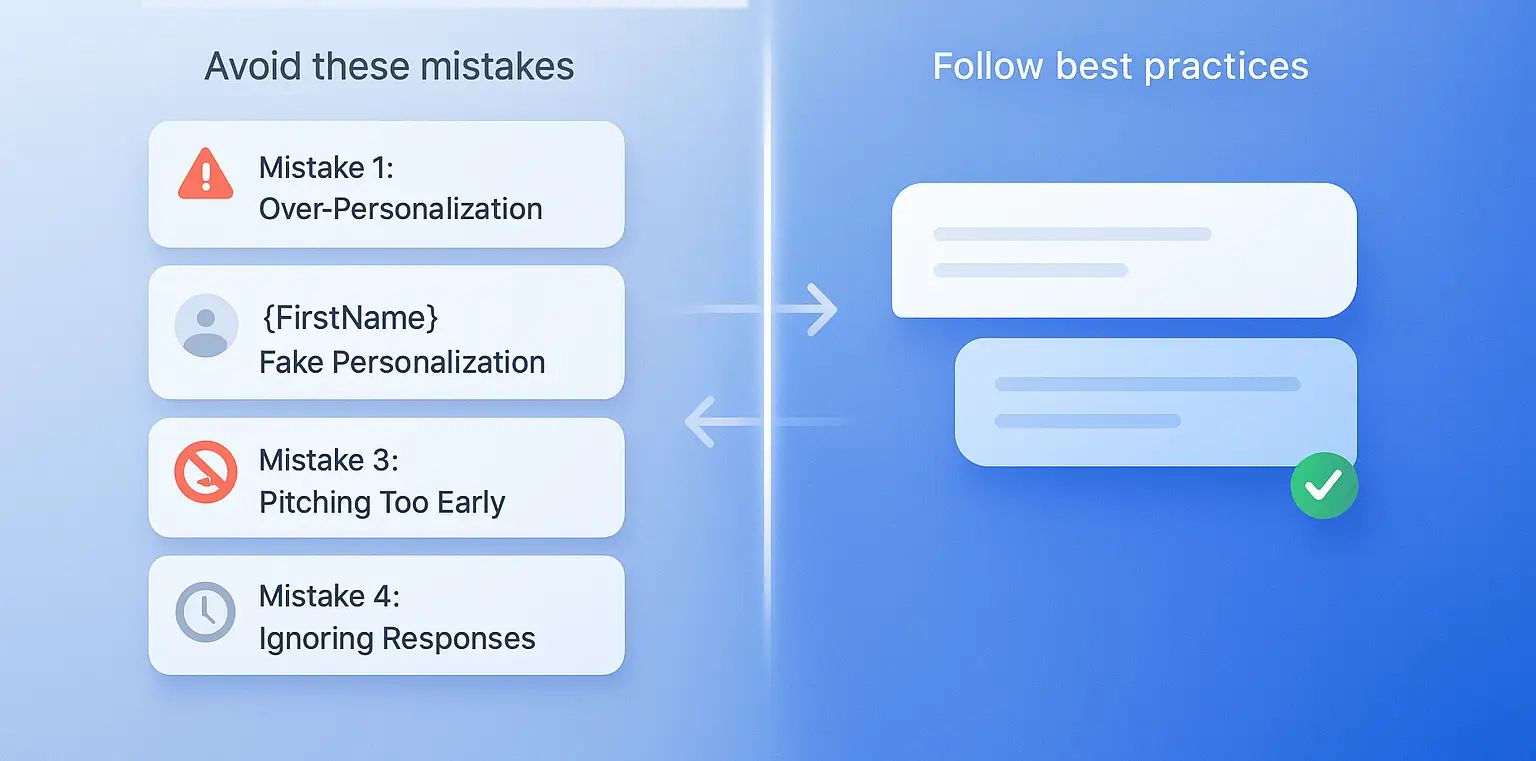
Mistake 1: Over-Personalization (The Creepy Factor)
Don't reference:
- Personal social media activity outside LinkedIn
- Family members or weekend activities
- Information not publicly shared on their profile
Mistake 2: Fake Personalization
Avoid:
- "I loved your recent post" (when you clearly didn't read it)
- Generic compliments that apply to anyone
- Using {{FirstName}} as the only personalization
Mistake 3: Pitching Too Early
Never:
- Sell in the connection request
- Send pricing or demos before building rapport
- Ask for calls in the first message
Mistake 4: Ignoring Responses
Remember:
- Automation starts conversations, doesn't replace them
- Always respond personally to replies
- Move engaged prospects out of automation quickly
Manage conversations efficiently: Use Bearconnect's unified inbox to centralize messages from all LinkedIn accounts.
Conclusion
LinkedIn automation and personalization are not mutually exclusive. The key is using technology to scale the repetitive tasks while preserving the human touchpoints that build trust and drive connections.
By implementing dynamic fields, audience segmentation, and value-first messaging, you can achieve 35-55% acceptance rates while saving 10-15 hours weekly.
The right automation platform makes personalization scalable. Bearconnect combines unlimited LinkedIn account connections, AI-powered content creation, and built-in safety features for $67/month per LinkedIn account ($57/month when connecting 5 or more accounts).
Ready to scale your LinkedIn outreach without losing authenticity? Start automating smarter with Bearconnect today.
Frequently Asked Questions
1. Is automating LinkedIn connections against LinkedIn's terms of service?
LinkedIn's policy prohibits scraping and certain aggressive automation tactics. However, tools that mimic human behavior, respect daily limits (20-25 requests), and use local IPs remain compliant. Bearconnect operates safely within LinkedIn guidelines with built-in throttling and behavior mimicry.
2. How many connection requests should I send daily with automation?
Start with 15-20 requests daily for the first 2 weeks, then gradually increase to 20-25 maximum. Never exceed 150 total automation actions weekly. Gradual ramping prevents account flags.
3. What is the average acceptance rate for personalized LinkedIn connection requests?
Personalized connection requests achieve 35-55% acceptance rates, compared to 18-25% for generic messages. Including specific references to recent activity or shared connections can push rates even higher.
4. Can I automate LinkedIn without Sales Navigator?
Yes. Tools like Bearconnect operate independently of Sales Navigator, reducing costs and detection risk while providing full automation capabilities including connection requests, messaging sequences, and analytics.
5. How long does it take to see results from LinkedIn automation?
Most users see initial results within 7-14 days of launching campaigns. Expect 15-20 qualified leads weekly once campaigns are optimized, with 10-15 hours saved on manual outreach tasks.
Ready to Transform Your LinkedIn Strategy?
Join thousands of professionals already using Bearconnect to automate their outreach and grow their network.
7-day free trial • Cancel anytime
Related Articles
How Can SDRs Book More Meetings Using LinkedIn Automation?
SDRs can book more meetings with LinkedIn automation by streamlining outreach, automating follow-ups, and scaling conversations without manual effort.
7 Best LinkedIn DM Tools for Outreach Automation in 2026
Looking for best LinkedIn DM tools in 2026? This guide compares top outreach automation tools by features, pricing, safety, and use cases so you can scale B2B lead generation with less manual work.
How to Automate Your Agency's LinkedIn Outreach (Without Getting Banned)
Learn how agencies automate LinkedIn outreach safely using smart limits, personalization, and automation tools to scale prospecting without risking account bans.