How to Create a Great LinkedIn Profile in 2026: A Step-by-Step Guide
A great LinkedIn profile in 2026 is no longer a digital resume but a client-centric resource that clearly communicates who you help and what problems you solve within five seconds.
The key shift is moving from listing job titles to showcasing measurable results and positioning yourself as a valuable solution for your target audience.
Learn how to create a great LinkedIn profile in 2026 with practical tips to improve visibility, credibility, and profile performance.
TL;DR
- Transform your profile from a resume into a resource that speaks directly to your ideal audience's needs
- Optimize your headline with the formula: Role + Value Proposition + Keywords (use all 220 characters)
- Your About section must answer three questions: who you help, what problem you solve, and how to contact you
- Focus your Experience section on measurable outcomes, not just responsibilities
- Leverage the Featured section to build trust before the first conversation with lead magnets, top posts, or booking links
- Profiles that use a clear, professional photo consistently attract significantly higher visibility and conversation rates compared to profiles without one.
Why This Guide Works: Experience-Backed Insights
In 2026, successful LinkedIn profiles function as client-centric resources, not online resumes.
This guide helps you pass the 5-second test making visitors instantly understand who you help and what problems you solve.
By focusing on results over responsibilities, you transform your profile into a dynamic asset that attracts the right opportunities.
Why Your LinkedIn Profile in 2026 Isn’t a Resume

Most LinkedIn profiles fail because they operate on an outdated model: the online resume.
In 2026, this approach no longer creates opportunities or connections.
The fundamental problem: A profile focused on job history talks about you. A great profile talks to your future client or employer.
The mental shift you need to make:
- Stop listing accomplishments and start positioning yourself as a resource
- Replace job-focused language with solution-focused messaging
- Speak to your target audience's pain points, not your career timeline
The 5-second test: When someone lands on your profile, Before launching any outreach campaigns, ensure your profile passes this test learn the 7 essential optimization steps before automation.
Step 1: Master Your Visual First Impressions
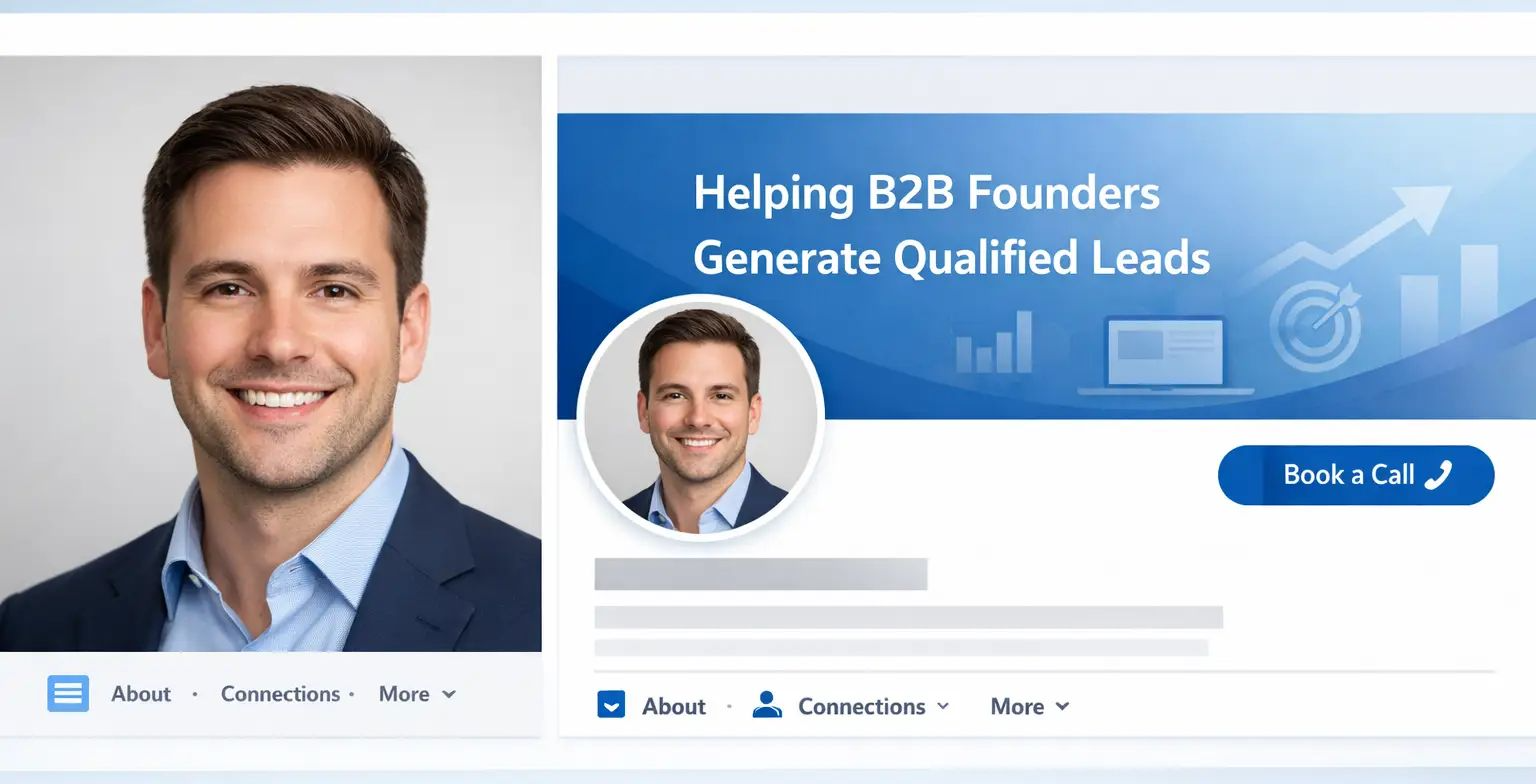
Your profile photo and banner create first impressions before anyone reads a single word. Profiles with professional visual content receive 14 times more views than text-only profiles.
Profile Photo Best Practices
Your photo is your digital handshake, not a formal corporate headshot. Focus on appearing approachable and trustworthy.
What works:
- Good lighting that highlights your face naturally
- Clean background without distractions
- Friendly facial expression (smiling increases trust)
- Your face occupying 60 percent of the frame
- High-resolution image updated every 2 to 3 years
What to avoid:
- Sunglasses, group photos, or blurry selfies
- Dark or poorly lit images
- Overly casual settings like vacation photos
- Logos or graphics instead of your face
Banner Strategy: Don't Waste Prime Real Estate
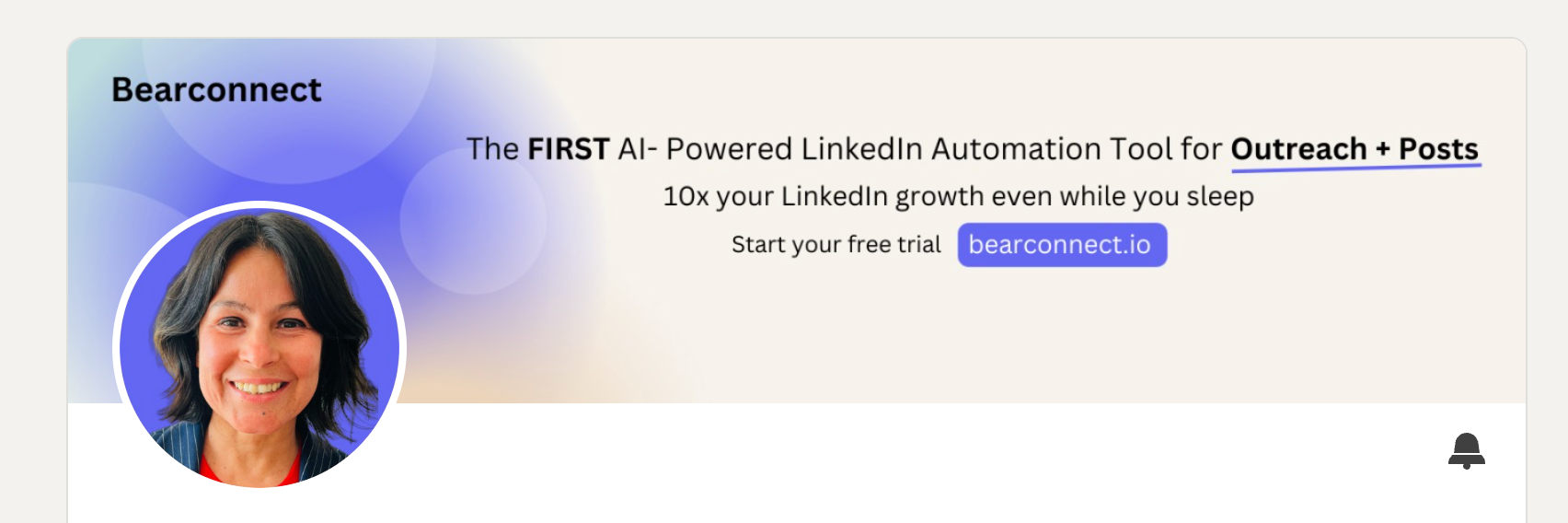
Most professionals leave their banner as the default blue gradient. This is a missed opportunity.
Your banner should instantly answer: "What do you do?" Add a concise value statement along with a clear next step for visitors.
Effective banner elements:
- One clear message about your expertise or service
- Visual representation of your industry or specialty
- Contact information or booking link
- Clutter-free design with readable text
Understanding how LinkedIn automation works behind the scenes helps you make informed decisions about which tasks to automate.
Step 2: Build a Headline That Improves Visibility and Clicks
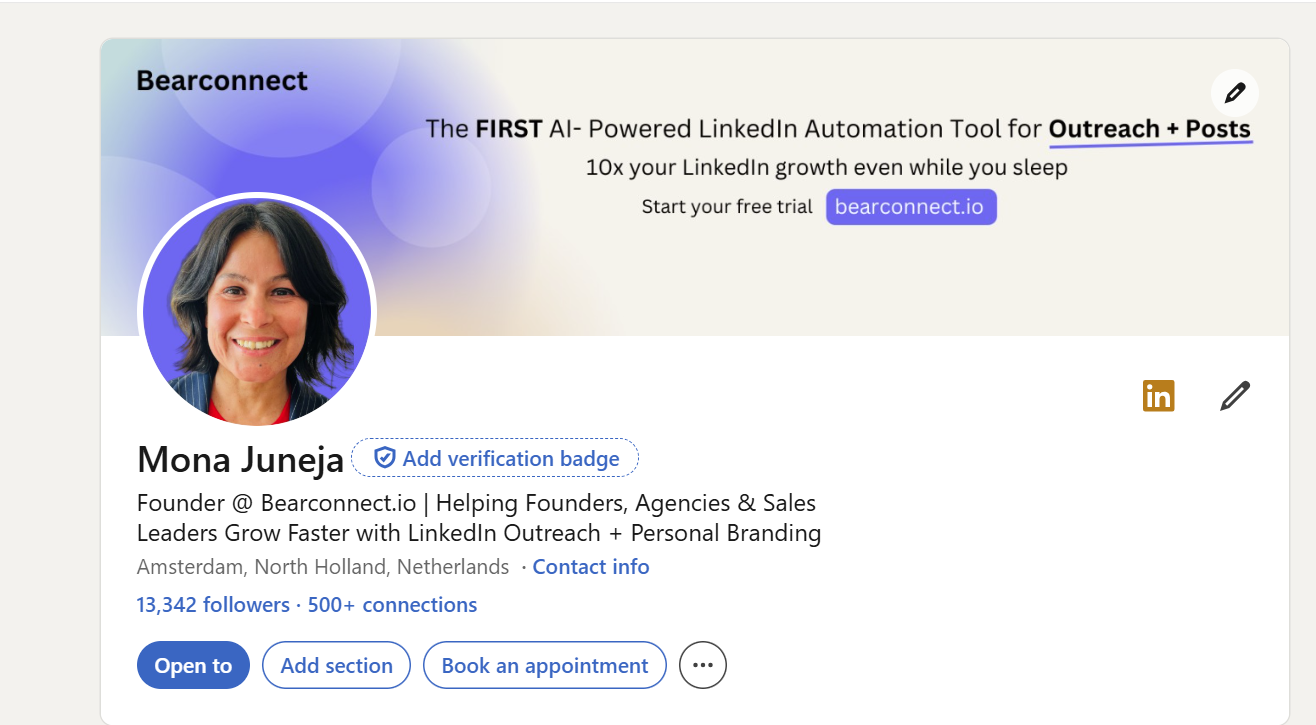
Your headline appears in every LinkedIn interaction: search results, comments, posts, and connection requests. The first 45 characters determine whether people click or scroll past.
The Proven Headline Formula
- Never use just your job title like "CEO at Company". Nobody searches LinkedIn for titles. They search for solutions to their problems.
- The winning formula: [Who You Help] + [The Result You Create] + [Keywords]
When your headline clearly states the problems you solve, it becomes easier to find and attract qualified leads on LinkedIn.
Before and after examples:
| Weak Headline | Optimized Headline |
|---|---|
| CEO at Company Inc. | Helping B2B SaaS Founders Scale to $10M ARR Through LinkedIn Lead Generation |
| Marketing Manager | Driving 300% ROI Growth for Tech Startups Through Data-Driven Campaigns |
| Sales Professional | Closing Enterprise Deals 40% Faster with Strategic Outreach |
Strategic Keyword Placement
LinkedIn operates as a database that indexes profiles based on keyword fields, with your headline carrying significant weight.
Include these elements:
- Relevant industry terms and job titles
- Specific skills that recruiters or clients search for
- Location information if relevant to your target market
- Numbers and measurable outcomes when possible
You have 220 characters. Use them all.
Step 3: Redesign Your About Section as a Resource
People don't want your life story in 2026. They want to know if you can help them solve their specific problem.
Only the first 300 characters show initially, which makes your opening lines critical.
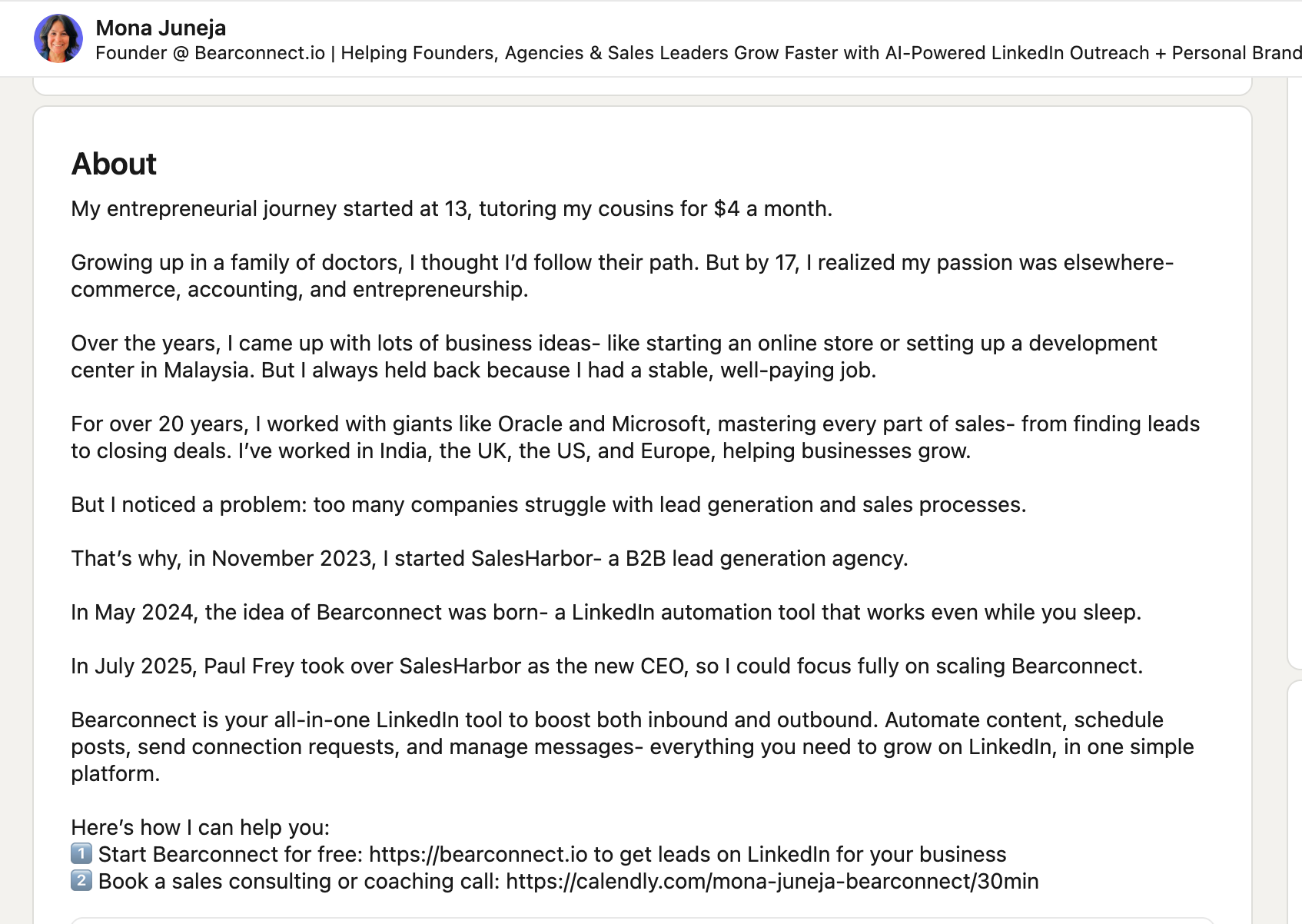
The 3-Question Framework
Structure your About section to answer exactly three questions:
1. Who you help:
Be specific about your target audience. "I help B2B SaaS founders" is better than "I help businesses".
2. What problem you solve:
Clearly articulate the pain point you address. Start with a problem statement your audience feels daily.
3. How they can contact you:
Provide a clear call to action like "DM me for a free audit" or "Book a call here: [link]".
Opening Line Strategy
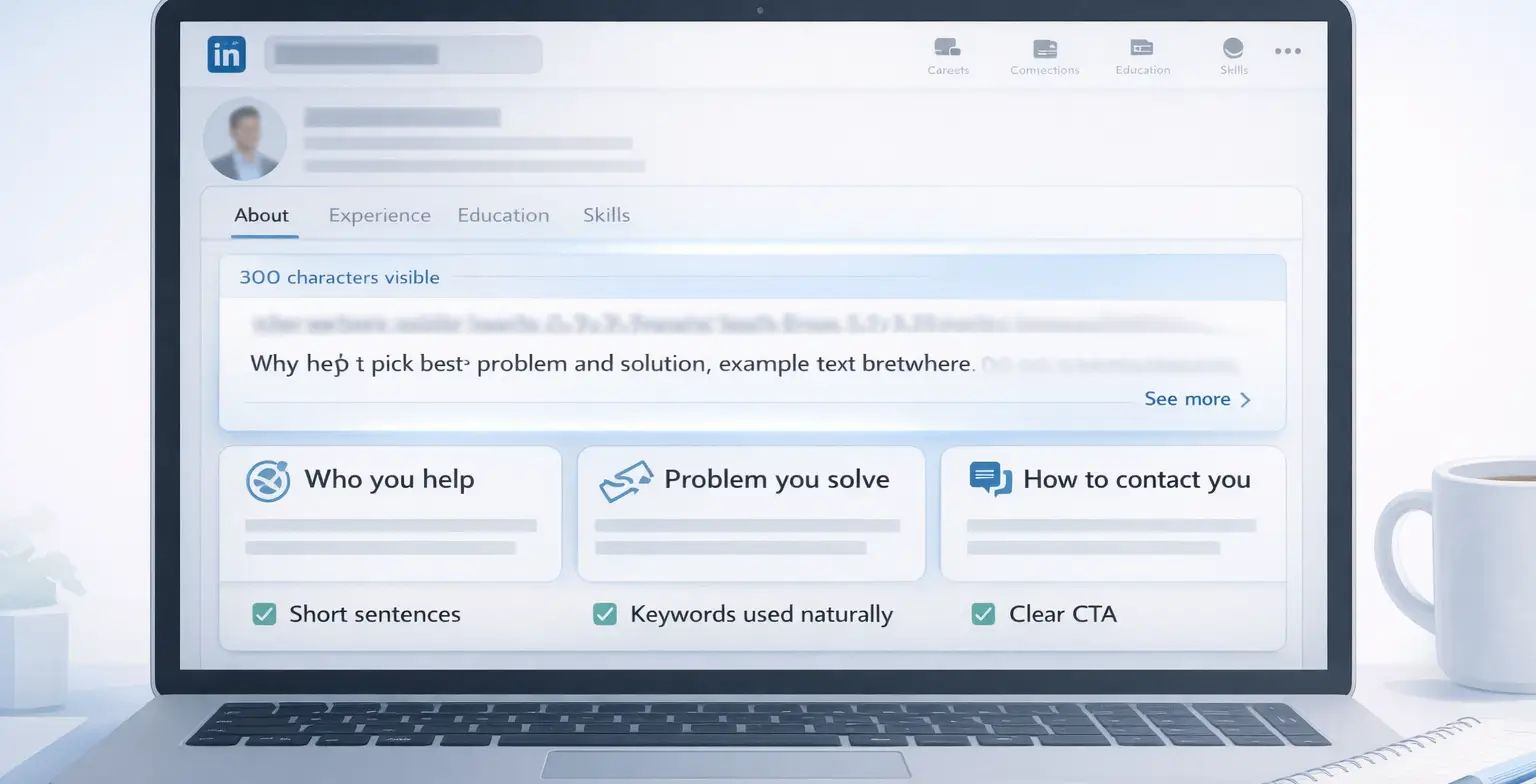
Your first sentence should hook readers immediately. Position yourself as the solution to a pressing problem.
Example opening:
Many B2B sales teams lose hours every week to manual LinkedIn prospecting. I help them replace repetitive outreach with smart automation, saving time and generating more qualified conversations.
SEO Optimization Tips
- Use 3 to 5 related keywords naturally throughout
- Aim for 1 to 2 percent keyword density maximum
- Keep sentences under 20 words for readability
- Add line breaks between paragraphs
- Avoid buzzwords like "synergy," "leverage," or "passionate"
Optimized About sections see 200 to 300 percent higher engagement rates compared to generic summaries.
Step 4: Transform Your Experience Section
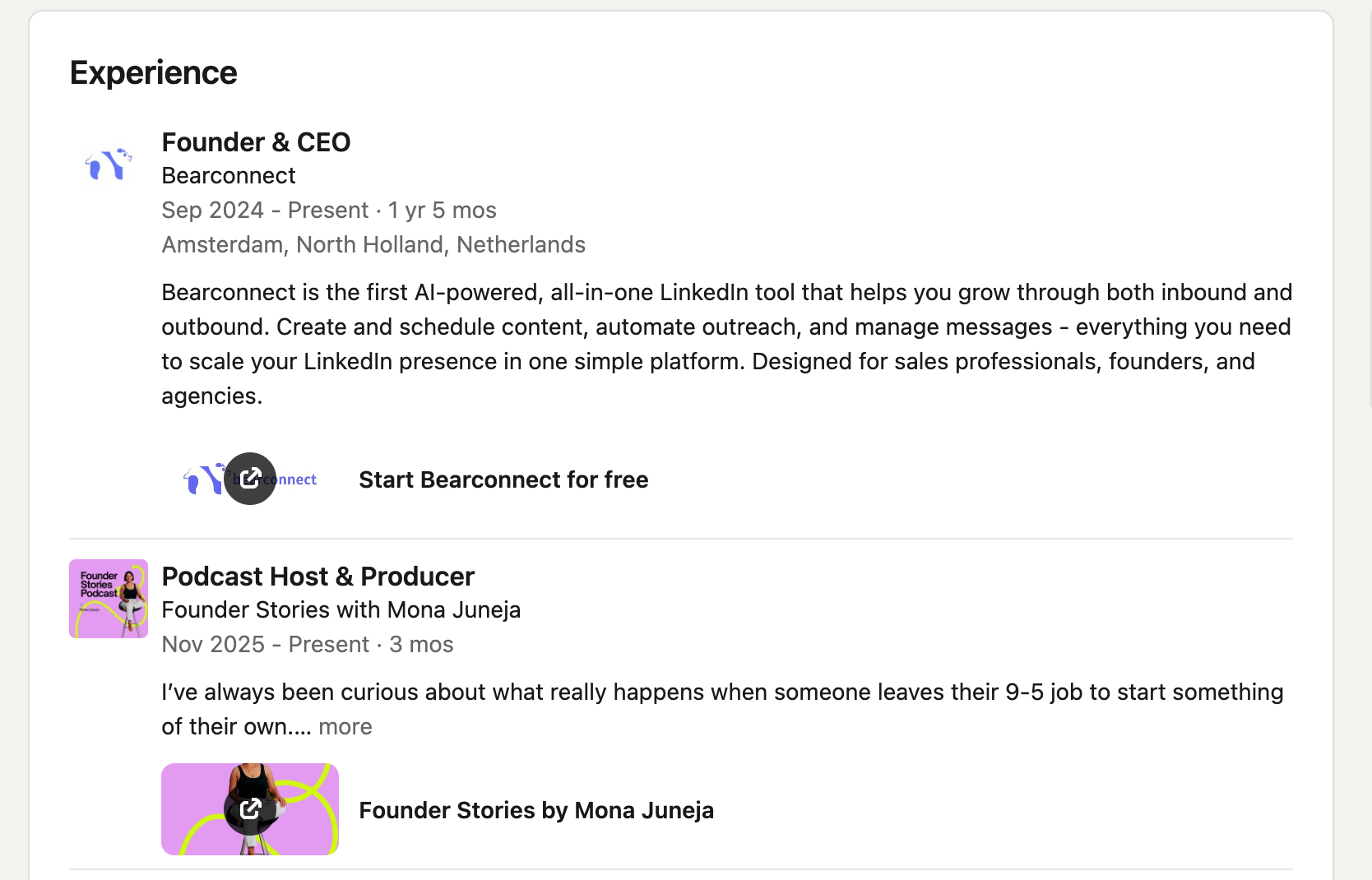
Listing job responsibilities doesn't build trust or demonstrate value. Your Experience section should focus on measurable outcomes, not daily tasks.
The Results-Focused Framework
For each position, highlight achievements and impact using numbers.
Before (Responsibility-Focused):
- Managed social media accounts for clients
- Responsible for email marketing campaigns
After (Result-Focused):
- Grew client's organic social media engagement by 200 percent in 6 months
- Developed and executed email campaign that generated 15 percent increase in qualified leads
Job Description Optimization
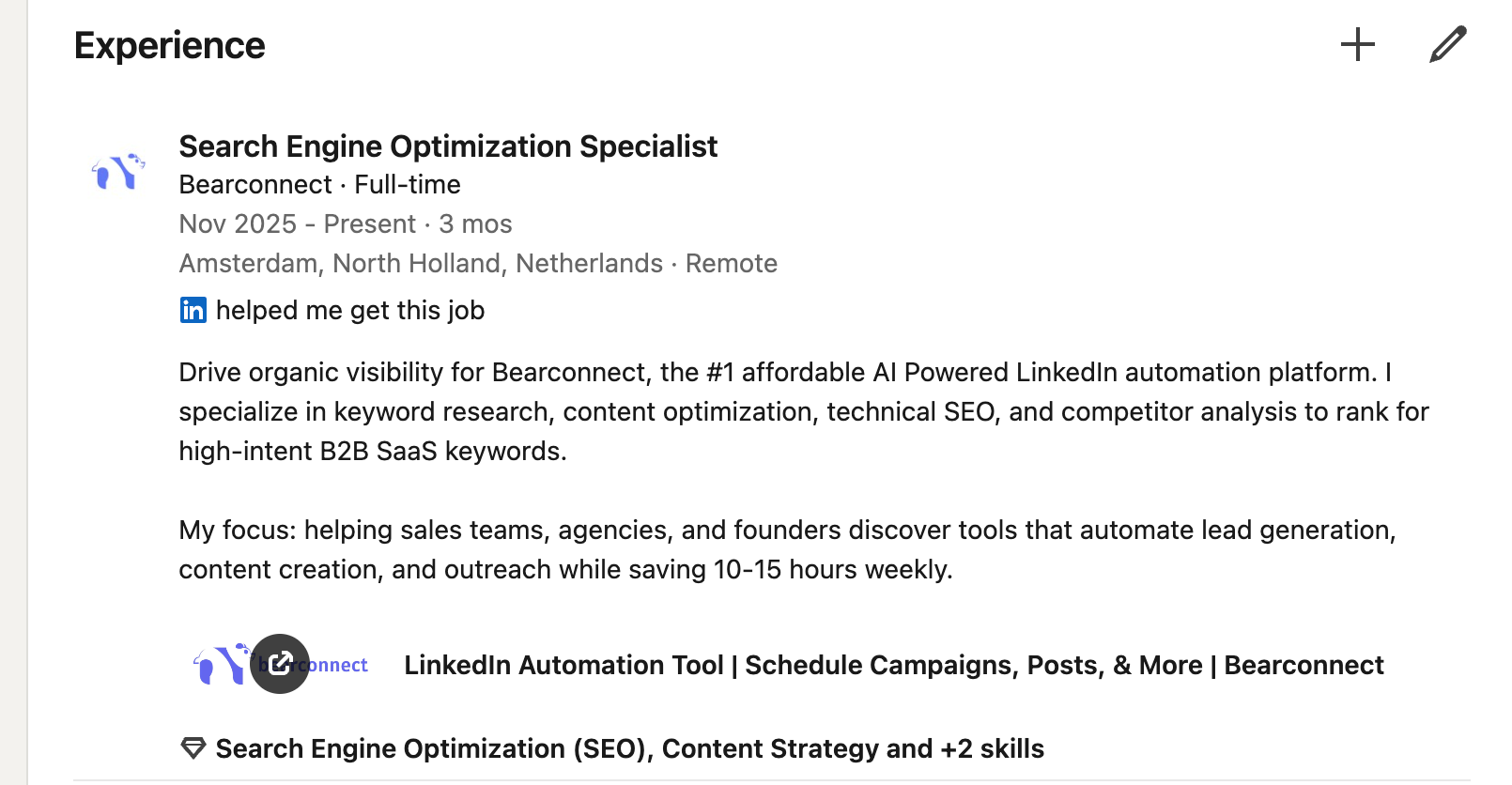
Each position needs 5 to 7 strategic keywords that match what your ideal prospects or employers search for.
Include these elements:
- Exact job title for search matching
- 2 to 3 action verbs (managed, generated, optimized, scaled)
- Specific tools and technologies (Salesforce, HubSpot, LinkedIn Sales Navigator)
- Measurable outcomes with percentages or dollar amounts
- Industry-specific terminology
Step 5: Leverage the Featured Section Strategically
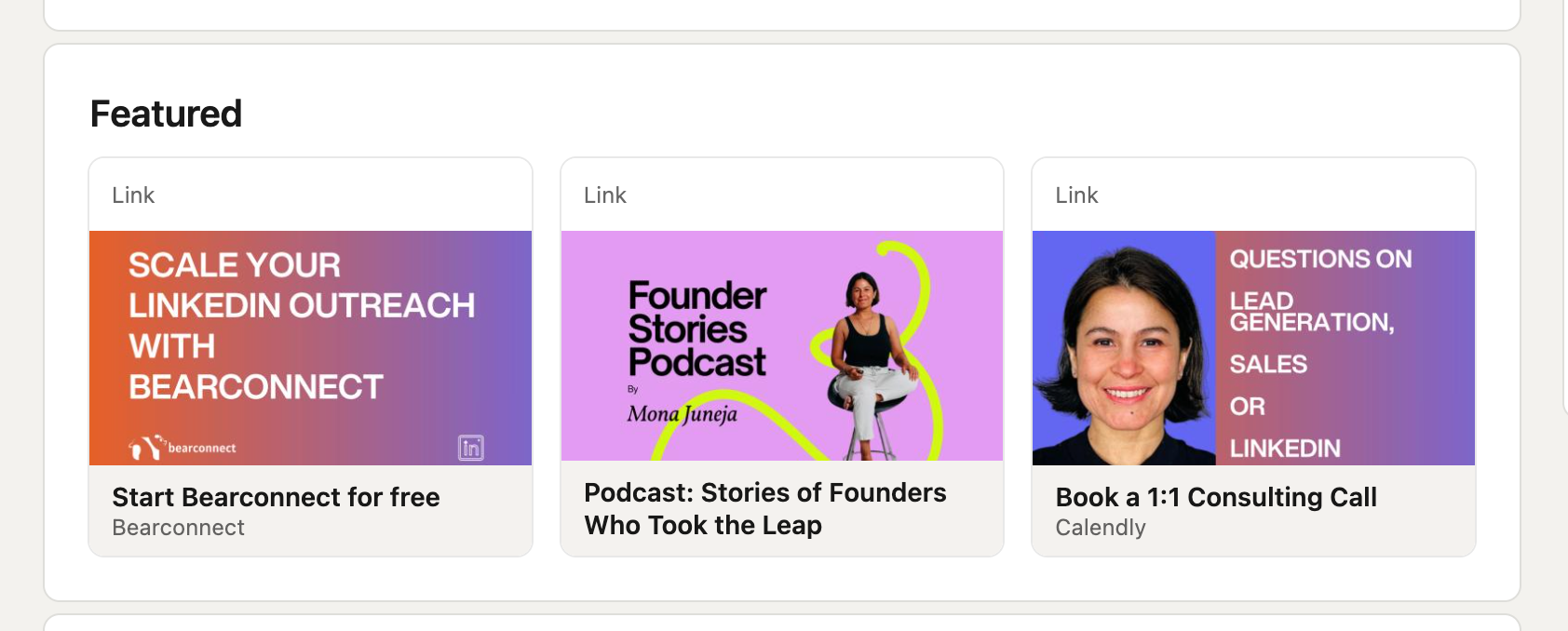
The Featured section is your personal billboard, positioned between your About and Activity sections.
It occupies roughly three times the space of your About section and displays content immediately without requiring clicks.
What to Showcase
The Featured section builds trust before someone sends you a message. Use this space strategically to prove expertise and guide next steps.
High-impact content to feature:
- Top-performing posts that demonstrate thought leadership
- Lead magnets offering valuable resources (guides, checklists, templates)
- Case studies showing measurable client results
- Links to book calls or consultations
- Published articles or media appearances
- Portfolio work or project highlights
Profiles with media content in the Featured section get 2 times more views and 4 times more messages.
How to Add Featured Content
Select the Featured star icon below updates in your activity feed, which adds that content to your Featured section. You can then edit display order and delete items anytime.
Step 6: Complete Every Profile Section
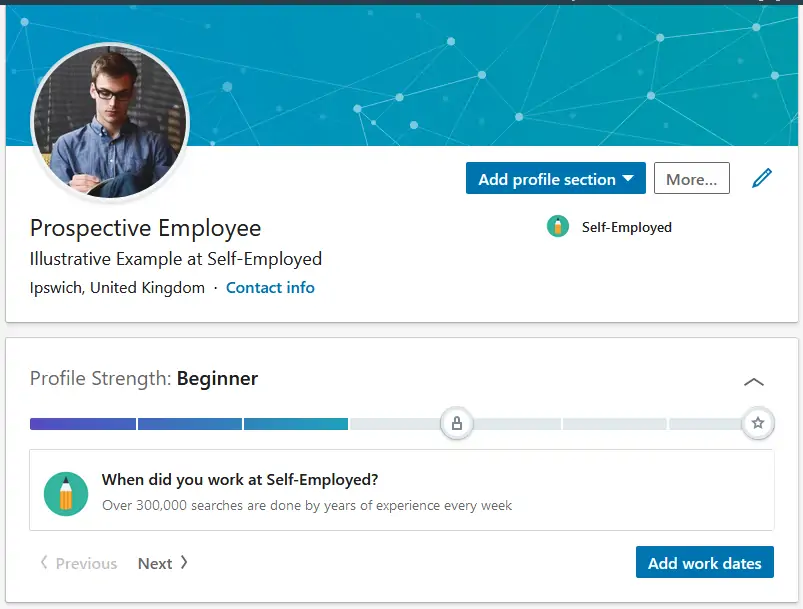
Incomplete profiles hurt your search ranking. LinkedIn's algorithm favors complete profiles in search results and recommendations.
Skills Section Optimization
Add 10 or more relevant skills that match job descriptions and client search terms. Your top 3 skill slots carry the most weight for search visibility.
Strategic skill placement:
- Place your most important keywords in top positions
- Include both broad terms (marketing) and specific specialties (LinkedIn lead generation)
- Update quarterly based on industry trends
- Request endorsements from colleagues for credibility
As you build credibility, consider strategies to grow your LinkedIn followers organically to expand your professional network.
Custom URL Creation
Create a custom LinkedIn URL with your name for professional branding and easier sharing. This also improves SEO when people search your name on Google.
Format: linkedin.com/in/yourname
Common Profile Mistakes That Kill Opportunities
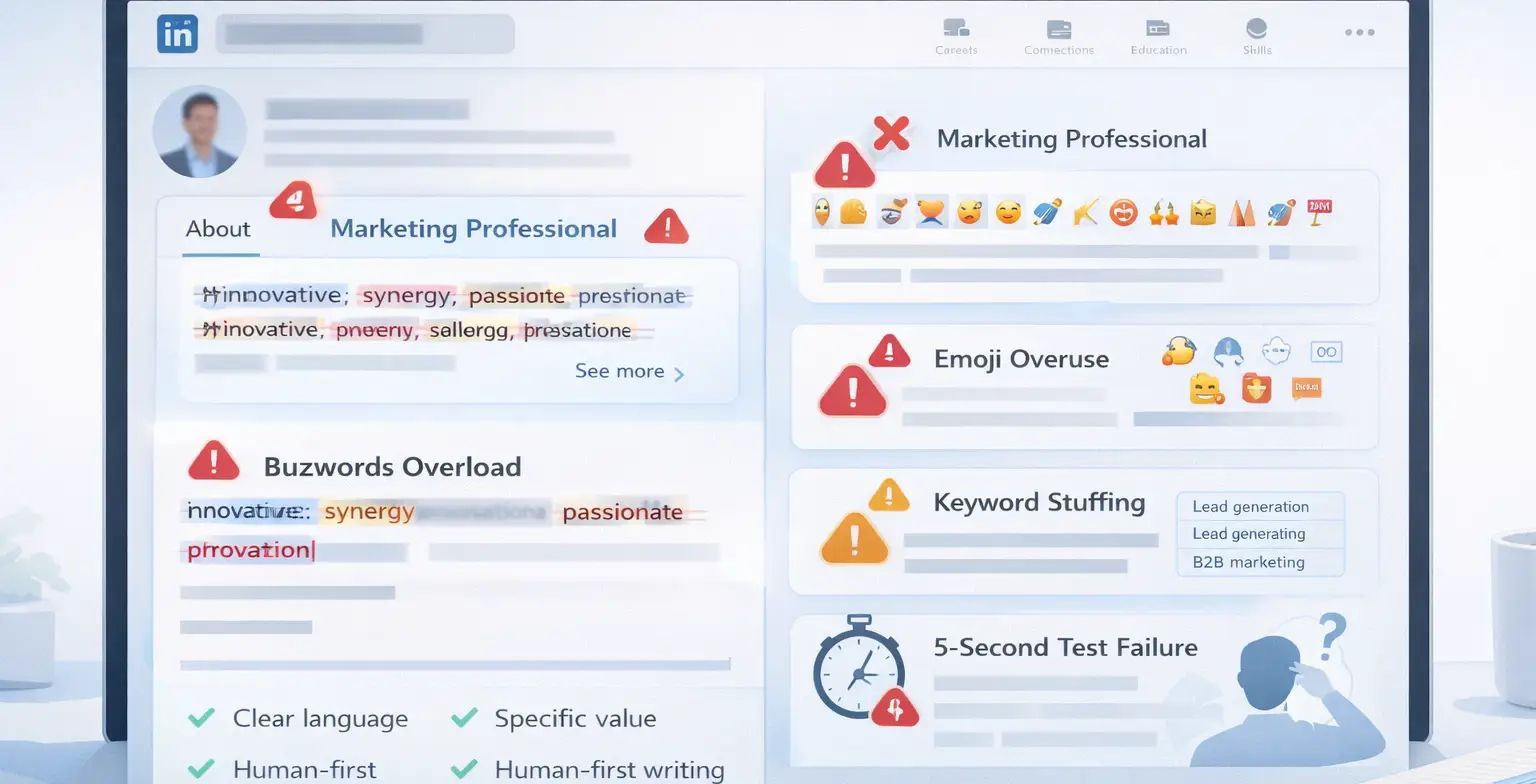
Avoid these credibility-destroying errors that plague most LinkedIn profiles in 2026.
1. Overusing Buzzwords and Jargon
Words like "synergy," "leverage," "innovative," and "passionate" appear on millions of profiles. They add no value and make you sound like everyone else.
Fix: Use clear, simple language that describes concrete results.
2. Writing Vague Headlines
Headlines like "CEO at Company" or "Marketing Professional" tell visitors nothing about your value.
Fix: Follow the Role + Value Proposition + Keywords formula consistently.
3. Adding Emojis Everywhere
While one or two emojis can add emphasis, cluttering your profile with excessive emojis distracts from your core message.
Fix: Use emojis sparingly for emphasis, not decoration.
4. Keyword Stuffing
Repeating keywords unnaturally throughout your profile triggers LinkedIn's algorithm penalties.
Fix: Aim for 1 to 2 percent keyword density maximum and write for humans first.
5. Forgetting the 5-Second Test
If a stranger can't understand what you do instantly, your profile isn't working.
Fix: Review your profile as if seeing it for the first time. Can you identify the target audience and value proposition in under five seconds?
Step 7: Amplify Profile Visibility Through Consistency
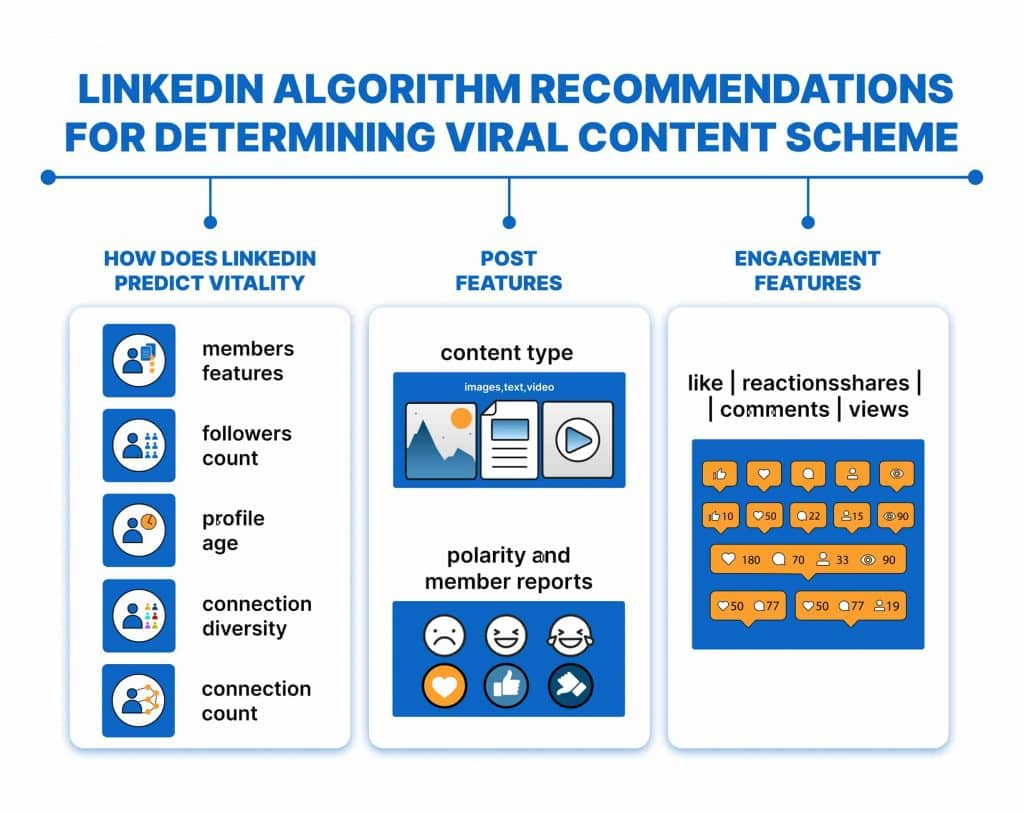
Even the best-optimized profile is powerless if no one sees it. LinkedIn's algorithm heavily favors consistent content creators, with active profiles outperforming dormant ones by 6 times in search visibility.
The Content Baseline Strategy
Post 2 to 3 times weekly for 30 days before launching any outreach campaigns. To maintain this consistency without burnout, schedule your LinkedIn posts strategically while preserving engagement quality.
Profile performance after consistent posting:
- 3 times higher connection acceptance rates
- 45 percent more profile views from outreach campaigns
- Lower spam report rates on messages
The Manual Outreach Challenge
Getting your profile in front of the right people requires consistent personal branding and proactive outreach. Most professionals start strong but quit within weeks due to manual burnout.
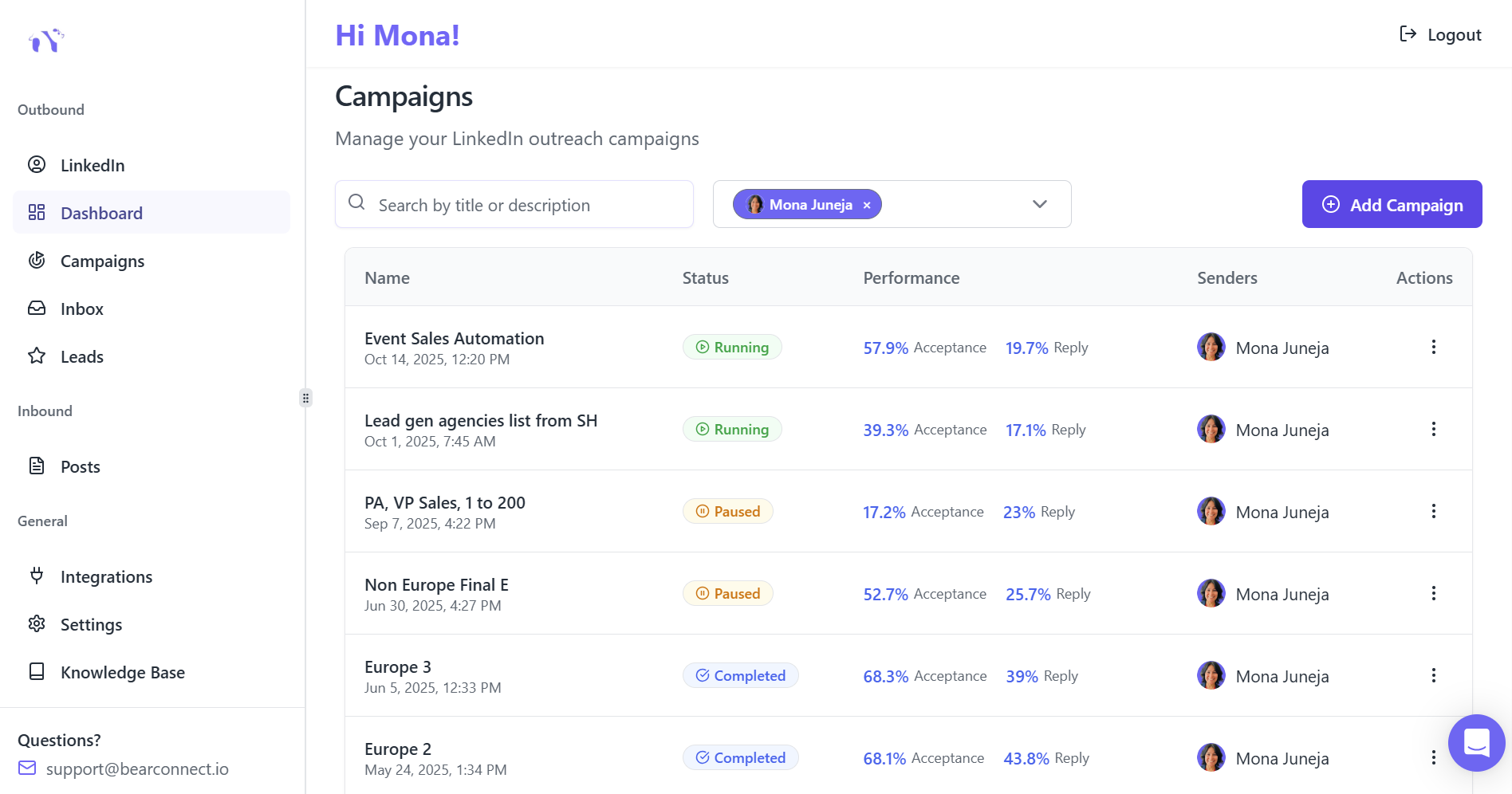
The solution: Tools like Bearconnect automate the repetitive work so you can focus on conversations that convert.
What Bearconnect handles:
- Content writing, scheduling, and posting
- Connection requests with personalized messages
- Follow-up sequences
- Complete pipeline management from one dashboard
Pricing: $67/month per LinkedIn account, or $57/month when connecting 5+ accounts making it accessible for individuals and scalable for teams.
Learn how to automate LinkedIn connection requests without losing personalization and maintain authentic relationship-building.
Frequently Asked Questions
1. How long does it take to optimize a LinkedIn profile in 2026?
A complete profile optimization takes 3 to 4 hours when following the step-by-step framework. Focus on high-impact sections first (headline, About, photo) which can be completed in under an hour, then refine experience and featured sections over the following days.
2. What is the most important part of a LinkedIn profile for SEO?
Your headline carries the most weight for LinkedIn search algorithm ranking because it appears in every interaction. Use all 220 characters with strategic keywords, your role, and value proposition to maximize visibility.
3. How often should I update my LinkedIn profile?
Update your headline every 3 to 6 months to reflect current focus areas and track profile view changes. Refresh your profile photo every 2 to 3 years, and add new achievements to your Experience section quarterly to maintain relevance.
4. Can I optimize my LinkedIn profile without paying for Premium?
Absolutely. All critical optimization elements (headline, About section, Experience, Featured content, Skills) are available on free LinkedIn accounts. Premium provides additional analytics and InMail credits but is not required for effective profile optimization..
Ready to Transform Your LinkedIn Strategy?
Join thousands of professionals already using Bearconnect to automate their outreach and grow their network.
7-day free trial • Cancel anytime
