How to Create LinkedIn Content That Converts: 7 Proven Post Ideas

LinkedIn posts that convert focus on solving specific problems through proven frameworks like Problem-Agitate-Solution, educational how-tos, personal stories, data-driven insights, carousels, questions, and case studies.
These formats generate 15-40% engagement rates and drive measurable lead generation when executed correctly.
TL;DR: Quick Takeaways
- Problem–Agitate–Solution style posts: drive 25–40% higher engagement by surfacing pain points first and creating a strong sense of urgency before presenting the fix.
- Step-by-step educational content: strengthens brand credibility, delivers 12–20% engagement, and consistently earns the highest save and reference rates.
- Personal stories humanize your brand and drive 2-3x higher engagement than generic content
- Carousel posts get 3x more clicks and 5.9% engagement versus 4.2% platform average
- Case studies with results deliver the highest ROI and drive direct inbound messages
Why This Guide Matters in 2026
I analyzed performance data from thousands of LinkedIn campaigns across B2B sales teams, agencies, and solopreneurs.
The 7 post formats in this guide are currently generating qualified leads for professionals who've moved beyond random posting.
Post Idea #1: Problem-Agitate-Solution (PAS) Framework
What Makes PAS Posts Convert
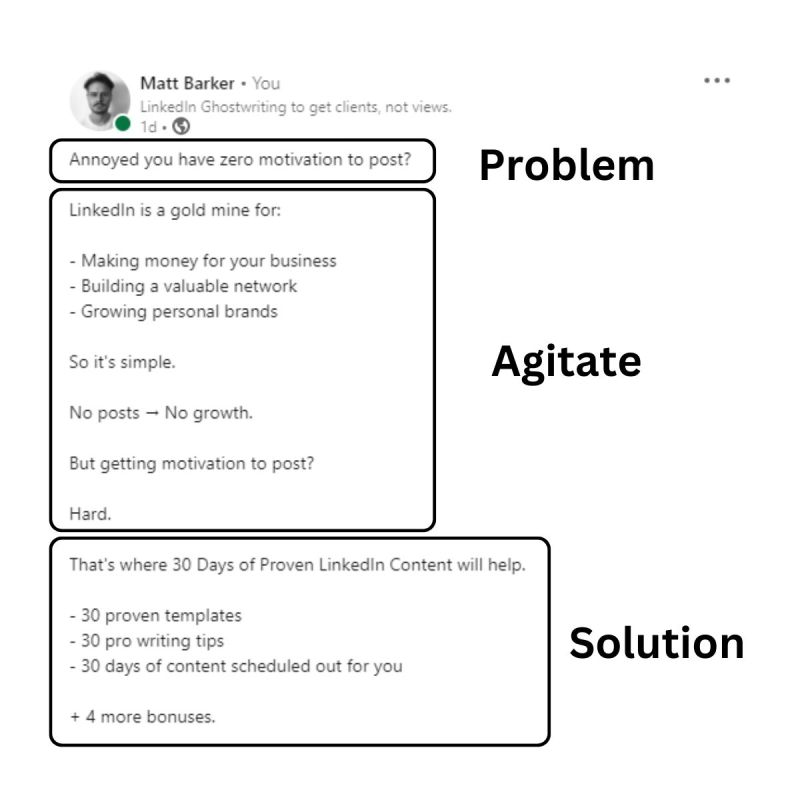
The Problem-Agitate-Solution framework works because it mirrors how your prospects actually think about their challenges. You identify their pain, amplify the frustration, then deliver your solution.
Performance metrics:
- 25-40% engagement rates
- Generates debate and meaningful comments
- 3x higher response rates than generic outreach
How to Structure a PAS Post

Hook (Problem):
Start with a specific pain point your audience faces daily.
Example: "Your LinkedIn strategy is probably costing 10 hours weekly for zero qualified leads."
Agitate:
Describe the consequences and frustrations. Make them feel the cost of inaction.
Example: "Meanwhile, your competitors are booking 3x more discovery calls using the exact strategy you're ignoring."
Solution:
Deliver your unique fix with clear steps.
Example: “Your LinkedIn efforts may be wasting 10+ hours every week without delivering a single qualified lead.”
Why It Generates Conversions
- PAS posts force emotional investment before offering solutions.
- Prospects become ready to take action only after genuinely feeling the problem's impact.
Post Idea #2: Educational How-To Posts
The Power of Actionable Education
Educational posts build authority by providing immediate value. When you teach prospects something they can implement within 24 hours, you position yourself as the expert who solves their problems.
Performance data:
- 12-20% engagement rate
- Highest save-to-share ratio of all formats
- 72% of B2B marketers rate how-to guides most effective for awareness
Top-Performing How-To Formats
Step-by-step breakdowns:
- Limit to 5-7 steps maximum
- Each step must be actionable
- Include specific tools or tactics
Common mistakes + fixes:
- Address what your audience is doing wrong
- Explain why it fails
- Provide the correct approach
Implementation checklists:
- Create scannable lists
- Make them downloadable or screenshot-friendly
- Focus on immediate wins
Myth-busting posts:
- Challenge outdated industry thinking
- Back claims with data or experience
- Offer the updated approach
Real Example That Converts
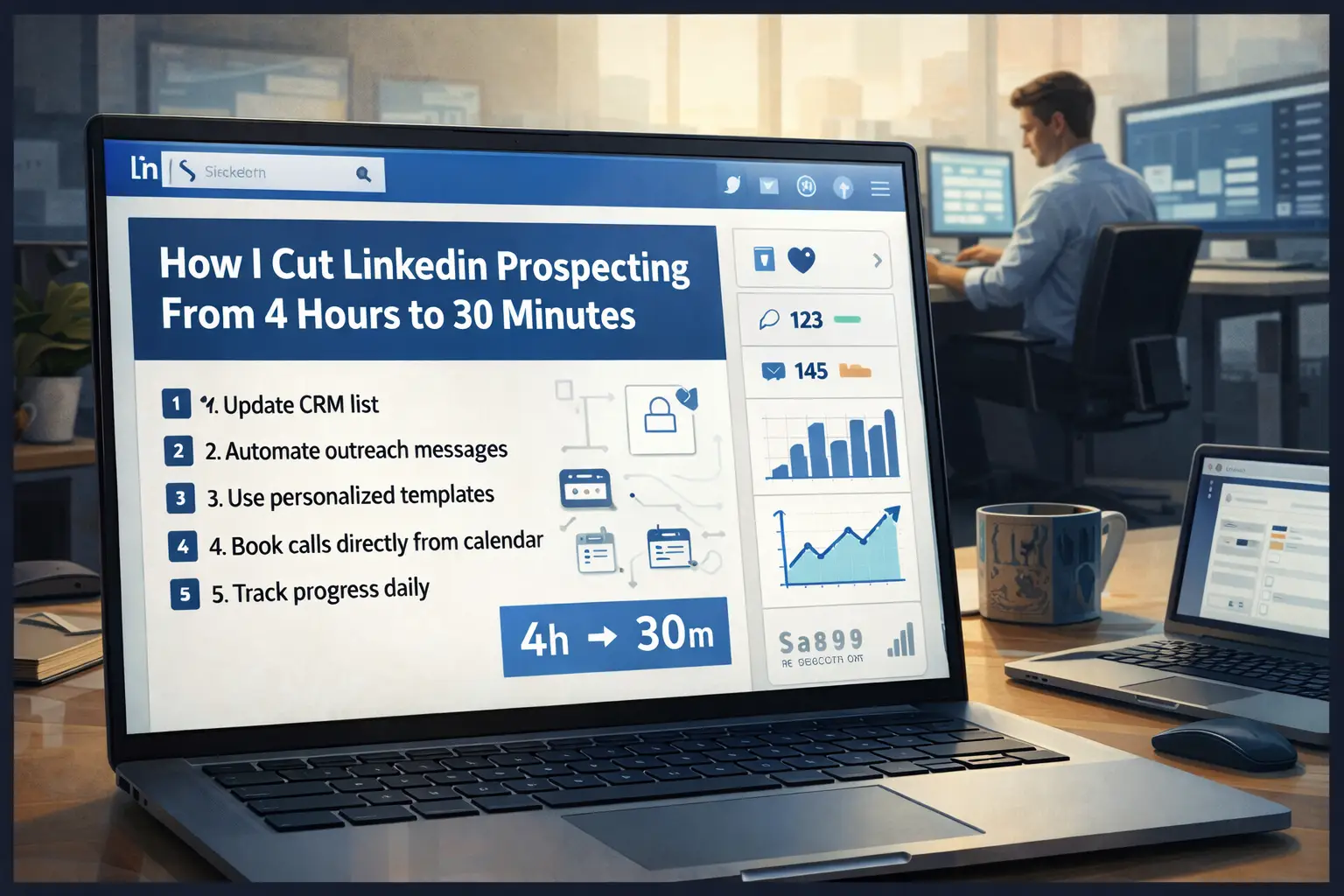
"How I Reduced LinkedIn Prospecting From 4 Hours to 30 Minutes" outperforms "5 LinkedIn Tips" because it promises a specific, measurable outcome.
For detailed guidance, check our LinkedIn automation setup guide.
Post Idea #3: Personal Story and Journey Posts
Why Authentic Stories Drive Engagement
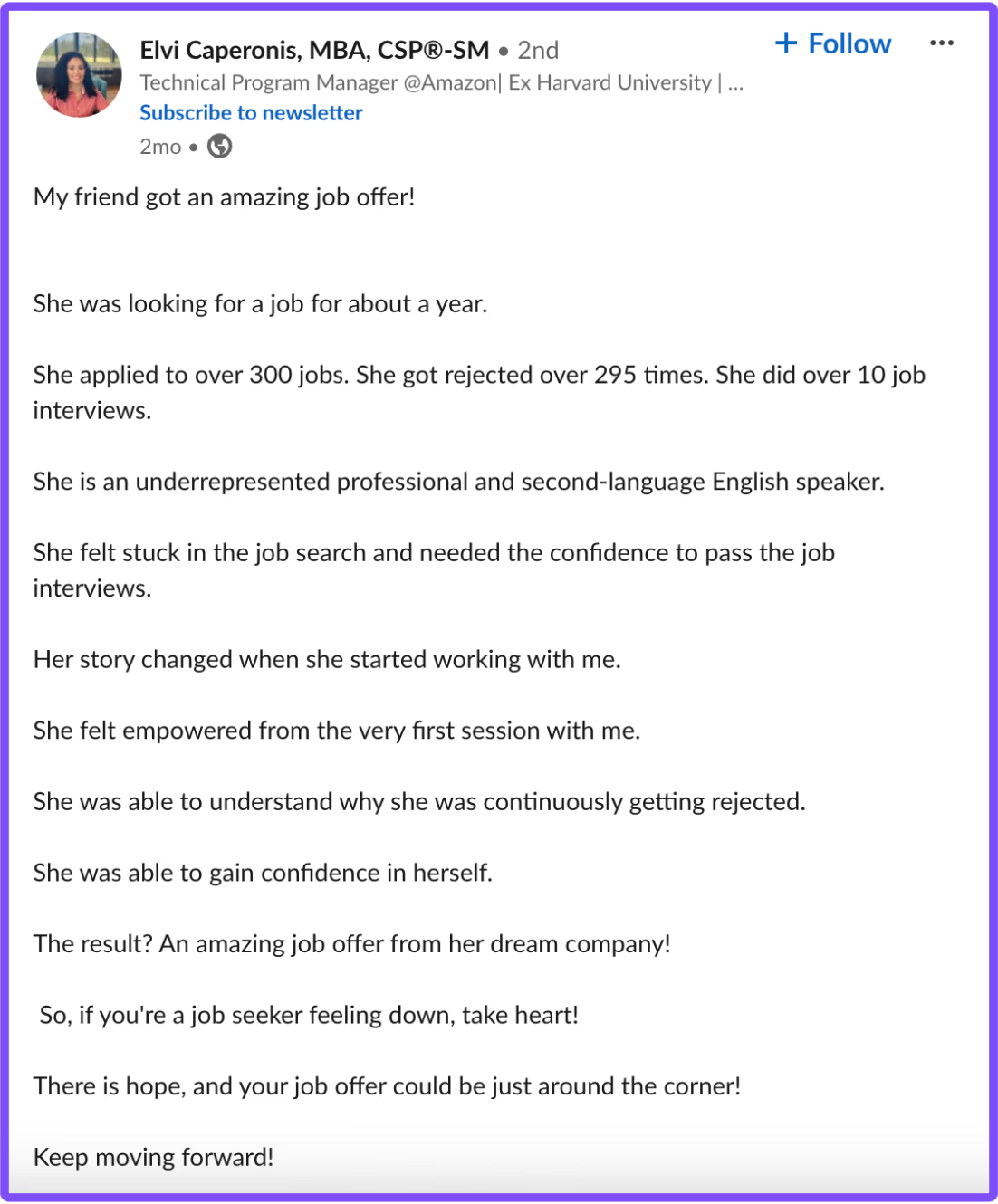
Personal stories humanize your expertise. People connect with real experiences, not credentials or corporate messaging.
Engagement metrics:
- 20-35% engagement (highest on LinkedIn)
- 2-3x higher engagement than generic content
- Drives meaningful comments and direct messages
Story Structure That Converts
- Opening: Share a specific turning point or realization that changed your approach.
- Challenge: Describe what made this difficult and why it matters to your audience.
- Experimentation: Explain how you tested different approaches and what you learned.
- Breakthrough: Detail the specific insight that changed everything.
- Results: Quantify the outcomes with real numbers.
- Lessons: Provide principles your audience can apply immediately.
Example in Action
"After dozens of failed LinkedIn outreach attempts, we finally cracked the process and built our own automation system. Here's what finally worked" beats "5 LinkedIn Automation Tips" every time.
Why? It's real, specific, and relatable. Prospects see themselves in your journey.
Post Idea #4: Data-Driven Insights and Analysis
Using Data to Build Authority
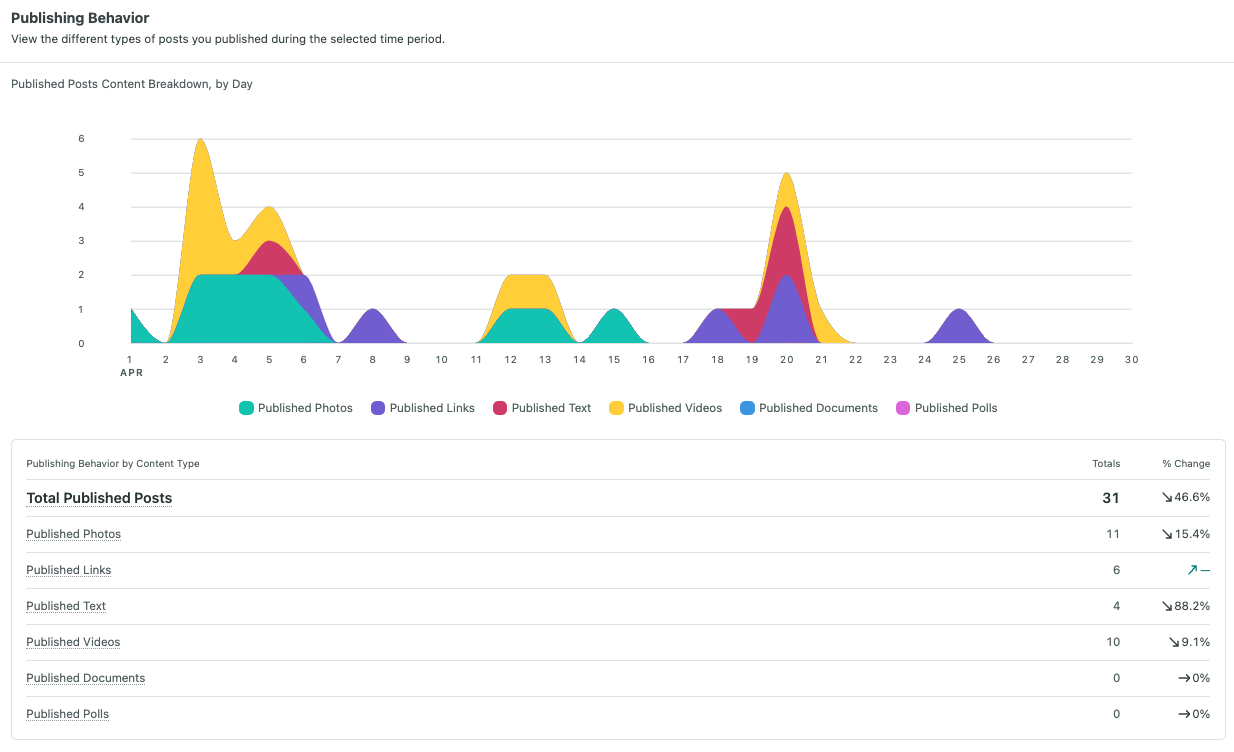
Data-backed posts position you as someone who actually understands the market. B2B professionals need evidence to justify decisions, and specific numbers carry more weight than opinions.
Performance benchmarks:
- 15-25% engagement rates
- High share frequency due to credibility factor
- Positions you as a market authority
Framework for Data Posts
- Hook: Open with a surprising statistic that contradicts common assumptions.
Example: "87% of sales teams use LinkedIn automation, but 65% implement it completely wrong."
- Research context: Explain where your data comes from and why it matters.
- Key findings: Break down 2-3 major insights with implications for your audience.
- Actionable takeaway: Translate data into specific actions readers can take.
What Makes Data Posts Convert
Posts like "We analyzed 10,000 LinkedIn campaigns. Here's what actually works in 2026" automatically establish credibility because you have done research others avoid.
Want to turn these insights into actual leads? Read our complete LinkedIn lead generation guide.
Post Idea #5: Carousel and Document Posts
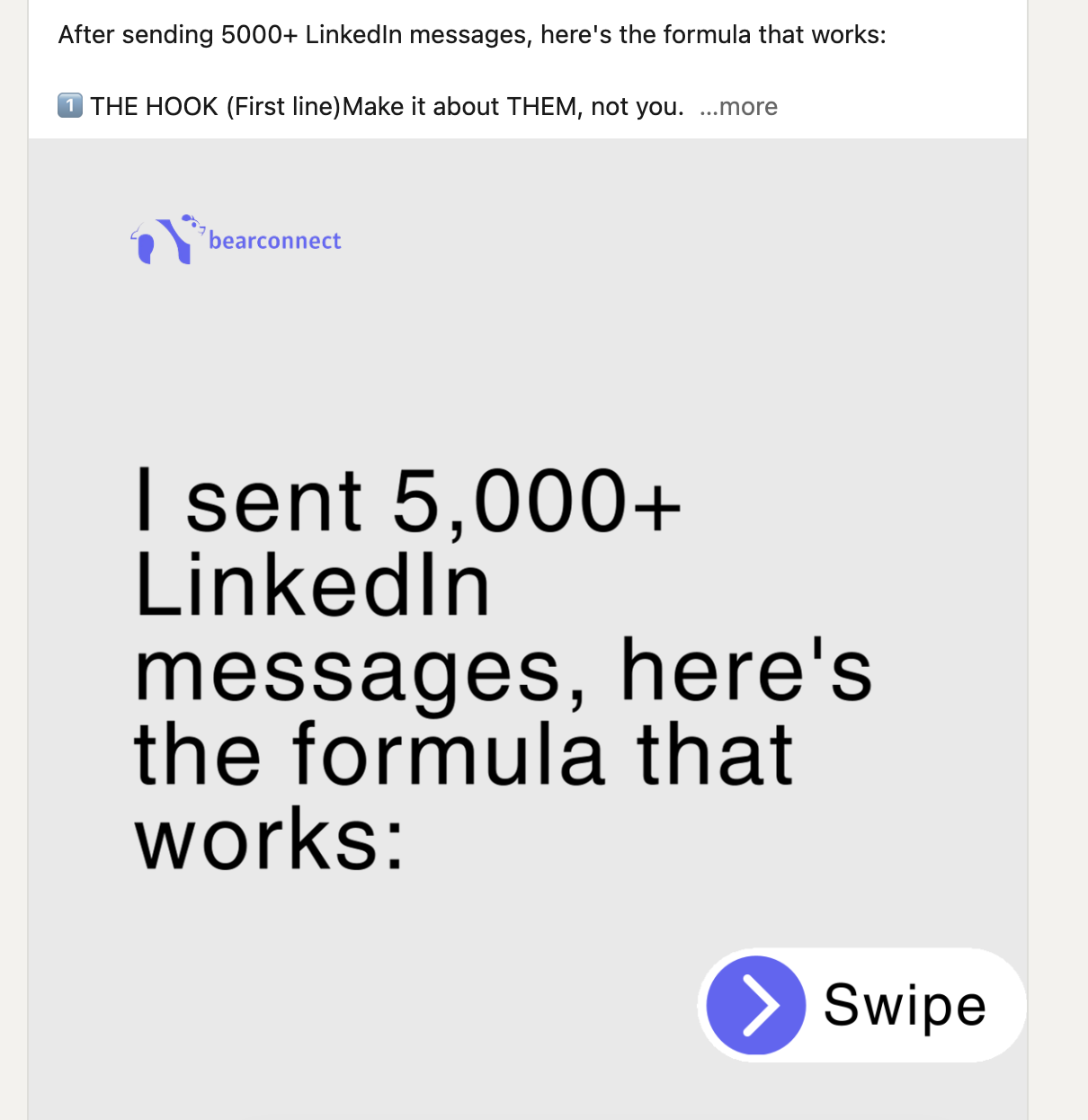
Why Carousels Dominate LinkedIn
Carousel posts get 3x more clicks than static posts. Users spend 15-20 seconds on carousels versus 8-10 seconds on text posts, and LinkedIn's algorithm rewards extended engagement.
Algorithm advantage:
- An average engagement rate of 5.9%, outperforming the platform benchmark of 4.2%.
- 3x more click-throughs than static posts
- Higher reach due to dwell time
Top Carousel Formats That Convert
Educational series:
- One step or concept per slide
- Clear progression from slide to slide
- Actionable takeaway on each slide
Data visualization:
- Break down complex information visually
- One data point per slide
- Make insights immediately scannable
Before-after transformations:
- Show tangible results across slides
- Use metrics and screenshots
- Tell a complete transformation story
Myth versus reality:
- Challenge one assumption per slide
- Provide evidence for the truth
- End with actionable guidance
Case studies:
- Tell complete stories across 5-7 slides
- Show problem, approach, and results
- Make final slide a clear CTA
Carousel Best Practices
- First slide is your hook with your strongest claim.
- Each body slide focuses on one idea with supporting visuals.
- Final slide includes a clear call to action (comment, save, DM, or click link).
Learn how to automate LinkedIn posts while maintaining quality and engagement.
Post Idea #6: Question-Based Engagement Posts
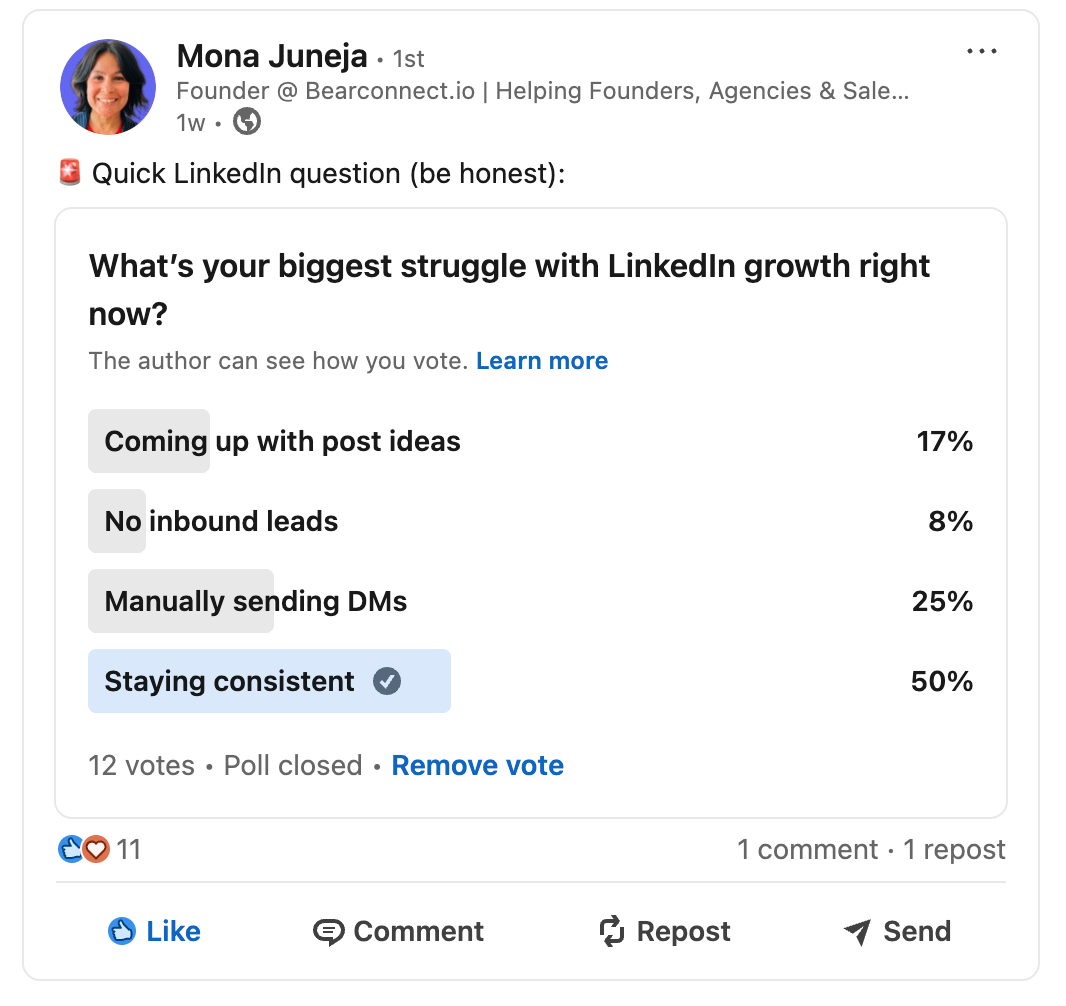
How Questions Drive Algorithm Performance
LinkedIn's algorithm rewards comments over likes. Question posts explicitly invite comments, creating engagement that signals valuable content to the platform.
Engagement data:
- 20-30% engagement rates
- 50% more reach than standard posts
- Generates meaningful discussions versus surface-level reactions
Question Formats That Convert
Direct polls:
- "What's your #1 LinkedIn automation challenge?"
- Provide 3-4 specific answer options
- Follow up in comments with solutions
Rhetorical questions:
- “Does LinkedIn still deliver real B2B leads in 2026?”
- Spark debate and perspective-sharing
- Position your expertise in the comments
Contrarian questions:
- "What if everything you know about LinkedIn automation is outdated?"
- Challenge conventional thinking
- Drive thoughtful discussion
Experience-seeking questions:
- "Share one lesson a professional failure taught you"
- Invite vulnerability and connection
- Build community through shared experiences
Why Questions Lower Engagement Barriers
A simple "What's your biggest LinkedIn challenge?" It frequently performs better than long explanations since it takes very little effort for people to engage.
Combine questions with strategic LinkedIn outreach automation for maximum impact.
Post Idea #7: Before-After Case Studies
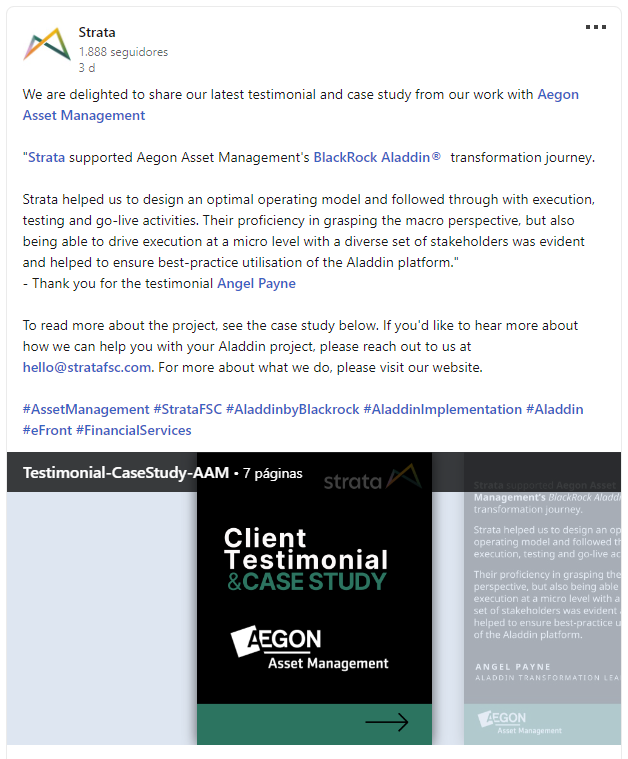
The Power of Social Proof
Case studies address the fundamental question every prospect asks: "Will this actually work for me?" Real results with specific metrics stop the scroll and drive direct messages.
ROI metrics:
- Highest ROI of any content type
- 25-40% engagement rates
- Drives qualified inbound inquiries
- 44% of total content returns in B2B marketing
Case Study Structure
Opening hook:
Lead with the transformation. "From 17 followers to 2,741 followers in 90 days. Here's exactly what changed."
The situation:
Describe who they were and their specific challenge before you helped.
Previous attempts:
Show what they tried without success. This builds credibility by acknowledging the problem's difficulty.
Your strategy:
Detail your specific approach, tactics, and implementation timeline.
Quantified results:
Share metrics that prove impact. Be specific: "87 average engagements per post, 9 qualified leads per month."
Lessons learned:
Highlight what surprised you or what worked unexpectedly. This adds authenticity.
Reader takeaway:
Explain how your audience can apply these principles to their situation.
Real Example That Generates Leads
"My client's LinkedIn before automation: 0-1 likes per post, zero inbound leads. After 90 days: 87 average engagements, 9 qualified leads monthly. Here's our 3-step process."
See a real automation case study with 1,000+ leads generated.
How to Implement These Post Ideas
Start With Your Strengths
Choose 2-3 formats that match your natural communication style. Master those before expanding to other formats.
For analytical thinkers:
Start with data-driven insights and how-to posts & schedule posts weeks in advance
For storytellers:
Focus on personal journey and case study posts.
For visual communicators:
Prioritize carousels and question-based polls.
Create a Content Mix
Don't post the same format every day. Rotate through different post types to serve different audience needs:
- Monday: Educational how-to
- Wednesday: Personal story or case study
- Friday: Question or data insight
Measure What Matters
Track these conversion metrics, not just vanity metrics:
- Profile visits from post viewers
- Direct messages from prospects
- Connection requests from target audience
- Comments indicating buyer intent
- Link clicks to your offer or calendar
Scale Your LinkedIn Content Strategy
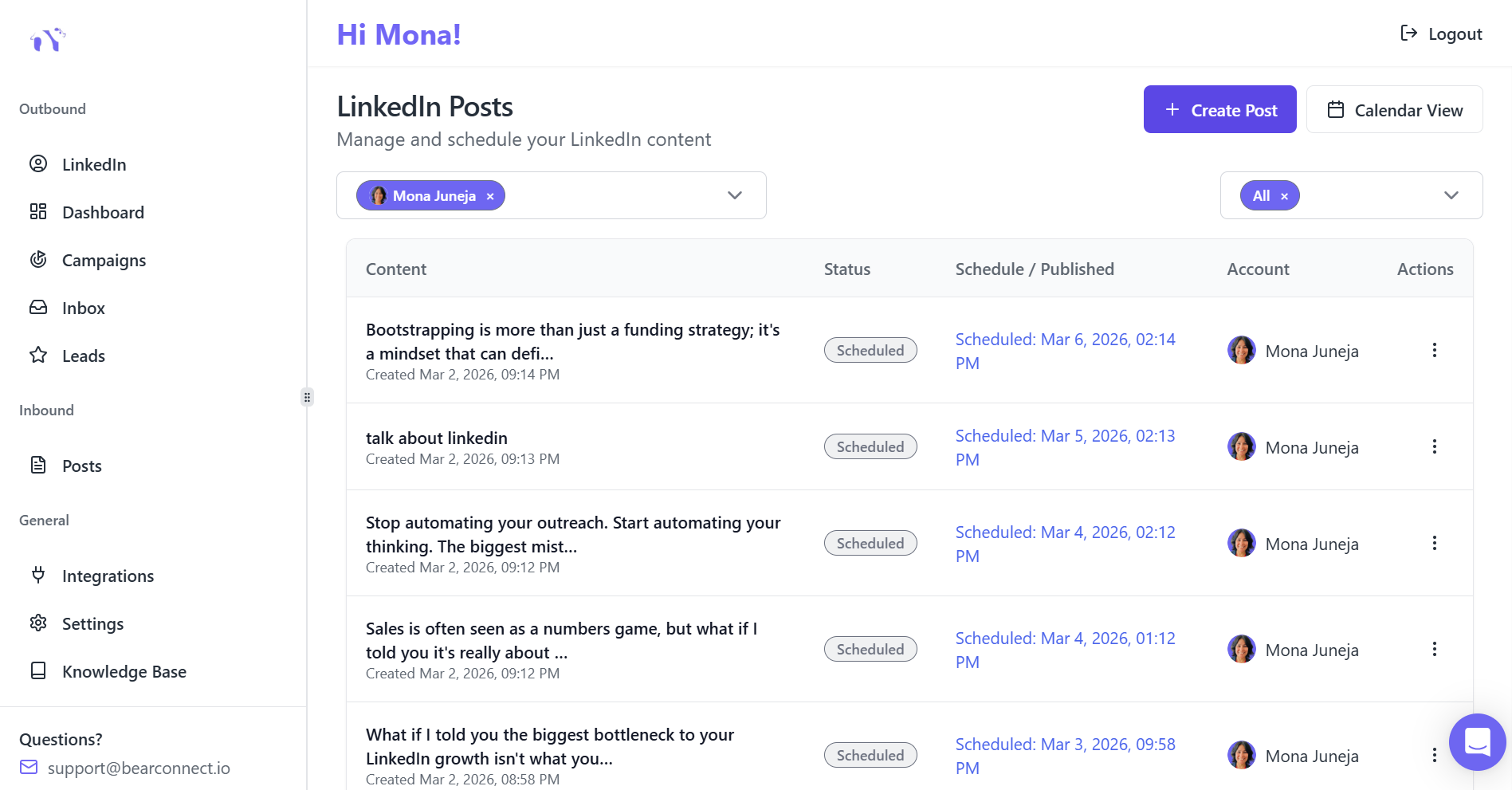
Consistency matters more than perfection. A single strong post in a week will outperform seven forgettable ones.
Automation tools help:
- Schedule posts weeks in advance
- Manage multiple LinkedIn accounts
- Track performance analytics
- Maintain posting consistency
Tools like Bearconnect let you create, schedule, and analyze LinkedIn content while automating outreach campaigns. This combination of valuable content plus systematic outreach drives predictable lead generation.
Pricing context: At $67 per month per LinkedIn account ($57/account when you connect 5 or more accounts), professional LinkedIn automation becomes accessible for solopreneurs and small teams.
Frequently Asked Questions
1. How often should I post on LinkedIn for maximum conversions?
Post 2-3 times per week consistently. Quality beats quantity. One valuable post weekly outperforms seven mediocre posts. Focus on solving specific problems rather than maintaining daily frequency.
2. Which LinkedIn post format generates the most leads?
Case studies with specific before-after results generate the highest ROI and direct inbound messages. They provide social proof that answers "Will this work for me?" with measurable evidence.
3. Do I need expensive tools to create converting LinkedIn content?
No. Start with native LinkedIn features and manual posting. As you scale, automation tools like Bearconnect ($67/month per account) help maintain consistency and track performance without requiring enterprise budgets.
4. How long should my LinkedIn posts be for best engagement?
Optimal length is 150-300 words for text posts. Carousel posts perform best with 5-7 slides. The key is value density, not word count. Every sentence should serve your audience.
5. Can automation hurt my LinkedIn engagement rates?
No, when done correctly. Automation handles scheduling and outreach consistency. Your content quality drives engagement. Tools that mimic natural behavior (like Bearconnect's local IP and smart throttling) avoid platform penalties while scaling your presence.
Learn how to automate LinkedIn posts while maintaining quality and engagement.
Ready to Transform Your LinkedIn Strategy?
Join thousands of professionals already using Bearconnect to automate their outreach and grow their network.
7-day free trial • Cancel anytime
Related Articles
How to Set Up n8n Integration in Bearconnect: Build Self-Hosted LinkedIn Lead Workflows Without Code
Connect Bearconnect with n8n to automate LinkedIn lead workflows using flexible, self-hosted automation. Sync data across your CRM and tools, build custom workflows, and gain full control over your automation setup.
How to Set Up Make Integration in Bearconnect: Build Visual Lead Workflows Across Any App Without Code
Connect Bearconnect with Make to build visual LinkedIn lead workflows across your CRM, Slack, and other tools without code. Automate lead capture, streamline processes, and sync data seamlessly in real time.
How to Set Up Zapier Integration in Bearconnect: Auto-Send Leads to Your CRM, Slack, or Google Sheets
Connect Bearconnect with Zapier to automatically send LinkedIn leads to your CRM, Slack, or Google Sheets. This step-by-step guide helps you streamline workflows, reduce manual work, and capture leads in real time.