How to Find Leads on LinkedIn: 9 Search Techniques Recruiters Use
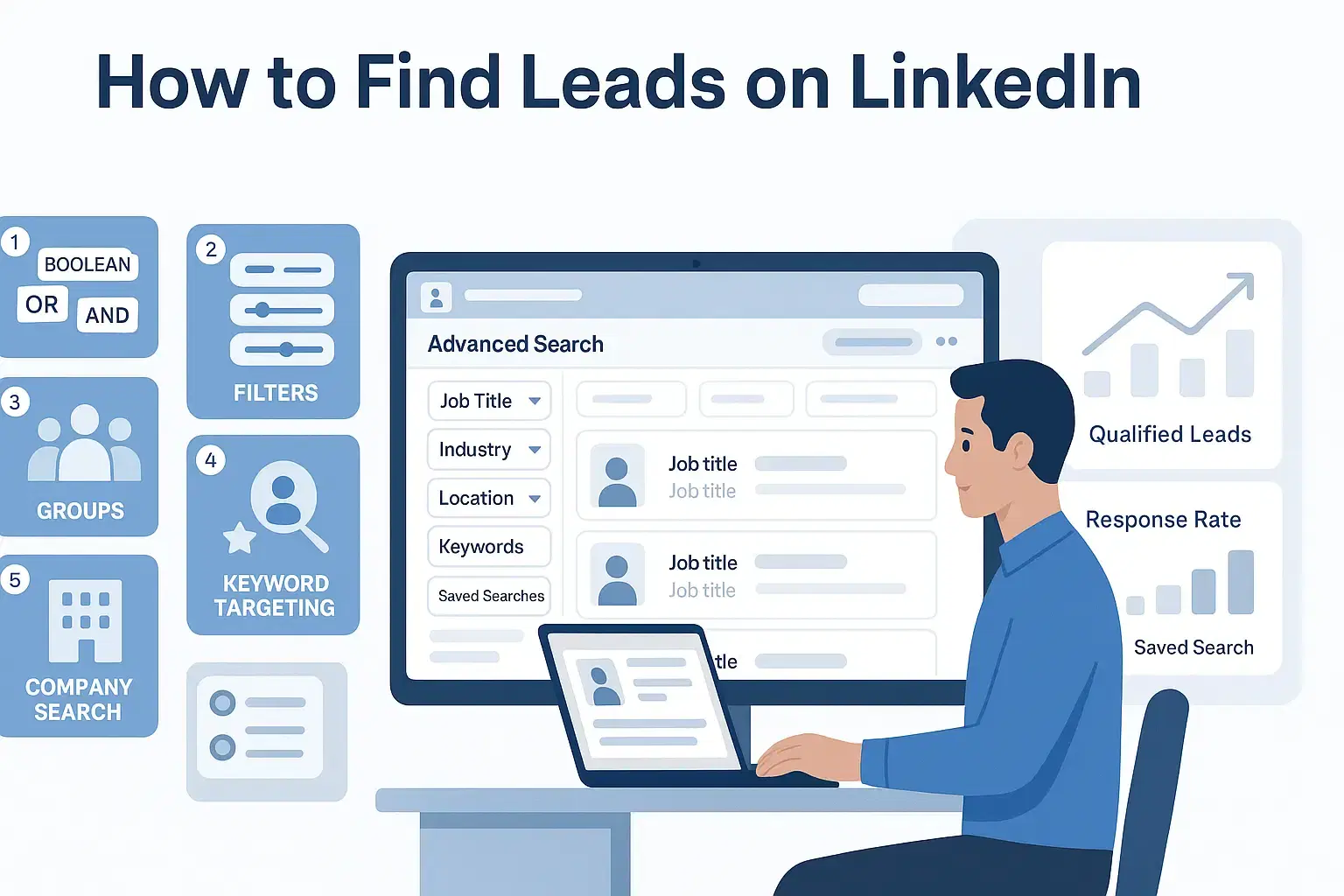
Top recruiters use advanced Boolean search operators, strategic filters, and engagement signals to find qualified LinkedIn leads 3x faster than basic keyword searches.
Combining precise targeting with systematic Automation workflows transforms LinkedIn from an overwhelming platform into a predictable lead generation machine.
TL;DR: Key Takeaways
Here's what you will master in this guide:
- Boolean search operators to create laser-focused prospect searches
- Advanced filters that identify decision-makers by company signals
- Timing strategies like targeting job changers for 40% higher response rates
- Second-degree connection tactics that boost acceptance by 35-45%
- Skills-based searches that find prospects regardless of job title variations
Let's explore other techniques also in detail.
Technique #1: Master Boolean Search Operators

What Is Boolean Search On LinkedIn?
Boolean search turns LinkedIn from a basic directory into a precision targeting engine. Instead of scrolling through thousands of results for “marketing manager,”
- You combine keywords with simple commands so LinkedIn shows only the most relevant profiles for your LinkedIn lead generation goals.
- By using Boolean logic, you control who appears in search based on titles, skills, industries, and key phrases inside profiles.
The Four Essential Boolean Operators
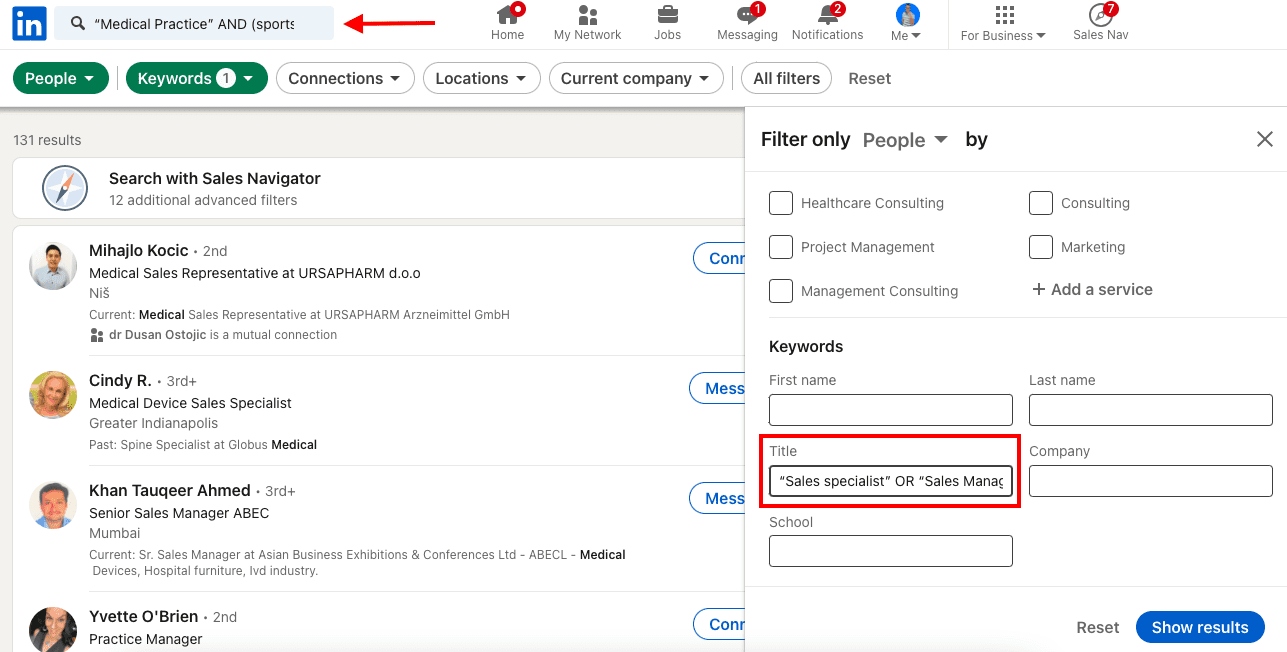
Use these four operators in the main LinkedIn search bar or in Sales Navigator.
1. AND operator
- Purpose: Narrow your search with multiple conditions.
- Logic: LinkedIn shows profiles that contain all the terms joined by AND.
Example:
This finds people who are Marketing Directors, mention SaaS, and talk about demand generation in their profile.
2. OR operator
- Purpose: Include different versions of the same idea.
- Logic: LinkedIn shows profiles that contain at least one of the terms joined by OR.
Example:
This captures different senior sales titles that describe a similar role.
3. NOT operator
- Purpose: Exclude profiles you do not want.
- Logic: LinkedIn hides any profile containing the term after NOT.
Example:
This keeps consultants in your results but filters out freelancers when you only want people employed in companies.
4. Quotation marks
- Purpose: Search for an exact phrase, not separate words.
- Logic: Only profiles with that exact wording appear.
Example:
This avoids results where “growth” and “hacker” appear in unrelated parts of the profile.
Boolean String Examples You Can Reuse
Use these as templates and adapt them to your niche.
- HR decision‑makers in fintech:
("Head of HR" OR "VP HR" OR "CHRO") AND (fintech OR "financial services") NOT recruiter
- SaaS marketing leaders:
("CMO" OR "Marketing Director" OR "VP Marketing") AND SaaS AND ("demand generation" OR "growth marketing")
These strings mix title variations, industry focus, and exclusions so you get a clean list of high‑quality leads.
How To Implement And Scale Boolean Searches
- Start with 2–3 core keywords for role, industry, and skill.
- Run a quick search and review the first 20–30 profiles.
- If you see too many results, add more AND conditions.
- If you see too few results, add more OR variations.
Once a Boolean string consistently gives you strong leads, save it and reuse it.
Tools like Bearconnect let you paste any LinkedIn search URL, import those leads, and run automated, personalized outreach on top of your best searches, which removes hours of manual searching while keeping your targeting precise.
Technique #2: Leverage Advanced Search Filters Strategically
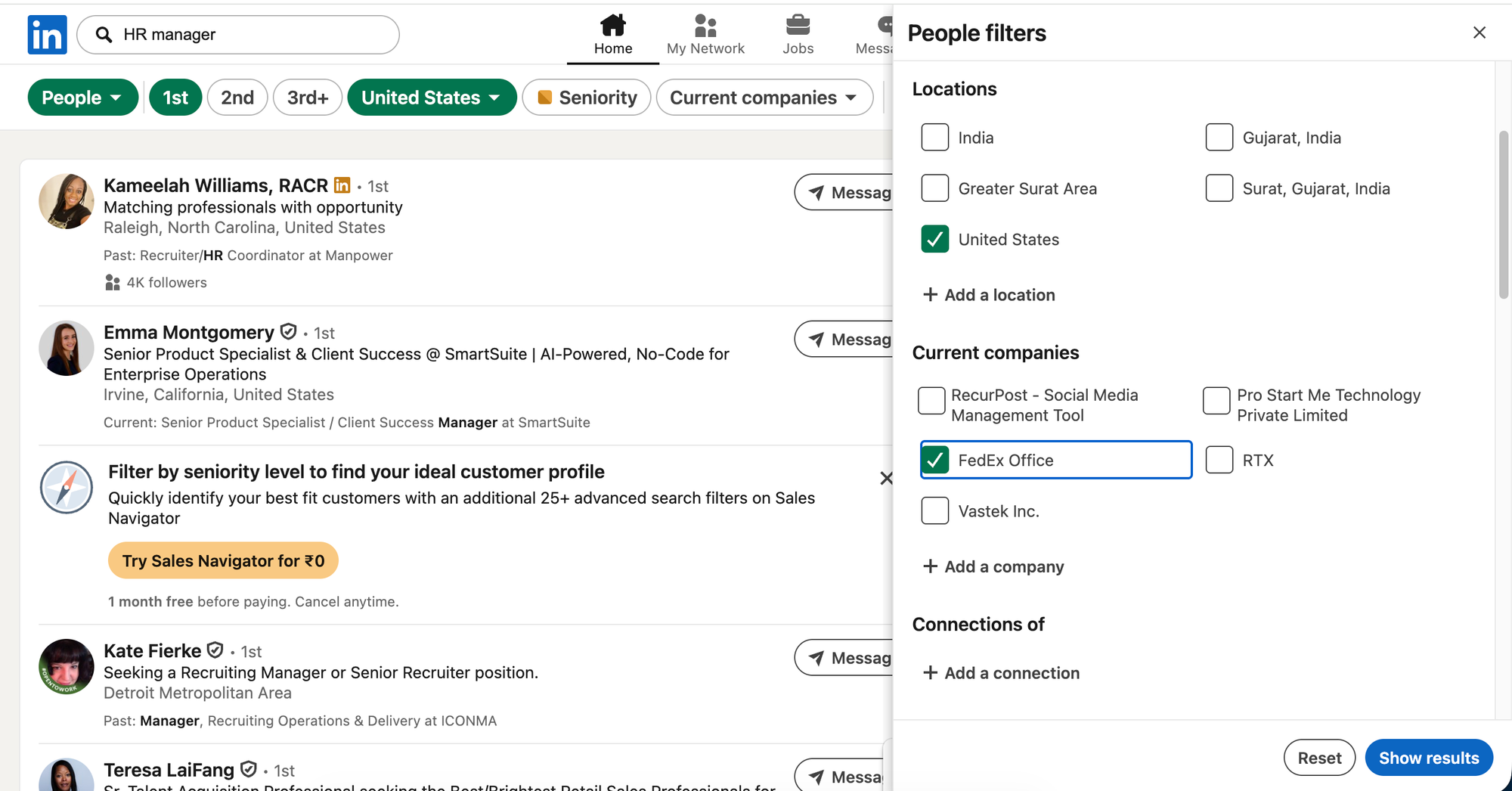
Free LinkedIn Filters You Can Use Today
Even without LinkedIn Sales Navigator, powerful filters are available:
- Connections: Target 1st, 2nd, or 3rd-degree connections
- Location: City, region, or country-specific targeting
- Current Company: Focus on specific organizations
- Past Company: Find alumni of competitor companies
- Industry: Choose from 150+ industry categories
- Profile Language: Language preference filtering
- Schools Attended: Alumni network targeting
The Progressive Filtering Method
Don't apply all filters simultaneously. Follow this recruiter-proven approach:
Step 1: Core Filters (Start Here)
Apply only 2-3 foundational filters:
- Job title
- Location
- Industry
Step 2: Quality Check
Review the first 20-30 profiles for relevance.
If results look good, stop here. If not, move to Step 3.
Step 3: Refinement Filters
Add secondary filters one at a time:
- Company size
- Connection degree
- Schools attended
Step 4: Avoid Over-Filtering
Too many filters eliminate potentially great matches.
Aim for 80% relevance, not 100% perfection. You'll miss opportunities by being overly restrictive.
Automation for Scale
Building filtered searches manually works initially.
As outreach scales, platforms like Bearconnect can import these search URLs and systematically connect with new profiles matching your criteria.
This maintains your pipeline without constant manual effort.
Learn more about setting up your first LinkedIn automation campaign to implement these filters at scale.
Technique #3: Target Job Changers for Higher Response Rates
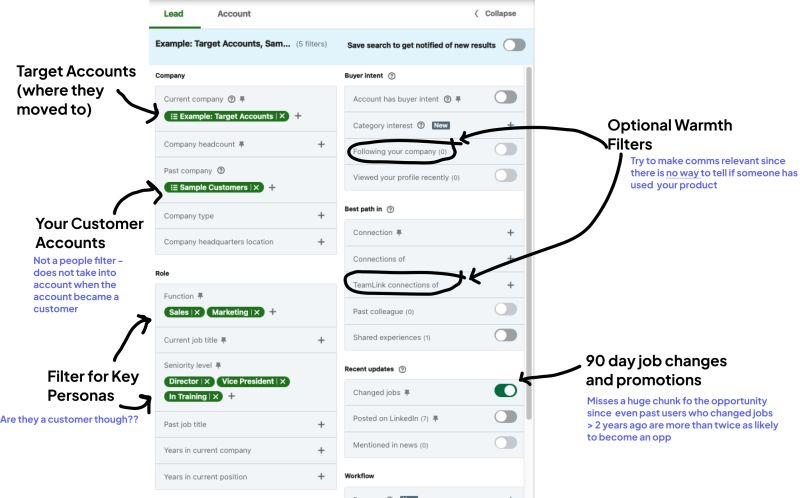
Why Recent Job Changes Matter
Professionals who recently changed roles respond to outreach 3x more than settled employees.
They are actively:
- Building new teams
- Evaluating vendor solutions
- Establishing new processes
- Updating their tech stack
Optimal Timing Window
Research shows the best outreach window is 60-90 days after a job change.
Here's why:
- 0-30 days: Too overwhelmed, won't respond
- 60-90 days: Settled in, evaluating solutions
- 6+ months: Already selected vendors
Technique #4: Prioritize Second-Degree Connections
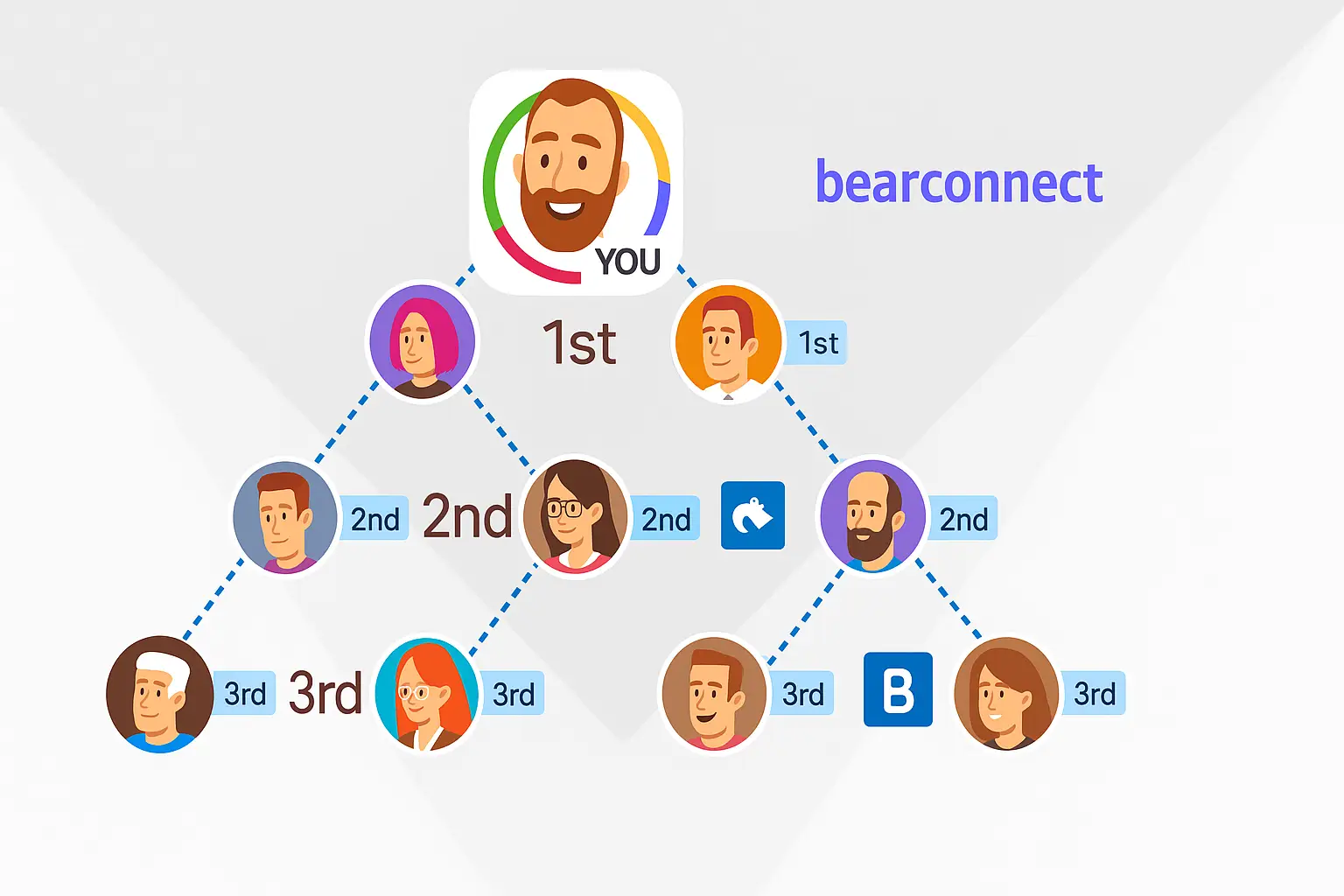
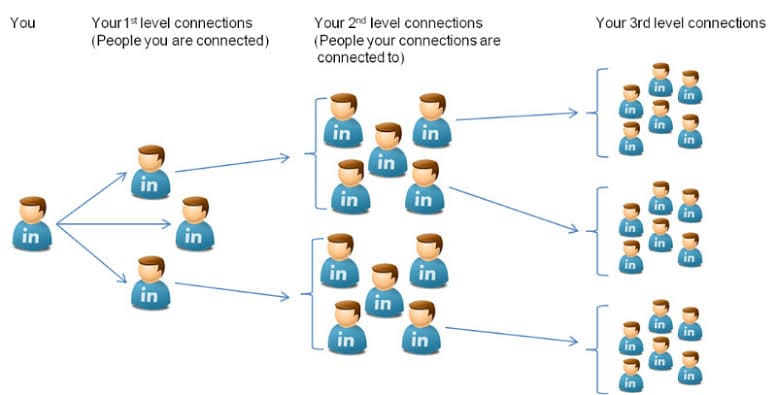
The Connection Degree Hierarchy
Not all LinkedIn connections offer equal opportunity.
Here's the acceptance rate breakdown by connection degree:
- 1st-degree: Already connected (100%)
- 2nd-degree: 35-45% acceptance rate
- 3rd-degree: 15-25% acceptance rate
Why Second-Degree Connections Win
You share a mutual connection, which provides:
- Social Proof: The mutual connection validates your credibility before you even connect.
- Trust Transfer: People assume if you're connected to someone they know, you're probably legitimate.
- Conversation Starters: Mutual connections give you a natural opening line.
Practical Implementation
Filter Setup:
- In LinkedIn search, select "2nd-degree connections" only.
- This immediately improves your response rates by focusing on warmer prospects.
Message Template:
Hi [Name],

I noticed we're both connected to [Mutual Connection]. I work with [industry] professionals on [specific value proposition].

Would you be open to connecting?

Best,
[Your Name]
Managing High-Volume Second-Degree Outreach
- When reaching out to hundreds of 2nd-degree connections, automation with a unified inbox maintains personalization through dynamic fields while handling volume.
- This lets you focus energy on conversations rather than repetitive messaging tasks.
Technique #5: Search by Skills, Not Just Job Titles
The Job Title Chaos Problem
Job titles vary dramatically across organizations:
- Company A: "Customer Success Manager"
- Company B: "Client Success Lead"
- Company C: "Account Manager"
- Company D: "Customer Experience Specialist"
All describing essentially identical roles.
The Skills-Based Solution
Search by skills listed in profiles instead of relying on job titles.
This captures qualified prospects regardless of their official title.
Execution Strategy
Step 1: Identify Core Skills
List 5-7 skills your ideal prospect possesses.
Step 2: Build Boolean Skill String
Combine skills with OR operators:
"Salesforce" OR "HubSpot" OR "CRM management" OR "Sales automation"
Step 3: Add Industry Context
Combine skill searches with industry or title for precision:
("Salesforce" OR "HubSpot") AND Healthcare AND "Sales"
Profile Optimization Insight
Profiles with 5+ listed skills appear 27x more frequently in recruiter searches.
If you are building your own LinkedIn presence, list 10-15 relevant skills to maximize discoverability.
Systematic Skills Targeting
Once you identify skill combinations indicating ideal prospects, automation can systematically connect with new profiles matching these criteria.
Technique #6: Filter by Company Size and Growth Signals
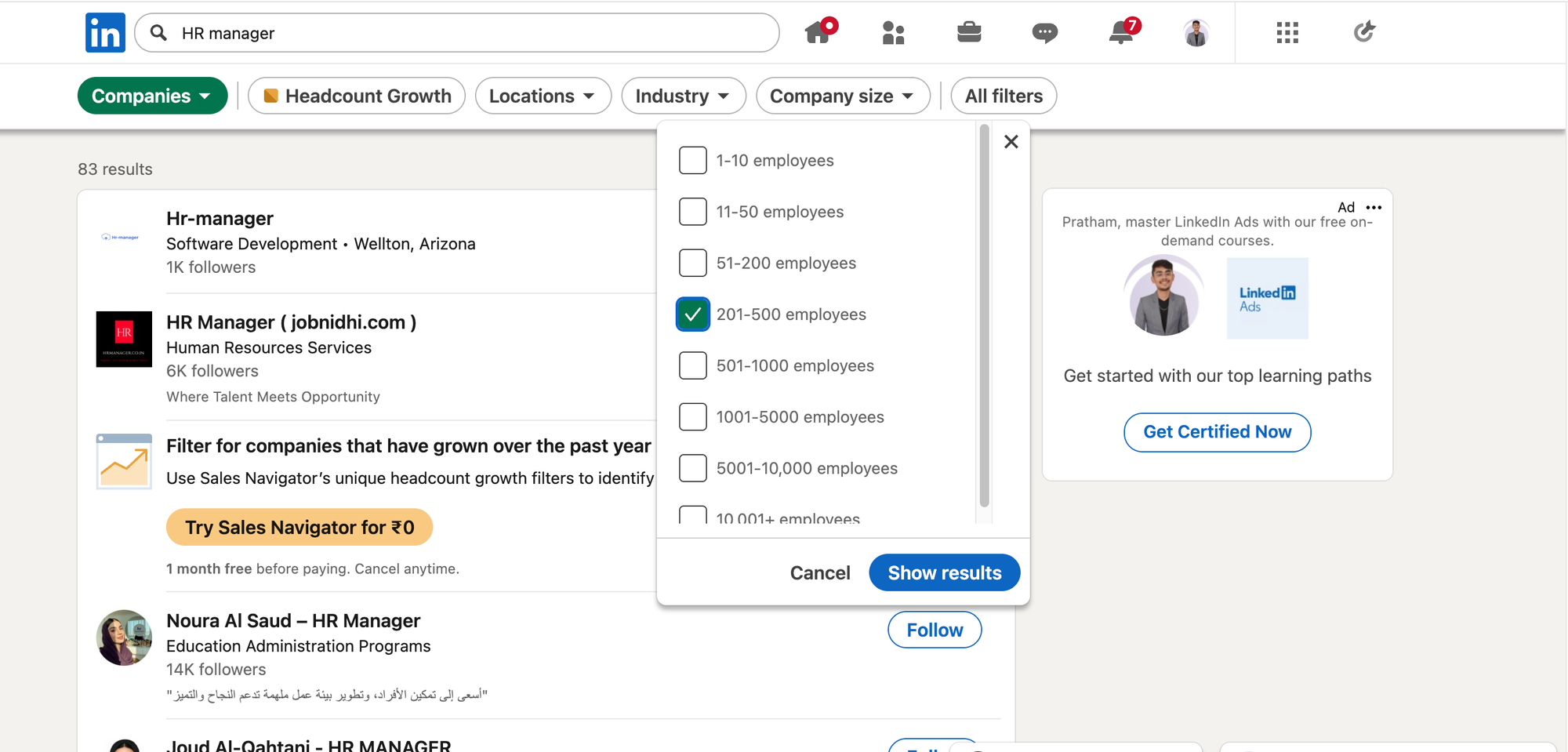
Why Company Size Determines Everything
Company size impacts:
- Decision-making speed
- Budget authority levels
- Sales cycle length
- Number of stakeholders involved
Company Size Strategy Guide
1-10 Employees (Startups)
- Founders make all buying decisions
- Need affordable, quick-implementation solutions
- Shortest sales cycles
- Budget-conscious
11-50 Employees (Small Teams)
- Departmental budgets emerging
- 1-2 decision-makers typically
- Value speed and simplicity
- Growing but still lean
51-200 Employees (Mid-Market)
- Established departmental budgets
- 2-3 stakeholders in buying decisions
- Want proven solutions with support
- Balancing growth with structure
201-500 Employees (Growth Stage)
- Multiple departments with budgets
- Formal procurement processes
- Need scalability and integrations
- 3-5 stakeholders typical
500+ Employees (Enterprise)
- Complex buying committees
- Long sales cycles (3-12 months)
- Require compliance certifications
- Need extensive integration capabilities
Company Growth Indicators
Sales Navigator reveals company health signals:
- Hiring on LinkedIn: Actively recruiting means active budgets
- Posted Jobs Recently: Growth mode with spending capacity
- Headcount Growth: 10%+ quarterly growth indicates expansion
Technique #7: Warm Up Prospects Before Connecting
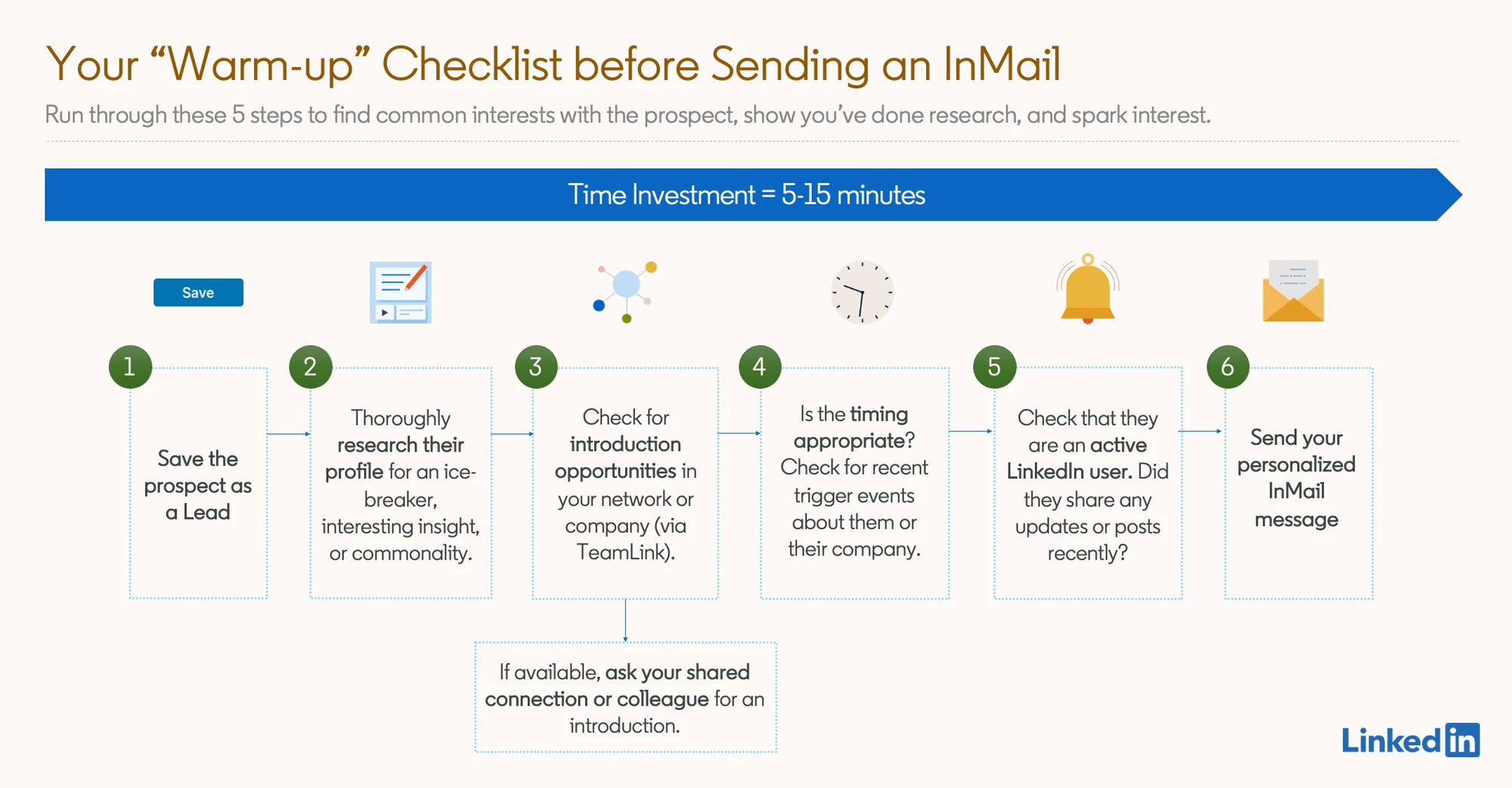
The Cold Connection Problem
- Sending connection requests to strangers yields 15-25% acceptance rates.
- Top recruiters don't send cold connections. They warm up prospects systematically.
The Proven 3-Touch Engagement Method
Touch 1: View Their Profile (Day 1)
- Simply visit their profile.
- They receive a notification: "[Your Name] viewed your profile."
- This creates initial awareness. Takes 5 seconds.
Touch 2: Engage with Their Content (Day 3)
- Like or comment thoughtfully on one of their recent posts.
- Shows genuine interest beyond just wanting something.
- Creates familiarity through positive interaction.
Touch 3: Send Personalized Connection (Day 5)
Reference their content in your connection message.
Example:
Hi [Name],

Your recent post about [topic] really resonated with me, especially [specific point].

I work with [industry] professionals on [value]. Would love to connect.
The Familiarity Effect
This approach increases acceptance rates by 40%.
Why? People accept connections from profiles they recognize, even if they haven't met you personally.
Weekly Implementation Workflow
- Monday: Identify 20-30 high-value targets
- Tuesday-Thursday: Spend 15-20 minutes daily engaging with their content
- Friday: Send personalized connection requests
Balancing Scale and Authenticity
While initial engagement should remain authentic, tools like Bearconnect can manage connection request follow-up sequences once rapport is established.
This ensures consistent follow-up without losing personal touch.
Technique #8: Create Reusable Search Templates
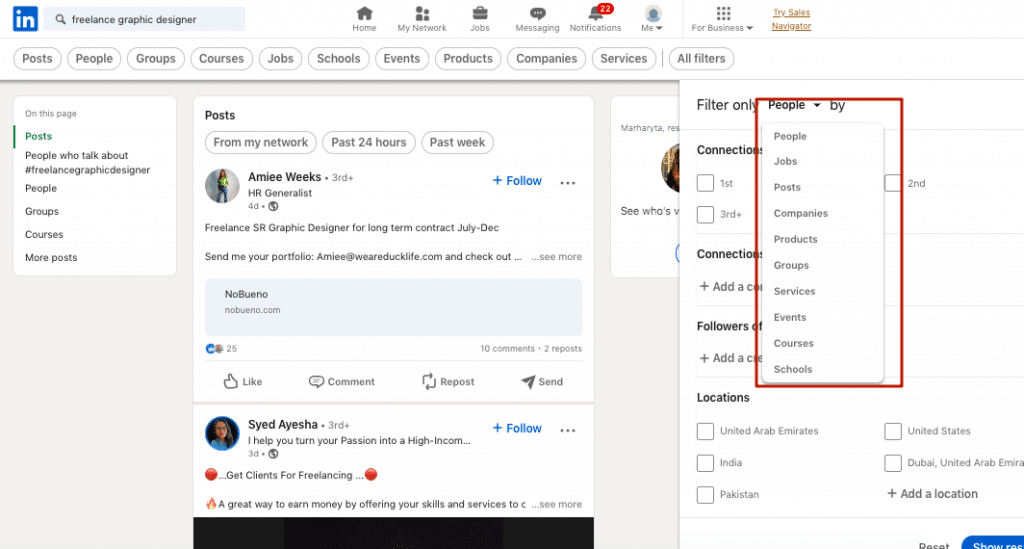
The Power of Saved Searches
Top recruiters don't rebuild searches daily. They create templates once and reuse them systematically.
Essential Search Templates to Create
Template 1: Ideal Customer Profile (ICP)
Your primary target audience search.
Run weekly to find new matches.
Template 2: Competitor Employee Search
Professionals at competitor companies.
Understand their challenges and pain points.
Template 3: Industry-Specific Role Search
Niche roles within your target vertical.
Specialized targeting for focused campaigns.
Template 4: Geographic Territory Search
Location-based campaign targeting.
Organize by sales territories or regions.
Account Type Limits
Free LinkedIn: 3-5 saved searches maximum
Sales Navigator: Unlimited saved searches with automatic alerts
The Monday Morning Routine
Successful recruiters follow this weekly workflow:
9:00 AM: Run all saved searches
9:15 AM: Review new matches from the past week
9:30 AM: Export or tag highest-priority prospects
9:45 AM: Execute batch outreach
This systematic approach ensures consistent pipeline flow.
Automated Search Monitoring
Export saved search URLs into automation platforms like Bearconnect to continuously monitor for new matches without manual checking.
Your searches run 24/7 with real-time analytics tracking performance in the background.
Technique #9: Leverage LinkedIn Engagement Signals
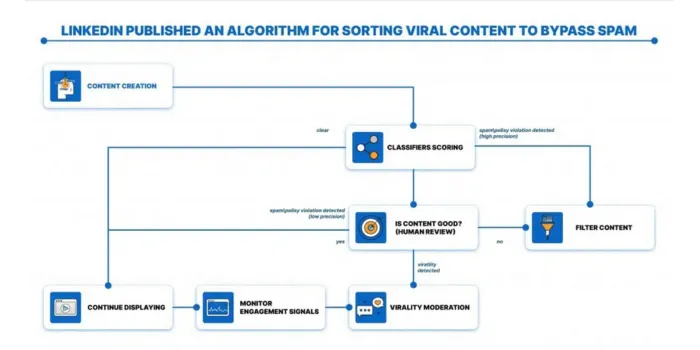
Beyond "Open to Work" Banners
Smart recruiters look for subtle engagement signals that indicate receptiveness.
Key Engagement Signals to Target
For Job Seekers:
- "Open to Work" banner (obvious signal)
- "Open to opportunities" mentioned in About section
- Recently updated entire profile
- Increased posting frequency
- Engaging with job-related content
For Business Development Prospects:
- Recently joined new company (building vendor stack in first 90 days)
- "Open to partnerships" or "Open to collaborations" mentioned
- Shared or engaged with industry problem content (indicates pain points)
- Asked questions in LinkedIn posts (seeking solutions)
- Commented on competitor posts
Why Signals Predict Response Rates
Active LinkedIn users respond 3x more than occasional users.
Someone posting daily is more likely to see and respond to connection requests than someone logging in monthly.
Managing Multi-Signal Campaigns
Bearconnect's unified inbox consolidates responses from multiple campaigns targeting different signals, ensuring no warm lead falls through the cracks.
This is crucial when running 5-10 simultaneous campaigns.
Avoid common automation myths that hurt conversions when running multi-signal campaigns.
Your Complete LinkedIn Search Workflow
The 7‑Step System
Step 1: Define your Ideal Customer Profile (ICP)
Write down the basics of your best-fit lead:
- Job titles and role variations
- Industry and sub‑industries
- Company size range
- Regions or countries
Step 2: Build your Boolean search string
Create one clear string that includes:
- 3–5 core criteria
- OR operators for title or skill variations
- AND operators for must‑have conditions
- NOT operators to exclude bad fits
Step 3: Apply smart filters
Start lean with 2–3 filters only:
- Connection degree (start with 2nd)
- Location
- Industry or company size
Step 4: Check search quality
- Scan the first 20–30 profiles
- Ask: “Would I happily talk to 8 out of 10 of these people?”
- If too broad, tighten Boolean or filters; if too narrow, relax them
Step 5: Save what works
Turn strong searches into reusable assets:
- Save them in LinkedIn or Sales Navigator
- Use them weekly for prospecting
- Set alerts for new matching leads
Step 6: Engage before you pitch
For high‑value prospects:
- View the profile
- Like or comment on a recent post
- Send a short, personalized connection request
For higher-volume outreach, keep messages short and relevant.
Step 7: Track core metrics
Monitor a small set of KPIs:
- Connection acceptance rate
- Reply rate to your first message
- Calls or meetings booked from new connections
Use advanced analytics dashboards to monitor these KPIs automatically.
Conclusion
These 9 LinkedIn search techniques separate top-performing recruiters from everyone else who struggles with basic keyword searches.
The difference? Precision targeting combined with systematic execution.
Once you identify winning formulas, consider how automation platforms scale your success without sacrificing personalization.
Your action step: Choose one technique today. Test it on 20 prospects this week. Track your acceptance rate. Refine and repeat.
Frequently Asked Questions
1. Where to find leads in LinkedIn?
Use LinkedIn's advanced search with Boolean operators to filter by job title, industry, and skills. Target 2nd-degree connections for 35-45% higher acceptance rates. Save high-performing searches and automate monitoring with tools like Bearconnect to continuously find new matches matching your ideal customer profile.
2. How do I find leads on LinkedIn without Sales Navigator?
Use free Boolean operators (AND, OR, NOT) in the search bar combined with filters like location, industry, and company. Create strings like ("Sales Director" OR "VP Sales") AND SaaS NOT recruiter. Apply the 3-touch warm-up method—view profile, engage with content, then connect—for 40% higher acceptance rates.
3. What is the 3 2 1 rule on LinkedIn?
The 3-2-1 content rule means posting 3 industry-relevant posts, 2 soft-promotional, and 1 direct promotional per week. For lead generation, use the 3-touch engagement method: Day 1 view their profile, Day 3 engage with their content, Day 5 send a personalized connection request for 40% better results.
4. How to quickly get 500+ connections on LinkedIn?
Target 2nd-degree connections, use Boolean searches to find your ideal prospects, implement the 3-touch warm-up method, and automate follow-ups with Bearconnect. Send 20-30 personalized requests weekly focusing on warm prospects. You can reach 500+ quality connections in 60-90 days with consistent, systematic outreach.
5. What is the 4 1 1 rule on LinkedIn?
The 4-1-1 rule means sharing 4 pieces of others' content, 1 soft-promotional post, and 1 hard promotional post per 6 updates. For outreach, adapt this: send 4 value-driven touches, 1 resource share, and 1 meeting request to balance authenticity with conversion while maintaining engagement.
Ready to Transform Your LinkedIn Strategy?
Join thousands of professionals already using Bearconnect to automate their outreach and grow their network.
7-day free trial • Cancel anytime
Related Articles

How to See More LinkedIn Profile Viewers Without Paying for Premium (Free Methods)
See more LinkedIn profile viewers without Premium using free methods. Learn how to uncover hidden viewers and turn profile visits into leads.
How to Use AI to Write LinkedIn Posts That Actually Get Leads
AI can write LinkedIn posts that generate real B2B leads but only if you use the right strategy. This guide shows how to use AI for LinkedIn content, create high-converting posts, and turn profile views into qualified leads using proven frameworks.

How to Automate Your Agency's LinkedIn Outreach (Without Getting Banned)
Learn how agencies automate LinkedIn outreach safely using smart limits, personalization, and automation tools to scale prospecting without risking account bans.