From 0 to 1000 Leads: LinkedIn Automation Case Study & Strategy
You can generate 1,000 qualified leads on LinkedIn through a systematic 90-day automation strategy that combines targeted outreach, multi-step drip sequences, and consistent content scheduling.
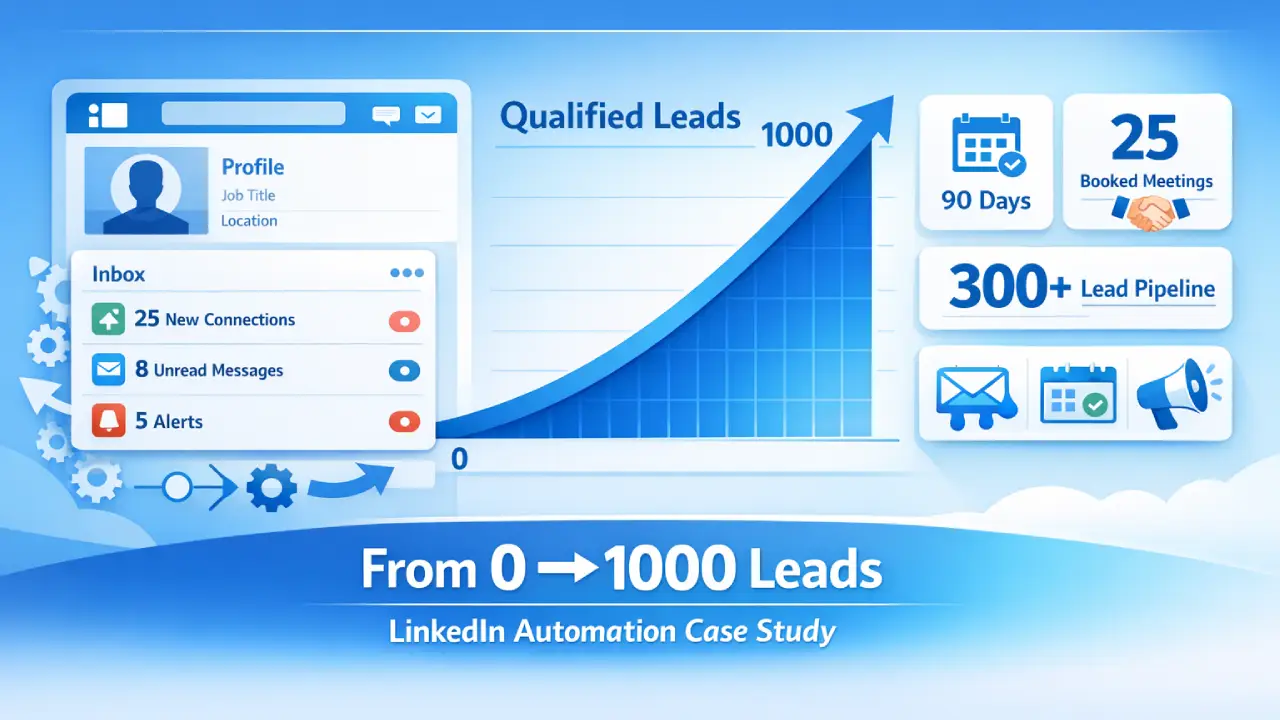
Teams following proven frameworks typically achieve 500-1,000 new connections with 75-150 qualified conversations and 15-30 booked meetings within three months.
TL;DR: How to Generate 1,000 LinkedIn Leads
- Systematic automation delivers 500-1,000 qualified connections in 90 days when done correctly
- Connection acceptance rates of 25-30% are achievable with personalized targeting versus 15% with generic outreach
- Multi-step drip sequences convert 5-15% of connections into qualified leads
- Teams save 10-15 hours weekly while generating 5-10x more connections than manual methods
- Combining outbound automation with consistent content creates an always-on lead generation system
Understanding the 0 to 1,000 Lead Framework
1. What Makes This Different from Random Outreach
Most teams send 20-30 connection requests weekly and wonder why results never materialize. The difference between random activity and predictable lead generation comes down to systematic execution.
A proper framework includes:
- Daily connection targets of 20-25 per day consistently (Bearconnect's safe limit)
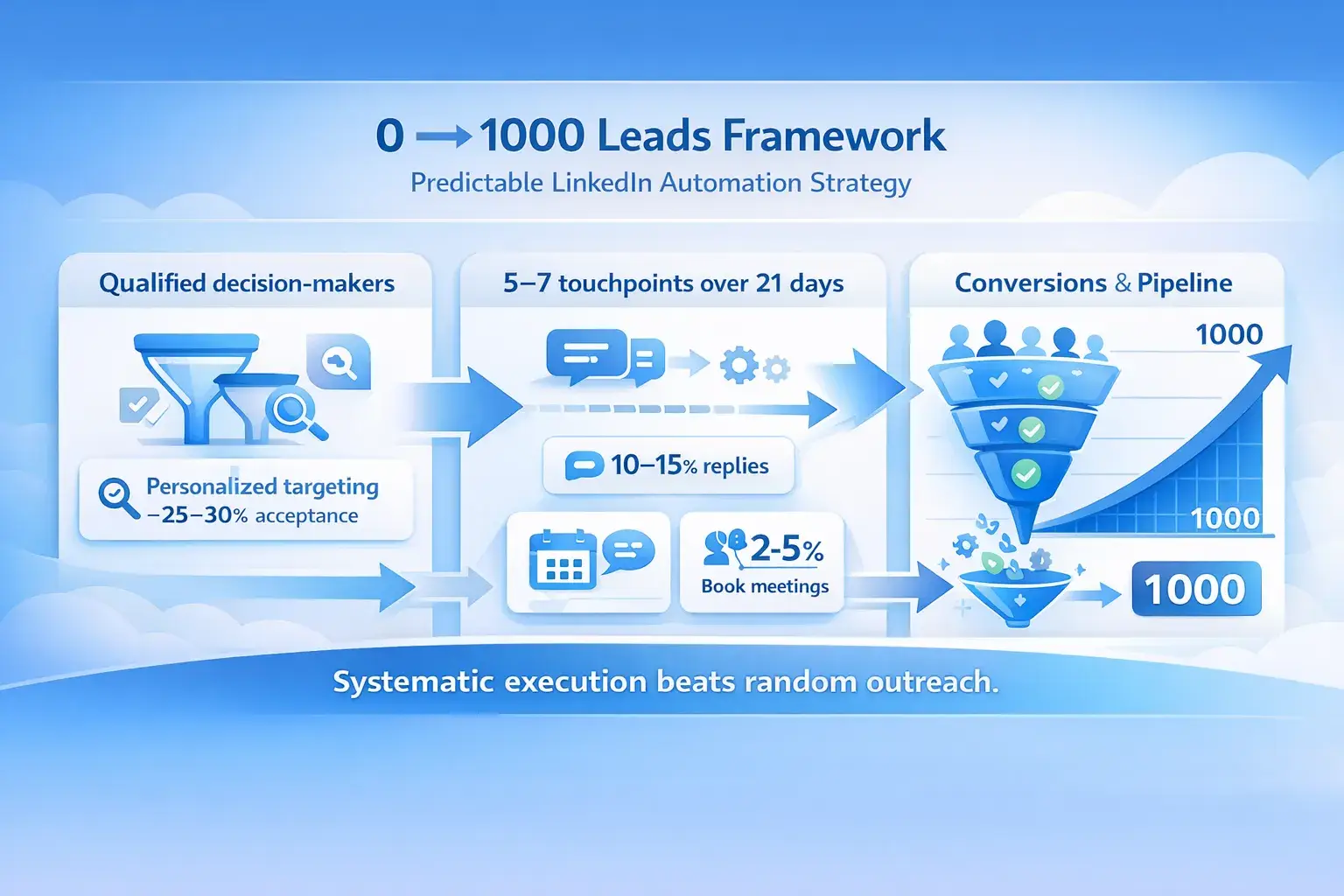
- Multi-touch sequences with 5-7 touchpoints over 21 days
- Targeting filters that identify decision-makers actively seeking solutions
- Content strategy that positions you as an authority before the ask
Random outreach generates noise. Systematic frameworks generate pipeline.
2. The Real Numbers Behind 1,000 Leads
Based on 70,000+ analyzed campaigns, here are realistic conversion benchmarks:
- Connection request acceptance rate: 25-30% with personalization
- Response rate to first message: 10-15%
- Qualified lead conversion: 5-10% of connections
- Meeting booking rate: 2-5% of total connections
To generate 1,000 qualified leads, you need approximately 10,000-15,000 connection requests sent over 90 days.
This translates to 20-25 daily connection requests per LinkedIn account.
To reach higher volumes, you would need multiple LinkedIn accounts managed through Bearconnect's multi-account feature.
Before you start, learn how to set up LinkedIn automation for lead generation step-by-step.
Phase 1: LinkedIn Automation Foundation Setup (Days 1-14)
1. Profile Optimization That Converts
Your LinkedIn profile functions as your landing page. Before automation begins, optimize these elements:
- Headline: State the specific problem you solve, not your job title. "Helping B2B SaaS teams generate 500+ qualified leads monthly" outperforms "Sales Director at Company X".
- About section: Include your methodology, social proof, and clear call-to-action within the first three lines. LinkedIn truncates after 300 characters on mobile.
- Featured section: Showcase case studies, lead magnets, and testimonials. This becomes your social proof engine.
LinkedIn profile optimization is essential before launching any automation.
2. Targeting Strategy That Finds Decision-Makers
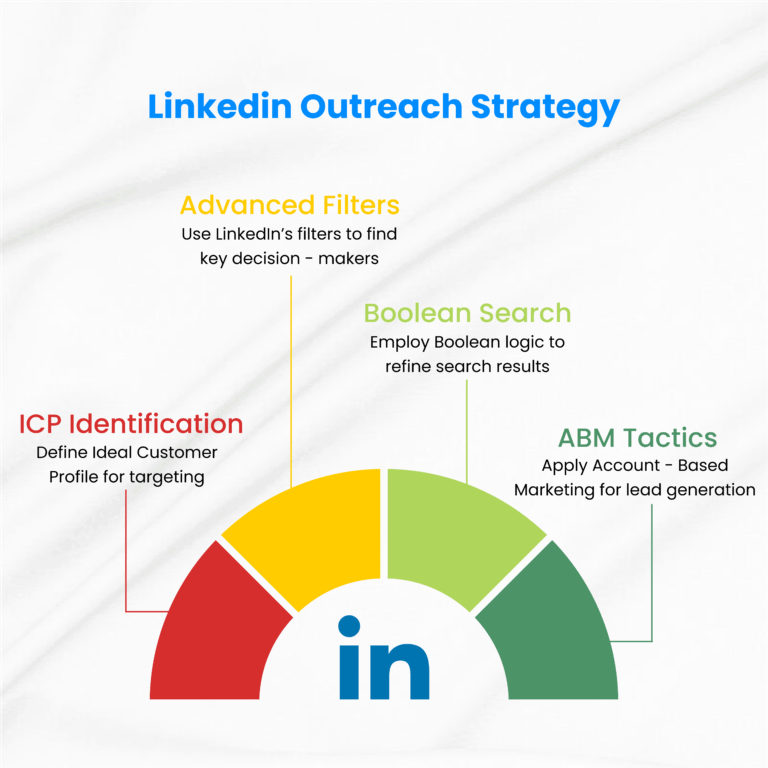
Your targeting determines everything. Poor targeting wastes automation capacity on unqualified prospects.
Build your ideal customer profile filters:
- Job titles (be specific: "VP Sales" not "Sales Professional")
- Company size (employee count matters for budget authority)
- Industry verticals (focus on 2-3 initially)
- Geographic location (time zones affect response timing)
- Recent activity (posted in last 30 days indicates active users)
Use LinkedIn search URLs rather than static CSV uploads. Search URLs continuously refresh as new prospects join LinkedIn or change roles matching your criteria.
Phase 2: Launching Your LinkedIn Automation Campaigns (Days 15-45)
Multi-Step Sequence Design
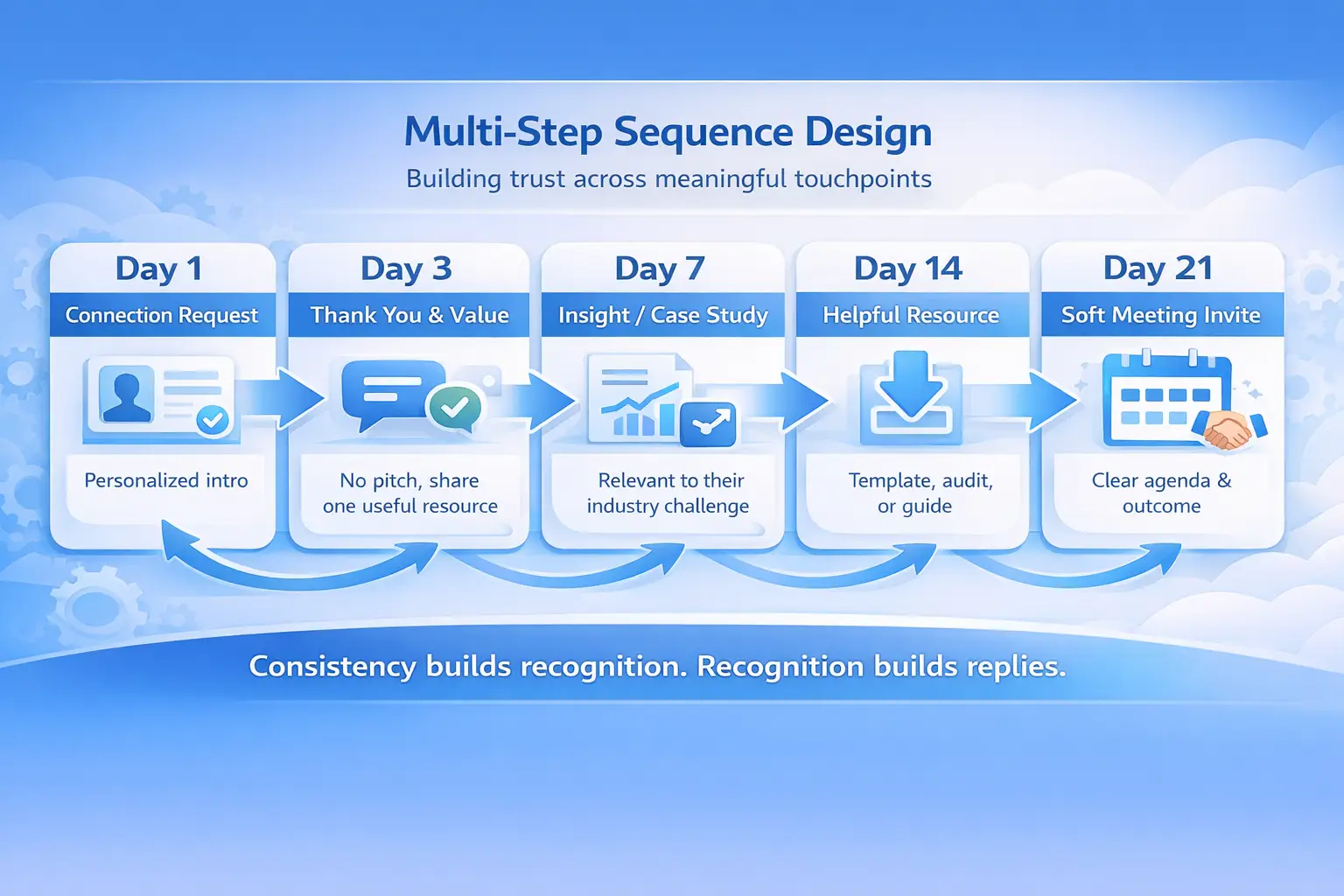
Single-message outreach fails. Repeated, meaningful touchpoints gradually strengthen recognition and credibility.
Your 5-step drip sequence structure:
- Day 1: Connection request with personalized note (reference specific detail from their profile or recent post)
- Day 3: Thank you message acknowledging the connection, share one piece of value (no pitch)
- Day 7: Share relevant case study or insight related to their industry challenge
- Day 14: Offer specific resource (template, audit, guide) aligned with their role
- Day 21: Soft meeting invitation with clear agenda and expected outcome
Need proven templates? Check these LinkedIn message templates for automation that get responses.
Personalization at Scale
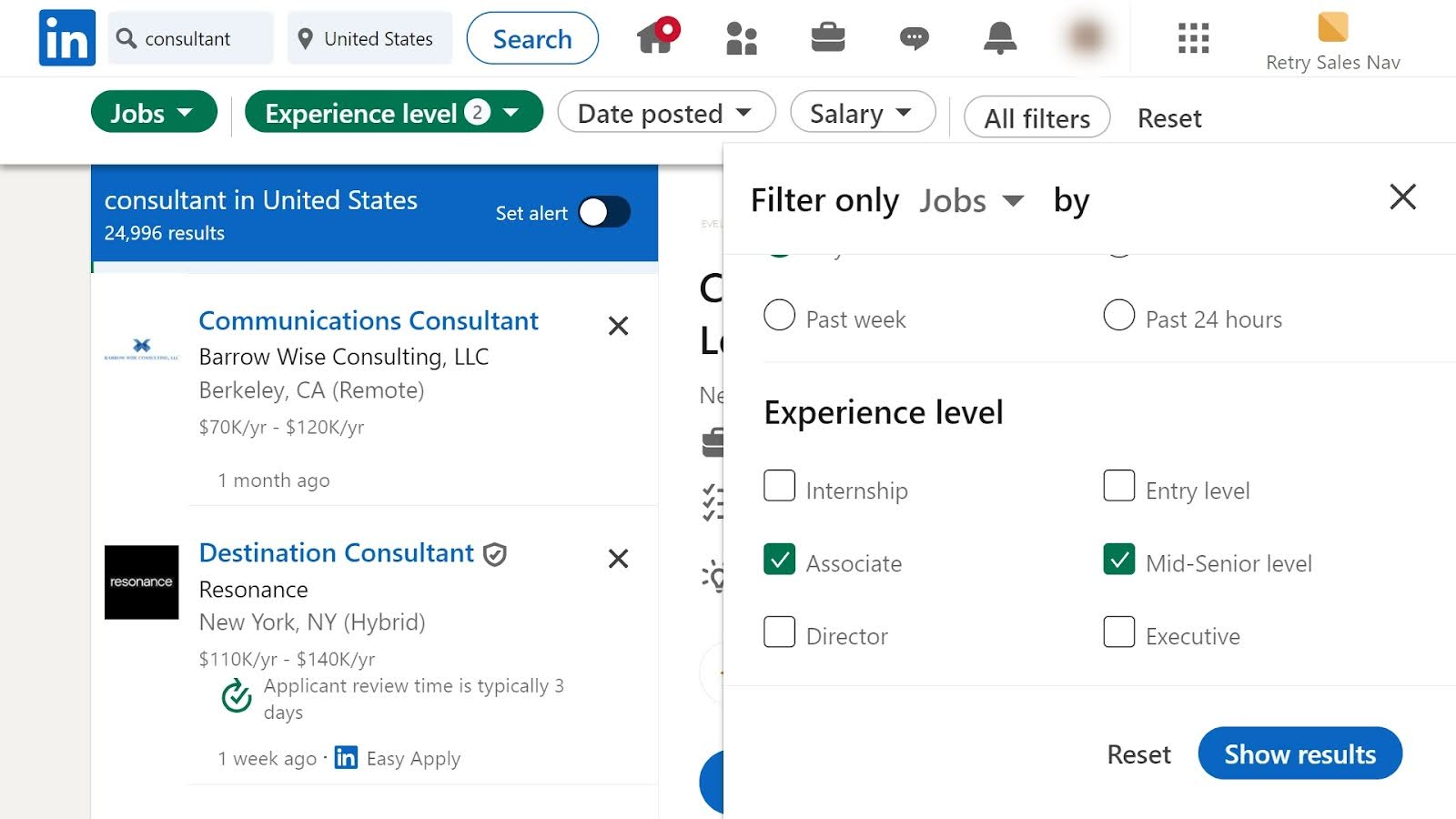
Generic automation gets ignored. Personalization converts.
Use dynamic fields that pull from prospect data:
- First name (obvious but critical)
- Company name
- Job title
- Recent post topic or shared content
- Mutual connections or groups
The goal is "pseudo-personalization" that feels one-to-one while operating at scale. One personalized detail in your connection request can double acceptance rates from 15% to 30%.
Learn more about writing personalized LinkedIn outreach messages that don't feel automated.
Phase 3: Content Strategy That Amplifies LinkedIn Automation
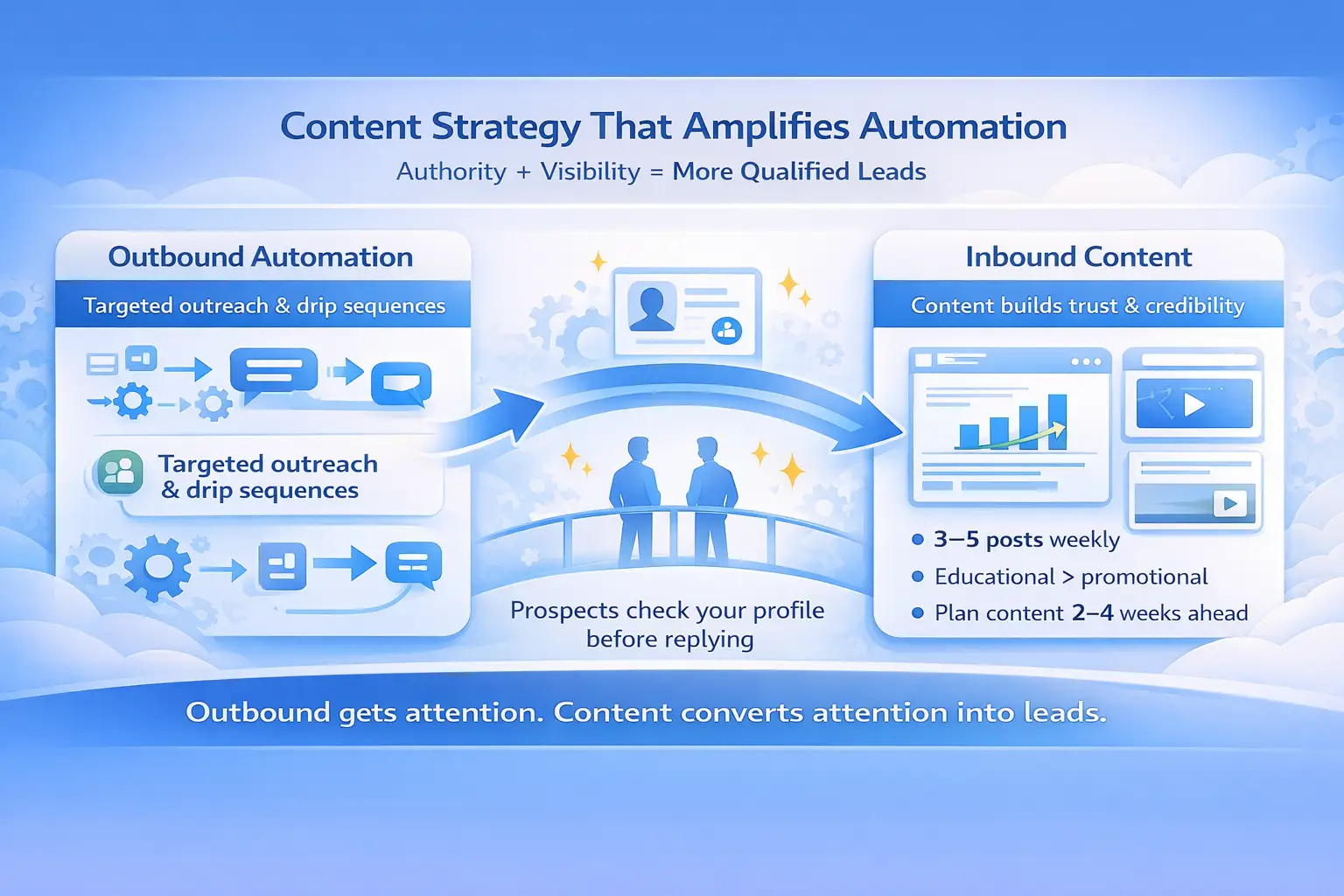
1. Why Outbound Alone Isn't Enough
The most successful lead generation systems combine outbound automation with inbound content attraction.
When prospects see your connection request and visit your profile, consistent valuable content builds immediate credibility.
2. Post frequency that works:
- 3-5 posts weekly minimum for visibility
- Use a balanced content approach that blends written posts, swipeable visuals, and short-form video.
- Focus on actionable insights, not motivational quotes
3. Content topics that generate inbound leads:
- Original frameworks branded to your methodology
- Case studies with specific metrics
- Contrarian takes on industry assumptions
- Step-by-step implementation guides
Schedule content 2-4 weeks in advance to maintain consistency without daily effort.
Discover how to schedule LinkedIn posts without losing engagement.
Phase 4: Optimization Through Analytics (Days 46-90)
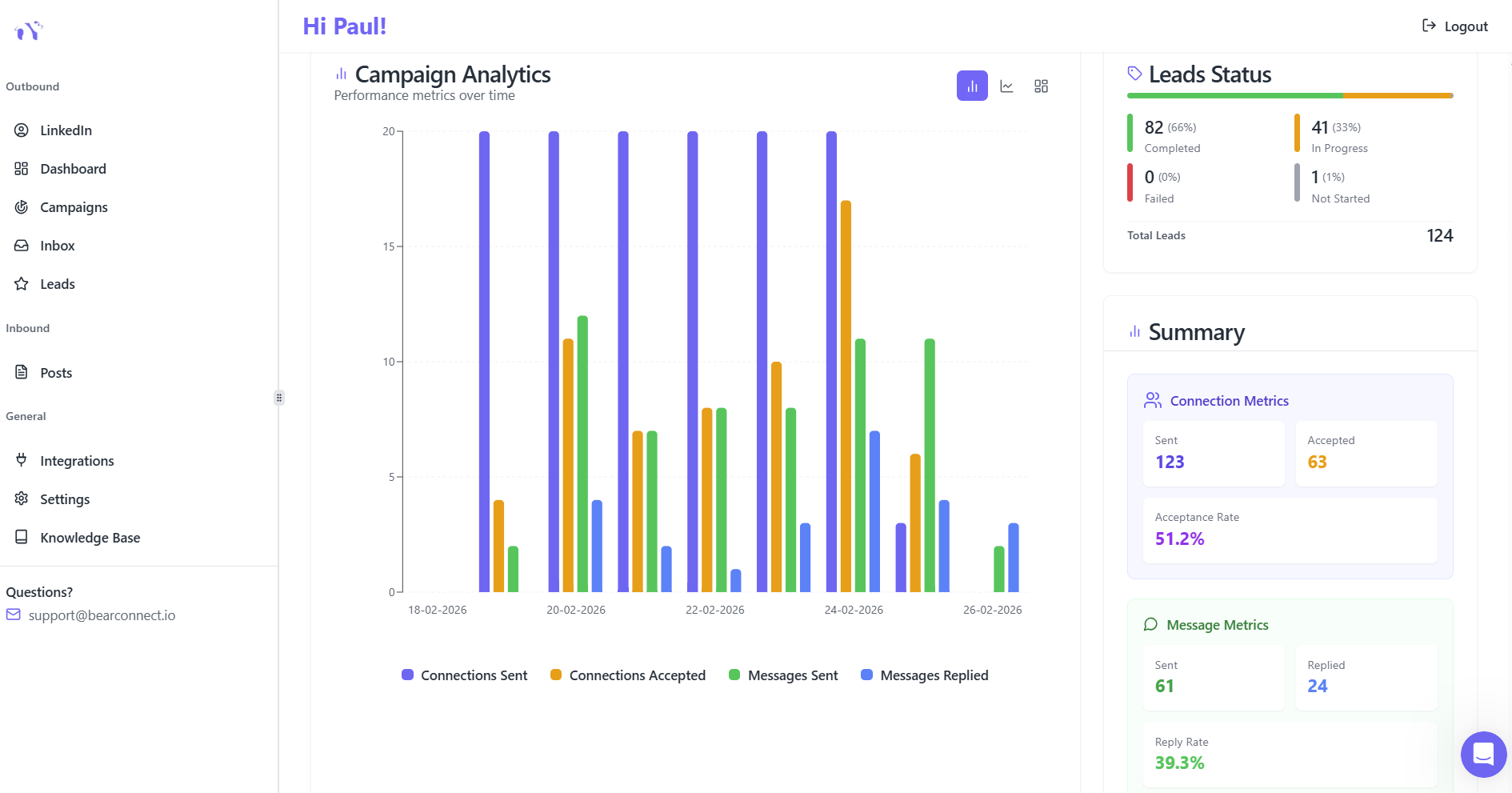
Metrics That Matter
Track these KPIs weekly to identify what's working:
| Metric | Target Benchmark | Action If Below Goal |
|---|---|---|
| Connection acceptance rate | 25%+ | Refine targeting or improve personalization |
| Message reply rate | 10%+ | Test new messaging angles |
| Meeting booking rate | 3-5% | Improve value proposition in sequences |
| Lead quality score | 70%+ qualified | Tighten audience filters |
Quick reference (track weekly):
- Connection acceptance below 20%? → Refine targeting or improve personalization
- Reply rate under 8%? → Test new messaging angles
- Bookings under 3%? → Strengthen value proposition in sequences
- Lead quality below 70%? → Tighten audience filters
If acceptance rates drop below 20%, your targeting is too broad or your personalization is insufficient. If reply rates fall below 8%, your message value proposition needs refinement.
Scaling What Works
After 30 days of data collection, double down on top performers.
Identify your highest-converting:
- Audience segments (job titles, industries, company sizes)
- Message templates (which sequences get most replies)
- Timing patterns (days/times with highest engagement)
Create 2-3 additional campaigns replicating your winner's structure but targeting adjacent segments. This multiplies results without starting from scratch.
Avoiding Account Restrictions
LinkedIn actively monitors automation behavior. Safety requires specific protocols.
Critical safety practices:
- Start slow: Begin with 20-25 daily connection requests for the first two weeks, then gradually increase
- Mimic human behavior: Use random delays between actions (15-45 minutes), operate only during business hours (9 AM-5 PM in your time zone)
- Respect LinkedIn limits: Stay at 20-25 daily connection requests (approximately 100-125 weekly), which is Bearconnect's recommended safe limit.
- Use local IPs: Cloud-based automation with residential IPs reduces detection risk versus datacenter IPs
Modern LinkedIn automation platforms with behavior mimicry and smart throttling report zero account suspensions when used within guidelines.
Learn how to automate LinkedIn messages safely without triggering restrictions.
Tools and Budget Requirements
Platform Selection
Choose automation platforms that offer:
- Unlimited campaigns and sequences
- Multi-account management for scaling
- Advanced analytics and A/B testing
- CRM integrations (HubSpot, Salesforce)
- Cloud-based operation (runs 24/7 without your computer)
Compare LinkedIn automation tools vs Sales Navigator to understand which fits your needs.
For agencies managing multiple clients, unified dashboards let one seat handle 5-10+ accounts simultaneously. Explore Bearconnect's complete feature set including unified inbox and multi-account management.
Real Case Study Results
SaaS Startup: 0 to 10,000 Followers in 60 Days
Industry: AI/SaaS
Starting Point: Zero LinkedIn presence
Timeline: 2 months
Strategy:
- Daily educational content targeting early adopters
- Capitalized on LLM launch momentum for viral reach
- Offered free setup audits as valuable lead magnets
Results:
- 10,000 followers gained from zero
- $20,000 monthly recurring revenue achieved
- High demo-to-customer conversion due to pre-qualified inbound leads
Key Success Factor: Focused content strategy built authority before pitching product.
B2B Founder: $370,000 in 6 Months
Industry: B2B Consulting
Starting Point: Virtually no LinkedIn presence
Timeline: 6 months
Strategy:
- Daily actionable insights and original branded frameworks
- High-quality lead magnets (templates, guides, audits)
- Strategic YouTube content for bottom-of-funnel prospects
Results:
- Grew from zero to 40,000+ followers
- Generated $370,000 in revenue
- Inbound leads arrived pre-qualified and ready to buy
- Time investment: 1-2 hours daily for content creation
Key Success Factor: Systematic execution following proven framework without deviation.
FAQ: Your Top Questions Answered
1. When can you expect measurable outcomes from LinkedIn automation?
Most teams see initial conversations within 7-10 days and booked meetings within 21-30 days of launching campaigns. Predictable pipeline flow typically establishes by day 60-90 with consistent execution.
2. Is LinkedIn automation safe in 2025?
Yes, when following proper protocols. Modern platforms using local IPs, behavior mimicry, and smart throttling report zero account suspensions. Start with conservative daily limits (20-25 connections) and gradually scale while respecting LinkedIn's usage guidelines.
3. What response rates should I expect?
Industry benchmarks show 25-30% connection acceptance rates with personalization, 10-15% message reply rates, and 3-5% meeting booking rates. Rates improve significantly when combining outbound automation with consistent content strategy.
4. Is it possible to handle multiple LinkedIn profiles using a single platform?
Professional automation platforms allow unlimited LinkedIn account connections on one subscription. Agencies commonly manage 5-10+ client accounts from a unified dashboard, multiplying ROI while maintaining centralized oversight.
5. What level of time efficiency does LinkedIn automation provide?
Teams report reclaiming 10-15 hours weekly previously spent on manual connection requests, message follow-ups, and content posting. This allows sales professionals to focus on high-value activities like calls and closing deals rather than repetitive outreach tasks.
Your Next Steps
Most teams fail because they overcomplicate the process. Here's your week-one execution checklist:
Day 1-2: Foundation
- Rewrite your LinkedIn headline to state the problem you solve
- Add one case study to your Featured section
- Build your first audience filter (job title + company size + industry)
Day 3-4: Campaign Setup
- Write your 5-message sequence (use the framework above)
- Start with 20 daily connection requests
- Schedule 3 posts for next week
Day 5-7: Launch and Monitor
- Turn on your first campaign
- Track acceptance rates daily (target: 25%+)
- Respond to every reply within 2 hours
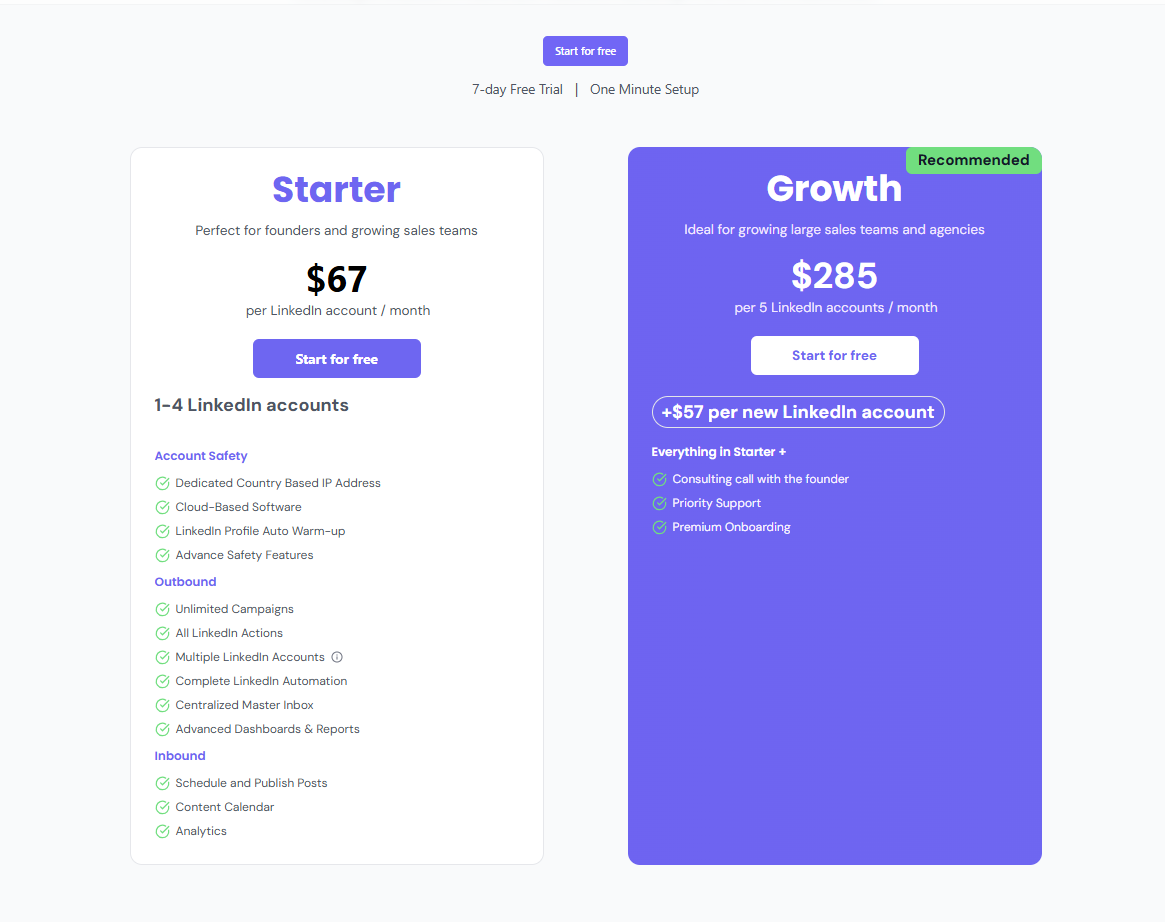
One tool recommendation: Bearconnect handles campaigns, content scheduling, and analytics in one platform at $67/month per LinkedIn account. Most users book their first meetings within 21 days.
The teams generating 1,000+ leads aren't doing anything magical. They're just executing this framework consistently for 90 days. No perfection required. Just daily action.
Start today. Your first qualified conversation is 7-10 days away.
Ready to Transform Your LinkedIn Strategy?
Join thousands of professionals already using Bearconnect to automate their outreach and grow their network.
7-day free trial • Cancel anytime
Related Articles
How to Get AI to Write LinkedIn Posts in Your Own Voice (Not a Generic One)
Struggling with robotic AI content? Learn how to train AI to write LinkedIn posts in your unique voice. Create authentic, engaging content that actually converts.
How Do You Automate LinkedIn Posts with AI Content Creation and Smart Scheduling?
Learn how to automate LinkedIn posts using AI content creation and smart scheduling to publish consistently, save time, and grow engagement without manual effort.

How to Create a Great LinkedIn Profile in 2026: A Step-by-Step Guide
Create a high-performing LinkedIn profile in 2026 with a step-by-step approach covering headline optimization, profile SEO, content signals, and visibility best practices for professionals.