How SaaS Founders Generate 50+ Qualified Leads Monthly with LinkedIn Automation
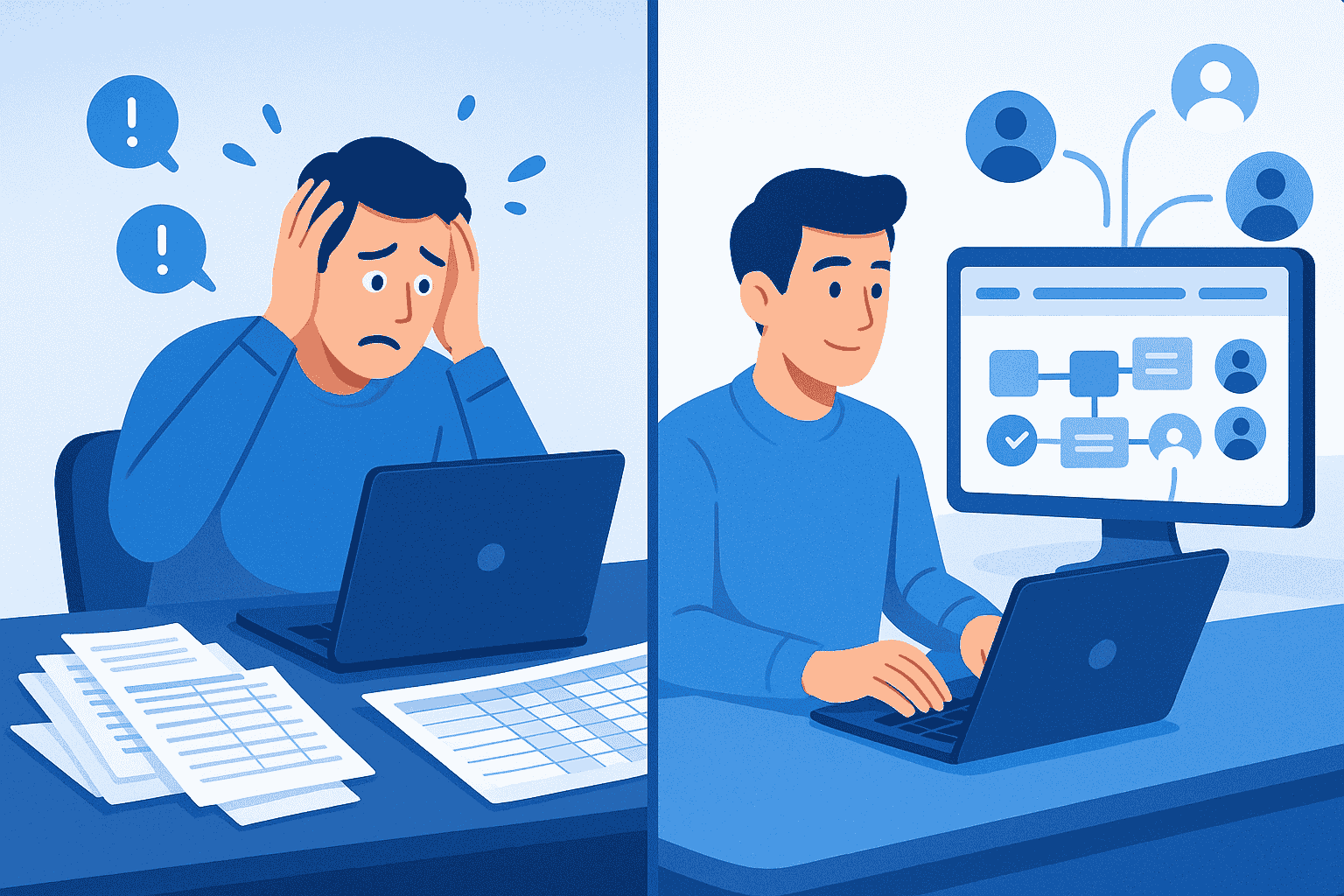
LinkedIn is where your next 50 customers are waiting.
But In this Automation era if you are manually sending connection requests and crafting individual messages, you are losing to competitors who automated this process months ago.
The reality? 89% of B2B marketers now use LinkedIn for lead generation, and the ones seeing consistent results have moved beyond manual outreach.
This guide shows you exactly how SaaS founders scale from 5 scattered leads to 50+ qualified conversations monthly without hiring additional sales staff.
Why SaaS Founders Are Turning to LinkedIn Automation?
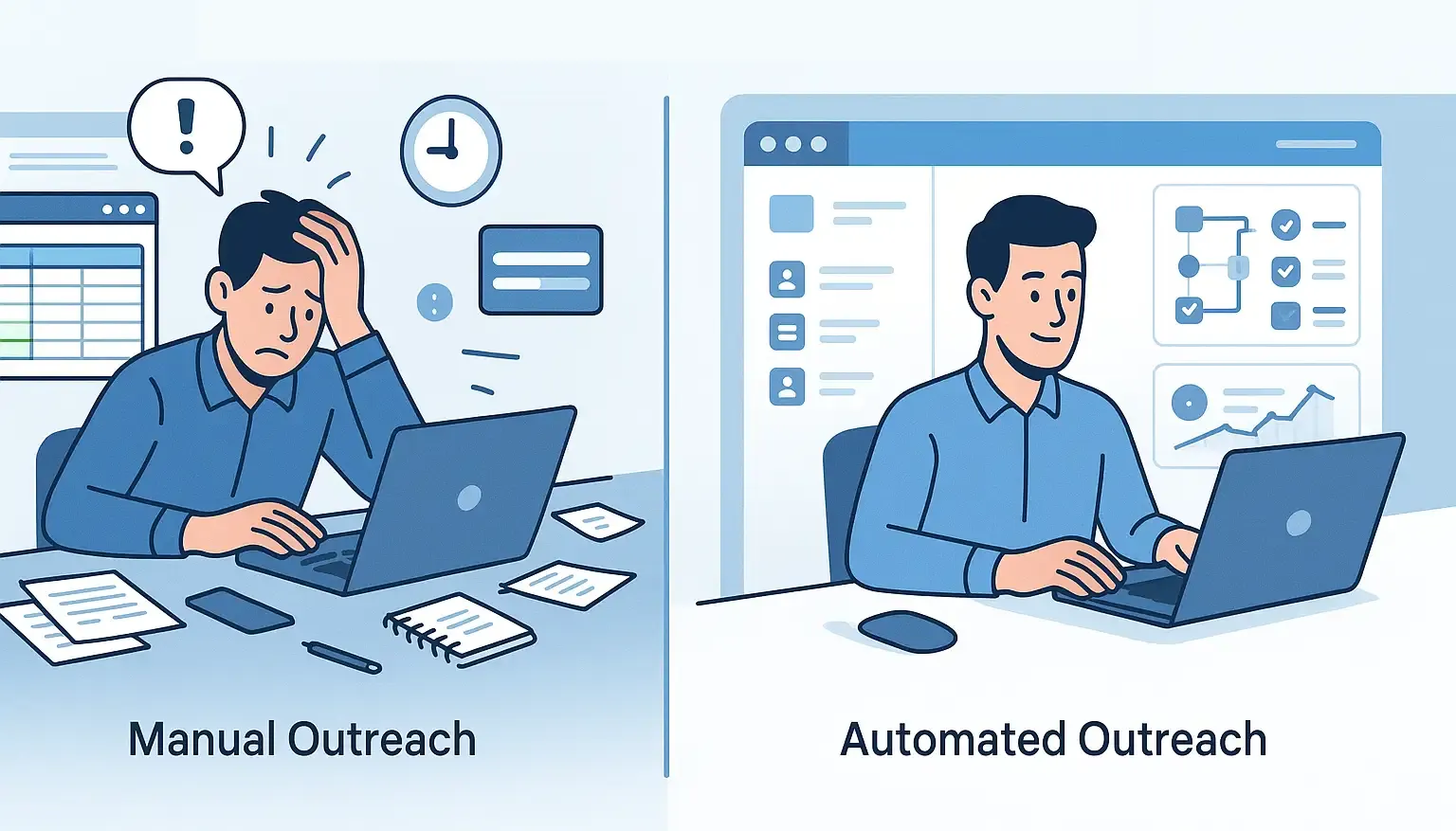
Manual LinkedIn outreach doesn't scale. You already know this from experience.
Every personalized connection request takes 15-20 minutes when done properly.
Researching prospects, crafting messages, following up, and managing conversations consumes 20+ hours weekly for just 50 prospects. As a SaaS founder, that's time you don't have.
Here's what changed: **LinkedIn is now 277% more effective for lead generation than Facebook and Twitter combined**.
Your target customers are active on the platform, but reaching them manually means choosing between product development and sales outreach.
The 7-Step Framework to Generate 50+ Monthly Leads
This framework comes from analyzing successful SaaS founders using LinkedIn automation platform. Here's the exact process that works.
Step 1: Define Your Ideal Customer Profile with Precision
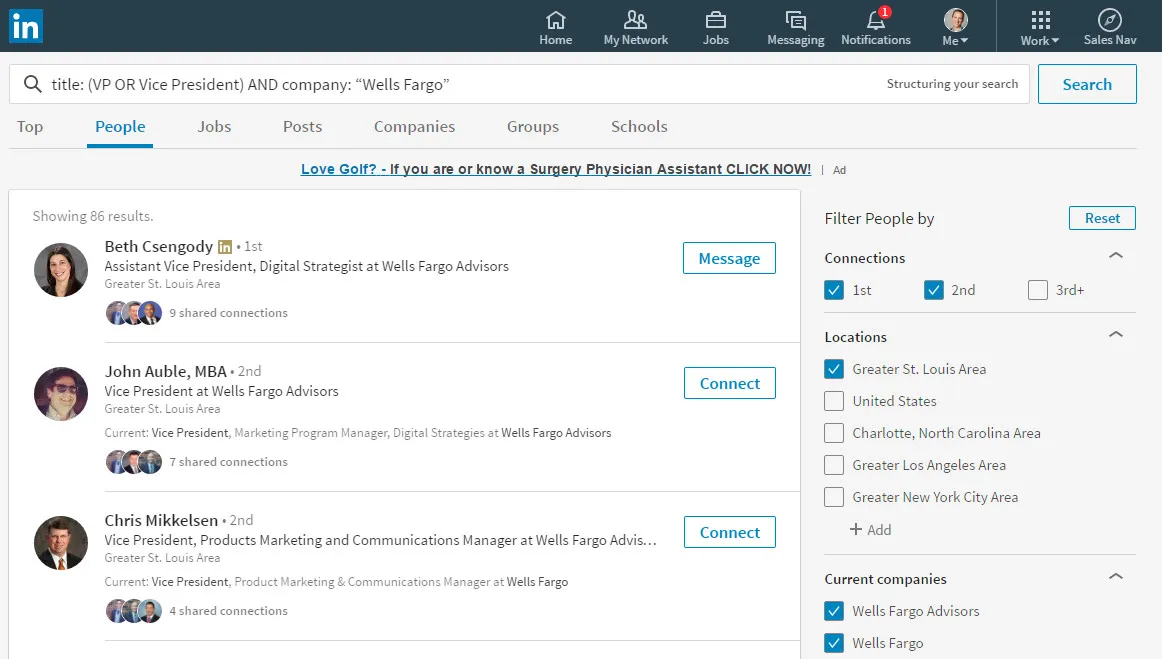
Vague targeting kills automation campaigns before they start.
Instead of "marketing managers at tech companies," get specific. Your ideal profile should include:
- Job titles: VP Marketing, Growth Lead, Marketing Director at Series A-C SaaS companies
- Company size: 20-200 employees in your target vertical
- Geographic focus: North America, UK, or specific cities where your solution fits
- Buying signals: Recently posted about pain points your product solves
Narrow targeting increases connection acceptance rates from 15% (generic) to 40-60% (precise).
Bearconnect's advanced audience targeting lets you filter by all these criteria simultaneously, ensuring every connection request reaches decision-makers who actually need your solution.
Step 2: Optimize Your LinkedIn Profile Before Automating
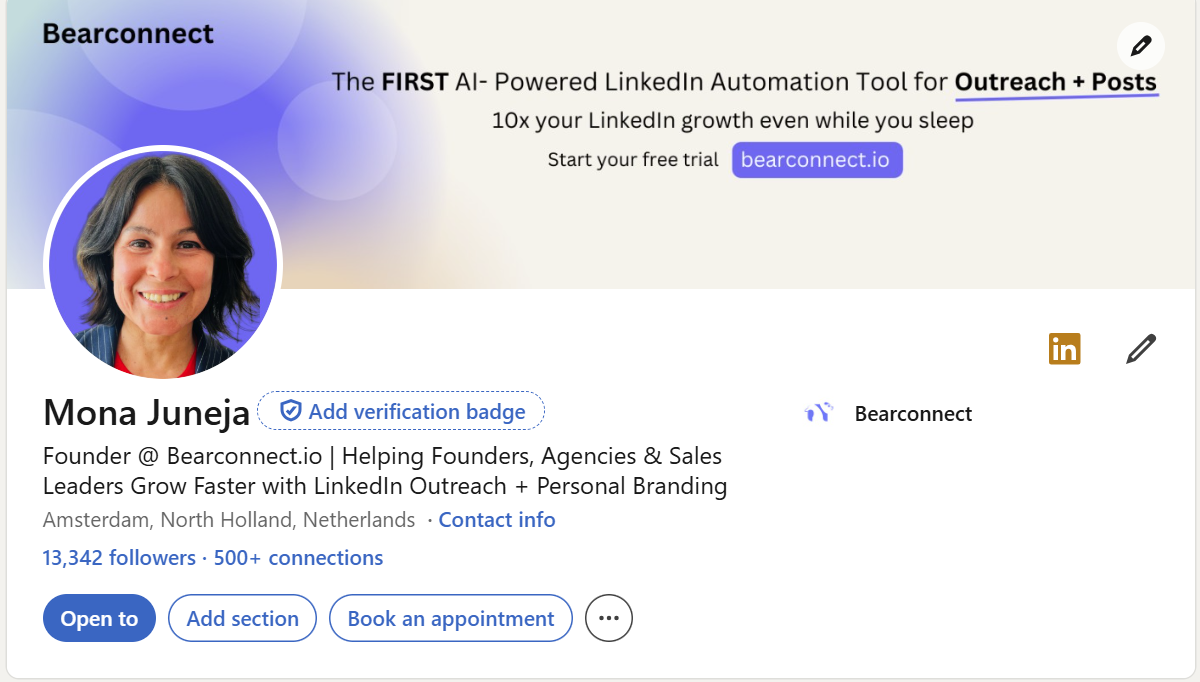
Your profile conversion rate determines everything. Automation multiplies whatever conversion rate you currently have.
If your unoptimized profile converts at 15%, automation gives you scaled 15% conversions. But an optimized profile converting at 45% means automation delivers scaled 45% results.
Critical profile elements that impact conversion:
- Professional headline: State the specific problem you solve, not just your title
- About section: Lead with customer results, not company history
- Featured content: Case studies, testimonials, and proof of concept
- Recommendations: Social proof from current customers in similar roles
Spend 2-3 hours optimizing your profile before launching any automation. This single step often doubles your results without changing your outreach strategy.
Need a complete optimization checklist? Read our guide to LinkedIn profile optimization before automation.
Step 3: Craft Connection Requests That Feel Human
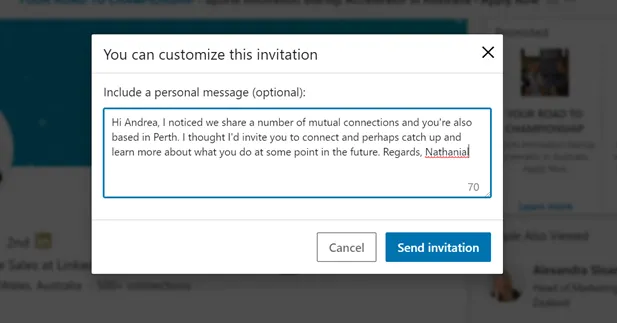
Generic connection requests get ignored. Personalized ones get accepted.
The difference isn't as complicated as you think. Avoid these common mistakes:
- "I help companies like yours grow revenue"
- Long sales pitches in connection notes
Instead, use this proven framework:
Reference something specific (recent post, shared connection, company news) + brief relevance statement + soft ask. Keep it under 200 characters.
Example: "Noticed your post on customer acquisition costs. We work with Series A SaaS founders on similar challenges. Worth connecting?"
Step 4: Build Multi-Step Follow-Up Sequences That Convert
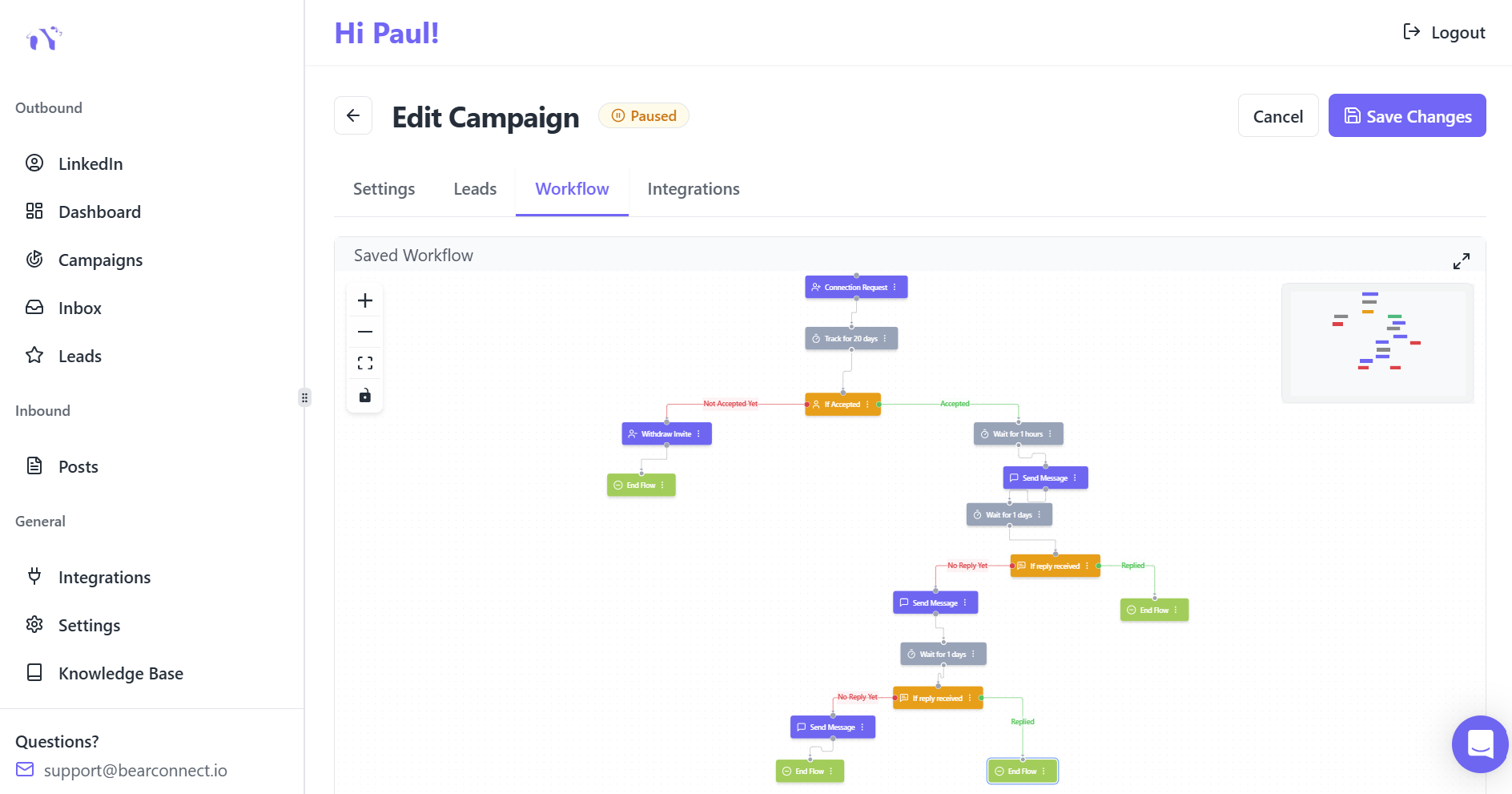
One message rarely converts prospects into meetings. You need systematic nurturing.
The proven sequence structure:
- Day 1: Send personalized connection request
- Day 3: Thank them for connecting, share valuable resource (no pitch)
- Day 7: Ask a relevant question about their current approach
- Day 14: Share a quick case study or customer win
- Day 21: Direct meeting request with clear value proposition
This timeline feels natural, not aggressive. Bearconnect's drip sequence builder automates this entire flow while tracking which steps generate the highest response rates.
Critical success metric: Aim for 15-25% response rates to initial messages. If you're below 10%, your messaging needs refinement before scaling.
Step 5: Manage Conversations in a Unified Inbox
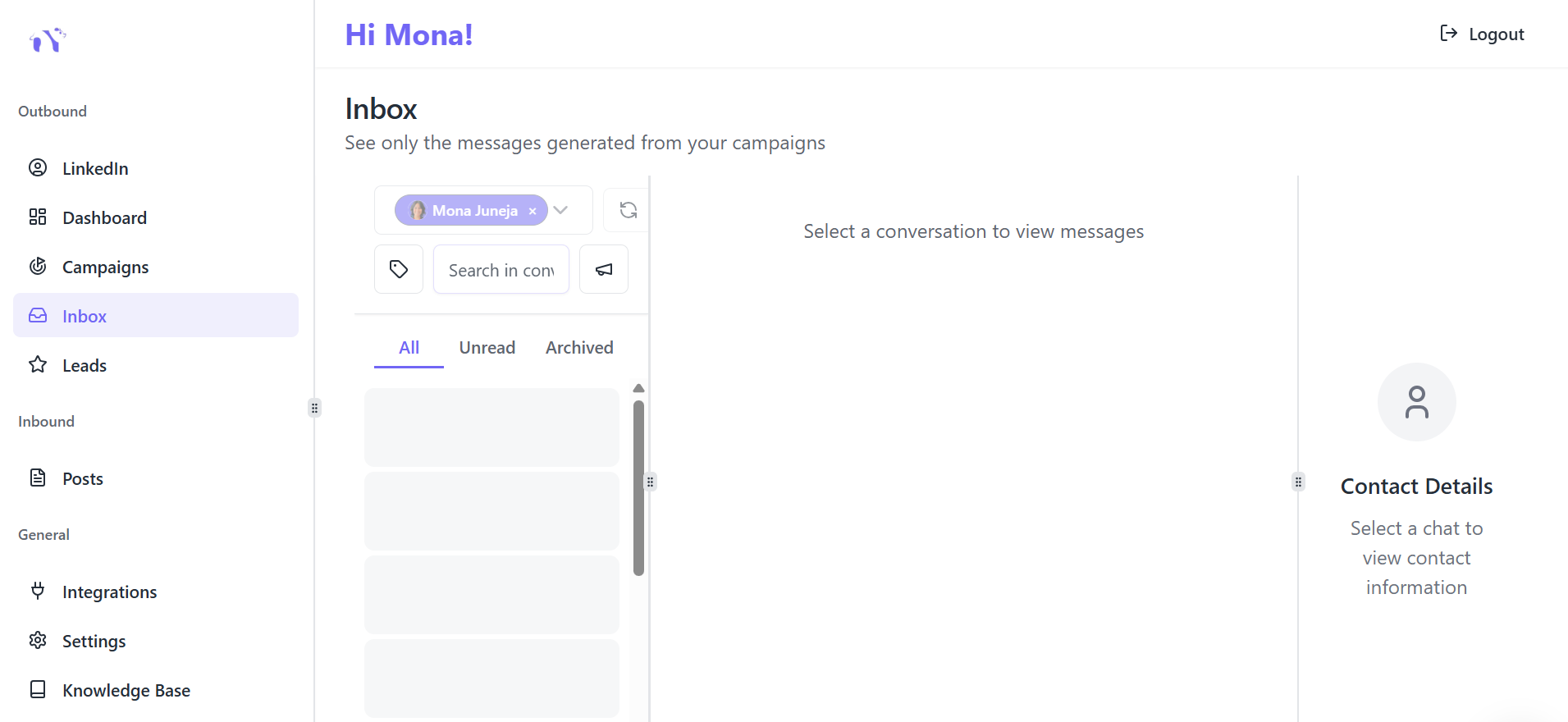
Here's where most founders lose leads. You're managing conversations across multiple LinkedIn tabs, missing responses, and forgetting follow-ups.
A unified inbox solves this by centralizing all prospect conversations in one dashboard.
Why this matters for SaaS founders:
- No warm leads slip through cracks due to missed notifications
- Respond within hours (not days) to maintain momentum
- Track conversation history without searching through LinkedIn messages
- Manage multiple LinkedIn accounts if you're running founder + company page outreach
Bearconnect's unified inbox handles unlimited LinkedIn account connections, so whether you are managing one profile or five, every conversation stays organized.
Step 6: Create Consistent Visibility with Content Automation
Outbound connection requests work better when prospects recognize your name from valuable content.
The problem? Creating and posting LinkedIn content consistently takes hours weekly. Most SaaS founders start strong, then stop posting after month two.
Content automation solves this by:
- Generating post ideas using AI based on your industry and expertise
- Scheduling content weeks in advance during one focused session
- Maintaining visibility even during product launches or busy periods
- Positioning you as a thought leader before prospects receive your connection request
Post 2-3 times weekly on topics your ideal customers care about. Bearconnect's AI post creation and scheduling features make this sustainable without daily effort.
Step 7: Track Analytics and Optimize Continuously
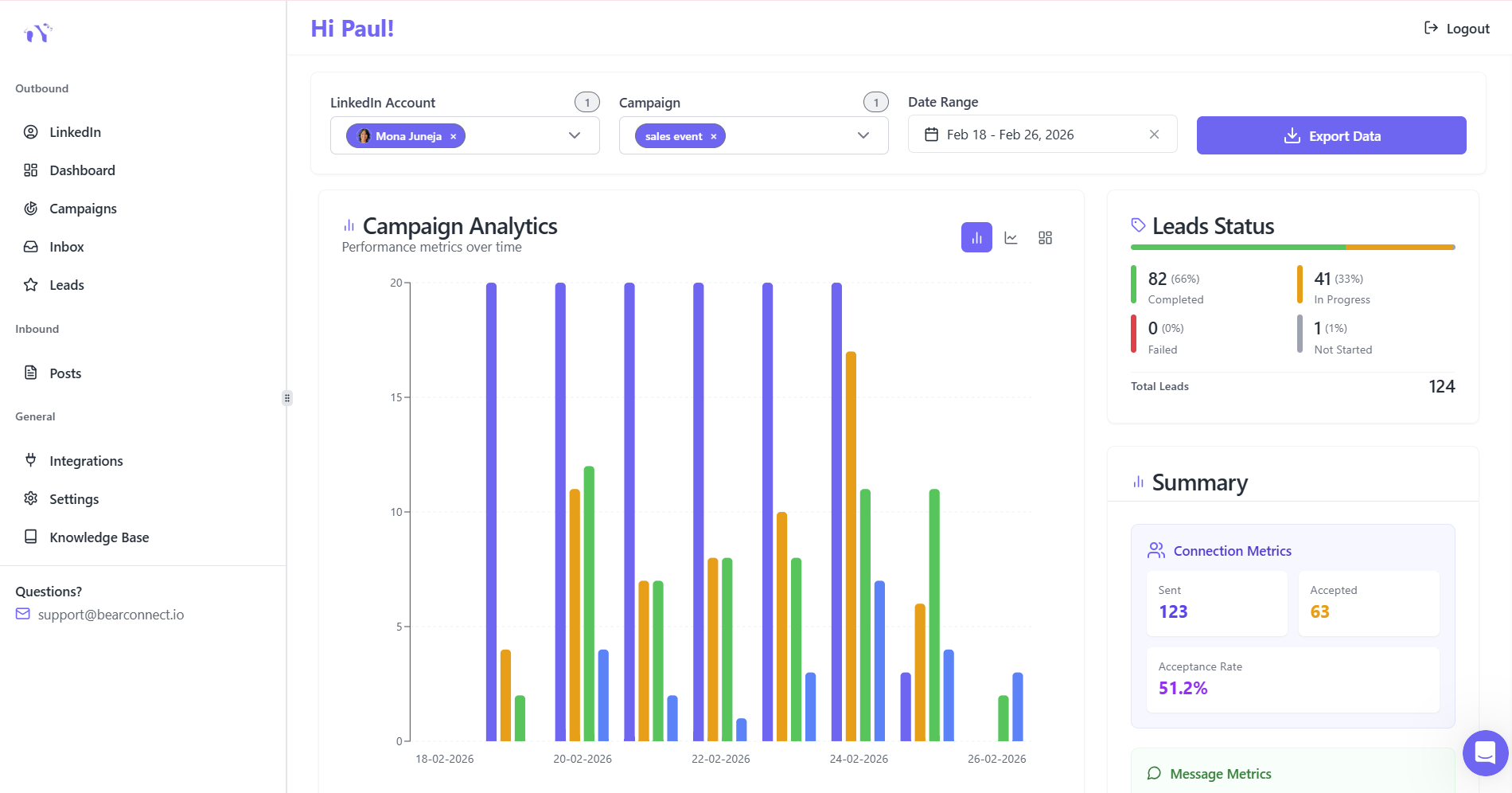
Set-and-forget automation fails. Continuous optimization multiplies results.
Key metrics to monitor weekly:
- Connection acceptance rate: Target 25-30% minimum, excellent is 40-60%
- Message response rate: Target 15-20%, excellent is 25%+
- Meeting booking conversion: Target 5-8% of connections, excellent is 8-15%
- Lead quality score: Track how many conversations turn into qualified opportunities
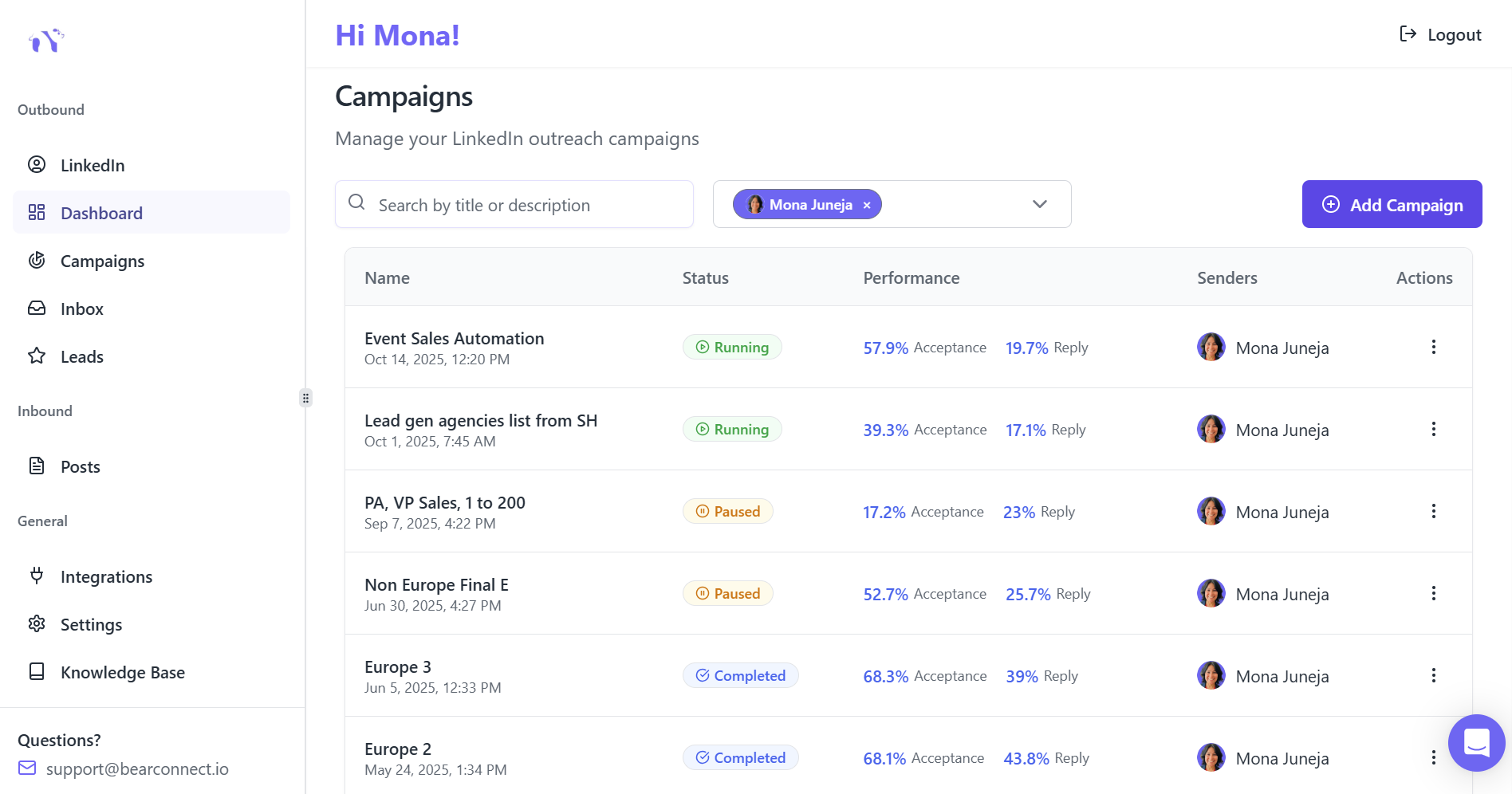
Bearconnect's advanced analytics dashboard shows real-time performance across all campaigns, helping you identify what's working and scale it.
One agency owner increased monthly qualified leads from 23 to 67 by doing bi-weekly metric reviews and monthly message optimization. The data tells you exactly where to improve.
For context, this explainer on what LinkedIn automation is and how sales teams use it gives you the base concepts before you apply them to SaaS.
Your First 90 Days: The Progress You Can Actually Expect
Based on SaaS founders using this framework, here's a realistic timeline:
Month 1 (Setup & Learning)
- 10-15 qualified leads as you refine targeting and messaging
- Connection acceptance rate improvement from 20% to 30%+
- Learn which message variations resonate with your audience
Month 2 (Optimization)
- 25-35 qualified leads as sequences mature
- Response rates improve to 15-20% with refined messaging
- First automated meetings booked without manual intervention
Month 3 (Scale)
- 50+ qualified leads with optimized campaigns running consistently
- Connection acceptance rates reach 40-60% with proven templates
- Predictable pipeline of 8-12 meetings monthly from automation alone
The cost? At $67 per LinkedIn account ($57 for 5+ accounts), Bearconnect delivers ROI that beats hiring additional sales staff at $80,000-120,000 annually.
Why Bearconnect Works for SaaS Founders
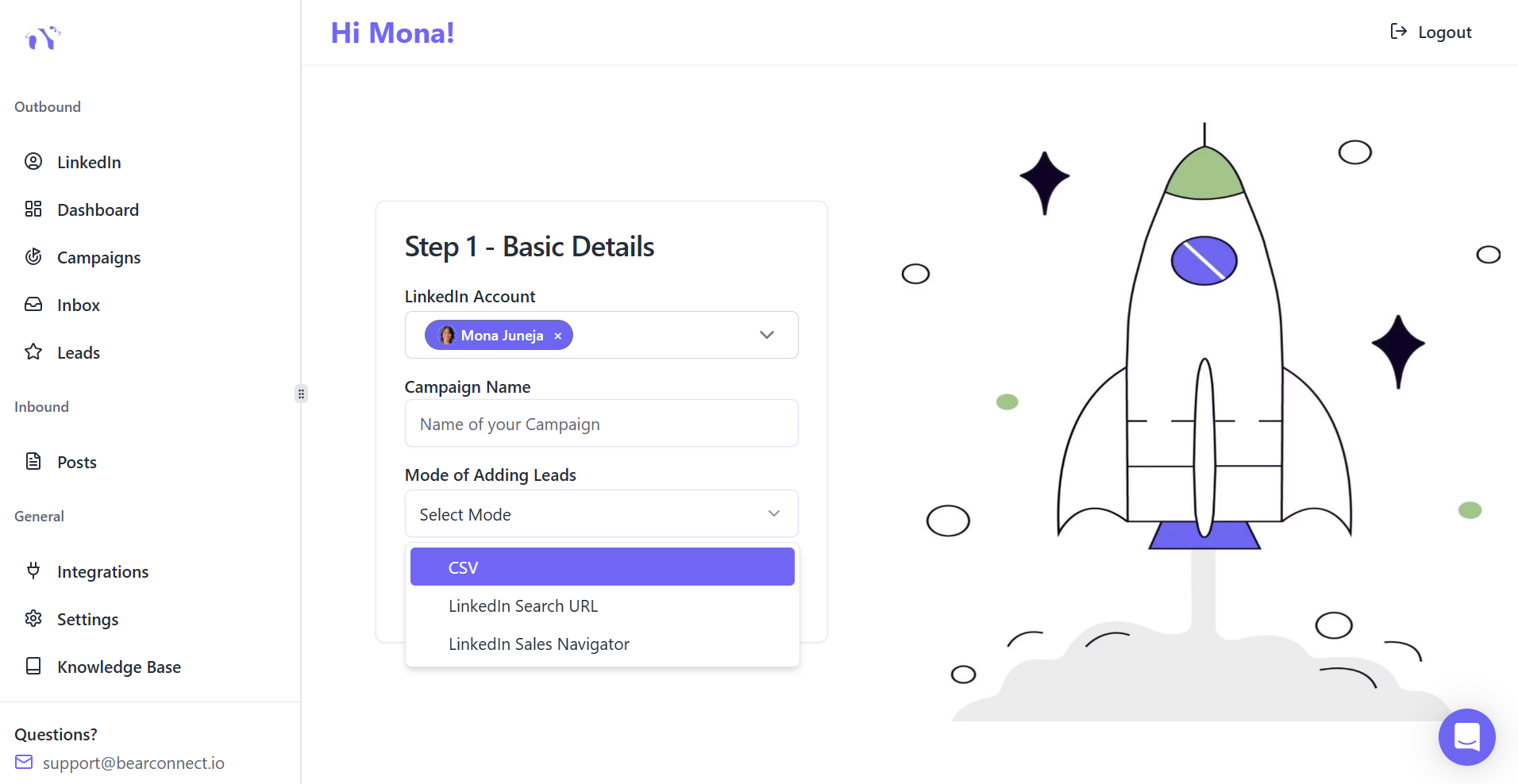
Unlike enterprise tools costing $150-500 monthly per user, Bearconnect was built specifically for founders who need results without complexity.
Platform advantages that matter:
- Unlimited campaigns: Run separate sequences for different customer segments simultaneously
- LinkedIn safety features: Local IPs and behavior mimicry prevent account flags or restrictions
- CRM integration: Syncs with HubSpot and Salesforce so leads flow into your existing pipeline
- Quick implementation: Launch your first campaign within minutes, not days
If you sell into multiple verticals, you should also study these LinkedIn automation strategies for different industries to adapt your outreach by segment.
The Data Behind Automation Adoption
Recent industry research reveals why over 80% of B2B sales teams now use automation in their LinkedIn strategy:
- Time efficiency: Automation compresses 20+ hours of manual work into 2-3 hours of strategic oversight
- Consistent execution: Your outreach runs 24/7 across global time zones while you focus on product
- Measurable results: Teams report 300-500% increases in daily prospect reach without quality loss
The founders winning on LinkedIn aren't working harder. They're working systematically with the right automation tools.
New to automation? Start with everything you need to know about LinkedIn automation.
Common Mistakes That Kill Lead Generation Results
Even with automation, these errors sabotage results:
Mistake 1: Generic messaging at scale
Automation amplifies your message quality. Generic templates get generic results. Invest time creating variations for different prospect segments.
Mistake 2: Ignoring LinkedIn's daily limits
Sending 100+ connection requests daily triggers LinkedIn's spam detection. Respect platform limits: 20-30 daily connection requests for new accounts, gradually increasing to 50-70 for established profiles.
Mistake 3: No follow-up after connection acceptance
40% of founders stop after connection acceptance, leaving warm leads cold. Your sequence should have 4-6 touchpoints over 21 days.
Mistake 4: Selling too soon
Lead with value, not pitches. Share insights, ask questions, and build rapport before requesting meetings. Response rates triple when you focus on helping first.
Conclusion
Generating 50+ qualified leads monthly on LinkedIn isn't about working harder or hiring more sales staff. It's about implementing systematic automation that runs consistently while you focus on product and closing deals.
The framework works: precise targeting, optimized profiles, personalized outreach sequences, unified conversation management, content visibility, and continuous optimization.
So Start your First Lead generation campaign using Bearconnect 7 Day Free trail and start generating qualified leads for your SaaS.
Frequently Asked Questions
Q: Is LinkedIn automation safe, or will it get my account banned?
Yes, LinkedIn automation is safe when using tools with human-like behavior patterns and daily limits of 20-50 connection requests. Bearconnect uses local IP rotation and smart throttling to prevent account flags.
Q: How long does it take to see results from LinkedIn automation?
Expect initial qualified leads within 10-14 days. You'll reach 25+ leads monthly by week 6-8, and 50+ consistent monthly leads by month 3 with proper targeting and optimization.
Q: What's a good connection acceptance rate for automated outreach?
Aim for 25-30% minimum, with 40-60% being excellent. Manual outreach typically gets 15-25%. If you're below 25%, refine your targeting and personalize your connection messages.
Q: Can I automate LinkedIn outreach without losing the personal touch?
Absolutely. Use dynamic personalization fields and segment-specific messaging for automation, then handle actual conversations personally. This approach achieves 3x higher response rates than generic templates.
Q: How much time does LinkedIn automation actually save per week?
SaaS founders save 15-20 hours weekly on manual tasks like connection requests and follow-ups. This creates $50,000+ annual productivity value, delivering ROI within 2-3 months.
Ready to Transform Your LinkedIn Strategy?
Join thousands of professionals already using Bearconnect to automate their outreach and grow their network.
7-day free trial • Cancel anytime
Related Articles
How Can SDRs Book More Meetings Using LinkedIn Automation?
SDRs can book more meetings with LinkedIn automation by streamlining outreach, automating follow-ups, and scaling conversations without manual effort.
7 Best LinkedIn DM Tools for Outreach Automation in 2026
Looking for best LinkedIn DM tools in 2026? This guide compares top outreach automation tools by features, pricing, safety, and use cases so you can scale B2B lead generation with less manual work.
How to Automate Your Agency's LinkedIn Outreach (Without Getting Banned)
Learn how agencies automate LinkedIn outreach safely using smart limits, personalization, and automation tools to scale prospecting without risking account bans.