LinkedIn Automation Tools vs Sales Navigator: Which Do You Actually Need?
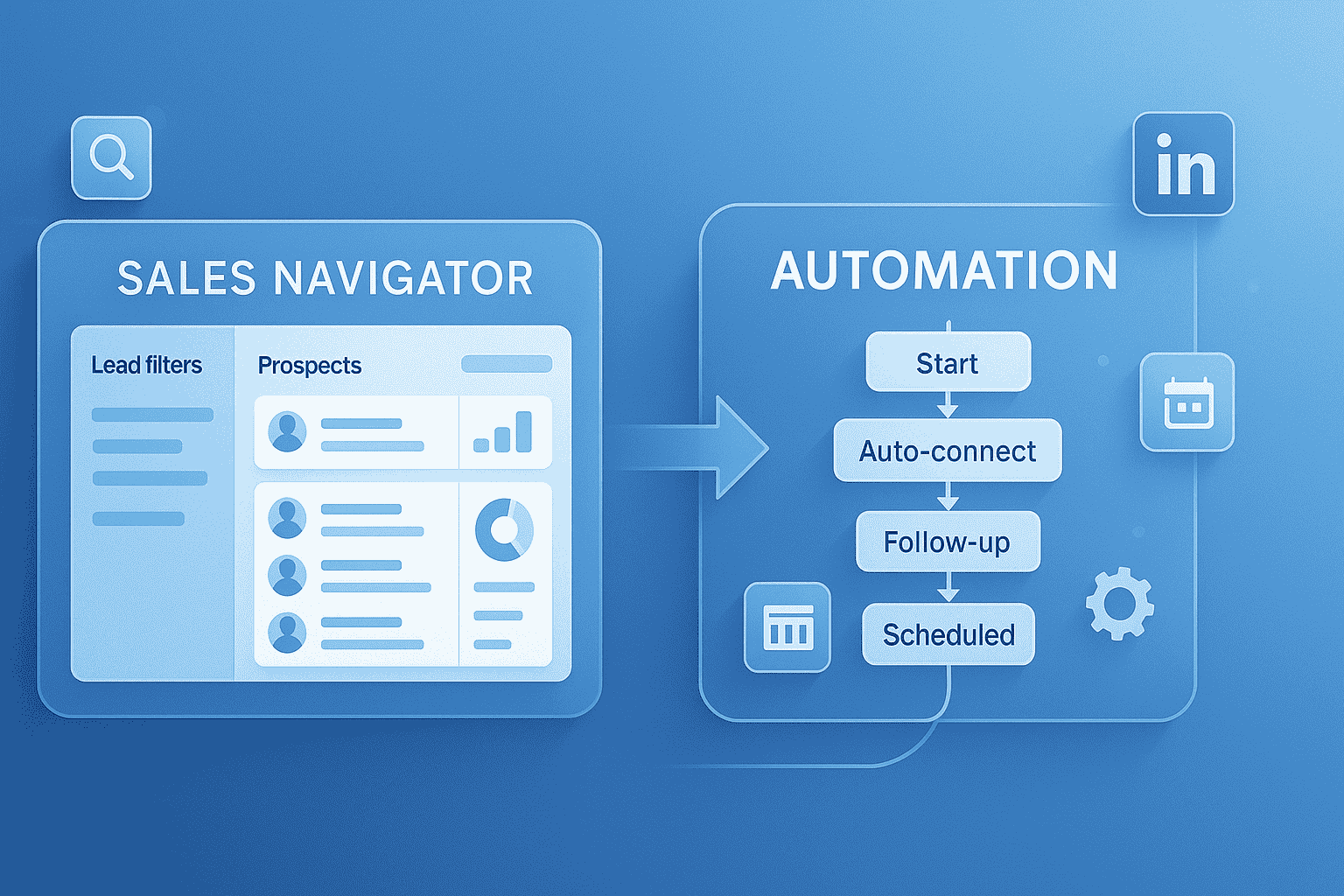
You are comparing two LinkedIn tools with wildly different purposes. One helps you find the right prospects.
The other automates reaching out to them. Most sales professionals waste money buying both when they only need one.
Learn more about using automation without Sales Navigator and when you actually need it.
This guide breaks down the real differences, costs, and which combination fits your specific situation.
By the end, you will know exactly what to buy without overspending.
Understanding the Fundamental Difference
What Sales Navigator Actually Does?
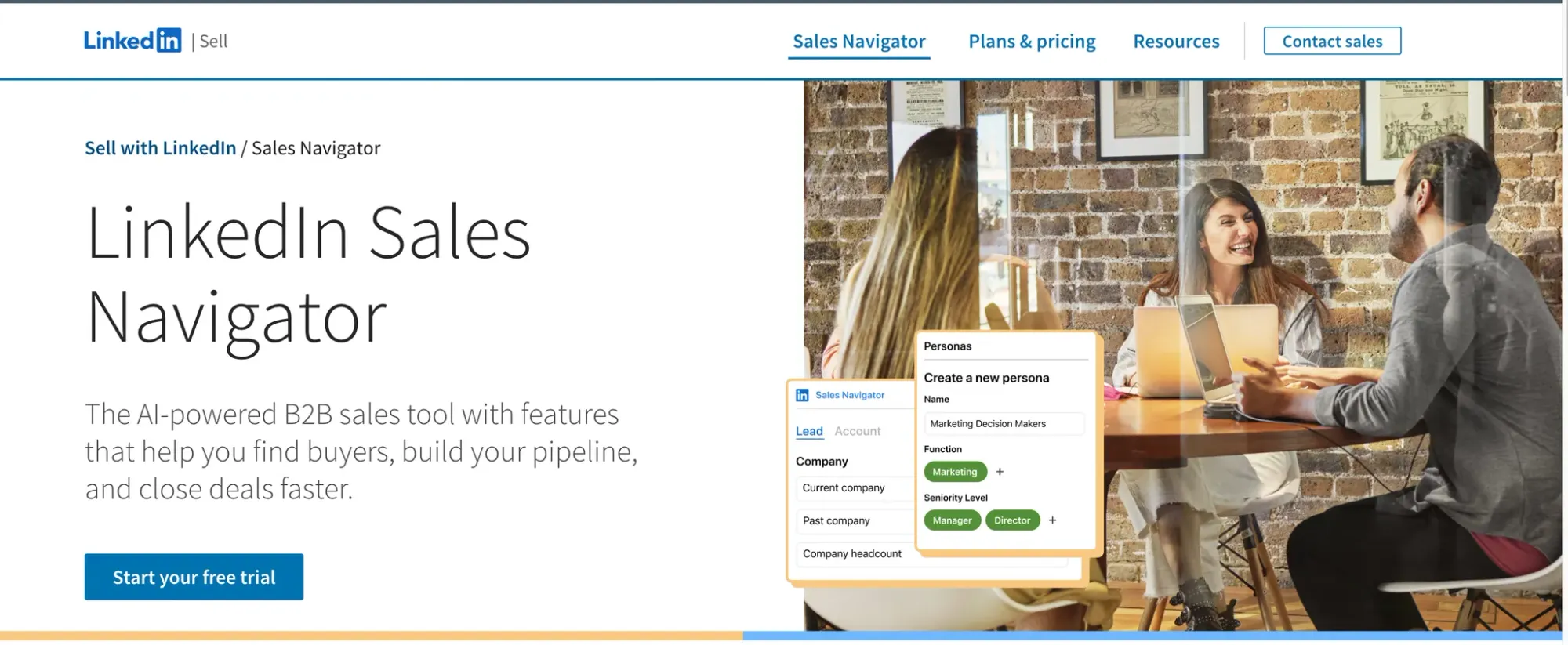
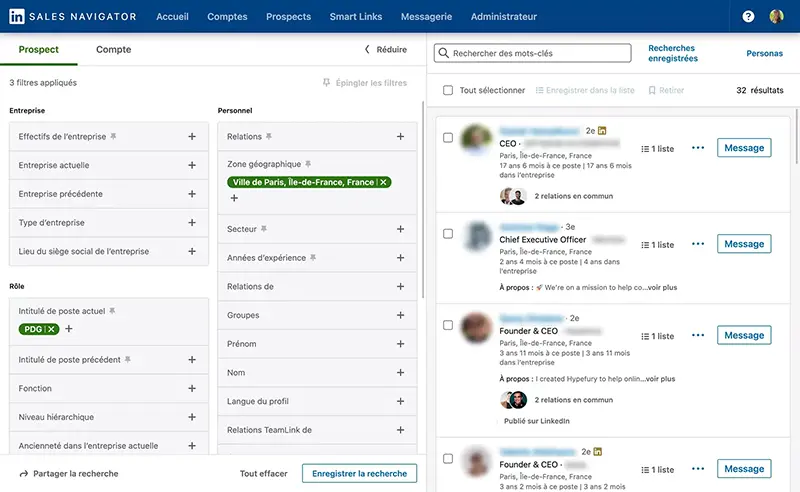
Sales Navigator is LinkedIn's premium search and research tool. Think of it as a powerful telescope that helps you spot the exact prospects you need.
Core capabilities:
- 50+ advanced search filters (versus 10 on free LinkedIn)
- Lead recommendations powered by AI
- InMail credits for direct messaging (50-100 monthly)
- TeamLink showing connection paths through colleagues
- Real-time alerts on job changes and company news
- CRM integration with major platforms
What it DOESN'T do:
- Zero automation of connection requests
- No message sequencing
- No content scheduling
- Every action requires manual clicking
2025 Pricing breakdown:
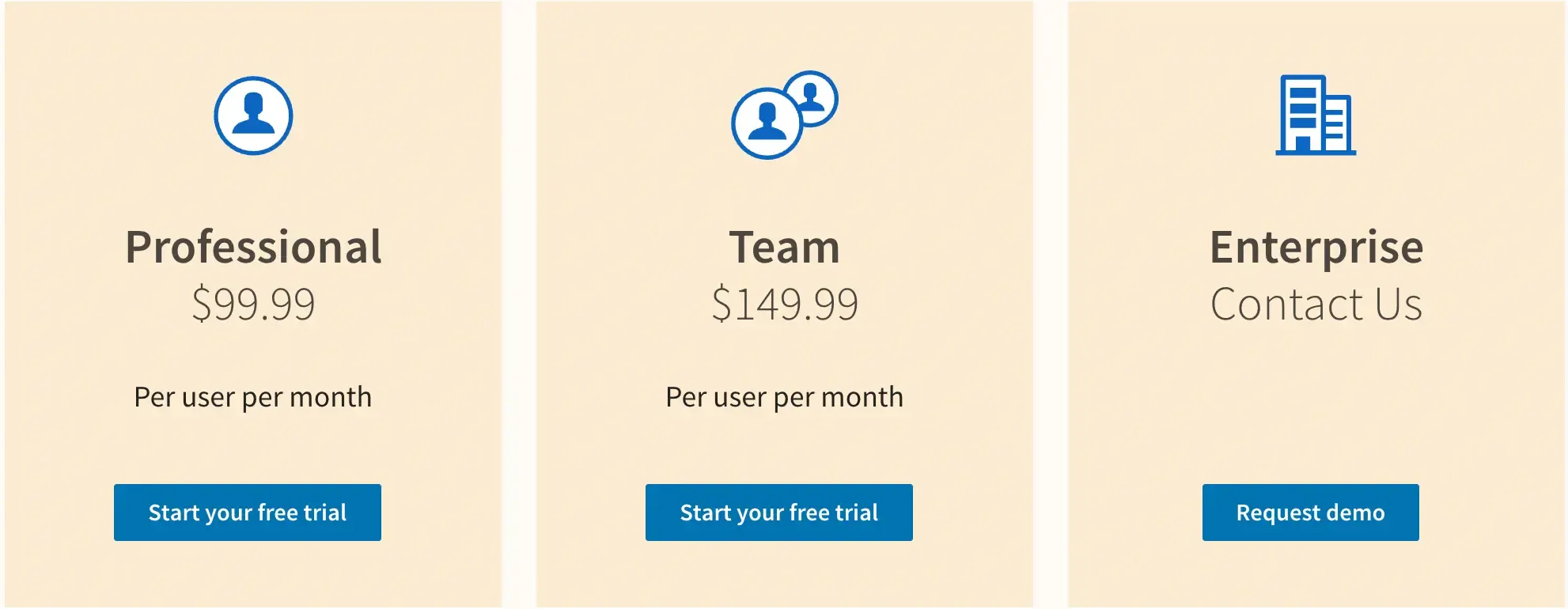
- Core: $99.99/month ($959.88 annually)
- Advanced: $149.99/month ($1,679.88 annually)
- Advanced Plus: Custom pricing starting at $1,600/year
View detailed pricing plans and compare which option fits your team size.
What LinkedIn Automation Tools Actually Do
Automation tools execute your outreach campaigns 24/7.
They are your robotic assistant that sends connection requests, follow-up messages, and nurtures prospects while you sleep and also run Lead Campaign 24/7 automatically with perfect target audience.
Core capabilities:
- Automated connection request campaigns
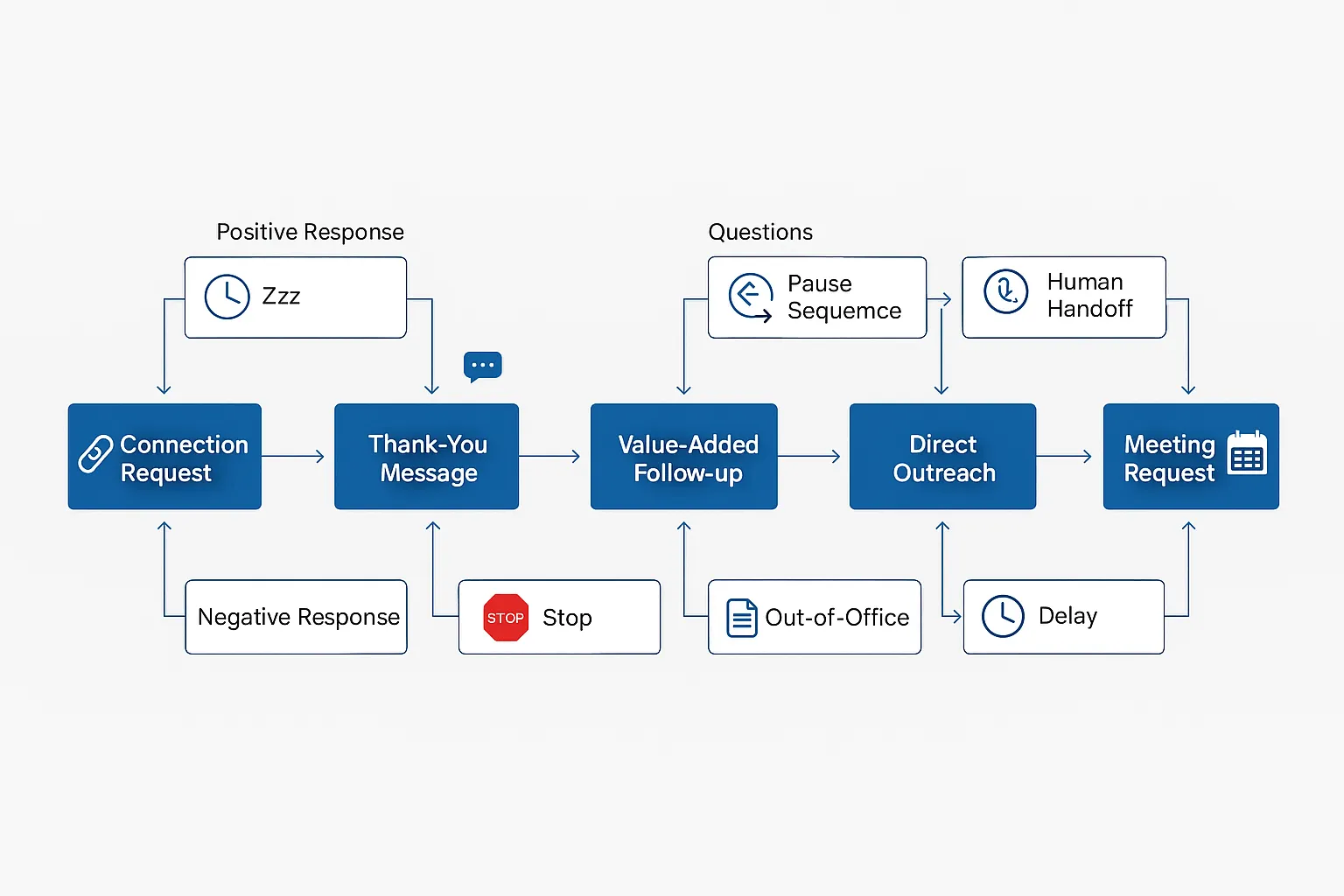
- Multi-step message sequences with personalization
- Content scheduling and AI-powered post creation
- Unified inbox managing multiple accounts
- Smart delays mimicking human behavior
- Manage Lead Gen Campaign with custom workflow options
In our agency workflows, automation tools consistently saved 10–12 hours per week per client because follow-ups were executed on time without manual reminders.
What they DON'T do (without Sales Navigator):
- Limited to 10 basic search filters
- No InMail capability
- Can't access Sales Navigator exclusive data
2025 Pricing comparison:
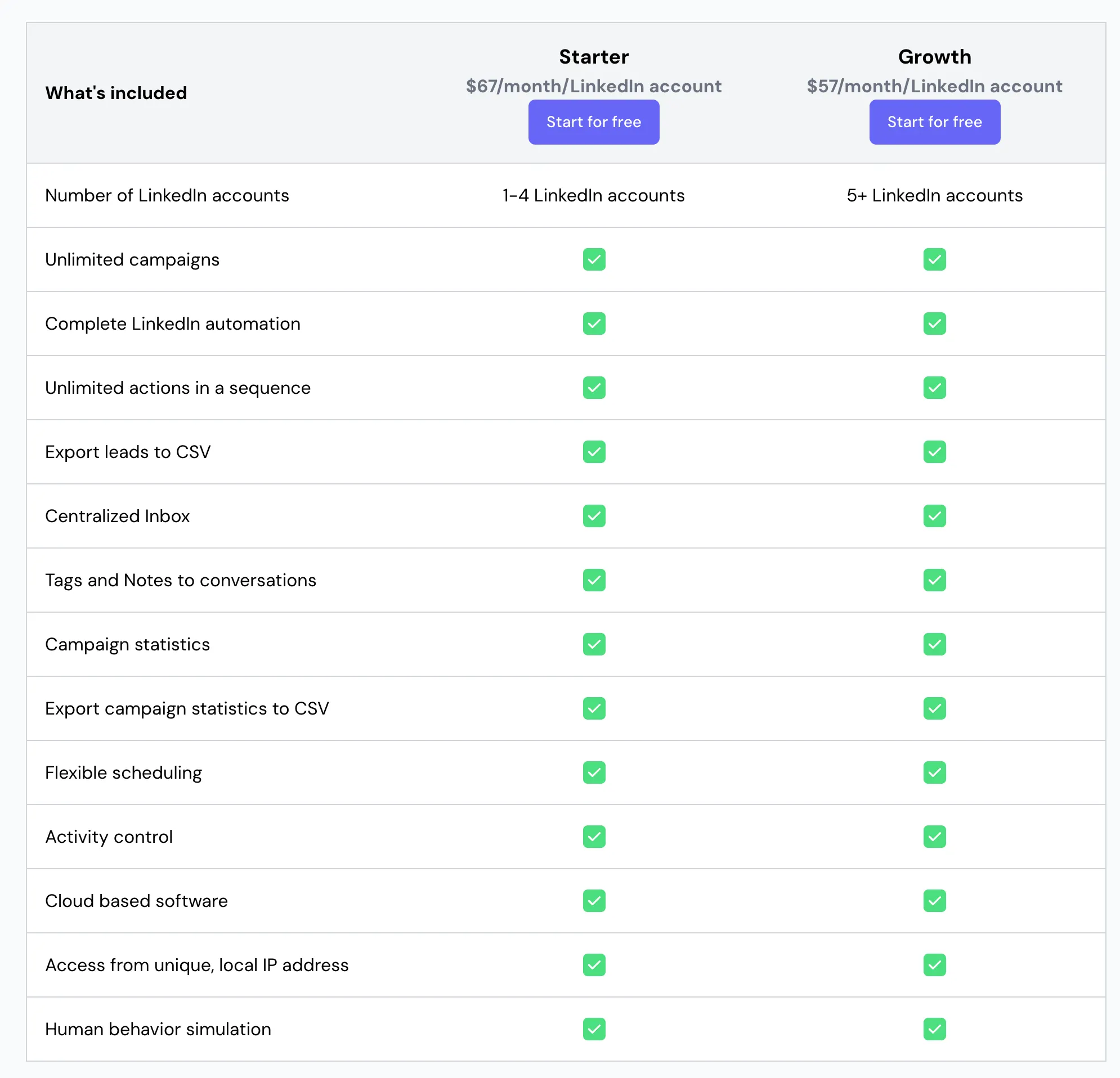
- Bearconnect: $67/month per LinkedIn account ($285 for 5+ accounts)
- Competitors: $79-$99/month per account
- Most include unlimited campaigns and safety features
The Truth: Do You Need Sales Navigator for Automation?
Short answer: No. 70% of users succeed with free LinkedIn plus automation tools.
Read our complete guide on LinkedIn automation without Sales Navigator for detailed strategies
What Works With Free LinkedIn Plus Automation
You can accomplish significant prospecting without paying for Sales Navigator:
Search capabilities available:
- 10 basic filters (location, industry, job title, company size)
- Boolean search for refined targeting
- LinkedIn groups, events, and post engagers
- CSV import from other lead sources
Automation capabilities:
- 100 weekly connection requests (LinkedIn's limit)
- Automated message sequences to connections
- Content scheduling for thought leadership
- Multi-account management from one dashboard
Around 70% of our users report that they see no immediate need for Sales Navigator during the first 60–90 days of outreach, especially when targeting broad ICPs.
Real example:
Martine, a SaaS sales rep, uses only Bearconnect with free LinkedIn. She imports leads from industry groups and runs personalized campaigns.
Results: 300+ connections monthly, 15-20 sales conversations, without Sales Navigator costs.
You can also compare it with our article on LinkedIn automation without Sales Navigator to see when the upgrade really makes sense.
When Sales Navigator Becomes Worth It
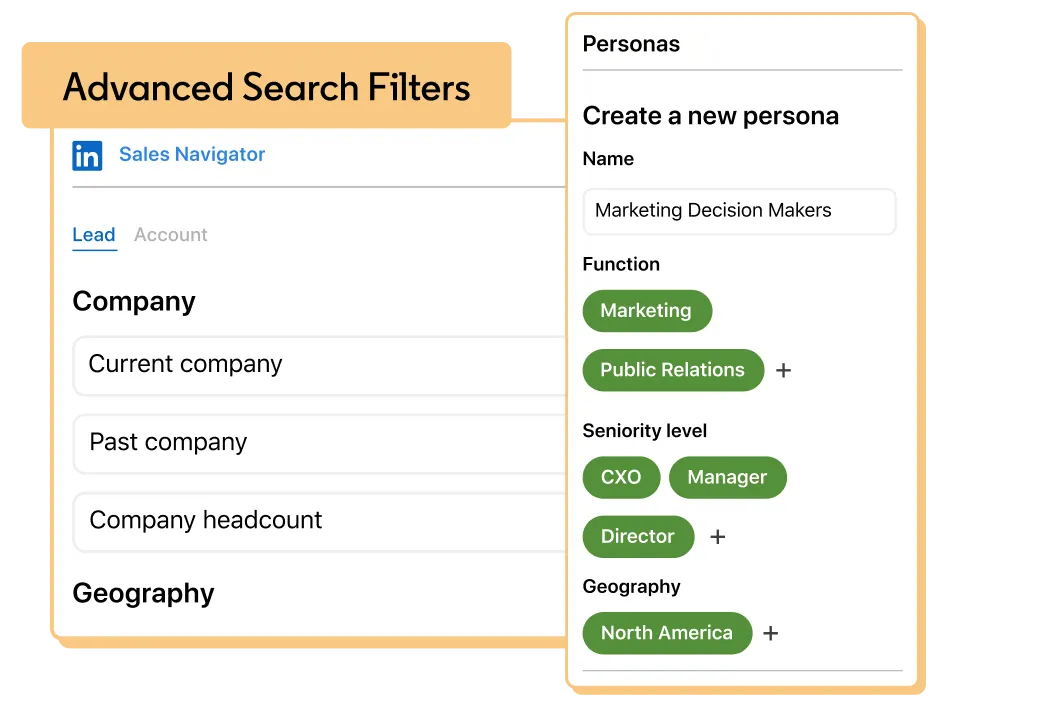
Certain scenarios justify the $99-$149 monthly investment:
1. Complex enterprise sales:
- Targeting multiple decision-makers per account
- Need organizational charts and warm intro paths
- Selling to Fortune 500 companies
- Account-based marketing strategies
2. Highly specific targeting:
- Requires 5+ filter combinations simultaneously
- Tracking job changes in real-time
- Filtering by "Posted Content on Topics"
- Need "Spotlights" (hiring, promotions, news mentions)
3. Large volume prospecting:
- Managing 10,000+ saved leads (versus 1,000 limit on free)
- Running multiple saved searches with auto-updates
- Need InMail for reaching non-connections
Four Tool Combination Scenarios
Scenario 1: Free LinkedIn Plus Automation (Most Popular)
Best for:
- Solopreneurs and small business owners
- Sales reps with clearly defined target markets
- Budget under $150/month
- Content creators building personal brands
Monthly cost:
$0 (free LinkedIn) + $67 (Bearconnect) = $67 total
What you accomplish:
- 300-400 new connections monthly
- 15-25 qualified conversations
- 3-5 meetings booked
- Time saved: 10-15 hours weekly
Key advantage:
Bearconnect includes both outreach automation AND content scheduling. You build authority while prospecting simultaneously.
Scenario 2: Automation Only, Multiple Accounts (Agency Favorite)
Best for:
- Agencies managing 10+ client accounts
- LinkedIn ghostwriters and consultants
- Teams focused on thought leadership
- Personal branding services
Monthly cost:
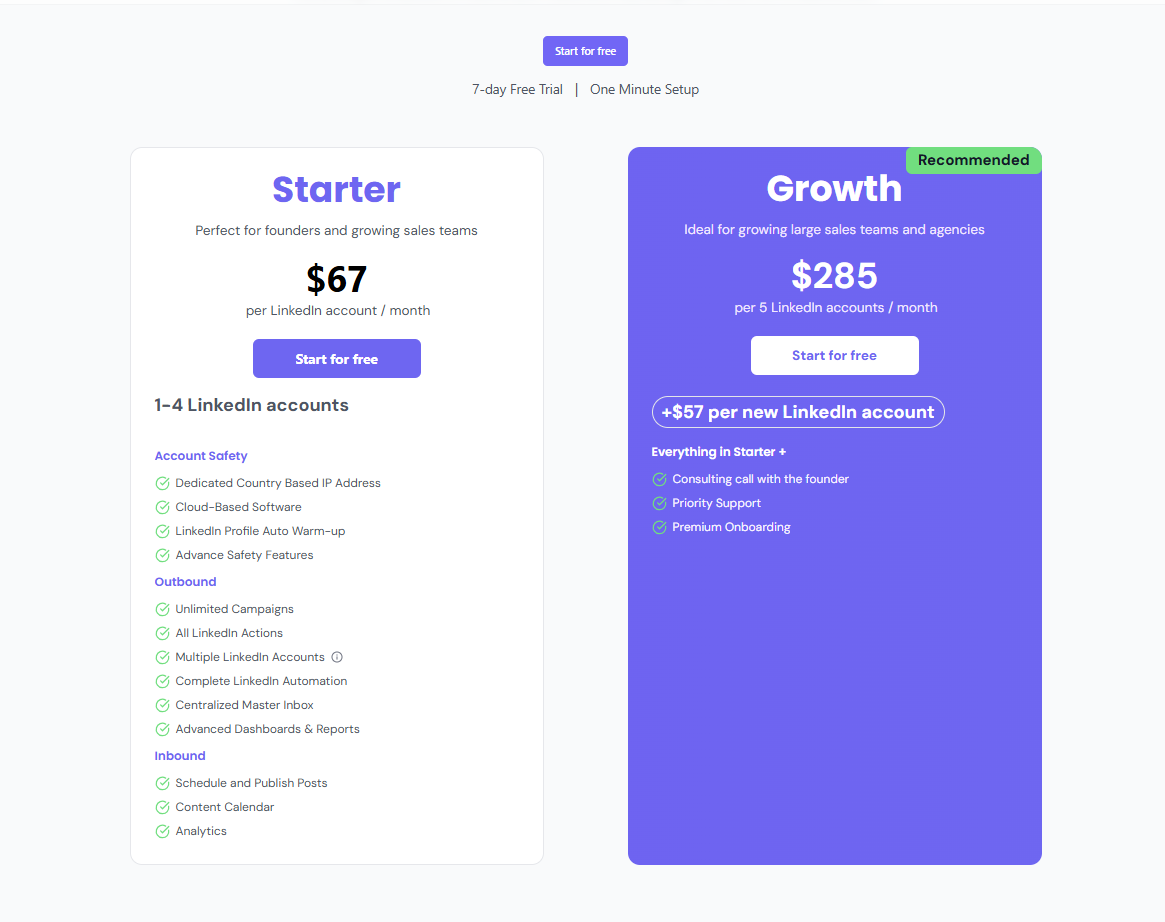
Bearconnect: $67/account (1-4 accounts) or $57/account (5+ accounts)
For 10 accounts: $570/month
Key advantages:
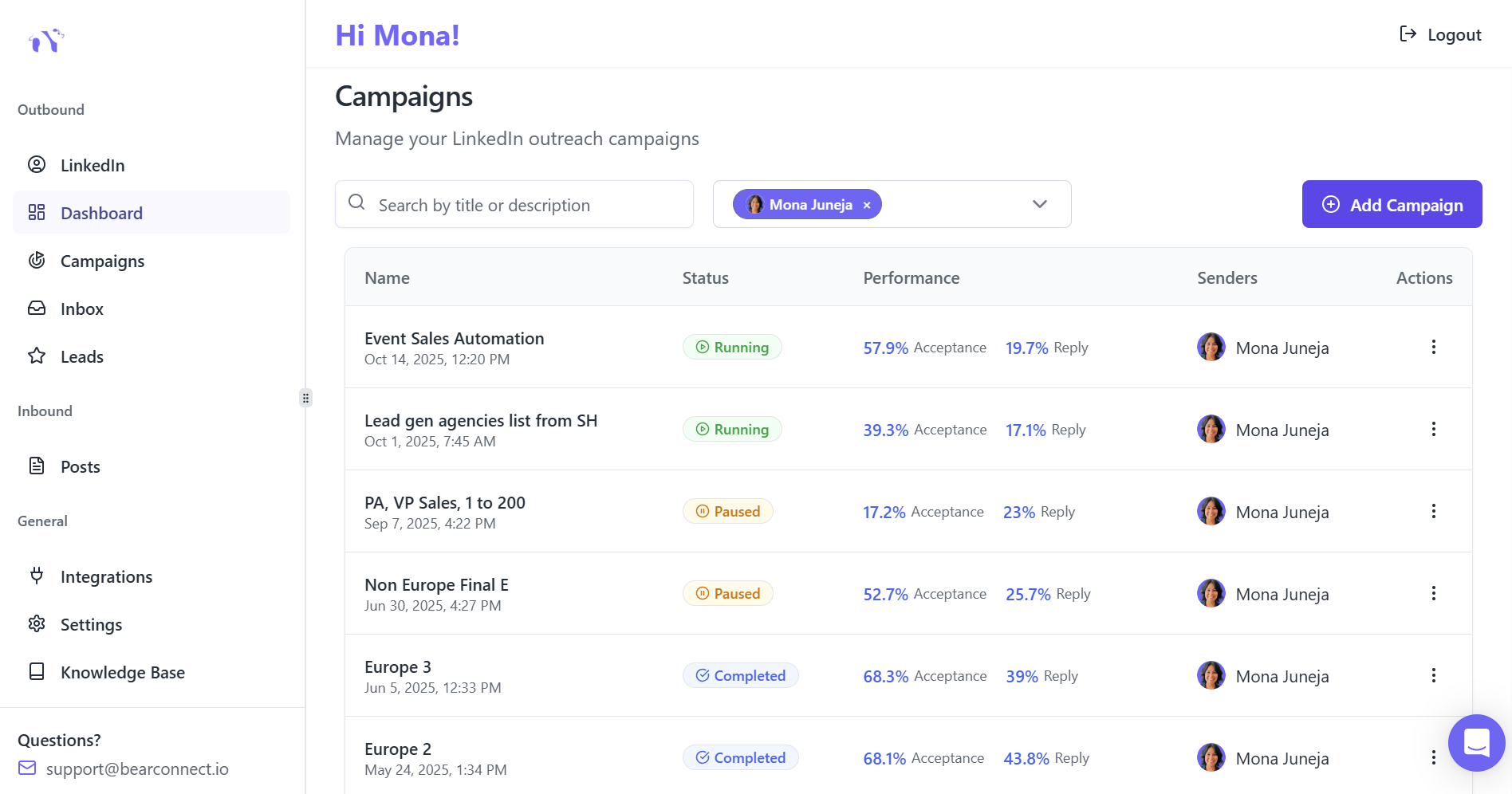
- Unified inbox for all client conversations
- Bulk content scheduling across accounts
- No Sales Navigator needed when clients provide lead lists
- Team collaboration without profile switching
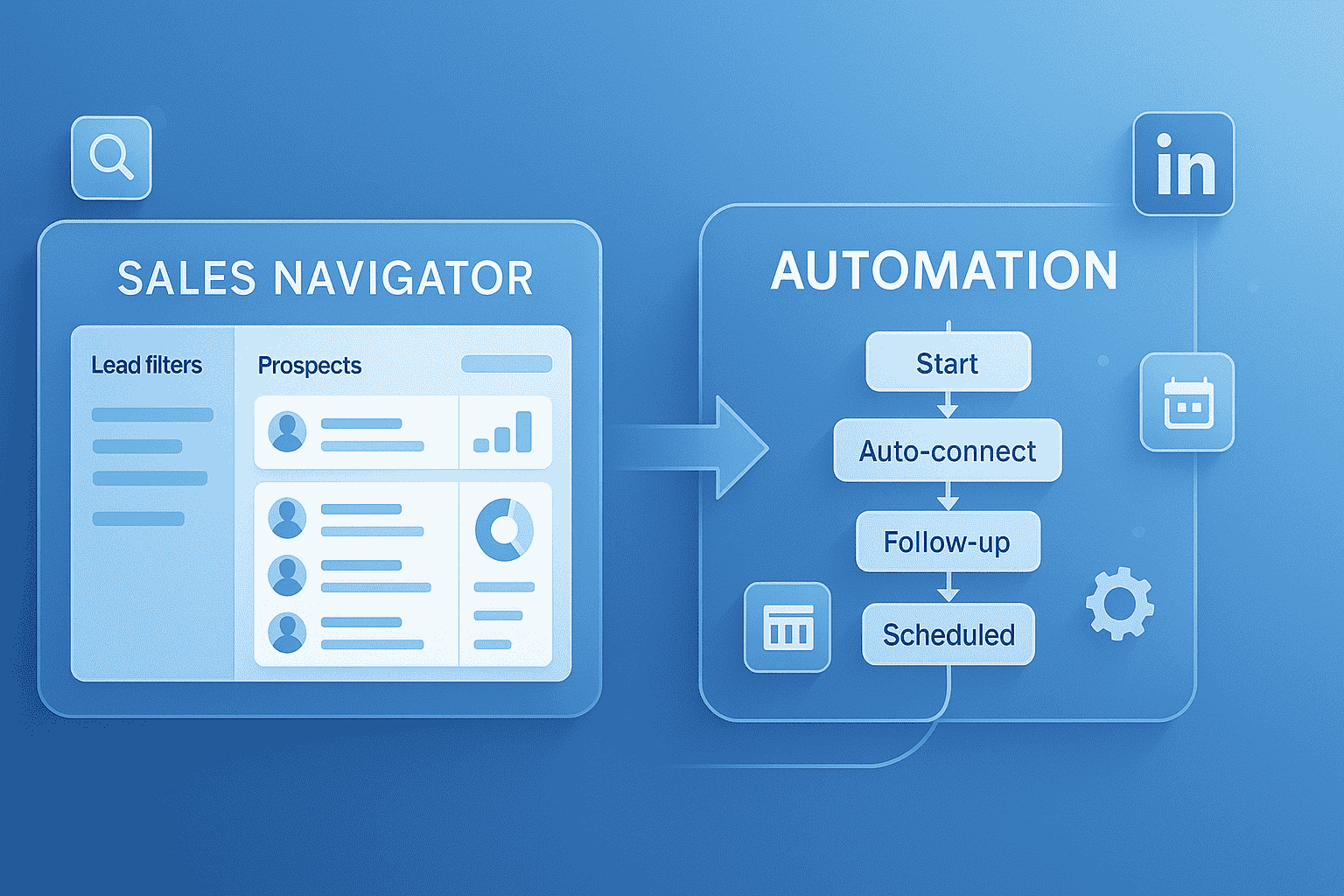
Scenario 3: Sales Navigator Plus Automation (Enterprise Choice)
Best for:
- Enterprise B2B sales teams
- Complex account-based selling
- High-ticket sales ($20K+ deals)
- Multiple decision-makers per account
Monthly cost:
$99-$149 (Sales Navigator) + $67 (Bearconnect) = $166-$216 per user
What you accomplish:
- 500-700 new connections monthly
- 30-40 qualified conversations
- 8-12 meetings booked
- Higher lead quality through precise targeting
ROI justification:
Extra $99-$149/month pays for itself with one additional sale quarterly. Essential for deals above $10K.
Scenario 4: Sales Navigator Only (Not Recommended)
Reality check:
You are paying $99-$149/month but still doing everything manually. That's 15-20 hours weekly clicking buttons.
Who this works for:
- High-touch consultative sales (1-2 deals monthly)
- Executives with assistants handling outreach
- Companies with strict automation compliance concerns
The problem:
Like buying a Ferrari but shifting gears manually. You're underutilizing the tool without automation.
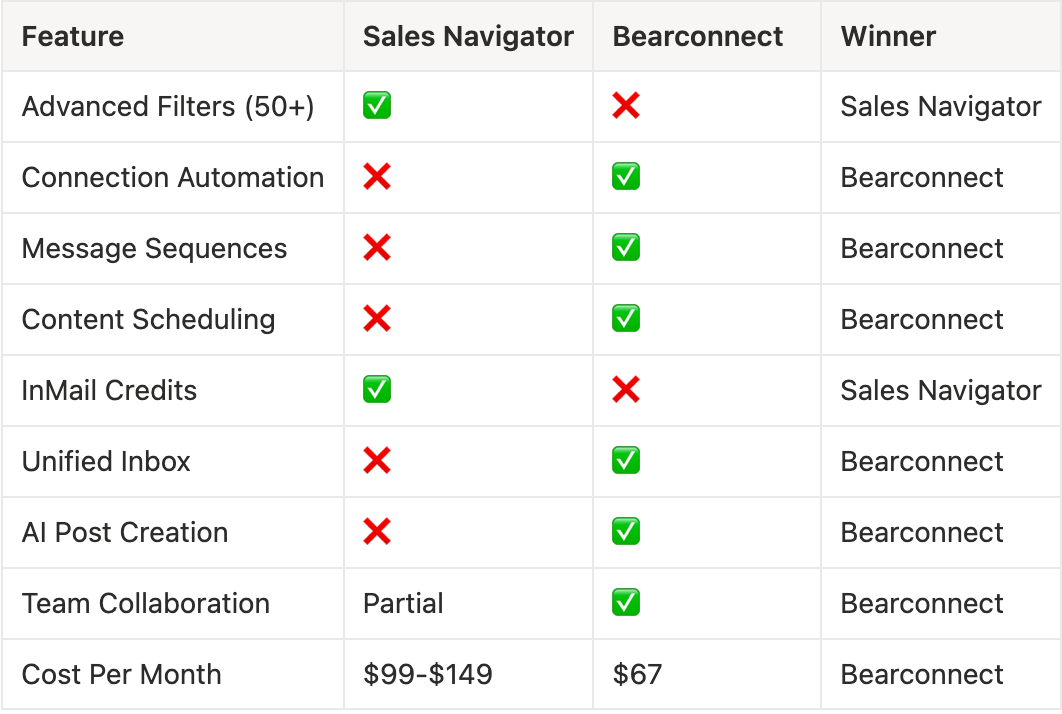
Feature-by-Feature Comparison
Lead Quality vs Execution Speed
Sales Navigator wins for lead quality:
- Advanced filters find needle-in-haystack prospects
- AI recommendations surface hidden opportunities
- Real-time alerts on relevant prospect activities
Automation tools win for execution:
- 24/7 campaign operation
- Multi-step sequences run automatically
- Teams manage 10x more conversations efficiently
Making Your Decision: Simple Framework
Question 1: What's Your Average Deal Size?
- Under $5K: Free LinkedIn + Bearconnect. Basic targeting handles this volume-focused approach.
- $5K-$20K: Test Sales Navigator for 3 months. Measure if advanced filters generate extra opportunities.
- Over $20K: Sales Navigator + Bearconnect justified. Advanced filtering pays for itself with 1-2 additional deals yearly.
Question 2: How Complex Is Your Targeting?
- Simple targeting (e.g., "Sales Managers at SaaS companies"): Free LinkedIn filters sufficient. Add automation only.
- Complex targeting (e.g., "Directors at 500-2000 employee companies who recently changed jobs"): Sales Navigator filters required.
Question 3: What's Your Monthly Budget Per User?
- Under $100: Free LinkedIn + Bearconnect ($67). Covers 90% of use cases.
- $100-$200: Consider Sales Navigator Core + automation if targeting justifies it.
- Over $200: Sales Navigator Advanced + automation for team features.
Question 4: How Many Accounts Do You Manage?
1-2 accounts:
Any combination works based on targeting needs.
3-10 accounts:
Automation with unlimited accounts essential. Bearconnect: $67/account or $57 for 5+.
10+ accounts (agencies):
Automation-first approach. Sales Navigator optional for specific clients.
Common Mistakes to Avoid
Mistake 1: Buying Sales Navigator "just in case"
40% of users never utilize advanced features. Test free LinkedIn first for 30 days.
Mistake 2: Automation without strategy
Tools don't replace good messaging. Develop compelling value propositions before automating.
Mistake 3: Using Sales Navigator without automation
Manual outreach wastes premium search capabilities. Either automate or reconsider the investment.
Mistake 4: Ignoring safety protocols
Cheap tools risk account bans. Use cloud-based infrastructure with smart delays and dedicated IPs.
Mistake 5: Missing unified inbox benefits
Managing multiple accounts without consolidated dashboard kills productivity and causes missed opportunities.
Frequently Asked Questions
1. Can I use automation tools safely?
Yes, with proper protocols. Cloud-based tools using dedicated IPs, smart delays, and activity limits mimic human behavior effectively. Stay under 100 connection requests weekly and use natural delays between actions.
2. Does Sales Navigator improve acceptance rates?
Not directly. Acceptance rates depend on profile quality (70%), message personalization (20%), and targeting relevance (10%). Sales Navigator helps with targeting, but automation enables better personalization at scale.
3. Which combination has fastest ROI?
Free LinkedIn + Bearconnect ($67/month) typically breaks even within 30-45 days due to lower investment and immediate setup versus Sales Navigator's learning curve.
4. Do I need different tools for content and outreach?
Most tools specialize in one or the other. Bearconnect combines both: AI content creation, scheduling, automated outreach, and unified inbox management. This dual approach compounds results.
Your Action Plan
If you are just starting:
- Optimize your LinkedIn profile (foundation of success)
- Start with free LinkedIn + Bearconnect 7-day trial
- Run one targeted campaign to your ideal customer profile
- Measure results after 30 days before considering upgrades
If you currently use Sales Navigator:
- Audit which advanced features you used last month
- If answer is "rarely," test without it for 60 days
- Redirect $99-$149/month savings to messaging improvement
If you are an agency:
- Prioritize unified inbox and unlimited account management
- Sales Navigator only for clients requiring complex targeting
- Focus budget on dual content and outreach automation
Final Recommendation
Start lean, scale strategically. Most professionals succeed with free LinkedIn plus solid automation. Sales Navigator becomes valuable for enterprise sales with complex targeting needs.
The winning combination is the one you will use consistently, not the one with the most features.
Ready to automate LinkedIn effectively? Start your 7-day free Bearconnect trial and discover why agencies, sales teams, and founders choose our platform for sustainable growth at $67/month per LinkedIn account
Author bio:
Written by Mona Juneja, a B2B Sales Strategist with over 20+ years of sales experience at big names like Microsoft, Oracle, and DELL. I helped multiple Agencies streamline prospecting workflows, improve connection rates, and generate consistent sales-qualified leads through ethical LinkedIn automation practices.
Ready to Transform Your LinkedIn Strategy?
Join thousands of professionals already using Bearconnect to automate their outreach and grow their network.
7-day free trial • Cancel anytime
Related Articles
How Can SDRs Book More Meetings Using LinkedIn Automation?
SDRs can book more meetings with LinkedIn automation by streamlining outreach, automating follow-ups, and scaling conversations without manual effort.

7 Best LinkedIn DM Tools for Outreach Automation in 2026
Looking for best LinkedIn DM tools in 2026? This guide compares top outreach automation tools by features, pricing, safety, and use cases so you can scale B2B lead generation with less manual work.

How to Automate Your Agency's LinkedIn Outreach (Without Getting Banned)
Learn how agencies automate LinkedIn outreach safely using smart limits, personalization, and automation tools to scale prospecting without risking account bans.