How B2B Sales Teams Close More Deals by Automating LinkedIn Outreach?
B2B sales teams close more deals by splitting the workflow in two : automation handles prospecting and follow-ups, while reps take over the moment a prospect replies to close the conversation.
Manual outreach does not scale. Automation fills your pipeline. Your reps close it. That division is where deal velocity increases.

TL;DR
- Manual LinkedIn prospecting costs sales reps 10 to 15 hours per week with inconsistent results
- Automated LinkedIn outreach uses connection sequences, follow-ups, and drip campaigns to move prospects from cold to warm without manual effort
- The biggest gap in most LinkedIn automation strategies is the automation-to-human handoff. Most teams automate the top of the funnel but miss the close
- ICP targeting, multi-touch sequences, and a unified inbox are the three pillars of a high-converting LinkedIn outreach system
- Tools like Bearconnect combine outbound automation with AI content creation so your reps spend time closing, not prospecting
Why Manual LinkedIn Outreach Is Killing Your B2B Pipeline
Manual LinkedIn outreach is not a strategy. It is a bottleneck that kills pipeline consistency.
A typical SDR spends 10 to 15 hours per week on LinkedIn tasks: searching for leads, sending connection requests, writing follow-ups, and tracking replies.
That time comes directly from selling.
The result is an unpredictable pipeline. Some weeks are full. Others are empty. You cannot build a consistent revenue engine on manually managed outreach.
Here is what breaks down with manual outreach:
- No repeatable sequence. Each rep writes different messages with different timing.
- Zero tracking. You have no visibility into which messages get replies and which get ignored.
- Impossible to scale. Adding more outreach means adding more headcount.
- Follow-ups get dropped. Reps forget to follow up 3 to 4 times, which is where most replies actually come from.
The fix is not to work harder on LinkedIn. It is to build a system that runs while your reps focus on closing.
Want to see exactly how much time manual outreach wastes per week? Read: How Much Time Does LinkedIn Automation Actually Save?
What LinkedIn Outreach Automation Actually Means for B2B Sales
LinkedIn outreach automation means building a triggered sequence of connection requests, follow-up messages, and nurture touches that run without manual effort.
It is not spamming everyone on LinkedIn. It is a targeted, structured process where:
- You define your Ideal Customer Profile (ICP)
- You import those leads into a campaign
- An automated sequence reaches out, follows up, and nurtures them
- When a prospect replies, your rep takes over
The automation does the prospecting. Your rep does the closing.
This split dramatically increases the number of qualified conversations your team has without increasing headcount.
Pro Tip: Automation amplifies your targeting, good or bad. A tight ICP list of 500 leads outperforms a broad 5,000-lead list every single time.
New to automation? Read our LinkedIn Automation Beginner Guide before setting up your first campaign.
How to Build Your ICP-First LinkedIn Targeting System
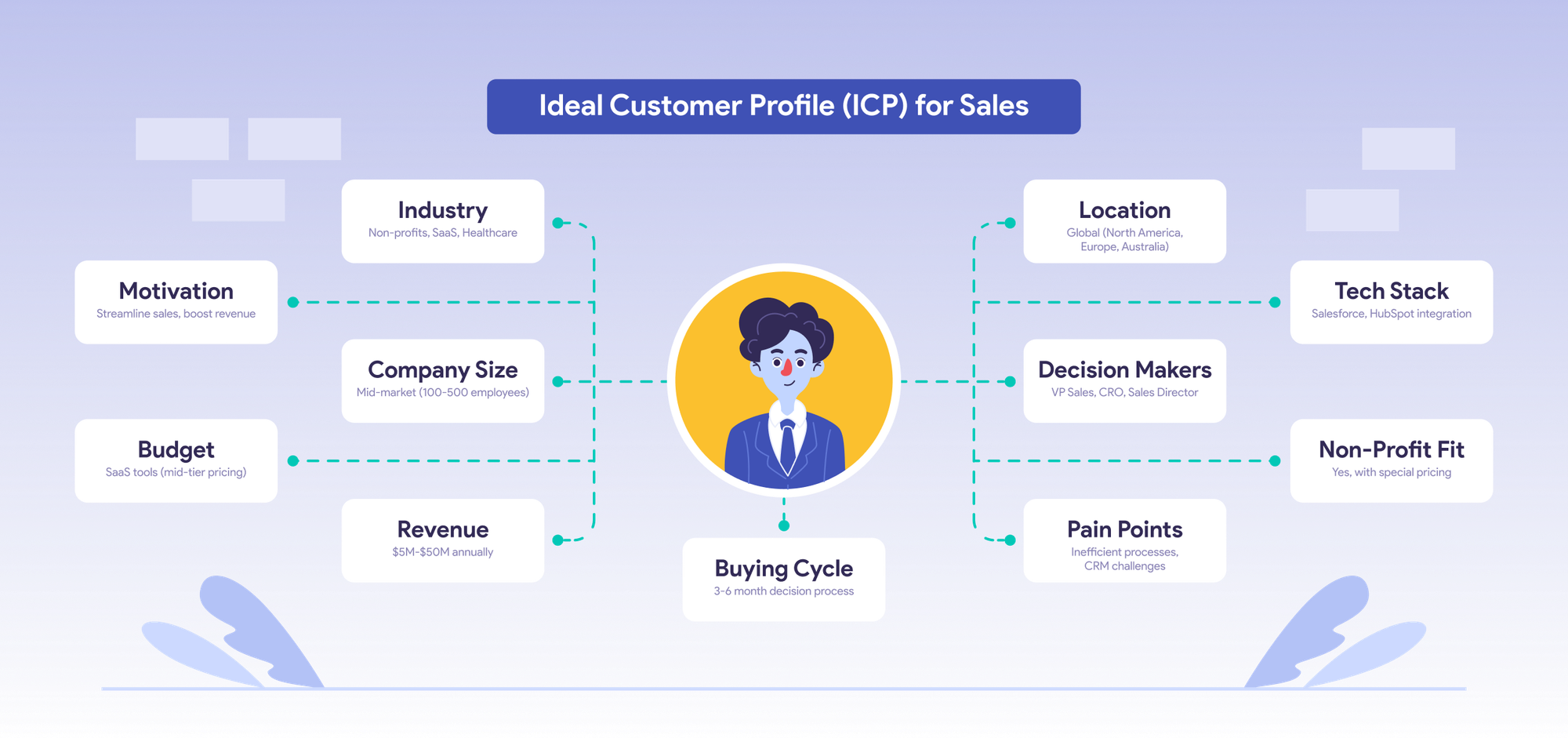
Before you automate anything, you need a precise ICP definition. Vague targeting produces vague results at scale.
What to Define in Your ICP
Break your ICP down into four layers:
- Firmographic: Company size, industry, revenue range, geography
- Role-based: Job title, seniority level, department
- Behavioral: Active on LinkedIn, engages with relevant content, follows competitors
- Situational: Recently funded, actively hiring for sales roles, using competing tools
How to Build the Lead List
Once your ICP is defined, use LinkedIn Search or Sales Navigator to pull a filtered list.
You can:
- Filter by job title, seniority, industry, and company size
- Import the search URL directly into Bearconnect and your ICP list becomes a live campaign in minutes
Segment leads by persona so each receives a relevant message sequence
Pro Tip: LinkedIn Event attendees are one of the highest-intent lead sources available. If your ICP attends a relevant webinar or industry conference, import those attendees directly. They are already engaged with the exact topic you sell around
Want a full walkthrough? Read: How to Set Up LinkedIn Automation for Lead Generation
The 4-Step LinkedIn Outreach Sequence That Gets Replies
A multi-touch LinkedIn sequence generates 3 to 5 times more replies than a single connection request.
Here is the exact sequence structure B2B sales teams use:
Step 1: Connection Request (Day 1)
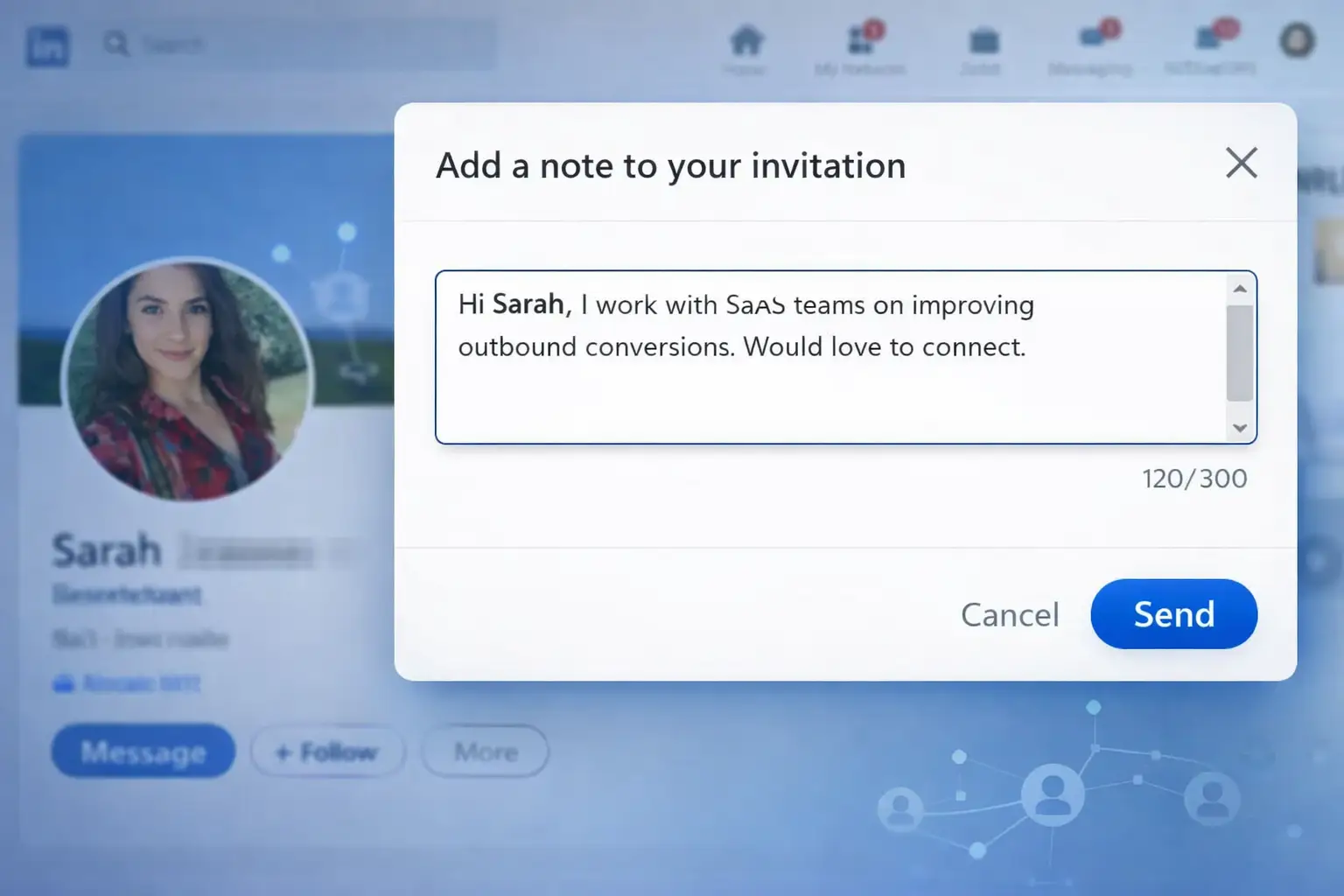
Send a short, personalized connection request. Keep it under 300 characters.
Example: "Hi [First Name], I work with [industry] teams on [specific outcome]. Would love to connect."
No pitch in the first message. Ever.
Step 2: First Follow-Up (Day 3 to 5 After Acceptance)
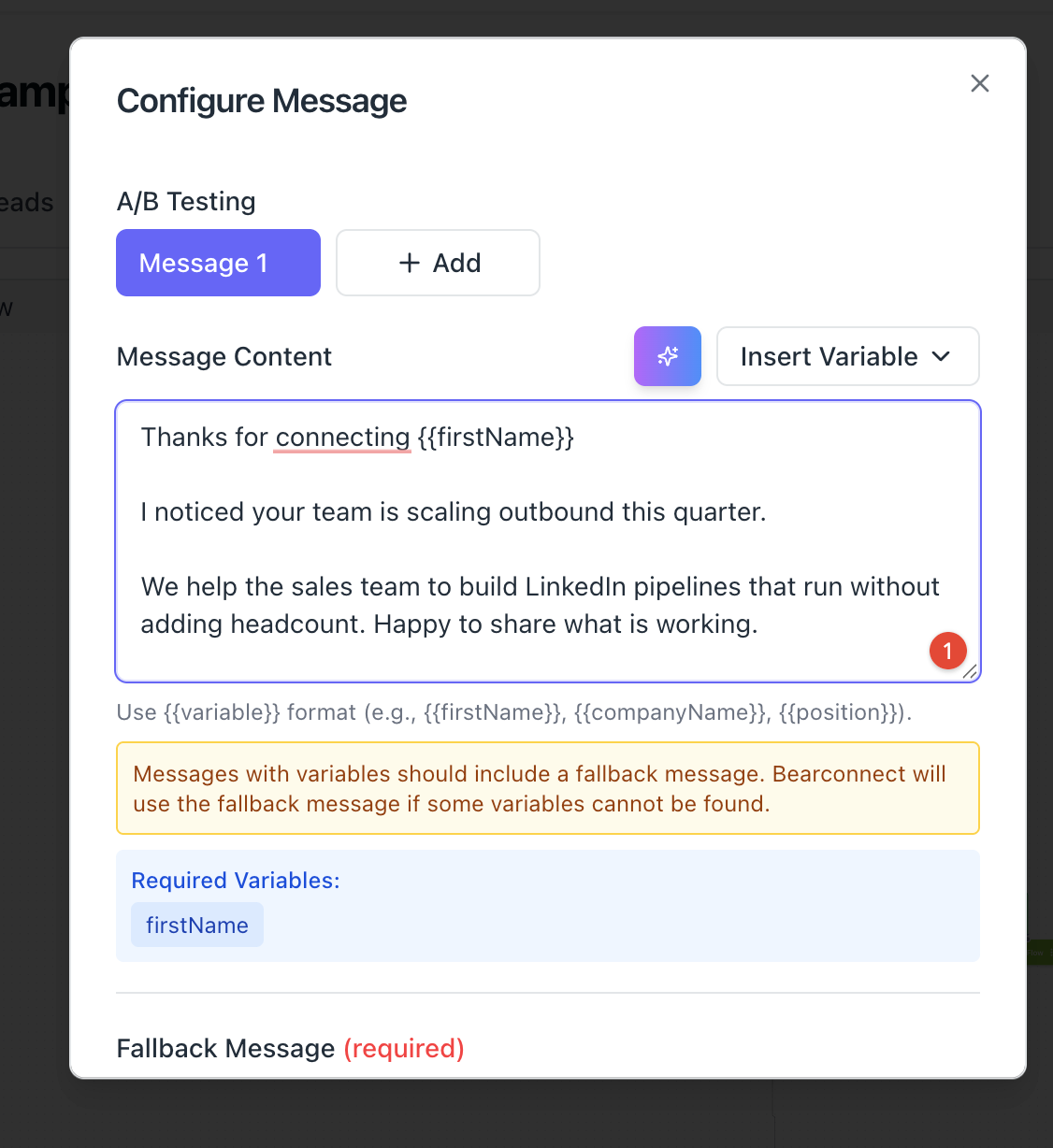
Once they accept, send a value-first personalized message. Reference something specific about their role or company.
Example: "Thanks for connecting, [First Name]. I noticed your team is scaling outbound this quarter. We help [ICP role] build LinkedIn pipelines that run without adding headcount. Happy to share what is working."
Step 3: Second Follow-Up (Day 7 to 10)
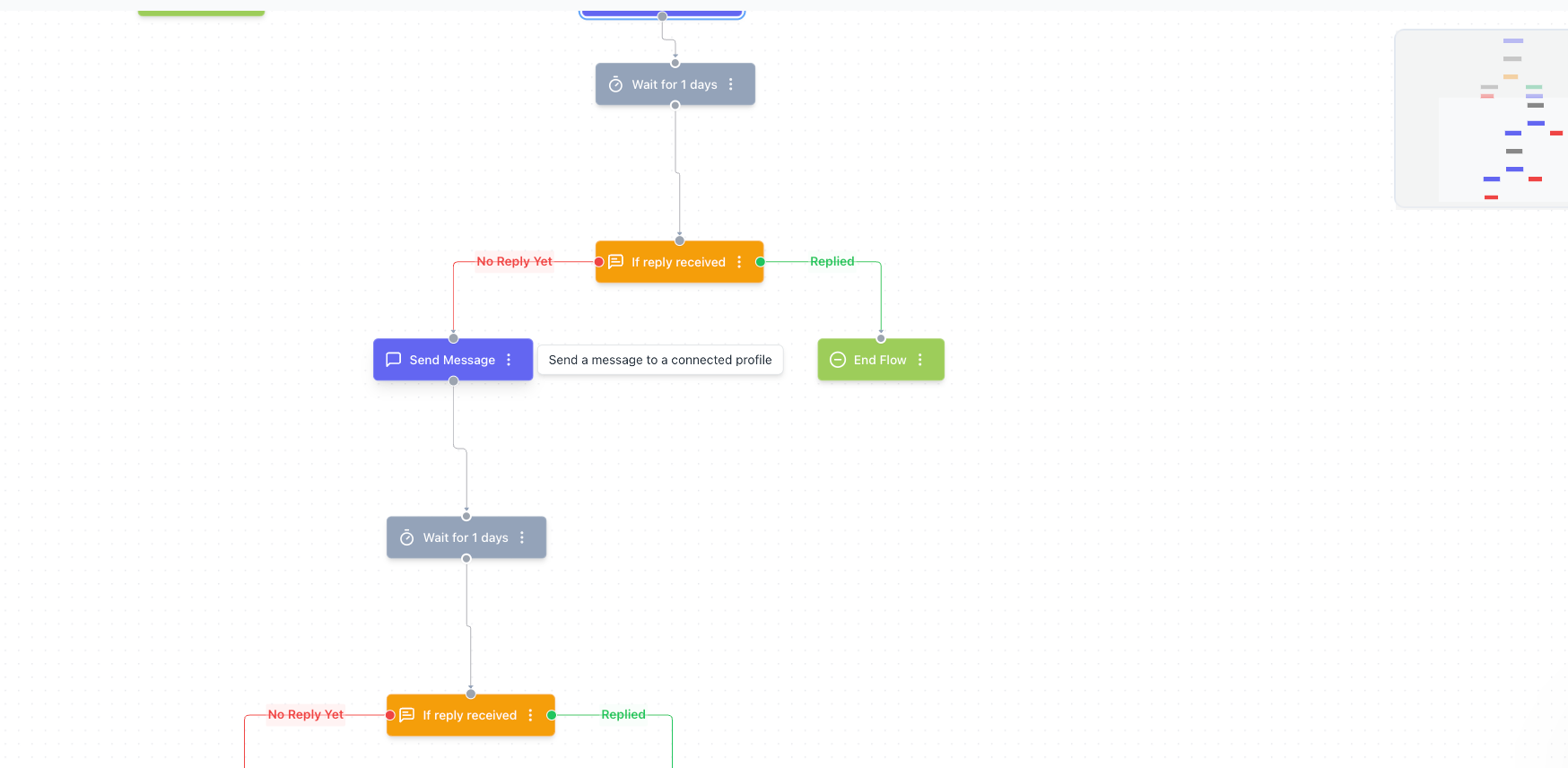
Share a relevant insight, case study, or resource. Make it easy to respond with a yes or no.
Example: "One thing that worked for a similar [role] at [company type]: [specific tactic]. Would a quick overview be useful?"
Step 4: Breakup Message (Day 14 to 18)
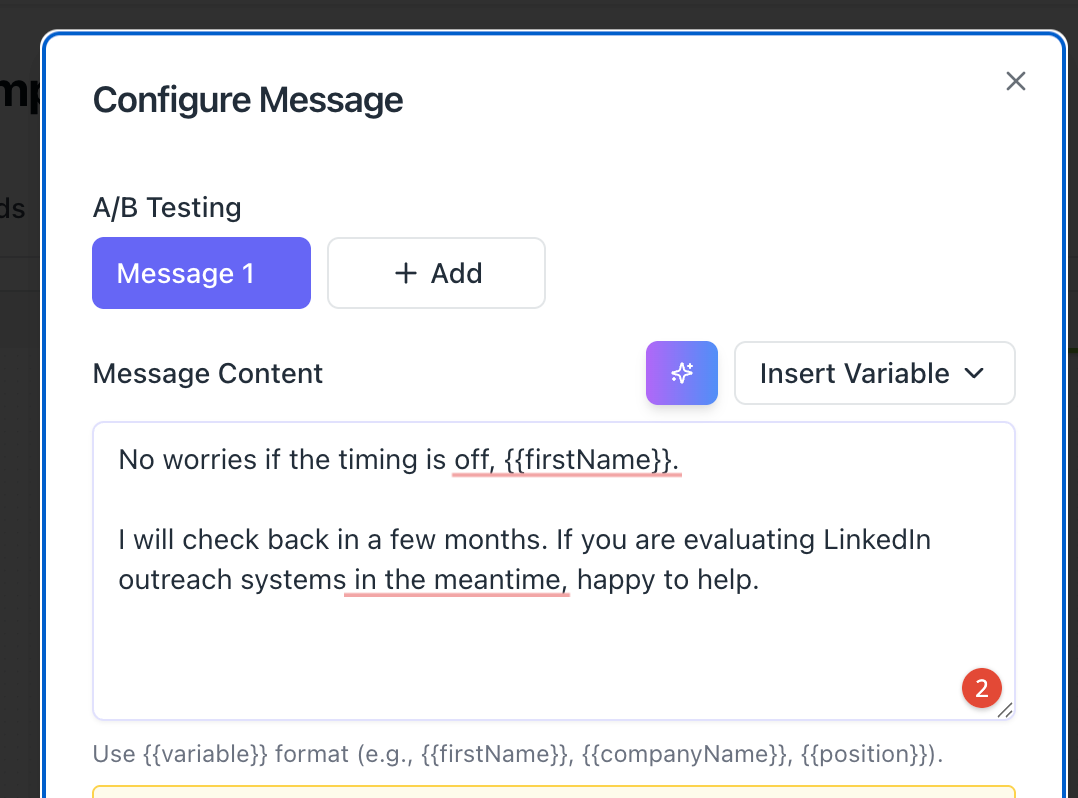
If no reply, send a respectful final message that keeps the door open without pressure.
Example: "No worries if the timing is off, [First Name]. I will check back in a few months. If you are evaluating LinkedIn outreach systems in the meantime, happy to help."
This entire sequence runs automatically in Bearconnect. You set it once, define the delays, and the system executes across every lead in your campaign simultaneously.
Need message templates for each step? Use these: LinkedIn Message Templates for Automation
The Automation-to-Close Handoff Framework (The Step Most Teams Miss)
Every LinkedIn automation guide tells you how to get a reply.
Almost none tell you what to do next. That gap is where deals die.
Getting a prospect to reply is not a closed deal. It is the start of the close. The handoff from automation to human is where your revenue actually lives, and no top-ranking competitor blog covers this step.
Here is the 3-step framework to bridge that gap:
Step 1: Automation Qualifies, Human Reviews
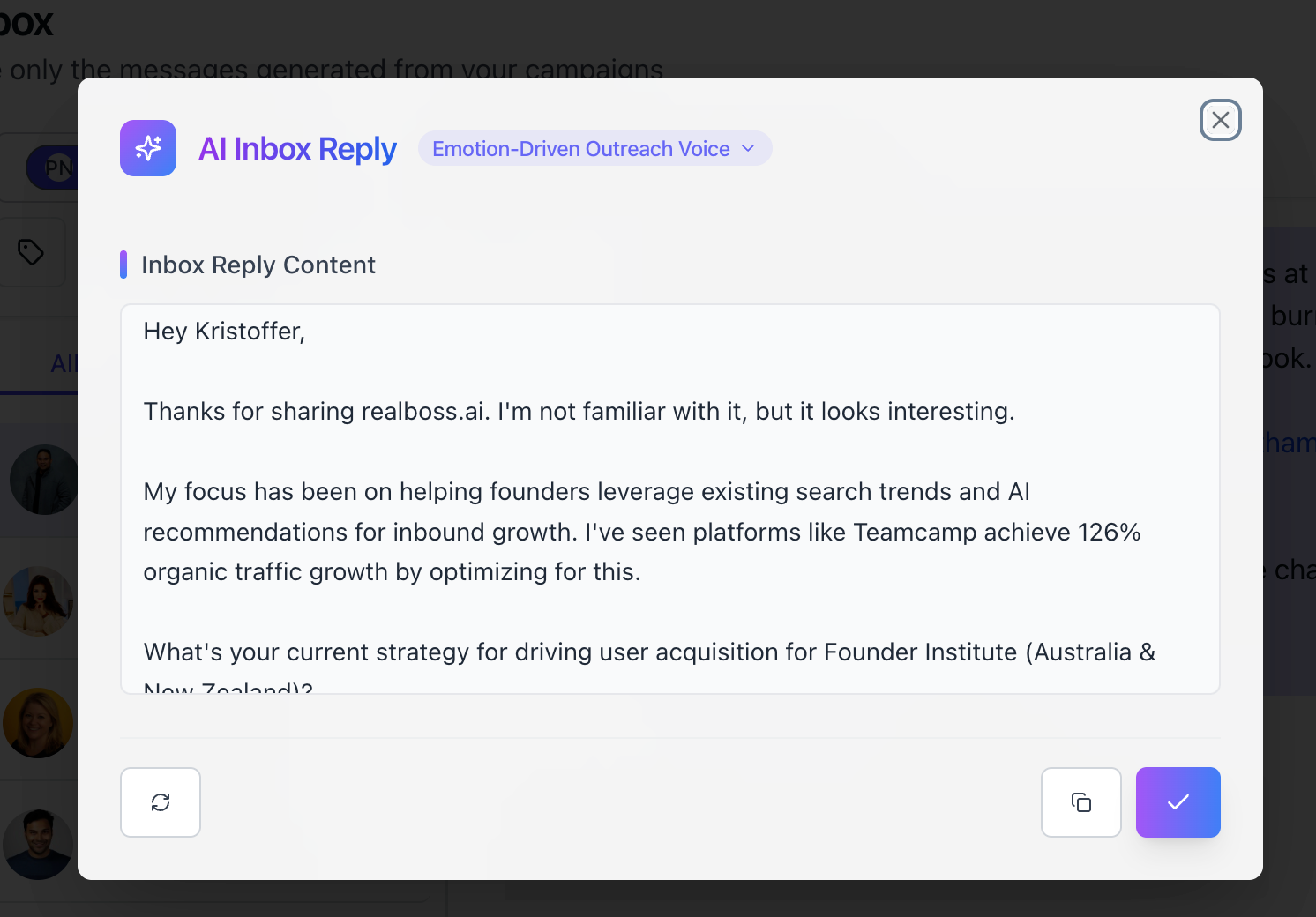
- When a prospect replies, the automation's job is done.
- Your rep opens the unified inbox and reads the full context: which message in the sequence triggered the reply, what the prospect said, and what their profile reveals.
In Bearconnect's unified inbox, all replies from every connected LinkedIn account land in one place. Your rep sees the full thread without switching between profiles or losing context.
Step 2: The Rep Personalizes the Takeover
Your rep does not send a generic response. They reply based on exactly what the prospect said.
- If the reply signals interest: "Thanks for responding. Based on what you mentioned about [X], I think the most useful next step is a 20-minute call where I show you [specific, relevant thing]. Here is my calendar link."
- If the reply is a question: Answer it fully and end with a soft next step. Never leave a question unanswered without proposing movement.
- If the reply is a soft no: Acknowledge it, offer a resource, and propose a follow-up in 30 to 60 days.
Step 3: The Value-Based Close Conversation
When the call happens, your rep already knows:
- Which message got the prospect to engage
- Which pain point or topic they responded to
- What their role and company context look like
Use that context to lead with value, not a product demo. Structure the call like this:
- Confirm the pain point they reacted to in the original message
- Share one specific result from a similar company or role
- Show exactly how your solution addresses that specific pain
- Propose a clear, low-friction next step
Pro Tip: Tag every replied lead as "replied" in your inbox and move them to a CRM stage immediately. In Bearconnect, you can sync replied leads directly to HubSpot or Pipedrive so no conversation falls through the cracks.
How to Measure LinkedIn Outreach Performance
If you cannot measure your LinkedIn outreach, you cannot improve it. Track these four KPIs every week.
| Metric | What It Tells You | Healthy Benchmark |
|---|---|---|
| Connection Acceptance Rate | Quality of ICP targeting and request copy | 25% to 40% |
| Reply Rate to First Message | Quality of your opening message | 8% to 15% |
| Sequence Completion Rate | How many prospects complete your full sequence | 60% to 80% |
| Reply to Meeting Conversion | How well reps handle the handoff | 20% to 35% |
Want to learn how to fix underperforming campaigns? Read: LinkedIn Outreach Automation Sales Guide 2026
How to diagnose underperformance:
- Connection acceptance rate below 20%: Your ICP targeting is too broad. Tighten the filter.
- Reply rate below 8%: Your message copy is not resonating. Test a different angle in step 2.
Reply-to-meeting conversion below 20%: Your handoff process needs work. Apply the 3-step framework above.
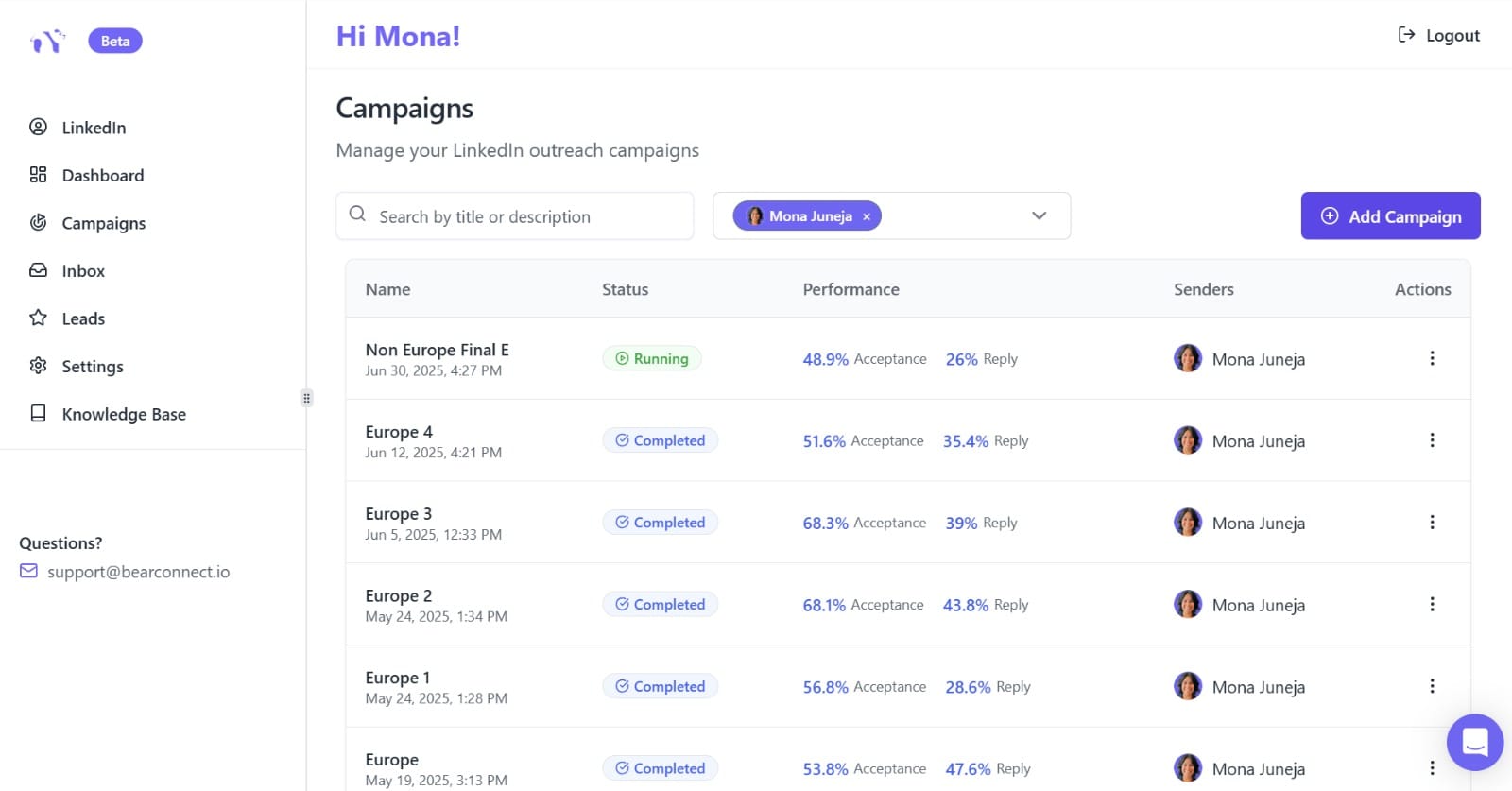
Pro Tip: Bearconnect's analytics dashboard shows connection acceptance rates, response rates, and campaign performance in real time. Use it to identify which campaigns to scale and which to pause before they waste your lead list.
How B2B Sales Teams Use Bearconnect to Run This Entire System
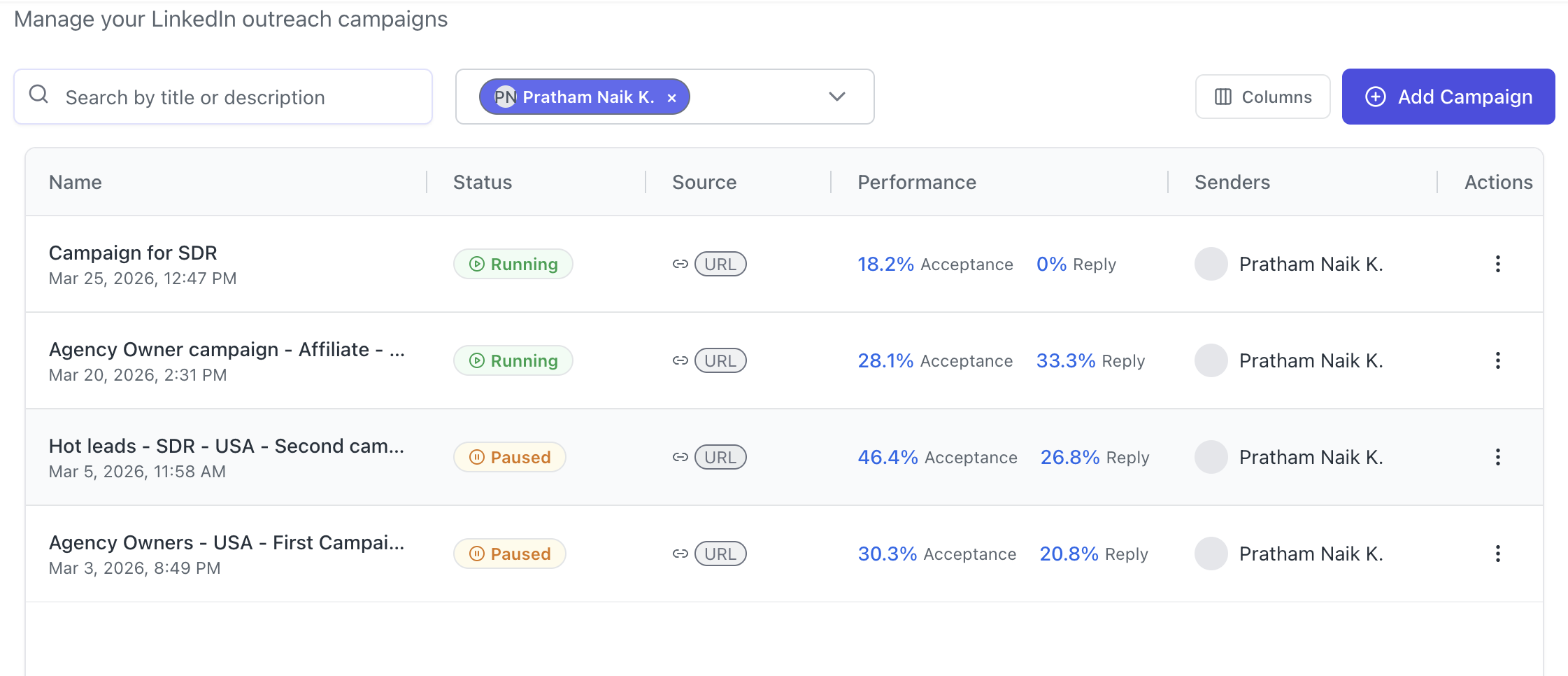
Bearconnect is an AI-powered LinkedIn automation platform that handles outbound outreach and inbound content from one dashboard.
Here is how it maps directly to the system above:
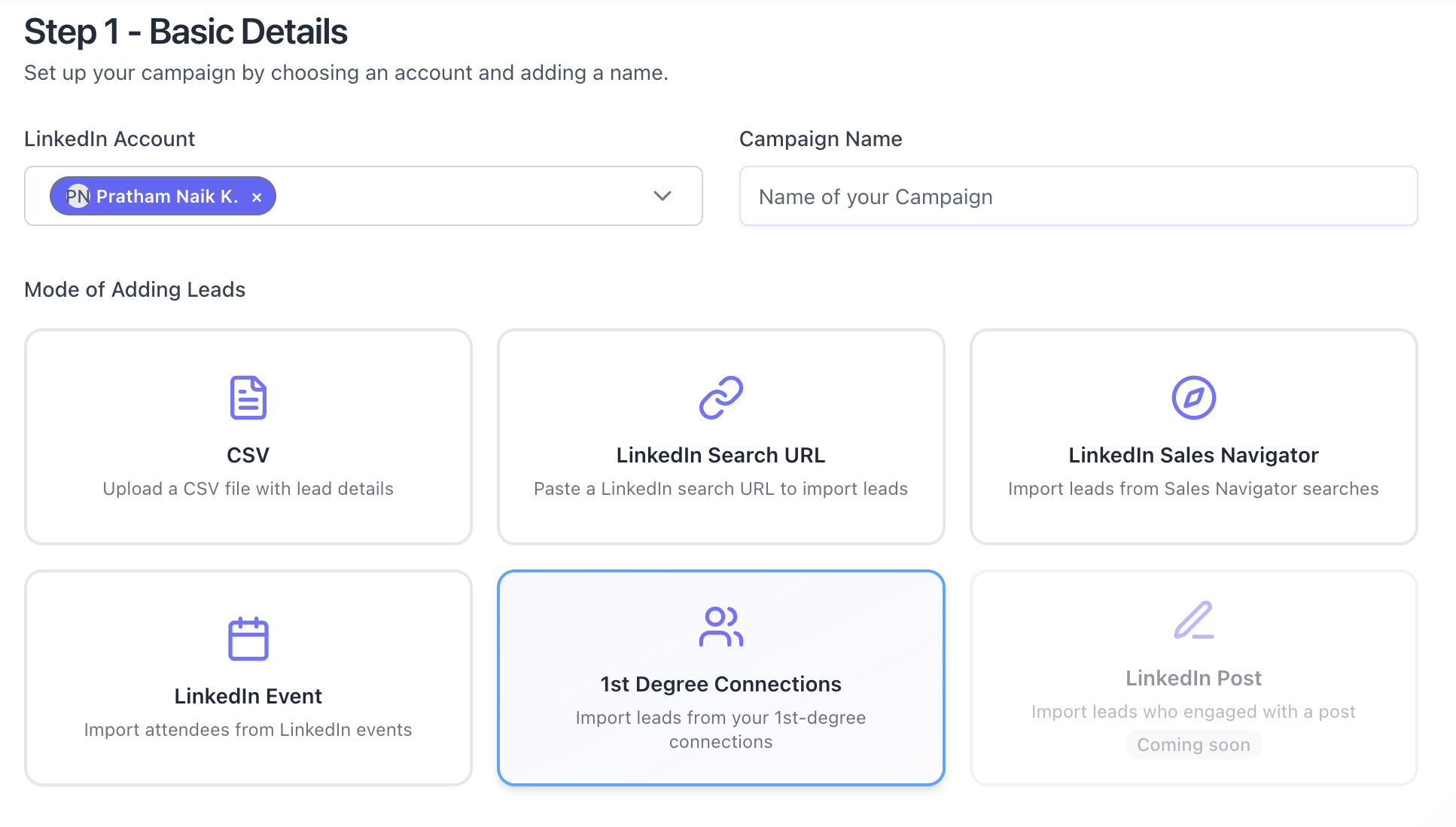
- Lead Import: Import your ICP list by pasting a LinkedIn Search URL or Sales Navigator URL directly into a campaign. You can also import LinkedIn Event attendees or 1st-degree connections as lead sources.
- Drip Sequence Builder: Build your 4-step outreach sequence using Bearconnect's campaign automation with custom delays, personalization tokens, and message variants for different personas.
- Unified Inbox: All replies from all connected LinkedIn accounts land in one centralized inbox. Your team responds to every conversation without switching tabs or losing thread history.
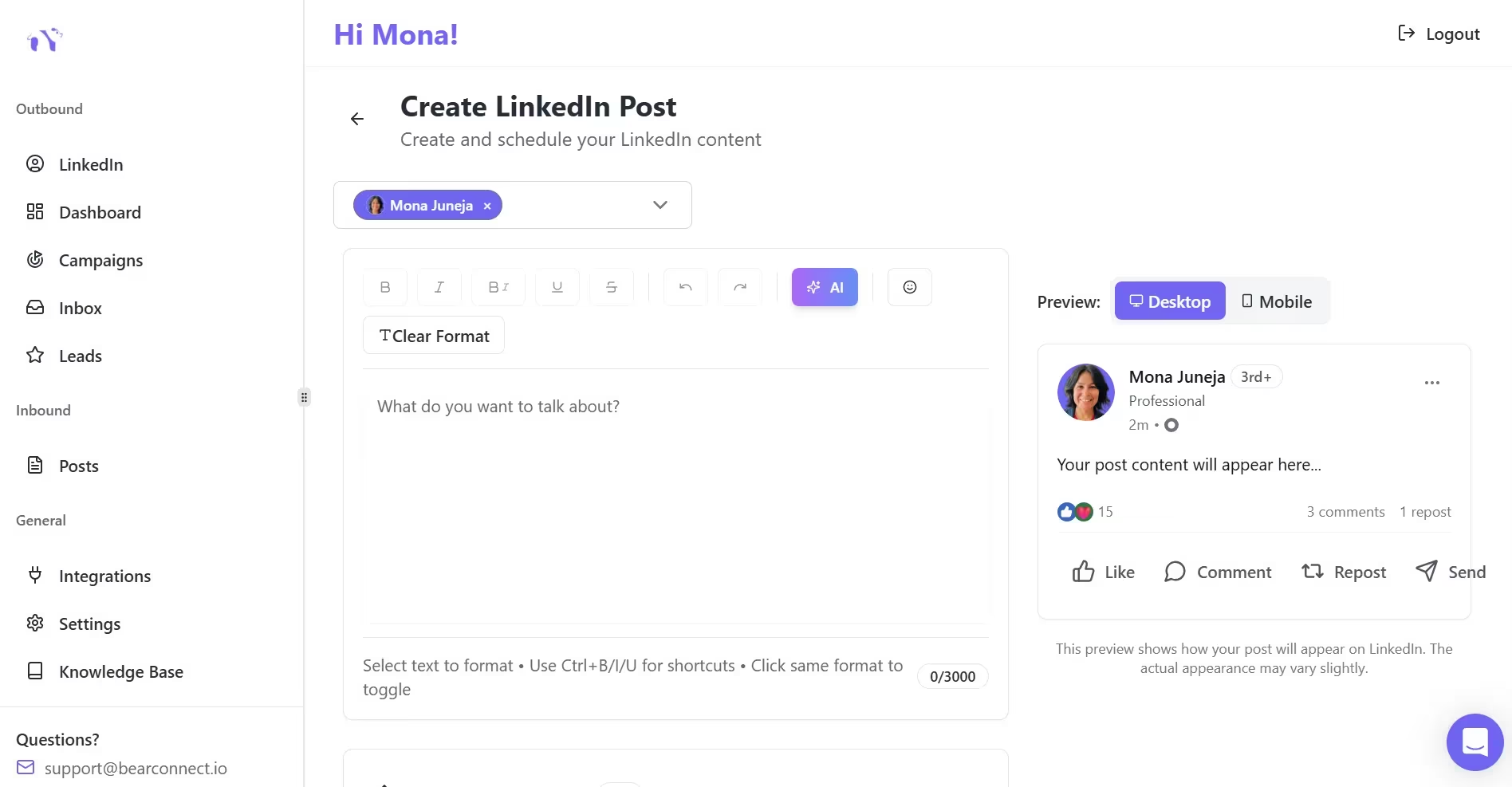
- AI Post Creation: Use the Post Magnet feature to generate LinkedIn content that keeps your profile visible and builds inbound trust while your outbound sequence runs in the background.
- CRM Sync: Push replied leads directly to HubSpot or Pipedrive automatically so your pipeline stays current without manual data entry.
Bearconnect is priced at $67/month per LinkedIn account. When your team connects 5 or more accounts, the price drops to $57/month per account.
See full details on the Bearconnect pricing page.
For a 3-person SDR team, that is less than $200/month to run a fully automated LinkedIn outreach system with CRM integration, a unified inbox, and AI content creation included.
5 Frequently Asked Questions
1. How many LinkedIn connection requests can I send per day with automation?
LinkedIn's safe limit sits around 20 to 25 connection requests per day per account. Tools like Bearconnect use smart throttling and behavior mimicry to stay within those limits and keep your account safe from restrictions.
2. Will automated LinkedIn messages sound robotic to my prospects?
Only if you use generic templates. Personalization tokens like first name, company name, and job role, combined with a conversational tone, make automated messages feel natural. Always write messages the way a real person would send them to one specific contact.
3. Do I need LinkedIn Sales Navigator to use LinkedIn automation tools?
No. Bearconnect works with standard LinkedIn search URLs, so you do not need a Sales Navigator subscription to build and run outreach campaigns. Sales Navigator does give you more advanced filtering, but it is not required to get started.
4. How long does it take to see results from LinkedIn automation?
Most B2B sales teams see their first qualified replies within 7 to 14 days of launching a campaign. Consistent pipeline results build over 30 to 60 days as sequences complete across your full lead list.
5. Is LinkedIn automation safe for my account?
Yes, when you use a tool that respects LinkedIn's daily action limits and mimics natural user behavior. Bearconnect uses local IPs, gradual account warm-up, and smart throttling to keep your account active without triggering LinkedIn restrictions.
Ready to Build Your LinkedIn Outreach System?
Stop spending 10 to 15 hours a week on manual LinkedIn prospecting. Build the system once, let it run, and put your reps back on closing.
Start with these three actions today:
- Define your ICP and import your lead list from a LinkedIn Search URL
- Set up your 4-step connection sequence with smart delays
- Apply the Automation-to-Close Handoff Framework every time a prospect replies using the unified inbox
If you want to run this entire system from one platform, try Bearconnect free for 7 days.
Want to go deeper? Read next: Cold Calling + LinkedIn: The Perfect One-Two Punch for Sales Teams
Ready to Transform Your LinkedIn Strategy?
Join thousands of professionals already using Bearconnect to automate their outreach and grow their network.
7-day free trial • Cancel anytime
Related Articles
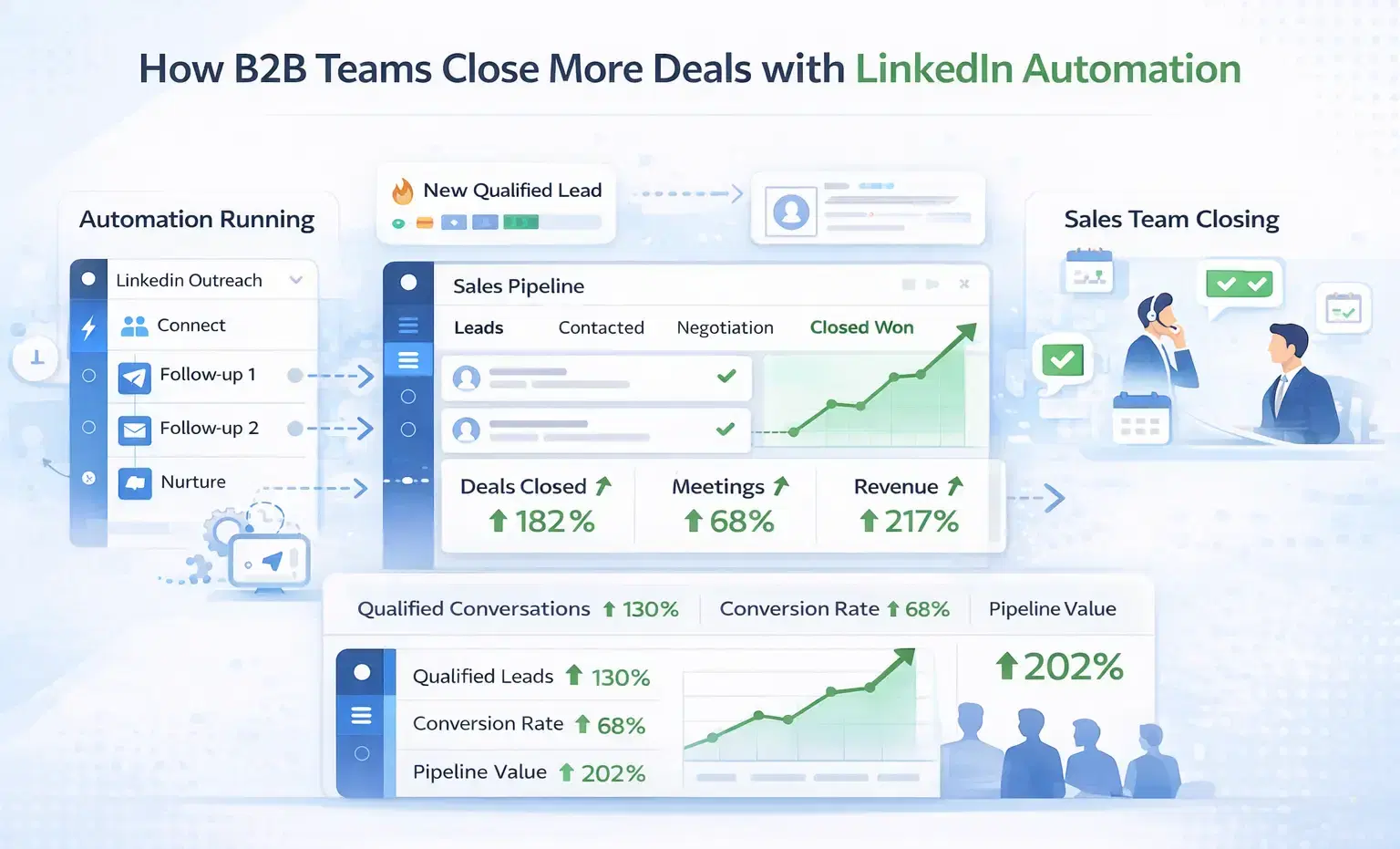
How B2B Sales Teams Close More Deals by Automating LinkedIn Outreach?
B2B sales teams waste hours on manual LinkedIn outreach. Automation fixes that more meetings, less grind, better conversions at scale.
How Can SDRs Book More Meetings Using LinkedIn Automation?
SDRs can book more meetings with LinkedIn automation by streamlining outreach, automating follow-ups, and scaling conversations without manual effort.
Is There a Dripify Alternative with No Credit Limit That Actually Works for LinkedIn Outreach?
Yes. Bearconnect is a Dripify alternative with no credit system, no campaign caps, and a unified inbox built for unlimited LinkedIn outreach at $67/month per LinkedIn account. TL;DR * Dripify Basic ($39/mo) locks you to 1 drip campaign and hard daily action limits * Dripify charges $29 to $99 extra for email finder credit top-ups on top of your plan cost * Dripify offers no dedicated inbox on its Basic plan and only a single-account inbox on Pro * Bearconnect gives you unlimited campaigns