LinkedIn Outreach Automation: Complete Guide for Sales Teams in 2026
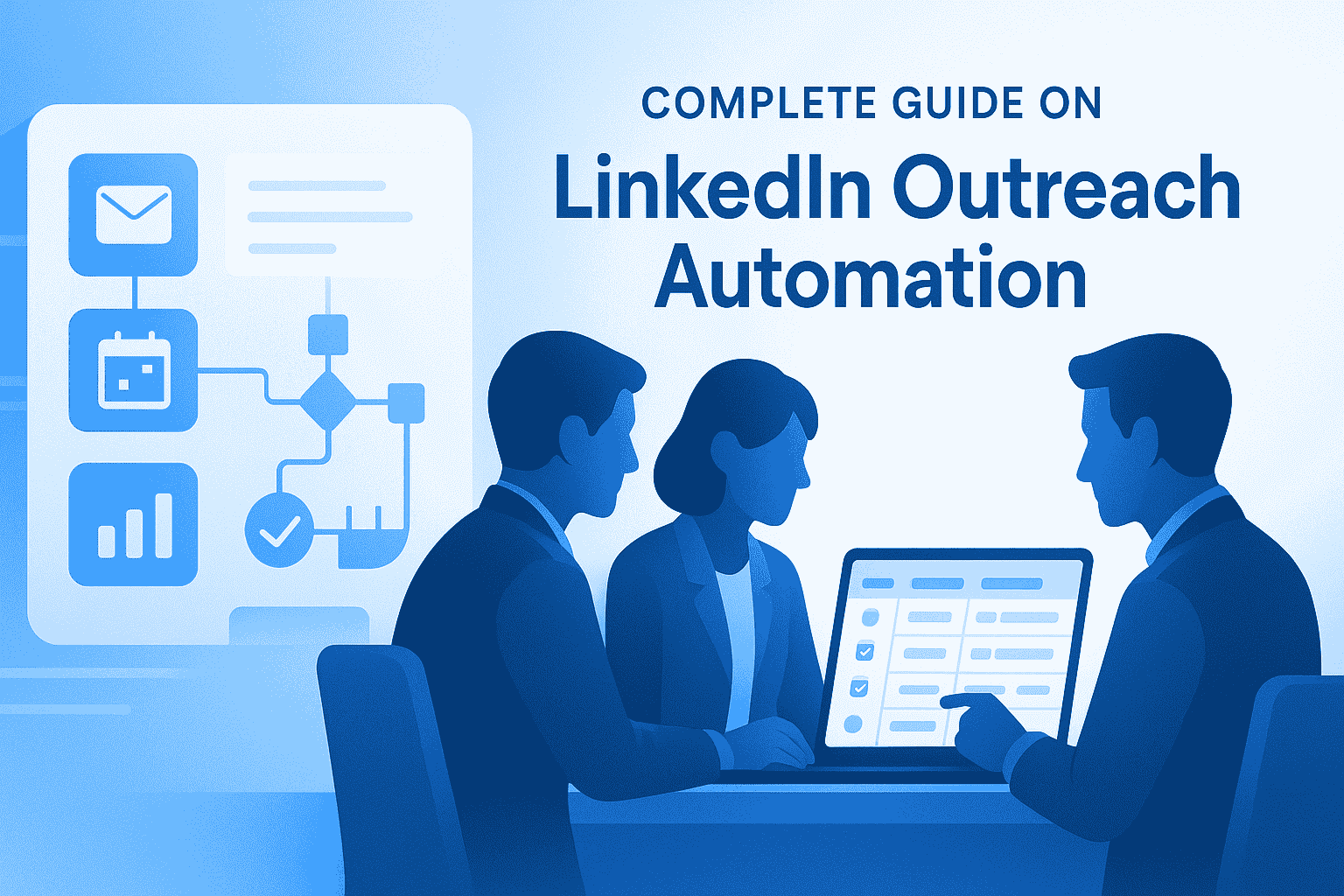
Your SDR just spent 4 hours sending 50 connection requests on LinkedIn.
How many turned into actual sales conversations?
If the answer is fewer than 10, you are bleeding revenue while competitors automate their way to 200+ quality touchpoints daily.
Here's how LinkedIn outreach automation transforms manual grind into predictable pipeline.
TL;DR: Key Takeaways
- 87% of B2B sales teams now use LinkedIn automation to scale outreach
- Automated campaigns achieve 10.3% response rates vs. 5.1% for cold email
- Sales teams save 15-20 hours weekly per rep using automation tools
- Connection acceptance rates jump from 15-20% (manual) to 35-50% (automated)
- Meeting conversions improve from 2-5% to 8-15% with systematic automation
What is LinkedIn Outreach Automation?
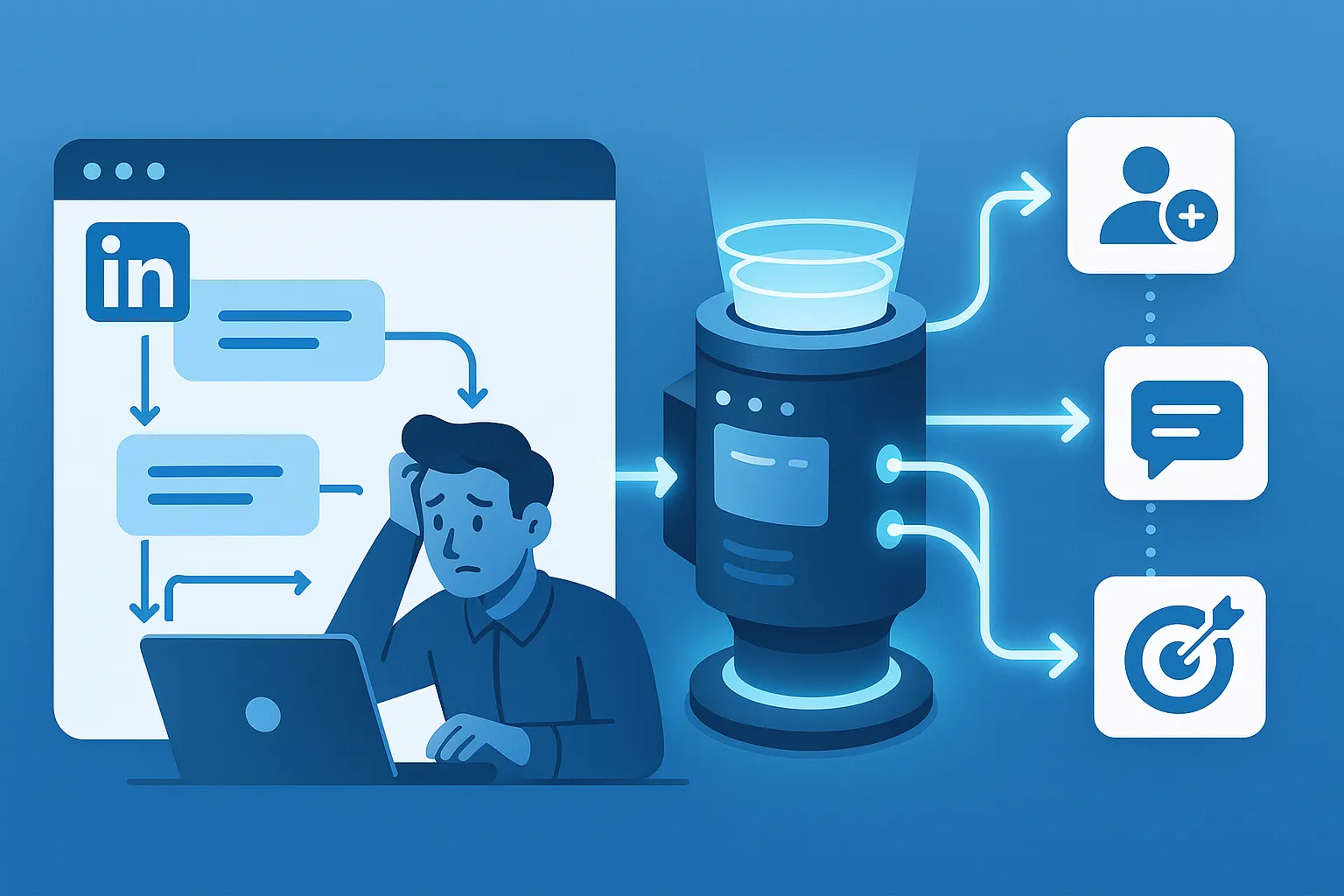
LinkedIn outreach automation uses software to handle repetitive prospecting tasks while you focus on closing deals and automate your whole LinkedIn lead generation Workflow.
Core automated activities include:
- Sending personalized connection requests to targeted prospects
- Delivering multi-step message sequences automatically
- Following up with prospects at optimal intervals
- Tracking responses and engagement in unified dashboards
- Managing multiple LinkedIn accounts from one platform
Think of it as having a 24/7 virtual assistant that never forgets to follow up, always sends messages on time, and scales your outreach without burning you out.
Why Sales Teams Can't Ignore Automation in 2026
1. The Manual Outreach Problem
Your sales team is drowning in busywork.
Time breakdown for manual LinkedIn prospecting:
- 15-20 minutes per personalized connection request
- 10-15 minutes crafting individual follow-up messages
- 5-10 minutes researching each prospect's background
- 30+ minutes daily managing conversations across accounts
The math is brutal: Reaching just 50 prospects manually requires 20+ hours weekly. That's half your workweek spent on tasks automation handles in minutes.
2. What the Data Shows
Recent industry benchmarks reveal why automation adoption has exploded:
Response Rate Comparison:
- LinkedIn outreach: 10.3% average response rate
- Cold email outreach: 5.1% average response rate
LinkedIn outperforms email by 101%, yet most teams still rely heavily on email because they haven't automated their LinkedIn strategy.
Connection Acceptance Improvements:
- Manual outreach: 15-25% acceptance rate
- Professional automation: 35-50% acceptance rate
Meeting Booking Conversions:
- Traditional manual methods: 2-5% booking rate
- Systematic automation: 8-15% meeting conversion
How LinkedIn Outreach Automation Actually Works
Step 1: Audience Targeting
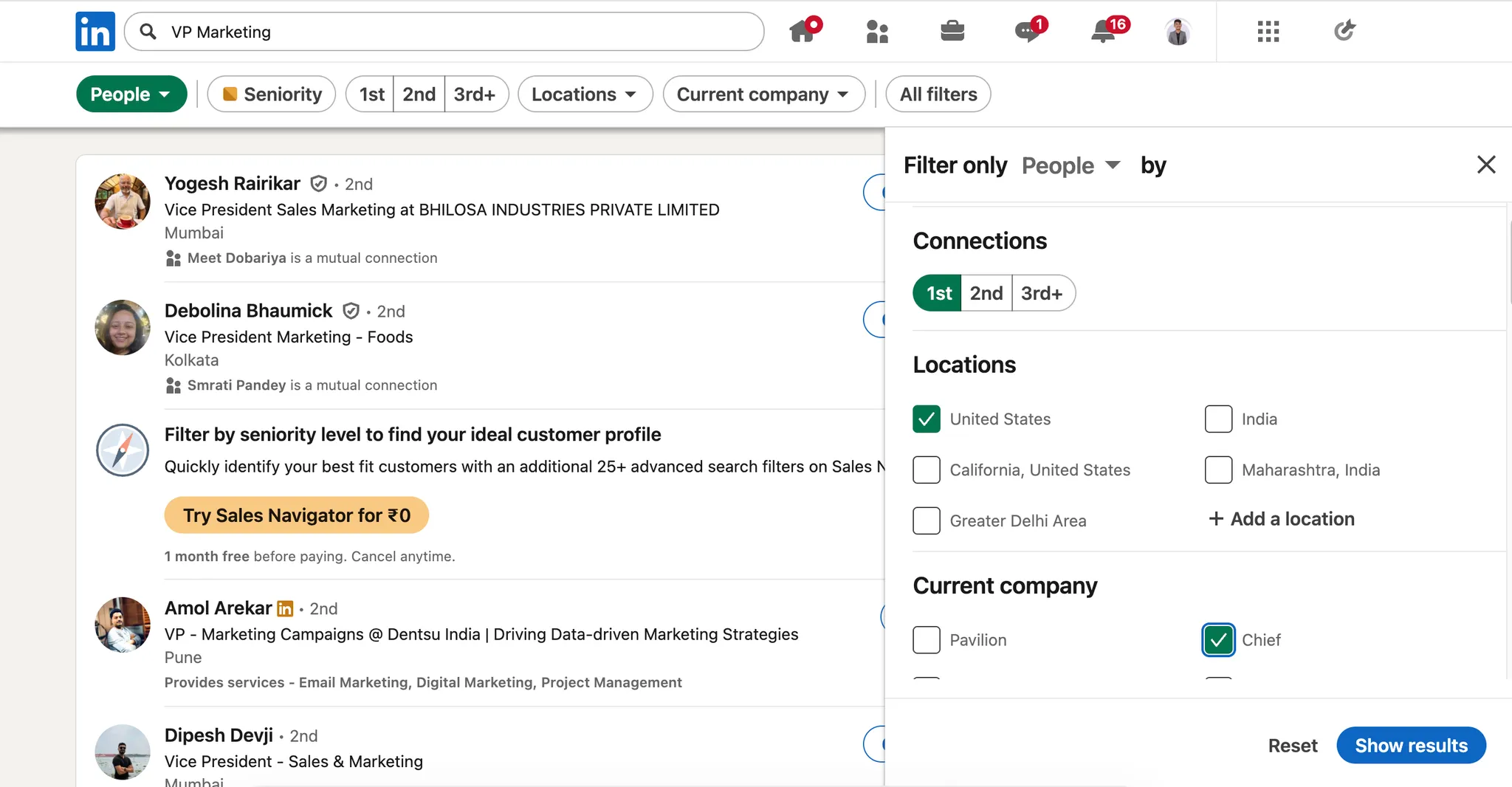
Modern automation tools let you filter prospects by:
- Job title and seniority level
- Company size and industry
- Geographic location
- Recent activity triggers (promotions, job changes)
- Keyword mentions in profiles
Pro tip: LinkedIn outreach tied to recent activity (like promotions or webinar attendance) boosts response rates by 32%.
Step 2: Automated Connection Requests
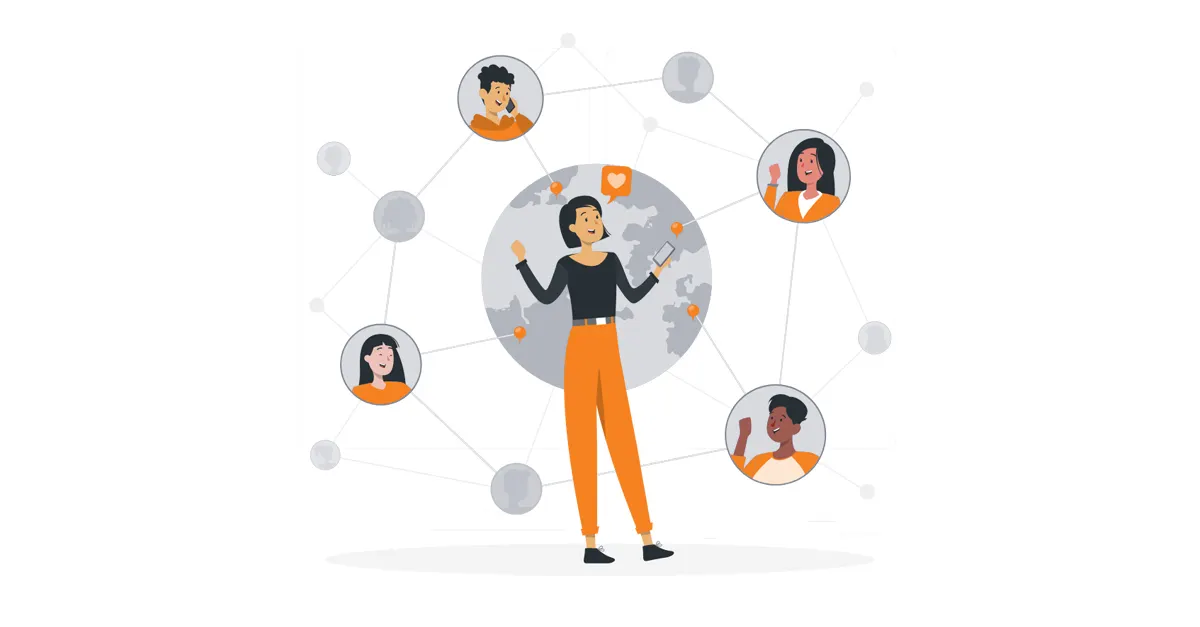
Instead of manually clicking "Connect" 50 times daily, automation tools:
- Send connection requests to your filtered audience
- Personalize each request with dynamic fields (name, company, role)
- Respect LinkedIn's daily limits to avoid account flags
- Track acceptance rates in real-time dashboards
Step 3: Drip Sequence Campaigns

Once connections accept, automated sequences deliver:
- Message 1 (Day 0): Welcome message with value proposition
- Message 2 (Day 3-4): Share relevant resource or insight
- Message 3 (Day 7-8): Low-commitment call-to-action
- Message 4 (Day 12-14): Final follow-up with specific ask
Pro Tips: You can start your First Drip Campaign For free with Bearconnect 7 Day Free trail to get idea about how LinkedIn Automaiton actually works.
Step 4: Performance Tracking
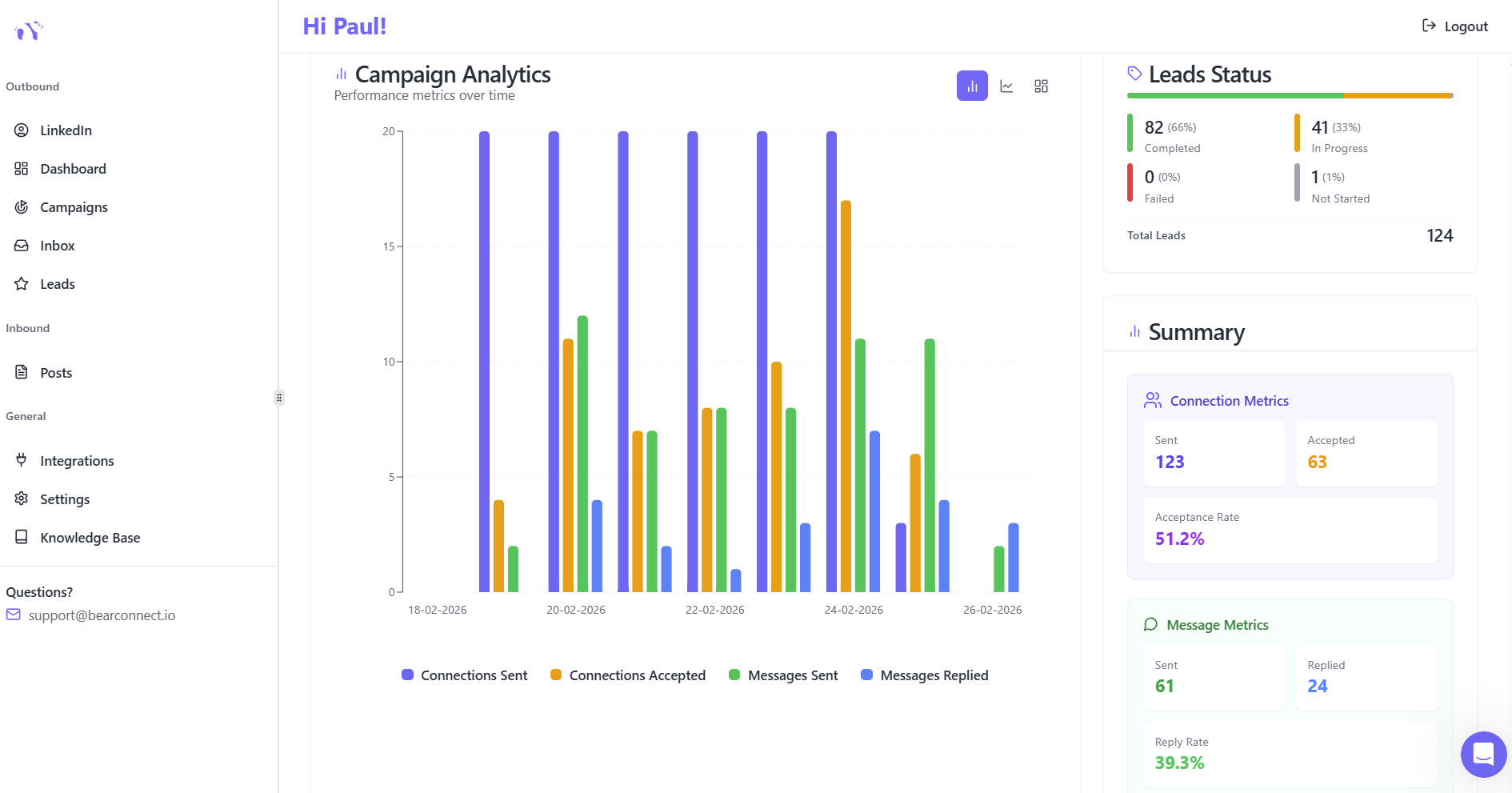
Advanced automation platforms provide:
- Connection acceptance rates by campaign
- Message response rates and engagement metrics
- Meeting booking conversion percentages
- A/B testing capabilities for message variations
- ROI calculations linking outreach to revenue
The Safety Question: Will Automation Get Your Account Banned?
This is the number one concern for sales teams considering automation.
LinkedIn's perspective on automation:
LinkedIn actively monitors for bot-like behavior. Aggressive automation absolutely can trigger account restrictions or permanent bans.
How professional automation tools stay safe:
- Local IP Operation: Mimics organic user behavior from real geographic locations
- Smart Throttling: Respects LinkedIn's action limits (25-50 connections daily max)
- Behavior Randomization: Varies timing between actions to appear human
- Gradual Ramping: Slowly increases activity to build "account warmth"
Safety benchmarks to monitor weekly:
- Connection acceptance rate: Should stay above 25% for cold outreach
- Reply rate: Target 15%+ replies from accepted connections
- Meeting booking rate: Aim for 3-5% of connections converting to calls
If you need to sell the idea internally, this article on why sales teams replace manual outreach with LinkedIn automation lays out the numbers clearly.
Real Results: What Smart Teams Achieve
Productivity Gains
Marketing agency TechGrow increased daily outreach from 30 to 120 prospects using automation while maintaining their 23% response rate.
Typical improvements across industries:
- SaaS teams: 4.77% response rates with targeted messaging
- Professional services: 10.42% response rates (nearly 2x SaaS average)
- Sales teams: 300-500% increase in daily prospect reach
Time Savings That Matter
- Hours reclaimed weekly: 15-20 per sales rep
- Annual productivity value: $50,000+ per rep
- Team capacity multiplier: 3-4x more pipeline with same headcount
One quality lead often covers the entire monthly automation tool cost. Combined with time savings, automation becomes a revenue multiplier, not an expense.
Cost-Effectiveness Analysis
- Automation platform investment: $67-500 monthly per rep
- Additional sales hire alternative: $80,000-120,000 annually
- Break-even point: 2-3 months maximum
If your team is new to this, start with a clear overview of what LinkedIn automation is and why sales teams use it before you design campaigns.
Choosing the Right Automation Tool for 2026
Must-Have Features
When evaluating LinkedIn automation platforms, prioritize:
Safety Features:
- Cloud-based operation (not browser extensions)
- Daily action limits and smart pacing
- Account warmth protocols
Campaign Management:
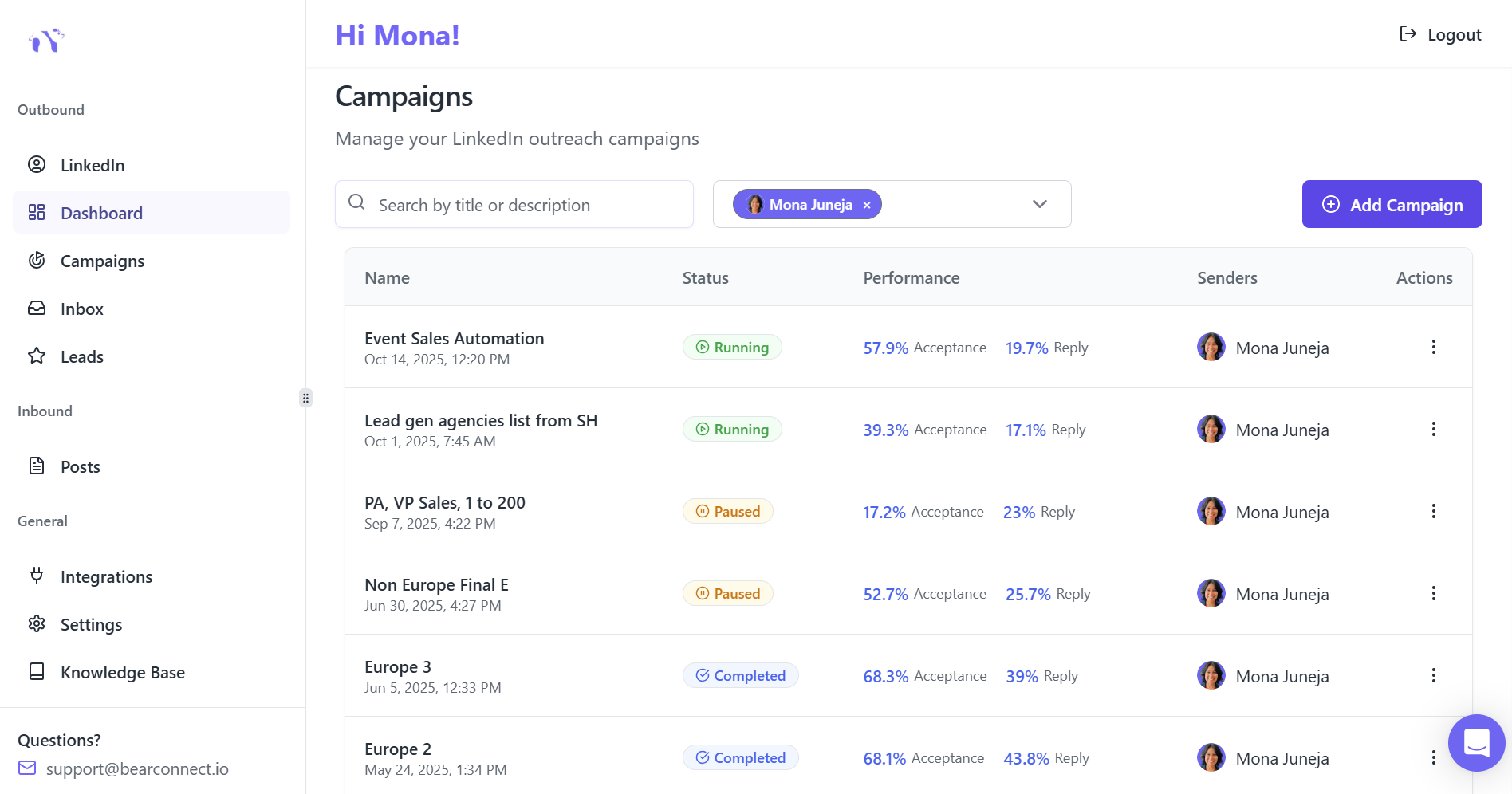
- Unlimited campaign support Like Bearconnect
- Multi-step drip sequence builder
- A/B testing capabilities
- Advanced audience targeting filters
Integration & Analytics:
- CRM connectivity (HubSpot, Salesforce)
- Unified inbox for multiple accounts
- Real-time performance dashboards
- Conversion tracking from connection to deal
Pricing Models Explained
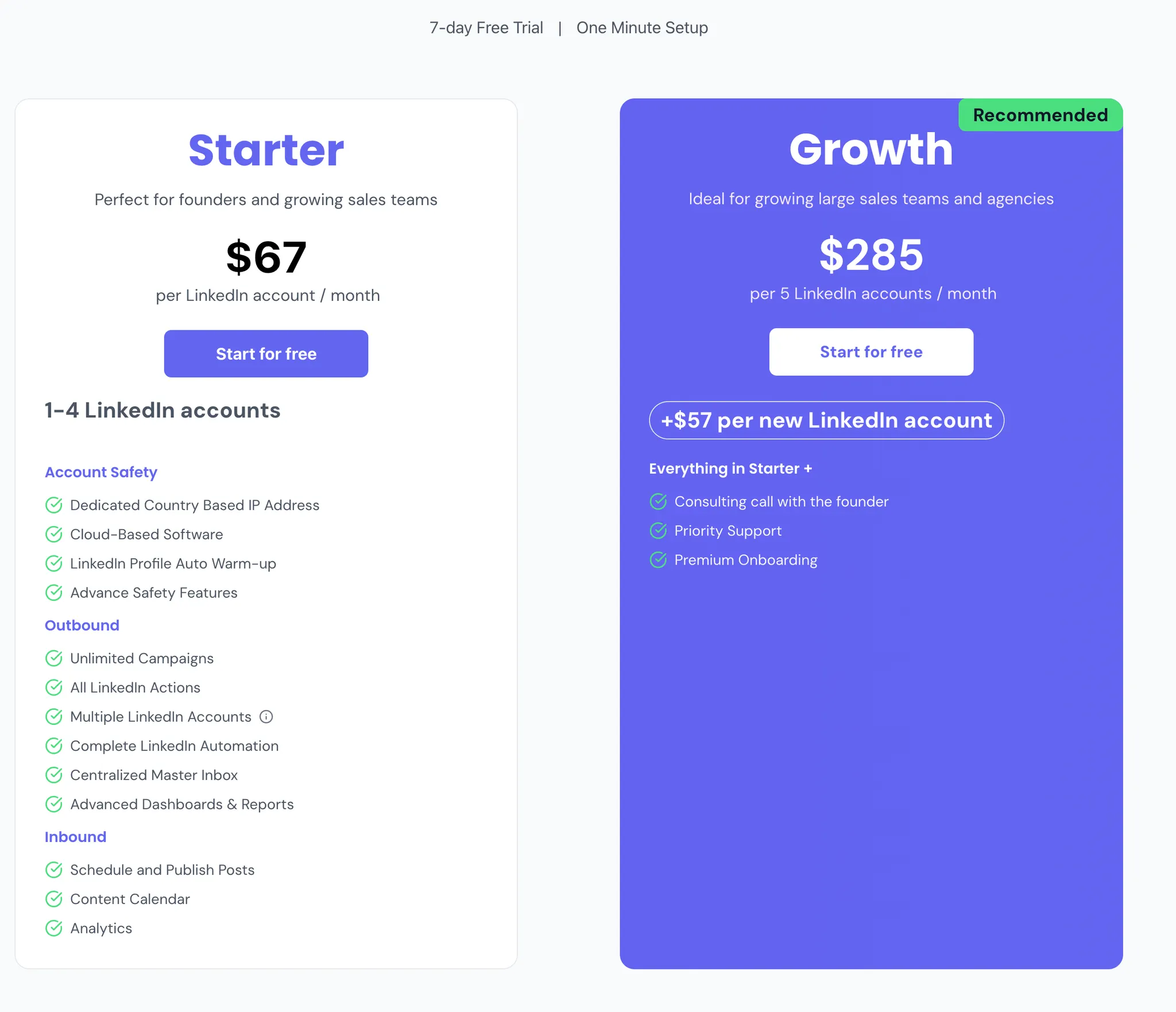
Most automation tools charge per LinkedIn account connected:
- Standard pricing: $67-500 per month per LinkedIn account
- Volume discounts: Often available when connecting 5+ accounts
- Hidden costs: Some require LinkedIn Sales Navigator ($80/month additional)
- Budget-friendly option: Tools like Bearconnect offer $67/month per LinkedIn account with unlimited account connections, meaning agencies can manage multiple client profiles affordably.
Implementation Roadmap for Sales Teams
Week 1: Setup and Targeting
- Connect your LinkedIn accounts to automation platform
- Define ideal customer profile (ICP) with specific filters
- Create initial audience segments by industry or role
- Draft 3-4 message templates for A/B testing
Week 2: Launch First Campaign
- Start conservatively with 15-20 connection requests daily
- Monitor acceptance rates and response quality
- Adjust messaging based on early feedback
- Build gradual account warmth to avoid flags
Week 3: Scale and Optimize
- Increase to 25-40 daily connections per rep
- Deploy multiple sequences for different audience segments
- Run A/B tests on message variations and timing
- Analyze which campaigns perform best
Week 4: Full Implementation
- Target optimal capacity of 50+ daily prospects per rep safely
- Integrate with CRM for seamless lead handoff
- Establish team training on successful approaches
- Measure pipeline impact and calculate ROI
Expected results timeline: Most teams see meaningful improvements within 3-4 weeks of implementation.
Best Practices for Authentic Automation
1. Personalization at Scale
Dynamic fields to use in templates:
- {{FirstName}} and {{CompanyName}} (baseline minimum)
- {{JobTitle}} or {{RecentPromotion}} (shows you researched)
- {{MutualConnection}} or {{SharedGroup}} (builds credibility)
Pro insight: AI-personalized messages achieve 35-50% acceptance rates versus 15-20% for generic templates.
2. High-Converting Message Structure
Connection request formula (300 characters max):
"Hi {{FirstName}}, noticed we both work in {{Industry}}. I've been following {{CompanyName}}'s approach to {{RelevantTopic}}. Would love to connect and share insights. Worth connecting?"
First message after acceptance:
Use the AIDA framework:
- Attention: Reference specific detail from their profile
- Interest: Share relevant insight or resource
- Desire: Explain benefit of conversation
- Action: Low-commitment CTA like "Worth a brief chat?"
3. Timing and Frequency
Best days for LinkedIn responses:
- Thursday: 20.32% of replies (highest)
- Monday: 20.30% (second highest)
- Saturday: 2.65% (avoid)
Optimal follow-up spacing: 2-5 business days between messages for 49% better conversions.
Common Mistakes to Avoid
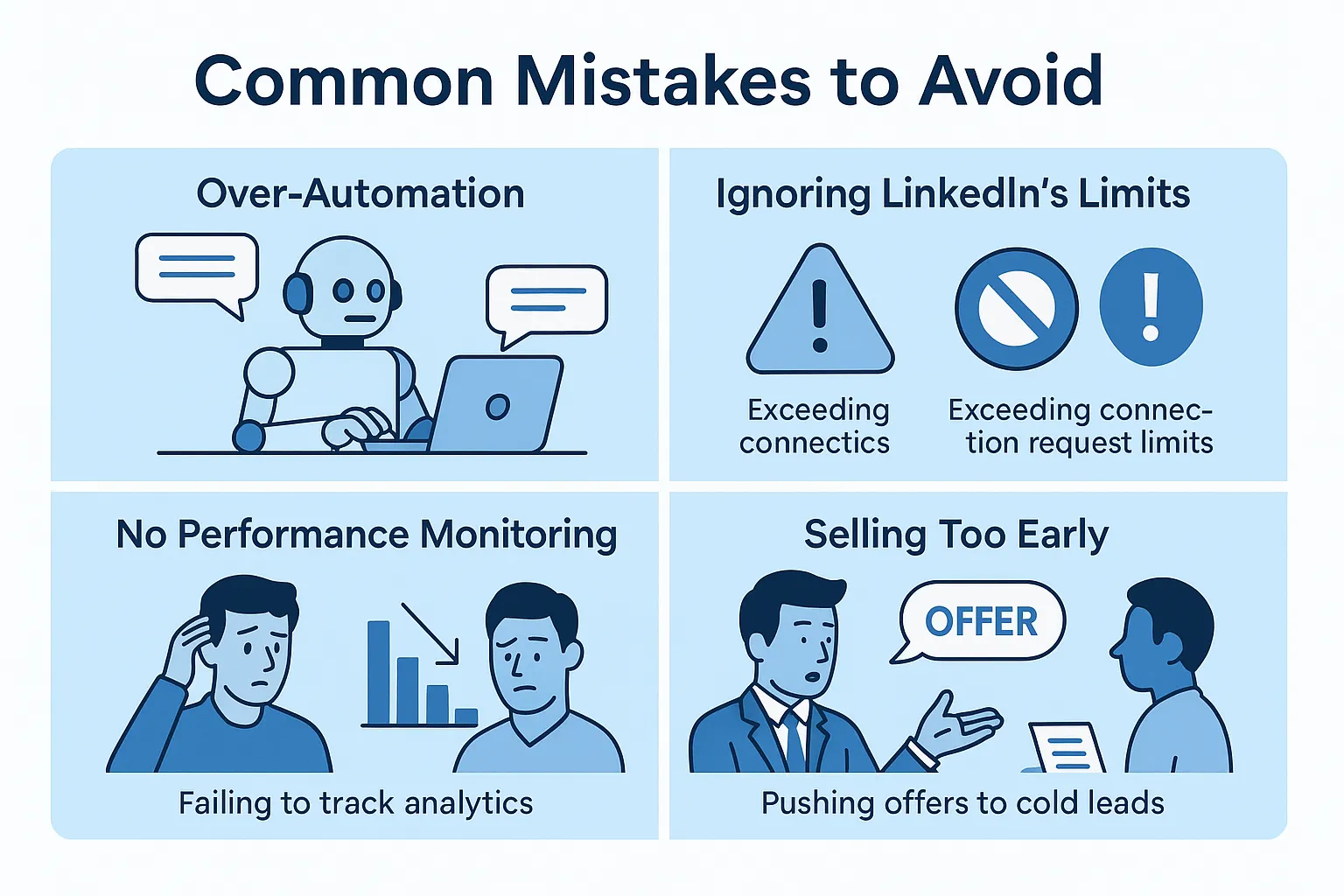
Mistake #1: Over-Automation Without Personalization
Generic spam messages achieve below 5% response rates. Always balance automation efficiency with authentic personalization.
Mistake #2: Ignoring LinkedIn's Limits
Sending 100+ connection requests daily triggers instant account review. Stay within 25-50 daily maximum.
Mistake #3: No Performance Monitoring
Teams that don't track metrics can't optimize. Review analytics weekly to identify what works.
Mistake #4: Selling Too Early
Lead with value, not pitches. Share insights first, build relationships second, then introduce solutions.
Key Metrics to Track
Monitor these KPIs to measure automation success:
Connection Acceptance Rate:
- Industry benchmark: 15-25%
- Target with automation: 30-40%
Response Rate to Initial Messages:
- Industry benchmark: 5-10%
- Target with automation: 15-25%
Meeting Booking Conversion:
- Industry benchmark: 2-5% of connections
- Target with automation: 8-15%
Time Saved Weekly:
- Target: 15-20 hours per sales rep
Pipeline Value Increase:
- Expected: 3-4x growth with same team size
The Bottom Line
LinkedIn outreach automation isn't about replacing human connection. It's about eliminating repetitive tasks so your sales team can focus on what humans do best: building genuine relationships and closing deals.
With 87% of B2B teams already automating, the question isn't whether to automate, but how quickly you can implement it before competitors capture your ideal prospects first.
Start small, test systematically, and scale what works. Most teams see their first qualified leads within 2 days of launching campaigns.
Ready to Scale Your LinkedIn Outreach?
Bearconnect helps sales teams automate LinkedIn prospecting at $67 per month per LinkedIn account with unlimited campaigns, unified inbox management, and built-in safety features.
Try Bearconnect to reclaim 15-20 hours weekly while generating 3-5x more qualified conversations
Frequently Asked Questions
1. How much does LinkedIn automation cost for sales teams?
LinkedIn automation typically costs $67-500 per month per LinkedIn account. Budget-friendly tools like Bearconnect start at $67/month with unlimited campaigns, while premium platforms charge $150-500 monthly.
2. How quickly will I see results from LinkedIn automation?
Most sales teams see their first qualified leads within 2 days and meaningful pipeline growth within 3-4 weeks of launching campaigns. Expect 30-40% connection acceptance rates and 15-25% response rates, with 8-15% of connections converting to booked meetings.
3. Do I need LinkedIn Sales Navigator to use automation tools?
No, free LinkedIn accounts work fine for most automation needs, especially if targeting 100-400 prospects monthly. Sales Navigator ($80/month) only makes sense when you need advanced search filters or are targeting 500+ prospects monthly.
4. What's the difference between automated and manual LinkedIn outreach?
Automated outreach achieves 10.3% response rates compared to manual methods at 5.1%, while saving sales reps 15-20 hours weekly. Automation handles connection requests, follow-ups, and tracking automatically, allowing teams to reach 300-500% more prospects without additional headcount.
5. How do I keep LinkedIn automation personalized at scale?
Use dynamic fields like {{FirstName}}, {{CompanyName}}, and {{JobTitle}} in message templates, combined with AI-powered customization that references recent LinkedIn activity. AI-personalized messages achieve 35-50% acceptance rates versus 15-20% for generic templates, maintaining authenticity while scaling outreach.
Author bio:
Written by Mona Juneja, a B2B Sales Strategist with over 20+ years of sales experience at big names like Microsoft, Oracle, and DELL. I helped multiple Agencies streamline prospecting workflows, improve connection rates, and generate consistent sales-qualified leads through automation.
Ready to Transform Your LinkedIn Strategy?
Join thousands of professionals already using Bearconnect to automate their outreach and grow their network.
7-day free trial • Cancel anytime
Related Articles
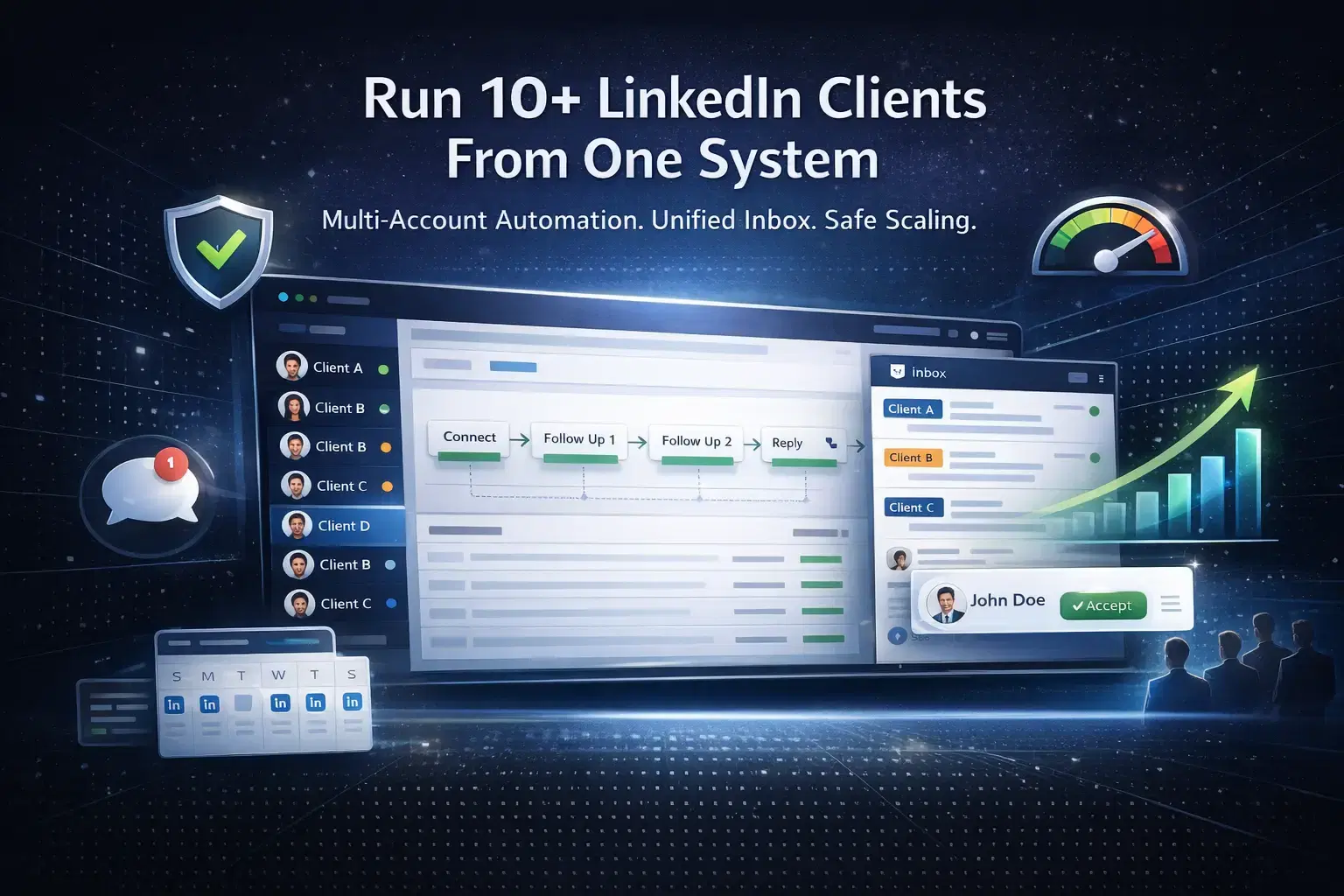
How Agencies Run LinkedIn Outreach Campaigns for 10+ Clients at Once
Learn how agencies run LinkedIn outreach campaigns for 10+ clients using multi-account automation, unified inbox systems, structured workflows, and safe scaling strategies to generate consistent B2B leads.
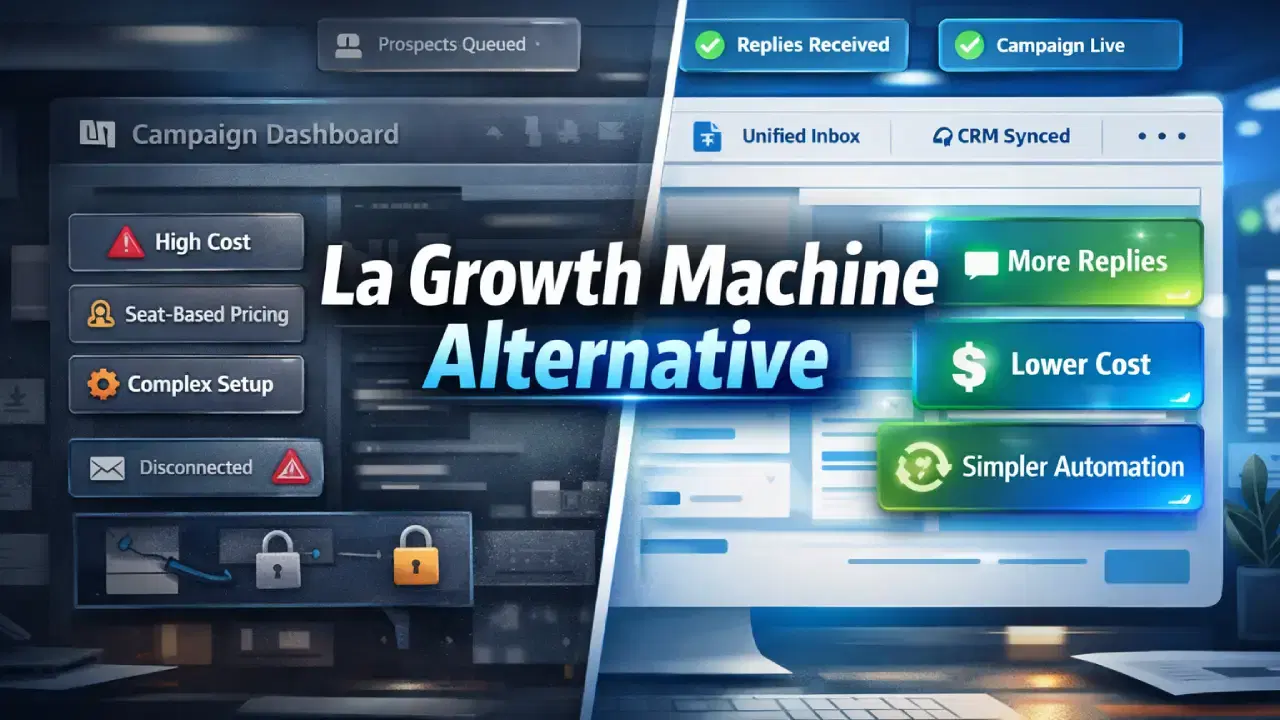
Best La Growth Machine Alternative for LinkedIn Automation in 2026
La Growth Machine can feel costly and complex. This guide covers the best La Growth Machine alternative for LinkedIn automation in 2026, focused on simplicity and replies.