Meet Alfred Review : Features, Pros & Cons & Better Alternatives

Thinking about using Meet Alfred for your LinkedIn outreach?
Before you commit to a subscription, it makes sense to study real features, pricing, and reviews, not just homepage promises.
This Meet Alfred review breaks down how the platform works in real campaigns. You will see its core features, plans, strengths, limitations, and what customers say about performance and support.
By the end, you will know whether Meet Alfred fits your LinkedIn strategy or if a safer, more predictable alternative like Bearconnect is a better choice.
Quick overview of Meet Alfred
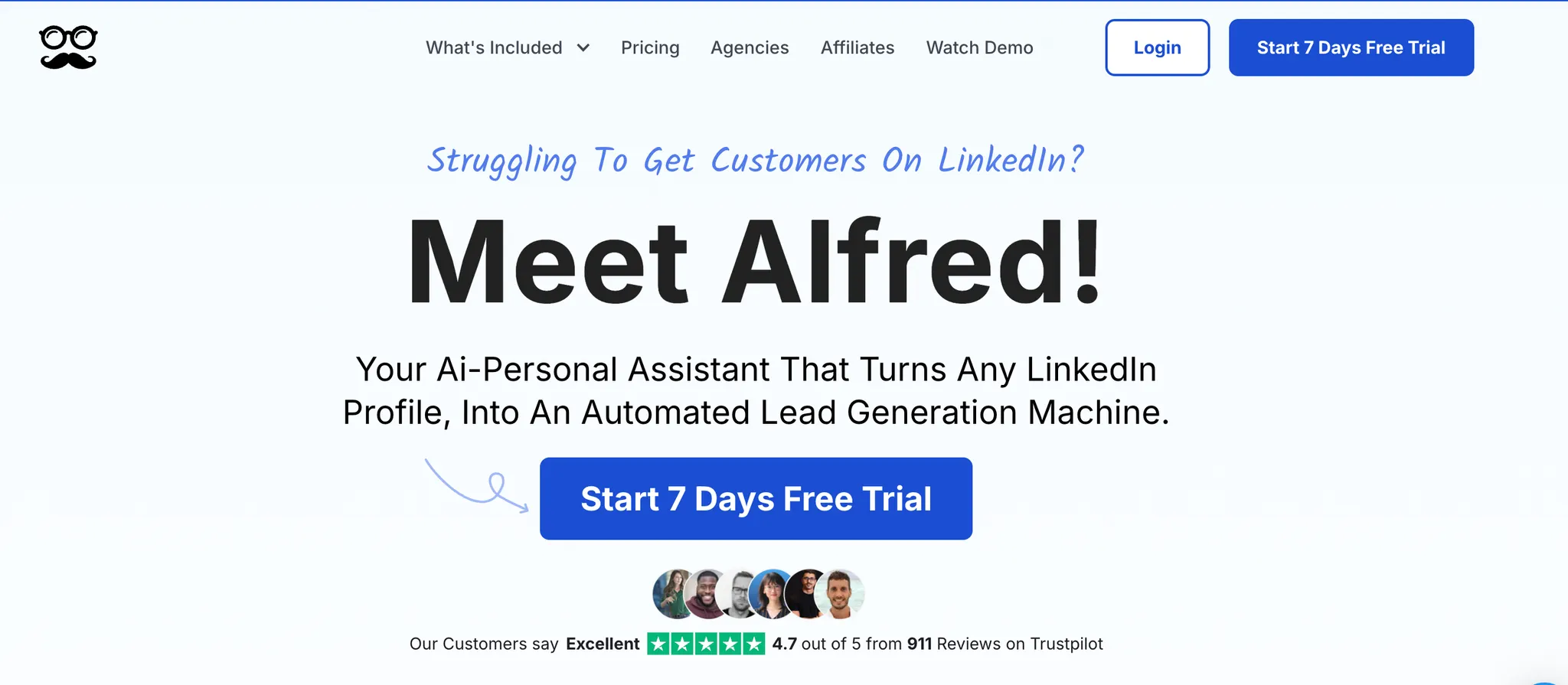
Meet Alfred is a multichannel outreach platform built around LinkedIn. It aims to help sales teams, founders, and recruiters automate:
- LinkedIn connection requests and follow ups
- Email sequences
- X (Twitter) touches
Everything runs from a web based dashboard. You get an inbox for replies, a light CRM view for leads, and automation to move prospects through a sequence without constant manual effort.
The big promise: save time on repetitive tasks while keeping outreach personal and structured.
Pros of using Meet Alfred
- Multichannel outreach with LinkedIn, email, and X in one sequence.If you only need LinkedIn focused automation, see how Bearconnect handles LinkedIn campaigns.
- User friendly campaign builder once you understand the logic.
- Built in CRM style view for leads and tags.
- Smart inbox for handling replies and adding notes.
- Basic analytics that show how each campaign performs.
Cons of using Meet Alfred
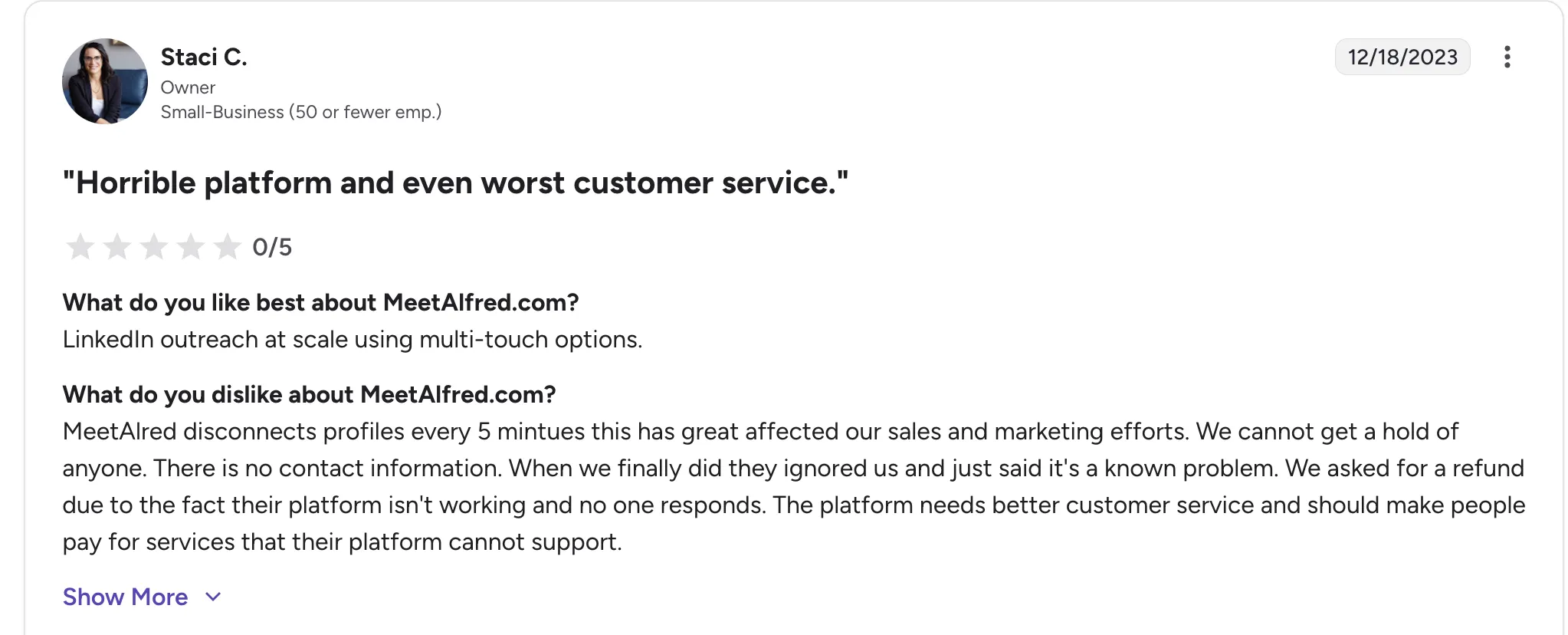
- Per user pricing rises quickly as you add senders.
- Several public reviews mention blocked LinkedIn accounts and frequent disconnections.
- Support quality is inconsistent, especially for billing and technical issues.
- Interface can feel clunky in places and takes time to learn.
- Higher risk of LinkedIn flags if you do not configure limits carefully.
Meet Alfred reviews: what customers say
User feedback on G2 shows mixed sentiment. Many appreciate that Meet Alfred makes it easy to build multi step LinkedIn plus email workflows and manage them from one place.
Others like the fact that they can keep conversations organized in a dedicated inbox instead of jumping between LinkedIn and their email client.
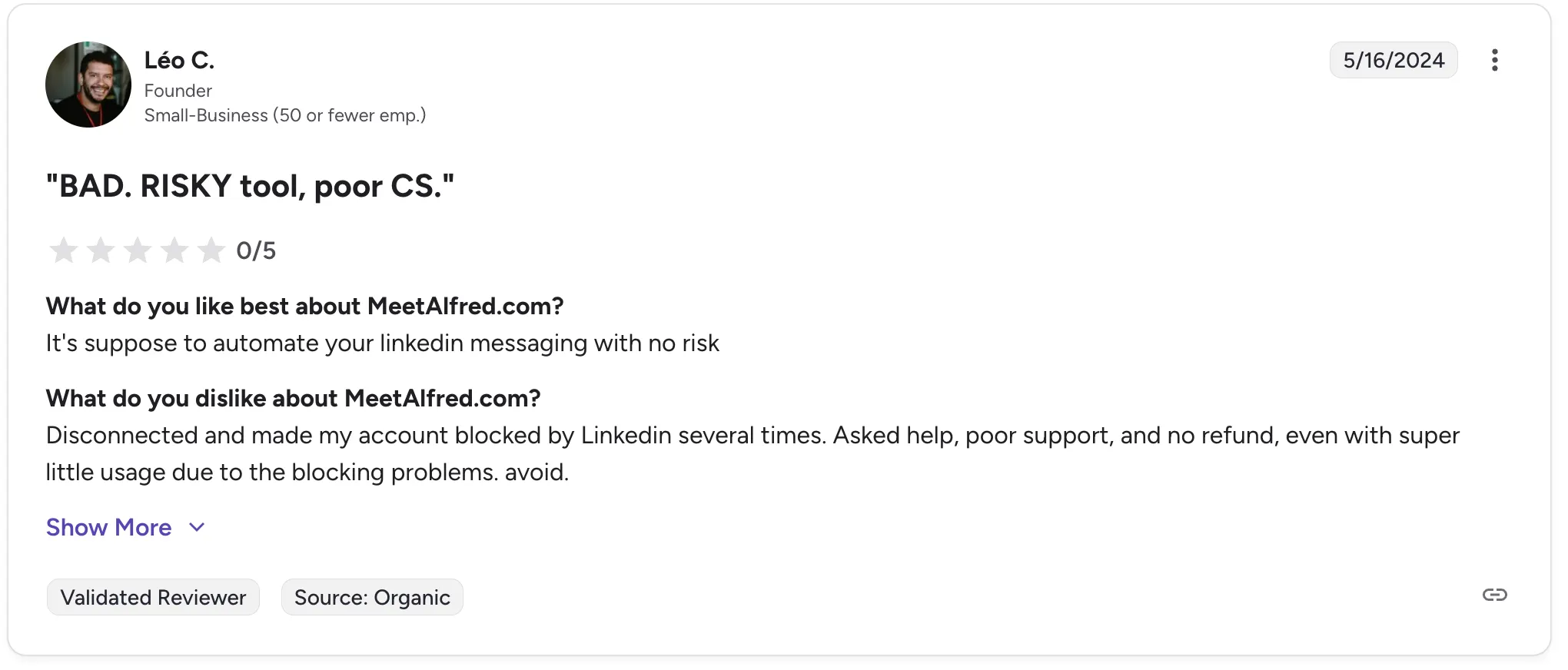
However, negative reviews repeat a few themes:
- Accounts getting disconnected or blocked on LinkedIn after running campaigns.
- Difficulty reaching support, especially when something breaks mid campaign.
- Refunds denied or delayed even when the platform did not work as expected.
- Frustration with bugs and instability in long running campaigns.
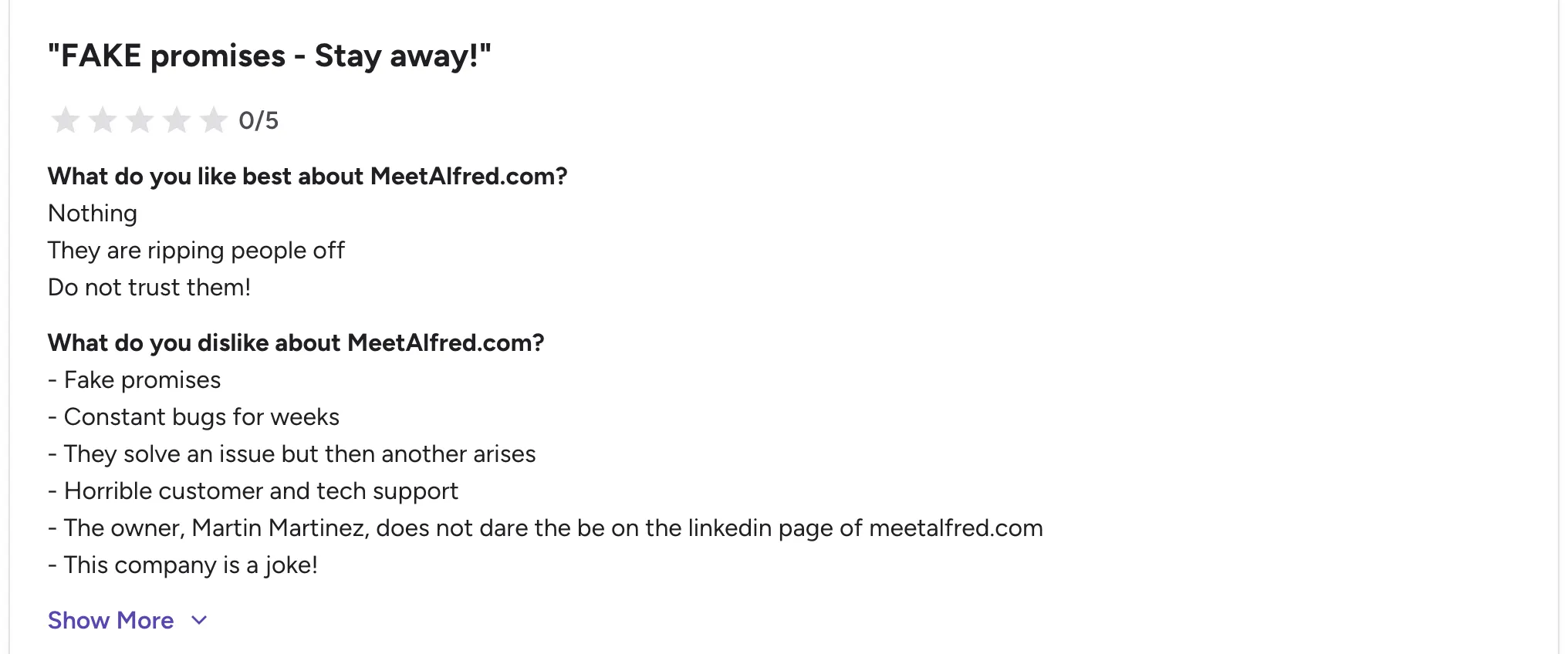
Overall, the perception from reviews is that Meet Alfred is powerful but not risk free.
You can learn how detection works in detail in our guide on how LinkedIn automation works behind the scenes
Meet Alfred feature overview
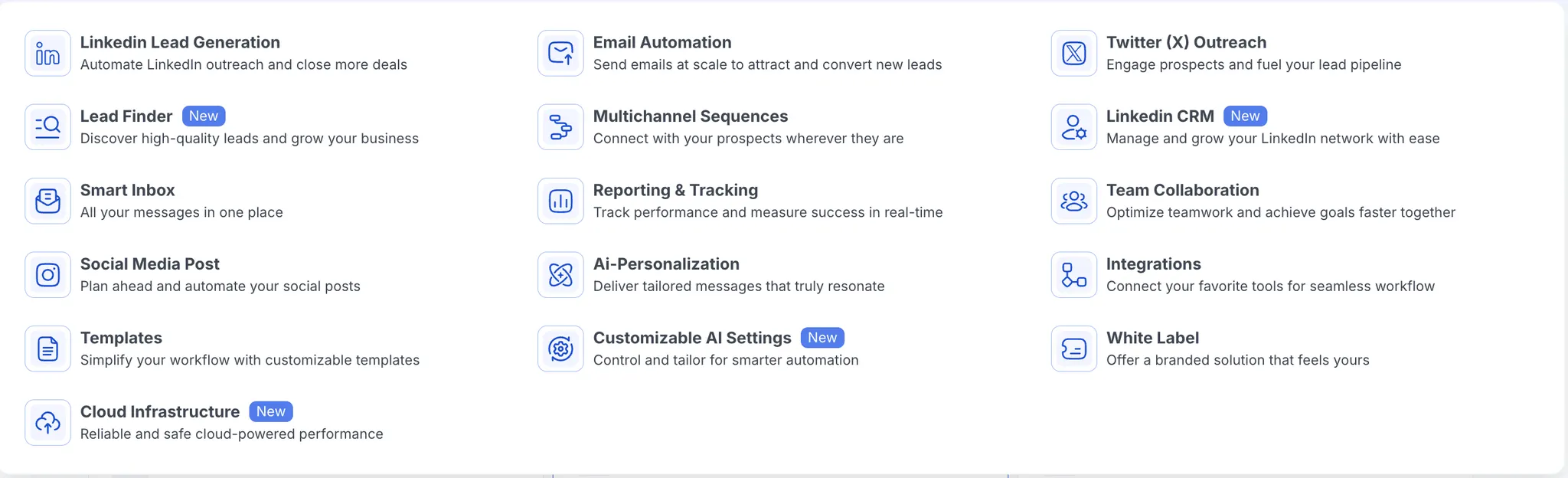
Meet Alfred is built for people who treat LinkedIn as a core sales channel but also want email and X as backup touchpoints.
It helps you:
- Find and organize leads.
- Build automated sequences across several channels.
- Track replies and outcomes in one place.
- Keep light CRM style information about each prospect.
Let us walk through the main feature categories.
Lead generation, filtering and management
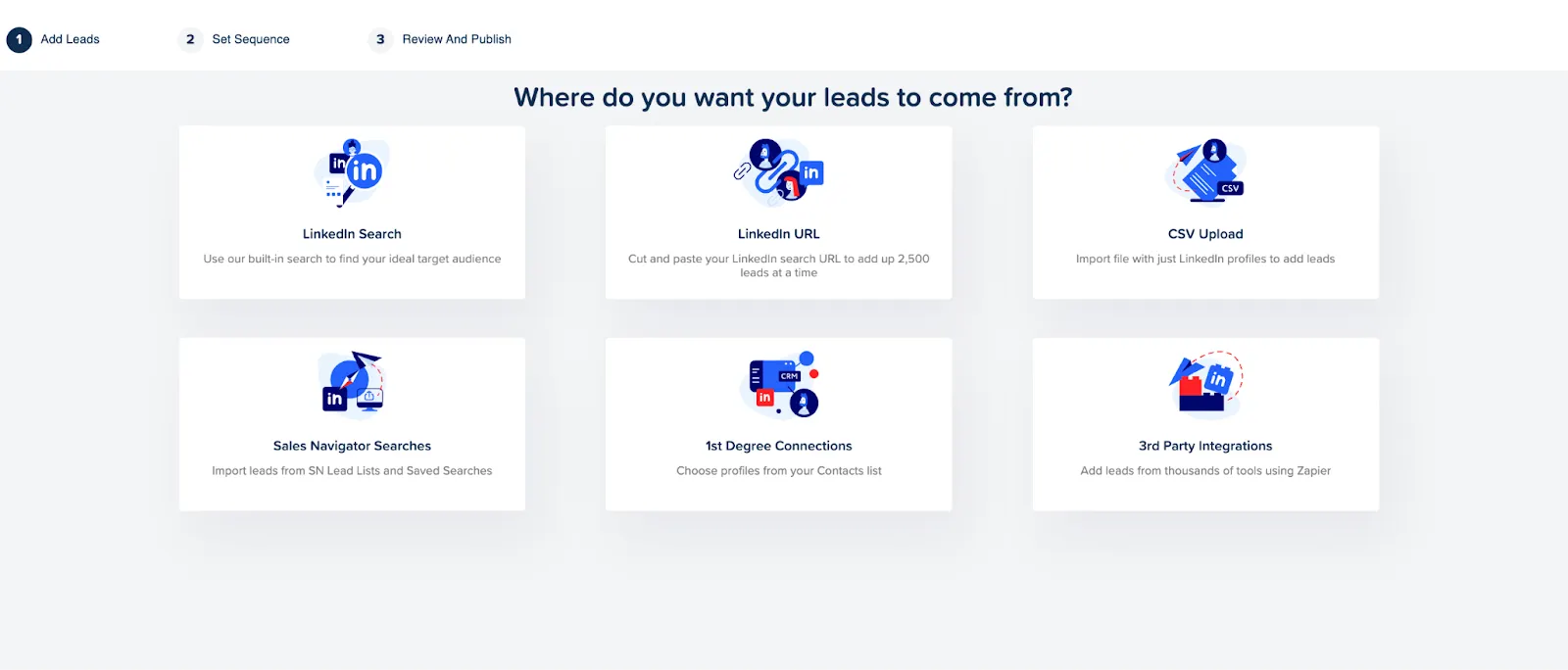
You can bring leads into Meet Alfred in several ways:
- Import CSV files exported from LinkedIn or other tools.
- Pull prospects from LinkedIn searches or Sales Navigator.
- Feed lists from third party data sources via integrations.
Once leads are inside:
- Meet Alfred checks for duplicates and invalid records.
- You can filter by criteria like profile completeness, location, title, or tags.
- Tags and notes help you segment and prioritize leads for future campaigns.
This workflow is helpful if you already work in LinkedIn a lot and have taken time to optimize your LinkedIn profile first.
Multichannel outreach
A core strength of Meet Alfred is the ability to design campaigns that touch several channels.
Typical sequence example:
- Step 1: View LinkedIn profile and follow.
- Step 2: Send a personalized connection request.
- Step 3: If accepted, send a LinkedIn message.
- Step 4: If no reply, send a follow up email.
- Step 5: Optionally send an X mention or DM (if the handle is known).
In practice:
- You connect your LinkedIn, email, and X accounts to Meet Alfred.
- You choose your audience and then build the steps in a visual flow.
- Reply detection stops the sequence as soon as a contact responds, so they are not spammed.
The X step only works when the prospect’s profile includes that handle, so you cannot rely on it for every campaign.
LinkedIn prospecting and inbox workflow
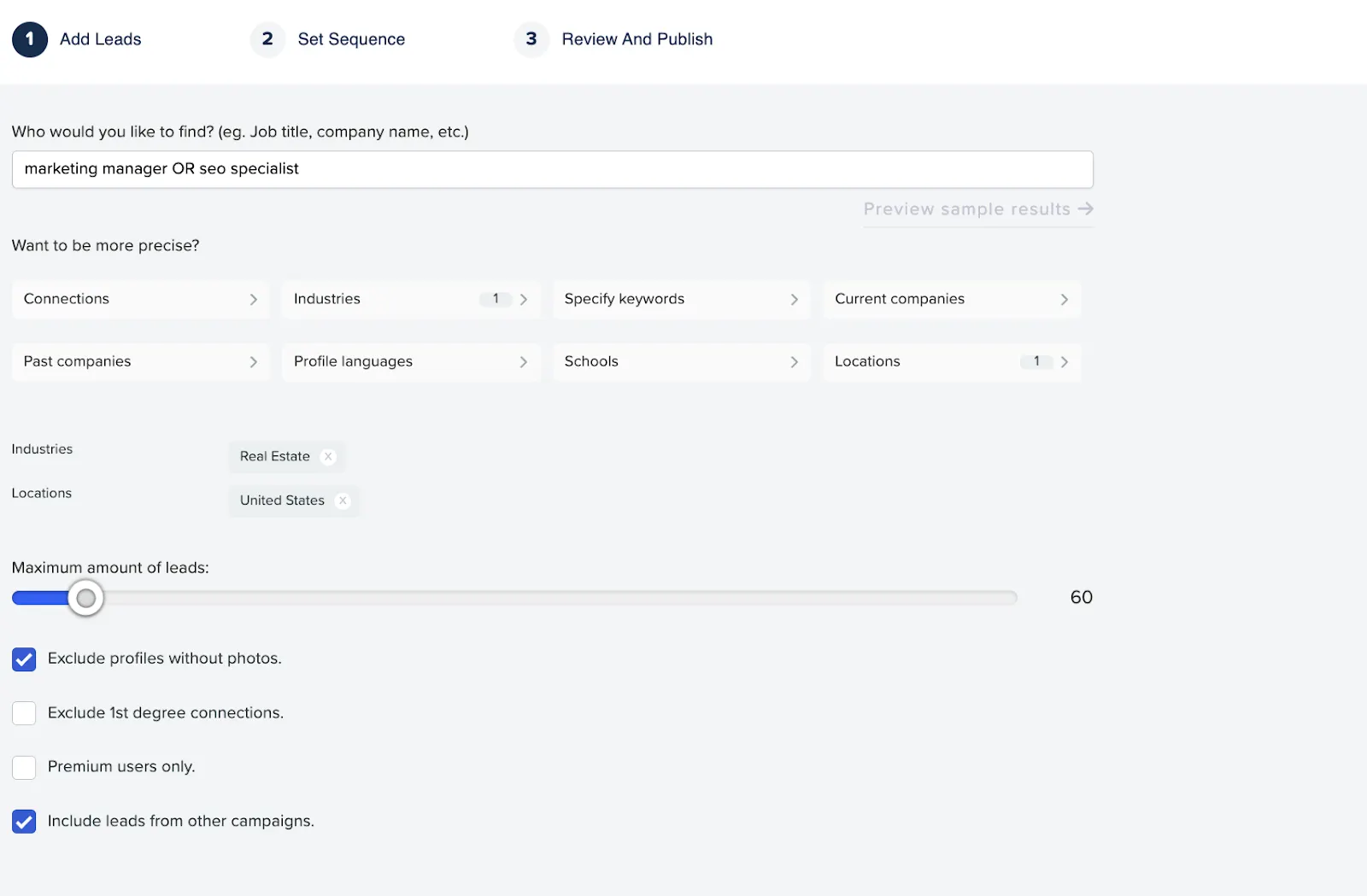
For LinkedIn driven campaigns, Meet Alfred helps you:
- Import search results or external lists.
- Warm up leads with profile views and post engagement.
- Send connection requests and follow ups with personalized copy.
Inside the inbox:
- You see messages from prospects who responded.
- You can reply directly, use templates, or add files.
- Tags, notes, and filters help you keep track of lead status.
The inbox gives a central place to work from, but you still manage each LinkedIn account separately. You cannot reply on behalf of all senders in one super inbox, which would be more convenient for big teams.
Built in CRM style view
Meet Alfred includes a simple CRM layer:
- Leads are stored with fields like name, company, job title, and location.
- You can create custom tags to group people by campaign, segment, or intent.
- Bulk actions let you tag, exclude, or reassign leads in batches.
- Team plans provide a shared view for all members.
It is not a full CRM replacement, but it helps keep outreach organized when you do not want to manage another external system.
Integrations
Meet Alfred can connect with:
- LinkedIn basic, Premium, and Sales Navigator accounts.
- Email providers like Google and Microsoft.
- Popular CRMs such as HubSpot or Salesforce through Zapier or webhooks.
- Social channels for content posting like Facebook, Instagram, and X.
These integrations matter if you already use a CRM and want campaign data to flow back for reporting and follow up.
Reports and analytics
The analytics dashboard shows:
- How many invitations, messages, and sequences have been sent.
- Connection and reply rates over time.
- Which campaigns or senders drive the best results.
You can filter by date range and by campaign type. For many teams, this is enough to see what is working and where leads drop off, without needing an external BI tool.
Meet Alfred pricing
At the time of writing, Meet Alfred offers three main paid plans, each with a 7 day free trial and discounts for annual billing.
Basic – $29 / user / month (billed annually)
- Regular price shown as $59, discounted to $29 when paid annually.
- 3 active campaigns.
- LinkedIn automation and lead finder.
- Advanced LinkedIn CRM and smart inbox.
- Templates, automated greetings, custom tags, and notes.
Pro – $49 / user / month (billed annually)
- Regular price shown as $99, discounted to $49 annually.
- Everything in Basic.
- Unlimited campaigns.
- Sales Navigator support.
- Multichannel automation across LinkedIn, X, and email.
- Advanced LinkedIn CRM, InMail automation, groups and events automation, and more.
Teams – $39 / user / month (billed annually, minimum 3 users)
- Regular price shown as $79, discounted to $39 annually.
- All Pro features.
- Advanced team settings and team inbox management.
- White label options, volume discounts, and dedicated account manager for larger teams.
What most buyers notice
- Costs scale per user, so pricing rises quickly as you add more senders.
- Teams must commit to a minimum number of seats on the Teams plan.
- You need to watch per user fees and any add on, especially if you are an agency or manage many accounts.
This is why flat, per account models like Bearconnect at $67 per LinkedIn account, or $57 per account when you connect 5 or more, can be more predictable for growing teams.
Disclosure: This review includes both independent testing and comparisons with Bearconnect . All evaluations are based on real tests and publicly available user feedback.
Best Meet Alfred alternative: Bearconnect
If your strategy is LinkedIn first and you want to scale across several accounts, Bearconnect is often a better fit than Meet Alfred.
Why Bearconnect stands out
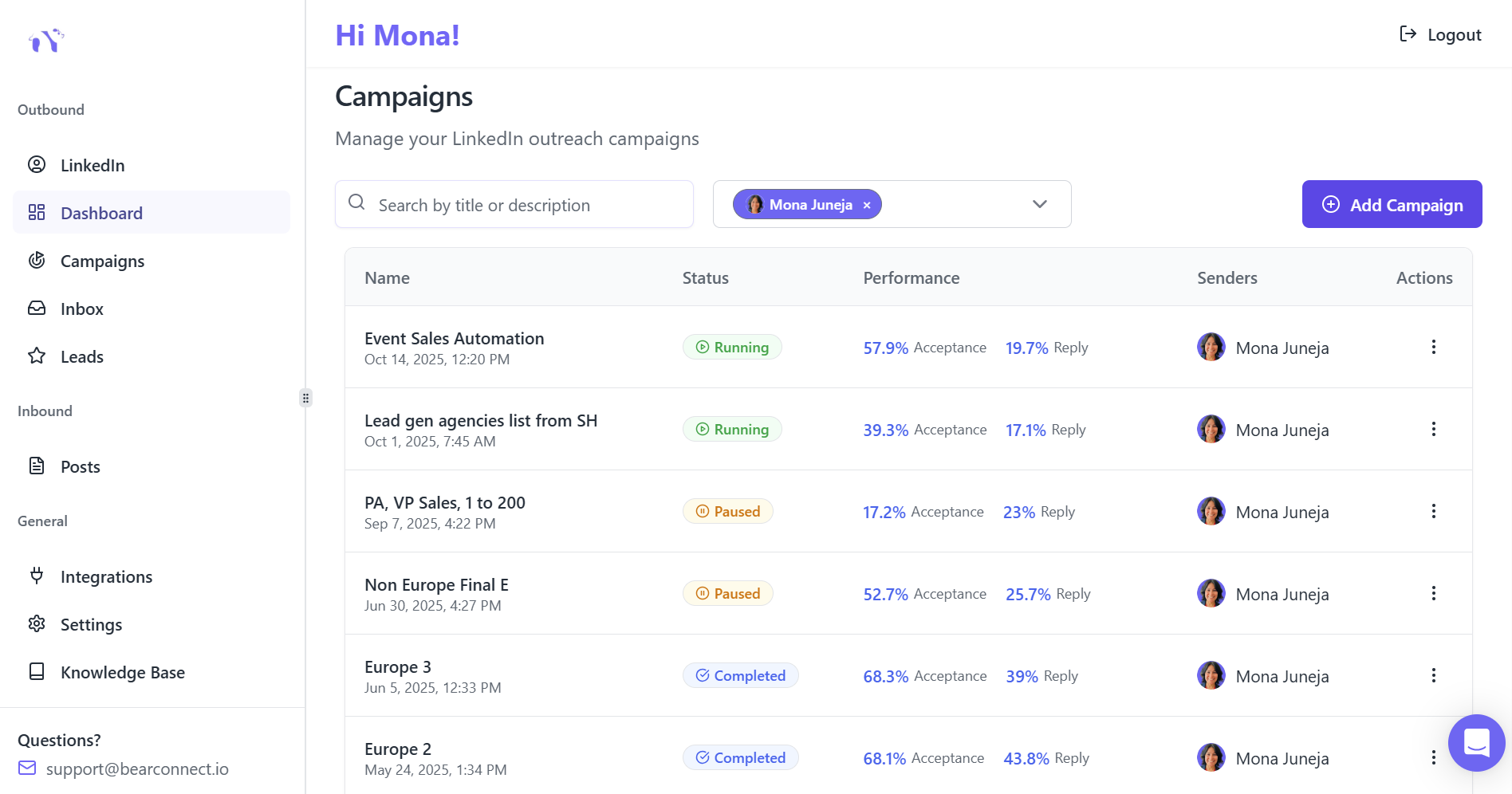
- LinkedIn focused: Bearconnect concentrates on LinkedIn rather than trying to manage several channels at once. This focus allows for deeper optimization of connection limits, safety, and workflow.
- Dual automation: You can run outbound campaigns while an AI engine creates and schedules LinkedIn posts for you. That means you build visibility and pipeline in parallel.
- Unified inbox for many accounts: Bearconnect lets you manage conversations from multiple LinkedIn profiles inside one inbox. This is particularly helpful for agencies or teams running outreach on behalf of several clients.
- 67 $ per LinkedIn account per month.
- 57 $ per month per account when you connect five or more.
- Safer infrastructure: Each account uses dedicated IPs and cloud execution, reducing the risk of LinkedIn restrictions when used correctly.
Transparent pricing
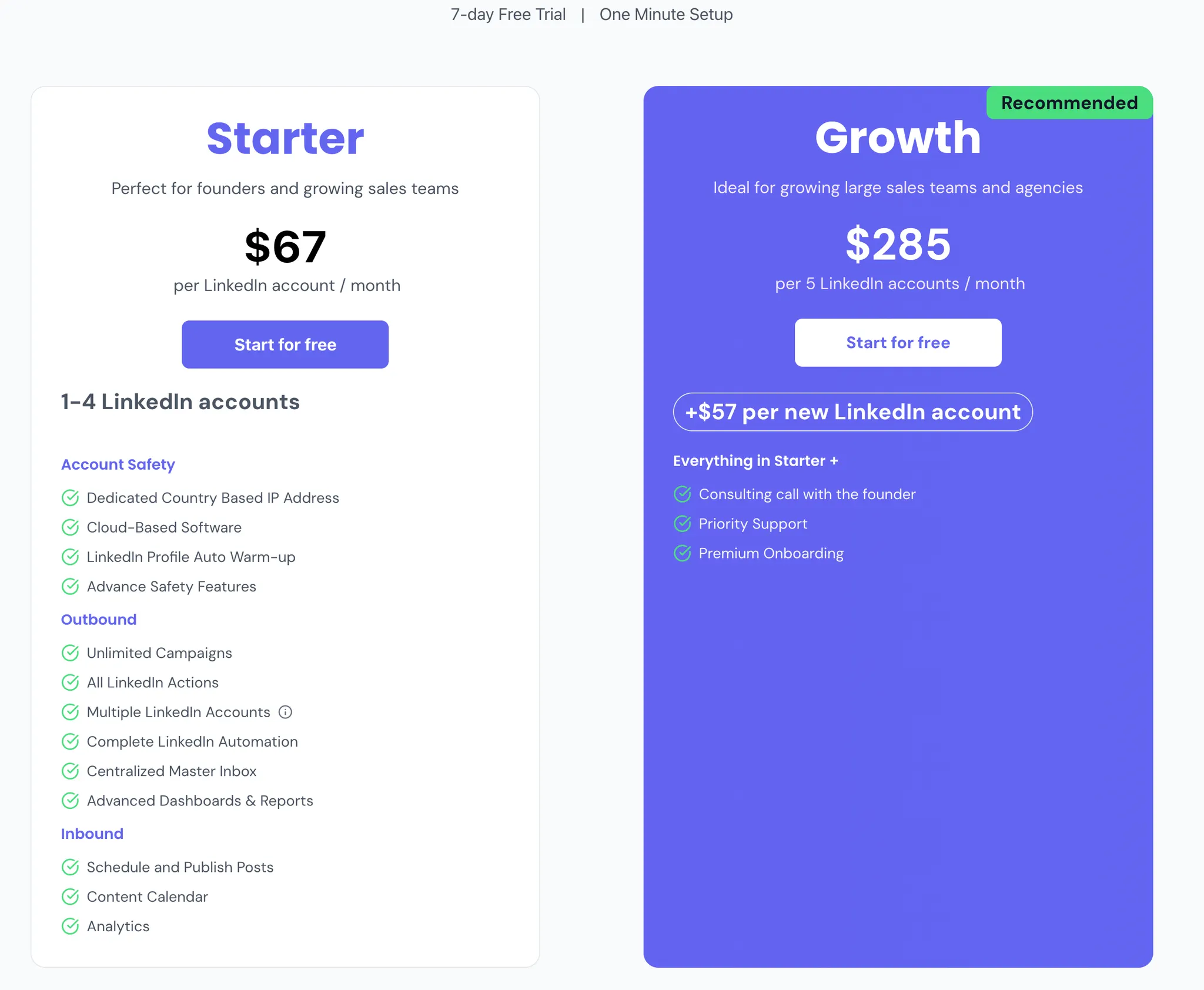
Pricing is simple:
For growing sales teams or agencies, that combination of clarity, safety, and account scale usually beats the complexity and cost profile of multichannel tools.
Meet Alfred other competitors
Although Bearconnect is among the strongest Meet Alfred competitors, you might also want to check out options like
Is Meet Alfred right for you?
Choose Meet Alfred if:
- You truly need LinkedIn, email, and X inside one campaign builder.
- You are comfortable learning a more complex tool and monitoring LinkedIn limits carefully.
- You run a small team and can manage per user pricing without breaking your budget.
Choose Bearconnect instead if:
- LinkedIn is your main channel and you want to scale across multiple accounts.
- You care more about predictable, transparent pricing and strong safety practices.
- You want both outreach and content automation in the same LinkedIn focused environment.
If you are on the fence, start with a small test in each tool, watch support responsiveness, and compare not just features but also risk, cost per seat, and long term fit for your outreach strategy.
Frequently Asked Questions
1. Is Meet Alfred safe for LinkedIn automation?
Meet Alfred can be safe when used carefully, but many users report disconnections and account flags. Tools like Bearconnect use dedicated IPs and safer execution methods, reducing these risks.
2. What is the biggest difference between Meet Alfred and Bearconnect?
Meet Alfred focuses on multichannel outreach, while Bearconnect is fully optimized for LinkedIn with safer automation, unified inbox, and predictable pricing making it better for teams scaling multiple accounts.
3. Does Meet Alfred support managing multiple LinkedIn accounts easily?
Meet Alfred manages each inbox separately. Bearconnect offers a unified inbox that lets teams handle conversations from many LinkedIn profiles in one place, which is more convenient for agencies and sales teams.
4. Is Meet Alfred worth the price for small or growing teams?
It can be, but per-user pricing adds up quickly. Bearconnect uses flat per-account pricing, making scaling more cost-efficient for teams managing several LinkedIn profiles.
5. What is the best alternative to Meet Alfred for LinkedIn-only outreach?
Bearconnect is the top alternative for LinkedIn-first strategies. Thanks to safer infrastructure, unlimited automation, content scheduling, and team-friendly features.
Ready to Transform Your LinkedIn Strategy?
Join thousands of professionals already using Bearconnect to automate their outreach and grow their network.
7-day free trial • Cancel anytime
Related Articles
How to Set Up n8n Integration in Bearconnect: Build Self-Hosted LinkedIn Lead Workflows Without Code
Connect Bearconnect with n8n to automate LinkedIn lead workflows using flexible, self-hosted automation. Sync data across your CRM and tools, build custom workflows, and gain full control over your automation setup.
How to Set Up Make Integration in Bearconnect: Build Visual Lead Workflows Across Any App Without Code
Connect Bearconnect with Make to build visual LinkedIn lead workflows across your CRM, Slack, and other tools without code. Automate lead capture, streamline processes, and sync data seamlessly in real time.
How to Set Up Zapier Integration in Bearconnect: Auto-Send Leads to Your CRM, Slack, or Google Sheets
Connect Bearconnect with Zapier to automatically send LinkedIn leads to your CRM, Slack, or Google Sheets. This step-by-step guide helps you streamline workflows, reduce manual work, and capture leads in real time.