What Is LinkedIn's Social Selling Index? How to Improve Your Score
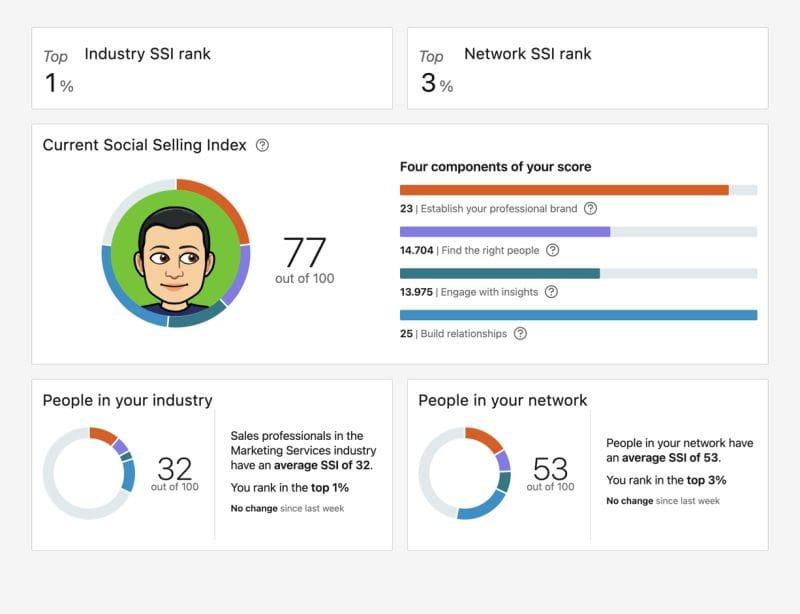
Your LinkedIn Social Selling Index (SSI) is a score from 0 to 100 that measures how effectively you use LinkedIn for sales and lead generation.
A higher score directly increases your profile visibility, InMail acceptance rates, and connection request success.
TL;DR
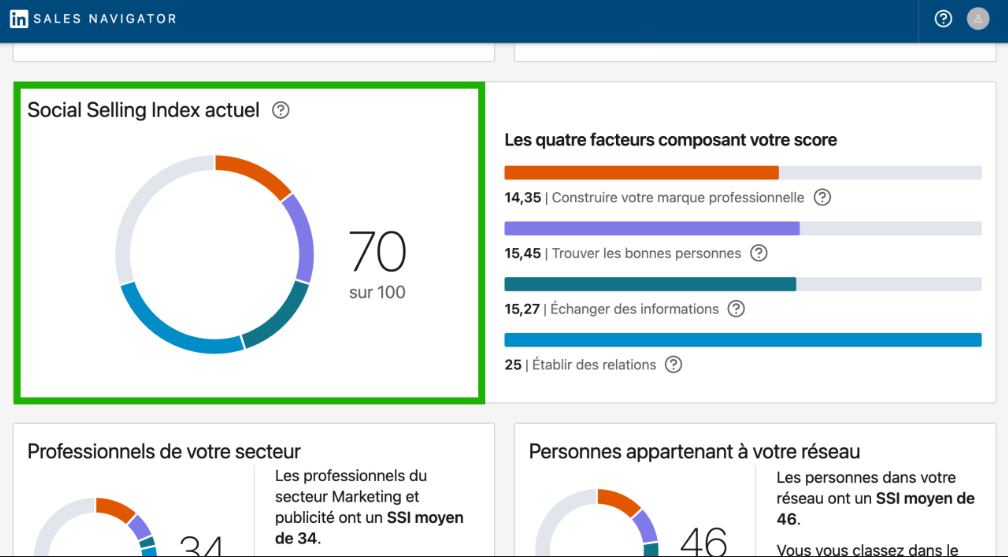
- SSI scores range from 0 to 100 across 4 equal pillars (25 points each)
- Check your free score at linkedin.com/sales/ssi instantly, no paid account needed
- Users with SSI above 70 generate 45% more opportunities (LinkedIn data)
- LinkedIn is officially shifting away from SSI toward AI-powered tools in 2026
- Tools like Bearconnect improve all 4 pillars systematically without risking your account
What Is the LinkedIn Social Selling Index (SSI)?
The SSI is LinkedIn's internal performance score that measures how well you use the platform for sales.
LinkedIn launched SSI in 2014 as a benchmark for social selling habits. It scores your behavior across 4 pillars. Each pillar carries 25 points. Your total score adds up to 100.
LinkedIn updates your score daily based on rolling recent activity.
Why it matters for lead generation:
- Social sellers are 51% more likely to hit sales targets (LinkedIn)
- 78% of social sellers outperform peers who do not use social media
- High-SSI profiles consistently get better connection acceptance rates and more profile views from decision-makers
How Is LinkedIn SSI Calculated? The 4 Pillars
Your SSI breaks down into 4 independent pillars, each measuring a different selling behavior.
| Pillar | What It Measures | Max Points | Key Activities to Improve It |
|---|---|---|---|
| Establish Your Professional Brand | Profile completeness, content posting, thought leadership | 25 | Complete every profile section, post 2x per week, collect recommendations |
| Find the Right People | How accurately you target and connect with your ICP | 25 | Use advanced search filters, connect with relevant prospects daily |
| Engage with Insights | Frequency and quality of your content interactions | 25 | Comment on industry posts, share articles with your perspective, react early |
| Build Relationships | Depth and quality of your network connections | 25 | Send personalized messages, follow up within 48 hours, respond to every DM |
Pro Tip: One weak pillar pulls your total score down fast. If you score 22 on brand but 8 on relationships, fix relationships first. The gain per effort is highest in your lowest pillar.
How to Check Your LinkedIn SSI Score (Free)
You can check your SSI score for free in under 30 seconds, no Sales Navigator subscription needed.
Here is the exact process:
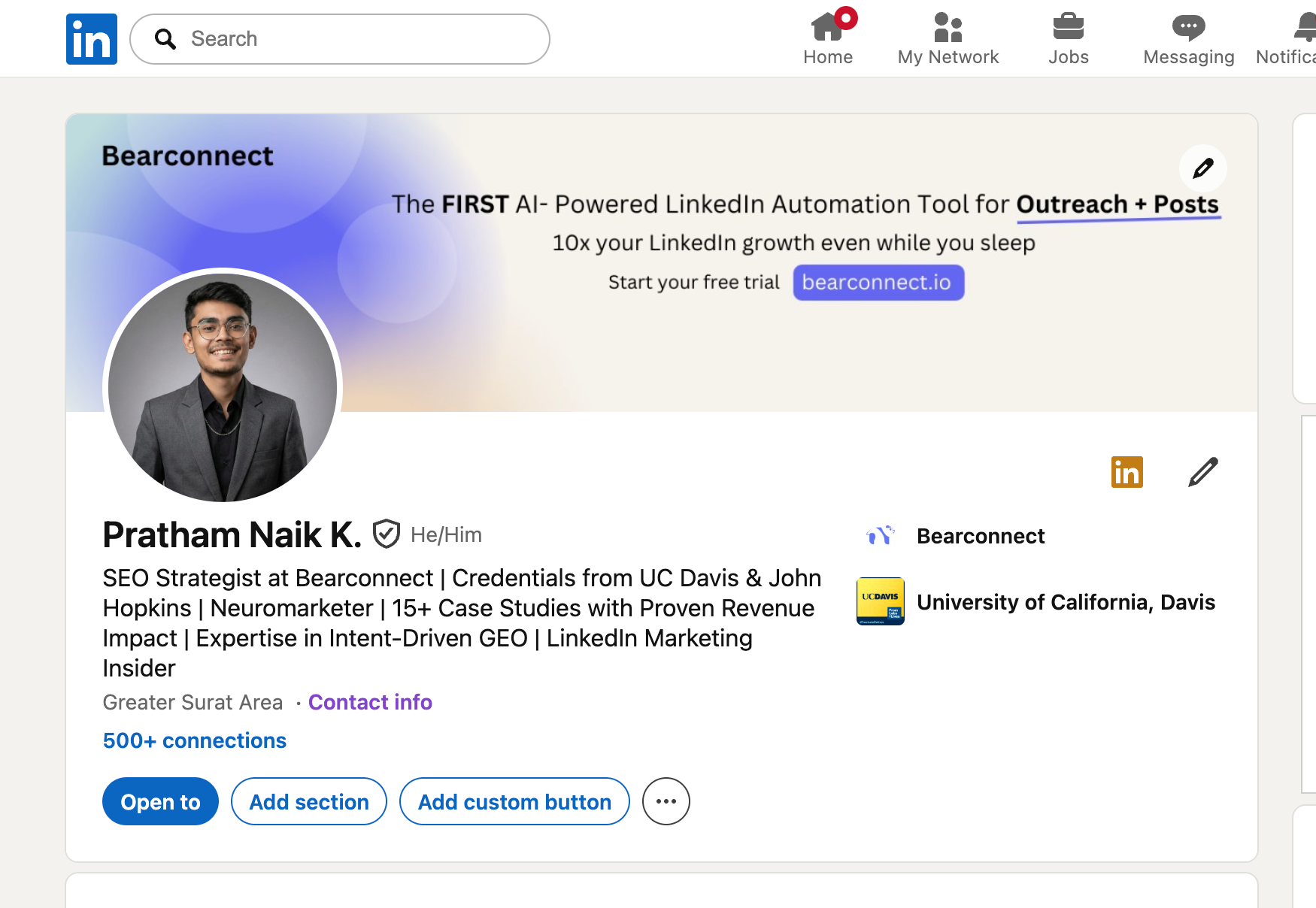
- Log in to your LinkedIn account
- Go to: linkedin.com/sales/ssi
- Your score loads immediately
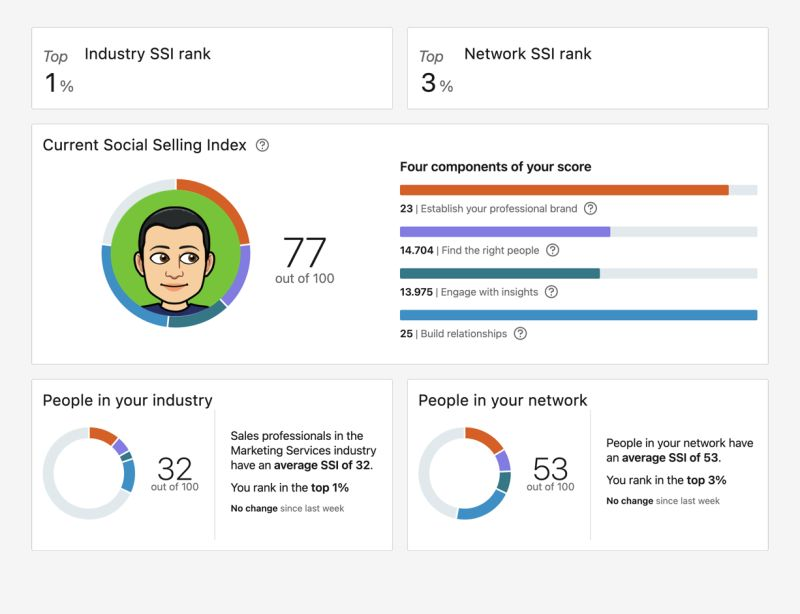
- LinkedIn shows your industry rank and network rank alongside your total score
What the page shows you:
- Your total SSI score out of 100
- A breakdown of all 4 pillars with individual scores
- How your score compares to people in your industry
- How your score compares to your LinkedIn network
Check your score every Monday. Small daily actions compound into measurable score changes within 2 to 3 weeks of consistent behavior.
What Is a Good LinkedIn SSI Score? Benchmarks by Role
A score above 70 is strong. A score below 40 actively limits your lead generation results.
| Score Range | Profile Type | Business Impact |
|---|---|---|
| 80 to 100 | LinkedIn power user, social selling specialist | Maximum visibility, high InMail open rates, strong inbound pipeline |
| 70 to 79 | Active sales professional, consistent content poster | 45% more opportunities than average users (LinkedIn data) |
| 50 to 69 | Occasional LinkedIn user | Moderate visibility; good foundation but needs more consistency |
| 30 to 49 | Passive LinkedIn user | Limited reach; most outreach messages go unnoticed |
| 0 to 29 | Inactive or incomplete profile | Near-zero visibility; prospects rarely engage with low-score profiles |
Real-world scenario:
- A B2B SaaS SDR with an SSI of 35 sends 50 connection requests per week and gets 8 accepted.
- After 30 days of consistent pillar activity, the score climbs to 68. The same 50 requests now yield 22 acceptances. Nothing changed except the score.
Pro Tip: A high SSI also improves InMail deliverability. Personalized InMails sent from high-SSI profiles see up to 40% better acceptance rates compared to low-SSI senders (LinkedIn).
How to Improve Each SSI Pillar
Improving your SSI requires specific actions per pillar, not random LinkedIn activity.
Pillar 1: Establish Your Professional Brand
Your profile is your first impression. A weak profile kills your brand score before you post a single piece of content.
- Use a professional headshot (profiles with photos get 21x more views)
- Write a buyer-focused headline, not a job title
- Fill every profile section: summary, experience, skills, education, featured section
- Publish at least 2 original posts per week
- Collect 3 to 5 LinkedIn recommendations from clients or teammates
Example: Replace "Account Executive at SaaS Co." with "Helping B2B SaaS teams generate 20+ demos per month through LinkedIn outreach."
Pillar 2: Find the Right People
LinkedIn rewards you for connecting with your actual target audience, not random people.
- Use advanced search filters: job title, industry, company size, geography
- Save your top searches and revisit them weekly
- Connect with 2nd and 3rd-degree connections that match your ICP
- Check "Who Viewed Your Profile" daily and reach out to relevant visitors
- Use the "People Also Viewed" sidebar to find lookalike prospects
Pro Tip: 10 highly targeted connections beat 100 random ones every time. LinkedIn tracks the relevance of who you connect with when calculating this pillar.
Pillar 3: Engage with Insights
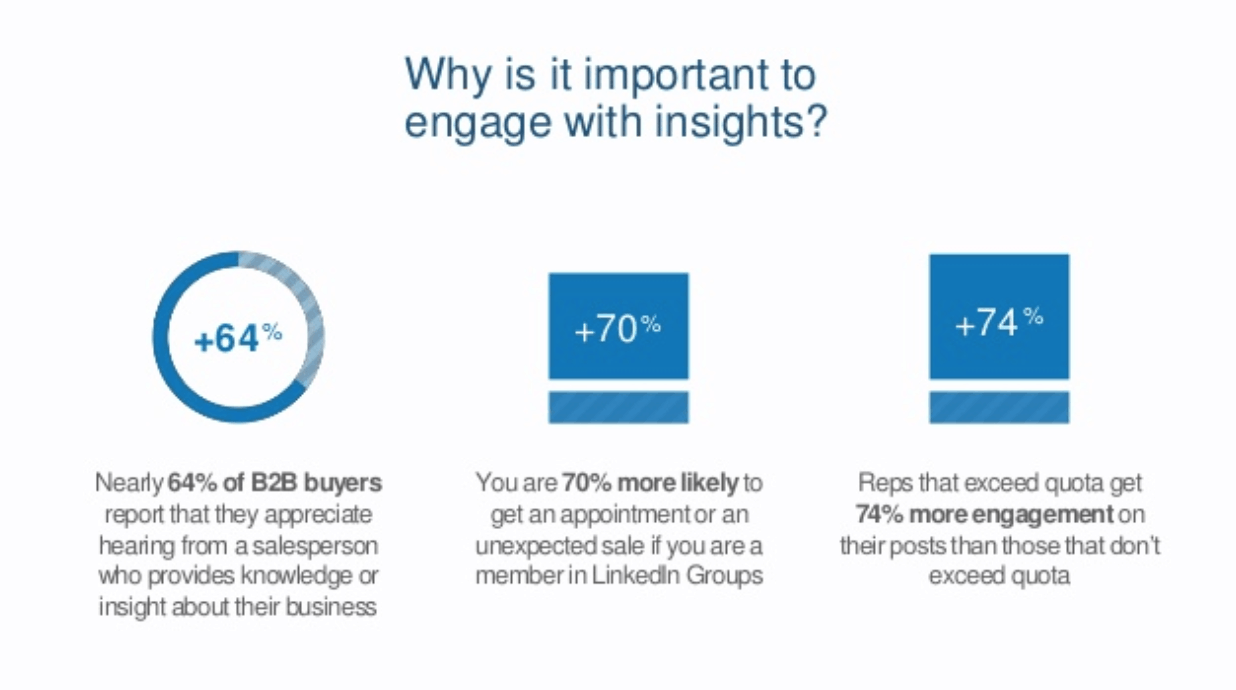
Consistent, relevant engagement signals that you are an active and credible professional.
- Comment on 3 to 5 posts per day from prospects or industry voices
- Share articles your ICP cares about with a short 2 to 3 sentence personal take
- React and comment early, within the first hour of a post going live
- Follow companies your prospects work at and engage with their company updates
- Post original content at least twice per week
Example: A founder who commits to 5 targeted comments every morning sees the engagement pillar jump by 6 to 8 points within 14 days.
Pillar 4: Build Relationships
Relationship quality matters more than connection count in this pillar.
- Message every new connection within 48 hours using a personalized opener
- Never pitch in the first message. Lead with value or a genuine question
- Respond to every inbox message within 24 hours
- Reconnect with dormant connections by sharing a relevant article or update
- Use voice notes or short video messages for high-value prospects
Bearconnect's unified inbox manages every conversation across multiple LinkedIn accounts in one place. Its personalized follow-up sequences ensure no warm prospect gets ignored, which is exactly what raises this pillar score.
Is LinkedIn SSI Going Away? What You Need to Know in 2026
LinkedIn is officially shifting away from SSI as the primary measure of sales performance.
LinkedIn's own page now states: "A high SSI score doesn't always represent the efficacy of a salesperson or correlate with measurable sales outcomes." LinkedIn is transitioning toward AI-powered sales signals as the new benchmark.
This fact appears nowhere in the top-ranking SSI blogs right now.
What this actually means for you in 2026:
- SSI still works today and still improves your organic LinkedIn visibility
- LinkedIn is quietly deprioritizing it in favor of AI-driven engagement signals
- Using SSI as your only performance metric means you will miss the next shift
- Smart teams track SSI alongside pipeline metrics: reply rates, demo bookings, acceptance rates
The smart move: Improve your SSI now. Use it as a proxy for activity quality. But also track what directly feeds revenue: how many prospects replied, booked calls, or converted.
Does LinkedIn Automation Affect Your SSI Score?
Yes, automation affects your SSI score. The direction depends entirely on how you use it.
Automation that raises your SSI:
- Consistent daily activity across all 4 pillars keeps scores climbing
- Personalized automated messages signal active relationship-building
- Scheduled content posting keeps your brand pillar score high without manual effort
Automation that hurts your SSI:
- Mass, impersonal connection requests drive high ignore rates
- Messages that get reported as spam damage your relationship pillar score
- Posting generic, low-engagement content does not improve your brand score
The rule is simple: automation that mimics smart, human behavior raises your SSI. Automation that replaces thoughtfulness damages it.
How Bearconnect Improves Your SSI Across All 4 Pillars
Bearconnect is built for the exact daily activities that raise your SSI score systematically.
Here is how each feature maps directly to a pillar:
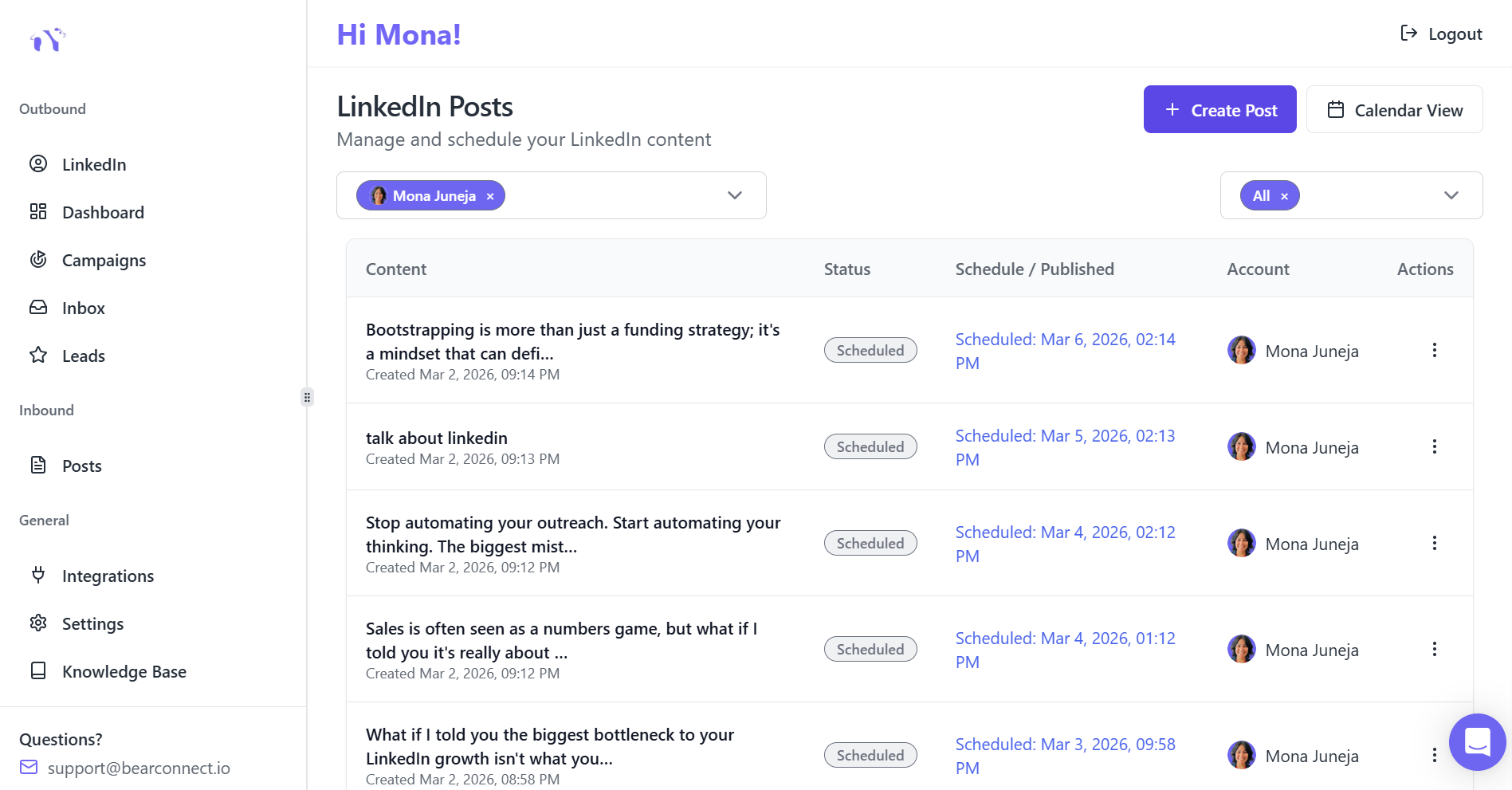
- Brand Pillar: Bearconnect's post scheduler keeps your content calendar consistent. Regular, relevant posts improve your brand score week after week without manual reminders.
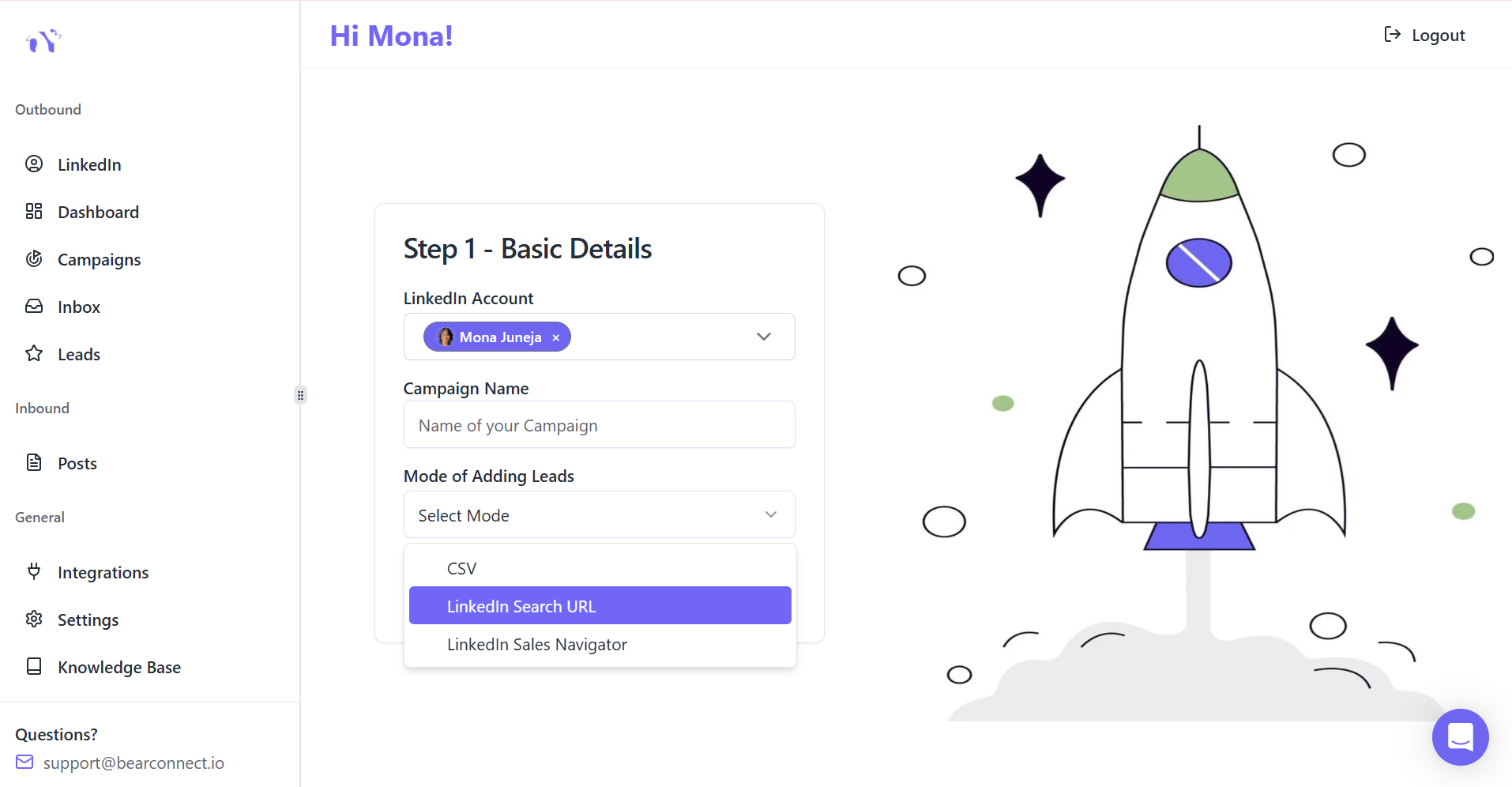
- Find People Pillar: Import your ICP directly from LinkedIn search or CSV into targeted Bearconnect campaigns. Every connection request goes to the right person.
- Engagement Pillar: Bearconnect analytics show which content topics drive the most engagement. You double down on what works and stop wasting time on what does not.
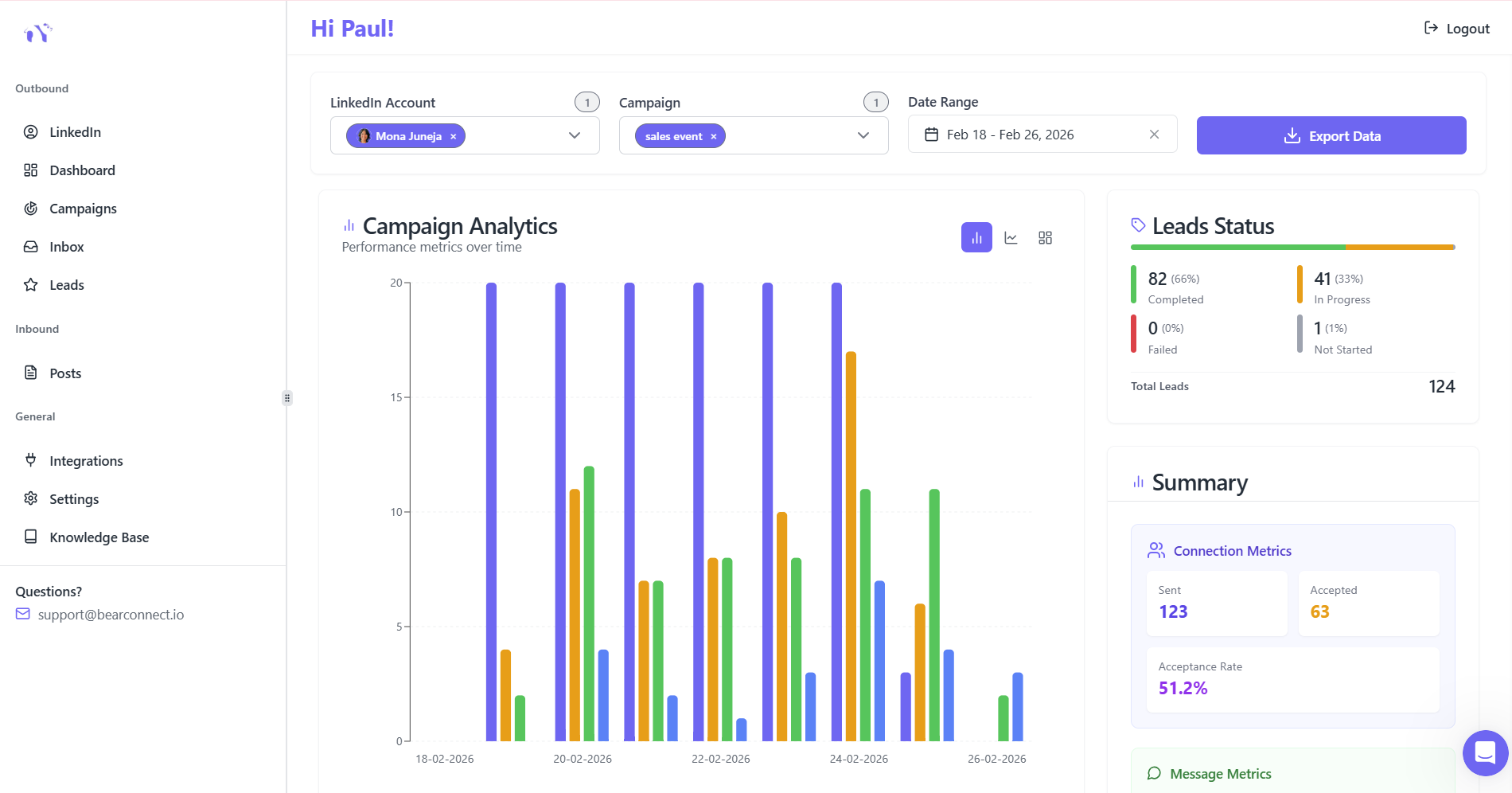
- Relationship Pillar: The unified inbox manages conversations across multiple accounts. Personalized follow-up sequences run automatically so no warm lead goes cold.
Bearconnect gives sales teams and agencies a cost-effective way to scale LinkedIn outreach without damaging their SSI score.
Ready to raise your SSI and book more meetings on LinkedIn?
Start your Bearconnect free trial today at bearconnect.io and connect your first LinkedIn account in under 5 minutes.
Frequently Asked Questions About LinkedIn SSI
Q1. How often does LinkedIn update my SSI score?
LinkedIn updates SSI scores daily. Actions you take today, such as posting content or sending personalized messages, show up in your score within 24 to 48 hours. Consistent daily activity compounds your score faster than sporadic bursts.
Q2. Do I need LinkedIn Sales Navigator to check my SSI score?
No. Every LinkedIn user can check their SSI for free at linkedin.com/sales/ssi. You do not need a premium or Sales Navigator subscription to view your score or your industry and network rankings.
Q3. Does a high SSI guarantee more leads?
A high SSI improves your visibility and credibility signals but does not guarantee leads on its own. It works best when paired with targeted outreach, a strong profile, and a clear follow-up sequence. SSI is a quality indicator, not a lead machine by itself.
Q4. Can my LinkedIn SSI score drop?
Yes. If you stop posting, engaging, or connecting consistently, your score drops within days. SSI measures recent activity, not historical effort. A two-week break can lower your score by 10 to 15 points depending on which pillars were most active.
Q5. Will LinkedIn automation tools get my account banned and hurt my SSI?
Responsible automation that stays within LinkedIn's activity limits, sends personalized messages, and mimics natural behavior will not get your account flagged. Tools like Bearconnect are built with LinkedIn's safe usage thresholds in mind. Reckless automation, like sending 300 identical messages per day, is what causes bans and kills your SSI relationship score.
Ready to Transform Your LinkedIn Strategy?
Join thousands of professionals already using Bearconnect to automate their outreach and grow their network.
7-day free trial • Cancel anytime
Related Articles
How to Set Up n8n Integration in Bearconnect: Build Self-Hosted LinkedIn Lead Workflows Without Code
Connect Bearconnect with n8n to automate LinkedIn lead workflows using flexible, self-hosted automation. Sync data across your CRM and tools, build custom workflows, and gain full control over your automation setup.
How to Set Up Make Integration in Bearconnect: Build Visual Lead Workflows Across Any App Without Code
Connect Bearconnect with Make to build visual LinkedIn lead workflows across your CRM, Slack, and other tools without code. Automate lead capture, streamline processes, and sync data seamlessly in real time.
How to Set Up Zapier Integration in Bearconnect: Auto-Send Leads to Your CRM, Slack, or Google Sheets
Connect Bearconnect with Zapier to automatically send LinkedIn leads to your CRM, Slack, or Google Sheets. This step-by-step guide helps you streamline workflows, reduce manual work, and capture leads in real time.