10 CRM Software Examples And How To Connect Them With LinkedIn Outreach
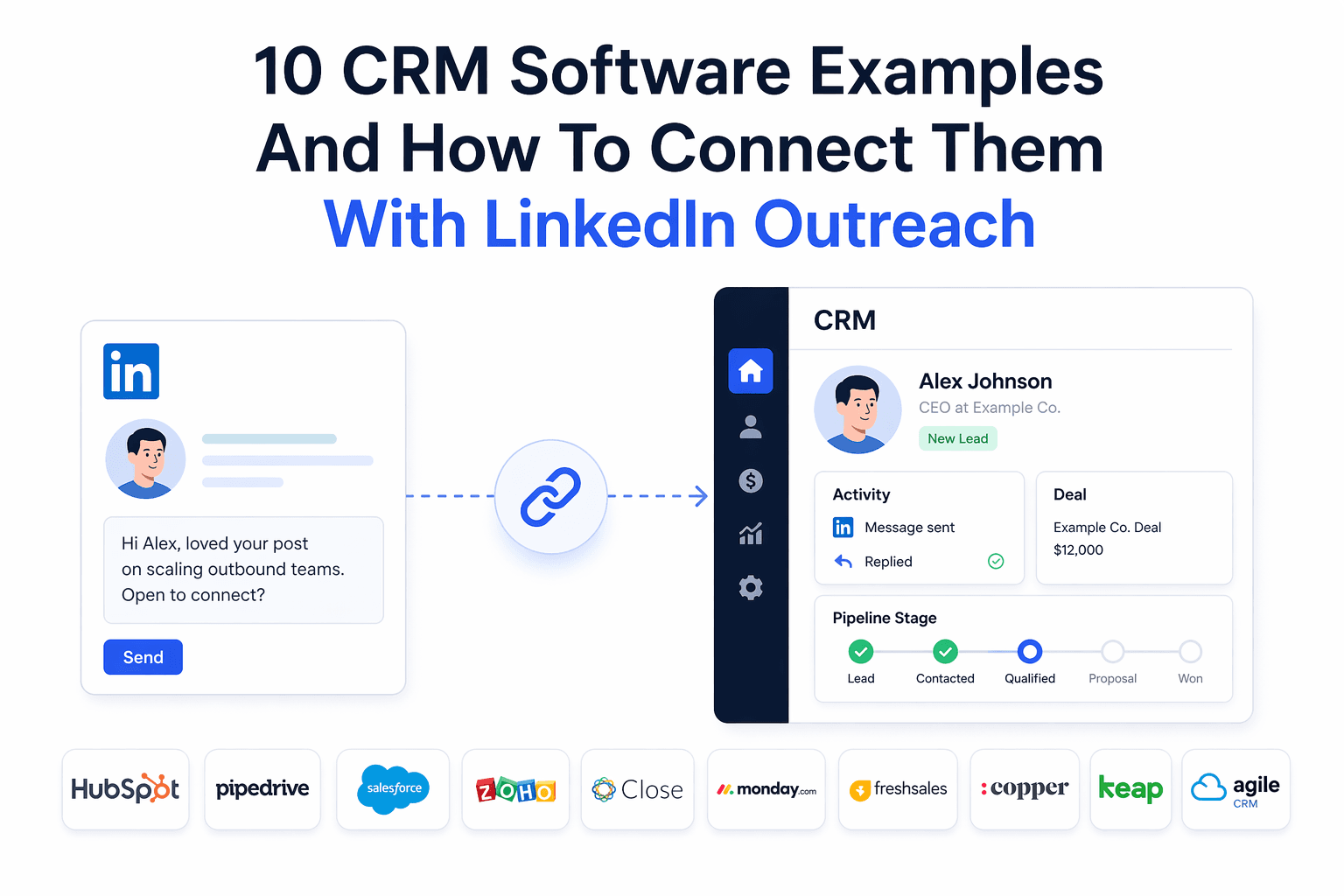
Connecting your CRM to your LinkedIn outreach stops leads from disappearing between your outreach tool and your pipeline.
This guide shows you 10 real CRM examples, how each one actually connects to LinkedIn automation, and what to look for so the integration actually does useful work.
TL;DR
- Most sales teams lose qualified leads because LinkedIn outreach data and CRM pipeline data never talk to each other.
- The best CRM integrations go beyond contact sync. They log activities, create deals on reply, and update pipeline stages without manual input.
- Some CRMs (HubSpot, Pipedrive) support native connections to LinkedIn automation tools. Others need middleware like Make or n8n.
- Your choice of CRM should match your team size, existing stack, and how much automation you actually need.
- You do not need a developer to set up most of these connections today.
The Real Problem: Why LinkedIn Outreach and CRM Data Stay Separate
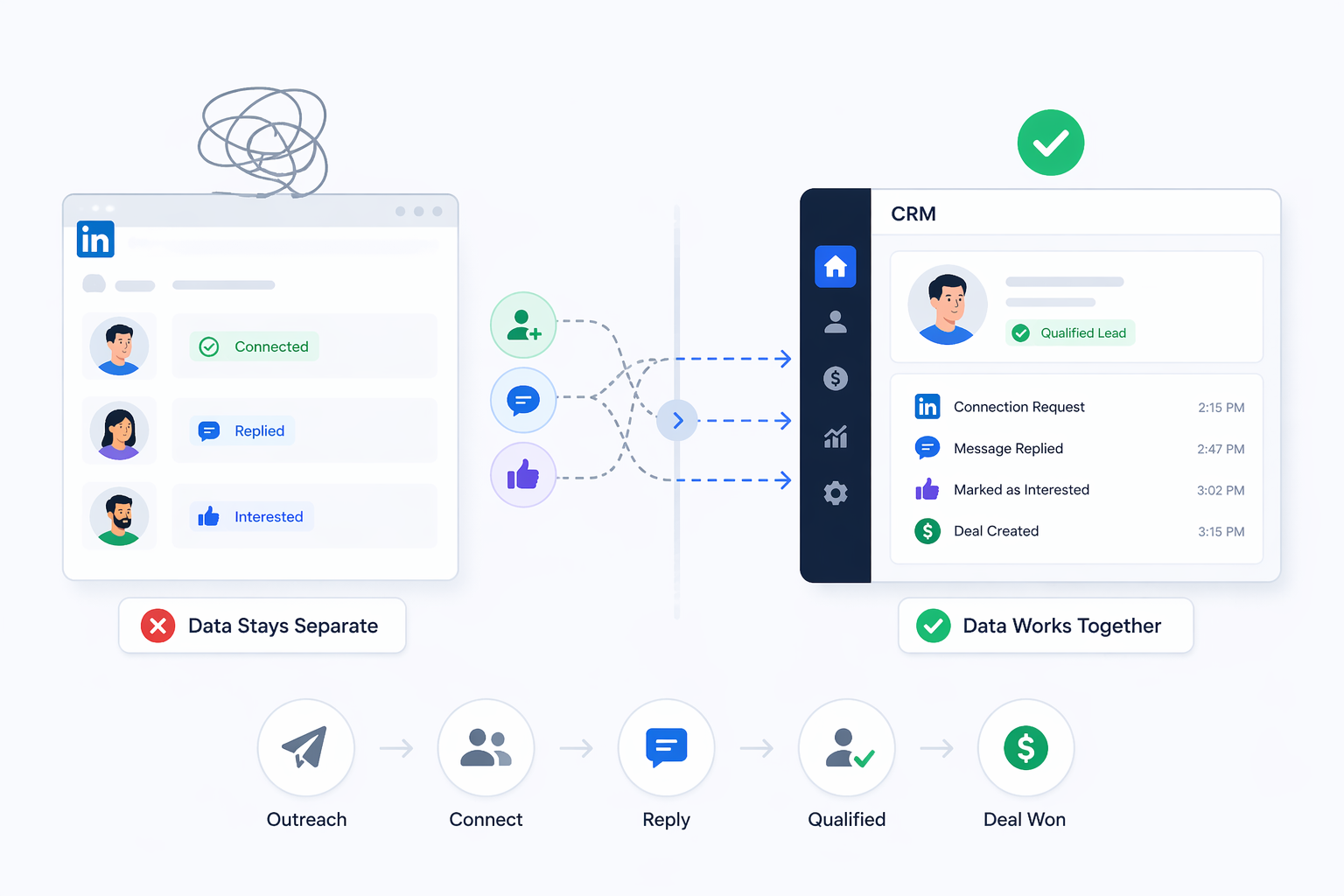
- Most sales reps run LinkedIn outreach in one tab and their CRM in another. That gap is where revenue leaks.
- Think about what happens in a typical outreach workflow. You send 50 connection requests on LinkedIn. Thirty accept. Ten reply.
- Three are qualified. Now ask yourself: how many of those three ended up in your CRM the same day, with full context attached?
For most teams, the answer is "some of them, eventually, with incomplete notes."
That is the problem CRM integration solves. When your LinkedIn automation tool connects to your CRM connects to your CRM, every touchpoint, reply, and deal trigger gets recorded automatically.
Your pipeline reflects what is actually happening in your outreach, not what someone remembered to type in.
What a Good LinkedIn Outreach to CRM Integration Actually Does
A useful CRM integration does more than dump contacts into a spreadsheet. It maps outreach behavior to pipeline actions.
Look for these capabilities when evaluating any integration:
- Contact creation: New LinkedIn connections automatically become CRM contacts with profile data attached
- Activity logging: Every message sent, accepted, and replied to gets logged as a CRM activity on the contact record
- Deal or opportunity creation: When a prospect replies or reaches a set campaign stage, the CRM creates a deal without manual input
- Pipeline stage updates: As leads progress through your LinkedIn sequence, their CRM stage updates to match
- Two-way sync: If you update a contact in your CRM, that update flows back to your outreach tool so campaigns stay consistent
If an integration only does the first item on that list, it will save you 10 minutes of data entry but it will not materially improve your sales process.
10 CRM Software Examples And How To Connect Them With LinkedIn Outreach
1. HubSpot
HubSpot is the most popular CRM for B2B sales teams that run LinkedIn outreach, partly because it supports the richest set of native integration options.
Here is what a well-configured integration looks like:
- LinkedIn connection accepted creates a HubSpot contact with profile fields populated
- LinkedIn message logged as a HubSpot activity on that contact
- Prospect replies, a HubSpot deal is created in your target pipeline
- Deal stage updates as the prospect moves through your outreach sequence
- Two-way sync keeps both systems current without manual updates
What to watch for: HubSpot has a free CRM tier, but some automation features (like workflow triggers based on deal properties) require a paid plan. Make sure the integration you use can work with your specific HubSpot tier.
Tools that connect natively: Bearconnect supports a live HubSpot integration with contact sync, activity logging, deal creation, and two-way sync built in. You authenticate via the Bearconnect dashboard and leads start syncing from active campaigns immediately.
See the full Bearconnect HubSpot setup guide for a step-by-step walkthrough.
2. Pipedrive
Pipedrive is purpose-built for outbound sales teams and its pipeline-first structure makes it one of the best CRMs for LinkedIn outreach workflows.
Pipedrive's deal stages work naturally with LinkedIn campaign stages. The most valuable integration behavior here is deal creation triggered by a prospect reply, not just a connection.
A well-connected Pipedrive workflow looks like this:
- Connection accepted creates a Pipedrive person and organization record
- First message sent logs as an activity on that person
- Prospect replies, Pipedrive creates a deal and moves it to "Contacted" stage
- LinkedIn touchpoints log as activities so your sales history is visible in one place
What to watch for: Pipedrive's automations (smart triggers and email sequences) become more useful once LinkedIn leads are flowing in with consistent stage data attached. Inconsistent stage mapping breaks pipeline reporting.
Tools that connect natively: Bearconnect's Pipedrive integration is live and includes contact sync, deal creation on reply, and LinkedIn touchpoints logged as activities in Pipedrive.
Read the Bearconnect Pipedrive setup guide for full configuration details.
3. Salesforce
Salesforce is the enterprise CRM standard. It has the most powerful data model but also the most complex integration requirements.
Salesforce uses Leads, Contacts, Accounts, and Opportunities as separate objects.
A LinkedIn lead typically enters as a Lead record, gets qualified, then converts to a Contact with an Opportunity attached. Any integration that only syncs to one object will miss part of the picture.
A full Salesforce to LinkedIn integration should:
- Create a Lead record from each LinkedIn connection
- Log LinkedIn messages as Activity records under that Lead
- Convert Lead to Contact and Opportunity when the prospect qualifies
- Update Opportunity stage based on LinkedIn outreach events
Current options: Salesforce does not have a wide range of native LinkedIn automation integrations yet. Most teams use Make or n8n as middleware, routing webhook data from their outreach tool into Salesforce via its REST API. It requires some setup but no code.
4. Zoho CRM
Zoho CRM is popular with SMB and mid-market sales teams because it offers a flexible pipeline at a lower price point than Salesforce or HubSpot paid tiers.
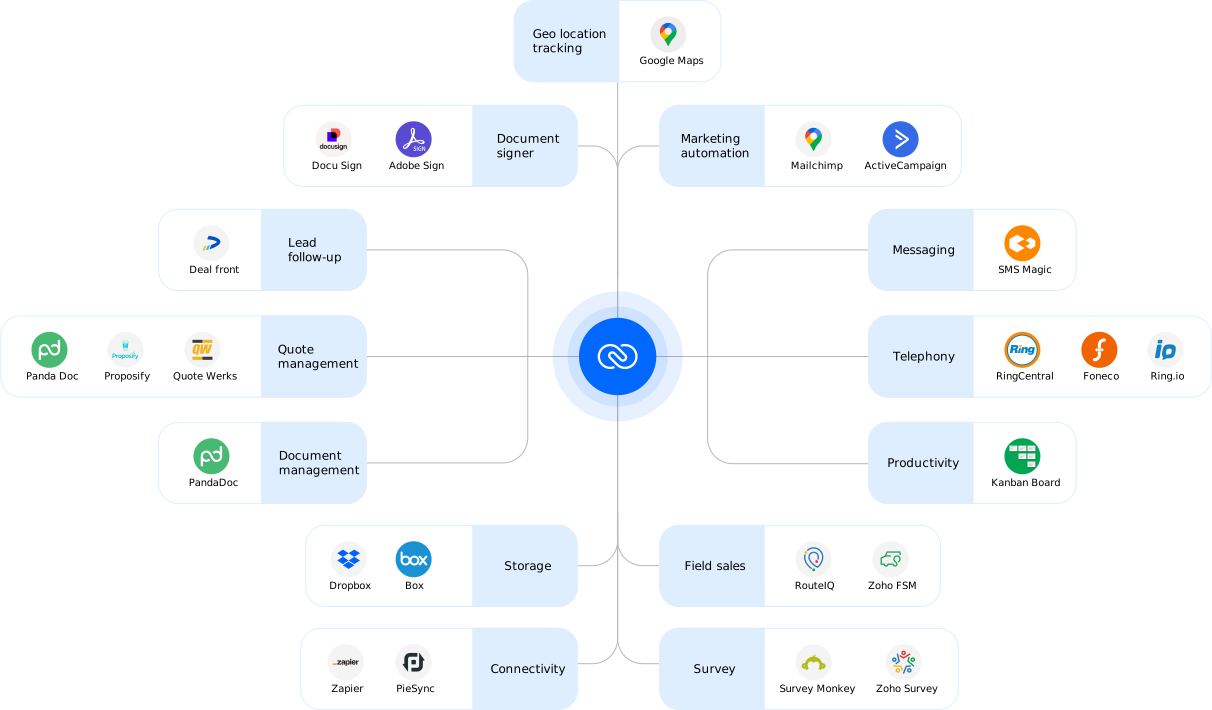
Zoho's Leads and Contacts modules map well to LinkedIn outreach data. Its built-in workflow automation can trigger actions (email alerts, task creation, stage updates) once a LinkedIn lead arrives with the right field values.
A practical Zoho setup for LinkedIn outreach:
- LinkedIn connection syncs as a Zoho Lead with source tagged as "LinkedIn"
- Activity records log outreach touchpoints
- When a lead replies, a Zoho workflow triggers a task for the sales rep to follow up by phone
Current options: Like Salesforce, Zoho does not currently have widespread native connectors for LinkedIn automation tools. Use Make with Bearconnect's webhook output to route lead data into Zoho's API.
5. Notion (as a Lightweight CRM)
Solo founders and small agencies frequently use Notion as a CRM. It is not a purpose-built CRM, but for teams managing under 200 active prospects, it works well.
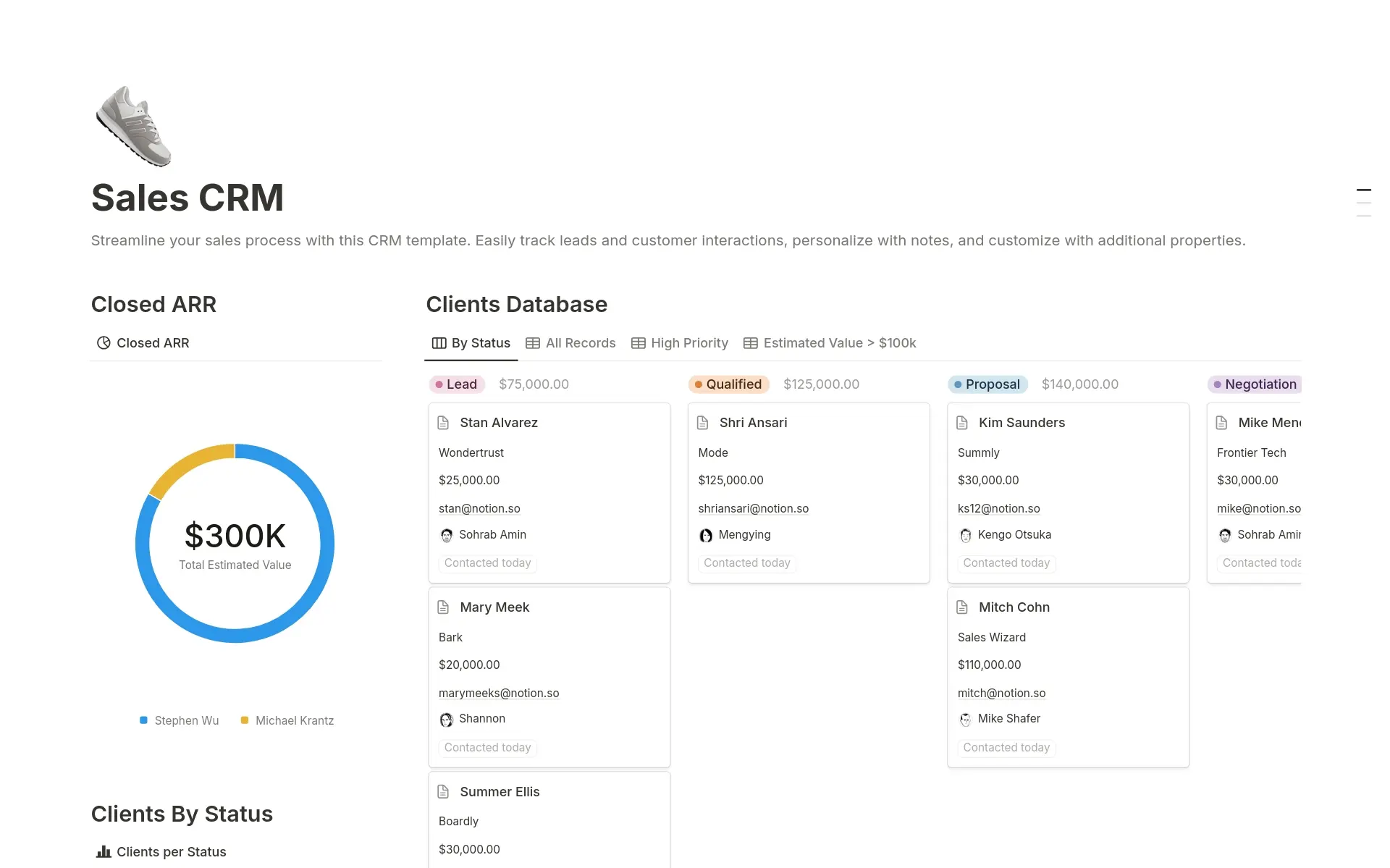
Notion's database views (board, table, calendar) let you build a simple pipeline without any CRM subscription. The trade-off is that automation is limited compared to dedicated CRM tools.
How to connect Notion to LinkedIn outreach:
- Enable webhook output in your LinkedIn automation tool
- Use Make to catch the webhook trigger
- Map lead fields (name, LinkedIn URL, campaign stage, reply status) to Notion database properties
- Set conditions (create new entry on connection accepted, update status on reply)
Practical limit: Notion does not have deal-stage automation built in. You will need Make automations to move records between pipeline stages based on LinkedIn events.
6. Airtable (as a Visual CRM)
Airtable works as a spreadsheet-style pipeline tracker and connects to LinkedIn automation tools through webhook-based workflows.
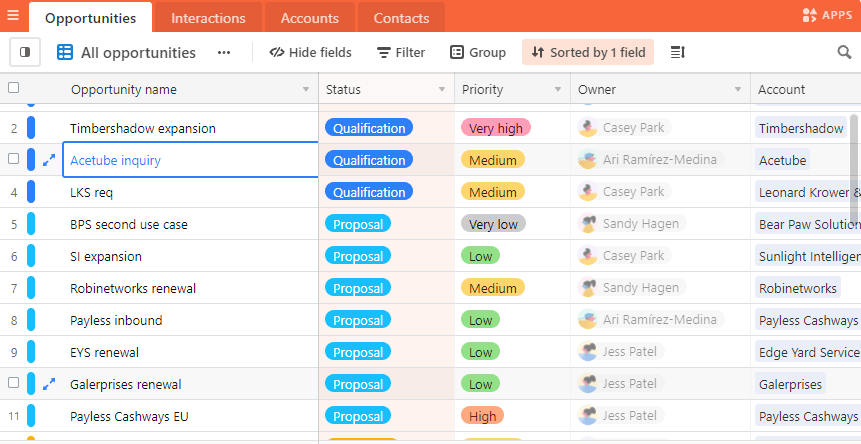
Airtable's strength is its flexibility. You can build a pipeline view that shows exactly the fields you care about, linked to campaign data, LinkedIn URLs, and reply status all in one place.
A basic Airtable to LinkedIn outreach flow:
- Connection accepted in LinkedIn campaign creates a new Airtable record
- Fields populated: name, company, LinkedIn URL, campaign name, connection date
- Prospect replies, a Make automation updates the record status to "Replied" and timestamps it
- Sales rep picks up the record and logs next steps manually
Best for: Lean sales ops teams that want full control over their pipeline structure without paying CRM licensing costs.
See how Bearconnect imports lead data to understand what fields are available for routing to Airtable.
7. Monday.com CRM
Monday.com's CRM boards give sales ops teams a visual pipeline that connects to LinkedIn outreach through Make as middleware.
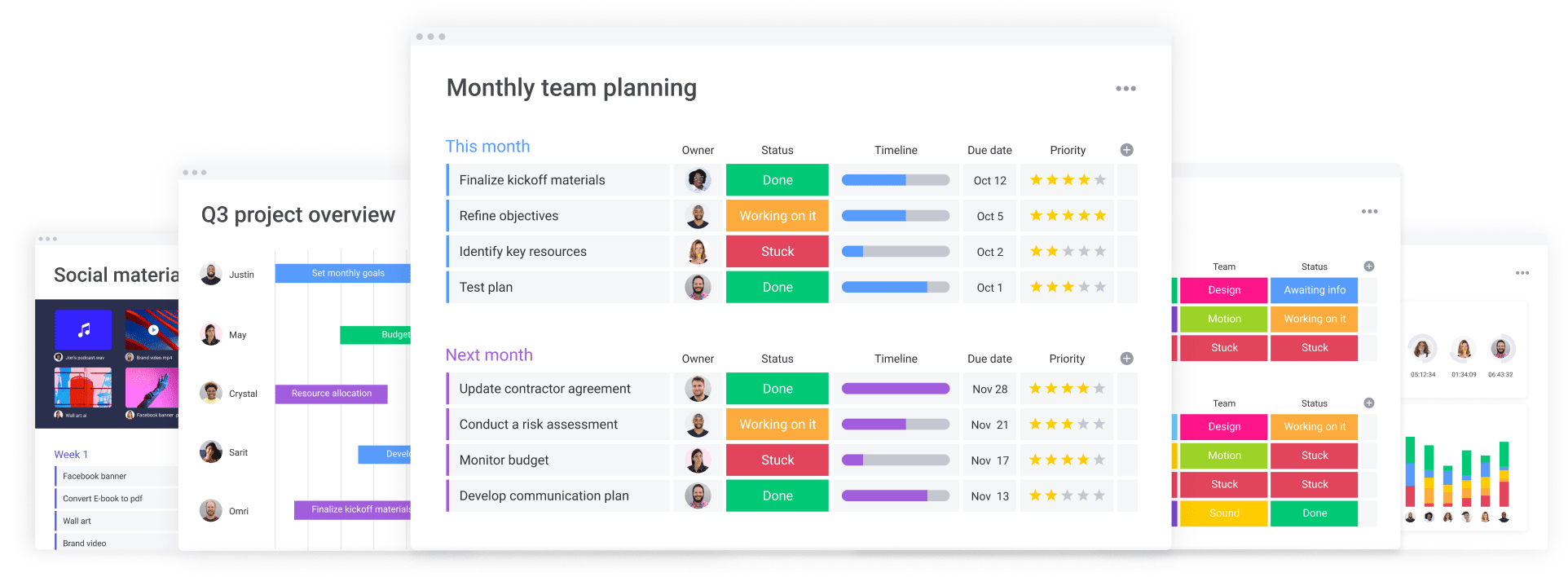
Monday.com has a native CRM view with items, stages, and contact fields. It is not as feature-rich as HubSpot or Pipedrive for sales automation, but it is strong for teams already using Monday.com for project management who want to bring sales tracking into the same workspace.
Connection flow:
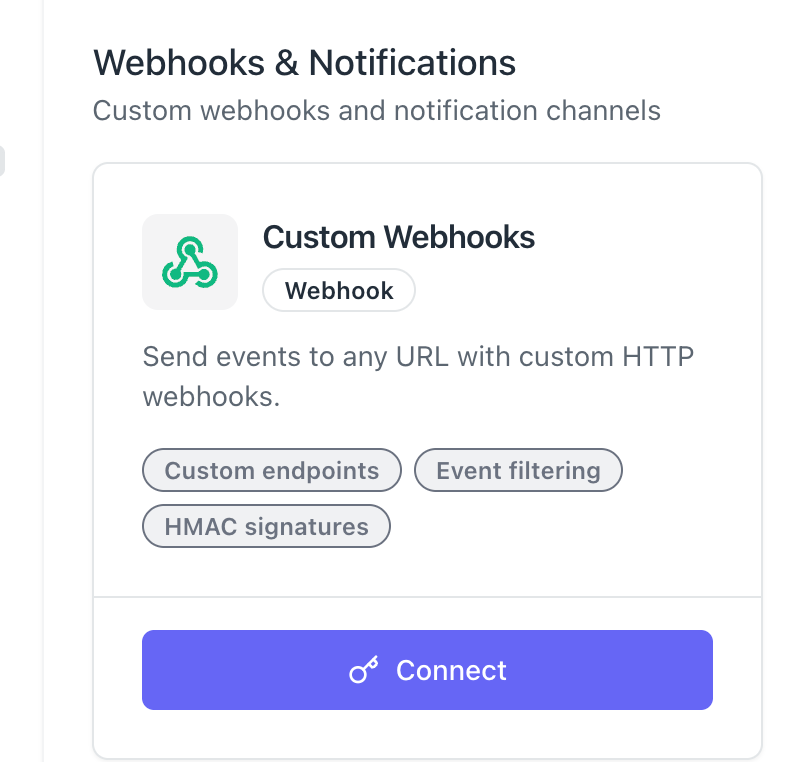
- Bearconnect fires a webhook when a LinkedIn trigger event occurs (connection, reply, campaign stage change)
- Make catches the webhook and maps the data to Monday.com CRM item fields
- Monday.com automations move items between board columns based on LinkedIn activity data
Best for: Teams that run sales and project delivery inside Monday.com and want visibility across both in one view.
8. Close CRM
Close CRM is built specifically for outbound sales teams. Its strength is combining call, email, and now LinkedIn data into a single contact timeline.
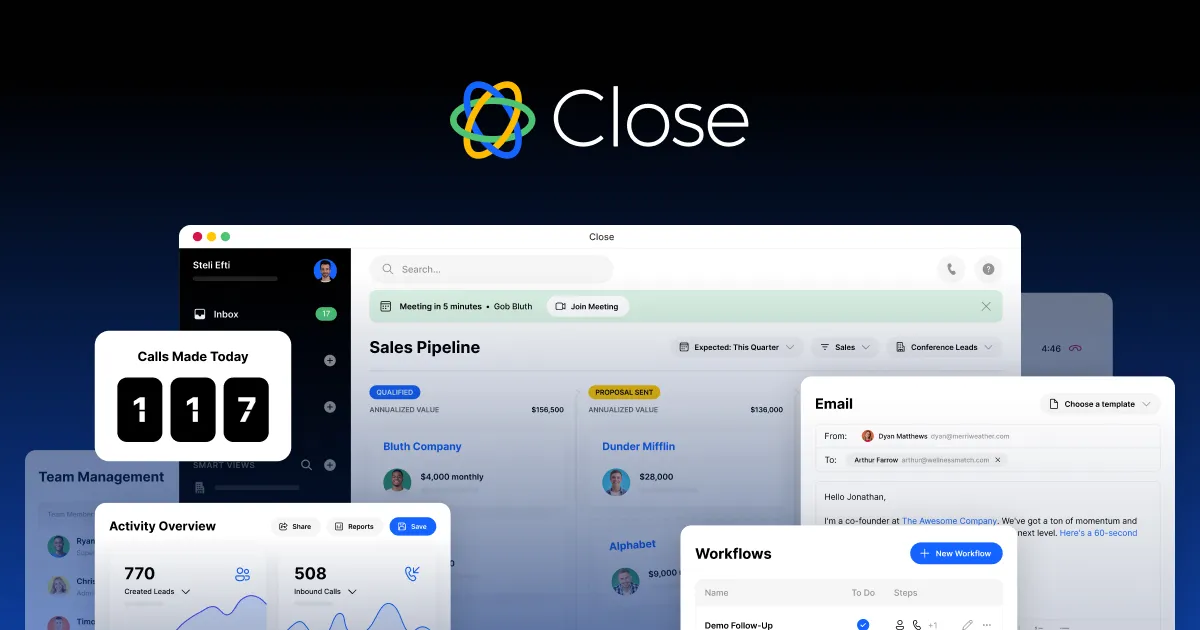
Close's activity feed is one of the best in the market for outbound reps.
When you connect LinkedIn outreach data to Close, a sales rep can open a contact record and see the full sequence: LinkedIn connection, first message, reply, call attempt, and email follow-up all in one timeline.
Connection flow:
- Use Bearconnect webhooks plus Make to create or update Lead records in Close
- Log LinkedIn touchpoints as Note activities on the contact record
- Trigger Close email or call task sequences when a LinkedIn lead reaches a specific reply stage
Best for: Outbound-heavy sales teams running multi-channel sequences where LinkedIn is one touch among several.
9. Copper CRM
Copper CRM integrates natively with Google Workspace, which makes it the right choice for teams that run their sales process primarily inside Gmail.
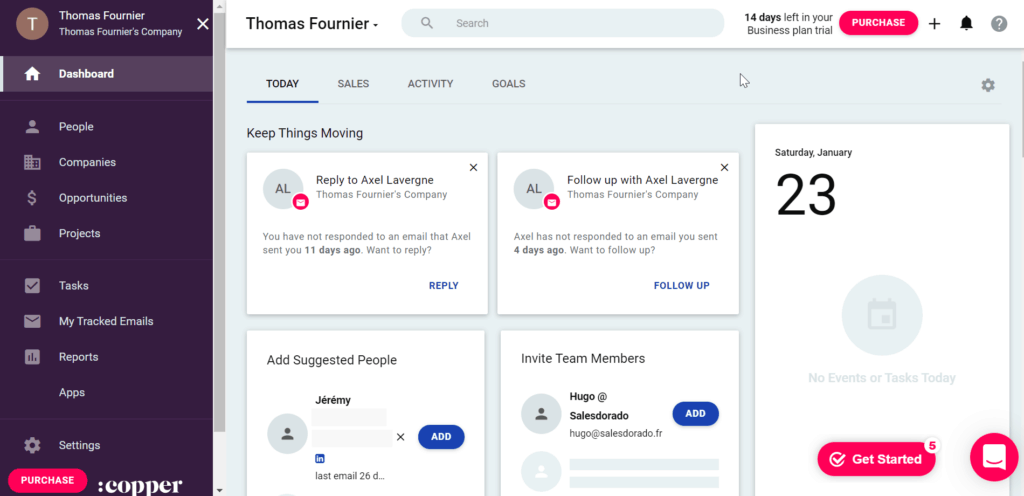
Copper surfaces contact data, activity history, and pipeline stages directly inside Gmail. If your team already replies to LinkedIn leads via email and logs calls in Google Calendar, Copper consolidates everything without switching tabs.
Connection flow:
- Route Bearconnect webhook data through Make into Copper's People or Lead objects
- LinkedIn messages log as Copper Activity entries on the contact record
- Pipeline Opportunity stages update based on LinkedIn reply events coming through Make
Best for: Small to mid-size sales teams that live in Google Workspace and do not want a separate CRM interface.
10. Streak CRM (Gmail-Based Pipeline)
Streak turns Gmail into a CRM, which makes it uniquely suited to solo founders and small teams who want pipeline tracking without leaving their inbox.
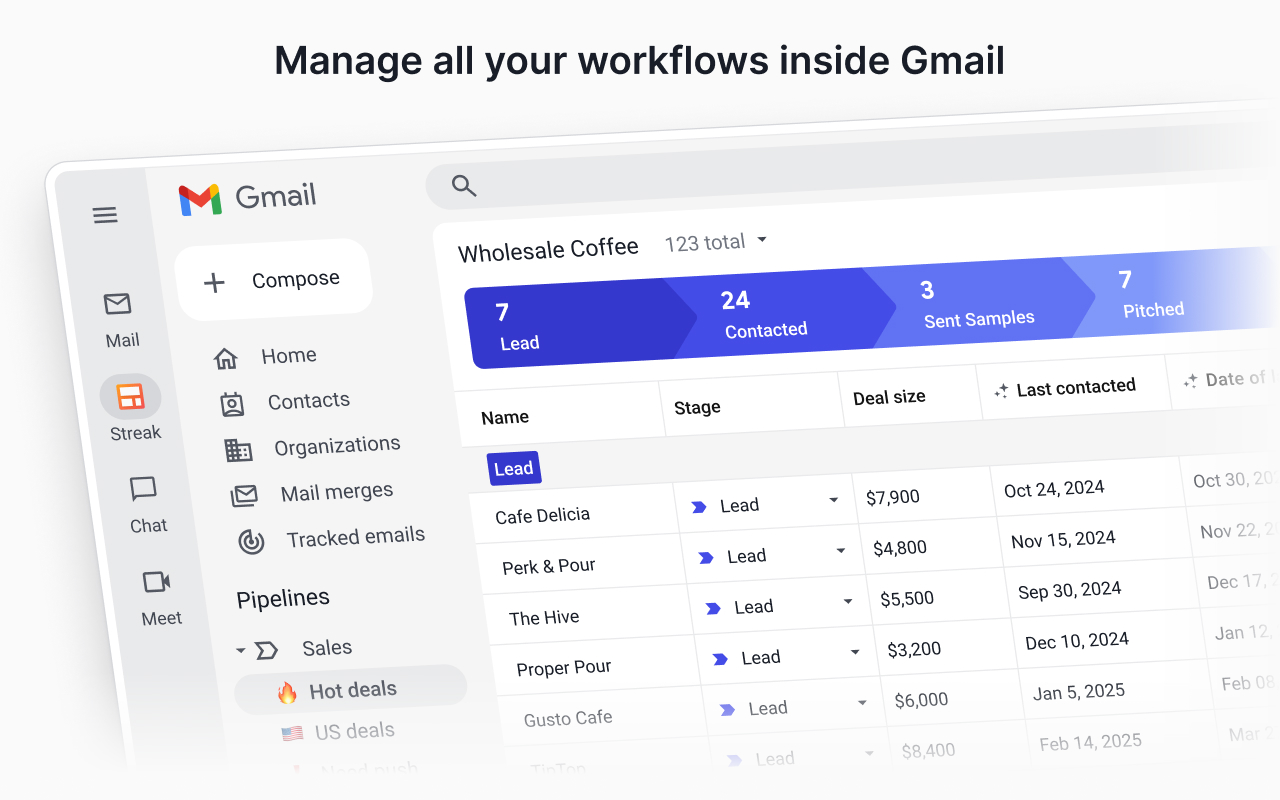
Streak's pipeline lives inside Gmail as boards. Each "box" is a deal or lead tracked across stages. You can log LinkedIn data into Streak boxes using Bearconnect webhooks plus Make.
Connection flow:
- LinkedIn prospect accepts connection, Make creates a new Streak box in your pipeline
- LinkedIn messages log as notes on the Streak box
- Prospect replies, Make updates the Streak box stage to "Replied" automatically
Best for: Solo founders and early-stage teams who want a zero-cost CRM. Pair this with Bearconnect's unified inbox to manage all LinkedIn conversations in one place while keeping Streak updated.
How the Technical Connection Actually Works
Every LinkedIn automation to CRM integration uses one of three patterns. Know which pattern applies to your setup before you start.
Pattern 1: Native Integration (Simplest)
The LinkedIn automation tool has a built-in connector for your CRM. You authenticate once and the data flows. No middleware. No code. This is the fastest to set up and the most reliable long term.
Pattern 2: Webhook plus Make or n8n (Flexible)
Your LinkedIn automation tool fires an outbound webhook when a trigger event occurs. You use Make or n8n to catch that webhook and route the data to your CRM's API. This works for almost any CRM and requires no code, just a visual workflow builder.
- Examples: Bearconnect to Salesforce, Bearconnect to Zoho, Bearconnect to Airtable, Bearconnect to Notion. Detailed setup guides are available for Make, n8n, Zapier, and Webhooks.
- Setup time: Under 30 minutes for most workflows.
Pattern 3: CSV Export and Manual Import (Not Recommended)
You export leads from your outreach tool as a CSV and import them into your CRM manually. This is better than nothing, but it breaks the real-time feedback loop and creates data gaps.
CRM Integration Readiness: A Quick Reference
| CRM | Best For | Native LinkedIn Tool Support | Middleware Option |
|---|---|---|---|
| HubSpot | SMB to mid-market, full sales and marketing stack | Yes (Bearconnect) | Make, n8n |
| Pipedrive | Outbound sales teams, deal-focused pipelines | Yes (Bearconnect) | Make, n8n |
| Salesforce | Enterprise teams, complex data models | Coming soon (Bearconnect) | Make, n8n |
| Zoho CRM | SMB, cost-sensitive teams | Coming soon (Bearconnect) | Make, n8n |
| Notion | Solo founders, lightweight pipelines | No | Make, n8n |
| Airtable | Flexible ops teams, spreadsheet-style pipelines | No | Make, n8n |
| Monday.com | Teams already using Monday for project work | No | Make |
| Close CRM | Outbound sales, multi-channel sequences | No | Make, n8n |
| Copper CRM | Google Workspace teams | No | Make |
| Streak CRM | Solo founders in Gmail | No | Make |
How to Choose the Right CRM for Your LinkedIn Outreach Setup
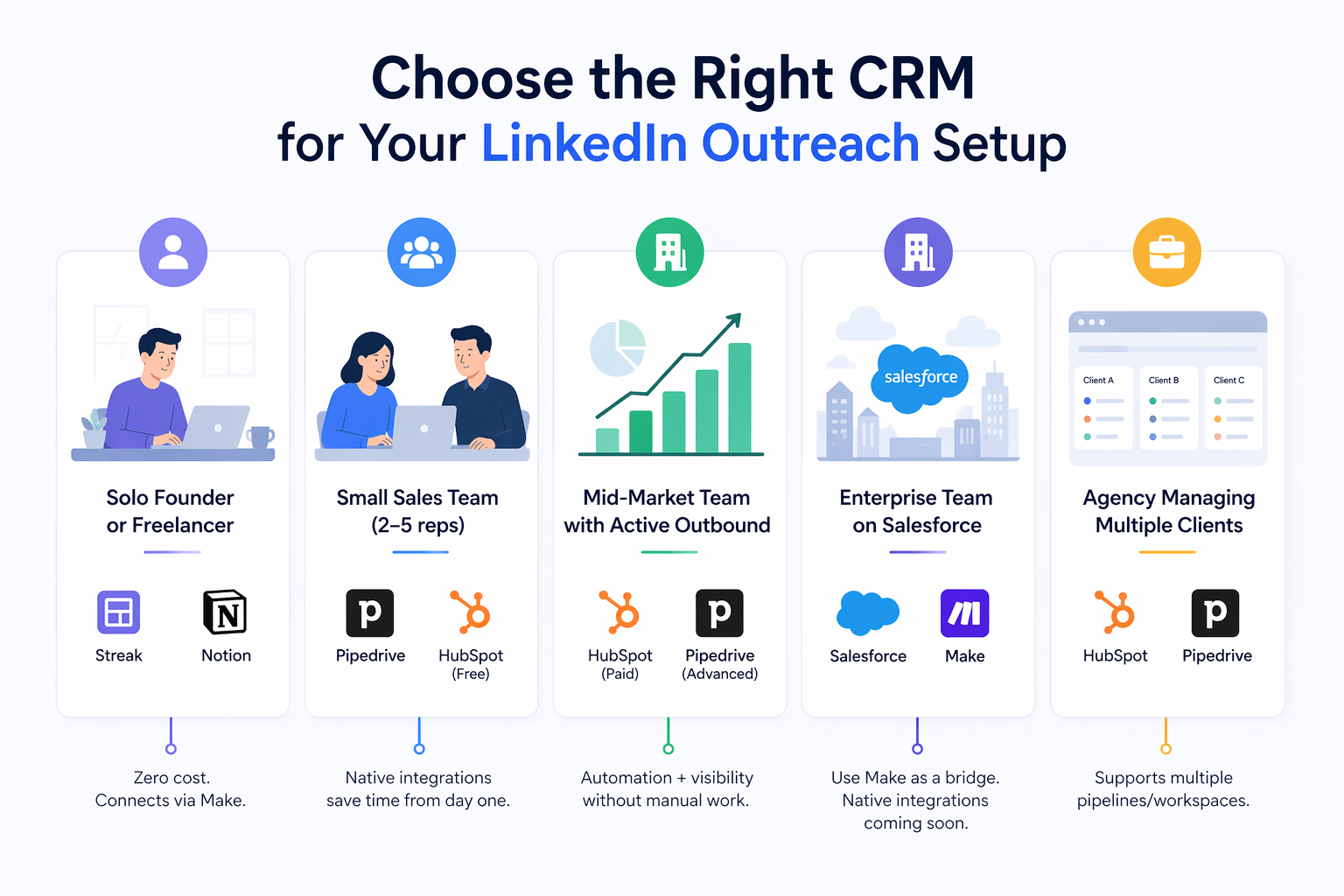
The right CRM is the one your team will actually use every day, not the one with the most features.
Use this as a decision framework:
- Solo founder or freelancer: Streak or Notion. Zero licensing cost. Connects via Make. Gets the job done.
- Small sales team (2 to 5 reps): Pipedrive or HubSpot free tier. Native integrations with LinkedIn automation tools save time from day one.
- Mid-market team with active outbound: HubSpot paid or Pipedrive Advanced. Native integrations plus automation workflows give you pipeline visibility without manual work.
- Enterprise team on Salesforce: Use Make as a bridge today. Native integrations are coming for tools like Bearconnect.
- • Agency managing multiple clients: Choose a CRM that supports multiple pipelines or workspaces. HubSpot and Pipedrive both handle this well.
- See how agencies use Bearconnect to manage multiple LinkedIn accounts with a single connected stack.
Pro tip: Before you pick a CRM, map your LinkedIn outreach workflow first. List every event that matters (connection accepted, first message sent, reply received, meeting booked) and confirm your CRM can receive and act on each one.
5 FAQs: CRM Integration With LinkedIn Outreach
Q1. What is the most important thing a CRM integration should do for LinkedIn outreach?
It should log activities and create deals automatically based on prospect behavior, not just sync contact details. Contact sync is table stakes. Activity logging and deal creation on reply are what actually save time and improve pipeline accuracy. Any integration that only creates contacts is only solving 20% of the problem.
Q2. Do I need a developer to connect my CRM to a LinkedIn automation tool?
No. Most connections today use either native OAuth authentication (for tools with built-in connectors like Bearconnect with HubSpot and Pipedrive) or Make and n8n for webhook-based workflows. Both options are visual and no-code. A standard Make scenario connecting a LinkedIn tool to a CRM takes under 30 minutes to configure.
Q3. What is the difference between Make and n8n for CRM automation?
Make is a cloud-based visual workflow builder with a generous free tier and a large library of pre-built CRM connectors. n8n is an open-source alternative that you can self-host, giving you full data control. Make is easier to start with. n8n is better for teams with strict data privacy requirements or complex custom logic.
Q4. How does Bearconnect connect to HubSpot and Pipedrive?
Bearconnect has native integrations for both CRMs that you activate directly from the Bearconnect dashboard. For HubSpot, it supports contact sync, activity logging, deal creation, and two-way sync. For Pipedrive, it supports contact sync, deal creation when a prospect replies, and LinkedIn touchpoints logged as activities. Both connect via OAuth with no middleware required.
Q5. How much does it cost to run Bearconnect with a CRM integration?
Bearconnect is priced at $67/month per LinkedIn account. If you connect 5 or more LinkedIn accounts, the price drops to $57/month per account. CRM integrations for HubSpot and Pipedrive are included in that cost with no additional fee. See the full Bearconnect pricing page for details.
Ready to Connect Your LinkedIn Outreach to Your CRM?
If you use HubSpot or Pipedrive, you can activate Bearconnect's native integration today and start syncing LinkedIn leads, activities, and deals automatically without any technical setup.
Start a free trial at bearconnect.io and connect your CRM in minutes.
If your CRM is Salesforce or Zoho, join the waitlist for the upcoming integration or set up a webhook workflow today using Make.
Ready to Transform Your LinkedIn Strategy?
Join thousands of professionals already using Bearconnect to automate their outreach and grow their network.
7-day free trial • Cancel anytime
Related Articles
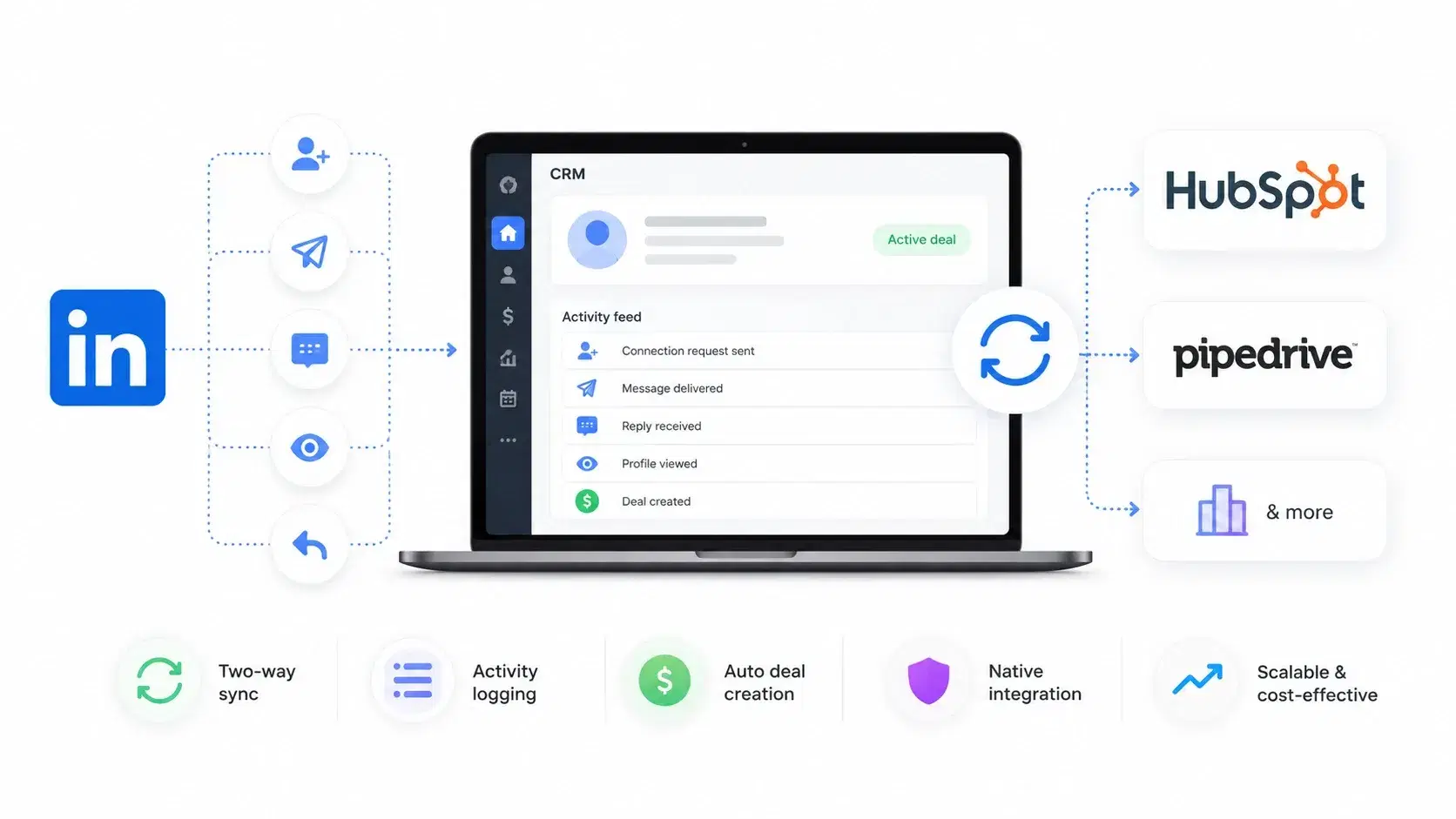
Best LinkedIn Automation Tools with CRM Integration (HubSpot, Pipedrive & More)
Compare the best LinkedIn automation tools with CRM integration like HubSpot and Pipedrive. Learn which tool offers two-way sync, activity tracking, and scalable outreach to grow your pipeline faster.
How to Set Up Zapier Integration in Bearconnect: Auto-Send Leads to Your CRM, Slack, or Google Sheets
Connect Bearconnect with Zapier to automatically send LinkedIn leads to your CRM, Slack, or Google Sheets. This step-by-step guide helps you streamline workflows, reduce manual work, and capture leads in real time.
Bearconnect Webhook Integration: Complete Setup to Send LinkedIn Campaign Data Securely
Learn how to set up Bearconnect webhook integration to securely send LinkedIn campaign data in real time using HTTP POST and JSON payloads.