How to Automate Your Agency's LinkedIn Outreach (Without Getting Banned)
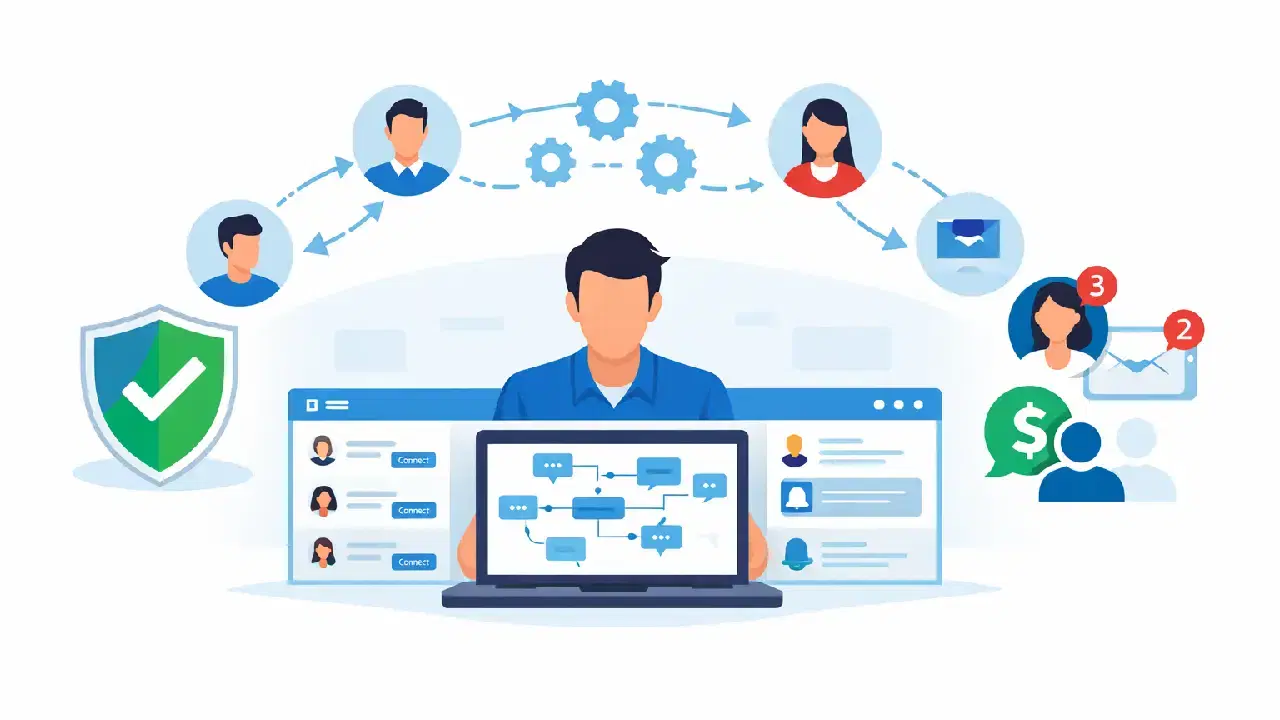
You can automate your agency's LinkedIn outreach by building a structured workflow that combines targeted connection requests, personalized drip sequences, and automated follow-ups using a LinkedIn outreach automation tool.
Done correctly, this scales your lead generation without increasing manual work or risking account restrictions.
TL;DR
- LinkedIn outreach automation lets one person manage what previously required a full team
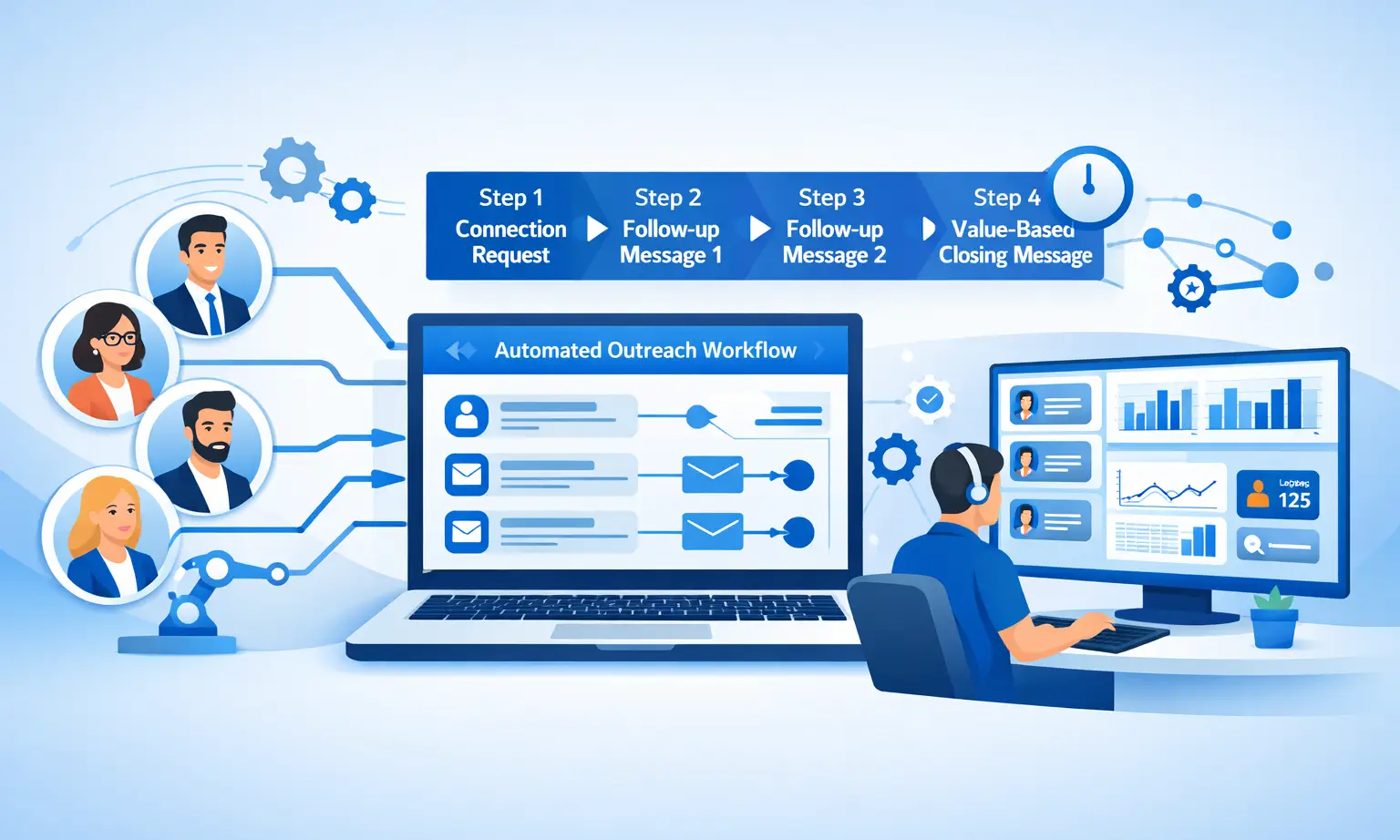
- A strong outreach sequence includes connection request, follow-up 1, follow-up 2, and a value-based close message
- Personalization with dynamic fields keeps automated messages from sounding robotic
- Managing multiple client accounts safely requires smart throttling, local IPs, and behavior mimicry
- Tools like Bearconnect handle all of this at $67/month per LinkedIn account (or $57/month per account when you connect 5 or more)
Why LinkedIn Outreach Automation Is Non-Negotiable for Agencies
Manual LinkedIn outreach does not scale. Automation does.
Sales teams waste 60 to 70% of their time on non-revenue-generating activities like sending connection requests and typing follow-ups manually. For agencies managing multiple clients, that time cost multiplies fast.
LinkedIn automation gives you a repeatable, measurable system.
You define the audience, build the sequence, and let the tool run campaigns 24/7 while your team focuses on calls and closing.
Learn more about why sales teams choose LinkedIn automation and the results they get.
What Is LinkedIn Outreach Automation?
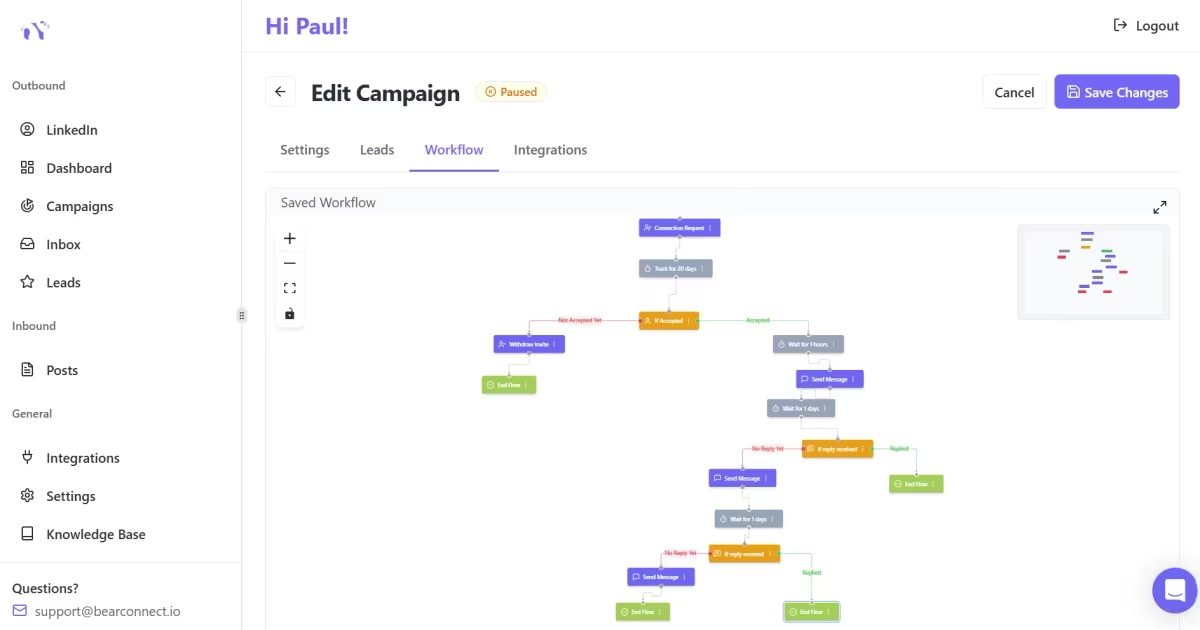
LinkedIn outreach automation is the process of using software to send connection requests, follow-up messages, and drip sequences automatically based on rules you set.
It is not about blasting random messages. It is about building a structured workflow where the right prospect receives the right message at the right time, without you manually typing each one.
If you are new to the concept, read our LinkedIn automation beginner guide before diving into sequences.
Core components of a complete LinkedIn outreach automation workflow:
- Audience targeting: Filter by job title, industry, seniority, geography, or keyword
- Connection request automation: Auto-send personalized invites to qualified prospects
- Drip sequences: Multi-step follow-up campaigns triggered after connection acceptance
- Personalization tokens: Dynamic fields that insert names, company names, or roles into messages
- Unified inbox: Manage all replies from multiple client accounts in one place
How to Build a LinkedIn Outreach Sequence Step by Step
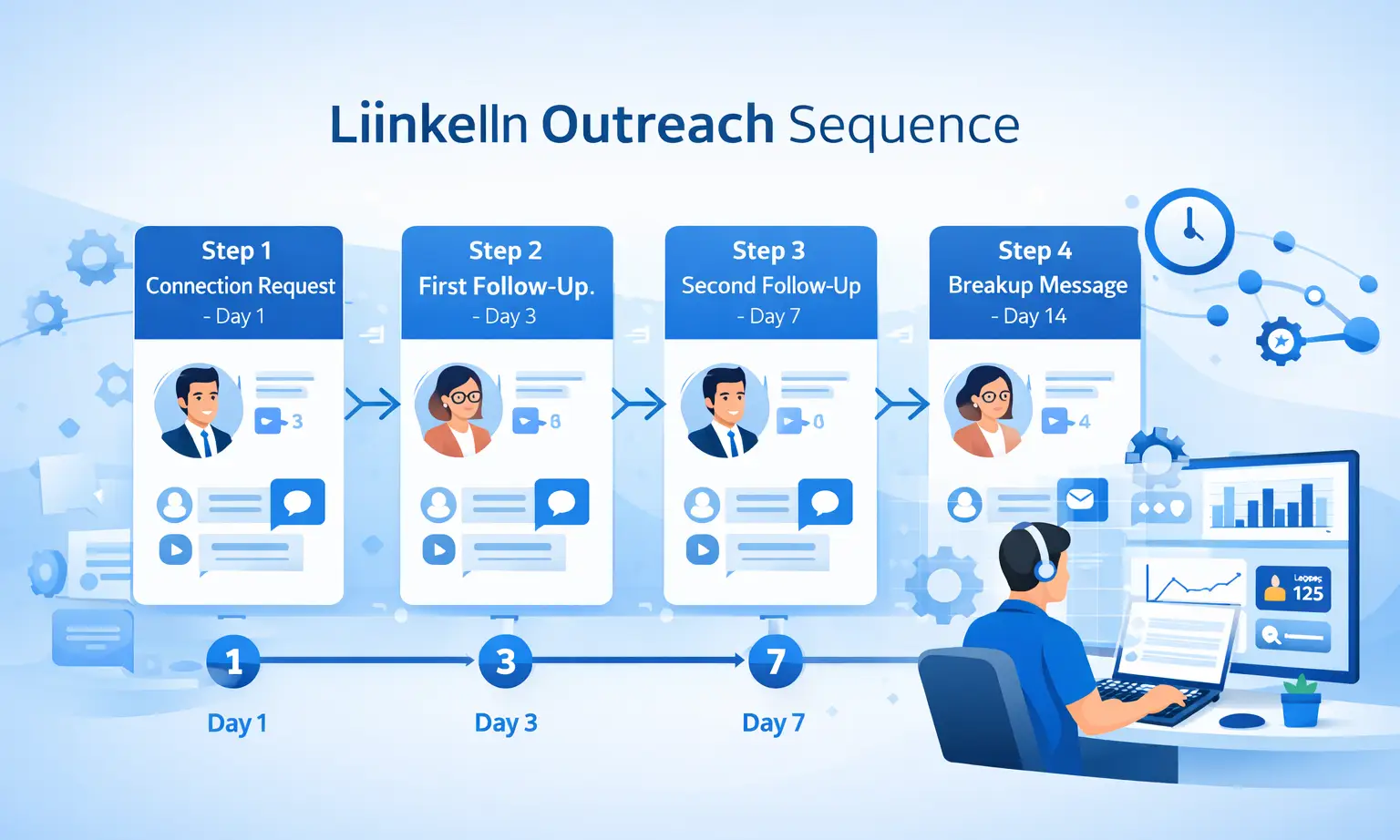
A high-performing LinkedIn outreach sequence has four stages: connect, warm up, pitch, and close.
Here is a sequence framework agencies use to generate consistent B2B leads.
You can also reference our LinkedIn message templates for automation to speed up copywriting for each stage.
Step 1: Connection Request (Day 1)
- Keep it short and context-specific (under 300 characters)
- Reference something relevant: their role, company, or recent post
- No pitch in the connection request
- Acceptance rates typically land between 15 to 30% with a well-targeted list
Step 2: First Follow-Up (Day 3 after connection)
- Lead with value, not a sales pitch
- Share a relevant insight, case study, or quick observation
- End with a soft question, not a CTA to book a call
Step 3: Second Follow-Up (Day 7)
- Introduce your offer in context of a problem they likely face
- Keep it under 5 sentences
- Include a clear, low-friction CTA: "Would a 15-minute call make sense?"
Step 4: Breakup Message (Day 14)
- Acknowledge they are likely busy
- Restate the value in one sentence
- Leave the door open without being pushy
Pro Tip: Response rates to first automated messages average 5 to 15% when sequences are properly personalized with dynamic fields. Generic blasts perform significantly lower.
See real benchmarks in our post on how many leads LinkedIn automation generates in 2026.
How to Avoid LinkedIn Restrictions While Running Automation
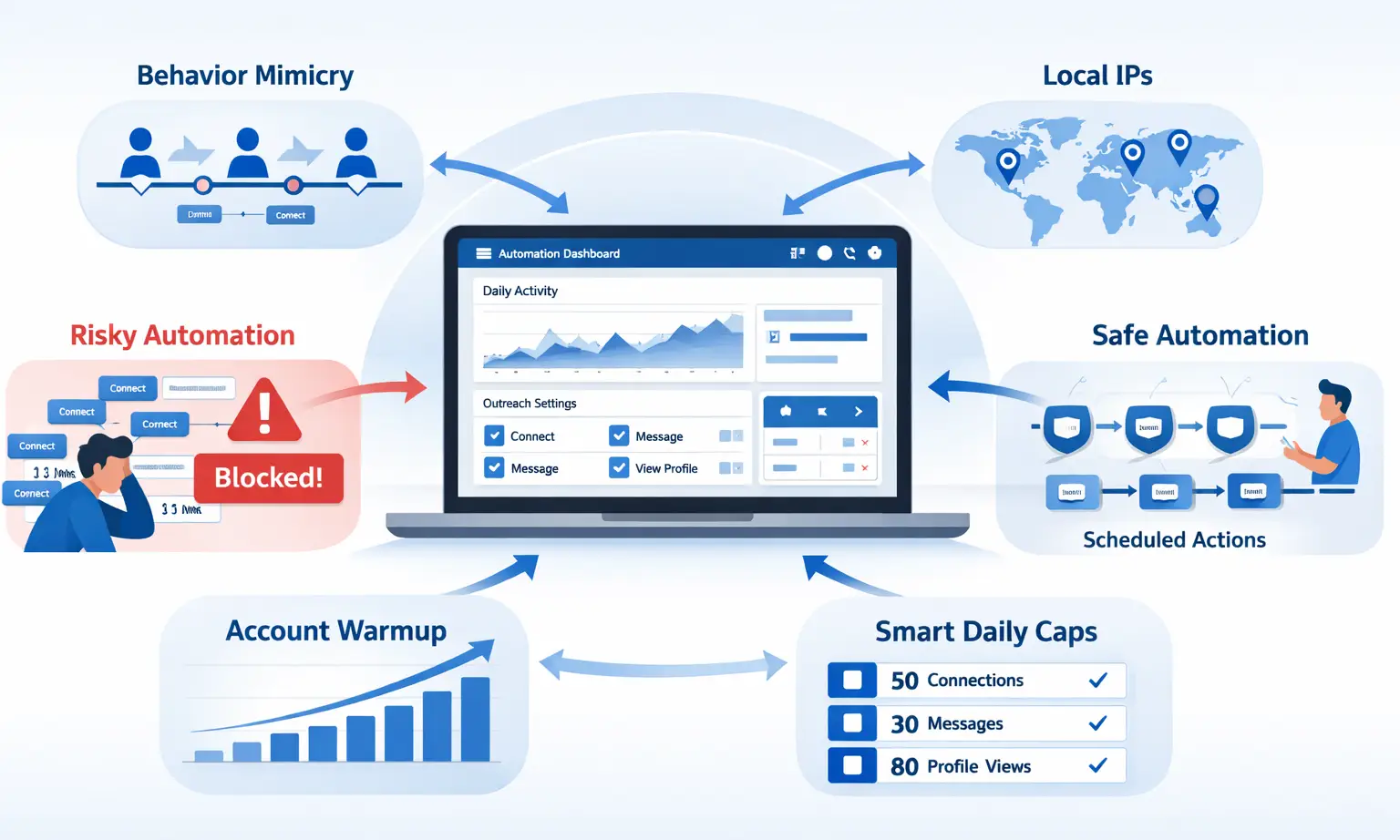
The biggest risk with LinkedIn outreach automation is triggering LinkedIn's spam detection. The solution is mimicking natural human behavior through smart throttling and local IP usage.
LinkedIn monitors daily action volumes. Sending 200 connection requests in an hour is an immediate red flag.
Before you run any campaign, read is LinkedIn automation against LinkedIn's policy to understand exactly where the boundaries are.
Safe automation tools solve this by:
- Behavior mimicry: Actions are spaced out to replicate natural user patterns
- Local IPs: The tool operates from real geographic locations, not data centers
- Gradual account warmup: New accounts start with low daily action limits, then increase over time
- Smart daily caps: Respect LinkedIn's unwritten limits on connections, messages, and profile views per day
Pro Tip: Always warm up a new LinkedIn account for at least 2 to 3 weeks before running full automation. Start with 10 to 20 connection requests per day and scale up gradually.
Check out our guide on how to automate LinkedIn messages safely for a full warmup protocol.
How to Manage Multiple Client LinkedIn Accounts From One Dashboard
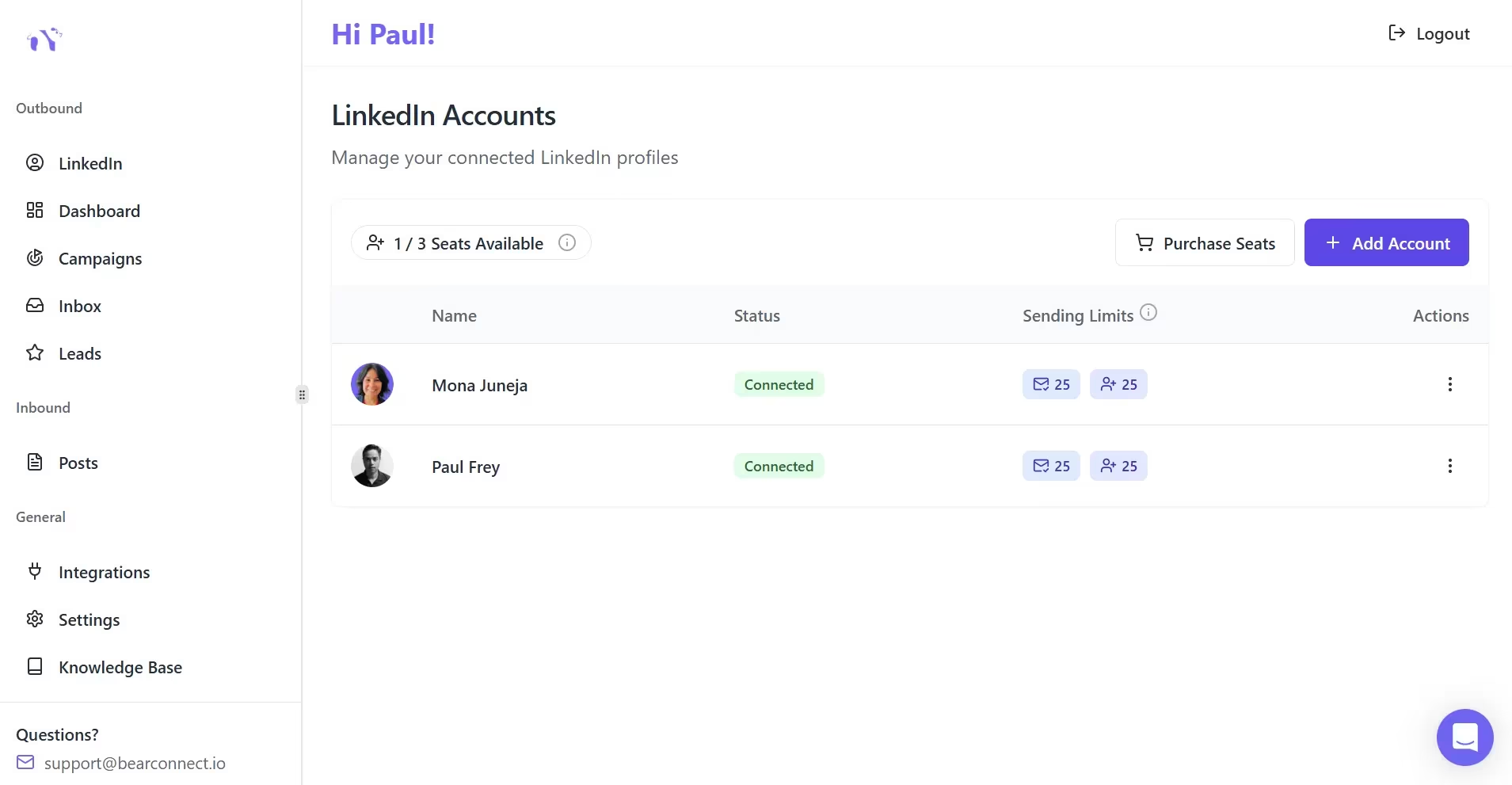
Agencies managing multiple clients need a centralized system. Logging in and out of individual accounts is not a workflow. It is a bottleneck.
A proper LinkedIn automation platform for agencies allows you to:
- Connect unlimited LinkedIn profiles under one login
- View all inbound messages from every client account in a single unified inbox
- Run separate, segmented campaigns per client without overlap
- Switch between accounts without interrupting active sequences
- Track performance per account, not just in aggregate
Read our dedicated guide on how agencies manage multiple LinkedIn accounts for a deeper look at the operational setup.
Real-world example: An agency managing 15 client LinkedIn accounts would pay $1,000+ per month on most automation platforms.
How to Personalize LinkedIn Automation at Scale
Automation without personalization is spam. The fix is segmentation and dynamic tokens.
Most agencies make the mistake of writing one generic sequence and blasting it to all prospects. Instead, build separate sequences per audience segment.
Our guide on how to write personalized LinkedIn outreach messages covers this in detail with real message examples.
Instead, build separate sequences per audience segment:
- Segment by ICP: Founders get different messaging than VPs of Sales
- Segment by industry: SaaS founders respond differently than agency owners
- Use dynamic fields: Insert
{{first_name}},{{company}}, or{{industry}}automatically into every message - Reference their content: If they recently posted on LinkedIn, the first message can reference it
This approach makes automated messages feel written specifically for each prospect, which directly improves reply rates. For connection request copy specifically, see LinkedIn connection requests that don't get ignored.
Pro Tip: Run A/B tests across two message variants per sequence. After 100 sends, pause the underperformer and scale the winner.
How to Track and Optimize Your LinkedIn Outreach Campaigns
You cannot scale what you cannot measure. Every campaign needs baseline metrics tracked weekly.
Key performance metrics agencies should monitor per campaign:
- Connection acceptance rate: Benchmark is 15 to 30%. Below 10% means your targeting or request message needs work.
- Reply rate to first message: Benchmark is 5 to 15%. Below 5% means your opening message is off.
- Positive reply rate: Of all replies, how many showed interest?
- Meeting booked rate: This is your ultimate conversion metric from LinkedIn outreach
A proper analytics dashboard shows all of these metrics per campaign, lets you compare sequences side by side, and surfaces which audiences are responding best.
Pair this with our 90-day LinkedIn automation scaling plan to build a full optimization roadmap.
How Bearconnect Powers LinkedIn Outreach Automation for Agencies
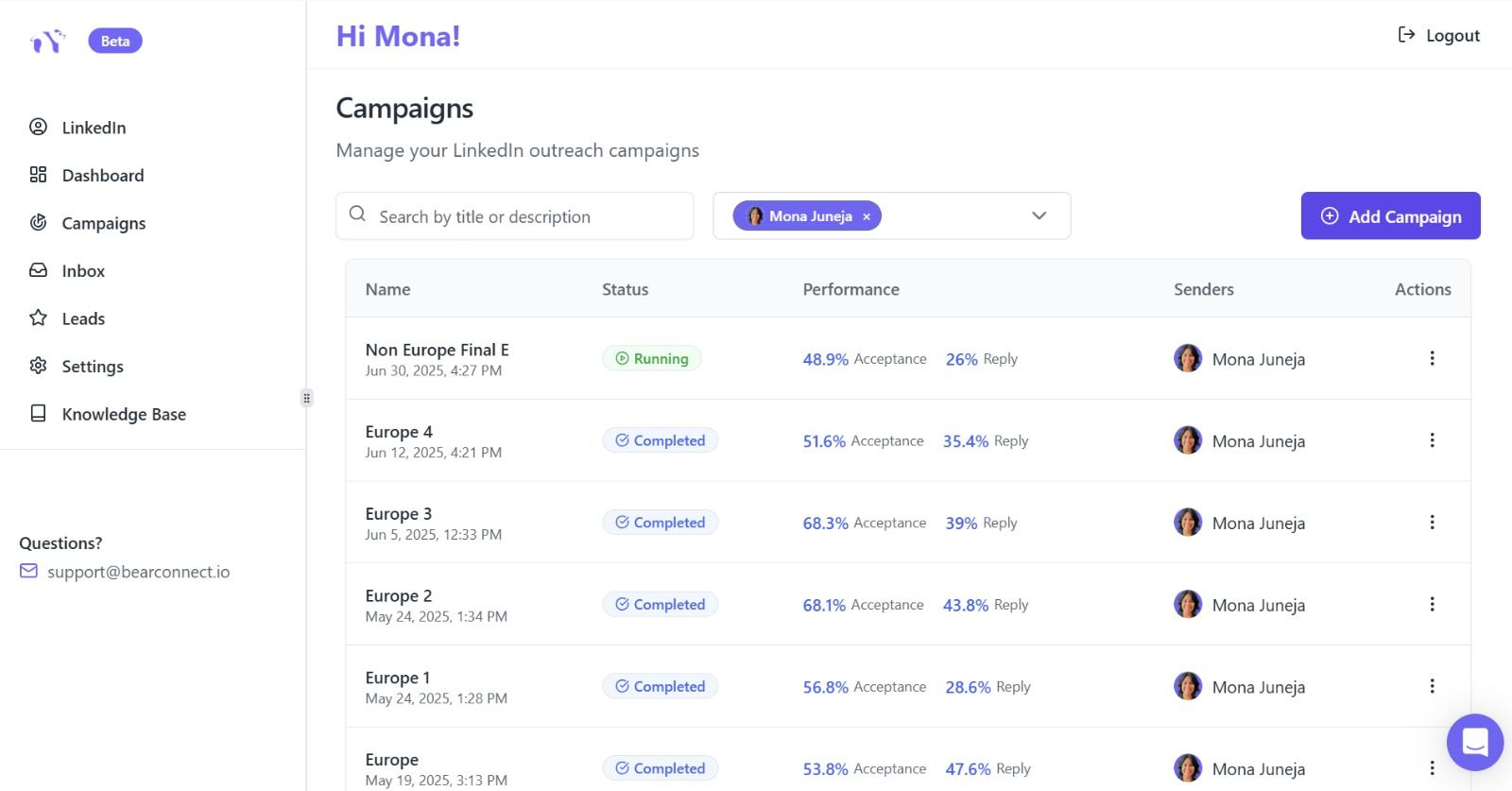
Bearconnect is a LinkedIn outreach automation platform built specifically for agencies that need to run multiple client accounts without paying per-seat enterprise pricing.
Here is what makes it relevant for agency operations:
| Feature | What It Does |
|---|---|
| Unlimited LinkedIn Accounts | Connect all client profiles under one subscription |
| Drip Sequence Builder | Multi-step automated follow-up workflows with conditions |
| Unified Inbox | All client messages in one centralized view |
| AI Post Creation | Generate LinkedIn content without manual writing |
| Advanced Analytics | Connection rates, reply rates, and conversion tracking per campaign |
| CRM Integration | Syncs leads directly to HubSpot and Salesforce |
| Safety Features | Local IPs, behavior mimicry, smart throttling |
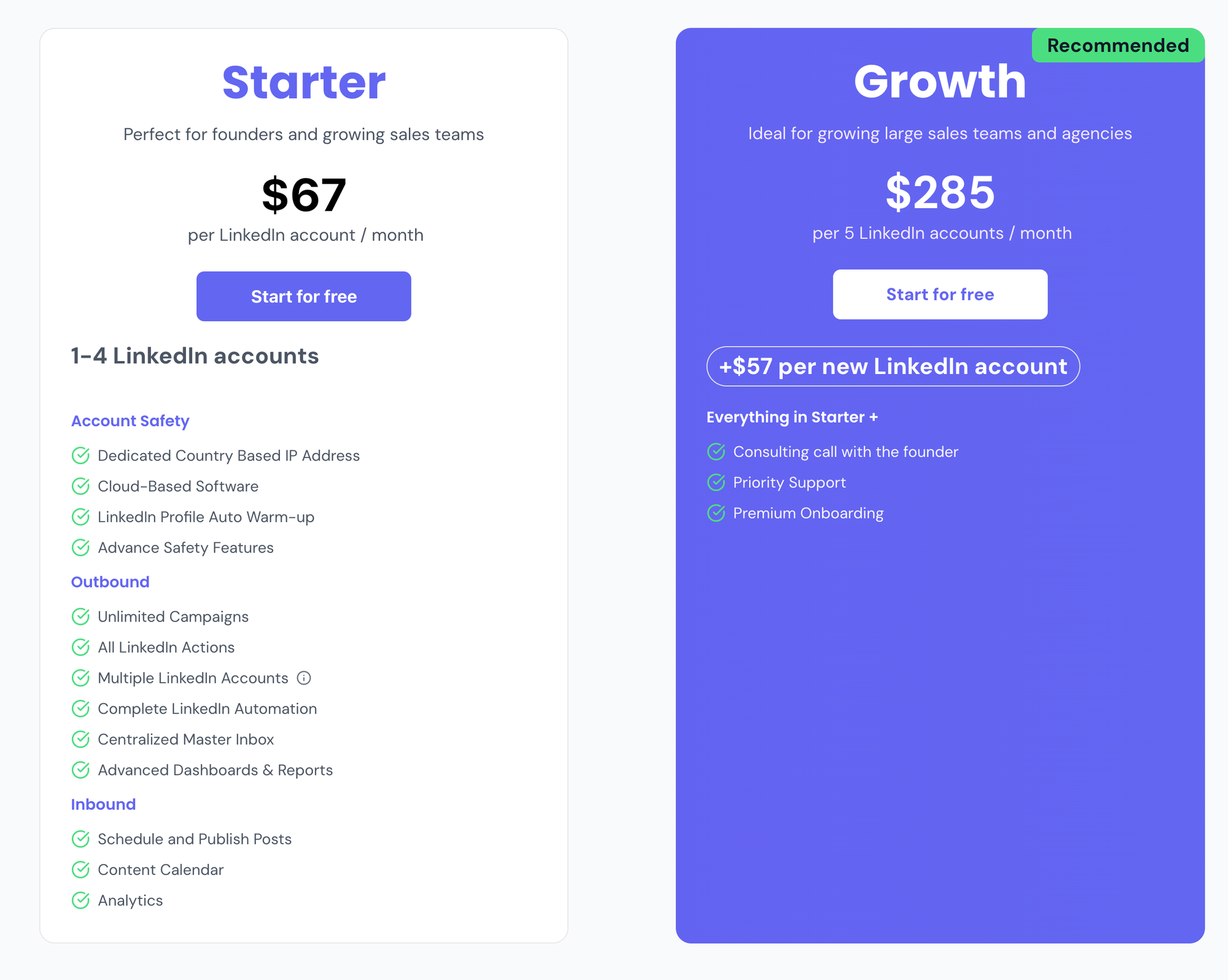
Pricing: $67/month per LinkedIn account. Connect 5 or more accounts and the price drops to $57/month per LinkedIn account. Competitors charge $150 to $500 per month for similar or fewer features.
Agencies can get set up and launch their first campaign within minutes, not days. Check out Bearconnect for agencies to see how it is built for your workflow.
LinkedIn Outreach Automation Workflow: Agency Setup Checklist
Use this as your operational SOP when onboarding a new client:
- Connect client's LinkedIn profile to your automation platform
- Define the ICP: job title, industry, seniority, geography
- Build 2 to 3 audience segments with separate targeting filters
- Write a 4-step drip sequence per segment with dynamic personalization
- Set daily action limits appropriate to account age and warmup stage
- Schedule LinkedIn content posts 2 to 4 weeks in advance using the post scheduling feature
- Set up CRM sync to auto-capture accepted connections as leads — see the HubSpot integration guide
- Monitor analytics daily for the first week, then weekly after stabilization
- Run A/B tests on message variants after the first 100 sends
- Scale top-performing campaigns, pause underperformers\
For a full step-by-step walkthrough, read how to set up LinkedIn automation for lead generation.
5 Frequently Asked Questions About LinkedIn Outreach Automation
1. Will automating LinkedIn outreach get my account banned?
No, if you use a tool that mimics human behavior with smart throttling, local IPs, and gradual account warmup. Aggressive automation with no limits is what triggers bans. Platforms like Bearconnect are built with these safety measures built in.
2. How many LinkedIn connection requests can I safely send per day?
For a warmed-up account, the safe range is 20 to 25 per day. New accounts should start at 10 to 15 and scale up over 2 to 4 weeks. Exceeding this without warmup is the primary cause of account restrictions.
3. What is a realistic response rate for automated LinkedIn messages?
Response rates to the first message in a well-personalized sequence typically range from 5 to 15%. Generic, non-segmented sequences often fall below 3%. Personalization and audience targeting are the biggest performance levers.
4. Do I need LinkedIn Sales Navigator to run automation?
No. Tools like Bearconnect operate independently of LinkedIn Sales Navigator, which reduces detection risk and keeps your costs lower. You can target by job title, industry, geography, and keywords without a Sales Navigator subscription.
5. How much time does LinkedIn outreach automation actually save?
Agencies and sales teams using automation tools typically reclaim 10 to 15 hours per week per person. That time shifts from manual outreach to closing conversations, which directly improves revenue output per team member.
Ready to Scale Your Agency's LinkedIn Outreach?
If your agency is still doing LinkedIn outreach manually, you are leaving a measurable amount of pipeline on the table every week. The playbook above gives you the framework. Now you need the right tool to execute it.
Try Bearconnect to automate connection requests, drip sequences, post scheduling, and multi-account management starting at $67/month per LinkedIn account, with volume pricing at $57/month when you connect 5 or more accounts.
Visit bearconnect.io to get started or explore the full feature set. Have questions? Reach out through the contact page or check the FAQ for quick answers.
Ready to Transform Your LinkedIn Strategy?
Join thousands of professionals already using Bearconnect to automate their outreach and grow their network.
7-day free trial • Cancel anytime
Related Articles
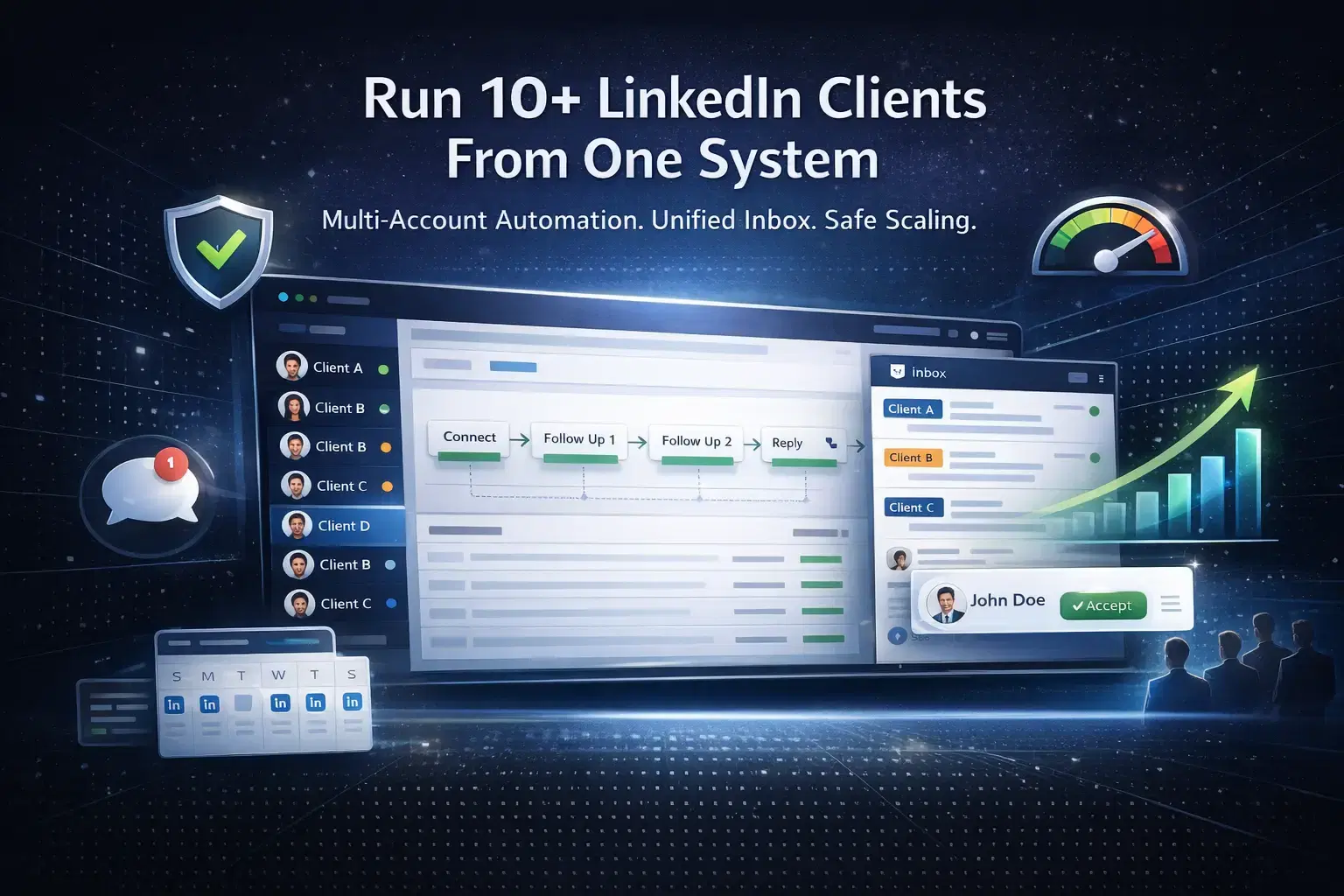
How Agencies Run LinkedIn Outreach Campaigns for 10+ Clients at Once
Learn how agencies run LinkedIn outreach campaigns for 10+ clients using multi-account automation, unified inbox systems, structured workflows, and safe scaling strategies to generate consistent B2B leads.
Best La Growth Machine Alternative for LinkedIn Automation in 2026
La Growth Machine can feel costly and complex. This guide covers the best La Growth Machine alternative for LinkedIn automation in 2026, focused on simplicity and replies.
LinkedIn Outreach Automation: Complete Guide for Sales Teams in 2026
Learn how sales teams use LinkedIn automation to achieve 10.3% response rates, save 15-20 hours weekly, and 3x pipeline. Complete 2026 guide with proven strategies and best practices.