How to write a LinkedIn recommendation (with templates for every relationship)
A strong LinkedIn recommendation names the relationship, leads with one specific strength, and backs it with a real example, all in under 150 words.
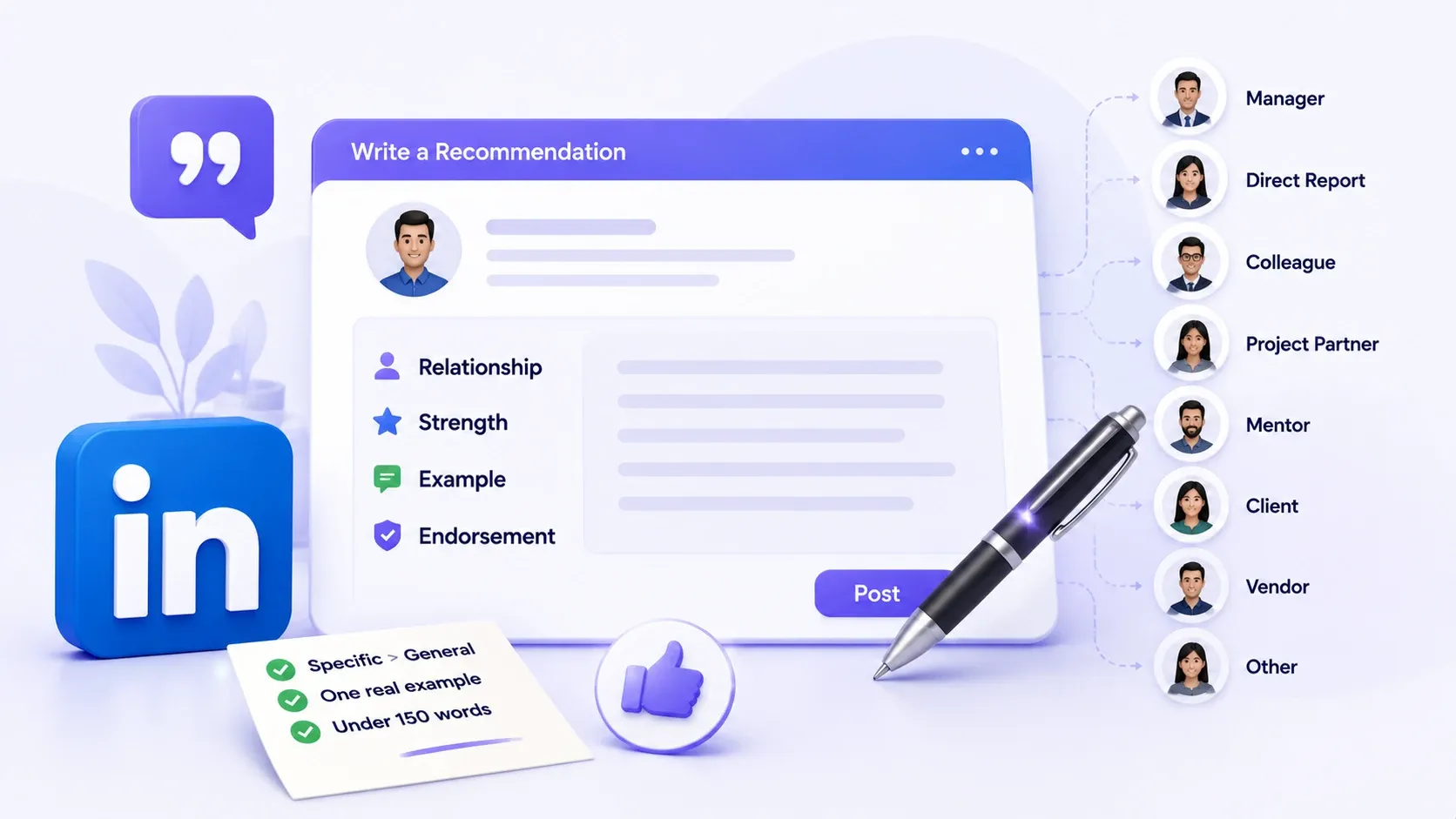
Below you will find LinkedIn recommendation templates for eight different working relationships, from managers to former colleagues, so you're never staring at a blank text box again.
TL;DR
- A good recommendation follows a 4-part formula: relationship, strength, example, endorsement.
- Templates below cover 8 relationship types. Copy one, personalize it, post it.
- Keep it under 150 words. Longer doesn't read as more credible.
- Specificity beats superlatives. One real result beats five adjectives.
- Writing one takes about 5 minutes and boosts your own profile activity too.
What Makes a Good LinkedIn Recommendation?
A good LinkedIn recommendation reads like proof, not praise. Anyone can write "great to work with." Almost nobody backs it up with what actually happened.
That gap is exactly why most recommendations get skimmed and forgotten.
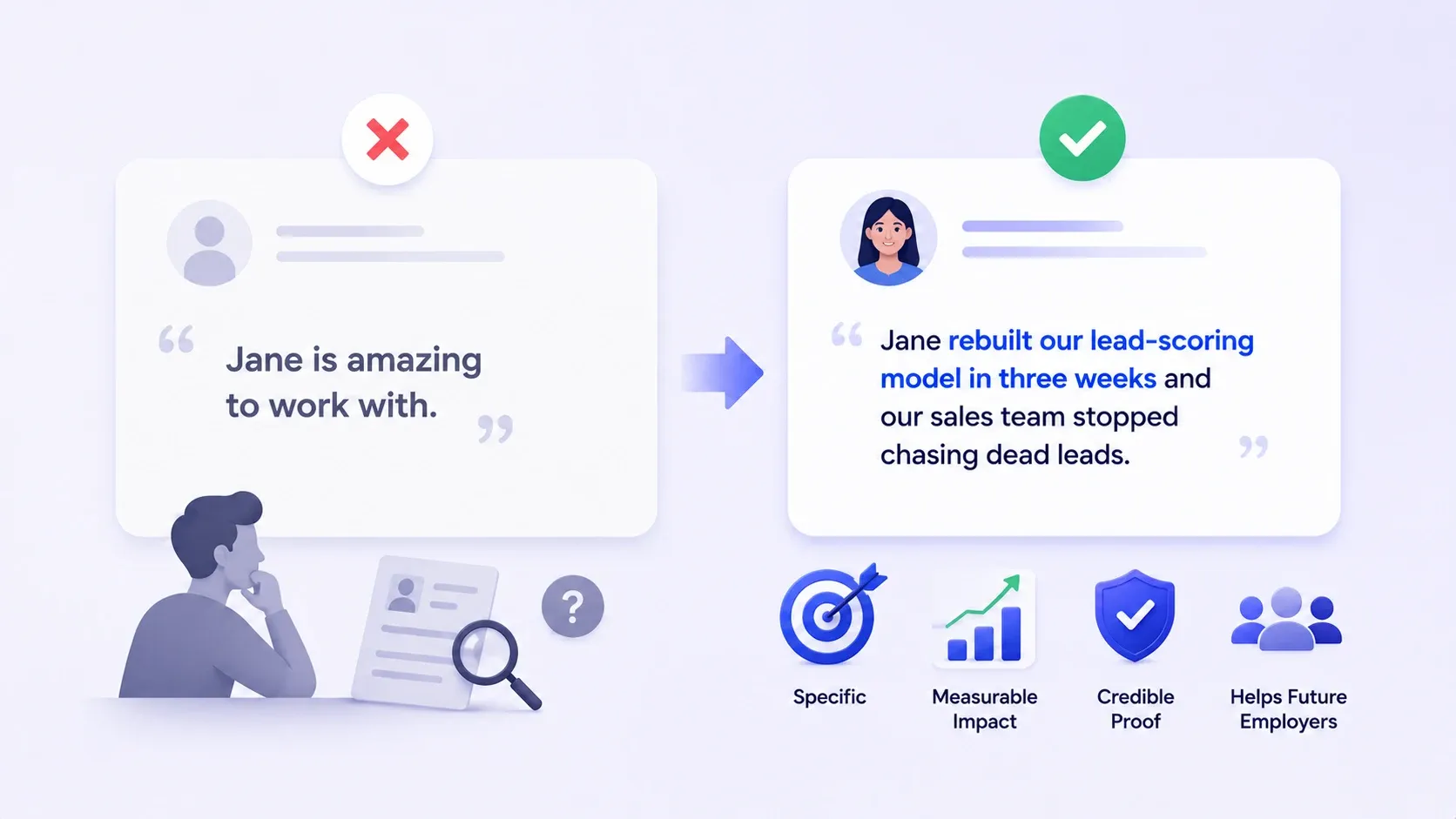
Here's the difference in practice. "Jane is amazing to work with" tells a recruiter nothing they can use.
"Jane rebuilt our lead-scoring model in three weeks and our sales team stopped chasing dead leads" tells them exactly what Jane can do for their next team.
Same length, completely different value.
The 4 elements every strong recommendation has
Every recommendation that actually gets read has these pieces, in this order:
- Relationship and context → who you are to them and how long you worked together
- One specific strength → not "hard worker," something like "cut our onboarding time in half"
- A concrete example or result → the moment or project that proves the strength
- A clear, confident close → would you work with them again, no hedging
Skip any one of these and the recommendation reads generic. Include all four and it reads real.
How to Write a LinkedIn Recommendation, Step by Step
Writing one takes four steps and about five minutes.
Step 1: Establish your relationship and context
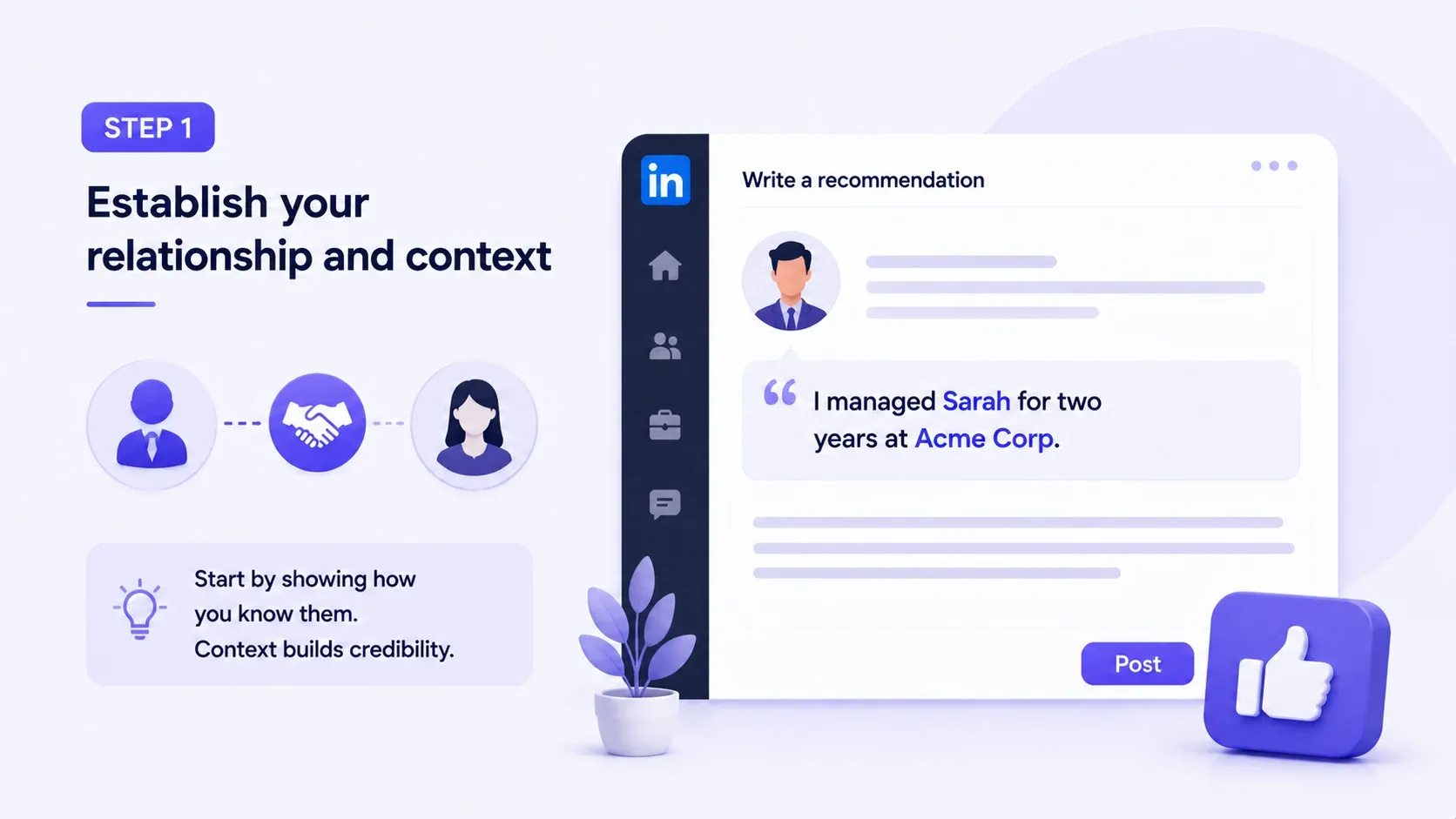
- Open with who you are to them. "I managed Sarah for two years at [Company]" tells the reader exactly how much weight to give what follows.
- Skip this and the reader has no frame for anything else you say.
Real example: a client recommendation that opens with "I hired [Name] as our fractional CMO for eight months" immediately signals a different kind of credibility than one that just says "I know [Name] professionally."
Step 2: Lead with one specific strength or result
- Your second sentence should name the one thing this person is genuinely great at.
- Pick the strength that's most relevant to what they'll do next, not the most flattering one.
- If they're job hunting for a leadership role, "great at spreadsheets" isn't the strength to lead with, even if it's true. "Built and led a five-person team from scratch" is.
Pro tip: if you can't name a specific strength in one sentence, you're not ready to write the recommendation yet. Sit with it for a day.
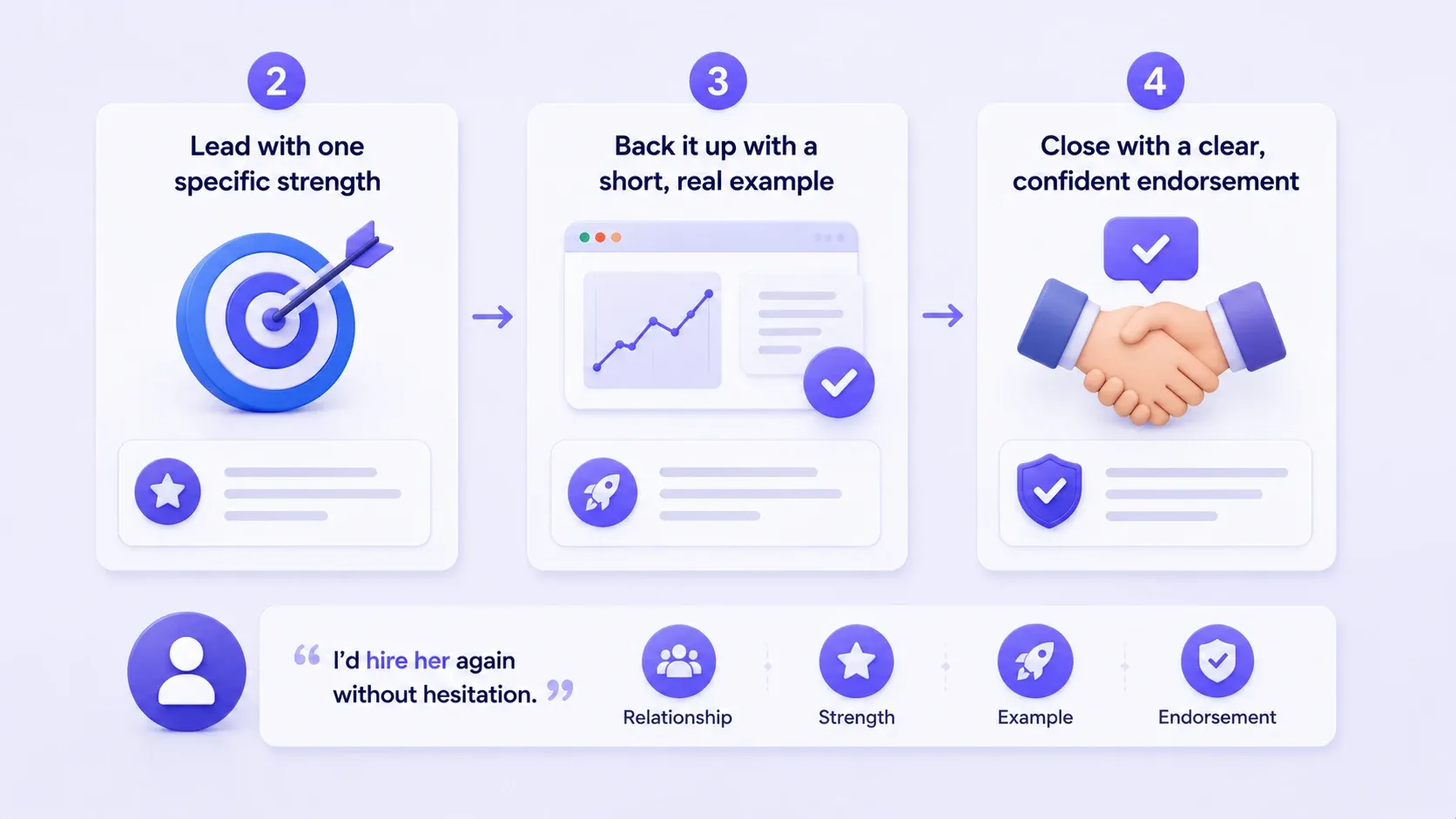
Step 3: Back it up with a short, real example
- This is the proof step. One sentence, one moment: a launch, a deal, a deadline, a client save.
- "She rebuilt our onboarding flow in six weeks and cut drop-off by a third" does more work than three paragraphs of adjectives.
Step 4: Close with a clear, confident endorsement
- End with a direct statement, not a soft maybe. "I'd hire her again without hesitation" beats "she's a good addition to any team."
- Confidence is contagious. Hedge and the reader hedges too.
Real example: "I'd bring [Name] onto any team I build" closes the loop far better than "overall, a solid contributor." One sounds like a decision. The other sounds like a form letter.
LinkedIn Recommendation Templates by Relationship
Match the template to the relationship, then swap in specifics. A generic template with your specific details beats a custom paragraph with generic praise.
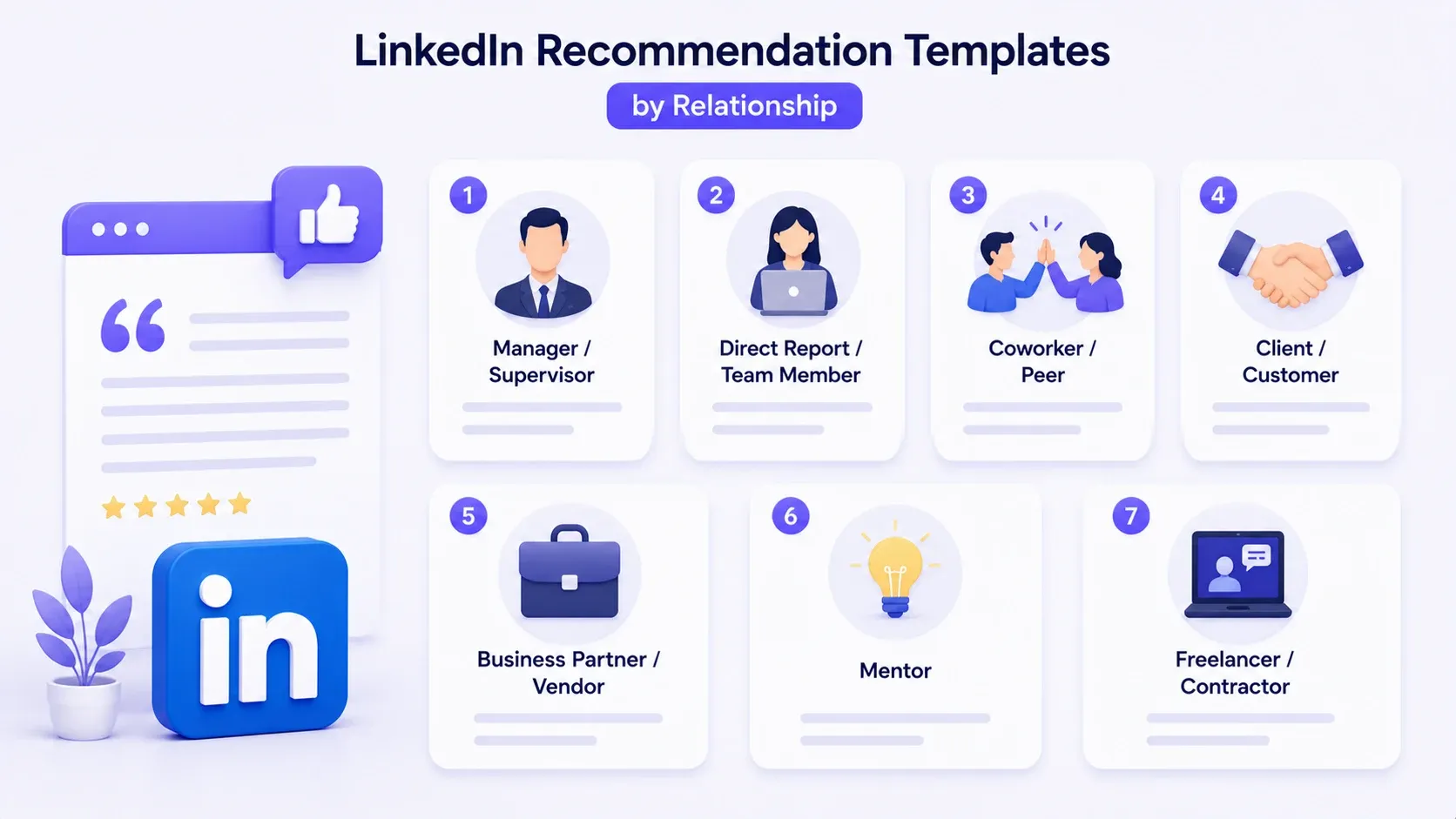
1. For a manager or supervisor
Best for: thanking a boss who shaped how you work, especially useful when they're job hunting or building their own leadership brand.
"I reported to [Name] for [X years] at [Company]. What stood out most was how [he/she/they] handled [specific situation], guiding the team through [result] without losing sight of [detail]. [Name] is the kind of manager who makes people want to do their best work. I'd welcome the chance to work under [him/her/them] again."
2. For a direct report or team member
Best for: helping someone on your team get noticed for their next promotion or role, internal or external.
"I managed [Name] on the [team/project] at [Company] for [X time]. [Name] consistently owned [specific responsibility] and delivered [specific result], often ahead of schedule. What I valued most was [specific trait, e.g. how they handled ambiguity]. Any team would be lucky to have [him/her/them]."
3. For a coworker or peer
Best for: a teammate who made a specific project easier or better, even without a reporting line between you.
"[Name] and I worked side by side on [project/team] at [Company]. When [specific challenge] came up, [Name] [specific action], which directly led to [result]. [He/She/They] is reliable, sharp, and genuinely easy to collaborate with. I'd jump at the chance to work together again."
4. For a client or customer
Best for: agencies, freelancers, and consultants building social proof by flipping the usual testimonial direction.
"[Name] was a client of mine for [X time] while I [role/service]. Working with [him/her/them] meant clear briefs, fast feedback, and a real willingness to trust the process, which made [specific project] a genuine success. Any agency or vendor would consider [him/her/them] a dream client."
5. For a business partner or vendor
Best for: a partner or vendor who consistently delivered, useful for their own client-facing credibility.
"I've partnered with [Name] at [Company] on [type of work] for [X time]. [He/She/They] consistently [specific behavior, e.g. delivered on tight timelines] and treated our shared goals as [his/her/their] own. That kind of reliability in a partner is rare. I recommend [him/her/them] without reservation."
6. For a mentor
Best for: acknowledging someone whose advice genuinely changed your trajectory, even informally.
"[Name] mentored me through [specific period or challenge] at [Company]. [His/Her/Their] advice on [specific topic] directly shaped how I [specific outcome]. What made [him/her/them] a great mentor wasn't just the guidance, it was the honesty. I'm a better [role] because of [him/her/them]."
7. For a freelancer or contractor
Best for: contract work where a strong recommendation directly drives their next booking.
"I hired [Name] to [specific scope] over [X time]. [He/She/They] delivered [specific result] on time and communicated clearly at every stage, which isn't always a given with contract work. I'd hire [him/her/them] again without a second thought."
8. For a former employee or colleague
Best for: someone you haven't worked with in years but whose work still holds up.
"[Name] and I worked together at [Company] until [year/reason]. Even years later, [his/her/their] work on [specific project] is something I still reference. [Name] combines [strength one] with [strength two] in a way I rarely see. Wherever [he/she/they] land next is lucky to have [him/her/them]."
Short LinkedIn Recommendation Examples
Sometimes three honest sentences beat a full paragraph, especially on mobile.
- "[Name] managed our biggest client relaunch and hit every deadline without cutting corners. Calm under pressure, sharp with details. I'd staff a project with [him/her/them] again in a heartbeat."
- "Worked with [Name] for a year on the growth team. [His/Her/Their] instincts on what to test next were consistently right. Genuinely one of the best collaborators I've had."
- "[Name] handled our vendor onboarding start to finish and made a messy process feel simple. Fast, organized, zero chasing. Highly recommend."
LinkedIn Recommendation vs. Endorsement: What's the Difference?
A recommendation is written proof. An endorsement is a single click.
| Recommendation | Endorsement | |
|---|---|---|
| Format | Written paragraph | One-click skill tag |
| Effort | 5 minutes | 2 seconds |
| Credibility signal | High, specific and named | Low, easy to game |
| Visible on profile | Full text, publicly | Just a skill and a count |
Endorsements pad a skills list. Recommendations build a case. If you only have time for one, write the recommendation.
How Long Should a LinkedIn Recommendation Be?
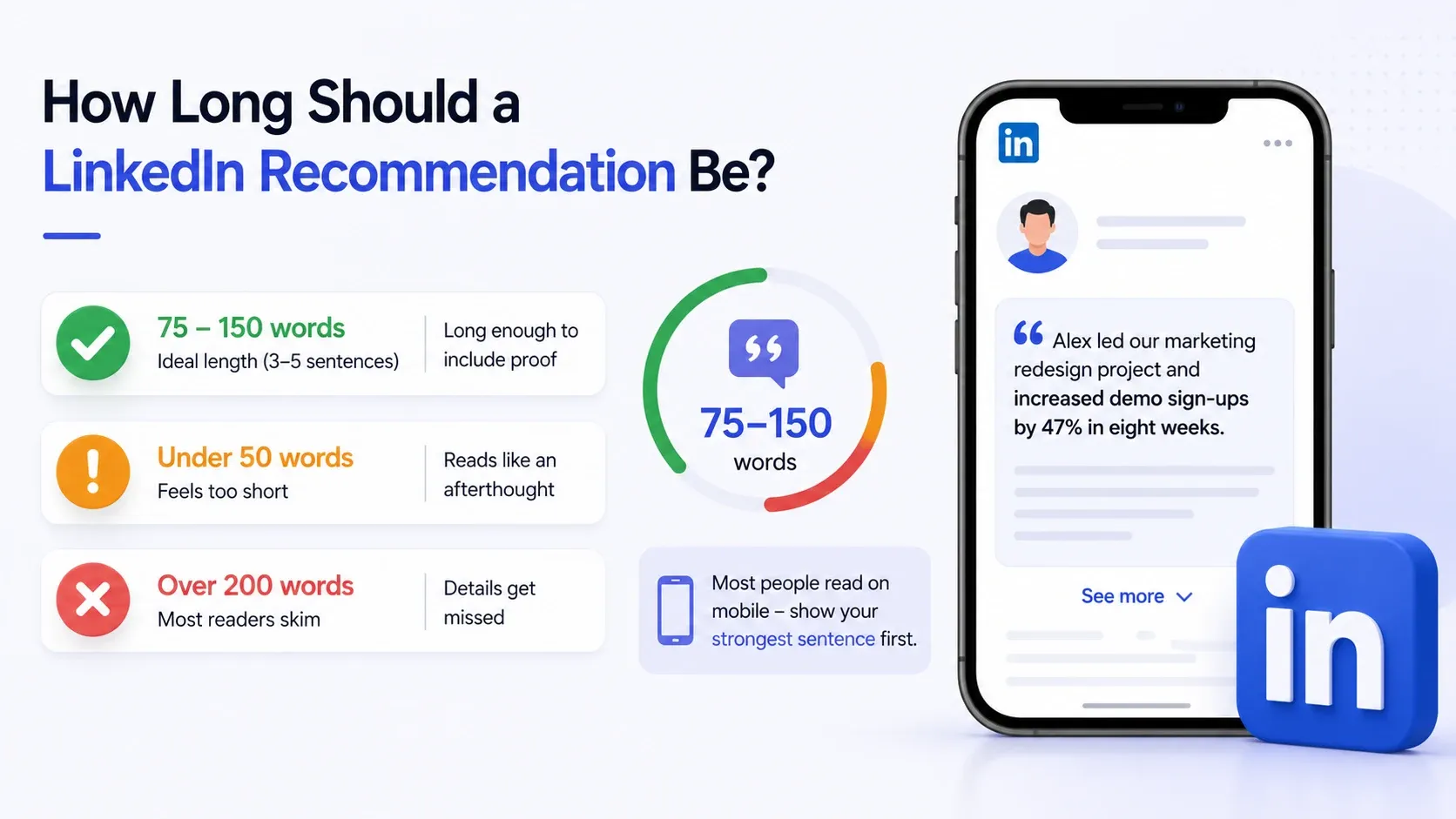
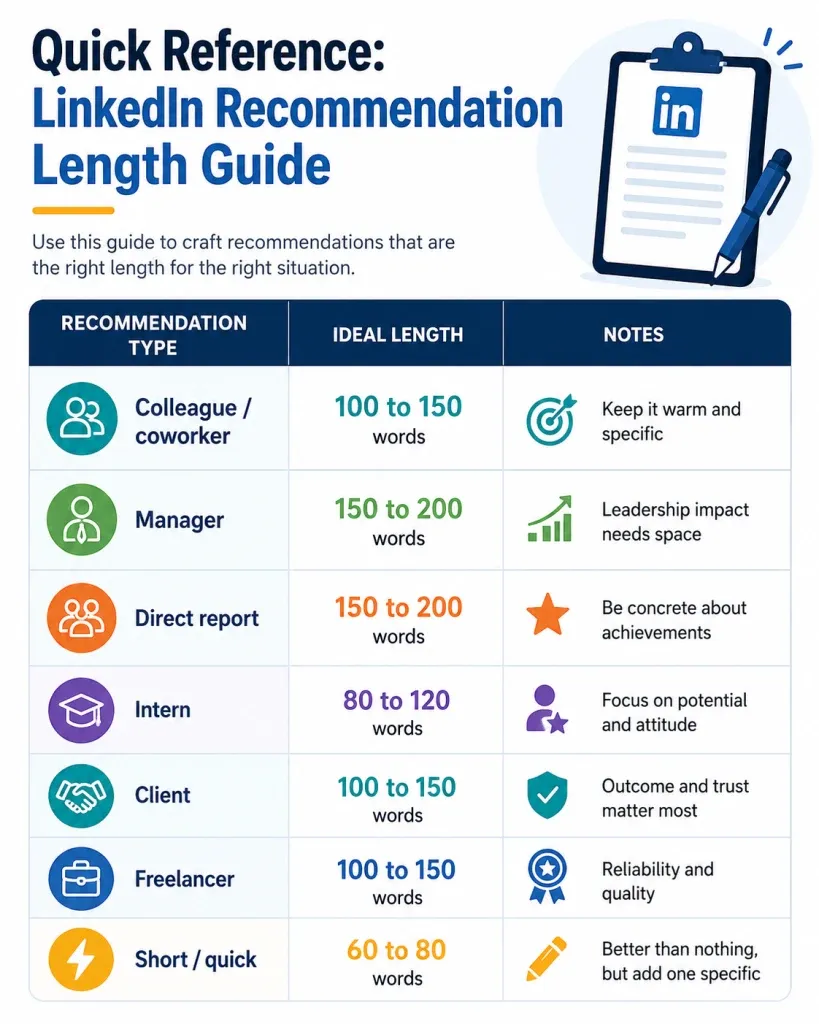
- Aim for 75 to 150 words, or roughly 3 to 5 sentences. That's long enough to include real proof and short enough that people actually finish reading it.
- Under 50 words and it reads like an afterthought. Over 200 and most readers skim past the details that matter.
- Most people read recommendations on mobile, in a collapsed preview that shows two or three lines before "see more."
- Front-load your strongest sentence so it's the part that shows before anyone has to tap.
Common Mistakes to Avoid When Writing a LinkedIn Recommendation
- Leading with adjectives, not proof → "amazing, talented, wonderful" says nothing on its own
- Writing it about yourself → the recommendation should center them, not your own accomplishments
- Going too long → past 200 words, most readers stop reading closely
- Being vague on timeframe → "we worked together" without when or how long weakens the context
- Skipping the close → ending without a clear endorsement leaves the reader unsure what you're actually saying
Every one of these is fixable in one edit pass. Read your draft once, cut the fluff, keep the proof.
The self-writing-about-yourself mistake is the sneakiest one. "Working with [Name] taught me so much about how I lead teams" sounds warm, but it quietly makes the recommendation about you instead of them. Reread your draft and count how many sentences start with "I." If it's more than one or two, rebalance toward them.
Pro Tips to Make Your Recommendation Actually Get Noticed
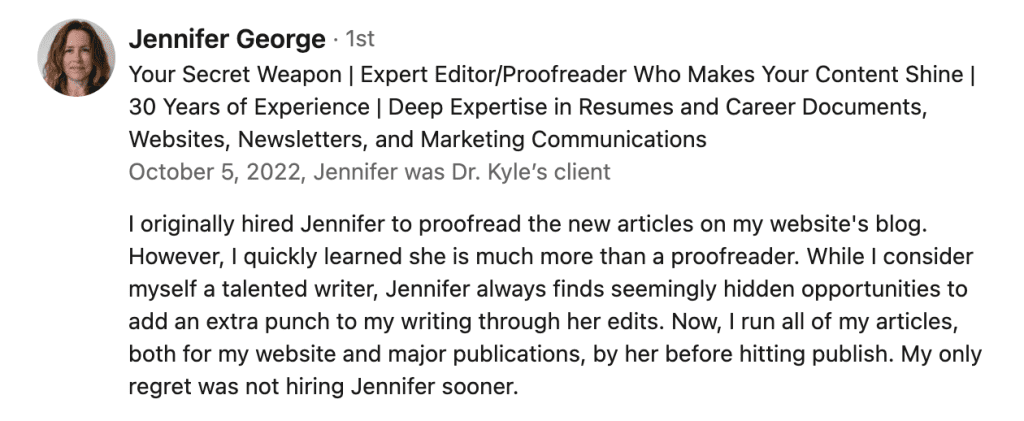
A recommendation that sits quietly on a profile page does less for either of you than one that gets seen.
- Tag the skill it demonstrates. If the recommendation proves a specific capability, mention that word naturally so it reinforces the person's skills section too.
- Time it around a moment. A recommendation written right after a launch, promotion, or project wrap reads more genuine than one written cold.
- Ask them to share it. A recommendation gets far more reach as a shared post than sitting unread on a profile.
FAQ
1. How many recommendations should I write?
There's no fixed number. Write one whenever someone's work genuinely earned it, ideally a handful a year rather than a single batch. Consistent, spaced-out recommendations read more authentic than ten written in one sitting.
2. Can I edit a LinkedIn recommendation after posting it?
Yes, you can edit or delete a recommendation you wrote at any time from your own profile. The person who received it cannot edit your wording, only choose whether to show or hide it.
3. Should I ask before writing someone a recommendation?
It's not required, but a quick heads-up is good practice. A short message like "writing you a recommendation, anything specific you'd like highlighted" often gets you a better, more specific final draft.
4. Does writing recommendations help my own profile?
Yes, indirectly. It's an active, visible action on your profile, it often prompts the recipient to write one back, and it positions you as generous and engaged in your network.
5. Can you decline or hide a recommendation someone wrote for you?
Yes. Recommendations you receive sit in a pending state until you approve them for your profile, and you can hide or remove any approved recommendation later from your settings.
Conclusion
A good LinkedIn recommendation isn't about finding the perfect words. It's about one specific memory, told honestly, in under 150 words.
Pick the template above that matches your relationship, swap in the real details, and post it.
It takes five minutes and it's one of the few LinkedIn actions that genuinely helps someone else's career
If you're building a consistent LinkedIn presence for yourself or your team, from posting to outreach to managing multiple accounts, Bearconnect is worth a look for keeping that activity running without doing it all manually.
Ready to Transform Your LinkedIn Strategy?
Join thousands of professionals already using Bearconnect to automate their outreach and grow their network.
7-day free trial • Cancel anytime
Related Articles
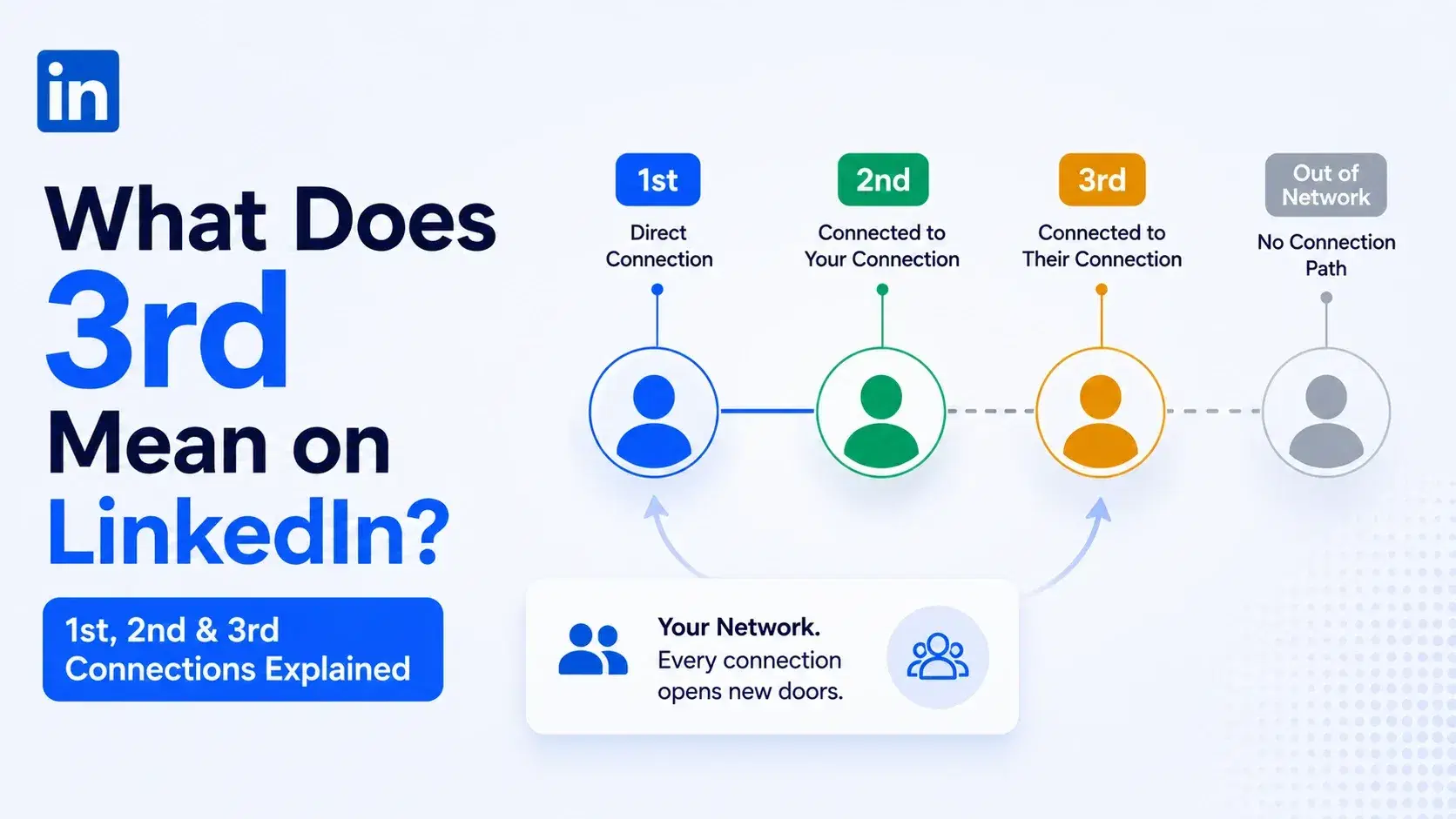
What Does 3rd Mean on LinkedIn? 1st, 2nd and 3rd Connections Explained
That gray 3rd next to a name is not a wall, it is a puzzle. Here is what 1st, 2nd, and 3rd degree connections mean, and how to reach any of them.
We-Connect Review 2026: We Tested It for a Full Month. Safe Tool or Silent Risk?
We tested We-Connect for 30 days. See real outreach results, hidden risks, pricing, feature limitations, and the best alternatives for LinkedIn automation in 2026.
Dux-Soup Review 2026: Is This Chrome Extension Still Worth It?
Dux-Soup review 2026 covering features, pricing, pros, cons, and risks. Learn if this LinkedIn automation tool is still worth using for B2B outreach.