Dux-Soup Review 2026: Is This Chrome Extension Still Worth It?
If you are searching for a real Dux-Soup review, you are probably asking one specific question: is a Chrome extension still a safe and reliable way to run LinkedIn automation in 2026?
TL;DR: Dux-Soup Review 2026
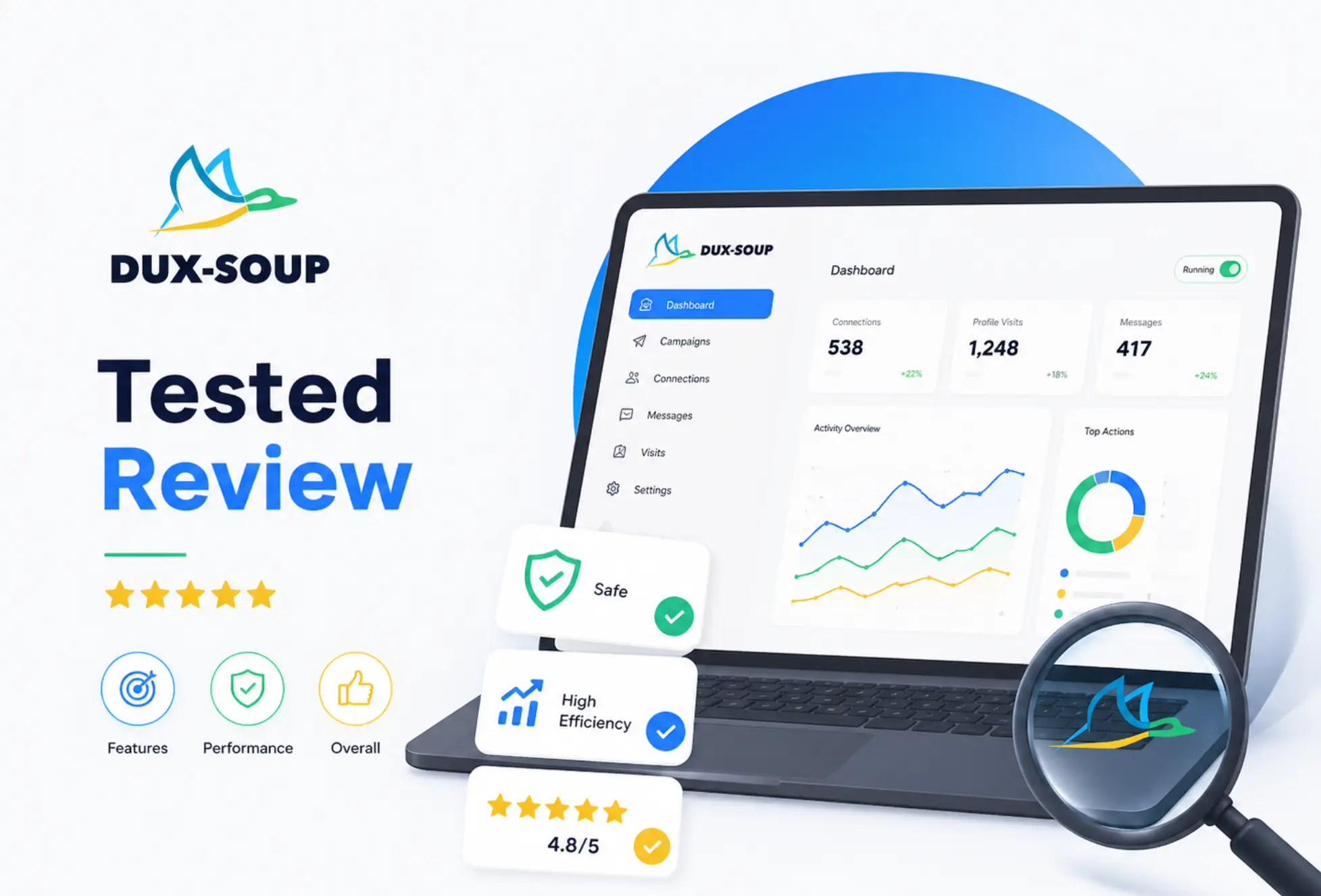
- Dux-Soup holds a 4.3/5 rating on G2
- It is a Chrome extension-based LinkedIn automation tool with a low entry price but also Cloud base with dedicated infrastructure, even if you turn off your computer.
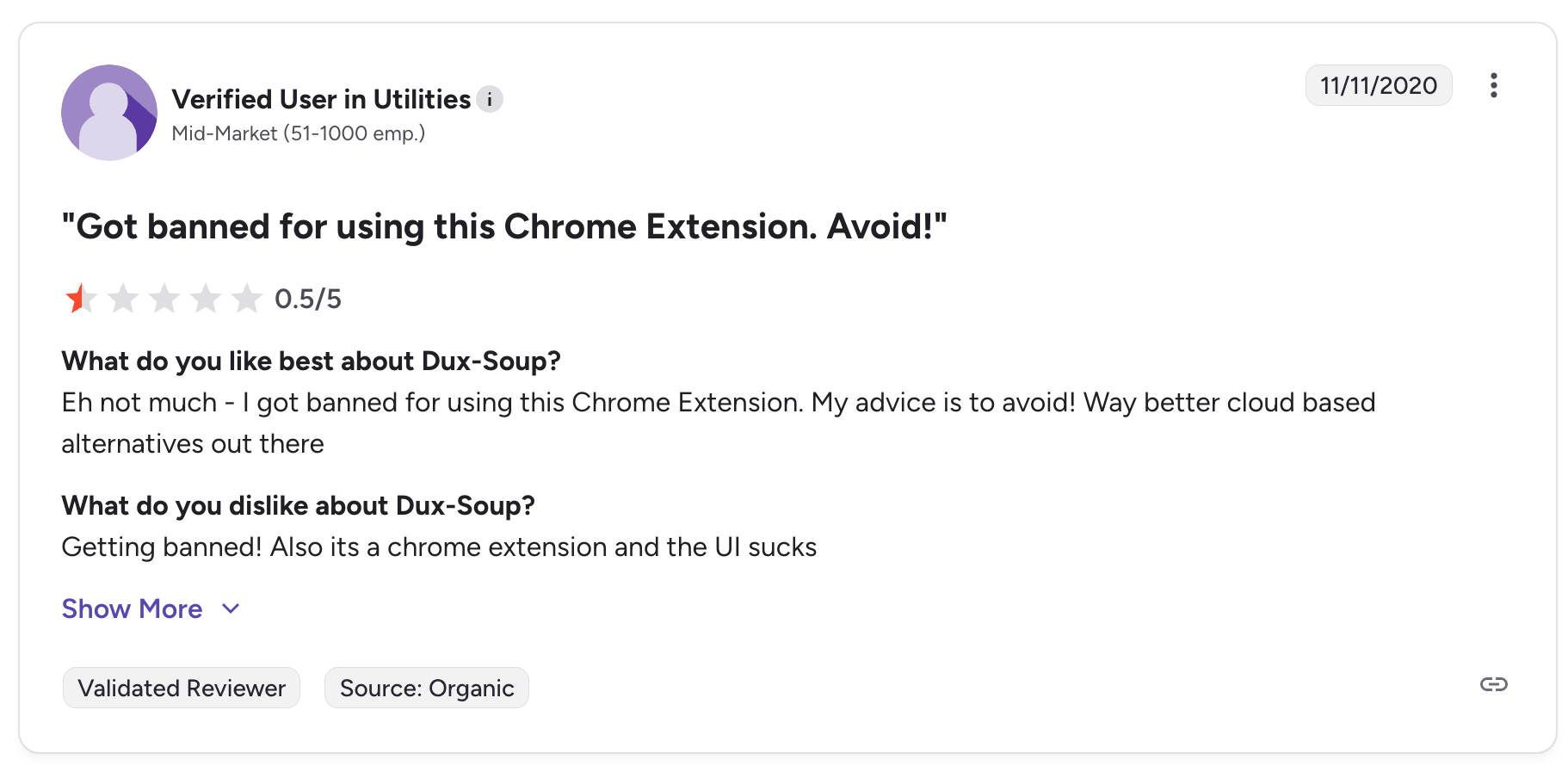
- The Chrome extension model carries real account restriction risk as LinkedIn detection improves
- Pricing jumps steeply from $14.99/month Pro to $55/month Turbo for team or cloud features
- Users report serious UX problems, LinkedIn slowdowns, and weekly invite limit burnout
- Best alternative for teams that want cloud-based safety: Bearconnect at $67/month per account
What Is Dux-Soup?
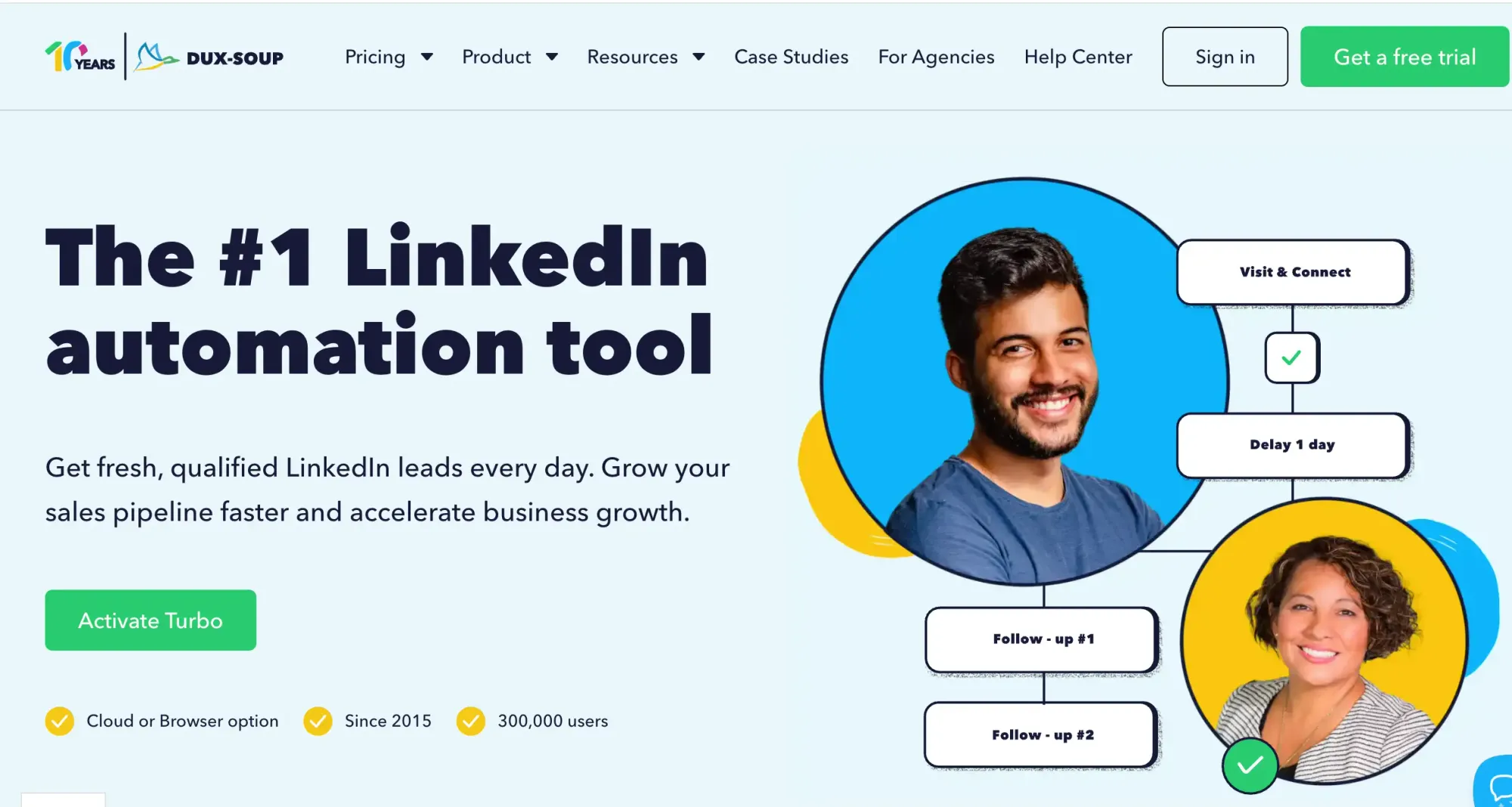
Dux-Soup is one of the oldest LinkedIn automation tools available, launched as a Chrome extension that runs directly inside your browser.
It automates LinkedIn profile visits, connection requests, follow-up messages, and drip sequences. It is used by solo founders, SDRs, and small recruiters who want basic LinkedIn outreach without paying for an enterprise tool.
The core architecture has not changed since launch: everything runs from your Chrome browser while LinkedIn is open.
This makes setup fast but creates the central limitation that shapes every other part of this review.
How Dux-Soup Works: My 30-Day Test
Dux-Soup's setup is fast, but the browser dependency creates friction the moment you need to scale or step away from your machine.
Here is exactly what I did during my 30-day test:
Step 1: Installed the Chrome Extension and Created My Account
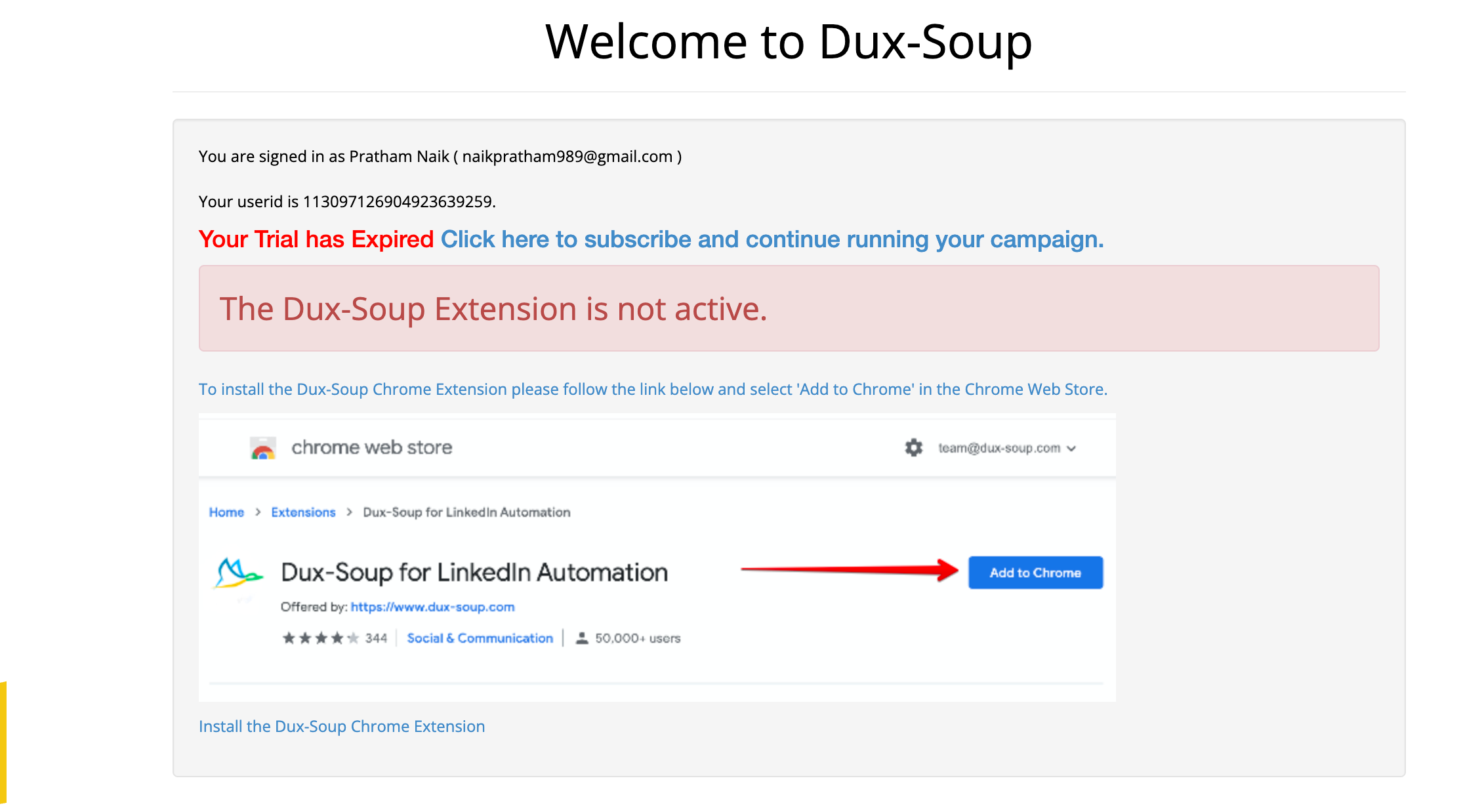
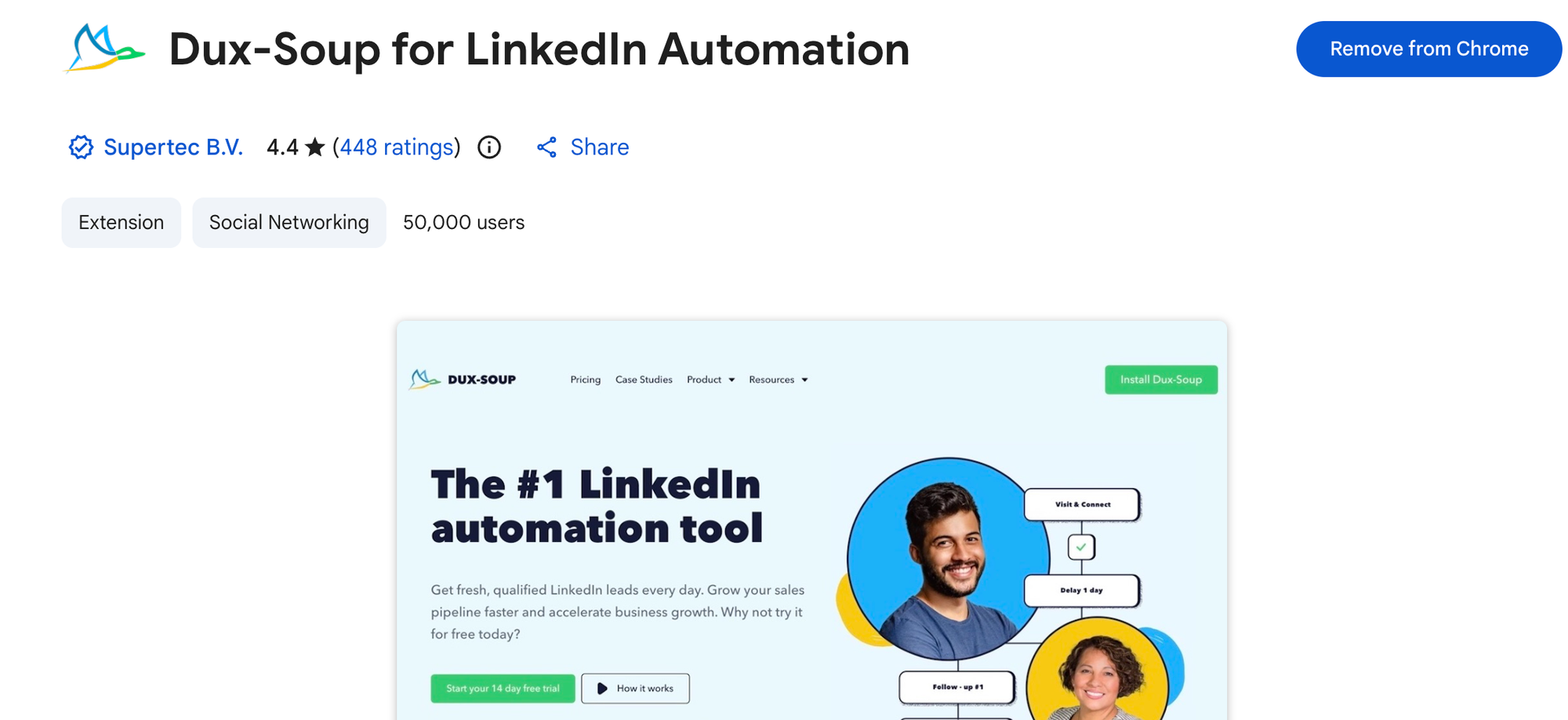
Installation took under 5 minutes. I added the extension, logged into the web dashboard, and connected my LinkedIn account. The initial setup is genuinely simple and the onboarding is beginner-friendly.
Step 2: Built My First Lead List from LinkedIn Search
I ran a LinkedIn Sales Navigator search and used Dux-Soup to visit profiles automatically. The profile visit automation worked, but I immediately noticed a 5 to 8 second lag on every page load while the extension loaded data.
Step 3: Set Up a Connection Request Campaign
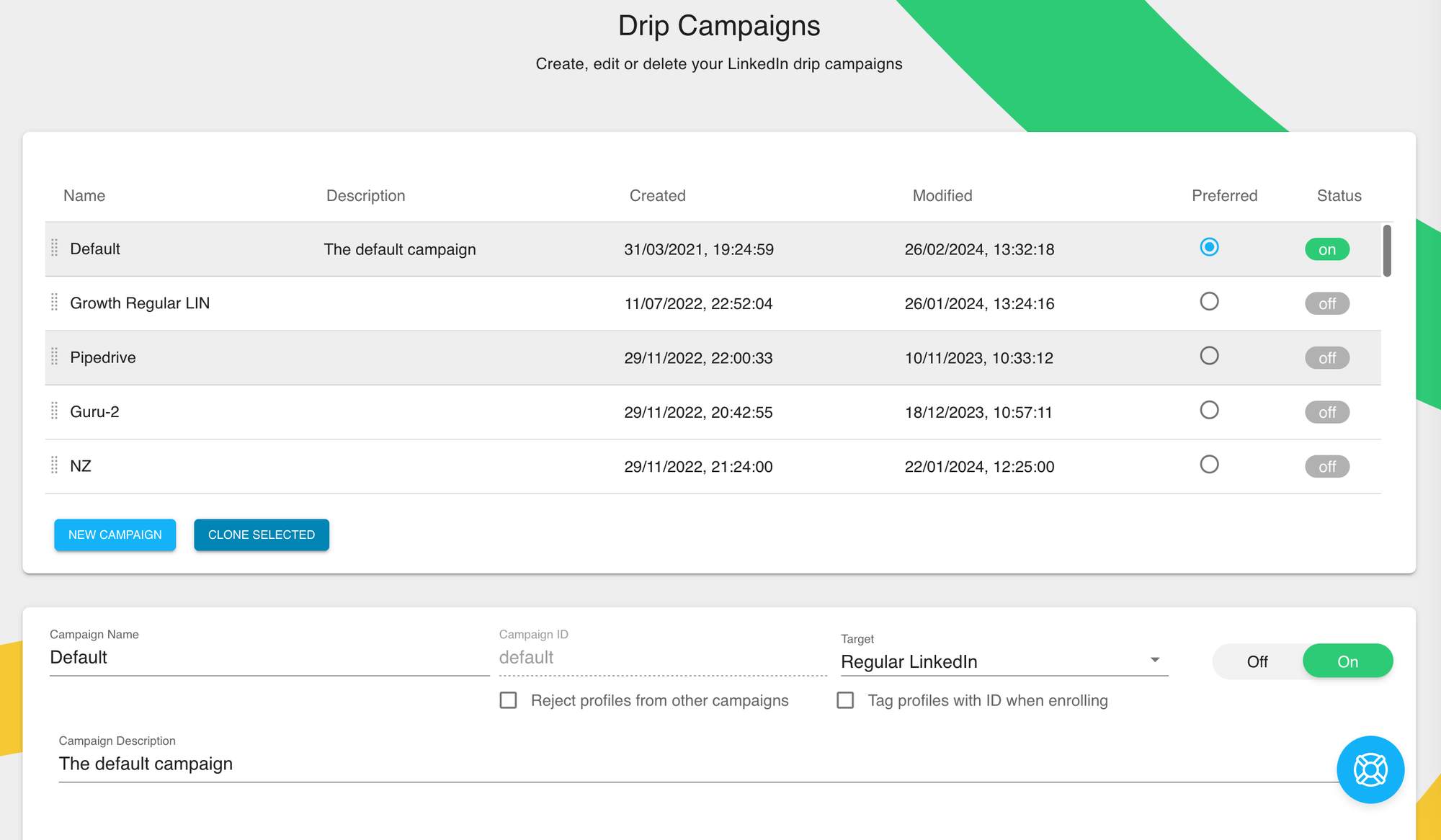
I created a drip sequence with a connection request and two follow-up messages. This is where the UX friction started. Message fields exist in multiple places across the extension and the web app, with no clear indication of which one takes priority.
Step 4: Ran the Campaign for 14 Days
The campaign ran, but only while my laptop was open and Chrome was active. On the days I closed my laptop early, the campaign paused completely. By day 4, I had already hit LinkedIn's weekly connection invite limit and could not send requests manually for the remaining days.
Step 5: Tested the Cloud Feature on Turbo Plan
I upgraded to Turbo to test the cloud functionality. The cloud option does allow campaigns to run without the browser open, but the setup requires additional configuration inside the Chrome extension, not the web app, which felt counterintuitive.
Step 6: Reviewed Analytics and Campaign Results
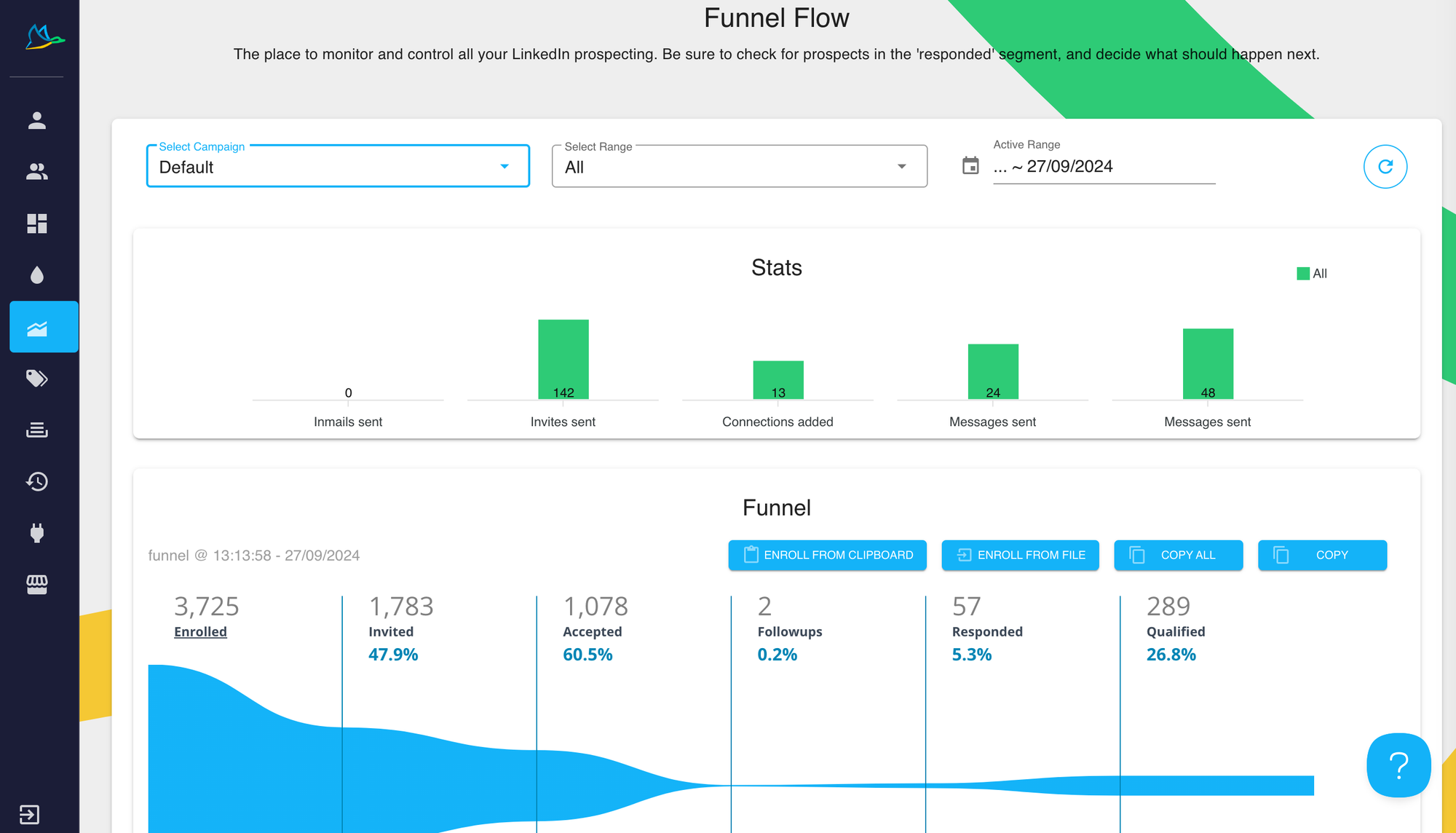
The analytics dashboard shows basic campaign metrics. Visit counts, accepted connections, and reply rates are visible. Reporting is functional but minimal compared to newer cloud tools.
Dux-Soup Top Features
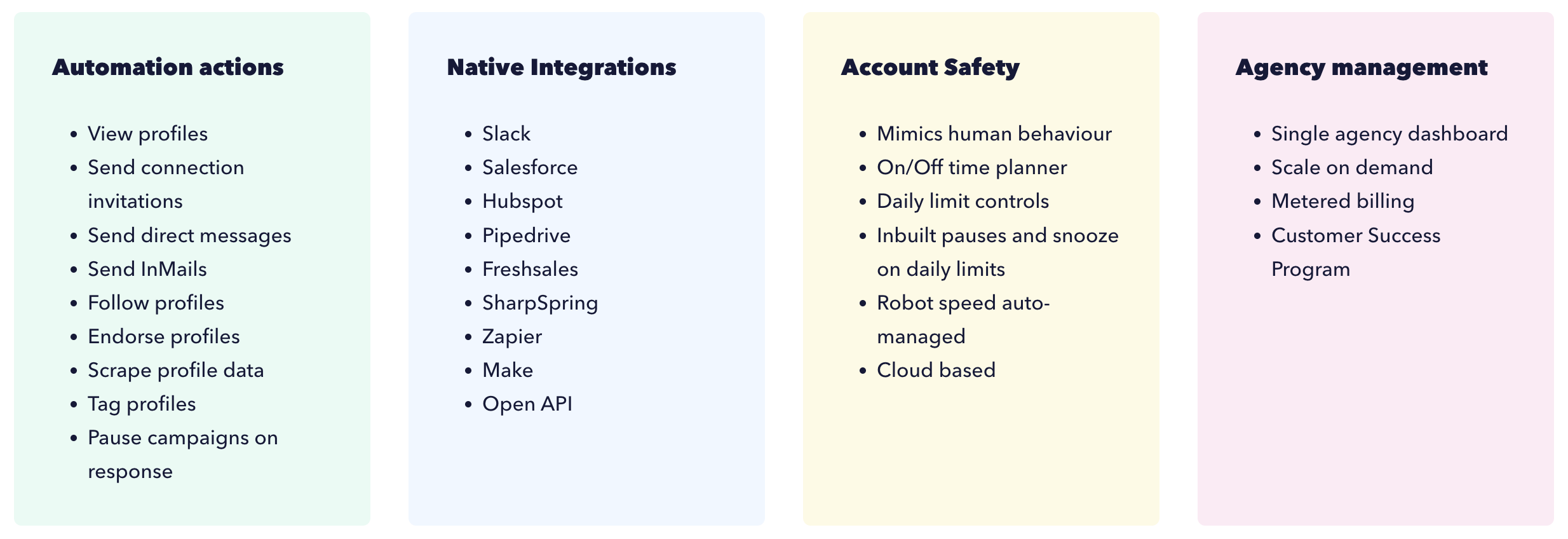
Dux-Soup covers the basics of LinkedIn automation, but the feature set has not kept pace with cloud-based tools that launched after it.
| Feature | What It Does |
|---|---|
| Profile Visitor | Automatically visits LinkedIn profiles to trigger profile view notifications |
| Auto Connect | Sends connection requests with personalized notes |
| Drip Campaigns | Multi-step message sequences after connection accepted |
| Cloud Campaigns (Turbo) | Run campaigns without keeping browser open, Turbo plan only |
| CRM Integration | Connects with HubSpot, Pipedrive, and Salesforce via Zapier |
| LinkedIn Sales Navigator Support | Works with Sales Navigator search results for lead targeting |
| CSV Data Export | Download visited profiles and campaign data as CSV |
| Team Management (Turbo) | Manage multiple users from one account on Turbo plan |
| Webhooks | Send campaign event data to external tools |
| A/B Message Testing | Limited A/B testing on follow-up message variants |
- Standout feature: The profile visitor tool genuinely works and creates inbound curiosity from prospects. Many users report getting connection requests back from prospects who saw the profile visit first.
- Weakest feature: The UX across extension and web app is fragmented and confusing. Settings are split across two interfaces with no clear hierarchy, which makes campaign management slower than it needs to be.
Is Dux-Soup Safe for LinkedIn in 2026?
The Chrome extension model is Dux-Soup's biggest safety risk, and this concern has grown more serious as LinkedIn upgraded its detection systems through 2025 and 2026.
Here is why Chrome extensions carry more risk than cloud tools:
- Browser fingerprinting: LinkedIn can detect unusual automation patterns running inside a browser session more easily than cloud-based activity that mimics natural mobile or desktop behavior
- Weekly invite limit burnout: Dux-Soup users consistently report hitting LinkedIn's weekly connection limit within 1 to 2 days of running campaigns, leaving them unable to send even manual requests for the rest of the week
- No dedicated IP per account: When multiple accounts use the same Chrome instance, LinkedIn sees overlapping IP and session signals that increase restriction probability
Machine dependency: Campaigns stop the moment your computer sleeps or Chrome closes, which often causes incomplete sequences that look unnatural to LinkedIn's algorithm
Pro Tip: If your LinkedIn account is your primary sales or recruiting asset, the risk profile of a Chrome extension is fundamentally higher than a cloud tool with a dedicated country-specific IP. Bearconnect assigns a dedicated IP per account by default, removing this risk entirely.
Dux-Soup Pricing 2026
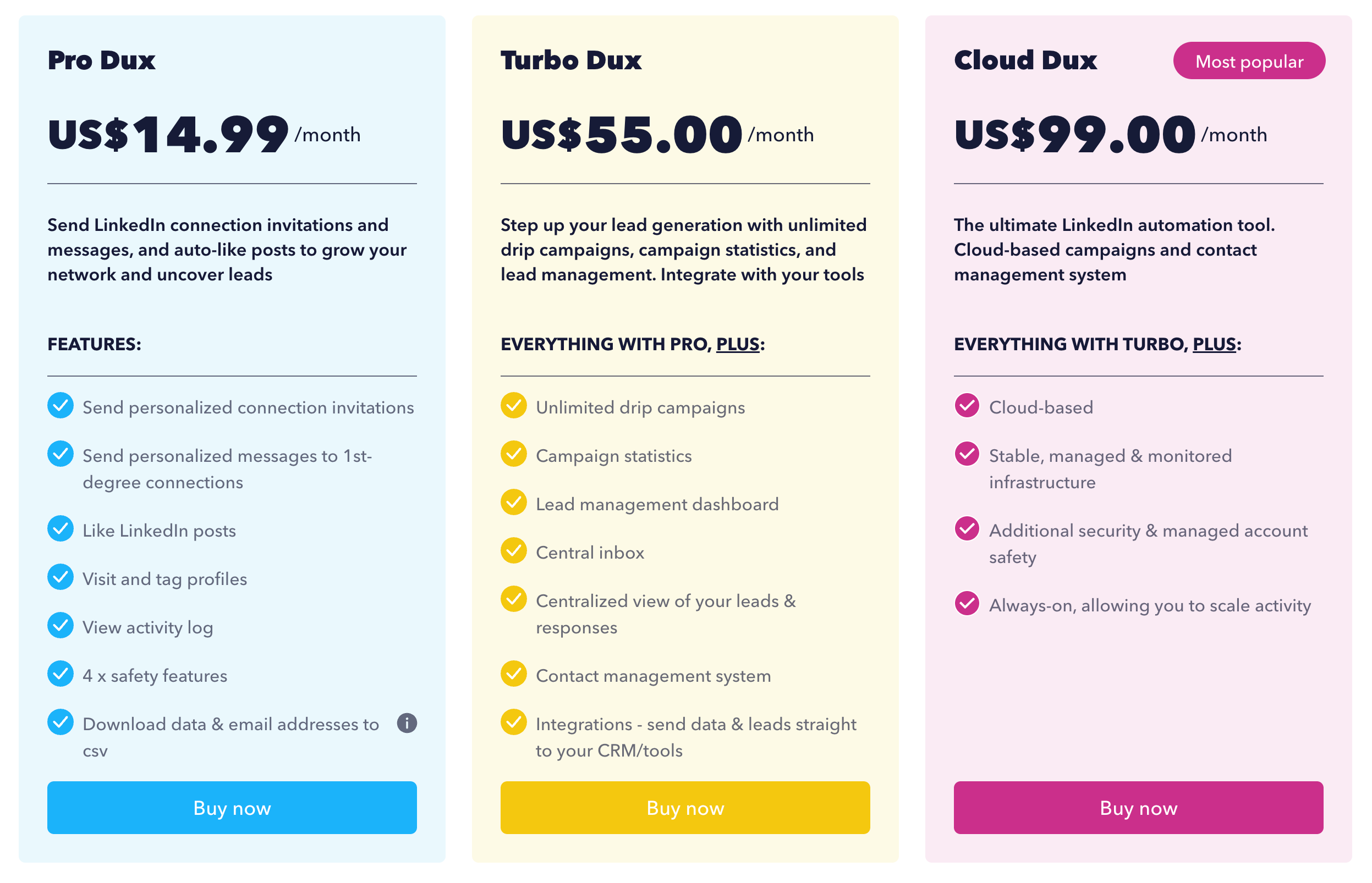
Dux-Soup's entry price looks attractive until you realize the free and Starter plans are too limited for real outreach, and the jump to Turbo is steep.
| Plan | Price | What You Get |
|---|---|---|
| Pro | US$14.99/month | Personalized connection invites, personalized messages to 1st-degree connections, likes, profile visits, activity log, safety features, and CSV export. |
| Turbo | US$55/month | Unlimited drip campaigns, campaign statistics, lead management dashboard, central inbox, lead and response view, contact management, and integrations. |
| Cloud Dux | US$99/month | Cloud-based campaigns, stable managed infrastructure, additional security, managed account safety, and always-on scaling. |
Pricing Analysis
The free Starter plan does not include any messaging automation. It is only useful for profile visits, which means anyone who wants actual outreach must upgrade to Pro at minimum.
The jump from $14.99/month Pro to $55/month Turbo is a 3.6x price increase. For teams or agencies managing multiple LinkedIn accounts, that $55 multiplies per seat, making Dux-Soup significantly more expensive than it first appears.
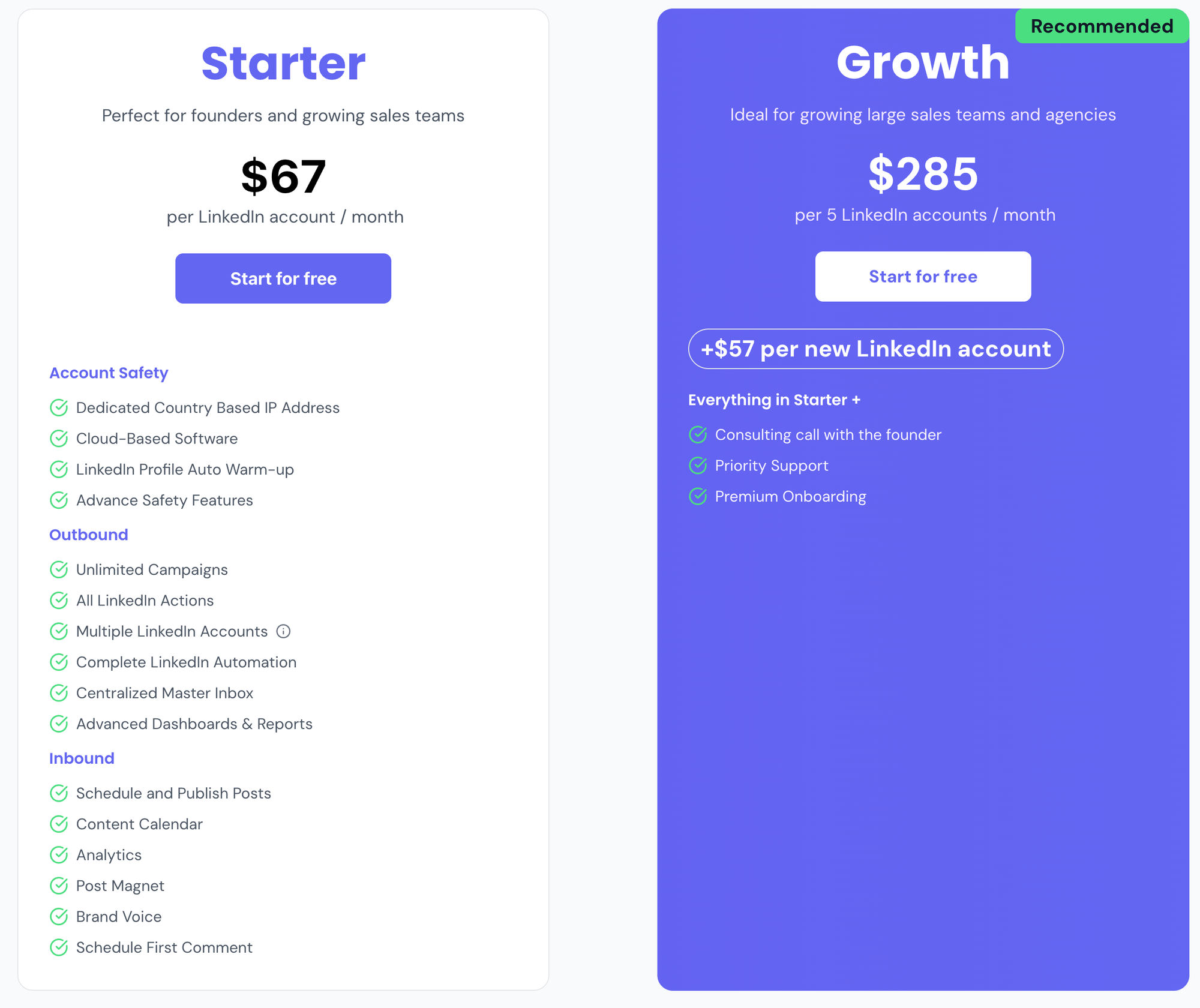
For context, Bearconnect costs $67/month per LinkedIn account with no campaign limits, no per-feature charges, no seat restrictions for agencies, and cloud safety built in from day one.
What Real Users Say About Dux-Soup in 2026
The G2 reviews tell a consistent story: easy to set up, painful to use long-term, and frustrating at scale.
What Users Like
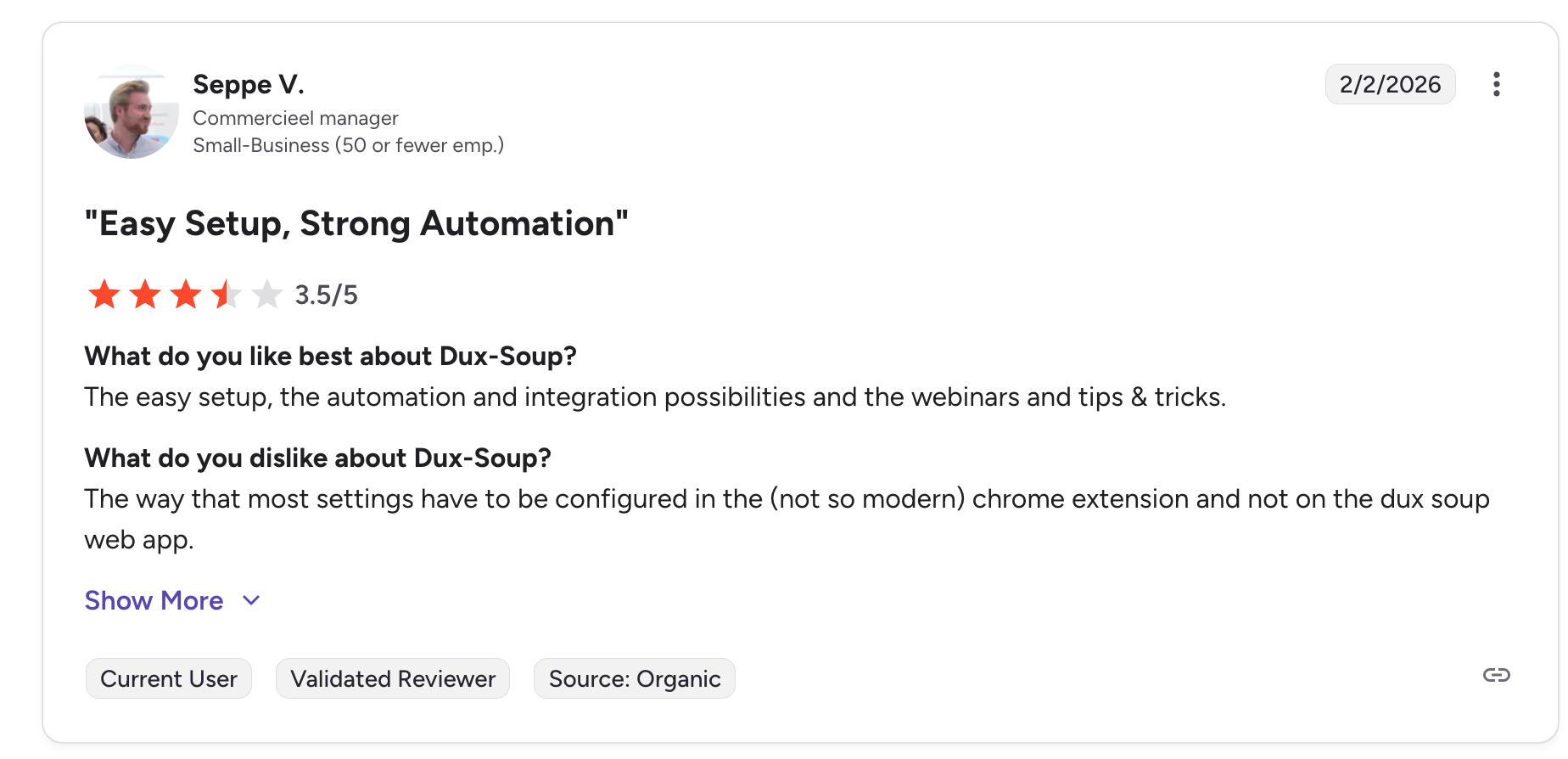
"The easy setup, the automation and integration possibilities and the webinars and tips and tricks."
Seppe V., Commercieel Manager, Small-Business | G2, 3.5/5 | February 2026
"It mimics a real human behaviour so I have never got banned by LinkedIn. The email support is very friendly and reacts quite quickly. Low price."
Micki P., Founder, Small-Business | G2, 0/5 | July 2022
What Users Dislike
"The way that most settings have to be configured in the (not so modern) chrome extension and not on the dux soup web app."
Seppe V., Commercieel Manager, Small-Business | G2, 3.5/5 | February 2026
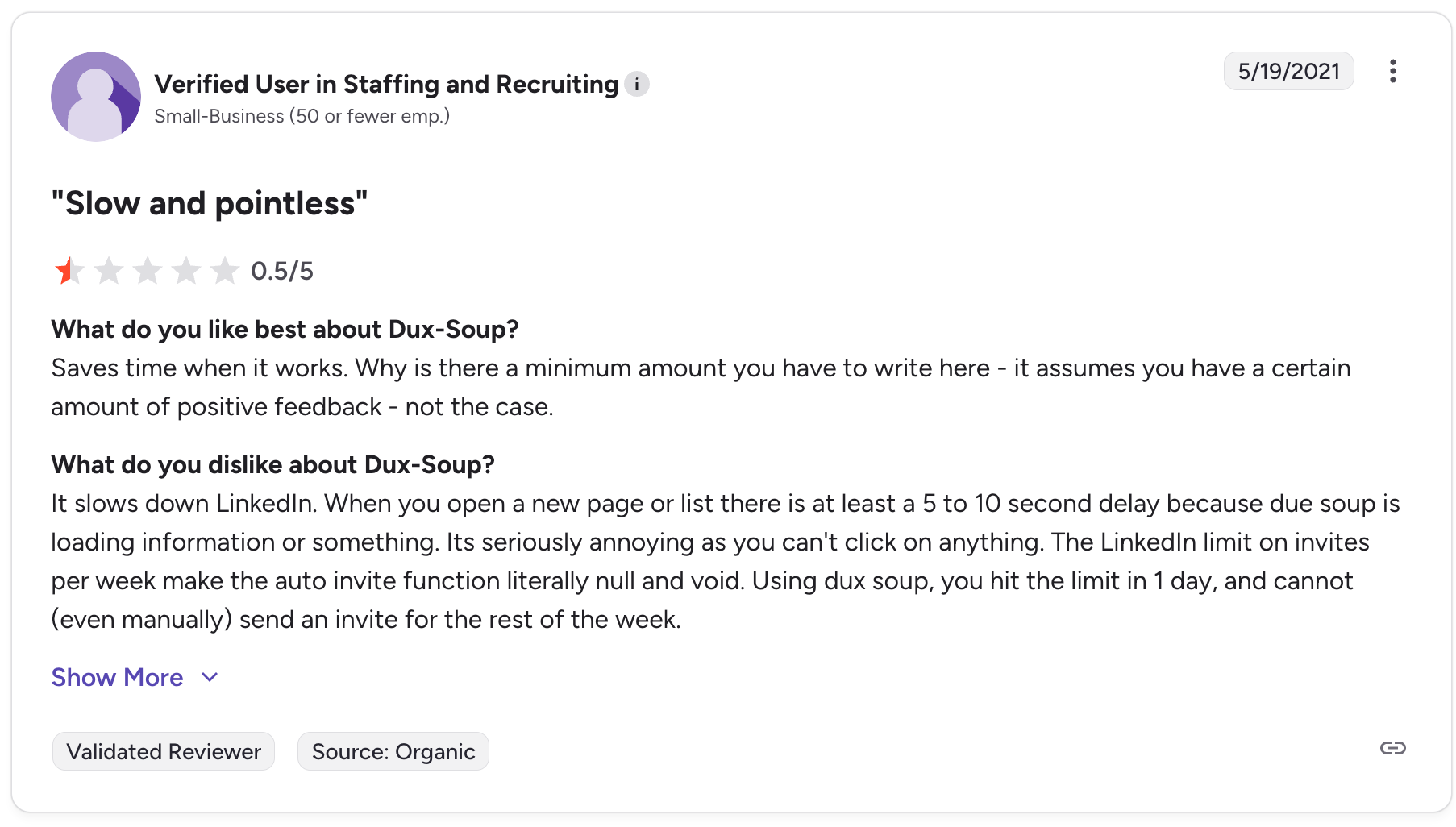
"It slows down LinkedIn. When you open a new page or list there is at least a 5 to 10 second delay because dux soup is loading information or something. Its seriously annoying as you can't click on anything. The LinkedIn limit on invites per week make the auto invite function literally null and void. Using dux soup, you hit the limit in 1 day, and cannot (even manually) send an invite for the rest of the week."
Verified User in Staffing and Recruiting, Small-Business | G2, 0.5/5 | May 2021
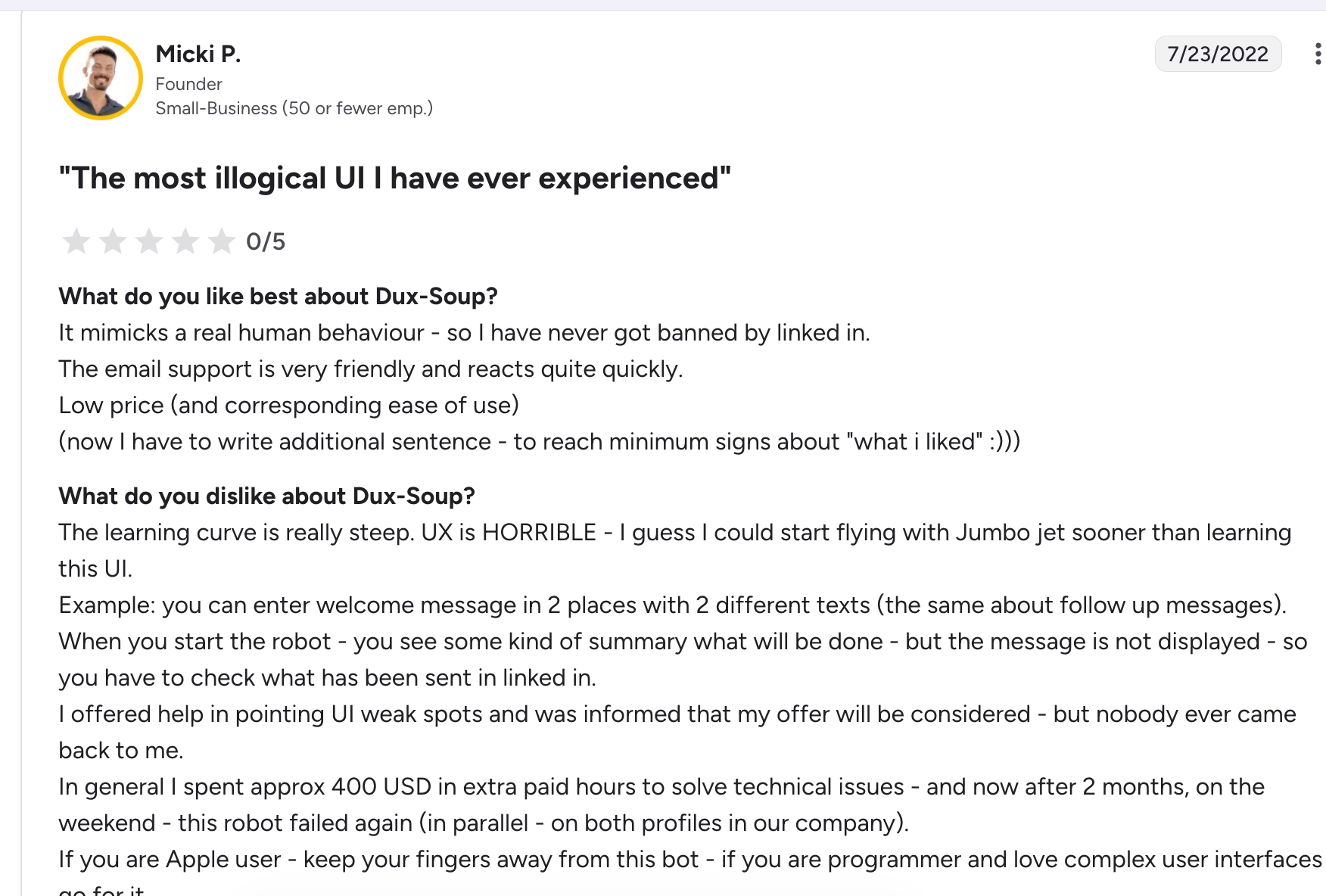
"The learning curve is really steep. UX is HORRIBLE. I guess I could start flying with a Jumbo jet sooner than learning this UI. You can enter a welcome message in 2 places with 2 different texts. In general I spent approx 400 USD in extra paid hours to solve technical issues and now after 2 months, on the weekend, this robot failed again on both profiles in our company. If you are an Apple user, keep your fingers away from this bot."
Micki P., Founder, Small-Business | G2, 0/5 | July 2022
Pattern Across All Reviews
Three complaints repeat across every segment, every year:
- UX split between extension and web app creates confusion and wasted setup time
- LinkedIn slowdown from the extension loading causes friction during normal LinkedIn use
- Weekly invite limits burn out in 1 day of active campaigns, crippling outreach for the rest of the week
Is Dux-Soup Right For You?
Dux-Soup is the right tool in a narrow set of circumstances. For most teams in 2026, those circumstances are getting narrower every month.
Dux-Soup Is a Good Fit If:
- You manage only 1 LinkedIn account and do not plan to scale
- Your primary use case is profile visits to trigger inbound curiosity, not volume outreach
- You are on a tight budget and only need basic automation to test LinkedIn outreach for the first time
- You have technical patience for a complex extension-based setup
- You do not need AI content scheduling or a unified inbox alongside outreach
Dux-Soup Is NOT a Good Fit If:
- You manage 3 or more LinkedIn accounts for a team or agency clients
- Your LinkedIn account is your primary revenue-generating asset and you cannot afford a restriction
- You need campaigns to run overnight or when your laptop is closed
- You want content scheduling and outreach running from the same platform
- You are an agency billing multiple clients and need centralized account management
- You keep hitting LinkedIn's weekly invite limit and cannot afford downtime for the rest of the week
The Better Alternative: Bearconnect
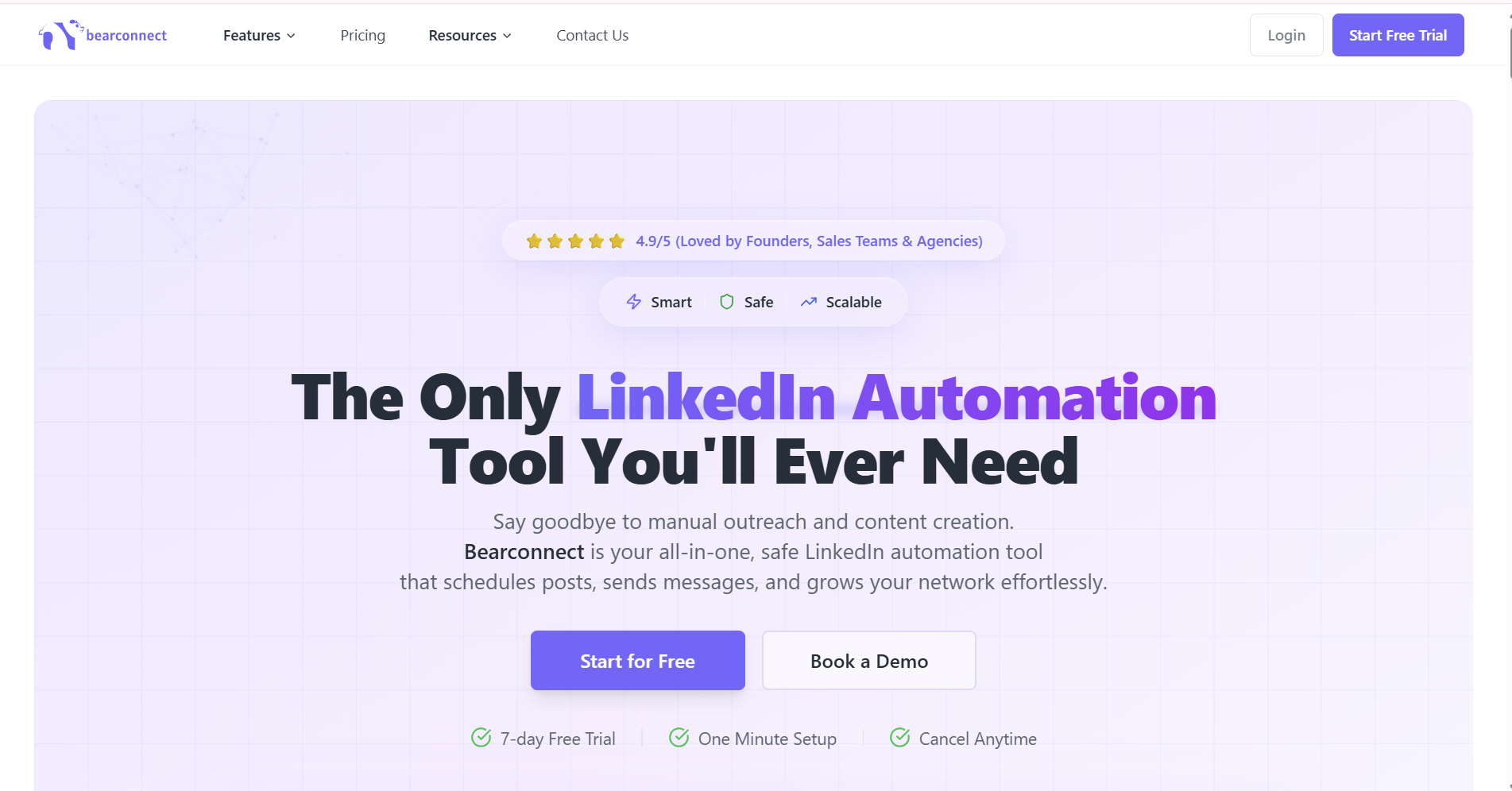
If Dux-Soup's Chrome extension safety risk, weekly invite burnout, and fragmented UX are the reasons you are still searching, here is what Bearconnect does differently.
Bearconnect is a cloud-based LinkedIn automation platform. Campaigns run from the cloud, not your browser. Every LinkedIn account gets a dedicated country-specific IP address.
There is no machine dependency, no browser lag, and no fragmented settings across two interfaces.
| Feature | Dux-Soup | Bearconnect |
|---|---|---|
| Pricing | $14.99/month Pro, $55/month Turbo | $67/month per account, $57 for 5+ accounts |
| Platform type | Chrome extension | Cloud-based, no browser required |
| Multi-account management | Separate setups per account | Unlimited accounts, one dashboard |
| Content scheduling | No | Yes, with AI post generation |
| Unified inbox | No | Yes, all accounts in one inbox |
| Agency workspace | Basic, per seat | Built for agencies from day one |
| Account safety | Browser-level, no dedicated IPs | Dedicated country-specific IP per account |
| Runs without open browser | Turbo plan only | Yes, always, on every plan |
| Free trial | No free trial on paid plans | 7-day full-access free trial |
Specific Bearconnect Advantages Tied to Dux-Soup's Weaknesses:
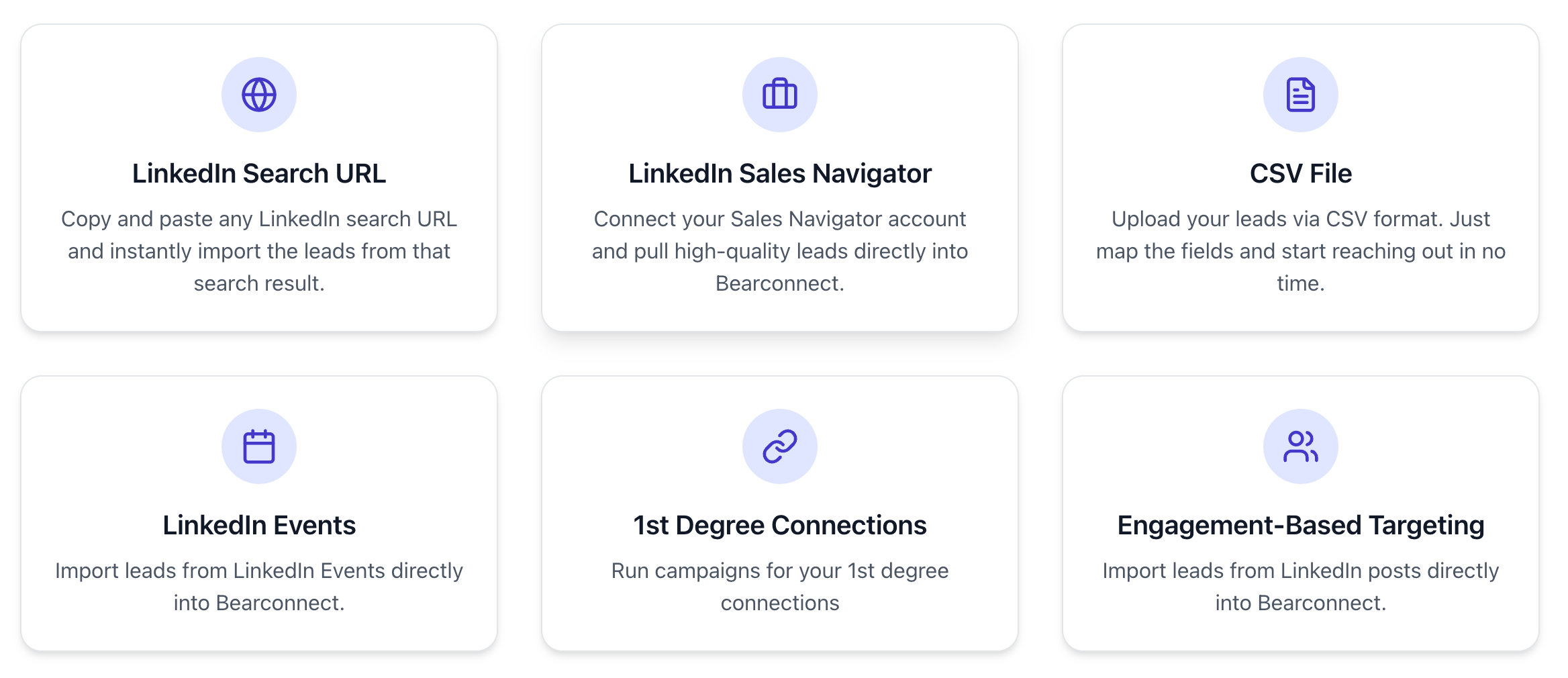
- No browser dependency. Bearconnect runs from the cloud 24/7. Your campaigns do not stop when your laptop closes.
- No weekly invite burnout. Bearconnect's smart daily limit system distributes activity naturally, so you never burn your weekly LinkedIn quota in a single day.
- One clean interface. All campaign settings, inbox management, and analytics live in one web dashboard. No split between an extension and a web app.
- AI content creation included. Generate and schedule LinkedIn posts alongside outreach campaigns. Dux-Soup has zero content automation.
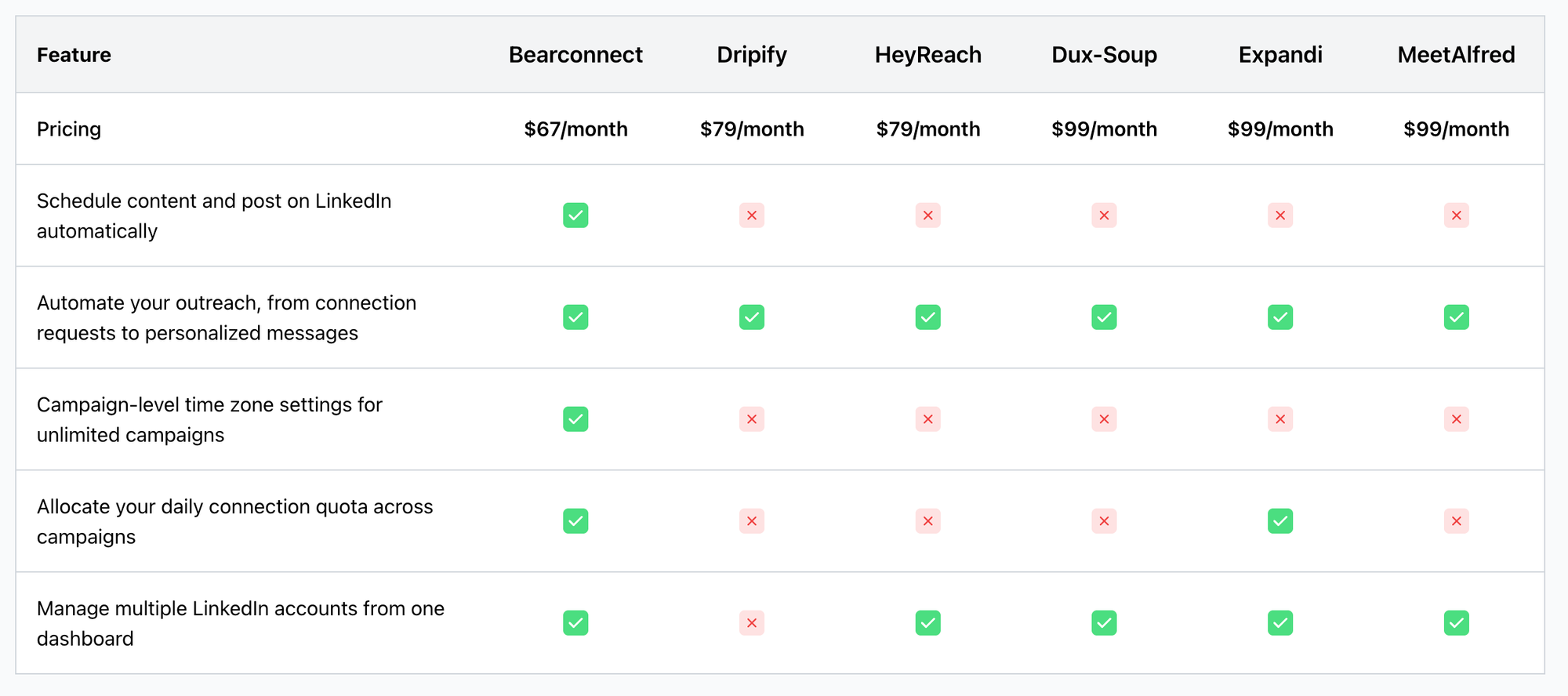
Dux-Soup vs Bearconnect: Full Feature and Price Comparison
Dux-Soup and Bearconnect are not in the same category. One is a Chrome extension built for solo users.
The other is a cloud platform built for teams, agencies, and founders who need outreach and content from one place.
Here is the full side-by-side breakdown:
Feature Comparison
| Feature | Dux-Soup | Bearconnect |
|---|---|---|
| Platform type | Chrome extension | Cloud-based, no browser needed |
| Pricing | $14.99/month Pro, $55/month Turbo | $67/month per account, $57 for 5+ accounts |
| LinkedIn outreach (connections + messages) | Yes, Pro plan | Yes, included on all plans |
| Campaigns run without browser open | Turbo plan only ($55/month) | Yes, always, on every plan |
| Multi-account management | Separate Chrome profiles per account | Unlimited accounts, one dashboard |
| Unified inbox | No | Yes, all accounts in one inbox |
| AI post writing | No | Yes, unlimited, no credits |
| Post scheduling | No | Yes, included |
| Brand voice for AI content | No | Yes, included |
| Post Magnet (engagement-based targeting) | No | Yes, included |
| Auto schedule first comment | No | Yes, included |
| Dedicated IP per LinkedIn account | No | Yes, country-specific IP per account |
| Agency workspace | Basic, per seat cost | Built for agencies, centralized billing |
| CRM integration (HubSpot, Pipedrive) | Yes, via Zapier | Yes, native HubSpot and Pipedrive |
| Free trial | No | 7-day full-access free trial |
Cost Comparison at Scale
| Team Size | Dux-Soup Turbo (cloud features) | Bearconnect |
|---|---|---|
| 1 account | $55/month | $67/month |
| 3 accounts | $165/month | $201/month |
| 5 accounts | $275/month | $285/month ($57 x 5) |
| 10 accounts | $550/month | $570/month ($57 x 10) |
How Bearconnect Saves You Time and Money
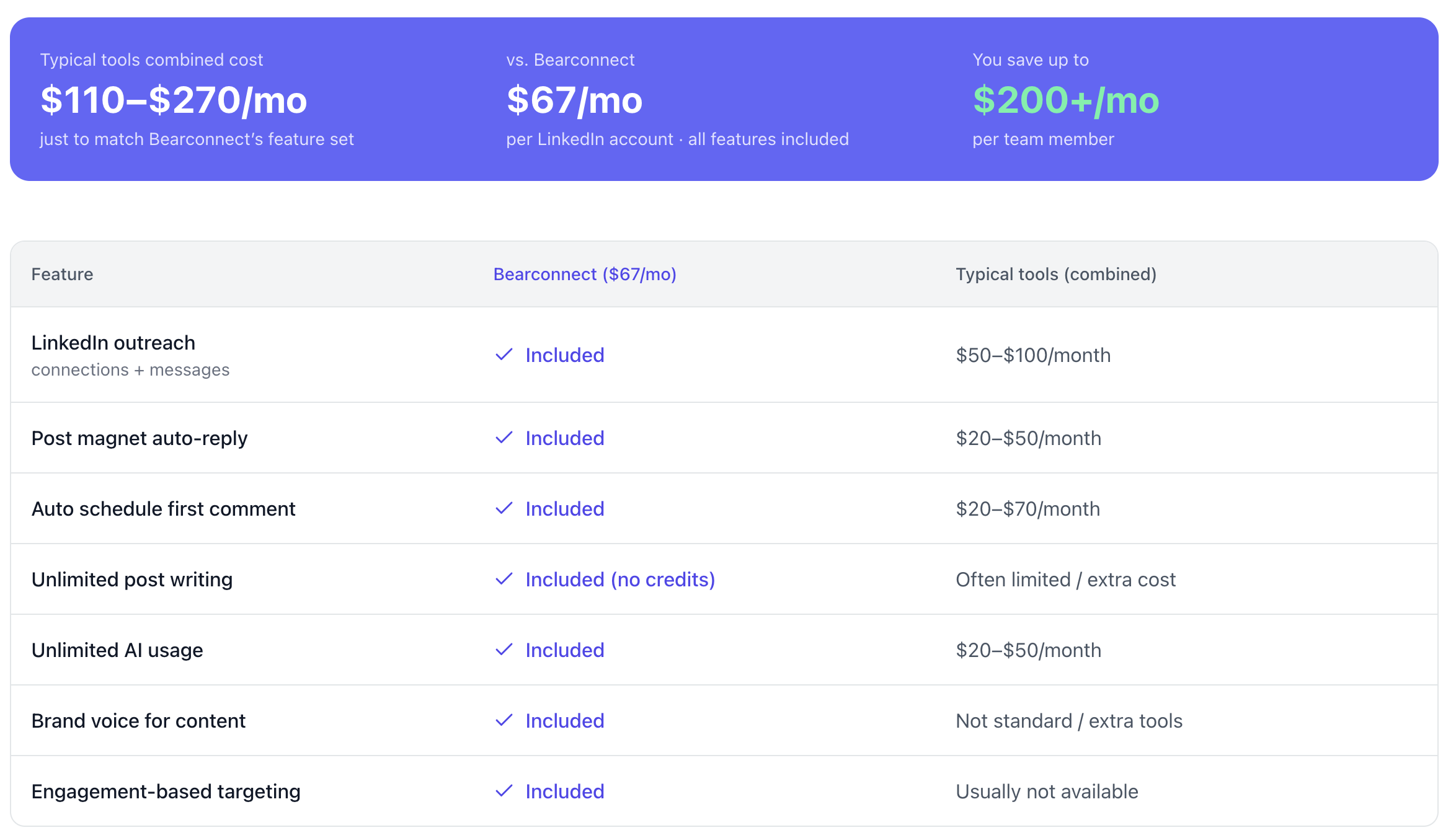
Most teams that switch to Bearconnect from Dux-Soup are not just switching tools. They are eliminating 3 to 5 separate tools they were using to cover what Dux-Soup could not do.
What Typical Teams Pay to Match Bearconnect's Feature Set
| Feature | Bearconnect ($67/month) | Typical Tools (combined cost) |
|---|---|---|
| LinkedIn outreach (connections + messages) | Included | $50 to $100/month (Dux-Soup Turbo or similar) |
| Post Magnet auto-reply | Included | $20 to $50/month (separate engagement tool) |
| Auto schedule first comment | Included | $20 to $70/month (LinkedIn scheduling tool) |
| Unlimited post writing with AI | Included, no credits | Often limited or extra cost per credit |
| Unlimited AI usage | Included | $20 to $50/month (ChatGPT, Taplio, or similar) |
| Brand voice for content | Included | Not standard, requires extra tools |
| Engagement-based targeting | Included | Usually not available at any price |
The Real Monthly Math
| Bearconnect | Typical combined tools | |
|---|---|---|
| Monthly cost | $67/month | $110 to $270/month |
| Accounts covered | 1 (or $57 x 5+) | Per tool, per seat |
| Setup complexity | One platform, one login | Multiple logins, multiple setups |
| You save | Up to $200/month per team member |
Final Verdict
Dux-Soup is one of the original LinkedIn automation tools and it deserves credit for what it built.
For someone testing basic profile visit automation on a tight budget with a single account, the Pro plan at $14.99/month still serves that narrow use case.
If you want LinkedIn automation that runs without your browser, protects your account with a dedicated IP, and includes AI content creation, Bearconnect gives you that at $67/month per account with a 7-day free trial.
Ready to Try a Better Option?
Start your free 7-day Bearconnect trial and run your first LinkedIn campaign today.
Frequently Asked Questions
1. Is Dux-Soup safe for LinkedIn in 2026?
Dux-Soup mimics human behavior to reduce ban risk, but its Chrome extension model still carries more detection risk than cloud-based tools. LinkedIn's detection systems have improved significantly since 2024. Users report hitting weekly invite limits in a single day, which can trigger manual review flags. For professional accounts, a cloud tool with dedicated IPs is a safer choice.
2. What is Dux-Soup's pricing in 2026?
Dux-Soup offers three plans: Starter (free, profile visits only), Pro at $14.99/month (campaigns and messaging), and Turbo at $55/month (cloud campaigns, team management, A/B testing). LinkedIn automation for teams requires the Turbo plan at $55 per seat per month.
3. Does Dux-Soup work without keeping Chrome open?
No, not on the Pro plan. Cloud campaign functionality that runs without an open browser is only available on the Turbo plan at $55/month. On the Pro plan, your laptop and Chrome must stay active for campaigns to continue running.
4. What is the best Dux-Soup alternative for agencies in 2026?
Bearconnect is the strongest alternative for agencies. It manages unlimited LinkedIn accounts from one dashboard, assigns dedicated country-specific IPs per account, includes a unified inbox, and costs $67/month per account or $57/month for 5 or more accounts. No per-seat add-ons required.
5. Can Dux-Soup schedule LinkedIn posts?
No. Dux-Soup has no LinkedIn content scheduling or AI post generation features. It is a pure outreach automation tool. If you need outreach and content from the same platform, you need a tool like Bearconnect which includes AI-powered post scheduling alongside outreach campaigns.
Ready to Transform Your LinkedIn Strategy?
Join thousands of professionals already using Bearconnect to automate their outreach and grow their network.
7-day free trial • Cancel anytime