Linked Helper Review 2026: Is It Worth $15/Month? (Honest Assessment + Better Options)
Considering Linked Helper for LinkedIn automation? You're not alone.
LinkedIn automation promises to save hours of manual outreach, but choosing the wrong tool can waste money and risk your account.
This honest Linked Helper review analyzes its features, real user experiences, and pricing to help you determine if it justifies the investment or if better alternatives exist for your LinkedIn lead generation needs.
What is Linked Helper?
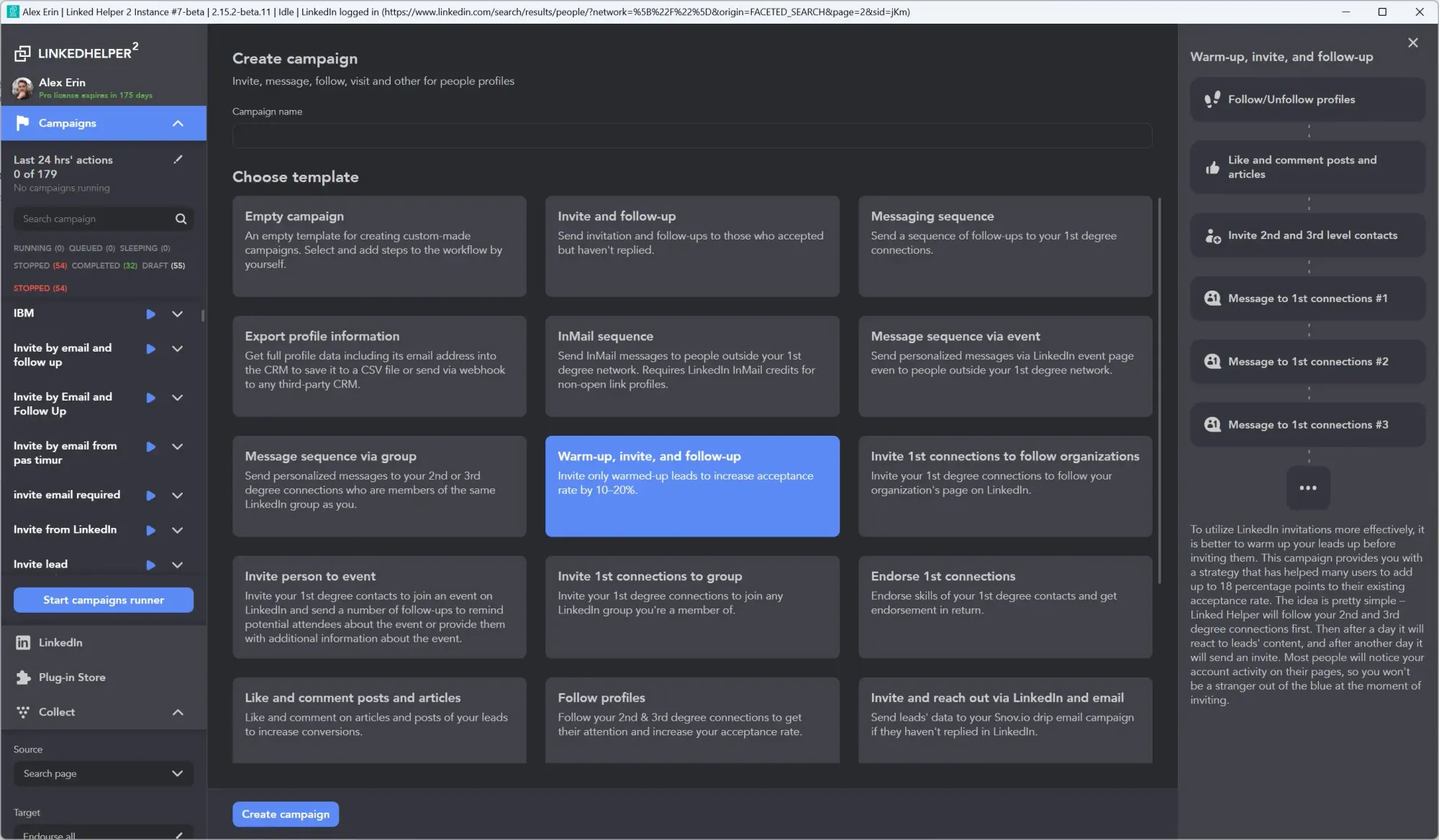
Platform Overview
Linked Helper is a desktop-based LinkedIn automation software designed specifically for lead generation, connection requests, and message automation.
Unlike cloud-based LinkedIn automation tools, Linked Helper operates as a downloadable desktop application for Windows, macOS, and Ubuntu.
Primary Use Cases
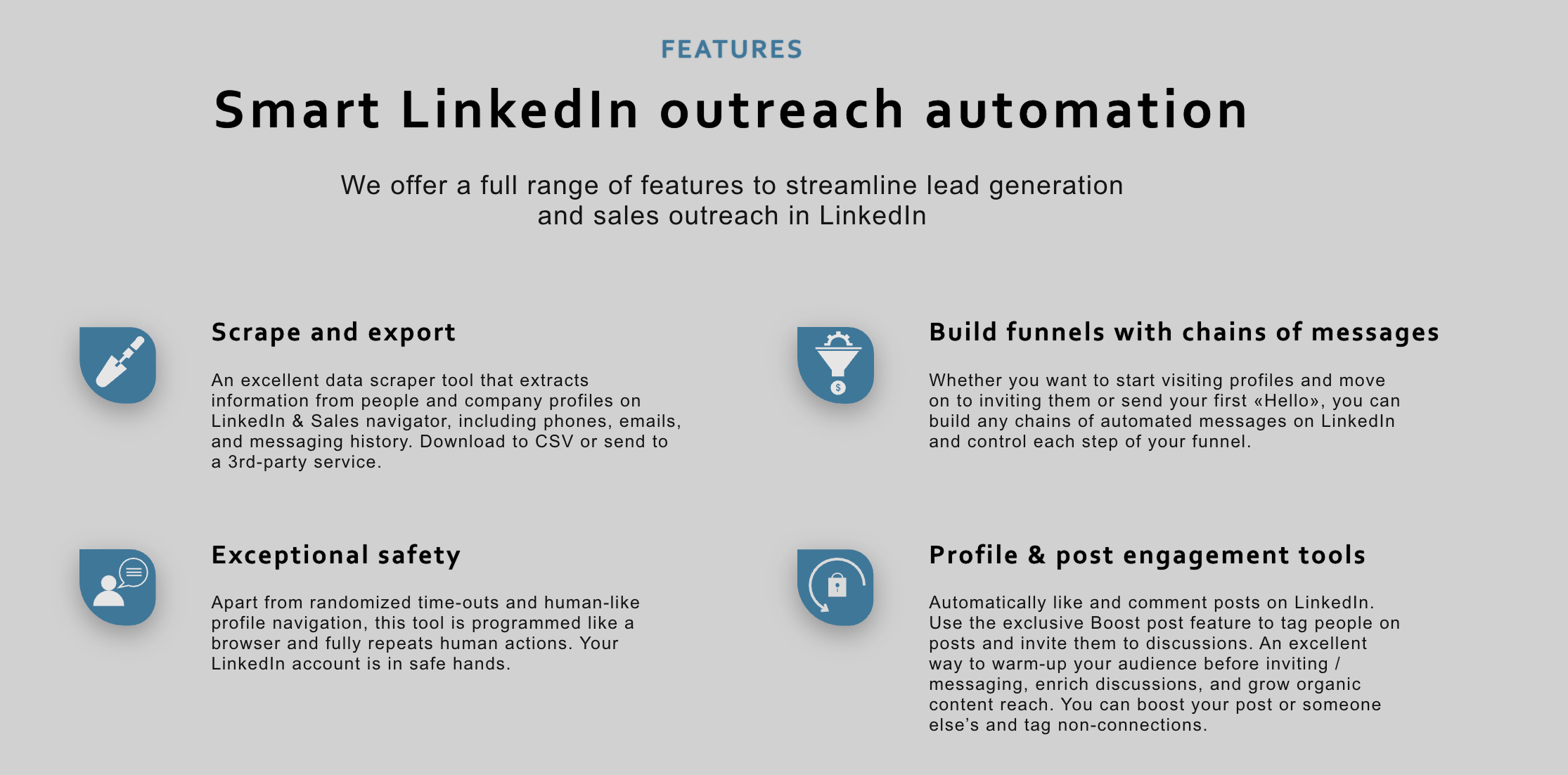
Linked Helper helps you automate essential LinkedIn activities:
- Automate connection requests to targeted prospects based on specific filters
- Build multi-step drip campaigns with personalized messaging sequences
- Extract and export LinkedIn data including emails, phone numbers, and company details
- Auto-engage with content through likes, comments, endorsements, and profile visits
Linked Helper Strengths
1. Unbeatable Pricing
At $15/month for the Standard plan ($8.25/month annually), Linked Helper offers the most affordable entry point among LinkedIn automation tools.
This pricing makes professional automation accessible to bootstrapped startups and solo operators.
2. Comprehensive Automation Features
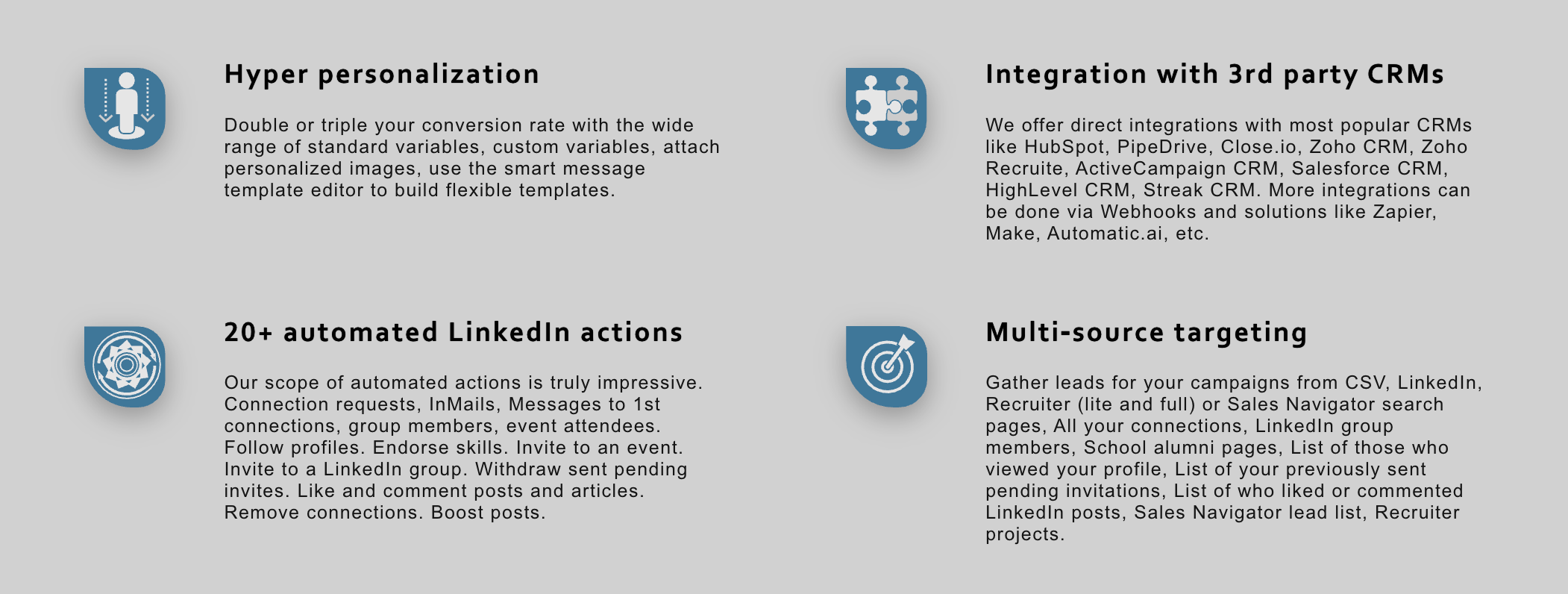
The platform delivers 20+ automated LinkedIn actions including:
- Connection requests with personalized messages
- Multi-step message sequences
- Profile visits and endorsements
- Group invitations and event attendee outreach
- Post engagement (likes and comments)
3. Built-in CRM Functionality
Organize prospects without external tools through native tagging, filtering, and lead tracking. This eliminates the need for separate CRM subscriptions for basic lead management.
4. Email Finder Capability
Extract contact information from 2nd and 3rd-degree connections with 620 monthly credits (Standard plan) or 3,100 credits (Pro plan).
5. CRM Integrations
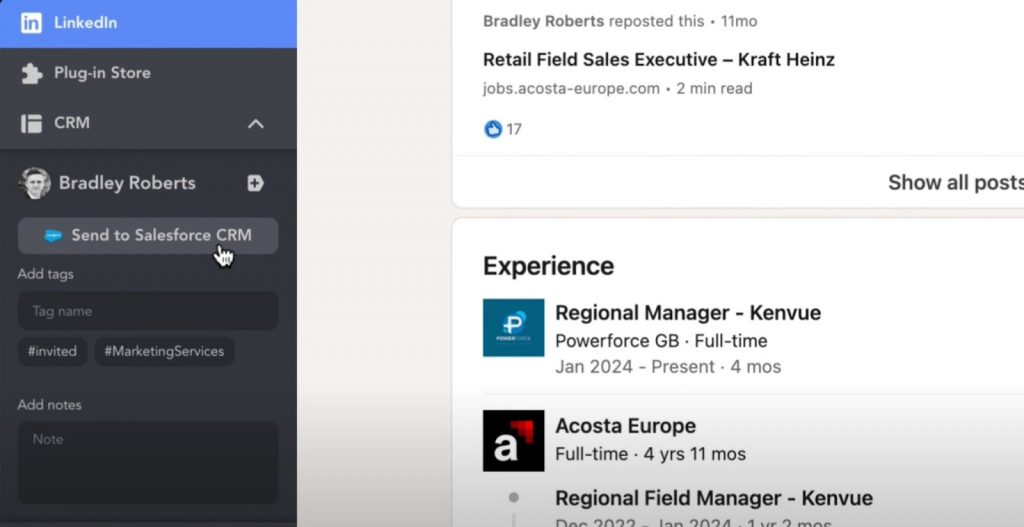
Connect seamlessly with HubSpot, Salesforce, Pipedrive, and Google Sheets for automated data synchronization across your sales stack.
6. Local Data Storage
Desktop-based architecture stores campaign data on your computer, potentially offering better privacy compared to cloud platforms holding your prospect information.
Linked Helper Limitations
Critical Drawbacks to Consider
1. Desktop-Only Operation
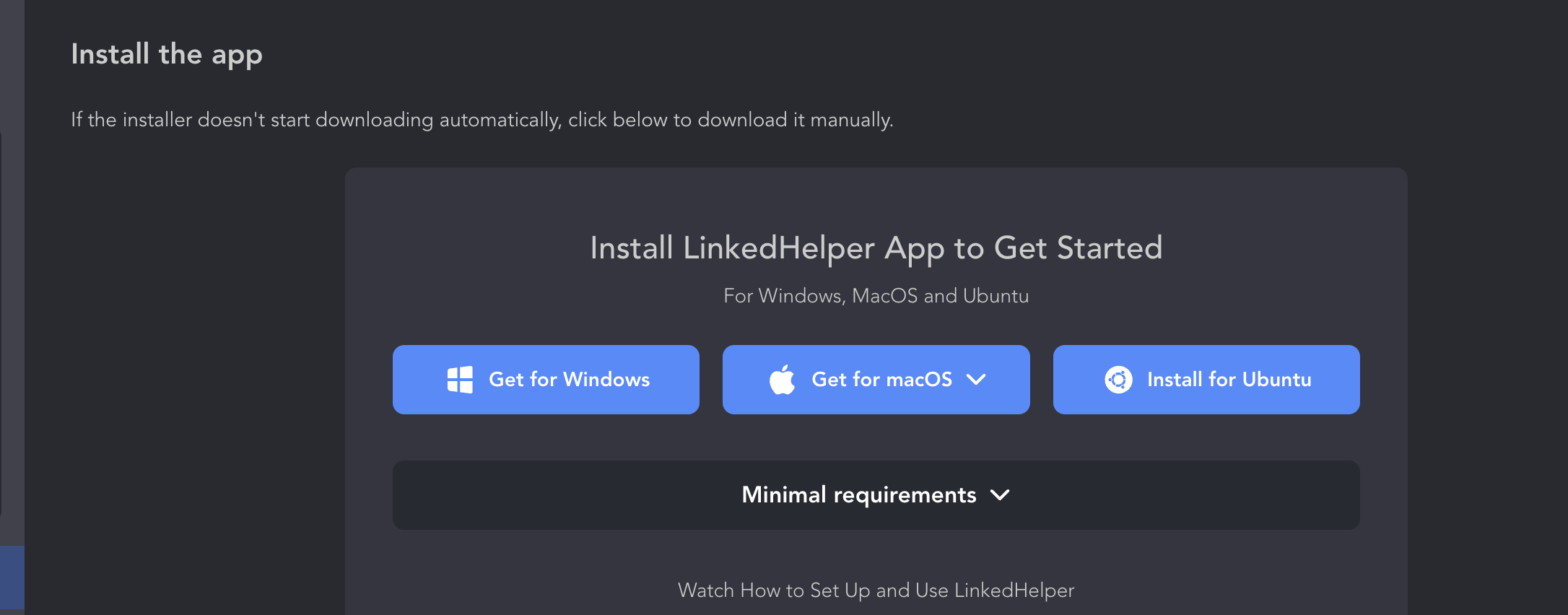
Your computer must remain on and connected to the internet for campaigns to run. This creates several problems:
- Campaigns stop when you shut down your laptop
- No automation during travel or computer maintenance
- Higher electricity costs from keeping machines running 24/7
- Targeting prospects across time zones becomes problematic
2. Account Safety Concerns
- Desktop browser extension architecture increases LinkedIn detection risk.
- As one enterprise user noted: "The functionality is powerful but you need to be really careful while building campaigns."
- Multiple users report LinkedIn warnings and temporary restrictions despite following safety guidelines.
- Cloud alternatives using dedicated residential IPs offer better protection. Learn more about LinkedIn automation safety.
3. Daily Action Limits (Standard Plan)
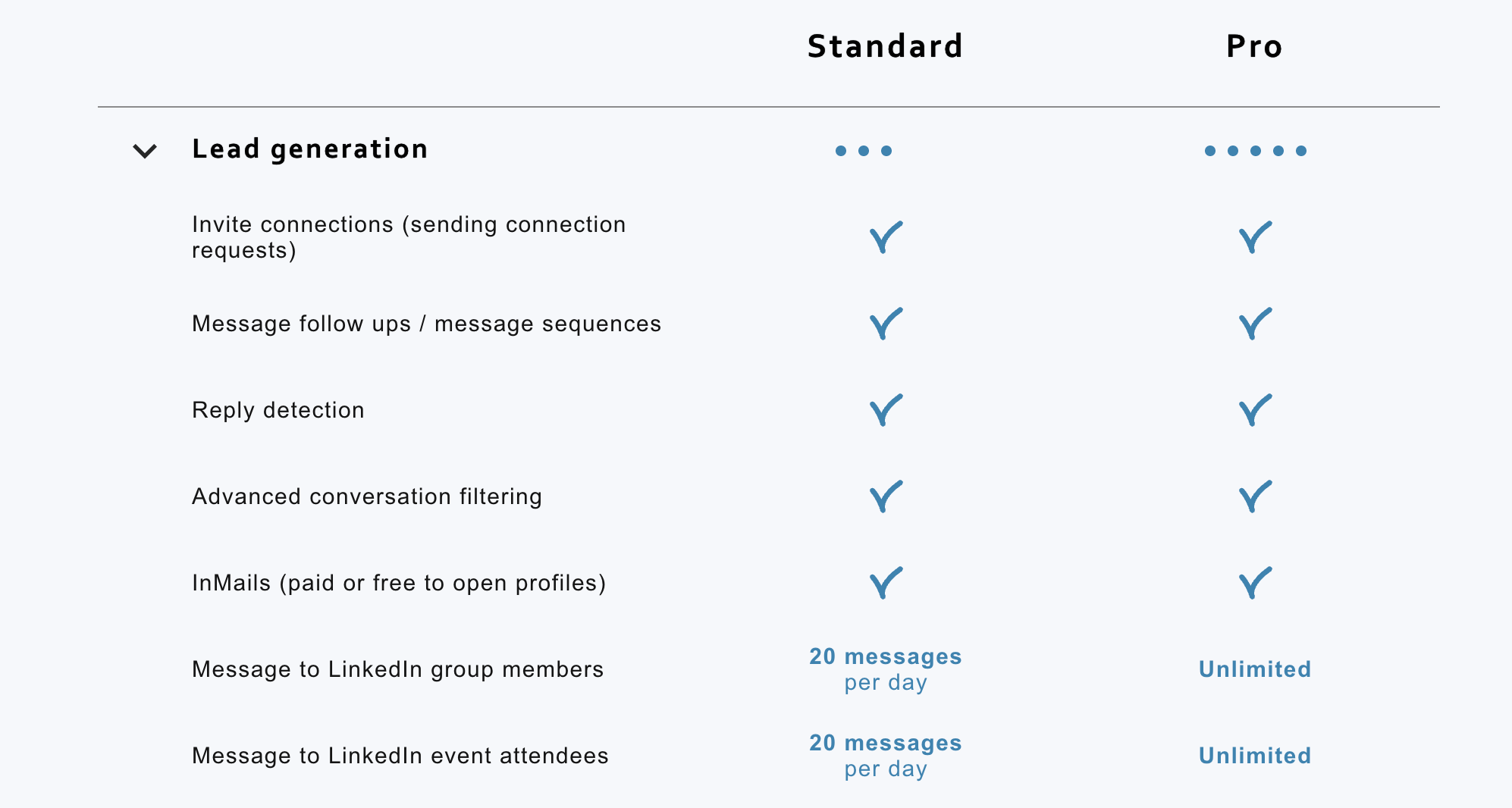
The $15/month plan restricts critical actions to only 20 per day:
- Group member messaging (20/day limit)
- Event attendee outreach (20/day limit)
- Post likes and comments (20/day limit)
This severely limits outreach volume for active prospecting campaigns.
4. No Unified Inbox
Managing conversations across multiple LinkedIn accounts becomes cumbersome without centralized messaging. Discover how unified inbox solves this problem.
5. Steep Learning Curve
Interface complexity challenges non-technical users. As verified reviewers mention: "I need to get in there more to see what I need to adjust to make it work for me."
Proxy configuration and campaign setup require technical knowledge that many marketers lack.
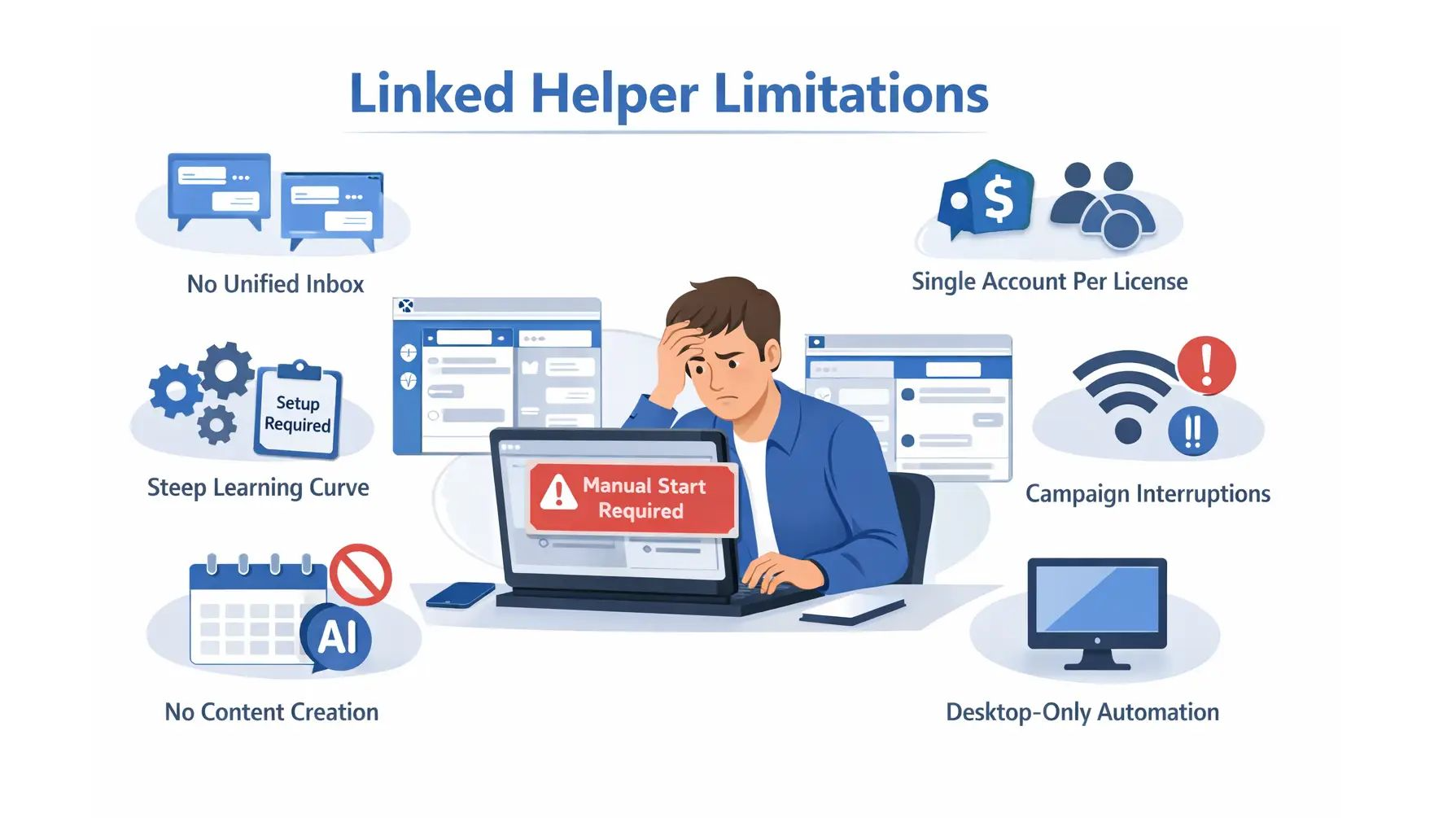
6. Single Account Per License
Each LinkedIn profile requires a separate subscription. For agencies managing 10 client accounts, costs escalate to $150-450/month compared to competitors offering unlimited account management.
7. Campaign Interruptions
When your internet connection drops or computer crashes, all automation stops. One small business owner complained: "It is kinda slow and if you pull the data from Sales Nav only it is more of a shotgun than a sniper."
8. No Content Creation Features
Linked Helper exclusively handles outbound automation. It offers zero capabilities for:
- AI-powered post generation
- Content scheduling
- LinkedIn publishing automation
- Inbound lead generation through visibility
9. Manual Startup Required
Unlike cloud platforms running automatically, Linked Helper requires you to manually launch the desktop application daily.
Linked Helper Pricing (2026 Plans)
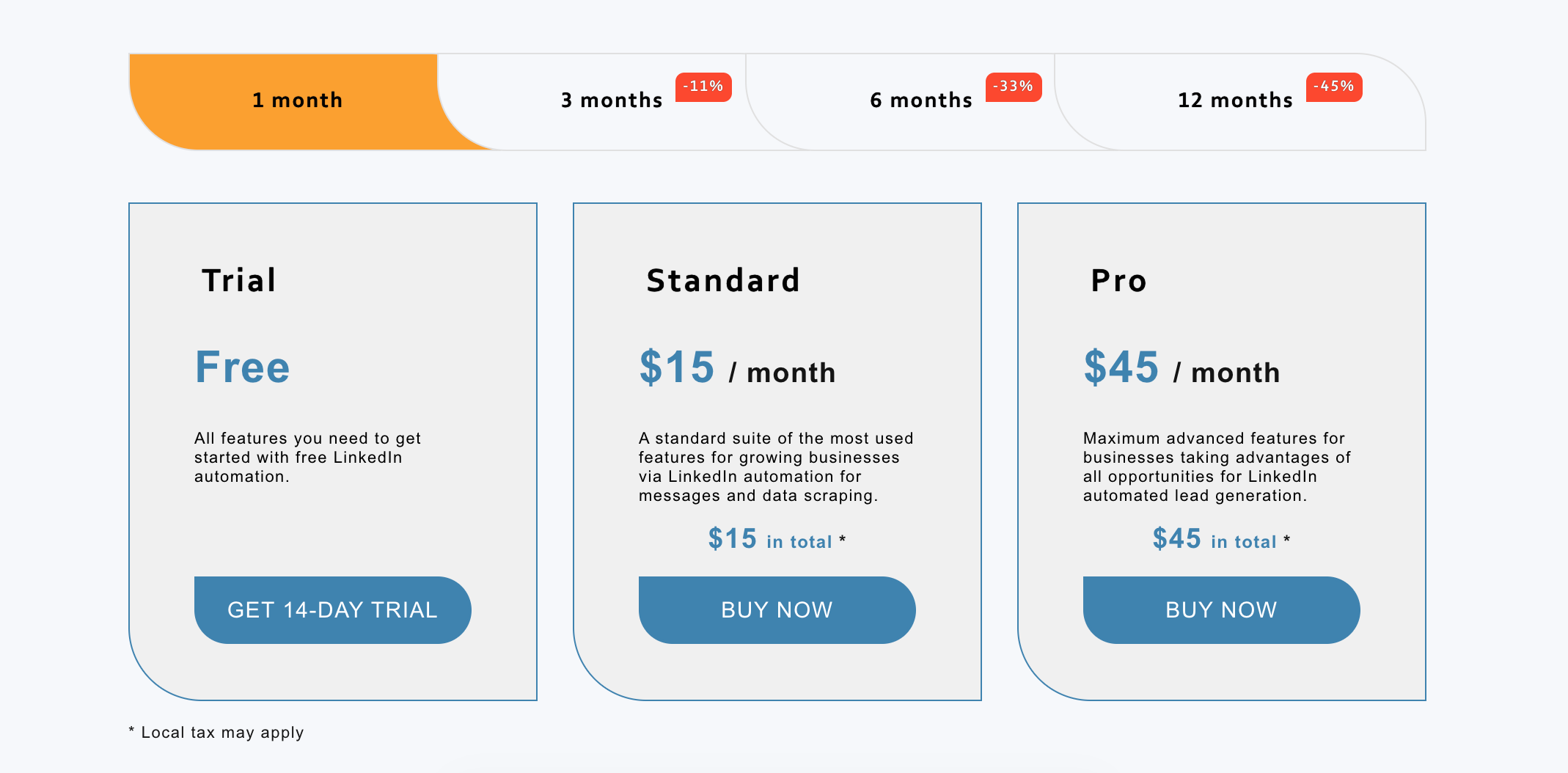
Standard Plan: $15/month
- Monthly billing: $15/month
- Annual billing: $8.25/month ($99/year with 45% savings)
What's included:
- Unlimited campaigns with custom workflow builder
- 620 email finder credits monthly
- All basic automation features
- Daily action limits: 20 for group messaging, event invites, likes/comments
Pro Plan: $45/month
- Monthly billing: $45/month
- Annual billing: $24.75/month ($297/year)
Pro upgrades:
- Everything in Standard plan
- Unlimited daily actions (no 20/day restrictions)
- 3,100 email finder credits monthly (5x more than Standard)
- Advanced automation features
- Priority customer support
Free Trial
14-day trial available for all plans with no credit card required.
Pricing Analysis
| Tool | Monthly Cost (5 Accounts) | Annual Cost (5 Accounts) | Key Limitation |
|---|---|---|---|
| Linked Helper Standard | $75/month ($15 × 5) | $900/year | 20/day action limits per account |
| Linked Helper Pro | $225/month ($45 × 5) | $2,970/year | Unlimited actions but desktop-only |
| Bearconnect | $285/month ($57 × 5) | $3,420/year | Cloud-based, volume discount kicks inx |
| Dripify | $395/month ($79 × 5) | $4,740/year | Cloud-based, per-account pricing |
For detailed comparison of LinkedIn automation tool pricing, check out our comprehensive LinkedIn automation guide.
Real User Experiences: What Customers Report
Positive Feedback
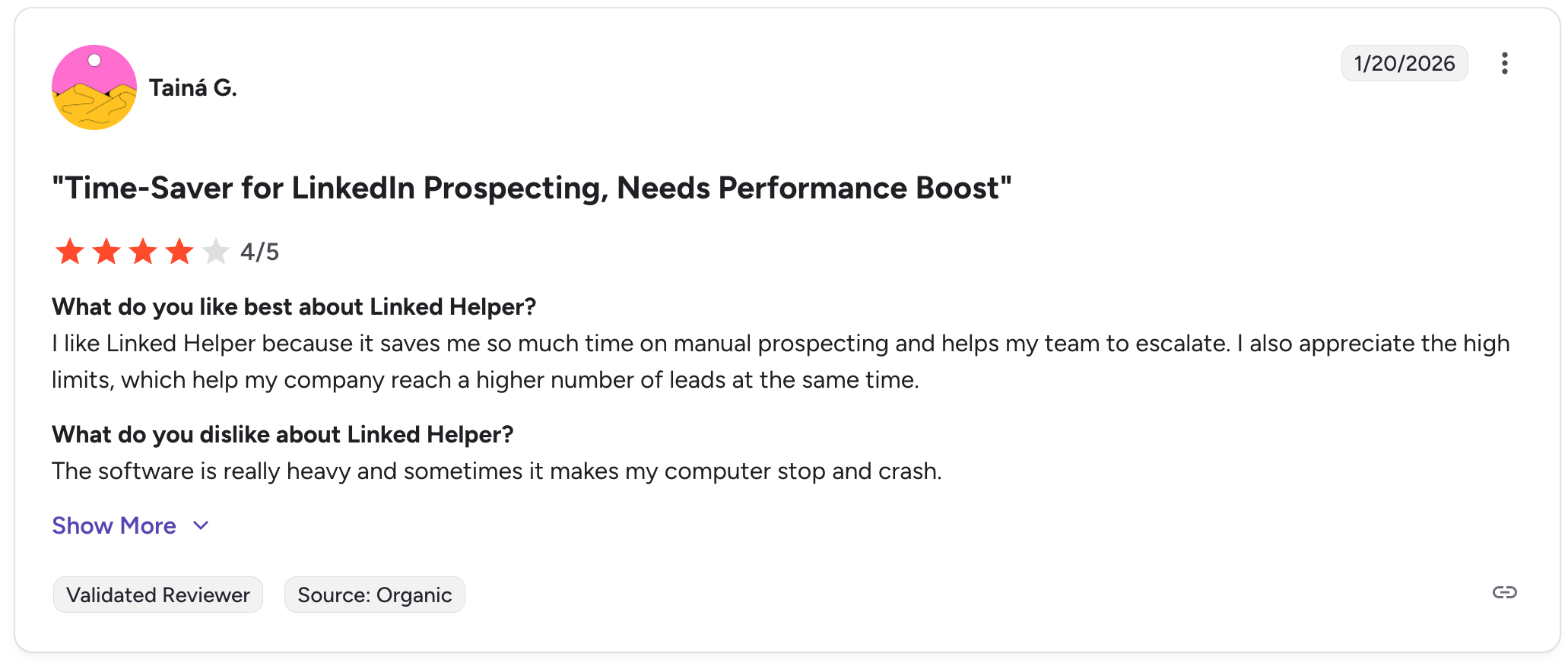
Verified users appreciate specific strengths:
- "Good automation tool" - A small business owner in events services noted: "It automates your LI work which is great. You can leave it on to send messages while you are doing other sales campaigns."
- Ease of use: One consumer services professional praised it as "simple process that is clear and concise. Very user friendly."
- Value for money: Annual pricing at $8.25/month delivers exceptional ROI for budget-conscious users.
Common User Frustrations
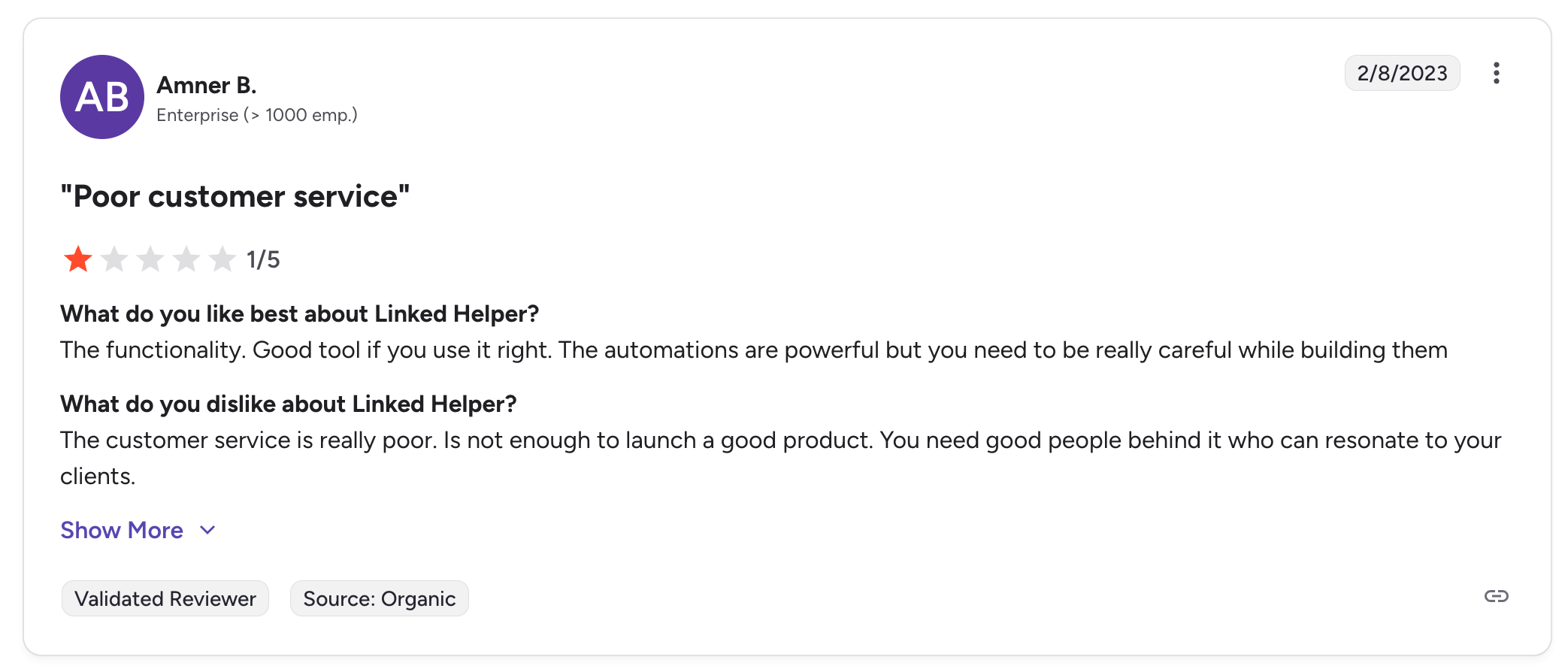
- Poor customer service: An enterprise user (1000+ employees) gave it 1/5 stars, stating: "The customer service is really poor. It's not enough to launch a good product. You need good people behind it who can resonate to your clients."
- Campaign interruptions: Desktop dependency creates reliability issues when computers shut down or lose connectivity.
- Account restriction risks: Despite safety features, users report LinkedIn warnings: "You need to be really careful while building campaigns."
- Slow performance: Users mention the tool "is kinda slow" especially when pulling data from Sales Navigator.
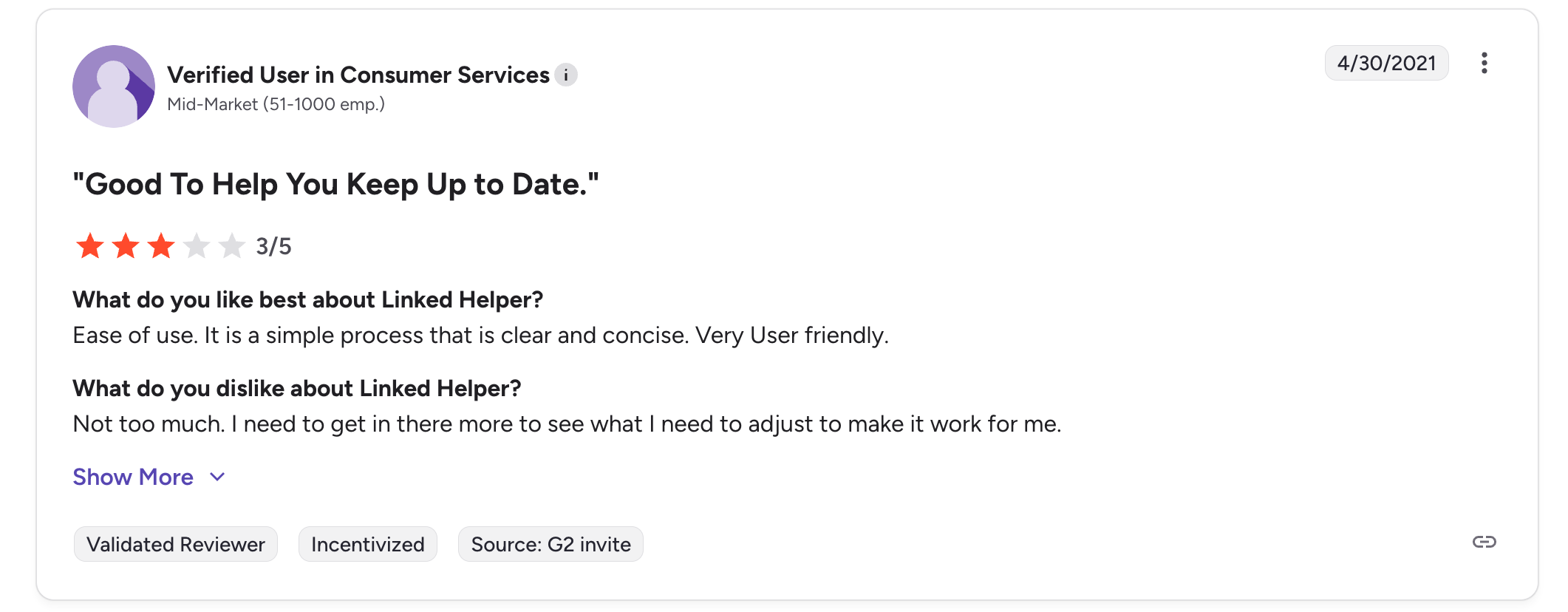
- Technical complexity: Non-technical users struggle with setup requirements and interface navigation.
Looking for tools with better support? Read our comparison of top LinkedIn automation tools that prioritize customer experience."
Best Linked Helper Alternative: Bearconnect
Why Bearconnect Outperforms Linked Helper
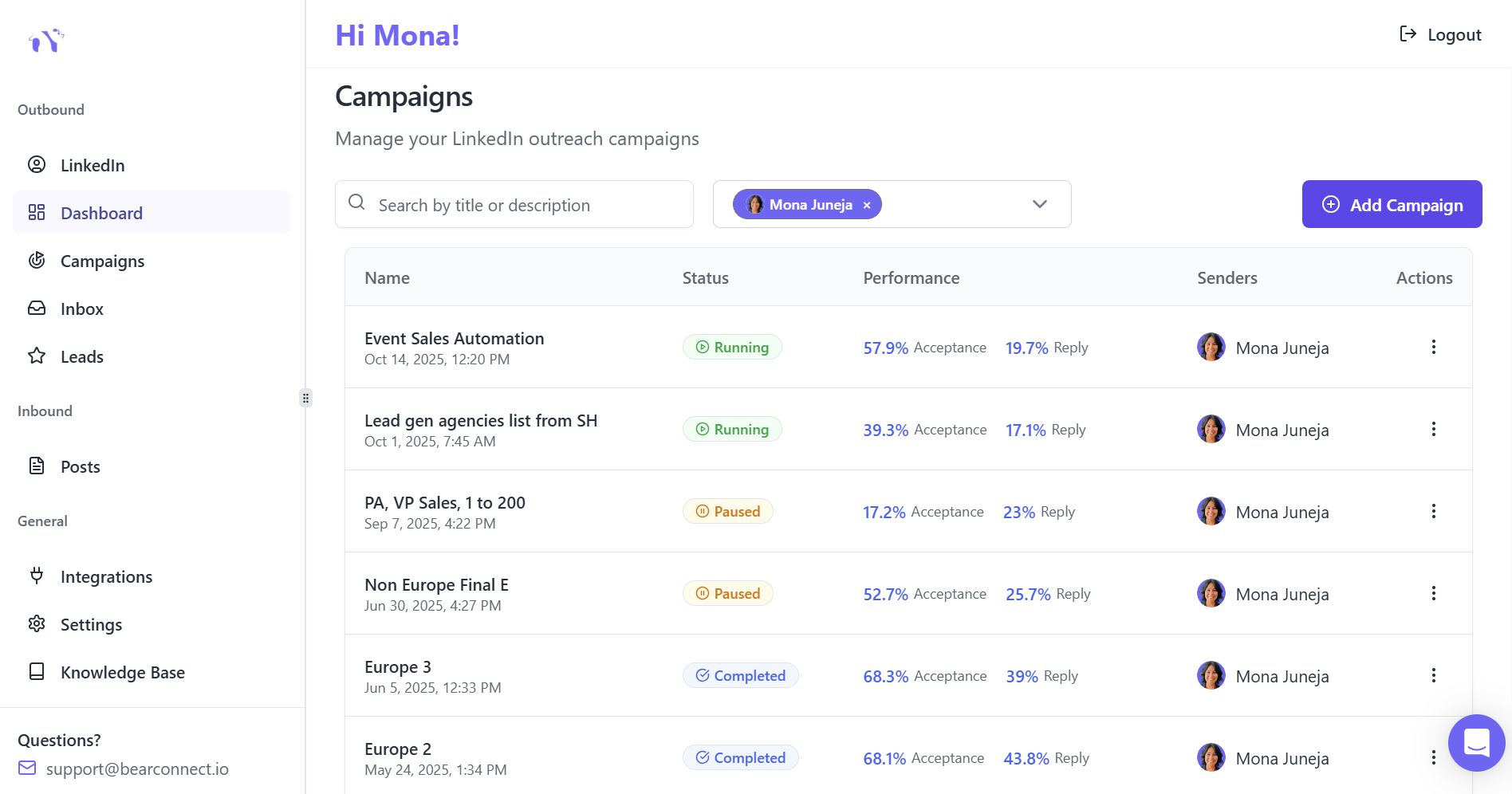
1. Modern Cloud-Based Architecture
Campaigns run 24/7 without requiring your computer to remain on. See how cloud-based automation works behind the scenes.
Key advantages:
- Set-and-forget automation with no manual daily startup
- Access campaigns from anywhere via web dashboard
- No campaign interruptions from computer shutdowns
- Lower electricity costs and equipment wear
2. Pricing Built for Scale
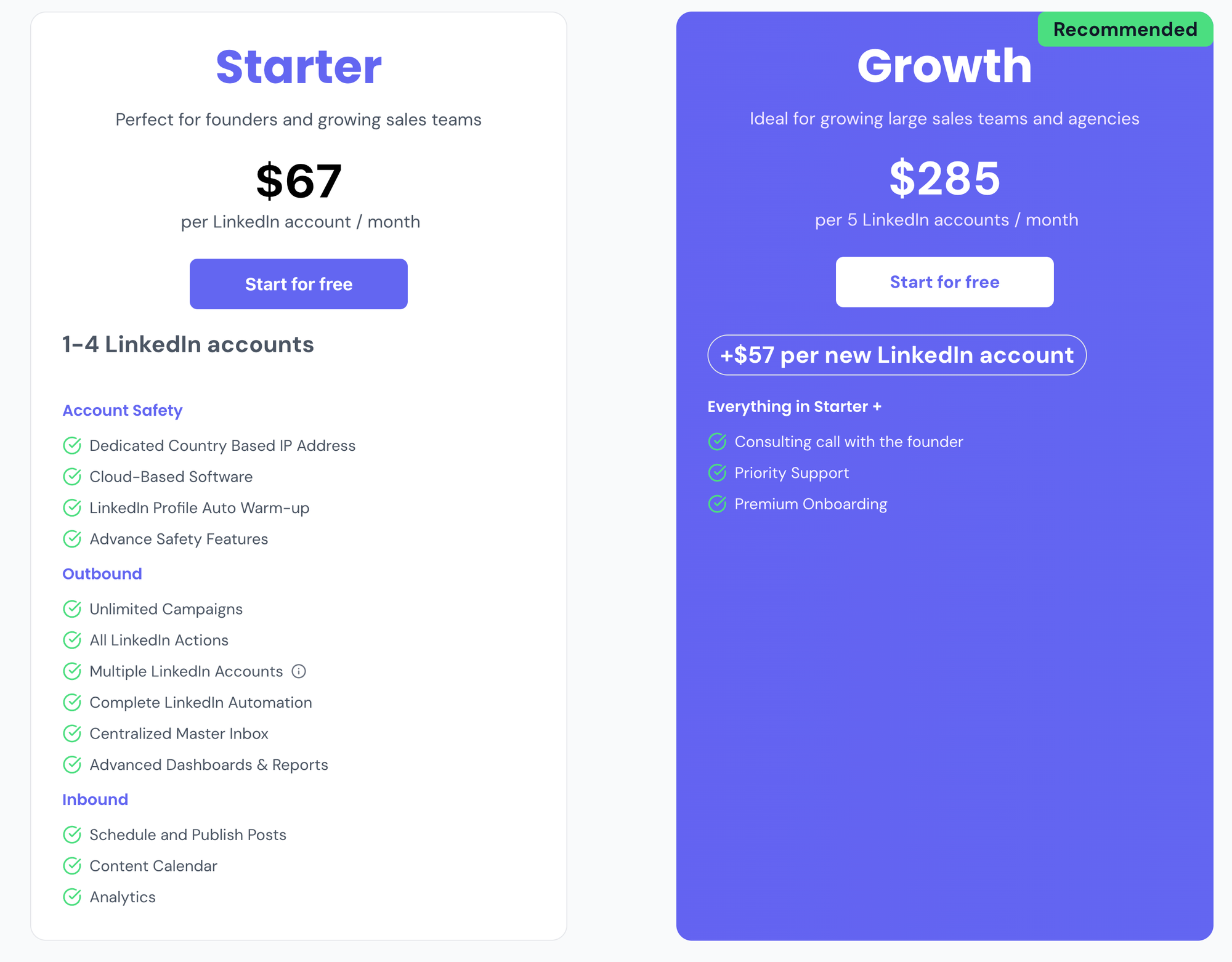
Bearconnect pricing structure:
- $67/month per LinkedIn account (1-4 accounts)
- $57/month per account when connecting 5+ profiles
Cost comparison for 5 accounts:
- Linked Helper Standard: $75/month (but limited to 20 daily actions)
- Linked Helper Pro: $225/month
- Bearconnect: $285/month
Value justification: Bearconnect includes unified inbox, AI content creation, cloud infrastructure, and enhanced safety features worth $200-300/month if purchased separately.
3. Dual Automation Philosophy
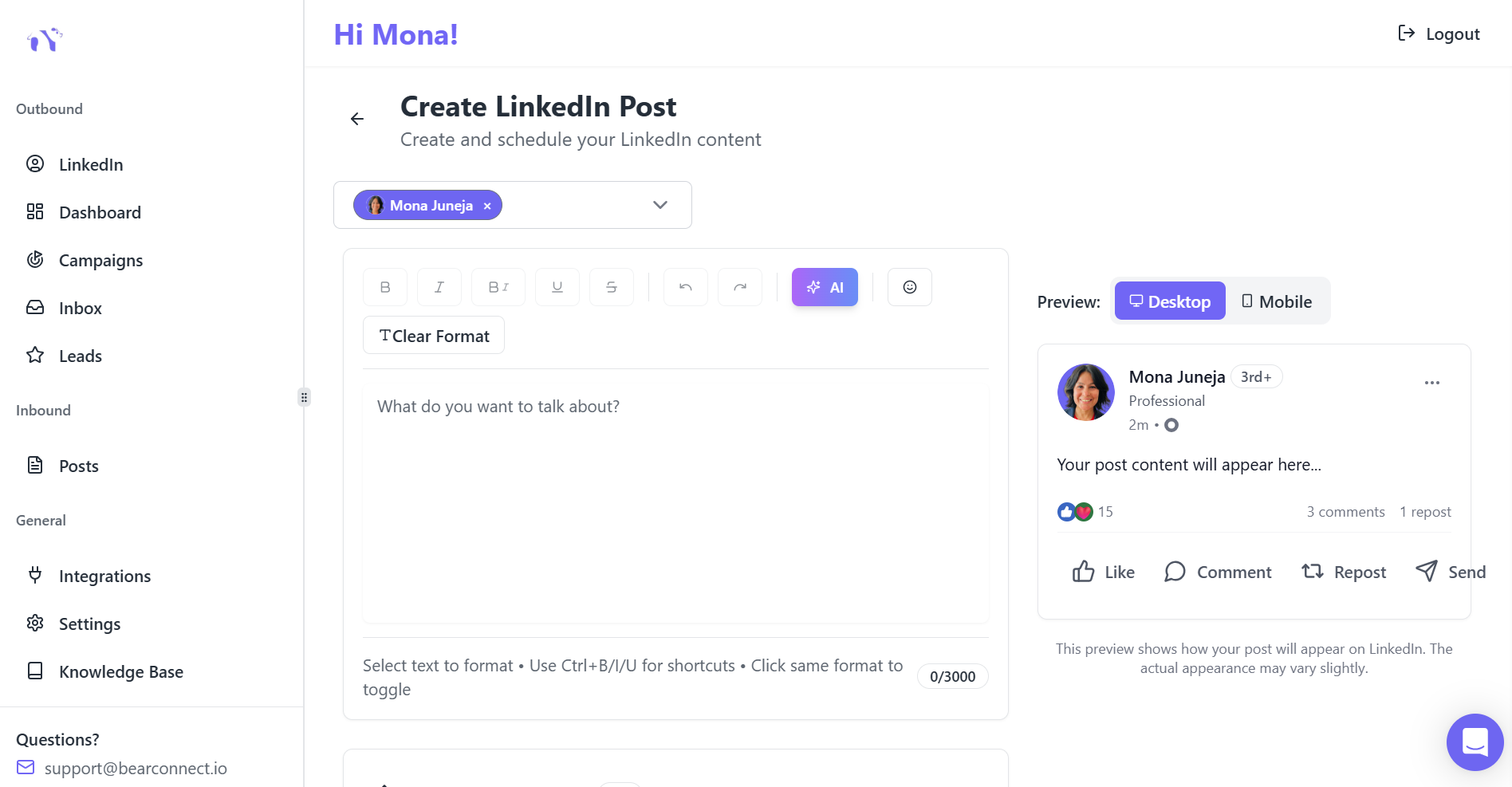
Bearconnect combines inbound AND outbound automation:
Inbound capabilities:
- AI-powered post generation
- Content calendar and scheduling
- Automated publishing to multiple accounts
Outbound capabilities:
- Connection request campaigns
- Multi-step messaging sequences
- Advanced personalization
Linked Helper handles exclusively outbound automation with zero content creation features.
4. Unified Inbox Architecture
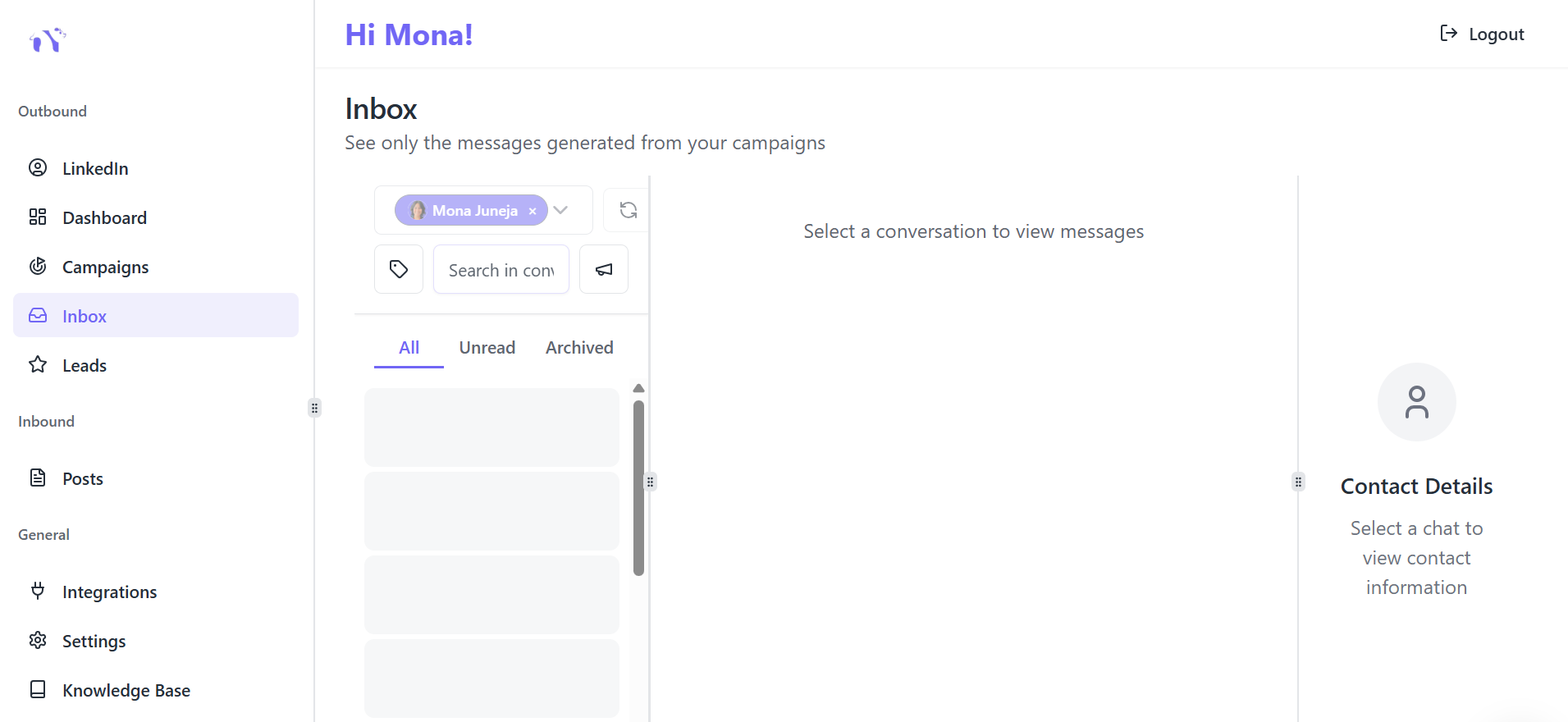
Manage conversations from unlimited LinkedIn accounts through one consolidated unified inbox dashboard.
Linked Helper forces manual account switching, causing missed messages and delayed responses.
5. AI Content Engine
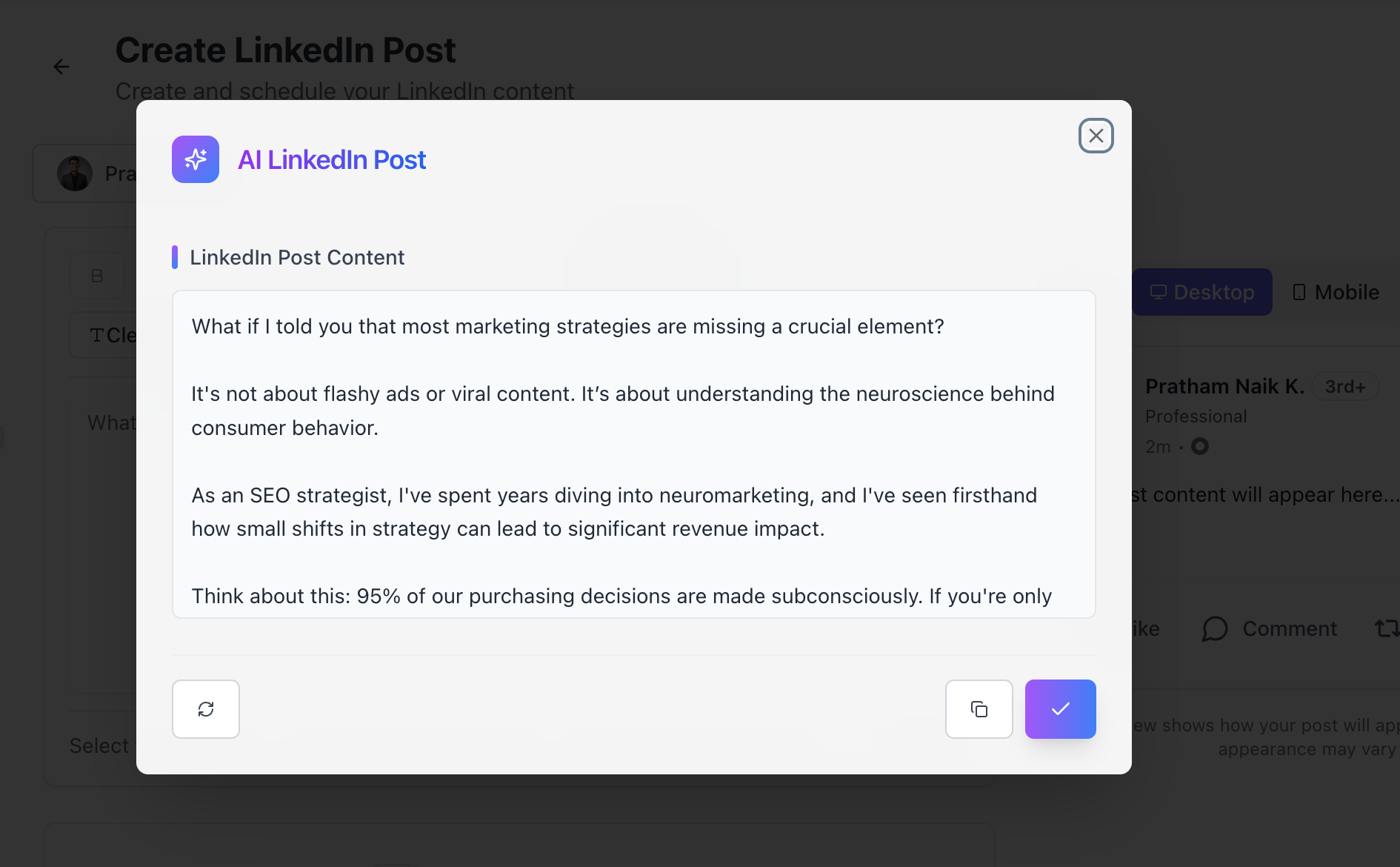
Built-in AI generates engaging LinkedIn posts in seconds:
- Topic suggestions based on your industry
- Tone customization (professional, conversational, thought leadership)
- Hashtag recommendations
- Performance optimization
Linked Helper offers zero content creation capabilities.
6. Enhanced Account Safety
Bearconnect prioritizes account protection:
- Dedicated country-specific IP addresses for each LinkedIn account ensure safer automation. Learn about LinkedIn automation safety best practices.
- Cloud-based behavior mimicry more sophisticated than desktop extensions
- Automatic account warm-up reduces restriction risks
Smart throttling respects LinkedIn's evolving limits
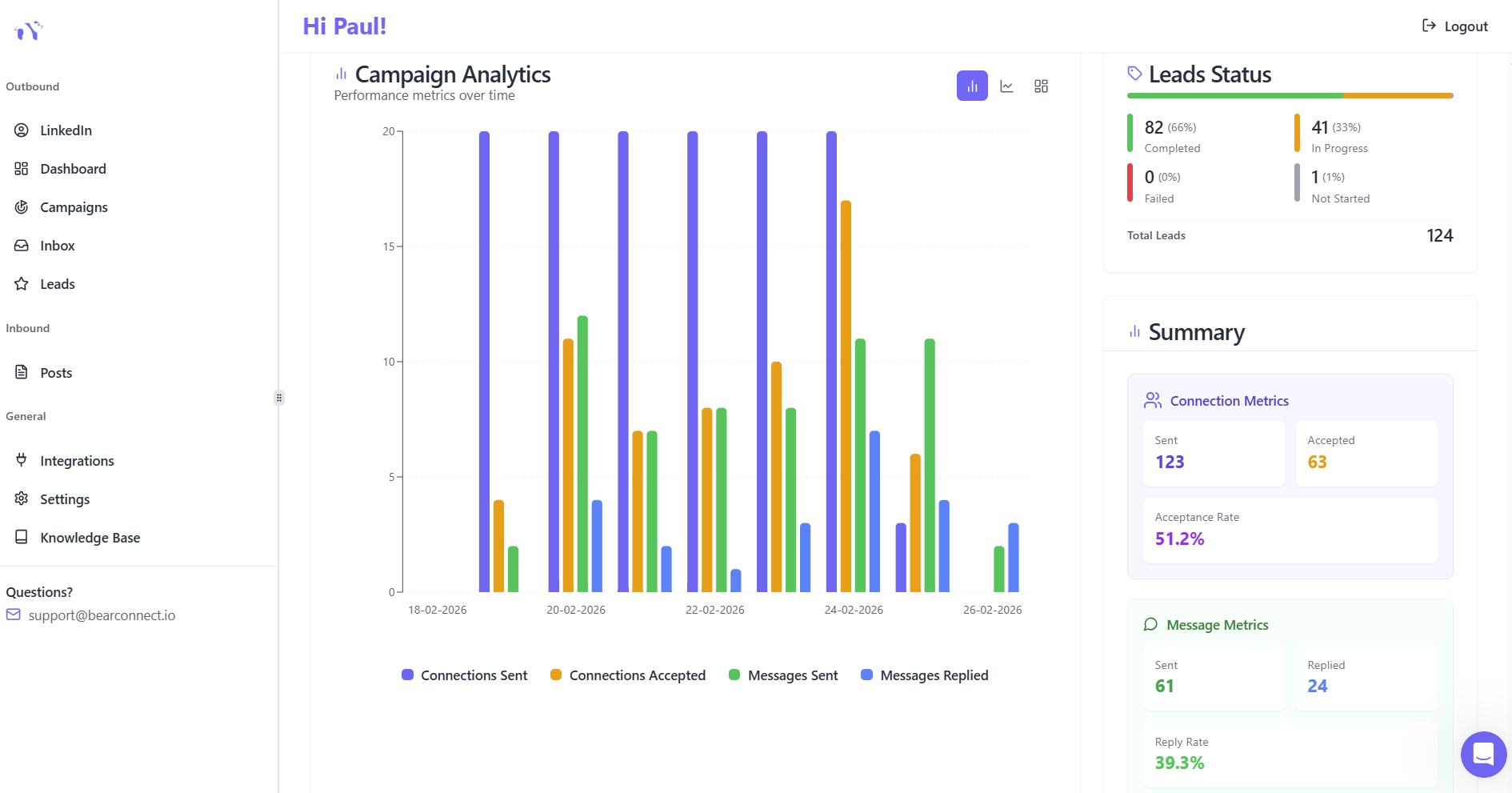
7. Complete Team Features
Built specifically for agencies and sales teams with shared workspaces, role-based permissions, and centralized billing.
- Shared workspaces with role-based permissions
- Centralized billing across unlimited accounts
- Team collaboration tools
- White-label options for agencies
Value Comparison: Linked Helper vs. Bearconnect
| Feature | Linked Helper | Bearconnect |
|---|---|---|
| Pricing | $15-45/month | $67/month ($57 for 5+) |
| Infrastructure | Desktop-only | Cloud-based 24/7 |
| Unified Inbox | ❌ No | ✅ Yes |
| AI Content Creation | ❌ No | ✅ Yes |
| Post Scheduling | ❌ No | ✅ Yes |
| Multi-Account Management | Limited (1 per license) | Unlimited from one seat |
| Account Safety | Desktop extension risk | Dedicated residential IPs |
| Campaigns Run When Computer Off | ❌ No | ✅ Yes |
| Best For | Solo users, tight budgets | Agencies, scaling teams |
Final Assessment: Is Linked Helper Worth Your Investment?
Choose Linked Helper When:
- Operating 1-2 LinkedIn accounts without scaling plans
- Extremely budget-conscious (under $20/month maximum)
- Technical user comfortable with desktop software and proxy setup
- Computer remains on 24/7 for continuous automation
- Requiring only outbound messaging without content needs
- Willing to accept higher account restriction risks
Choose Alternatives Like Bearconnect When:
- Managing 3+ LinkedIn accounts with growth plans
- Needing both outbound messaging automation AND inbound content automation for complete LinkedIn growth strategy.
- Requiring 24/7 cloud-based automation without manual intervention
- Seeking unified inbox across multiple accounts
- Prioritizing account safety with dedicated IPs
- Wanting team collaboration features and centralized management
- Valuing comprehensive analytics and reporting
- Preferring modern SaaS experience over desktop software
Why Teams Choose Bearconnect Over Linked Helper
Bearconnect systematically solves Linked Helper's core limitations:
Operational Continuity
Cloud infrastructure ensures campaigns run continuously without computer dependency or manual startup requirements.
Risk Mitigation
Dedicated country-based IP addresses and behavioral mimicry reduce LinkedIn restriction risks compared to desktop browser extensions.
Complete Automation
Dual inbound/outbound strategy increases visibility through scheduled content while simultaneously running connection campaigns for compound growth.
Agency-Ready Architecture
Purpose-built for teams with unified inbox, multi-account management, shared workspaces, and consolidated billing.
Immediate ROI
Pre-built templates and intuitive interface guarantee faster setup and results without technical expertise requirements.
Start your free 7-day trial today and discover why growing teams choose Bearconnect for sustainable LinkedIn lead generation.
Frequently Asked Questions (FAQs)
1. Is Linked Helper safe for LinkedIn automation?
Linked Helper includes basic safety features like randomized delays and daily limits. However, its desktop extension architecture carries higher detection risks compared to cloud alternatives using dedicated residential IPs. Multiple users report LinkedIn warnings despite following best practices.
2. Can Linked Helper run campaigns when my computer is off?
No. Linked Helper requires your computer to remain on and connected to the internet for campaigns to run. This desktop-only limitation causes campaign interruptions when you shut down your laptop, lose connectivity, or travel without your computer.
3. What's the difference between Linked Helper Standard ($15) and Pro ($45) plans?
The Pro plan removes the 20/day action limit on group messaging, event outreach, and post engagement. It also provides 5x more email finder credits (3,100 vs. 620 monthly) and priority customer support. Standard plan restricts these actions significantly.
4. Does Linked Helper offer a unified inbox for multiple LinkedIn accounts?
No. Linked Helper lacks centralized message management. Each LinkedIn account requires manual switching to view and respond to conversations, making it cumbersome for agencies or professionals managing multiple profiles.
5. Can I create and schedule LinkedIn posts with Linked Helper?
No. Linked Helper focuses exclusively on outbound automation (connections, messages, data scraping). It offers zero content creation features, AI post generation, or scheduling capabilities. For content automation, you need alternatives like Bearconnect.
Ready to Transform Your LinkedIn Strategy?
Join thousands of professionals already using Bearconnect to automate their outreach and grow their network.
7-day free trial • Cancel anytime
Related Articles
How to Set Up n8n Integration in Bearconnect: Build Self-Hosted LinkedIn Lead Workflows Without Code
Connect Bearconnect with n8n to automate LinkedIn lead workflows using flexible, self-hosted automation. Sync data across your CRM and tools, build custom workflows, and gain full control over your automation setup.
How to Set Up Make Integration in Bearconnect: Build Visual Lead Workflows Across Any App Without Code
Connect Bearconnect with Make to build visual LinkedIn lead workflows across your CRM, Slack, and other tools without code. Automate lead capture, streamline processes, and sync data seamlessly in real time.
How to Set Up Zapier Integration in Bearconnect: Auto-Send Leads to Your CRM, Slack, or Google Sheets
Connect Bearconnect with Zapier to automatically send LinkedIn leads to your CRM, Slack, or Google Sheets. This step-by-step guide helps you streamline workflows, reduce manual work, and capture leads in real time.