How Can SDRs Book More Meetings Using LinkedIn Automation?
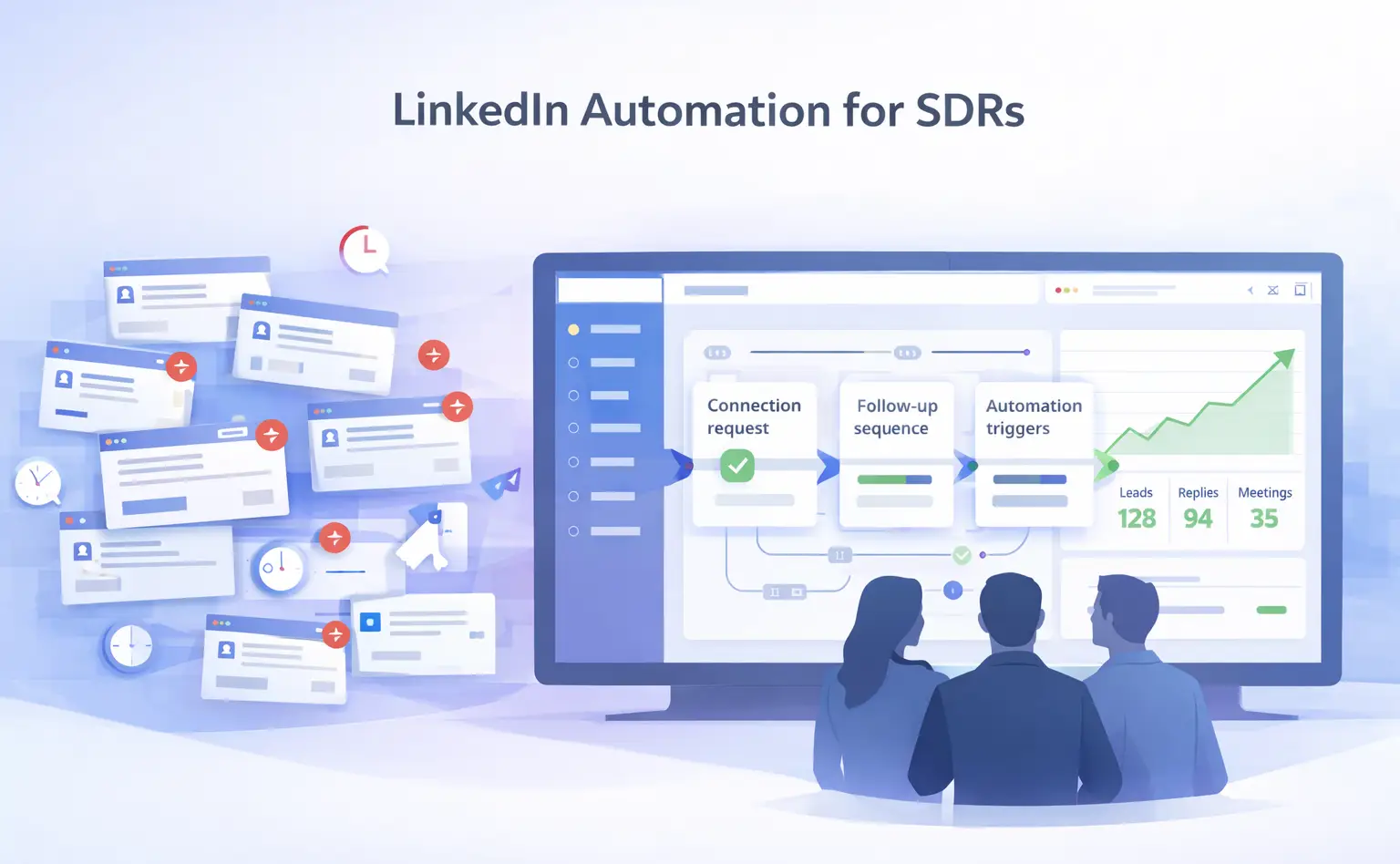
LinkedIn automation for SDRs lets you run personalized connection sequences, trigger follow-ups automatically, and manage every reply from a single inbox.
The result: fewer manual tasks, more conversations, and a steadier pipeline of booked meetings.
TL;DR
- SDRs waste 10 to 15 hours per week on manual LinkedIn tasks that automation can handle directly
- A structured connection request plus follow-up drip sequence is the core engine for booking meetings at scale
- Safe automation requires local IPs, behavior mimicry, and smart throttling to protect your account
- A unified inbox keeps every reply visible across all LinkedIn accounts so no prospect slips through
- Tools like Bearconnect execute the full process at $67/month per LinkedIn account, far below the $150 to $500/month competitors charge
Phase 1: Why Manual Outreach Is Killing Your Quota
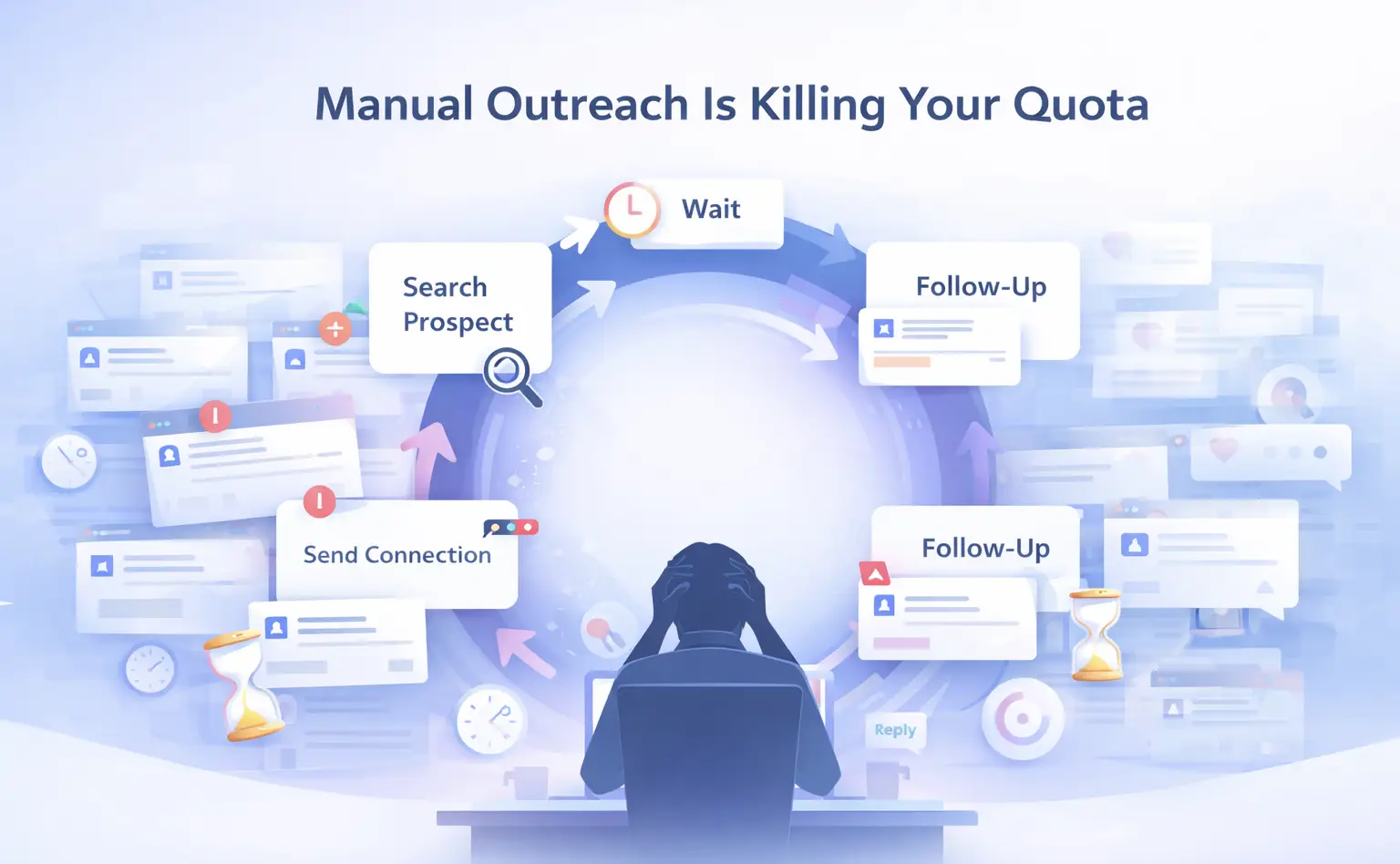
The manual LinkedIn loop is your biggest quota blocker.
- Sales teams waste 60 to 70% of their working time on non-revenue activities, and manual LinkedIn outreach sits right at the center of that problem.
As an SDR, your day looks like this: open LinkedIn, search for a prospect, send a connection request, wait, follow up manually, lose track of the thread, repeat. That cycle eats 10 to 15 hours every week.
Those hours are not moving deals forward. They are just keeping the hamster wheel spinning.
- What you actually need is a system, not more effort. The SDRs who book the most meetings are not working harder.
- They have automated the repetitive parts of outreach so their time goes to calls, demos, and closing.
The Real Cost of Doing This Manually
- You can physically send only 20 to 30 connection requests per day without getting flagged
- Follow-up timing is inconsistent because it depends on when you remember to check
- Replies from multiple prospects pile up across tabs and get missed
You have zero data on which messages actually convert
Pro Tip: Calculate how many hours you spend on LinkedIn tasks per week. Multiply that by your hourly value. That number is what manual outreach is costing your company every single month.
Phase 2: How LinkedIn Automation for SDRs Actually Works
A LinkedIn automation sequence has four moving parts: connection request, follow-up messages, personalization, and reply handling.
Get all four right and your meeting booking rate increases significantly.
Here is the exact flow that works for B2B SDRs:
Step 1: Build a Targeted Lead List
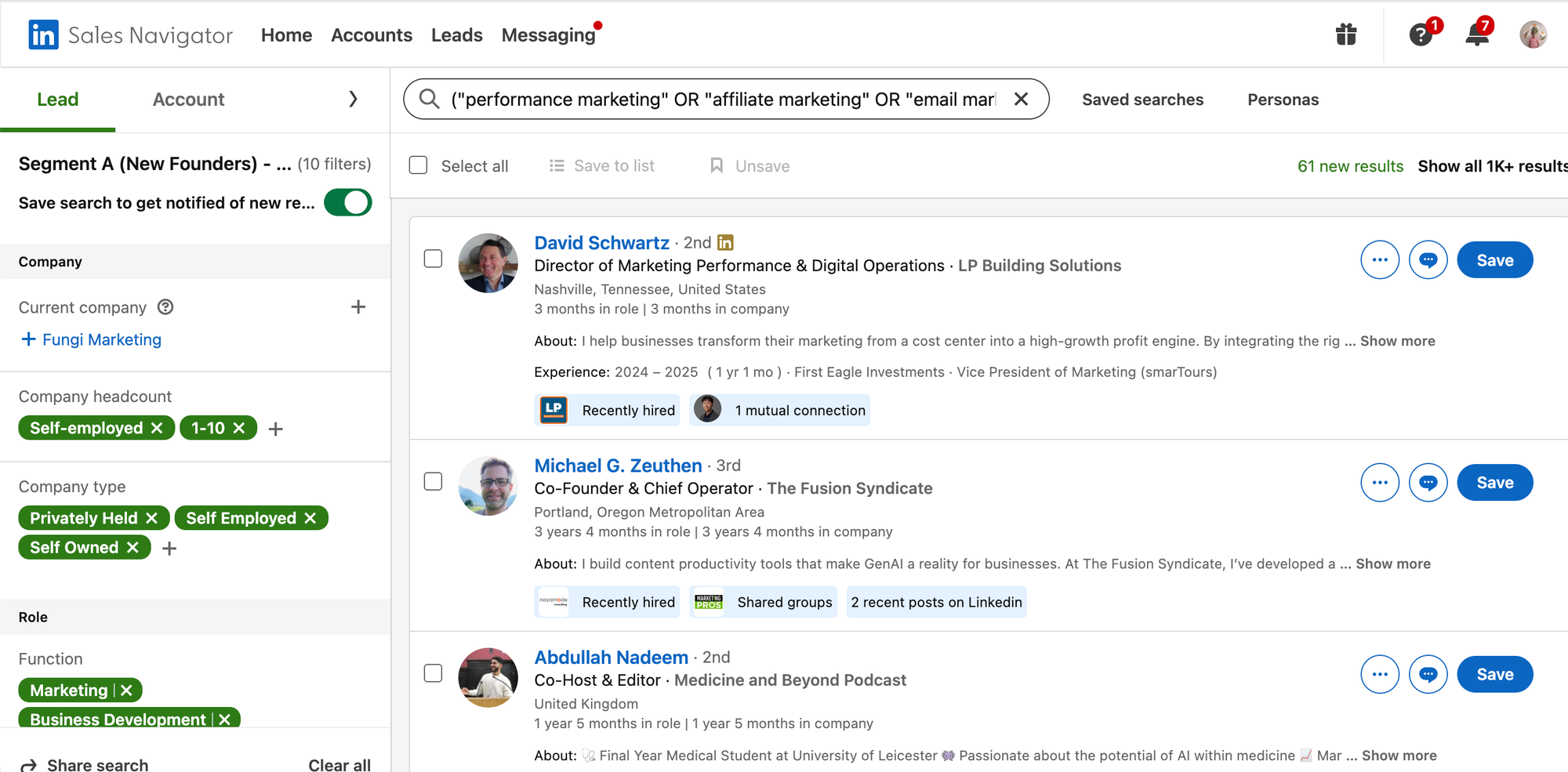
Start with a specific audience. Vague targeting produces vague results.
- Use LinkedIn Search URL or LinkedIn Sales Navigator to pull filtered prospects by job title, company size, industry, and seniority level
- Import those leads directly into your automation tool
- Segment by buyer persona so your messaging stays relevant
Tools like Bearconnect let you paste a LinkedIn search URL or a Sales Navigator URL and import matching profiles as leads instantly.
Step 2: Write a Connection Request That Gets Accepted
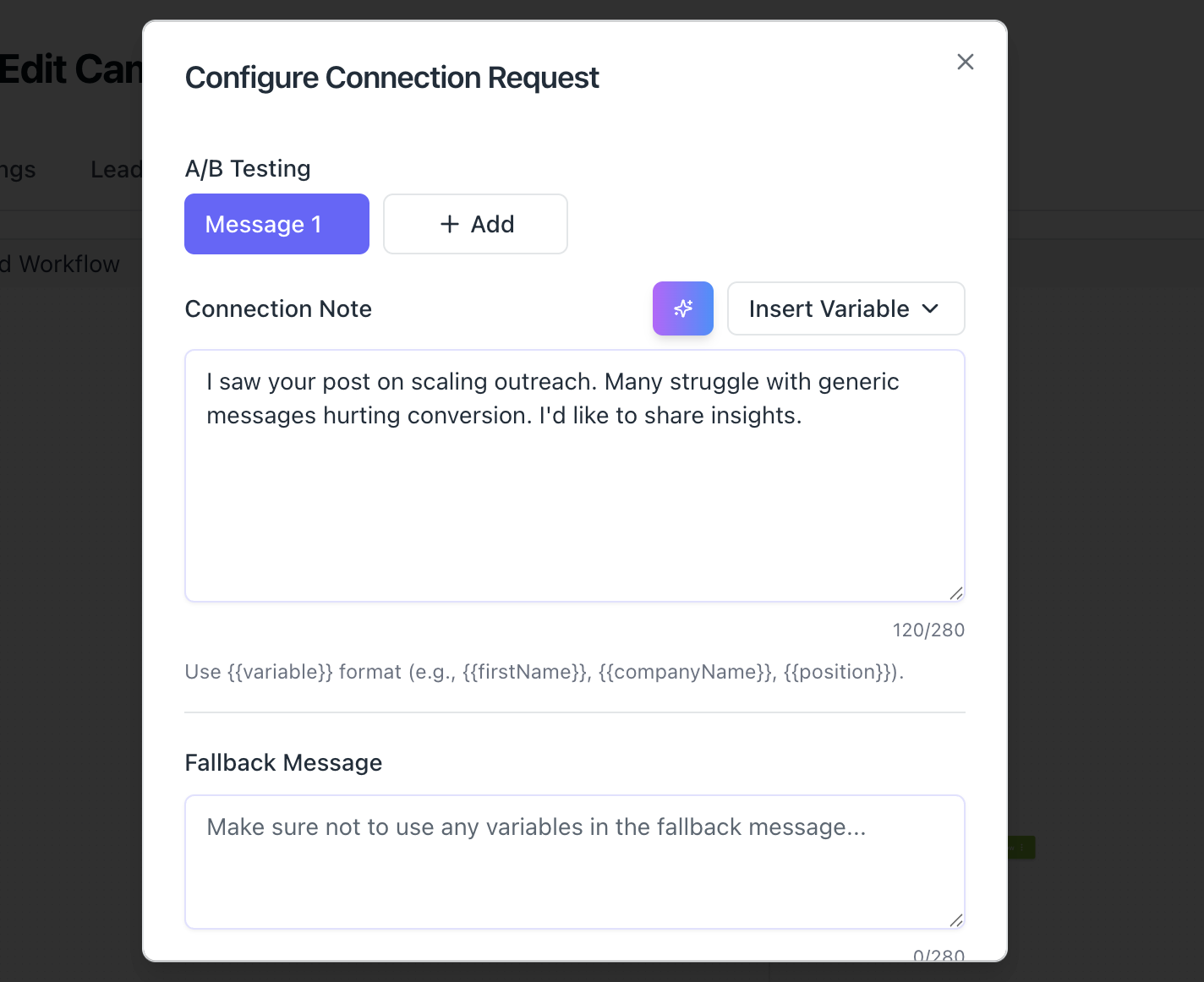
Your connection request is not a pitch. It is a handshake. Keep it short, relevant, and human.
A high-converting connection request does three things:
- References something specific about the prospect (role, company, content they posted)
- States a clear, low-friction reason for connecting
- Avoids any mention of a product or a pitch
Connection acceptance rates with well-written personalized requests typically land between 15% and 30%.
Pro Tip: Use personalization tokens to insert the prospect's first name, company name, and job title automatically. This makes each message feel written individually even when you send 50 in a day.
Step 3: Set Up a Follow-Up Drip Sequence
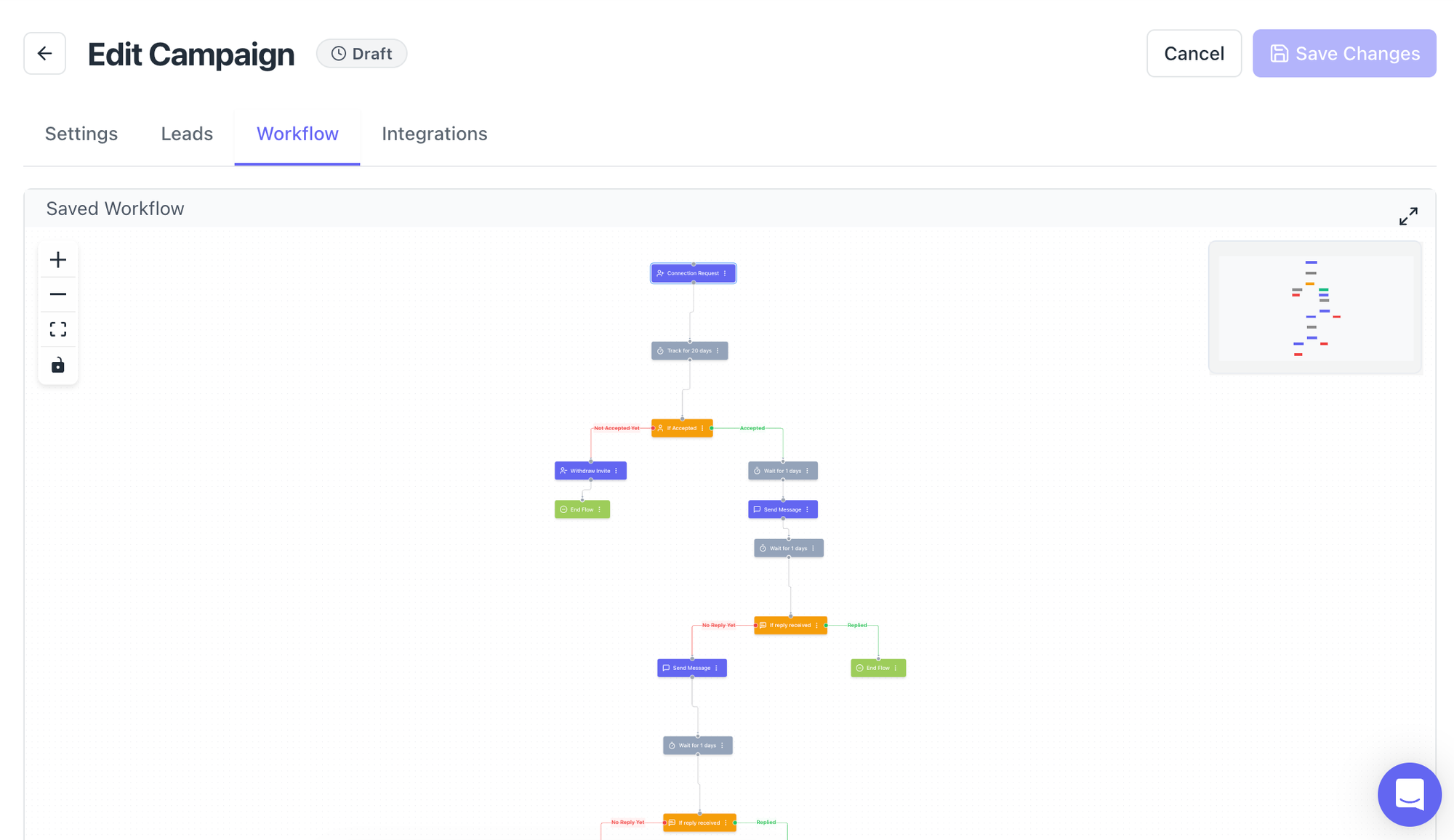
Most replies come from the second or third follow-up, not the first message. This is where manual outreach completely falls apart and automation wins.
A solid SDR follow-up sequence looks like this:
- Day 0: Connection accepted, send a short introductory message
- Day 3: Follow up with a value-add, a resource, a stat, or a relevant insight
- Day 7: Send a soft CTA, ask if the problem you solve is relevant to them right now
- Day 14: Final check-in, low-pressure, leave the door open
Start with proven LinkedIn message templates for automation before writing your own.
Bearconnect's drip sequence builder lets you set up this entire flow with time delays, conditions, and personalization tokens without writing a single line of code.
Step 4: Handle Replies from One Unified Inbox
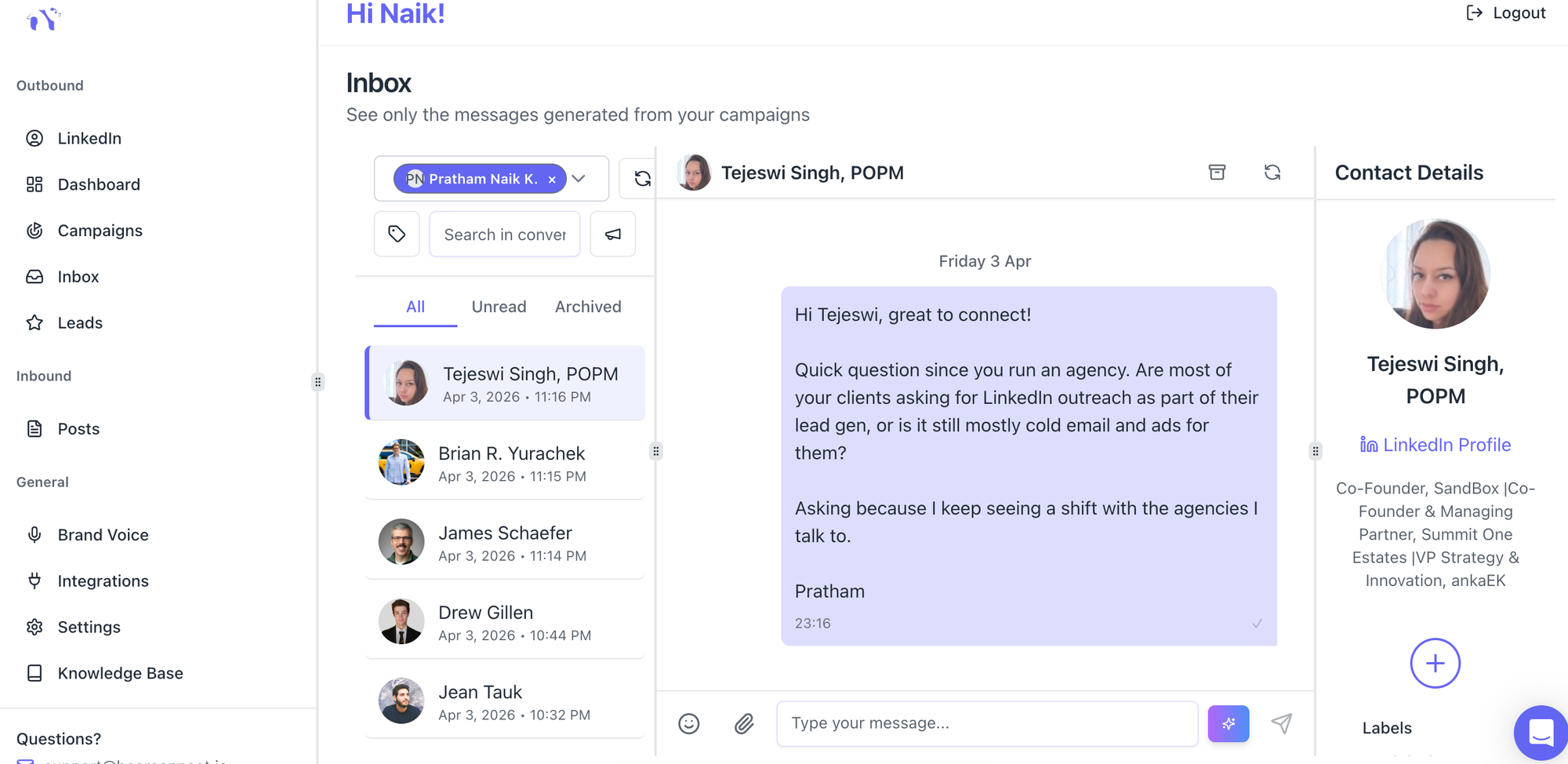
Fragmented replies kill deals. When you manage three to five LinkedIn accounts, responses scatter across profiles and prospects wait hours or days for a reply.
- A unified inbox pulls all messages from every connected LinkedIn account into one place.
- You see every reply, every thread, and every opportunity from a single dashboard.
Bearconnect's unified inbox does exactly this, and pairs it with AI reply suggestions that match your brand voice so your responses always sound like you.
Phase 3: How to Automate LinkedIn Without Getting Banned
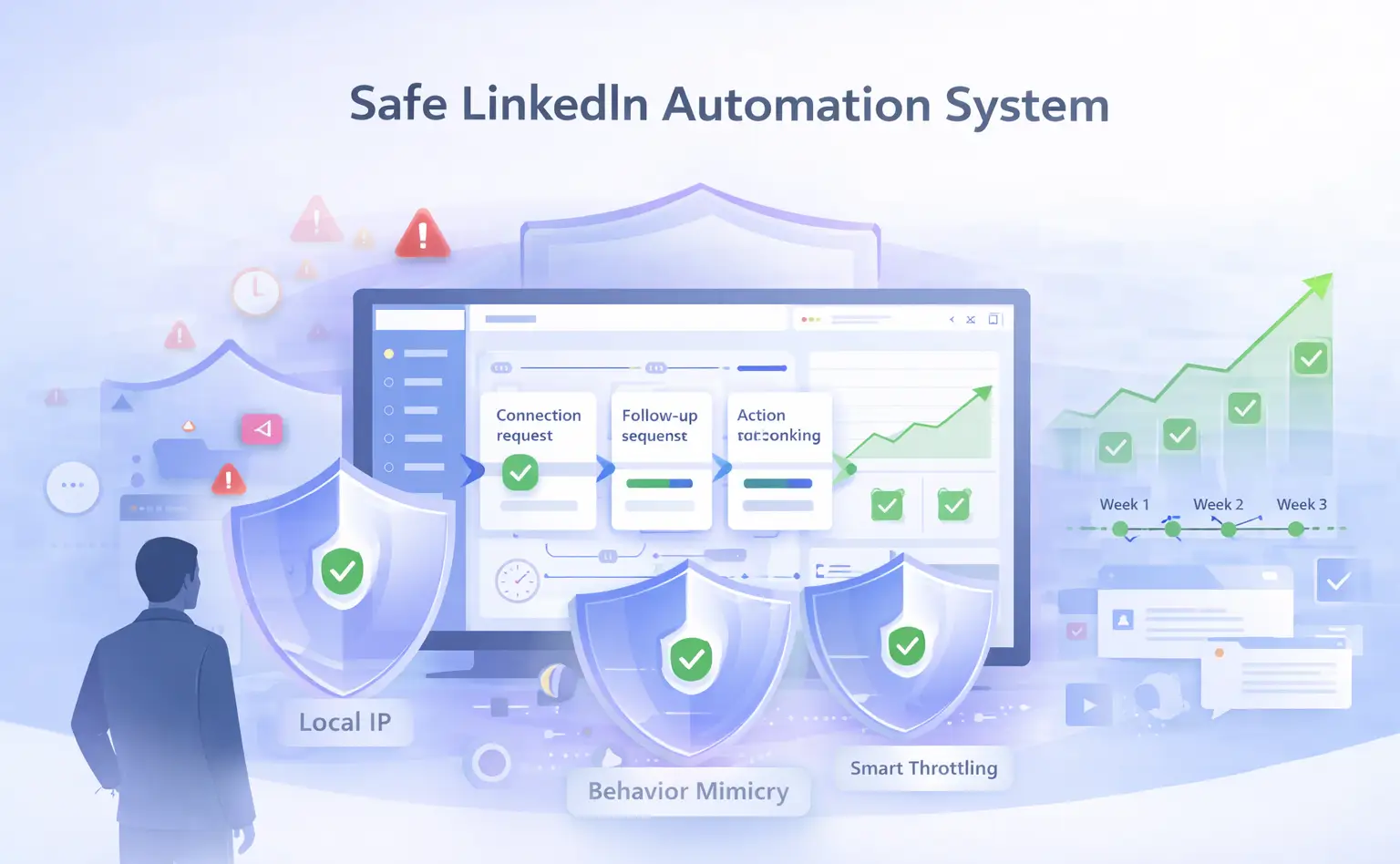
Account safety is the number one fear SDRs have about LinkedIn automation, and it is completely solvable.
The accounts that get banned make one mistake: they automate aggressively from day one with no warm-up.
Follow this safety layer and your account stays clean:
1. Use Local IPs and Behavior Mimicry
- LinkedIn flags activity that looks robotic. Actions that happen at machine speed, at odd hours, or from datacenter IPs trigger detection.
- Safe automation tools operate through local IPs that mimic organic user behavior. Actions happen at human-like speeds with natural variation between tasks.
2. Respect Daily Action Limits
- LinkedIn has undisclosed daily limits on connection requests and messages. Hitting those limits repeatedly puts your account at risk.
- Smart throttling means your automation tool respects those limits automatically. You never approach the threshold that triggers a review.
3. Warm Up Your Account Gradually
Start slow and scale up. If you launch at full volume on day one, LinkedIn notices.
A proper warm-up ramps activity over two to three weeks:
- Week 1: 5 to 10 connection requests per day
- Week 2: 10 to 20 per day
- Week 3 onwards: scale to your target volume
Bearconnect's safety architecture includes local IP routing, behavior mimicry, and smart throttling built directly into every campaign.
Pro Tip: Run your automation during normal business hours in your prospect's timezone. Activity at 3 AM looks like a bot. Activity at 10 AM looks like a person.
Phase 4: The SDR's Automation Stack and What It Should Cost
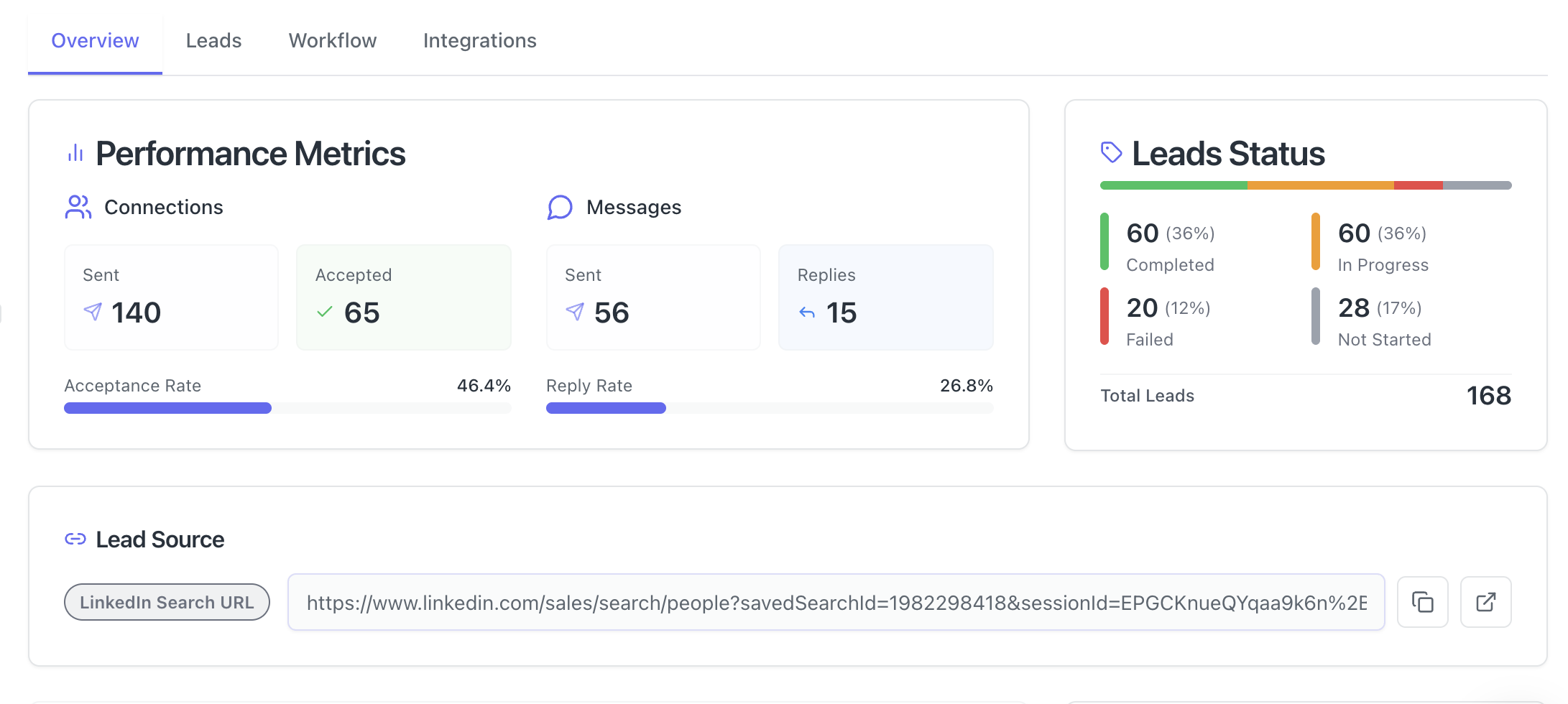
The right LinkedIn automation tool should cost less than a single qualified meeting is worth. Most bloated enterprise tools charge $150 to $500 per month and still require significant manual work.
What to Look for in a LinkedIn Automation Tool
An SDR-ready tool needs these five things:
- Drip sequence builder with time delays and conditions
- Personalization tokens for name, company, title, and custom fields
- Unified inbox across multiple LinkedIn accounts
- Campaign analytics showing acceptance rates, reply rates, and conversion data
- Account safety features including throttling and behavior mimicry
Where Bearconnect Fits
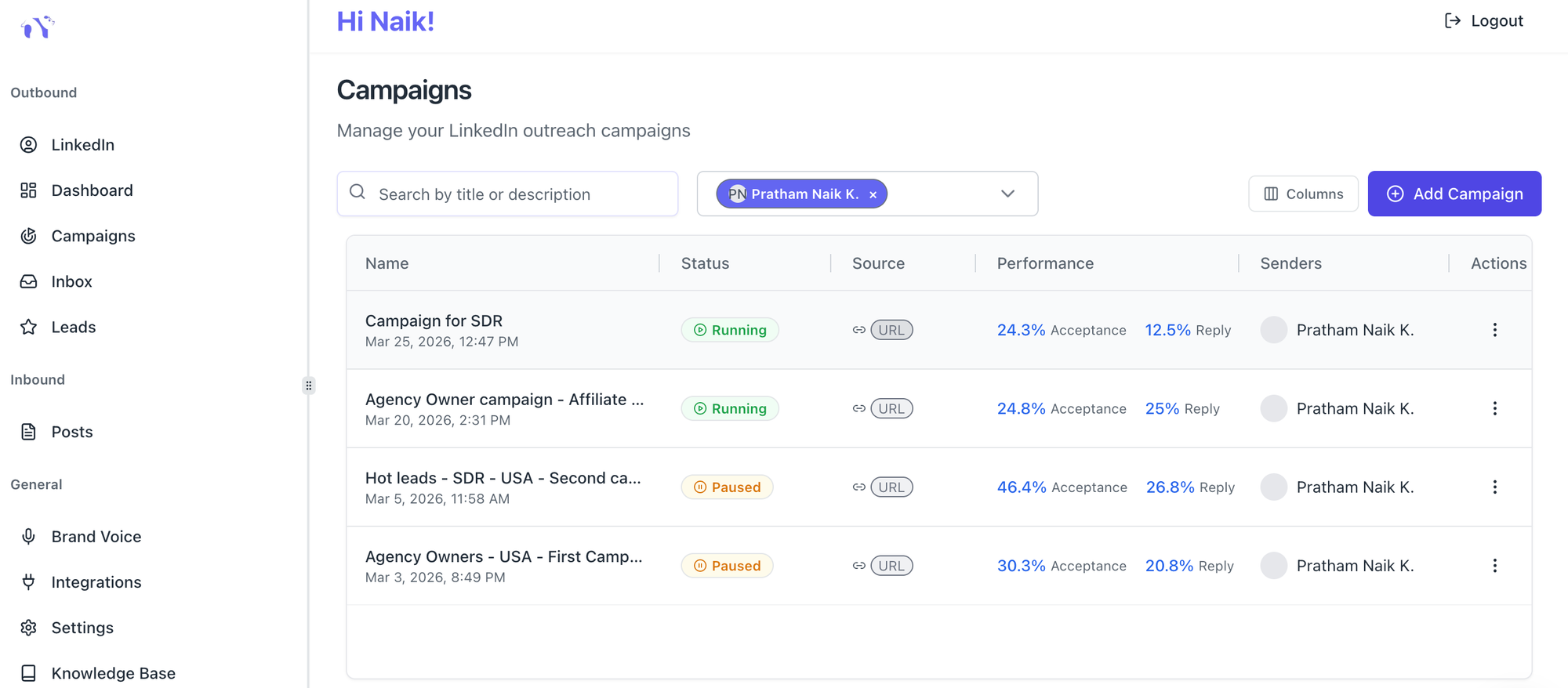
Bearconnect is an AI-powered LinkedIn automation platform built for sales teams, agencies, and founders who need scalable outreach without a bloated price tag.
Here is what you get at $67/month per LinkedIn account:
- Unlimited campaigns with no cap on outreach volume
- Drip sequence builder with personalization tokens
- Unified inbox for all connected LinkedIn accounts
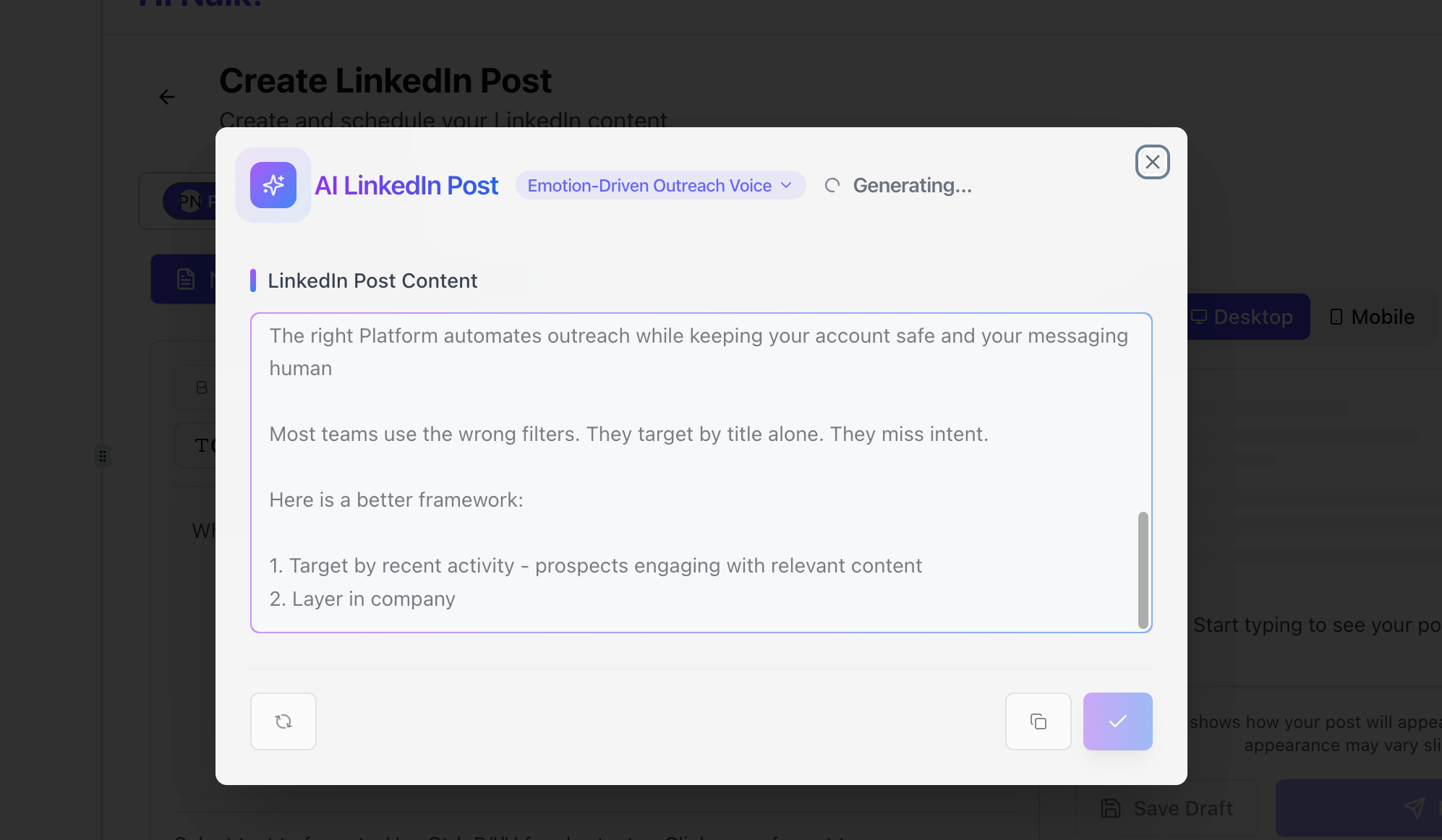
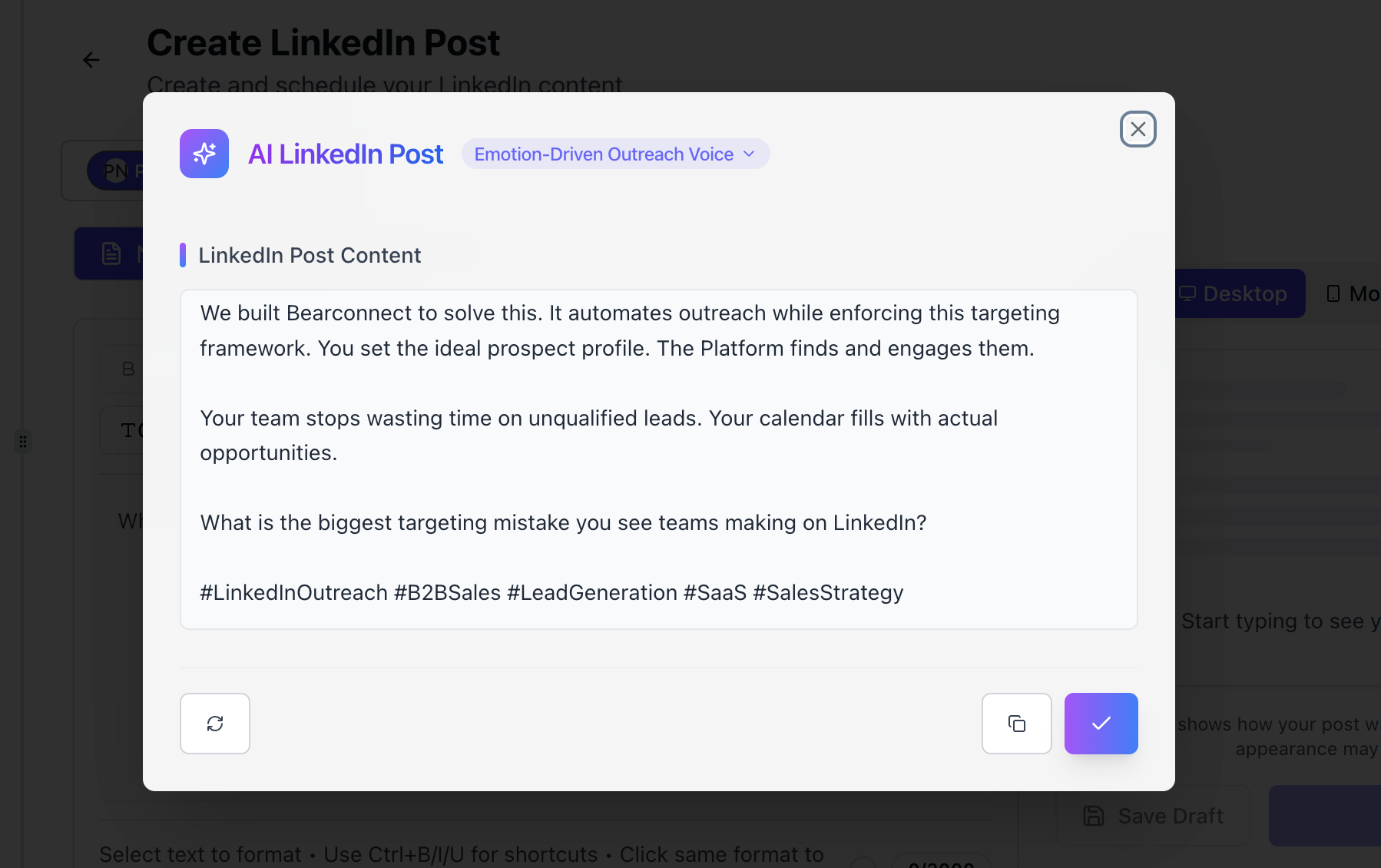
- AI post creation and scheduling for inbound visibility alongside outbound outreach
- Campaign analytics dashboard with connection acceptance rates, response rates, and lead conversion tracking
- Local IP protection and behavior mimicry for account safety
- CRM integrations with HubSpot and Pipedrive
If you connect 5 or more LinkedIn accounts, the price drops to $57/month per account.
SDR Tool Cost Comparison
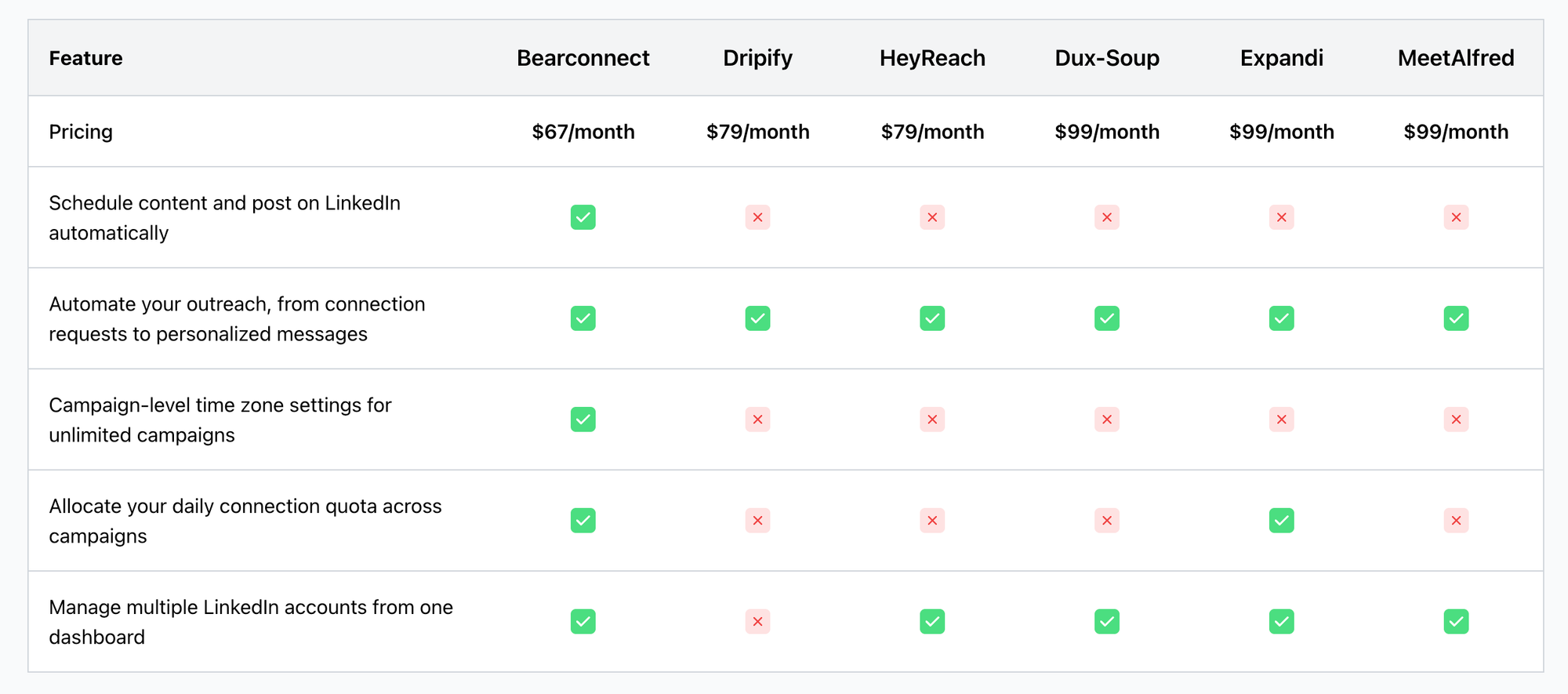
| Feature | Bearconnect | Typical Competitors |
|---|---|---|
| Price per LinkedIn account | $67/month | $150 to $500/month |
| Unlimited campaigns | Yes | Limited or tiered |
| Unified inbox | Yes | Limited |
| AI content creation | Yes | Often extra cost |
| Advanced analytics | Yes | Basic or limited |
| Account safety features | Built in | Varies |
| Volume discount (5+ accounts) | $57/month | Rarely offered |
Pro Tip: If your team runs more than 5 LinkedIn accounts for outreach, the Bearconnect volume discount alone saves you more per month than many tools charge for basic features.
A Practical SDR Scenario
Imagine you are an SDR at a B2B SaaS company. Your quota is 12 meetings per month.
- Right now you book 6 to 8 because you spend Monday to Wednesday manually sending connection requests and tracking follow-ups in a spreadsheet.
- You set up Bearconnect with a three-step drip sequence targeting VP of Operations in the logistics industry. You import 500 leads from a LinkedIn search URL.
- The tool sends connection requests at a safe daily pace, follows up automatically on day 3 and day 7, and routes every reply to your unified inbox.
- By week 3, you have 40 replies in your inbox. You spend two hours that week responding to interested prospects and book 5 meetings from that single campaign.
Your manual task time drops from 12 hours a week to under 3.
That is the compounding value of automating your LinkedIn outreach as an SDR.
5 FAQs: LinkedIn Automation for SDRs
Q1. Will LinkedIn automation get my account banned?
Not if you use a tool with built-in safety features. Bearconnect uses local IPs, behavior mimicry, and smart throttling to keep your actions within LinkedIn's acceptable limits. Gradual warm-up over the first two to three weeks reduces risk further.
Q2. How many LinkedIn messages can I send automatically per day?
Most safe automation tools keep you between 20 and 50 connection requests per day and 50 to 100 follow-up messages, depending on your account age and warm-up stage. Going above these ranges increases your risk of restriction.
Q3. Do automated LinkedIn messages sound robotic?
Only if you write generic templates. Personalization tokens that insert the prospect's name, company, and role make messages feel individually written. Bearconnect also lets you configure a Brand Voice profile so every AI-assisted message matches your natural tone.
Q4. Do I need LinkedIn Sales Navigator to use LinkedIn automation?
No. Bearconnect imports leads directly from standard LinkedIn search URLs, so you do not need a Sales Navigator subscription. If you do have Sales Navigator, you can also use that URL for higher-quality filtering.
Q5. How quickly can I start booking meetings with LinkedIn automation?
Most SDRs see reply activity within the first week of launching a campaign. Meetings start appearing in week two to three once follow-up sequences trigger for prospects who accepted the connection request but did not respond to the first message.
Ready to Book More Meetings This Week?
Stop spending 10 to 15 hours on outreach tasks that a tool can handle in minutes.
Set up your first LinkedIn automation sequence today and put that time toward calls, demos, and closing.
Start your 7 Day Free Trial with Bearconnect. At $67/month per LinkedIn account (or $57/month when you connect 5 or more), it is the most cost-effective way to run a full outreach system without the bloat of enterprise tools.
Connect your LinkedIn account, build your first drip sequence, and see replies hit your unified inbox by the end of the week.
Ready to Transform Your LinkedIn Strategy?
Join thousands of professionals already using Bearconnect to automate their outreach and grow their network.
7-day free trial • Cancel anytime
Related Articles
How B2B Sales Teams Close More Deals by Automating LinkedIn Outreach?
Automate LinkedIn outreach to help B2B sales teams generate leads, start conversations, and close more deals faster with proven strategies.
How B2B Sales Teams Close More Deals by Automating LinkedIn Outreach?
B2B sales teams waste hours on manual LinkedIn outreach. Automation fixes that more meetings, less grind, better conversions at scale.
Is There a Dripify Alternative with No Credit Limit That Actually Works for LinkedIn Outreach?
Yes. Bearconnect is a Dripify alternative with no credit system, no campaign caps, and a unified inbox built for unlimited LinkedIn outreach at $67/month per LinkedIn account. TL;DR * Dripify Basic ($39/mo) locks you to 1 drip campaign and hard daily action limits * Dripify charges $29 to $99 extra for email finder credit top-ups on top of your plan cost * Dripify offers no dedicated inbox on its Basic plan and only a single-account inbox on Pro * Bearconnect gives you unlimited campaigns