LinkedIn Follow vs Connect: Which Action Should You Use for Outreach?
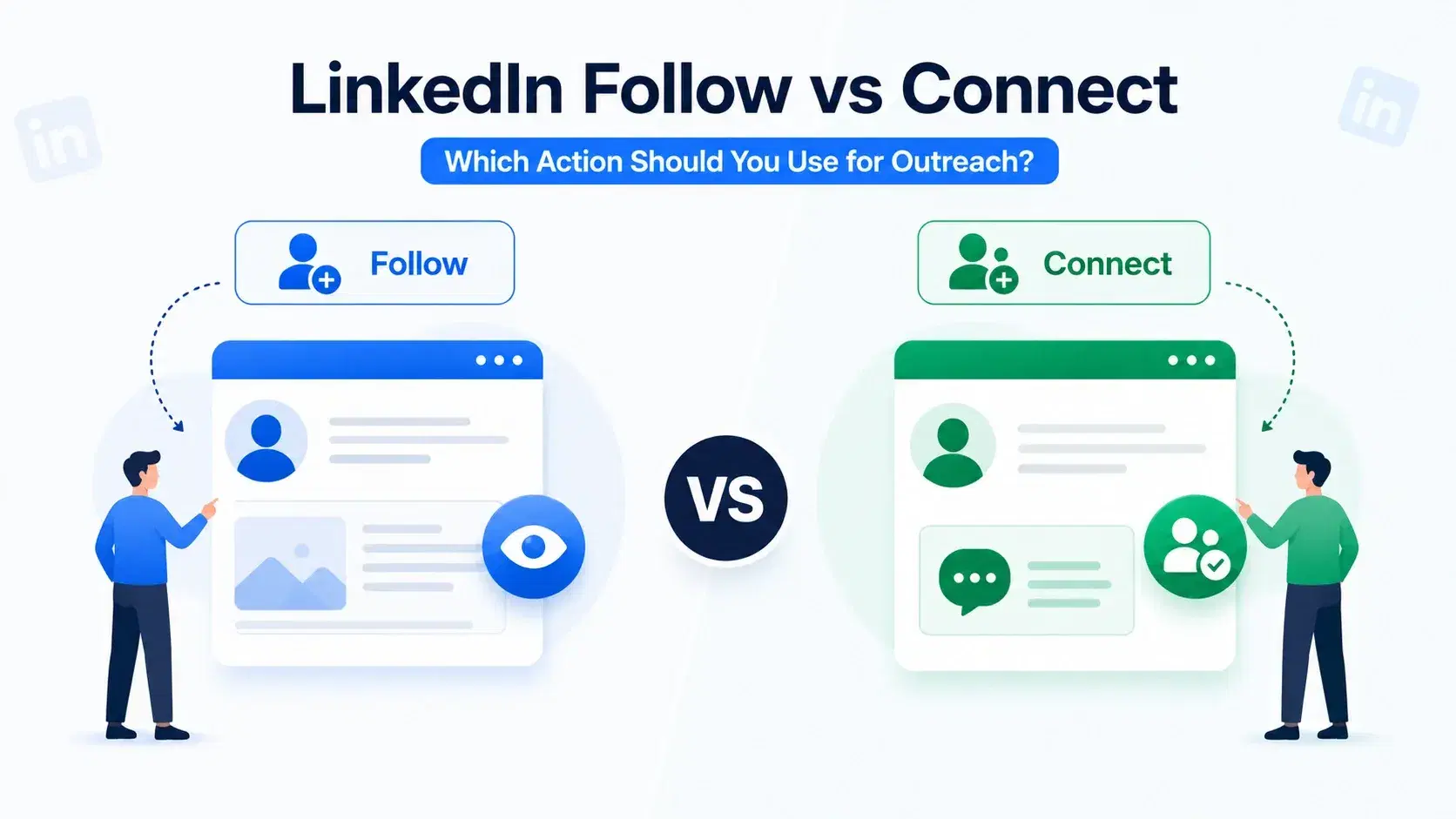
Follow and connect on LinkedIn are not the same action. Picking the wrong one wastes connection requests, kills acceptance rates, and slows your pipeline.
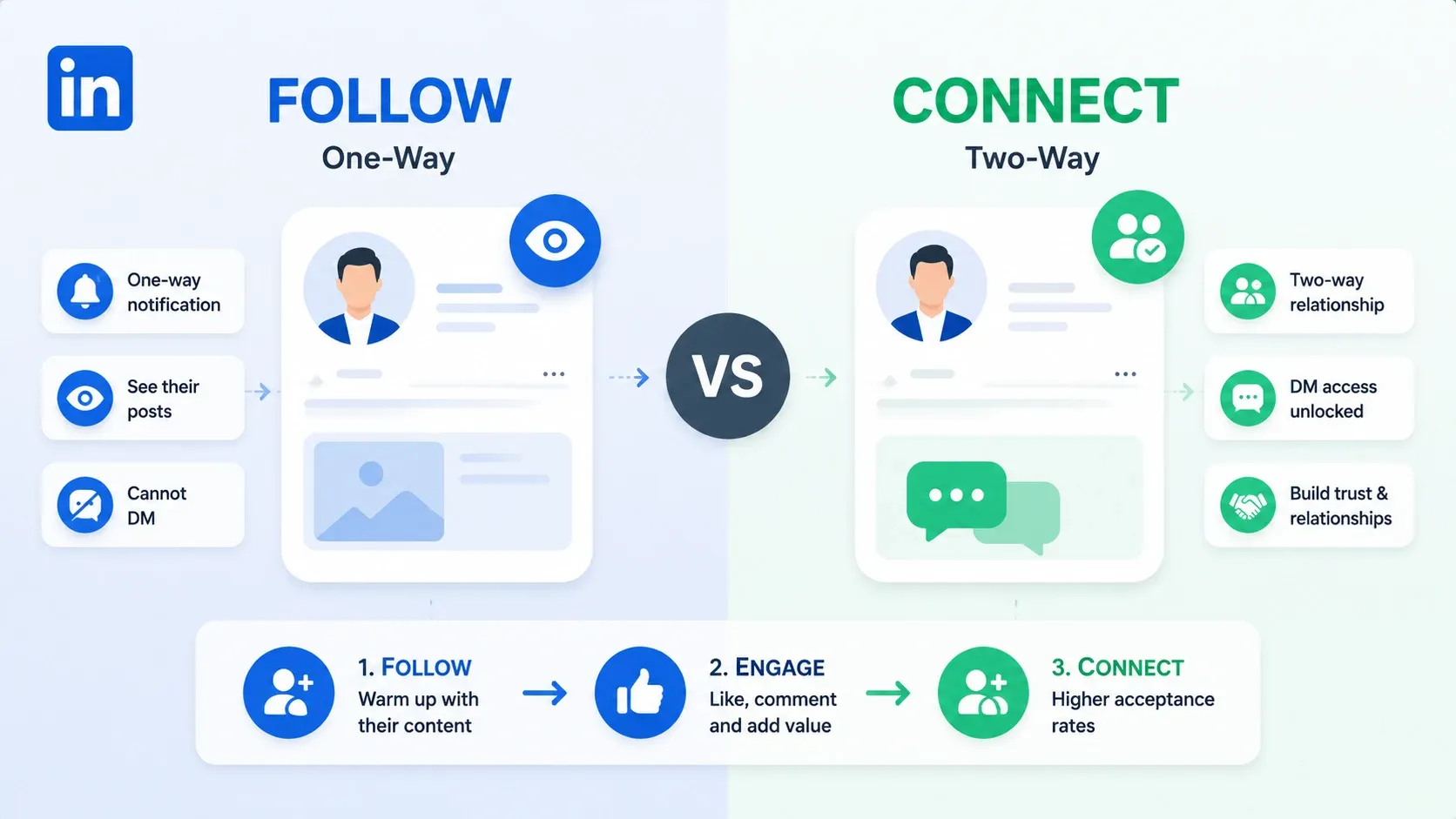
Here is the short version. Connect when you want a two-way relationship and DM access. Follow when you want to warm up a cold prospect before making a move.
The real answer depends on your goal, your weekly limits, and how you sequence both actions together.
If you are new to LinkedIn outreach, this distinction alone will save you weeks of trial and error.
TL;DR
- Following is one-way. You see their posts, they get a notification, but you cannot DM them.
- Connecting is two-way. Once accepted, you can message each other freely.
- Following first, then connecting after engagement, increases acceptance rates for cold outreach.
- LinkedIn caps connection requests at roughly 100-200 per week. Follows have no hard cap.
- You can follow and connect with the same person. They are not mutually exclusive.
- For agencies managing multiple accounts, a follow-first sequence protects account safety while keeping volume high.
What Does Follow vs Connect Mean on LinkedIn?
| Feature | Follow | Connect |
|---|---|---|
| What it means | You subscribe to their content | You request a mutual relationship |
| Approval needed? | No | Yes (they must accept) |
| Your feed | Their posts appear | Their posts appear |
| Can they DM you? | Only if they have open profile | Yes |
| Can you DM them? | Only if they have open profile | Yes (after acceptance) |
| Appears in your network? | No | Yes |
| They follow you back? | No automatic follow-back | Both become connections |
The difference comes down to reciprocity.
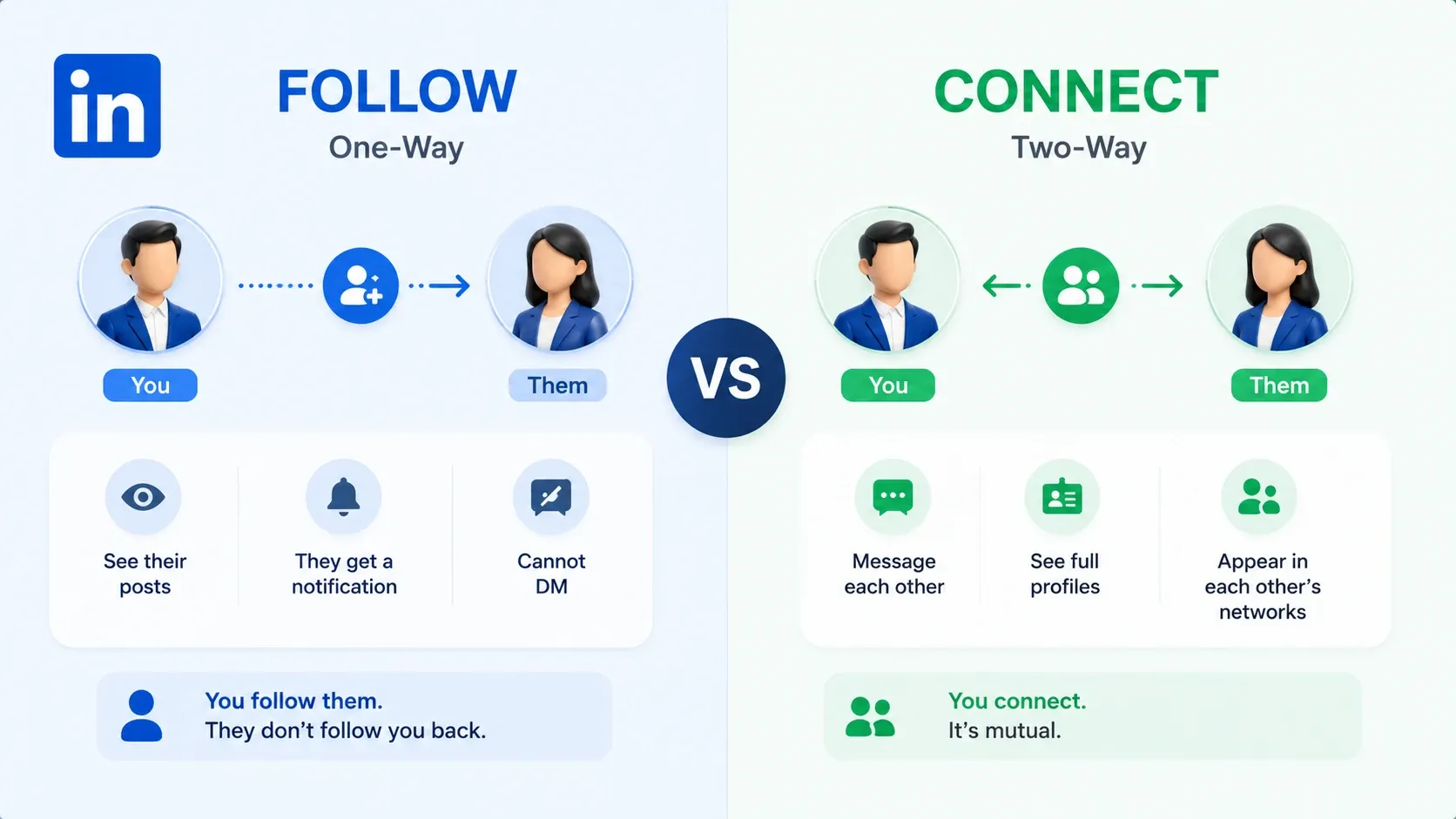
Following means you subscribe to their content. Their posts appear in your feed, they get a notification, and that is it. They do not follow you back automatically. You cannot DM them (unless they have an open profile via LinkedIn Premium).
Connecting means you request a mutual relationship. If they accept, both of you can:
- Message each other directly
- See each other's full profiles
- Appear in each other's networks
So are followers and connections the same on LinkedIn? No.
- Followers = your audience
- Connections = your network
- A person can be both, but each action unlocks different access
What Happens When You Follow Someone on LinkedIn?
Three things happen immediately:
- Their posts start appearing in your feed
- They receive a notification that you followed them
- You appear in their followers list
That is it on their end. No approval needed. No connection count change. No automatic follow-back.
For outreach, that follow notification is a soft, low-friction touchpoint. It puts your name in front of the prospect without asking them for anything.
Used correctly, it is the cheapest warmup action on LinkedIn. Used alone with no follow-through, it is just noise.
Can you both follow and connect with the same person? Yes.
When someone accepts your connection request, LinkedIn automatically makes you mutual followers too. You can also follow first and send a connection request later. The follow stays active in the background while you warm up the relationship.
How to Follow vs Connect on LinkedIn: The Exact Steps
1. How to Follow Someone
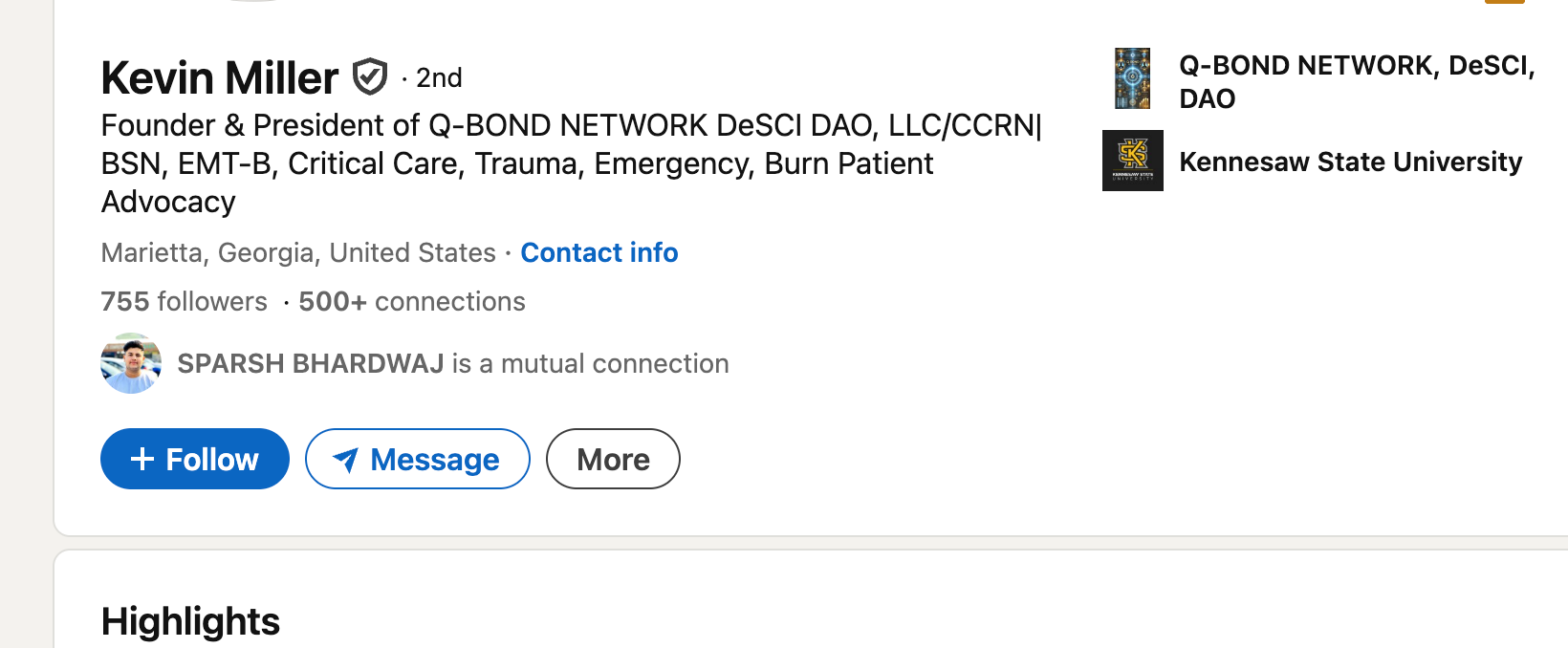
- Go to their profile.
- If a Follow button is visible, click it. Done.
- If Connect is the primary button, click More and select Follow.
No approval needed. The follow is instant and one-sided.
2. How to Connect with Someone
- Go to their profile.
- Click Connect (or find it under More on creator mode profiles).
- Add a personalised note (strongly recommended after a follow-first warmup).
- Wait for them to accept, ignore, or decline.
3. How to Unfollow or Withdraw a Request
- Unfollow: Click Following on their profile. They will not be notified.
- Withdraw a connection request: Go to My Network → Manage → Sent Invitations → Withdraw. They will not be notified.
Should I Follow or Connect on LinkedIn? A Decision Framework
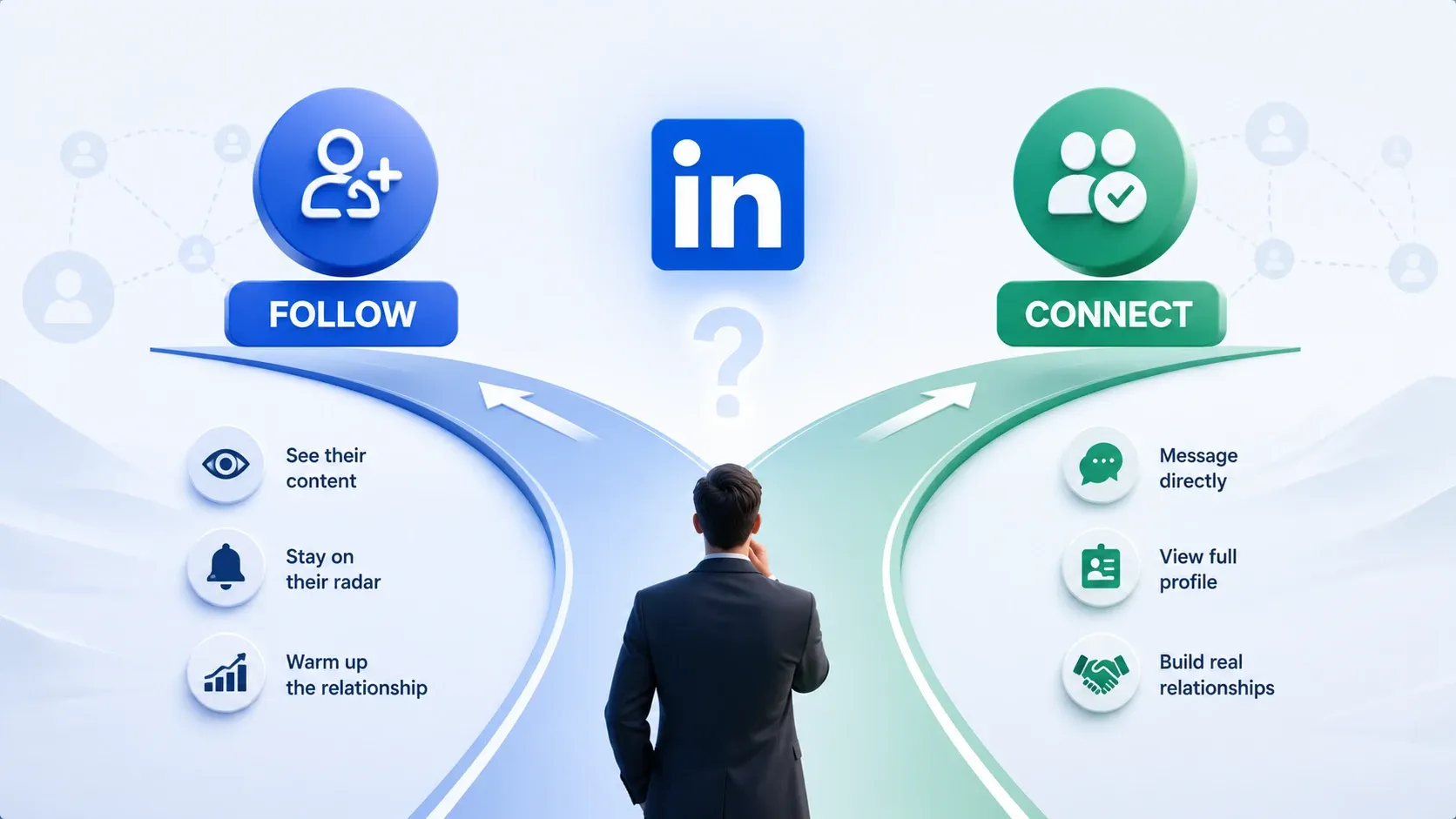
Neither action is universally better. The right choice depends on your relationship with the prospect, your outreach goal, and your weekly connection budget.
Connect when:
- You share a mutual connection, group, or recent interaction
- You have a personalised reason to reach out and want DM access now
- The prospect fits your ICP tightly and you are ready to start a conversation
- You are running low-volume targeted campaigns (under 50/week)
Follow when:
- The prospect is cold and has never seen your name
- You want to warm them up by engaging with their content first
- You are approaching your weekly connection request limit
- Their profile defaults to the Follow button (creator mode)
- You are building an audience, not just a network
Most people default to connecting with everyone.
That is a mistake when your acceptance rate drops below 40%, because LinkedIn reads low acceptance as spam and starts throttling your account.
Connecting works better than following with open networkers on LinkedIn, because they rarely decline requests.
For SDRs and Sales Teams
Your weekly connection limit is a finite resource. Do not burn it on cold strangers.
The practical split: use follows to warm up your top-of-funnel list. Save connection requests for prospects who have engaged with your content, appeared in your notifications, or share a mutual connection. Every request should go to someone primed to say yes.
If you are running LinkedIn outreach sequences as an SDR, the follow-first warmup is the single change that moves the needle fastest on acceptance rates.
For Personal Brand and Network Growth
If your goal is audience building, following often beats connecting.
- Follower count grows without limits. Connection count caps at 30,000.
- Followers see your content in their feed just like connections do.
- A large follower base compounds your reach without requiring mutual acceptance.
If you want to grow your LinkedIn followers organically, consistent posting combined with strategic following is the most sustainable approach.
Can You Message Someone on LinkedIn Without Connecting?
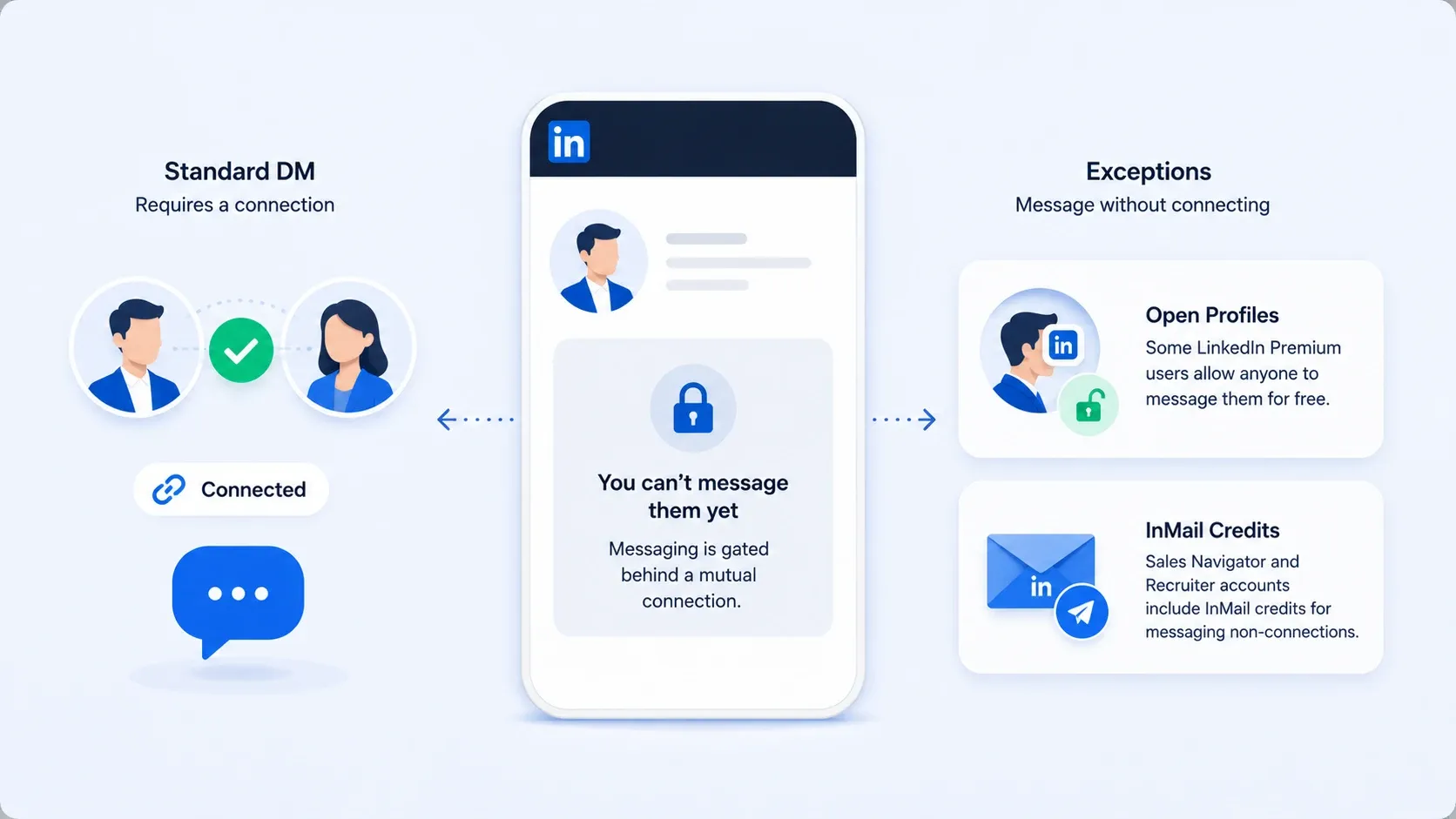
Not with a standard DM. Messaging is gated behind a mutual connection.
Two exceptions:
- Open profiles: Some LinkedIn Premium users allow anyone to message them for free. Common among recruiters, consultants, and founders.
- InMail credits: Sales Navigator and Recruiter accounts include InMail credits for messaging non-connections. Paid and limited per month.
For most outreach, the practical path is: follow → connect → message after acceptance. Skipping the connection step means paying for InMail or hoping they have open profile enabled.
The Follow-Then-Connect Sequence (And Why It Works)
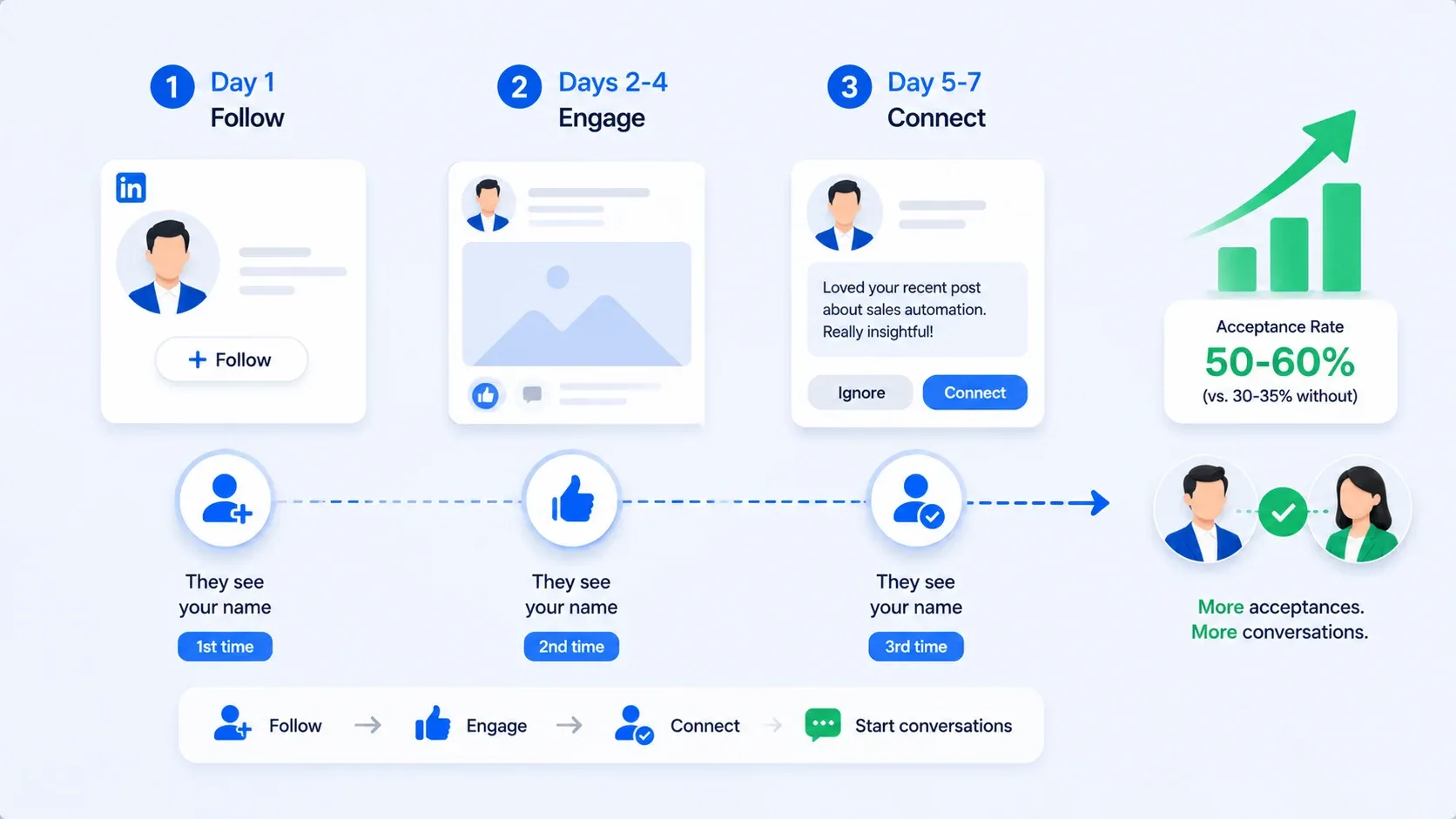
The real power is not in choosing between follow and connect. It is in sequencing them.
- Day 1: Follow the prospect. They see your name for the first time.
- Days 2-4: Like or comment on one of their posts. Something specific, not "Great post!" They see your name a second time.
- Day 5-7: Send a connection request with a short note referencing their content. They see your name a third time. This time you are not a stranger.
- I have seen this sequence push acceptance rates from the 30-35% range up to 50-60% for the same audience.
- No change in the message. No change in the target list. The only variable was the follow-first warmup.
Higher acceptance = more conversations from the same number of weekly requests.
Once they accept, you need a solid messaging plan. This 7-step LinkedIn DM sequence is a strong next read for turning new connections into booked meetings.
How Many LinkedIn Connection Requests Can You Send Per Week?
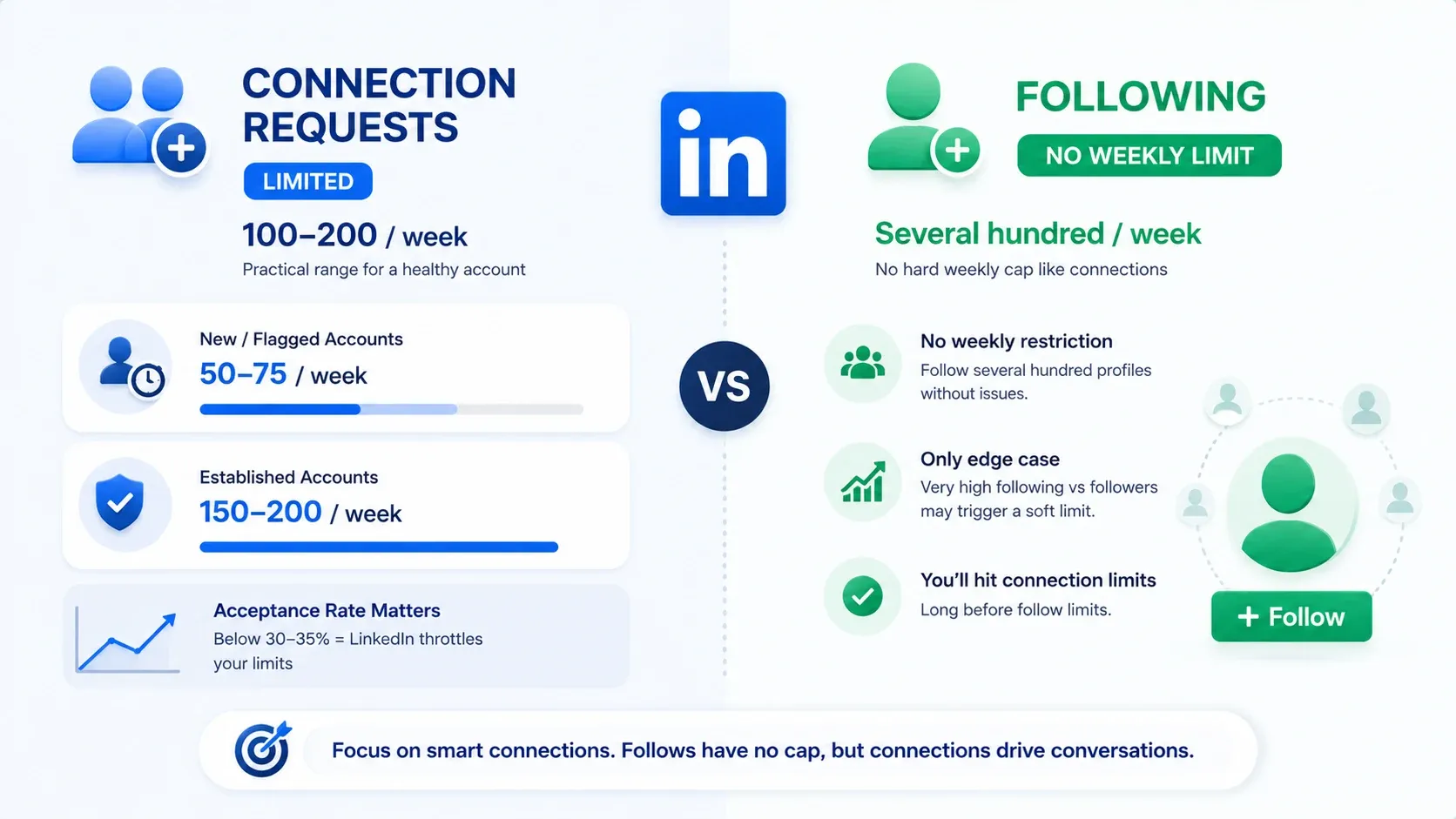
LinkedIn does not publish an official number. The practical range is 100-200 per week for a healthy account.
- New or flagged accounts: 50-75/week before suppression kicks in
- Established accounts with high acceptance: 150-200/week sustainably
- The real variable: acceptance rate. Below 30-35% acceptance, LinkedIn reads spam and throttles your capacity further
If you want to scale connection volume safely, this guide on how to automate LinkedIn connections walks through the right setup without triggering restrictions.
Is There a Limit on How Many People You Can Follow?
No hard weekly cap like connections. You can follow several hundred profiles per week without triggering restrictions.
One edge case: LinkedIn may limit your total following count if it becomes disproportionate to your follower count. For standard outreach warmup, this is not a real constraint.
You will hit your connection request limit long before any follow restriction.
Does LinkedIn Penalise You for Following Too Many People?
Not in the way most people fear. Two things to watch:
- Following with zero engagement (no posts, no comments, no reactions) can flag your account as low-quality. The fix: engage with at least some content from people you follow.
- Ratio imbalance (following thousands with very few followers back) matters more for personal brand builders than outreach practitioners.
That said, accounts that ignore safe outreach practices do get flagged. Here is what LinkedIn account restrictions actually look like and how to avoid them.
LinkedIn Follow vs Connect Button: What Controls Which One Shows Up?
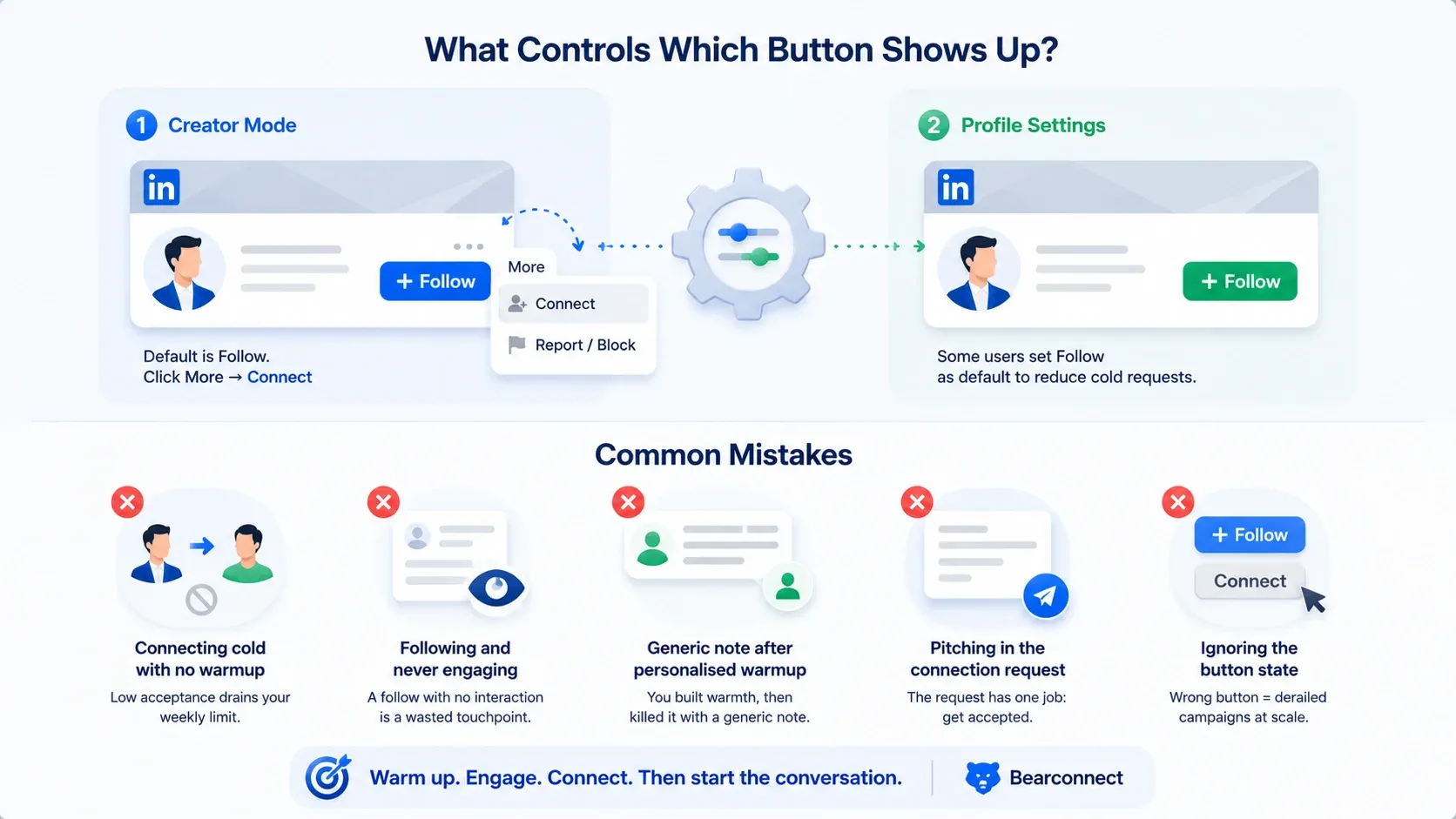
Two things control the button:
- Creator mode. Turns the default button to Follow instead of Connect. To connect, click More and select Connect from the dropdown.
- Profile settings. Even without creator mode, some users (especially executives) set Follow as default to reduce cold requests.
Bearconnect runs follow-first sequences that automatically adjust based on the prospect's profile setup, so you do not waste actions on button mismatches.
Common Mistakes with Follow and Connect on LinkedIn
Five avoidable errors that kill outreach performance:
- Connecting cold with no warmup. Low acceptance drains your weekly limit and pushes your account toward restrictions.
- Following and never engaging. A follow with no interaction is a wasted touchpoint. The warmup effect evaporates within days.
- Sending a generic note after a personalised warmup. You spent a week engaging with their content, then sent "I'd like to add you to my professional network." That disconnect kills the warmth you built.
- Pitching in the connection request. The request has one job: get accepted. Save the pitch for message two or three after acceptance. Here is how to do LinkedIn outreach without being salesy at any stage of the sequence.
- Ignoring the button state. On creator mode profiles, clicking the default Follow when you meant to Connect quietly derails campaigns at scale.
Also worth knowing: if you have old pending requests sitting unanswered, they hurt your acceptance rate. This guide covers how to withdraw LinkedIn connection requests in bulk.
Does LinkedIn Show Content to Followers and Connections Differently?
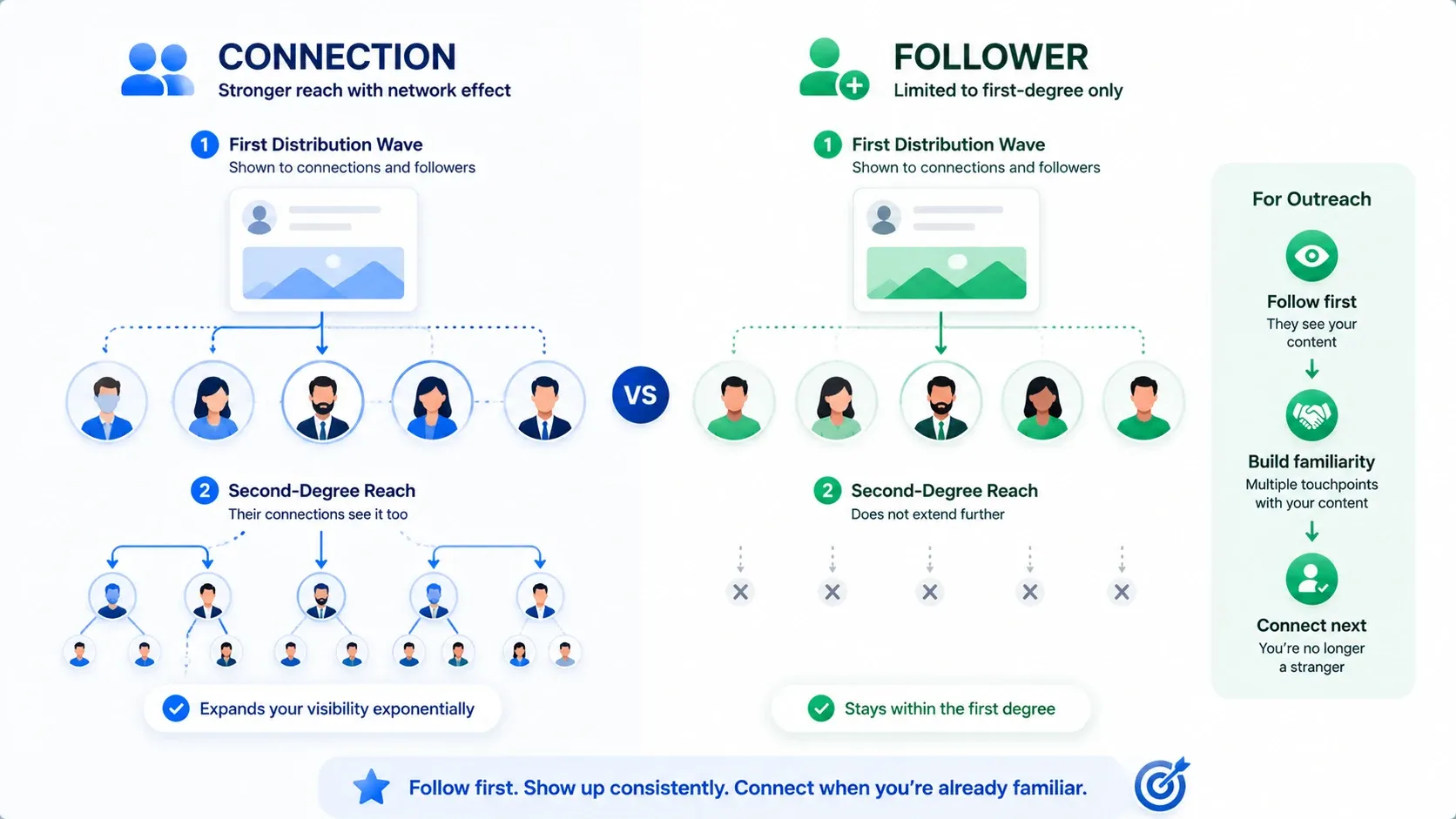
Yes. The difference matters more than most people realise.
- First distribution wave: LinkedIn pushes your posts to a sample of both connections and followers. They are treated roughly equally here.
- Second-degree reach: When a connection engages, their connections may see it too. Followers who are not connections do not extend that chain.
- For outreach: Getting someone to follow you first means they see your content before you ask for anything. By the time you connect, you are already familiar.
Pro tip: Post consistently while running follow-first campaigns. Every piece of content gives prospects another touchpoint with your name before your connection request lands.
If you are not yet posting regularly, this guide on how to automate your LinkedIn posts is a practical starting point.
How to Automate the Follow-Then-Connect Sequence
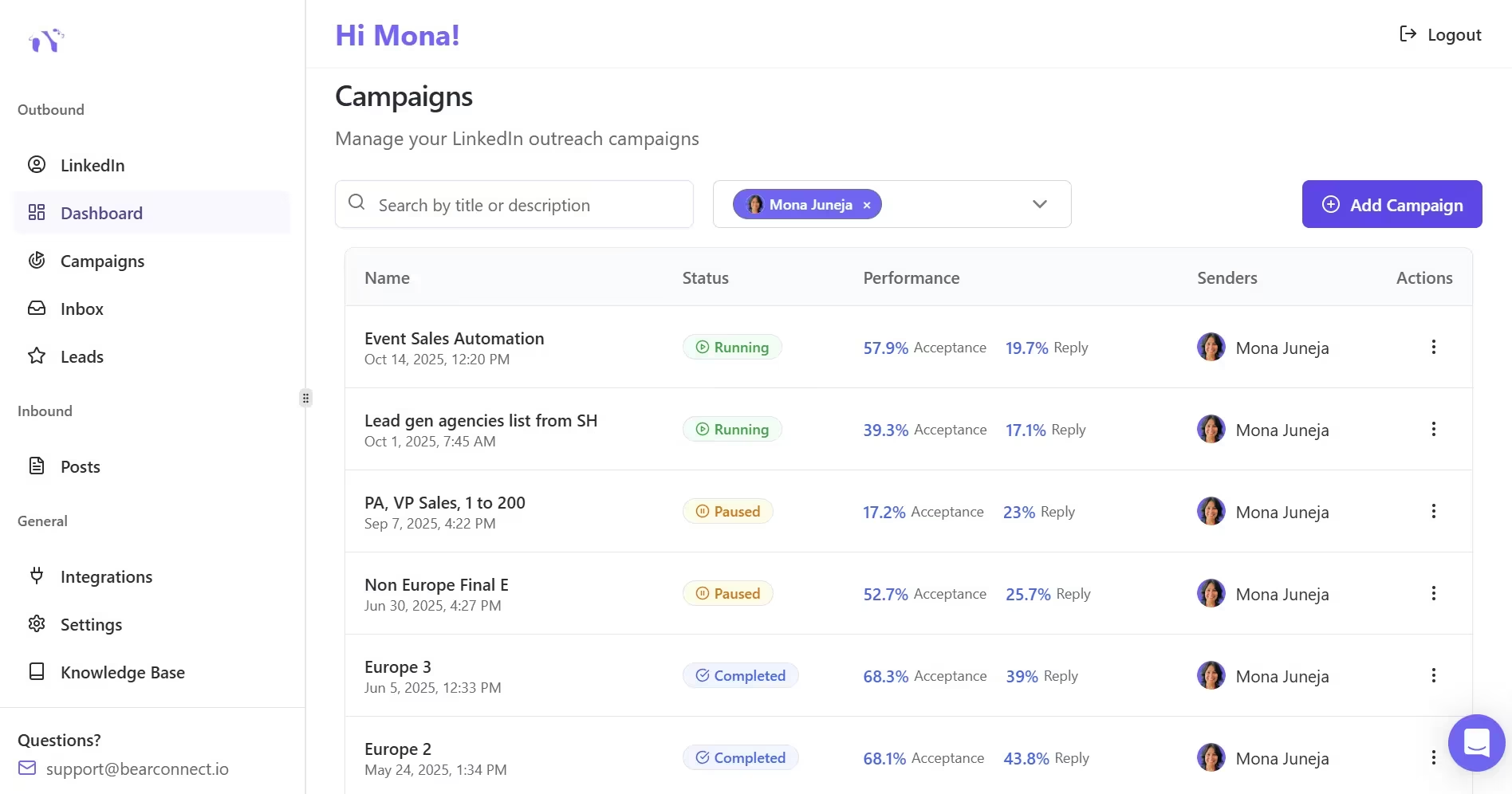
Running this manually across one account is manageable. Across five or more, automation is the only way to keep it consistent and safe.
Bearconnect handles this workflow end to end. Build the sequence once, connect your LinkedIn accounts ($67/month per account, or $57/month each when you connect five or more), and the platform runs follow-first drip campaigns across all accounts.
Every reply lands in one unified inbox. Five accounts at $285/month total, resellable at 3-5x margin for agencies.
Connecting vs Following on LinkedIn: Quick-Reference Cheat Sheet
| Factor | Follow | Connect |
|---|---|---|
| Direction | One-way | Two-way (if accepted) |
| DM access | No (unless open profile) | Yes |
| Weekly limit | No hard cap | ~100-200/week |
| Account risk | Near zero | Moderate if low acceptance |
| Best for | Warming up, content, research | Direct outreach, relationships |
| Notification | Subtle | Prominent |
| Sequence position | First | After engagement |
| Content reach | Volume-driven | Network depth |
| Reversible silently? | Yes | Yes (withdraw before accepted) |
FAQs
1. What is the difference between follow and connect on LinkedIn?
Following is one-way. You see their posts, they get a notification, but you cannot DM them. Connecting is a mutual request. Once accepted, both of you can message each other and appear in each other's networks.
2. Are followers and connections the same on LinkedIn?
No. Followers see your content but are not in your network. Connections can message you directly. Someone can be both, but the two are separate relationships.
3. Can you message someone on LinkedIn without connecting?
Not with a standard DM. You can only message non-connections if they have LinkedIn Premium open profile enabled, or if you have InMail credits through Sales Navigator or Recruiter.
4. What should I say in a connection request after following someone?
Keep it under 40 words. Reference a recent post, state your relevant context, and keep the ask small. Example: "Saw your post on [topic] last week. It matched a problem I work on with [role]. Thought it made sense to connect."
5. Does following before connecting increase acceptance rates?
Yes. When a prospect sees your name from a follow and a content interaction before your connection request, you are no longer a stranger. This familiarity bump meaningfully improves acceptance rates.
6. Why do some LinkedIn profiles show Follow instead of Connect?
LinkedIn creator mode changes the default button to Follow. Some users also adjust this manually. Click "More" on their profile and select "Connect" from the dropdown.
Start Sequencing Smarter
The follow vs connect decision is not either/or. It is a sequencing question. Follow first, connect after engagement, message after acceptance. That pattern consistently converts.
If you are managing outreach across multiple LinkedIn accounts and want to automate follow-first drip sequences from one dashboard, try Bearconnect free and see how the workflow runs in practice.
Ready to Transform Your LinkedIn Strategy?
Join thousands of professionals already using Bearconnect to automate their outreach and grow their network.
7-day free trial • Cancel anytime
Related Articles
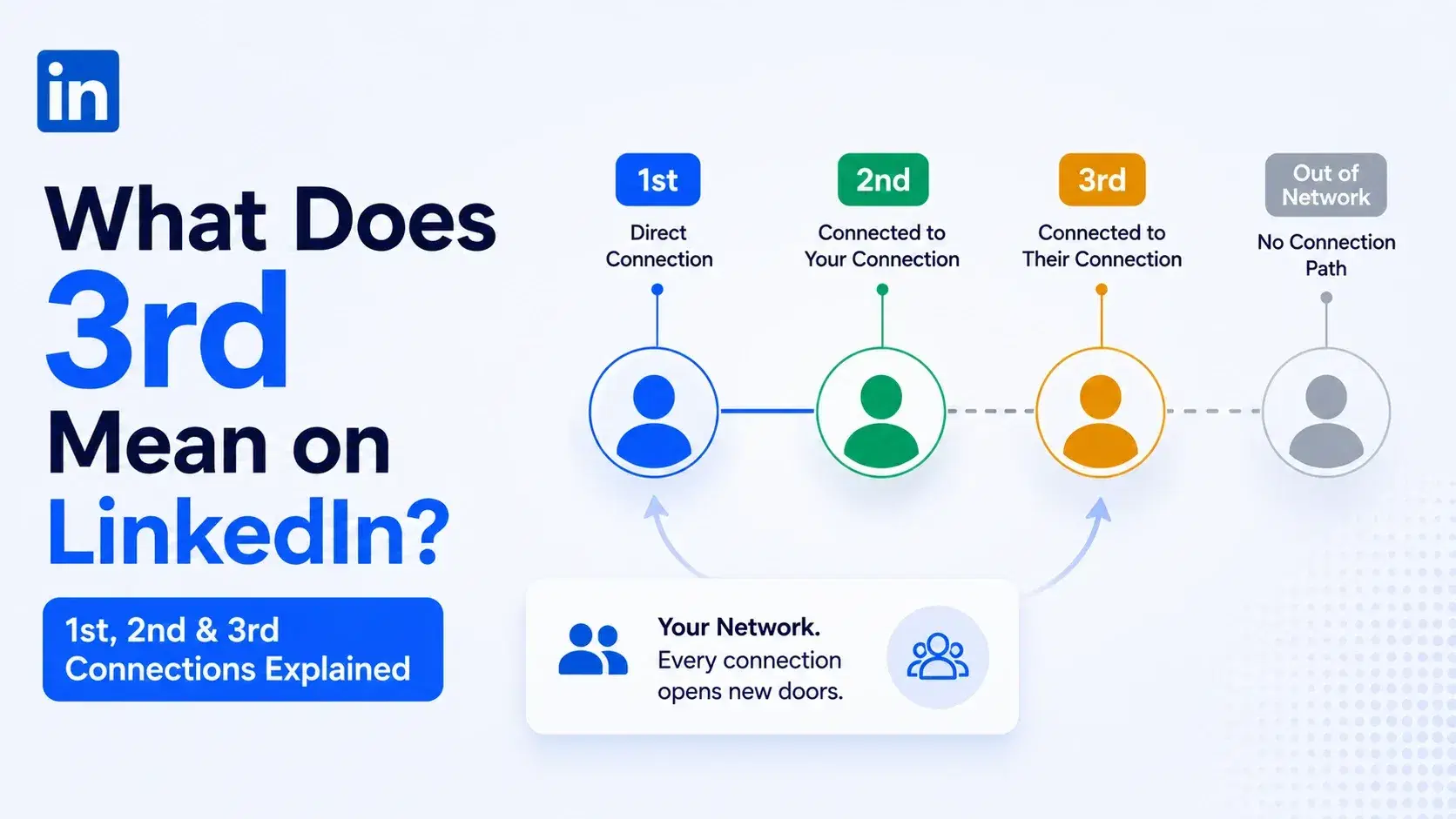
What Does 3rd Mean on LinkedIn? 1st, 2nd and 3rd Connections Explained
That gray 3rd next to a name is not a wall, it is a puzzle. Here is what 1st, 2nd, and 3rd degree connections mean, and how to reach any of them.
How to Book Meetings from LinkedIn DMs: A Simple 7-Step Sequence That Actually Works
Struggling to convert LinkedIn DMs into real meetings? This guide breaks down a proven 7-step sequence to help you start conversations, build trust, and consistently book calls with qualified prospects.
How to Connect HubSpot With a LinkedIn Automation Tool to Build a Multi-Touch Outbound Journey
Learn how to connect HubSpot with LinkedIn automation tools to create a scalable multi-touch outbound journey. Build consistent follow-ups, automate outreach, and turn conversations into booked meetings without manual effort.