How Do You Automate LinkedIn Posts with AI Content Creation and Smart Scheduling?

You automate LinkedIn posts by using an AI-powered platform like Bearconnect that generates content based on your brand voice, then schedules it to publish automatically at your chosen times using a visual calendar interface.
This approach saves 10-15 hours weekly while maintaining consistent visibility and driving 5-10x more connections.
TL;DR: Quick Takeaways
What you get with LinkedIn post automation:
- AI content creation eliminates writer's block by generating professional posts in 30-60 seconds
- Strategic scheduling at peak times (Tuesday-Thursday, 10-11 AM) increases post visibility by 15-47%
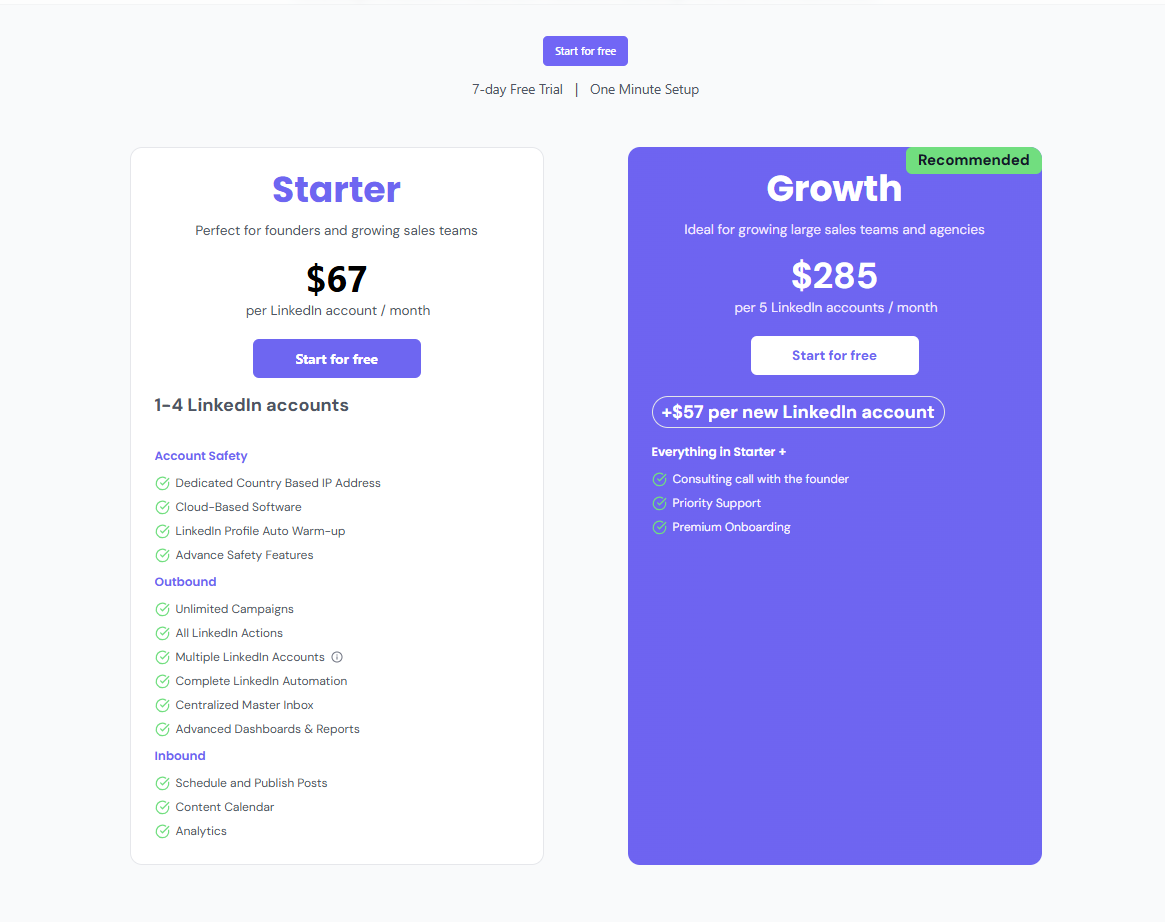
- All-in-one platform (Bearconnect) combines AI generation + automated scheduling for $67/month per LinkedIn account ($57/month when connecting 5+ accounts)
- Proven strategy: Schedule posts 2-4 weeks ahead, then engage manually in comments within 2 hours for maximum reach
- Real results: Consistent posting drives 5-10x faster follower growth and generates qualified inbound leads without daily manual work
Why LinkedIn Post Automation Matters in 2026
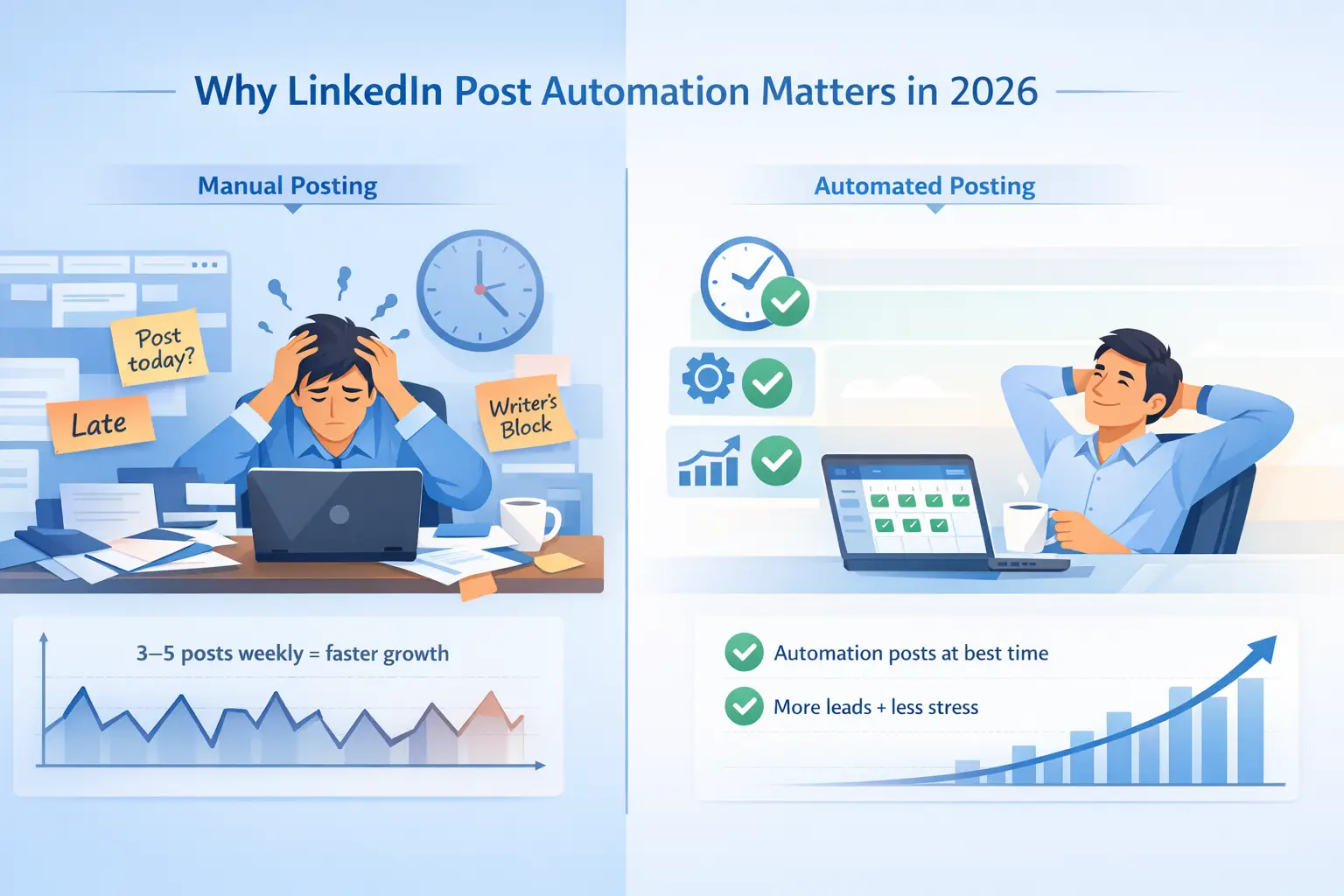
LinkedIn's algorithm rewards consistency. Profiles posting 3-5 times weekly grow 5.6x faster than sporadic posters.
Yet 87% of B2B professionals struggle to maintain this consistency while managing daily business operations.
Before automating, make sure your LinkedIn profile is optimized to maximize results.
The Manual Posting Problem
Time drain:
- 10-15 hours weekly spent on content creation
- Missing optimal posting times reduces visibility by 47%
- Inconsistent presence kills algorithm momentum
Mental burden:
- Writer's block delays content production
- Daily "what should I post" decision fatigue
- Juggling multiple accounts creates chaos
What Automation Solves
Efficiency gains:
- Maintains visibility during busy periods
- Posts automatically at optimal times
- Scales personal brand without daily effort
Business impact:
- Drives inbound leads through consistent thought leadership
- Frees 10-15 hours weekly for revenue-generating activities
- Builds authority positioning systematically
Bottom line: Manual posting doesn't scale. Automation handles distribution while you focus on relationships and closing deals.
What Is LinkedIn Post Automation?
LinkedIn post automation combines three core functions working together seamlessly.
The Three Core Components
1. AI-Powered Content Generation
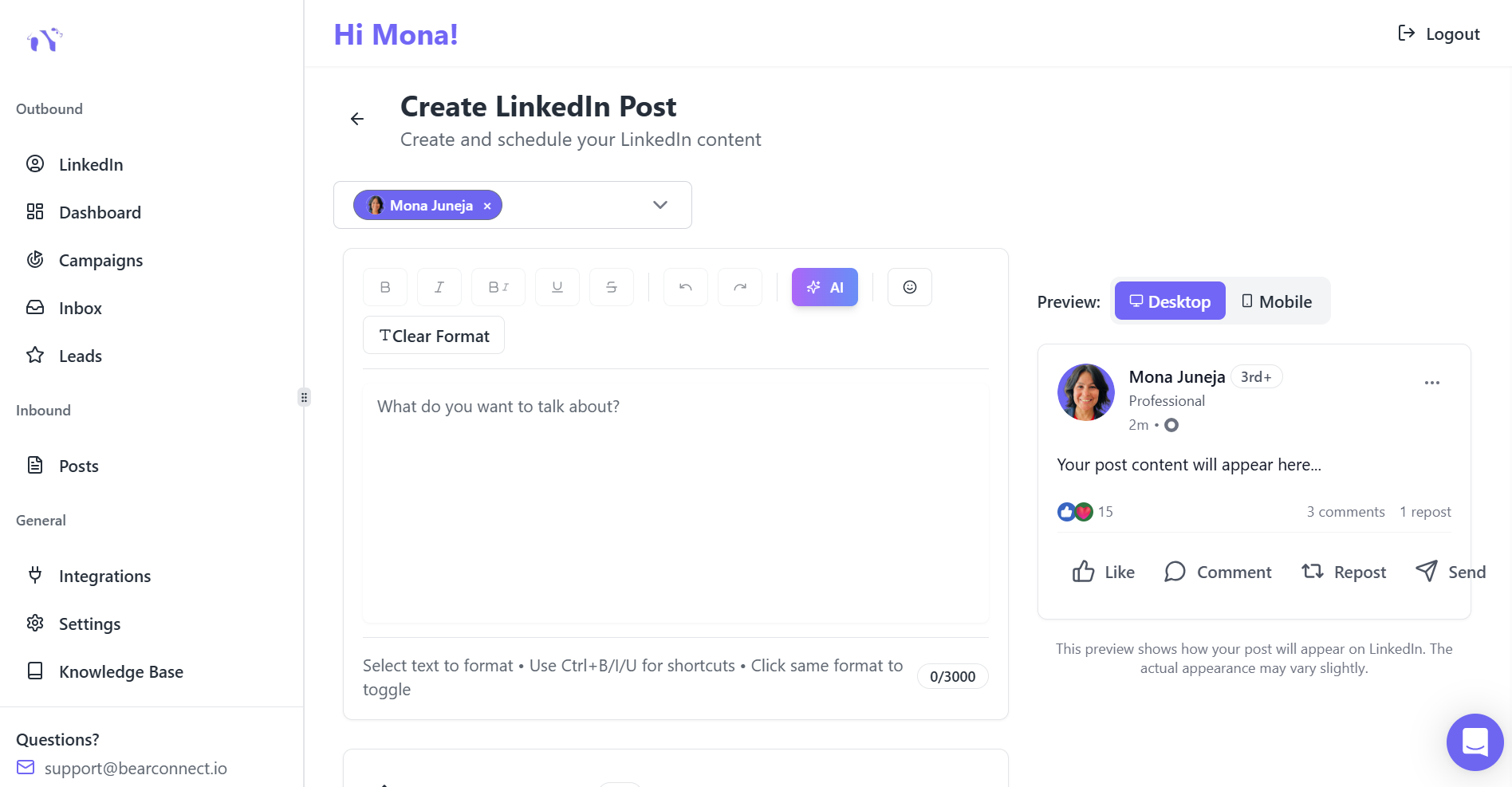
Bearconnect's AI creates draft posts based on:
- Your topics and industry expertise
- Your unique brand voice
- Audience needs and pain points
- Current LinkedIn trends
2. Strategic Scheduling
The platform:
- Identifies when your audience is most active
- Plans publication at optimal times
- Distributes content evenly across weeks
3. Automated Publishing
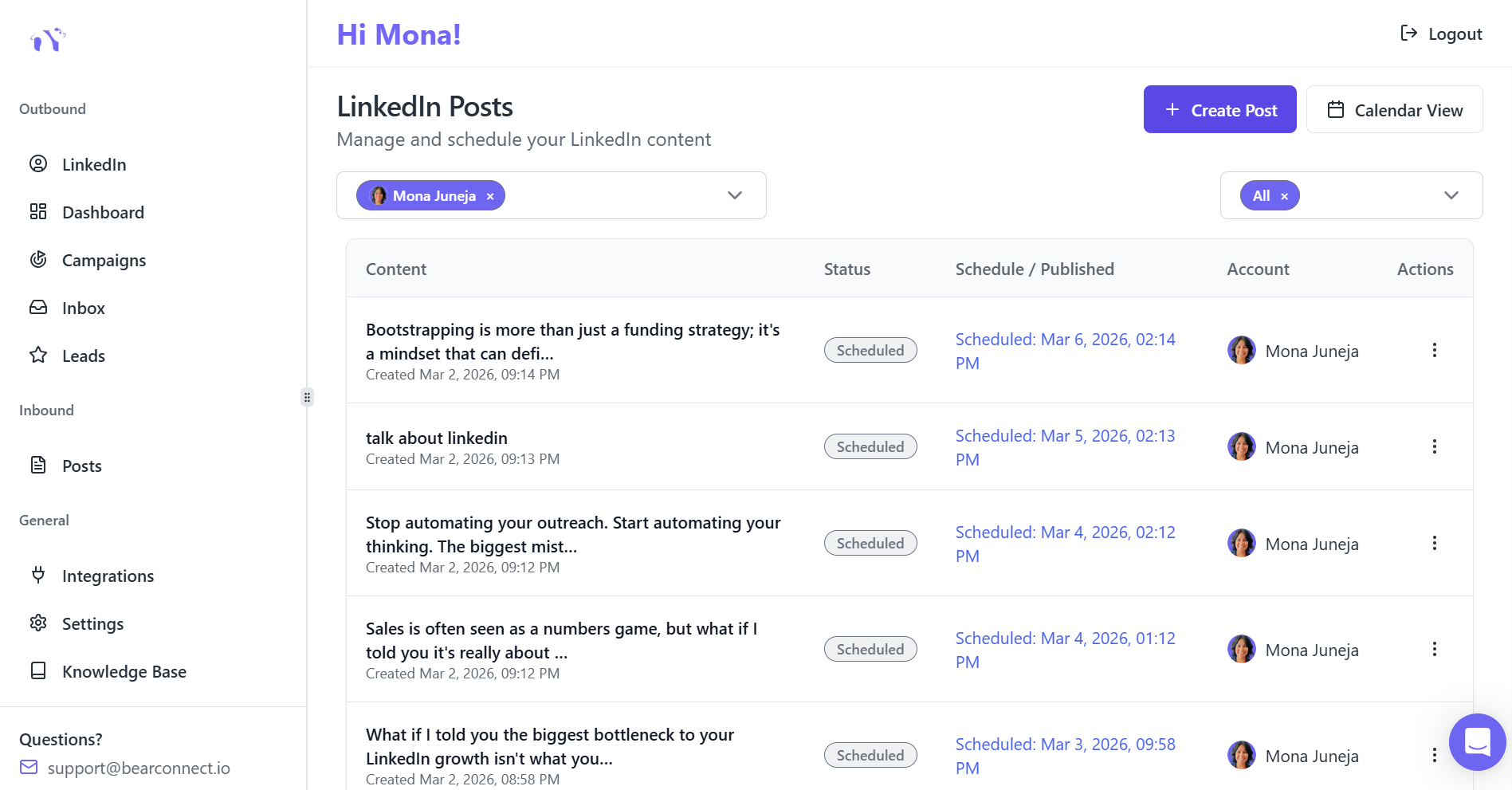
Posts go live automatically:
- No manual intervention needed
- Works while you sleep or travel
- Maintains consistency without daily effort
Learn more about how LinkedIn automation works behind the scenes to understand the technology.
Key Difference from Manual Posting
You create content in focused 2-3 hour batches covering 2-4 weeks. The platform handles distribution while you focus on engagement and relationship-building.
Critical balance: Automation schedules posting. You engage manually in comments for authenticity.
How AI Content Creation Works

AI amplifies your expertise without replacing your authentic voice.
The 4-Step AI Content Process
Step 1: Input Your Topic
Tell the AI what you want to address:
- Industry insight or trend analysis
- How-to guide or tutorial
- Case study or success story
- Audience pain point solution
Example prompts:
- "Write about LinkedIn automation safety"
- "Explain why B2B teams need consistent posting"
- "Share tips for better LinkedIn engagement"
Step 2: AI Analyzes Context
Bearconnect's AI reviews:
- Your previous posts and brand voice
- Audience interests in your industry
- Current LinkedIn trends
- Past engagement patterns
This ensures every post feels authentically yours.
Step 3: Content Generation (30-60 Seconds)
The AI creates multiple elements:
Compelling hooks:
- Question-based: "Are you wasting 10 hours weekly on LinkedIn?"
- Stat-driven: "87% of B2B founders make this LinkedIn mistake"
- Bold statements: "LinkedIn automation isn't risky when done right"
Structured body copy:
- Problem-solution frameworks
- Storytelling approaches
- Data-driven insights
- Step-by-step guides
Optimization elements:
- Relevant hashtag recommendations
- Tone variations (professional, casual, thought-leadership)
- Multiple draft options
Step 4: Human Refinement
This step separates good from great. Add:
- Your unique insights and perspective
- Specific examples from your experience
- Personal stories and real results
- Current references and timely observations
Performance data: Human-edited AI posts outperform raw AI content by 47% in engagement.
Smart Scheduling Strategy: Timing Matters
Creating great content means nothing if nobody sees it.
Best Times to Post on LinkedIn

Peak engagement windows:
- Best days: Tuesday, Wednesday, Thursday
- Best times: 10-11 AM in your audience's timezone
- Business hours: 9 AM-5 PM maximizes professional reach
- Avoid: Weekends and early mornings (before 7 AM)
Why Timing Impacts Reach
The first 2 hours determine algorithm distribution.
Posts published during active hours get 47% more initial engagement, triggering broader reach across the platform.
Early engagement creates a snowball effect. LinkedIn shows engaging posts to more people in your network and beyond.
Content Calendar Planning
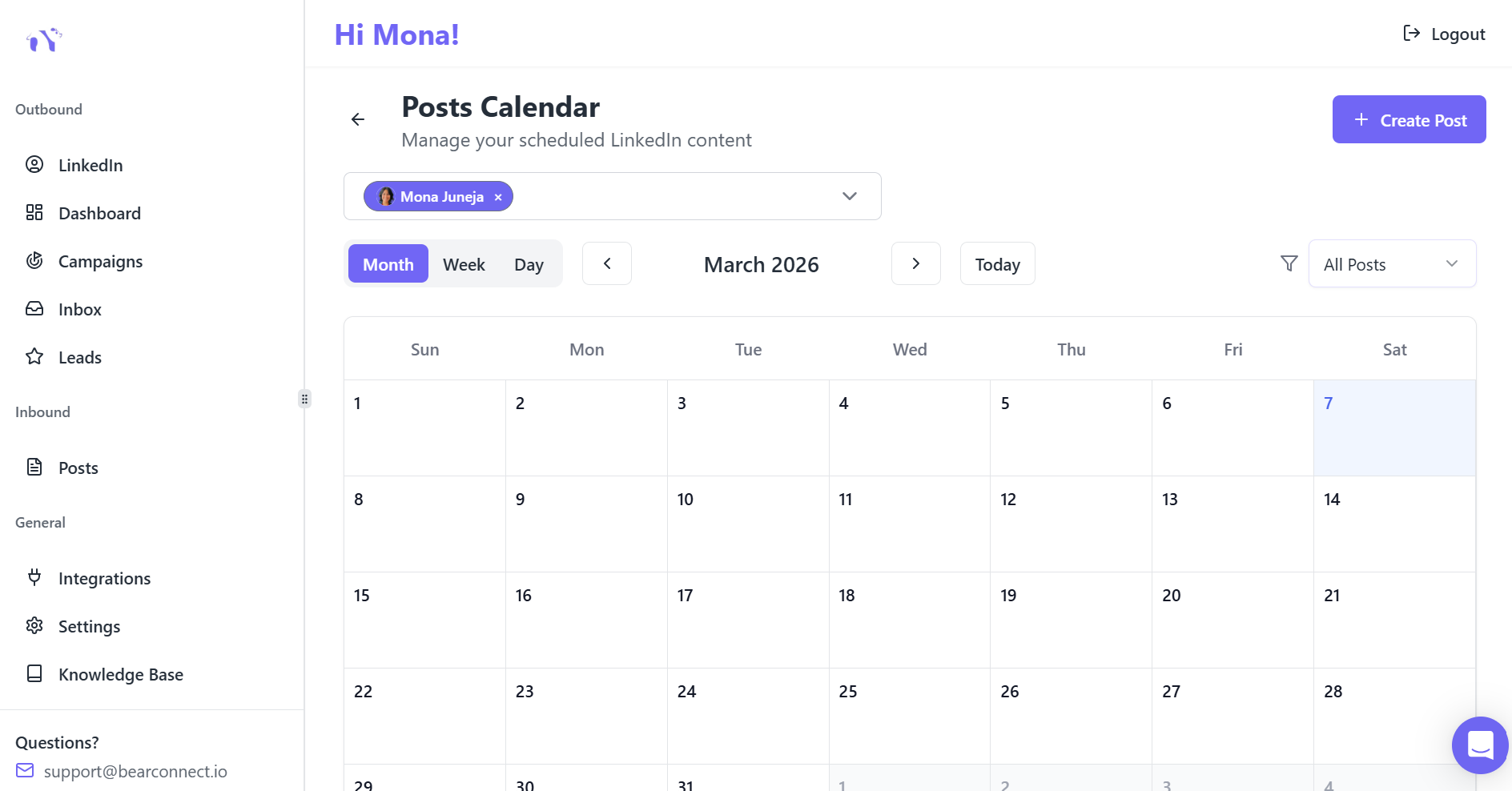
Optimal frequency:
- 3-5 posts per week balances engagement without overwhelming
- 2-4 weeks scheduled ahead eliminates last-minute scrambles
- Consistent timing trains audience expectations
- Strategic spacing allows 12-16 hours minimum between posts
Bearconnect's scheduling intelligence:
- Visual calendar showing content distribution
- Batch upload for multiple posts simultaneously
- Automated publication at scheduled times
- Optimal timing suggestions based on your data
Deep dive: How to schedule LinkedIn posts without losing engagement
Your 4-Week LinkedIn Automation Roadmap
Follow this proven system to implement automation successfully.
Week 1: Setup & Planning
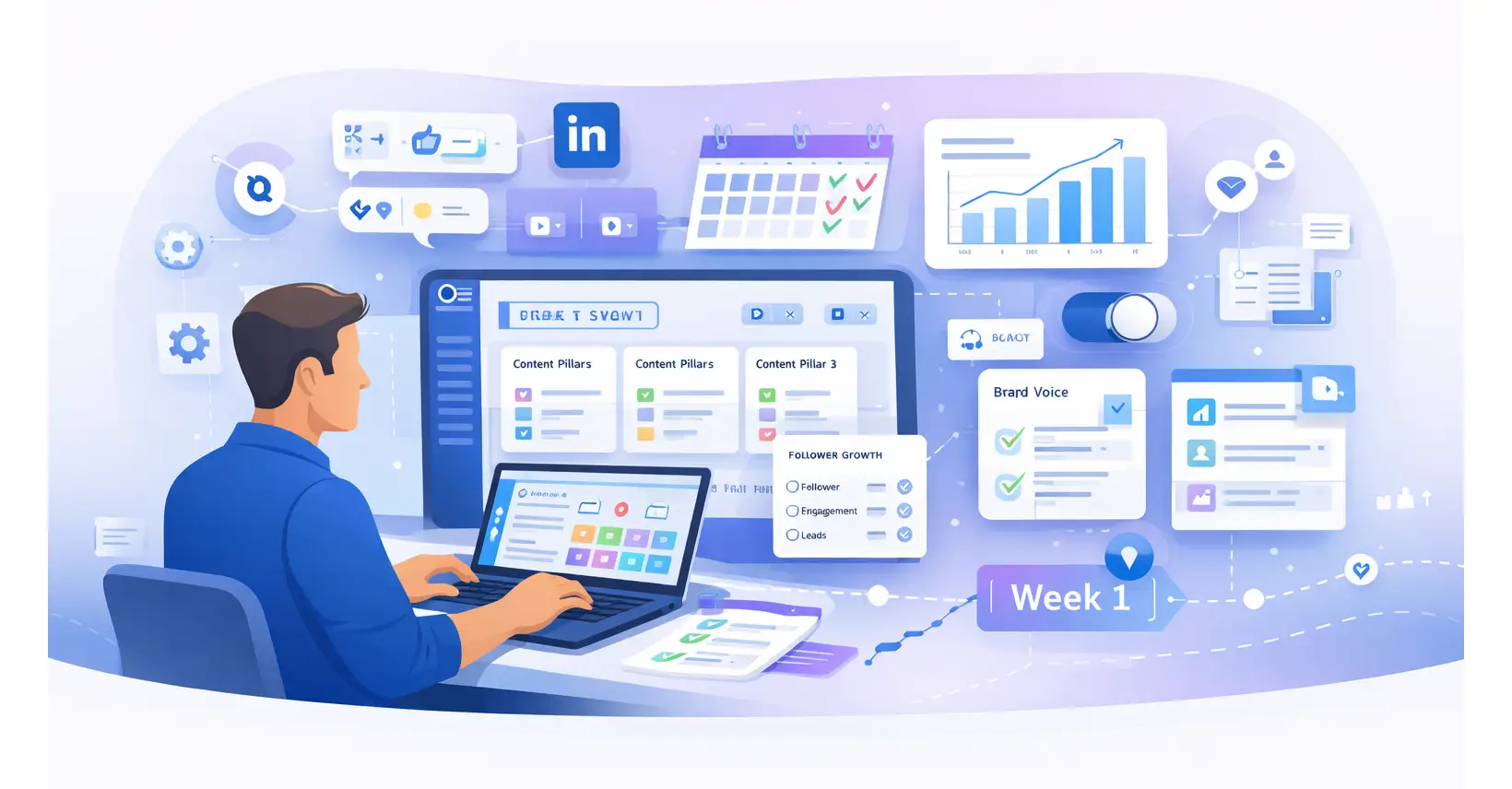
Foundation setup:
- Define 3-4 content pillars aligned with audience pain points
- Map topics for 2-4 weeks using 80/20 rule (80% educational, 20% promotional)
- Set measurable goals (follower growth, engagement rate, leads)
Platform setup:
- Connect LinkedIn account to Bearconnect (takes 2 minutes)
- Import top-performing posts for AI learning
- Configure brand voice and scheduling preferences
Week 2: Batch Content Creation
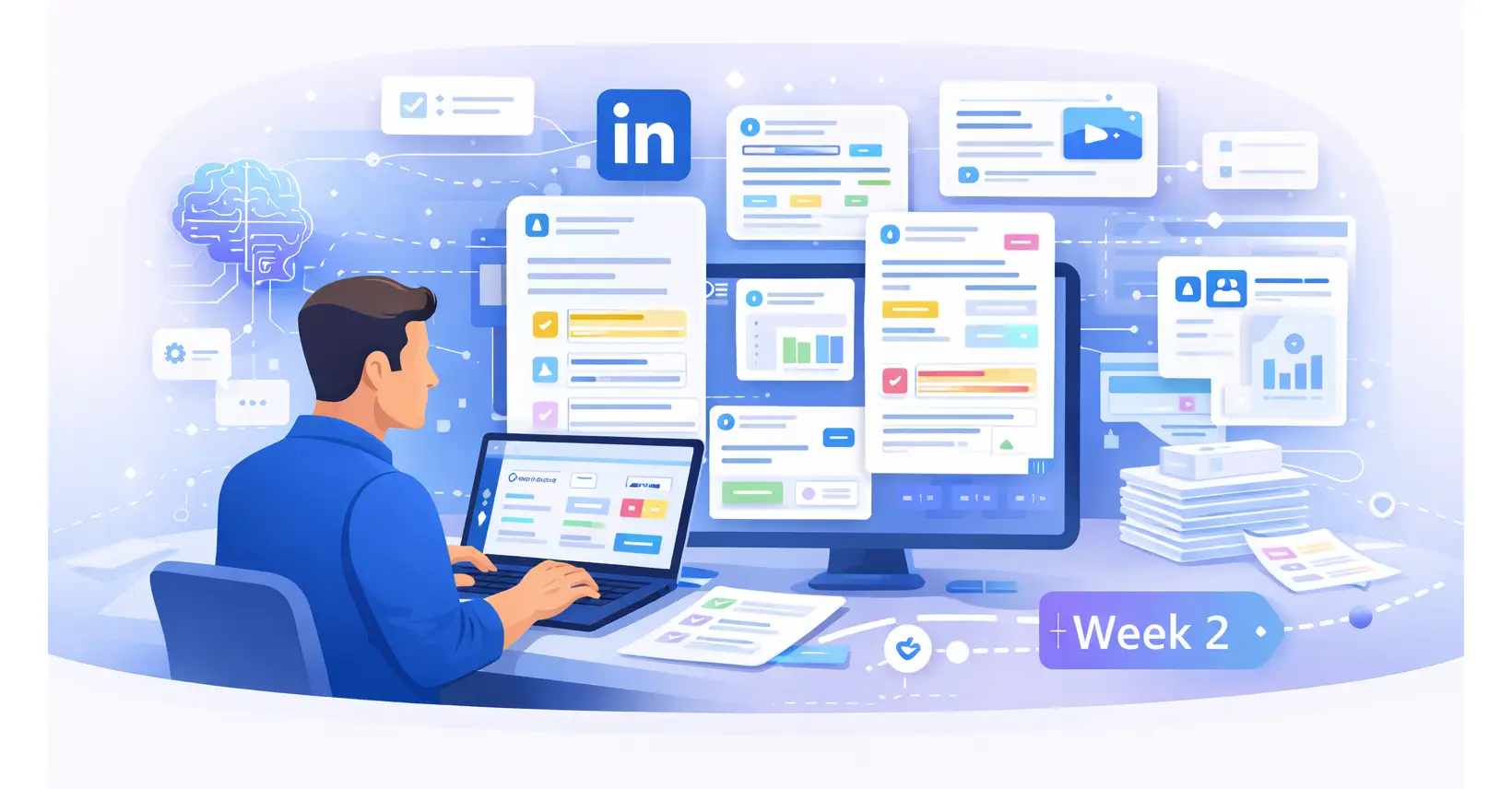
One focused 2-3 hour session creates 3+ weeks of content:
- Use Bearconnect's AI to generate 10-15 initial drafts
- Add personal insights and specific examples to each post
- Prepare visuals for key posts (graphics, screenshots)
- Edit for authenticity and value
Pro tip: Creating all content in one sitting maintains consistency in voice and messaging.
Week 3: Strategic Scheduling
Load content into Bearconnect's visual calendar:
- Schedule at optimal times (Tuesday-Thursday, 10-11 AM)
- Distribute posts evenly (3-5 per week)
- Alternate content types for variety
- Add 3-5 relevant hashtags and engagement questions to each
- Review full calendar for balance
Week 4+: Active Engagement
30-minute daily engagement routine:
- 10 minutes: Respond to comments on your posts
- 10 minutes: Comment on others' posts in your network
- 10 minutes: Engage with target audience content
Critical timing:
- Monitor posts during first 2 hours after publishing
- Quick responses (within 2 hours) increase reach by 2.7x
- Track performance metrics weekly and adjust strategy
Want a longer-term strategy? Check out our 90-day LinkedIn automation scaling plan.
Maintaining Authenticity with Automation
The biggest concern about automation is losing the human touch.
Does Automation Kill Authenticity?
The truth: Automation handles distribution. You maintain the human touch through engagement.
Scheduled content provides consistency. Manual engagement builds trust. Both are necessary for LinkedIn success.
3 Best Practices for Authentic Automation
1. Never publish raw AI output
Always add your unique perspective, specific examples from your work, and reference real client situations. Your experience makes content valuable.
2. Engage personally in comments
Respond thoughtfully to every comment. Address people by name, ask follow-up questions, and avoid generic replies. This is where relationships form.
3. Balance scheduled with spontaneous
Mix planned posts with real-time updates. Share immediate reactions to industry news, spontaneous wins, or lessons learned. Show both successes and challenges.
Master the art of personalized LinkedIn outreach messages to maintain authentic connections.
Common Automation Mistakes to Avoid
Learn from these critical errors to accelerate your LinkedIn success.
Mistake #1: Posting Without Engaging
Publishing content without participating in conversations kills algorithm momentum. LinkedIn rewards active community members, not broadcasters.
- Fix: Dedicate 30 minutes daily for comments and engagement.
Mistake #2: Generic AI Content
Publishing unedited AI drafts without personalization makes your content instantly forgettable. Audiences spot generic content immediately, causing engagement to drop.
- Fix: Treat AI as your assistant. Always add specific examples and your unique perspective.
Mistake #3: Inconsistent Posting Schedule
Posting 5 times one week, zero the next, then 8 times later confuses the algorithm and stalls growth. LinkedIn favors consistent creators.
- Fix: Maintain 3-5 weekly posts minimum using automation for consistency.
Mistake #4: Ignoring Peak Engagement Times
Publishing at 2 AM when your audience sleeps wastes quality content. Poor timing reduces visibility by 47%.
- Fix: Schedule posts for optimal windows (Tuesday-Thursday, 10-11 AM).
Mistake #5: Over-Automating Everything
Automating both posts AND engagement responses damages credibility. People can detect robotic replies instantly.
- Fix: Automate posting. Keep engagement manual and personal.
Avoid these pitfalls and learn the dos and don'ts every founder must know.
Bearconnect: Your Complete Automation Solution
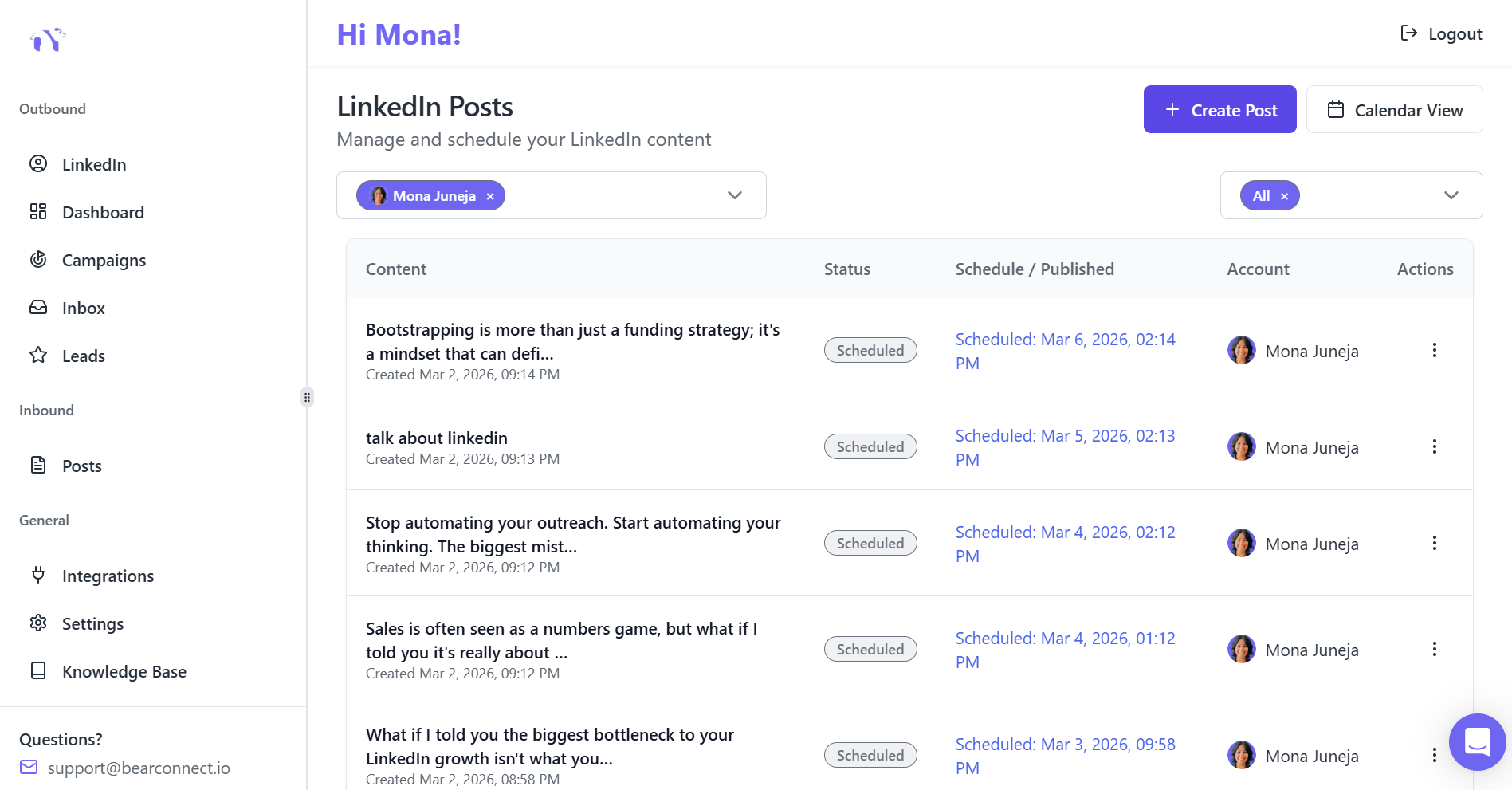
Everything you need for LinkedIn automation while maintaining authenticity.
Core Platform Features
1. AI Post Making
- Generate professional content in 30-60 seconds
- Multiple tone options (professional, casual, thought-leadership)
- LinkedIn-optimized formatting with hashtag recommendations
- Topic suggestions when you're stuck
2. Advanced Scheduling
- Schedule weeks or months ahead using visual calendar
- Drag-and-drop interface with batch upload capability
- Time zone optimization for global audiences
3. Multi-Account Management
- Unlimited LinkedIn account connections
- Unified dashboard for all profiles
- Seamless account switching (perfect for agencies)
4. Analytics and Reporting
- Track every metric that matters with Bearconnect's advanced analytics dashboard.
- Best-performing content identification
- Audience growth and connection acceptance rates
Pricing That Makes Sense
Simple, transparent pricing:
- $67/month per LinkedIn account (standard)
- $57/month per account for 5+ accounts (17% discount)
- 7-day free trial
- No setup fees or long-term contracts
Compare the competition:
- Traditional tools: $150-500/month per user
- Bearconnect: 60-80% lower cost with more features
ROI calculation:
- Time savings: 10-15 hours weekly = $1,000-1,500 monthly value
- Lead generation: One quality lead typically covers your entire investment
- Average ROI: 5-10x within 90 days
Frequently Asked Questions
Q: Does scheduling affect LinkedIn engagement?
Scheduled posts using quality tools achieve 15% greater reach when published at optimal times.
Q: How many posts should I schedule weekly?
Target 3-5 weekly posts for optimal engagement without overwhelming your audience. Quality over quantity always wins.
Q: Can I manage multiple LinkedIn accounts?
Yes. Bearconnect supports unlimited LinkedIn account connections from one unified dashboard, perfect for agencies and teams.
Q: Will AI-generated content sound robotic?
Not if you add personal insights. Human-edited AI posts outperform raw AI by 47% in engagement. Use AI as your assistant, not replacement.
Q: When do LinkedIn posts typically perform the best?
Tuesday-Thursday between 10-11 AM in your audience's timezone delivers peak engagement. Business hours (9 AM-5 PM) generally outperform evenings.
Q: Is LinkedIn automation safe and compliant?
Yes, when using cloud-based tools like Bearconnect that mimic human behavior. Read our detailed guide on LinkedIn automation safety.
Final Thought
LinkedIn automation isn't about replacing human connection. It's about scaling your ability to show up consistently while focusing on relationships that convert to business.
Learn more about how LinkedIn automation works behind the scenes to understand the technology.
Ready to Transform Your LinkedIn Strategy?
Join thousands of professionals already using Bearconnect to automate their outreach and grow their network.
7-day free trial • Cancel anytime
Related Articles
How Can SDRs Book More Meetings Using LinkedIn Automation?
SDRs can book more meetings with LinkedIn automation by streamlining outreach, automating follow-ups, and scaling conversations without manual effort.
7 Best LinkedIn DM Tools for Outreach Automation in 2026
Looking for best LinkedIn DM tools in 2026? This guide compares top outreach automation tools by features, pricing, safety, and use cases so you can scale B2B lead generation with less manual work.
How to Automate Your Agency's LinkedIn Outreach (Without Getting Banned)
Learn how agencies automate LinkedIn outreach safely using smart limits, personalization, and automation tools to scale prospecting without risking account bans.