Getting Started with LinkedIn Automation: From Zero to First Campaign (Beginner's Guide)
LinkedIn automation helps beginners generate leads on autopilot by automating connection requests, follow-up messages, and content scheduling.
With the right tool and setup process, you can launch your first campaign within 30 minutes and start seeing results in 7-14 days
TL;DR
- LinkedIn automation saves 10-15 hours weekly by handling repetitive outreach tasks automatically
- Bearconnect offers a 7-day free trial at $67/month per LinkedIn account ($57 for 5+ accounts)
- Start with 20-25 connection requests daily to avoid LinkedIn detection and account restrictions
- Complete setup takes 5-10 minutes following Bearconnect's guided campaign builder
- Proper warm-up protocols reduce ban risk from 23% to 5-10% in the first 90 days
What Is LinkedIn Automation and Why Beginners Need It
LinkedIn automation uses cloud-based tools to handle time-consuming tasks like sending connection requests, following up with prospects, and scheduling content.
Instead of spending 3-4 hours daily on manual outreach, automation runs campaigns 24/7 while you focus on actual conversations with interested prospects.
Sales professionals using automation report 5-10x more connections with consistent quality compared to manual methods.
Is LinkedIn Automation Safe for Complete Beginners?
Yes, when you choose safety-first platforms like Bearconnect that use local IP connections, behavior randomization, and gradual account warm-up protocols
- Bearconnect operates independently of LinkedIn Sales Navigator and mimics organic user behavior through smart throttling and natural action pacing.
- This reduces detection risk significantly compared to aggressive tools promising 200+ daily requests.
If you want a complete reference, bookmark this LinkedIn Automation Ultimate Guide that connects all the core concepts and tactics.
Step-by-Step: Setting Up Your First Bearconnect Campaign
Phase 1: Account Setup (1 Minute)
Step 1: Start Your Free Trial
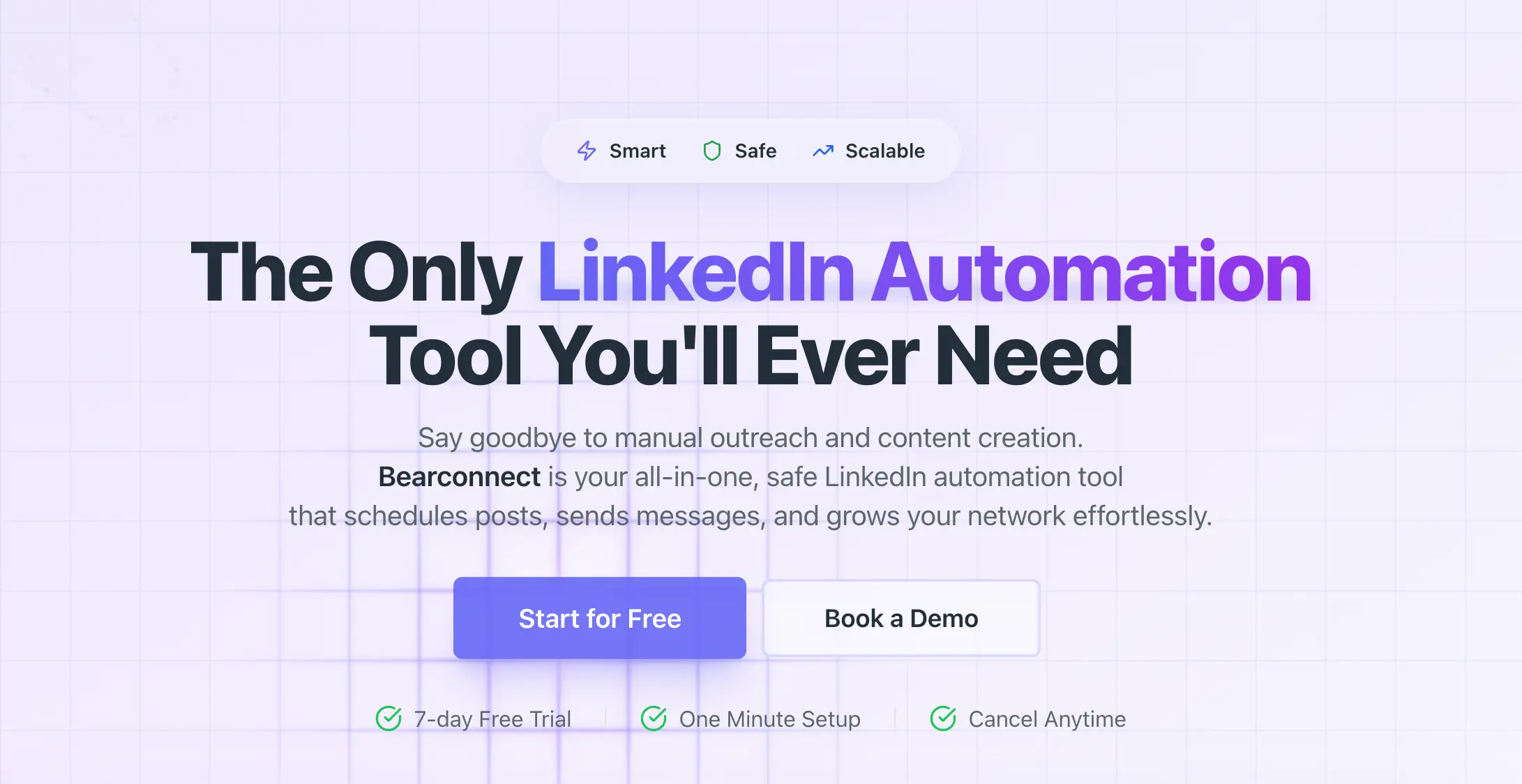
- Visit Bearconnect and click "Signup for free" to start your 7-day trial.
You can sign up with email or use "Signup with Google" for faster onboarding.
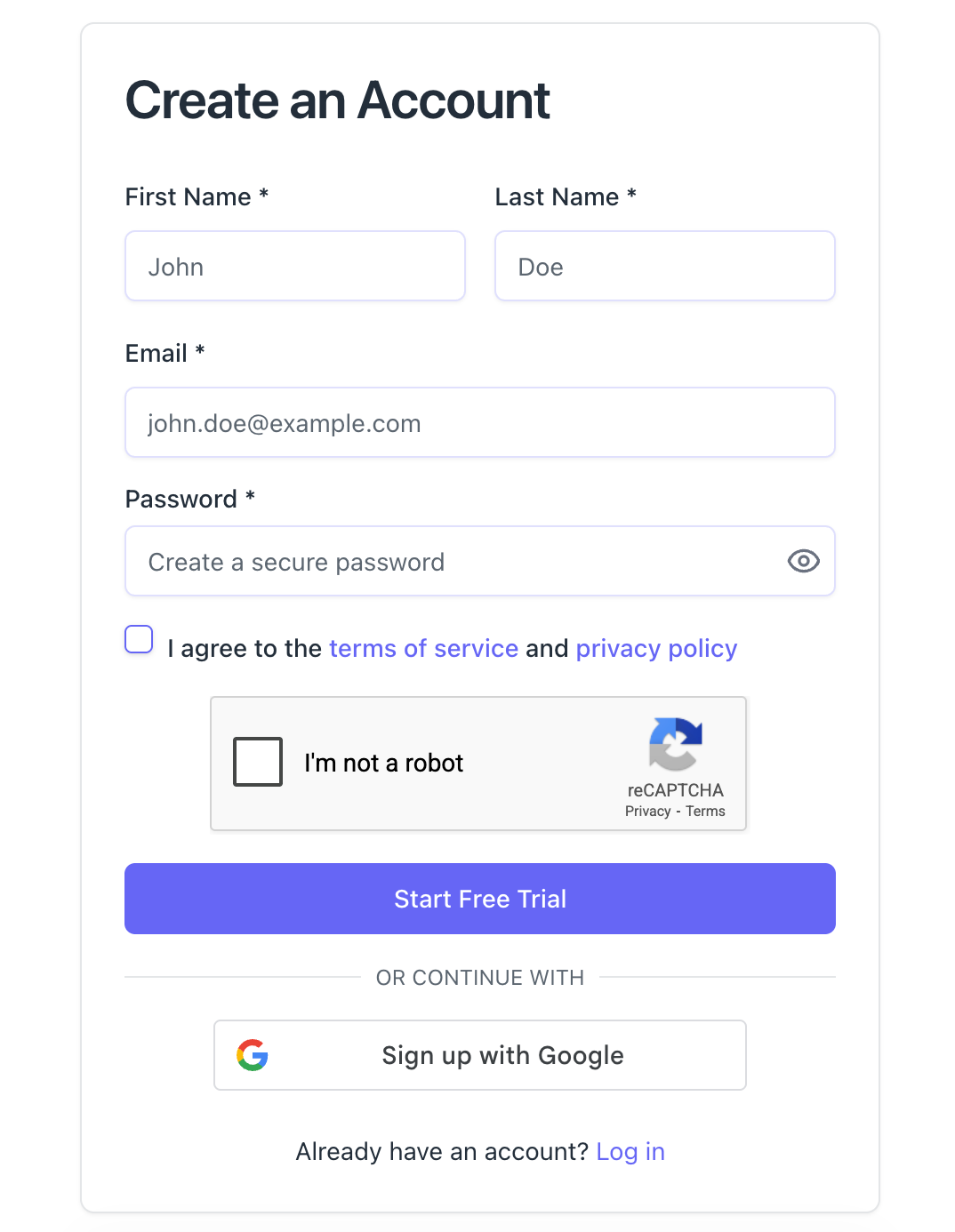
Step 2: Purchase Your Seat
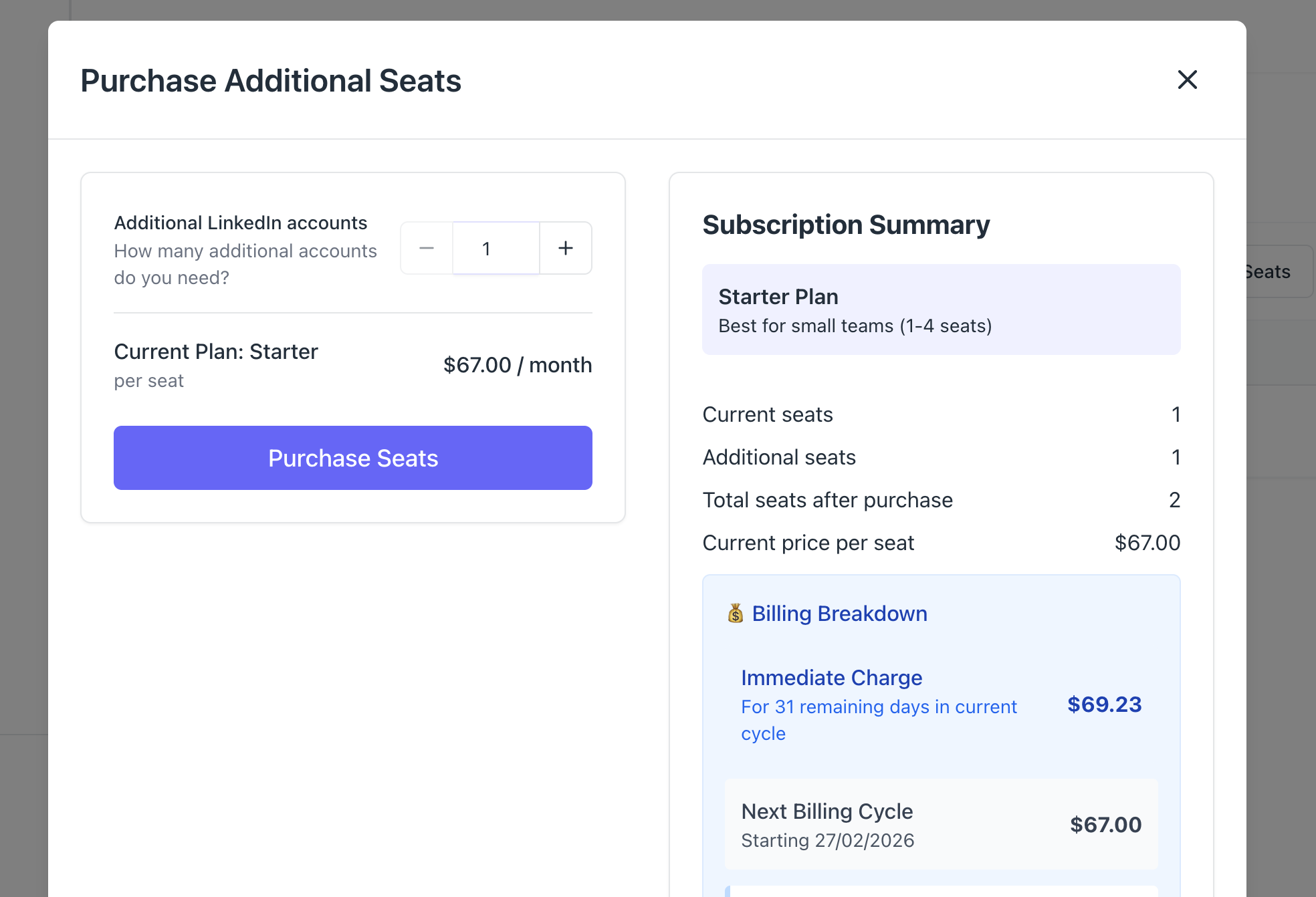
Enter your card details to activate your 7 day free trial, cancel anytime.
Remember, you pay $67 per month for each LinkedIn account you connect, or $57 per month per account when connecting 5 or more.
Step 3: Connect Your LinkedIn Account
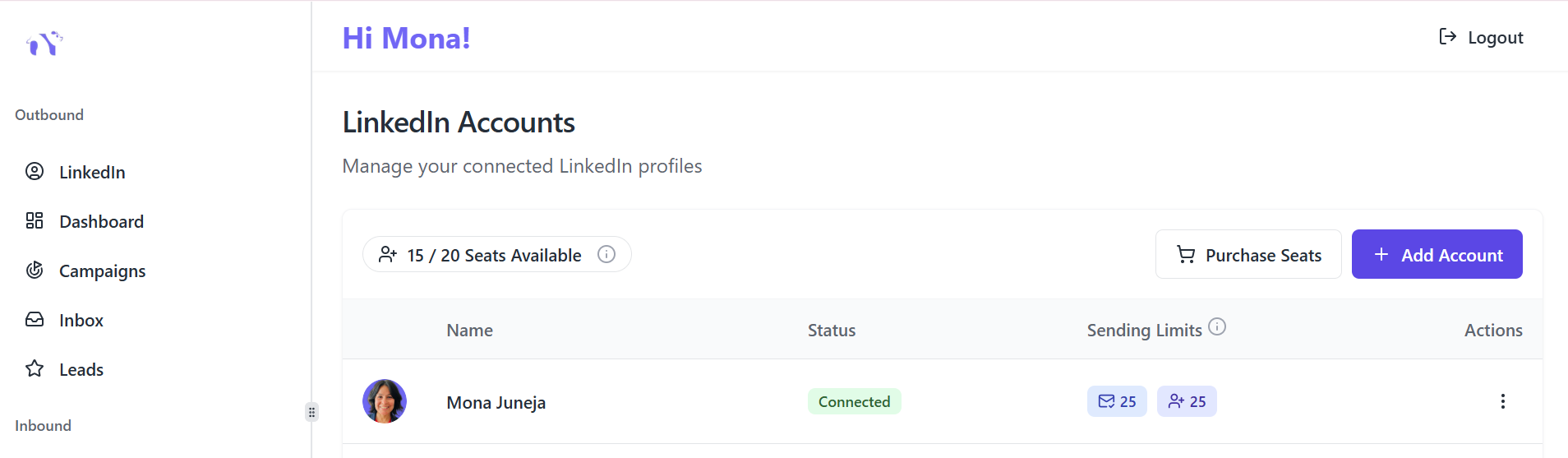
Enter your LinkedIn email and password to securely connect your account. Bearconnect uses local IP connections (not shared cloud IPs), behavior mimicry to appear natural, and smart throttling that respects LinkedIn's limits.
Phase 2: Campaign Creation (5-10 Minutes)
Step 4: Create Your Campaign
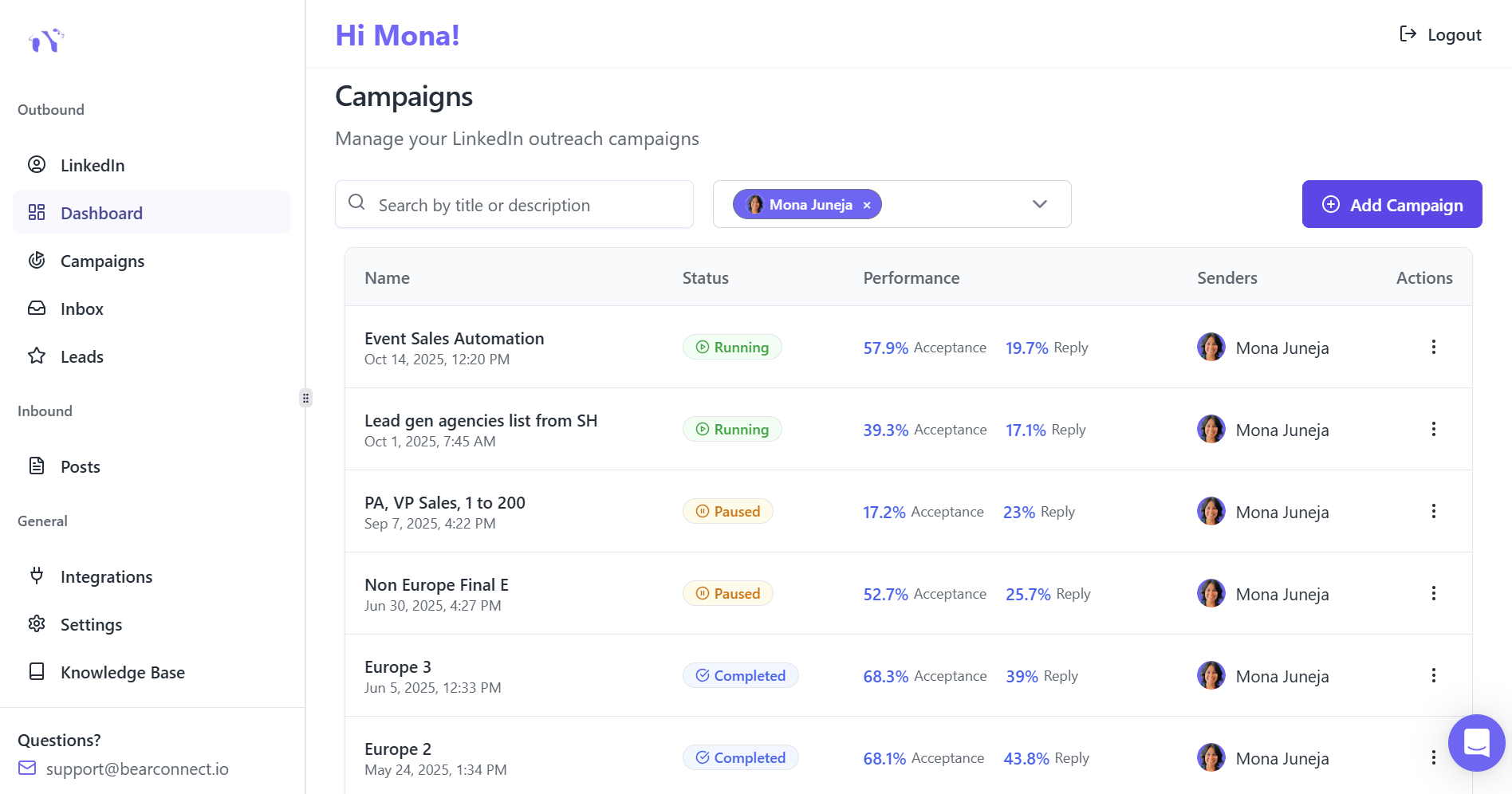
Navigate to the Campaign tab and click "Add Campaign".
Select your connected LinkedIn account and enter a descriptive campaign name like "SaaS Founders Outreach Q1 2026".
Step 5: Choose Your Lead Source
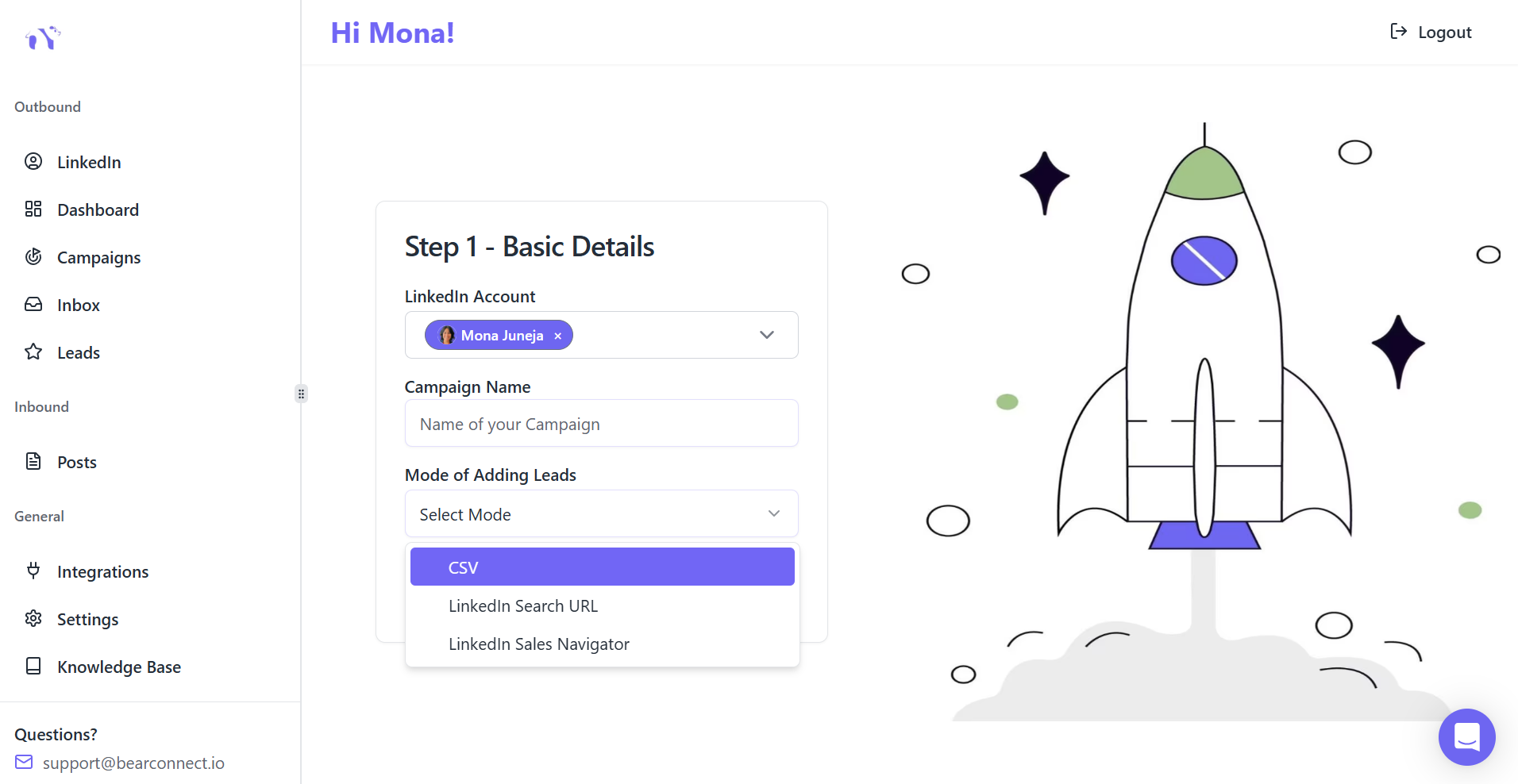
Bearconnect offers three import modes:
- CSV upload for existing lead lists
- LinkedIn Search URL for dynamic audience targeting
- LinkedIn Sales Navigator
For beginners, LinkedIn Search is more powerful because it continuously finds new prospects matching your criteria.
Click on Open LinkedIn Search which redirect you directly to LinkedIn search bar
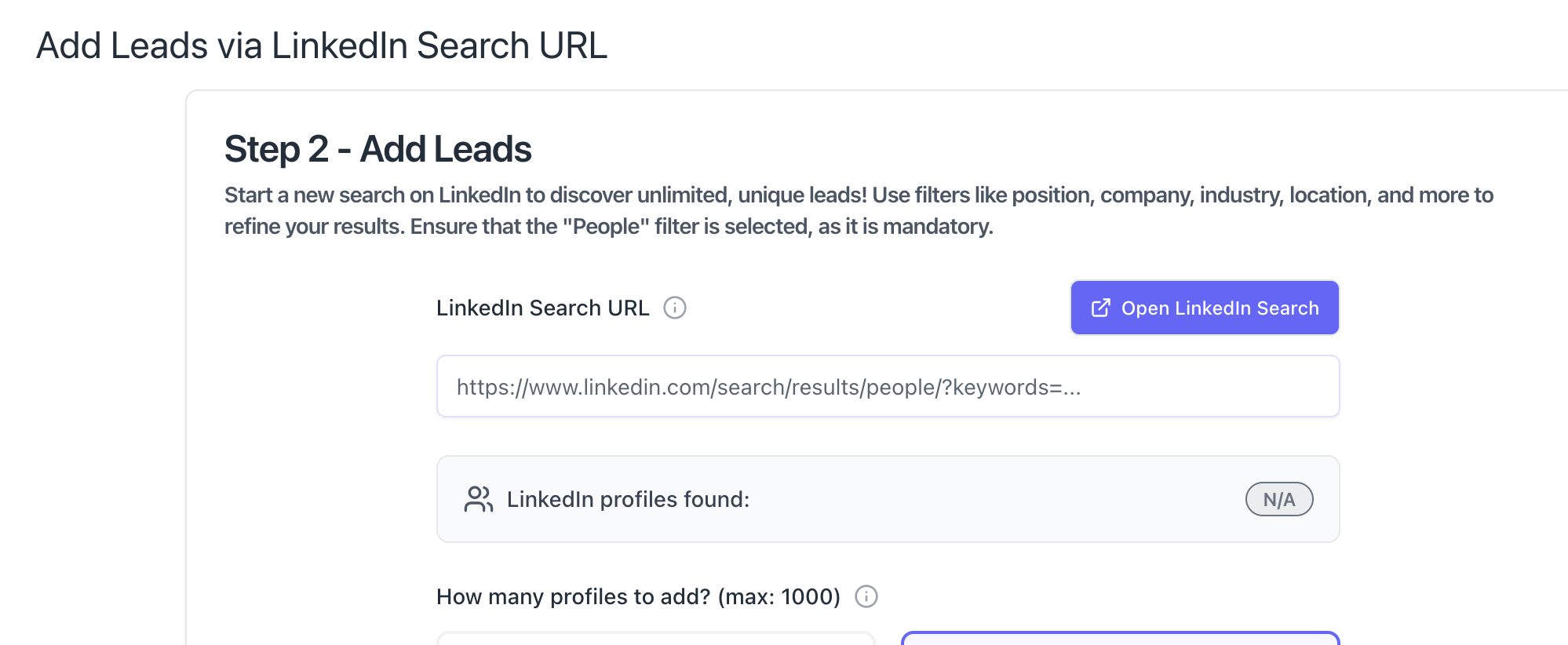
Step 6: Define Your Target Audience
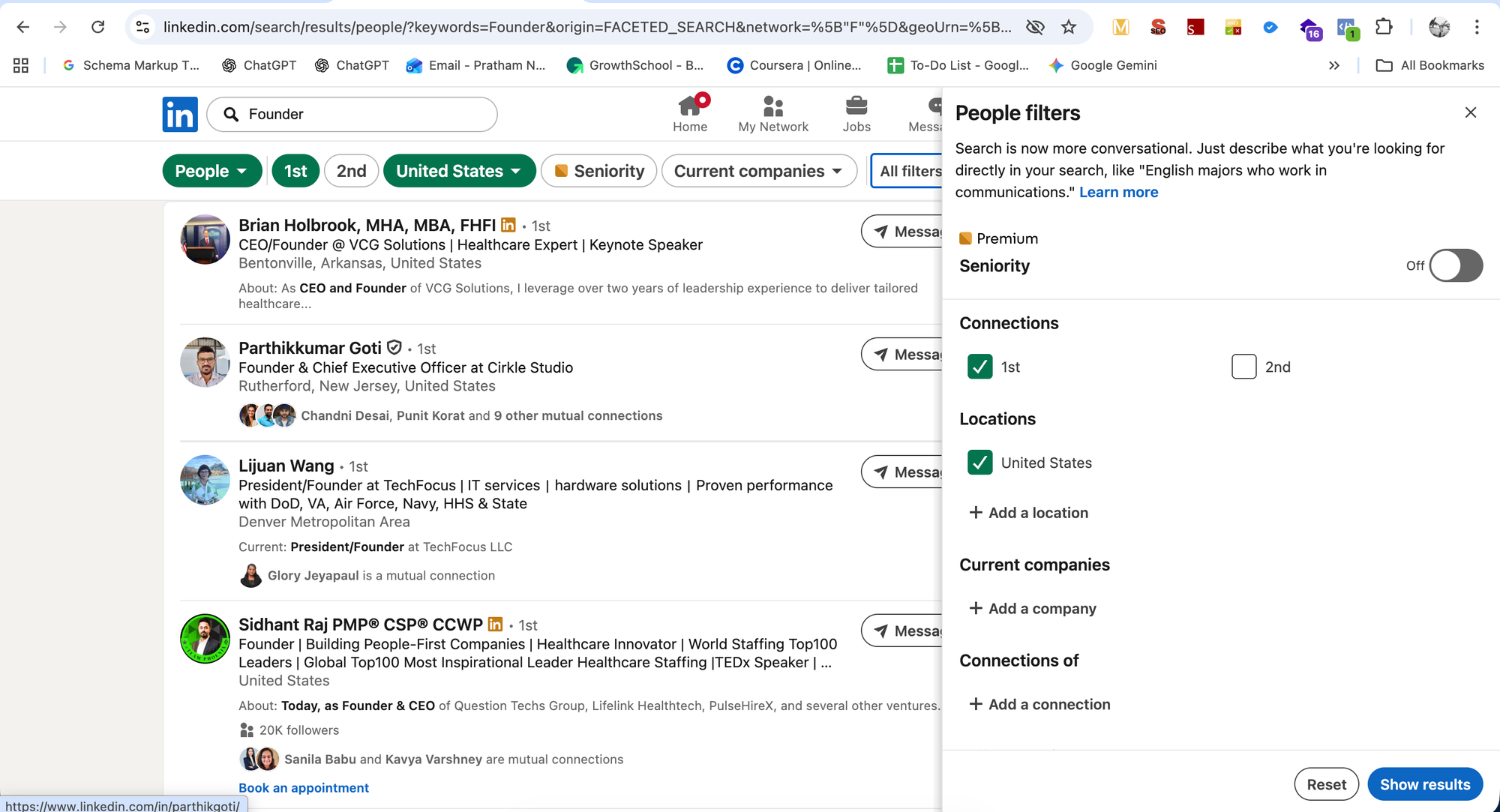
Open LinkedIn in a separate tab and use search filters to find your ideal prospects:
- Job titles (e.g., "Founder," "Sales Director")
- Company size (e.g., 11-50 employees)
- Industry (e.g., SaaS, Marketing)
Location (e.g., United States, United Kingdom)
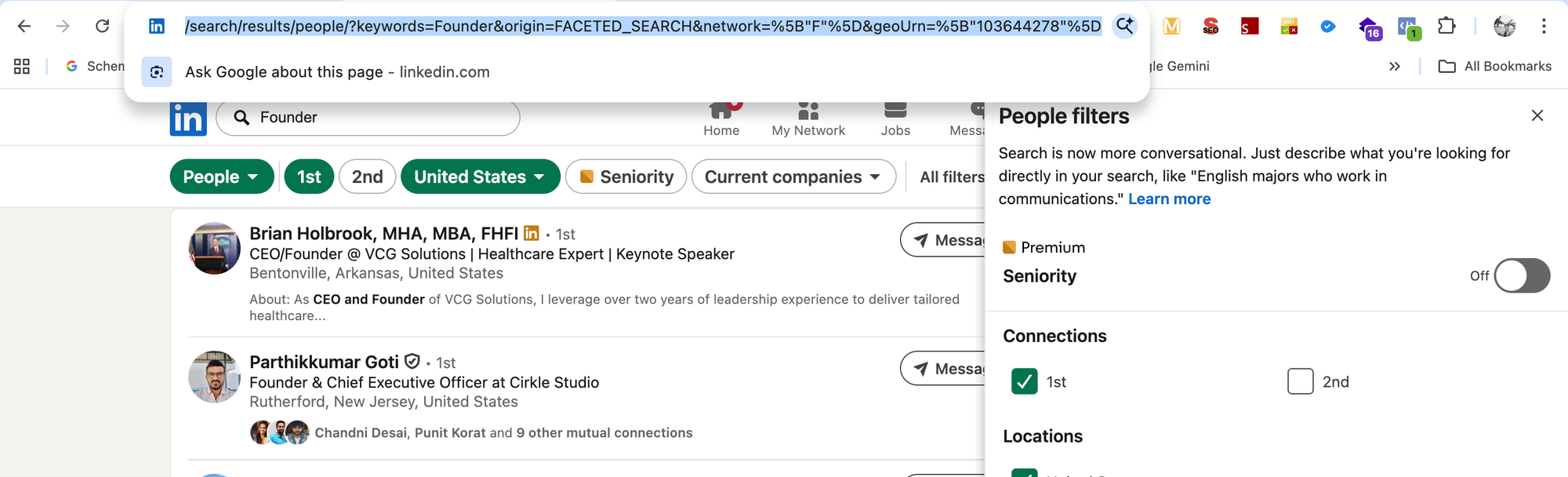
Copy the full search URL and paste it into Bearconnect. The platform automatically captures all matching leads. Learn advanced targeting strategies.
Step 7: Set Maximum Leads and Filters
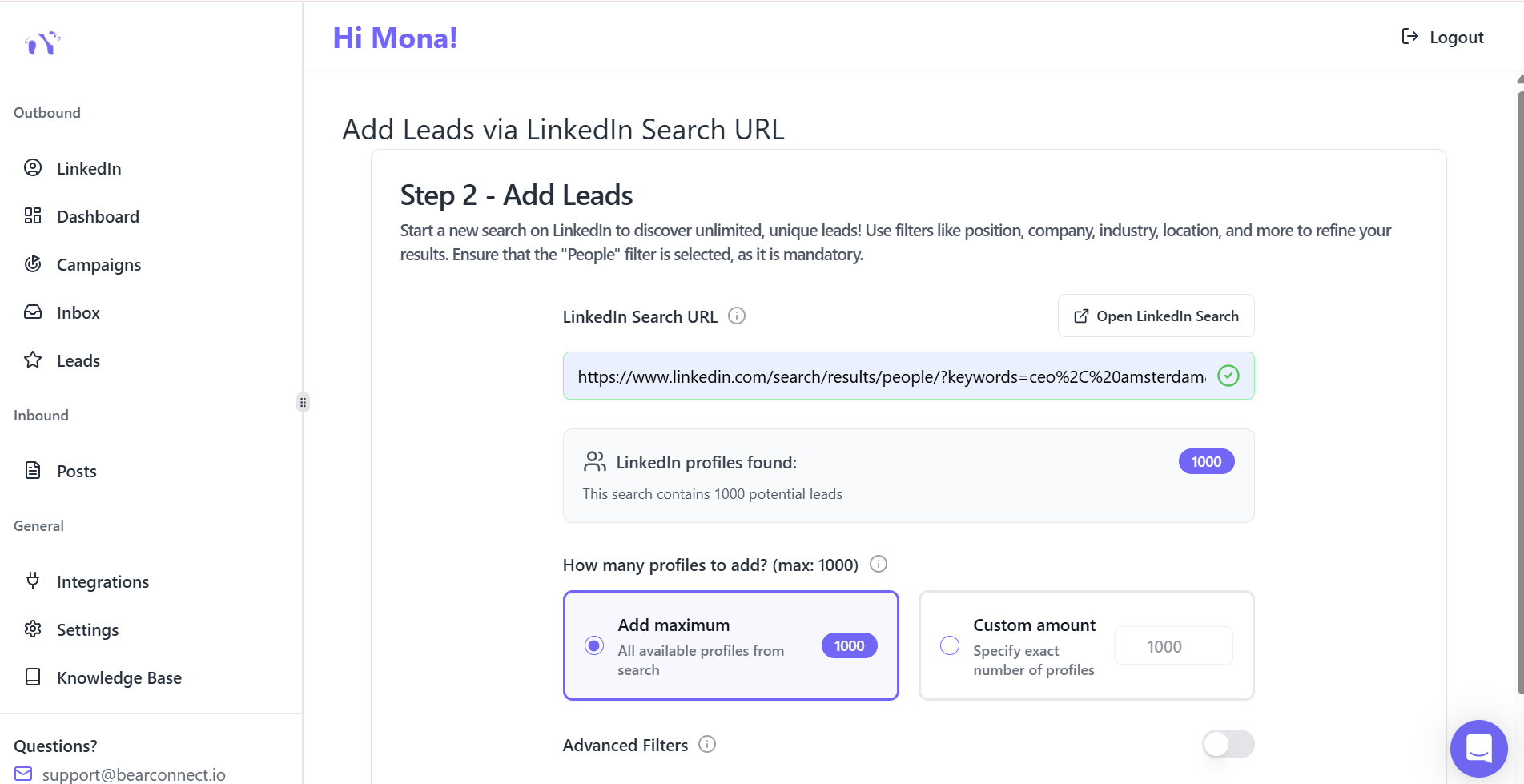
Choose how many leads to add to this campaign. Use Bearconnect's advanced filters to:
- Exclude previous campaign contacts (avoid duplicate outreach)
- Exclude profiles without photos (higher acceptance rates)
Phase 3: Workflow Configuration
Step 8: Select Workflow Type
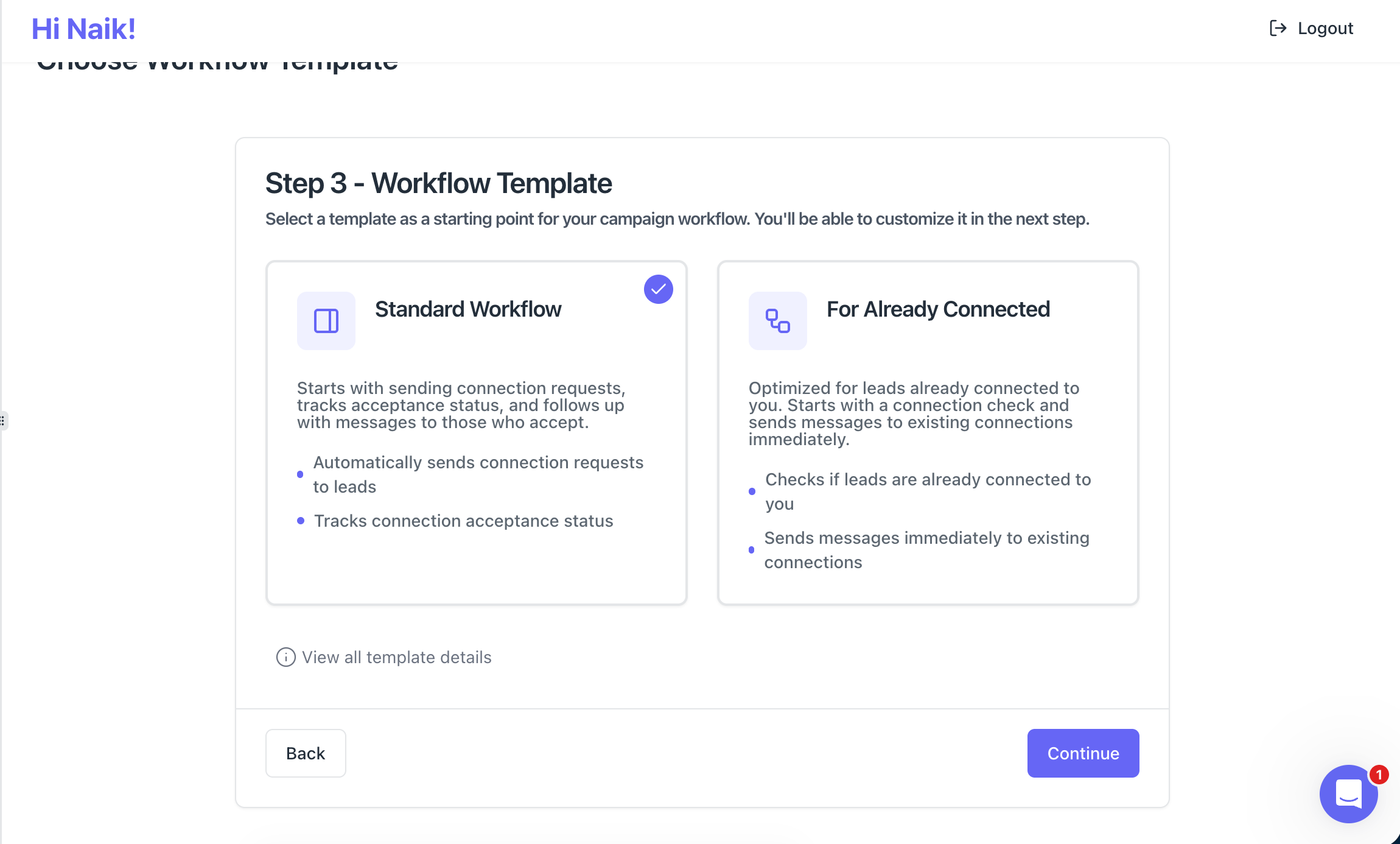
- Choose between "Already Connected" (send messages to existing network) or "Standard Workflow" (send connection requests and messages).
- Beginners should start with Standard Workflow to build new connections systematically.
Step 9: Configure Campaign Schedule
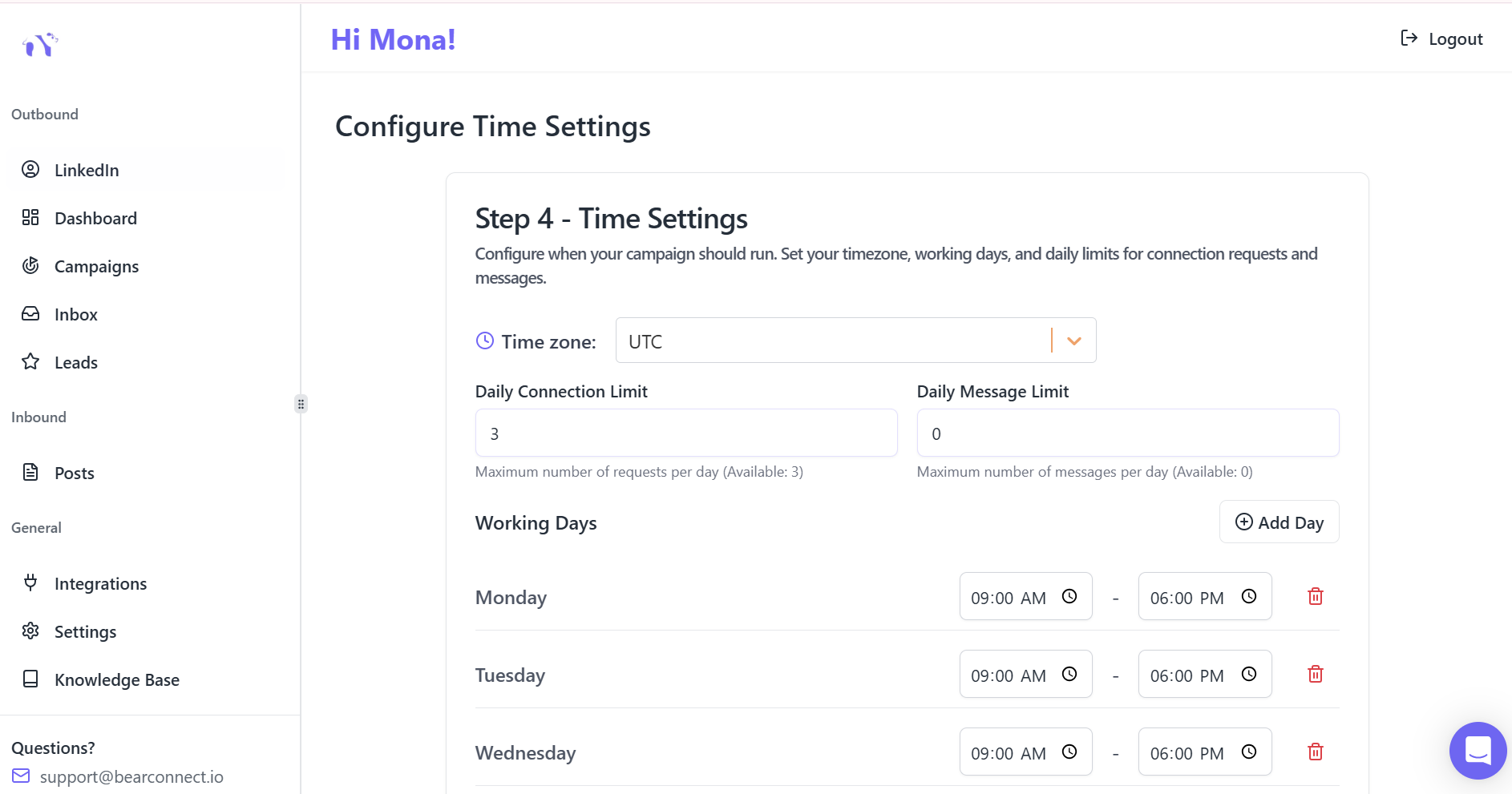
Select your time zone for accurate message timing. Choose which days to run outreach (Monday-Friday recommended for B2B campaigns).
Start with 10-15 connection requests daily for the first 14 days to warm up your account.
Step 10: Create Your Message Sequence
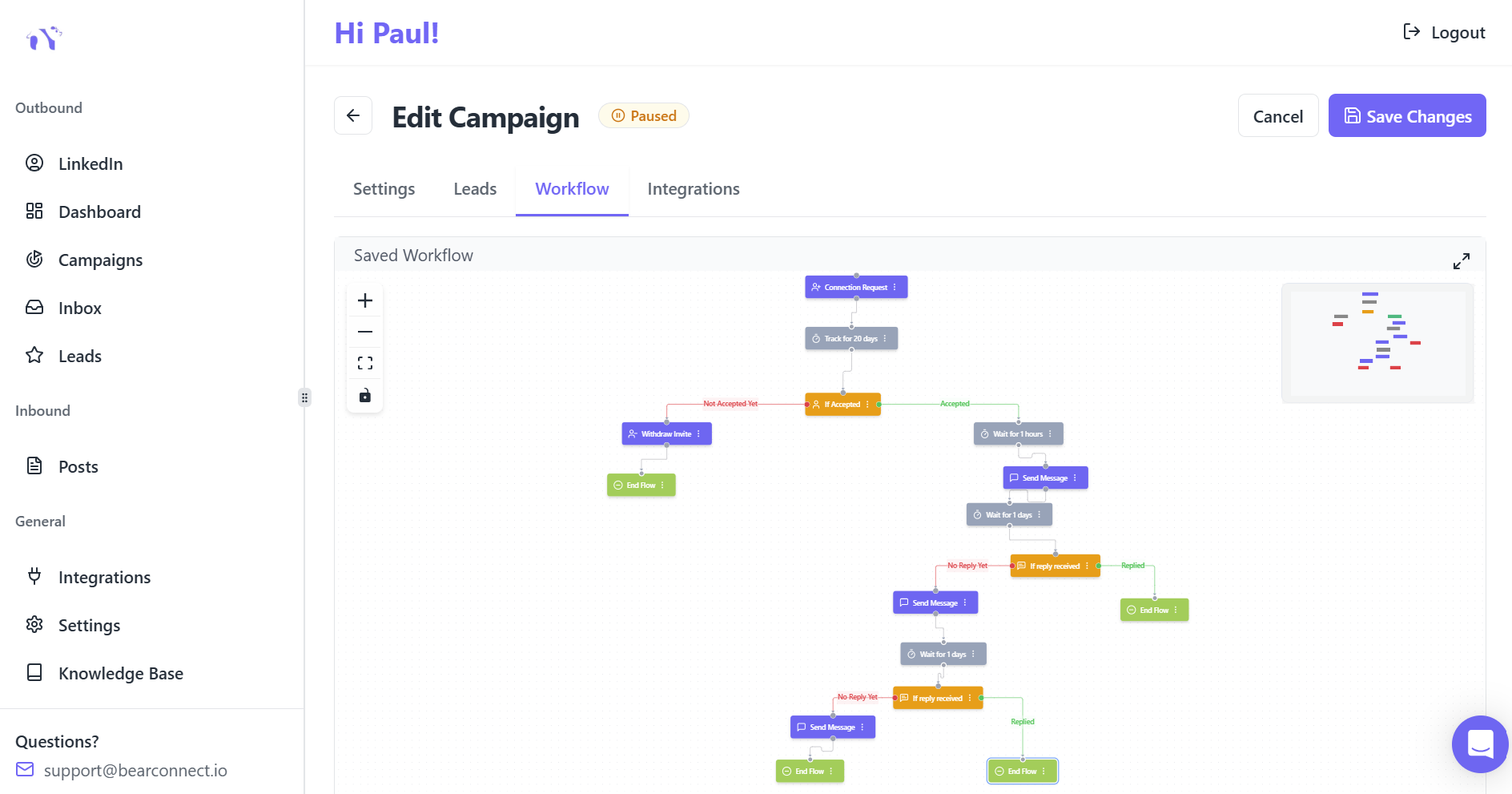
- Connection Request Message (180 characters max) - Introduce yourself and explain why you want to connect
- Message 1 - Provide value or share relevant content
- Message 2 - Provide value or share relevant content
- Message 3 - Soft call-to-action or meeting request
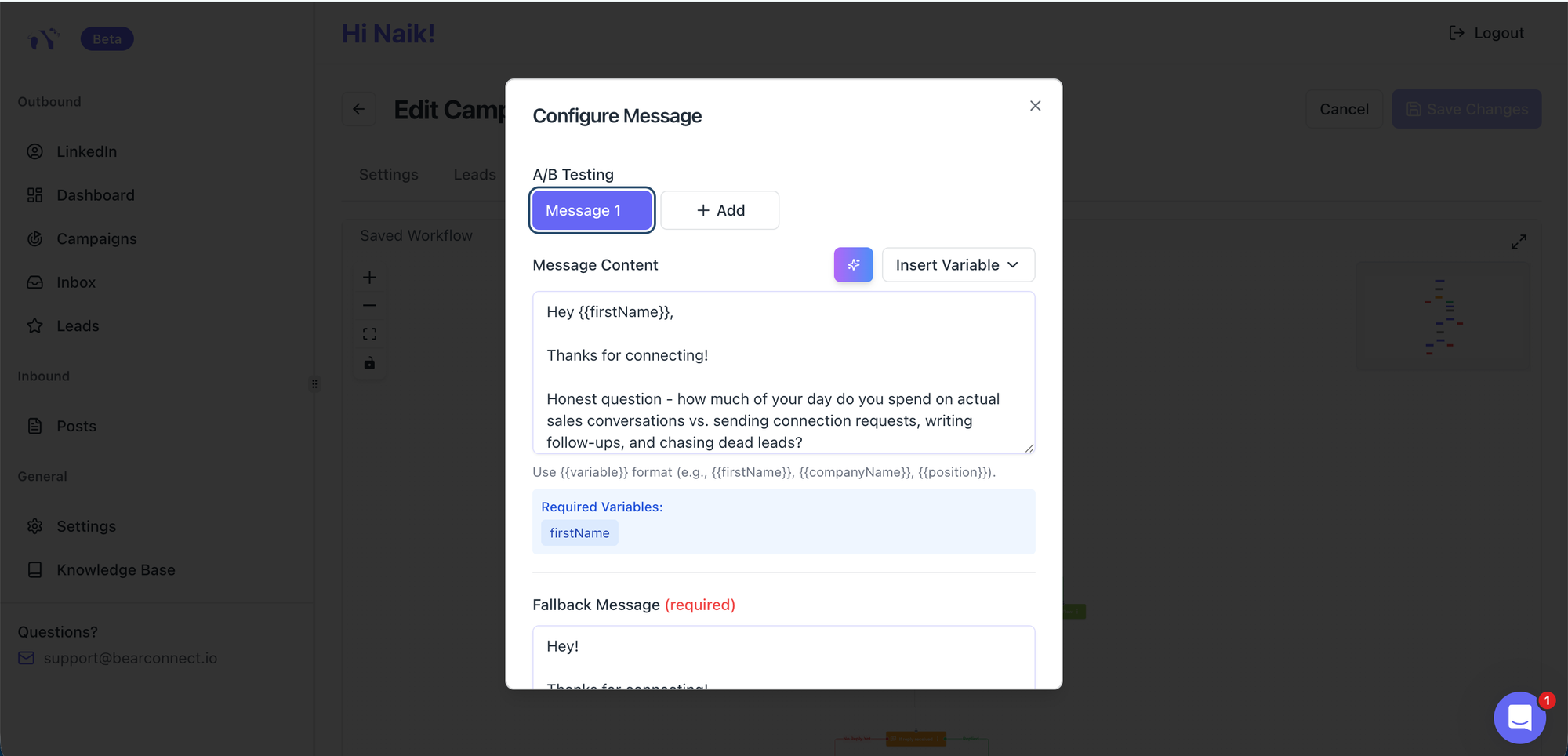
Insert dynamic fields like {{firstName}} and {{companyName}} for personalization at scale.
Step 11: Launch Your Campaign
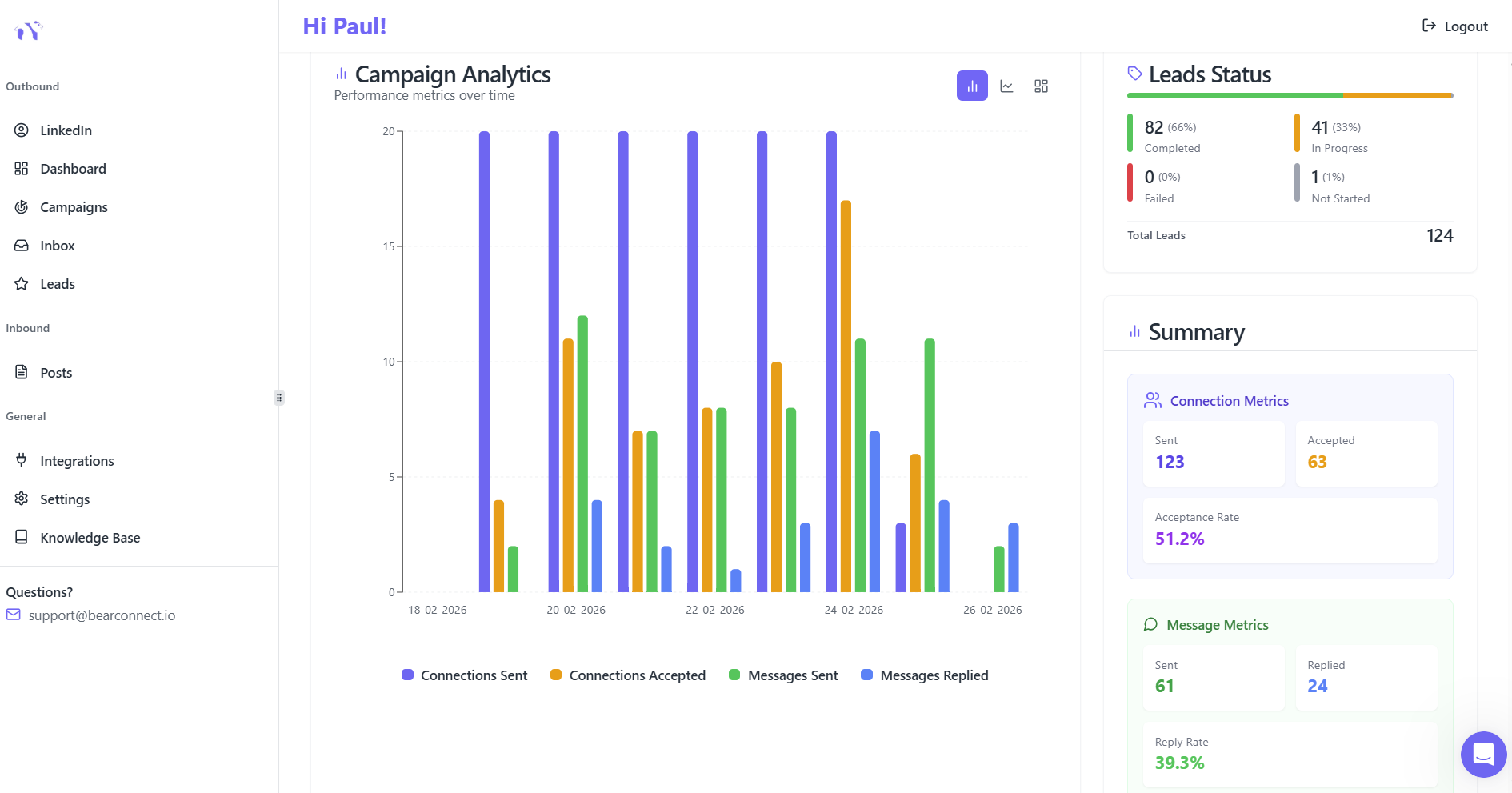
Your automation runs 24/7, even when you're offline, managing outreach across your configured schedule.
Managing Campaigns Through Bearconnect's Unified Inbox
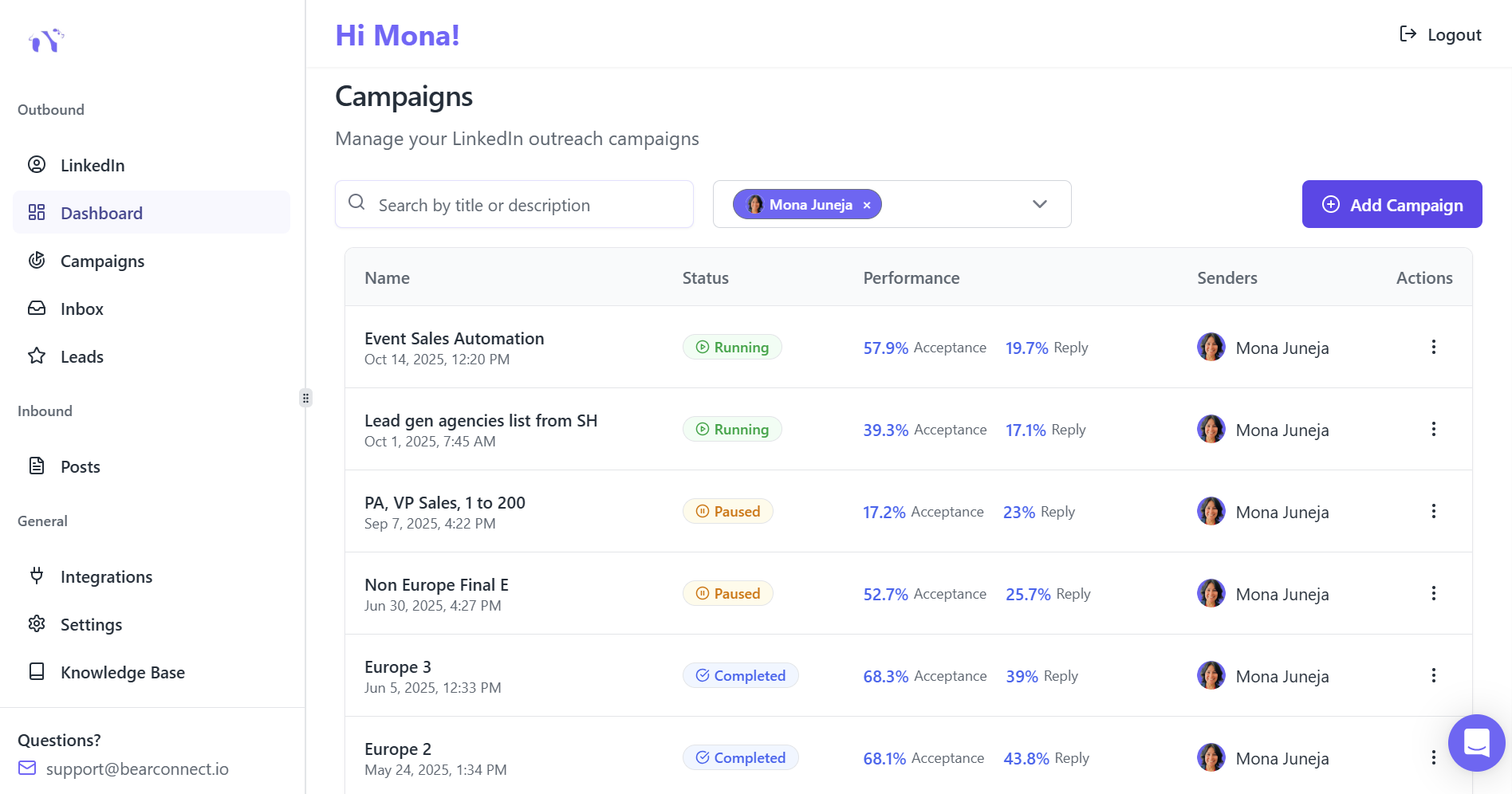
After launch, monitor all conversations from Bearconnect's Unified Inbox.
This centralized dashboard lets you:
- View messages from all connected LinkedIn accounts in one place
- Create labels to organize conversations by priority or stage
- Add notes to prospects for context and follow-up tracking
- Switch between accounts seamlessly without logging in/out
Response personally to interested prospects while automation handles the initial outreach volume. This balance maintains authenticity while scaling your reach 5-10x.
Measuring Success: What to Track in Your First 30 Days
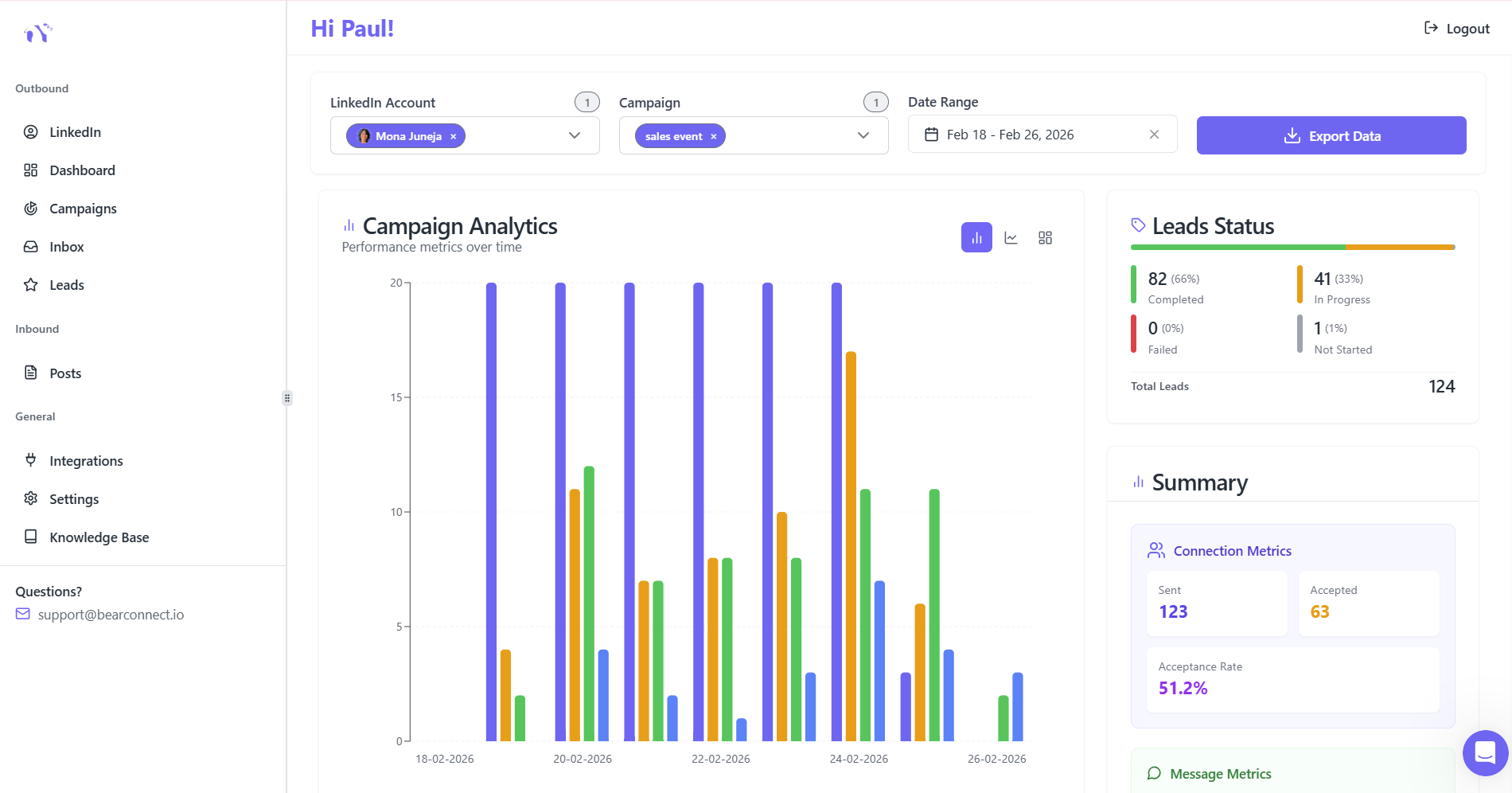
Week 1-2: Foundation Metrics
Monitor these key performance indicators in Bearconnect's Analytics Dashboard:
- Connection acceptance rate: Target 20-30% for cold outreach
- Reply rate: Target 10-20%
Week 3-4: Engagement Metrics
Track response rates and conversation quality:
- Response rate to first message: Target 5-15% for cold prospects
- Positive vs. neutral responses: Gauge message effectiveness
- Meeting requests booked: Ultimate conversion metric
Bearconnect's real-time performance tracking helps you identify top-performing campaigns and scale them while pausing underperformers.
Common Beginner Mistakes to Avoid
Mistake 1: Aggressive Daily Limits
Sending 30+ connection requests from day one triggers LinkedIn's detection algorithms. Start conservatively at 10-15 daily and increase gradually over 14 days.
Mistake 2: Generic, Robotic Messages
Messages like 'I'd like to add you to my professional network' get ignored. Reference specific details from their profile or recent posts to demonstrate genuine interest.
Mistake 3: No Follow-Up Sequence
80% of prospects don't respond to the first message. Implement 3-5 touchpoints with valuable content before asking for meetings.
Mistake 4: Ignoring Account Warm-Up
New LinkedIn accounts or accounts new to automation need gradual ramping. Accounts without warm-up protocols face 23% restriction probability within 90 days.
Mistake 5: Set-It-and-Forget-It Mentality
Automation handles volume, but you must respond personally to interested prospects. Check your Unified Inbox daily to maintain conversation momentum.
Advanced Tips for Scaling Your First Campaign
Before starting your first campaign, follow the below steps:
1. Optimize Your LinkedIn Profile First
Before scaling automation, ensure your profile converts visitors into connections:
- Professional headline clearly stating who you help
- Banner image reinforcing your value proposition
- Summary section with specific results you deliver
- Recent activity showing valuable content
2. Segment by Seniority and Industry
Different personas respond to different messaging. Create separate campaigns for:
- C-level executives (focus on strategic outcomes)
- Directors and managers (focus on efficiency gains)
- Individual contributors (focus on personal productivity)
If you want a single resource to demystify everything, this LinkedIn automation made simple guide covers the full picture in one place.
Frequently Asked Questions
Q1: How much does Bearconnect cost for beginners?
Bearconnect costs $67 per month for each LinkedIn account you connect. When you connect 5 or more LinkedIn accounts, the price drops to $57 per month per account. All plans include a 7-day free trial with full access to unlimited campaigns, AI content creation, and the unified inbox.
Q2: How long before I see results from my first campaign?
Most users see their first qualified conversations within 7-14 days of launching campaigns. Connection acceptance typically takes 1-3 days, followed by automated message sequences. Expect 5-10 qualified leads per 100 connection requests with properly targeted campaigns.
Q3: Can I manage multiple LinkedIn accounts with one Bearconnect subscription?
Yes, Bearconnect supports unlimited LinkedIn account connections on one dashboard. You pay $67 per month for each LinkedIn account you connect ($57 per account for 5+ accounts). The Unified Inbox lets you manage all conversations from one centralized platform.
Q4: What makes Bearconnect safer than other automation tools?
Bearconnect uses local IP connections (not shared cloud IPs), behavior mimicry to appear natural, and smart throttling that respects LinkedIn's limits. The platform operates independently of LinkedIn Sales Navigator and includes built-in account warm-up protocols that reduce detection risk.
Q5: How do I write connection requests that don't sound automated?
Use Bearconnect's personalization tokens like {{firstName}}, {{companyName}}, and {{jobTitle}} to customize each message. Reference specific details like recent posts, shared interests, or mutual connections. Keep requests under 180 characters and focus on mutual benefit rather than immediate asks.
Ready to Launch Your First LinkedIn Campaign?
Visit Bearconnect and click 'Signup for free' to start your 7-day trial. Get full access to unlimited campaigns, AI message creation, and unified inbox management from day one.
Stop spending hours on manual outreach. Follow this guide, start with conservative limits, and scale to 5-10x more qualified connections.
Ready to Transform Your LinkedIn Strategy?
Join thousands of professionals already using Bearconnect to automate their outreach and grow their network.
7-day free trial • Cancel anytime
Related Articles
How Can SDRs Book More Meetings Using LinkedIn Automation?
SDRs can book more meetings with LinkedIn automation by streamlining outreach, automating follow-ups, and scaling conversations without manual effort.
7 Best LinkedIn DM Tools for Outreach Automation in 2026
Looking for best LinkedIn DM tools in 2026? This guide compares top outreach automation tools by features, pricing, safety, and use cases so you can scale B2B lead generation with less manual work.
How to Automate Your Agency's LinkedIn Outreach (Without Getting Banned)
Learn how agencies automate LinkedIn outreach safely using smart limits, personalization, and automation tools to scale prospecting without risking account bans.