How to Follow Up with Everyone Who Attended Your LinkedIn Event Using LinkedIn Automation
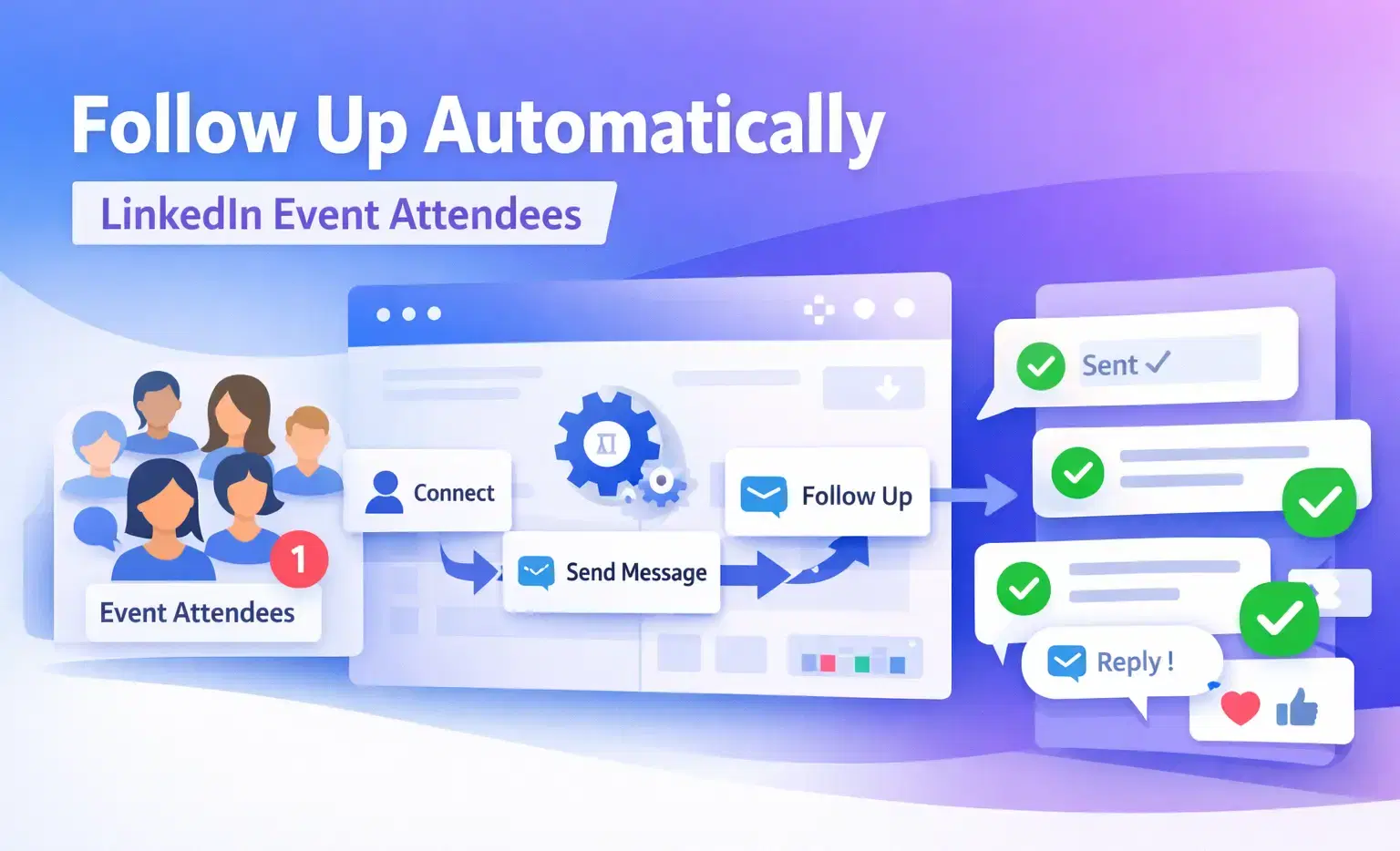
You can automatically follow up with LinkedIn event attendees by importing their profiles into a LinkedIn automation tool like Bearconnect, building a personalized drip sequence, and sending connection requests with targeted messages.
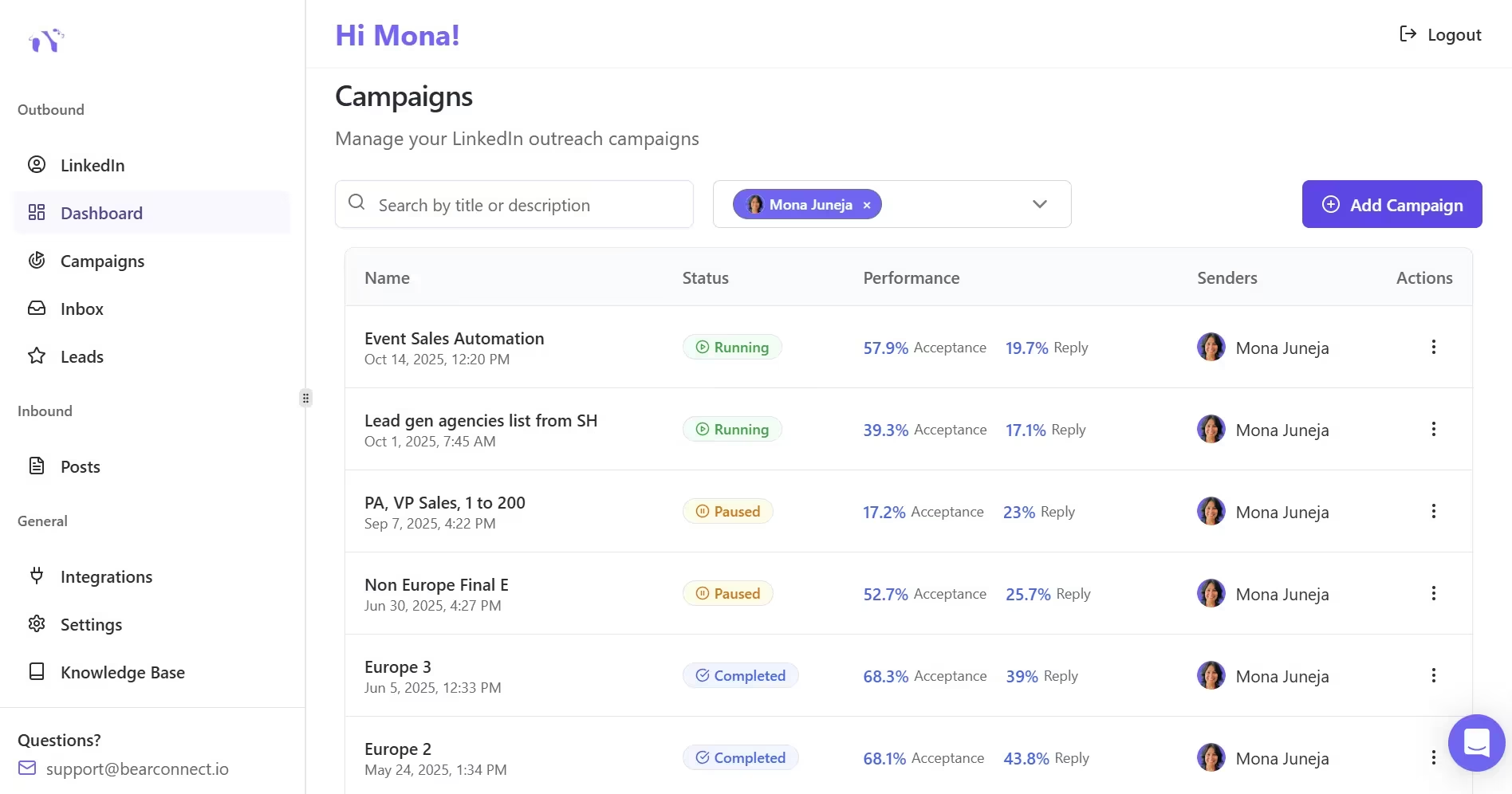
Event-based campaigns deliver 45-55% connection acceptance rates, far higher than cold outreach from any other LinkedIn lead source.
TL;DR
- LinkedIn event attendees are warm leads who already showed intent around your topic
- Bearconnect lets you import all event attendees as leads in under 5 minutes
- Event-based campaigns see 45-55% acceptance rates vs. 20-30% for standard search-based campaigns
- A 3-step follow-up sequence (connection request, value message, soft CTA) works best
- You can sync new leads directly to HubSpot or Pipedrive for pipeline tracking
Why LinkedIn Event Attendees Are Your Best Untapped Lead Source
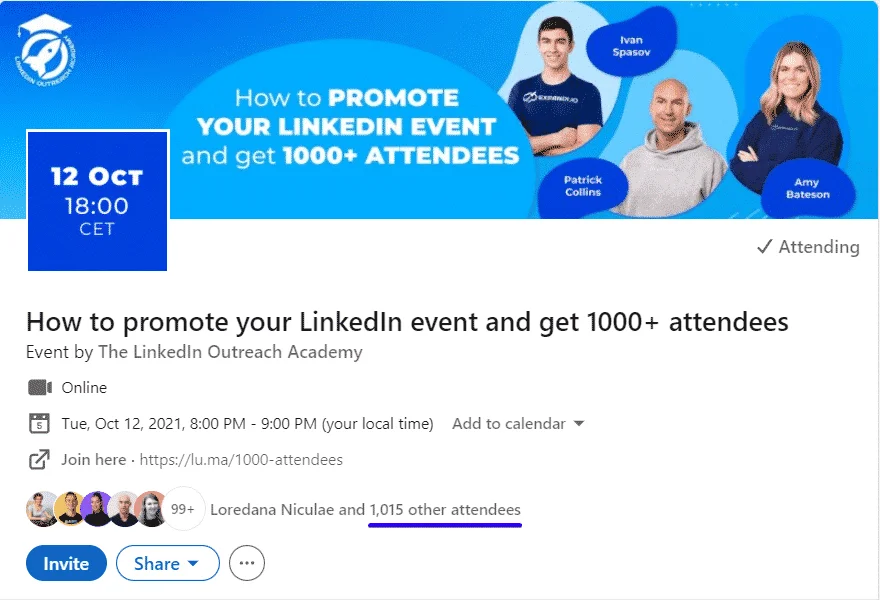
LinkedIn event attendees convert better than almost any other lead source on the platform.
- When someone registers for a LinkedIn event on "sales automation" or "B2B growth," they are actively signaling interest in that specific topic.
- That intent makes them far easier to convert than someone you found through a keyword search or a Sales Navigator filter.
Most B2B founders and sales managers host or attend LinkedIn events and then do nothing with the attendee list. That is pipeline left on the table.
If you want to understand the full difference between cold and warm lead sources, read our guide on LinkedIn cold outreach vs warm prospecting.
Here is why this lead source stands out:
- Event attendees already trust the context your outreach feels relevant, not random
- They accept connection requests at 45-55% vs. 20-30% for search-based cold outreach
- They respond faster because your message ties directly to something they already cared about
What Is LinkedIn Event Follow-Up Automation?
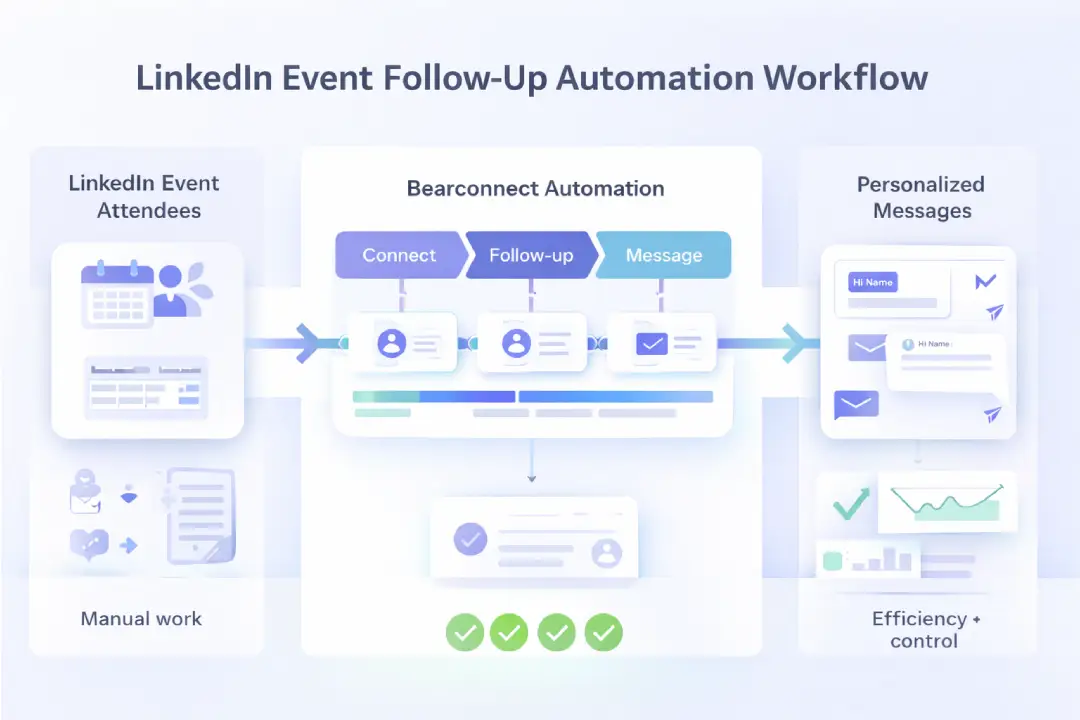
LinkedIn event follow-up automation is the process of importing LinkedIn event attendees into a campaign tool, then sending them a structured sequence of connection requests and messages automatically.
Instead of manually copying 200 attendee profiles, writing each message one by one, and tracking replies in a spreadsheet, you use a tool to handle all of that at scale while keeping each message personalized.
If you are new to this process, our LinkedIn automation beginner guide covers all the foundational concepts before you set up your first campaign.
The core workflow looks like this:
- Find a LinkedIn event relevant to your target audience
- Get the attendee list URL from LinkedIn
- Import that URL into Bearconnect
- Build a 3 to 5 step follow-up sequence
- Launch the campaign and manage all replies from one inbox
How to Get the LinkedIn Event Attendee URL
This is the step most people get stuck on. Here is exactly how to do it.
Follow these steps:
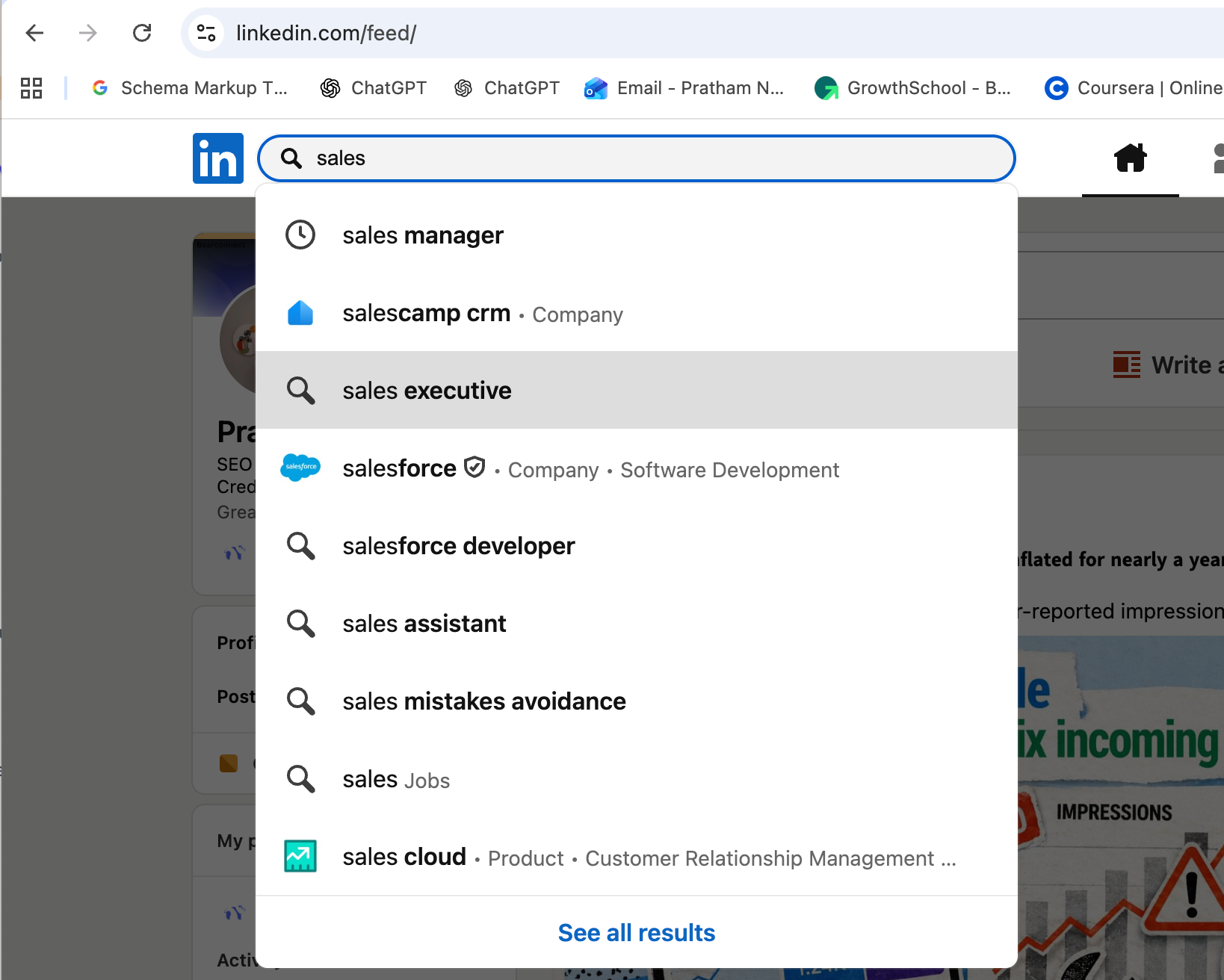
- Go to LinkedIn and search a keyword like "sales," "automation," or your target niche
- Click the "Events" filter to see only event results
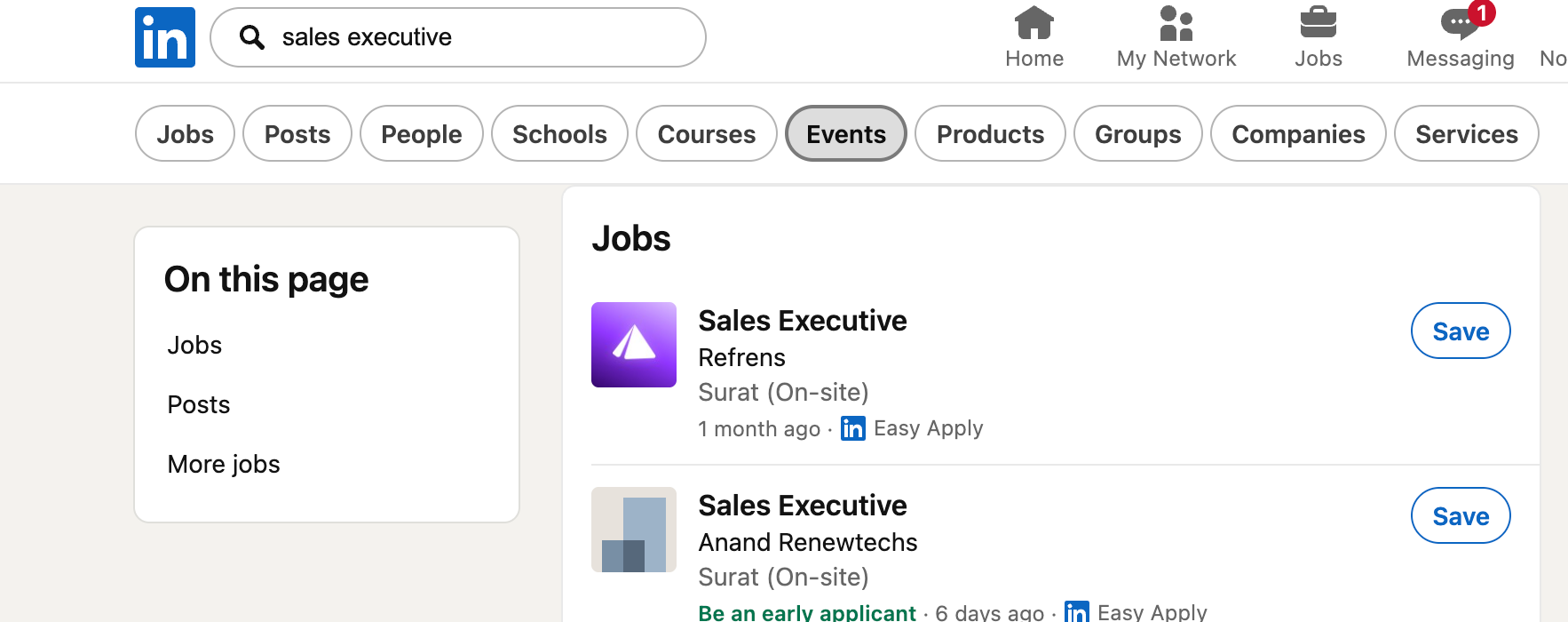
- Find an event with strong attendance (100+ attendees is ideal)
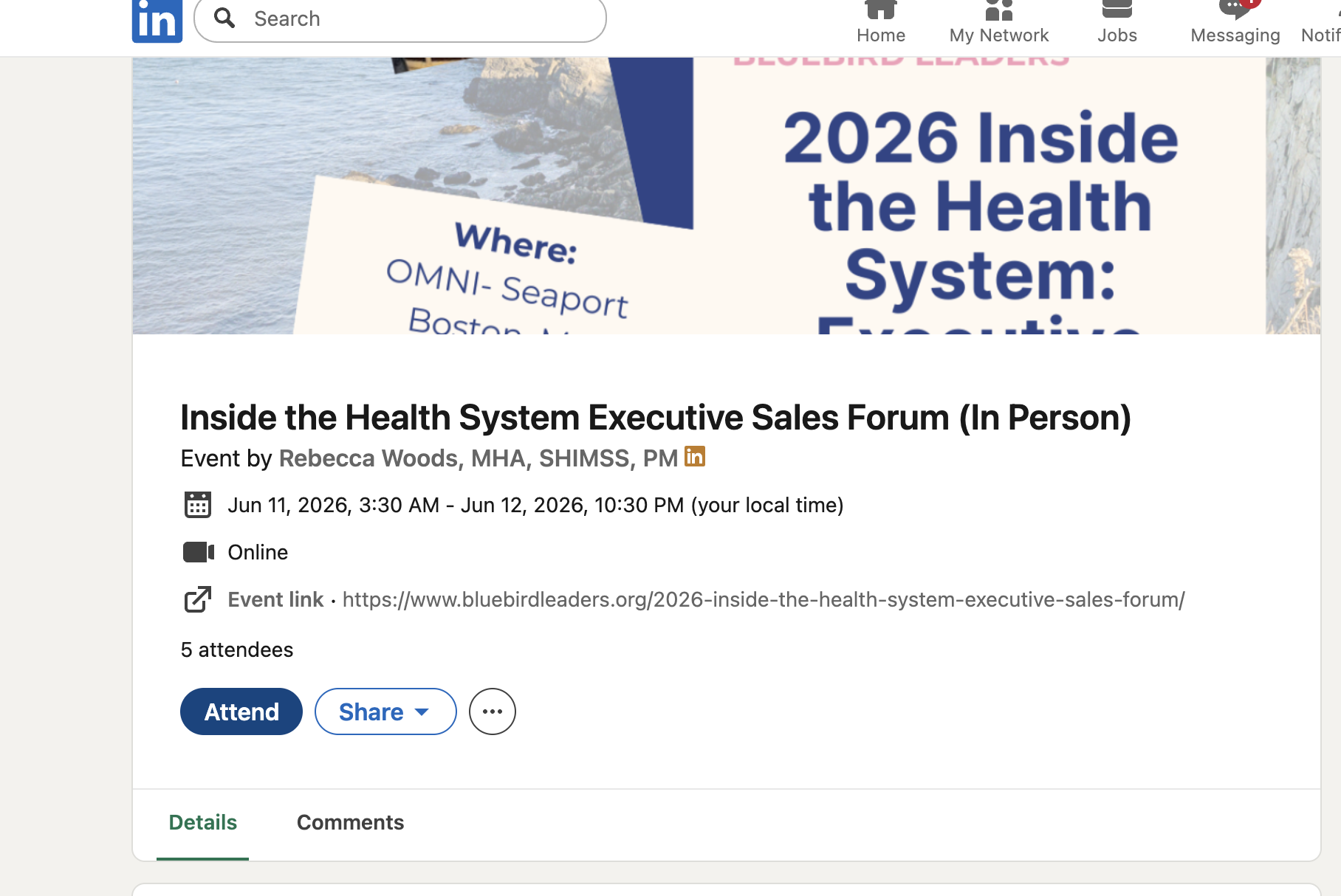
- Click "Attend" on that event to unlock the full attendee section
- Go to the "Networking" tab inside the event page
- Scroll down and click "See all attendees"
- Copy the full URL from your browser address bar
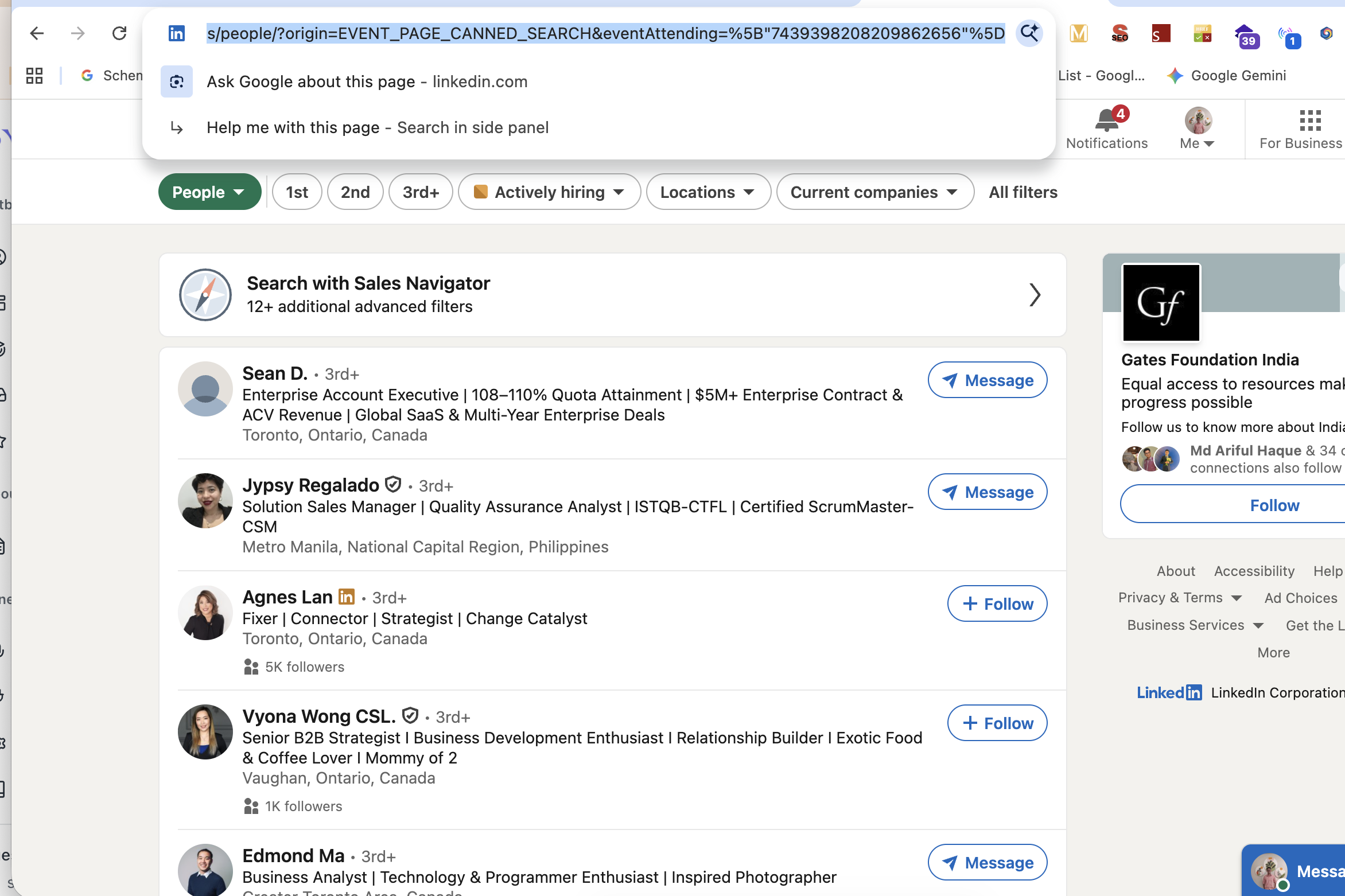
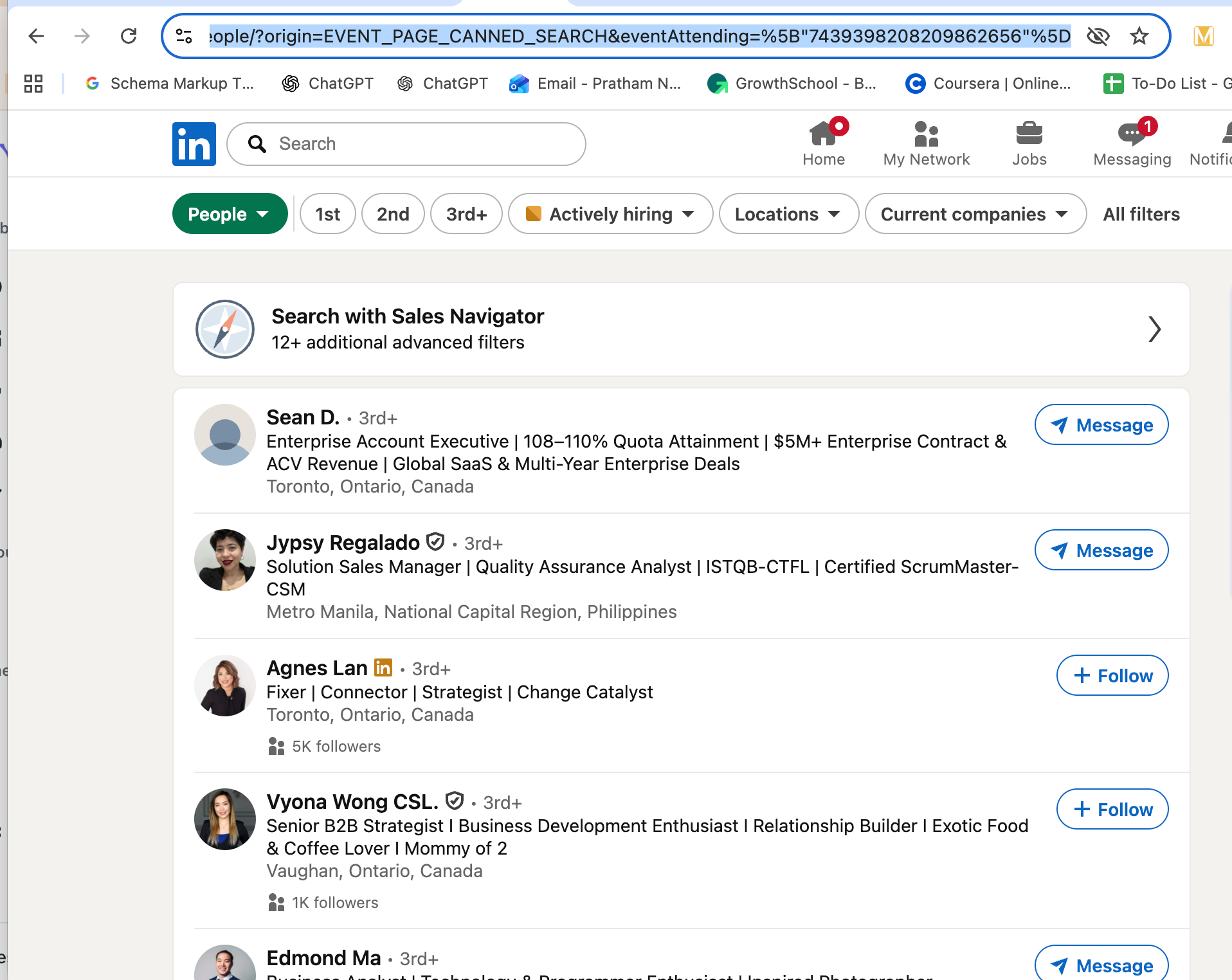
That URL will contain
origin=EVENT_PAGE_CANNED_SEARCH and eventAttending= parameters. That is the exact URL you paste into Bearconnect to pull the attendee list.
Pro Tip: Target events in your exact niche. If you sell to sales managers, search "sales manager summit" or "revenue operations" and attend those events. Your acceptance rate goes up because you share the same event context as your prospects.
How to Import LinkedIn Event Attendees into Bearconnect
Bearconnect makes this a two-step process that takes under 5 minutes. You can explore the full Import Data feature here.
Step 1: Set Up Your Campaign
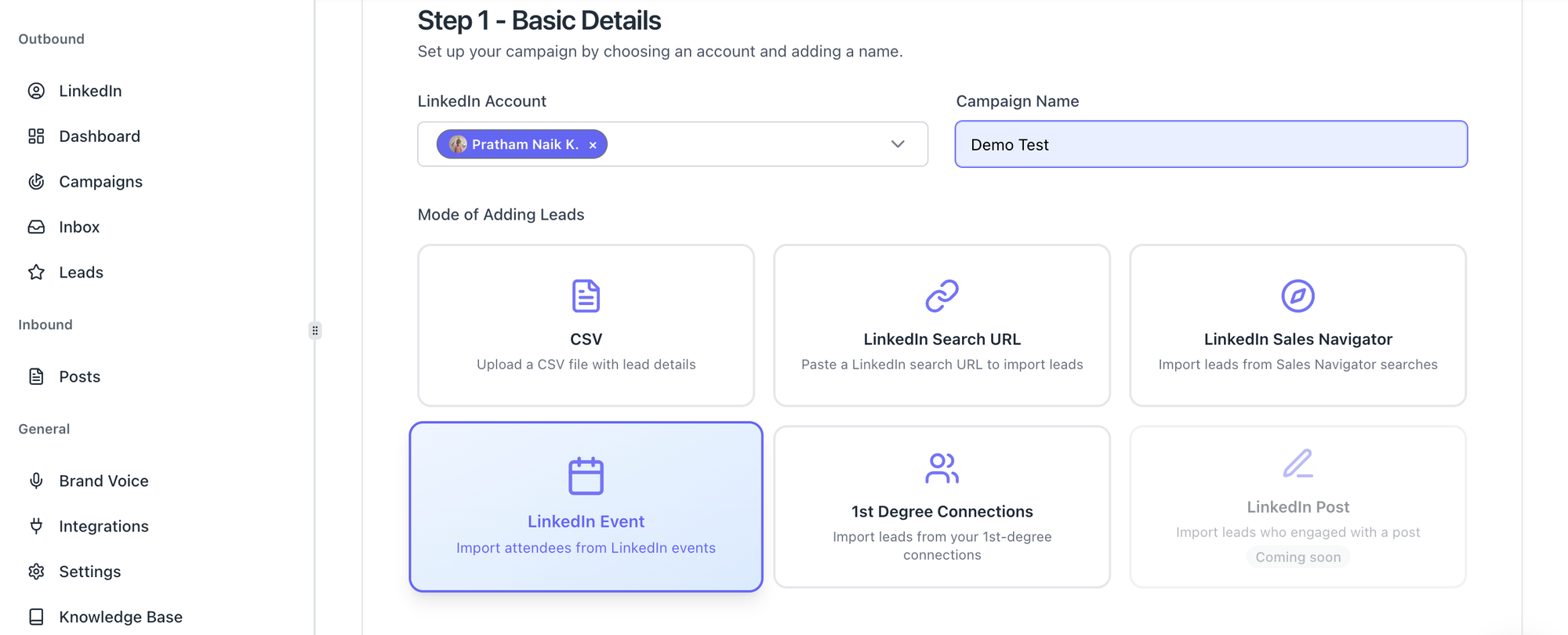
Inside Bearconnect, create a new campaign and fill in the basic details:
- Select the LinkedIn account you want to use for outreach
- Give the campaign a clear name (example: "Sales Summit April 2026 Attendees")
- Under "Mode of Adding Leads," select LinkedIn Event
Bearconnect supports six lead import modes: CSV upload, LinkedIn Search URL, LinkedIn Sales Navigator, LinkedIn Event attendees, 1st Degree Connections, and LinkedIn Post (coming soon).
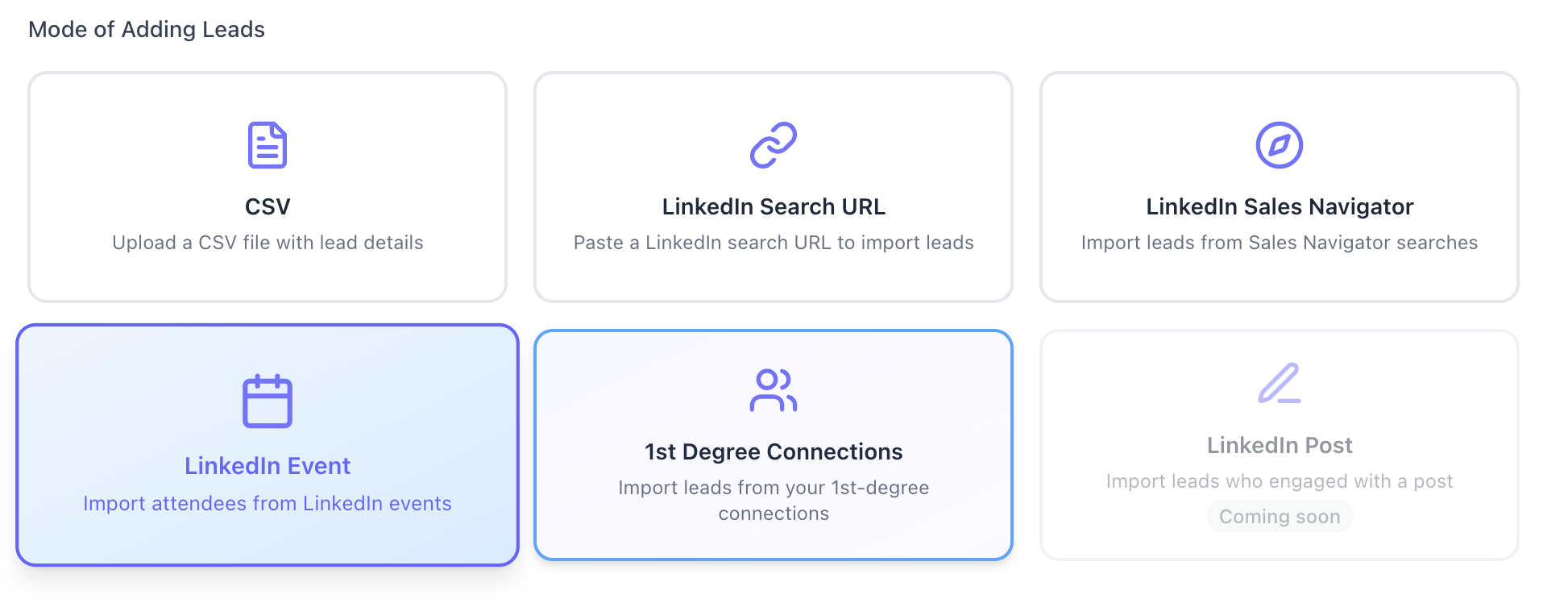
For event-based outreach, the LinkedIn Event option is your go-to.
Step 2: Add Your Leads
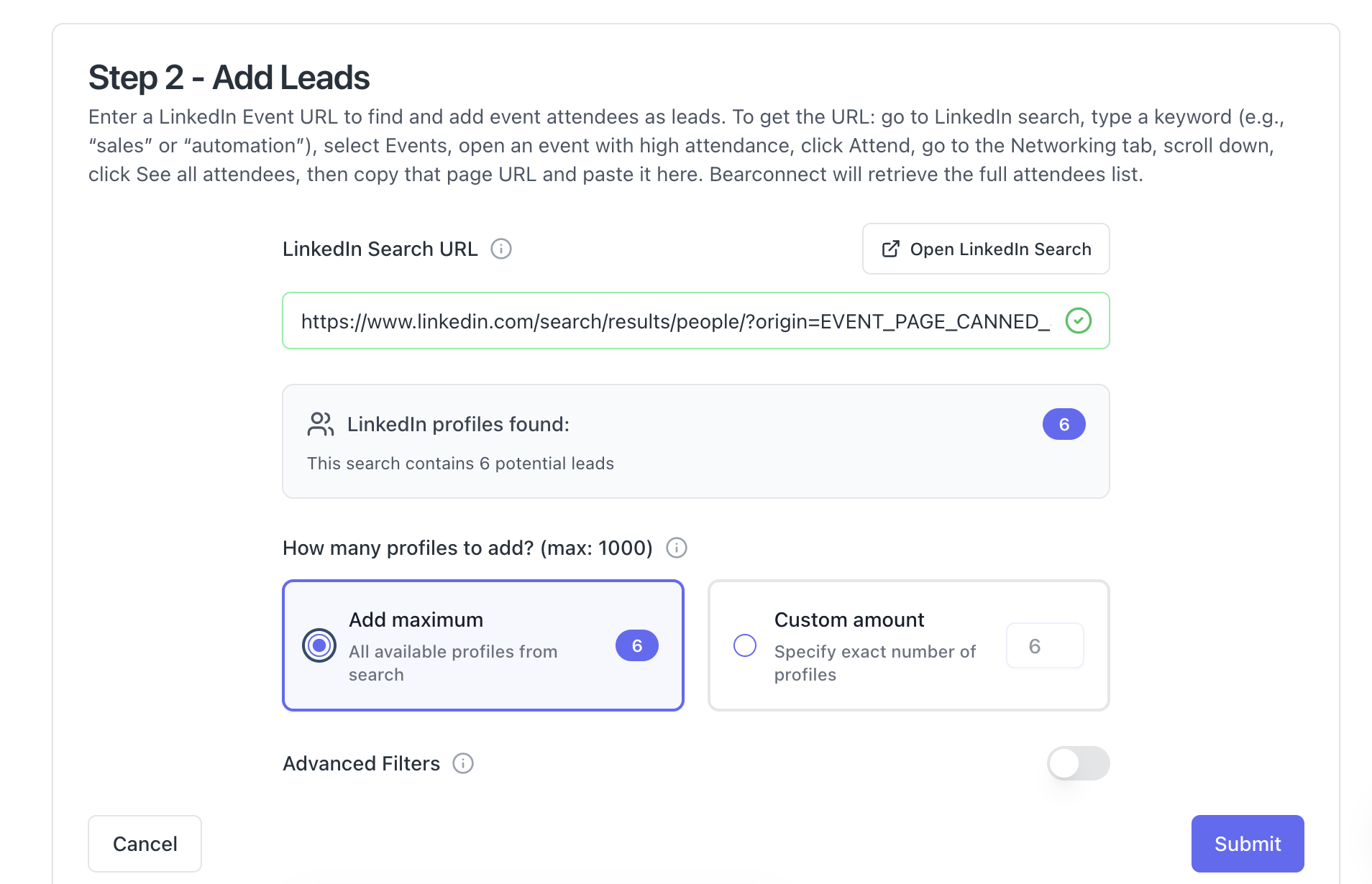
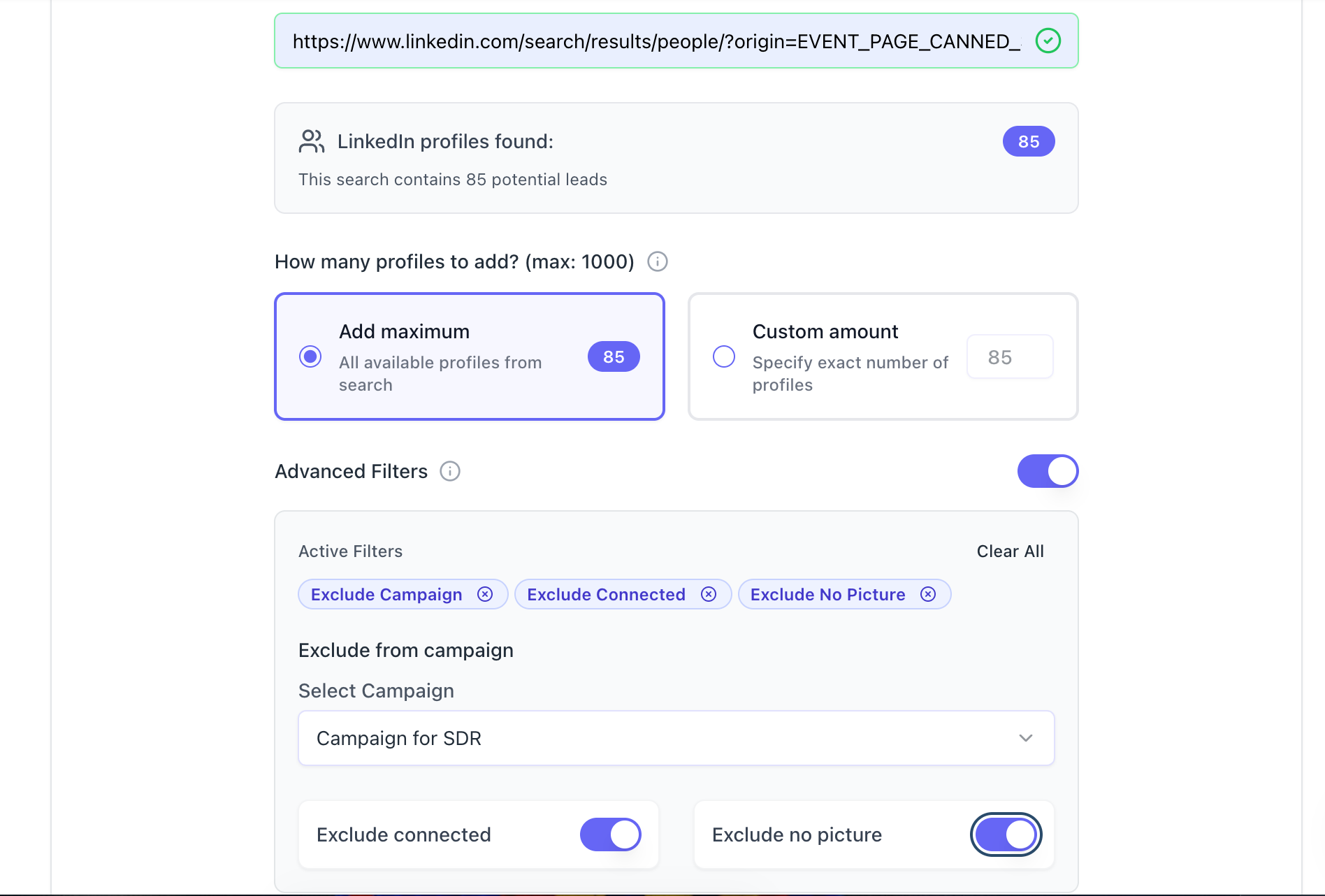
Paste the attendee URL you copied into the search field. Bearconnect will instantly:
- Validate the URL and confirm it is active
- Show exactly how many profiles it found (example: "This search contains 6 potential leads")
- Let you choose "Add maximum" for all available profiles or set a "Custom amount" (up to 1,000 per campaign)
Hit submit and Bearconnect pulls the full attendee list into your campaign.
Pro Tip: Set a daily limit of 20-25 connection requests to stay within safe LinkedIn activity thresholds. Learn more about staying safe from LinkedIn restrictions.
How to Build a Follow-Up Sequence That Converts
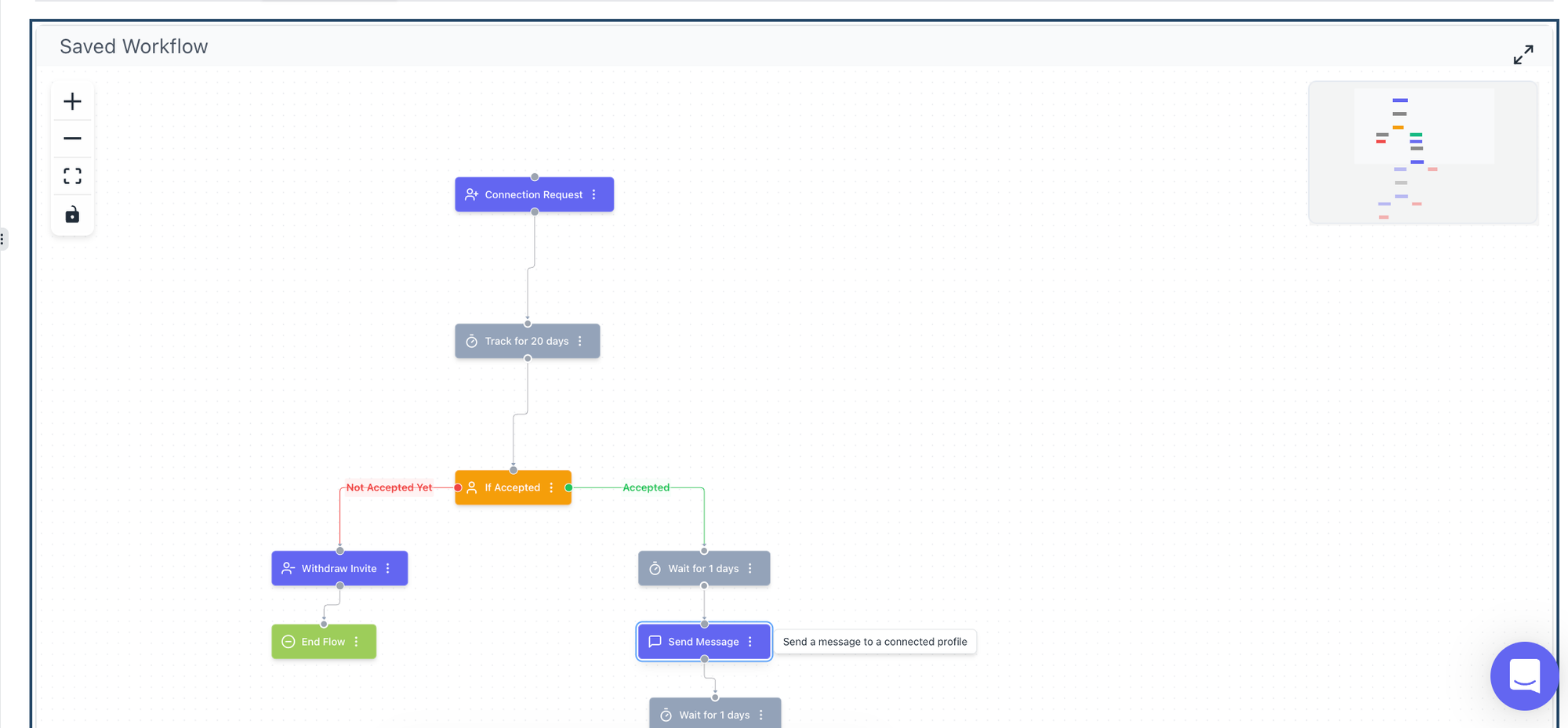
The sequence matters as much as the lead source. A great attendee list with a weak message still fails.
For proven message templates you can adapt, see our list of LinkedIn message templates for automation.
Message 1: The Connection Request (Day 1)
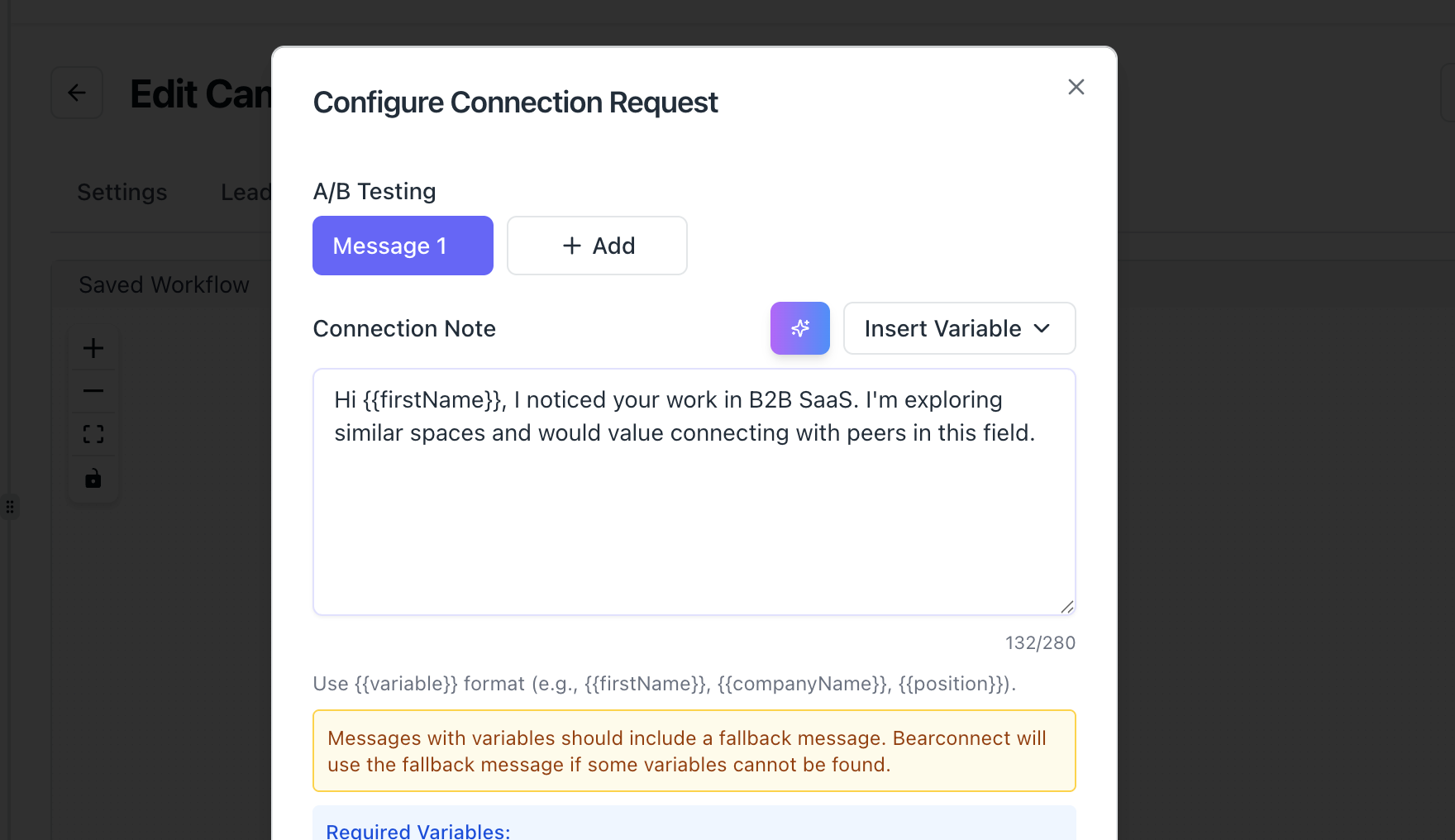
Keep this short. Reference the shared event directly.
Example:
"Hi [First Name], I noticed we both attended [Event Name]. Would love to connect and share ideas on [topic]."
Key rules:
- Keep it under 300 characters
- Mention the event by name
- No pitch in the first message
Message 2: The Value Message (Day 3-5 After Connection)
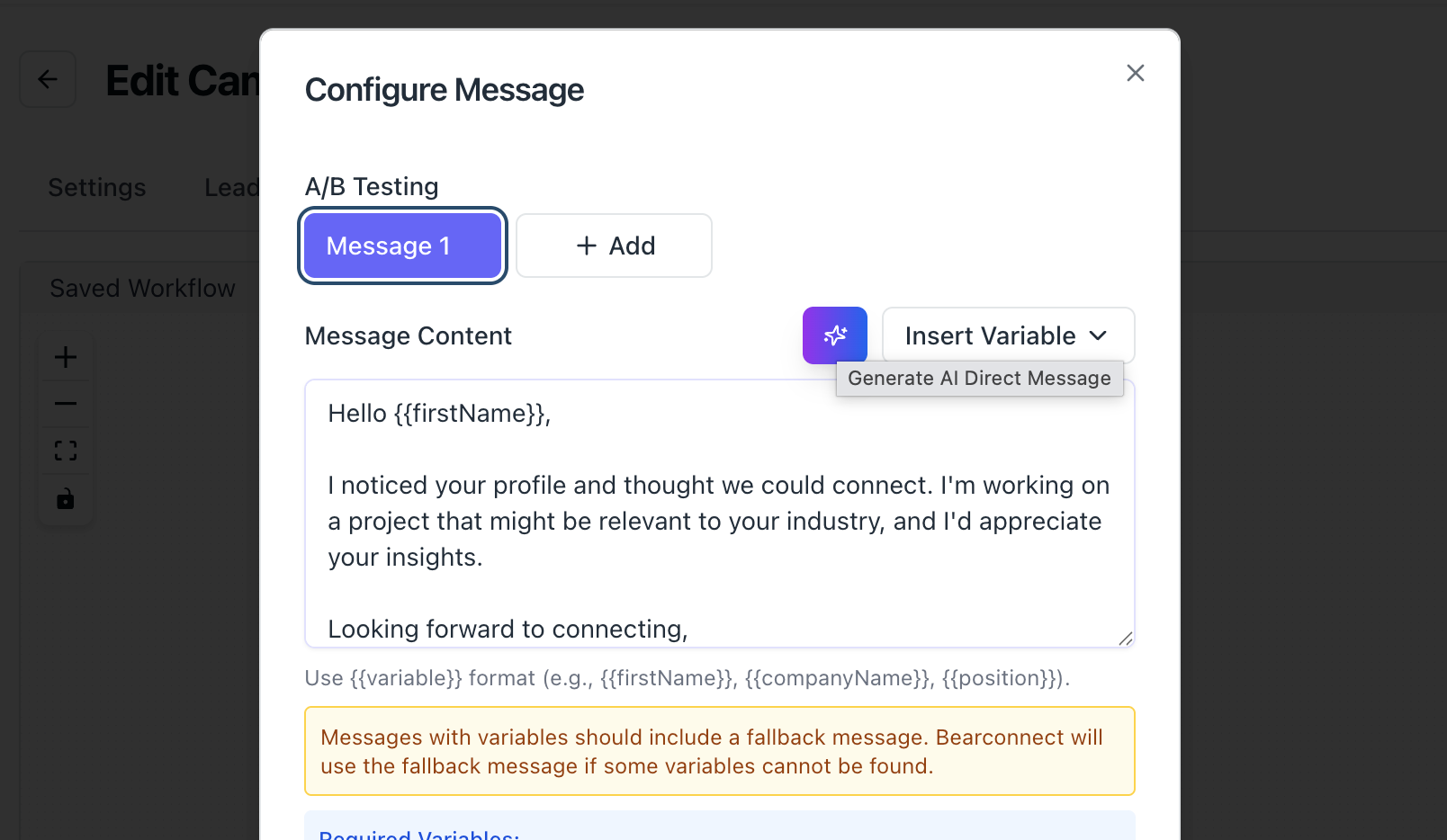
Send this only after they accept your connection. Deliver value before asking for anything.
Example:
"Thanks for connecting [First Name]. The session on [topic from event] was excellent. I put together a quick guide on [related topic] and am happy to send it over if it is useful."
Key rules:
- Lead with value, not a sales pitch
- Reference something specific from the event
- End with a soft, permission-based question
Message 3: The Soft CTA (Day 7-10)
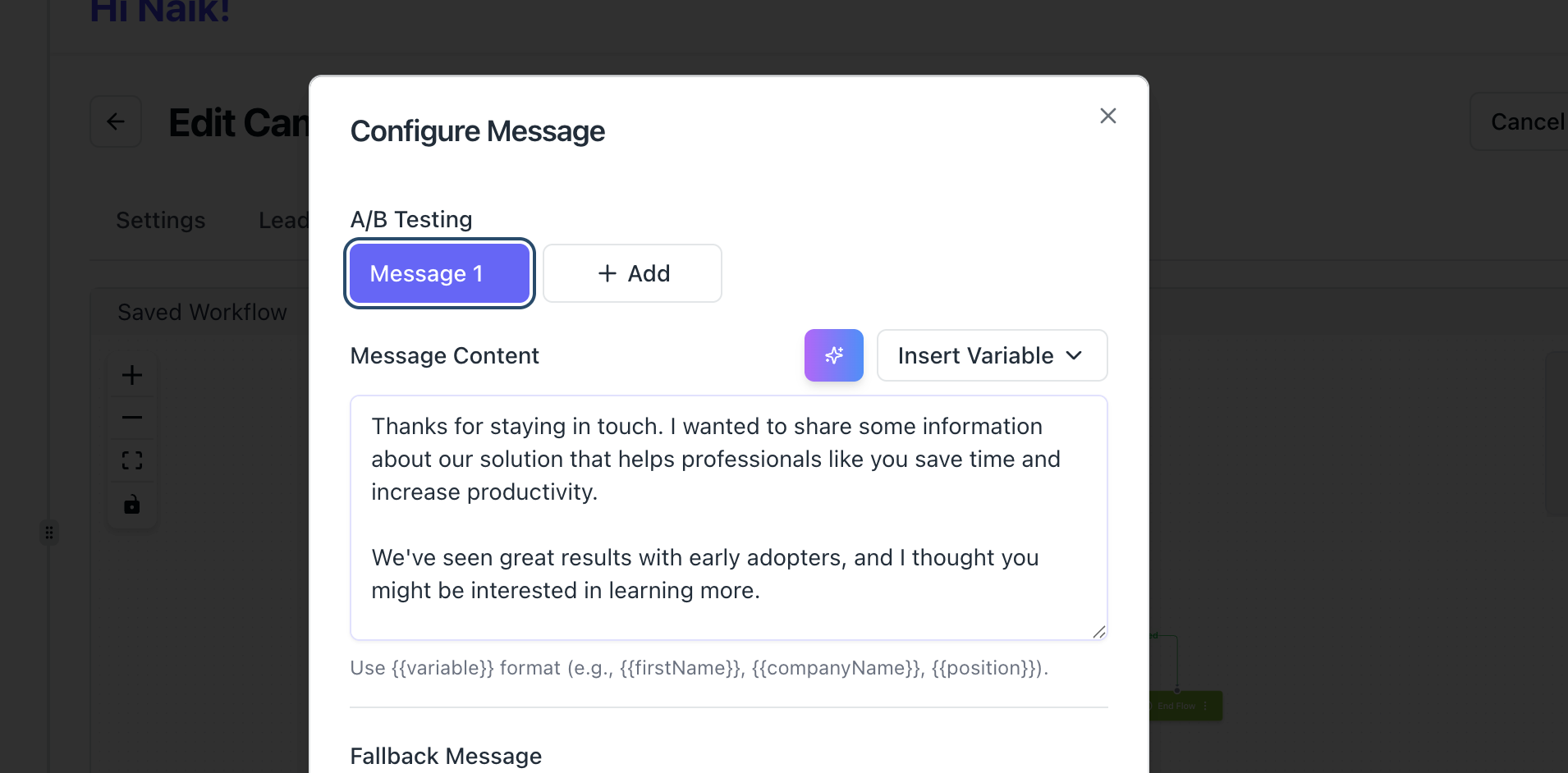
This is where you introduce your offer, but keep it low-friction.
Example:
"Hey [First Name], following up on my last message. If [pain point] is something your team is working on, I'd love to show you how we've helped similar companies. Open to a quick 15-minute chat this week?"
Key rules:
- One clear ask only
- Mention a specific outcome or result
Short and direct, no long paragraphs
Pro Tip: Bearconnect lets you personalize each message using variables like [First Name], [Company], and [Job Title]. Use at least 2 variables per message. Check our full guide on how to personalize LinkedIn outreach messages.
Why Event-Based Campaigns Outperform All Other LinkedIn Outreach Types
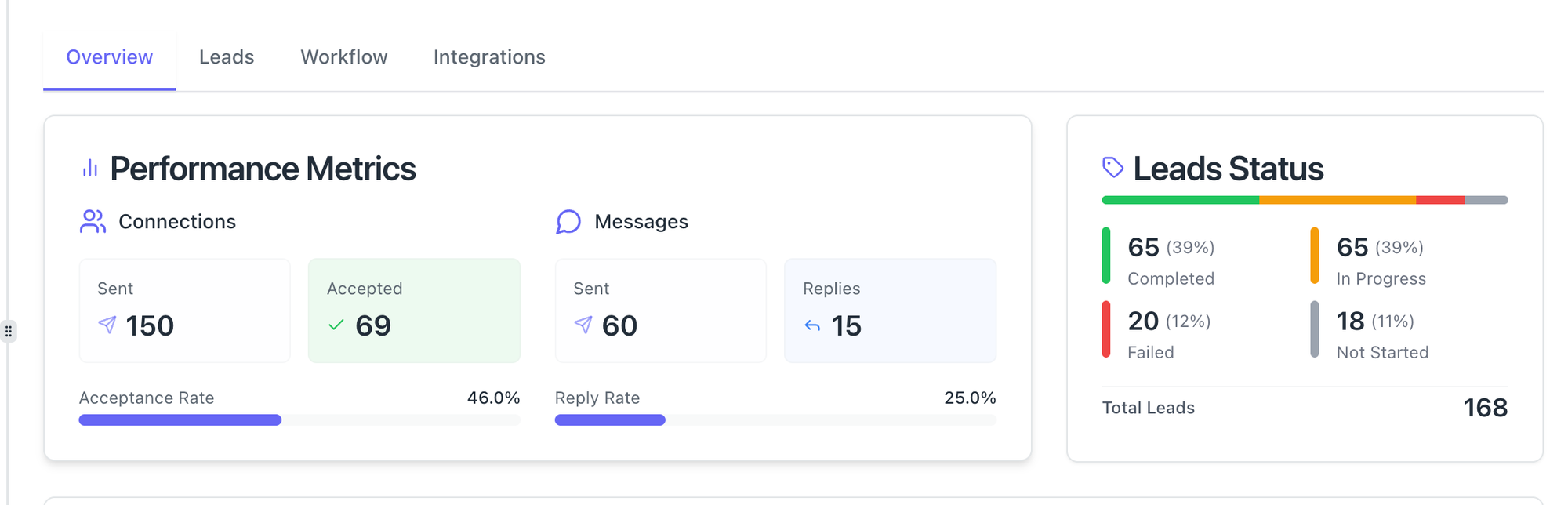
Event attendees share a common context: they cared enough about a topic to register. Your outreach feels like a natural continuation of that shared experience, not a cold interruption.
For a deeper look, our guide on how to generate high-quality LinkedIn leads covers every lead source ranked by quality.
LinkedIn Lead Source Performance Comparison
| Lead Source | Avg. Acceptance Rate | Context Level | Conversion Potential |
|---|---|---|---|
| LinkedIn Event Attendees | 45-55% | Very High | High |
| 1st Degree Connections | 60-70% | Very High | High |
| LinkedIn Sales Navigator | 25-35% | Medium | Medium-High |
| LinkedIn Search URL | 20-30% | Low | Medium |
| CSV Upload | 15-25% | Low | Low-Medium |
B2B founders and sales teams using event-based campaigns with Bearconnect consistently see higher reply rates, more booked calls, and faster pipeline movement compared to standard search-based drip campaigns.
How to Sync Your LinkedIn Event Leads to Your CRM
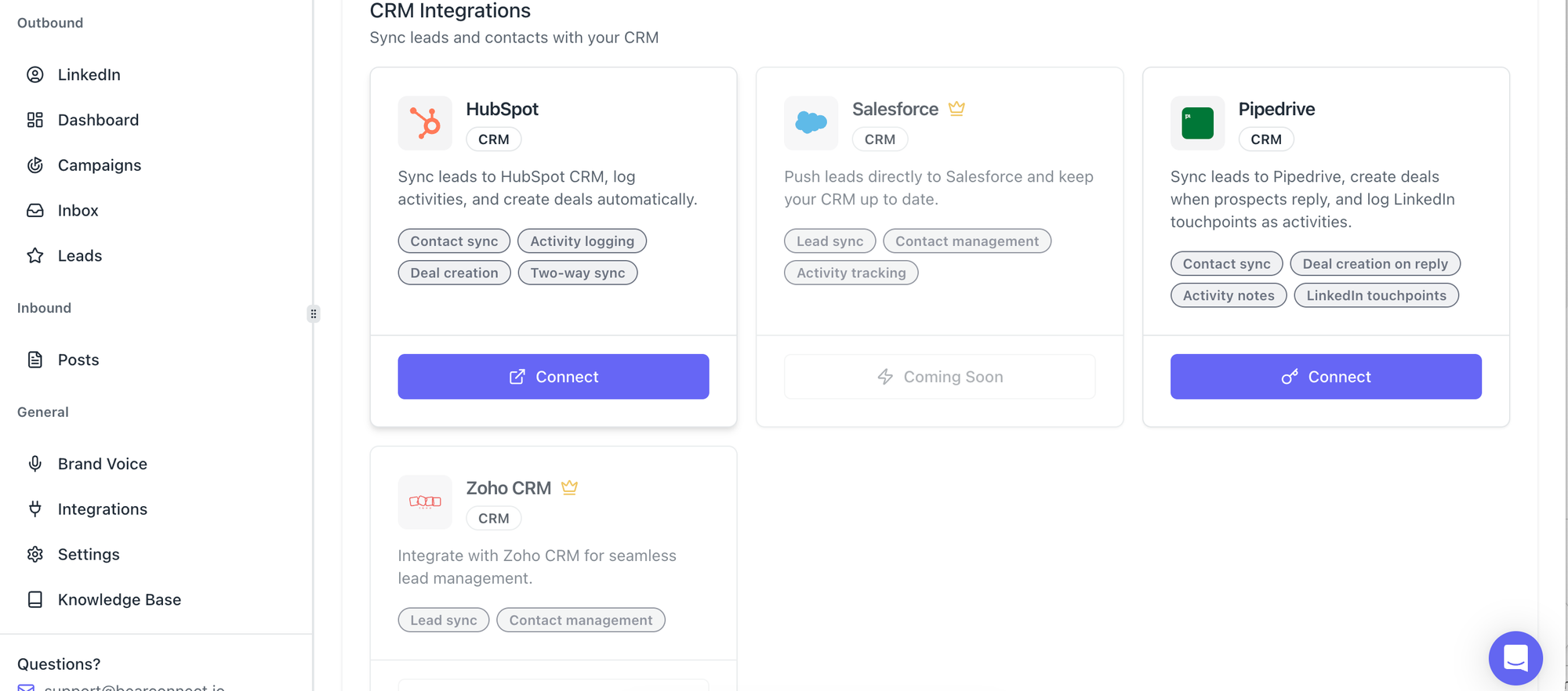
Once leads start engaging, you need them tracked in your pipeline automatically.
Bearconnect integrates natively with:
- HubSpot: Sync leads and conversation data directly into contacts and deals. See the HubSpot integration guide
- Pipedrive: Push leads into deal stages as they progress through your sequence. See the Pipedrive integration guide
- Make (Integromat): Build no-code automation workflows to route lead data. See the Make integration guide
- n8n: Self-hosted workflow builder for custom data routing and triggers. See the n8n integration guide
- Webhooks: Send lead or event data from Bearconnect to any tool that accepts HTTP requests
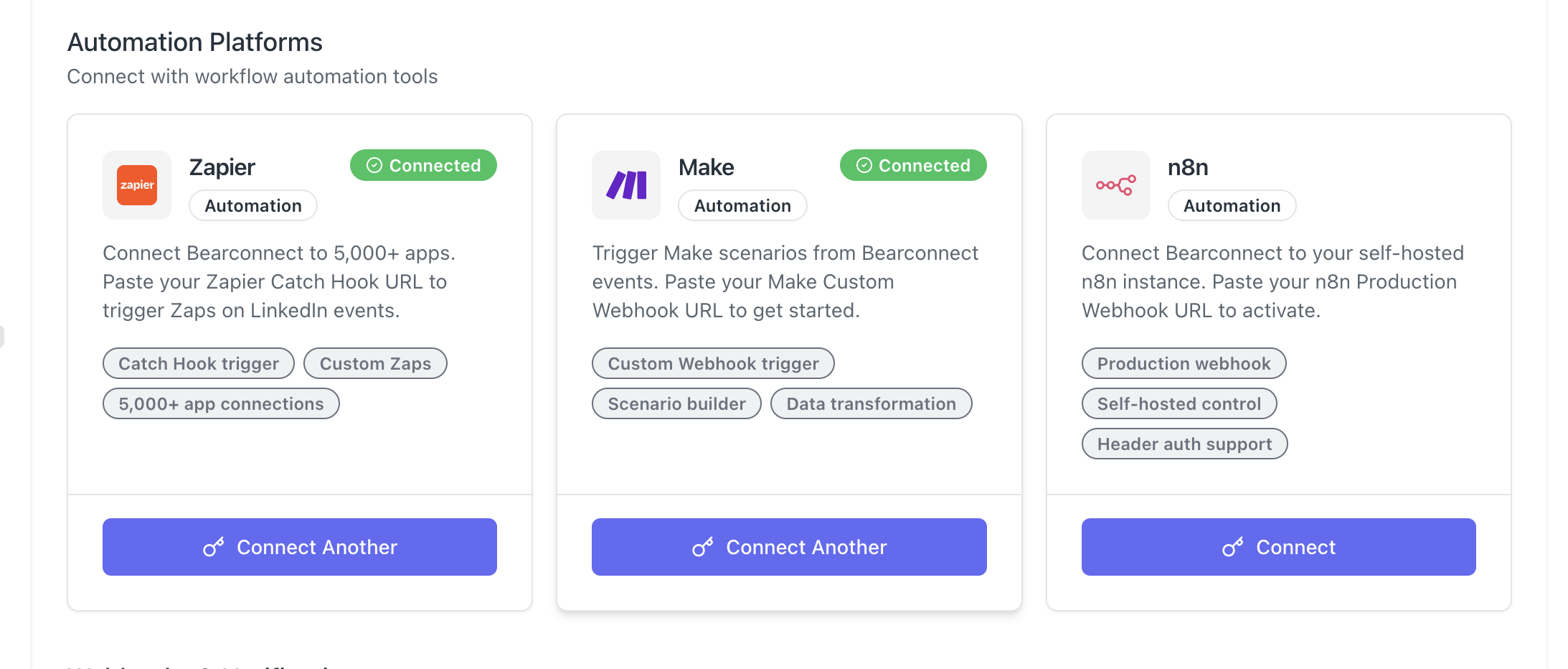
Set up a simple automation: when a lead accepts your connection request in Bearconnect, push their profile data into HubSpot and create a deal automatically.
Pro Tip: Use Bearconnect's unified inbox to manage all replies from multiple LinkedIn accounts in one place. You can see every conversation thread without switching between accounts or losing context.
Common Mistakes That Kill Your Event Outreach Results
Avoid these mistakes that drop acceptance rates and silence reply rates. For a full breakdown, read our guide on how to automate LinkedIn messages safely.
- Pitching in the first message: The fastest way to get ignored or flagged as spam
- Using generic connection notes: "I'd love to add you to my network" gets deleted
- Sending too many requests per day: LinkedIn flags unusually high activity; stay under 50-80 daily.
- Read our guide on LinkedIn connection requests that do not get ignored
- Not following up after connection: Most people accept and then hear nothing. The follow-up is where the conversion happens.
- Targeting events outside your niche: High attendee counts mean nothing if the audience does not match your ICP
Start Your First LinkedIn Event Campaign Today
LinkedIn event attendees are the highest-intent leads you can reach on the platform right now.
You are already losing pipeline if you are not running automated follow-up campaigns on them.
Try Bearconnect free for 7 days. Import your first LinkedIn event attendee list, build a 3-step follow-up sequence, and launch your campaign in under 10 minutes. No LinkedIn Sales Navigator required.
Start at bearconnect.io
Frequently Asked Questions
Q1: How do I get the LinkedIn event attendee URL?
Go to LinkedIn search, filter by Events, find a relevant event, click Attend, navigate to the Networking tab, click "See all attendees," and copy the URL from your browser. Bearconnect accepts that URL directly to import attendees as leads into your campaign.
Q2: How many event attendees can I import per campaign in Bearconnect?
Bearconnect supports up to 1,000 profiles per campaign import. You choose to import the maximum available or set a custom number based on your daily outreach capacity and safety limits.
Q3: Are LinkedIn event-based campaigns safe to automate?
Yes, when done within safe daily limits of 20 to 25 connection requests per day. Bearconnect includes built-in safety features that mimic natural human behavior patterns to reduce the risk of LinkedIn account restrictions.
Q4: How much does Bearconnect cost for LinkedIn event automation?
Bearconnect is priced at $67/month per LinkedIn account. If you connect 5 or more LinkedIn accounts, the price drops to $57/month per LinkedIn account, making it cost-efficient for agencies and larger sales teams.
Q5: Can I sync LinkedIn event leads to my CRM automatically?
Yes. Bearconnect integrates natively with HubSpot and Pipedrive, and also supports Make, n8n, and webhooks for custom automation workflows to sync event leads into your CRM in real time as they engage with your campaign. View all integrations here.
Ready to Transform Your LinkedIn Strategy?
Join thousands of professionals already using Bearconnect to automate their outreach and grow their network.
7-day free trial • Cancel anytime
Related Articles
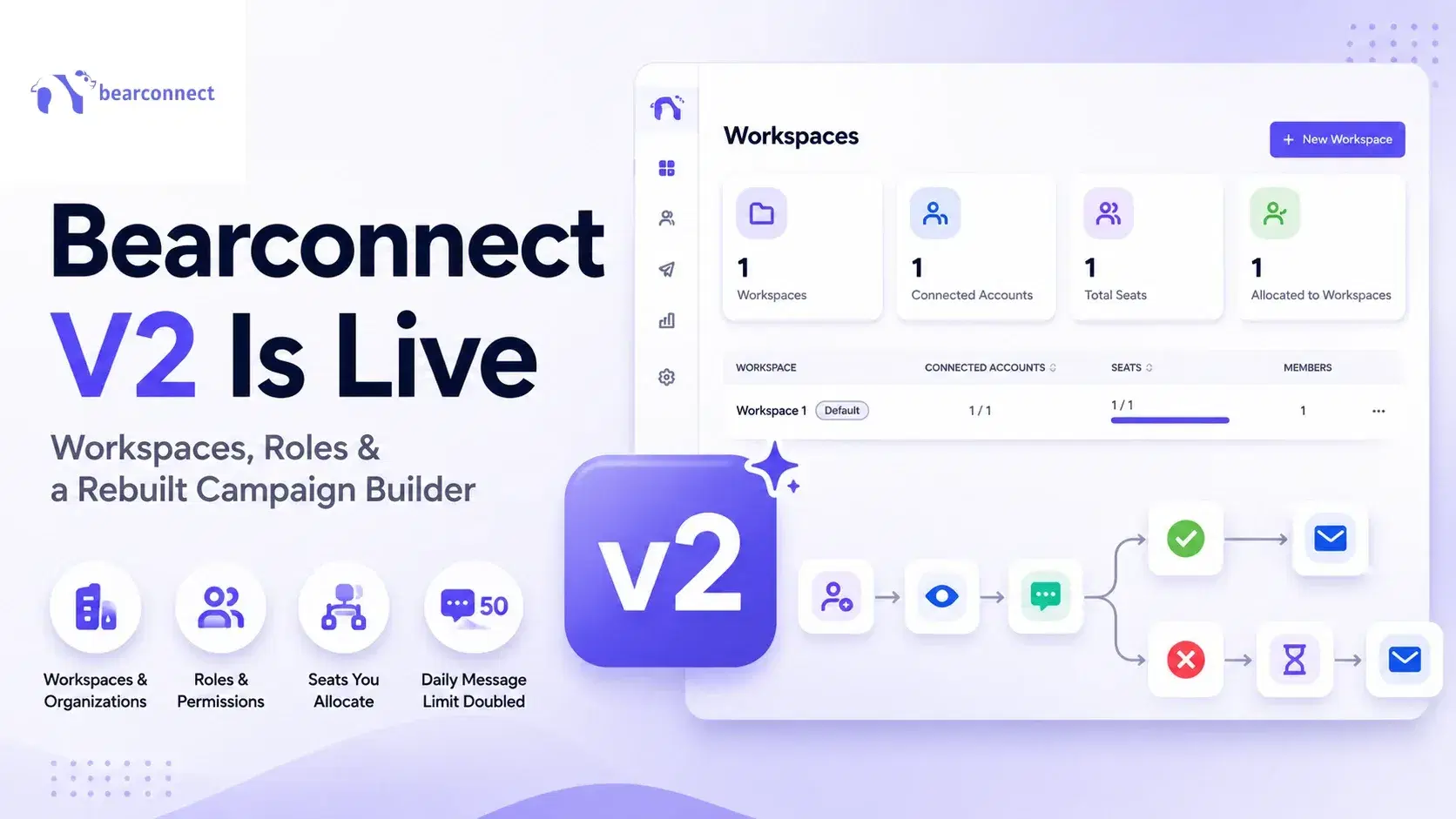
Bearconnect V2 Is Live: Workspaces, Roles and a Rebuilt Campaign Builder
Bearconnect V2 introduces dedicated workspaces, flexible roles, and a rebuilt campaign builder, giving agencies and sales teams more control over every LinkedIn account they manage.
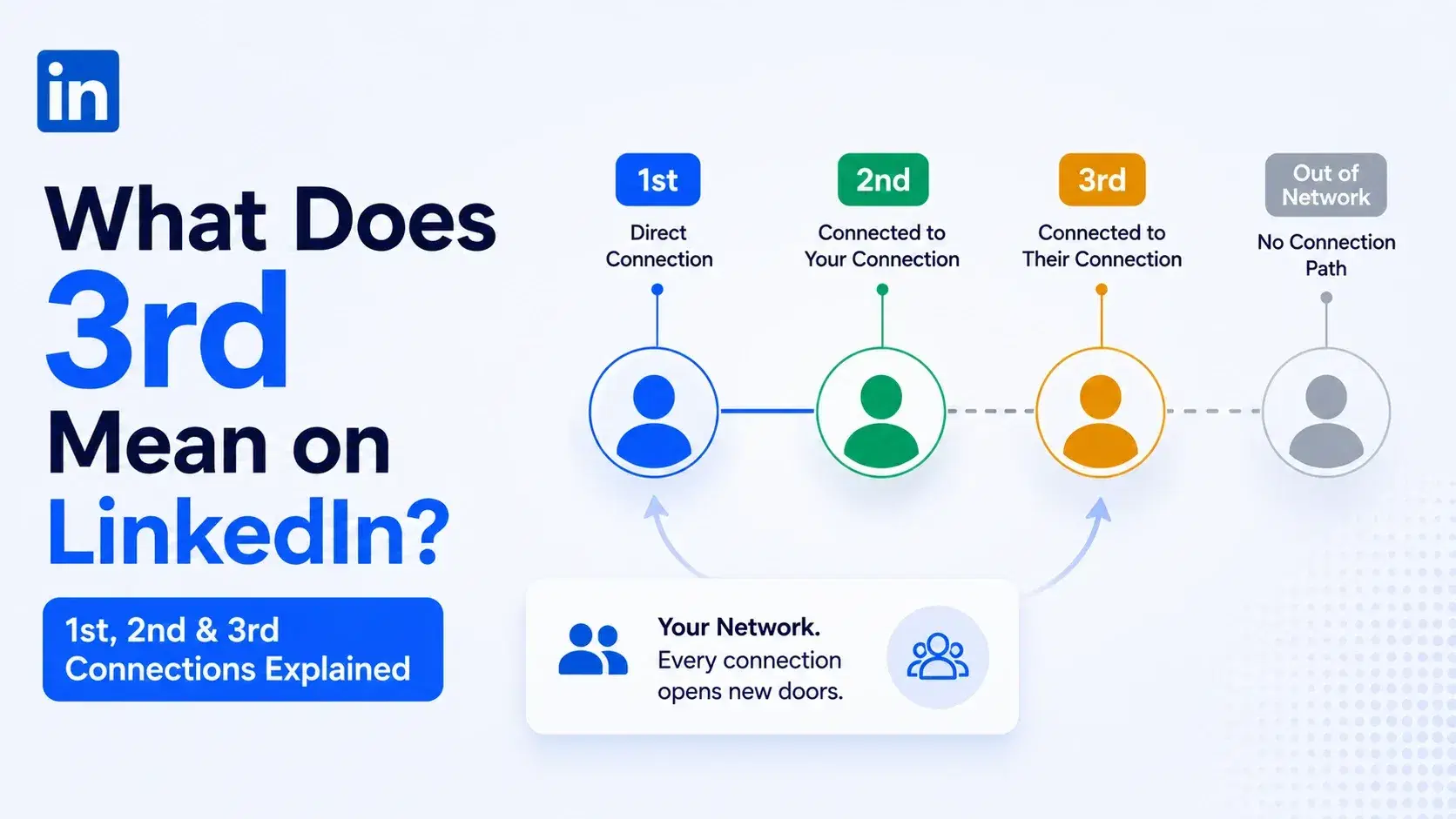
What Does 3rd Mean on LinkedIn? 1st, 2nd and 3rd Connections Explained
That gray 3rd next to a name is not a wall, it is a puzzle. Here is what 1st, 2nd, and 3rd degree connections mean, and how to reach any of them.
Dripify vs Waalaxy: Which LinkedIn Tool Should You Pick in 2026?
Compare Dripify vs Waalaxy on features, pricing, safety, and performance. Find the right LinkedIn outreach tool and discover a smarter alternative.