Best LinkedIn Lead Generator Tools in 2026: Free, Paid & AI-Powered Options Compared

The best LinkedIn lead generator tools in 2026 split into three lanes: free, paid, and AI-powered.
I have run campaigns in all three. The right pick depends on your budget, your risk tolerance, What is your usecase and how many LinkedIn accounts you actually manage.
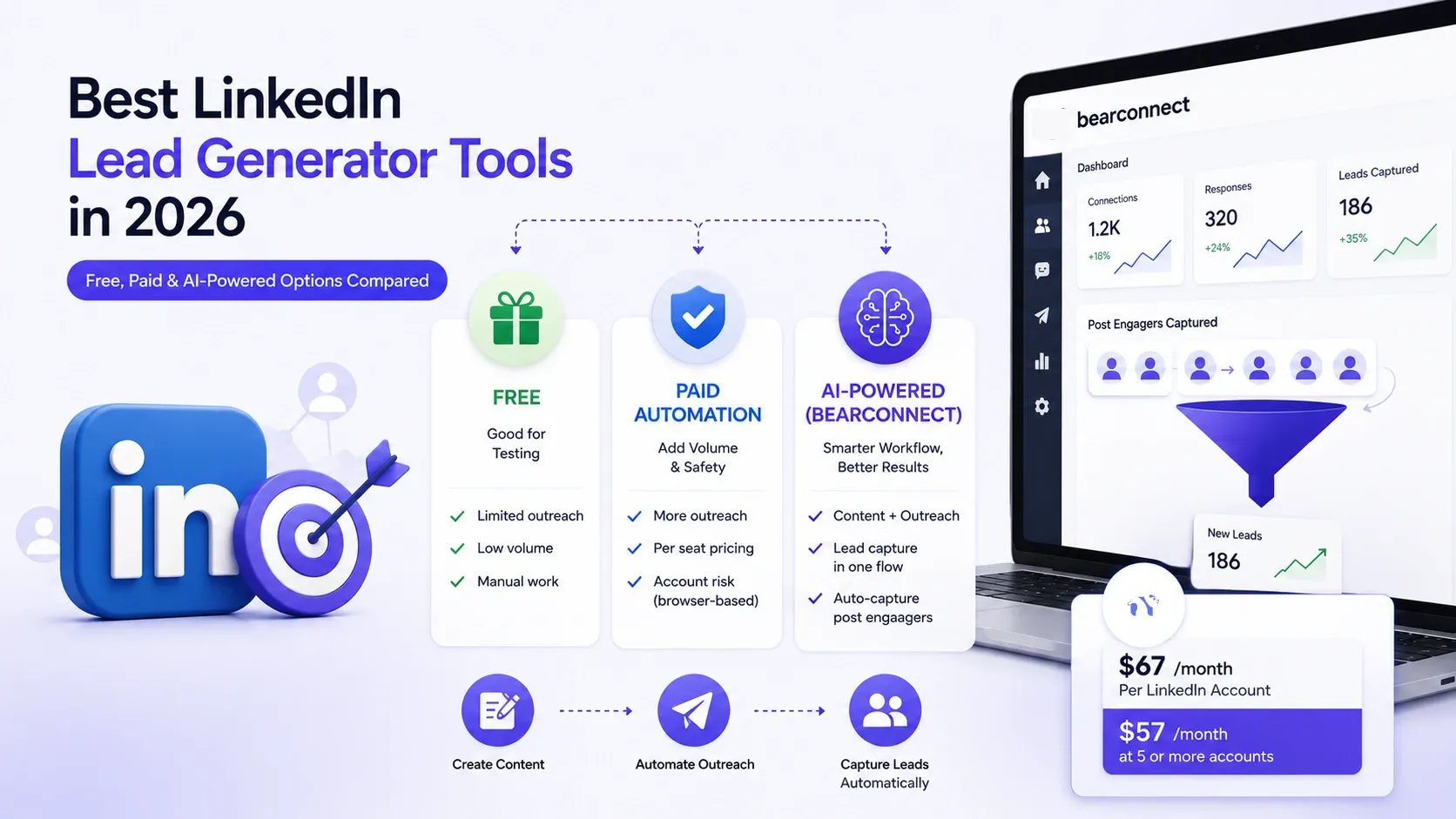
→ Free: good for testing, not for scaling
→ Paid automation: adds volume and safety, priced per seat or per account
→ AI-powered (Bearconnect): content, outreach, and lead capture in one workflow
TL;DR
→ Free tools work for testing a workflow, not for running a real pipeline.
→ AI-powered platforms fold content creation and lead capture into the same workflow, cutting manual work.
→ Bearconnect prices per LinkedIn account ($67/month, $57/month at 5 or more accounts) and turns post engagers into leads automatically, no CSV needed.
→ Reply rates depend far more on list quality and personalization than on which tool you buy.
Key Takeaways
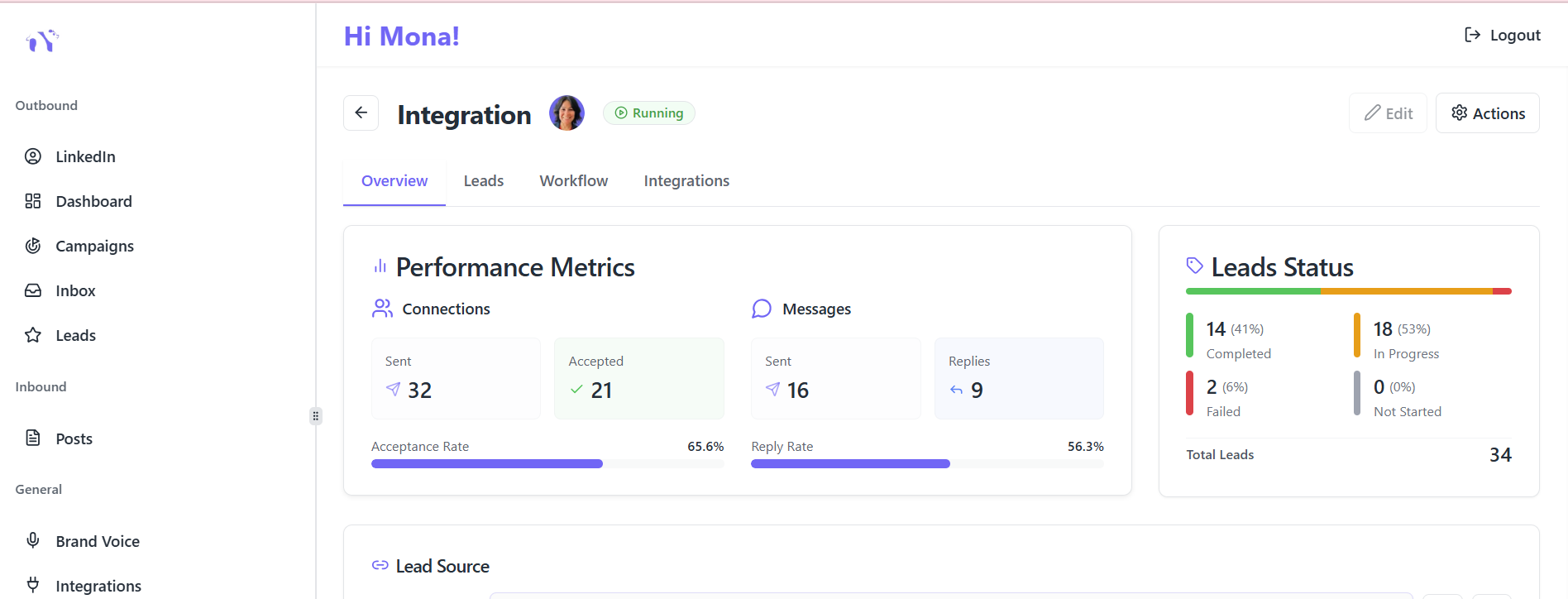
→ LinkedIn lead generation tools split into 4 categories: prospecting/search, outreach automation, AI content and engagement, and data enrichment.
→ Cloud-based automation tools carry lower account risk than Chrome extension tools, because they do not create a detectable browser fingerprint.
→ LinkedIn's standard connection request limit sits around 100 to 200 per week, regardless of which tool you use.
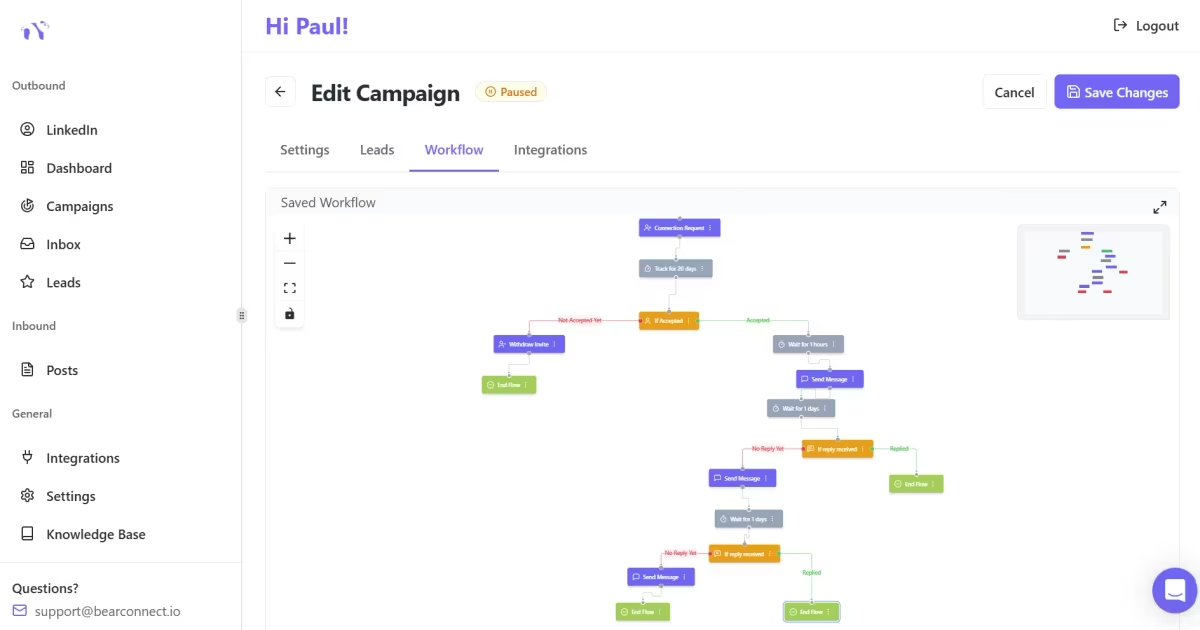
→ Bearconnect is billed per LinkedIn account, not a flat team fee: $67/month per account, $57/month per account at 5 or more.
→ A tool cannot fix a bad prospect list. Targeting and personalization drive replies more than automation does
→ AI content tools now cover both the post and the outreach that follows it, closing a gap that used to require two separate subscriptions.
What Is a LinkedIn Lead Generation Tool? (And Do You Need One?)
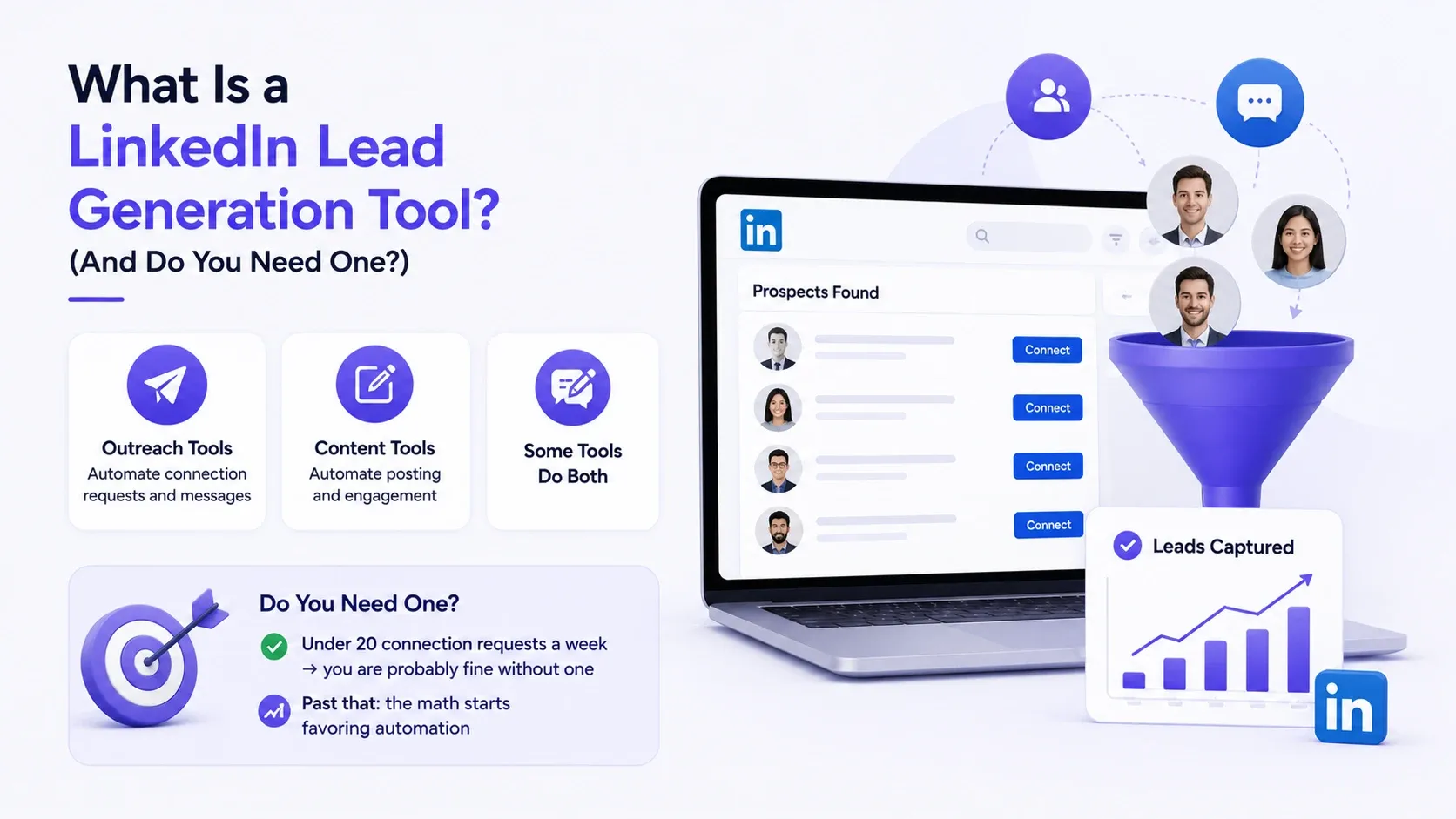
A LinkedIn lead generation tool automates or assists the process of finding, contacting, or capturing prospects on LinkedIn.
→ Outreach tools automate connection requests and messages
→ Content tools automate posting and engagement
→ Some tools do both
You need a tool once manual prospecting starts eating hours you do not have.
→ Under 15 connection requests a week by hand: you are probably fine without one
→ Past that: the math starts favoring automation
Does LinkedIn Lead Generation Still Work in 2026?

Yes, but the spray-and-pray version does not.
→ Generic templated messages get ignored or flagged faster than two years ago
→ Targeted lists, real personalization, and consistent follow-up still convert
→ LinkedIn remains one of the highest-converting channels for B2B; that has not changed
I saw this last quarter. A generic template campaign pulled almost no replies. The same list, personalized instead, roughly tripled engagement. Same list, same tool, different approach.
How I Evaluated These Tools
I scored every tool on the same five criteria instead of trusting marketing pages, so the comparisons below are apples to apples.
→ Pricing: per-account cost, not headline numbers
→ Account safety: cloud-based vs browser extension, detection risk
→ AI capabilities: does it generate content, personalize messages, or just fill in a template
→ Lead import method: manual CSV upload vs automatic capture
→ Real output: does it produce conversations, not just connection requests
Best LinkedIn Lead Generator Tools at a Glance (Comparison Table)
| Tool | Category | AI-Powered Content | Lead Import Method | Starting Price | Free Plan |
|---|---|---|---|---|---|
| Bearconnect | AI-powered automation | Yes, AI post and message generation | Automatic (Post Leads captures post engagers) | $67/mo per account ($57 at 5+) | Trial available |
| LinkedIn Sales Navigator | Native prospecting | No native content AI | Manual export or CRM sync | Around $99.99/mo | Limited free search |
| Expandi | Cloud automation | Basic AI icebreakers | CSV import and others | Around $99/mo per seat | Trial available |
| Waalaxy | Chrome extension and cloud automation | AI message writing on higher tiers | CSV or LinkedIn search import | Tiered, roughly $15 to $95/mo per seat depending on plan | Trial available |
| HeyReach | Cloud automation (agency-focused) | Basic | CSV import and others | Flat workspace fee, unlimited accounts | Trial available |
| PhantomBuster | Data scraping and enrichment | No content AI | CSV export and others | Around $69/mo entry tier | Trial available |
Competitor pricing changes often and varies by seats, region, and add-ons. Confirm current numbers on each vendor's own pricing page before you budget.
Every Tool in the Comparison, Reviewed
Here is what each tool in the table above is actually built for, not just the sticker price.
Bearconnect
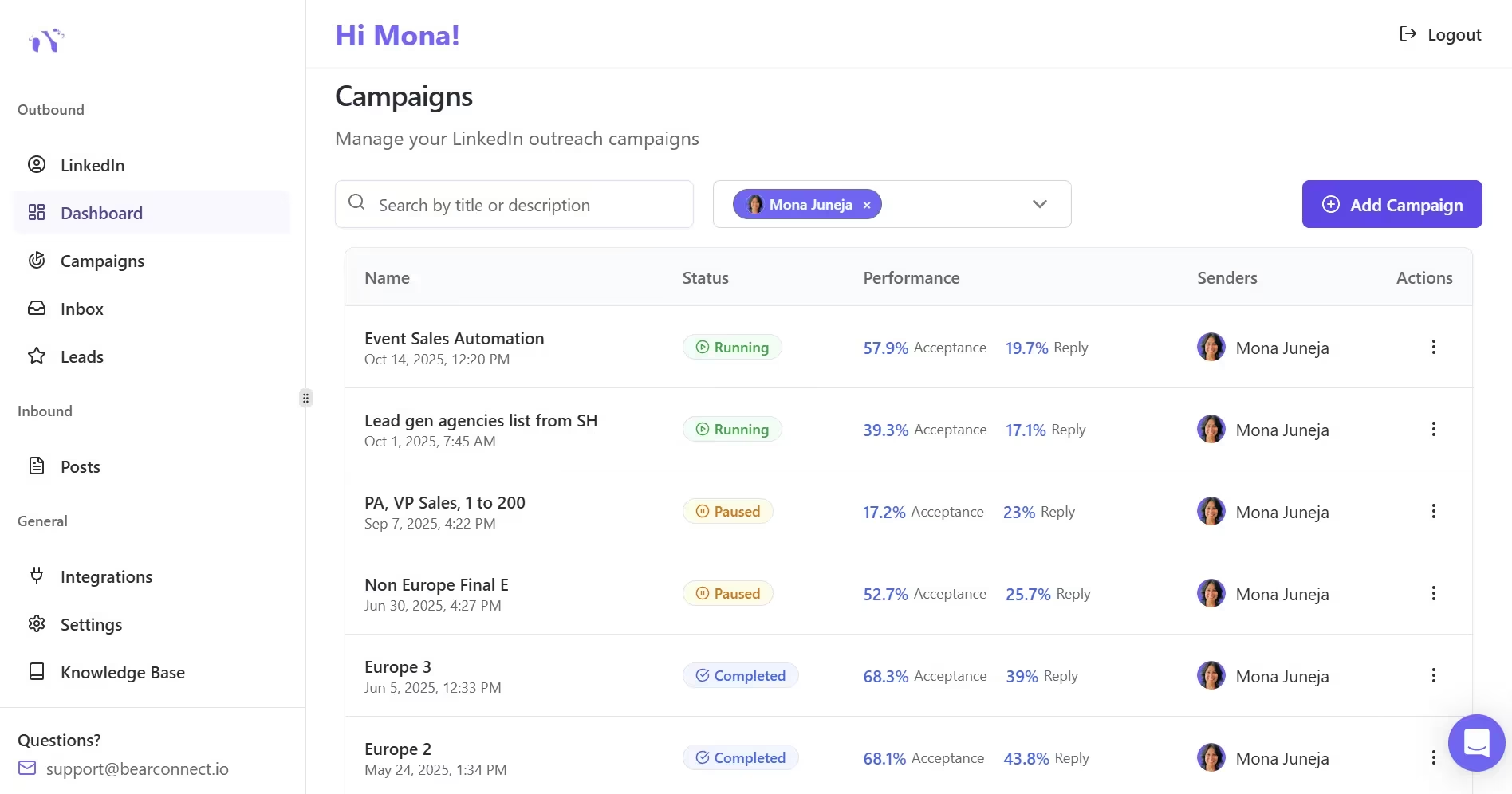
Best for: founders, agencies, and sales teams who want AI content, safe outreach, and lead capture in one platform.
→ Category: AI-powered automation
→ Pricing: $67/month per LinkedIn account, $57/month per account at 5 or more
→ Strengths: AI-generated posts and messages, automatic Post Leads capture, one inbox across multiple accounts
→ Watch out for: it is not built for someone who only wants a bare-bones connection-request bot with nothing else attached
LinkedIn Sales Navigator
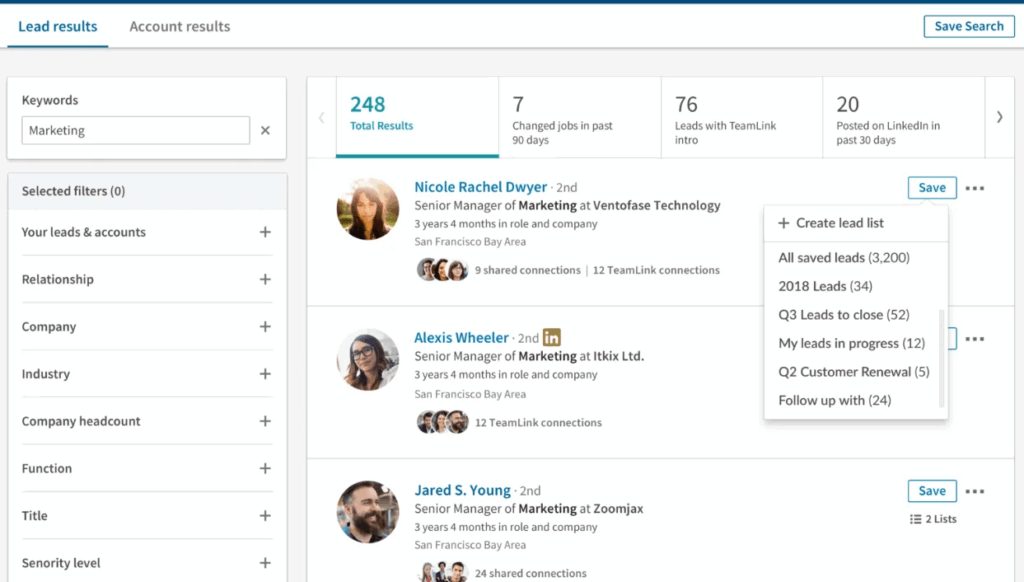
Best for: teams that need deep search and filtering before outreach even starts.
→ Category: Native prospecting
→ Pricing: around $99.99/month
→ Strengths: the deepest access to LinkedIn's own search filters, saved leads and accounts, native platform data
→ Watch out for: it does not send messages or automate outreach on its own, you still need a delivery tool alongside it
Expandi
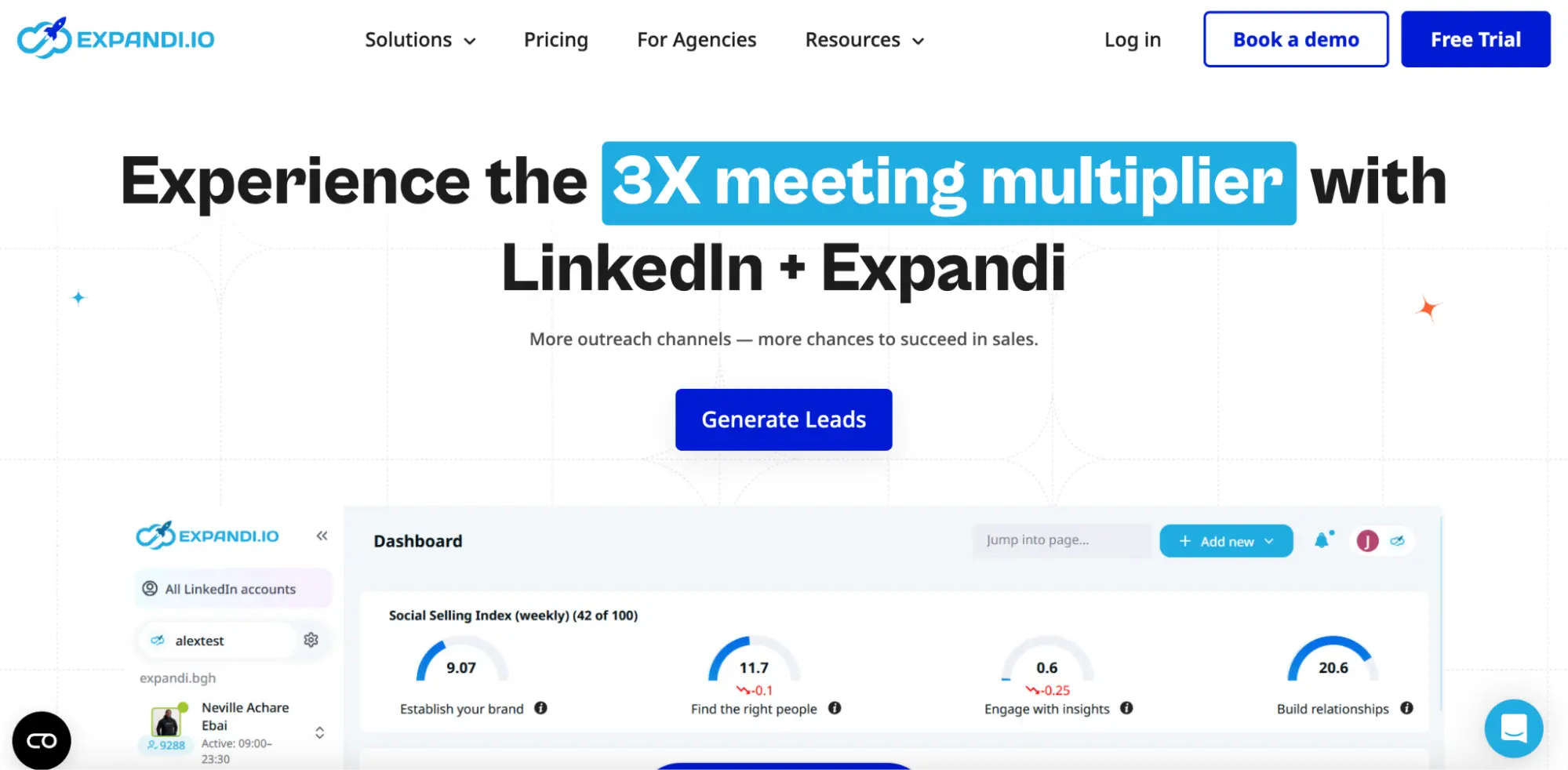
Best for: teams that want cloud-based automation with tighter safety controls than a browser extension.
→ Category: Cloud automation
→ Pricing: around $99/month per seat
→ Strengths: cloud infrastructure lowers detection risk, supports multi-step sequences, includes basic AI icebreakers
→ Watch out for: it works best paired with Sales Navigator for targeting, and pricing runs per seat
Waalaxy
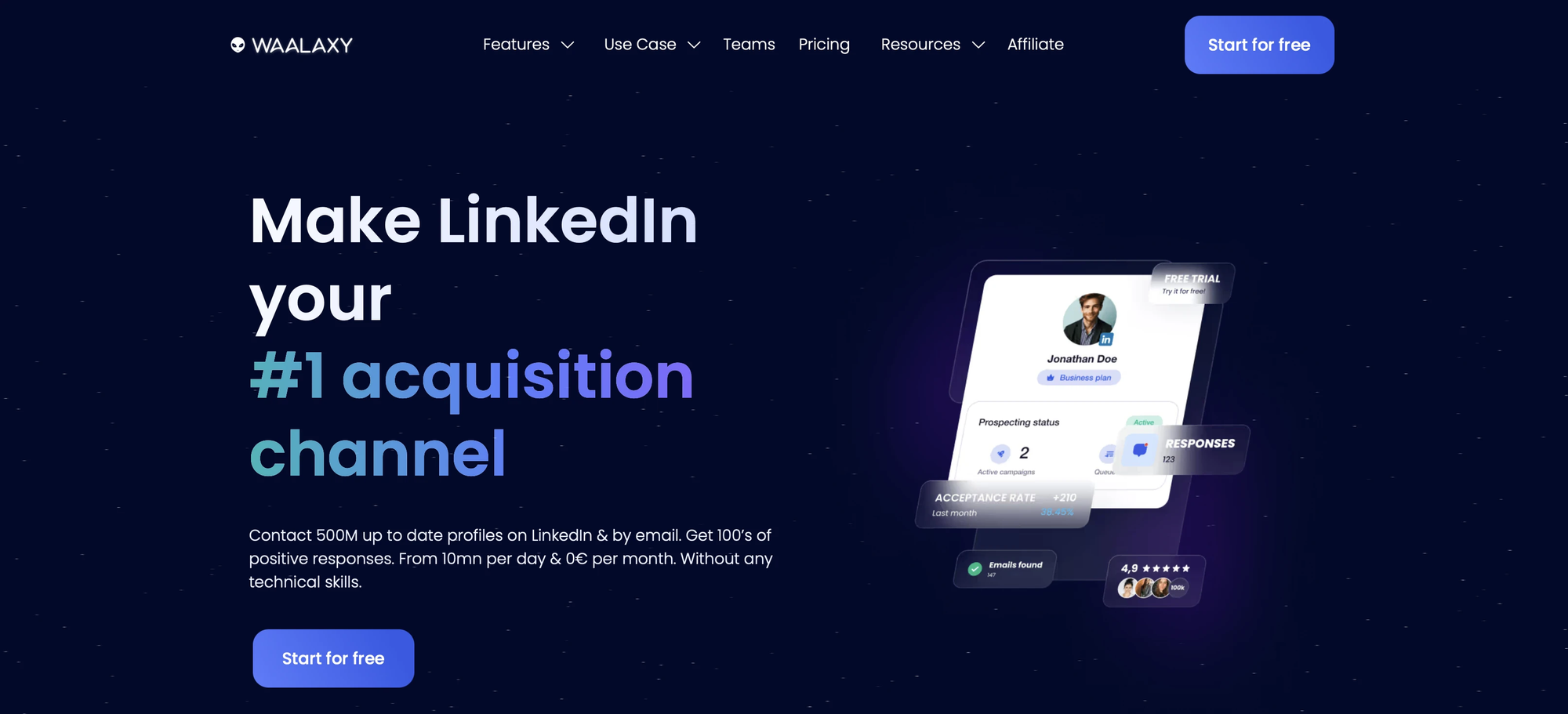
Best for: solo users or very small teams testing LinkedIn automation on a lower starting price.
→ Category: Chrome extension automation along with cloud automation
→ Pricing: tiered, roughly $15 to $95/month per seat depending on plan and add-ons
→ Strengths: low entry price, simple setup, a LinkedIn Inbox add-on for reply management
→ Watch out for: the Chrome extension architecture carries higher detection risk, and real multichannel outreach needs the top tier
HeyReach
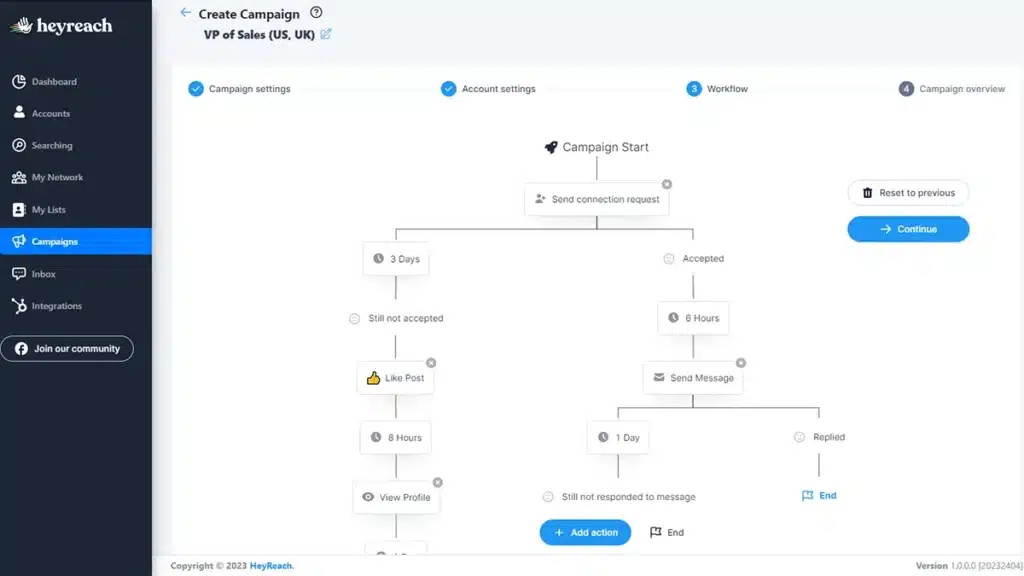
Best for: agencies running many LinkedIn accounts who want predictable costs.
→ Category: Cloud automation, agency-focused
→ Pricing: flat workspace fee, unlimited LinkedIn accounts
→ Strengths: unlimited seats under one fee, built for multi-account agency management
→ Watch out for: lighter on built-in AI content features, so pair it with a separate content tool if inbound matters to you
PhantomBuster
Best for: teams that need to scrape or enrich data feeding into a separate outreach tool.
→ Category: Data scraping and enrichment
→ Pricing: around $69/month entry tier
→ Strengths: flexible automation building blocks that go beyond LinkedIn, useful for custom workflows
→ Watch out for: it is not an outreach tool on its own, and browser-based scraping carries its own risk profile
A quick note on scope: this list focuses on tools built around LinkedIn itself. Email-first multichannel platforms exist too, but they solve a different problem and deserve their own comparison, not a rushed mention here.
What Kind of LinkedIn Lead Generation Tool Do You Actually Need?
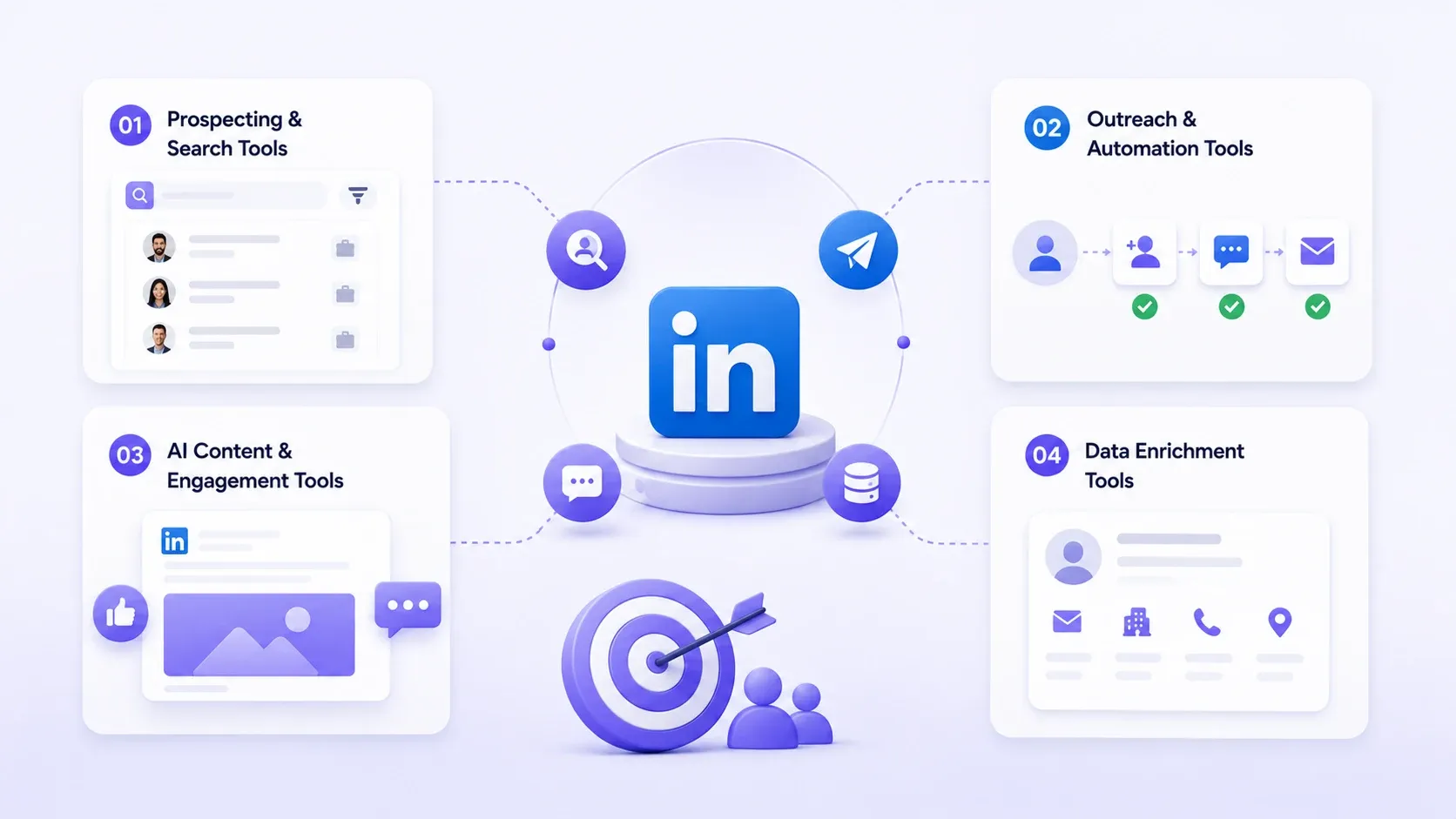
Match the tool to your motion first. Buying the wrong category is the single most common mistake I see.
I once watched a founder pay for three months of an outreach tool when what he actually needed was better prospects, not more messages sent to the wrong ones.
Prospecting and Search Tools
→ Find and filter the right people
→ Sales Navigator is the standard here
→ Does not send messages or automate outreach on its own
Outreach and Automation Tools
→ Send connection requests, follow-ups, and sequences at scale
→ Expandi, Waalaxy, and Bearconnect's outreach layer live here
→ Carries the most account-safety weight, so favor cloud-based options
AI Content and Engagement Tools
→ Build visibility through posting and commenting
→ Prospects recognize you before you ever message them
→ This is the inbound half most roundups skip
Data Enrichment Tools
→ Add verified emails, company data, or firmographic details
→ Works on a list you already built elsewhere
→ PhantomBuster and similar tools live here
Best AI-Powered LinkedIn Lead Generator Tools
AI-powered tools save the most time because they touch two jobs at once: creating content and turning attention into leads.
Bearconnect
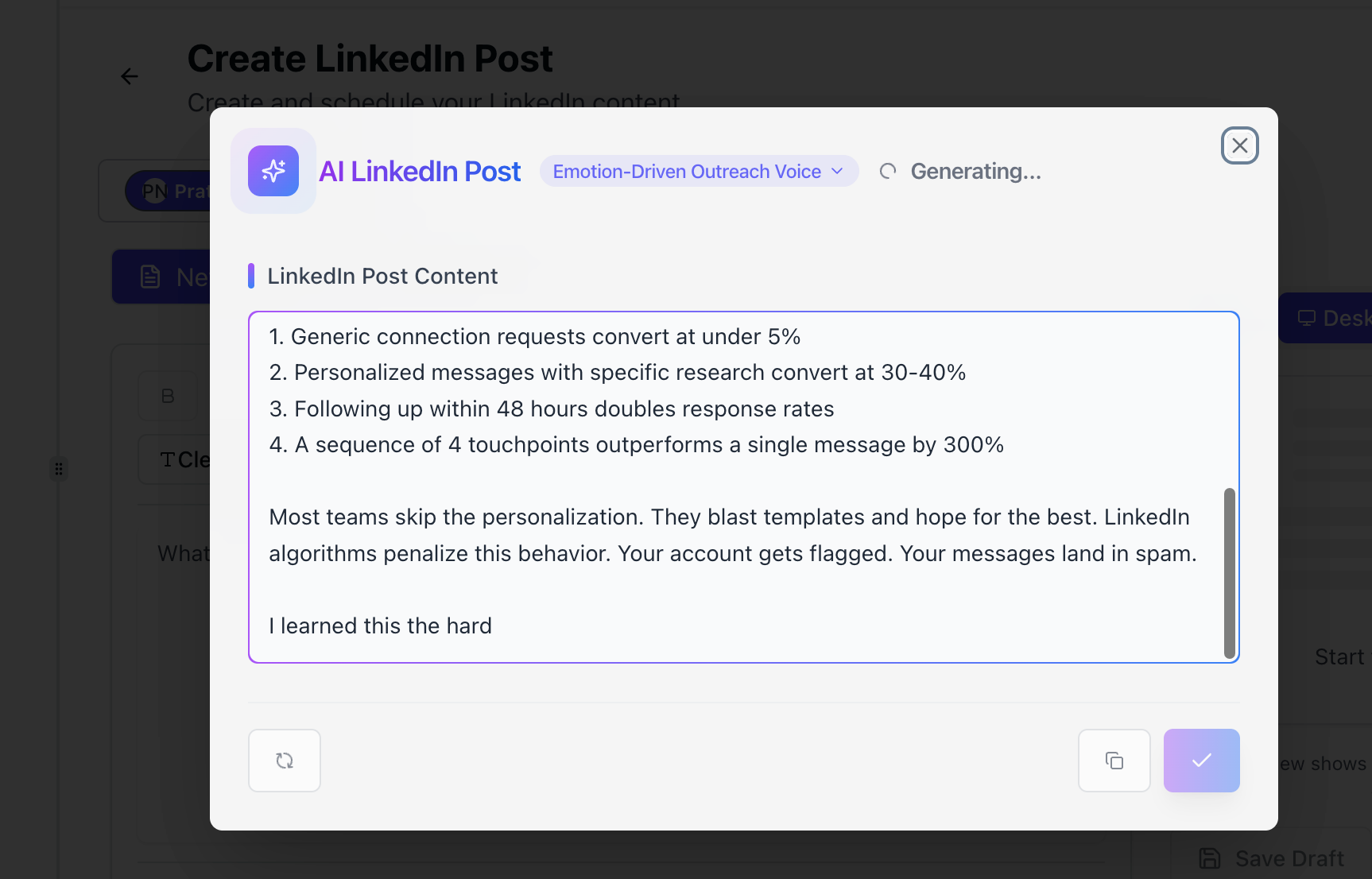
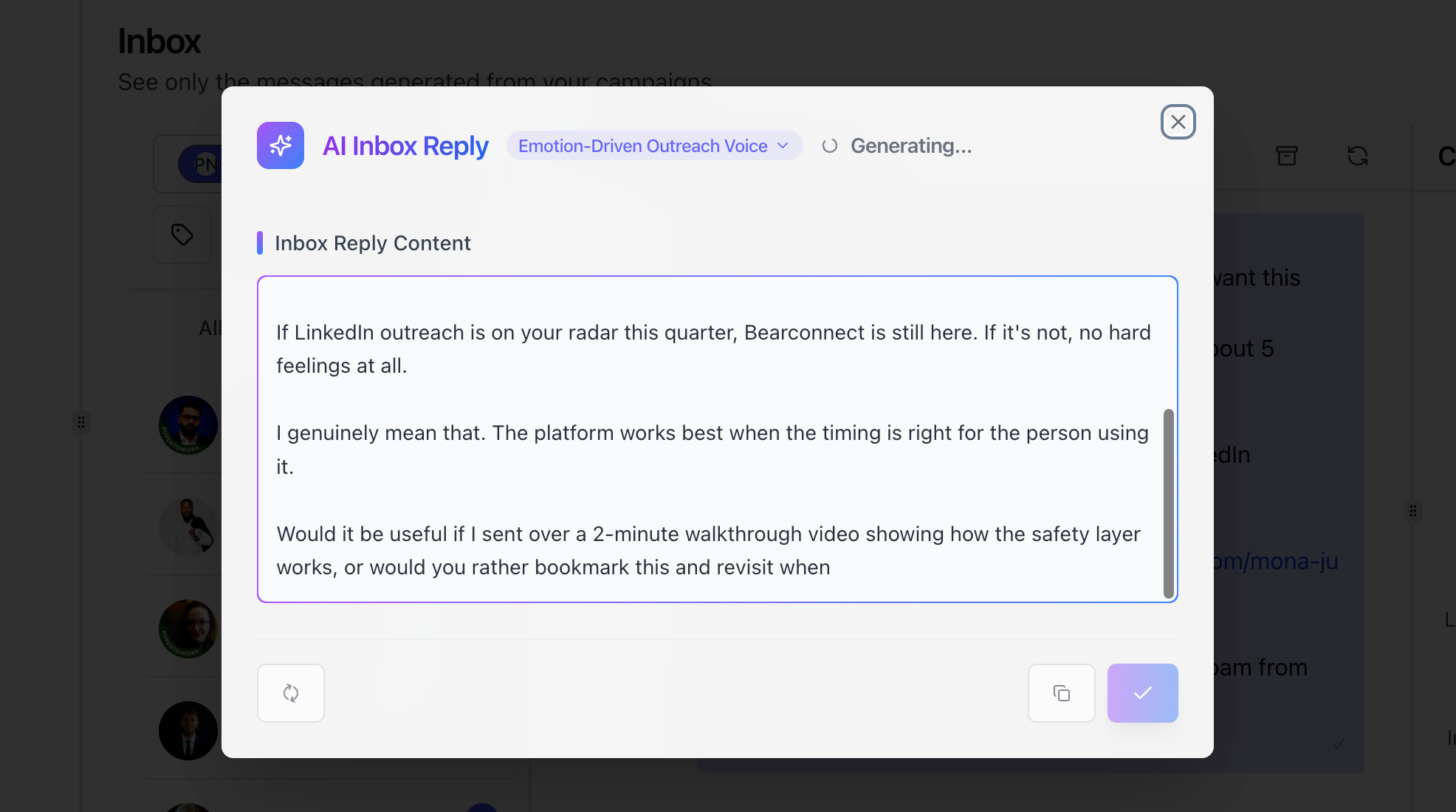
Bearconnect leads this category because it does not stop at writing messages.
→ Generates AI LinkedIn content and schedules posts
→ Runs drip campaigns and manages multiple LinkedIn accounts from one inbox
→ Captures post engagers as leads automatically through its Post Leads feature
→ No CSV file, no manual export
What Makes the AI Different
Most AI LinkedIn tools generate an icebreaker line and stop there. Bearconnect's AI also drafts the post that attracts the engagement, then routes engaged prospects straight into your outreach pipeline.
→ One tool for content, capture, and outreach
→ No exporting engagement data from one platform into another
→ Less busywork, same afternoon back in your week
Pro tip: run one AI-generated post per week through Bearconnect and treat every comment as a warm lead, not just an engagement metric.
Other AI-Powered Options Worth Knowing
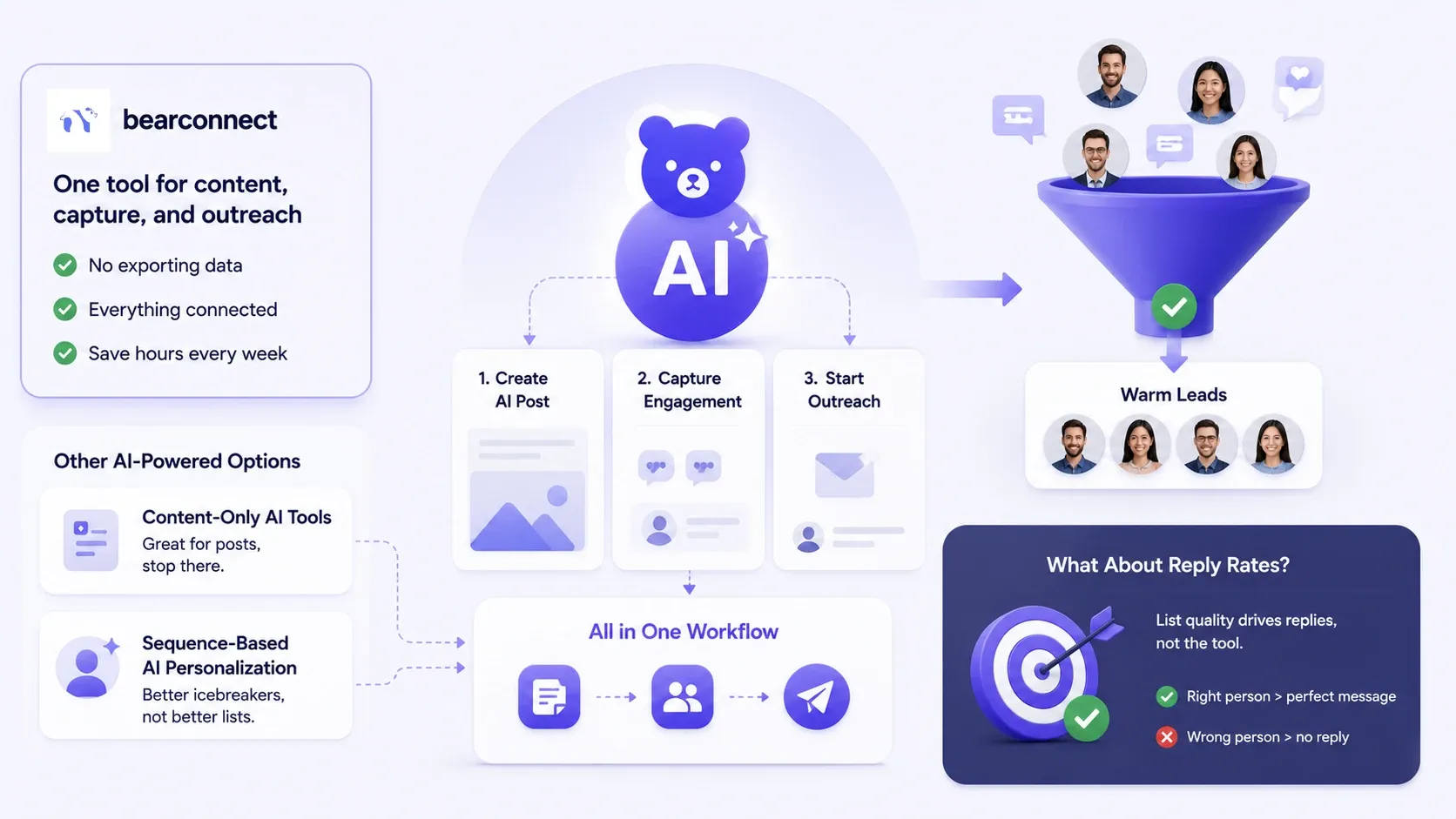
Content-Only AI Tools
Generate and schedule LinkedIn posts well, but stop there. You still need a separate tool to turn that visibility into outreach.
Sequence-Based AI Personalization
Generate opening lines based on a prospect's recent activity or role change. Useful, but it only touches the message, not the list quality behind it.
What About Reply Rates?
The tool is not what drives your reply rate. List quality is.
→ In my own testing, open rates stayed strong no matter which tool sent the message
→ Replies stalled until we fixed the target list, not the copy
→ A perfectly worded message to the wrong person gets ignored
→ A rough message to the right person gets a reply
Fix targeting first.
Best Free LinkedIn Lead Generator Tools
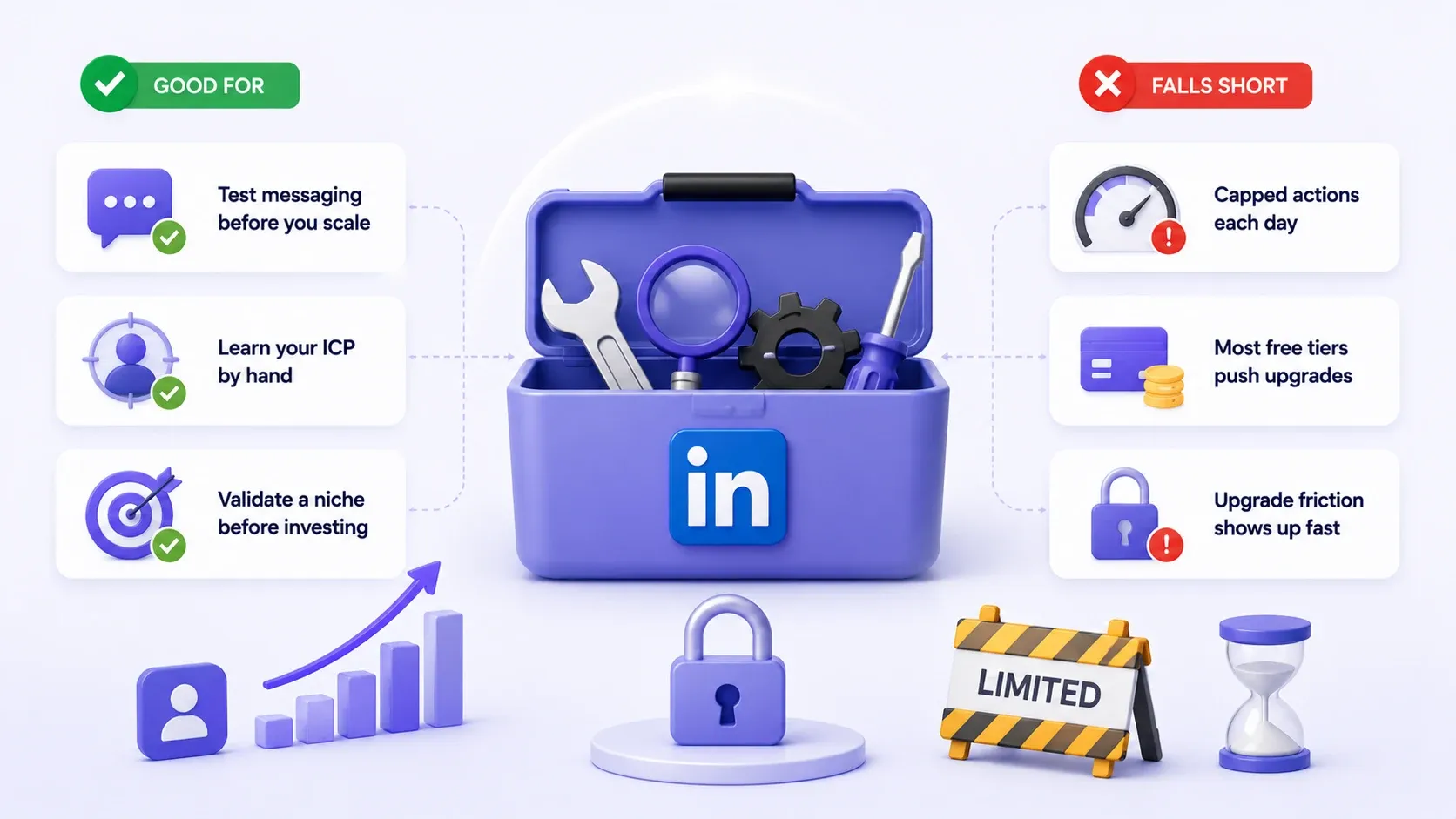
Free tools have a real place. Know their limits going in and you will not waste a quarter finding out the hard way.
What Free Tools Are Genuinely Good For
→ Test messaging before you scale it
→ Learn your ICP by hand before automating it
→ Validate a niche before committing budget
Where Free Tools Fall Short
→ Capped at a handful of actions a day, which does not move the needle for serious prospecting
→ Most free tiers exist purely to convert you into a paying customer
→ The friction to upgrade shows up fast
That daily cap is not a bug. It is the business model.
Best Paid LinkedIn Lead Generator Tools
Paid tools earn their cost once volume and safety start to matter more than saving a few dollars a month.
When Paid Is Worth It
→ Managing more than one LinkedIn account
→ Running outreach at real volume
→ Reselling LinkedIn lead generation as an agency service
Pricing Math Example
Here is how the math works for an agency reselling Bearconnect across client accounts.
→ 5 LinkedIn accounts at $57/month = $285/month in tool cost
→ Resold to clients at a 3 to 5x margin
→ Tool cost becomes a small line item against a much larger service fee
Your actual revenue depends on your own pricing and delivery, not the tool. What the tool controls is your cost base, and that math is the part you can plan around today.
LinkedIn Account Safety: What Actually Gets You Restricted
Volume beyond LinkedIn's limits is what gets accounts restricted, not automation itself.
Is LinkedIn Automation Against LinkedIn's Terms of Service?
Technically yes, LinkedIn's terms discourage third-party automation. In practice, enforcement focuses on volume and behavior patterns, not the mere existence of a tool.
→ Staying within weekly limits matters more than which tool you use
Cloud-Based vs Browser-Extension Risk
I have tried enough Chrome extensions to open my own small museum of broken automation. Here is why I stopped.
→ Browser extension tools run inside your open browser, creating a detectable fingerprint = higher detection risk
→ Cloud-based tools run outreach from their own infrastructure, closer to human behavior = lower detection risk
→ Neither is risk-free above LinkedIn's weekly limits
Pro tip: keep connection requests under 100 a week even if your tool allows more. Limits exist for a reason, and testing that reason is expensive.
Signs your account may already be at risk:
→ A sudden drop in your weekly invitation limit
→ Connection requests stuck on "pending" far longer than usual
→ A CAPTCHA or verification prompt appearing mid-session
→ A temporary restriction notice on messaging or search
Catch these early and pause automation before LinkedIn makes the decision for you.
LinkedIn Lead Generator Tool vs Sales Navigator: What's the Difference?
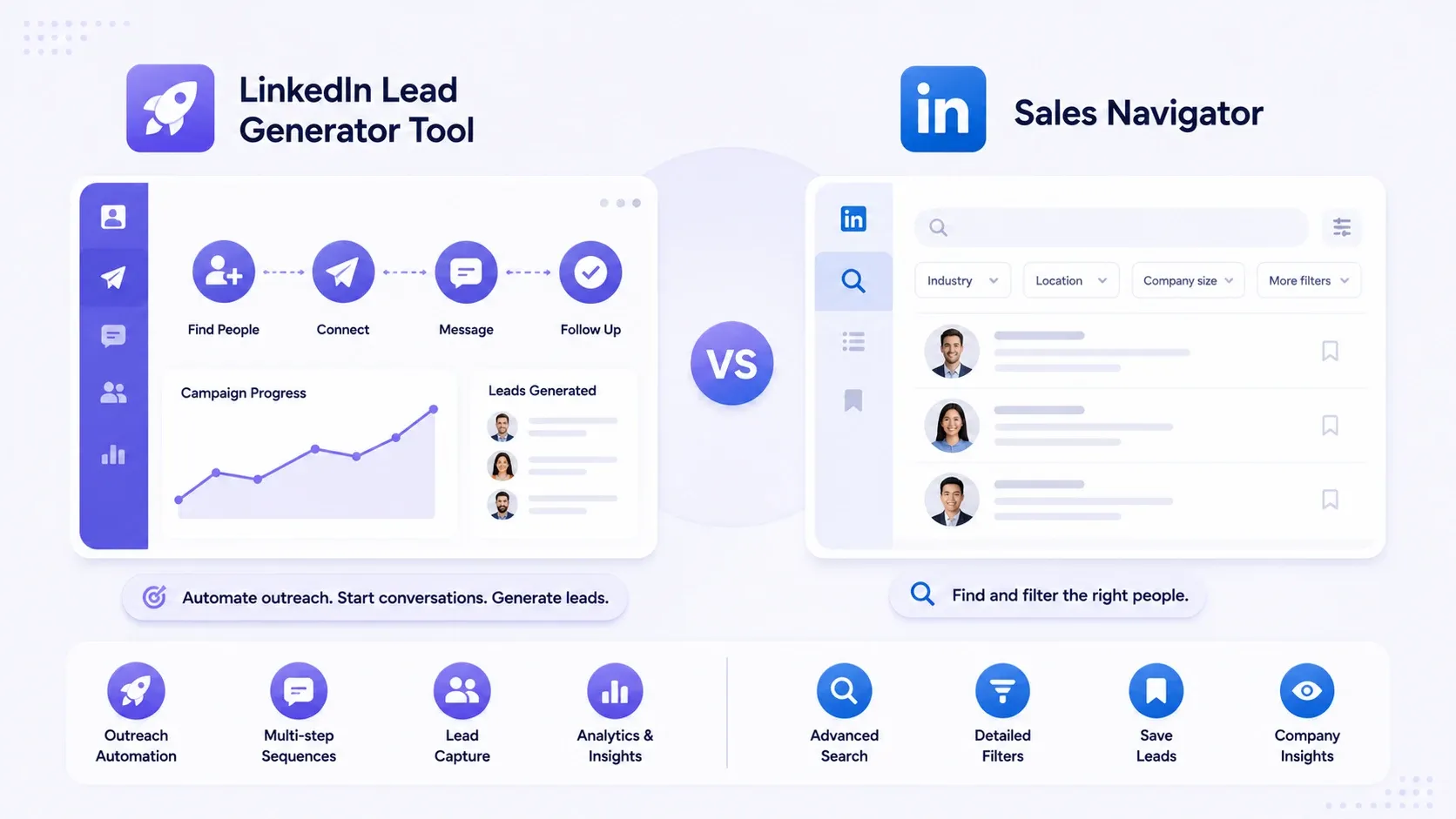
Sales Navigator finds and filters prospects. It does not send messages, run sequences, or automate outreach on its own.
→ Sales Navigator = your search engine
→ An automation tool = your delivery system
Many serious operators run both together: Sales Navigator to build the list, a tool like Bearconnect to run the outreach and inbound side.
Which Tool Is Right for You?
1. Solo Founders and Solopreneurs
→ One AI-powered tool covering content and outreach, not three subscriptions for one LinkedIn account
→ You need something that does not require a second login just to post
2. Sales Teams
→ Safe multi-account management and a shared inbox
→ Two reps messaging the same VP in the same week burns the relationship before it starts
3. Agencies
→ Multi-account pricing and whitelabel reporting matter more than any single feature
→ Run the per-account math before committing to a flat per-seat competitor
→ A flat fee can look cheap on the sales page and quietly cost more past a handful of clients
4. Recruiters
→ Fast list-building and safe daily limits
→ A hiring push for one role rarely lasts more than a few weeks
→ A tool that ramps quickly matters more than one built for a slow, steady drip
5. Consultants and Service Providers
→ Content-led credibility matters as much as outreach volume
→ Prospects often research your posts before they ever reply to a message
→ A tool that handles both content and outreach saves you from stitching two workflows together
Common Mistakes When Choosing a LinkedIn Lead Gen Tool
I have made most of these myself, so consider this the shortcut.
→ Buying an outreach tool when the real bottleneck is your target list
→ Ignoring account safety until after a restriction happens
→ Assuming a free plan will scale into a real pipeline
→ Picking a tool before defining your ICP
→ Comparing sticker price instead of per-account or per-seat cost
→ Ignoring the lead import workflow, then discovering it means a CSV export every single week
A subscription is not a strategy.
How to Get Started (Your Next Steps)
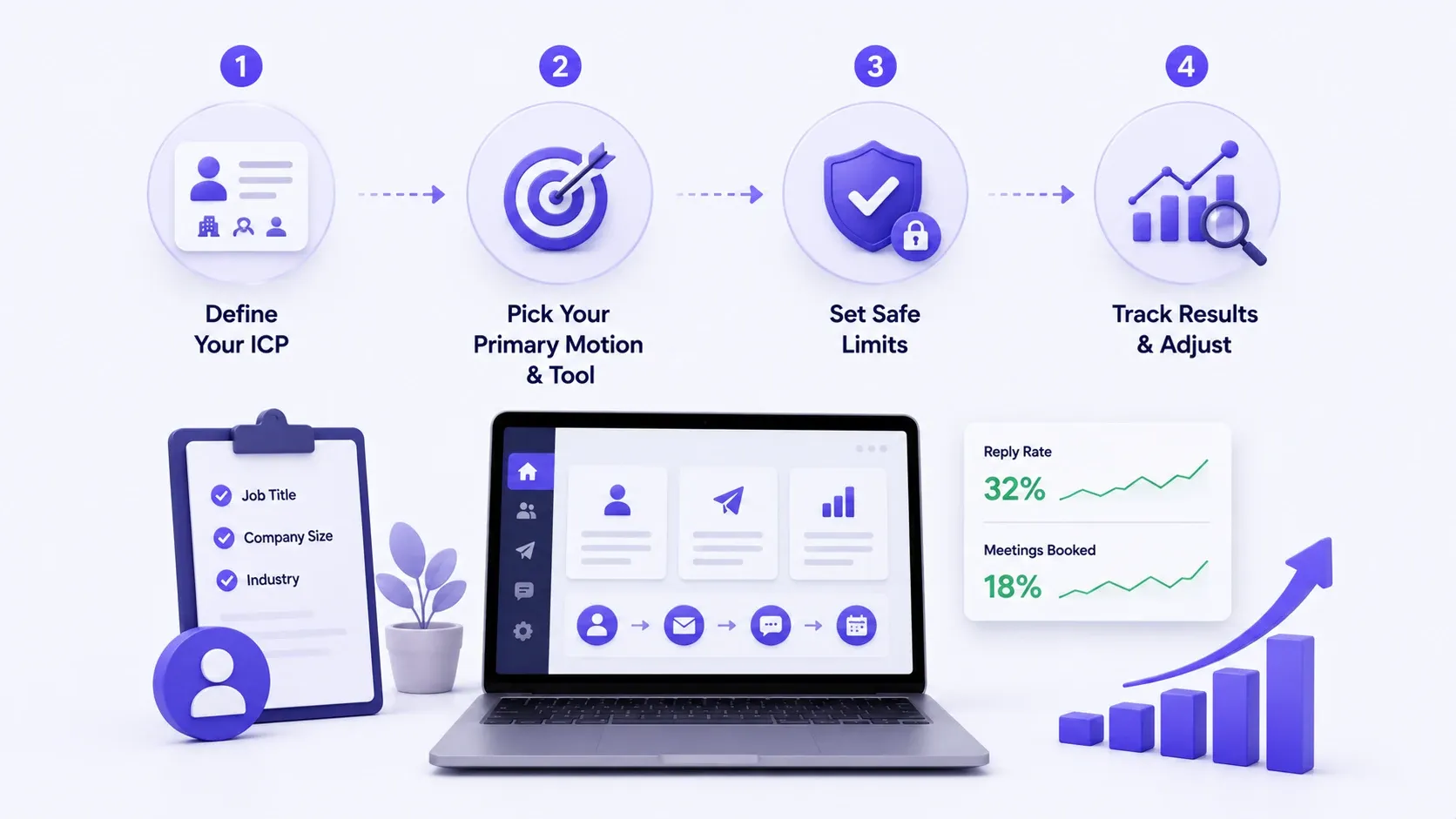
1. Define Your ICP First
Job title, company size, and industry beat a big TAM every time.
2. Pick Your Primary Motion, Then Your Tool
Content-led inbound, targeted outbound, or both. That decision picks your tool category for you.
3. Set Safe Limits From Day One
Start under LinkedIn's weekly caps, even if your tool allows more. You can raise volume later. You cannot un-restrict an account overnight.
4. Track Results and Adjust
Watch reply rate and meeting-booked rate, not connection-acceptance rate. Acceptance is vanity. Replies are the real signal.
→ Review numbers weekly for the first month, then monthly once the workflow settles
→ Cut or rewrite whatever sequence step gets the most silence
Final Verdict
→ Free tools: fine for testing, not for scaling
→ Paid automation: adds volume, but browser-extension risk add up fast
→ AI-powered (Bearconnect): content, safe multi-account outreach, and automatic lead capture in one place, priced per account instead of per flat team fee
None of these tools fixes a bad list or a lazy message on their own. The right one removes the busywork, so you spend your time on what actually moves a deal forward.
Ready to see it running on your own LinkedIn account? Try Bearconnect or book a quick walkthrough to see the Post Leads feature in action.
FAQ
1. Is LinkedIn automation safe or against the rules?
LinkedIn's terms technically discourage third-party automation, but enforcement centers on volume and behavior, not the tool itself. Cloud-based tools that stay within weekly limits carry the lowest practical risk.
2. What is the best free LinkedIn lead generation tool?
LinkedIn's own search and a Sales Navigator trial are the most reliable free starting points. Free tiers on automation tools work for testing but cap out fast for real volume.
3. Do I still need Sales Navigator if I use an automation tool?
Often yes. Sales Navigator finds and filters prospects, while automation tools handle outreach and follow-up. Many operators run both together.
4. What is the best AI-powered LinkedIn tool for agencies?
Bearconnect fits agencies well because pricing scales per LinkedIn account and margins can run 3 to 5x when reselling to clients, alongside AI content and automatic lead capture.
5. How much should I budget for LinkedIn lead generation tools?
Budget depends on account count more than plan tier. A single-account setup can start under $69/month, while a 5-account agency stack lands around $285/month before resale margin.
Ready to Transform Your LinkedIn Strategy?
Join thousands of professionals already using Bearconnect to automate their outreach and grow their network.
7-day free trial • Cancel anytime
Related Articles
Best LinkedIn Scheduling Tools for Posts & Outreach in 2026
Choosing the right LinkedIn scheduling tool can make or break your outreach results in 2026. This guide compares top platforms for scheduling posts, automating outreach, and growing your network so you can pick the one that fits your workflow.
10 Best HeyReach Alternatives for Lead generation in 2026 (That Actually Worth it)
I compared 10 HeyReach alternatives on the three things that actually decide whether a LinkedIn tool is worth it: per-sender pricing, account safety, and how it holds up at scale. Here's what I found, no guesswork
Best Botdog Alternative for Agencies and Multi-Account Teams (2026)
Botdog works for solo outbound. Agencies need more. Here are 7 alternatives tested on multi-account support, safety, and real pricing at scale.