How Many Leads Can You Really Generate with LinkedIn Automation? (2026 Growth Plan)
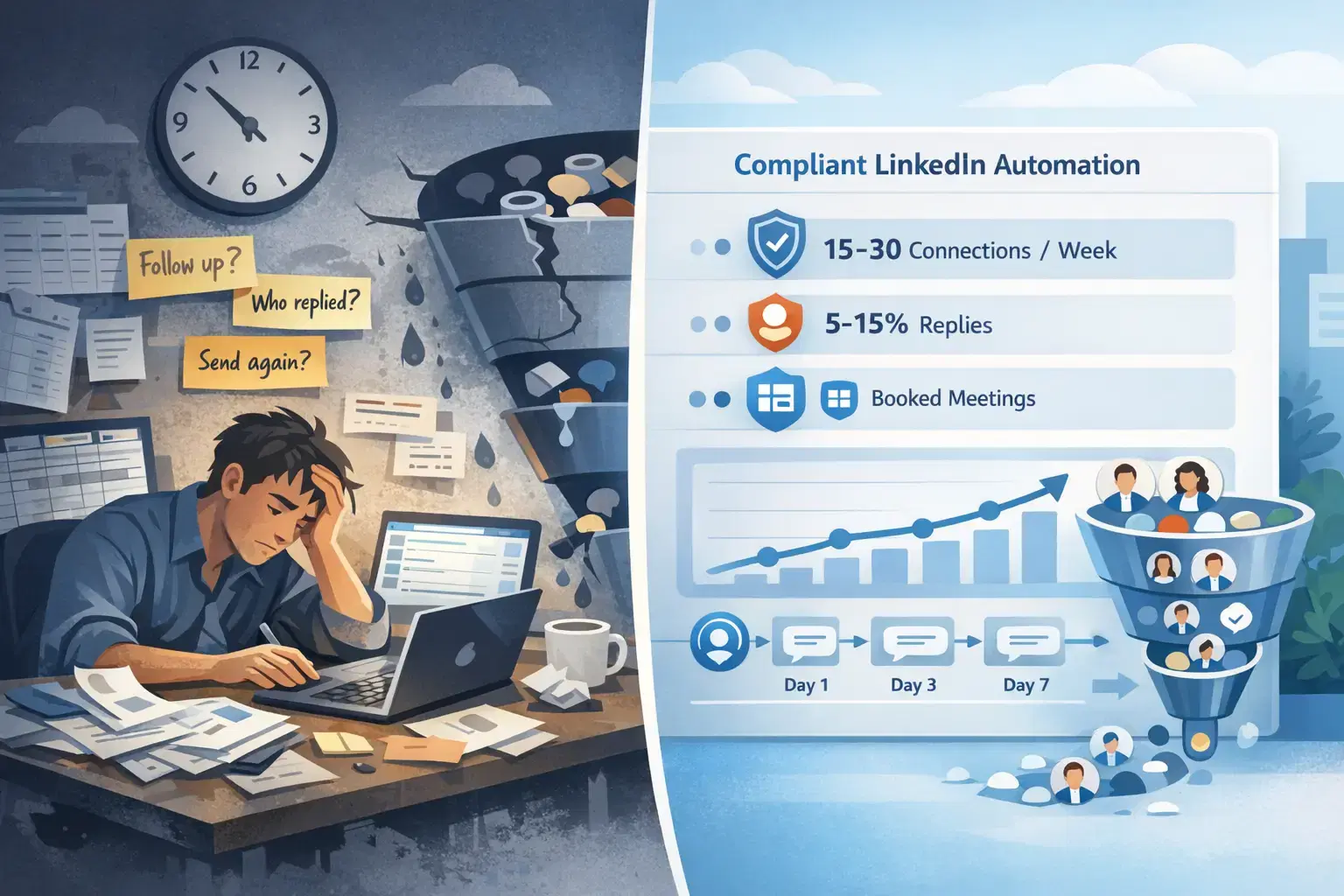
You are spending 10+ hours weekly on LinkedIn outreach.
Your pipeline is unpredictable. You have heard automation could solve this, but you're worried about account bans and inflated promises. Learn why 87% of sales teams choose LinkedIn automation.
Here's what's realistic: B2B teams using compliant LinkedIn automation generate 60-120 qualified leads per month per account. According to sales automation benchmarks.
That's 15-30 new connections weekly, with 5-15% converting into real sales conversations. Not the 500+ leads some tools promise, but actual decision-makers who respond and book meetings.
The gap between these numbers and wasted effort?
Four things: safety limits, acceptance rates, targeting precision, and follow-up sequences.
This guide breaks down the realistic math and gives you a 90-day growth plan that works without risking your account.
The Real Game Behind LinkedIn Automation Lead Generation
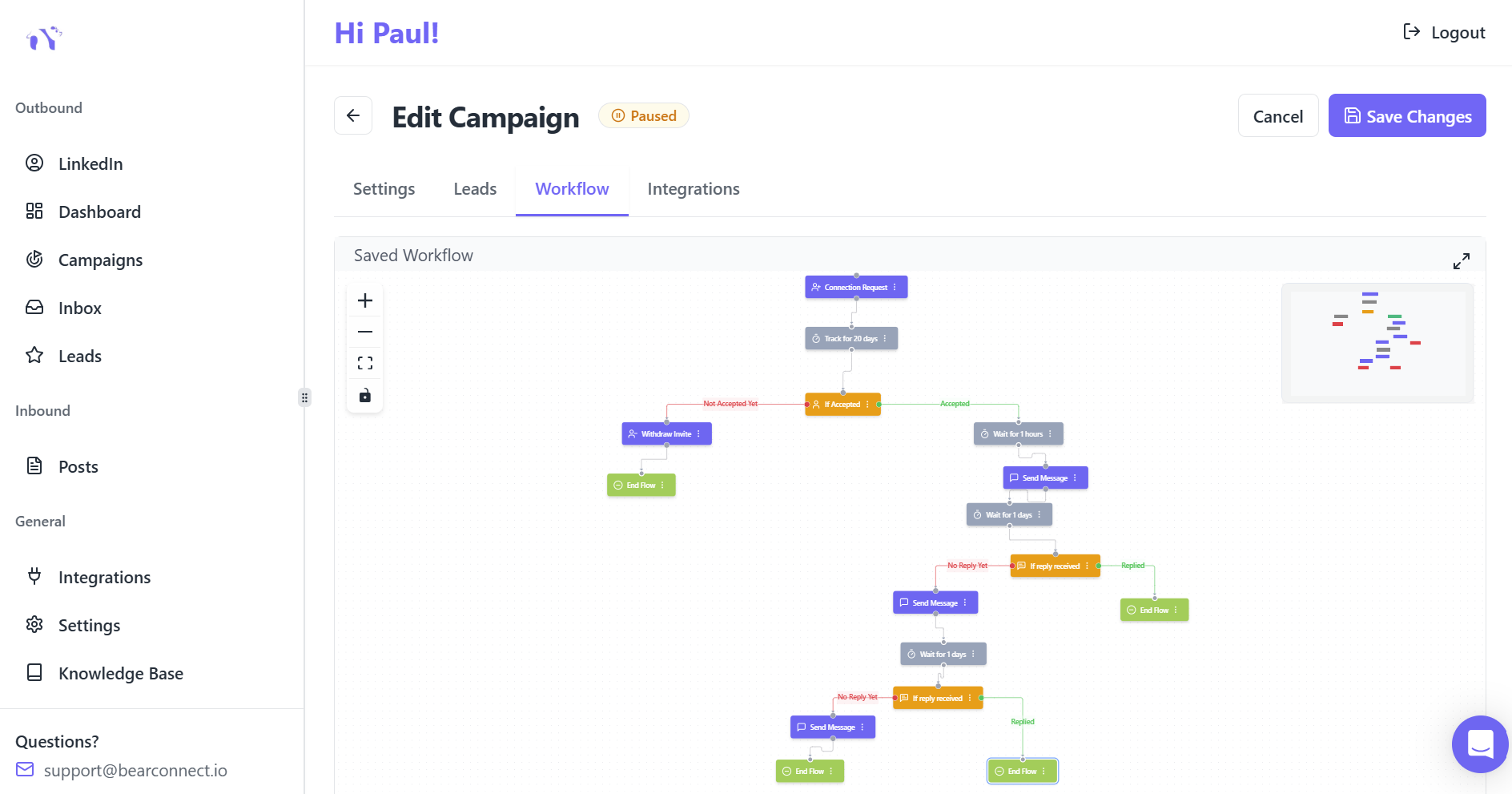
LinkedIn automation doesn't create leads from thin air. It multiplies your reach by removing manual tasks while respecting platform limits.
Starting with Connection Request Capacity
Safe LinkedIn automation in 2026 follows strict daily limits to avoid account restrictions:
- 20-25 connection requests per day maximum
- 100-200 connection requests per week
- 20-25 messages per day to existing connections
- 50-80 profile visits daily for standard accounts
These limits aren't suggestions. LinkedIn's User Agreement and detection algorithms flag accounts that exceed velocity thresholds, triggering warnings or temporary restrictions.
Understanding LinkedIn automation warnings helps you stay compliant while scaling outreach.
Calculating Your Monthly Connection Potential
- At a safe pace of 20 connection requests daily for 22 working days, you'll send approximately 440 connection requests monthly.
- This conservative approach protects your account while maintaining consistent outreach.
Understanding Acceptance and Reply Rates That Matter
Connection requests sent don't equal leads generated. Your acceptance rate determines how many prospects enter your pipeline.
1. Industry Standard Acceptance Rates
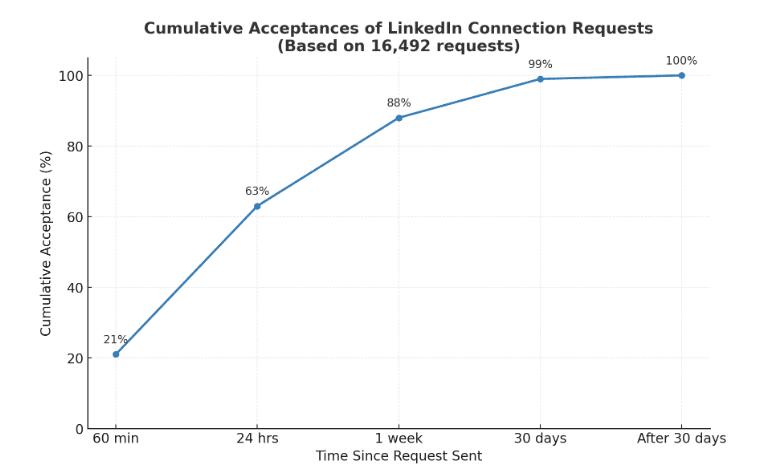
Generic connection requests average 15-25% acceptance rates across industries. However, personalized requests dramatically improve performance, achieving 35-55% acceptance when targeting is precise and messaging is relevant.
Here's how to create LinkedIn connection requests that don't get ignored.
For 440 monthly connection requests:
- Generic approach: 66-110 new connections (15-25% acceptance)
- Personalized approach: 154-242 new connections (35-55% acceptance)
2. From Connections to Conversations
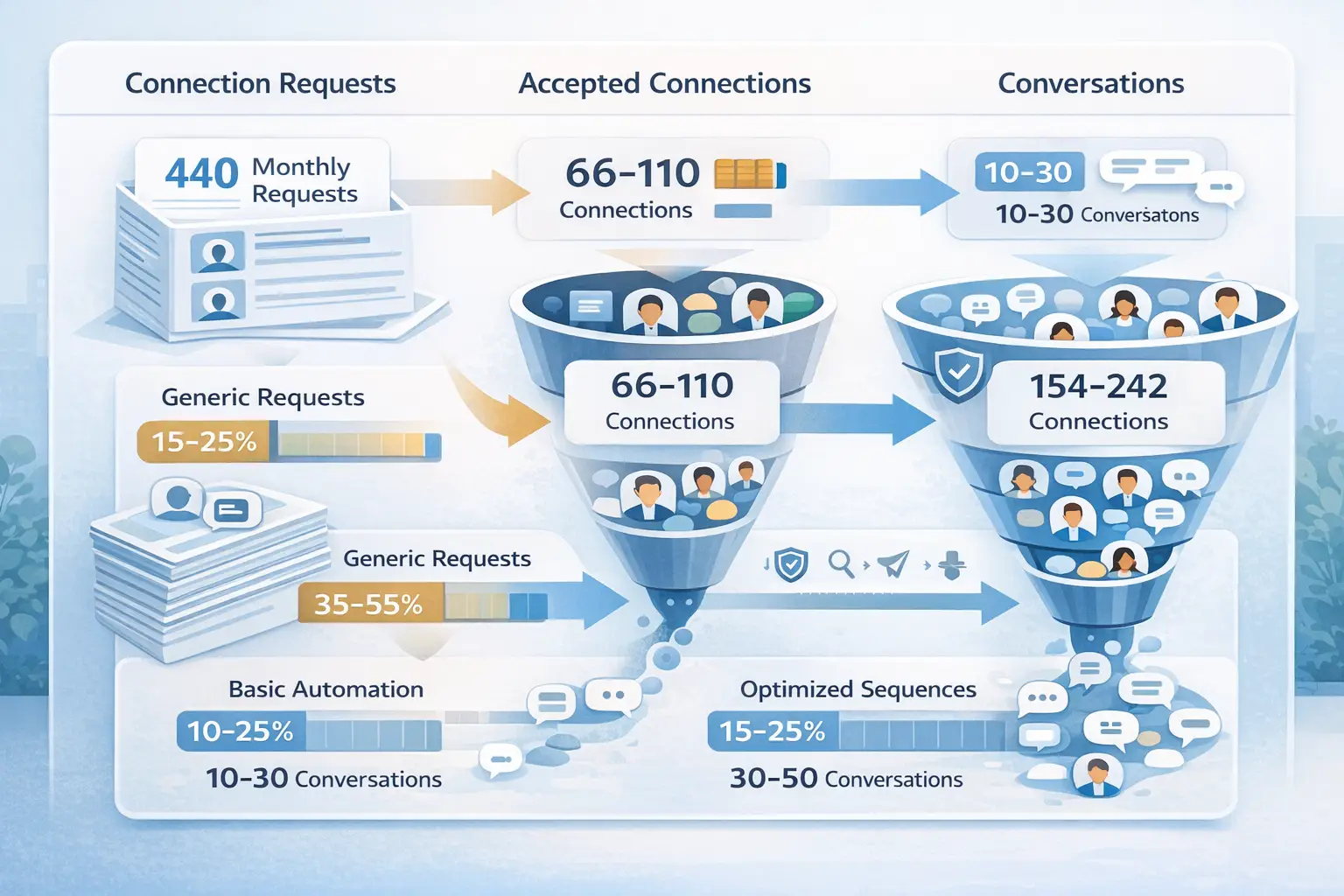
Not every accepted connection becomes a lead. Response rates to your first message typically range from 5-15% with basic automation.
Well-crafted drip sequences with multi-touch follow-ups improve response rates to 15-25%.
Calculating qualified conversations from 200 monthly connections:
- Basic automation: 10-30 conversations (5-15% response rate)
- Optimized sequences: 30-50 conversations (15-25% response rate)
How ICP Quality Impacts Lead Volume
Your Ideal Customer Profile specificity directly affects both quantity and quality of leads generated.
1. Broad Targeting Approach
Casting a wide net with generic job titles like "Marketing Manager" or "Sales Director" increases your addressable market but dilutes relevance.
Broad targeting typically yields:
- Higher connection request volume
- Lower acceptance rates (15-20%)
- More conversations but fewer qualified leads
- Longer sales cycles due to fit issues
2. Narrow Targeting Strategy
Focusing on specific industries, company sizes, seniority levels, and pain point indicators reduces volume but dramatically improves qualification.
Narrow targeting delivers:
- Strategic use of daily limits
- Higher acceptance rates (40-55%)
- Fewer but higher-quality conversations
- Faster progression to meetings
A B2B SaaS founder targeting "VP Sales at 50-200 employee tech companies using Salesforce" will generate fewer total connections than someone targeting "all sales professionals."
Learn how to set up targeted LinkedIn automation for lead generation.
Safety-First Automation Limits for 2026
LinkedIn's detection capabilities have evolved significantly. Staying safe requires understanding what triggers algorithmic flags.
What LinkedIn Monitors
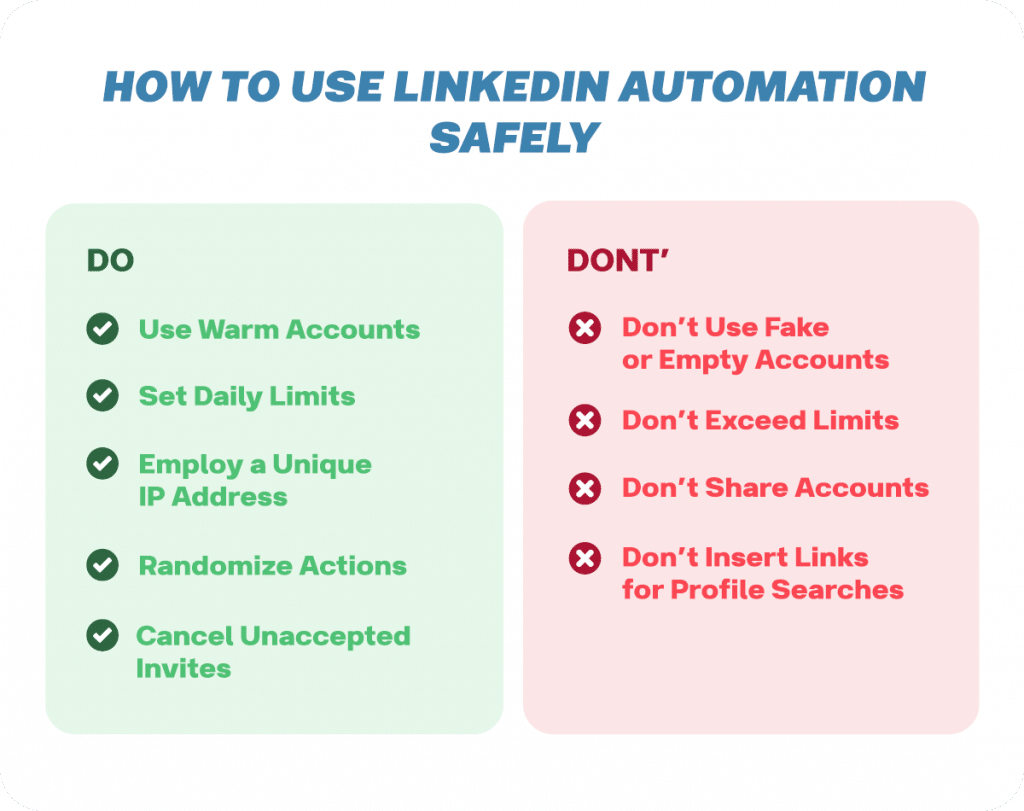
LinkedIn tracks multiple behavioral signals to identify automation:
- Activity velocity (sudden spikes in requests or messages)
- Timing patterns (actions at identical intervals)
- IP address consistency and location
- Profile visit patterns
- Message content similarity
- Engagement ratios
Safe Weekly Activity Schedule
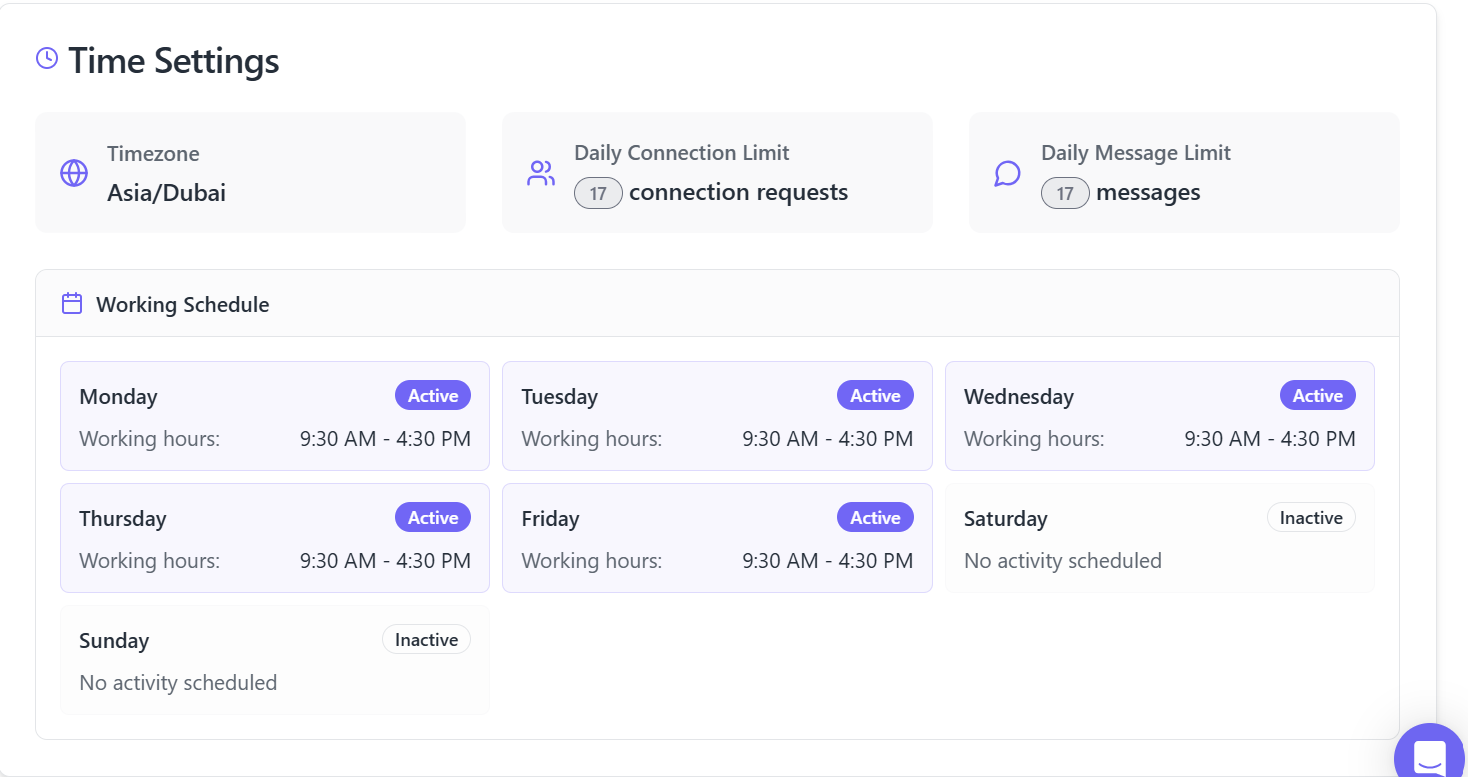
To maintain account health while maximizing lead generation:
- Monday-Friday: 20-25 connection requests per day
- Weekend: Minimal to zero automated activity
- Messages: 20-25 daily to existing connections
- Profile visits: 50-80 daily with varied timing
- Follow-ups: 3-5 day intervals between sequence steps
Professional automation platforms like Bearconnect implement behavior mimicry, local IP rotation, and smart throttling to keep activity within safe parameters.
Discover how LinkedIn automation works behind the scenes to understand safety mechanisms.
Account Age and Trust Score
Newer LinkedIn accounts (under 6 months) should start more conservatively:
- Week 1: 5 requests daily
- Week 2: 10 requests daily
- Week 3: 15 requests daily
- Week 4+: 20 requests daily
Established accounts with consistent activity history have higher trust scores and can operate at full capacity immediately.
Before automating, make sure your LinkedIn profile is optimized for maximum conversion.
Building Your 2026 Monthly Lead Generation Plan
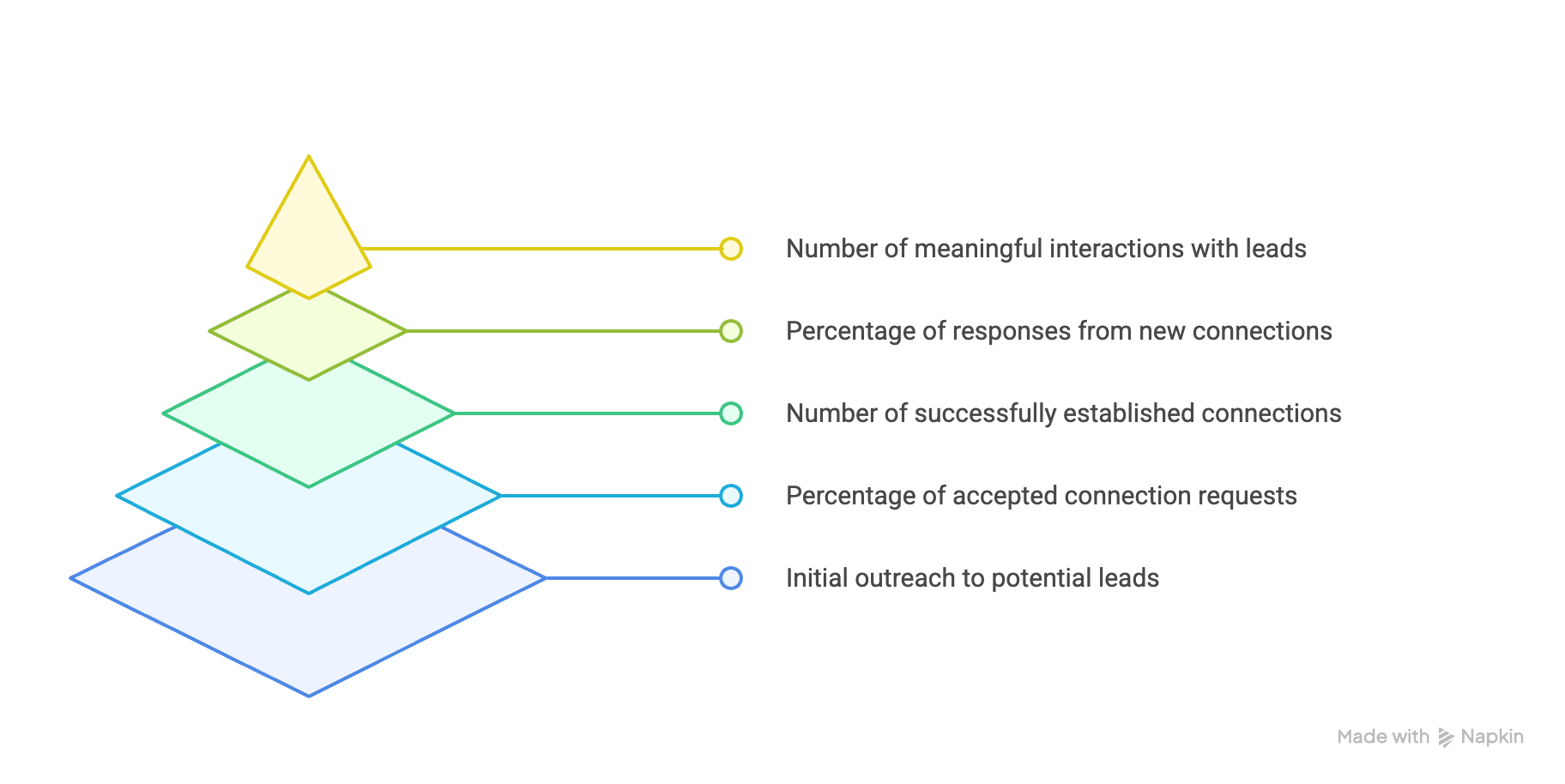
Creating realistic expectations requires mapping your entire lead generation funnel from connection to qualified opportunity.
Month 1: Foundation and Ramp-Up
Focus on establishing safe activity patterns and testing messaging:
- Connection requests sent: 300-350 (ramping up safely)
- Acceptance rate: 25-30% (testing personalization)
- New connections: 75-105
- Response rate: 10-15% (early sequence testing)
- Qualified conversations: 8-16
Month 2-3: Optimization Phase
With data from Month 1, refine targeting and messaging:
- Connection requests sent: 440 monthly
- Acceptance rate: 35-45% (optimized personalization)
- New connections: 154-198
- Response rate: 18-25% (refined sequences)
- Qualified conversations: 28-50
Month 4+: Scaled Performance
Consistent optimization creates predictable lead flow:
- Connection requests sent: 440 monthly
- Acceptance rate: 40-55% (proven messaging)
- New connections: 176-242
- Response rate: 20-28% (multi-touch sequences)
- Qualified conversations: 35-68
To understand the numbers properly, first review what LinkedIn automation actually is for sales teams and how the process works.
Multi-Account Strategy for Agencies and Teams
Solo founders operate one LinkedIn account, but agencies and sales teams can multiply results through coordinated multi-account strategies.
The Multi-Account Multiplier
A sales team with 5 LinkedIn accounts properly orchestrated generates 5x the lead volume while maintaining per-account safety:
- 5 accounts × 440 requests monthly = 2,200 total requests
- 40% acceptance rate = 880 new connections monthly
- 22% response rate = 194 qualified conversations monthly
Tools like Bearconnect allow unlimited LinkedIn account connections on one seat for $67 per month per account ($57 when connecting 5+ accounts), making multi-account strategies cost-effective.
Avoiding Multi-Account Pitfalls
Running multiple accounts requires careful coordination:
- Never target the same prospect from multiple accounts
- Stagger activity timing across accounts
- Use distinct messaging angles per account
- Assign clear territory or ICP splits
- Monitor unified inbox to prevent duplicate outreach
Tools and Analytics That Maximize Results
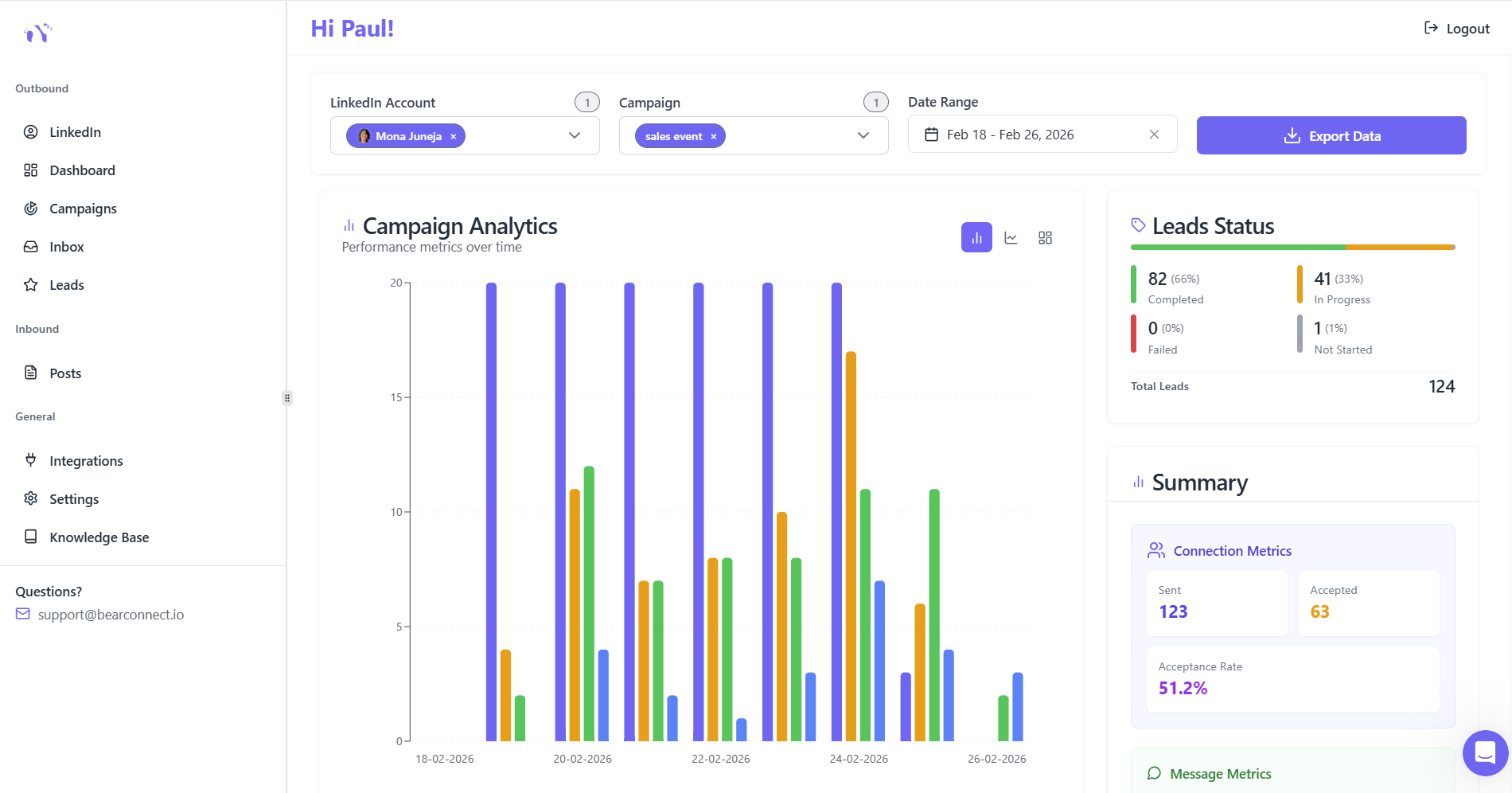
Lead generation improves dramatically when you track the right metrics and optimize based on data.
Essential Metrics to Monitor Weekly
Track these KPIs to identify optimization opportunities:
- Connection acceptance rate by audience segment
- Response rate by message variation
- Days to first reply
- Meeting booking conversion rate
- Cost per qualified lead
A/B Testing for Continuous Improvement
Systematic testing reveals what resonates with your ICP:
- Connection request variations (test 2-3 simultaneously)
- First message approaches (value proposition vs. question)
- Follow-up timing (3-day vs. 5-day intervals)
- Sequence length (3-step vs. 5-step sequences)
Platforms with advanced analytics like Bearconnect provide real-time dashboards showing acceptance rates, response metrics, and conversion tracking across unlimited campaigns.
Realistic 2026 Lead Generation Projections
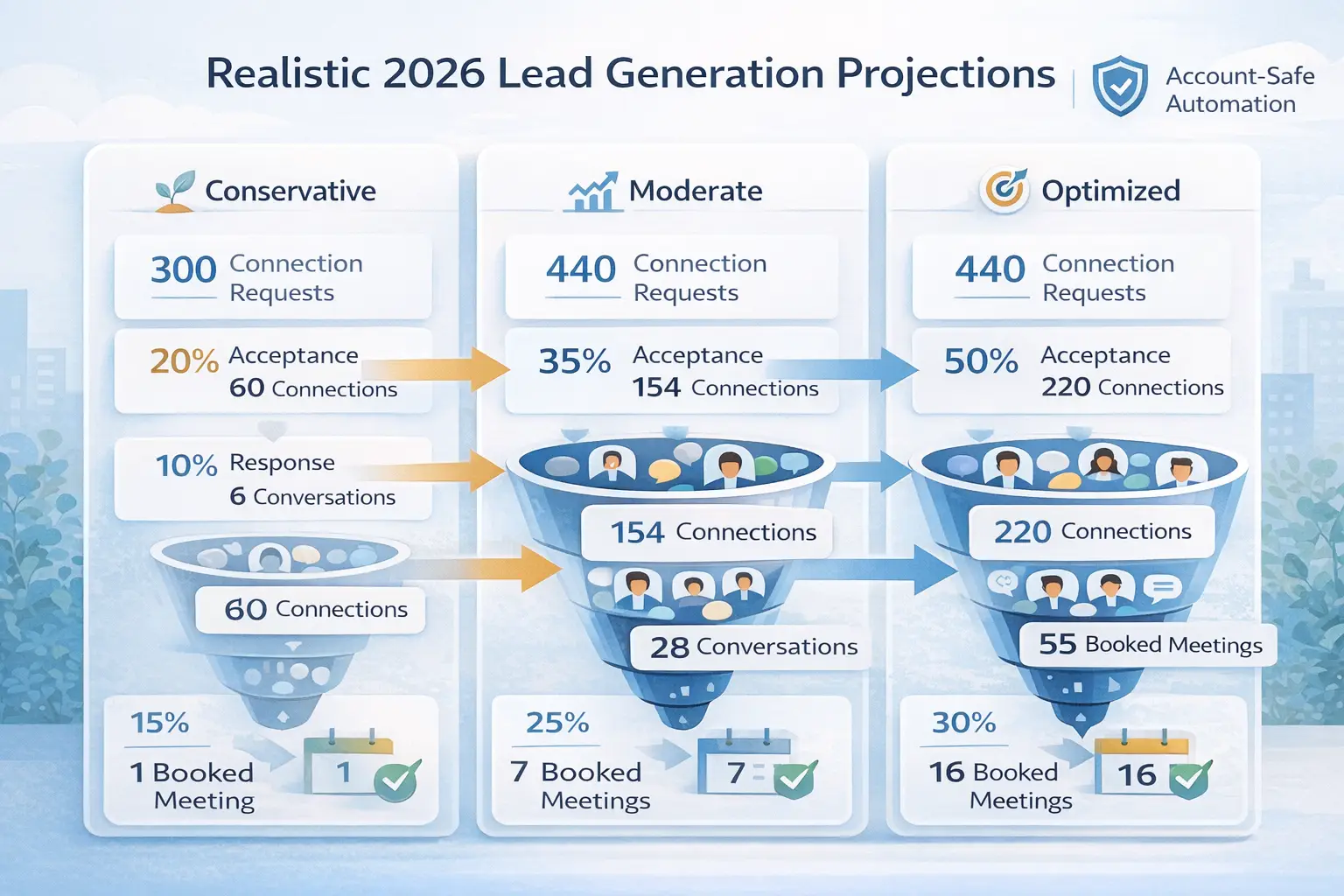
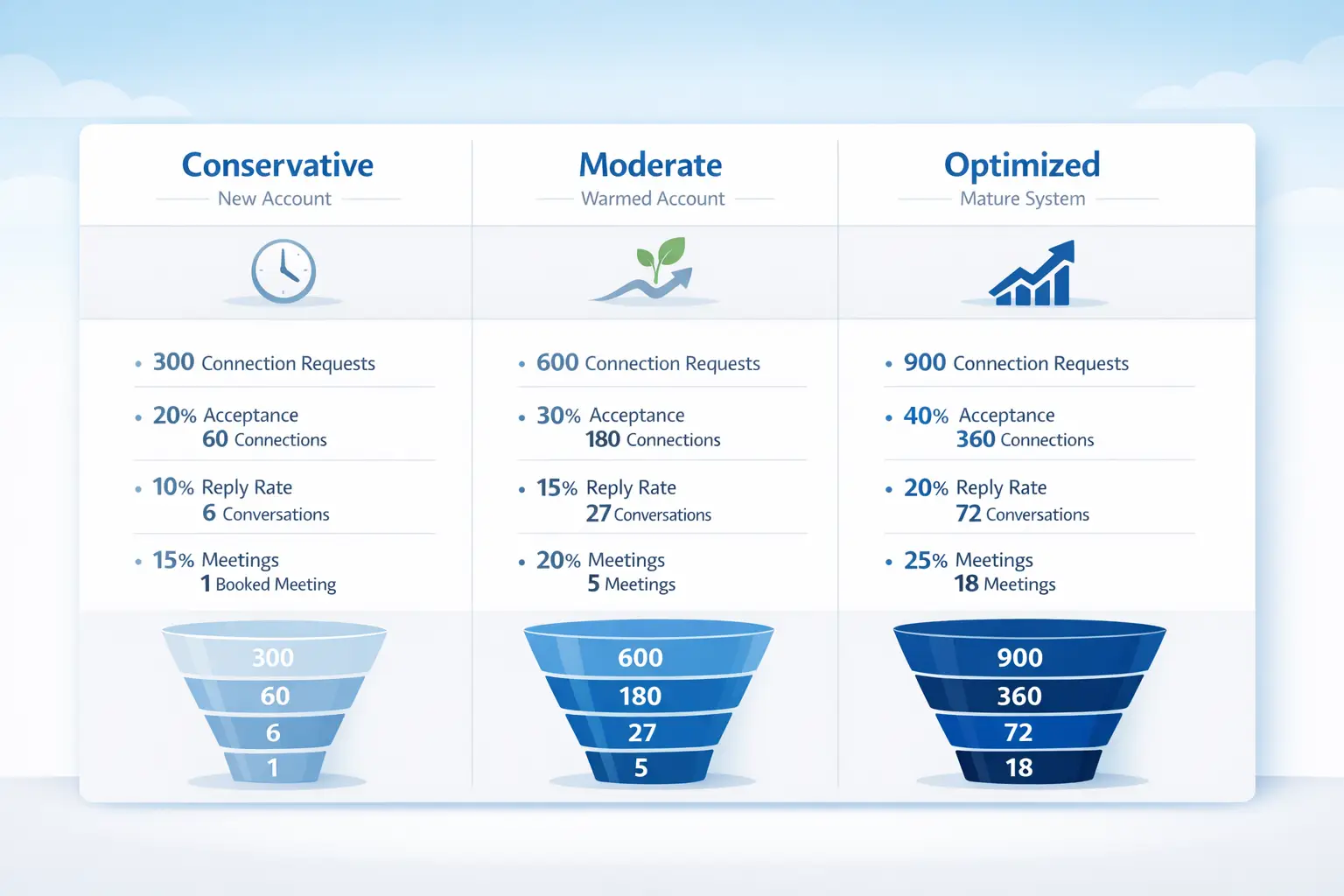
Based on industry data and real-world implementations, here are realistic monthly lead targets per LinkedIn account using compliant automation.
Conservative Scenario (new account, broad targeting)
- 300 connection requests
- 20% acceptance rate = 60 connections
- 10% response rate = 6 qualified conversations
- 15% meeting conversion = 1 booked meeting
Moderate Scenario (established account, good targeting)
- 440 connection requests
- 35% acceptance rate = 154 connections
- 18% response rate = 28 qualified conversations
- 25% meeting conversion = 7 booked meetings
Optimized Scenario (mature account, excellent ICP alignment)
- 440 connection requests
- 50% acceptance rate = 220 connections
- 25% response rate = 55 qualified conversations
- 30% meeting conversion = 16 booked meetings
To see the upside, combine our lead projections with this breakdown of why sales teams are switching to LinkedIn automation.
Your 90-Day LinkedIn Automation Growth Plan
Implementing LinkedIn automation successfully requires a phased approach that prioritizes safety, testing, and optimization.
Days 1-30: Setup and Testing
- Configure automation platform with safety limits
- Define ICP with specific targeting criteria
- Create 3 connection request variations
- Build initial 3-step follow-up sequence
- Launch at 50% capacity (10-15 requests daily)
- Target: 60-90 new connections, 6-12 conversations
Need help setting up? Your first 7 days with Bearconnect guide walks you through the complete setup process.
Days 31-60: Optimization
- Analyze acceptance rate data by audience segment
- Refine messaging based on response patterns
- Scale to 75% capacity (15-20 requests daily)
- Test 5-step sequences with value-adds
- Target: 120-150 new connections, 18-30 conversations
Days 61-90: Scaling
- Implement winning message variations
- Operate at full capacity (20-25 requests daily)
- Launch secondary campaigns to different segments
- Build content strategy to support inbound
- Target: 150-200 new connections, 30-50 conversations
Choosing Account-Safe Automation for Sustainable Growth
Not all LinkedIn automation tools deliver equal safety or results. The right platform protects your account while maximizing lead generation potential.
Bearconnect provides enterprise-level automation at $67 per month per LinkedIn account, with unlimited campaigns, unified inbox management, advanced analytics, and behavior mimicry that reduces detection risk. The platform supports unlimited account connections, making it ideal for agencies managing multiple client profiles or sales teams scaling outreach across representatives.
Your Next Step
LinkedIn automation in 2026 isn't about gaming the system. It's about respecting platform limits while systematically reaching your ideal customers with relevant, personalized outreach.
Start with conservative daily limits, obsess over ICP targeting, test message variations relentlessly, and let data guide your optimization decisions. The teams generating 100+ qualified leads monthly didn't get there overnight. They built systems, refined messaging, and scaled safely over 90 days.
Ready to start your 90-day growth plan?
- See Bearconnect pricing and features
- Compare Bearconnect vs other tools
- Read the complete LinkedIn automation guide
- Book a demo with our team
Frequently Asked Questions
1. How many leads can I realistically generate per month with LinkedIn automation?
Most B2B teams generate 60-120 qualified leads per month per LinkedIn account using compliant automation. This translates to 15-30 new connections weekly, with 5-15% converting into sales conversations. Your actual results depend on ICP targeting quality, message personalization, and acceptance rates according to sales automation benchmarks.
2. Do I need LinkedIn Sales Navigator to use automation tools?
No, you don't need Sales Navigator to use LinkedIn automation. Tools like Bearconnect work independently without requiring a Sales Navigator subscription, saving you $80/month while still providing advanced targeting, automated outreach, and campaign management. Sales Navigator is optional but not required for effective automation.
3. How much does LinkedIn automation cost in 2026?
Professional LinkedIn automation tools range from $67-$150+ per month per account. Bearconnect offers enterprise-level automation at $67/month per LinkedIn account ($57 when connecting 5+ accounts), with unlimited campaigns, unified inbox, and advanced analytics.
4. How long does it take to see results from LinkedIn automation?
You will see initial results within 7-14 days, but meaningful lead flow takes 60-90 days. Month 1 focuses on safe setup and testing (8-16 qualified conversations). Month 2-3 optimization improves performance (28-50 conversations).
5. What's a good connection request acceptance rate on LinkedIn?
Generic connection requests average 15-25% acceptance rates, while personalized requests achieve 35-55% when targeting is precise. For 440 monthly requests, this means 66-110 connections (generic) versus 154-242 connections (personalized).
Ready to Transform Your LinkedIn Strategy?
Join thousands of professionals already using Bearconnect to automate their outreach and grow their network.
7-day free trial • Cancel anytime
Related Articles
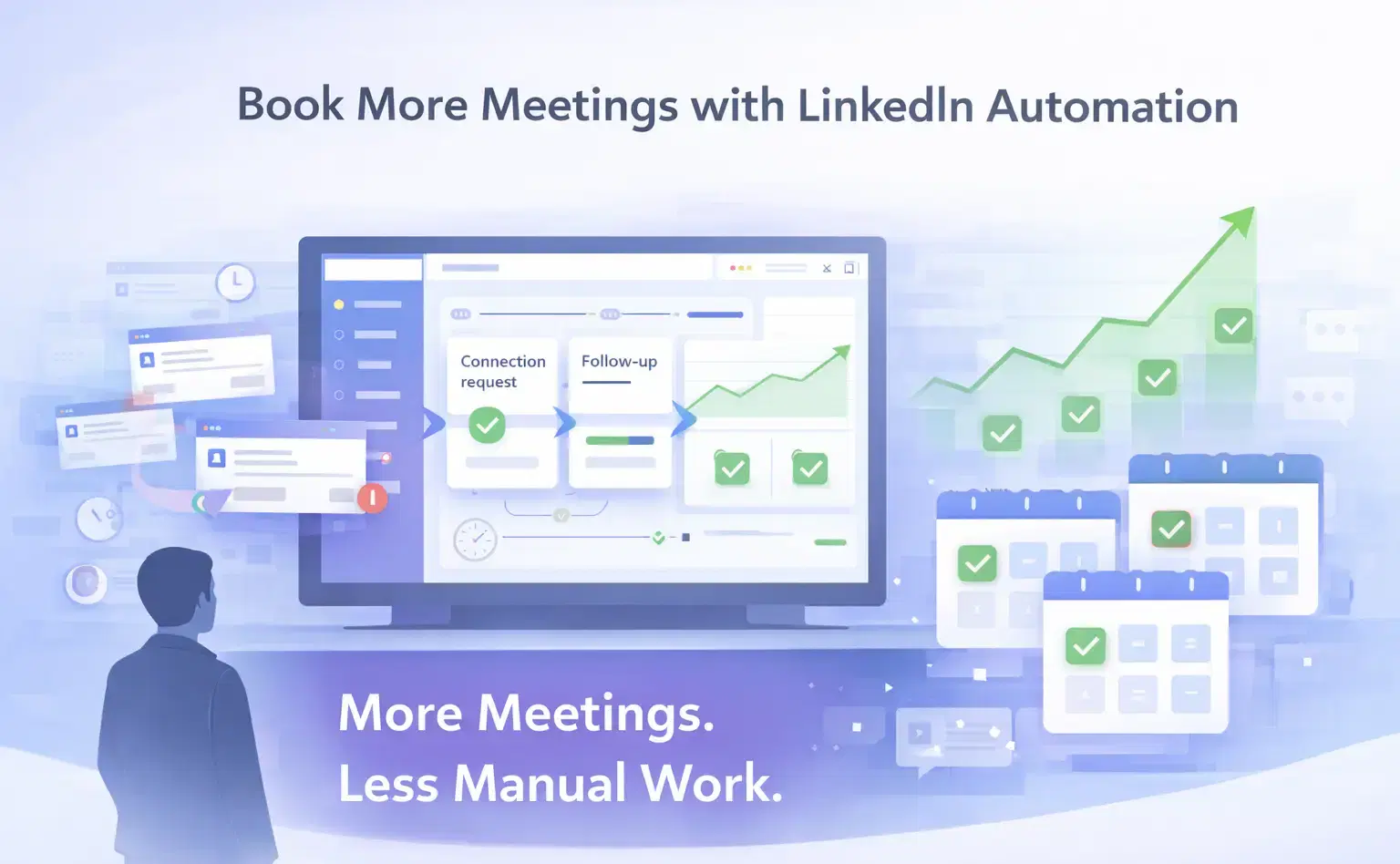
How Can SDRs Book More Meetings Using LinkedIn Automation?
SDRs can book more meetings with LinkedIn automation by streamlining outreach, automating follow-ups, and scaling conversations without manual effort.
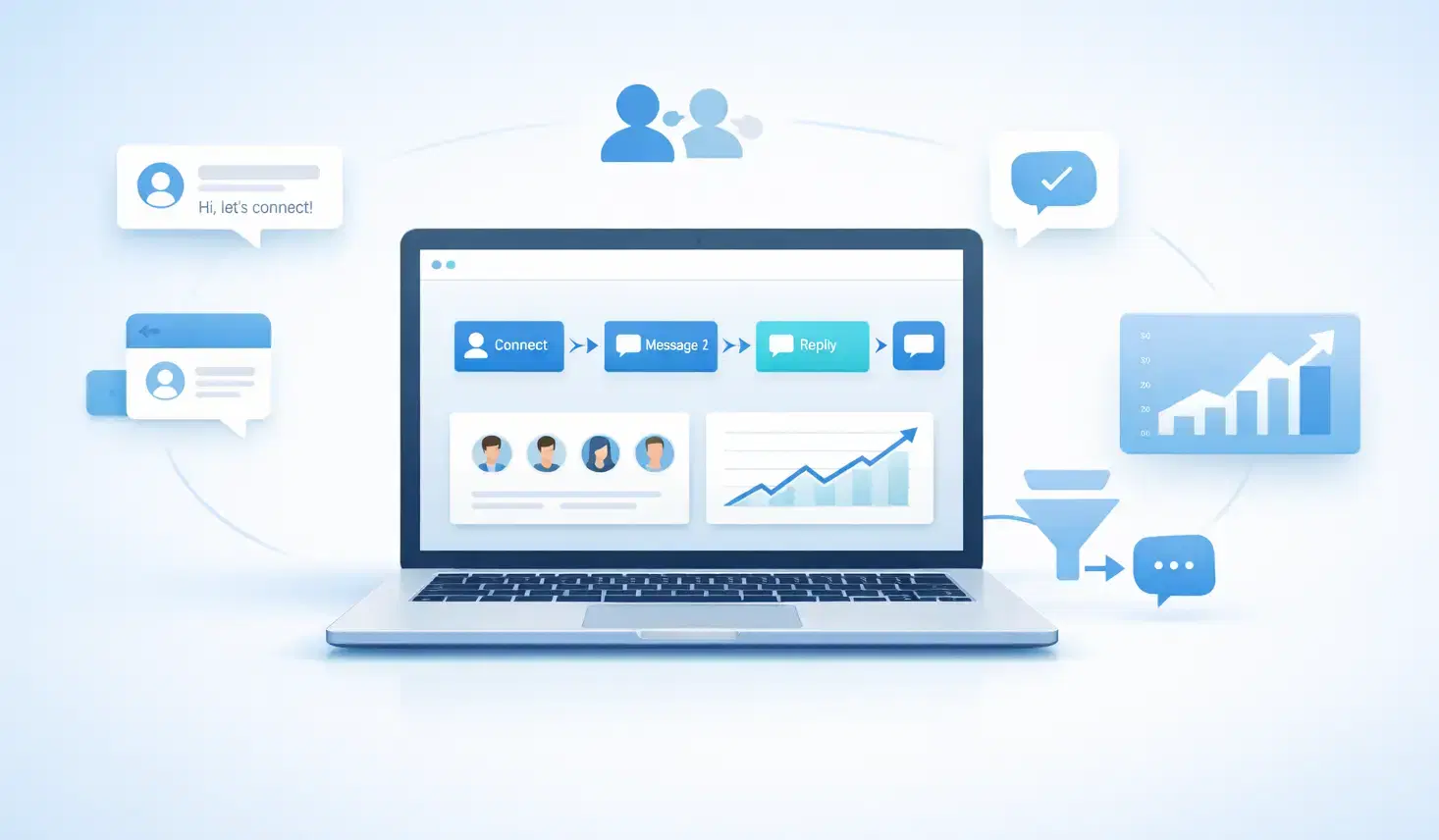
7 Best LinkedIn DM Tools for Outreach Automation in 2026
Looking for best LinkedIn DM tools in 2026? This guide compares top outreach automation tools by features, pricing, safety, and use cases so you can scale B2B lead generation with less manual work.
How to Automate Your Agency's LinkedIn Outreach (Without Getting Banned)
Learn how agencies automate LinkedIn outreach safely using smart limits, personalization, and automation tools to scale prospecting without risking account bans.