How Many Meetings Per Month Can You Realistically Book With LinkedIn Automation?
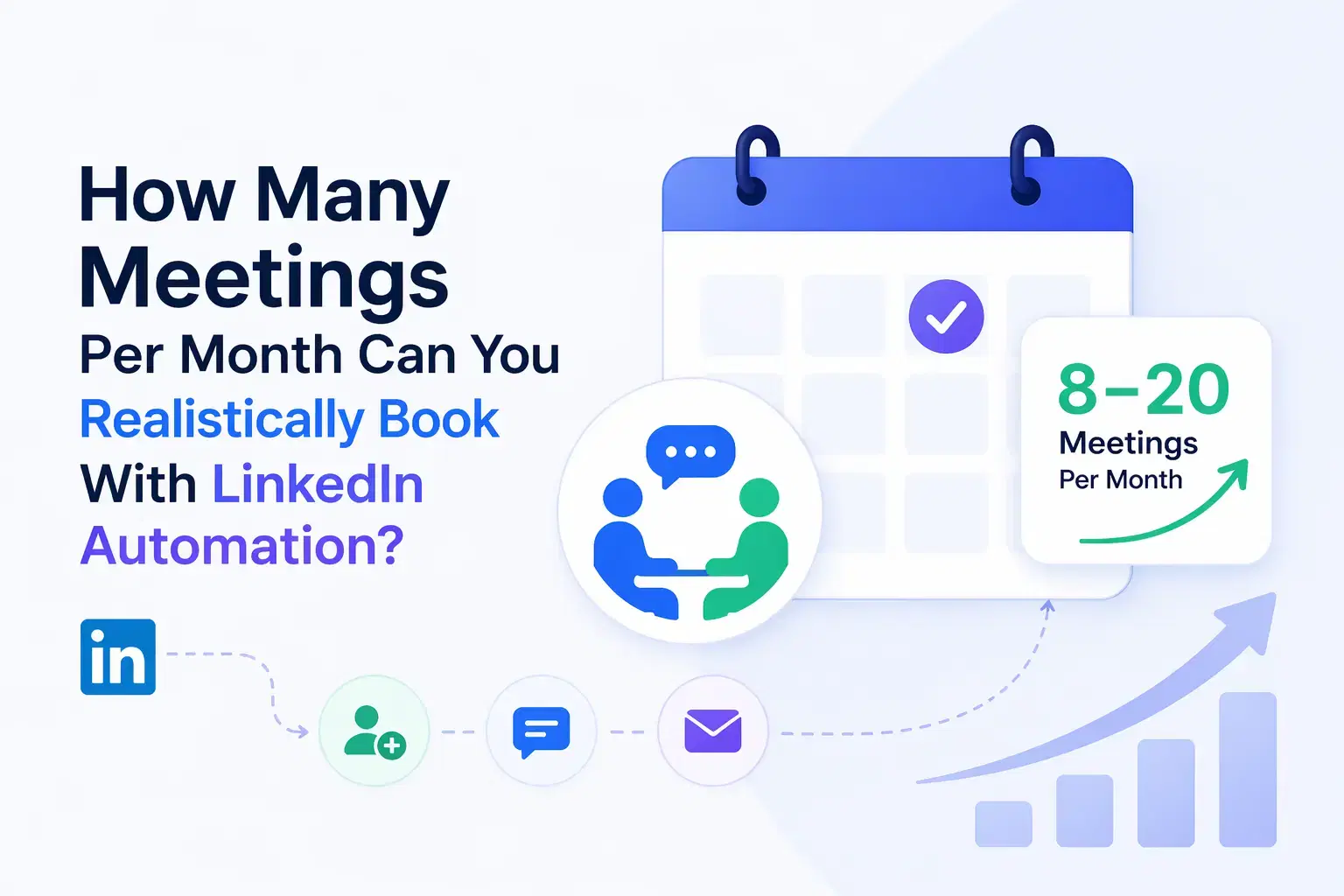
With a properly set up LinkedIn automation campaign, you can realistically book 8 to 20 meetings per month from a single LinkedIn account.
The exact number depends on your offer clarity, ICP targeting, message quality, and the tool you use.
TL;DR
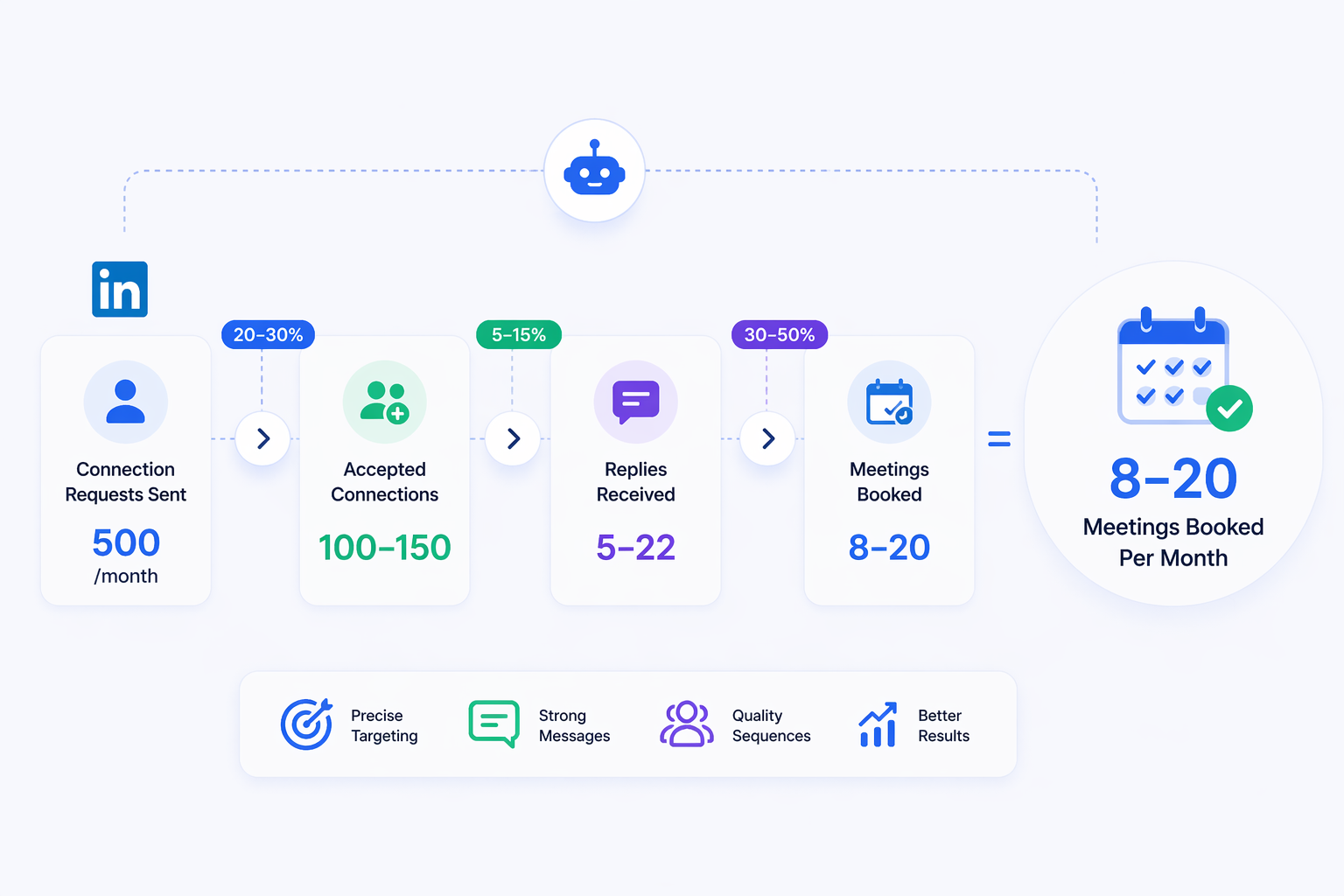
- Sending 500 connection requests/month with a 20–30% acceptance rate gives you 100–150 new connections.
- From those connections, a 5–15% reply rate generates 5–22 replies.
- Converting 30–50% of engaged replies into meetings = 8 to 20 booked calls per month.
- Variables like niche, offer strength, and sequence quality move your results up or down significantly.
- Tools like Bearconnect let you run this at $67/month per LinkedIn account, with multi-account support starting at $57/month per account when you connect 5 or more.
The Realistic Math Behind LinkedIn Automation Meetings
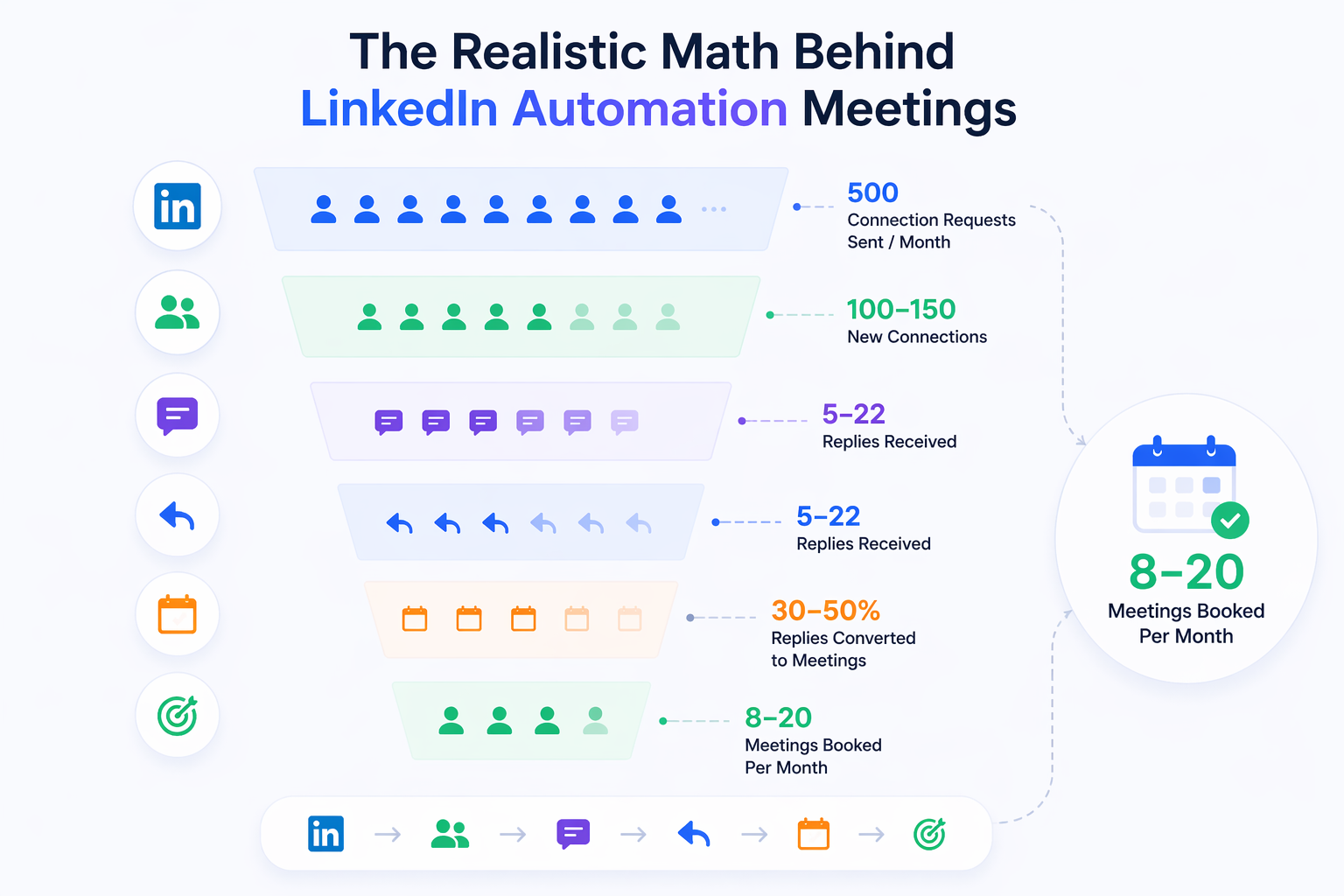
Most people overestimate volume and underestimate conversion. Here is the actual funnel.
LinkedIn has daily and weekly limits on connection requests. In 2026, the safe range is roughly 20–25 connection requests per day without triggering account restrictions. That puts your monthly volume at around 500–600 requests from one account.
Here is what a realistic funnel looks like:
| Funnel Stage | Benchmark Range |
|---|---|
| Connection requests sent/month | 500 |
| Acceptance rate | 20–30% |
| New connections gained | 100–150 |
| Reply rate on follow-up DMs | 5–15% |
| Replies received | 5–22 |
| Replies converted to meetings | 30–50% |
| Meetings booked | 8–20/month |
Pro Tip: These benchmarks apply to cold outreach. Warm audiences convert at significantly higher rates. See the cold vs. warm breakdown below.
Want the full picture on what LinkedIn automation actually generates in leads per month? We covered that in detail separately.
Why "Realistically" Is the Most Important Word Here
- You will not hit 20 meetings in month one. But you can hit 8 to 12 within 60 days if your setup is correct.
- Most LinkedIn automation tools promise big numbers. The reality is that results compound over time as you warm up your account, refine your sequences, and improve your targeting.
- New accounts should start at 10–15 requests per day and scale up over 3–4 weeks.
- If you want a week-by-week plan, our 90-day LinkedIn automation scaling roadmap walks through exactly how to ramp up safely.
Step 0: Your Profile Is the First Conversion Point
- Before you send a single automated connection request, your LinkedIn profile needs to work as a conversion page.
- A weak profile cuts your acceptance rate by 10 to 15 percentage points before your sequence even starts.
Three profile elements that directly affect whether prospects accept your request:
- Headline: State the specific problem you solve, not your job title. "I help SaaS founders book 15+ meetings/month via LinkedIn" outperforms "Sales Director at XYZ" every time.
- About section: The first 3 lines must state who you help, how you help them, and what result they get. LinkedIn truncates the About section after 300 characters on mobile. If your answer is not in those 300 characters, most prospects never read it.
- Featured section: Add one case study, one strong testimonial, or one lead magnet here. Prospects visit your profile after receiving your connection request. The Featured section is the trust signal they look for before they decide to accept or ignore.
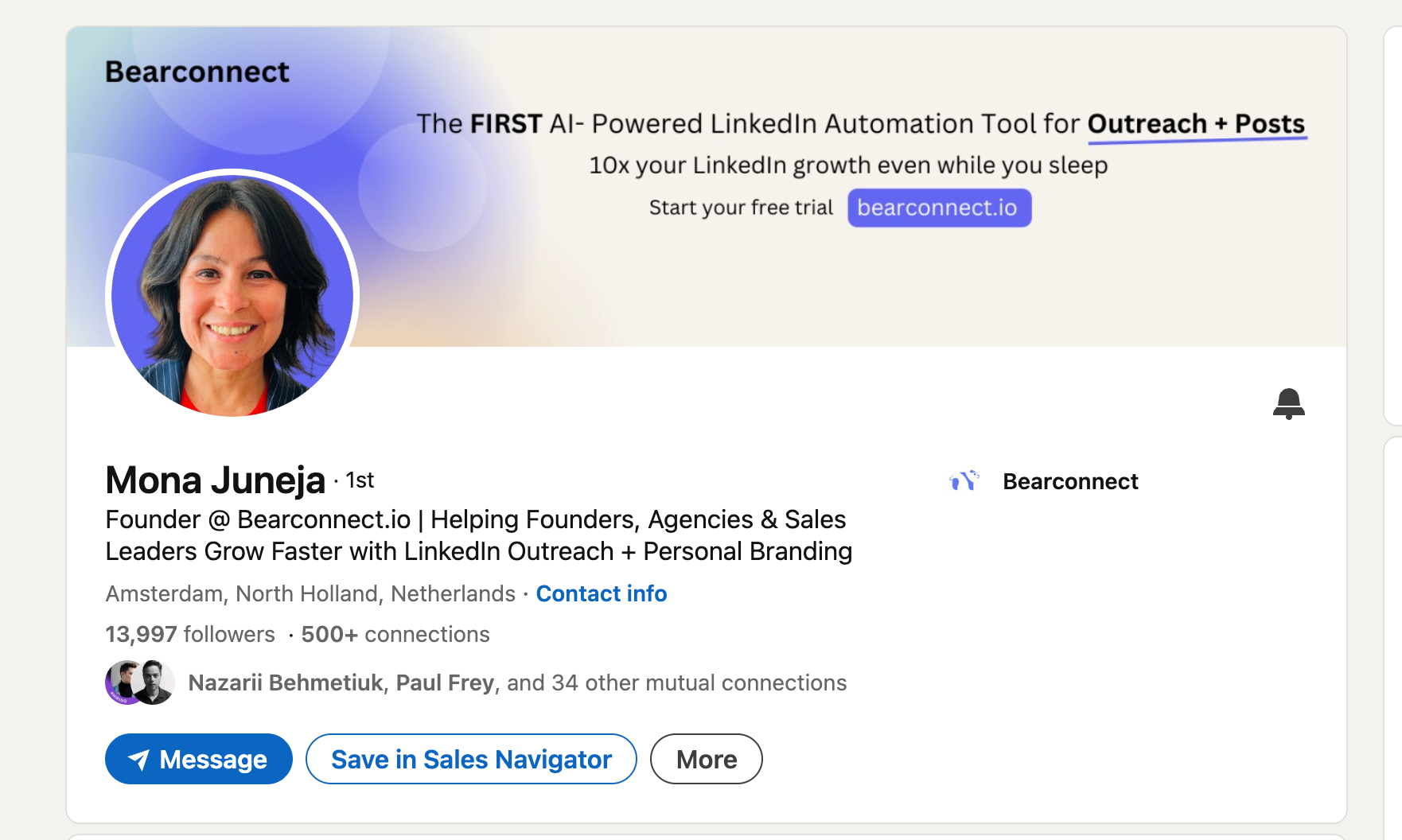
We put together a dedicated guide on LinkedIn profile optimization before running automation if you want to go deeper on this step.
What Variables Control Your Meeting Count
Your monthly meeting count is not decided by the tool. It is decided by five variables.
Get these right and you will outperform the benchmark. Get them wrong and you will underperform, regardless of which tool you use.
1. ICP Targeting Precision
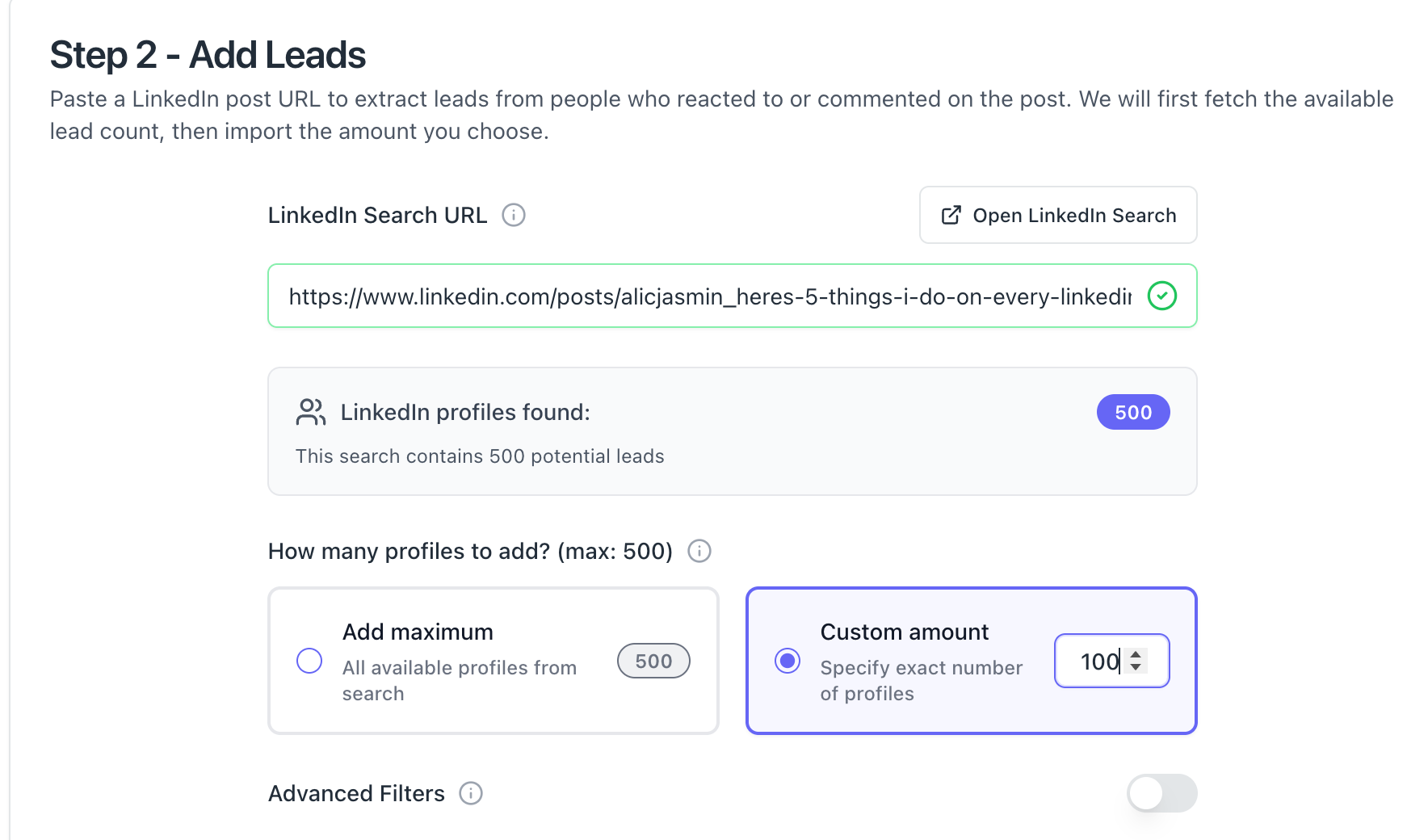
- The tighter your audience filter, the higher your acceptance and reply rates. Targeting "SaaS founders in the US with 10–50 employees" outperforms targeting "startup founders" by a significant margin.
- Bearconnect supports LinkedIn Search URL and Sales Navigator URL imports so you can build precise lead lists before launching campaigns.
- See all lead import options inside Bearconnect.
2. Connection Request Message
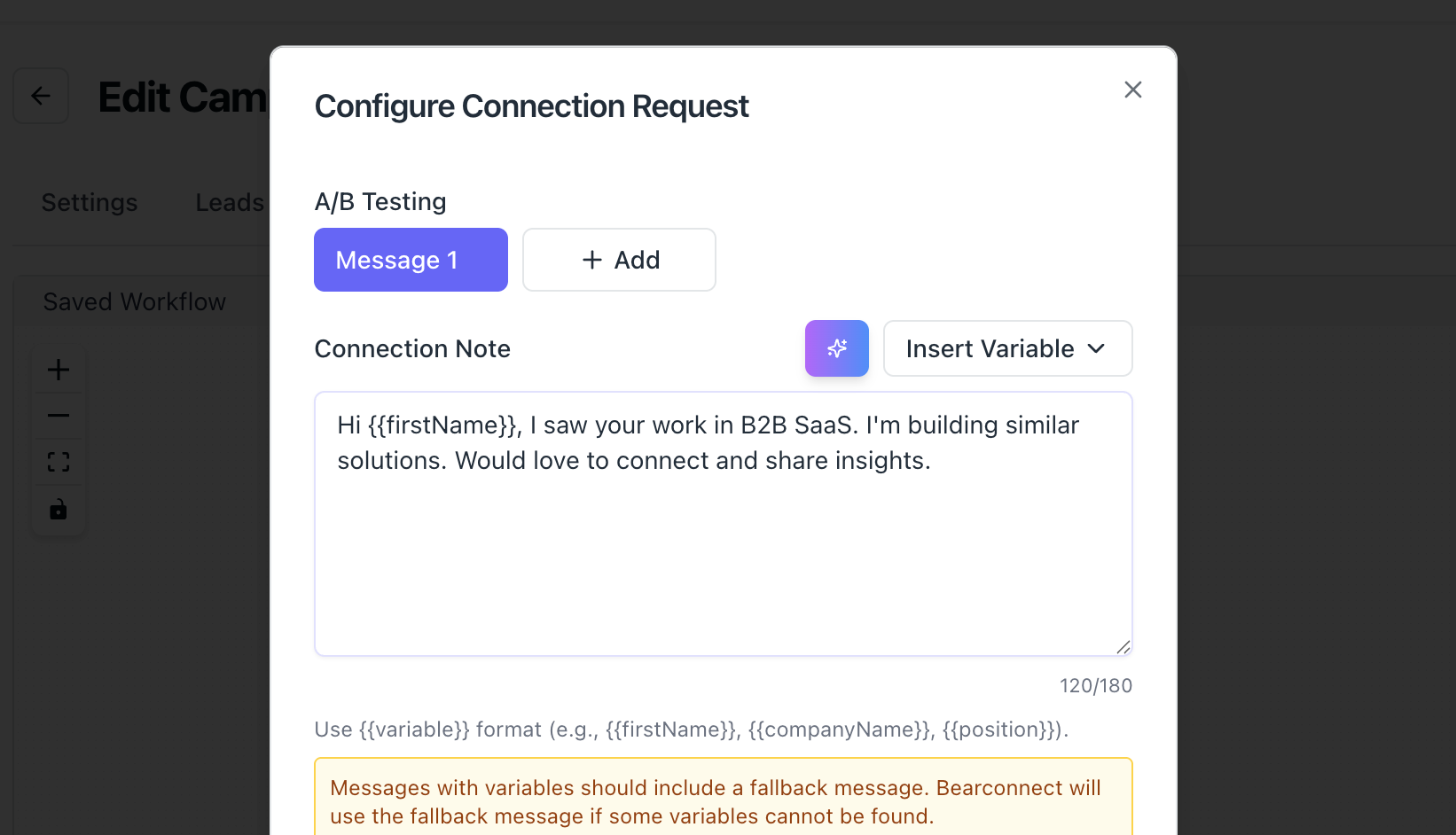
- Your connection request note (if you use one) should have zero selling. It should feel like a genuine reason to connect.
- A 2-line note that references a shared experience, industry, or mutual context consistently outperforms generic requests.
- If you want to go deeper on this topic alone, read our guide on LinkedIn connection requests that do not get ignored.
3. Follow-Up Sequence Quality
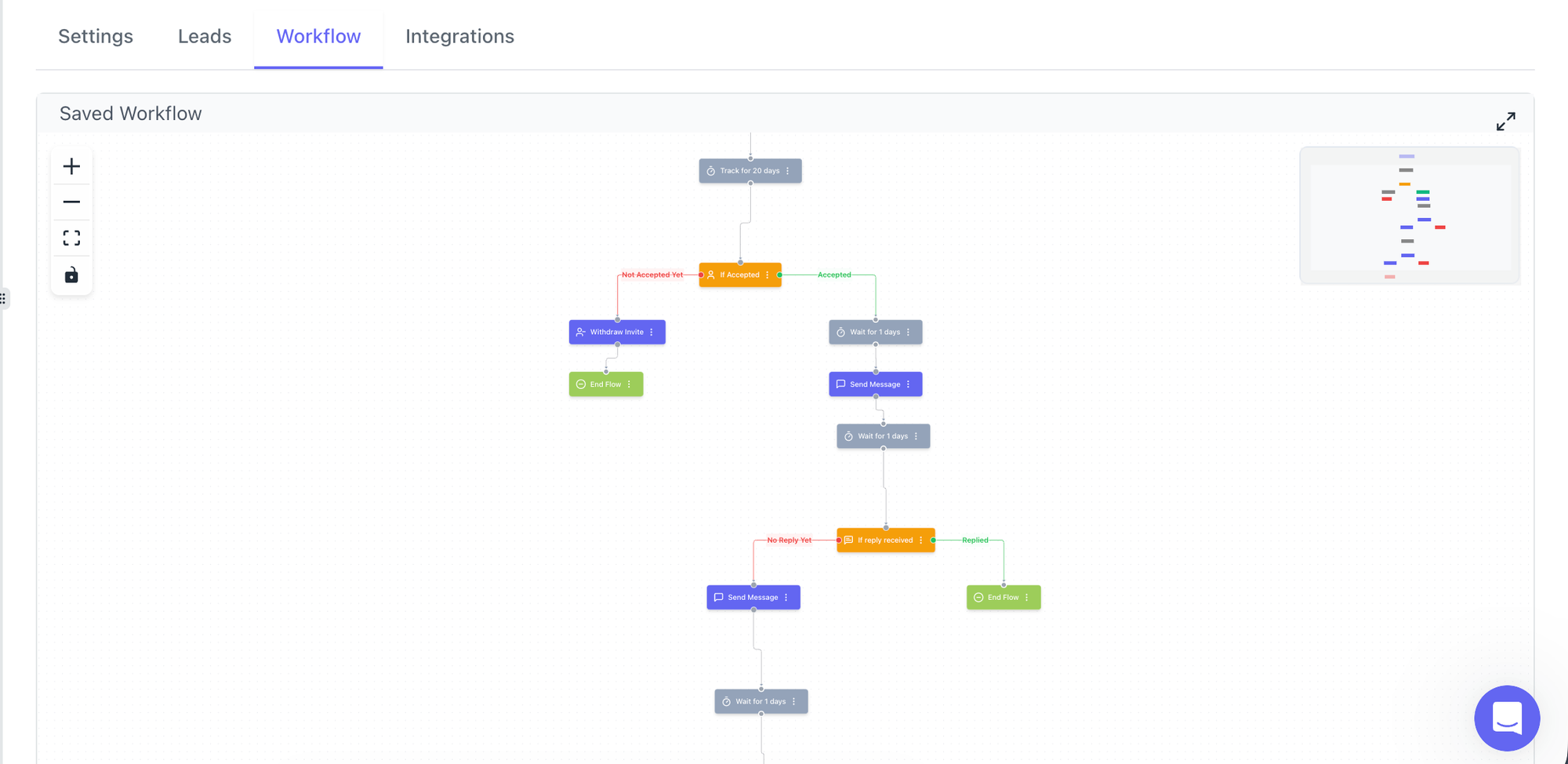
Your first follow-up after acceptance is the most important message you will send.
A good sequence structure:
- Day 1 after acceptance: Value-first message, no pitch. Reference their work or a pain point.
- Day 4: A relevant insight, case study, or question.
- Day 8: Soft CTA. Ask for a conversation, not a demo.
- Day 14: Final follow-up. Keep it short.
Most deals happen in follow-up messages 2 through 4, not the first touchpoint.
4. Account Warm-Up and Safety Limits
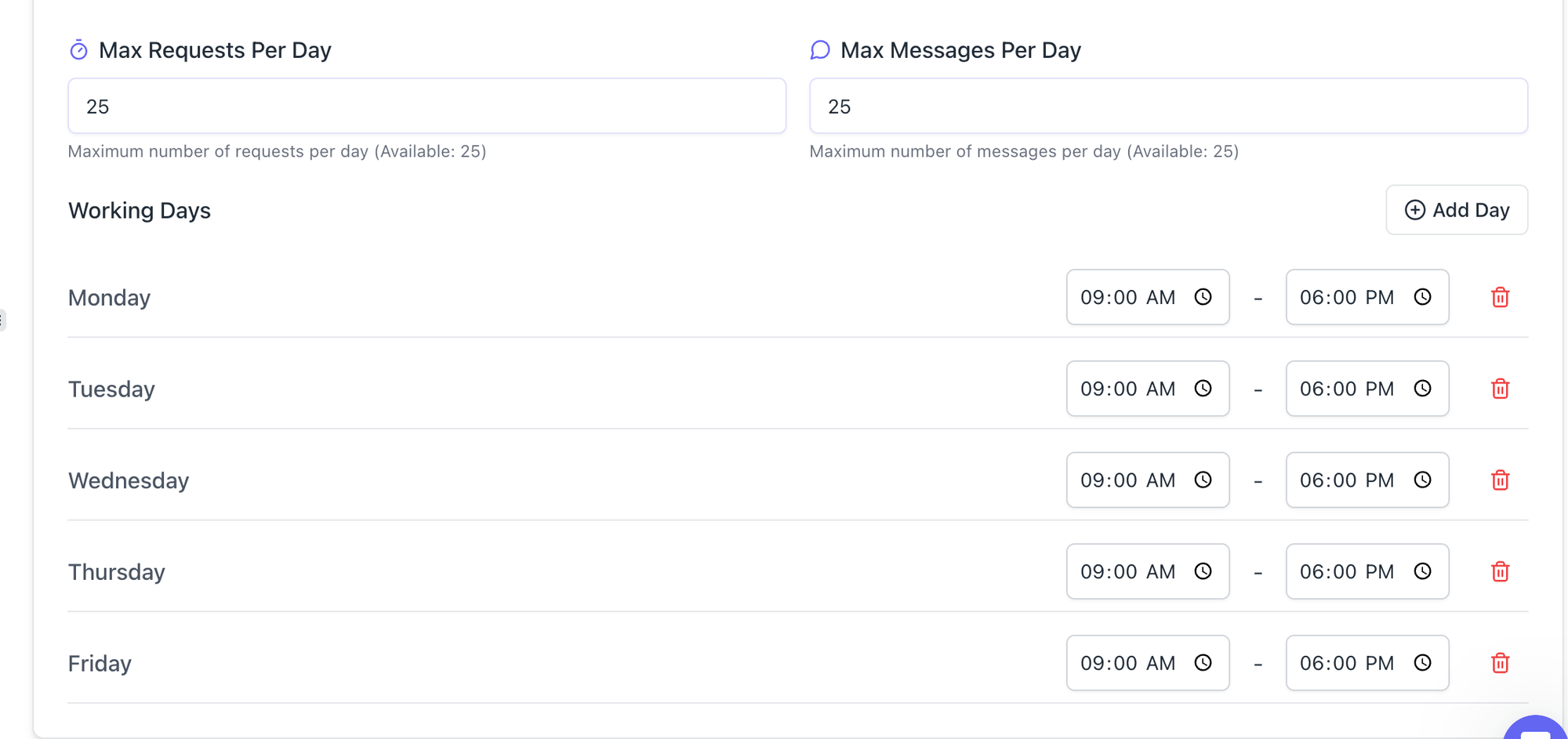
- Sending 500 requests on day 1 of a new account will get it restricted. LinkedIn's algorithm flags sudden spikes in activity.
- Start at 10–15/day for the first 2 weeks, then scale to 20–25/day. Bearconnect includes smart throttling and behavior mimicry to keep your account safe during this ramp-up phase.
- For a full breakdown on staying safe, read our guide on avoiding LinkedIn jail and automation restrictions.
5. Offer and Niche Clarity
- A founder selling a $5k/month B2B service to VP-level buyers with a specific, painful problem will convert at 3x the rate of a generalist consultant.
- The clearer your offer and the more specific the pain you solve, the higher every stage of your funnel performs.
- This is especially true for high-ticket sales using LinkedIn automation.
Proven LinkedIn Message Templates for Each Sequence Step
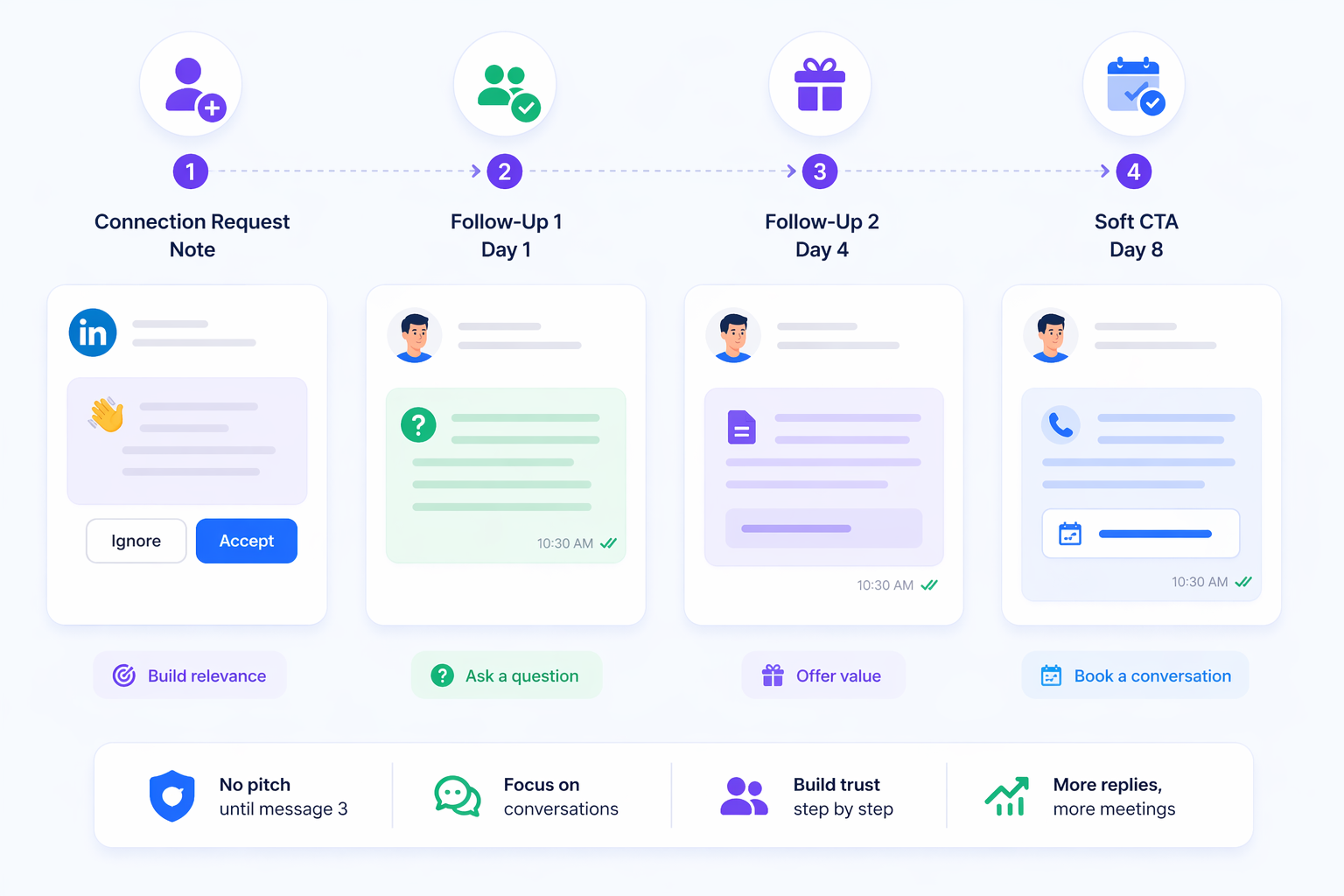
Copy-paste these templates, swap the brackets for your specifics, and you have a working 4-step sequence ready to launch today.
Each template follows one rule: no selling until message 3. For a full library of tested templates, see our dedicated LinkedIn message templates for automation post.
1. Connection Request Note (under 300 characters)
"Hi [First Name], saw you work in [industry]. I help [ICP role] at [company size] companies with [specific outcome]. Would love to connect and swap notes."
Why it works: It states relevance in one line. No pitch, no link, no ask. Prospects accept because it feels like a peer request.
2. Follow-Up Message 1: Day 1 After Acceptance
"Thanks for connecting, [First Name]. Quick question: what's your biggest challenge with [pain point] right now? Asking because I've been speaking with a few [ICP role]s about this lately and the answers have been surprisingly different."
Why it works: Opens with a question, not a pitch. Questions get replies. Statements get ignored.
3. Follow-Up Message 2: Day 4 (No Reply Yet)
"Hey [First Name], I put together a short breakdown on how [ICP role]s at [company type] are solving [pain point]. Happy to share if it's relevant to you."
Why it works: Offers value without demanding attention. "Happy to share if relevant" removes pressure and increases response rate.
4. Soft CTA Message: Day 8
"Hey [First Name], based on what you're working on, I think a 15-minute conversation could be worth your time. No demo, just a quick call to see if there's overlap. Here's my calendar: [link]"
Why it works: The phrase "no demo" removes the biggest objection to booking. It positions the call as a conversation, not a sales presentation.
Cold vs. Warm Outreach: The Benchmark Difference
| Audience Type | Acceptance Rate | Reply Rate | Meetings/Month (500 requests) |
|---|---|---|---|
| Cold (unknown prospects) | 20–30% | 5–10% | 6–12 |
| Warm (event attendees, post engagers) | 35–50% | 15–25% | 12–22 |
| 1st-degree connections (re-engage) | 70–80% | 20–35% | 15–28 |
- The fastest way to increase your meeting count without increasing volume is to shift from cold to warm audiences.
- Read the full breakdown in our cold outreach vs. warm prospecting on LinkedIn guide.
Benchmark Results by User Type
Your expected meeting count varies based on how many accounts you run and how experienced your campaign setup is.
| User Type | Accounts | Monthly Meetings (Realistic) | Monthly Meetings (Optimized) |
|---|---|---|---|
| B2B Founder (solo) | 1 | 8–12 | 15–20 |
| Sales Rep (single account) | 1 | 10–15 | 18–25 |
| Agency (5 accounts) | 5 | 40–60 | 75–100 |
| Agency (10 accounts) | 10 | 80–120 | 150–200 |
If you run an agency, our dedicated LinkedIn automation for agencies guide covers multi-client campaign management in detail.
Manual Outreach vs. LinkedIn Automation: Real Output Difference
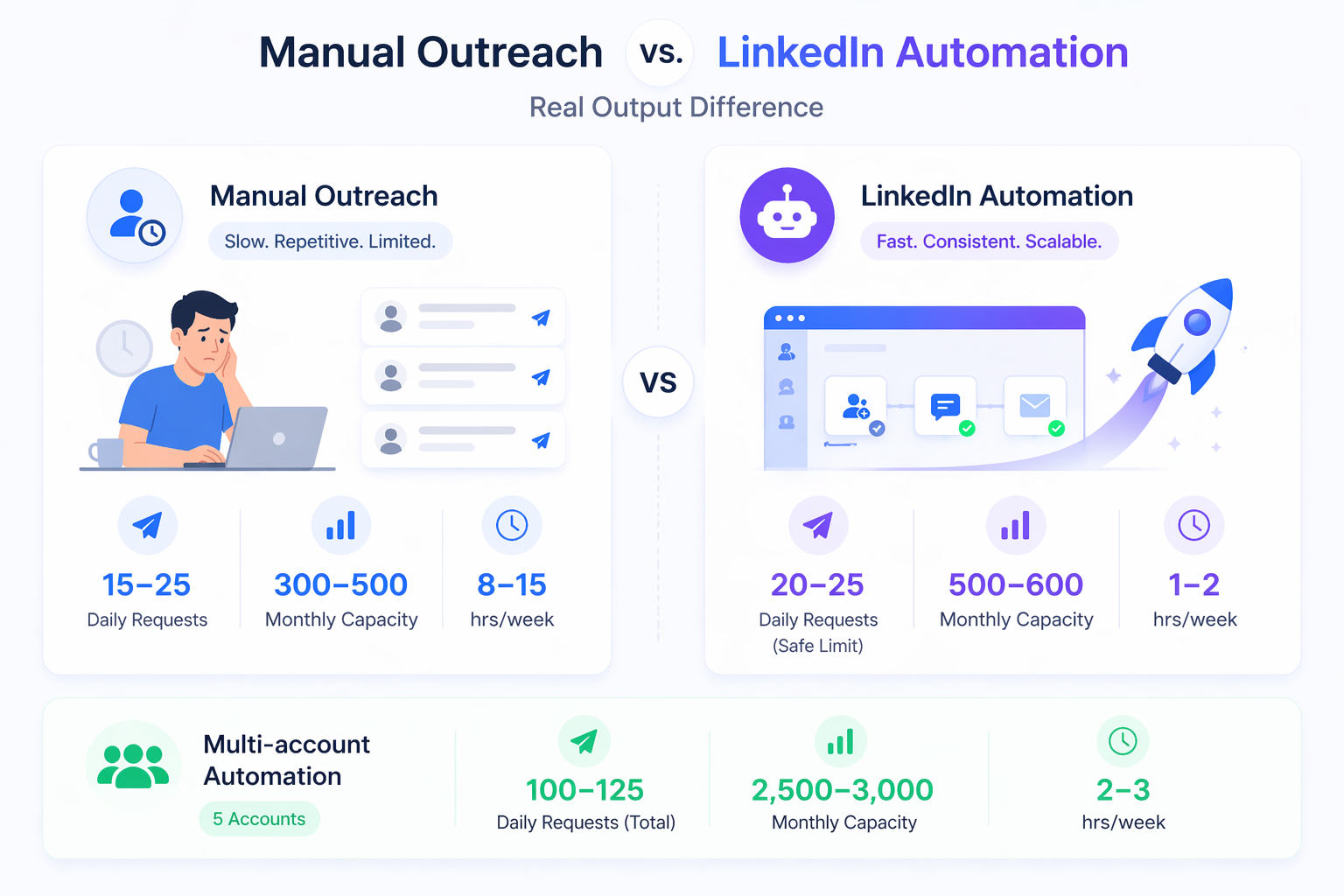
Automation does not replace judgment. It removes manual repetition so you can focus on closing.
- A sales rep doing manual LinkedIn outreach can realistically send 30–50 connection requests per day with personalized notes.
- That takes 1–2 hours daily. An automation tool sends the same volume in minutes, with consistent follow-up at every stage.
Here is the practical output difference:
| Approach | Daily Requests | Monthly Capacity | Time Required |
|---|---|---|---|
| Manual outreach | 15–25 | 300–500 | 8–15 hrs/week |
| LinkedIn automation | 20–25 (safe limit) | 500–600 | 1–2 hrs/week |
| Multi-account automation (5 accounts) | 100–125 total | 2,500–3,000 | 2–3 hrs/week |
- The volume advantage is clear. But the quality of your sequences still determines conversion.
- For a data-backed breakdown on time savings, read how much time LinkedIn automation actually saves.
Real-World Scenario: What 1 Account Looks Like in 90 Days
A consultant running Bearconnect on one LinkedIn account for 90 days saw their lead flow increase from 2–3 leads per week to 15–20 leads per week.
Here is what that setup looked like:
- Account: Single LinkedIn profile, no Sales Navigator required
- Lead source: LinkedIn Search URL import targeting HR Directors at companies with 50–200 employees
- Connection requests: 20/day, scaled from 10/day in week 1
- Sequence: 4-step follow-up over 14 days
- Result by month 3: 16 meetings booked in a single month
The first month produced 6 meetings. Month 2 produced 11. Month 3 hit 16. The improvement came from refining the ICP filter and rewriting the follow-up message based on what replies they were getting.
Pro Tip: Do not rewrite your entire sequence after week 1. Give any sequence at least 100 connection acceptances before drawing conclusions. Small sample sizes produce misleading data.
What Stops Most People From Hitting 15+ Meetings Per Month
The bottleneck is almost never the tool. It is usually one of these four mistakes.
- Broad targeting. Importing every "marketing manager" on LinkedIn results in low acceptance rates and even lower reply rates. Narrow your audience filter before you scale volume.
- Pitching too early. Sending a sales pitch in message 1 after acceptance is the fastest way to get ignored or reported. Lead with value or curiosity.
- Skipping account warm-up. New accounts that jump to 25 requests/day immediately often face restrictions within weeks. Gradual scaling is not optional.
- No follow-up after silence. Most replies come from follow-up message 2 or 3. Stopping at message 1 cuts your meeting volume in half.
How Bearconnect Handles Multi-Account Campaigns
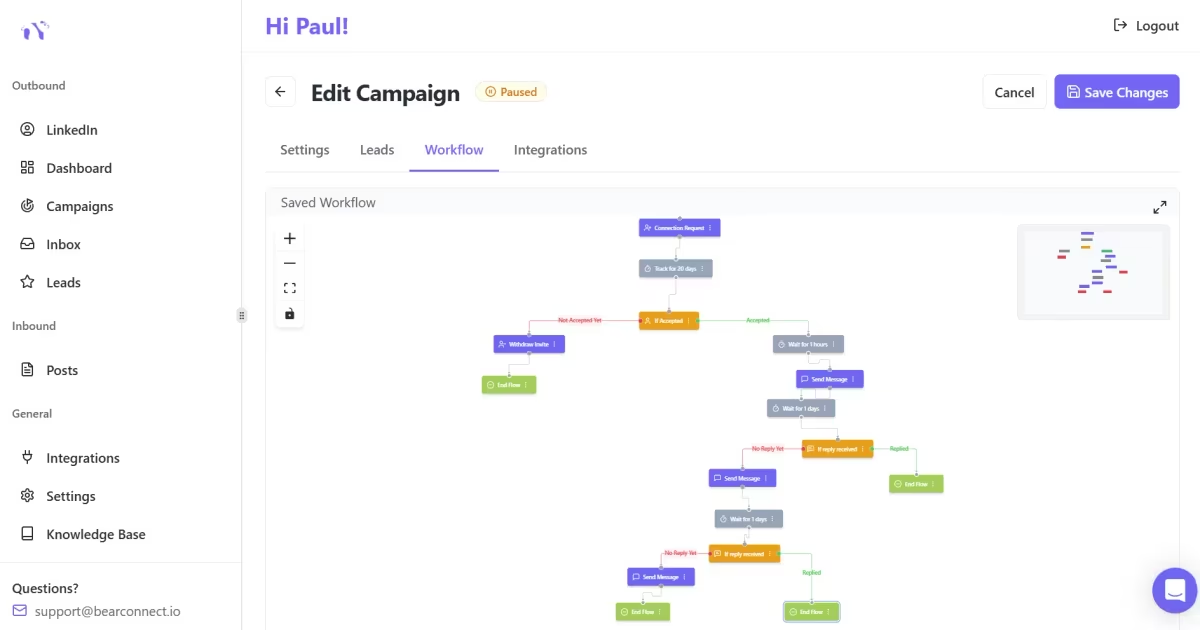
Bearconnect is built for users who need to scale across multiple LinkedIn accounts without juggling multiple dashboards.
Key features that directly impact meeting volume:
- Unified Inbox: All conversations from all connected LinkedIn accounts appear in one place. You never miss a hot reply buried in a secondary account.
- Unlimited LinkedIn accounts: Run separate sequences for different ICPs, offers, or geographies simultaneously without any tier restrictions.
- Advanced analytics: Track connection acceptance rate, reply rate, and conversion at the campaign level so you know exactly which sequence and audience is producing meetings.
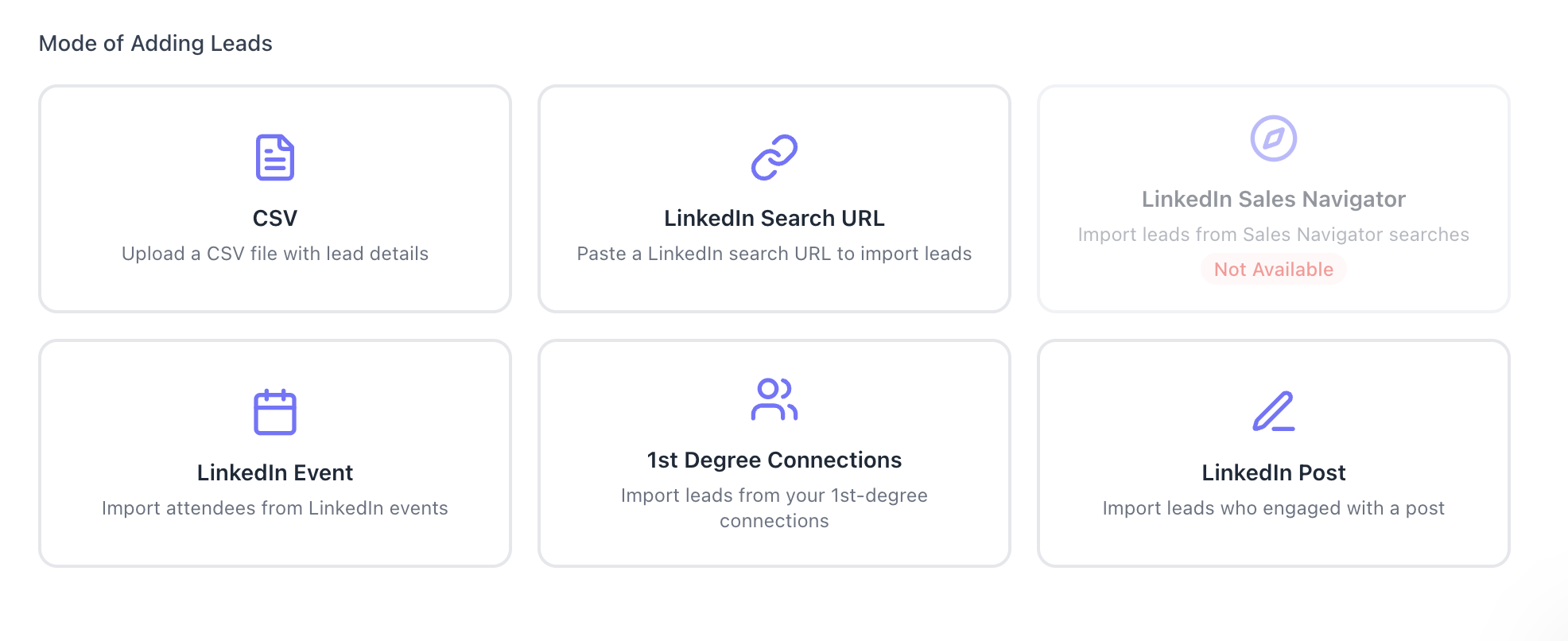
- Lead import options: Pull leads from LinkedIn Search URLs, Sales Navigator, LinkedIn Events, or 1st-degree connections, giving you multiple targeting angles.
- Pricing at scale: $67/month per LinkedIn account, dropping to $57/month per account when you connect 5 or more. For agencies running 10 accounts, that is $570/month total versus $1,500–$5,000 with most competitors.
If you manage client accounts, read how agencies run LinkedIn outreach for multiple clients using Bearconnect.
5 FAQs: LinkedIn Automation Meeting Benchmarks
Q1. How many LinkedIn connection requests can I safely send per day?
The safe limit in 2026 is 20–25 connection requests per day on a warmed-up account. New accounts should start at 10–15/day for the first 2 weeks. Exceeding these limits increases the risk of account restriction. Read more in our guide on how to auto-connect on LinkedIn safely.
Q2. What is a good connection acceptance rate for LinkedIn automation?
A well-targeted campaign achieves a 20–30% acceptance rate. If your rate drops below 15%, your audience filter is too broad or your connection note is not relevant enough.
Q3. How many follow-up messages should I send before stopping?
A 4-step sequence over 10 days is the most effective structure. Most replies and meeting bookings happen between message 2 and message 4. Stopping at message 1 means you leave the majority of meetings on the table. See our full LinkedIn outreach automation guide for B2B sales for sequencing best practices.
Q4. Can one LinkedIn account realistically generate 20+ meetings per month?
Yes, but it requires a highly refined ICP, a strong offer, and an optimized sequence. Most well-run single accounts produce 12–18 meetings per month at steady state, with 20+ achievable when targeting and messaging are dialed in.
Q5. Is LinkedIn automation safe to use in 2026?
Yes, when used with a tool that includes safety features. Bearconnect uses smart throttling, behavior mimicry, and gradual warm-up protocols to minimize LinkedIn detection risk. The key is staying within LinkedIn's daily action limits and avoiding spammy messaging patterns.
Ready to See Your Own Numbers?
You now have the exact funnel, benchmarks, and variables to set realistic expectations for LinkedIn automation. The next step is running it yourself.
Bearconnect lets you start with a single LinkedIn account at $67/month, connect 5+ accounts at $57/month each, and manage everything from one unified dashboard.
Try Bearconnect at bearconnect.io and run your first campaign this week.
If you manage multiple client accounts or have a sales team, visit the Bearconnect agencies page to see how the per-account pricing model makes scaling straightforward without the seat costs that make competitors expensive at volume.
About the Author
Mona Juneja is the founder of Bearconnect and a B2B sales professional with 20+ years of experience at Microsoft, Oracle, and Dell.
After two decades of watching lead generation stay manual and broken for most businesses, she built Bearconnect in May 2024, an AI-powered LinkedIn automation platform that handles outreach, messaging, and content scheduling from one place.
Connect on LinkedIn: Mona Juneja
Ready to Transform Your LinkedIn Strategy?
Join thousands of professionals already using Bearconnect to automate their outreach and grow their network.
7-day free trial • Cancel anytime
Related Articles
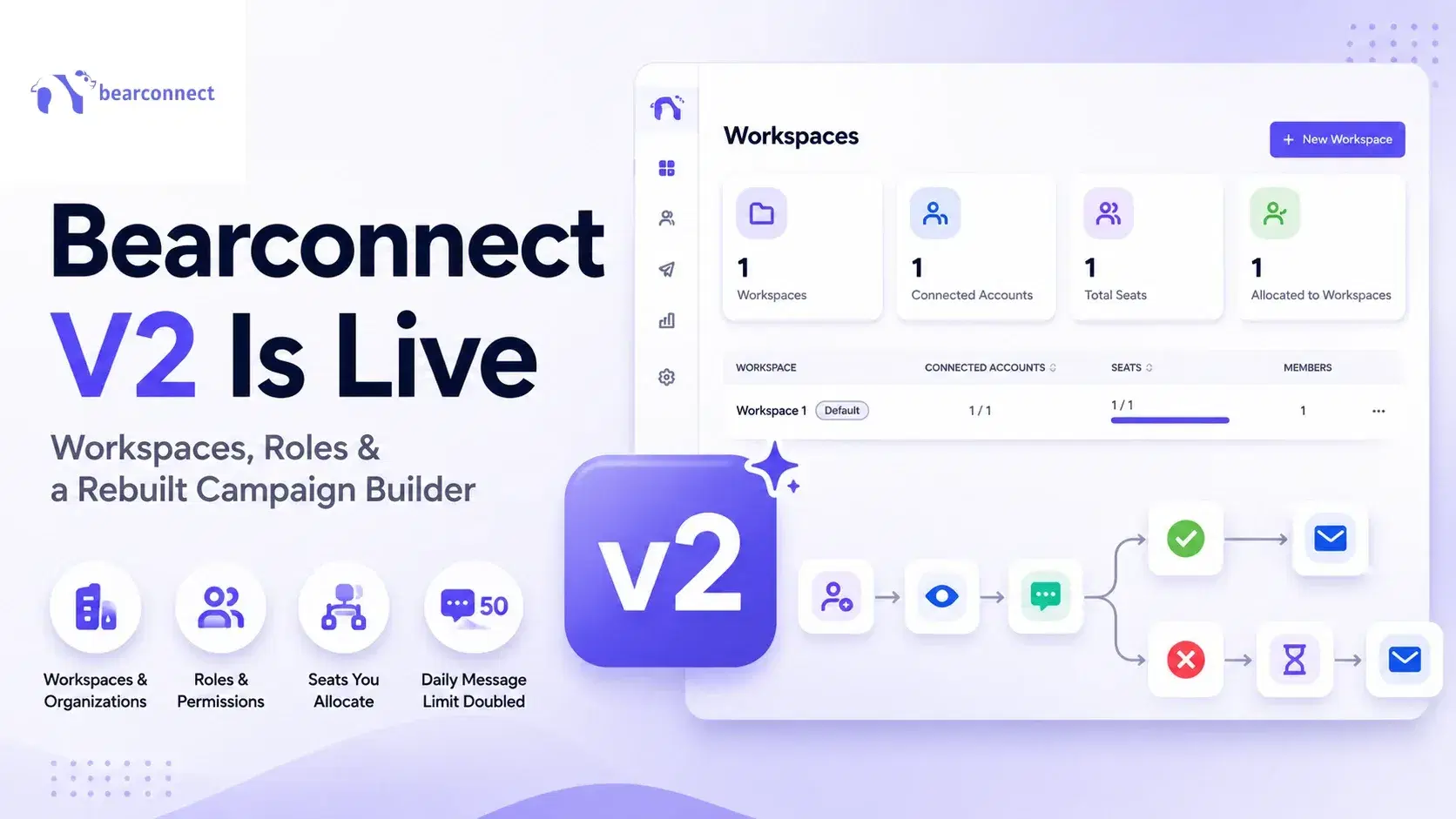
Bearconnect V2 Is Live: Workspaces, Roles and a Rebuilt Campaign Builder
Bearconnect V2 introduces dedicated workspaces, flexible roles, and a rebuilt campaign builder, giving agencies and sales teams more control over every LinkedIn account they manage.
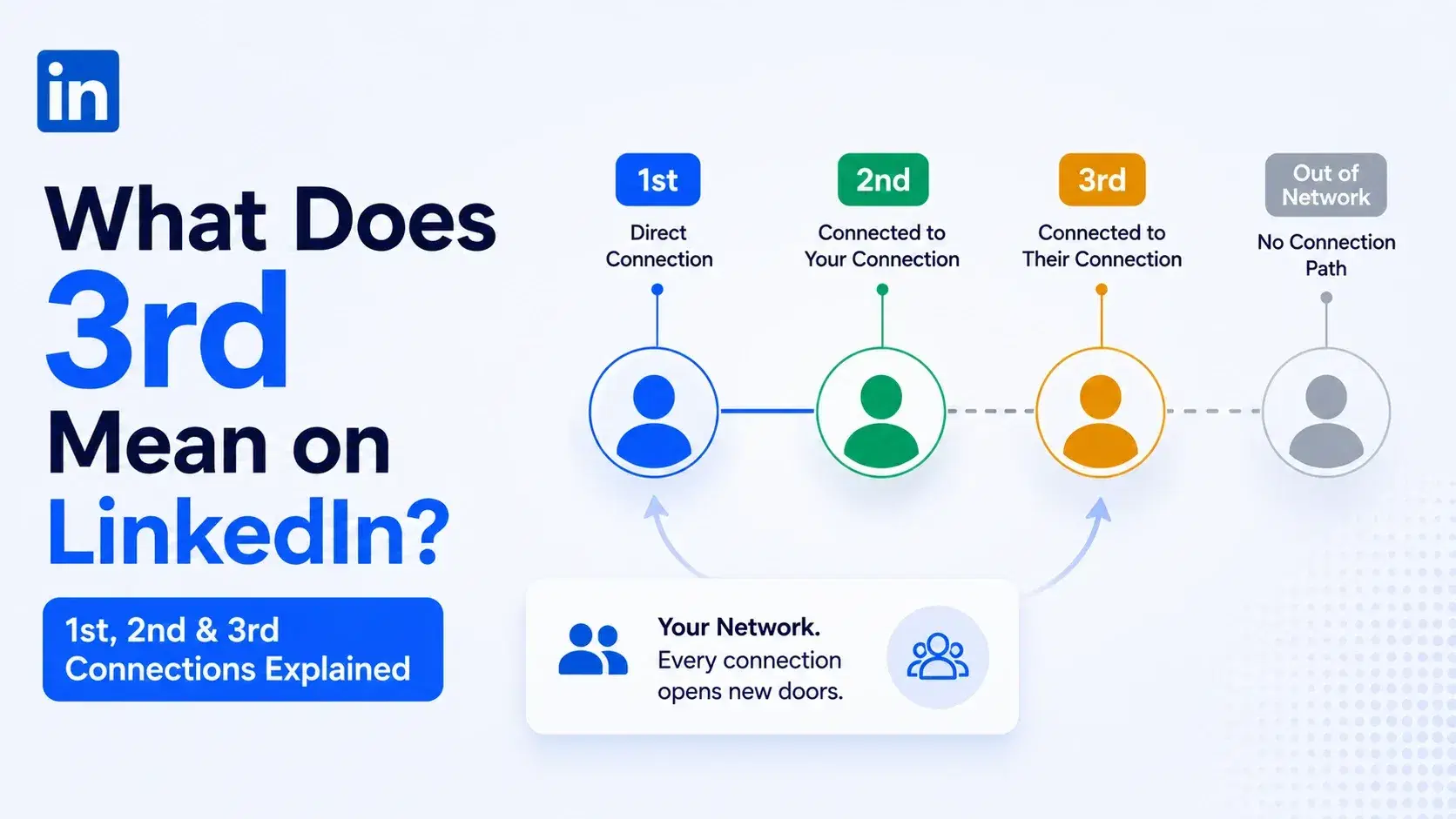
What Does 3rd Mean on LinkedIn? 1st, 2nd and 3rd Connections Explained
That gray 3rd next to a name is not a wall, it is a puzzle. Here is what 1st, 2nd, and 3rd degree connections mean, and how to reach any of them.
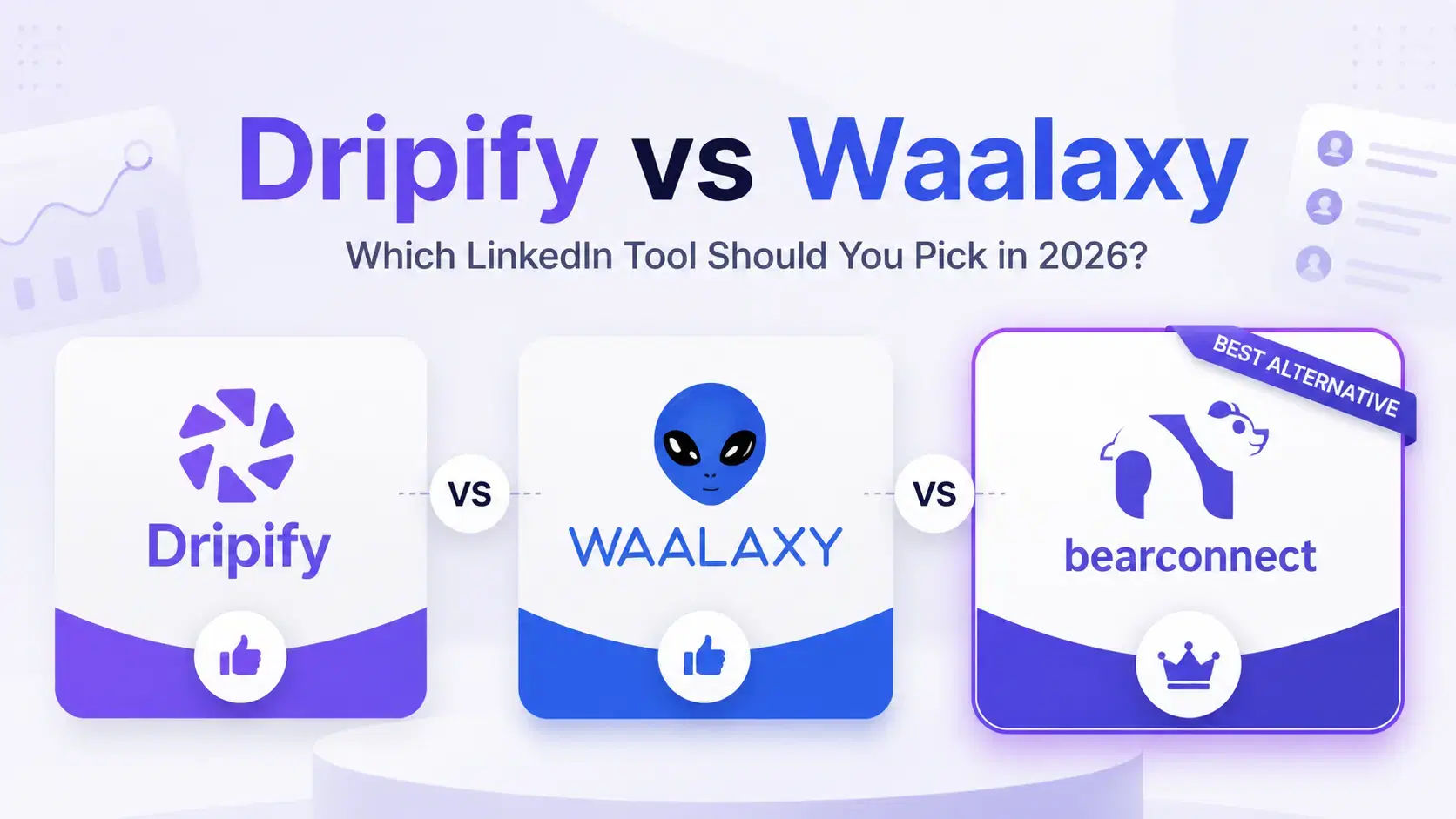
Dripify vs Waalaxy: Which LinkedIn Tool Should You Pick in 2026?
Compare Dripify vs Waalaxy on features, pricing, safety, and performance. Find the right LinkedIn outreach tool and discover a smarter alternative.