LinkedIn Automation for Recruiters: How to Source 5x More Candidates Without Manual Outreach
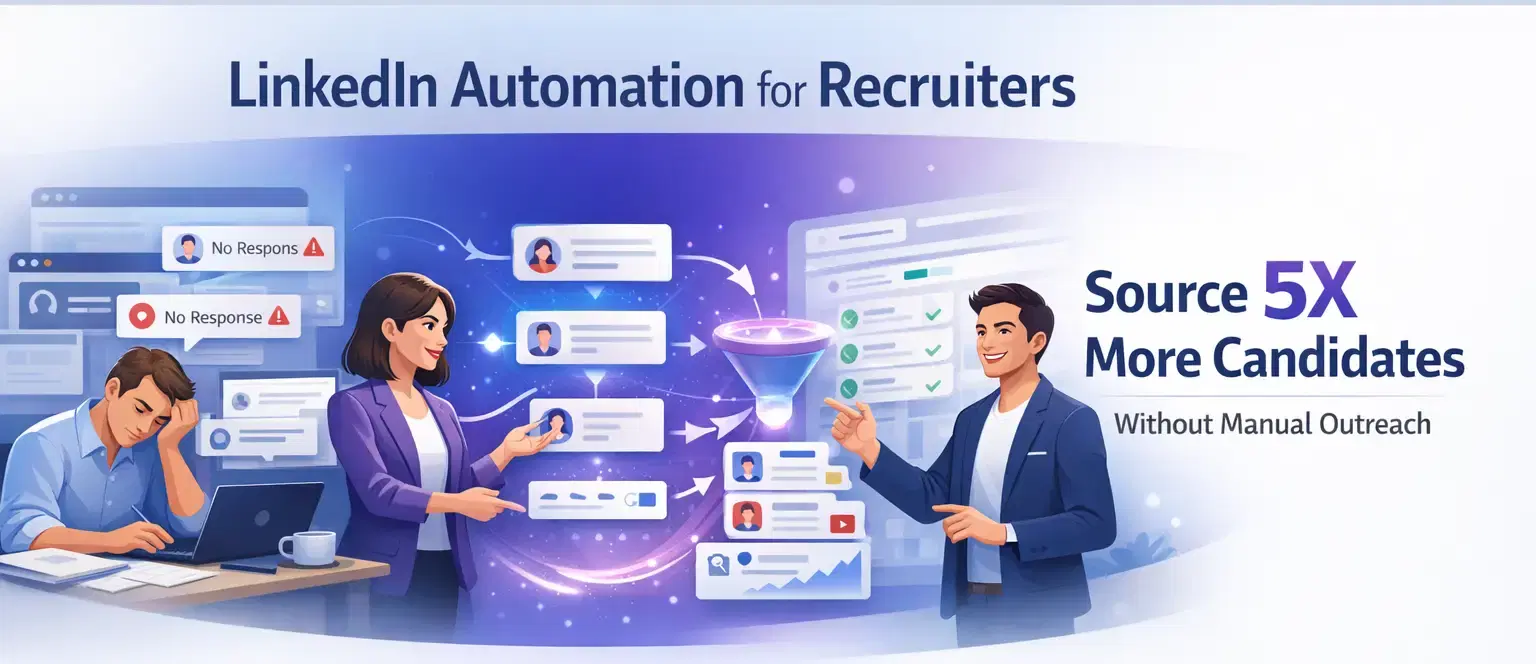
LinkedIn automation for recruiters is the fastest way to scale candidate sourcing without scaling your team.
By replacing manual connection requests and follow-up messages with automated sequences, you can reach 5 times more candidates in the same working hours.
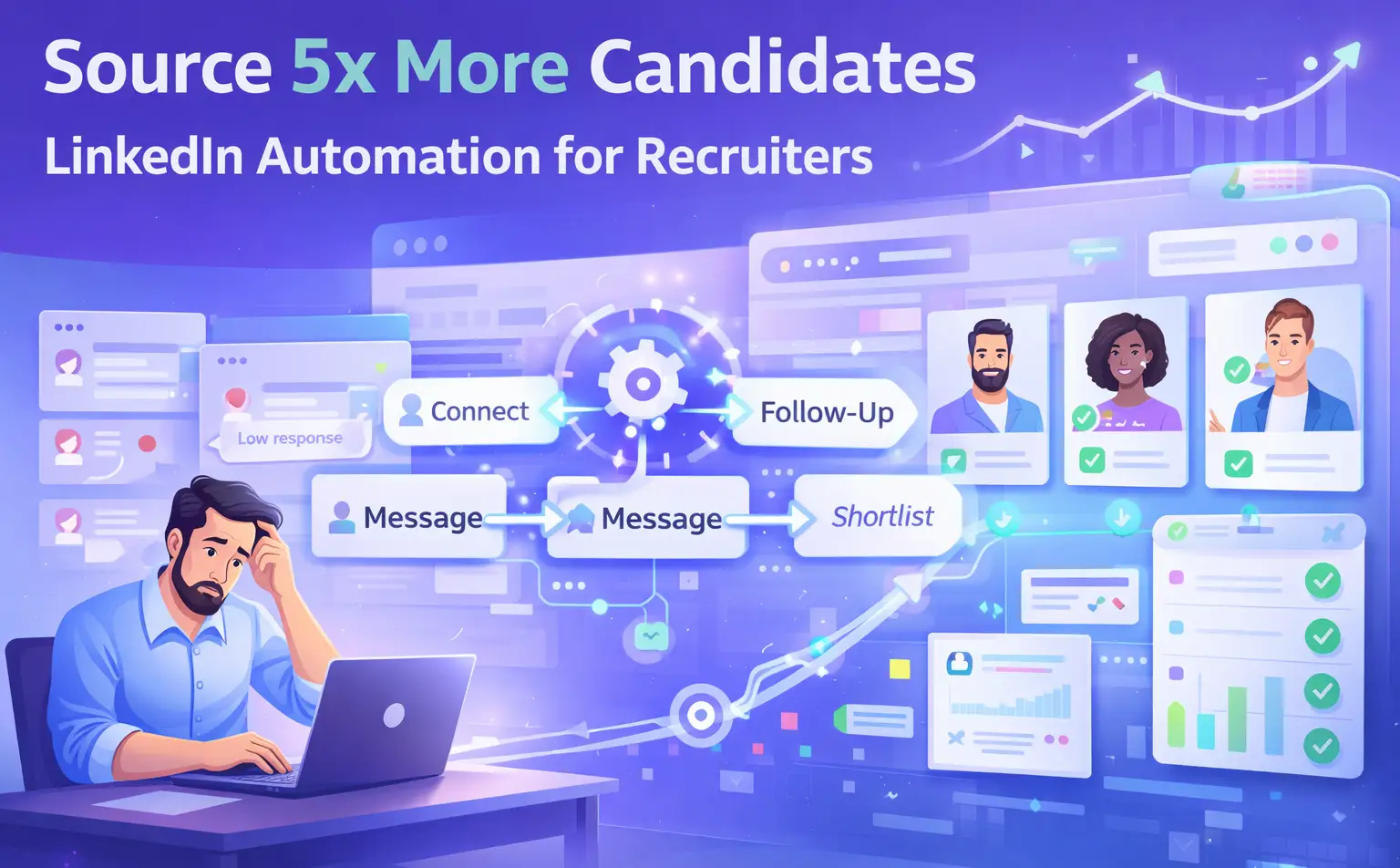
TL;DR
- Manual LinkedIn outreach does not scale when you manage 10 to 30 open requisitions at once.
- LinkedIn automation tools let you run targeted connection campaigns and multi-step follow-up drip sequences on autopilot.
- Safe automation uses behavior mimicry, smart throttling, and gradual account warmup to protect your LinkedIn account.
- A unified inbox keeps every candidate conversation organized across all your outreach campaigns.
- Tools like Bearconnect handle unlimited outreach, drip sequences, and multi-account management starting at $67/month per LinkedIn account.
The Real Problem: Manual Outreach Does Not Scale for Recruiters
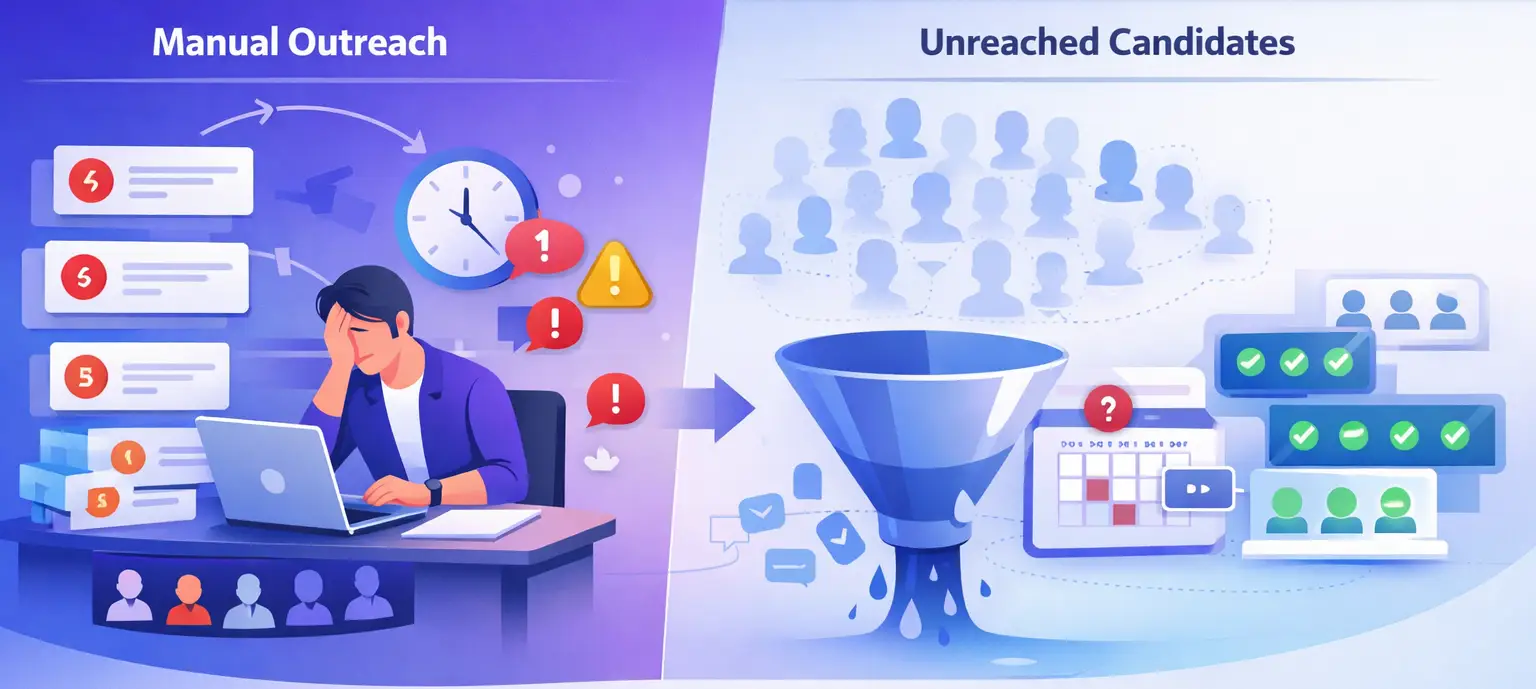
Recruiters who rely on manual outreach lose candidates to competitors who automate.
The math is brutal. If you manage 20 open roles and send 30 manual messages per day, you run 600 daily touchpoints at maximum.
- That still leaves hundreds of qualified passive candidates unreached every week.
- The core issue is not effort. You are already working hard.
- The issue is that manual outreach has a hard ceiling, and passive candidates on LinkedIn require multiple touches before they respond.
The actual cost of staying manual:
- You send a connection request, then forget to follow up because you are juggling other roles.
- Promising candidates go cold because your follow-up comes 5 days late.
- You close 1 role while your competitor with automation closes 3 in the same period.
The fix is not working longer. The fix is automating the repetitive parts.
What Is LinkedIn Automation for Recruiters (and What It Is Not)
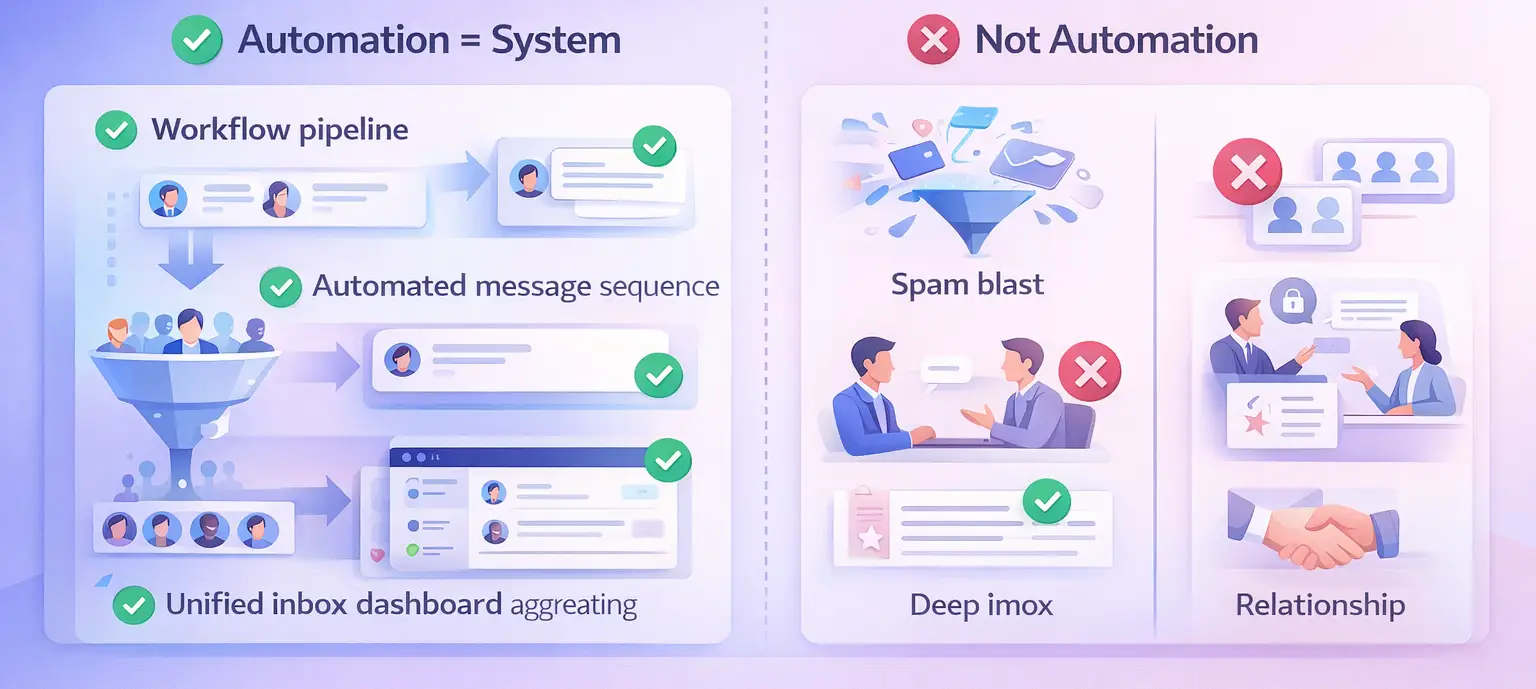
LinkedIn automation for recruiting is about replacing repetitive outreach tasks with structured, automated workflows.
It is not about sending spam blasts to everyone.
Good recruitment automation handles three specific tasks:
- Targeted connection requests sent to candidates who match your role criteria by job title, industry, or seniority.
- Drip follow-up sequences that message accepted connections automatically, with natural delays between each step.
- Candidate response management through a unified inbox that aggregates all replies from every campaign in one place.
What it does NOT replace:
- The actual interview and screening conversation.
- Personalized deep-dives for senior or executive roles.
- Relationship-building with referred candidates.
Pro Tip: Think of automation as your top-of-funnel engine. You automate the prospecting. You stay human for the conversation.
How to Build a LinkedIn Automation Workflow for Candidate Sourcing
A 3-step automation workflow covers 80% of your sourcing volume and takes under 2 hours to set up.
Step 1: Build a Targeted Candidate List
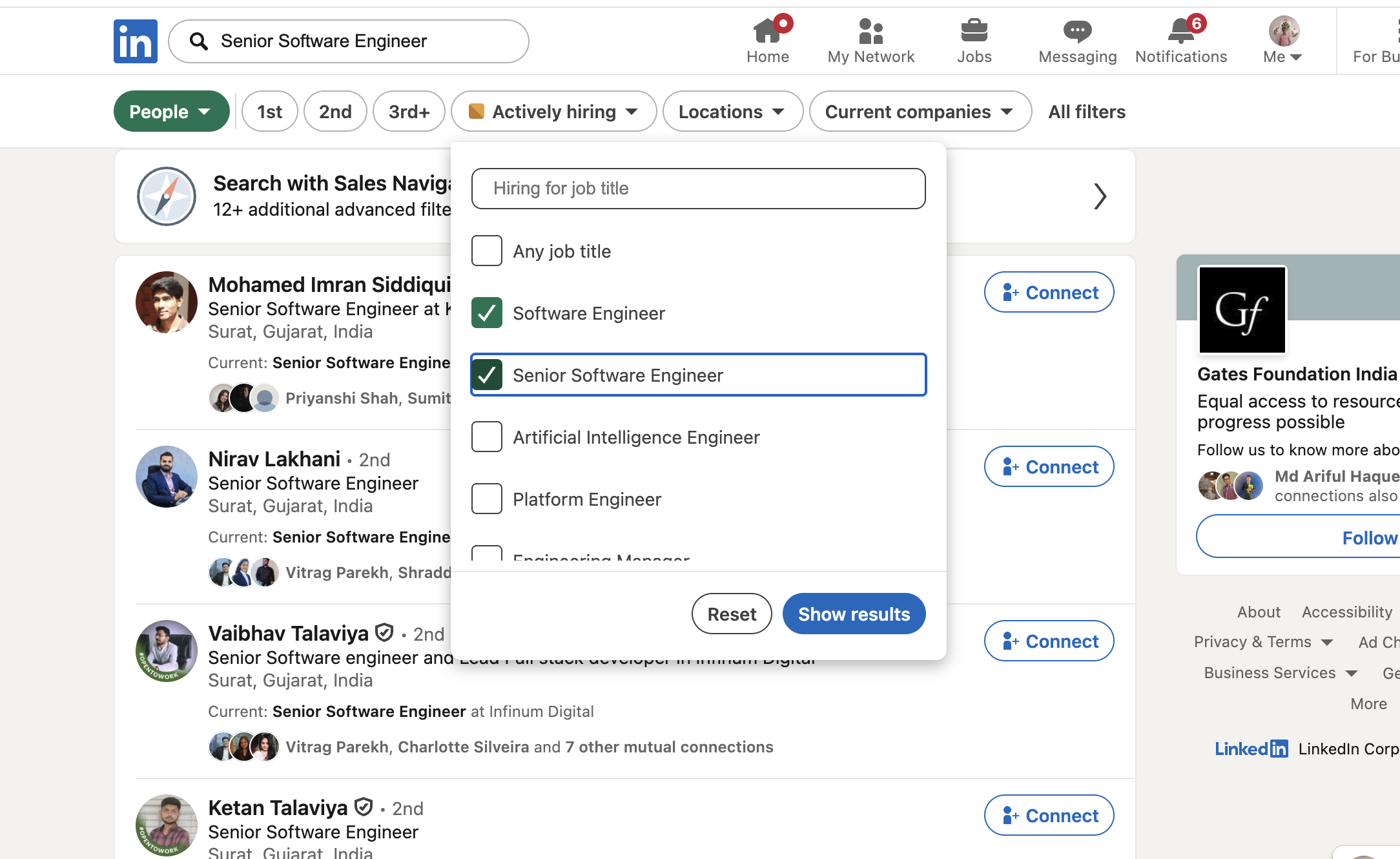
Start with filters. Do not import a broad list and blast everyone.
Use LinkedIn search filters or Sales Navigator to narrow candidates by:
- Job title (e.g., "Senior Software Engineer")
- Location and industry
- Company size or current employer
- Years of experience (via seniority level)
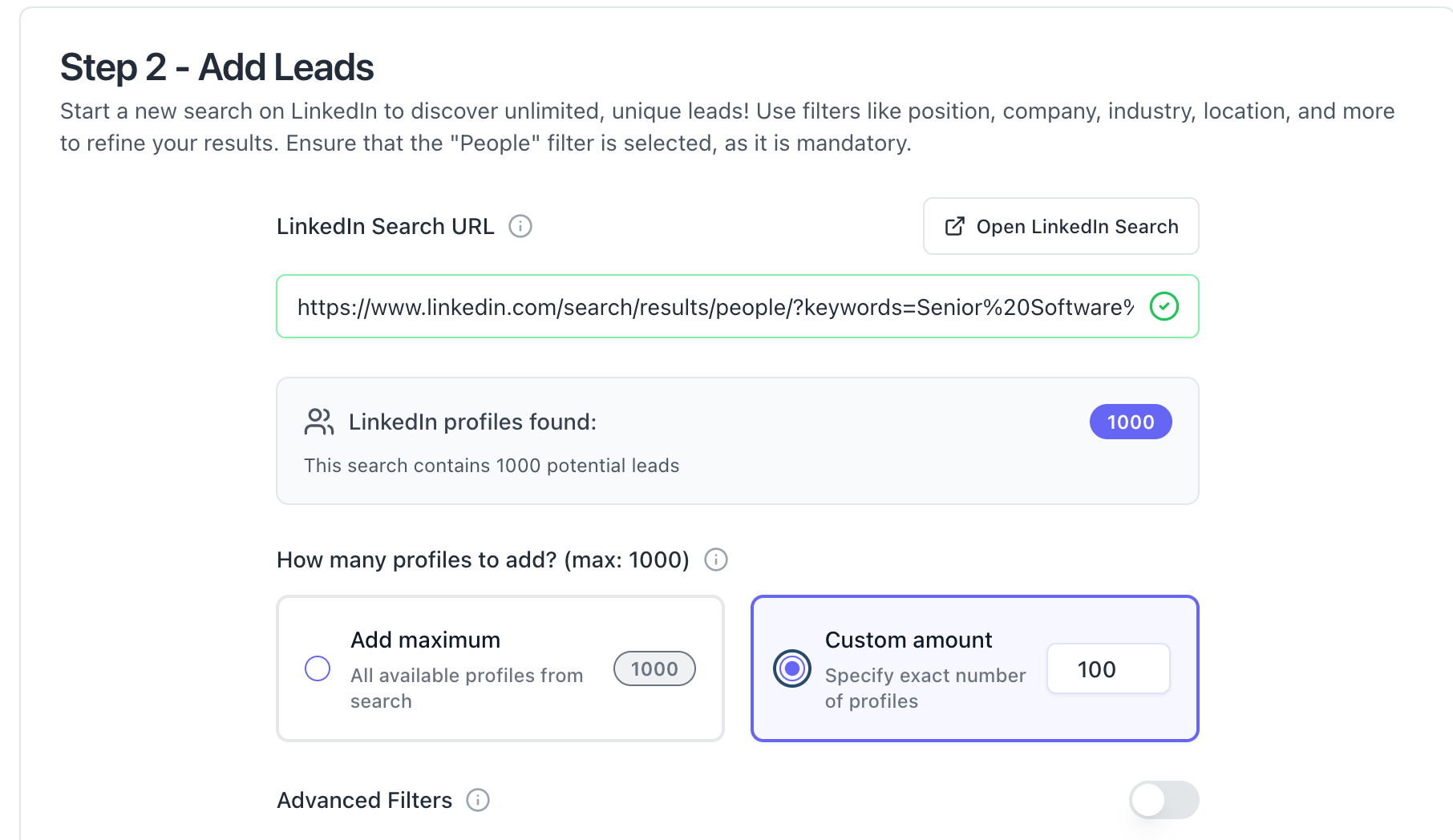
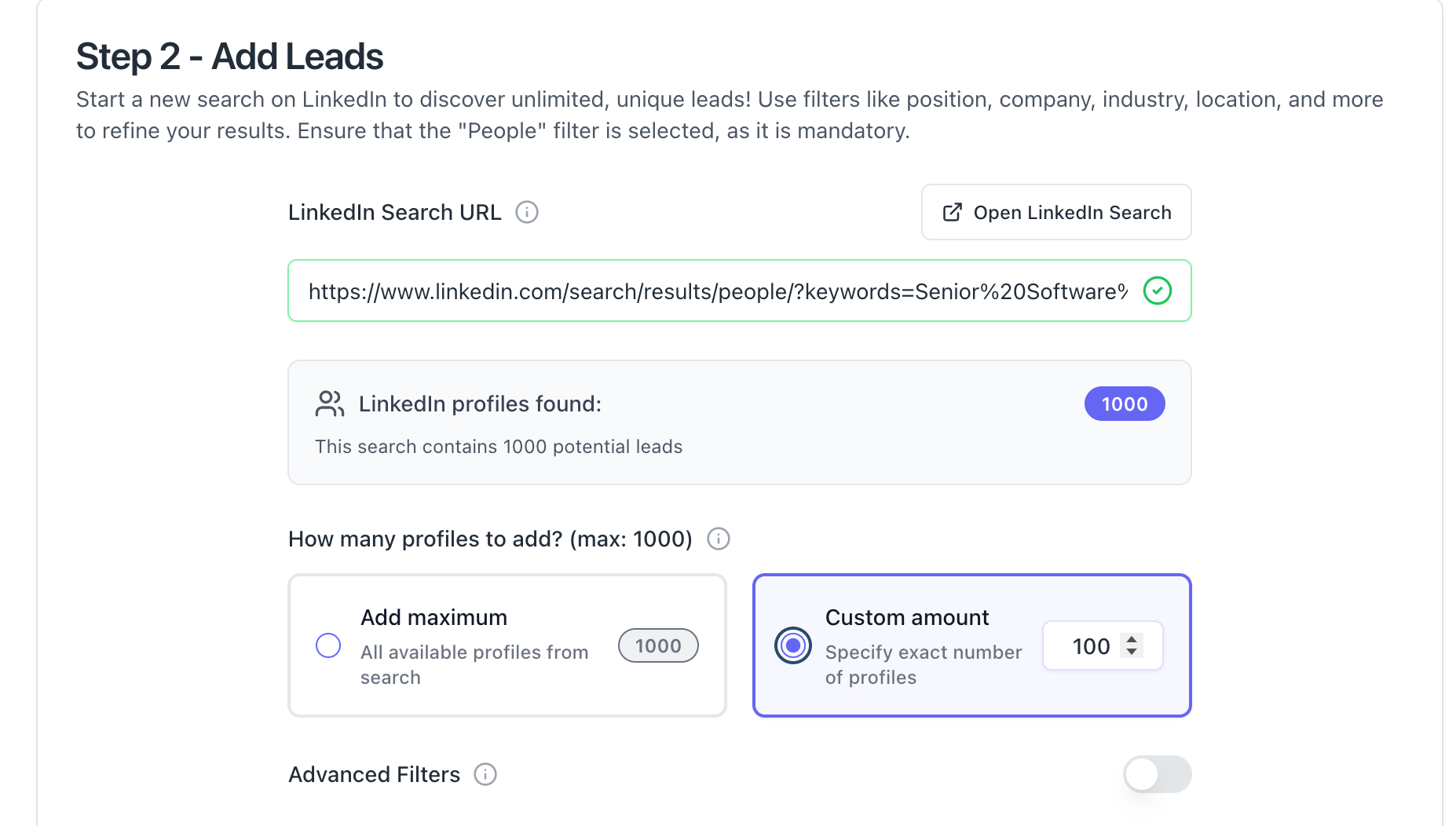
With a tool like Bearconnect, you paste the LinkedIn search URL directly into the platform and it imports matching profiles as leads instantly. No CSV export needed.
Pro Tip: Import from LinkedIn Events too. If a candidate attended a relevant industry conference or webinar, they are already signaling active interest in their field, which means higher response rates.
Step 2: Set Up a Drip Sequence
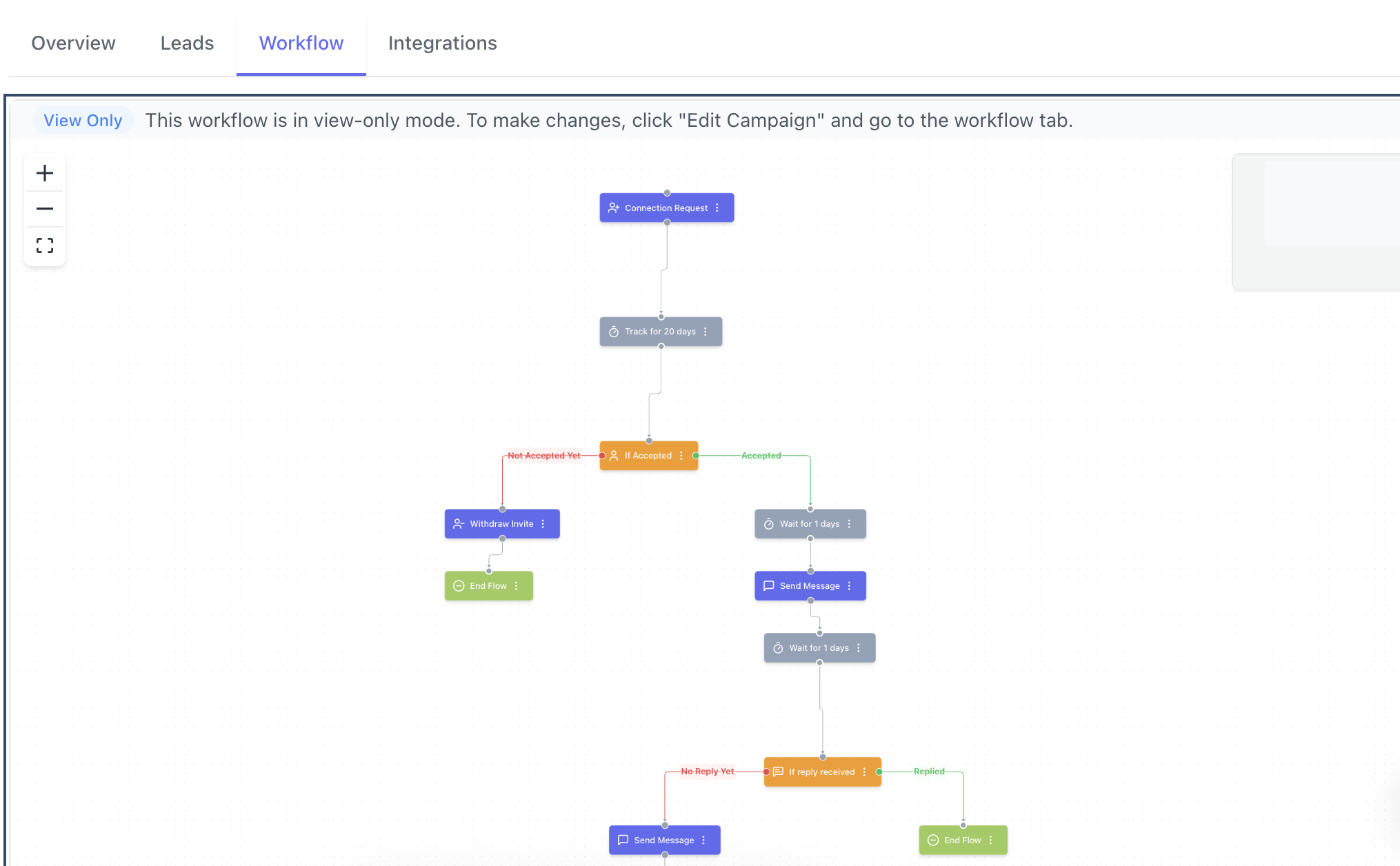
A 3 to 4 message drip sequence outperforms a single cold message by a wide margin.
Here is a recruiter-specific sequence that works:
- Connection request with a short note (under 300 characters): Reference the role or their background specifically.
- Message 1 (Day 2 after connection): Introduce the opportunity. Two to three sentences max. Include the role, company type, and one compelling reason to consider it.
- Message 2 (Day 5): Add value. Share something relevant, a salary benchmark, a growth insight about the hiring company, or a specific skill match.
- Message 3 (Day 10): Soft close. Ask if they are open to a 15-minute call. Keep it easy to say yes.
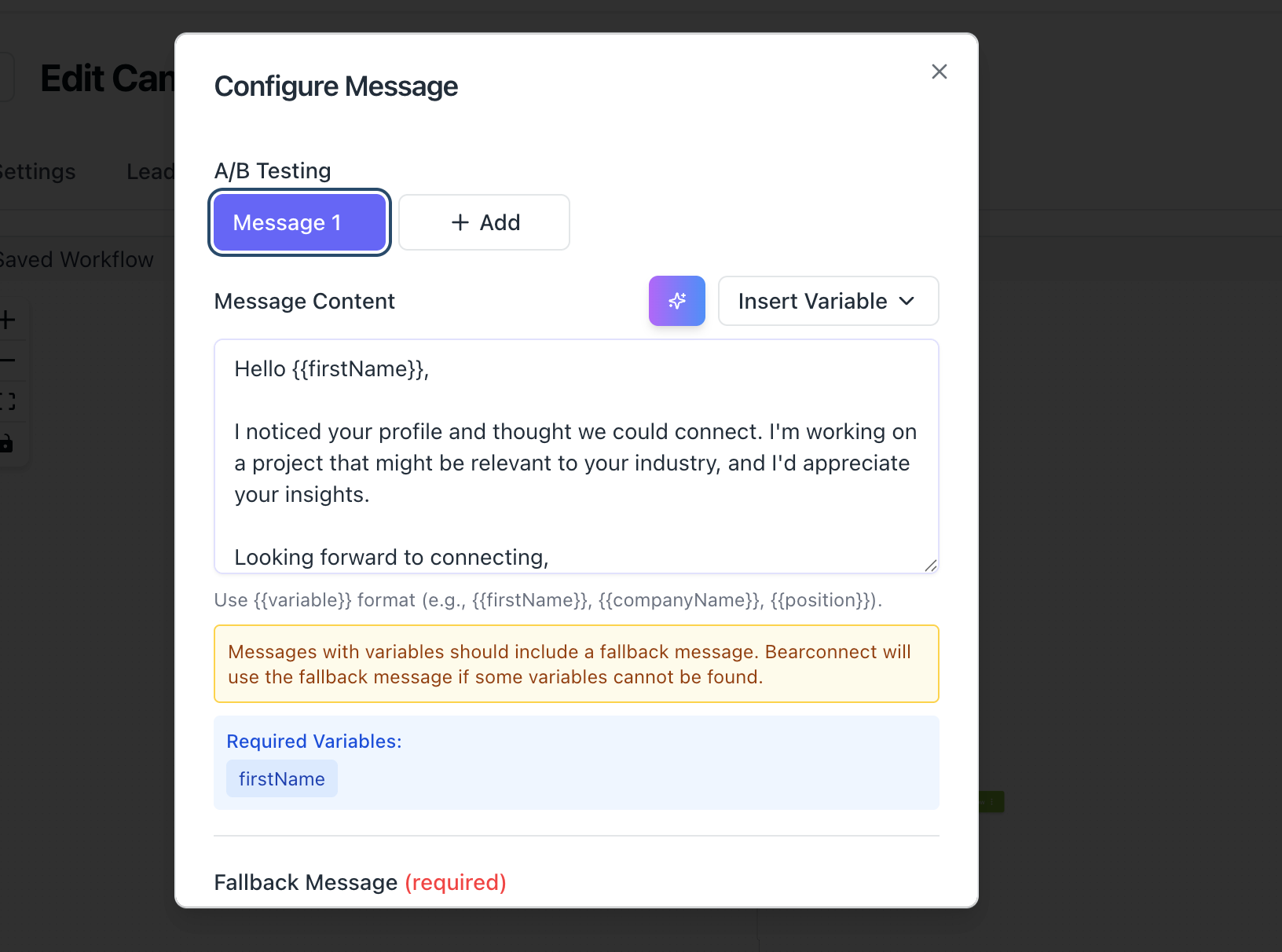
With Bearconnect's drip sequence builder, you set up these steps once with custom delays and the campaign runs automatically across your full candidate list.
Pro Tip: Keep message 1 under 100 words. Candidates on mobile read the first two lines and decide whether to reply. Front-load the value.
Step 3: Manage All Replies in a Unified Inbox
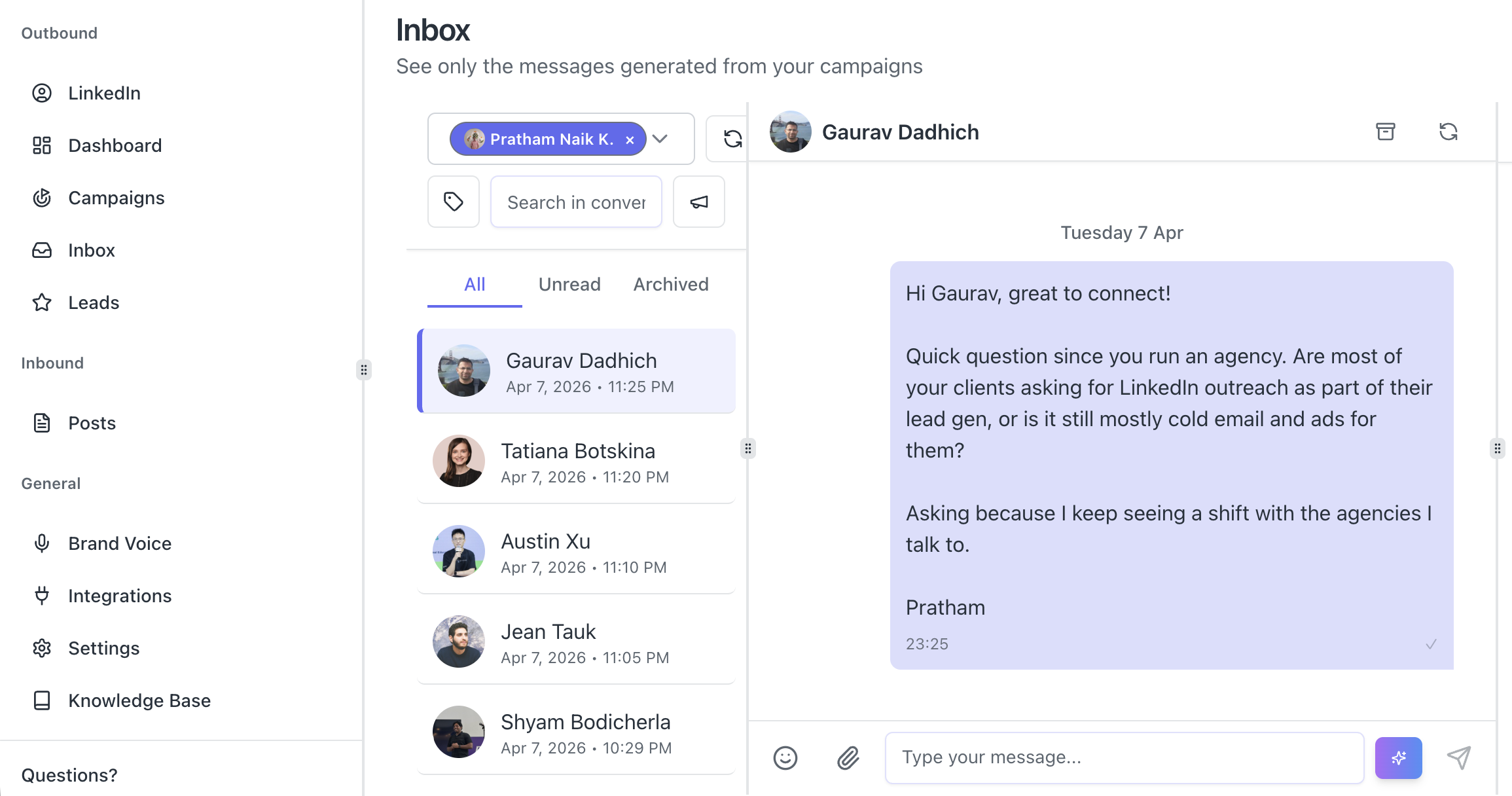
Every positive reply is a sourcing opportunity. A missed reply is a candidate lost.
- When you run multiple sourcing campaigns across different roles, replies scatter across LinkedIn's native interface.
- You miss messages. You respond 3 days late. The candidate moves on.
- A unified inbox solves this. Bearconnect's unified inbox pulls replies from all active campaigns into one dashboard.
- You see every candidate conversation, sorted by campaign, without switching between LinkedIn tabs.
This alone saves 45 to 60 minutes per day for recruiters managing 5 or more open roles simultaneously.
Is LinkedIn Automation Safe for Recruiters?
LinkedIn automation is safe when the tool uses behavior mimicry, smart throttling, and gradual account warmup.
LinkedIn's algorithm flags accounts that behave like bots: 500 connection requests in a day, messages sent at 3 AM, identical copy pasted to 300 people in 10 minutes.
Safe automation avoids all of this by:
- Smart throttling: Sending actions at humanlike speeds and volumes, staying within LinkedIn's daily limits.
- Behavior mimicry: Actions appear to come from a real user on a local IP, not a server farm.
- Gradual warmup: New accounts start with low daily limits and ramp up over 2 to 3 weeks, mimicking normal user behavior.
Bearconnect operates with all three of these protections built in. It also runs independently of LinkedIn Sales Navigator, which reduces detection risk further.
The key rule: Never use automation as a volume spammer. Use it as a precision sourcing engine.
How to Source Passive Candidates at Scale on LinkedIn
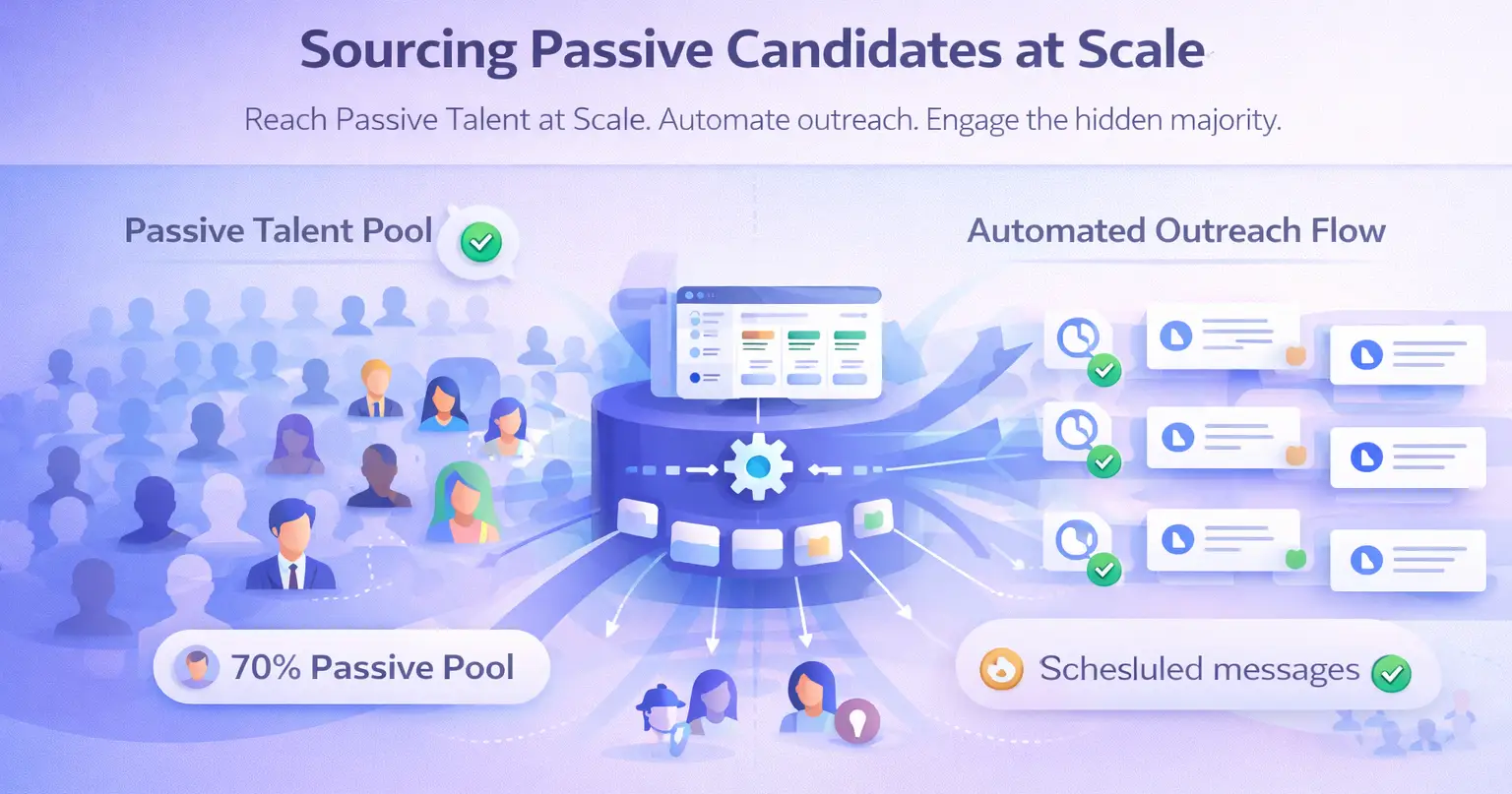
Passive candidates represent over 70% of the LinkedIn talent pool and they only respond to relevant, well-timed outreach.
Most recruiters focus on active candidates who apply. The real advantage sits in the passive pool: candidates who are not looking but would move for the right opportunity.
Automation makes passive sourcing possible at scale because:
- You can run parallel campaigns for multiple roles simultaneously.
- Follow-ups go out on schedule even if you are in back-to-back interviews.
- You track who viewed your profile or accepted your connection but did not reply, so you can trigger a re-engagement message.
Pro Tip: Use LinkedIn Event attendee import as a sourcing hack. If you are hiring for a fintech role and there was a recent fintech summit on LinkedIn, import the attendees as leads and launch a targeted campaign.
These candidates are warm, relevant, and highly reachable.
Key Metrics Every Recruiter Should Track in LinkedIn Automation
You cannot improve what you do not measure. Track these four metrics weekly.
| Metric | Benchmark to Target |
|---|---|
| Connection request acceptance rate | 20% to 35% |
| Message response rate (message 1) | 8% to 15% |
| Positive reply rate | 3% to 8% |
| Time from outreach to first call booked | Under 7 days |
- If your acceptance rate drops below 15%, your targeting is too broad. Tighten your search filters.
- If your response rate drops below 5%, your message 1 is too generic or too long. Shorten it and make the value more specific.
Bearconnect's analytics dashboard gives you real-time visibility on all of these metrics by campaign, so you can see which role-specific sequences perform best and scale them.
What Does LinkedIn Automation Actually Cost for a Recruiting Team?
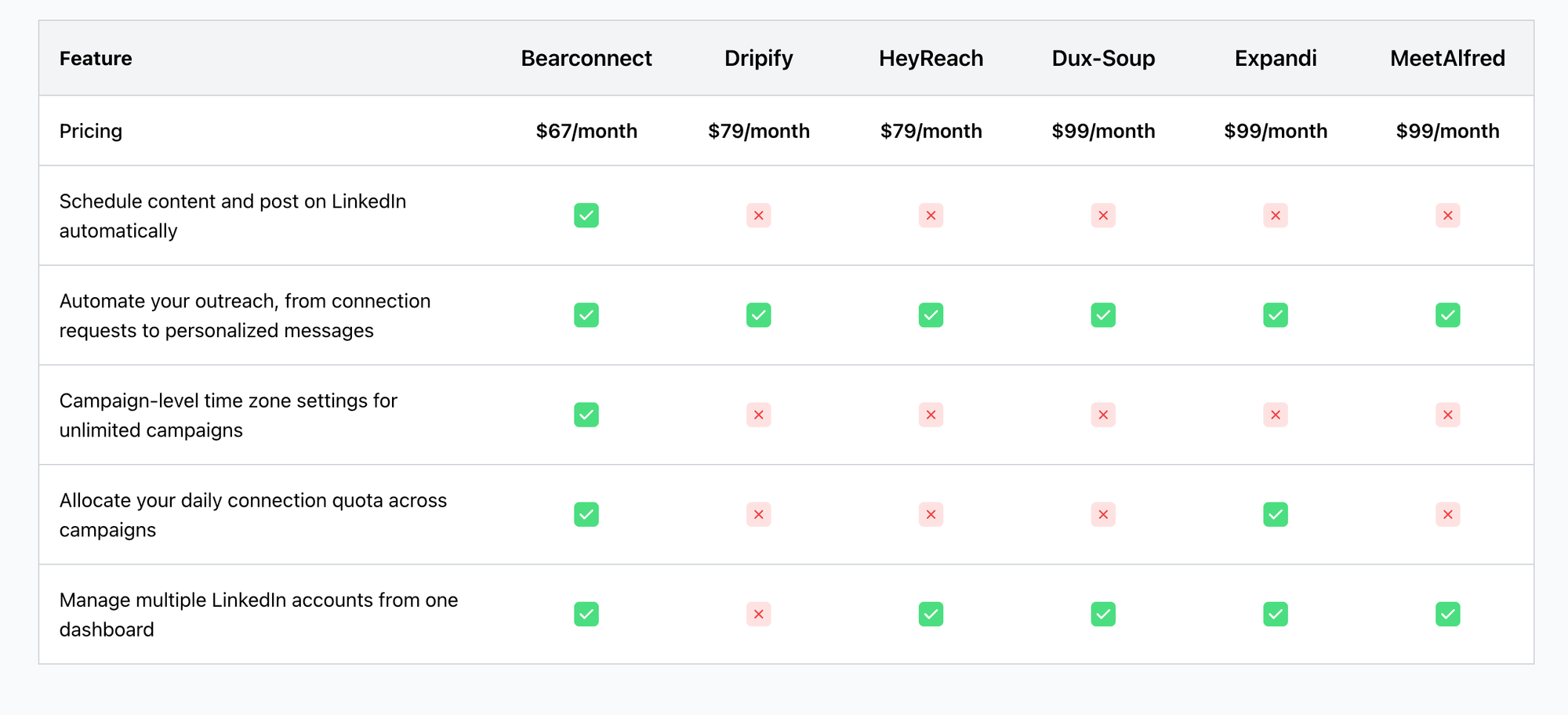
Bearconnect costs $67/month per LinkedIn account, with a volume discount at $57/month per account when you connect 5 or more accounts.
Compare this to the time cost of manual outreach:
- A recruiter spending 3 hours per day on manual LinkedIn outreach across a 20-day month spends 60 hours per month on repetitive prospecting tasks.
- At a fully loaded cost of $30 to $50 per hour for a recruiter's time, that is $1,800 to $3,000 in time cost per month, per recruiter.
- Bearconnect costs $67/month per LinkedIn account.
The ROI calculation is direct. One successful placement from automated sourcing covers months of tool cost.
Pro Tips for Recruiters Running LinkedIn Automation
- Personalize the connection note. Reference the candidate's current role, a specific skill, or a recent post. Generic notes get ignored.
- Use short follow-ups. Candidates respond to messages under 80 words far more than to long pitches.
- Segment by role type. Never mix engineering candidates with sales candidates in the same campaign. Keep sequences role-specific.
- Re-engage cold leads monthly. Candidates who accepted but did not reply 30 days ago are worth a short re-engagement message. Circumstances change.
- Sync to your ATS or CRM. Bearconnect integrates with HubSpot and Pipedrive. Push warm candidates into your pipeline automatically without manual data entry.
5 FAQs: LinkedIn Automation for Recruiters
Q1. Will LinkedIn automation get my account banned?
Not if you use a tool built with safety features. Bearconnect uses smart throttling, local IPs, and behavior mimicry to stay within LinkedIn's limits. Start with gradual warmup on new accounts and you significantly reduce any flag risk.
Q2. Can I run automation for multiple open roles at the same time?
Yes. You create one campaign per role with its own candidate list and message sequence. Bearconnect supports unlimited simultaneous campaigns, so there is no cap on how many roles you source for at once.
Q3. How many candidates can I reach per month with automation?
Realistic output with safe daily limits lands around 400 to 600 new connection requests per month per LinkedIn account. With a 20 to 30% acceptance rate, that is 80 to 180 new candidate connections added to your funnel monthly, per account.
Q4. Do automated messages feel robotic to candidates?
Only if you write them that way. Short, role-specific messages with the candidate's name and a clear value proposition feel personal. Bearconnect supports dynamic personalization fields so every message adapts to each candidate.
Q5. Does Bearconnect work without LinkedIn Sales Navigator?
Yes. You can import leads using standard LinkedIn search URLs, CSV uploads, LinkedIn Event attendees, or your existing first-degree connections. Sales Navigator is optional, not required.
Start Sourcing Smarter, Not Harder
Manual outreach had its time. With 70% of LinkedIn's 1 billion members being passive candidates, the recruiters who win are the ones who reach more of them, faster, with the right message.
Bearconnect gives you unlimited outreach campaigns, automated drip sequences, a unified inbox for every candidate reply, and real-time analytics with AI capabilities.
Ready to build your first automated sourcing campaign?
Visit bearconnect.io and start your first campaign today. You can be live and sourcing within the same day.
About the Author
Mona Juneja is the founder of Bearconnect and a B2B sales professional with 20+ years of experience at Microsoft, Oracle, and Dell.
After two decades of watching lead generation stay manual and broken for most businesses, she built Bearconnect in May 2024, an AI-powered LinkedIn automation platform that handles outreach, messaging, and content scheduling from one place.
Connect on LinkedIn: Mona Juneja
Ready to Transform Your LinkedIn Strategy?
Join thousands of professionals already using Bearconnect to automate their outreach and grow their network.
7-day free trial • Cancel anytime
Related Articles
How Do B2B Consultants Use LinkedIn Drip Campaigns to Keep Their Calendar Full?
B2B consultants use LinkedIn drip campaigns to automate outreach, nurture prospects, and book consistent meetings. This guide shows how to build sequences that keep your calendar full while saving time and increasing response rates.
How to Follow Up with Everyone Who Attended Your LinkedIn Event Using LinkedIn Automation
Automating your LinkedIn event follow up helps you connect with every attendee without manual effort. Learn how to send personalized messages at scale, increase response rates, and turn event participants into qualified leads using smart LinkedIn automation workflows.
LinkedIn Automation Without Credit Limits: The One Feature Power Users Actually Need
Credit limits slow down serious LinkedIn outreach. This guide explains how automation without limits helps scale conversations, reduce costs, and improve results. Built for marketers and sales teams who want consistent growth without restrictions.