How Do B2B Consultants Use LinkedIn Drip Campaigns to Keep Their Calendar Full?
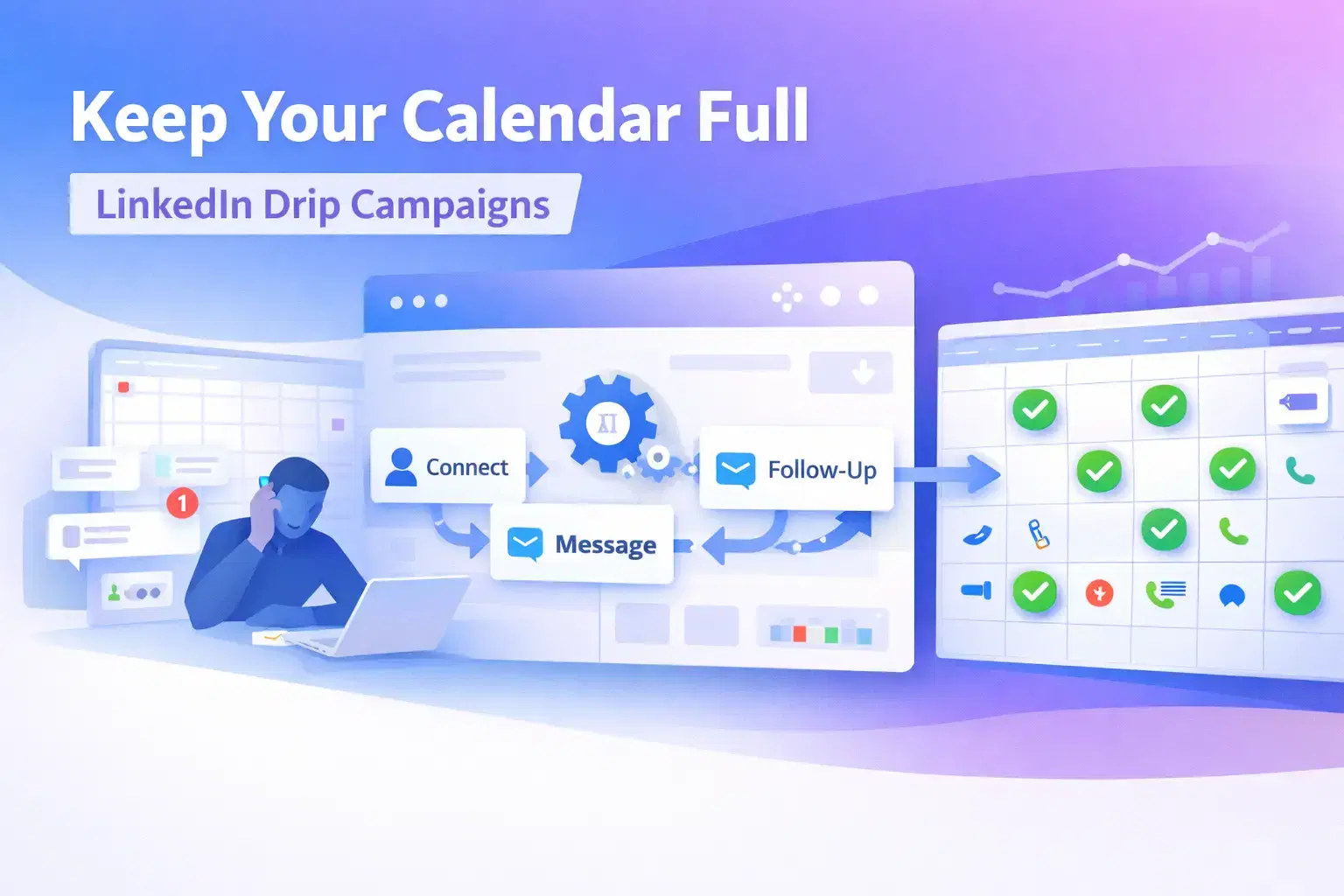
B2B consultants keep their calendar full by running automated LinkedIn drip campaigns across six targeted lead sources, keeping outreach active 24/7 even when they are heads-down in client work.
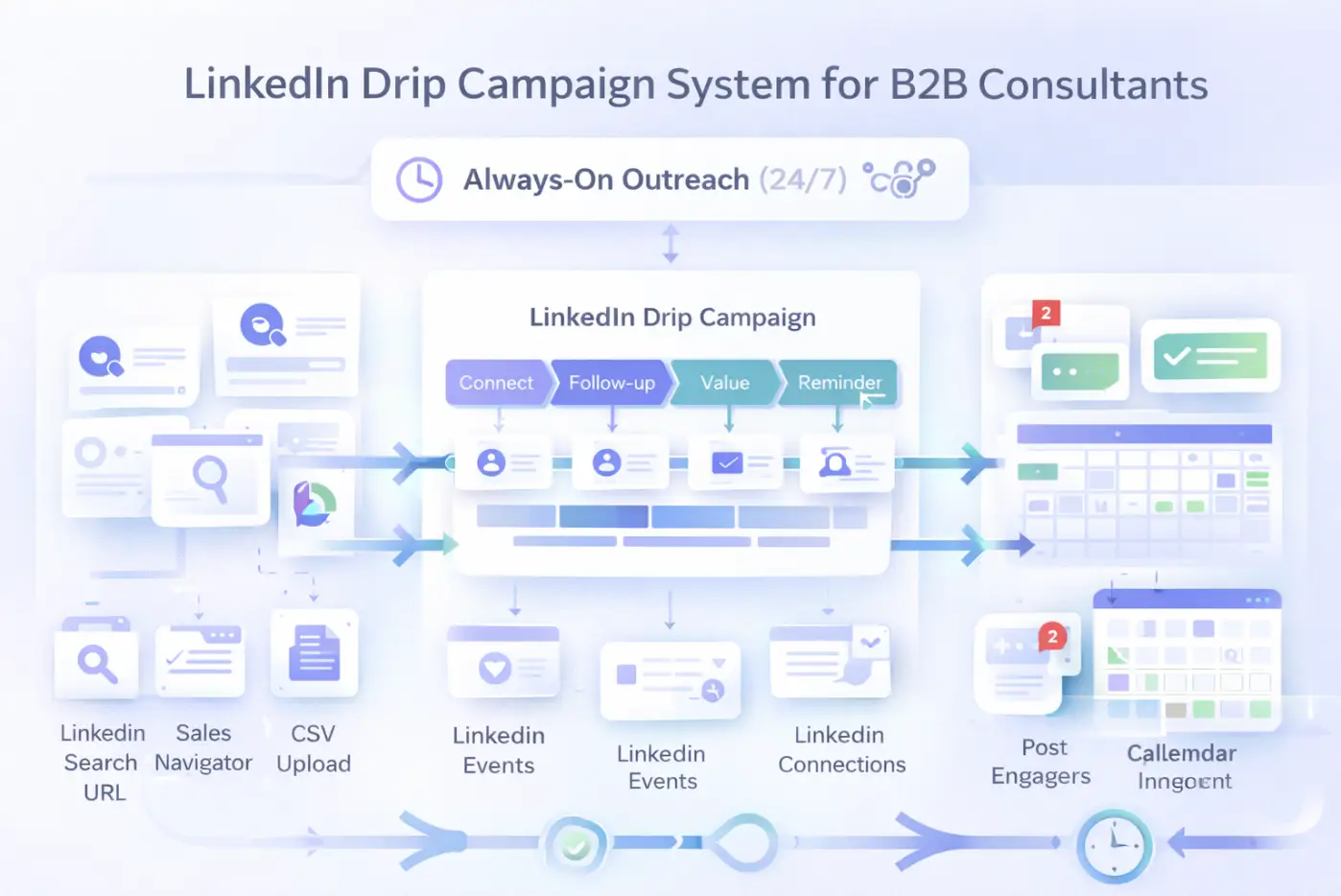
This guide gives you the exact system: the six lead sources, the five-step sequence structure, the inbound and outbound strategy combined, and how to run it all without spending hours on manual prospecting every week.
TL;DR
- LinkedIn drip campaigns automate your outreach so prospects hear from you consistently, not just when you have spare time.
- Six lead sources power the pipeline: LinkedIn Search URL, Sales Navigator, CSV upload, LinkedIn Events, 1st degree connections, and Post Engagers.
- A five-step sequence over 14 days converts better than any single message.
- Combining outbound drip campaigns with inbound content compounds your reply rates significantly over time.
- Bearconnect runs the entire system from one dashboard at $67/month per LinkedIn account.
Why Most B2B Consultants Stay Stuck in Feast-or-Famine Mode
The feast-or-famine cycle happens because consultants do outreach only when they have time, which is never a consistent system.
- When client work is heavy, prospecting stops. When projects end, the pipeline is empty and the panic starts. This is not a motivation problem. It is a systems problem.
- A LinkedIn drip campaign solves this at the root. It keeps outreach running in the background whether you are on client calls, delivering work, or off for the weekend.
The pipeline does not depend on you being active.
What Is a LinkedIn Drip Campaign for B2B Consultants?
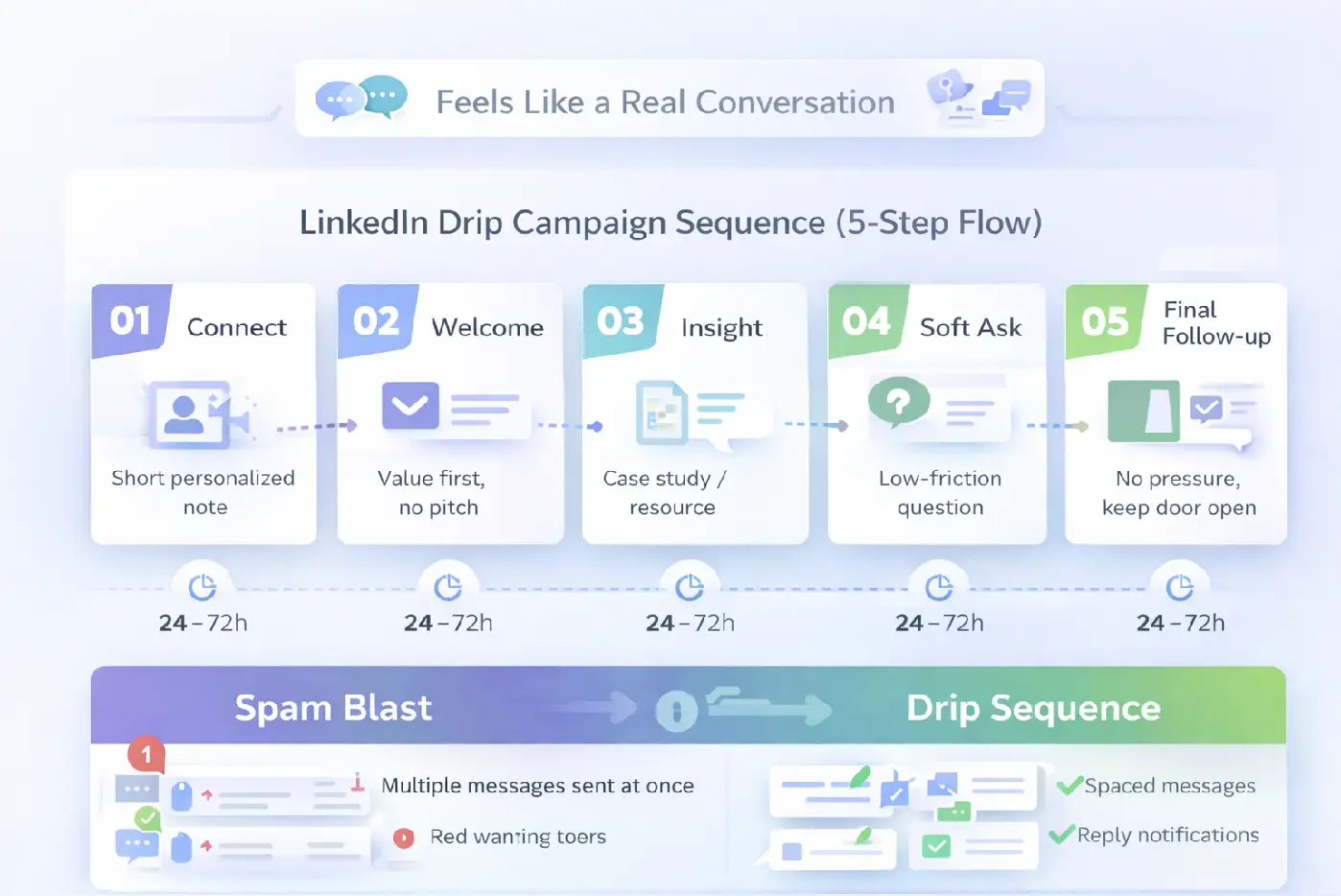
A LinkedIn drip campaign is a multi-step automated messaging sequence sent to targeted prospects over a fixed number of days, with smart delays between each touchpoint.
Each message plays a specific role in the sequence:
- Step 1: Connection request with a short, personalized note (under 200 characters)
- Step 2: Welcome message that delivers value immediately, no pitch
- Step 3: Follow-up with a relevant insight, case study, or resource tied to their role
- Step 4: Soft ask: a low-friction question about their current challenge, not "book a call"
- Step 5: Final follow-up that removes pressure and leaves the door open
Delays of 24 to 72 hours between each step make the sequence feel like a real conversation, not an automated blast.
The 6 Lead Sources B2B Consultants Use to Power Their Drip Campaigns
The quality of your drip campaign depends entirely on who enters it. Targeting the wrong people with the right sequence still produces zero results.
Bearconnect supports six lead import methods. Each one targets a different level of intent and warmth.
1. LinkedIn Search URL
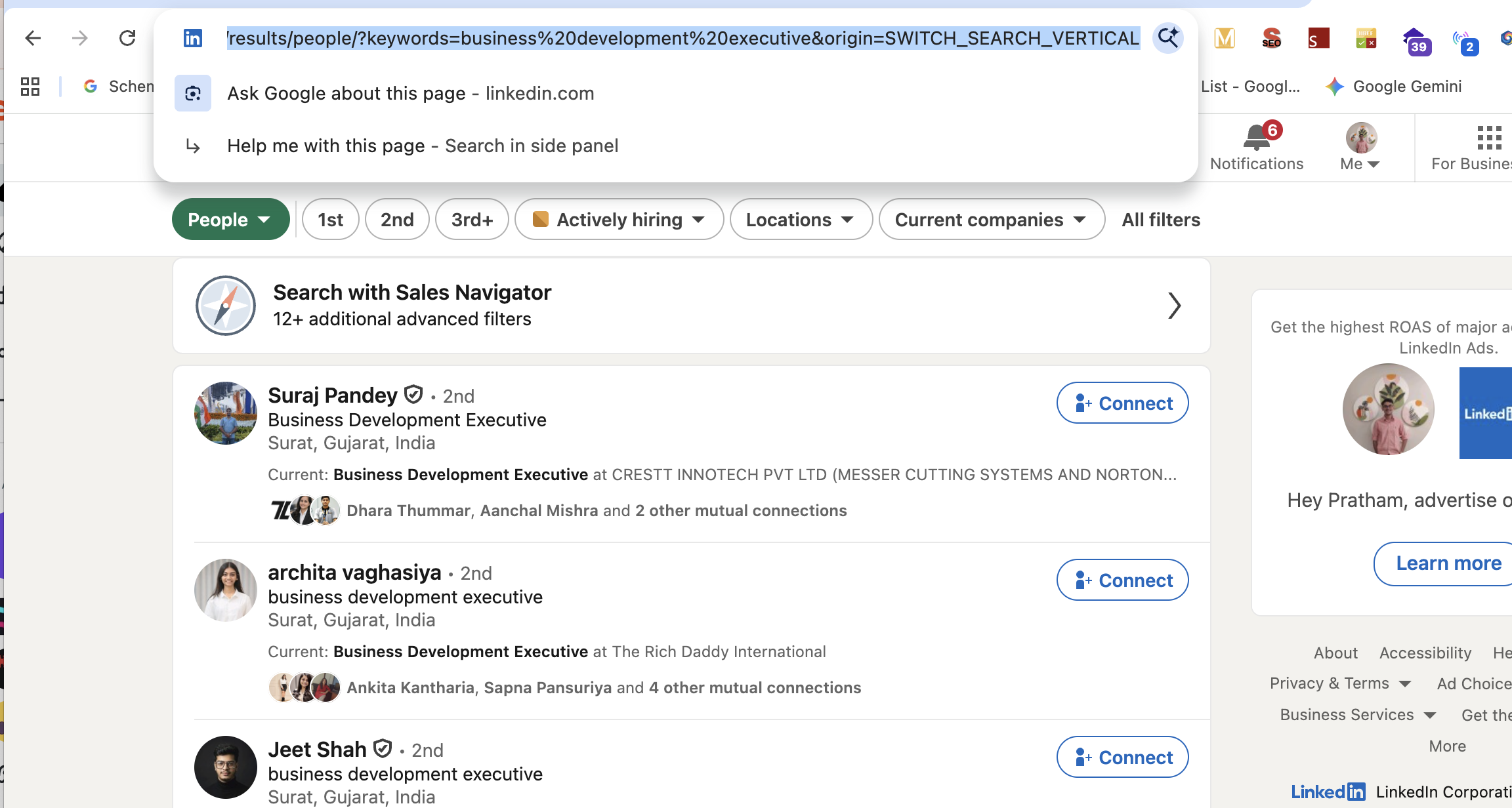
- Paste any standard LinkedIn search URL into Bearconnect and it imports all matching profiles as leads instantly.
- This is the fastest way to build a targeted list. Filter by job title, company size, industry, and geography directly inside LinkedIn, then paste the URL into Bearconnect.
Pro Tip: Build hyper-specific searches rather than broad ones. Filter for "VP of Sales" + "B2B SaaS" + "51 to 200 employees" and you get a precise list in minutes, not hours of manual research.
2. LinkedIn Sales Navigator
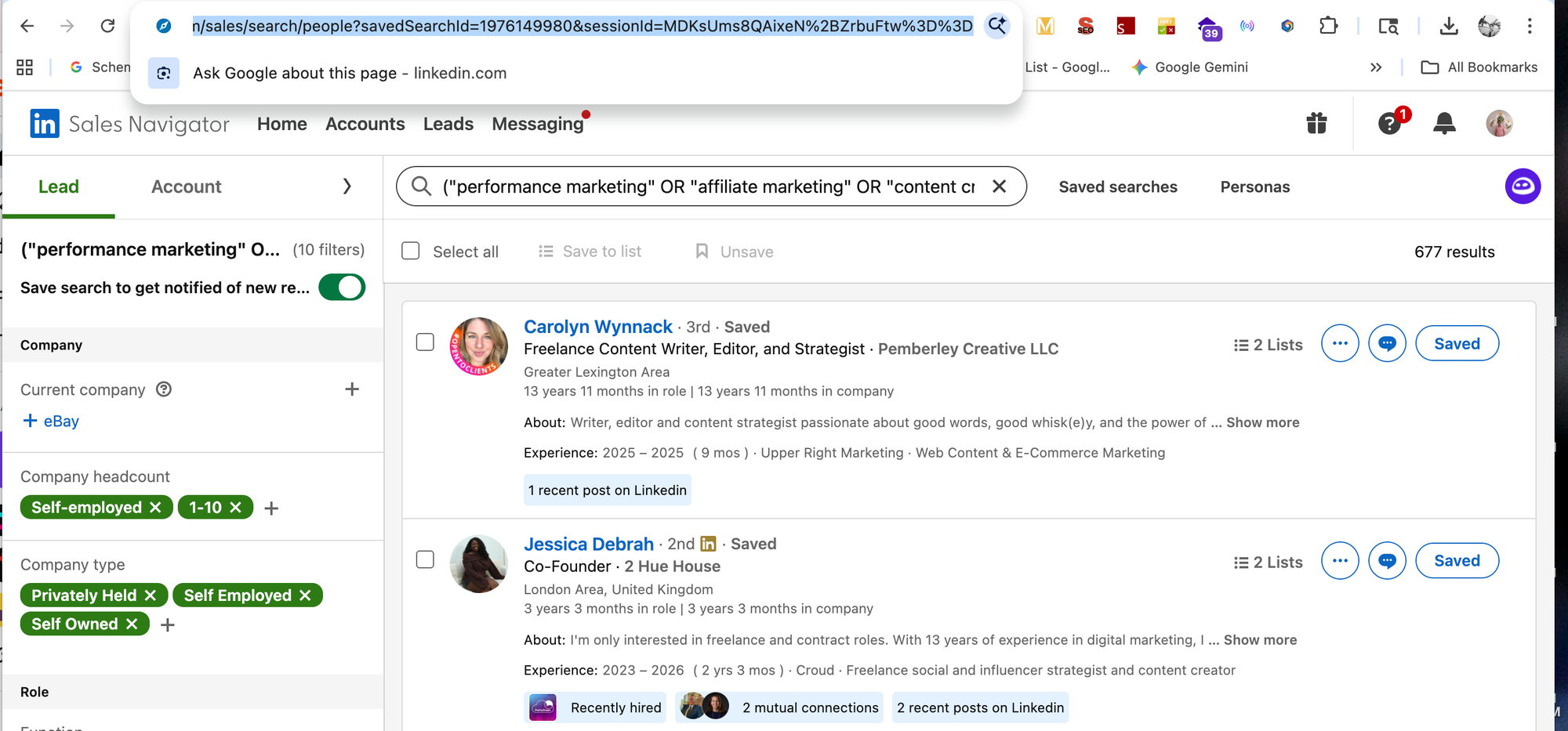
- Sales Navigator gives you advanced filters that standard LinkedIn search does not, including seniority level, company headcount growth, and account lists.
- Paste your Sales Navigator search URL into Bearconnect and it pulls leads directly. This works best for consultants targeting senior decision-makers in specific verticals with tight ICP criteria.
Example
A sales strategy consultant targeting "VP of Revenue" at B2B SaaS companies with $10M to $50M revenue uses Sales Navigator filters, imports 300 leads, and launches a drip campaign the same day, all without building a spreadsheet manually.
3. CSV Upload
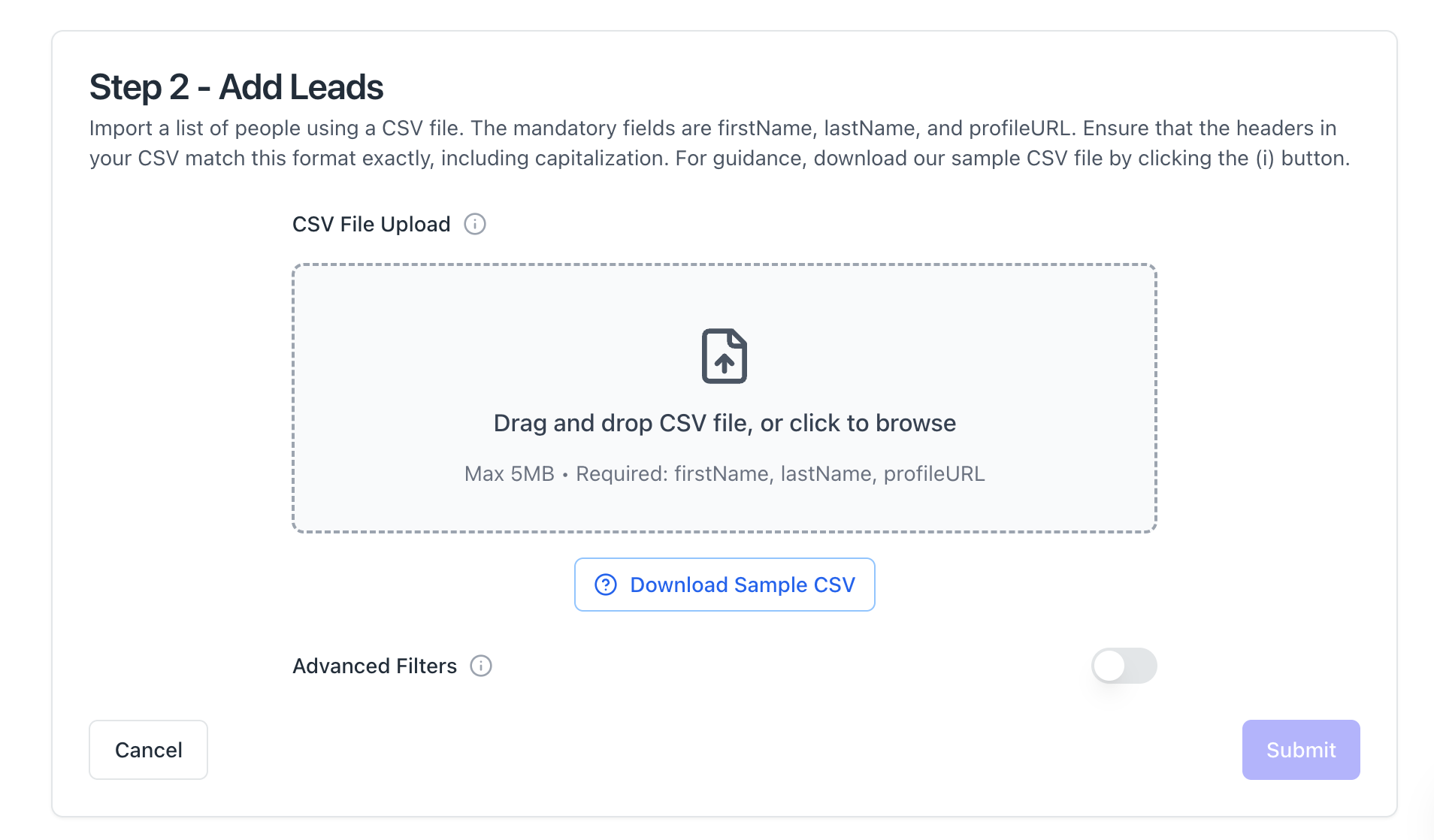
- If you already have a list from a past webinar, CRM export, or industry event, upload it as a CSV and map the fields directly into a Bearconnect campaign.
- This is the best option for re-engaging cold leads or prospects you met at conferences but never followed up with. You own the data. You control the sequence.
4. LinkedIn Events
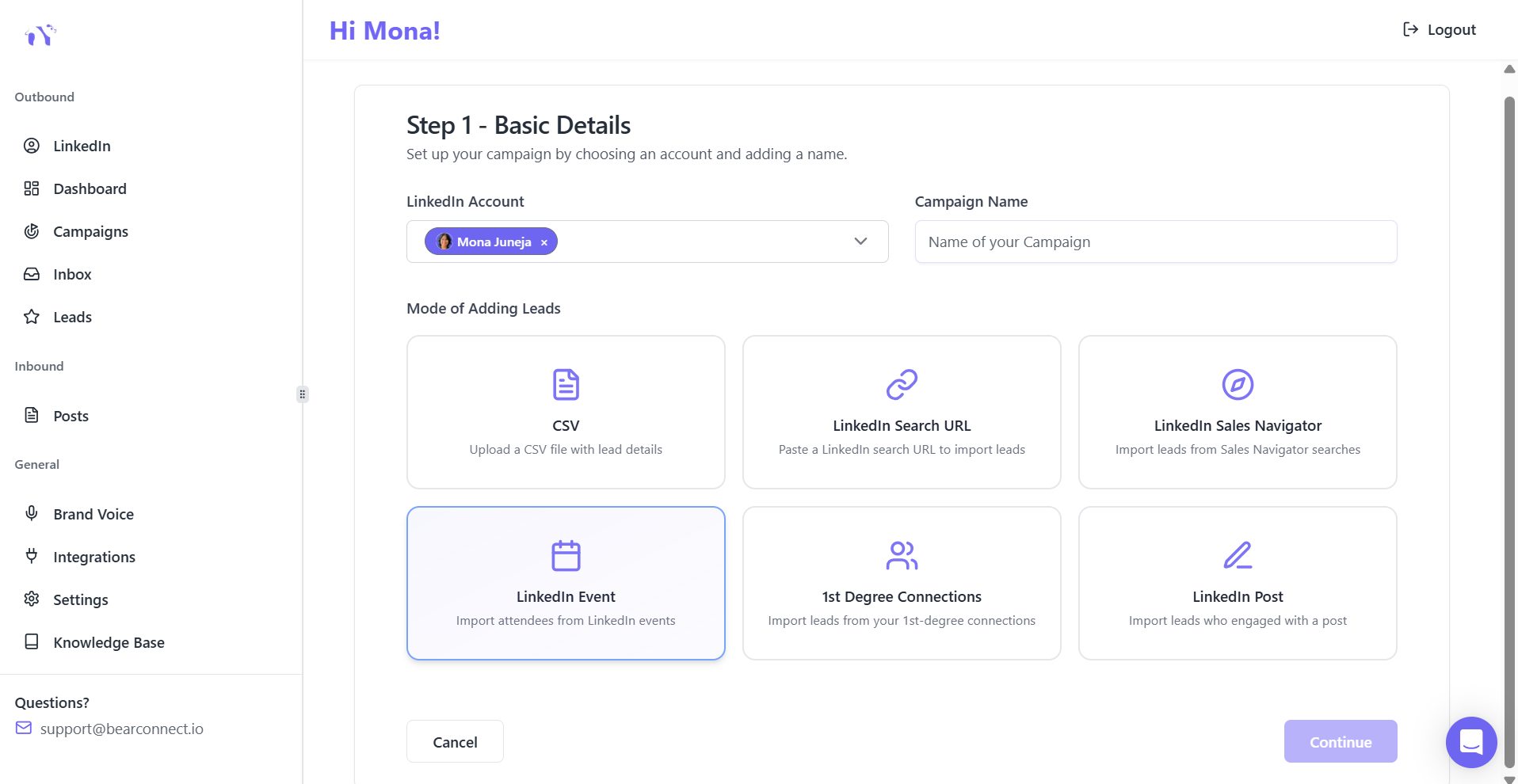
- LinkedIn event attendees are the warmest cold outreach audience you can access because they already care about the problem you solve.
- Import attendees from any LinkedIn event directly into Bearconnect and add them to a targeted drip sequence.
Pro Tip: Host or co-host a LinkedIn event in your niche specifically to generate this lead source. Every person who registers becomes a qualified lead you can import and nurture with a relevant follow-up campaign.
5. 1st Degree Connections
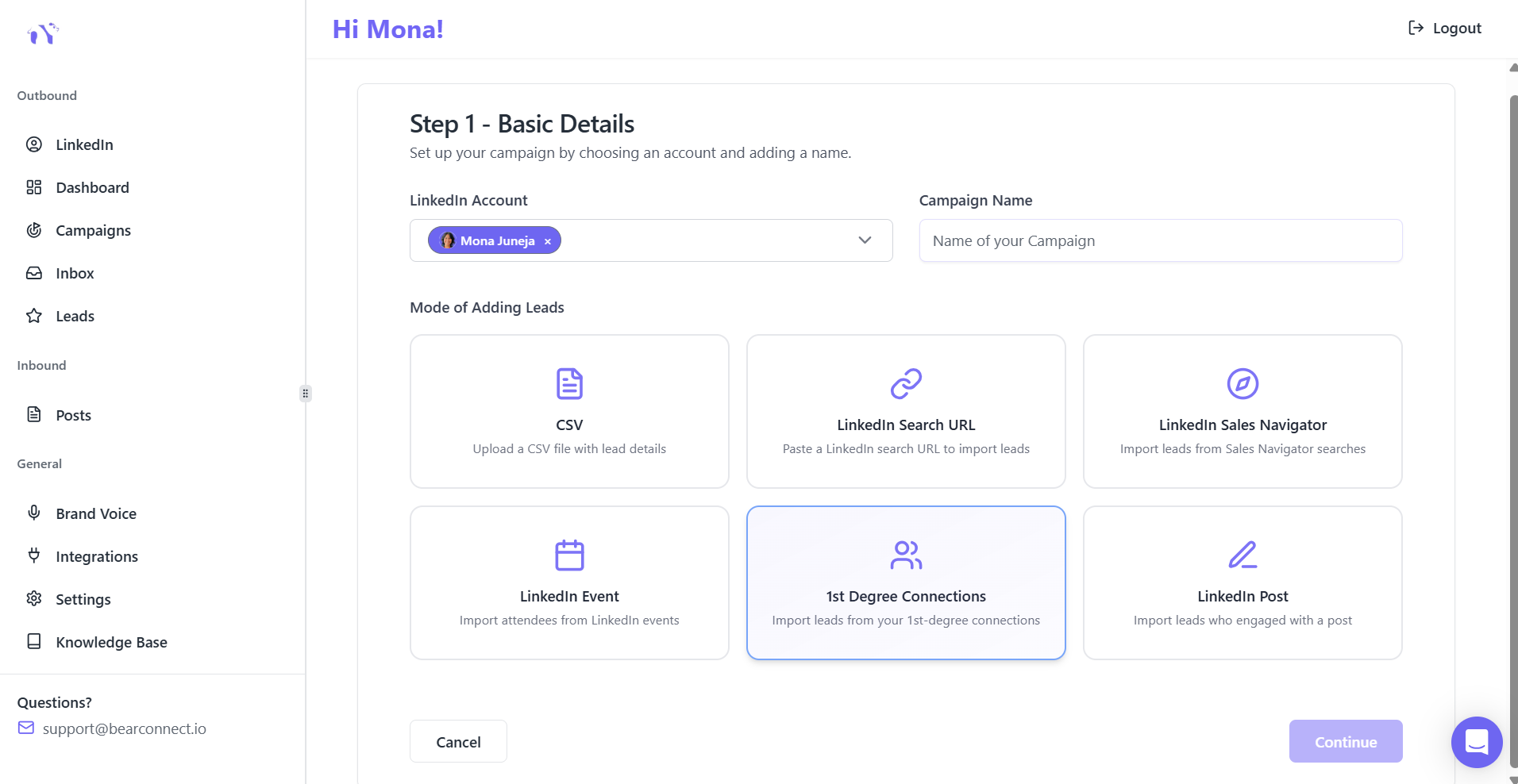
- Your existing LinkedIn network is your most underused asset. Most consultants have hundreds of warm contacts sitting dormant with no follow-up system.
- Import your 1st degree connections into Bearconnect and run a reactivation campaign.
- A simple three-step sequence to past contacts, former clients, or old colleagues produces booked calls from people who already know you, often within the first week.
6. LinkedIn Post Engagers
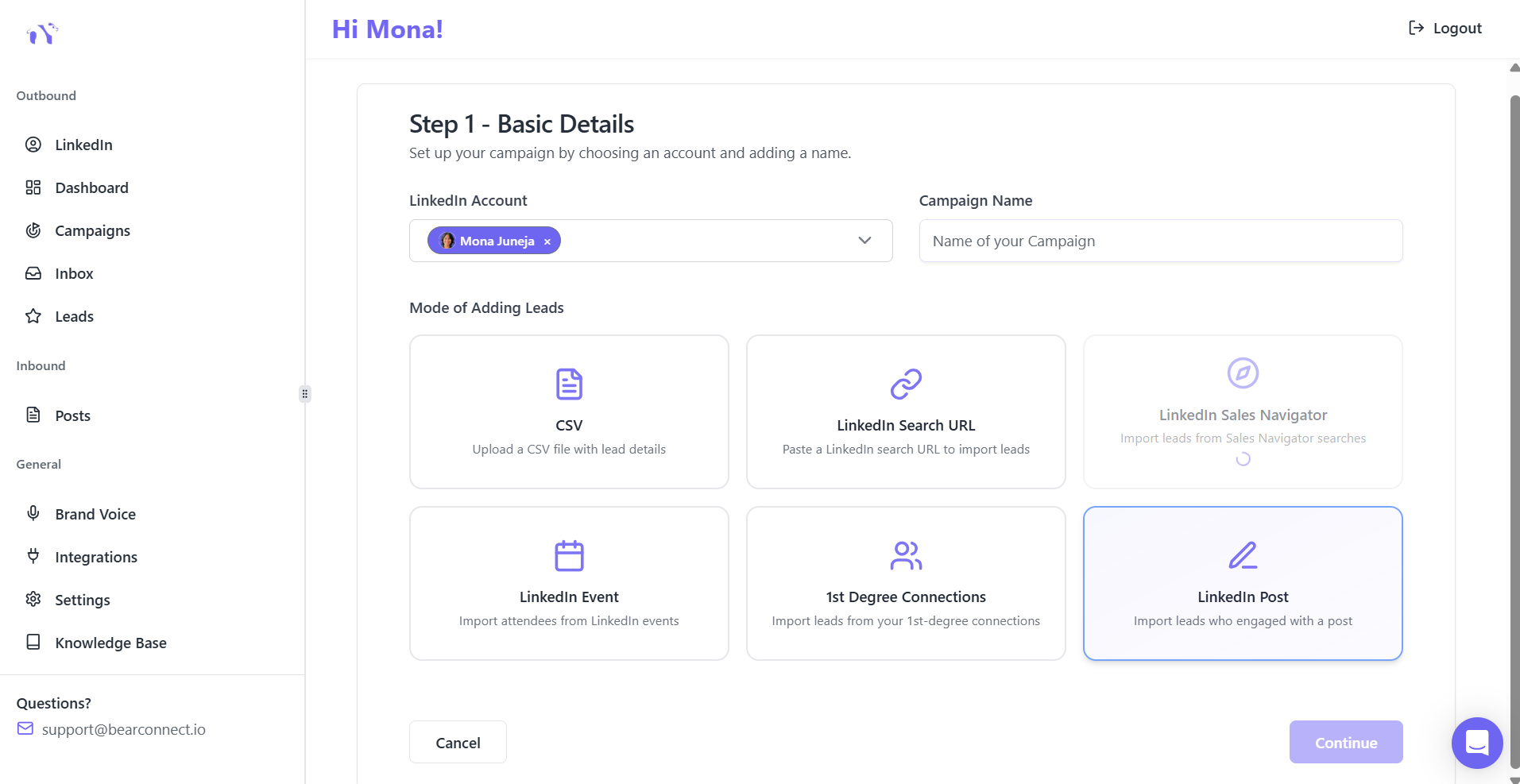
- This feature will allow you to import everyone who liked or commented on a specific LinkedIn post directly into a drip campaign.
- This is the highest-intent lead source available. Someone who engaged with your content has already signaled interest in what you talk about.
- Outreach to them converts at significantly higher rates than cold LinkedIn Search URL lists.
The Inbound and Outbound Strategy That Keeps the Calendar Consistently Full
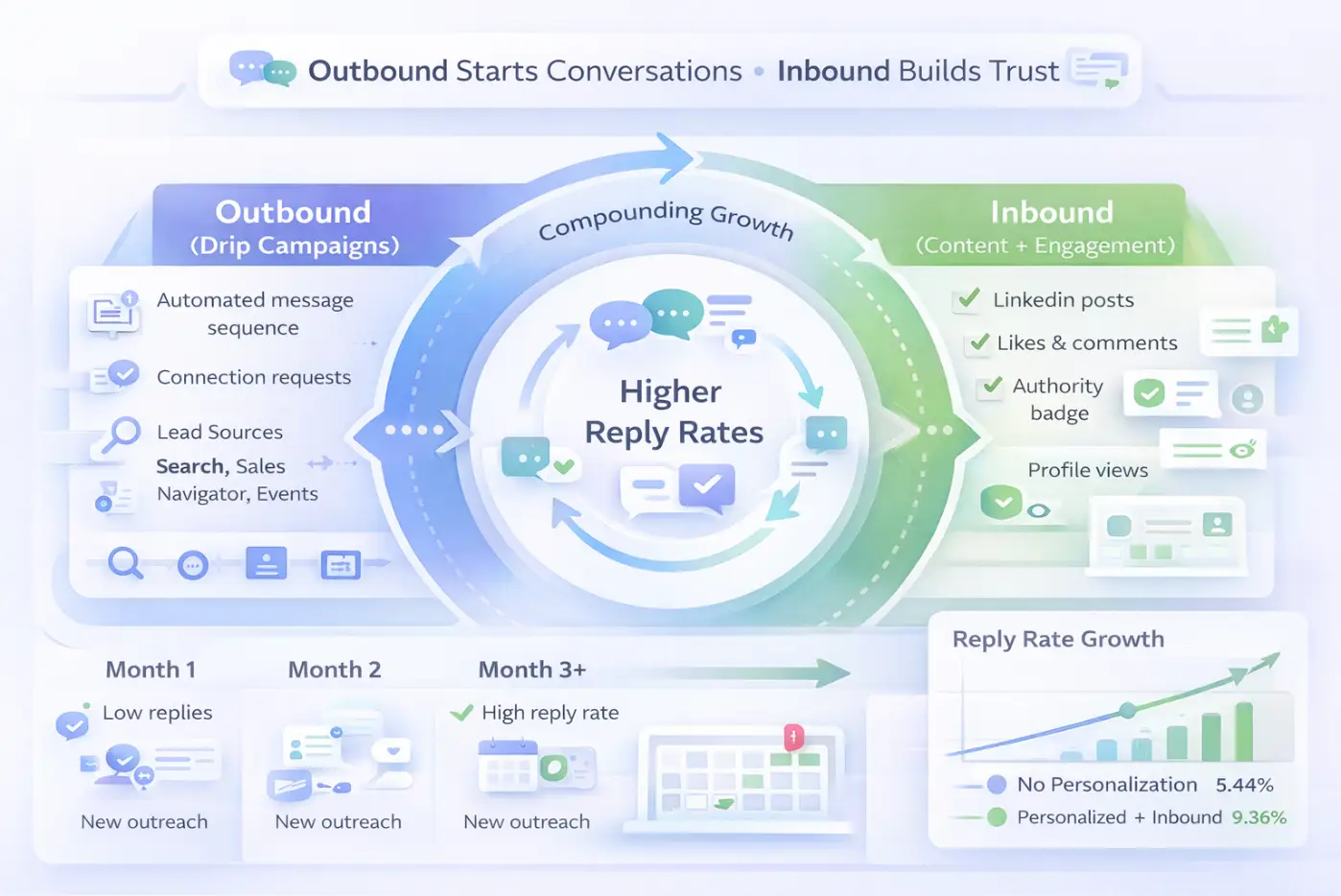
Consultants who run only outbound drip campaigns eventually hit a ceiling. Consultants who combine outbound with inbound content see reply rates compound over time.
Here is how both strategies work together:
1. Outbound (Drip Campaigns)
- Targets prospects proactively based on ICP filters
- Runs automated sequences via LinkedIn Search URL, Sales Navigator, CSV, and Events
- Generates first conversations and booked calls
- Runs 24/7 without your manual involvement
2. Inbound (Content + Engagement)
- Posts build authority and trust before a prospect sees your outreach message
- Prospects who recognize your name from content reply to connection requests at higher rates
- Lead magnet posts generate inbound inquiries that skip the drip sequence entirely
- Consistent posting grows your 1st degree network, which becomes your next warm lead source
The Compounding Effect
- A consultant posting three times per week who also sends 15 to 20 new connection requests per day sees reply rates improve month over month.
- Prospects recognize the name, feel familiarity, and respond faster.
- Industry data from a Belkins study of over 20 million LinkedIn outreach attempts shows that personalized messages produce a 9.36% response rate versus 5.44% for messages sent without any personal context.
How to Build a High-Converting LinkedIn Drip Sequence (5-Step Template)
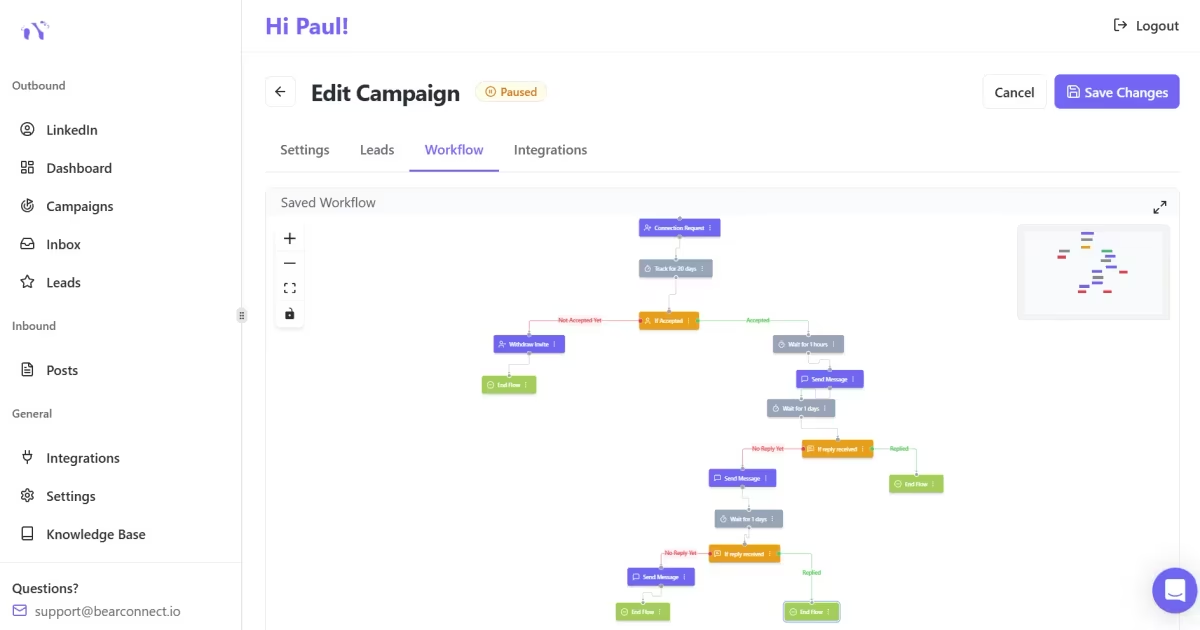
A well-structured five-step sequence over 14 days outperforms any single well-written message. Consistency across multiple touchpoints is what books calls.
Copy this framework directly:
Day 1: Connection Request
"Hi [First Name], I work with [ICP role] in [industry] on [specific outcome]. Would love to connect."
Keep it under 200 characters. No pitch. No explanation of your services.
Day 3: Welcome Message
"Thanks for connecting, [First Name]. I recently [shared a resource / ran a campaign / wrote a guide] on [relevant topic]. Happy to send it over if it would be useful for you."
Lead with value. Zero pitch. Let curiosity do the work.
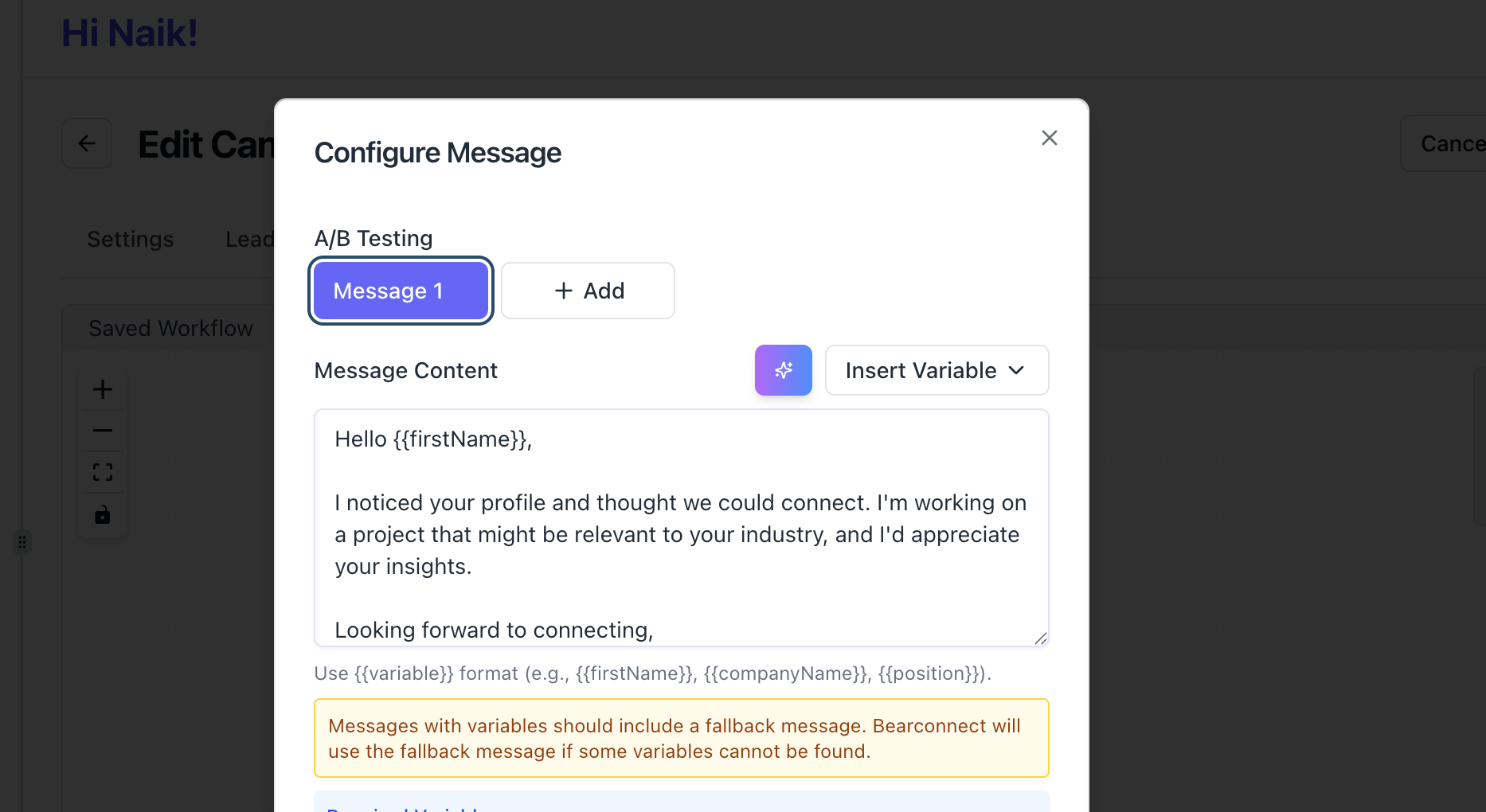
Day 6: Value Drop
"Just following up on my last note. Here is [resource or insight] that might be relevant given your work at [company name]. No strings attached."
Reference something specific to their role or company. According to B2B outreach data, personalized messages convert at nearly double the rate of generic ones.
Day 10: Soft Ask
"Curious: is [the problem your service solves] something your team is actively working on right now? Even a quick reply helps me understand if a conversation makes sense."
A low-friction question, not a meeting invite. This is the highest-converting message in most sequences.
Day 14: Final Follow-Up
"No worries if the timing is not right. I will leave it here. Feel free to reach out whenever [problem] becomes a priority for you."
This message removes all pressure and consistently produces replies from prospects who were interested but not ready.
Ready to automate this sequence? Bearconnect runs all five steps automatically with smart delays, personalization tokens, and reply detection. Start your 7-day free trial.
How Bearconnect Runs This Entire System From One Platform
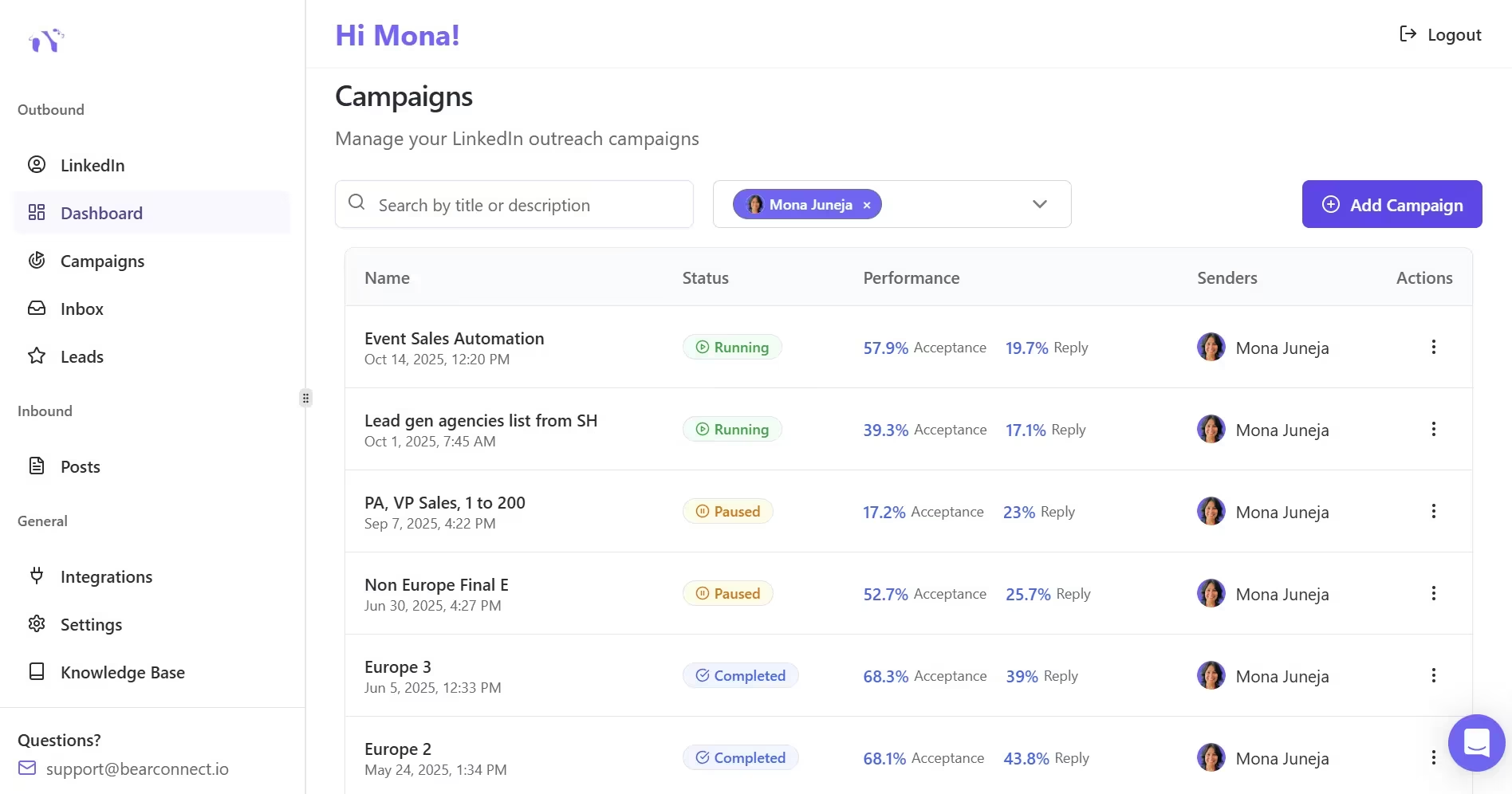
Bearconnect is built as a combined inbound and outbound LinkedIn automation platform, which means you do not need separate tools for content, outreach, and inbox management.
Here is what it handles end to end:
- Lead Import: All six lead sources feed directly into campaigns from one import dashboard
- Drip Sequence Builder: Visual multi-step workflows with smart delays, personalization tokens, and campaign branching
- Unified Inbox: Replies from all connected LinkedIn accounts land in one place
- AI Post Making: Generate and schedule LinkedIn content to run your inbound strategy alongside outbound campaigns
- Advanced Analytics: Track connection acceptance rates, reply rates, and conversion metrics per campaign
- CRM Integration: Sync leads to HubSpot, Pipedrive, or any tool via Make, n8n, or webhooks
Pricing
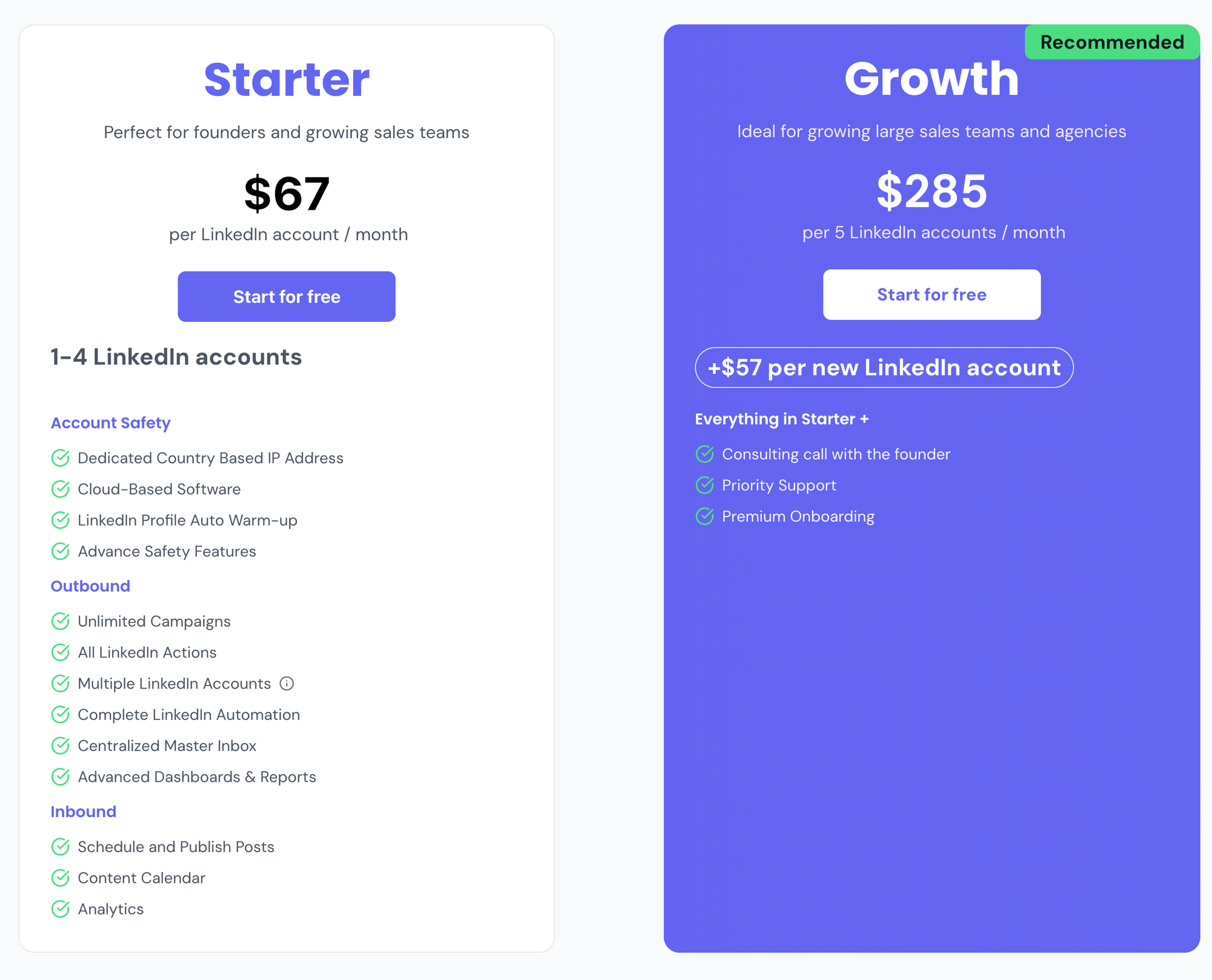
Bearconnect costs $67/month per LinkedIn account. Connect five or more LinkedIn accounts and the rate drops to $57/month per LinkedIn account.
Competing LinkedIn automation tools typically price between $150 and $500/month per seat. Bearconnect delivers the same core functionality at 60 to 80% less cost.
Pro Tip for Agencies and Multi-Account Consultants
An agency managing five client LinkedIn profiles pays $285/month total on Bearconnect versus $750 to $2,500/month on most competing tools, with no cap on campaigns or account connections.
Learn more about managing multiple LinkedIn accounts.
A Real-World Example: How Rajan Went From Empty Calendar to 12 Calls Booked in 30 Days
Alex runs a solo sales strategy consulting firm. He had strong LinkedIn presence but inconsistent pipeline. Some months were fully booked. Others had no calls at all.
Here is the 30-day system he used:
Week 1: Setup
- Connected LinkedIn account to Bearconnect
- Built a LinkedIn Search URL list of 400 VP of Sales profiles in B2B SaaS
- Wrote a five-step drip sequence using the template above
- Scheduled three LinkedIn posts for the week using Bearconnect AI Post Making
Week 2: Launch
- Started drip campaign at 15 new connection requests per day
- Monitored unified inbox for replies
- Posted content consistently, including one insight post and one case study format
Week 3: Engagement
- Responded to all replies within 24 hours
- Imported 120 attendees from a LinkedIn event on sales operations he had attended
- Identified that Day 10 soft ask had the highest reply rate and adjusted message copy on Day 6
Week 4: Optimize and Scale
- Imported 1st degree connections for a reactivation campaign to 80 past contacts
- Scaled connection requests to 20 per day on the best-performing campaign
- Traced all 12 booked calls back to their lead source: 7 from LinkedIn Search URL, 3 from 1st degree reactivation, 2 from LinkedIn Events list
Key Mistakes That Kill Drip Campaign Results
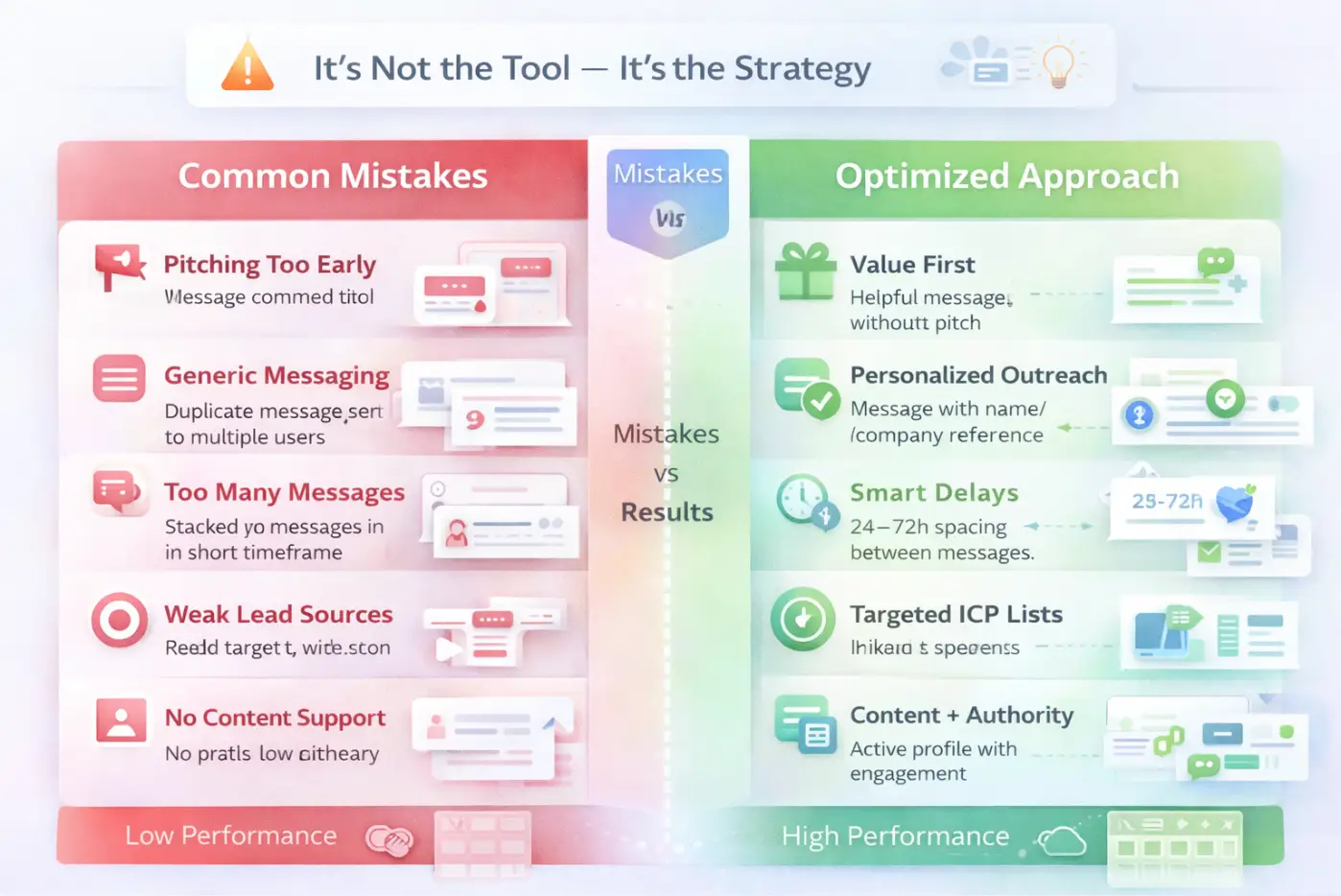
Most consultants who set up LinkedIn drip campaigns and get no results are making one of these six mistakes, not a tools problem.
- Pitching too early: Sending a service offer in the welcome message destroys the relationship before it starts. Learn how to do outreach without being salesy.
- Generic messaging: No personalization tokens, no reference to the prospect's company or role
- Too many messages too fast: Three messages in four days signals spam, not outreach. See how to automate LinkedIn messages safely.
- Weak lead sources: Importing broad, unfiltered audiences instead of hyper-specific ICP lists
- No content running alongside outreach: Prospects who see your posts before your message reply at measurably higher rates
- Stopping at message one: The majority of positive replies come from Day 6, Day 10, and Day 14, not the welcome message
Conclusion
You now have a complete system. Six lead sources, a five-step sequence, a combined inbound and outbound strategy, and accurate benchmarks to measure your performance against.
The only gap between where you are and a full calendar is having this system running automatically.
Try Bearconnect free for 7 days. Connect your LinkedIn account, import your first lead list, launch your first drip campaign, and measure your first reply rate. No credit card pressure.
Start Your Free Trial at bearconnect.io
Related Reads
- LinkedIn Automation Safety: What Keeps Your Account Protected in 2026
- How to Write LinkedIn Connection Requests That Do Not Get Ignored
- The 90-Day LinkedIn Automation Roadmap for B2B Sales Teams
Frequently Asked Questions
Q1: How many messages should a LinkedIn drip campaign have for B2B consulting?
Five messages spread over 14 days works best. The first two build rapport, the third and fourth deliver value and ask a low-friction question, and the fifth closes the loop. Sending more than seven messages in a short window increases spam reports and connection withdrawals. Keep the sequence focused and patient.
Q2: Is LinkedIn automation safe for my account?
Yes, when you use a tool that mimics natural human behavior, respects daily action limits, and operates from a local IP. Keep daily connection requests under 20 to 25, use a gradual warmup period for new accounts, and avoid tools that send bulk messages with no delays between actions. Bearconnect builds these safety controls in by default.
Q3: What lead source produces the best reply rates for B2B consultants?
LinkedIn Event attendees and 1st degree connection reactivations produce the highest reply rates. Both groups carry existing familiarity with you or your topic. Cold LinkedIn Search URL outreach works well for volume but requires tighter personalization. Combine both sources in your monthly outreach for consistent pipeline across warmth levels.
Q4: How much does Bearconnect cost for a solo consultant?
Bearconnect costs $67/month per LinkedIn account. Connect five or more LinkedIn accounts and the rate drops to $57/month per LinkedIn account. A 7-day free trial is available, so you can run a live campaign and measure results before committing to a paid plan.
Q5: Can I run both inbound content and outbound drip campaigns from Bearconnect?
Yes. Bearconnect combines both in one platform. Use AI Post Making to write and schedule LinkedIn content for inbound authority, and use the campaign builder for outbound drip sequences. All replies land in the unified inbox across every connected LinkedIn account, so nothing falls through the gaps.
Ready to Transform Your LinkedIn Strategy?
Join thousands of professionals already using Bearconnect to automate their outreach and grow their network.
7-day free trial • Cancel anytime
Related Articles
LinkedIn Automation: The Complete Guide for 2026
What LinkedIn automation is, how it works, what LinkedIn allows, safe limits, how to choose a tool and how to run your first campaign.
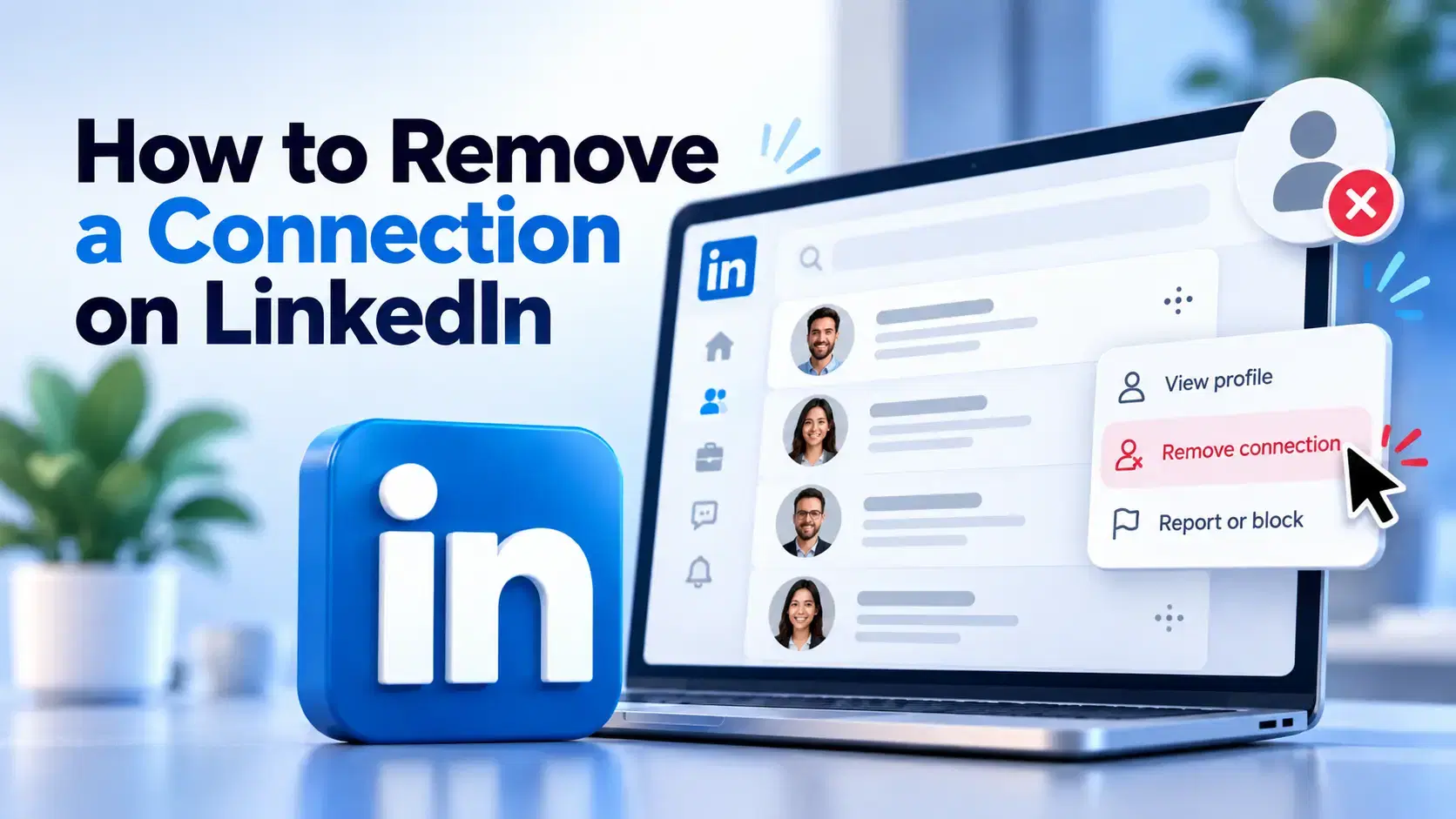
How to Remove a Connection on LinkedIn (Do They Get Notified?)
Removing a LinkedIn connection takes a few clicks, but most people want to know one thing first: does the other person get notified? This guide covers the steps on desktop and mobile, and what changes afterward.
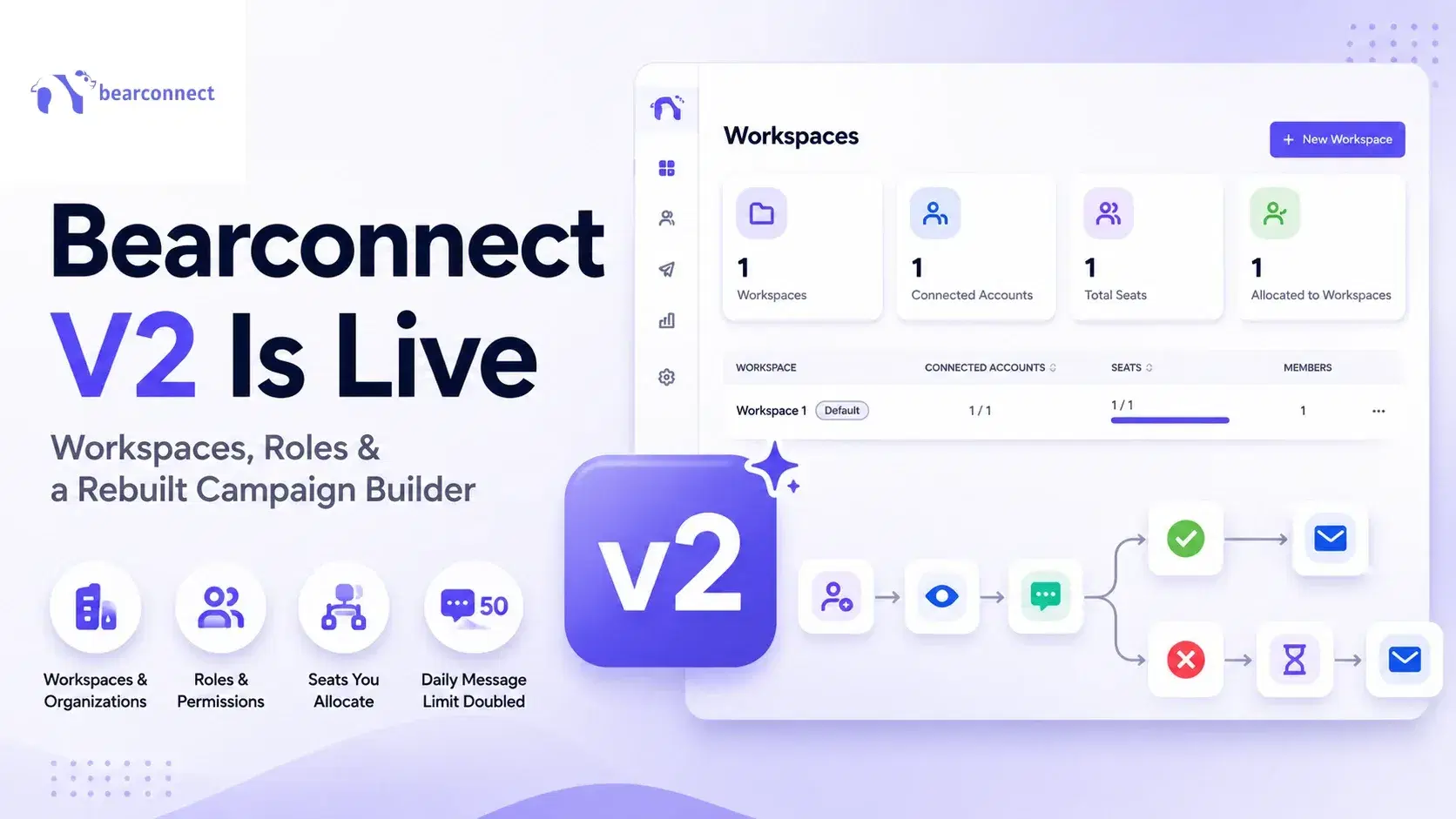
Bearconnect V2 Is Live: Workspaces, Roles and a Rebuilt Campaign Builder
Bearconnect V2 introduces dedicated workspaces, flexible roles, and a rebuilt campaign builder, giving agencies and sales teams more control over every LinkedIn account they manage.