What Are Impressions on LinkedIn? How to Track and Boost Them in 2026
LinkedIn impressions count the total number of times your post appeared on someone's screen, including repeat views from the same person.
One person seeing your post three times counts as three impressions, not one.
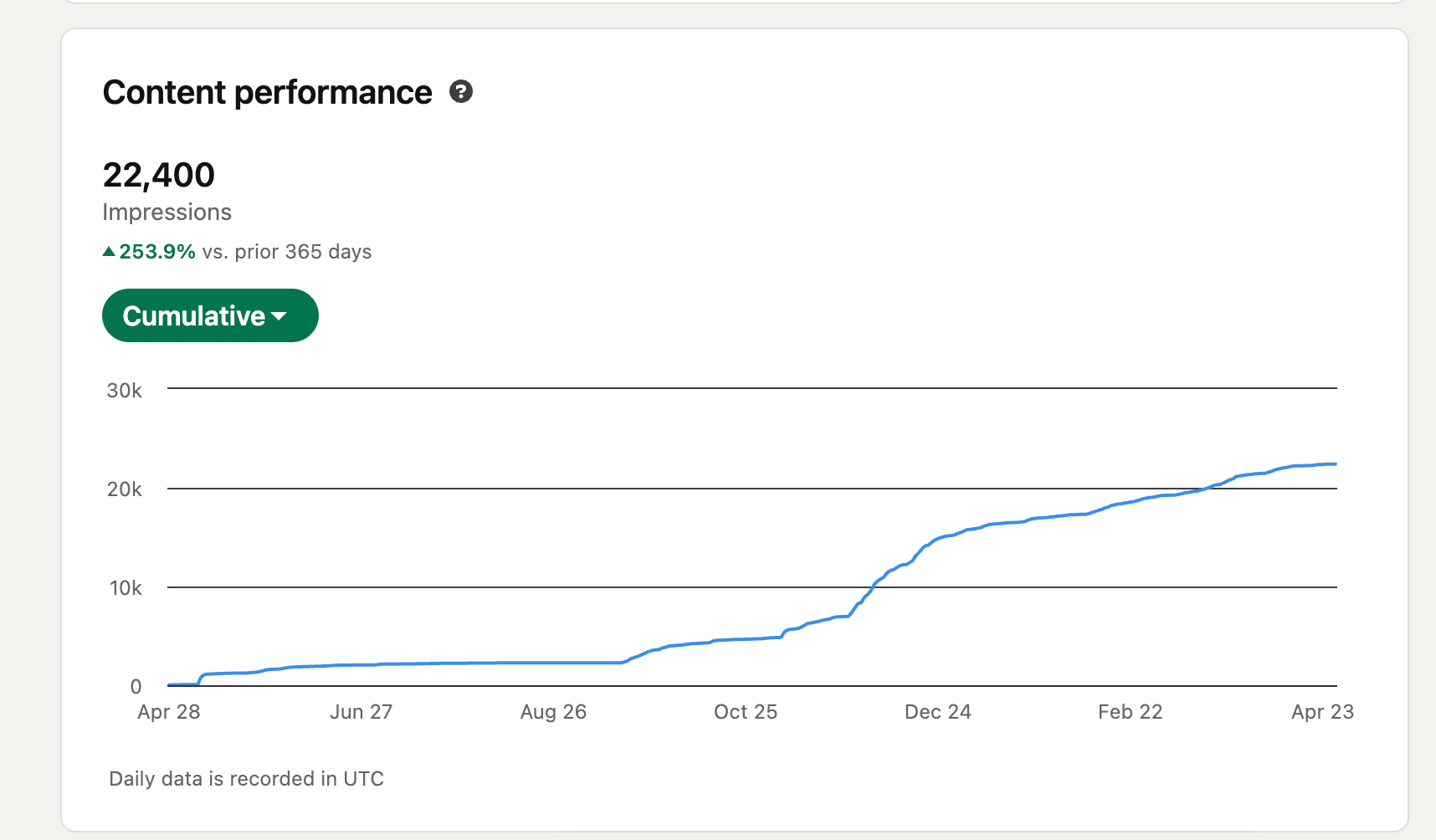
If you just checked your LinkedIn analytics and saw a big number labeled "impressions" with no context, this guide gives you everything you need: what the number means, whether yours is good or bad, and exactly how to grow it.
TL;DR
- Impressions = total times your post was displayed on any screen (repeats count)
- Reach = unique people who saw it (no repeats)
- A 500-connection account typically gets 200 to 600 impressions per post
- The first 60 minutes after you post decides most of your total reach
- Posting consistently beats posting occasionally, every time
What Are LinkedIn Impressions? The Plain-English Definition
A LinkedIn impression is recorded every time your post loads on any screen, regardless of whether the person reads it or engages with it.**
- LinkedIn does not require a person to stop scrolling, click, like, or comment. The moment your post renders on their feed, that is one impression.
- If the same person opens their feed three times in one day and sees your post each time, that is three impressions from one person.
This is the most important thing to understand:
- Impressions measure exposure, not attention
- They are a reach signal, not an engagement signal
- A high impression count with low engagement means your content is visible but not compelling
Example: You post on a Tuesday morning. 400 people see it in their feed throughout the day. Some of them scroll past twice. Your total impression count might show 620, even though only 400 unique people encountered it.
LinkedIn Impressions vs Reach: What Is the Actual Difference?
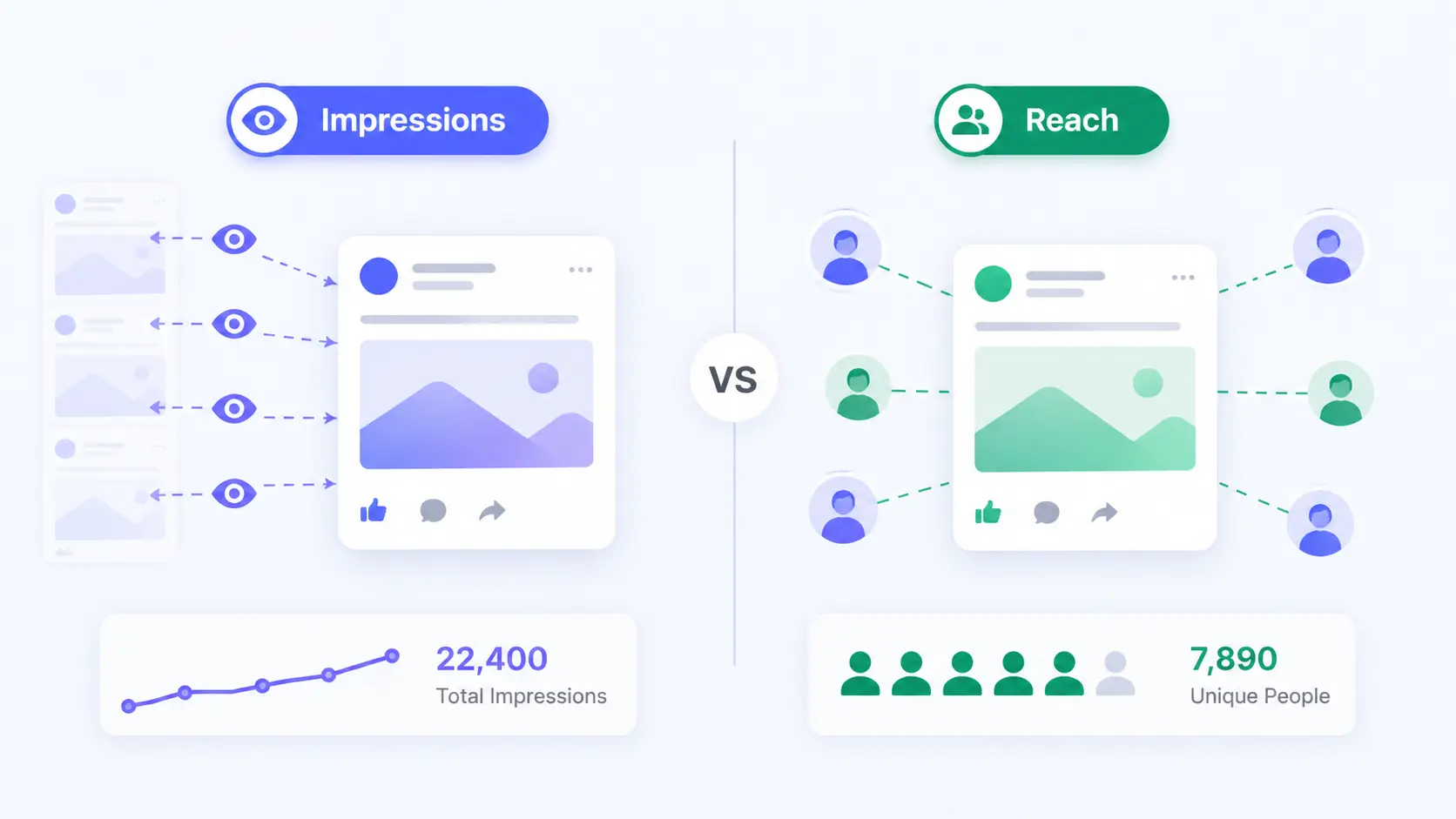
Reach and impressions measure two different things.
Reach tells you how many people, impressions tell you how many times.
| Metric | What It Measures | Counts Repeats? |
|---|---|---|
| Impressions | Total times post appeared on screen | Yes |
| Reach (Members Reached) | Unique individuals who saw the post | No |
| Views | People who actively stopped to read | Varies by content type |
- When your impressions are significantly higher than your reach, it means people are coming back to your post multiple times.
- That is actually a positive signal. It means the content is sticky enough to hold attention across multiple sessions.
Pro Tip: If your impressions are nearly equal to your reach, your post appeared once per person and they did not return. Target a ratio of at least 1.3 to 1.5 impressions per member reached. That ratio indicates repeat exposure.
Every missed follow-up is a
missed opportunity.
Bearconnect helps founders, SDRs, and recruiters stay consistent on LinkedIn without spending hours doing manual outreach.
More conversations. Less clicking.
3 Types of LinkedIn Impressions (Plus the 2026 Update)
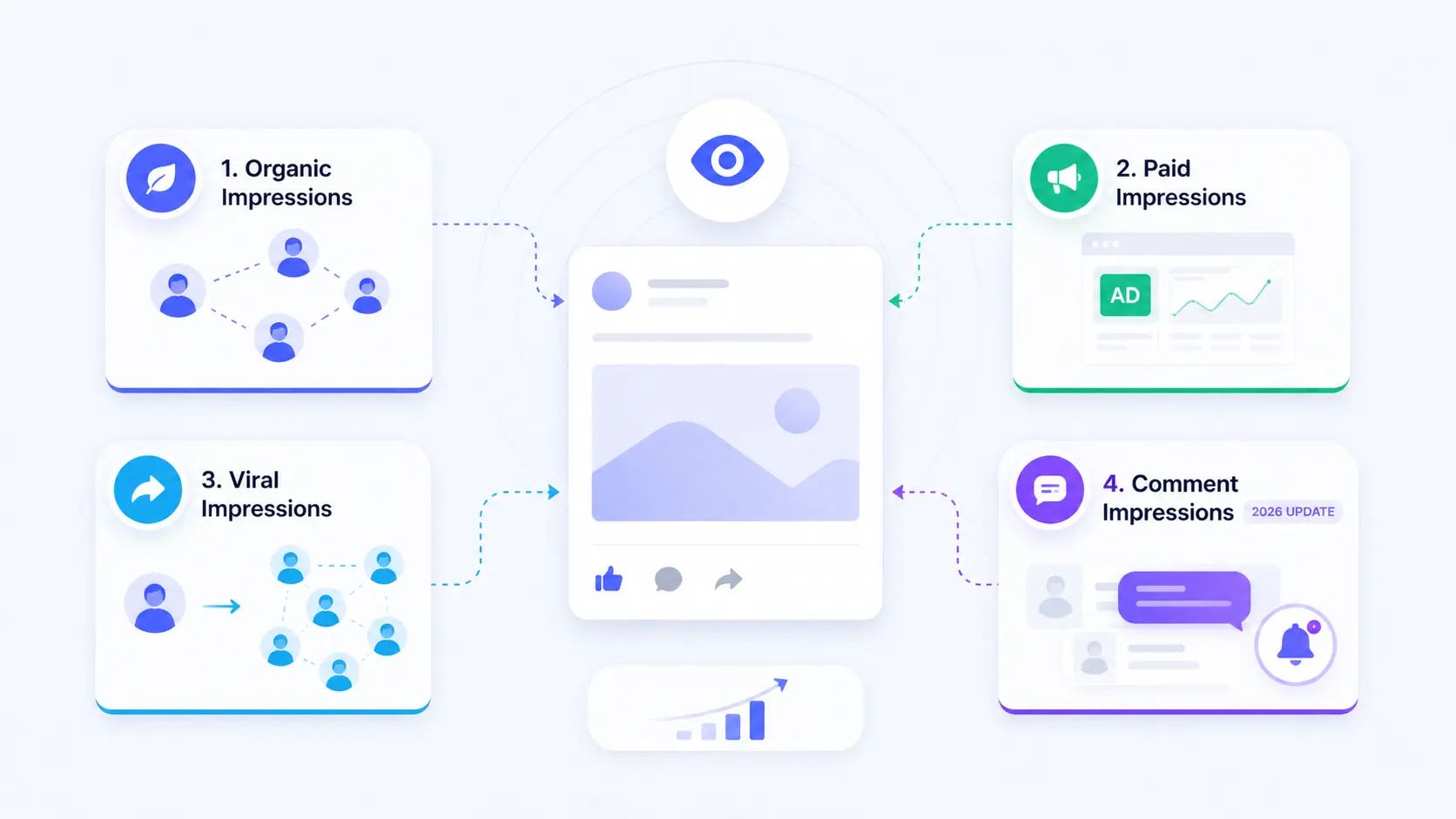
LinkedIn tracks four distinct impression types, and most people only know about two of them.
1. Organic Impressions
- These come from LinkedIn's algorithm distributing your post to your network and beyond for free.
- No paid promotion involved. Organic impressions are the baseline metric for personal profile posts.
2. Paid Impressions
These apply if you run LinkedIn Ads or boost a post. Paid impressions are tracked separately in LinkedIn Campaign Manager and should not be mixed with organic data when benchmarking content performance.
3. Viral Impressions
- When someone in your network likes, comments on, or shares your post, it surfaces to their connections who do not follow you.
- Those views count as viral impressions. This is how posts "travel" beyond your direct network.
4. Comment Impressions (2026 Update)
- LinkedIn now counts impressions generated when your post appears in the notification feeds of people who commented on it, or when their comment activity surfaces your post to their network.
- This is a newer signal and explains why posts with high comment activity often show impression spikes 24 to 48 hours after publishing.
What Is a Good Number of Impressions on LinkedIn?
There is no single benchmark. A good impression count depends on your connection count, your industry, and your posting consistency.
Here is a practical benchmark table based on typical organic performance for personal profiles in 2026:
By Connection Count
| Connection Count | Low (Needs Work) | Average | Strong |
|---|---|---|---|
| Under 500 | Below 100 | 150 to 400 | 400+ |
| 500 to 1,000 | Below 250 | 400 to 800 | 800+ |
| 1,000 to 3,000 | Below 500 | 700 to 1,500 | 1,500+ |
| 3,000 to 5,000 | Below 1,000 | 1,500 to 3,500 | 3,500+ |
| 5,000+ | Below 2,000 | 3,000 to 8,000 | 8,000+ |
By Industry (Same Connection Base of ~1,000)
| Industry | Typical Impression Range |
|---|---|
| B2B SaaS / Tech | 600 to 1,400 |
| Sales and Business Development | 500 to 1,200 |
| Marketing and Content | 700 to 1,800 |
| Recruiting and HR | 400 to 900 |
| Finance and Consulting | 300 to 800 |
| Real Estate | 250 to 700 |
Why the difference by industry? LinkedIn's algorithm weighs engagement velocity.
B2B tech audiences on LinkedIn are more active users and engage faster in the first hour after posting, which signals the algorithm to distribute further.
Pro Tip: Do not compare your impression count to someone with 10x your connections. Compare your current post to your own last 10 posts. Your personal trend line matters more than any external benchmark.
Why Your First 60 Minutes on LinkedIn Decide Most of Your Total Impressions
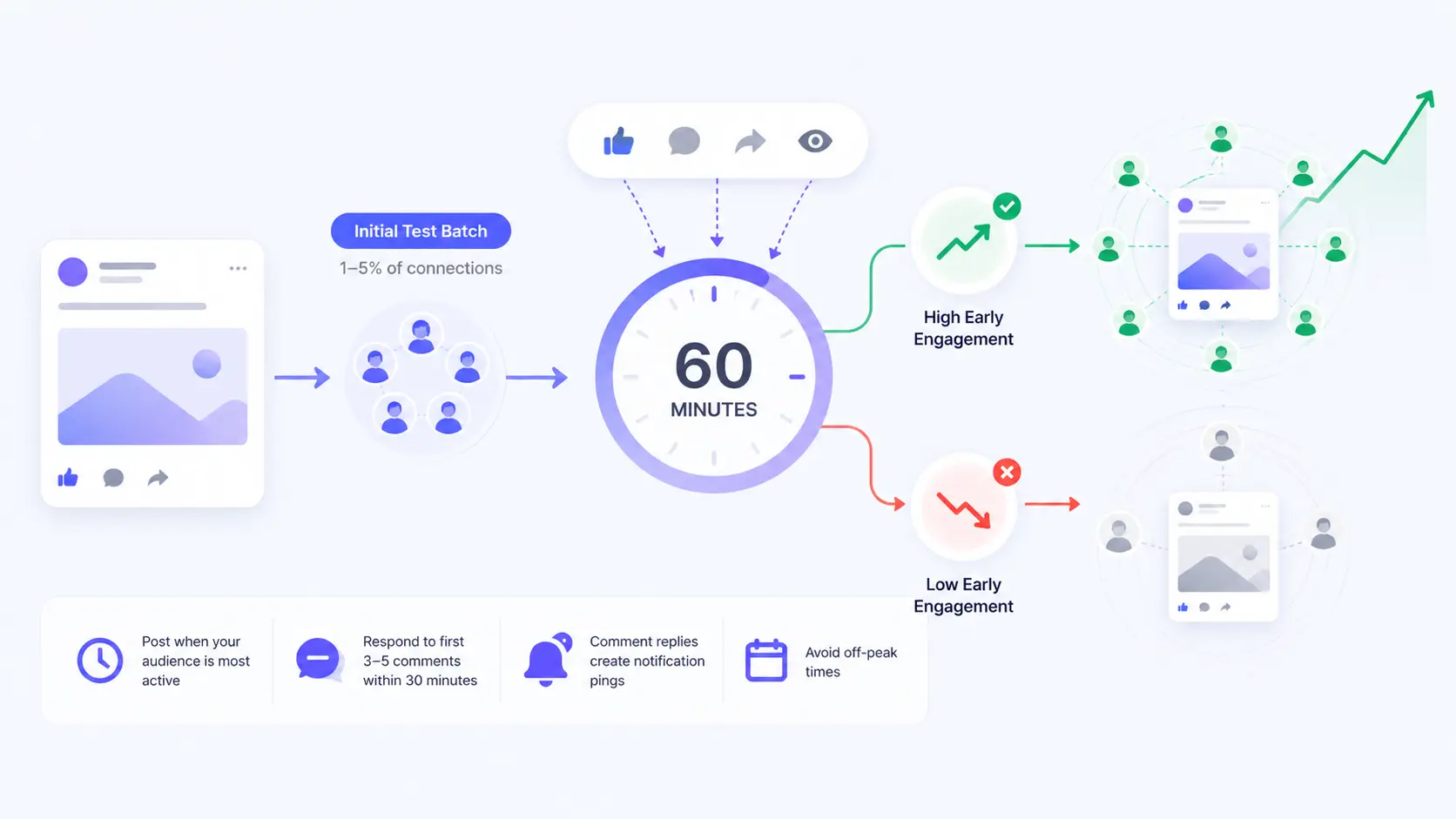
This is the mechanic no one explains clearly: LinkedIn does not show your post to your full network immediately. It starts with a small test group.
When you publish a post, LinkedIn distributes it to roughly 1 to 5% of your connections as an initial test batch. The algorithm watches that group for engagement signals: likes, comments, shares, and dwell time.
Here is what happens next:
- High early engagement: LinkedIn pushes the post to a broader audience. Impressions grow steadily over the next 12 to 24 hours.
- Low early engagement: LinkedIn slows or stops distribution. The post collects a few hundred impressions and flatlines within hours.
This means your content quality is only half the equation. The other half is whether the right people see it at the right moment to engage quickly.
What This Means for Your Posting Strategy
- Post when your specific audience is most active, not just generic "best times"
- Respond to the first 3 to 5 comments within 30 minutes of posting. Comment responses generate notification pings, which pull people back to the post and generate secondary impressions.
- Avoid posting at off-peak times when your first-hour test group has a low chance of being online
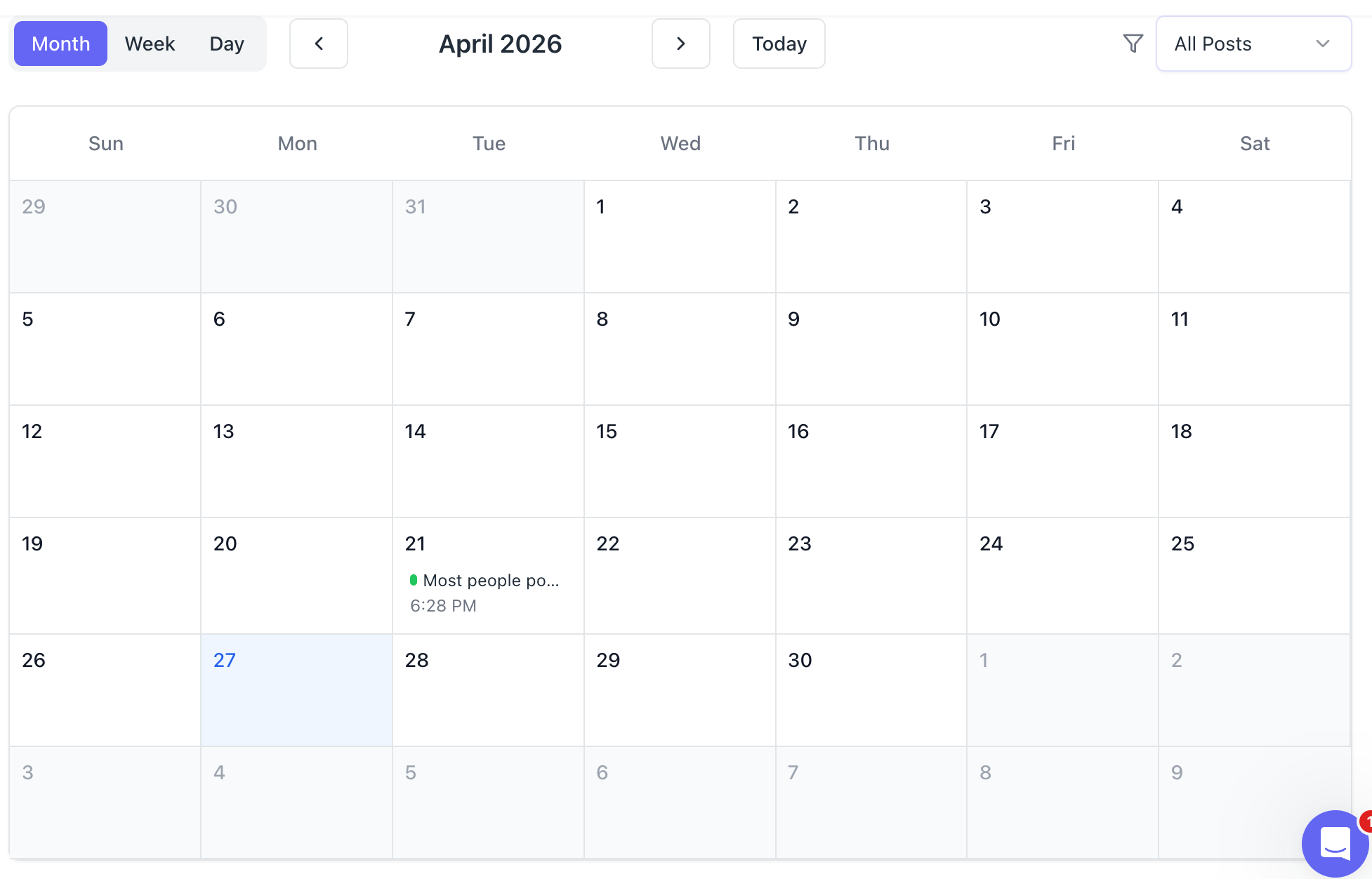
Want to remove the guesswork from timing entirely? Bearconnect's post scheduling feature lets you set posts to go live at peak activity windows automatically.
The Impression Decay Curve: What Happens After You Post
Most LinkedIn posts lose 80% of their impression potential within 48 hours. Understanding this timeline helps you maximize every post.
Here is the typical decay pattern for an average-performing organic post:
| Time After Publishing | % of Total Impressions Earned |
|---|---|
| 0 to 1 hour | 20 to 30% |
| 1 to 6 hours | 30 to 40% |
| 6 to 24 hours | 20 to 25% |
| 24 to 48 hours | 5 to 10% |
| 48 to 72 hours | 2 to 5% |
Posts that generate high comment activity (especially long comment threads) defy this curve. LinkedIn re-surfaces them to commenters' networks, which creates secondary impression spikes at the 24-hour and 48-hour marks.
Why Are My LinkedIn Impressions Low?
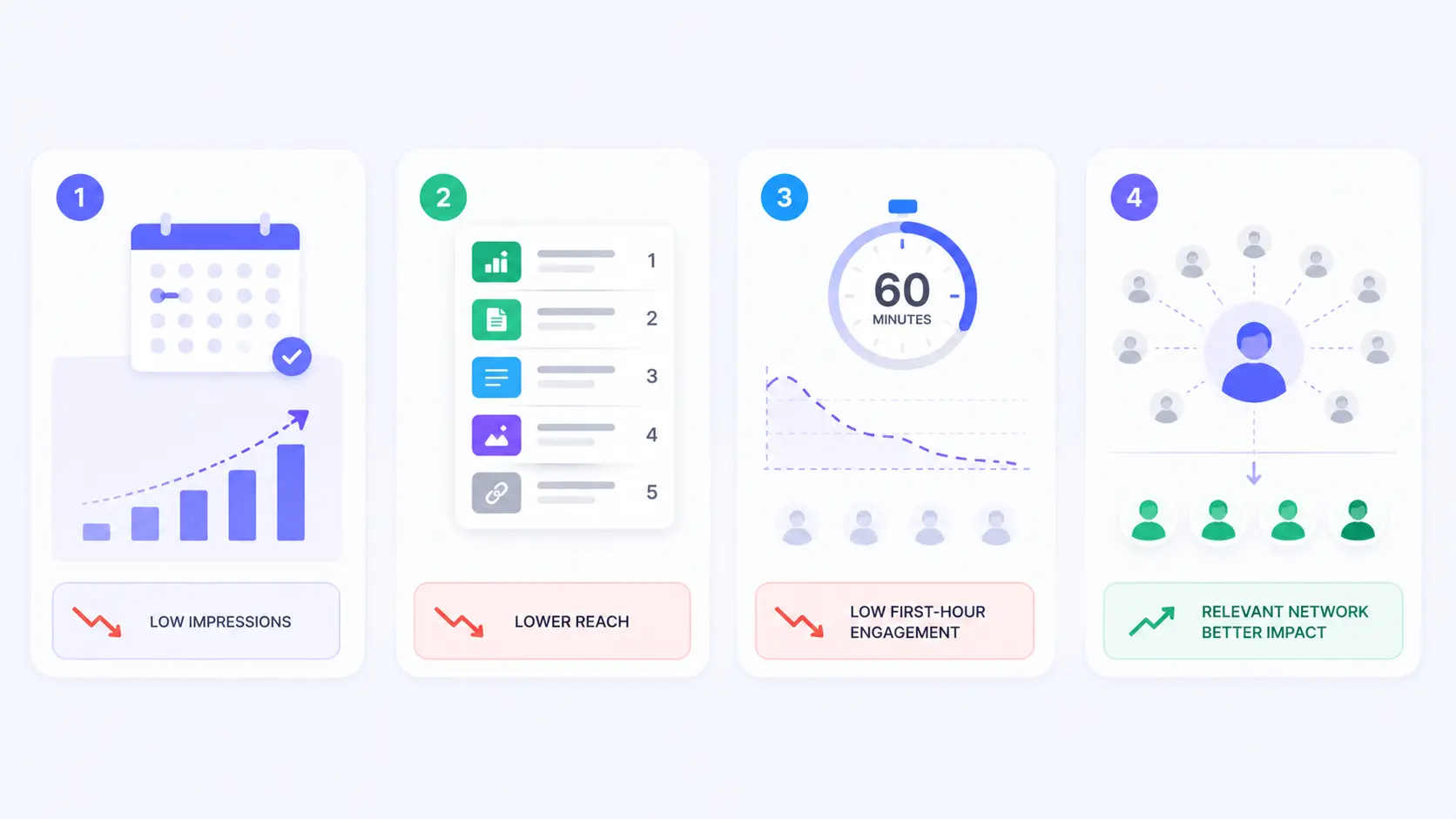
Low impressions almost always trace back to one of four root causes.
1. You Are Not Posting Consistently
LinkedIn's algorithm rewards accounts that post regularly. If you disappear for 2 weeks and then post once,
the algorithm has no behavioral data to predict your audience's interest. Your post lands with low initial distribution.
Read our full guide on how to schedule LinkedIn posts without losing engagement to fix this.
2. Your Post Format Has Low Native Engagement Rate
LinkedIn's algorithm in 2026 prioritizes these formats in order of reach potential:
- Polls (highest distribution, especially in first hour)
- Native documents (PDF carousels)
- Text-only posts with line breaks (no external links)
- Images
- Videos
- Posts with external links in the body (lowest reach)
If you are regularly adding a link in your post body, your impressions will always underperform. Put links in the first comment instead.
3. Your First-Hour Engagement Velocity Is Too Low
If nobody in your network engages in the first 60 minutes, the algorithm cuts distribution. This often happens because you are posting when your specific audience is offline.
4. Your Network Is Not Relevant to Your Content
- If you connected with anyone and everyone to grow your follower count, your engagement rate dilutes.
- A network of 3,000 irrelevant connections performs worse than a focused network of 800 ideal readers.
- See how to grow your LinkedIn followers organically with the right audience.
Impressions grow fastest when your network engages early, which is exactly why commenting for better reach (CFBR) has become a common habit among LinkedIn creators.
How to Increase LinkedIn Impressions: 8 Tactics That Actually Work
Increasing impressions requires a systematic approach, not random experimentation.
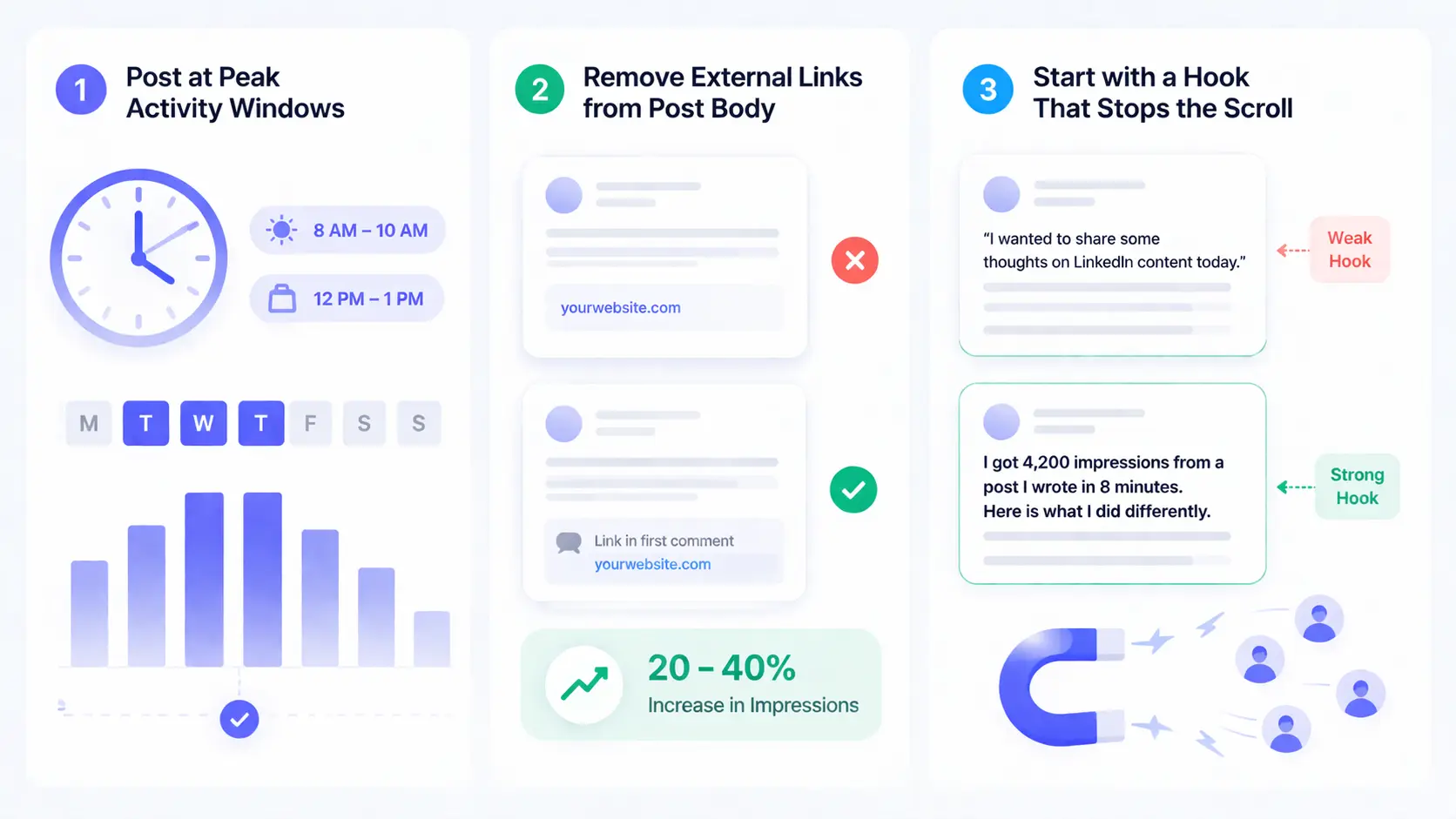
1. Post at Peak Activity Windows for Your Audience
For most B2B professionals, the highest-activity windows are:
- Tuesday to Thursday, 8 AM to 10 AM (local time of your audience)
- Tuesday to Thursday, 12 PM to 1 PM
- Avoid Friday afternoons and weekends for professional content
2. Remove External Links from Post Body
Move all links to the first comment. This single change typically lifts organic impressions by 20 to 40% because LinkedIn does not suppress the initial distribution.
3. Start with a Hook That Stops the Scroll
The first line of your post is the only line visible before the "see more" button. It decides whether people click through or scroll past. Write the first line as a standalone, provocative, or surprising statement.
- Weak hook: "I wanted to share some thoughts on LinkedIn content today."
- Strong hook: "I got 4,200 impressions from a post I wrote in 8 minutes. Here is what I did differently."
For more post ideas that consistently perform, check out 7 proven LinkedIn post ideas that grew followers.
4. Post Text-Only Content More Often
Text-only posts have no visual load time, no thumbnail, and no friction. They display instantly in the feed. For personal profiles, text posts with clean line breaks consistently outperform image posts in organic reach.
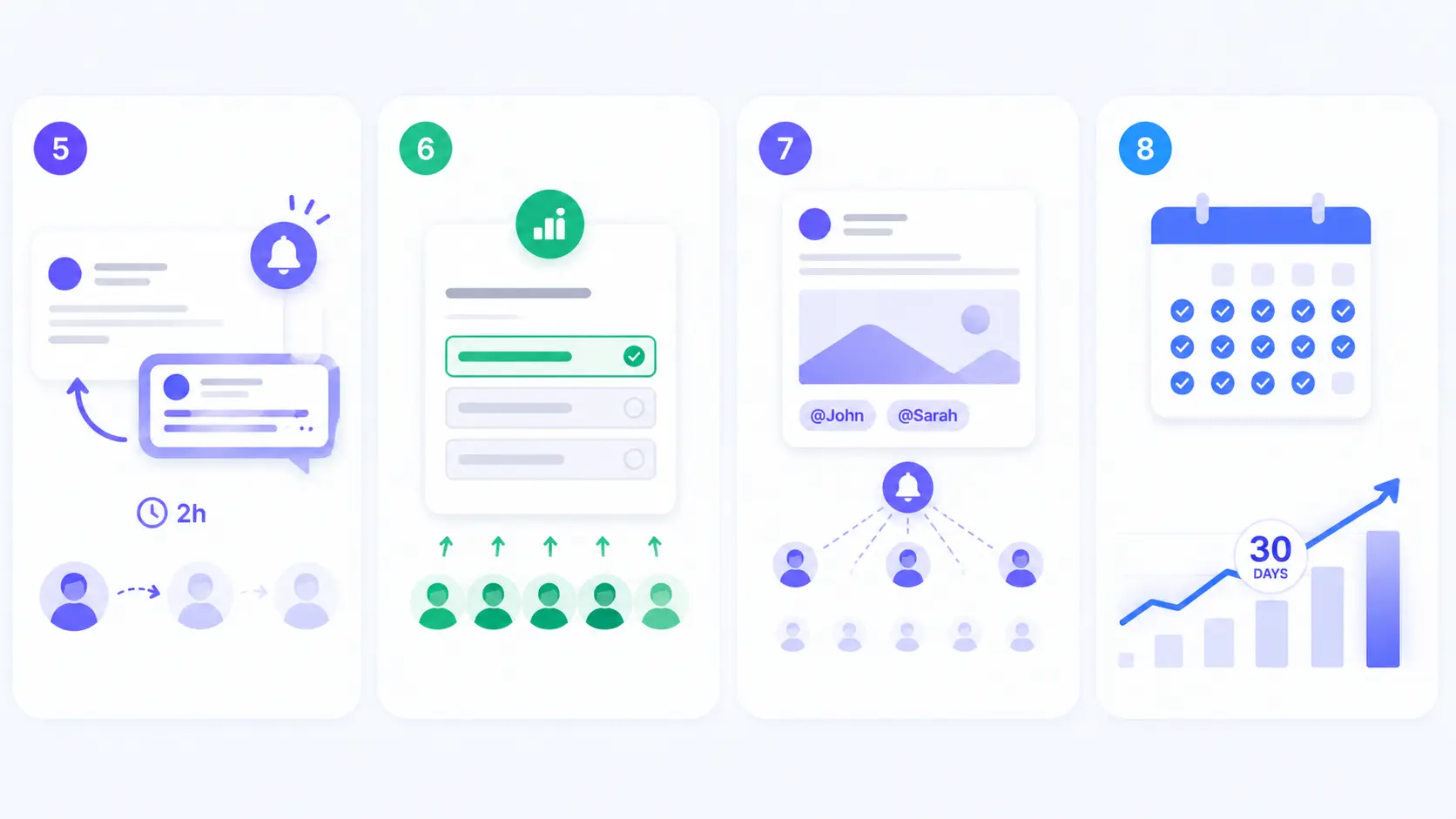
5. Reply to Every Comment Within 2 Hours
Each reply generates a notification to the commenter, which pulls them back to the post. That return visit counts as a new impression. More importantly, active comment threads signal to LinkedIn that the post is worth pushing further.
6. Use Polls Strategically
- Polls consistently generate the highest first-hour engagement velocity because they require minimal effort from the audience (one click).
- High early engagement signals the algorithm to distribute wider. Use polls to test content ideas, not just to farm engagement.
7. Tag Relevant People (Selectively)
Tagging 1 to 2 highly relevant people in a post notifies them, often drives a comment, and exposes the post to their network. Do not tag people randomly. Only tag those who are genuinely relevant to the post content.
8. Post Consistently for at Least 30 Days
- This is the most overlooked tactic. LinkedIn's algorithm builds an engagement pattern for your account over time.
- Accounts that post 4 to 5 times per week for 30 consecutive days see compounding impression growth as LinkedIn learns which audience segments respond to their content.
LinkedIn Impressions vs Engagement Rate: Which Metric Actually Matters More?
Impressions tell you how far your post traveled. Engagement rate tells you whether it was worth the trip.
For most founders, sales reps, and marketers, engagement rate is the more actionable metric. Here is why:
- A post with 10,000 impressions and 5 likes has a 0.05% engagement rate. Nobody cared.
- A post with 800 impressions and 40 likes has a 5% engagement rate. Your network is paying attention.
LinkedIn engagement rate benchmark for personal profiles in 2026:
| Engagement Rate | Performance Level |
|---|---|
| Below 1% | Needs improvement |
| 1% to 3% | Average |
| 3% to 6% | Strong |
| Above 6% | Excellent |
Track both metrics together.
- High impressions with low engagement means you need to improve content relevance.
- Low impressions with high engagement means your content resonates but your distribution strategy needs work.
Use Bearconnect's LinkedIn analytics dashboard to track both metrics in one place without switching between tabs.
Your prospects are already sending buying signals.
Most teams miss them.
Bearconnect helps you identify those signals, automate LinkedIn outreach, and turn more prospects into conversations.
Turn signals into pipeline.
How Consistent Posting Compounds Your LinkedIn Impression Growth
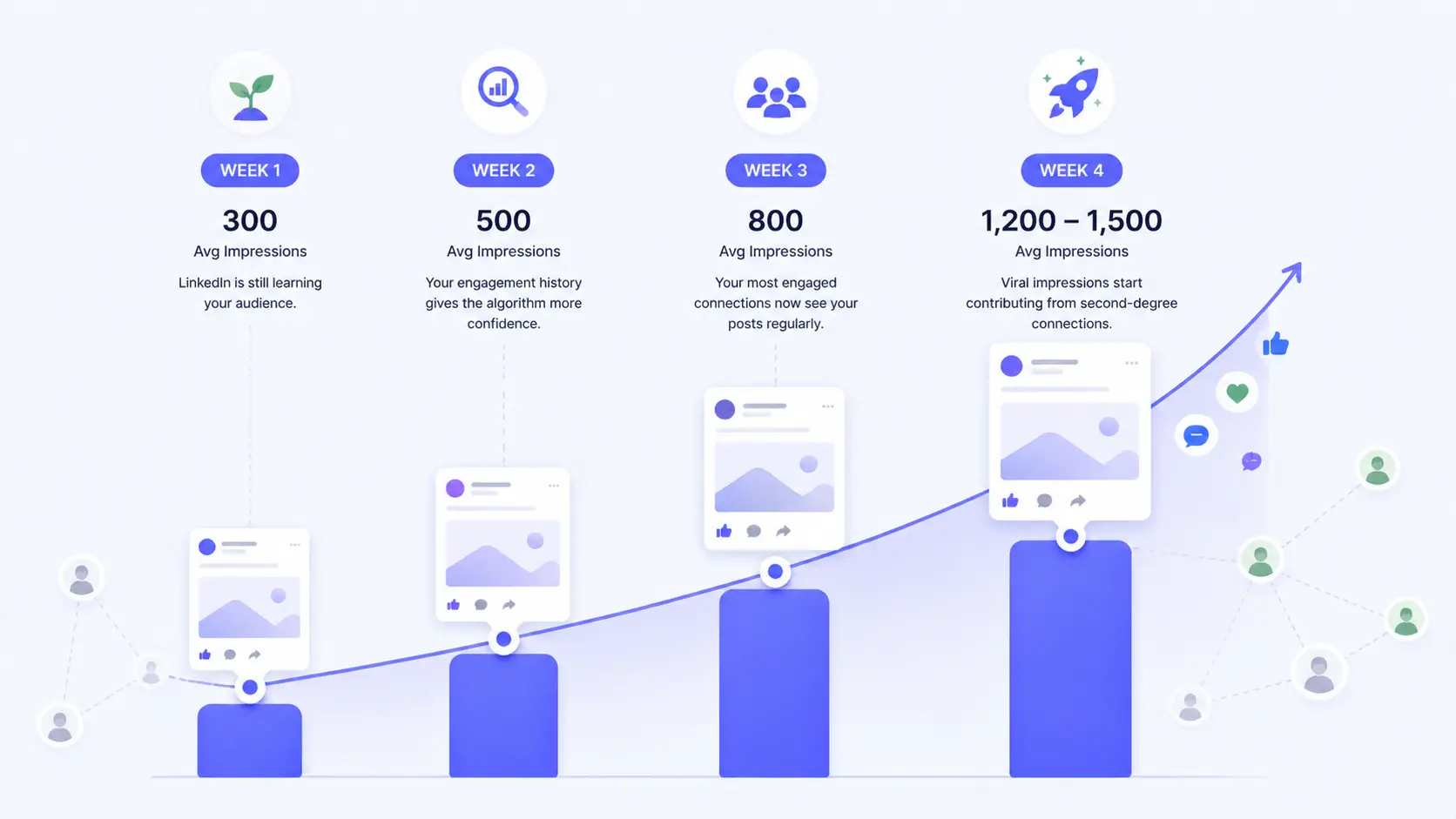
The biggest lever for impression growth is not one viral post. It is 30 days of consistent, relevant posting.
Here is what compounding looks like in practice:
- Week 1: Average 300 impressions per post. LinkedIn is still learning your audience.
- Week 2: Average 500 impressions per post. Your engagement history gives the algorithm more confidence.
- Week 3: Average 800 impressions per post. Your most engaged connections now see your posts regularly.
- Week 4: Average 1,200 to 1,500 impressions per post. Viral impressions start contributing as your content reaches second-degree connections.
The problem most people face is execution. Writing 4 to 5 posts per week, scheduling them at peak times, tracking analytics, and responding to comments is a full-time activity on top of an already full workload.
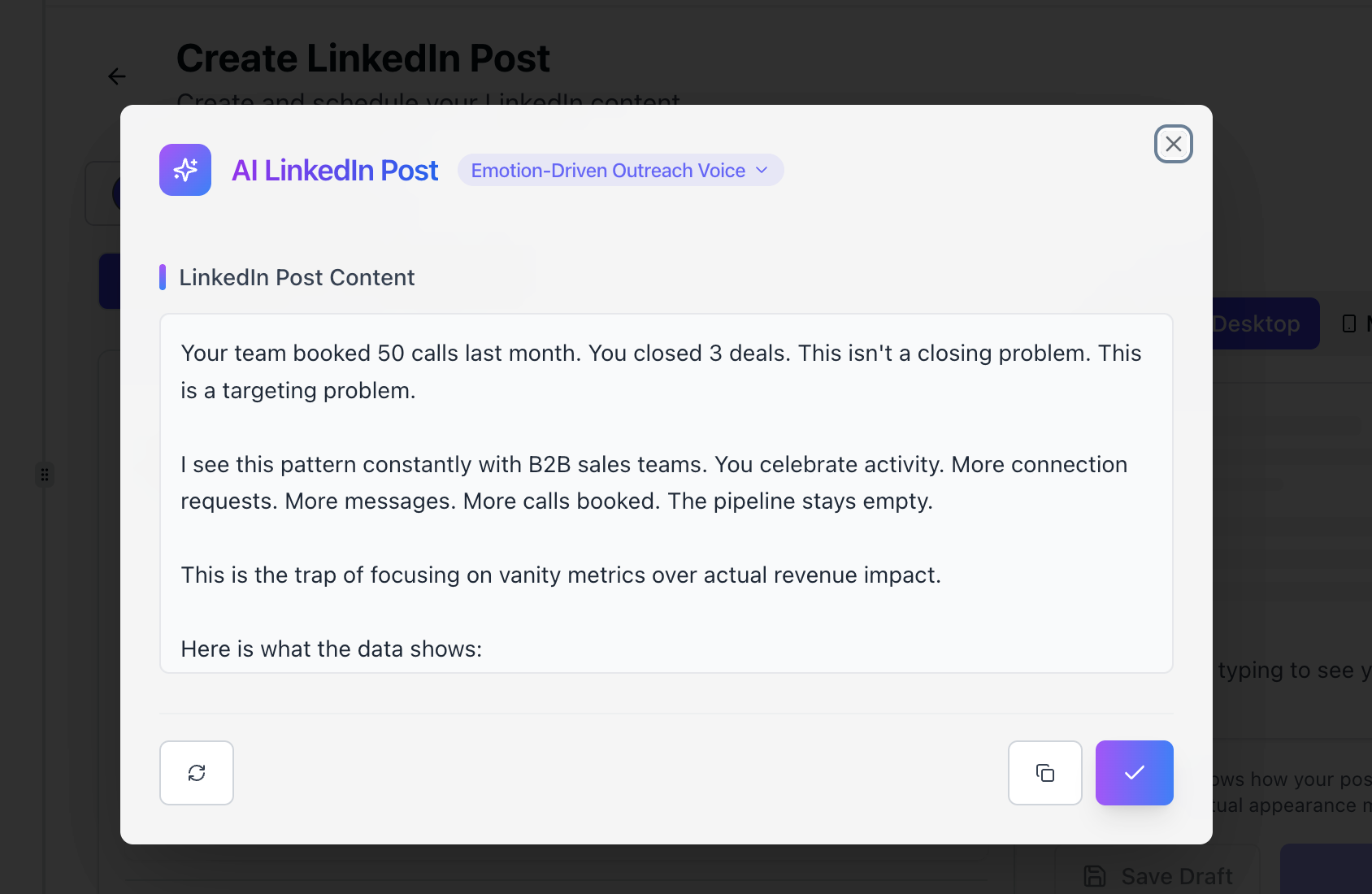
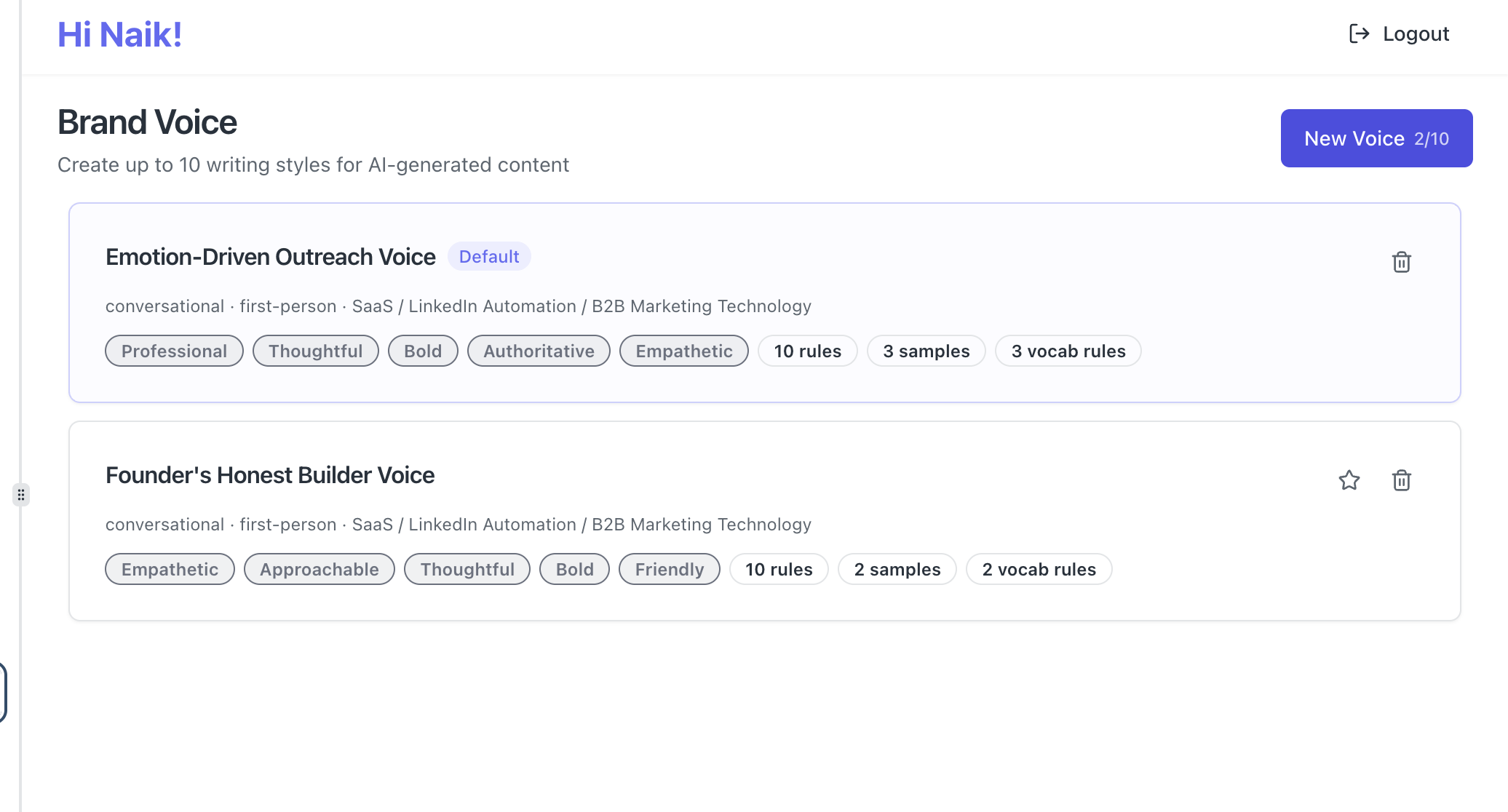
This is exactly where Bearconnect removes the friction. Bearconnect's AI post generation feature lets you generate LinkedIn posts in your own brand voice, schedule them at optimal posting windows, and manage responses from a unified inbox.
Plans start at $67/month per LinkedIn account, with volume pricing at $57/month per account when you connect 5 or more.
5 Frequently Asked Questions
1. Does LinkedIn count impressions if someone scrolls past without reading?
Yes. LinkedIn records an impression the moment your post loads on any screen, whether the person reads it or scrolls past. Impressions measure exposure, not attention.
2. How many impressions is good for a LinkedIn post?
For a personal profile with 500 to 1,000 connections, 400 to 800 impressions per post is average. Above 800 is strong. Context matters: benchmark against your own recent posts, not someone else's account.
3. Why do my impressions drop after 24 hours?
LinkedIn's algorithm distributes most of your organic reach within the first 24 hours. After that, distribution slows significantly unless your post continues to generate comments or shares. This is normal behavior, not a penalty.
4. Do LinkedIn Page impressions and personal profile impressions work the same way?
Not exactly. Personal profile posts typically generate higher organic impressions because the algorithm favors person-to-person content over company page content. Company pages rely more on employee advocacy and paid promotion for comparable reach.
5. Can I increase impressions without posting more frequently?
You can improve impressions per post by optimizing format (remove external links, use text-only or carousels), improving your hook, and posting at peak activity times. But frequency and consistency remain the single biggest driver of sustained impression growth over time.
Start Building a LinkedIn Presence That Grows Every Week
You now know what LinkedIn impressions mean, how to benchmark your numbers, and the exact tactics that move them in the right direction. The next step is execution.
If you want to grow your LinkedIn impressions systematically without spending hours on content every week,
Bearconnect gives you AI post generation in your own voice, smart scheduling, and a unified inbox to manage all your LinkedIn activity in one place.
Try Bearconnect free for 7 days at bearconnect.io.
About the Author
Mona Juneja is the founder of Bearconnect and a B2B sales professional with 20+ years of experience at Microsoft, Oracle, and Dell.
After two decades of watching lead generation stay manual and broken for most businesses, she built Bearconnect in May 2024, an AI-powered LinkedIn automation platform that handles outreach, messaging, and content scheduling from one place.
Connect on LinkedIn: Mona Juneja
Ready to Transform Your LinkedIn Strategy?
Join thousands of professionals already using Bearconnect to automate their outreach and grow their network.
7-day free trial • Cancel anytime