Best LinkedIn Analytics Tools to Track Outreach and Growth in 2026
The best LinkedIn analytics tools in 2026 go far beyond post impressions. If you are running outreach campaigns, you need tools that track connection acceptance rates, reply rates, and lead conversion.
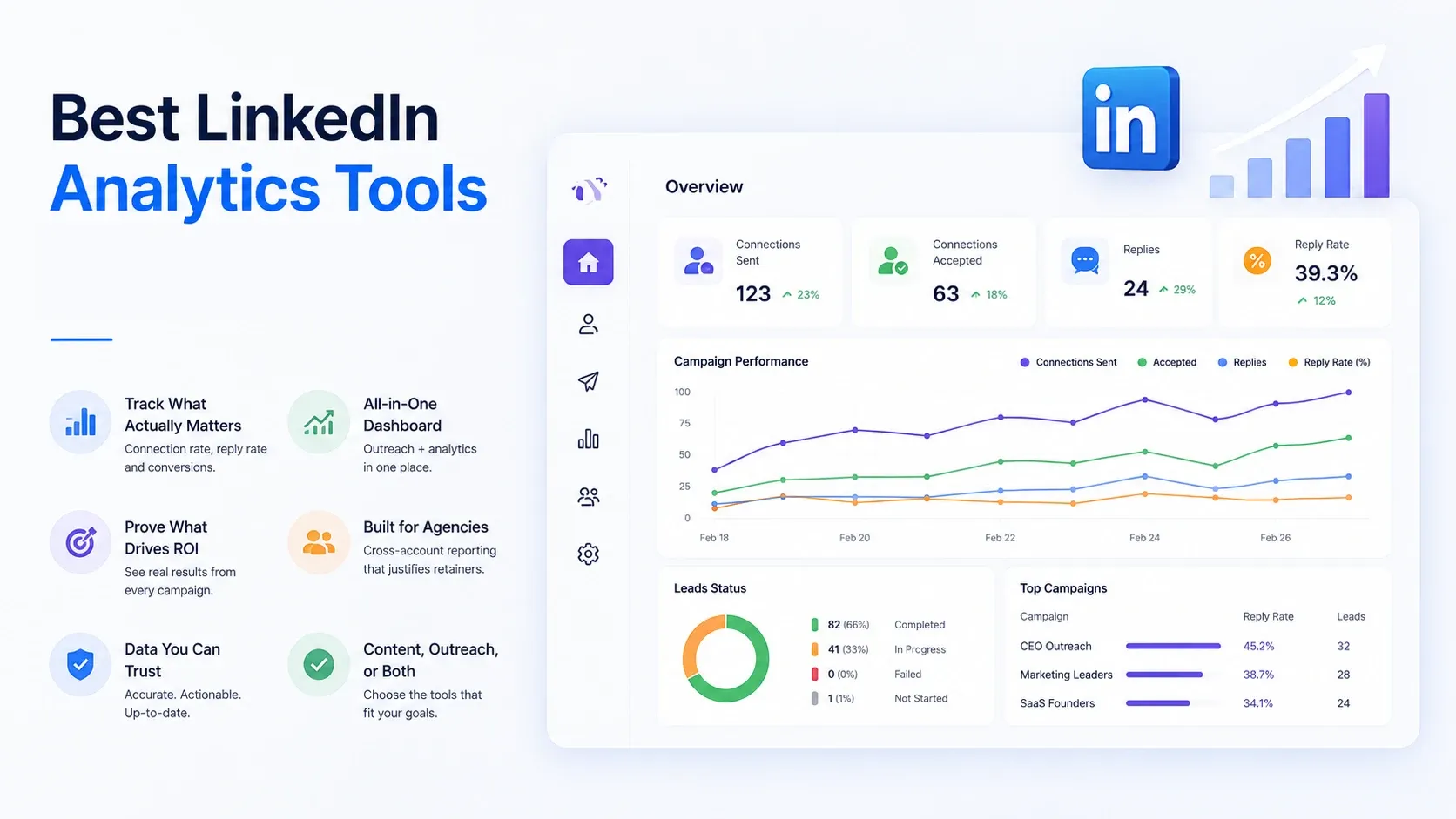
Native LinkedIn analytics will not give you that.
TL;DR
- LinkedIn's native analytics only show content metrics, not outreach performance
- The best tools track connection rate, reply rate, and campaign ROI in one dashboard
- Agencies need cross-account reporting to justify client retainers with real numbers
- Platforms like Bearconnect combine outreach automation with built-in analytics so you get both in one place
- Choose based on whether you need content analytics, outreach analytics, or both
Why LinkedIn's Native Analytics Fall Short
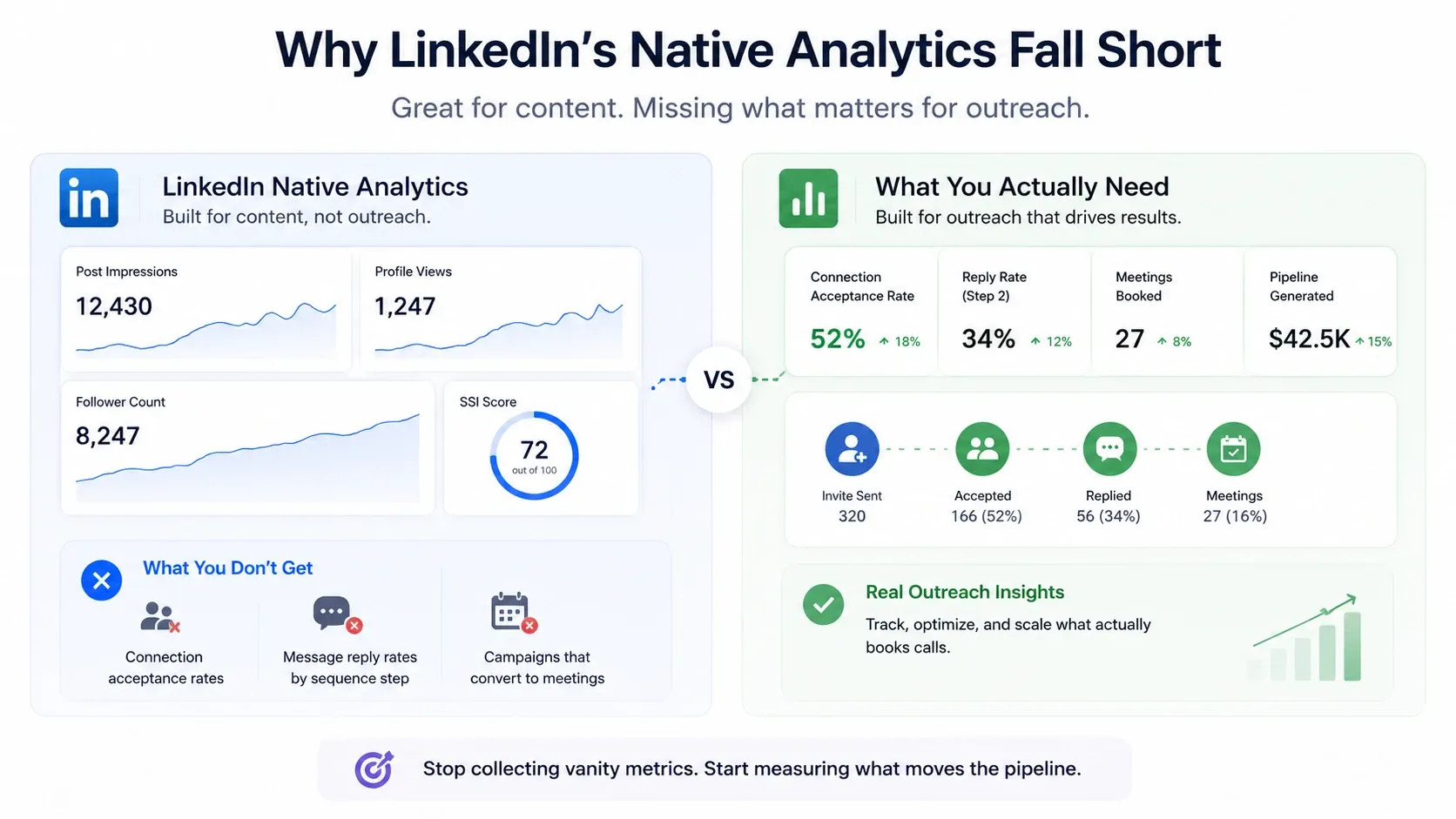
LinkedIn's built-in analytics are designed for content creators, not outreach operators.
You get impressions. You get profile views. You even get a follower count graph that goes up nicely after you post something motivational on a Monday.
What you do not get: connection request acceptance rates, message reply rates by sequence step, or any data showing which campaign actually converted into a meeting.
That is a problem if your job is to book calls, not collect likes.
LinkedIn also gives you an SSI score — a vanity metric that tells you how active your profile looks, not how well your outreach is performing. It feels like data. It is not campaign data.
That changes the moment you add a proper LinkedIn analytics layer.
What to Look for in a LinkedIn Analytics Tool
The right tool depends on whether you are tracking content, outreach, or both. Here is what actually matters:
For outreach analytics:
- Connection request acceptance rate by campaign or audience segment
- Reply rate per message step in a drip sequence
- Lead conversion rate (connected to meeting booked)
- A/B test reporting across message variants
If you are serious about LinkedIn outreach automation, your analytics tool needs to track these at campaign level not just as aggregate totals.
For content analytics:
- Impression and reach data by post type
- Engagement rate trends over time
- Follower growth rate by week or month
- Best-performing content categories
For agency reporting:
- Cross-account dashboard (multiple LinkedIn profiles in one view)
- Exportable reports for client presentations
- Campaign comparison across different clients or verticals
Pro tip: If you are running both outreach and content on LinkedIn, choose a platform with unified analytics. Switching between two tools to understand one channel doubles your reporting overhead.
Quick comparison - which LinkedIn analytics tool is right for you?
Before diving into each tool, here is the at-a-glance view. Find your use case in the table, then jump to the full breakdown below.
| Tool | Best for | Tracks outreach? | Tracks content? | Price/mo |
|---|---|---|---|---|
| Bearconnect | Sales teams, SDRs, and agencies | Yes | No | From $56/account (annual) |
| Taplio | Founders focused on content consistency | No | Yes | ~$39 |
| LinkedIn Sales Navigator | Enterprise prospecting and lead intelligence | No | No | ~$80 |
| Expandi | Teams wanting automation with reporting | Yes | No | ~$99/account |
| Dripify | Individual SDRs needing basic tracking | Yes (basic) | No | From $79 |
The Best LinkedIn Analytics Tools in 2026
From my experience evaluating these tools, here is what each one actually does well and where it falls short.
1. Bearconnect: Best for Outreach Analytics Combined with Automation
Bearconnect is a cloud-based LinkedIn automation platform that includes a real-time analytics dashboard built specifically for outreach performance.
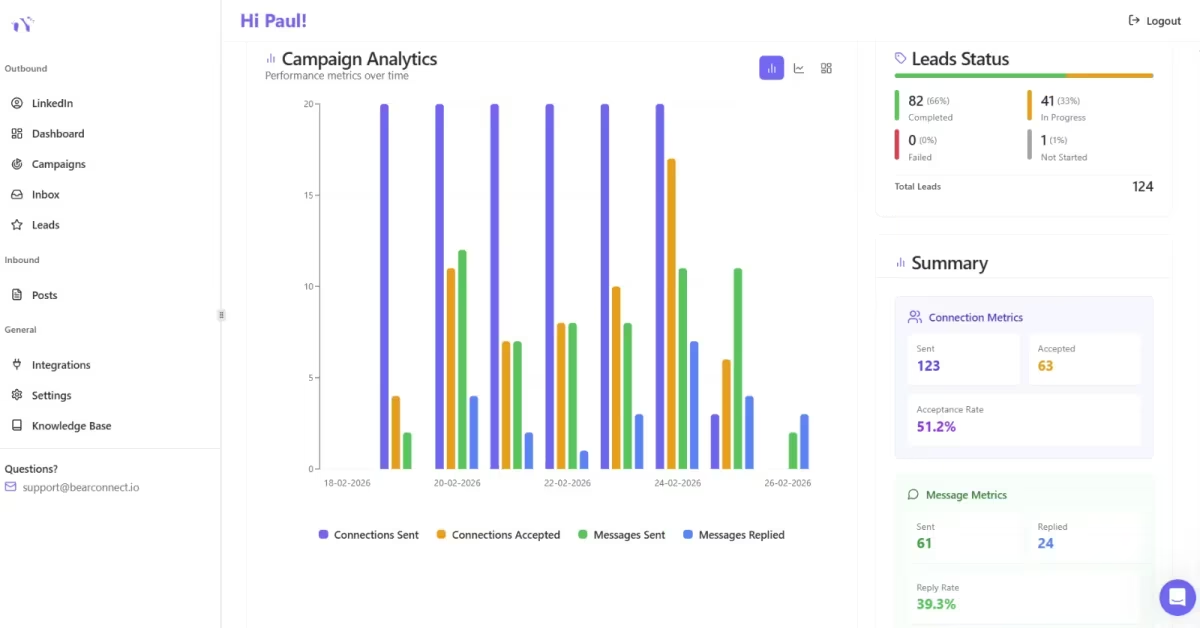
What separates it from standalone analytics tools is that the data lives next to the actions. You run your connection campaigns, drip sequences, and follow-ups inside Bearconnect. The analytics track exactly how each campaign performs, right in the same dashboard.
Key metrics Bearconnect tracks:
- Connection acceptance rate by campaign
- Message response rates at each sequence step
- Lead conversion tracking from outreach to reply
- Campaign-by-campaign performance comparison
For agencies, the multi-account setup is where it gets powerful. The unified inbox and unlimited LinkedIn accounts feature lets you manage every client profile and view performance across all of them without switching tabs.
That solves the cross-account visibility problem that kills agency reporting efficiency.
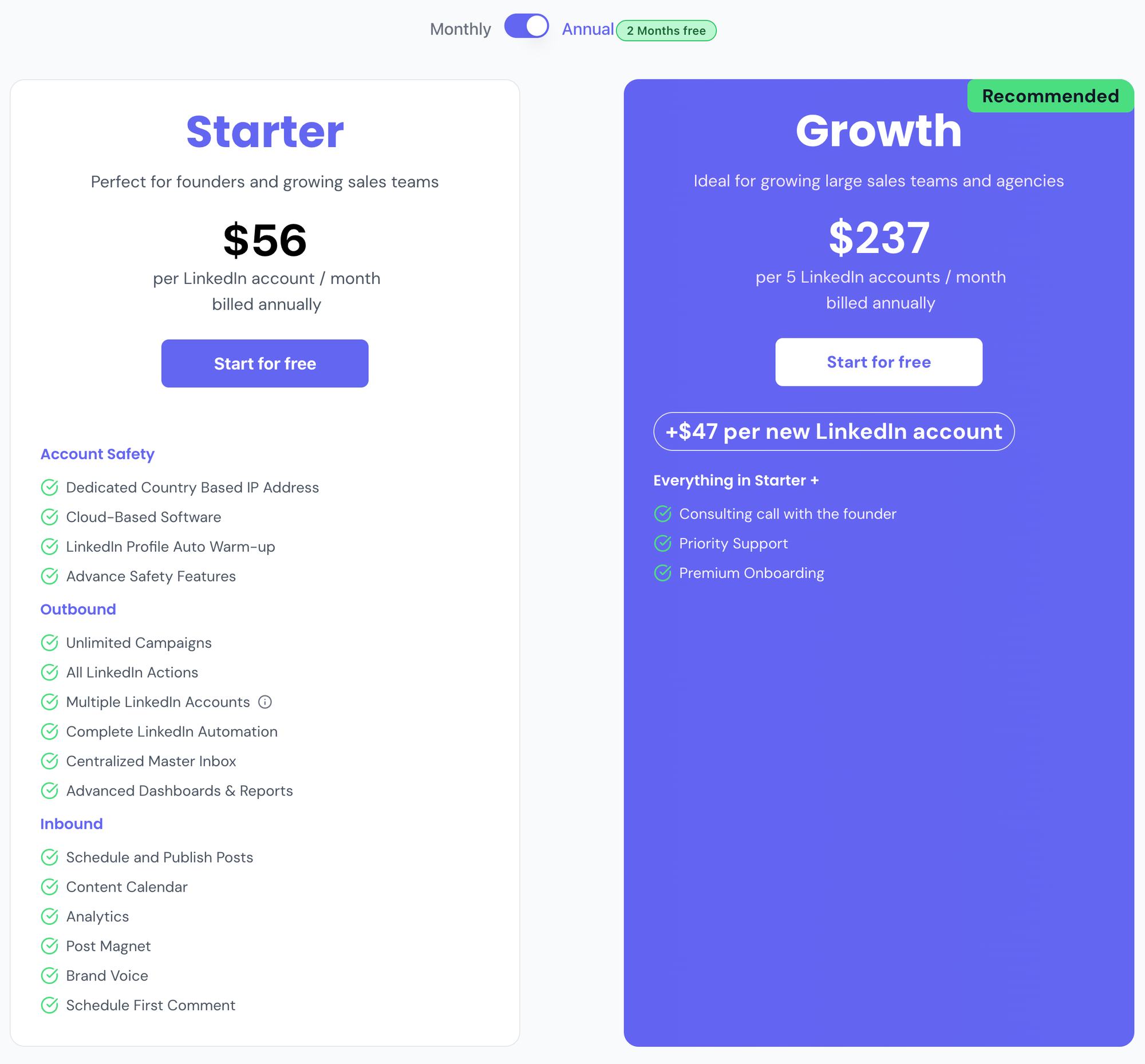
See full plan details on the Bearconnect pricing page.
Compared to LinkedIn Sales Navigator at roughly $80/month with no automation or outreach tracking, or competitor tools at $150 to $500 per user per month, Bearconnect's per-account model is significantly cheaper for teams running multiple LinkedIn profiles.
Best for: Sales teams, SDRs, and agencies who want outreach automation and campaign analytics in one platform.
Not ideal for: Users who only want content performance tracking with no outreach.
2. Taplio: Best for Content Strategy Plus Light Analytics
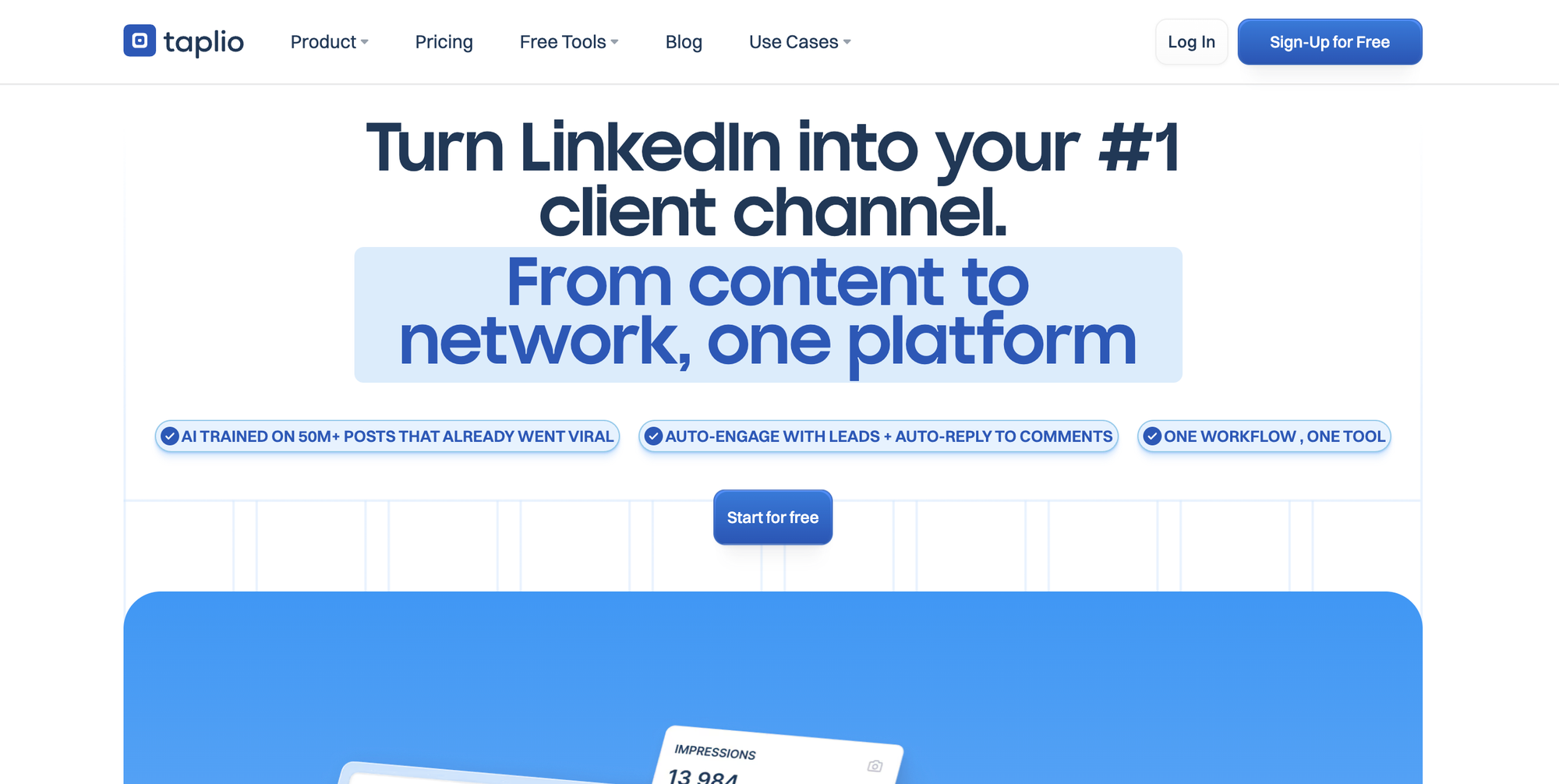
Taplio combines AI-powered content creation with LinkedIn post scheduling and engagement analytics in one tool.
- From my experience, Taplio appeals to founders and solopreneurs who want to post consistently and see what is working without building out a full analytics stack.
- The tool surfaces your best-performing posts, suggests content ideas based on what has performed before, and tracks engagement trends over time.
Key analytics features:
- Engagement rate tracking per post
- Content performance history
- Best performing topics and formats
- Follower growth over time
The limitation: Taplio is content-first. It does not track outreach campaigns, connection requests, or message performance. If you want to run LinkedIn lead generation alongside content, you need a separate tool for outreach analytics.
Pricing: Approximately $39/month for the standard plan.
Best for: Founders and B2B marketers who post regularly and want content analytics without needing outreach tracking.
3. LinkedIn Sales Navigator: For Deep Prospecting Signals (Not Campaign Analytics)
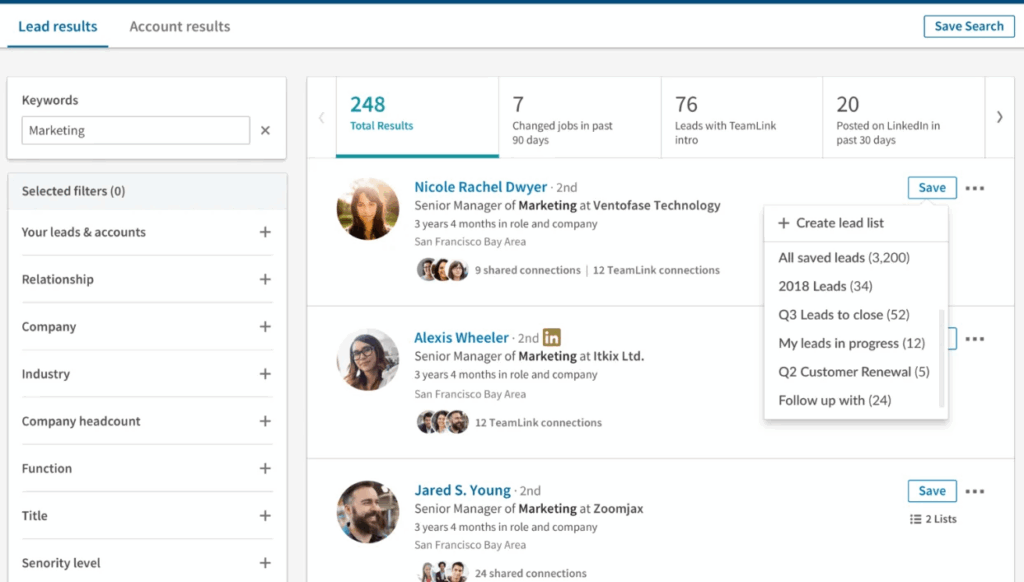
Sales Navigator is often confused with a LinkedIn analytics tool. It is not.
Sales Nav is a prospecting and intent-signal platform. It helps you find the right people to reach out to.
- Lead lists, account-level tracking, job change alerts, and engagement signals. It is excellent at identifying who to target.
- What Sales Navigator does not do: track your outreach campaigns. It will not show you what percentage of your connection requests got accepted.
- It will not show you which message step in your sequence drove the most replies. It is a targeting tool, not a measurement tool.
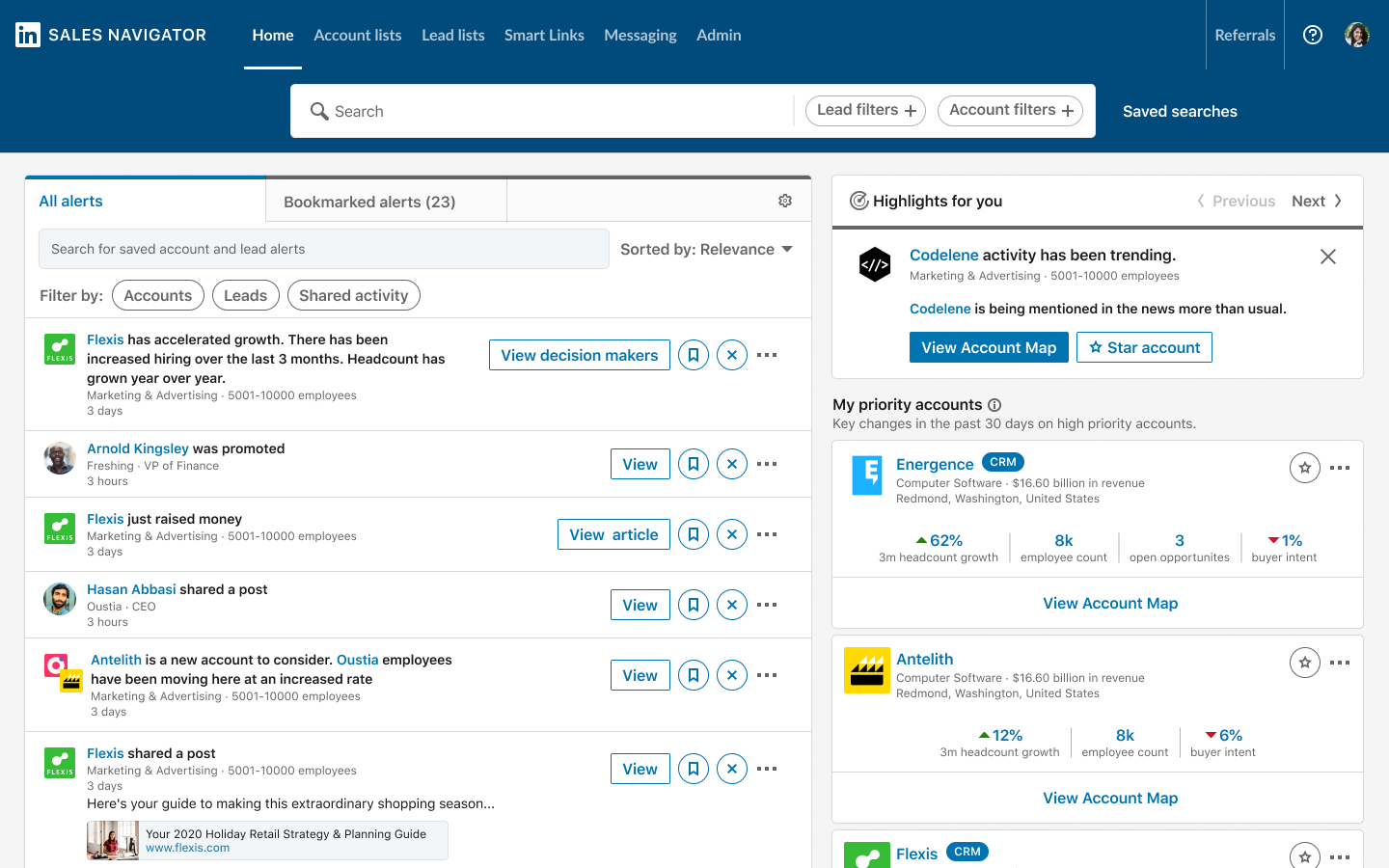
If you are already using Sales Navigator for prospecting, you still need a separate outreach platform with analytics capabilities to measure what happens after you identify a target.
Pricing: Approximately $80/month for the Core plan.
Best for: Enterprise sales teams who need advanced prospecting and lead intelligence.
4. Expandi: Automation with Campaign Reporting
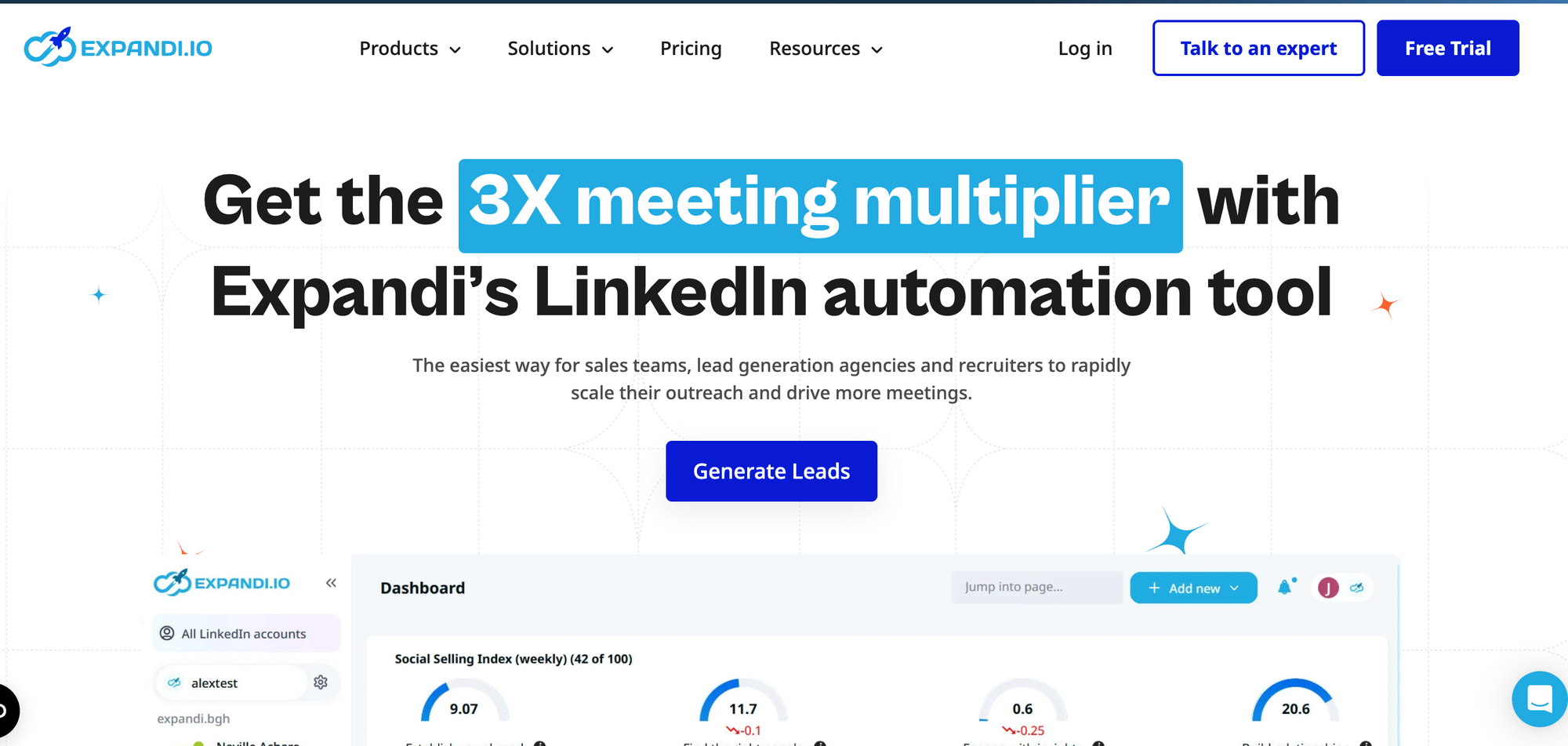
Expandi is a cloud-based LinkedIn automation tool with built-in campaign analytics.
- It tracks connection rates, reply rates, and sequence performance, which puts it in the same category as Bearconnect for outreach analytics.
- What Expandi does well is the reporting layer. You can view individual campaign metrics, compare campaigns, and see funnel-level data from connection request to reply.
The main consideration is cost. Expandi charges around $99/month per LinkedIn account, which makes it more expensive than Bearconnect, particularly for agencies managing multiple accounts.
Pricing: Around $99/month per seat.
Best for: Teams who want automation with reporting and are comfortable with a higher per-seat cost.
5. Dripify: Outreach Automation with Basic Analytics
Dripify is a LinkedIn automation tool with campaign-level reporting. It tracks connection acceptance and reply rates by sequence, making it a serviceable option for SDRs running outreach at moderate scale.
- The analytics are functional but less granular than platforms with dedicated reporting dashboards.
- Cross-account visibility is limited, which creates friction for agencies managing multiple client profiles.
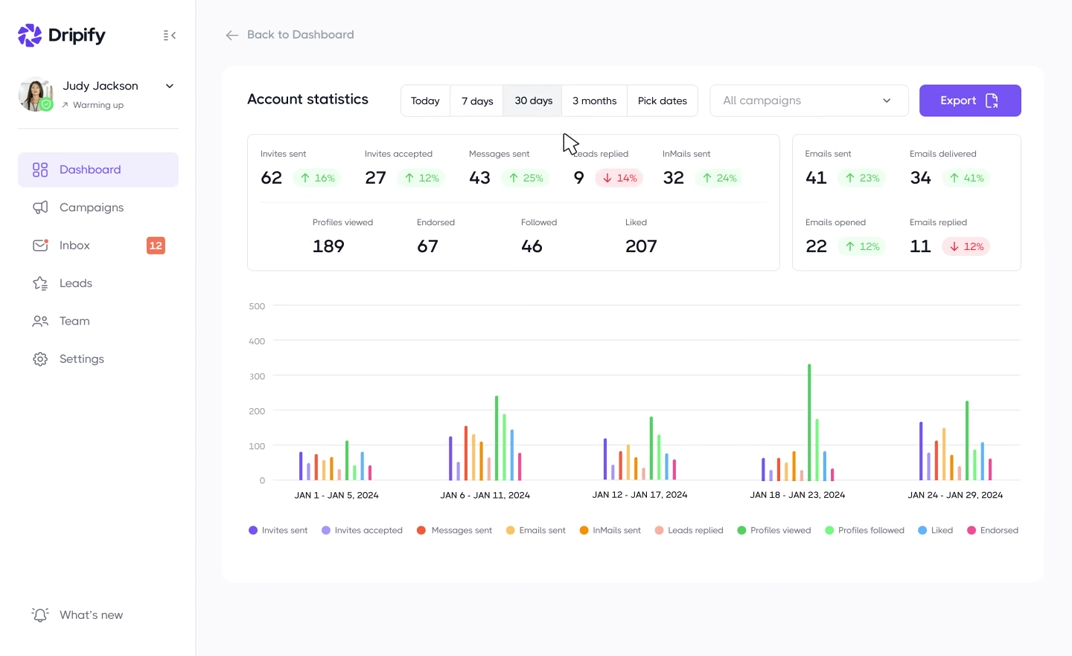
Pricing: Starts at $39/month with analytics features available on higher-tier plans at $59-79/month.
Best for: Individual SDRs or small sales teams who want basic outreach tracking without complex reporting needs.
How to Set Up LinkedIn Outreach Analytics (Step by Step)
Most teams pick a tool and start sending. That is the wrong order.
Set up your measurement layer first. Then run campaigns. If you are new to this, start with the LinkedIn outreach basics before configuring your analytics stack. Here is exactly how to do it in five steps.
Step 1 - Define the three KPIs you will track before you touch any tool
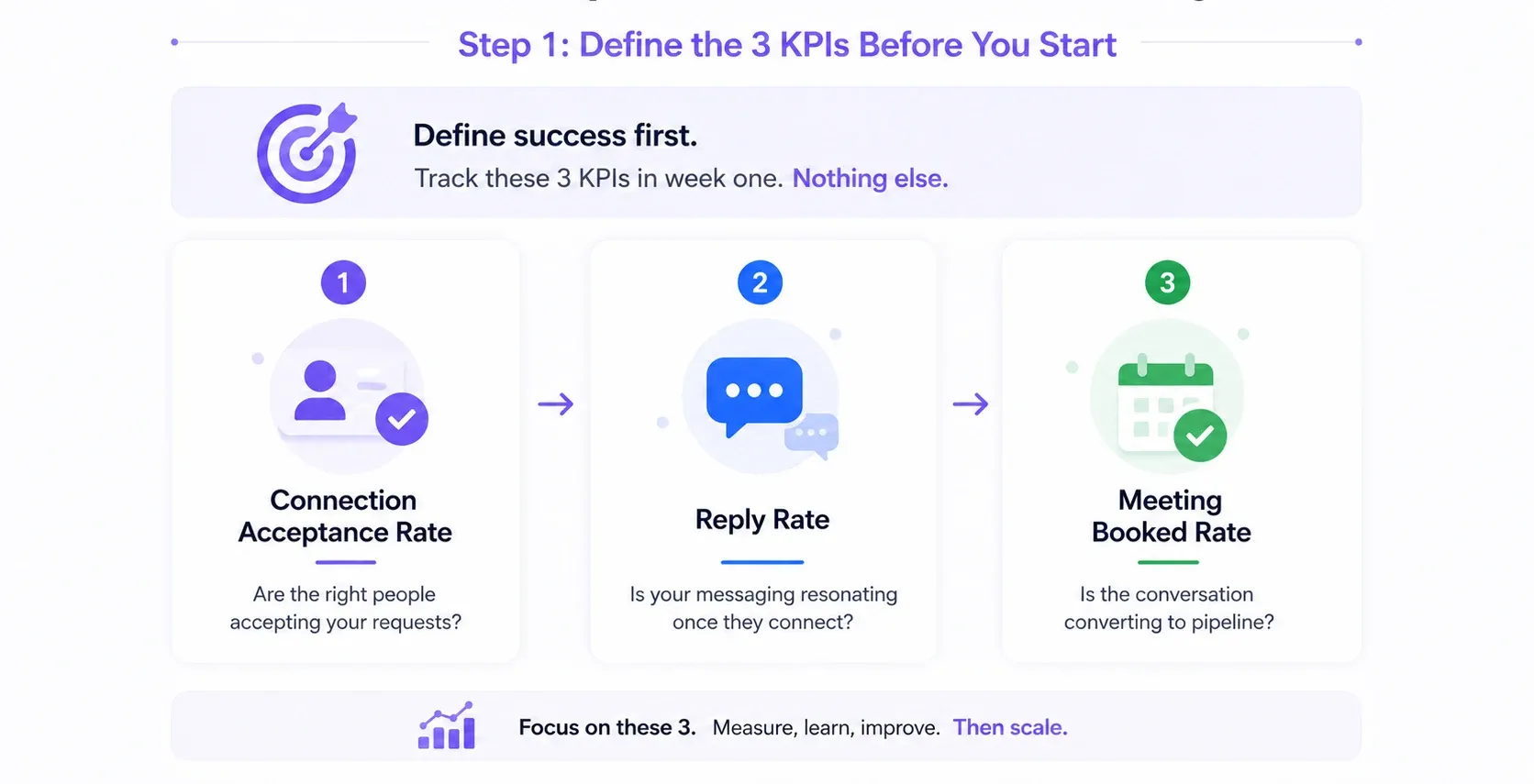
Do not open a dashboard before answering this question: what does success look like for this campaign?
Track exactly these three metrics. Nothing else in week one:
- Connection acceptance rate — are the right people accepting your requests?
- Reply rate — is your messaging resonating once they connect?
- Meeting booked rate — is the conversation converting to pipeline?
Everything else is noise until these three are stable and improving.
Step 2 - Set your baseline in week one
Run your first week without changing anything. No A/B tests. No copy tweaks. No targeting adjustments.
You need a clean baseline to measure improvement against. Teams that optimise before they have a baseline end up chasing their own tail changing variables without knowing what the starting point was.
One week of clean data is worth more than four weeks of guessing.
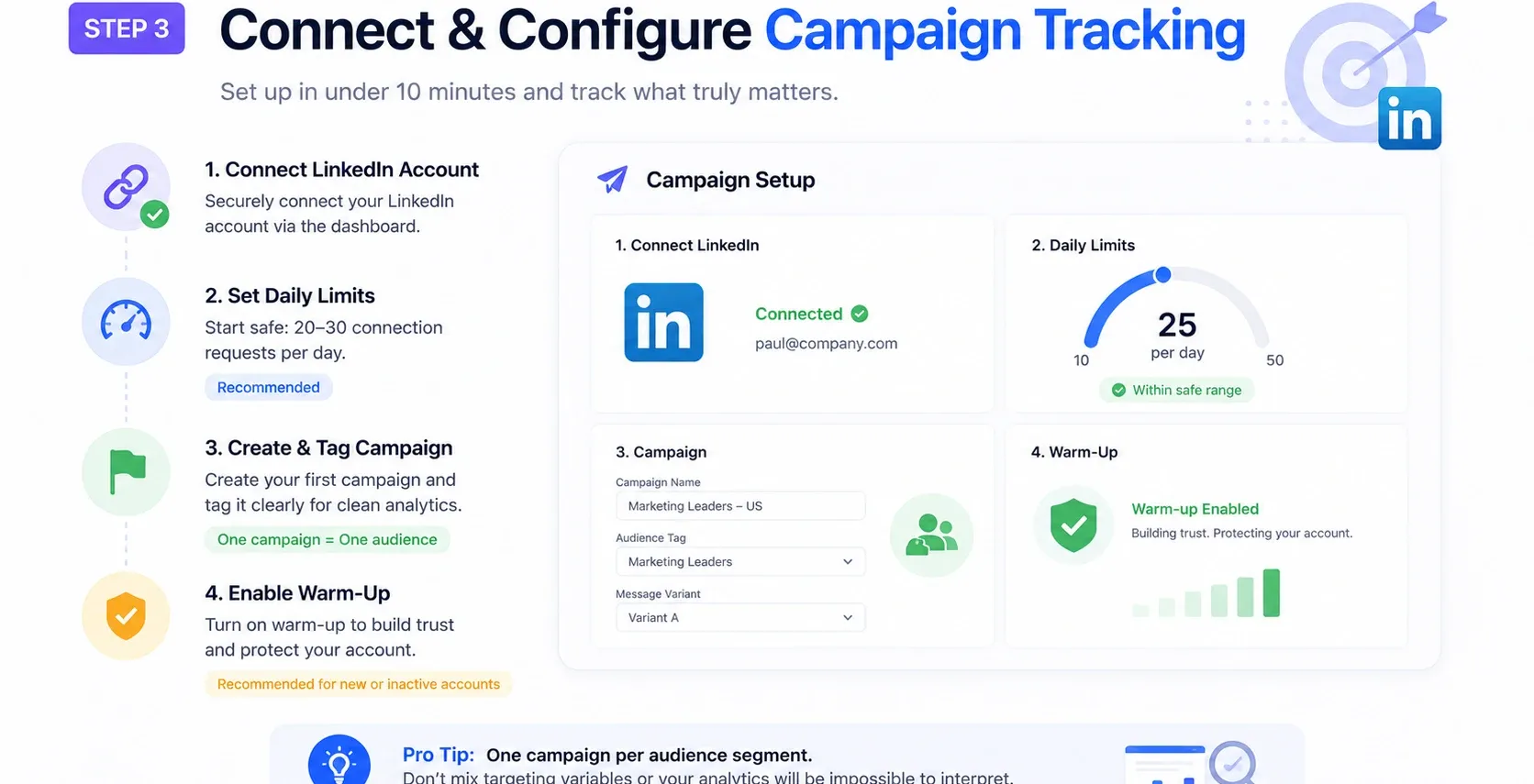
Step 3 - Connect your LinkedIn account and configure campaign tracking
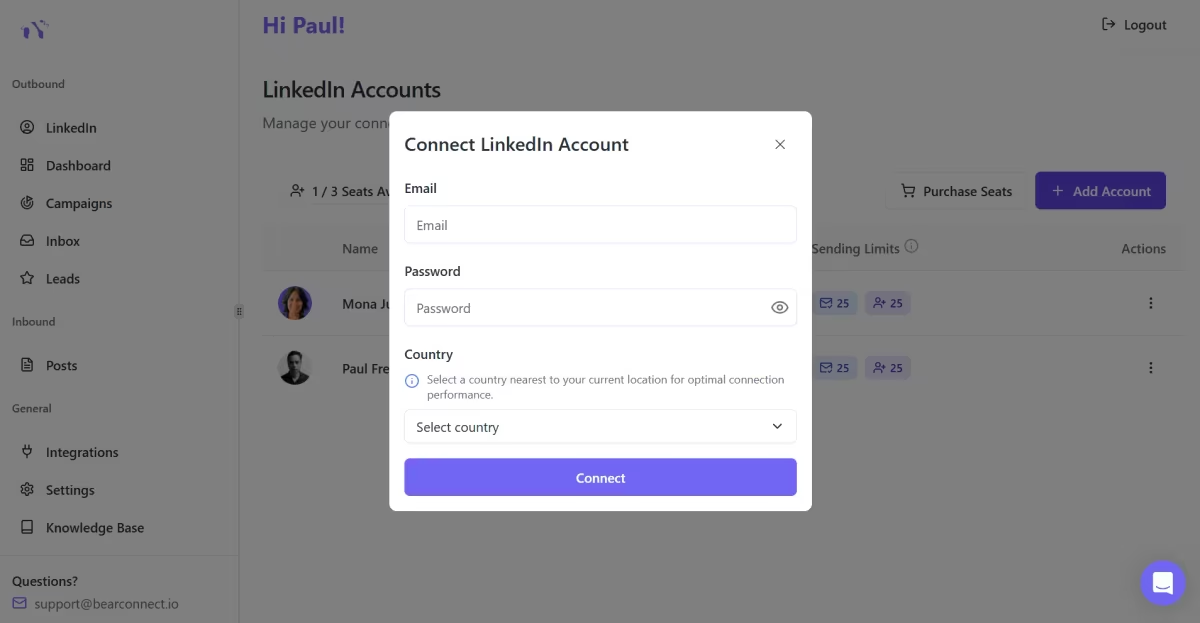
This is the technical setup step. In Bearconnect or any dedicated outreach platform, it takes under ten minutes:
- Connect your LinkedIn account via the platform dashboard
- Set your daily send limits within safe thresholds (start low — 20 to 30 requests per day)
- Create your first campaign and tag it clearly so analytics are segmented by audience or message variant
- Turn on account warm-up if your account is new or has been inactive
Learn more about how to automate LinkedIn connections safely before scaling volume.
One campaign per audience segment. Do not mix targeting variables inside a single campaign or your analytics will be impossible to interpret.
Step 4 - Run your first campaign for two weeks before drawing conclusions
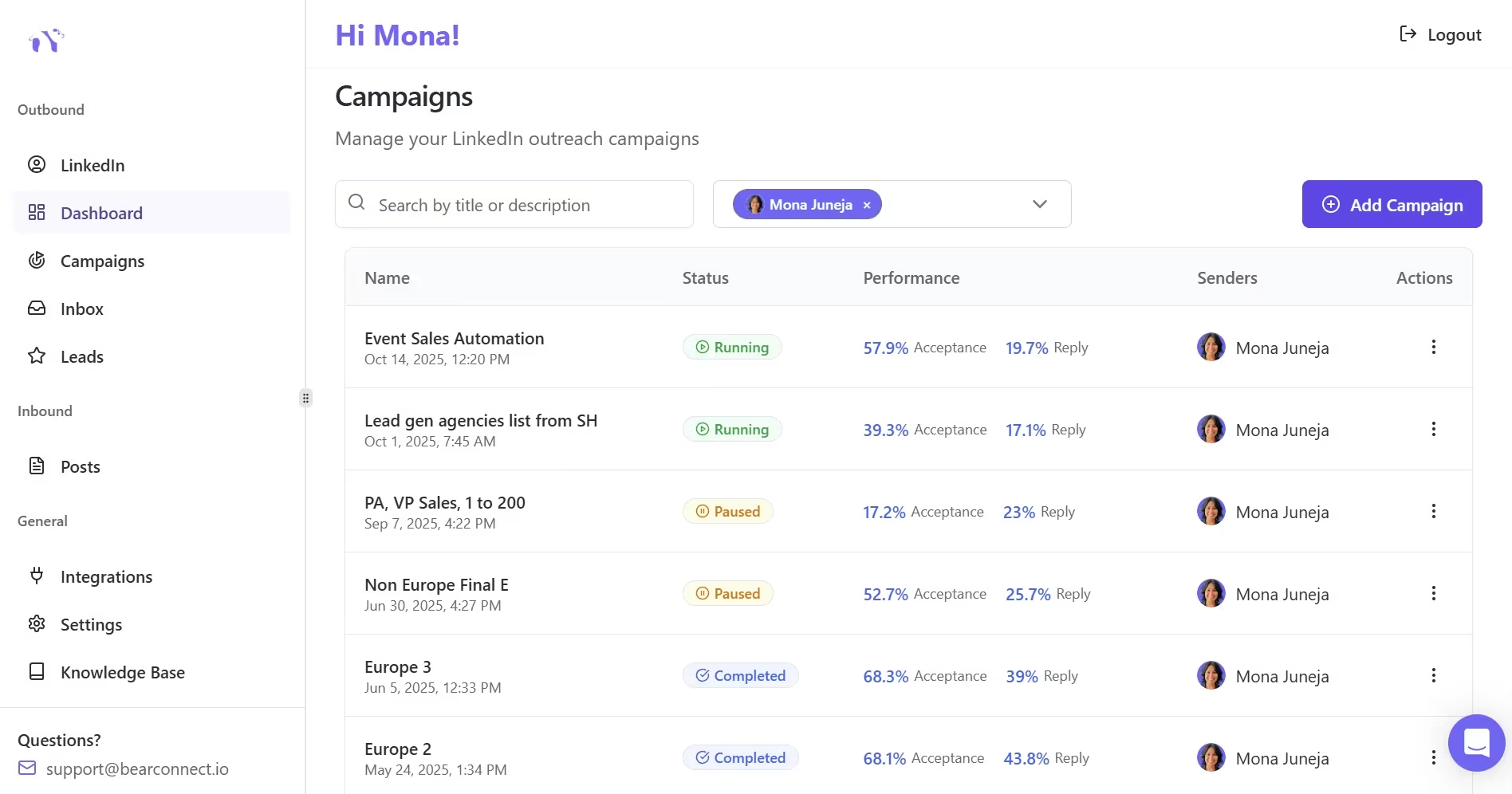
Two weeks minimum. No exceptions.
- LinkedIn outreach data is noisy in the first few days. Acceptance rates fluctuate. Reply timing varies. People check LinkedIn on different schedules.
- Two weeks gives you enough volume to see a real signal. Anything shorter and you are making decisions based on a sample size that will mislead you.
Step 5 - Build a weekly review rhythm
Pick one day per week. Spend 20 minutes. Check these four things in order:
- Acceptance rate - did it go up or down versus last week?
- Reply rate at step 1 - is the opening message working?
- Drop-off point - which step in the sequence loses the most people?
- One thing to change - adjust one variable only. Message copy, subject line, audience filter, or send timing. Never two at once.
Once your metrics are stable, use the 7-step LinkedIn DM sequence guide to refine how you structure follow-ups for maximum meeting conversion.
Wait, Can't I Just Use LinkedIn's Native Analytics?
This is the most common objection, and the honest answer is: you can, but only if you only care about content.
LinkedIn's native dashboard shows impressions, click-through rates, video views, and follower demographics. That is genuinely useful for content creators.
For outreach? It shows you nothing. No campaign data. No connection acceptance rates. No message tracking.
If outreach is part of your LinkedIn strategy (and for most B2B sales teams it is the primary lever), you need a tool that tracks what happens after you send a connection request. Native LinkedIn does not come close to that.
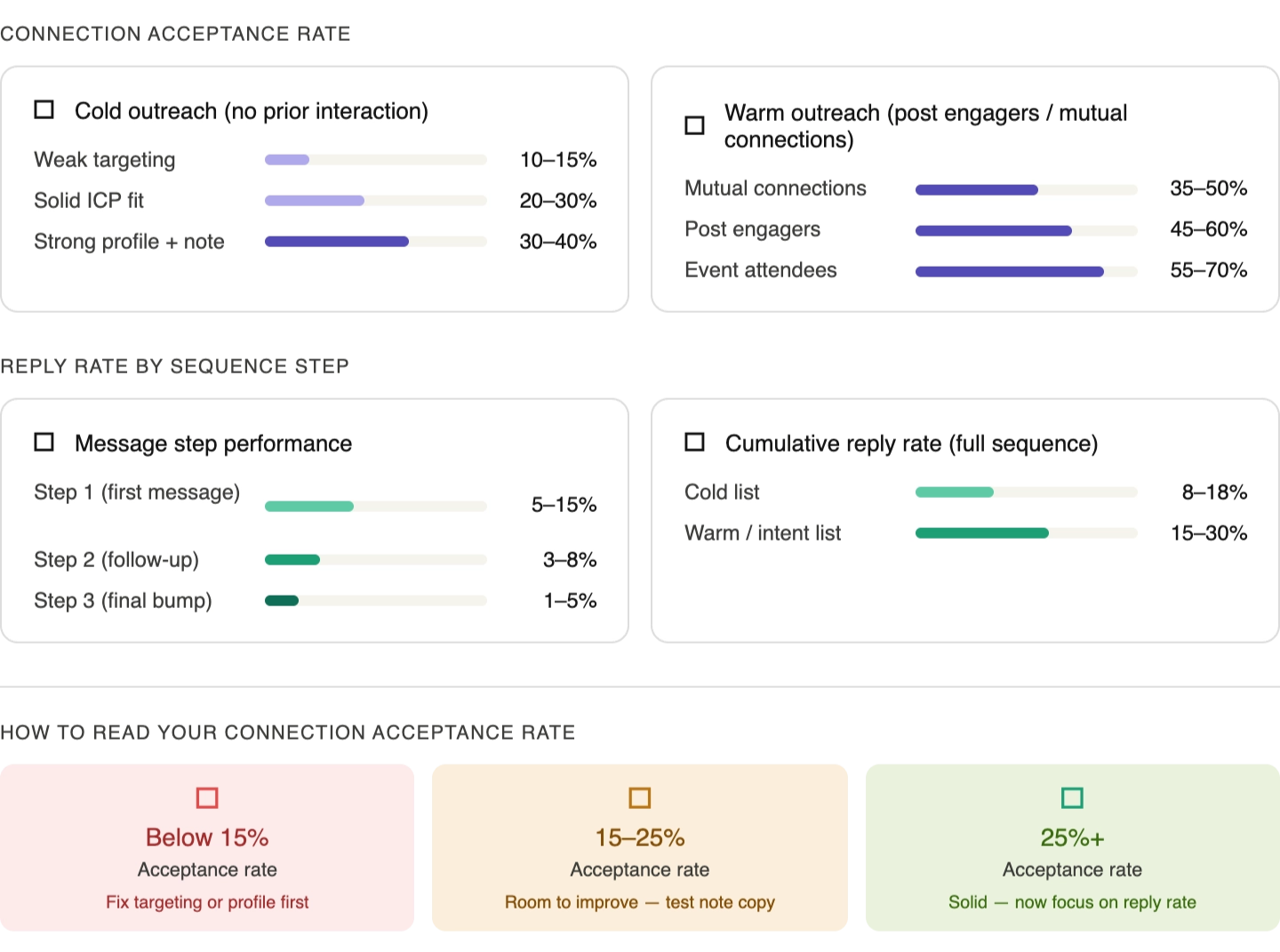
What Are Realistic LinkedIn Outreach Benchmarks in 2026?
The benchmark you should actually care about is whether your numbers are improving week over week not whether they match an industry average.
How to Choose the Right LinkedIn Analytics Tool
Here is the decision framework I use when evaluating tools for different use cases:
1. If you run LinkedIn outreach campaigns and need campaign metrics:
- Choose an automation platform with built-in analytics. Bearconnect or Expandi are the most direct fits.
- The difference is price: Bearconnect at $67/month per account versus Expandi at $99/month per account.
If you produce LinkedIn content and need post performance tracking: Choose Taplio. Both are content-specific and do it well.
2. If you need both outreach analytics and content performance in one dashboard:
- Look for platforms that support both. Bearconnect covers both outreach analytics and includes AI-powered post creation with scheduling.
- That unifies the data in one place without managing two separate tool subscriptions.
3. If you manage multiple client LinkedIn accounts as an agency:
- Prioritise cross-account visibility above all else. Read how LinkedIn automation works for agencies and how agencies run LinkedIn outreach for clients at scale before choosing your stack.
- Bearconnect's unlimited account model makes this financially viable: 5 client accounts at $57/month per account = $285/month. At 3x resell that covers costs and leaves margin.
Pro tip: Before committing to any analytics tool, ask the vendor specifically whether they track connection acceptance rate and message reply rate by sequence step.
If they cannot answer yes to both, it is a content analytics tool wearing an outreach label.
Should You Build Your Own LinkedIn Analytics Dashboard or Use a Dedicated Tool?
build works at low volume. It breaks the moment you scale.
Here is the honest breakdown of both paths.
1. The build path — what is actually possible
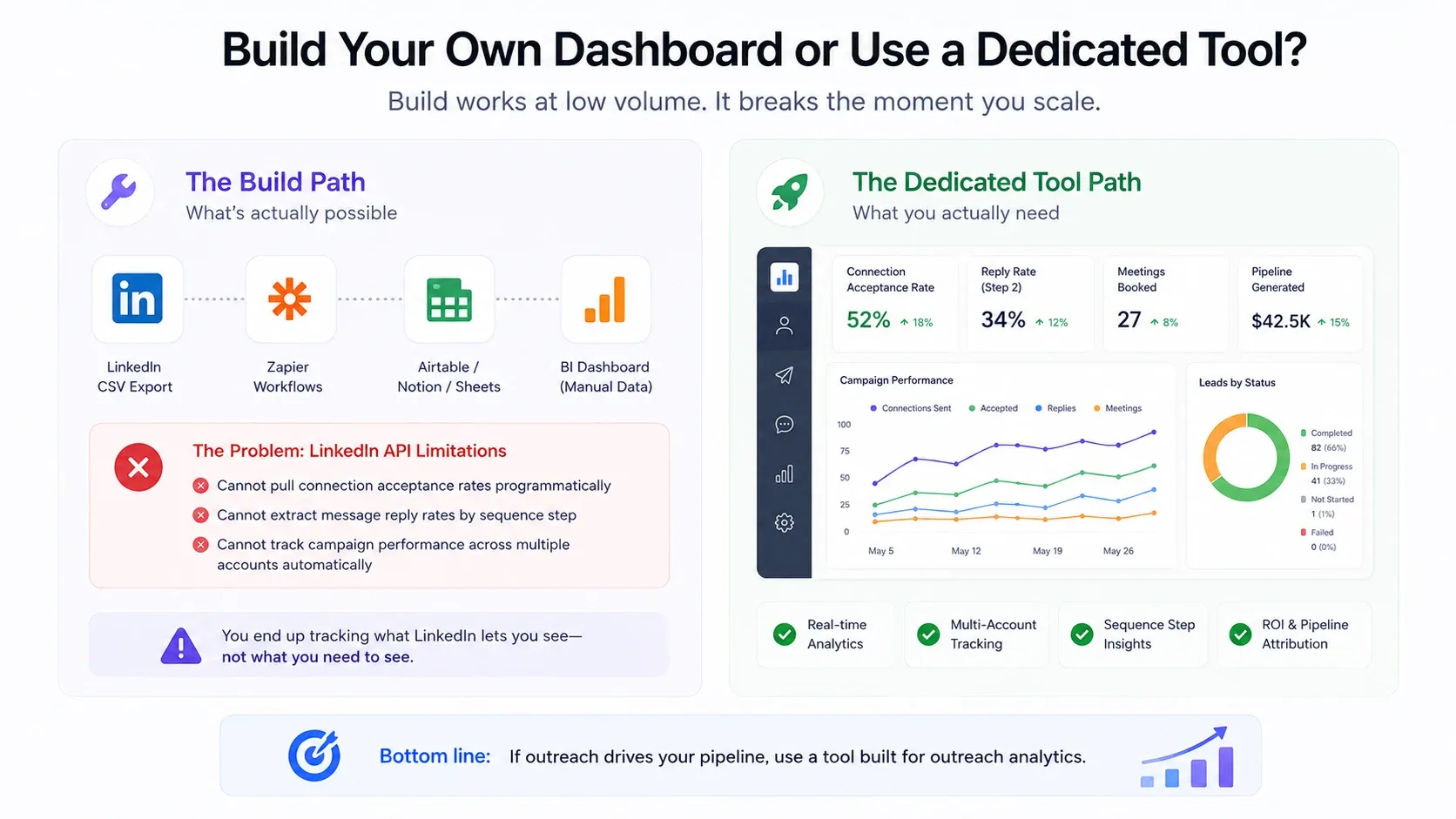
Technically, you can track LinkedIn outreach manually. Teams try it with:
- LinkedIn's native CSV exports dropped into a spreadsheet
- Zapier workflows pushing connection data into Airtable or Notion
- HubSpot or Salesforce activity logging via manual CRM updates
- Custom BI dashboards pulling from limited LinkedIn API endpoints
The problem is LinkedIn's API. It does not expose the data you actually need.
You cannot pull connection acceptance rates programmatically. You cannot extract message reply rates by sequence step. You cannot track campaign-level performance across multiple accounts without logging it manually.
For a deeper look at what CRM integration actually covers, see the CRM and LinkedIn outreach integration guide.
What you end up building is a reporting system that tracks what LinkedIn lets you see — which is not the same as what you need to see.
2. The buy path — what a dedicated tool gives you that you cannot replicate manually
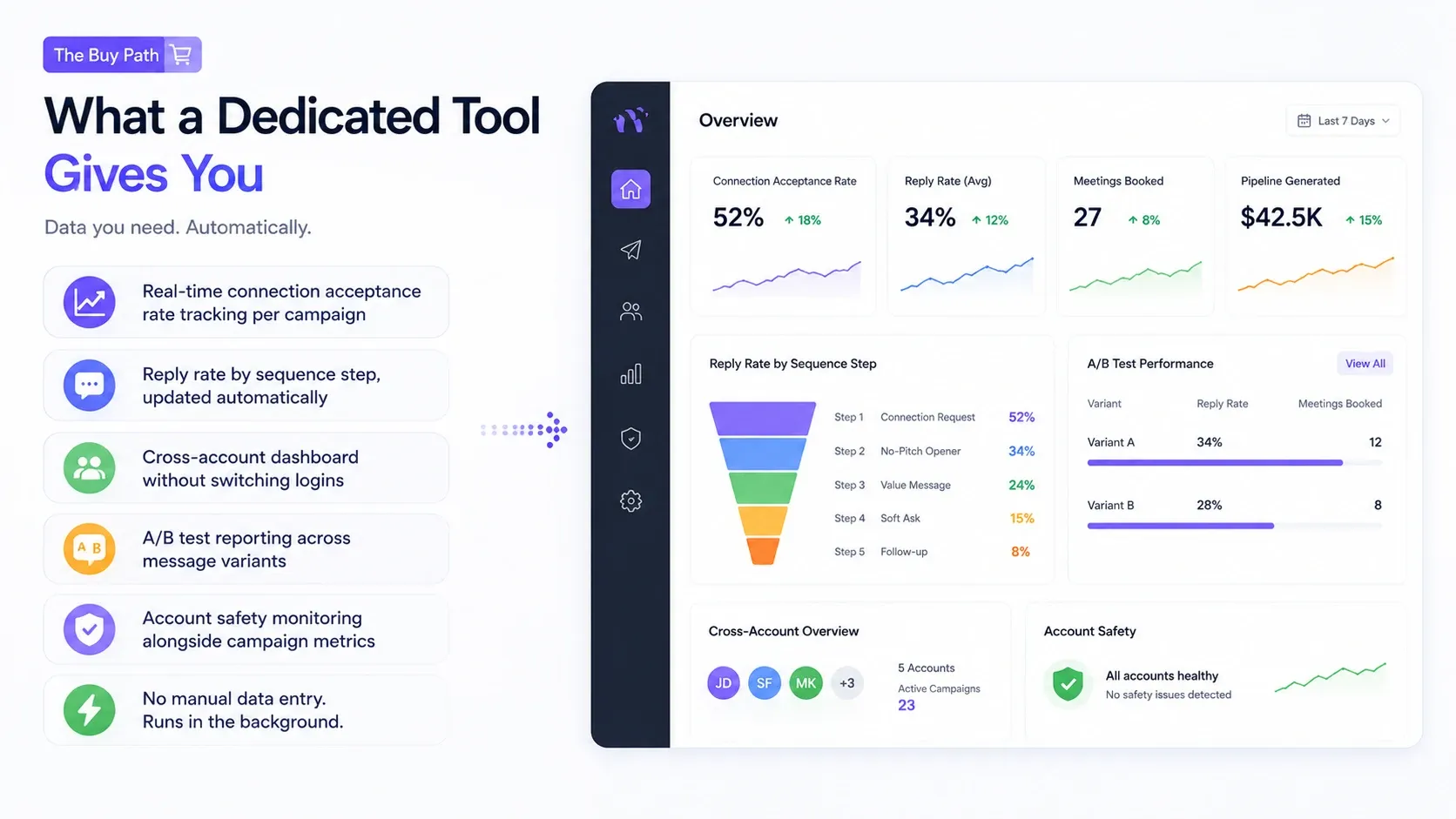
- Real-time connection acceptance rate tracking per campaign
- Reply rate by sequence step, updated automatically
- Cross-account dashboard without switching logins
- A/B test reporting across message variants
- Account safety monitoring alongside campaign metrics
None of this requires manual data entry. It runs in the background while your campaigns run.
That is the gap the build path cannot close without significant ongoing ops effort.
The honest tradeoff
| Build path | Dedicated tool | |
|---|---|---|
| Upfront cost | Low | Monthly subscription |
| Setup time | High (hours to days) | Low (minutes) |
| Data accuracy | Depends on manual input | Automated and real-time |
| Scales past 50 outreaches/week | No | Yes |
| Cross-account visibility | Very limited | Built in |
| Maintenance overhead | Ongoing | None |
How to Track LinkedIn Content Performance Alongside Outreach (Unified View)
Most LinkedIn strategies treat content and outreach as two separate activities. They are not. They are two stages of the same funnel.
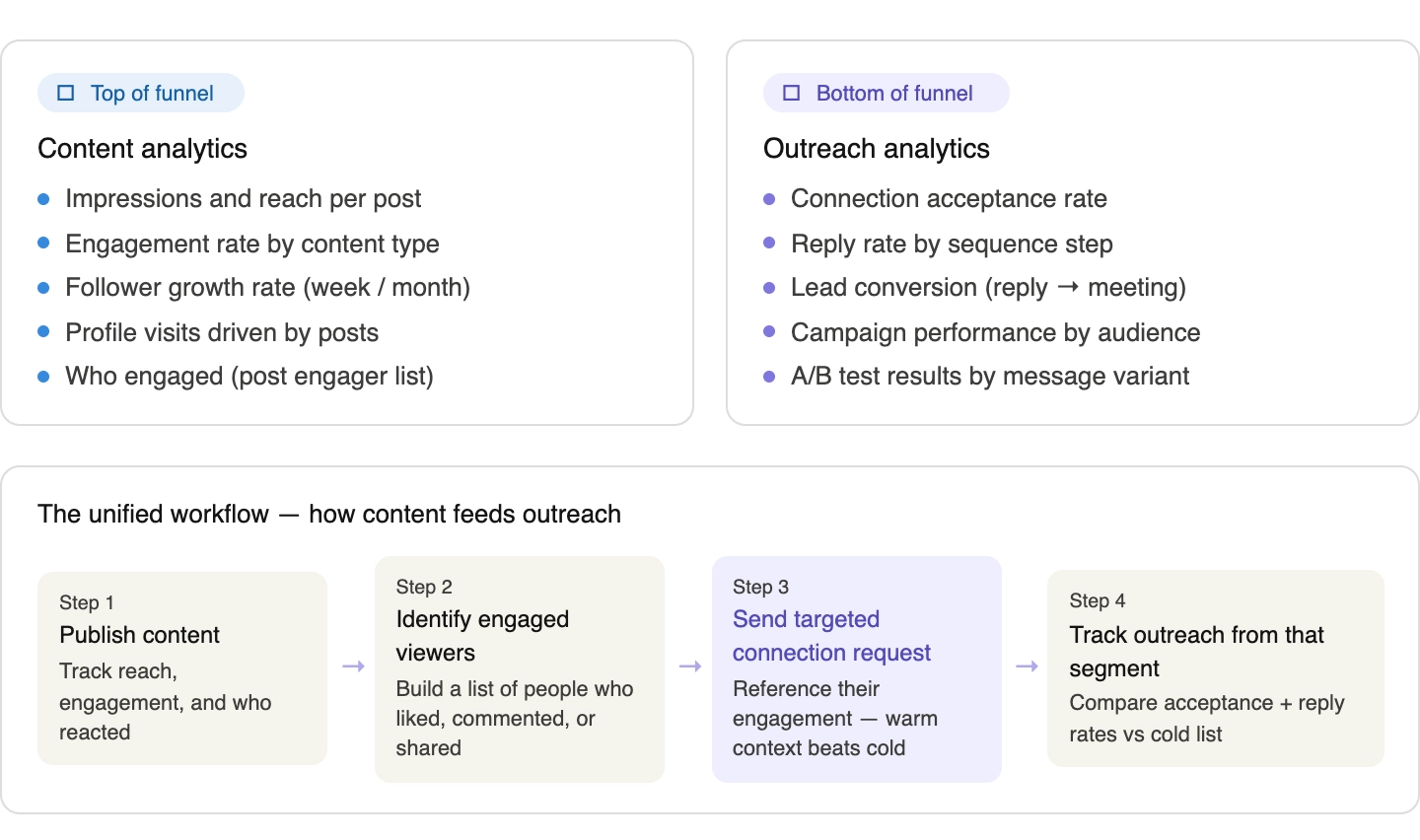
The Two-Metric Model
Top of funnel - content metrics tell you:
- How many people saw your post
- Who engaged with it (likes, comments, shares)
- Which content type drives the most profile visits
Bottom of funnel - outreach metrics tell you:
- How many connection requests got accepted
- How many messages got replies
- How many replies turned into meetings
One without the other leaves you guessing. High engagement with zero pipeline means you are building an audience, not a business. High outreach volume with no content means you are cold calling strangers at scale.
The goal is to run both and measure the link between them.
The Workflow in Practice
Here is how founders and SDRs actually run this:
- Publish a post targeting your ICP. Learn how to automate LinkedIn posts so content goes out consistently without manual effort.
- Pull the engager list. Likes and comments are warm signals. Use the import leads from LinkedIn post feature in Bearconnect to pull engagers directly into a campaign.
- Send a connection request referencing the post. To understand why warm outreach outperforms cold, read the cold vs warm prospecting breakdown. Acceptance rates on this segment run 2x to 3x higher than cold outreach.
- Run your sequence from that warm list. Track acceptance and reply rates separately from your cold campaigns.
- Compare the two. The gap between warm and cold performance tells you exactly what your content is worth in pipeline terms.
Common Mistakes to Avoid When Tracking LinkedIn Analytics
1. Tracking only vanity metrics.
- Impressions and profile views feel good but do not predict pipeline. Focus on connection rate, reply rate, and meeting rate.
2. Using separate tools for content and outreach.
- This creates reporting gaps. Data from two platforms never syncs cleanly, and you end up spending more time reconciling spreadsheets than running campaigns.
3. Not running A/B tests on message copy.
- The biggest lever in outreach analytics is knowing which message variant performs better. Most teams skip this and optimise on instinct instead of data.
- Read the guide on LinkedIn outreach without being salesy to get your message framing right before you test variants.
4. Ignoring campaign comparison over time.
- A single campaign's metrics tell you little. Comparing the same sequence across different audience segments tells you everything about your targeting assumptions.
- Understand how to avoid LinkedIn jail before you scale.
FAQs: LinkedIn Analytics Tools
Q: What is the most important metric to track for LinkedIn outreach?
A: Connection acceptance rate and message reply rate by sequence step. These two metrics show whether your targeting and copy are working. Everything downstream, including meetings booked, flows from fixing these first.
Q: Can I track LinkedIn outreach analytics without an automation tool?
A: Not easily. LinkedIn does not expose campaign-level outreach data natively. You would need to track connection and reply rates manually in a spreadsheet, which becomes unsustainable beyond 20-30 outreaches per week.
Q: Is LinkedIn Sales Navigator enough for tracking outreach performance?
A: No. Sales Navigator is a prospecting tool, not a measurement platform. It helps you find leads but does not track what happens after you reach out. You need a separate analytics layer for campaign performance.
Q: How do agency founders report LinkedIn performance to clients?
A: The most efficient setup uses a platform with a multi-account dashboard and exportable reports. You want connection rates, reply rates, and campaign comparison across all client accounts in one view, not a separate login per client.
Q: Do LinkedIn analytics tools work with LinkedIn's algorithm or against it?
A: Quality tools use cloud-based infrastructure with behavior mimicry to stay within LinkedIn's usage guidelines. Look for platforms that include gradual account warm-up and smart throttling. This reduces detection risk while keeping your analytics accurate.
The Bottom Line
Good LinkedIn analytics starts with knowing what you are actually trying to measure. Content performance and outreach performance are two different things, and most tools only cover one.
That is not just better analytics. That is a repeatable system for improving your outreach results week over week.
Ready to see your outreach metrics in real time? Explore Bearconnect's analytics dashboard and run your first tracked campaign in minutes.
Ready to Transform Your LinkedIn Strategy?
Join thousands of professionals already using Bearconnect to automate their outreach and grow their network.
7-day free trial • Cancel anytime
Related Articles

LinkedIn Automation: The Complete Guide for 2026
What LinkedIn automation is, how it works, what LinkedIn allows, safe limits, how to choose a tool and how to run your first campaign.

How to Remove a Connection on LinkedIn (Do They Get Notified?)
Removing a LinkedIn connection takes a few clicks, but most people want to know one thing first: does the other person get notified? This guide covers the steps on desktop and mobile, and what changes afterward.
Bearconnect V2 Is Live: Workspaces, Roles and a Rebuilt Campaign Builder
Bearconnect V2 introduces dedicated workspaces, flexible roles, and a rebuilt campaign builder, giving agencies and sales teams more control over every LinkedIn account they manage.