Is LinkedIn Premium Worth It in 2026? (Honest Answer + What Most People Buy Instead)

For most B2B sales professionals and founders, LinkedIn Premium is not worth it.
The features sound impressive on paper, but the actual ROI on outreach, pipeline, and lead generation falls short of what a $30 to $130 monthly subscription promises.
I spent months testing Premium tiers against third-party outreach tools,


and the math tells a clear story: is LinkedIn Premium worth it? Only in very specific situations.
Here is what I found.
TL;DR
→ LinkedIn Premium Career ($29.99 to $39.99/month) is useful for active job seekers. Skip it if you are passively browsing.
→ Sales Navigator Core ($119.99/month) has powerful filters but zero automation. You still send every message manually.
→ InMail response rates average 10 to 25%, and you only get 5 to 50 credits per month depending on your tier.
→ Most sales professionals and founders get better results from LinkedIn automation tools that handle volume, sequences, and follow-ups at a lower price point.
→ Bearconnect costs $67/month per LinkedIn account ($57/month per account when connecting 5 or more) and includes automated outreach, AI content, drip campaigns, and a unified inbox.
What Is LinkedIn Premium, Actually? (Quick Breakdown)
LinkedIn Premium is not one product. It is four separate products bundled under the same "Premium" label, and each one serves a completely different use case.
The 4 LinkedIn Premium Tiers Explained
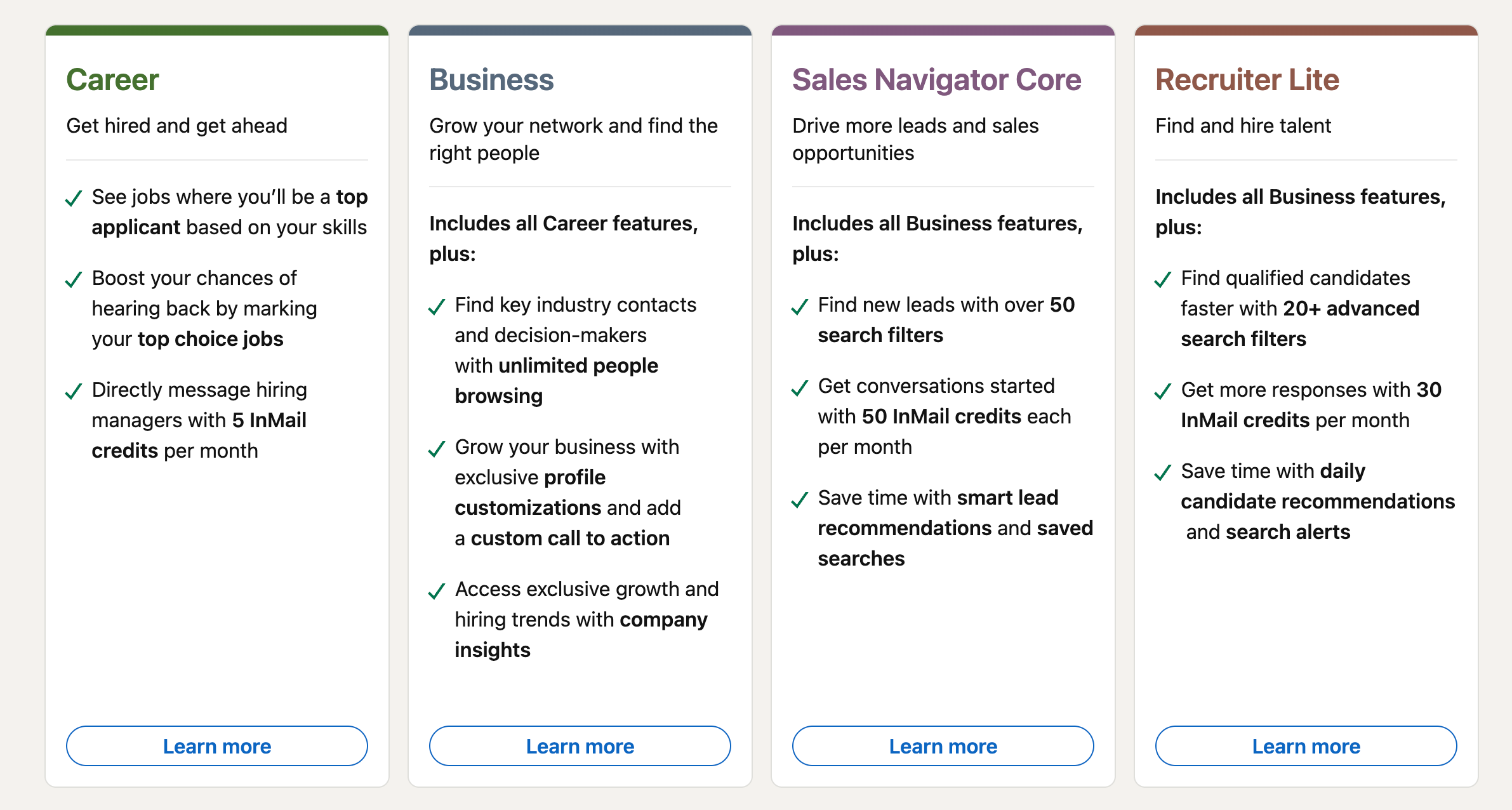
→ Premium Career is designed for job seekers. It gives you applicant insights, resume tips, and a "Top Applicant" badge on job listings.
→ Premium Business targets professionals who want expanded networking features like unlimited people browsing and company insights.
→ Sales Navigator Core is LinkedIn's dedicated prospecting platform with advanced lead search filters and lead lists.
→ Recruiter Lite is built for hiring managers and talent acquisition teams running recruitment campaigns.
These are not upgrades of each other. Sales Navigator runs on a completely separate interface from your regular LinkedIn. Most people do not realize that until after they have paid.
What Each Tier Actually Costs Per Month
| Plan | Monthly Price | Annual (Per Month) | InMail Credits |
|---|---|---|---|
| Premium Career | $29.99 to $39.99 | ~$19.99 to $29.99 | 5/month |
| Premium Business | $69.99 | ~$47.99 | 15/month |
| Sales Navigator Core | $119.99 | ~$89.99 | 50/month |
| Recruiter Lite | ~$170 | ~$140 | 30/month |
- LinkedIn has been quietly raising prices. Sales Navigator Core jumped from $99.99 to $119.99 in 2026.
- Premium Career now shows $39.99 for some new subscribers, up from the legacy $29.99.
Is LinkedIn Premium the Same as Sales Navigator?
No. This is one of the most common misconceptions I see.
LinkedIn Premium (Career and Business) is a feature add-on to your existing LinkedIn profile.
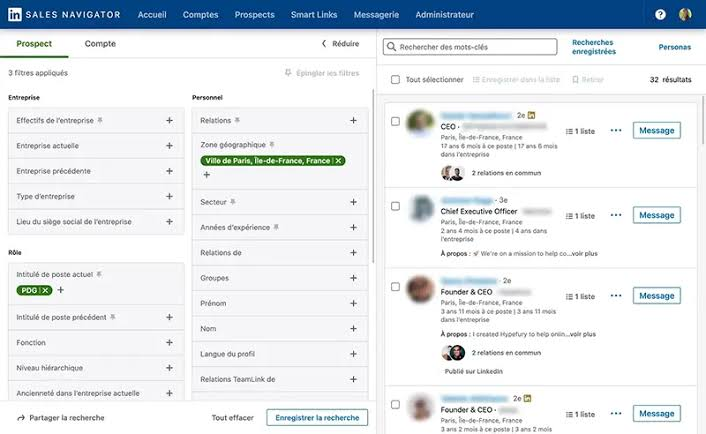
Sales Navigator is a completely separate platform with its own interface, its own search engine, and its own lead management system.
You cannot access Sales Navigator features from your regular LinkedIn feed.
If someone tells you "just get Premium" for sales prospecting, they likely mean Sales Navigator. And it costs two to four times more than basic Premium.
What Do You Actually Get With LinkedIn Premium?
The features look good in a bullet list. The reality is more nuanced.
InMail Credits (And Why Most Go Unanswered)
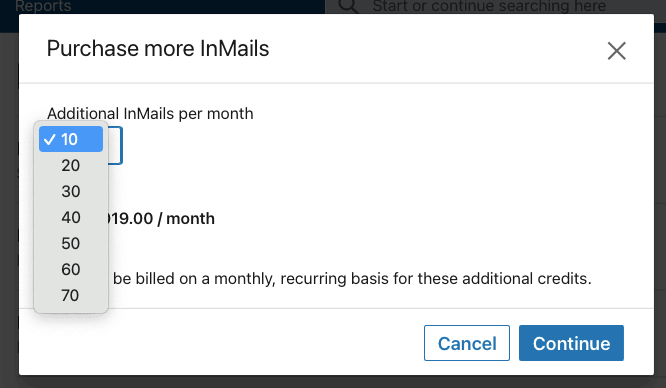
InMail is LinkedIn's paid messaging feature for reaching people outside your network. The average response rate sits around 10 to 25%, and that number includes negative replies.
- Here is the math that rarely gets discussed. On Sales Navigator Core, you get 50 InMail credits per month at $119.99. That is roughly $2.40 per InMail sent.
- If only 15% get a response, your cost per actual conversation is closer to $16.
- And LinkedIn raised the price of additional InMail credits from $3 to $21 per credit in late 2025. Buying extra credits is no longer a realistic option.
- I broke down the full InMail costs, credits, and response rates in a separate guide if you want the complete picture.
Profile Views and Applicant Insights
- Premium shows you who viewed your profile over the last 365 days (versus 5 views on free).
- Useful for job seekers, marginally helpful for sales. You can see who is checking you out, but you cannot do anything automated with that data.
- There are also free ways to see your profile viewers without paying for Premium, which I cover separately.
LinkedIn Learning Access
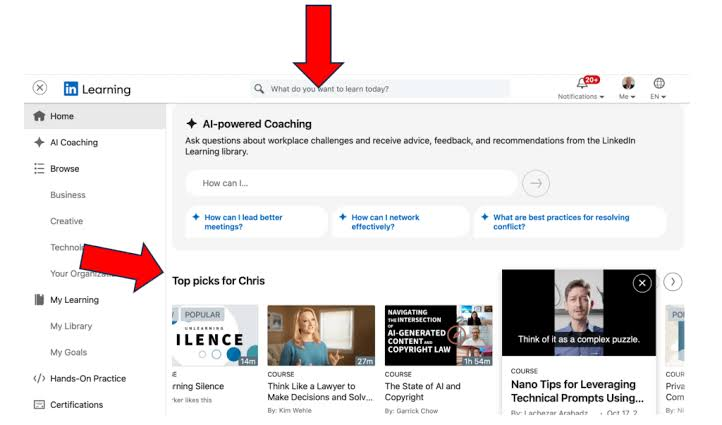
- All Premium tiers include LinkedIn Learning. It is a solid library of professional courses.
- But LinkedIn Learning is also available as a standalone subscription for $29.99/month. You do not need Premium to access it.
Advanced Search and "Top Applicant" Badges
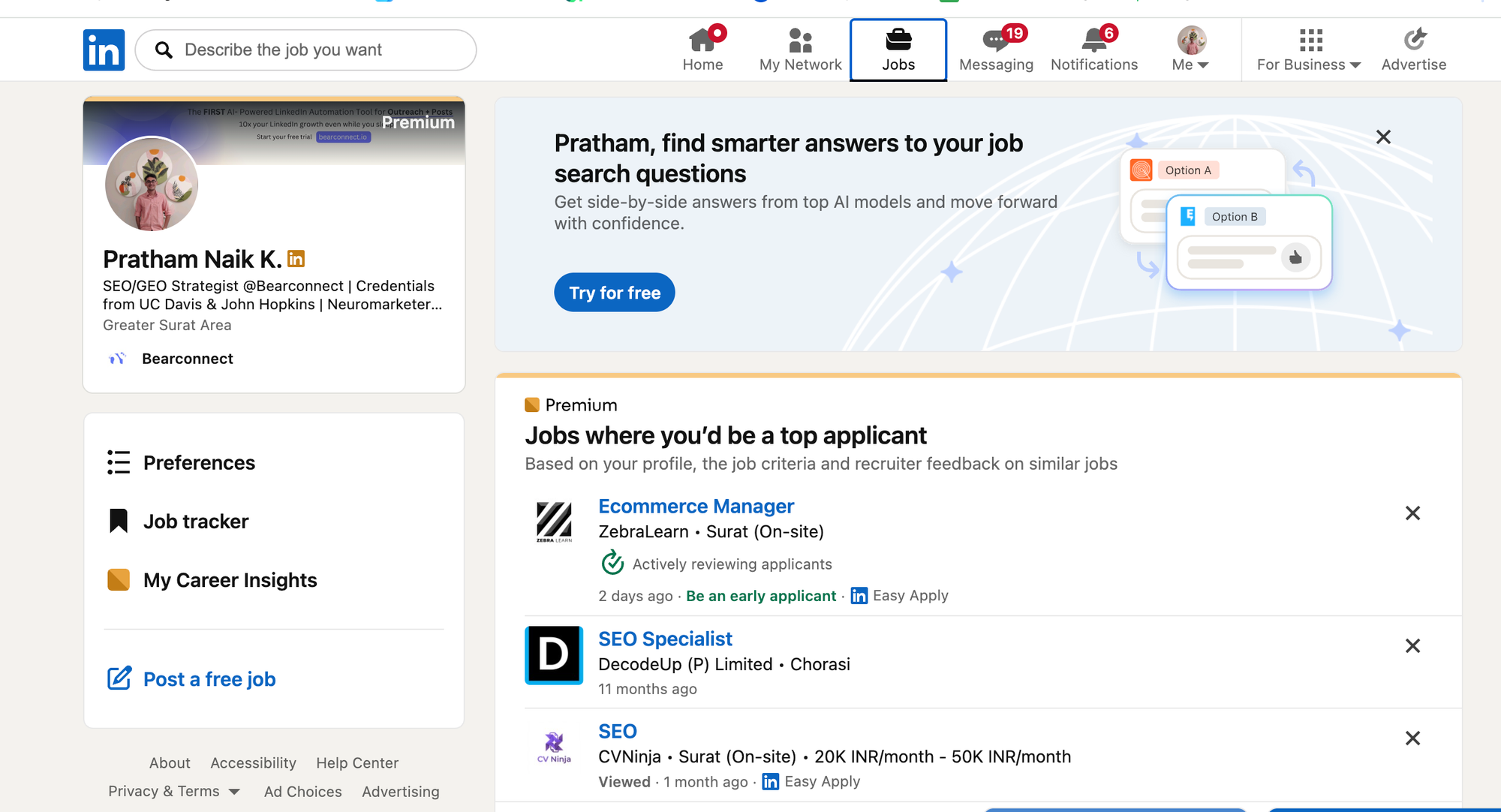
- The "Top Applicant" badge highlights your application on job posts.
- Advanced search in Premium Business is decent but nowhere near what Sales Navigator offers.
- If search filters are your priority, you need Sales Navigator, not Premium Business.
Is LinkedIn Premium Worth It for Job Seekers?
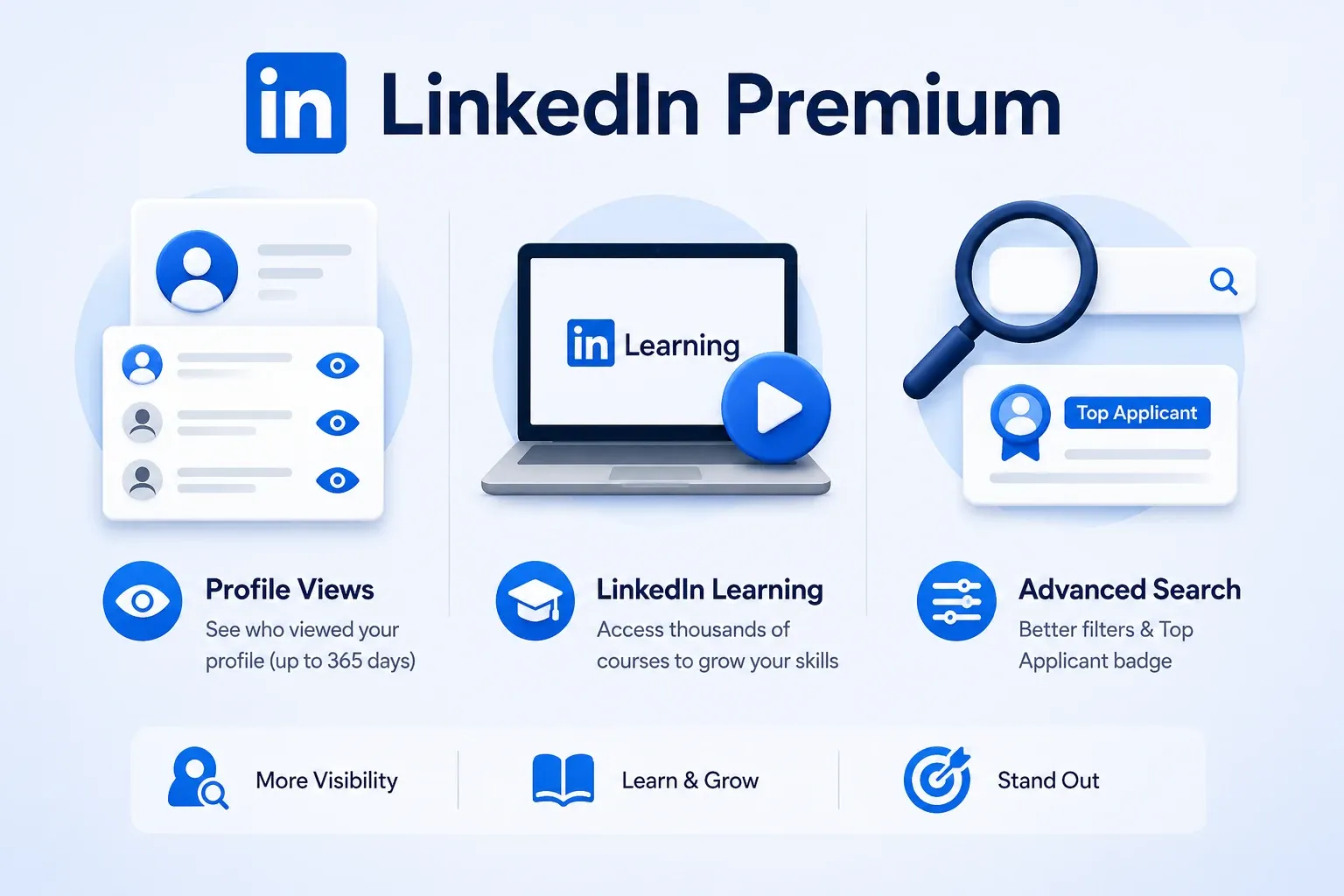
For active job seekers in competitive markets, Premium Career can deliver real value.
When It Is Worth It
→ You are actively interviewing and want applicant insights to gauge your competition
→ You are switching careers and need LinkedIn Learning courses to build new skills
→ You want InMail access to reach hiring managers directly (5 credits per month)
→ You are applying to 10+ jobs per week and the "Top Applicant" badge helps you stand out
When It Is a Waste of Money
→ You are passively browsing and not applying to anything specific
→ You work in remote-first industries where most hiring happens through direct referrals
→ You already have a strong network and can reach most contacts organically
Pro tip: Start with the free one-month trial. Apply aggressively during that window. If you land interviews, keep it. If nothing changes, cancel before the charge hits.
Is LinkedIn Premium Worth It for Sales Professionals and Founders?
This is where the "is it worth it to get LinkedIn Premium" question gets interesting, because the answer depends entirely on what you are trying to do.
What Sales Navigator Promises vs. What It Delivers
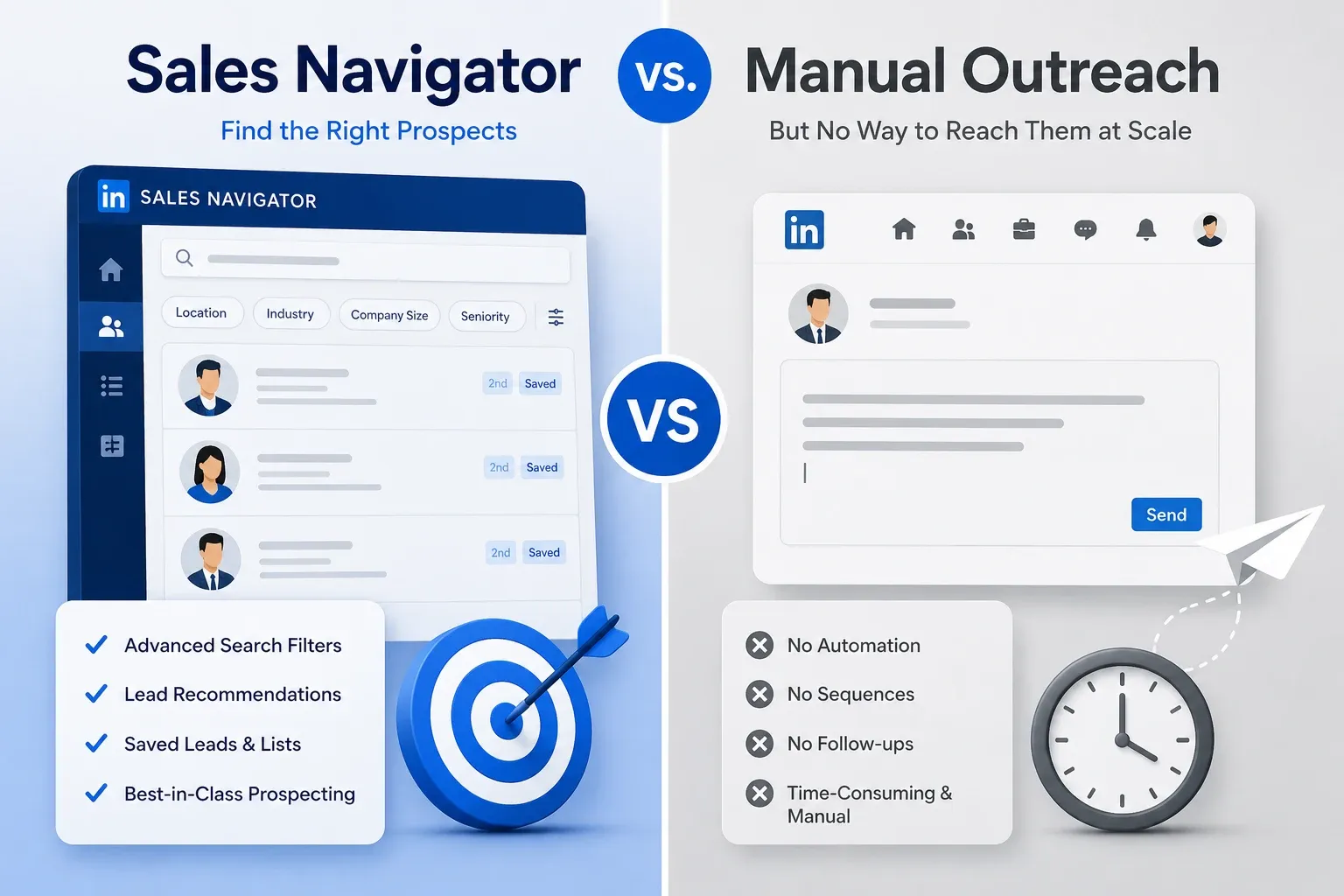
Sales Navigator gives you best-in-class lead search filters.
Boolean search, company size filters, seniority targeting, lead recommendations, and saved lead lists.
For finding the right prospects, it is genuinely excellent.
But it does not help you reach those prospects at scale.
There is no automation. No message sequences. No follow-up drip campaigns. No scheduled posts. You still type and send every single message manually, one at a time.
That is the gap most people discover three weeks into their subscription.
If you are new to the platform, this beginner's guide to Sales Navigator walks through the interface in detail.
The Real Cost of Scaling Outreach With Sales Navigator Alone
Let me walk through a real scenario. Say you are a founder trying to book 15 discovery calls per month.
→ You need roughly 100 to 150 conversations to book 15 calls (assuming a 10 to 15% booking rate)
→ To start 150 conversations, you need to reach about 600 to 1,000 prospects (connection acceptance rates average 30 to 45%)
→ Sending 1,000 connection requests manually takes 40 to 50 hours per month
→ Sales Navigator costs $119.99/month and gives you zero automation for that process
That is $119.99 plus 50 hours of manual work. Every single month.
Wait, you might be thinking: "But what about InMail? Can I just InMail all of them?"
You get 50 InMail credits. At 15% response rate, that is 7 to 8 conversations. From 50 messages. That is not a pipeline strategy. That is a trickle.
The Honest Math: What $30 to $130/Month Actually Buys You
Most "is LinkedIn Premium worth it" articles skip the cost-per-conversation math. That is exactly the number you should care about.
Real Cost-Per-Conversation Breakdown
| Scenario | Monthly Cost | Conversations Started | Cost Per Conversation |
|---|---|---|---|
| Premium Business (15 InMails, 15% reply rate) | $69.99 | ~2 to 3 | ~$20 to $30 |
| Sales Navigator (50 InMails, 15% reply rate) | $119.99 | ~7 to 8 | ~$15 to $17 |
| Bearconnect (automated connection requests + drip sequences) | $67 per account | 50 to 150+ | ~$0.45 to $1.34 |
The difference is not subtle. Automation tools generate 10x to 50x more conversations per dollar spent because they remove the manual bottleneck entirely.
Why InMail Response Rates Make This Math Worse
- The 10 to 25% average InMail response rate includes negative replies like "not interested" and "please remove me."
- Your qualified response rate (people who actually want to talk) is closer to 8 to 12%.
LinkedIn also capped Open InMail sends to under 100 per month in late 2025, down from roughly 800. Volume-based InMail outreach is essentially dead.
Free Alternatives to LinkedIn Premium (Before You Pay)
Before spending anything, maximize what LinkedIn gives you for free.
Optimizing Your Profile for Free Visibility
→ Write a headline that speaks to your buyer, not your job title
→ Use the "About" section as a mini sales page with a clear call to action
→ Post 3 to 5 times per week to increase profile views organically (this alone replaces the "who viewed your profile" premium feature in terms of visibility)
→ Engage on prospects' posts before sending connection requests (this warms the relationship and boosts acceptance rates by 30% or more)
I go deeper on profile setup in how to create a LinkedIn profile that converts, and on visibility specifically in what LinkedIn's Social Selling Index actually measures.
Manual Networking Strategies That Replicate Premium's Benefits
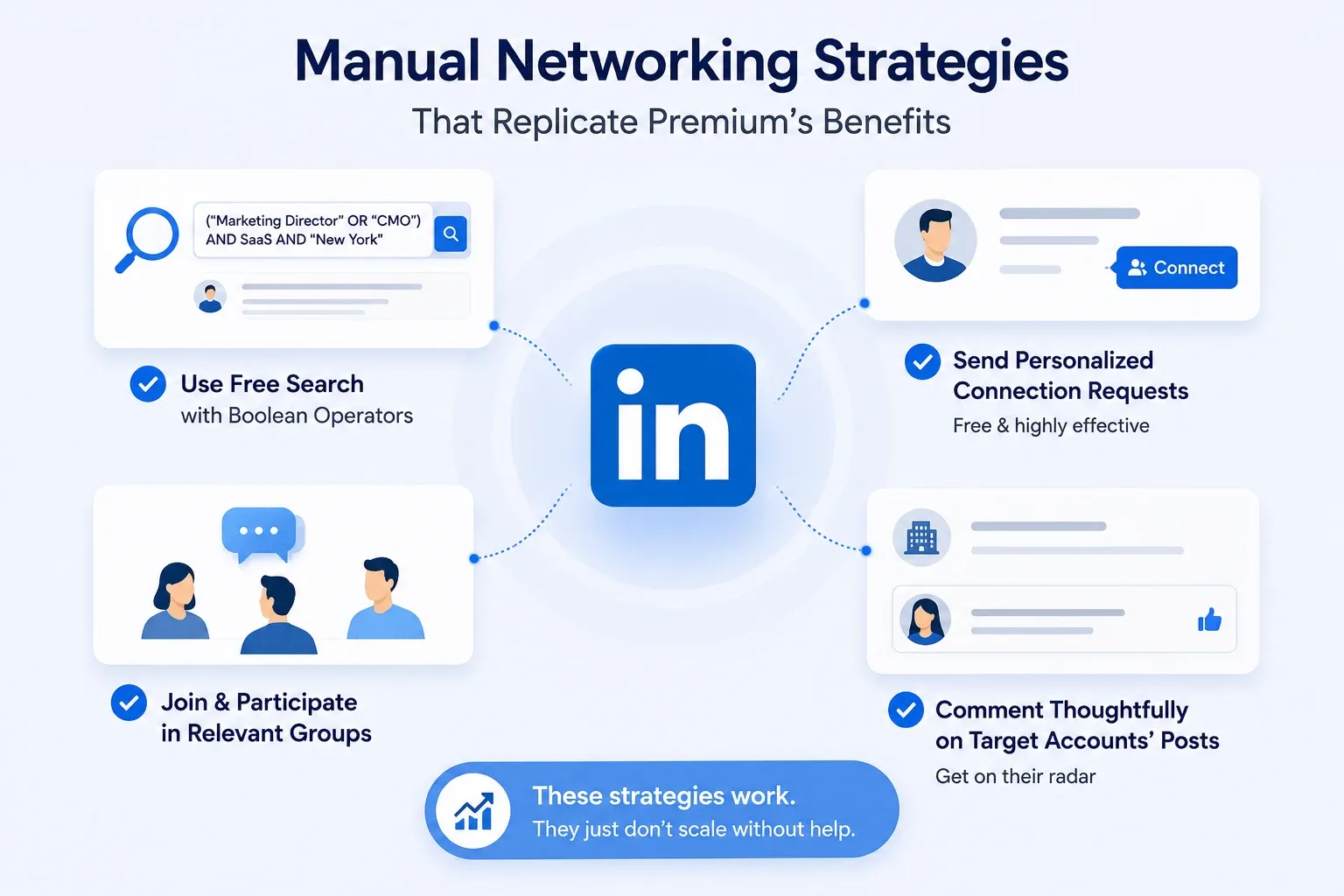
→ Use LinkedIn's free search with Boolean operators to find prospects
→ Send personalized connection requests (they are free and outperform InMail for sales in most cases)
→ Join and participate in LinkedIn Groups relevant to your industry
→ Comment thoughtfully on target accounts' posts to get on their radar
These strategies work. They just do not scale without help.
If you want to automate the connection request piece without losing the personalization, see how to auto connect on LinkedIn.
What Most People Buy Instead of LinkedIn Premium
Here is the part most "is LinkedIn Premium worth it" articles never cover. The real competition to LinkedIn Premium is not another Premium tier. It is automation.
Why Automation + Outreach Tools Solve the Actual Bottleneck
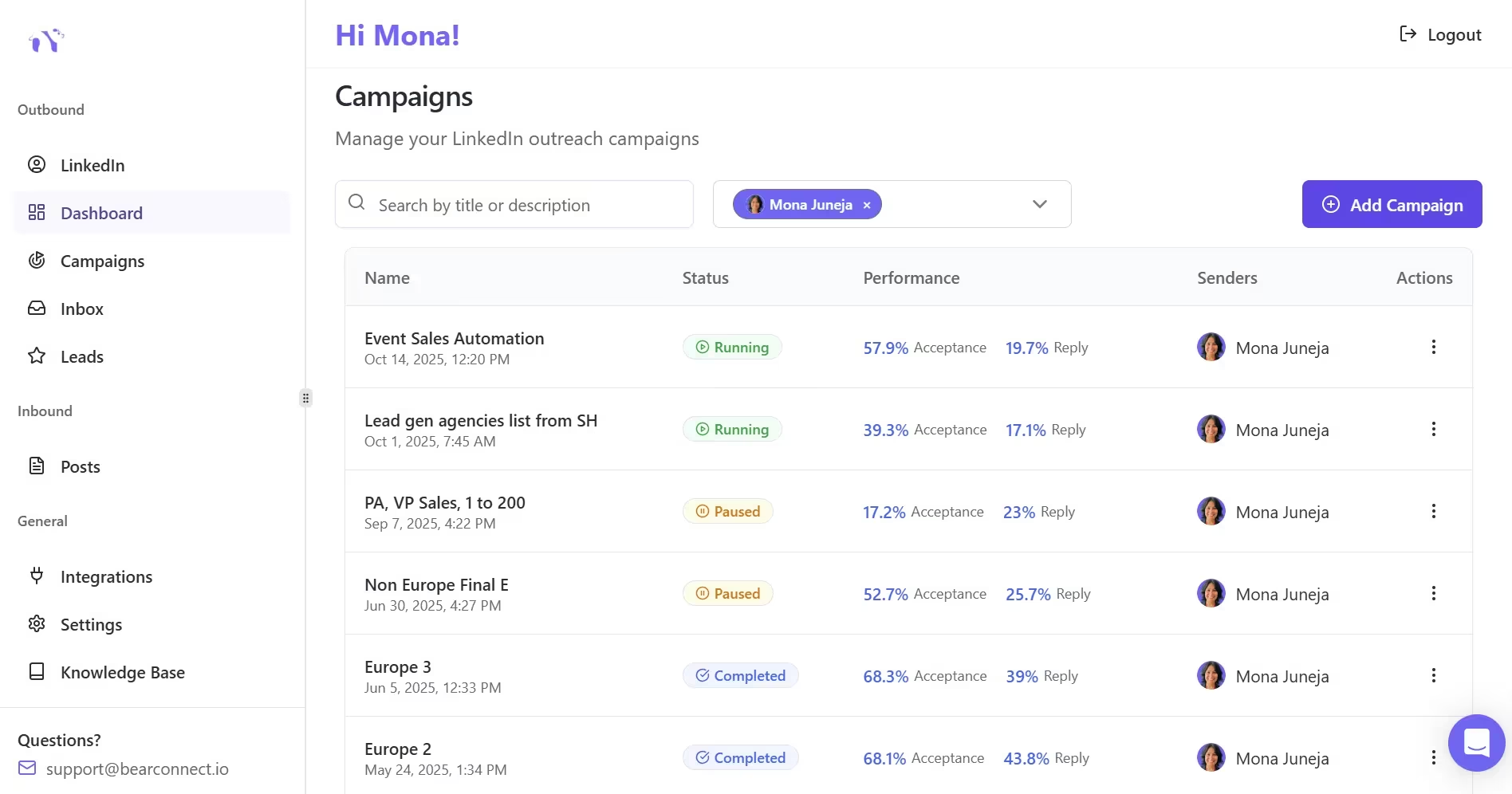
LinkedIn Premium gives you access. Automation tools give you volume and consistency.
- The bottleneck for most sales teams and founders is not "I cannot find prospects."
- It is "I cannot reach enough prospects consistently without spending my entire day on LinkedIn."
I broke down this exact tradeoff in AI SDR vs human SDR for LinkedIn outreach if you want the deeper comparison.
How Bearconnect Compares on Cost
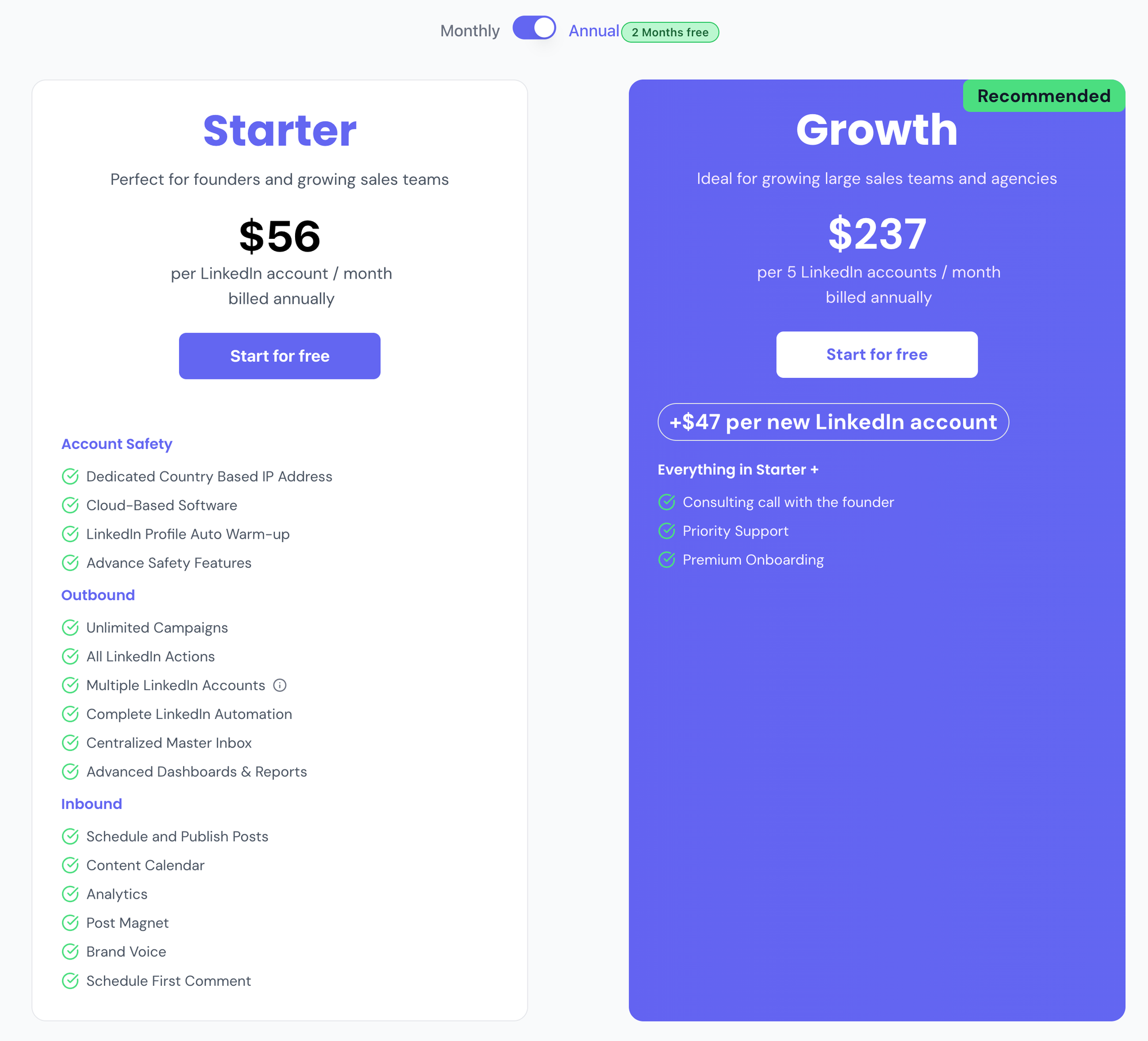
Bearconnect costs $67/month per LinkedIn account. When you connect 5 or more LinkedIn accounts, it drops to $57/month per account. The above screenshot is the annual cost.
Compare that to Sales Navigator Core at $119.99/month, which gives you filters and InMail but zero automation. Or Premium Business at $69.99/month, which gives you barely anything for outreach.
For a founder running outreach from one LinkedIn account:
→ Sales Navigator: $119.99/month, manual outreach only
→ Bearconnect: $67/month per account, automated connection requests, drip sequences, AI post scheduling, unified inbox
For an agency managing 5 client accounts:
→ Sales Navigator: $119.99 x 5 = $599.95/month, still manual
→ Bearconnect: $57 x 5 = $285/month, fully automated
Pro tip: You do not need Sales Navigator to use Bearconnect. It works with a free LinkedIn account. Sales Navigator is optional, not required.
What You Get With Bearconnect That Premium Does Not Offer
→ Automated connection requests and follow-ups with multi-step drip sequences
→ AI-powered LinkedIn content creation and post scheduling
→ Unified inbox to manage conversations across multiple LinkedIn accounts from one dashboard
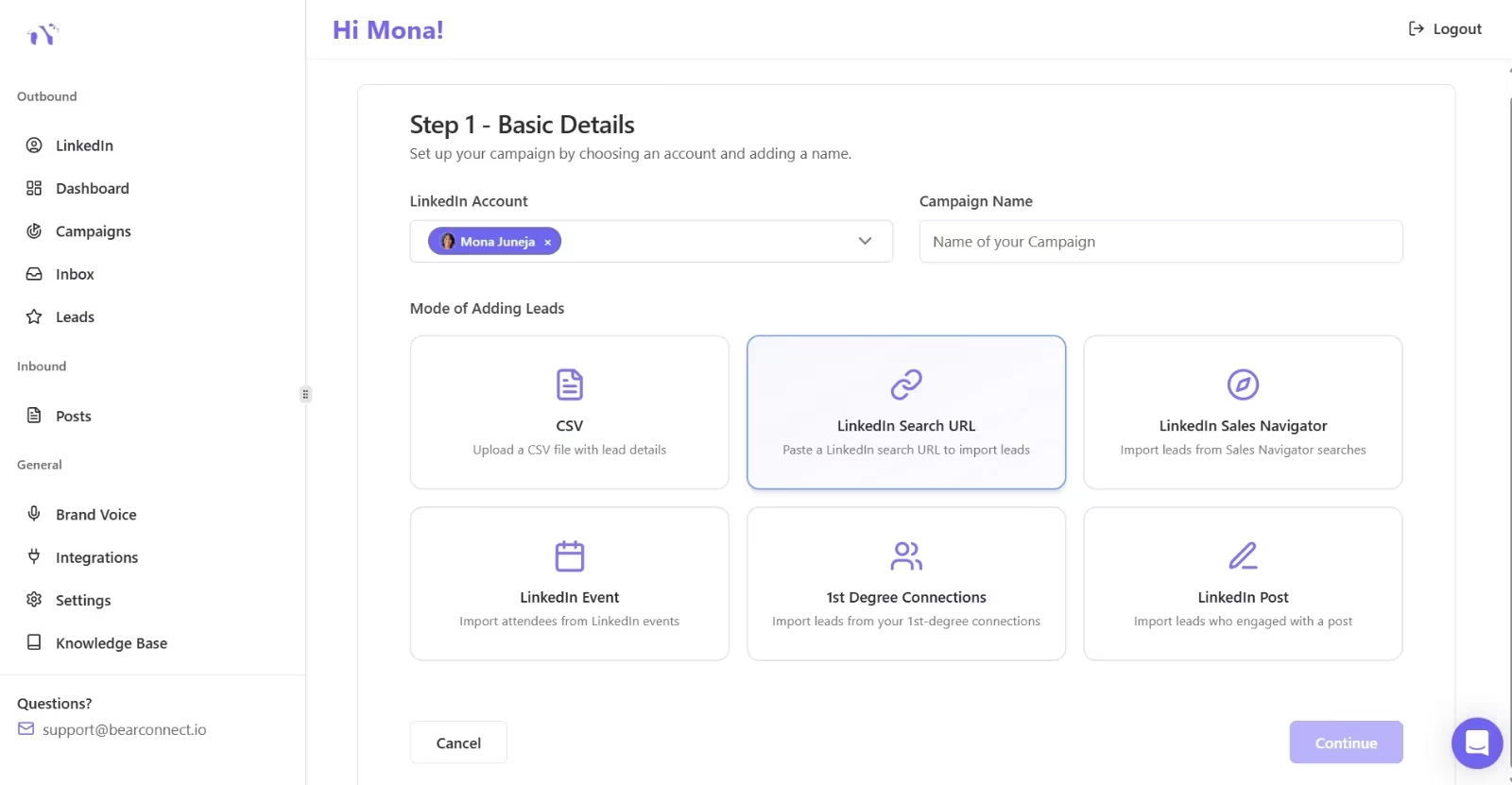
→ LinkedIn Post Leads feature that turns post engagers into outreach leads automatically, without CSV exports or third-party tools. Here is exactly how to import leads from a LinkedIn post using this feature.
→ Campaign analytics to track acceptance rates, reply rates, and pipeline performance
None of these exist in any LinkedIn Premium tier.
LinkedIn Premium vs. Sales Navigator vs. Bearconnect: Quick Comparison Table
| Feature | Premium Business | Sales Navigator Core | Bearconnect |
|---|---|---|---|
| Monthly Price | $69.99 | $119.99 | $67/account ($57 at 5+) |
| Best For | Networking, profile views | Prospecting, lead lists | Outreach automation, content, lead gen |
| InMail Credits | 15/month | 50/month | Not needed (uses connection requests) |
| Automated Outreach | No | No | Yes (drip sequences, follow-ups) |
| AI Content Creation | No | No | Yes |
| Post Scheduling | No | No | Yes |
| Multi-Account Inbox | No | No | Yes |
| Key Limitation | No outreach automation | Expensive, still manual | Requires LinkedIn account (free works) |
If you are juggling multiple client profiles, how agencies manage multiple LinkedIn accounts covers the workflow in detail.
So, Is LinkedIn Premium Worth It? (The Verdict)
It depends on who you are and what you need.
Worth It If...
→ You are an active job seeker who needs applicant insights and InMail access to recruiters (get Premium Career)
→ You are a sales professional who primarily needs advanced search filters for building lead lists (get Sales Navigator, but budget for an automation tool too)
→ You are a recruiter running high-volume hiring campaigns (get Recruiter Lite)
Skip It If...
→ You are a founder or SDR who needs to generate pipeline through LinkedIn outreach at scale
→ You are an agency managing multiple client accounts and cannot afford $119.99 per seat
→ You want automated follow-ups, drip sequences, and AI content creation (Premium offers none of this)
→ You are price-sensitive and looking for the best cost-per-conversation ratio
For sales professionals and founders, the smarter play is pairing a free LinkedIn account (or Sales Navigator if budget allows) with an automation tool like Bearconnect.
Check Bearconnect pricing to see exactly what you would pay at your account count.
That is the honest answer.
FAQs
1. Is LinkedIn Premium tax deductible?
Yes, in most cases. If you use LinkedIn Premium for business purposes like lead generation, recruiting, or professional development, it qualifies as a business expense. Consult your accountant for specifics, but self-employed professionals and businesses typically deduct it under marketing or software expenses.
2. Is LinkedIn Premium good for sales?
Premium Business is underwhelming for sales. Sales Navigator Core is better because of its advanced search filters and larger InMail allocation. But neither plan includes outreach automation. For sales teams focused on pipeline, combining Sales Navigator with an automation tool delivers significantly better results than Premium alone.
3. Is it worth it to get LinkedIn Premium as a freelancer?
It depends on your client acquisition strategy. If you rely on inbound (clients finding you), Premium's profile visibility features help. If you do outbound prospecting, an automation tool gives you more bang for your budget than Premium's limited InMail credits.
4. How much is LinkedIn Premium per month in 2026?
Premium Career costs $29.99 to $39.99/month. Premium Business is $69.99/month. Sales Navigator Core is $119.99/month. Recruiter Lite runs around $170/month. Annual billing reduces these by 20 to 25%.
5. Can I cancel LinkedIn Premium anytime?
Yes. All LinkedIn Premium plans are month-to-month by default. You can cancel anytime from your subscription settings, and you will retain access until the end of your current billing period. Annual plans can also be cancelled, but you will not receive a prorated refund for the remaining months.
Ready to Transform Your LinkedIn Strategy?
Join thousands of professionals already using Bearconnect to automate their outreach and grow their network.
7-day free trial • Cancel anytime
Related Articles

LinkedIn Automation: The Complete Guide for 2026
What LinkedIn automation is, how it works, what LinkedIn allows, safe limits, how to choose a tool and how to run your first campaign.
How to Remove a Connection on LinkedIn (Do They Get Notified?)
Removing a LinkedIn connection takes a few clicks, but most people want to know one thing first: does the other person get notified? This guide covers the steps on desktop and mobile, and what changes afterward.
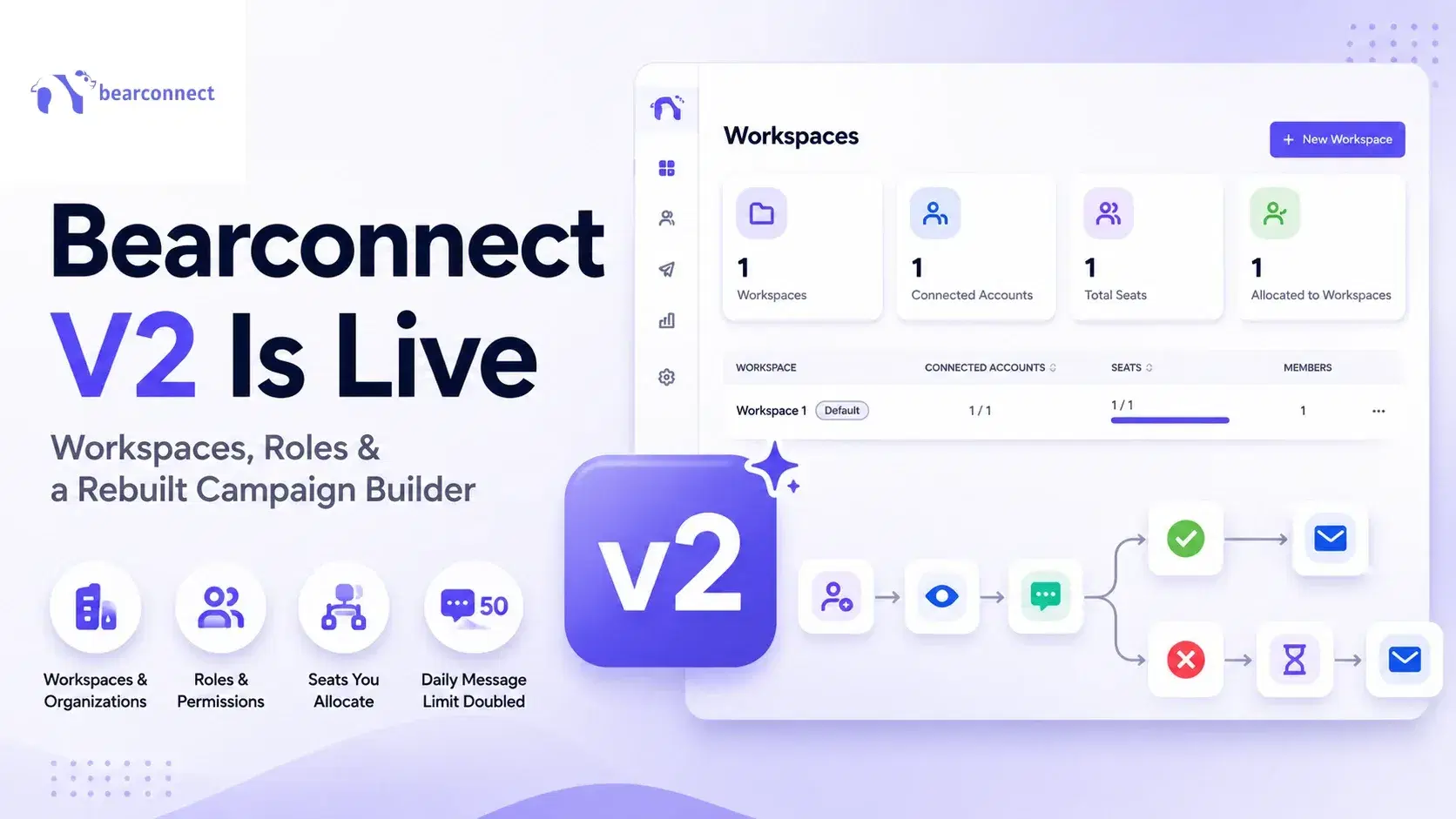
Bearconnect V2 Is Live: Workspaces, Roles and a Rebuilt Campaign Builder
Bearconnect V2 introduces dedicated workspaces, flexible roles, and a rebuilt campaign builder, giving agencies and sales teams more control over every LinkedIn account they manage.