LinkedIn Automation for Agency Owners: How Do You Manage 10+ Client Accounts Without Chaos?
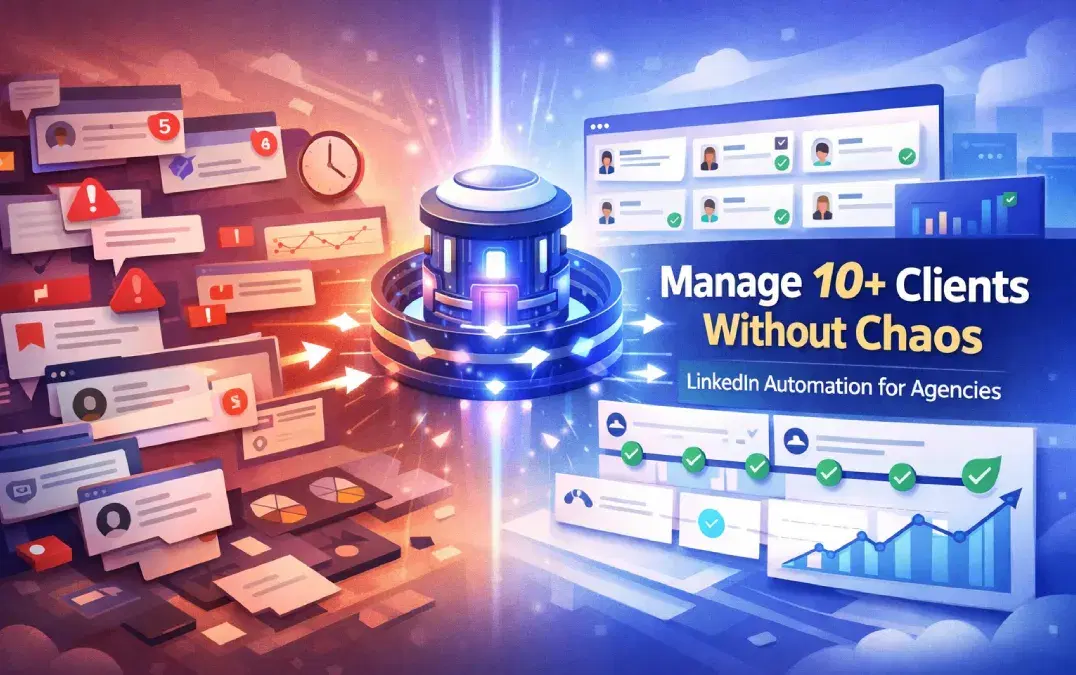
You manage LinkedIn outreach for multiple clients by using a multi-account automation platform that keeps each client's brand voice, campaigns, inbox, and reporting fully separate.
One unified system replaces the manual tab-switching, credential juggling, and cross-client errors that kill agency efficiency.
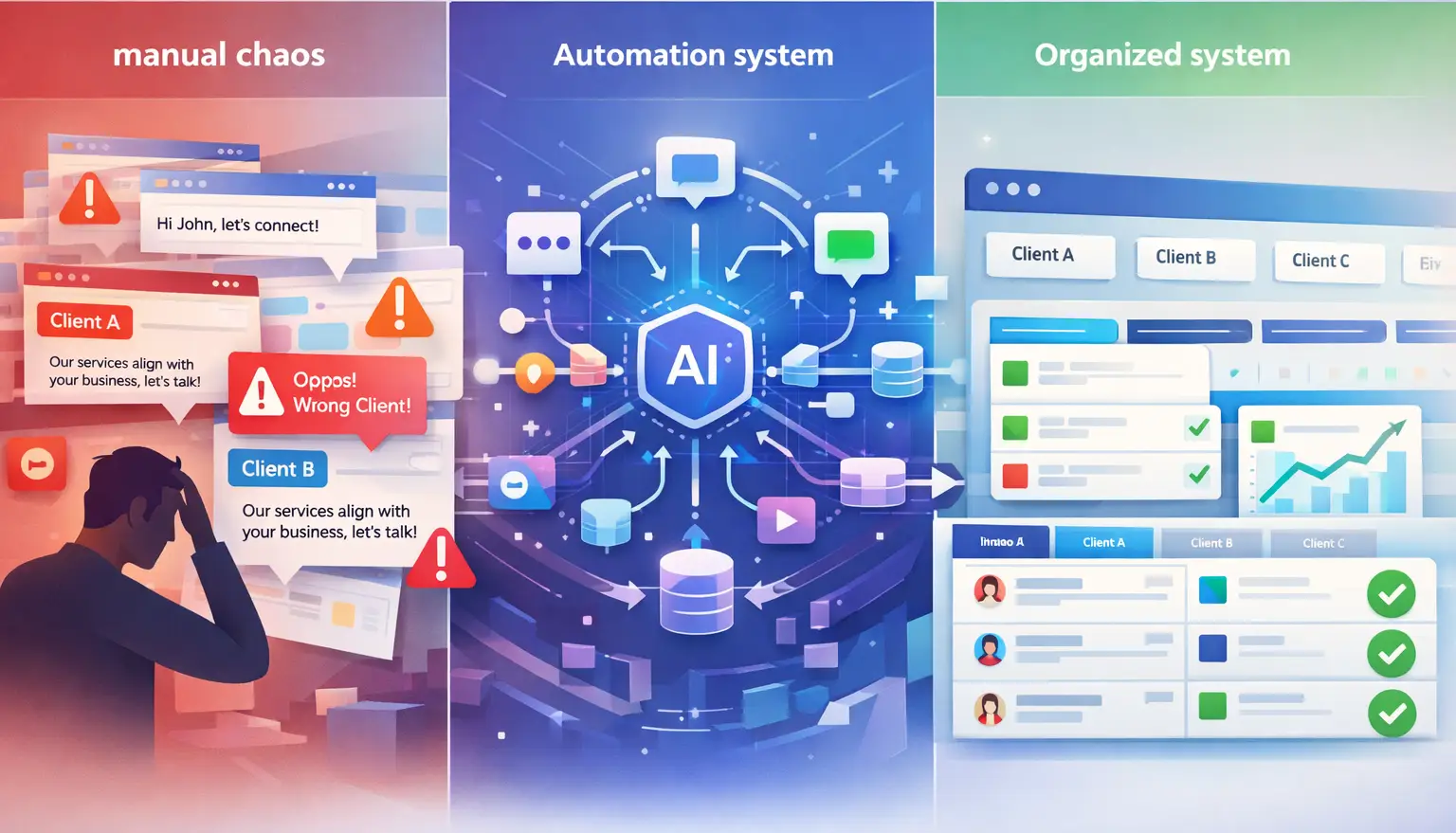
TL;DR
- Running LinkedIn outreach for 10+ clients manually is not a scaling problem. It is a systems problem.
- Each client needs isolated campaigns, a separate brand voice, and individual performance reports.
- The biggest agency mistake is sending Client A's message from Client B's account. The right tool eliminates this completely.
- A proper agency LinkedIn setup runs connection requests, follow-ups, and inbox management from one dashboard without logging in and out.
- Bearconnect is built for exactly this: multi-account LinkedIn automation with per-client brand voice, unified inbox, and isolated campaign analytics.
The Real Problem With Running LinkedIn Outreach for Multiple Clients
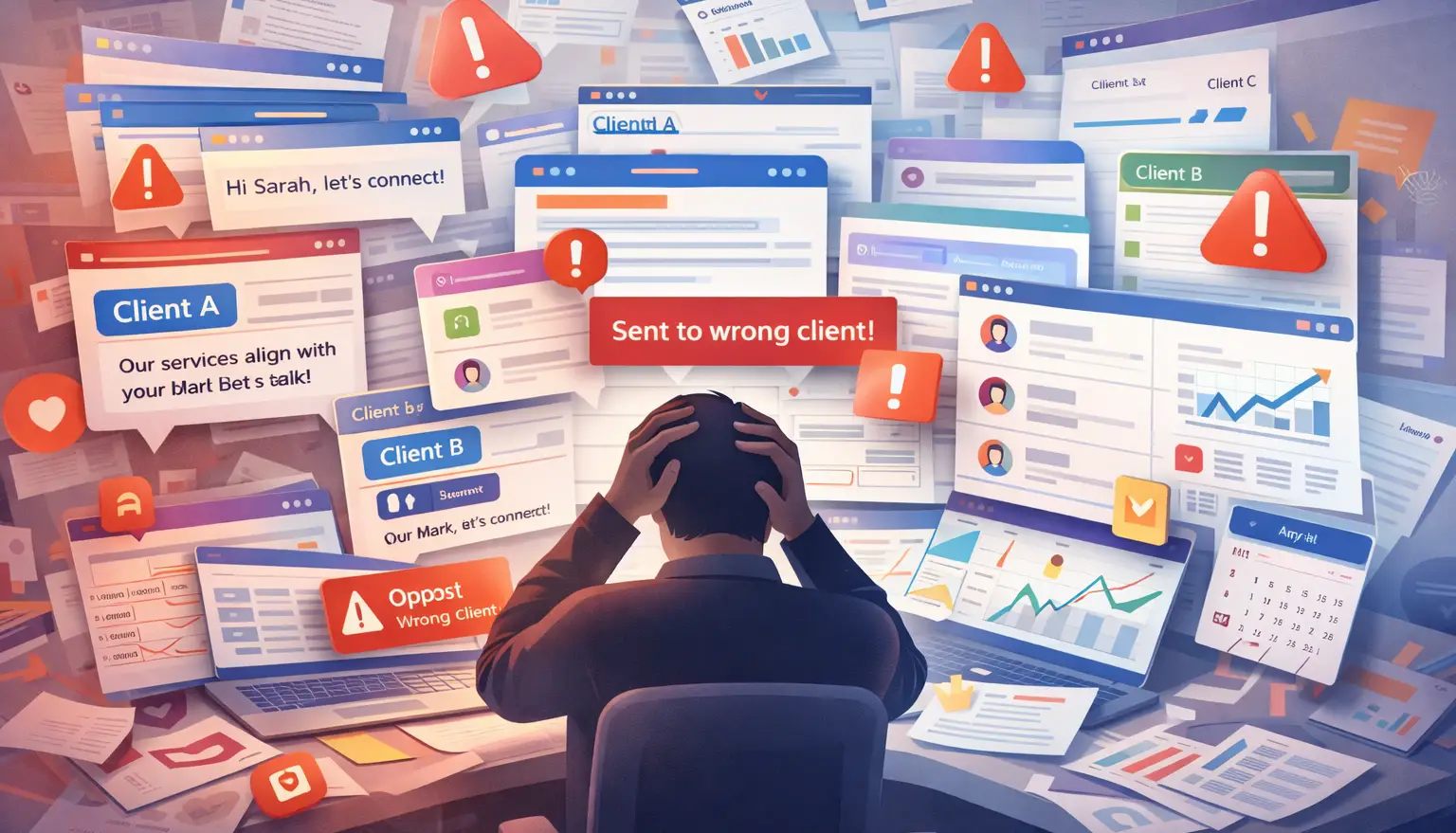
LinkedIn automation for agency owners breaks down at scale because most tools are built for single-user outreach, not multi-client operations.
Read how to automate agency LinkedIn outreach before you continue.
Here is what the daily reality looks like for most agency owners managing 5 to 15 client accounts:
- Logging in and out of LinkedIn accounts manually to check each client's inbox
- Maintaining separate spreadsheets to track which message sequence belongs to which client
- Copy-pasting the wrong template into the wrong client's outreach campaign
- Generating performance reports from scattered data at the end of every month
- Keeping each client's tone and messaging consistent across weeks of outreach
Every one of these tasks is manual, error-prone, and does not scale. The chaos is not from LinkedIn. It is from the absence of a proper agency workflow.
Most agency owners searching for LinkedIn automation for agencies are already feeling this and looking for a structured way out.
Why Separate Brand Voices Are Non-Negotiable for Agency Clients
Every client on LinkedIn sounds different, and sending generic outreach from their account destroys their credibility instantly.
Consider this scenario: You run outreach for a B2B SaaS founder (casual, conversational tone) and a corporate consulting firm (formal, data-driven tone). If both accounts receive the same template, you have already failed both clients.
Agency LinkedIn outreach that works requires:
- A distinct tone and vocabulary set per client
- Specific formatting rules (emoji use, hashtag count, message length) per account
- A writing style that reflects the client's actual LinkedIn presence
- Rules that prevent blocked phrases or brand-inconsistent language from appearing
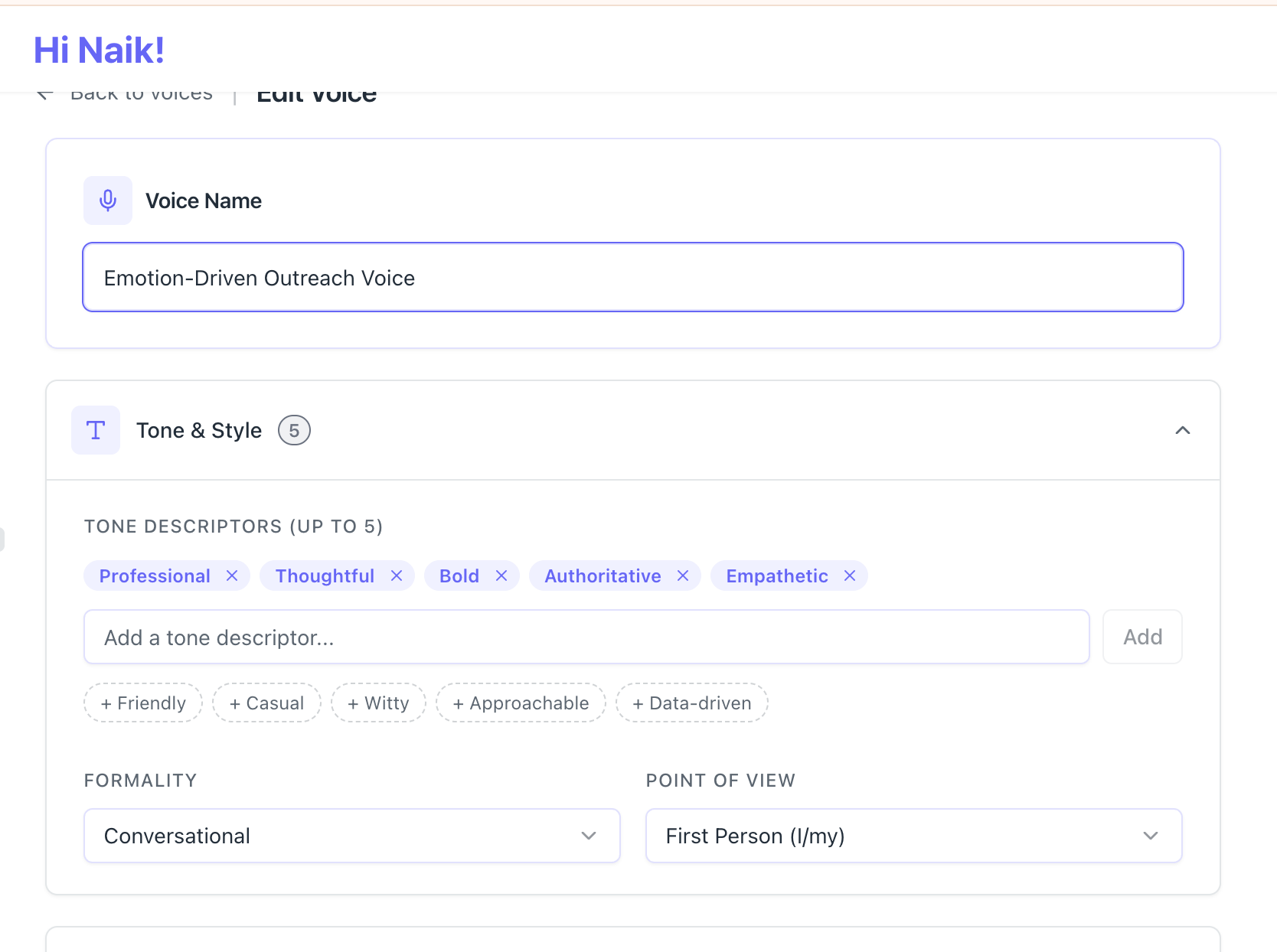
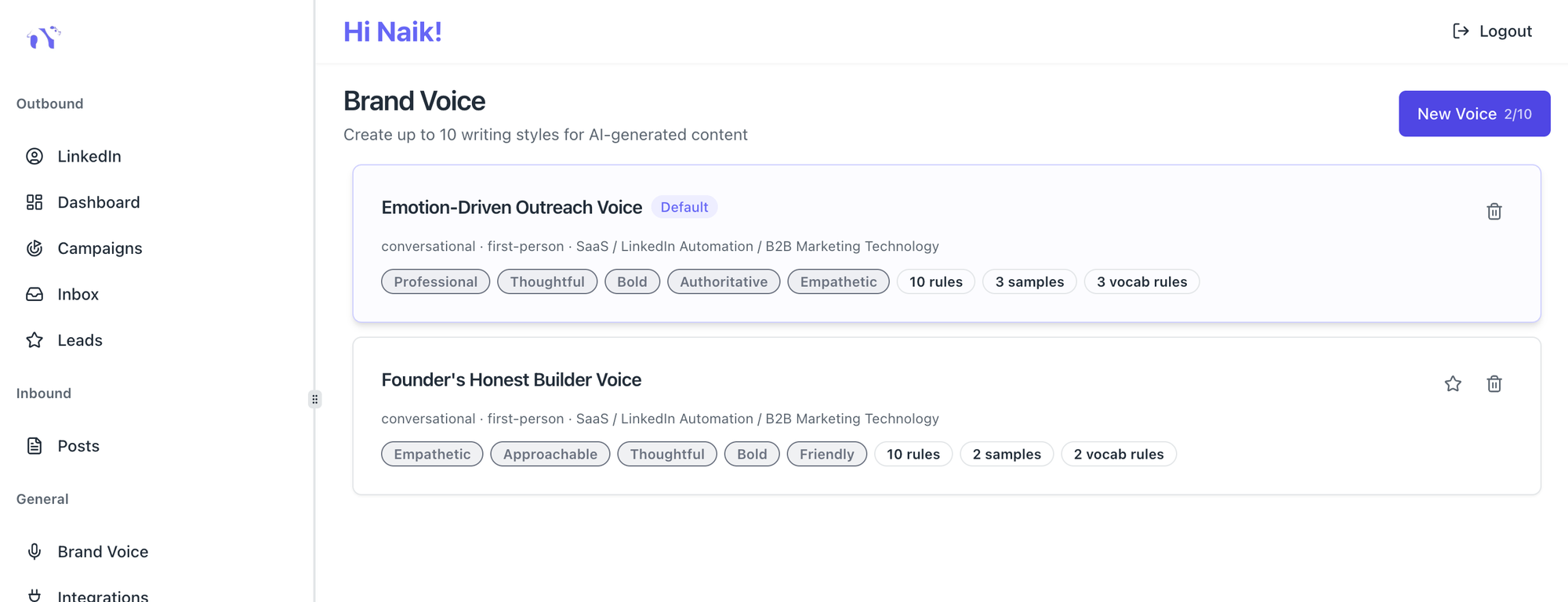
Bearconnect's Brand Voice feature lets you store up to 10 separate brand voice profiles per workspace. Each profile has its own tone descriptors, vocabulary rules, formatting preferences, and writing samples.
When you run a campaign for Client A, you activate Client A's brand voice. Every message generated for that account reflects their voice, not a generic template.
How to Structure a Multi-Client LinkedIn Outreach Operation
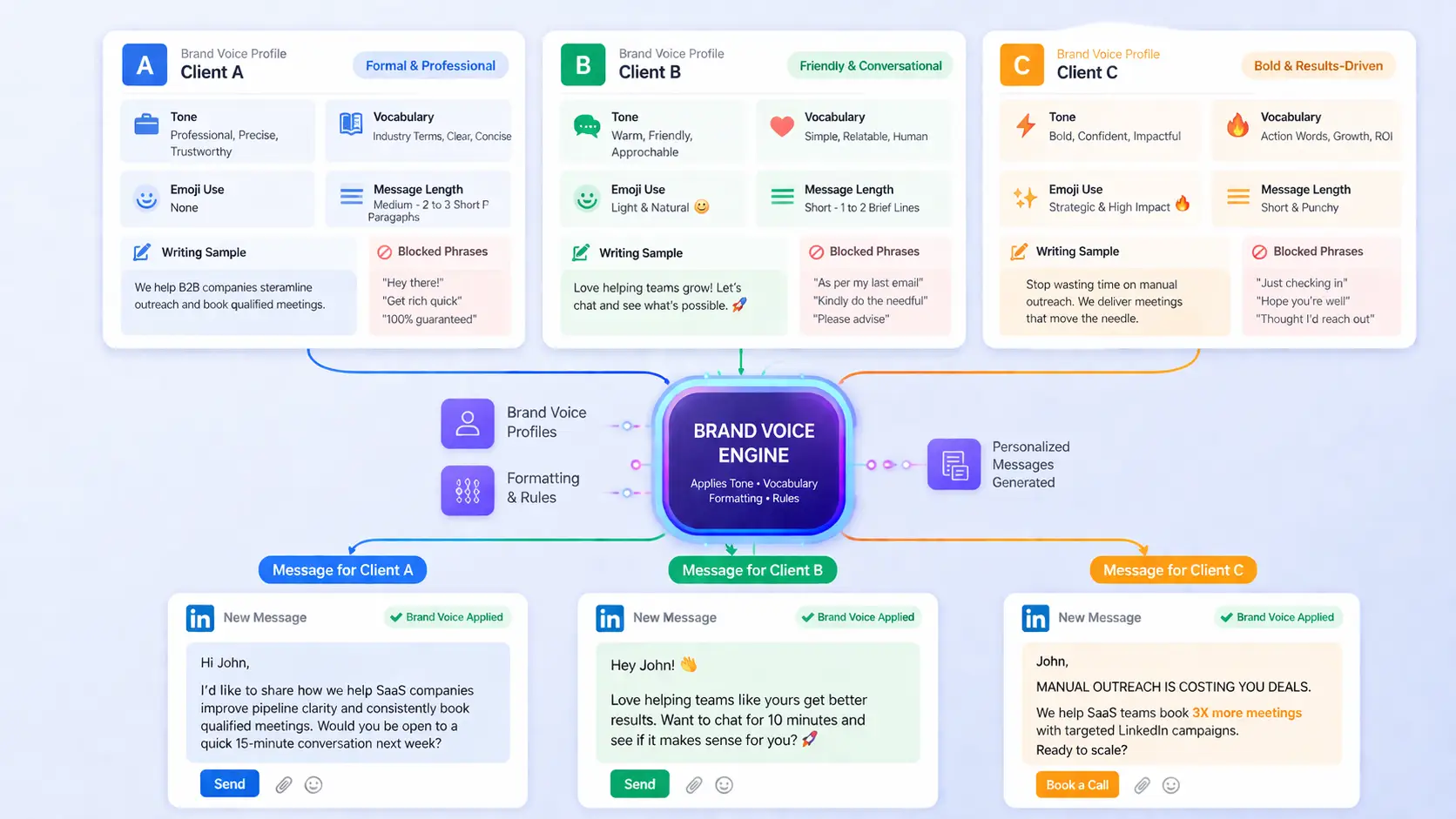
A clean agency setup separates each client at three levels: account access, campaign management, and reporting.
Level 1: Account Isolation
- Each client's LinkedIn account connects to the platform independently. No shared sessions, no credential overlap.
- This prevents the single most expensive agency mistake: sending one client's outreach message from another client's account.
A real example from agency operations: An account manager at a 3-person growth agency was managing 8 clients from the same laptop.
They sent a follow-up message about "financial advisory services" from a SaaS startup founder's account. The client noticed, flagged it, and terminated the contract. One tab-switching error cost a full client relationship.
The fix is structural. Each LinkedIn account should have:
- Its own dedicated connection slot in the automation platform
- Separate campaign sequences that cannot bleed into another account
- Individual daily activity limits to stay within LinkedIn's safe usage thresholds
Pro Tip: Understand what pushes LinkedIn accounts into restricted mode before you launch any campaign.
Read the full guide on LinkedIn jail and automation restrictions to keep every client account protected from day one.
Level 2: Campaign Management Per Client
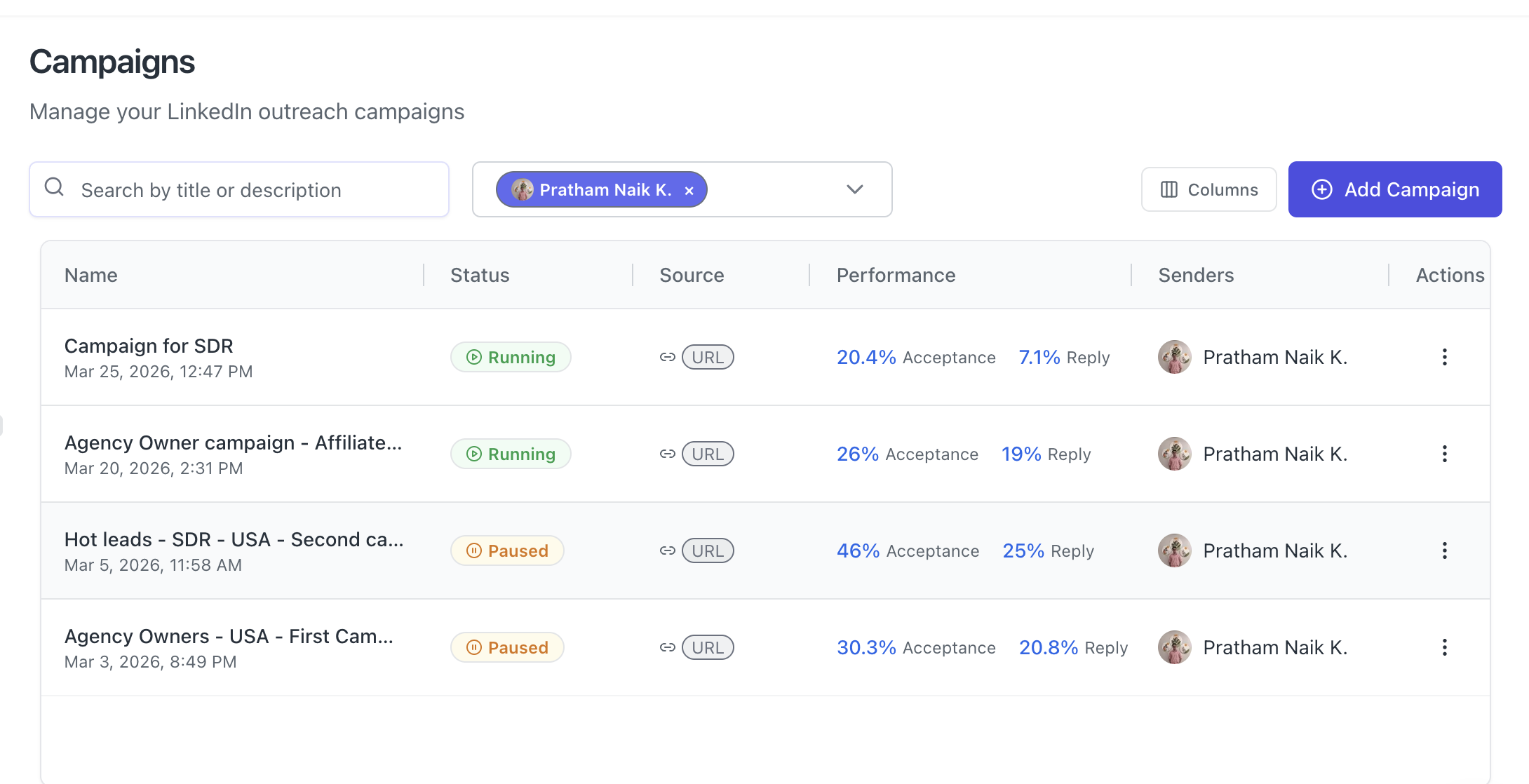
Each client needs their own campaign workspace with independent sequences. A solid LinkedIn outreach automation framework for one client looks like this:
- Step 1: Targeted connection request with a personalized note (under 300 characters)
- Step 2: First follow-up message 24 to 48 hours after acceptance
- Step 3: Value-add message 5 to 7 days later if no reply
- Step 4: Final soft close or breakup message at day 14
Running this for 10 clients means 10 fully independent sequences. No mixing, no shared templates unless the client specifically approves a shared framework.
Agencies win trust faster with a complete LinkedIn company page for your agency before running client outreach.
Level 3: Isolated Reporting Per Account
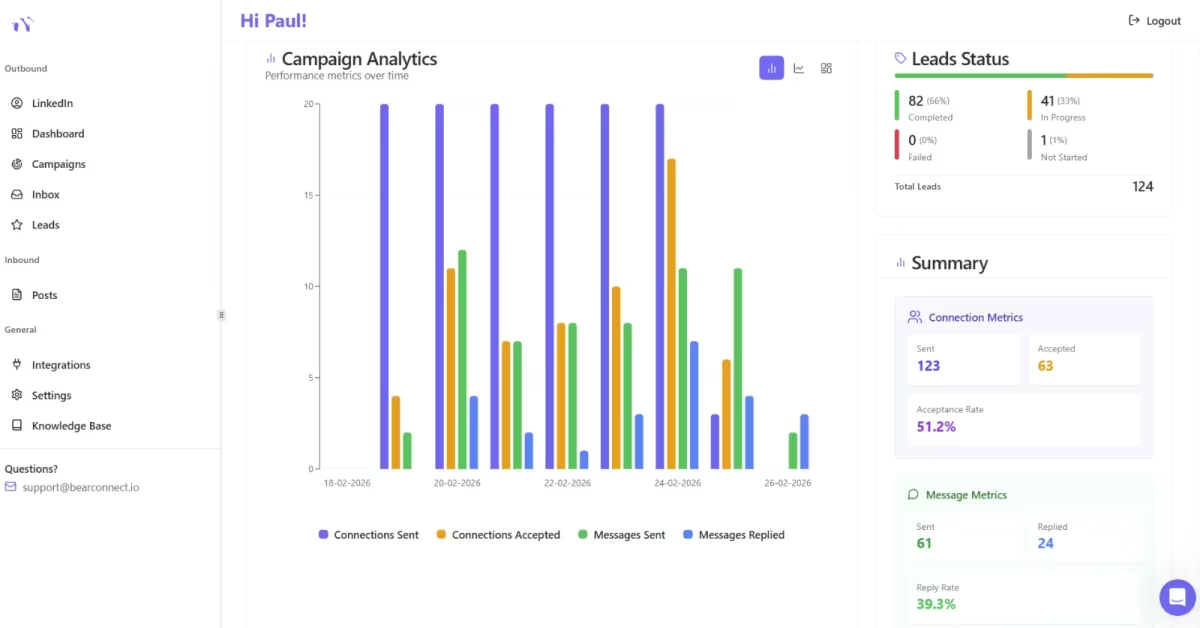
Every client wants to know what their LinkedIn activity produced. Reporting by account is how you retain clients and justify your agency fee.
Per-client reporting should include:
- Connection acceptance rate for the period
- Reply rate per message in the sequence
- Number of conversations started
- Leads moved to the next stage
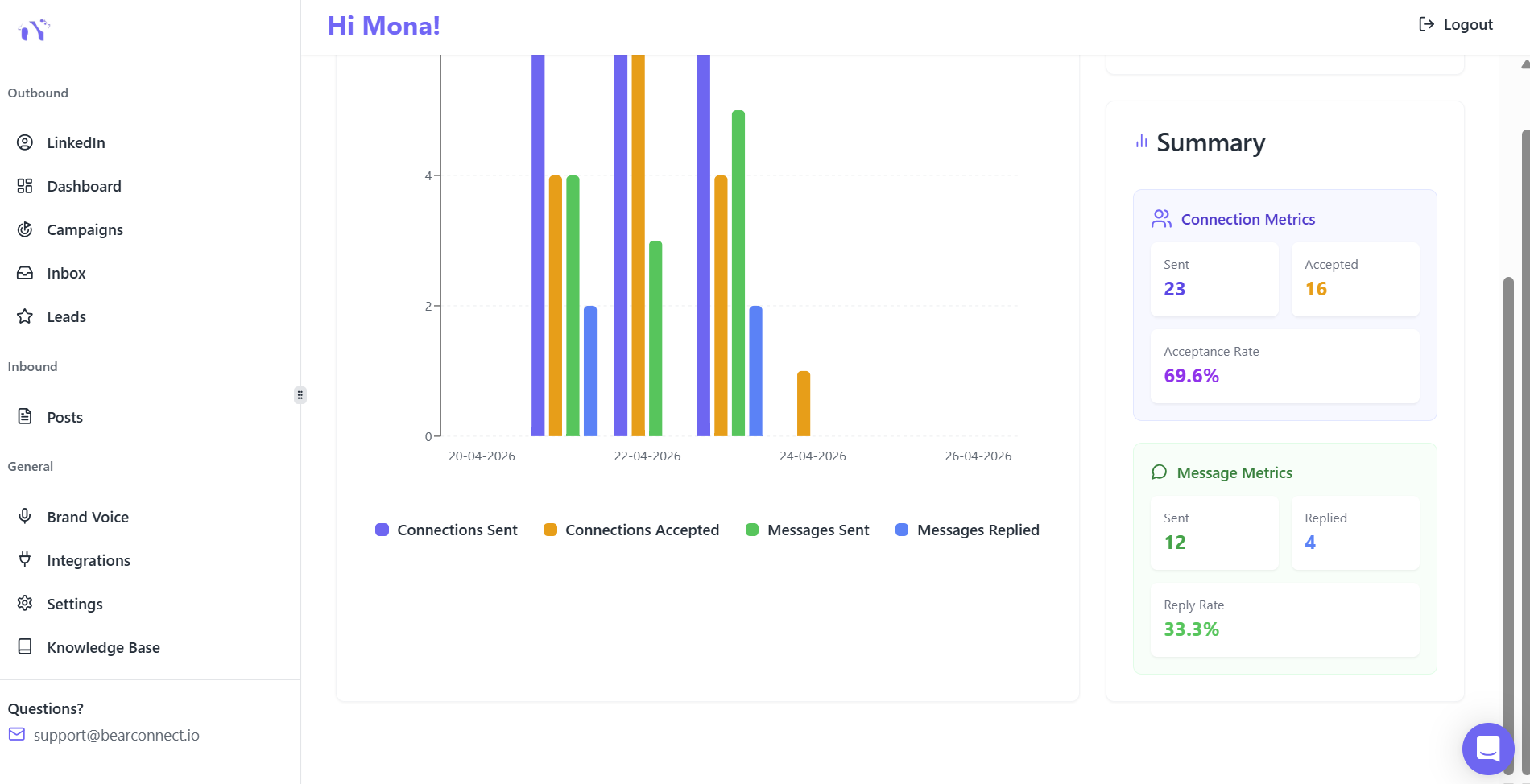
Bearconnect's analytics feature tracks campaign performance per LinkedIn account. This means you pull each client's data independently without manually filtering shared reports.
The Agency Workflow That Scales to 10+ Clients
Managing LinkedIn outreach for agency owners at scale follows a repeatable 5-step workflow. Apply this for every new client you onboard.
Step 1: Client Onboarding (Day 1)
- Connect their LinkedIn account to the platform
- Set up their brand voice profile (tone, vocabulary, formatting, writing samples)
- Define their ideal customer profile: job title, industry, company size, geography
Step 2: Lead Import (Day 2 to 3)
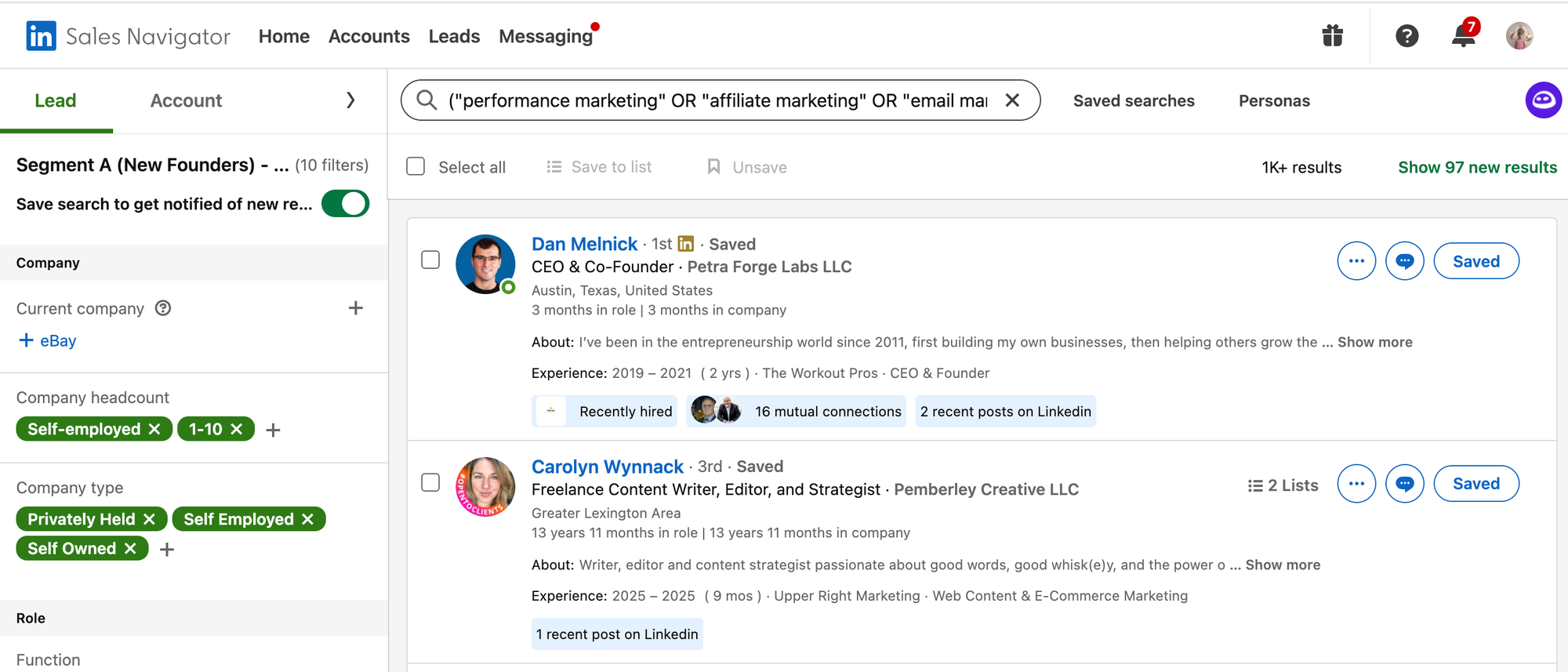
Pull leads directly from:
- LinkedIn Search URL using the client's ICP filters
- Sales Navigator if the client has a subscription
- CSV upload if the client provides a lead list
- LinkedIn event attendees if the client runs or attends industry events
- LinkedIn posts to target already engaged leads with your post or your competitors
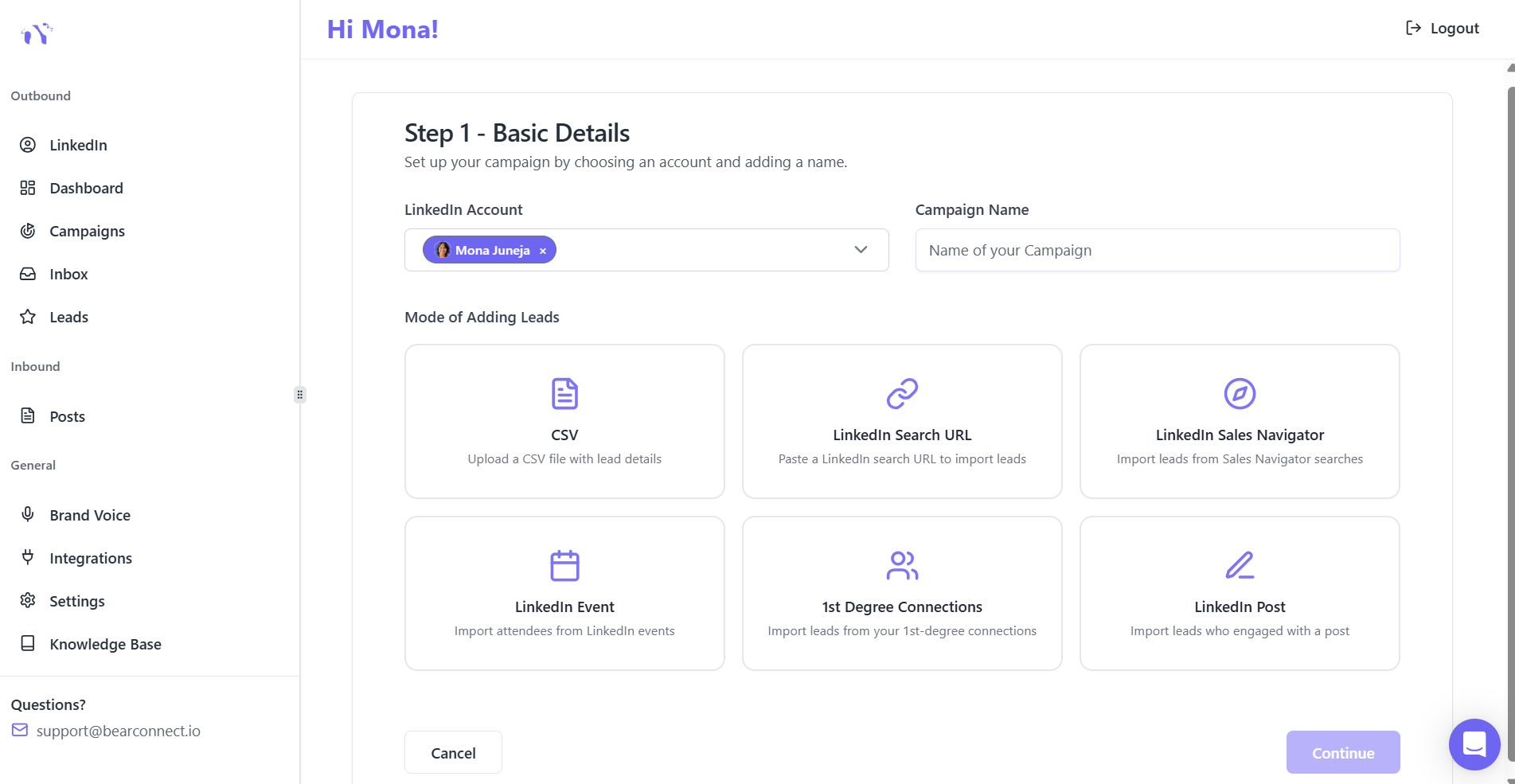
Bearconnect's Import Data feature supports all of these sources. You import once per campaign and the leads feed directly into the client's sequence.
Step 3: Campaign Launch (Day 3 to 5)
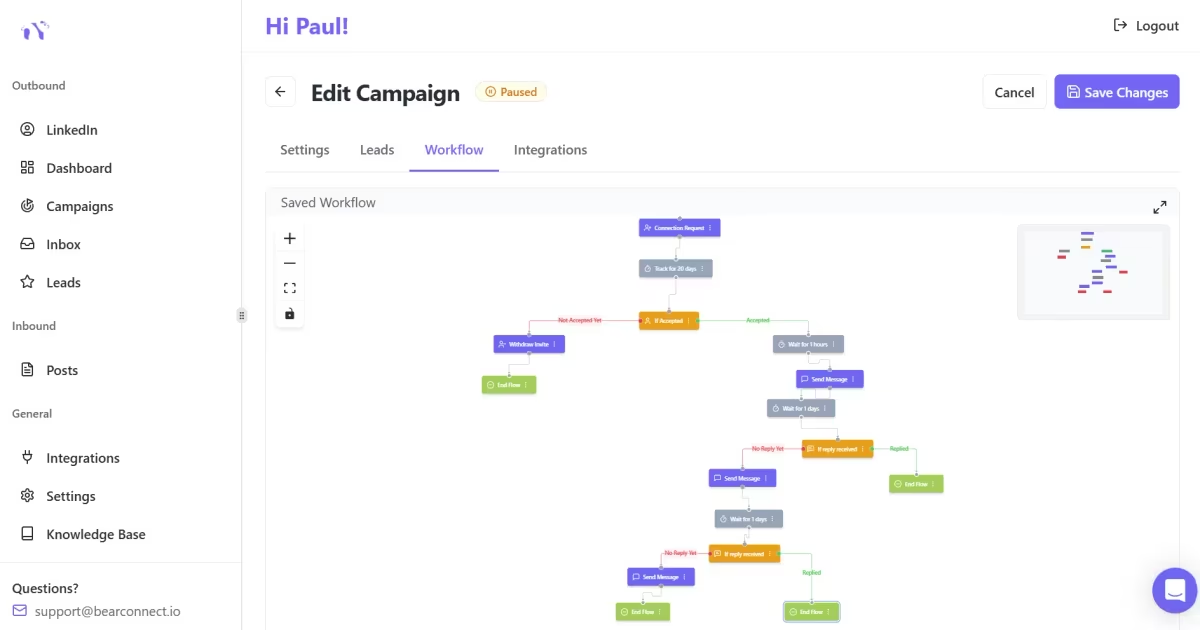
- Write the connection request note in the client's brand voice
- Build the follow-up sequence (2 to 3 messages)
- Set daily activity limits (recommended: 20 to 30 connection requests per day per account for safe operation)
- Review and launch
Step 4: Inbox Management (Ongoing)
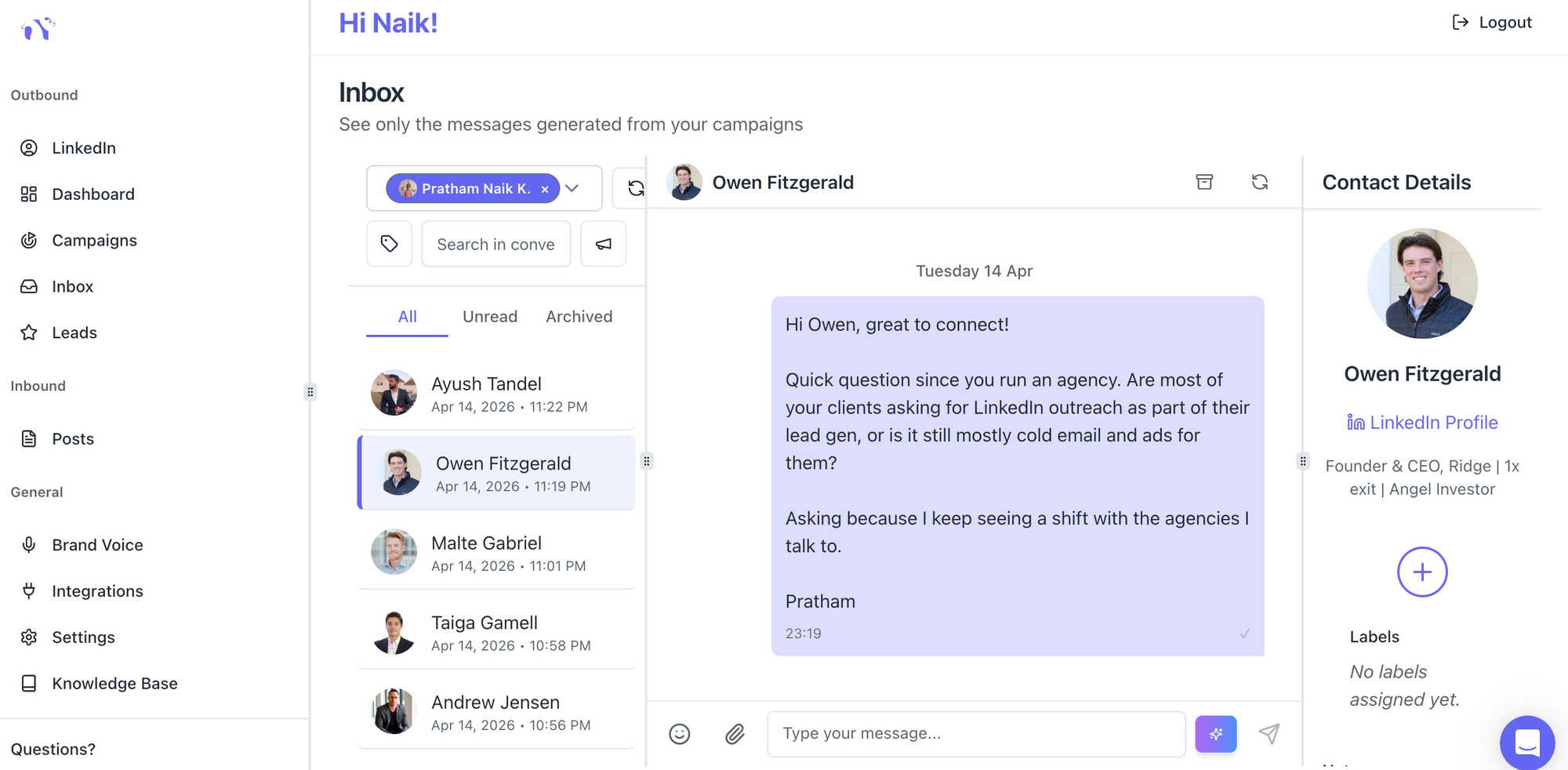
- Replies from all client accounts land in a single location, filtered by account. You respond in the client's voice without switching browser tabs or logging into separate LinkedIn sessions.
- Bearconnect's Unified Inbox centralizes all conversations from multiple LinkedIn accounts in one place.
- You see which account the message belongs to, respond with the correct brand voice active, and never confuse Client A's reply thread with Client B's.
Step 5: Monthly Reporting (End of Month)
- Pull each client's analytics individually. Include connection acceptance rate, reply rate, and conversations started.
- Pair this with a short commentary on what the data means and what the plan is for next month. This is your client retention document.
How LinkedIn Automation for Agency Owners Stays Safe at Scale
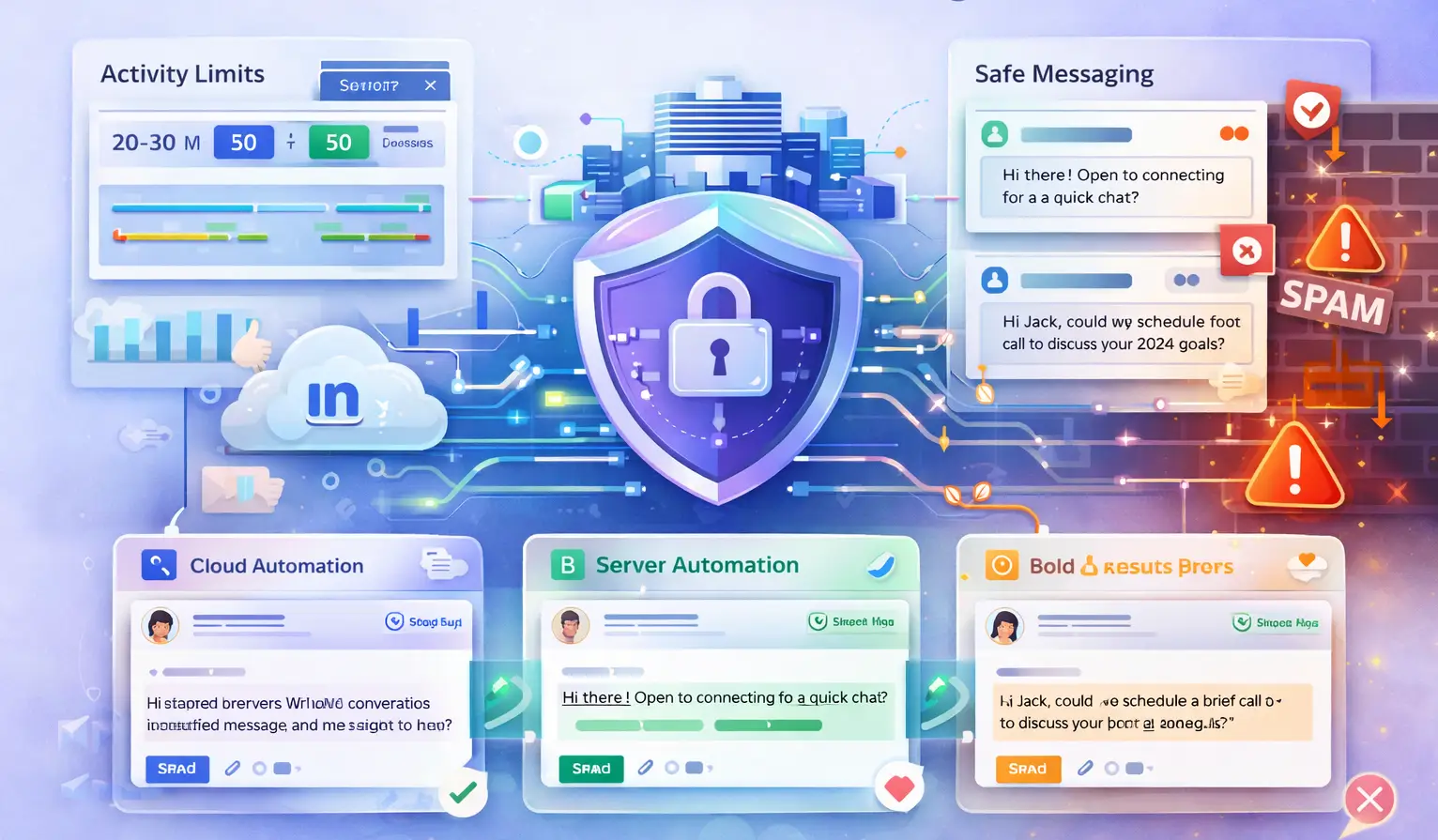
Account safety is the number one concern for agency owners running LinkedIn outreach for clients. A banned client account means a lost client relationship.
Safe LinkedIn automation at agency scale follows three rules:
Rule 1: Respect Daily Activity Limits
LinkedIn monitors unusual activity patterns. For automation:
- Keep connection requests at 20 to 25 per day per account during warmup
Rule 2: Use Cloud-Based Automation, Not Browser Extensions
- Browser extensions that simulate activity on your local machine create detectable patterns.
- Cloud-based tools that operate independently of a browser session are harder for LinkedIn to flag.
Pro Tip: Always run your client's LinkedIn automation from a platform that mimics natural human behavior patterns: variable timing between actions, activity only during reasonable hours, and built-in daily limits. This is non-negotiable for client account safety.
Rule 3: Keep Messages Conversational, Not Promotional
LinkedIn's spam detection triggers on certain patterns: identical messages sent in high volume, messages with links in the first touch, and messages that read like promotional copy.
For agency campaigns:
- Never include a link in the first connection message
- Vary the opening line of templates slightly across a campaign
- Keep the first message under 100 words with one clear question
Read the full breakdown in how to automate LinkedIn messages safely to understand exactly which patterns trigger LinkedIn restrictions.
What a 10-Client Agency Setup Looks Like in Practice
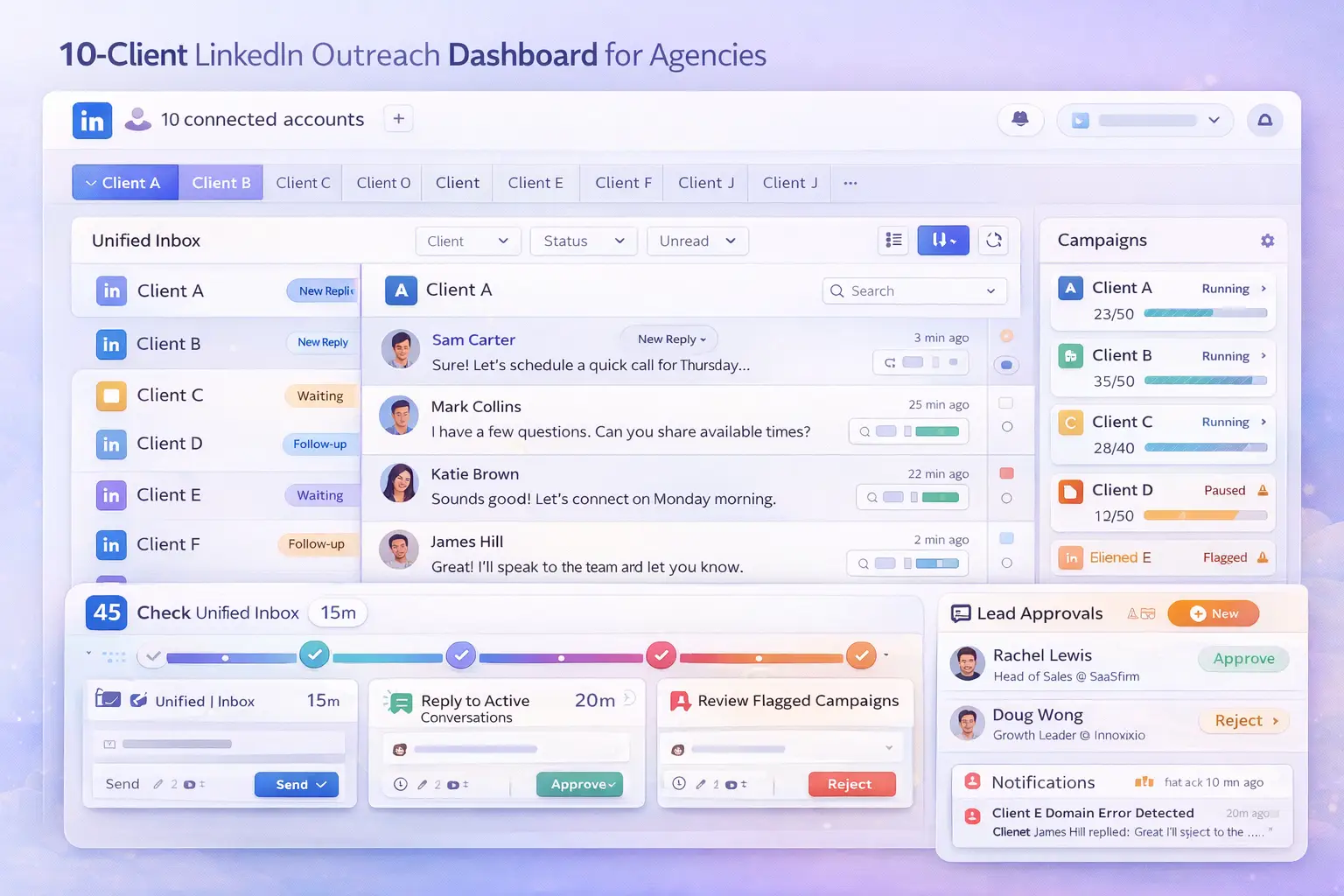
Here is a realistic scenario for an agency owner running LinkedIn outreach for 10 B2B clients using a structured platform.
The Setup:
- 10 LinkedIn accounts connected under one agency workspace
- Each account has its own brand voice profile configured
- Each account runs one active connection request campaign at a time
- All inboxes visible from a single dashboard, filtered by client
The Daily Workflow (45 minutes per day for all 10 clients):
- Check the Unified Inbox for new replies across all accounts (15 minutes)
- Respond to active conversations in the correct client brand voice (20 minutes)
- Review any flagged campaigns or paused sequences (5 minutes)
- Approve new leads added to upcoming campaigns (5 minutes)
Without a unified system, this same work takes 3 to 4 hours daily. That time goes to tab switching, credential management, and manually tracking which reply belongs to which client.
With Bearconnect's multi-account LinkedIn management, all 10 accounts run from one workspace. You pay $57 per month per LinkedIn account when you connect 5 or more accounts, making it cost-effective at agency scale.
Common Mistakes Agency Owners Make With LinkedIn Outreach
These mistakes cost client relationships and account safety. Avoid all of them.
- Running the same template for every client. Even clients in the same industry need differentiated messaging. Generic outreach kills reply rates and confuses the client's LinkedIn audience.
- Ignoring reply management. Automation starts conversations. A human (or an AI with the right brand voice) needs to continue them. Unanswered replies signal to LinkedIn that the account is sending spam.
- No daily limits during warmup. New LinkedIn accounts connected to automation need a gradual ramp-up. Starting at full volume immediately flags the account.
- Mixing client campaign assets. Using Client A's lead list in Client B's campaign is an error that damages relationships and wastes budget. Isolated workspaces prevent this.
- No monthly reporting cadence. Clients who do not see results data cancel. Reporting is not just delivery; it is your retention tool.
For more on avoiding outreach errors at scale, read how agencies run LinkedIn outreach for clients.
5 FAQs: LinkedIn Automation for Agency Owners
Q1: Can I manage multiple client LinkedIn accounts from one platform safely?
Yes. Platforms built for agency use, like Bearconnect, connect multiple LinkedIn accounts under one workspace with isolated campaigns and activity limits per account. Each account operates independently to protect client profiles.
Q2: How many LinkedIn accounts can one agency seat manage?
This depends on the platform. Bearconnect supports unlimited LinkedIn account connections with pricing at $57 per month per account for 5 or more accounts. You can scale to 10, 20, or more client accounts from a single dashboard.
Q3: How do I keep each client's messaging voice consistent across weeks of outreach?
Set up a brand voice profile for each client before the first campaign launches. Include tone, vocabulary rules, and writing samples. Every message generated for that account runs through those rules automatically.
Q4: What is the safest number of connection requests to send per day per client account?
Start at 10 to 15 per day for the first 2 to 3 weeks. Then increase gradually to a maximum of 20-25 per day. Staying within these limits keeps each client account safe from LinkedIn restrictions.
Q5: How do I generate per-client reports for billing and retention?
Use a platform that tracks analytics per LinkedIn account independently. Pull each client's connection acceptance rate, reply rate, and conversation count monthly. Pair the numbers with a short commentary on results and next steps.
Scale Your Agency LinkedIn Operations Today
You now have the full framework: per-client brand voice setup, isolated campaign management, safe daily limits, unified inbox management, and monthly reporting.
The next step is to audit your current setup. If you are switching tabs, juggling credentials, or running the same template for every client, you have a systems problem, not a capacity problem.
Try Bearconnect to run LinkedIn outreach for all your clients from one clean dashboard. It handles the multi-account management, brand voice isolation, and inbox filtering so you can focus on growing client results, not managing operational chaos.
Not ready to switch yet? Start with how agencies manage multiple LinkedIn accounts for a deeper look at the operational setup. See Bearconnect pricing when you are ready to scale.
About the Author
Mona Juneja is the founder of Bearconnect and a B2B sales professional with 20+ years of experience at Microsoft, Oracle, and Dell.
After two decades of watching lead generation stay manual and broken for most businesses, she built Bearconnect in May 2024, an AI-powered LinkedIn automation platform that handles outreach, messaging, and content scheduling from one place.
Connect on LinkedIn: Mona Juneja
Ready to Transform Your LinkedIn Strategy?
Join thousands of professionals already using Bearconnect to automate their outreach and grow their network.
7-day free trial • Cancel anytime
Related Articles
LinkedIn Automation: The Complete Guide for 2026
What LinkedIn automation is, how it works, what LinkedIn allows, safe limits, how to choose a tool and how to run your first campaign.
How to Remove a Connection on LinkedIn (Do They Get Notified?)
Removing a LinkedIn connection takes a few clicks, but most people want to know one thing first: does the other person get notified? This guide covers the steps on desktop and mobile, and what changes afterward.
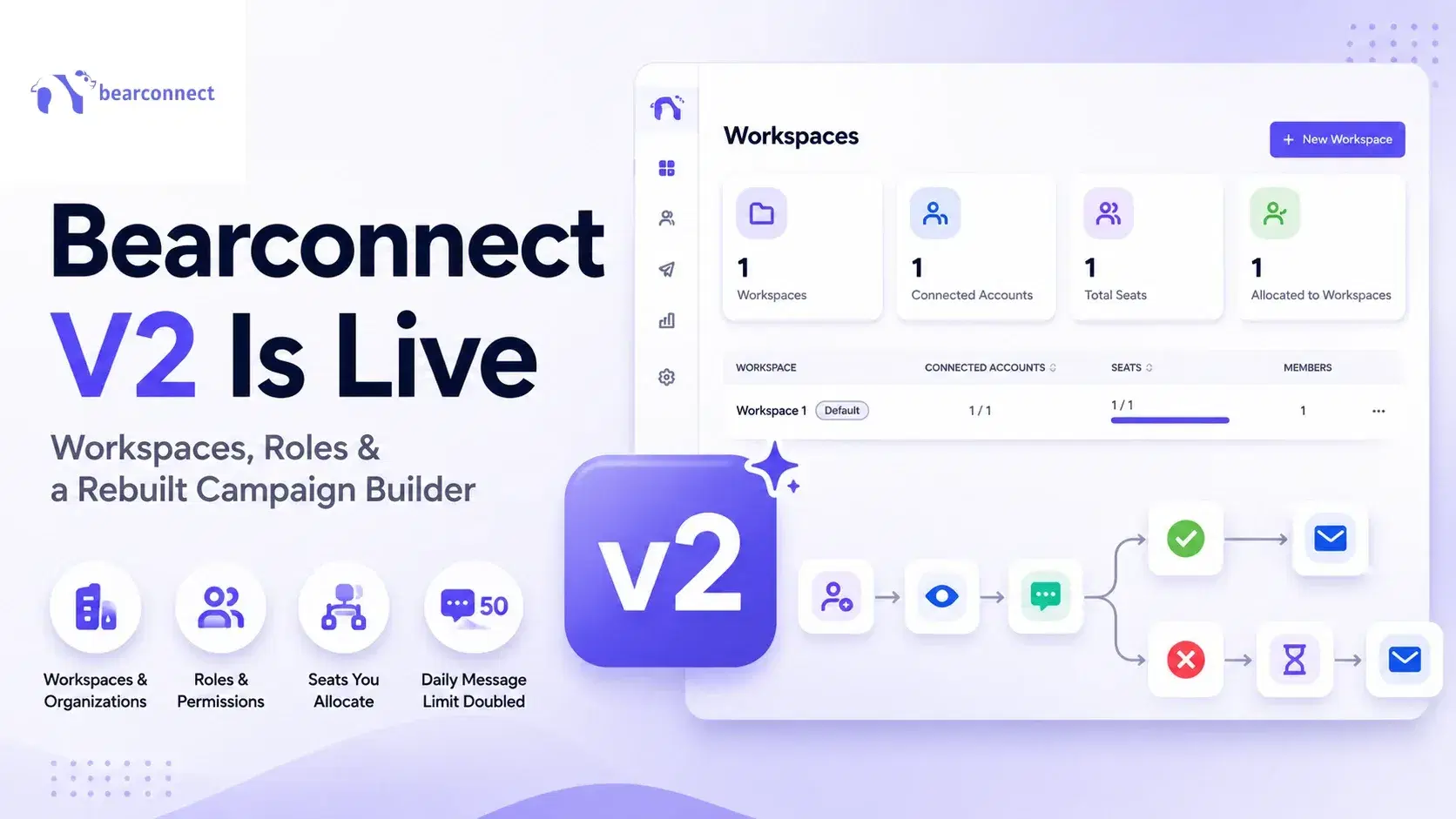
Bearconnect V2 Is Live: Workspaces, Roles and a Rebuilt Campaign Builder
Bearconnect V2 introduces dedicated workspaces, flexible roles, and a rebuilt campaign builder, giving agencies and sales teams more control over every LinkedIn account they manage.