How to Import Leads from LinkedIn Post Engagers (And Run Campaigns on Them)
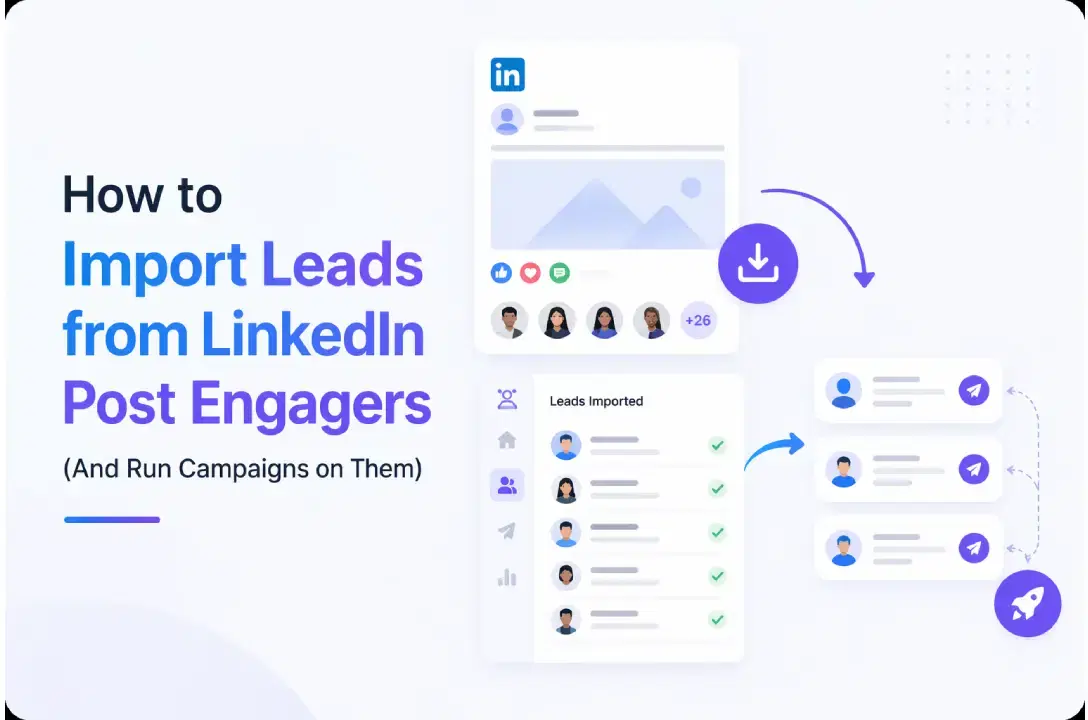
People who liked or commented on a LinkedIn post are already warm.
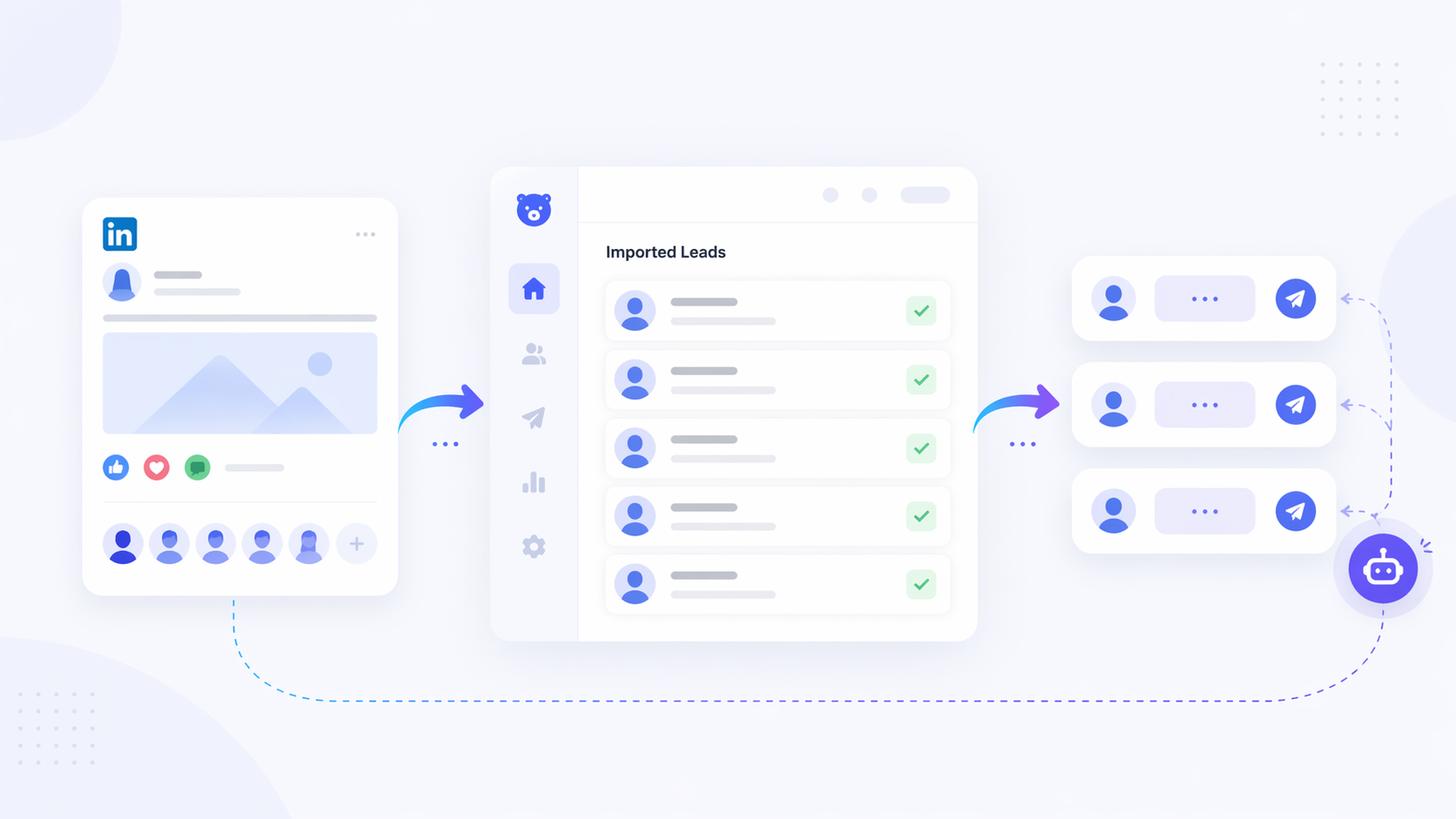
You can import them directly into a campaign using Bearconnect's LinkedIn Post feature and start outreach in minutes, with no manual work, no CSV exports, and no scraping tools needed.
TL;DR
- People who engage with LinkedIn posts are high-intent leads because they already showed interest in the topic.
- Bearconnect lets you paste any public LinkedIn post URL and import everyone who liked or commented on it as campaign leads.
- This works on your own posts, competitor posts, and influencer posts in your niche.
- The entire flow takes under 5 minutes: create Campaign, select LinkedIn Post, paste URL, set up steps.
- You get each lead's name, job title, and LinkedIn profile URL, ready to personalize outreach.
- Pricing is $67/month per LinkedIn account, or $57/month per account when you connect 5 or more. See full pricing.
Want to learn more ways to generate LinkedIn leads before running campaigns? Start there first.
Why LinkedIn Post Engagers Are Your Best Lead Source Right Now
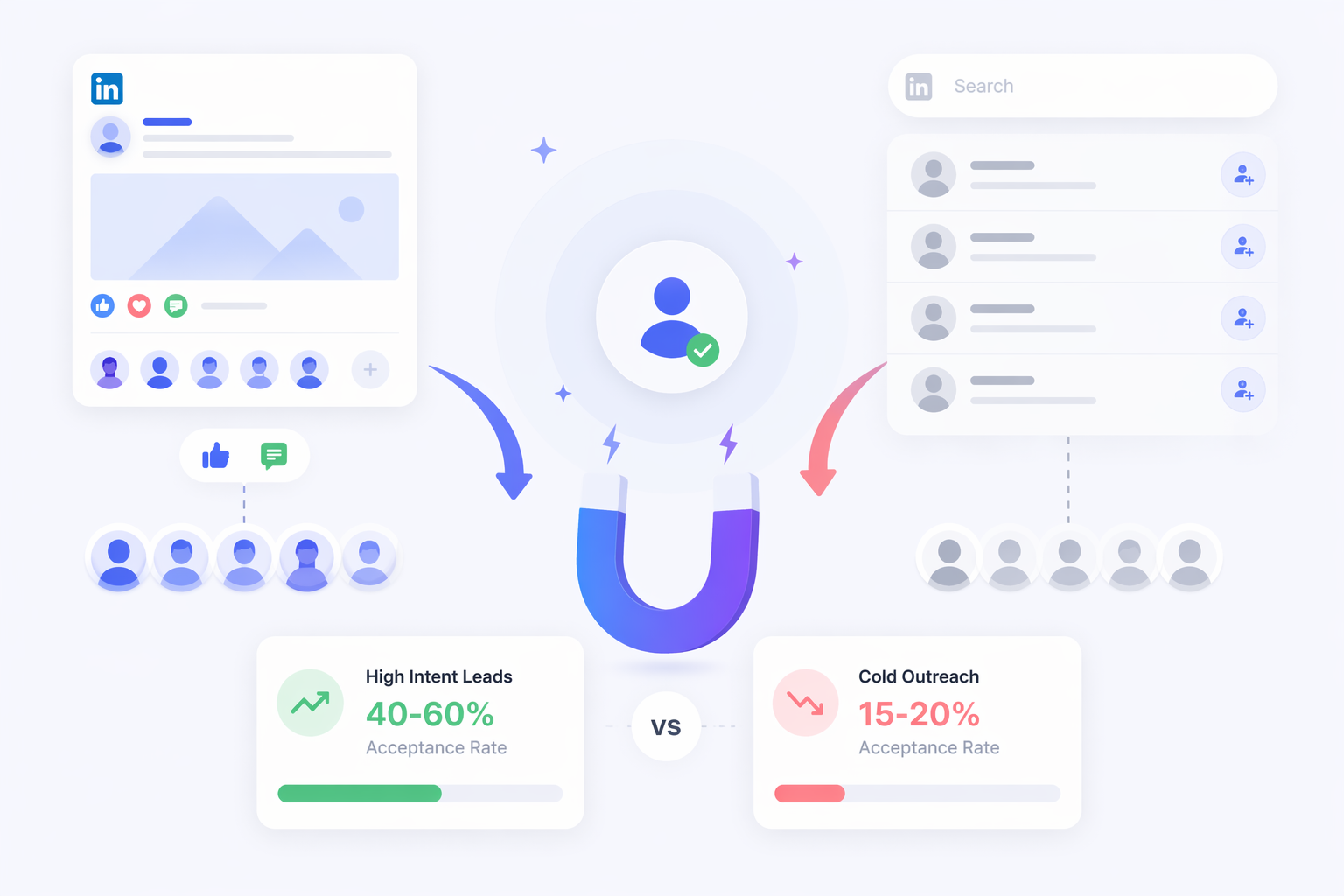
Post engagers are the highest-intent lead source on LinkedIn.
- Cold outreach from LinkedIn Search gets you connection acceptance rates around 15 to 20%.
When you target people who already engaged with content about the exact problem you solve, that number rises significantly because context already exists before you send the first message.
A person who liked a post about "how SDRs can book more meetings" is signaling an active, real problem. You are not interrupting them. You are reaching out at exactly the right moment.
Why post engagers convert better than cold lists:
- They already interacted with relevant content
- They are active on LinkedIn right now, not ghost accounts
- Your outreach has context, so it does not feel random
- They are in your niche or ICP by default
Not sure how cold outreach compares to warm prospecting? That guide breaks down the difference with real examples.
The Problem: Most People Ignore This Audience Completely
Your LinkedIn post got 300 likes and 40 comments. You felt great about it. Then you moved on.
- Two days later, your pipeline is dry and those 300 warm prospects have gone cold.
- This is one of the most common missed opportunities in B2B LinkedIn outreach. The audience showed up. You just did not capture them.
- Manually clicking through each profile, sending connection requests one by one, and tracking replies in a spreadsheet is not a system. It is a time drain.
The manual approach vs the automated approach:
| Approach | Time per 100 Leads | Reply Quality | Scalable? |
|---|---|---|---|
| Manual profile visits | 4 to 6 hours | High if done right | No |
| CSV export + separate tool | 1 to 2 hours setup | Medium | Partial |
| Bearconnect LinkedIn Post feature | Under 10 minutes | High | Yes |
What Data Does Bearconnect Pull for Each Lead?
When you import leads from a LinkedIn post, Bearconnect fetches the following data for each profile:
- Full name
- Job title
- LinkedIn profile URL
- Company name (where available)
This is enough to qualify whether the lead fits your ICP before your campaign even starts. Use the job title and company data to filter out profiles that do not match your target customer before you hit launch.
You can explore all the ways to import data into campaigns inside Bearconnect, including LinkedIn Search, Sales Navigator, Events, 1st degree connections, and CSV upload.
Pro Tip: Before importing all 500 leads, scan the first 20 to 30 profiles. If less than half match your ICP, the post is a weak source. Move to a more targeted post.
Every exported lead row starts with a LinkedIn profile URL, so it helps to know exactly where that link comes from.
How to Import Leads from LinkedIn Post Engagers Using Bearconnect
Bearconnect's LinkedIn Post feature handles the full workflow in one place.
Step 1: Go to Campaigns and Create a New Campaign
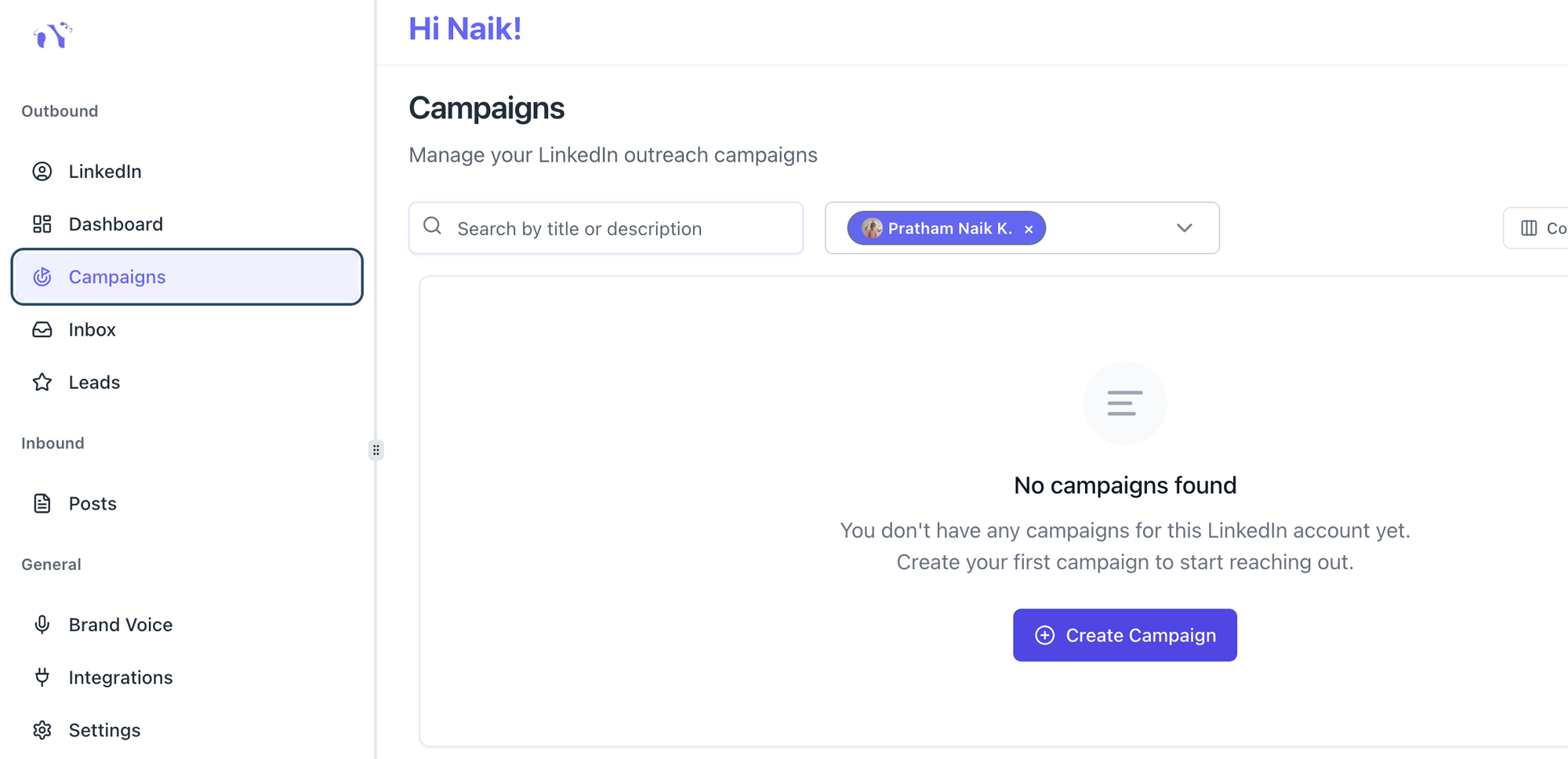
- Open your Bearconnect dashboard
- Click Campaigns from the main menu
- Click Create Campaign
Step 2: Fill in Basic Details
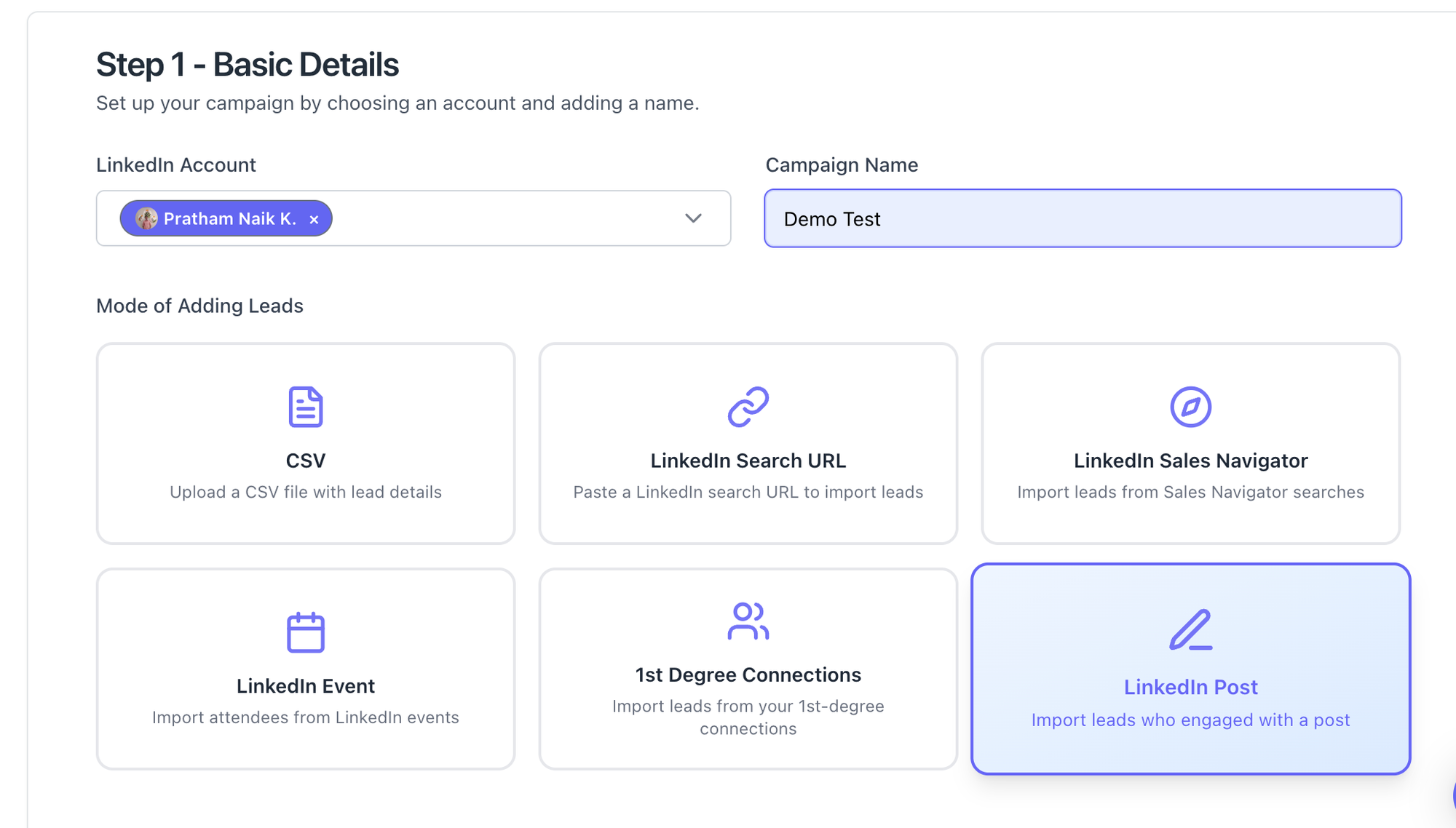
- Select the LinkedIn account you want to run this campaign from
- Enter a campaign name (example: "Post Engagers, SaaS Founders, April 2026")
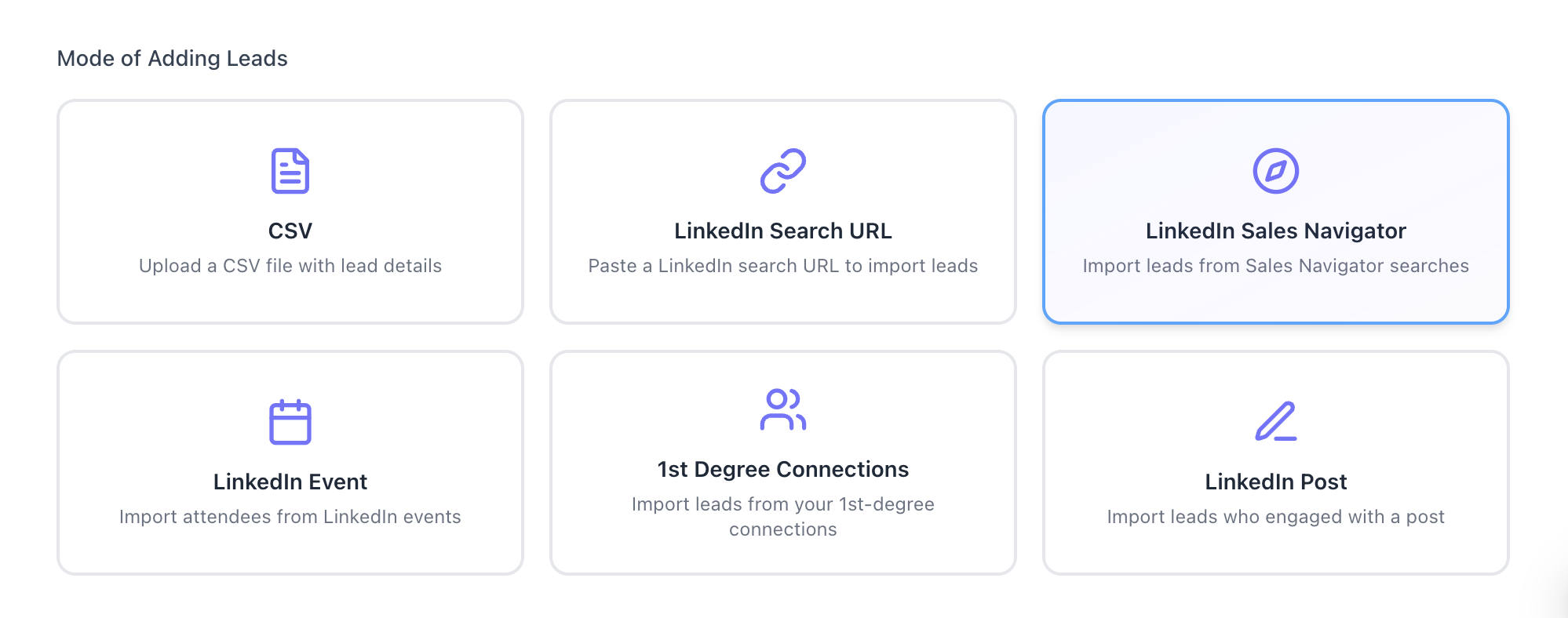
- Under Mode of Adding Leads, click LinkedIn Post
(Step 1 of the Bearconnect UI shows all 6 lead source options. LinkedIn Post sits in the bottom right, highlighted in blue when selected.)
Step 3: Paste the LinkedIn Post URL and Set Lead Count
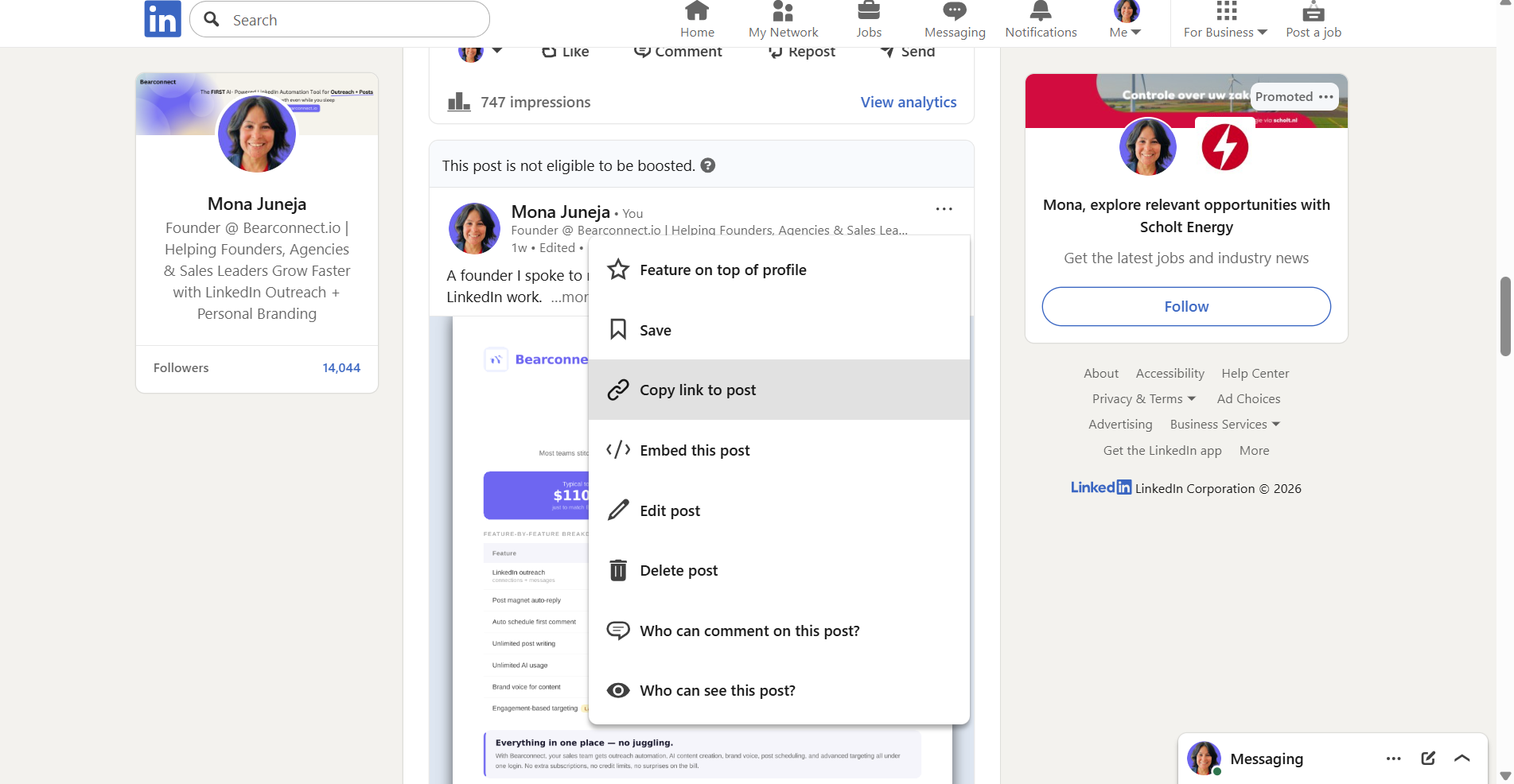
- In the Add Leads screen, paste the URL of any public LinkedIn post
- Bearconnect fetches everyone who reacted to or commented on that post
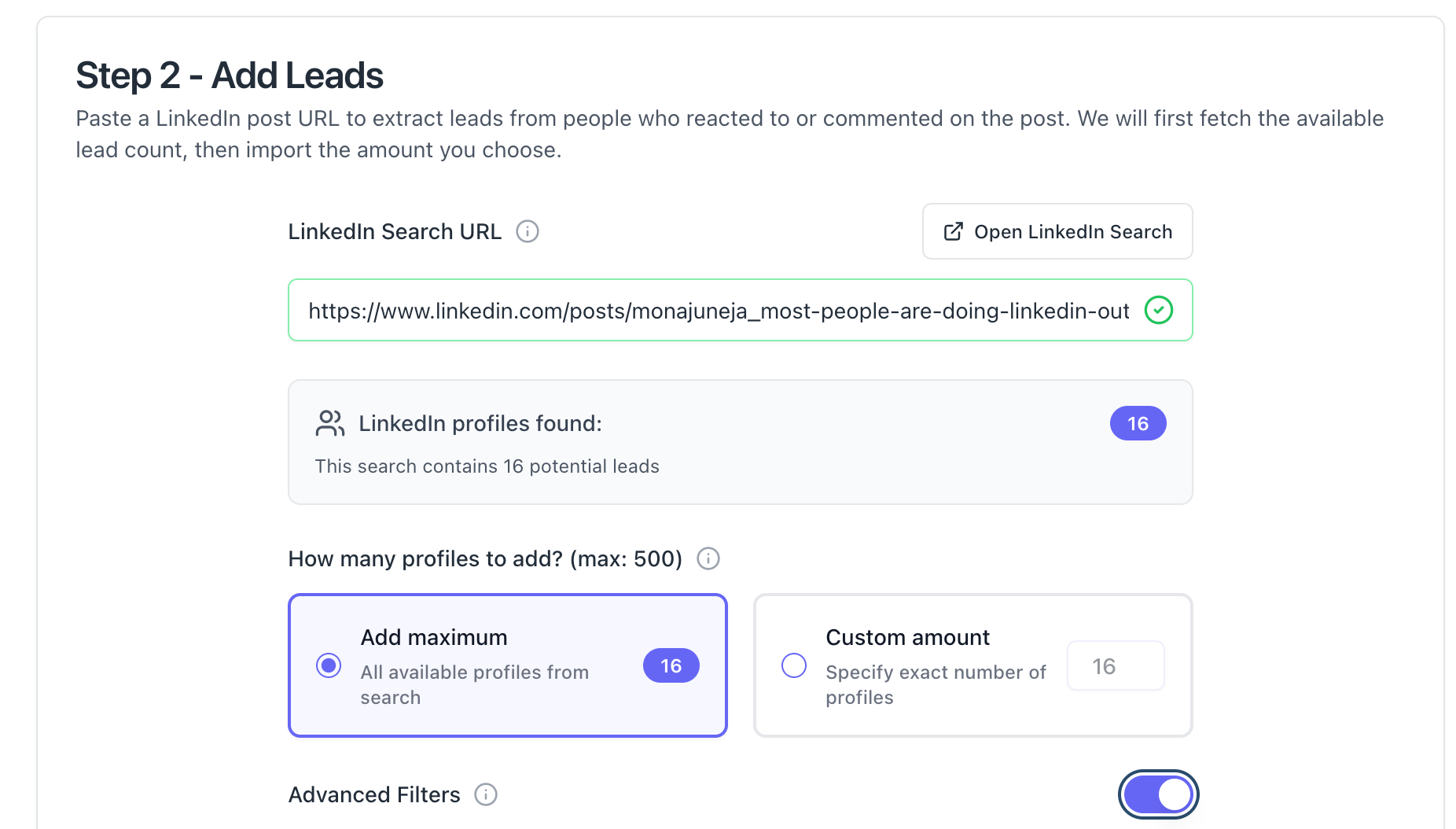
- Total lead count appears instantly (example: 500 profiles found)
- Choose Add Maximum for all leads or Custom Amount for a specific number
Step 4: Set Up Your Campaign Steps
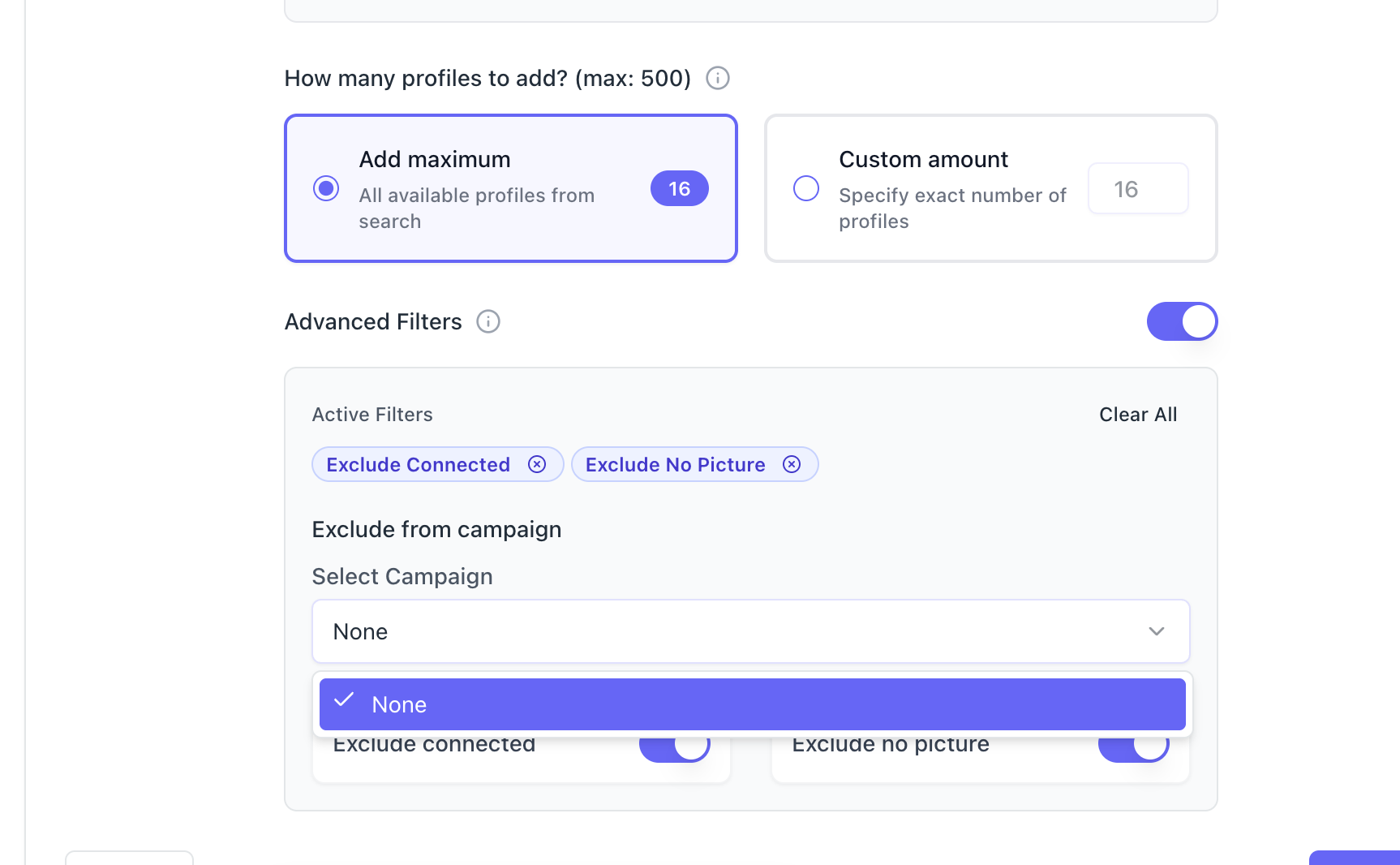
- Configure your connection request message, follow-up messages, and delays between each step
- Set your daily send limit inside campaign settings
- Hit launch and the campaign runs automatically
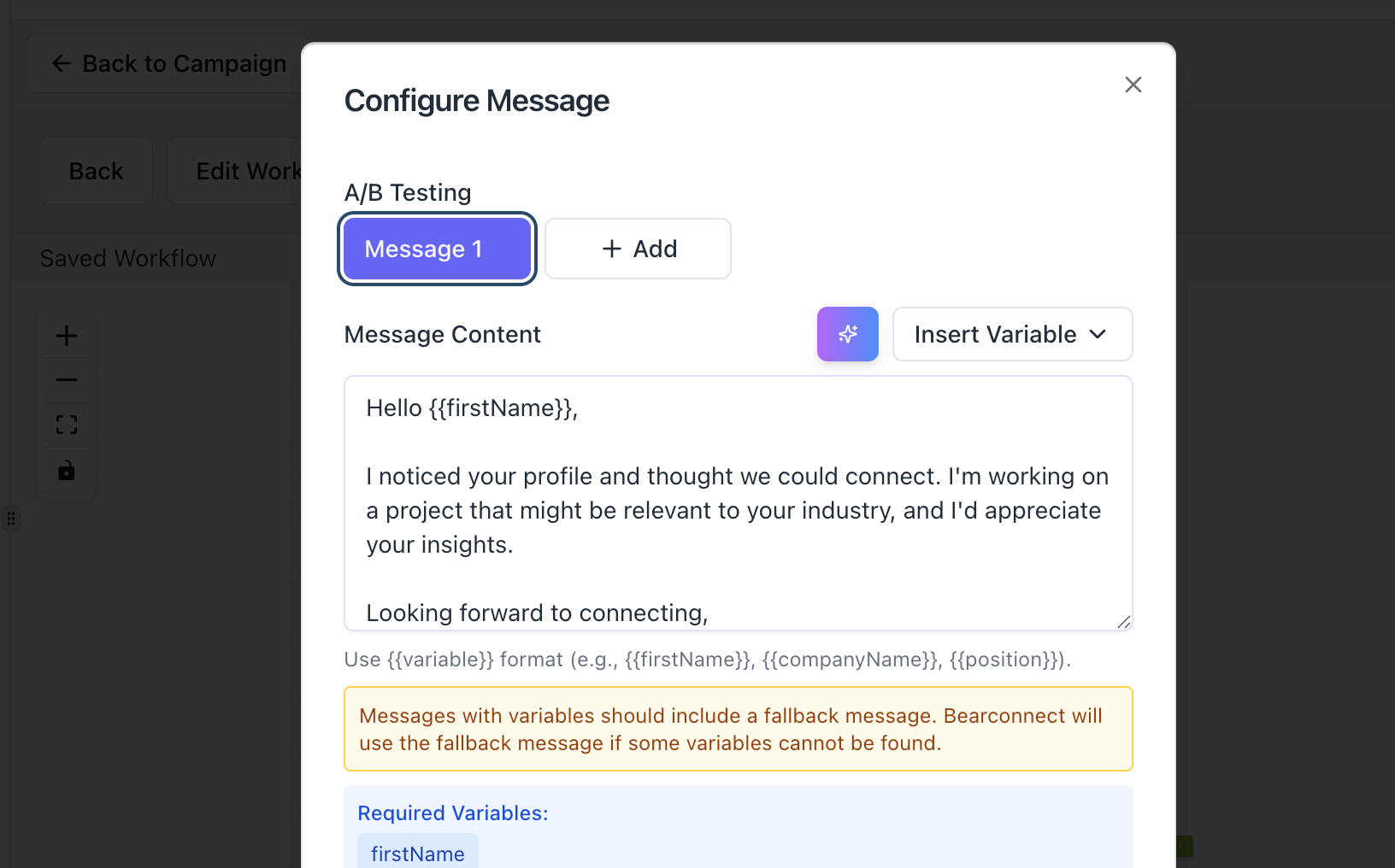
Pro Tip: Start with a custom amount of 100 to 150 leads first. Test your message sequence, check acceptance rates, then scale to the full list once you confirm what works.
Which Posts Can You Target?
You can use any public LinkedIn post URL. This is the most underused part of this feature.
You are not limited to your own posts. Here is what works:
- Your own viral posts: Capture everyone who engaged before they forget you
- Competitor posts: Their engaged audience matches your ICP exactly
- Industry influencer posts: People engaging with thought leadership in your niche are who you want to reach
- Client posts: Help your clients capture their own engaged audience for upsell or nurture campaigns
If you want more strategies on how to find leads on LinkedIn beyond post engagement, that guide covers 9 sourcing techniques worth reading.
One thing to note: Private posts or posts with restricted visibility may not return a full lead list. Always use public post URLs for complete results.
How to Qualify Leads Before You Run the Campaign
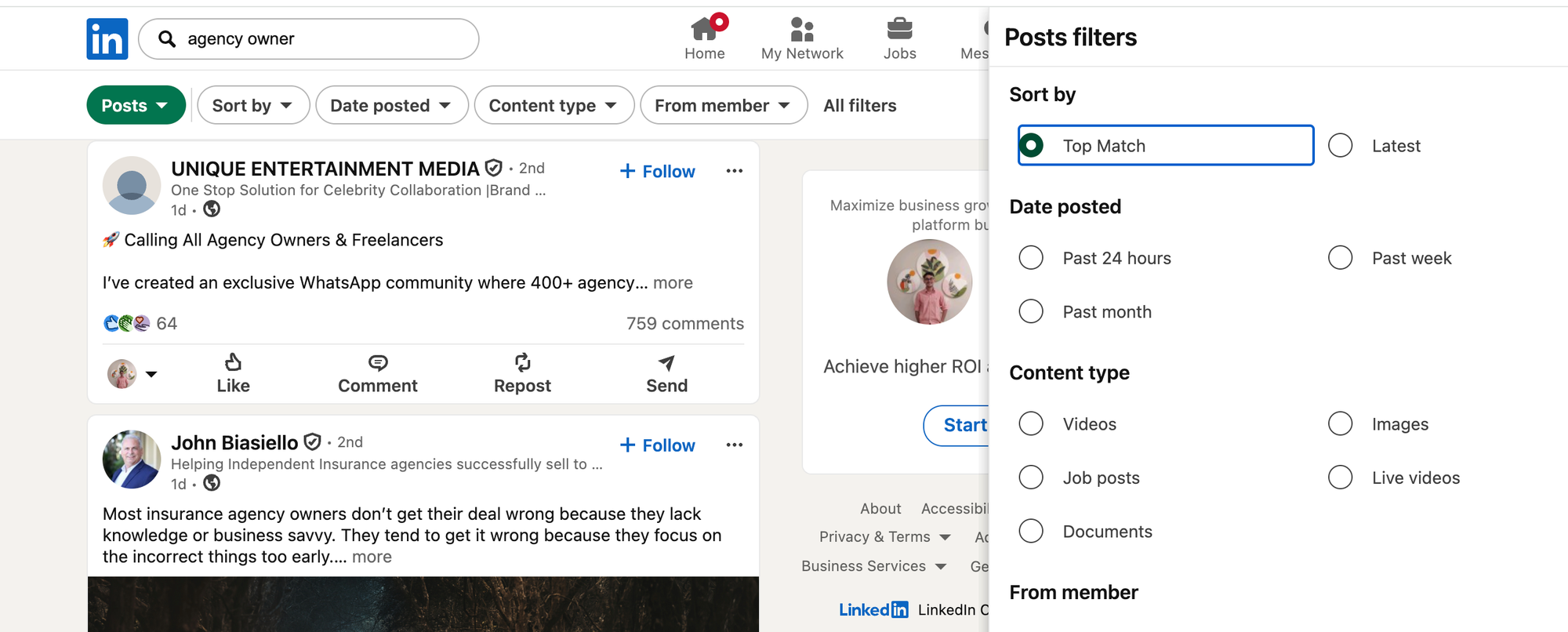
Do not send to everyone blindly. A quick ICP check before launch improves reply rates.
Use these three filters to decide if a lead belongs in your campaign:
- Job title match: Does it align with the decision-maker or influencer you target?
- Company size signal: Check the company name in the fetched data. Does it match your target market?
- Engagement type: Commenters show stronger intent than likers. If you want to prioritize, run a smaller campaign to commenters first.
If less than 50% of leads match your ICP from a specific post, that post is a weak source. Find a more targeted piece of content.
The Campaign Message Sequence to Use
This three-message sequence is built specifically for post engager campaigns. It references context without being creepy and never pitches in the first message.
Want more ready-to-use templates? Check out the full LinkedIn message templates for automation library. For tips on keeping outreach natural, read LinkedIn outreach without being salesy.
Connection Request Message (Under 300 Characters)
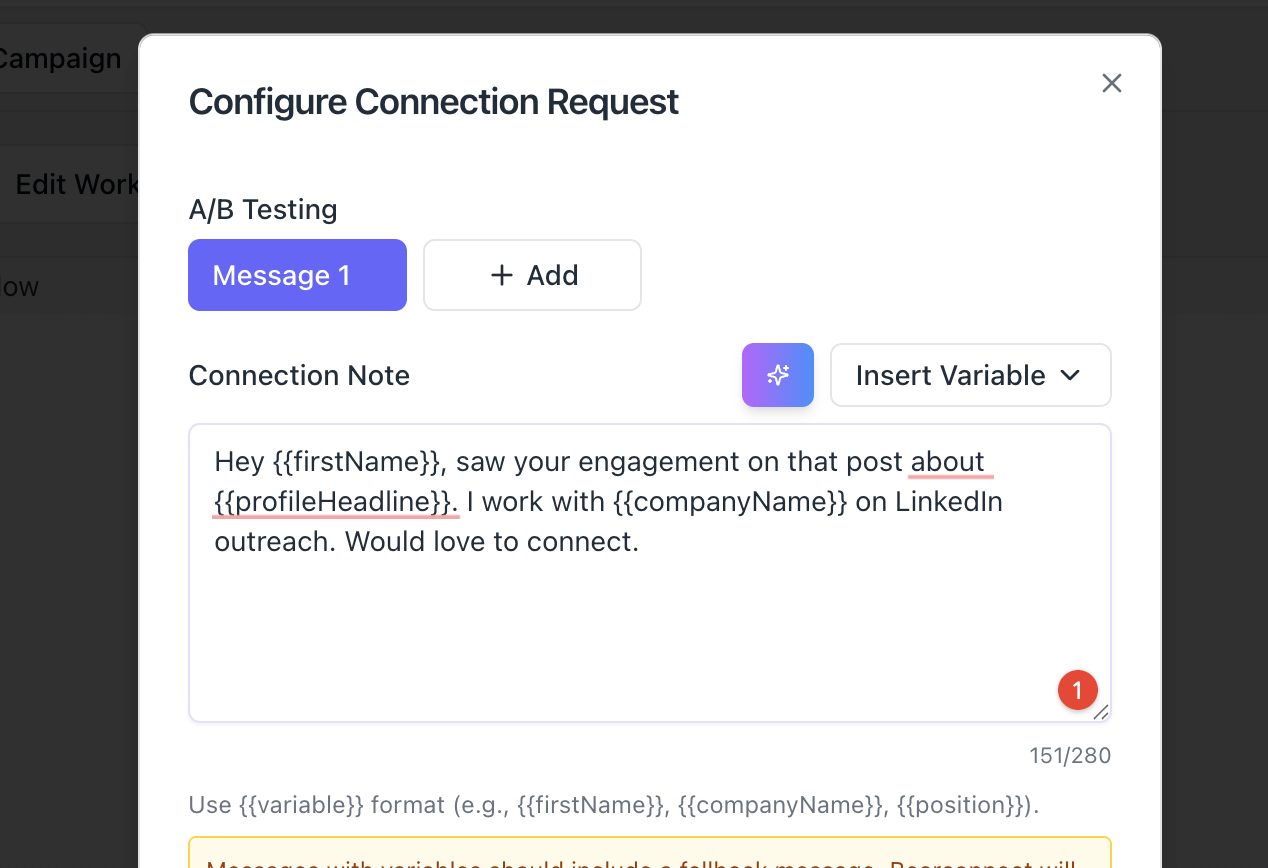
"Hey [First Name], saw you engaged with that post about [topic]. I work with [ICP type] on [specific outcome]. Would love to connect."
Keep it short. Reference the topic. No pitch in the connection request.
Message 1: After Connection Accepted (Day 1 to 2)
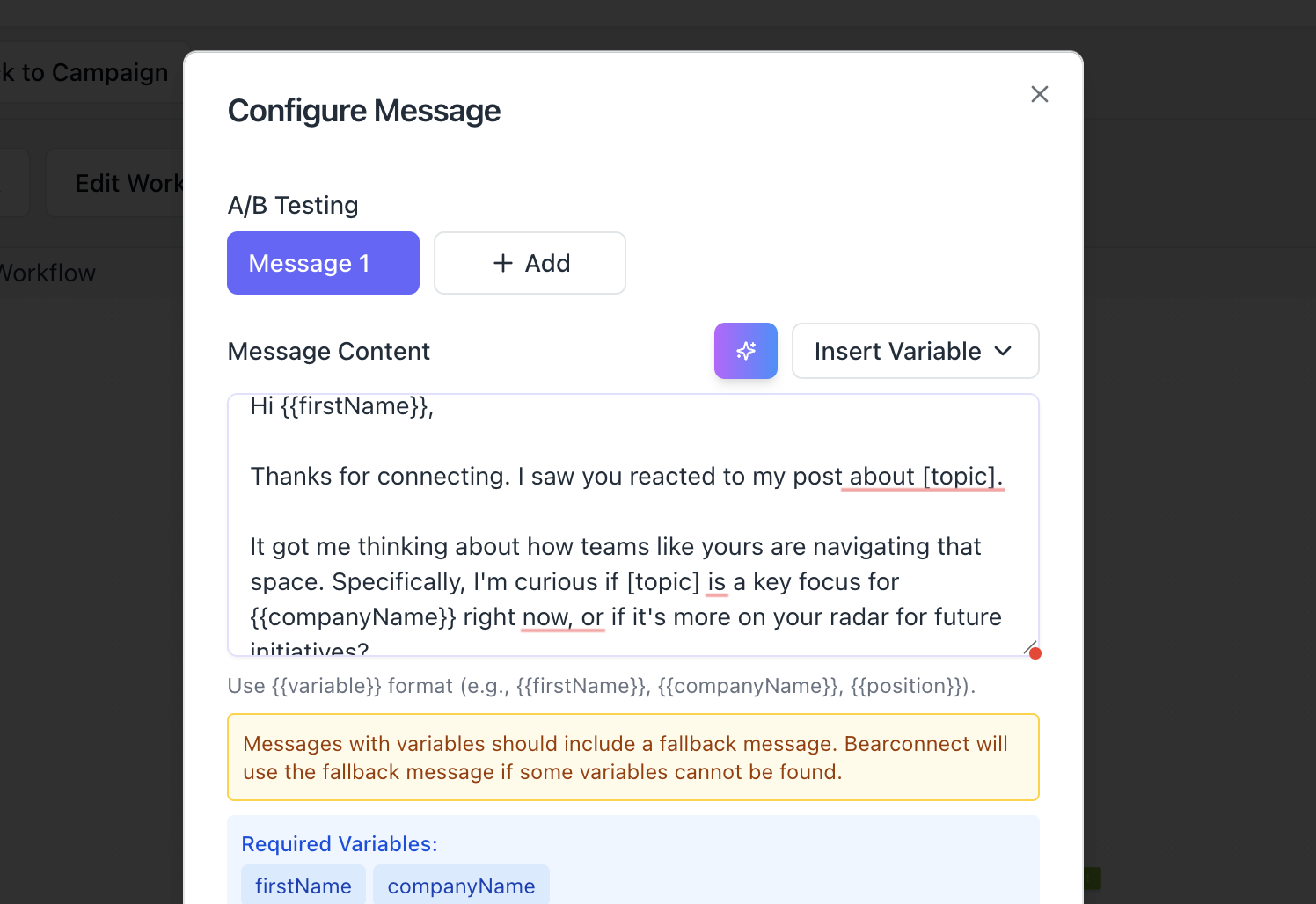
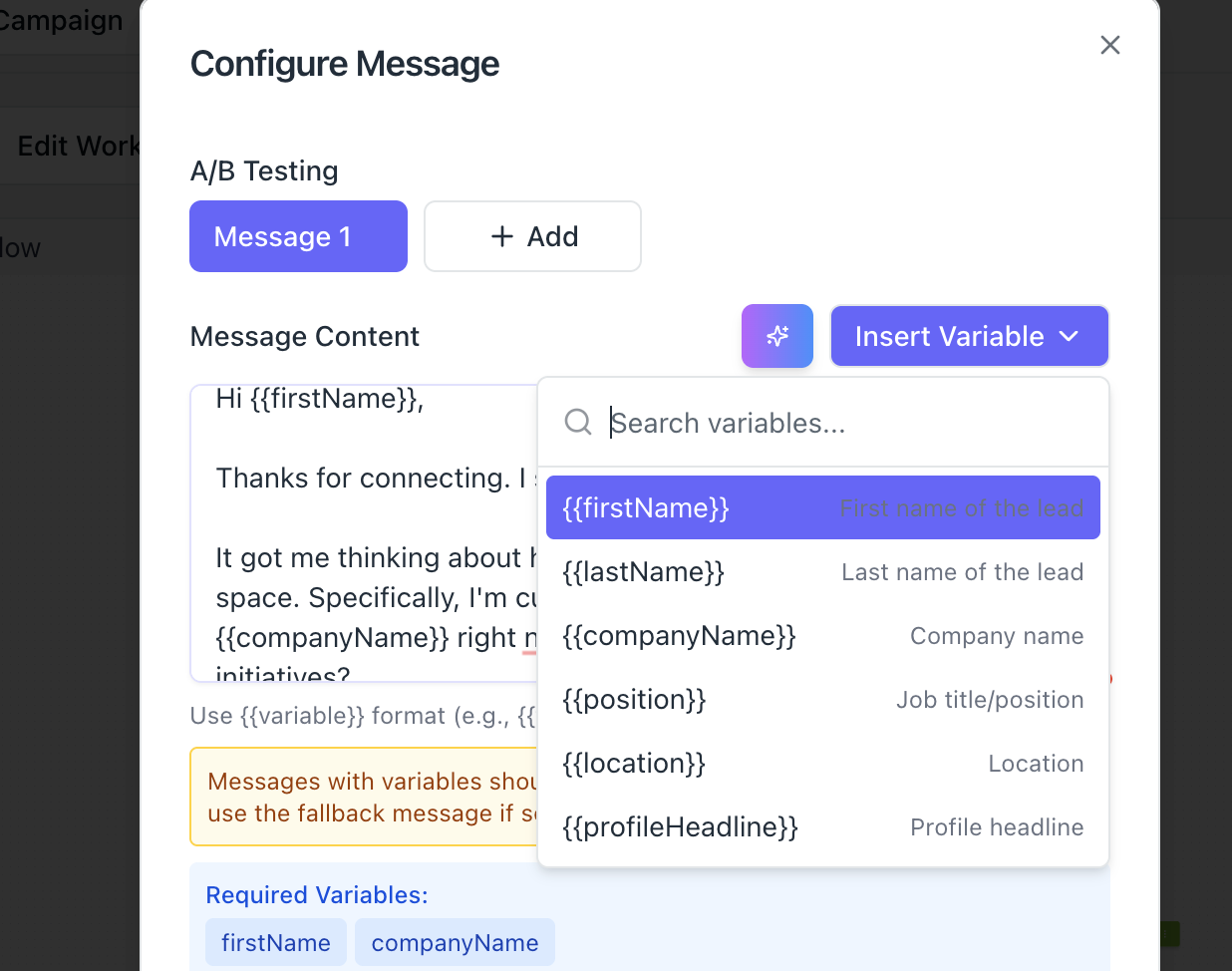
"Thanks for connecting, [First Name]. I noticed you reacted to that post about [topic]. Curious, is that something you're actively working on right now or more on your radar for later?"
Ask one question. No pitch. Opens a conversation based on shared context.
Message 2: Follow-Up If No Reply (Day 4 to 5)
"Hey [First Name], just following up. We help [ICP type] to [specific result, e.g., book 15 meetings per month from LinkedIn without ads]. Happy to share how if it's relevant to what you're building."
Short, specific, value-first. One outcome. One offer.
Message 3: Final Follow-Up (Day 8 to 10)
"[First Name], last nudge. If LinkedIn outreach or lead gen is on your plate this quarter, I'd be happy to walk you through how we approach it. If the timing's off, totally fine. Just say the word."
This closes the loop without pressure. Many replies come from this third message.
Pro Tip: In Bearconnect, set delays directly inside the campaign builder. Day 1 to 2 for Message 1, Day 4 to 5 for Message 2, and Day 8 to 10 for Message 3. Every reply from every account lands in Bearconnect's unified inbox so nothing slips through.
Also read: LinkedIn connection requests that don't get ignored for more on writing openers that get accepted.
LinkedIn Safety: How Bearconnect Keeps Your Account Safe
Sending too fast is the fastest way to get your LinkedIn account flagged. Bearconnect handles this by operating on natural human-type behavior.
Bearconnect's built-in safety approach:
- Sends a maximum of 25 connection requests per day per LinkedIn account
- Mimics natural human activity patterns, no robotic burst sending
- Spaces out actions across the day to avoid detection
- Zero risk of account ban when you stay within these limits
Read the full guide on how to automate LinkedIn messages safely and learn exactly how to avoid LinkedIn jail before you scale.
What you should still control:
- For brand new LinkedIn accounts, start at 10 connection requests per day and ramp up over 2 to 3 weeks
- Never import 500 leads and try to send them all in one week. Spread the campaign across 3 to 4 weeks.
Pro Tip: LinkedIn monitors volume spikes, not just total volume. A sudden jump from 0 to 50 requests per day triggers more risk than a steady 20 per day over multiple weeks.
Lead Source Comparison: Post Engagers vs Cold LinkedIn Search
| Lead Source | Context Before Outreach | Typical Acceptance Rate | Reply Quality |
|---|---|---|---|
| LinkedIn Search (Cold) | None | 15 to 20% | Low, generic replies |
| LinkedIn Sales Navigator | Filtered but still cold | 20 to 25% | Medium |
| LinkedIn Post Engagers | High, they showed interest | 30 to 45% (estimated) | High, topic-relevant |
| 1st Degree Connections | Existing relationship | Varies | High |
Post engager leads outperform cold search leads because context is built in before your first message.
Agency Use Case: Running Post Campaigns for Multiple Clients
Agencies get the biggest leverage from this feature because they can run it across every client account from one Bearconnect dashboard.
Read more on LinkedIn automation for agencies and how agencies manage multiple LinkedIn accounts at scale.
Scenario: A client in HR tech asks you to target people who engaged with a viral post about "the future of remote hiring." That post has 800 reactions.
Here is how you handle it:
- Log into Bearconnect and switch to the client's LinkedIn account
- Create a new campaign under that account
- Select LinkedIn Post as the lead source
- Paste the post URL
- Import 200 to 300 leads and check ICP fit before launch
- Run the 3-step message sequence above
- Monitor all replies in Bearconnect's unified inbox across every client account
Bearconnect Agency Pricing
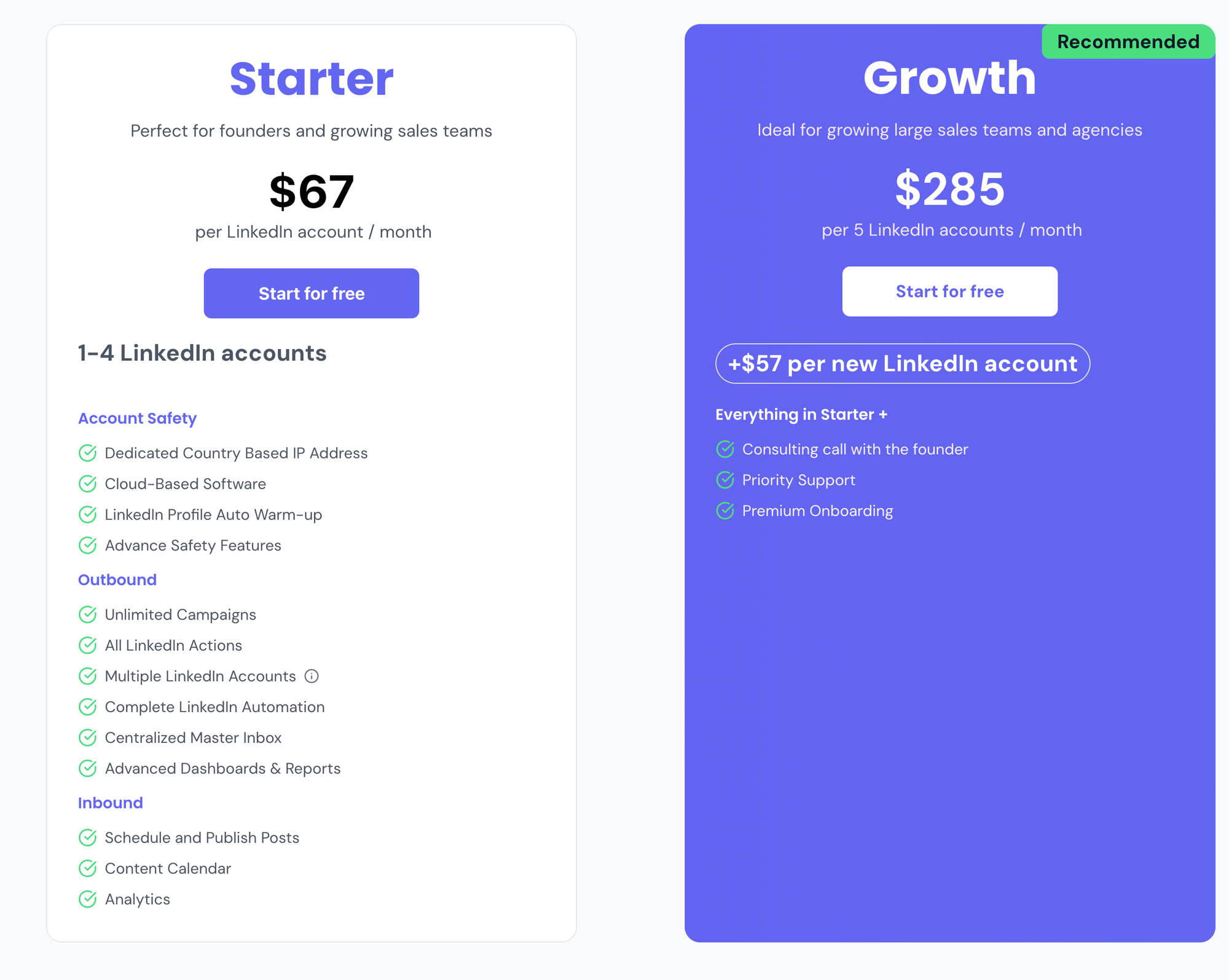
Full pricing details at bearconnect.io/pricing.
Bearconnect vs Scraper Tools: Why One Tool Wins
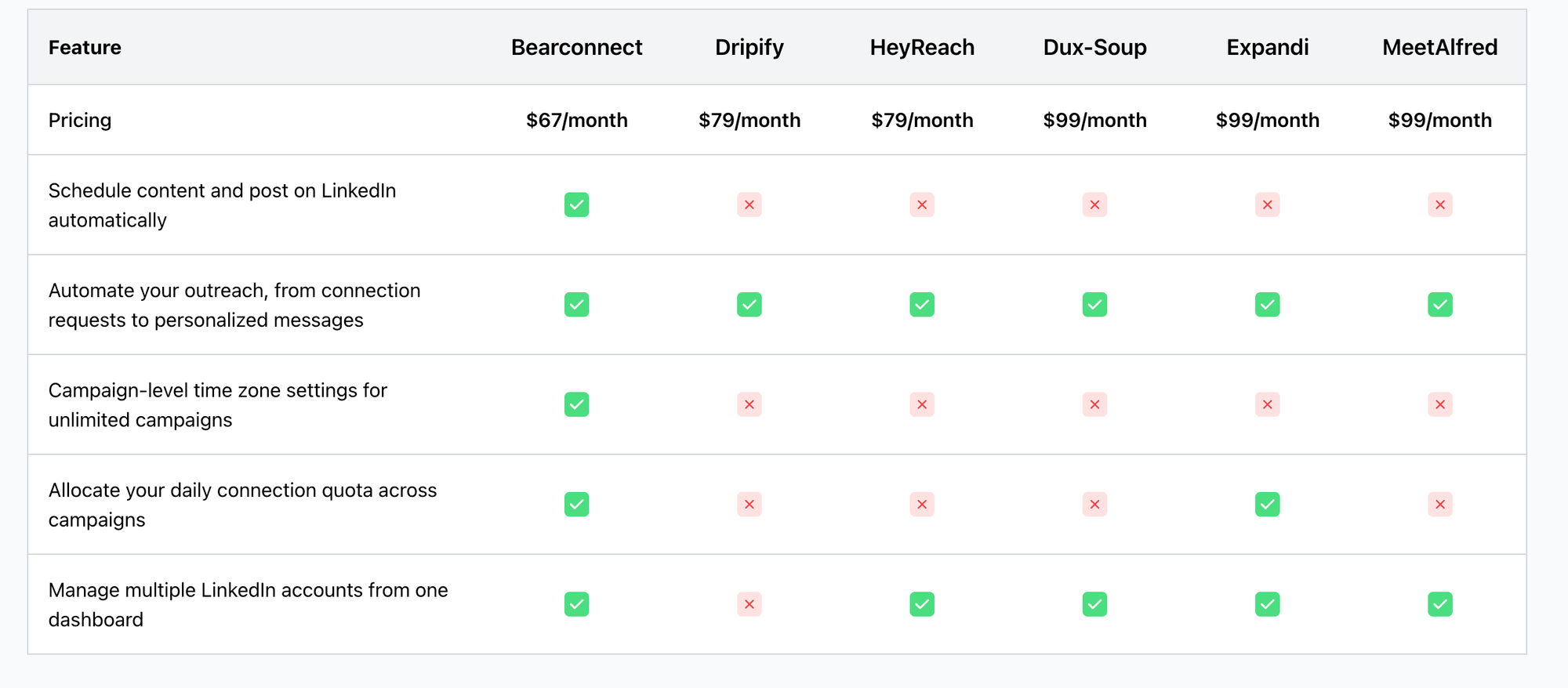
Scraper tools like PhantomBuster or Apify extract data but stop there. See how Bearconnect compares in the full PhantomBuster alternatives breakdown.
| Step | PhantomBuster / Apify | Bearconnect |
|---|---|---|
| Extract post engagers | Yes | Yes |
| Export as CSV | Yes | Not needed |
| Import into outreach tool | Manual step required | Built-in |
| Send connection + messages | Separate tool needed | Built-in |
| Manage replies | Separate inbox required | Unified inbox included |
| Multi-account support | Limited or extra cost | Native |
| Account safety controls | Manual configuration | Built-in, human behavior mimicking |
With Bearconnect, every step from import to reply lives inside one platform. No CSV. No Zapier. No duct-tape workflow.
What You Should NOT Do with This Feature
These mistakes kill campaign results before they start:
- Do not blast 500 leads on Day 1. LinkedIn monitors volume spikes. Spread your campaign over 3 to 4 weeks.
- Do not use the same message sequence for every post type. A post about SaaS pricing needs a different opener than a post about team culture.
- Do not skip the ICP qualification step. Sending to irrelevant profiles wastes your daily connection limit on leads that will never convert.
- Do not target private posts. The lead count will be incomplete or zero.
- Do not pitch in the connection request. Context-driven openers outperform pitches every time.
Are Ready to target Hot leads?
You have the workflow, the message templates, the ICP qualification method, and the safety guidelines.
The next step is simple: find one public LinkedIn post in your niche right now and run your first post engager campaign today.
Try Bearconnect and set up your first LinkedIn Post campaign: bearconnect.io
New to LinkedIn automation? Start with the LinkedIn automation beginner guide to get your account and settings ready before launching.
Frequently Asked Questions
1. Can I import leads from someone else's LinkedIn post, not just my own?
Yes. Bearconnect's LinkedIn Post feature works with any public LinkedIn post URL. You can target your own posts, competitor posts, influencer posts, or any public post from your industry. Private posts with restricted visibility may return incomplete data.
2. What data does Bearconnect pull for each lead from a post?
For each imported lead, Bearconnect fetches the person's name, job title, company name, and LinkedIn profile URL. This is enough to qualify ICP fit before your campaign starts.
3. Is there any extra cost to use the LinkedIn Post lead import feature?
No. LinkedIn Post lead import is included in all Bearconnect plans at no additional charge. Pricing is $67/month per LinkedIn account, or $57/month per account when you connect 5 or more accounts.
4. Will running campaigns on post engagers put my LinkedIn account at risk?
No. Bearconnect operates on natural human-type behavior and limits connection requests to 25 per day per LinkedIn account. This keeps your activity within safe LinkedIn usage patterns and eliminates the risk of account restriction. Read more about avoiding LinkedIn jail.
5. How is Bearconnect different from using PhantomBuster or Apify for this?
PhantomBuster and Apify extract data and output a CSV or JSON file. You then need a separate tool to run outreach and another to manage replies. Bearconnect handles the full workflow, import, campaign, outreach, and unified inbox, in one place, with no CSV, no code, and no third-party integrations required
About the Author
Mona Juneja is the founder of Bearconnect and a B2B sales professional with 20+ years of experience at Microsoft, Oracle, and Dell.
After two decades of watching lead generation stay manual and broken for most businesses, she built Bearconnect in May 2024, an AI-powered LinkedIn automation platform that handles outreach, messaging, and content scheduling from one place.
Connect on LinkedIn: Mona Juneja
Ready to Transform Your LinkedIn Strategy?
Join thousands of professionals already using Bearconnect to automate their outreach and grow their network.
7-day free trial • Cancel anytime
Related Articles

LinkedIn Automation: The Complete Guide for 2026
What LinkedIn automation is, how it works, what LinkedIn allows, safe limits, how to choose a tool and how to run your first campaign.
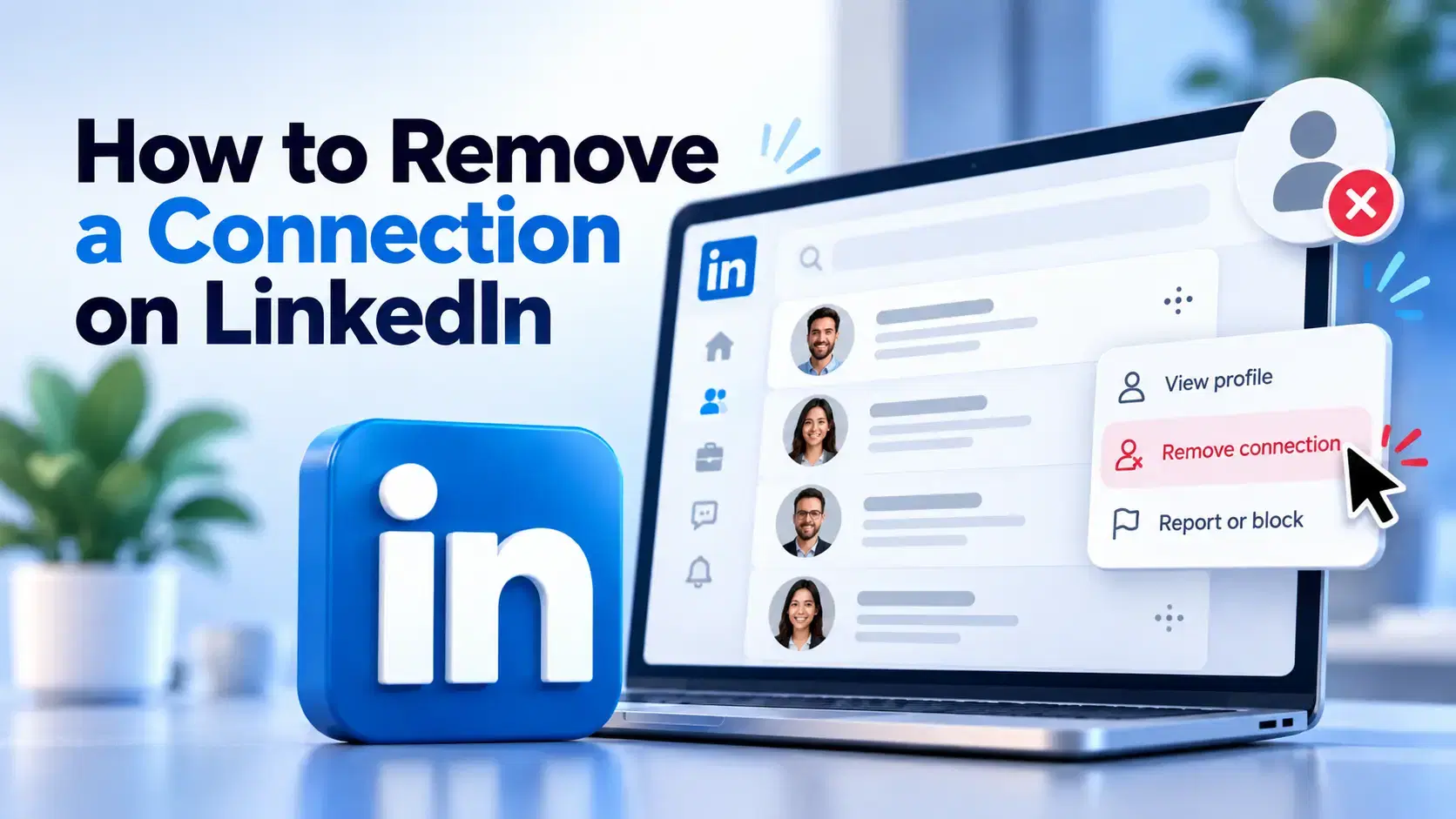
How to Remove a Connection on LinkedIn (Do They Get Notified?)
Removing a LinkedIn connection takes a few clicks, but most people want to know one thing first: does the other person get notified? This guide covers the steps on desktop and mobile, and what changes afterward.
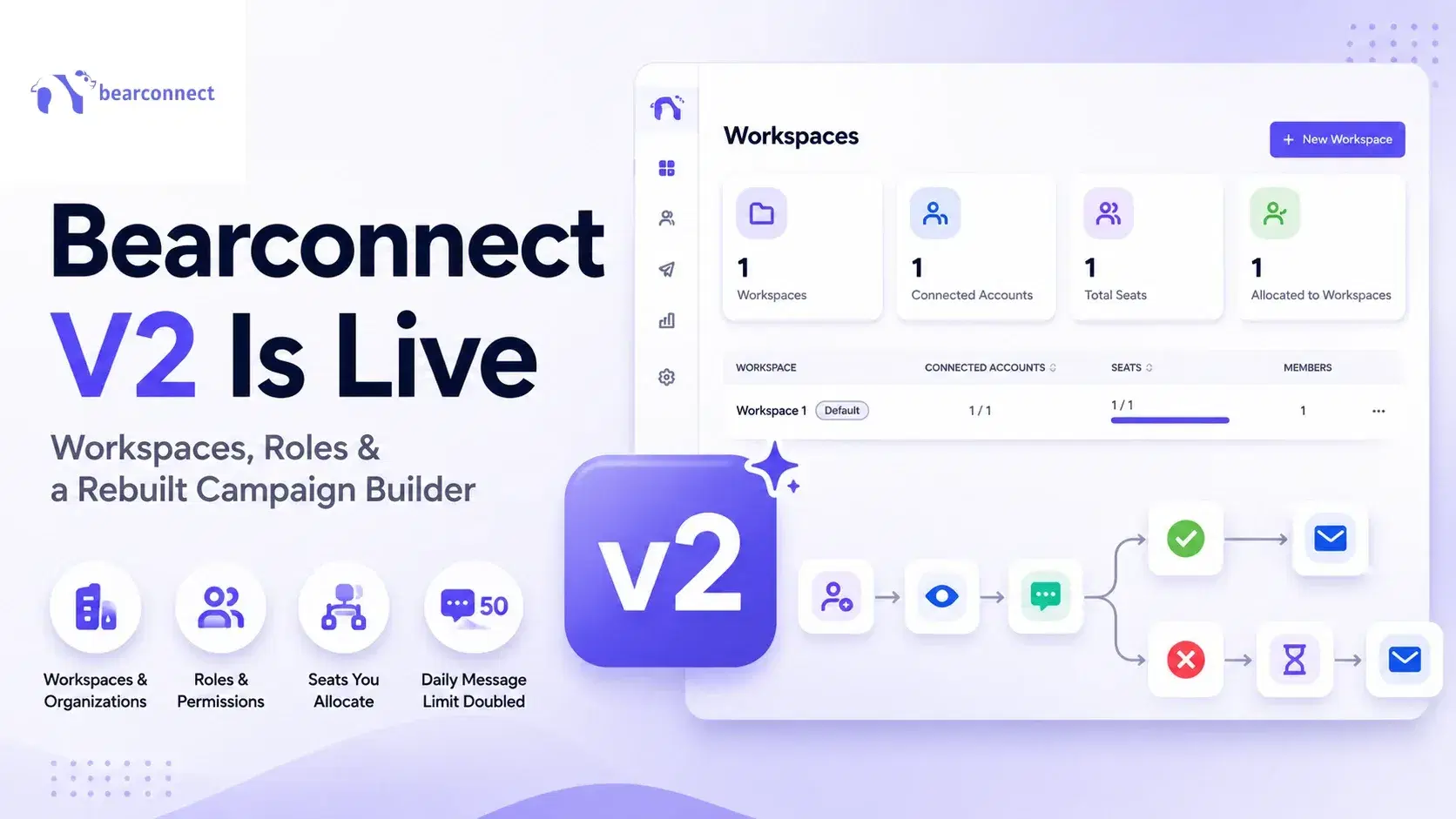
Bearconnect V2 Is Live: Workspaces, Roles and a Rebuilt Campaign Builder
Bearconnect V2 introduces dedicated workspaces, flexible roles, and a rebuilt campaign builder, giving agencies and sales teams more control over every LinkedIn account they manage.