LinkedIn Sales Navigator cost breakdown: pricing, plans, and a cheaper way to prospect
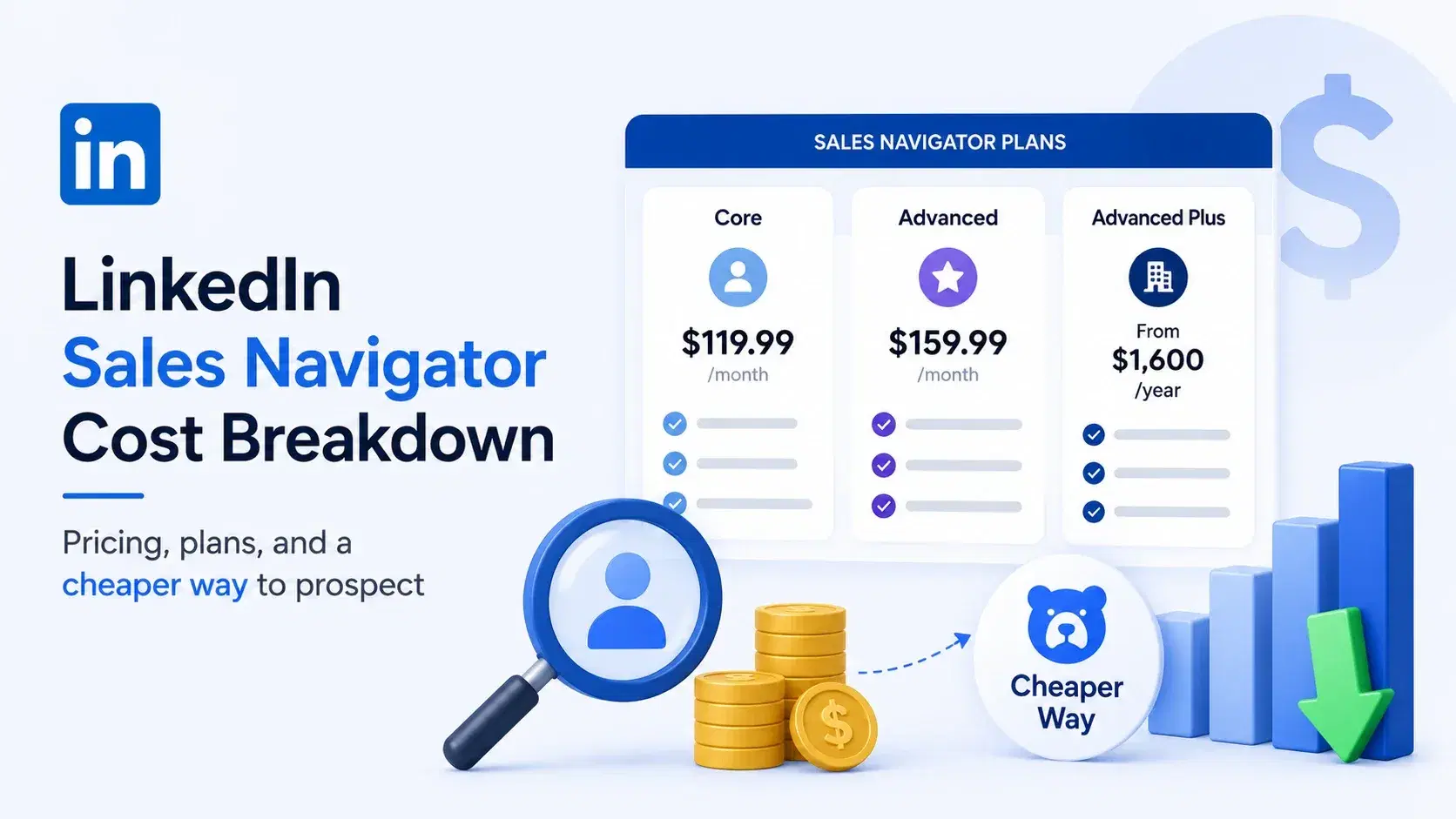
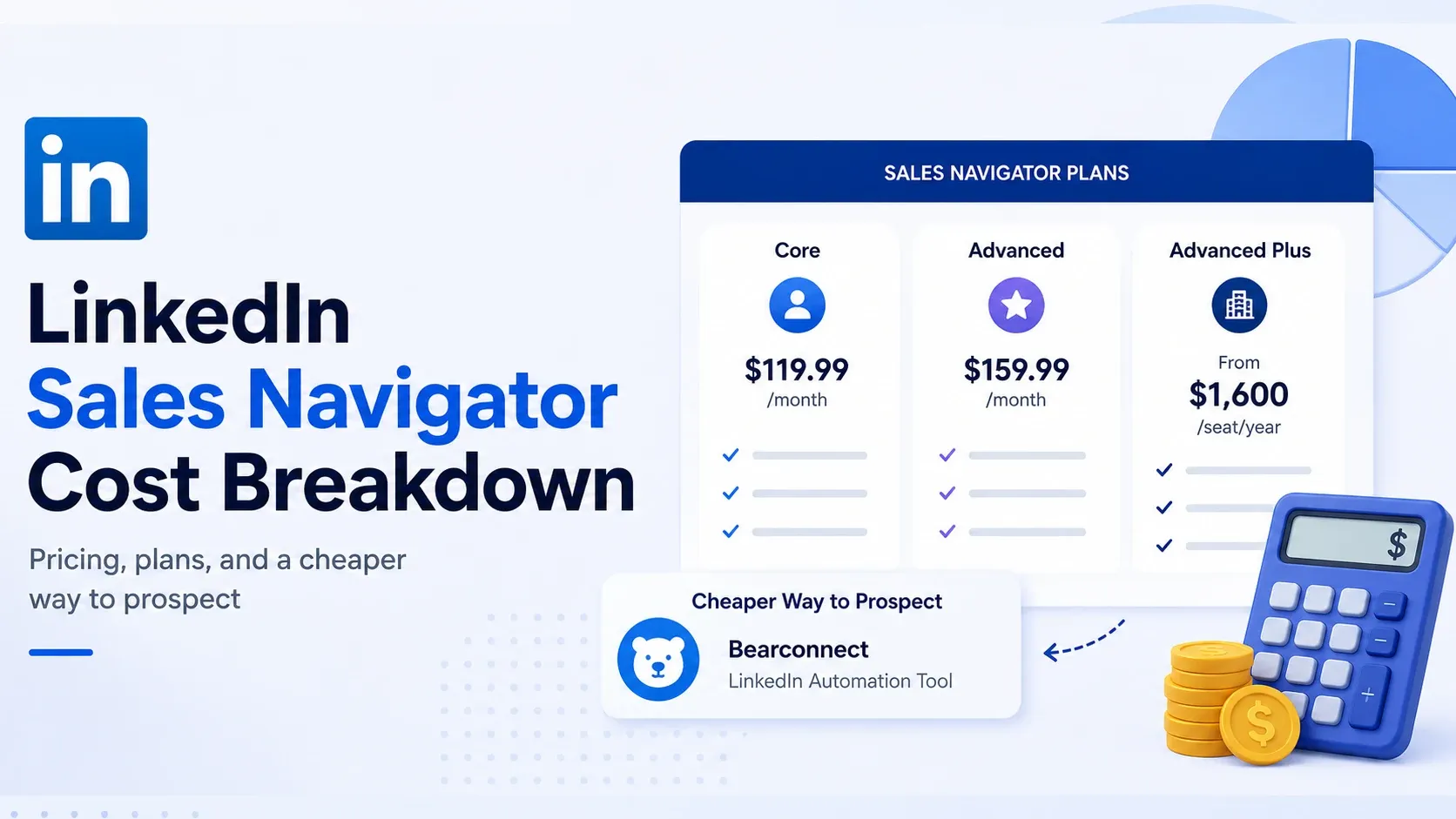
LinkedIn Sales Navigator costs $119.99/month for Core, $159.99/month for Advanced, and typically starts around $1,600 per seat per year for Advanced Plus on a custom quote.
None of these numbers include CRM sync, InMail overages, or the contact data most teams end up paying for separately.
I set out to get the real LinkedIn Sales Navigator cost picture because LinkedIn's own pricing page buries it behind a login wall.
So I pulled the current figures straight from LinkedIn's official plan comparison page and cross-checked them against LinkedIn's own pricing FAQ.
Below is the full breakdown, including where a per-account LinkedIn Sales Navigator alternative like Bearconnect( Linkedin Automation tool ) fits in, if your real bottleneck is outreach volume rather than search filters.
TL;DR
- Core: $119.99/month, or $89.99/month billed annually ($1,079.88/year). A 25% savings on annual billing.
- Advanced: $159.99/month, or $149.99/month billed annually ($1,799.88/year). Only a 6% savings on annual billing.
- Advanced Plus: custom pricing, quote-only. Commonly starts around $1,600/seat/year.
- Not included on any tier below Advanced Plus: CRM sync, verified email or phone data, and (below Advanced) CSV export.
- Cheaper way to hit similar prospecting volume: Bearconnect runs $67/month per connected LinkedIn account, dropping to $57/month per account once you connect 5 or more.
How much does LinkedIn Sales Navigator cost?
LinkedIn Sales Navigator has three pricing tiers. What you pay depends entirely on which one you pick and how you bill it.
- Core: $119.99/month per license, or $1,079.88/year ($89.99/month effective)
- Advanced: $159.99/month per license, or $1,799.88/year ($149.99/month effective)
- Advanced Plus: no public price, quote-only, reported starting rates cluster around $1,600/seat/year
Table 1: LinkedIn Sales Navigator pricing at a glance
| Tier | Monthly | Annual (effective monthly) | Best for |
|---|---|---|---|
| Core | $119.99 | $89.99 | Individual sellers |
| Advanced | $159.99 | $149.99 | Small sales teams |
| Advanced Plus | Custom quote | Custom quote | Teams needing CRM sync |
A few things to know before you budget:
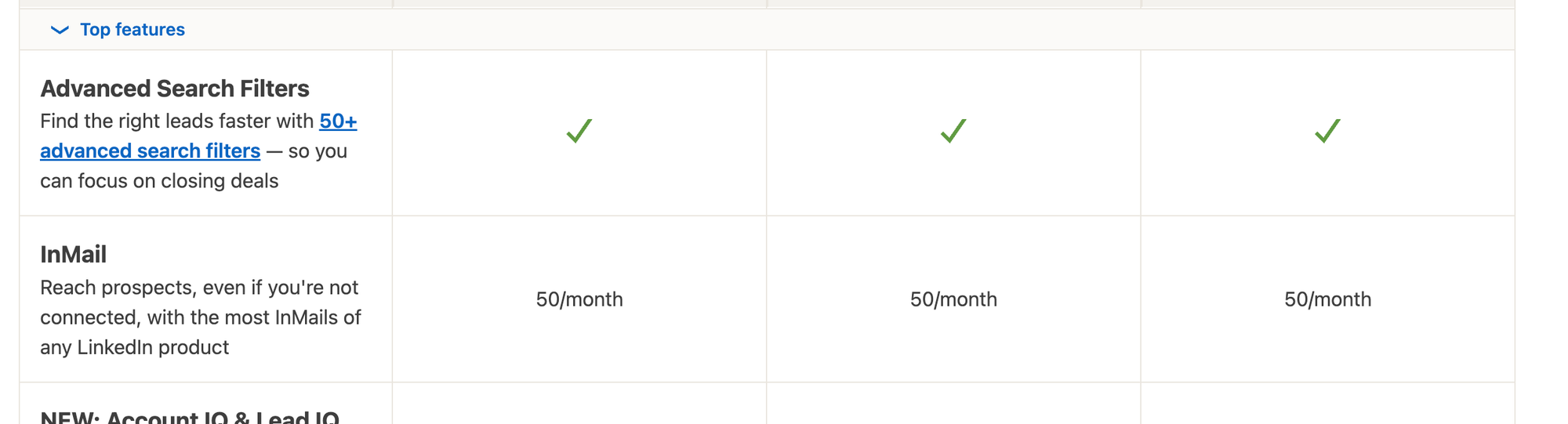
- Every tier includes 50 InMail credits per month, roughly $2.40 per InMail on Core at the monthly rate
- Unused InMail credits generally roll over for up to three months, capped at 150 total
- Prices exclude VAT and GST, added at checkout based on your region
- LinkedIn adjusts these numbers without much warning, so treat this as the current baseline
What the sticker price doesn't include:
- Verified email addresses or phone numbers (Sales Navigator shows profiles, not contact data)
- CRM sync on Core or Advanced (only Advanced Plus connects to Salesforce, HubSpot, or Dynamics)
- CSV export on Core (CSV upload arrives on Advanced, full CRM import on Advanced Plus)
- Any outreach automation, since connection requests and follow-ups are sent manually on every tier
That last gap is the one this whole guide keeps circling back to.
Say you're an SDR who just hit LinkedIn's free search wall. Finance wants the real cost before signing off. Core at $119.99/month is your starting point, and everything past that depends on team size.
LinkedIn Sales Navigator pricing plans explained
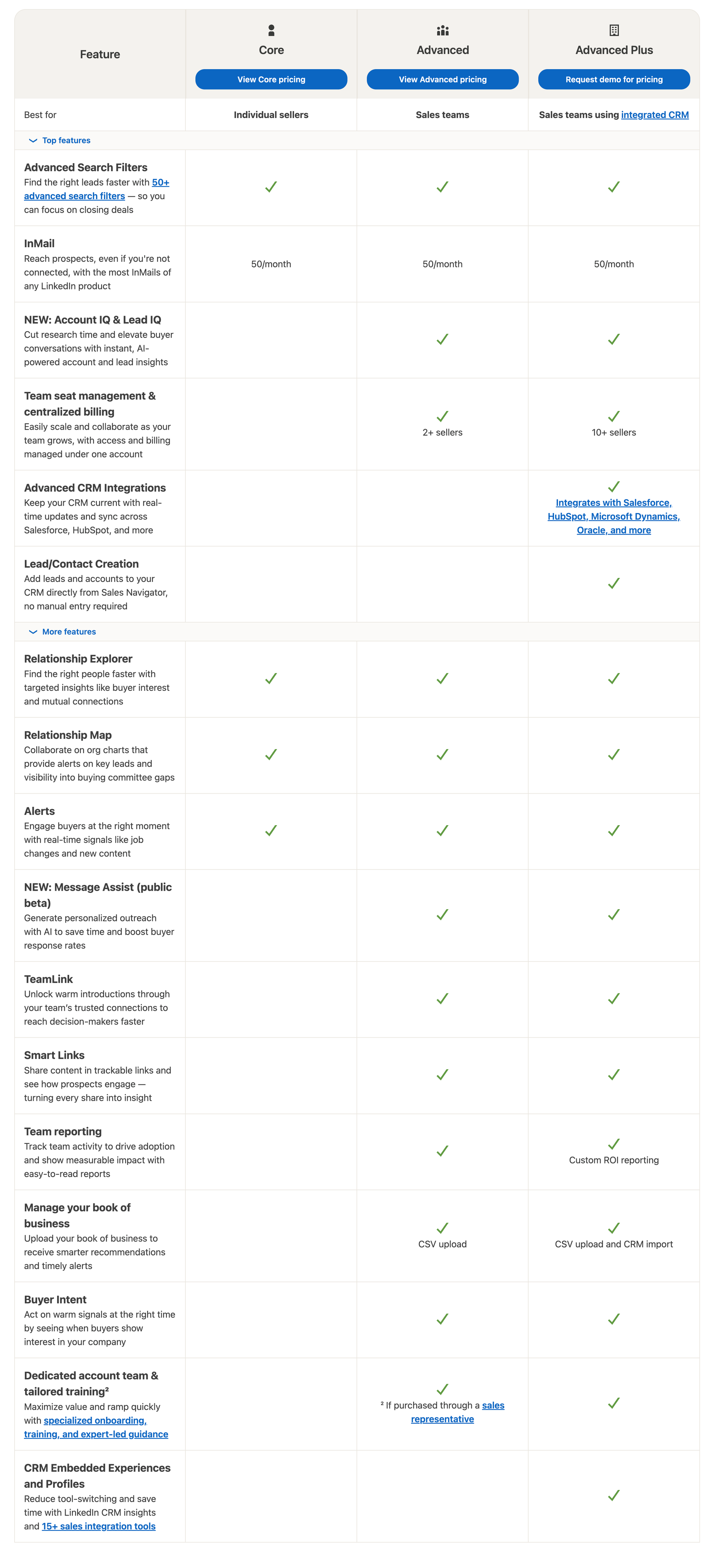
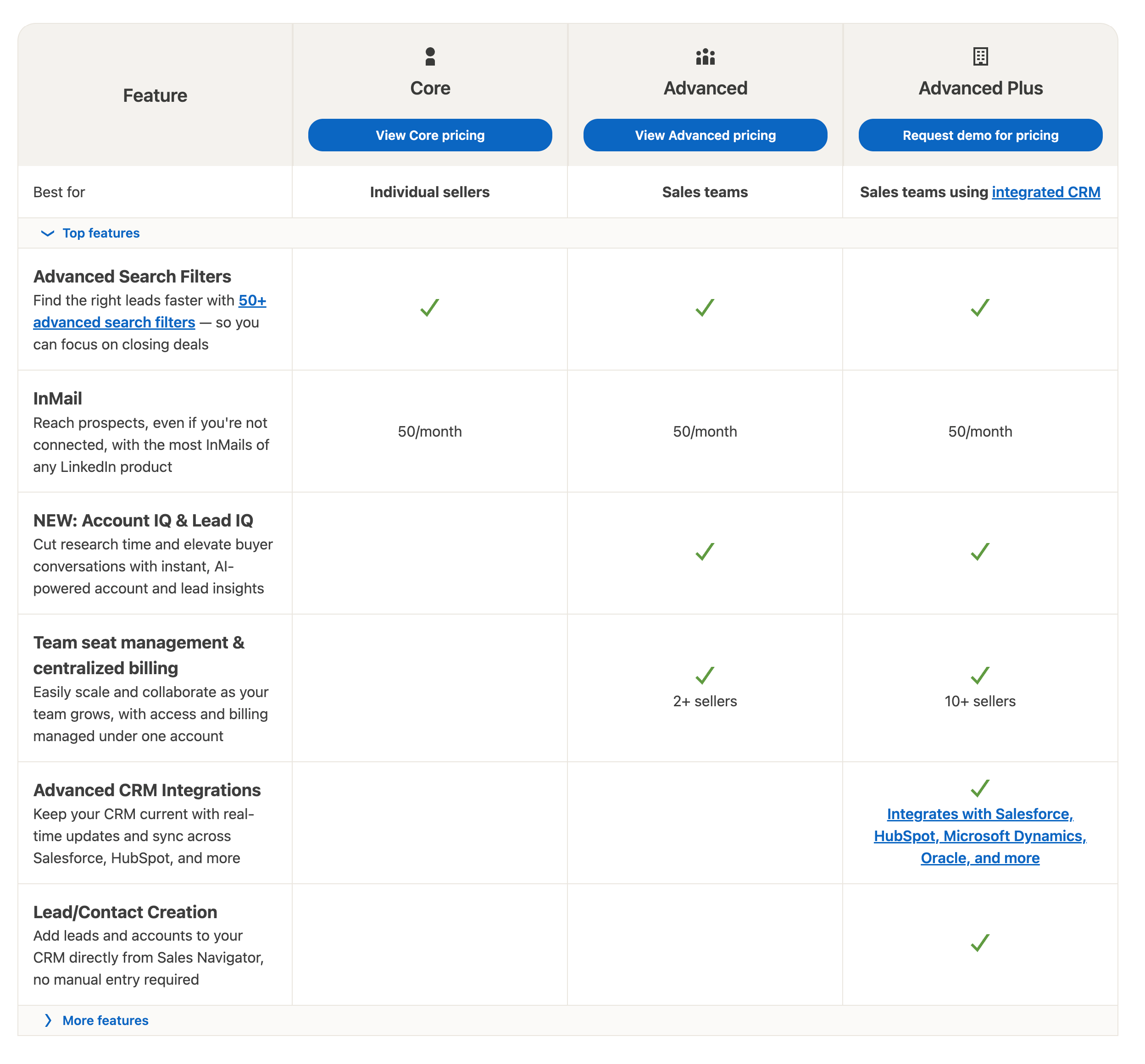
Each tier unlocks a different layer of the tool. The jump between them isn't just about price, it's about what you're allowed to do with the leads you find.
Table 2: What each tier actually includes
| Feature | Core | Advanced | Advanced Plus |
|---|---|---|---|
| Advanced search filters (50+) | Yes | Yes | Yes |
| InMail credits/month | 50 | 50 | 50 |
| TeamLink (teammates' networks) | No | Yes | Yes |
| Account IQ / Lead IQ | No | Yes | Yes |
| CSV upload for account lists | No | Yes | Yes |
| CRM sync (Salesforce, HubSpot, Dynamics) | No | No | Yes |
| Lead/contact creation into CRM | No | No | Yes |
| Team seat minimum | 2+ sellers | 10+ sellers | Custom |
Sales Navigator Core pricing (individual plan)
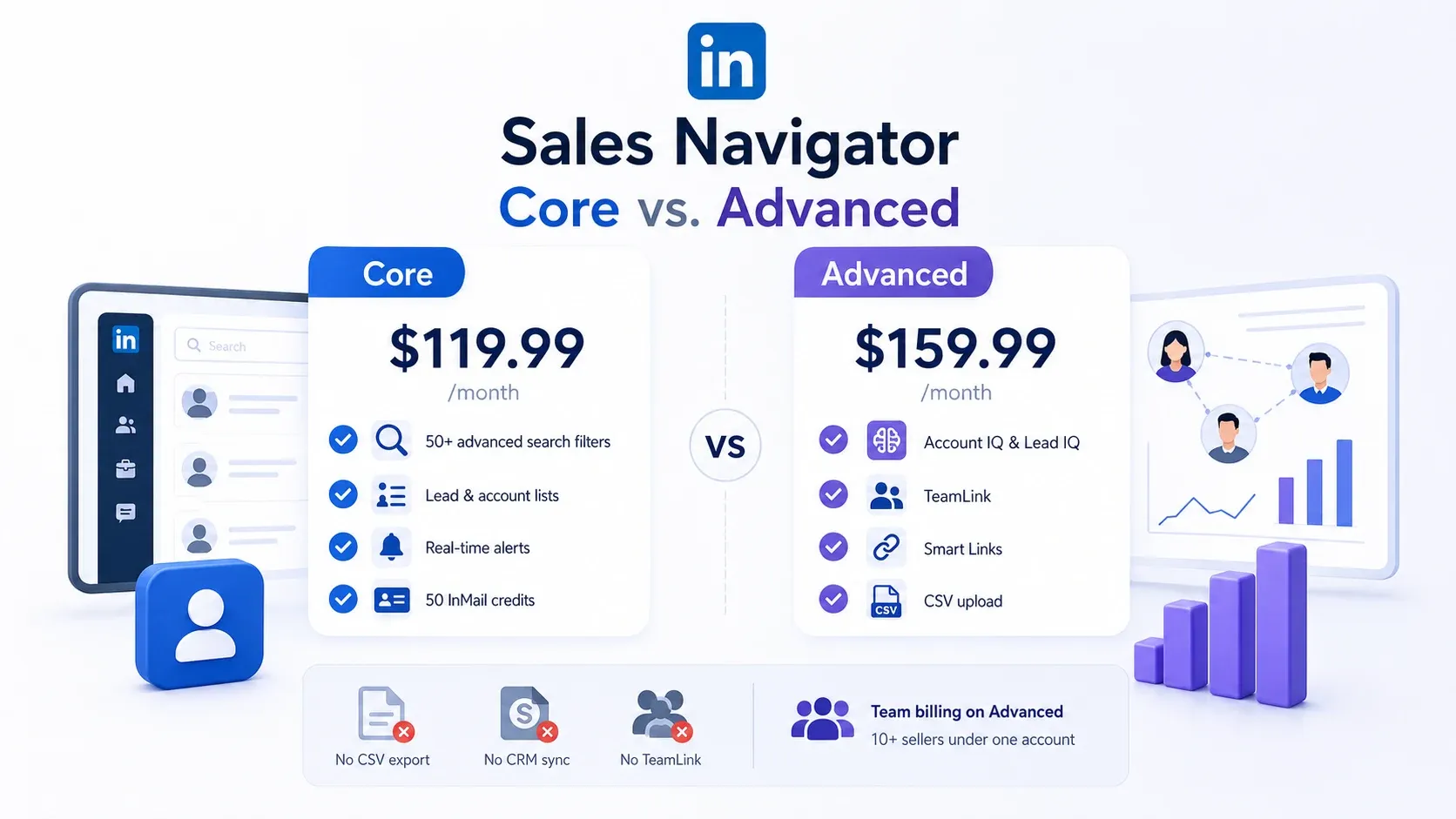
Core is built for one seller doing their own research. At $119.99/month, you get:
- 50+ advanced search filters
- Lead and account lists
- Real-time alerts on saved leads
- 50 InMail credits
What Core doesn't give you matters just as much. No CSV export, no CRM sync, no TeamLink. Everything you find stays inside LinkedIn unless you copy it out by hand.
Sales Navigator Advanced pricing (team plan)
Advanced runs $159.99/month per seat and adds:
- Account IQ and Lead IQ for AI-generated account summaries
- TeamLink to see teammates' networks
- Smart Links to track content engagement
- CSV upload for account lists
Team billing on Advanced is built for 10 or more sellers under one admin account. A smaller team can still buy individual Advanced seats, just without the centralized admin console.
If your team is under 10 sellers, price out Advanced per seat first. You'll likely buy individual licenses at the same per-seat rate anyway.
Sales Navigator Advanced Plus / Enterprise pricing (custom quotes)
Advanced Plus is the only tier with real CRM integration, and it's the only one priced entirely by quote.
| Aspect | Details |
|---|---|
| CRM integration | Syncs automatically into Salesforce, HubSpot, and Microsoft Dynamics; creates leads and contacts directly in your CRM |
| Published price | None. LinkedIn requires a demo call, which is corporate speak for "talk to a salesperson until a number appears" |
| Estimated cost | ~$1,600/seat/year, based on independent pricing guides. Directional estimate, not an official quote |
| Best for | Larger teams already committed to Salesforce or Dynamics |
| Skip it if | You're not running that CRM workflow yet. The price jump is hard to justify on CRM sync alone |
Monthly vs annual billing: which one actually saves you money
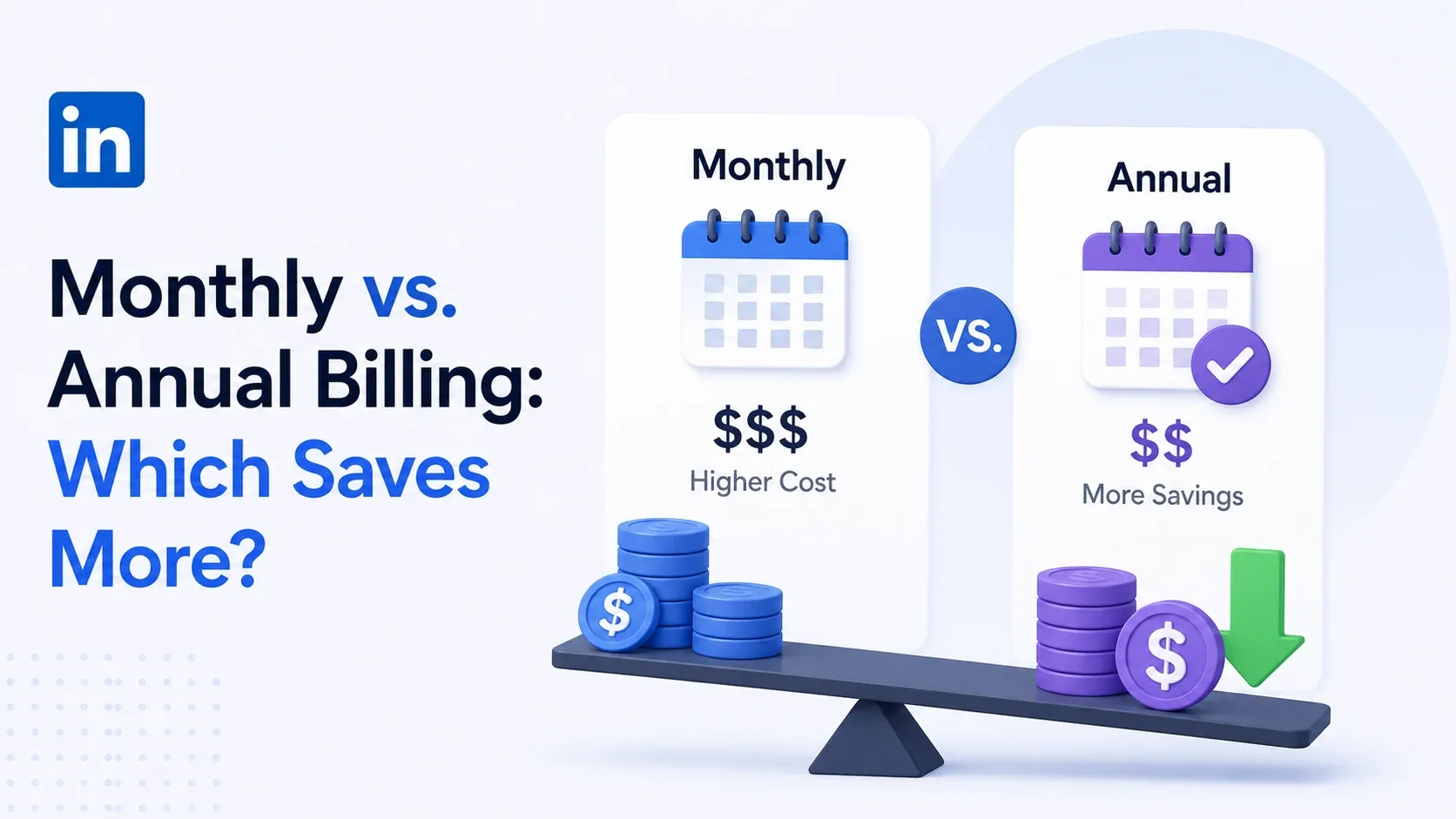
Annual billing saves far more on Core than it does on Advanced. That gap is the most useful thing in this entire pricing structure.
Table 3: Monthly vs annual billing savings
| Tier | Monthly total/year | Annual billing total/year | You save | Savings % |
|---|---|---|---|---|
| Core | $1,439.88 | $1,079.88 | $360.00 | 25% |
| Advanced | $1,919.88 | $1,799.88 | $120.00 | 6% |
Here's the part that trips people up:
- You're locked into a 12-month term either way, with no prorated refund if you cancel mid-year
- Monthly plans cancel at the end of the current month
- Annual plans hold you for the full paid year
This is hard to walk back once you've committed. Not impossible, just expensive.
A 3-person team on Core annual pays $3,239.64 for the year. The same team on monthly billing pays $4,319.64. That's a $1,080 difference for committing to 12 months instead of staying flexible.
→ Core annual = meaningful savings, worth locking in if you're confident you'll use it
→ Advanced annual = marginal savings, barely worth the 12-month commitment risk
Does LinkedIn Sales Navigator have a free trial?
Yes, but only for Core and Advanced. Advanced Plus requires a sales conversation, not a self-serve trial.
To qualify, you need:
- No active LinkedIn paid subscription, including Premium or any Sales Navigator tier
- No LinkedIn free trial used in the past 365 days
What happens once you start the trial:
- LinkedIn asks for a credit card upfront
- The trial converts automatically into a paid subscription unless you cancel first
- A reminder email arrives seven days before it ends, easy to miss if it's buried in your inbox
Pro tip: set your own calendar reminder for day 20 of the trial, not day 30. LinkedIn's email lands close to the deadline, and if it gets buried, you're already charged before you see it.
LinkedIn Sales Navigator vs LinkedIn Premium: what's the real difference
Sales Navigator and LinkedIn Premium are two separate products with two separate bills. Confusing them is the single biggest source of pricing confusion in this whole category.
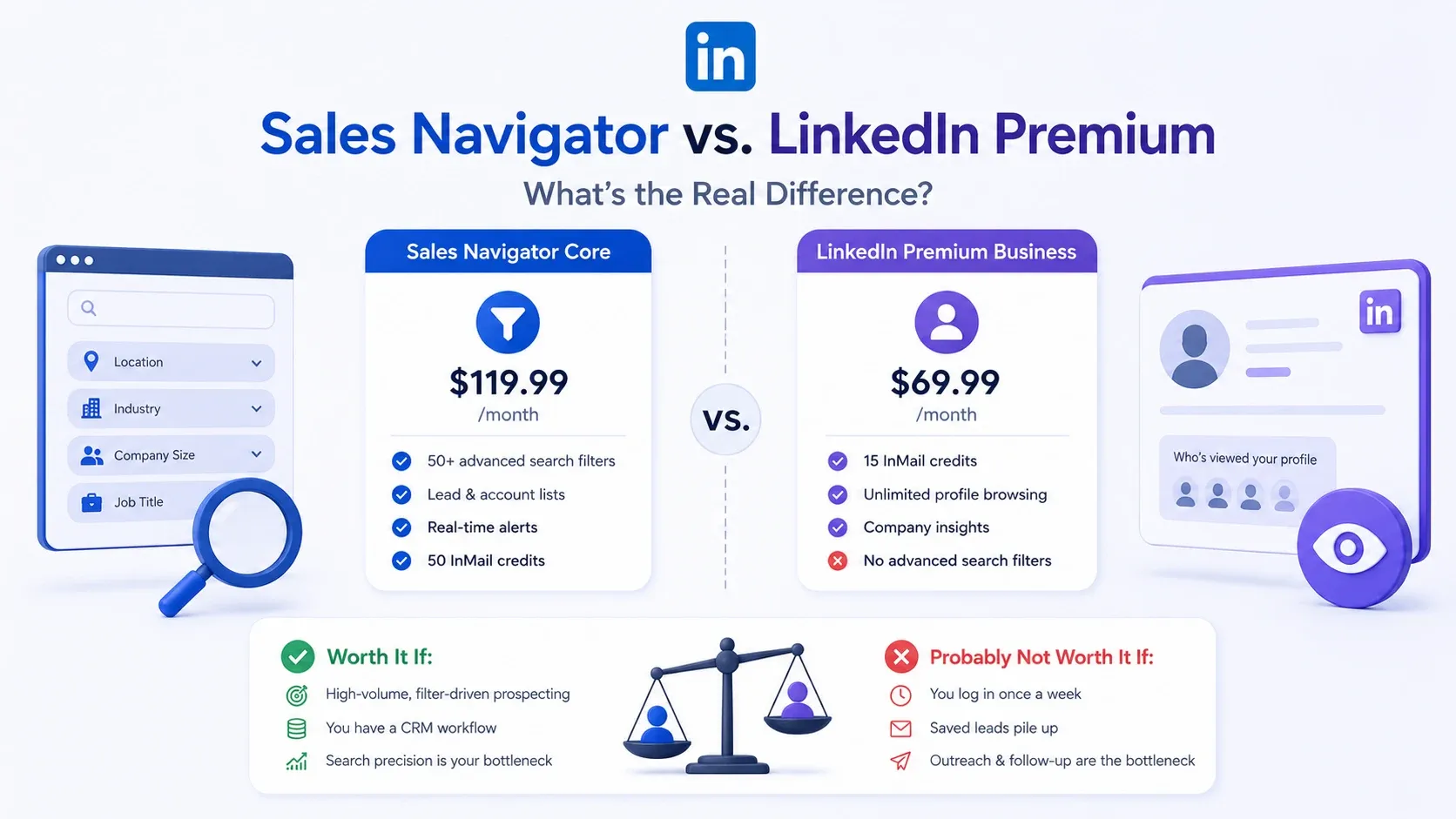
- LinkedIn Premium Business: $69.99/month. 15 InMail credits, unlimited profile browsing, company insight data. Zero advanced prospecting filters.
- Sales Navigator Core: $119.99/month. 50+ search filters built specifically for finding and tracking prospects, not just browsing profiles.
Is LinkedIn Sales Navigator worth the cost?
It depends on whether your team actually uses the search filters and has a way to act on what they find.
Worth it if:
- You're doing high-volume, filter-driven prospecting
- You already have a CRM workflow to act on saved leads
- Search precision, not outreach volume, is your bottleneck
Probably not worth it if:
- You log in once a week and let saved leads pile up
- Your bottleneck is sending outreach and following up, not finding people
For that second group, the calculus looks different. We break down that decision in full in our companion guide on whether Sales Navigator is worth the investment, so I'll keep this section short.
A cheaper way to prospect: what Bearconnect costs instead
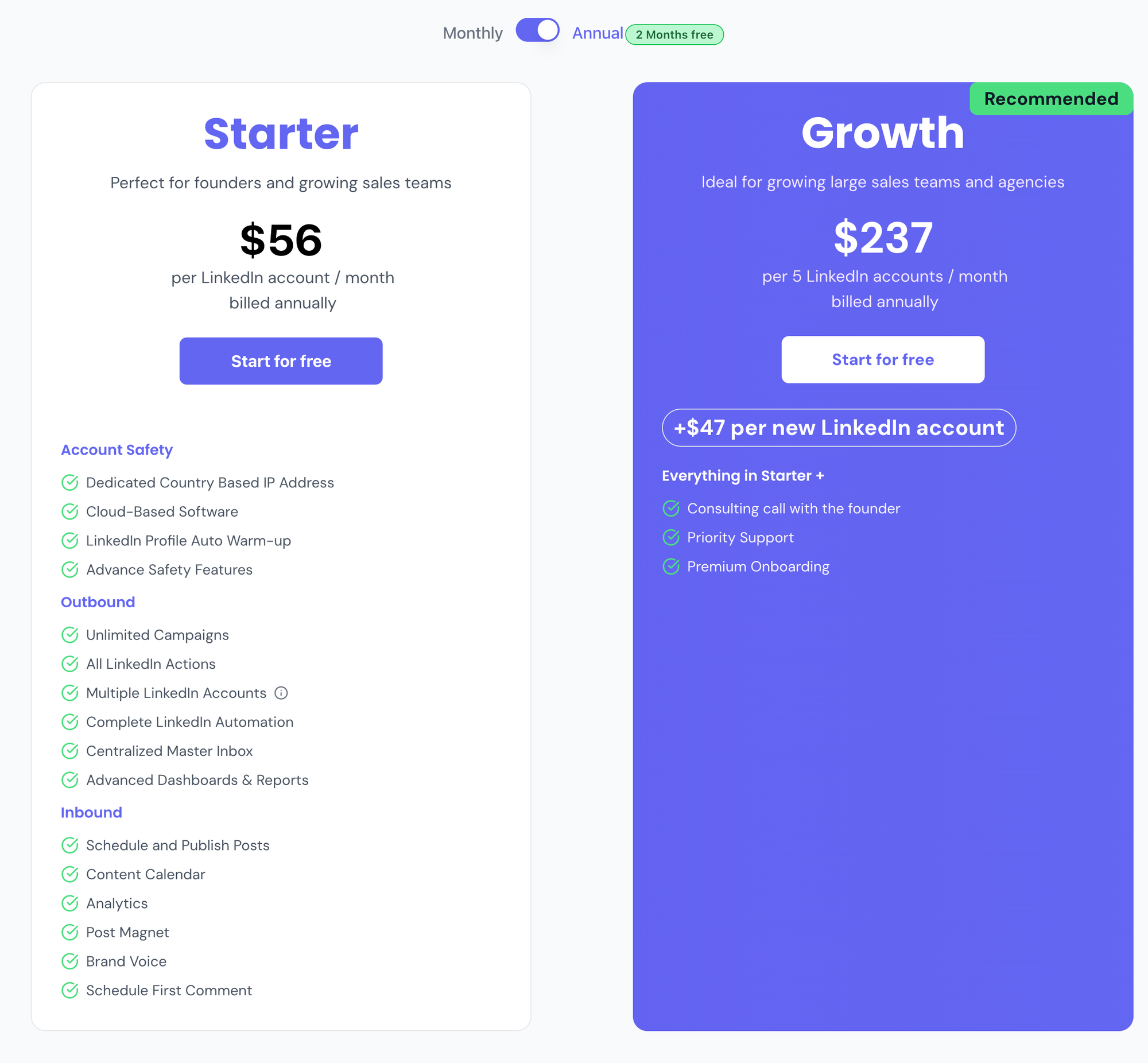
Bearconnect costs $67/month per connected LinkedIn account, dropping to $57/month per account at 5 or more accounts. Billed per account, not a flat fee.
Table 4: Sales Navigator vs Bearconnect, 5-account team
| Sales Navigator Core | Sales Navigator Advanced | Bearconnect | |
|---|---|---|---|
| Per seat/account | $119.99/mo | $159.99/mo | $67/mo |
| 5 seats/accounts | $599.95/mo | $799.95/mo | $285/mo |
| Annual total | $7,199.40 | $9.599.40 | $3,420 |
Bearconnect isn't a search tool. It doesn't replace Sales Navigator's 50+ filters.
It automates what Sales Navigator leaves manual:
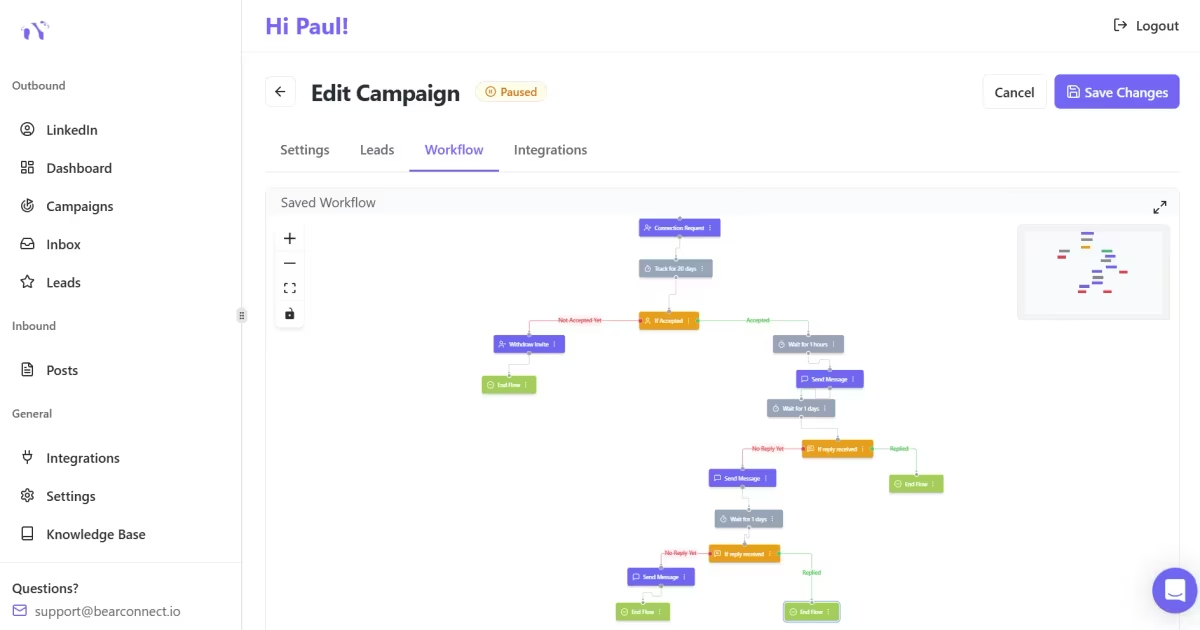
- Connection requests and drip campaigns, run on autopilot
- Post scheduling and AI LinkedIn content generation
- One unified inbox across every connected account
- LinkedIn Post Leads: turns post engagement into outreach leads automatically, no CSV needed
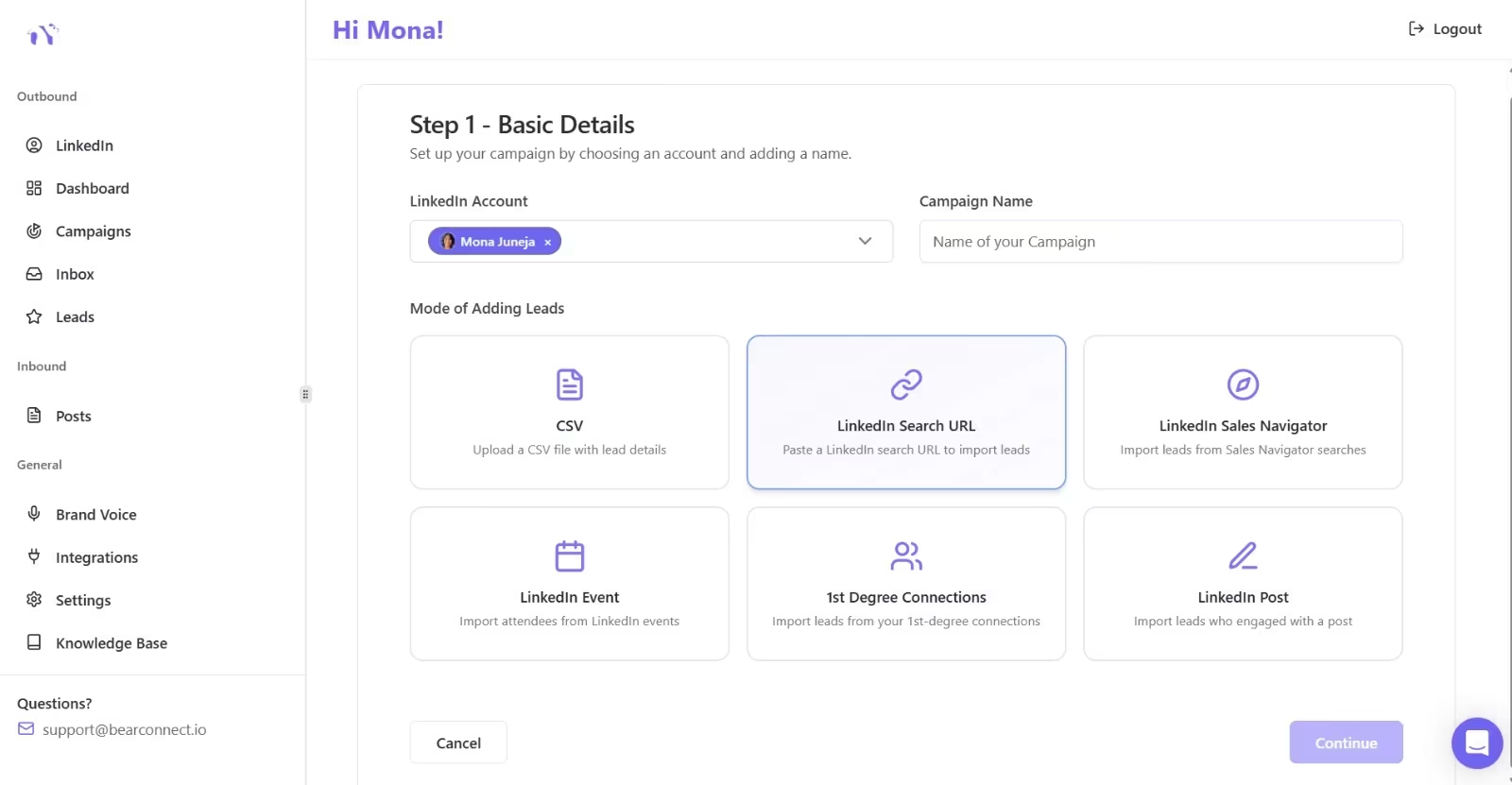
Multi-account management:
- Sales Navigator charges per seat, regardless of use
- Bearconnect's unified inbox runs 8 client profiles from one dashboard, no separate logins or InMail allowances to juggle
Pro tip: use both together. Build your list with Sales Navigator's filters, then let Bearconnect handle the connection requests, sequencing, and inbox management.
LinkedIn Sales Navigator pricing for agencies and recruiters
Agencies managing client LinkedIn accounts feel per-seat Sales Navigator pricing the hardest, because the cost multiplies with every account you take on.
Table 5: Team-size cost comparison, Sales Navigator Advanced vs Bearconnect
| Accounts | Sales Navigator Advanced (annual) | Bearconnect | Bearconnect saves |
|---|---|---|---|
| 5 | $8,999.40/yr | $3,420/yr | $5,579.40/yr |
| 6 | $10,799.28/yr | $4,104/yr | $6,695.28/yr |
| 10 | $17,998.80/yr | $6,840/yr | $11,158.80/yr |
For an agency reselling that spend to clients, Sales Navigator's per-seat margin has to absorb a five-figure cost before a single deal closes.
Bearconnect's per-account pricing changes that math:
→ 5 accounts at $57/month = $285/month, resellable to clients at 3 to 5x margin
→ 10 accounts at $57/month = $570/month, or $6,840/year
Recruiters managing multiple client or role-specific accounts see the same benefit.
- Each account keeps its own inbox, drip sequences, and AI-generated content
FAQ
1. How much does LinkedIn Sales Navigator cost per month?
Core costs $119.99/month, Advanced costs $159.99/month, and Advanced Plus is custom quote-only, typically starting around $1,600/seat/year. All prices exclude VAT or GST added at checkout.
2. Is there a free trial for LinkedIn Sales Navigator?
Yes, for Core and Advanced only, since Advanced Plus requires a sales call instead. You need no active paid LinkedIn subscription and no trial used in the past 365 days.
3. What's the difference between Sales Navigator and LinkedIn Premium?
They're separate products with separate bills, and paying for one doesn't include the other. Premium is a networking upgrade. Sales Navigator is a dedicated prospecting tool with 50+ filters Premium doesn't include.
4. Can I cancel LinkedIn Sales Navigator anytime?
Yes, but timing matters. Monthly plans cancel at the end of the current month. Annual plans cancel at the end of the paid year, with no prorated refund.
5. Do I still need Sales Navigator if I use a LinkedIn automation tool?
It depends on your workflow. Sales Navigator's filters are still the fastest way to build a precise list. Tools like Bearconnect pick up from there, automating the connection requests and follow-up that Sales Navigator leaves entirely manual.
Try Bearconnect
Sales Navigator helps you find the right people. Bearconnect helps you actually reach them, at scale, across every LinkedIn account you manage. Start your free trial at bearconnect and see the per-account pricing math for your own team.
Ready to Transform Your LinkedIn Strategy?
Join thousands of professionals already using Bearconnect to automate their outreach and grow their network.
7-day free trial • Cancel anytime
Related Articles

LinkedIn Automation: The Complete Guide for 2026
What LinkedIn automation is, how it works, what LinkedIn allows, safe limits, how to choose a tool and how to run your first campaign.

How to Remove a Connection on LinkedIn (Do They Get Notified?)
Removing a LinkedIn connection takes a few clicks, but most people want to know one thing first: does the other person get notified? This guide covers the steps on desktop and mobile, and what changes afterward.
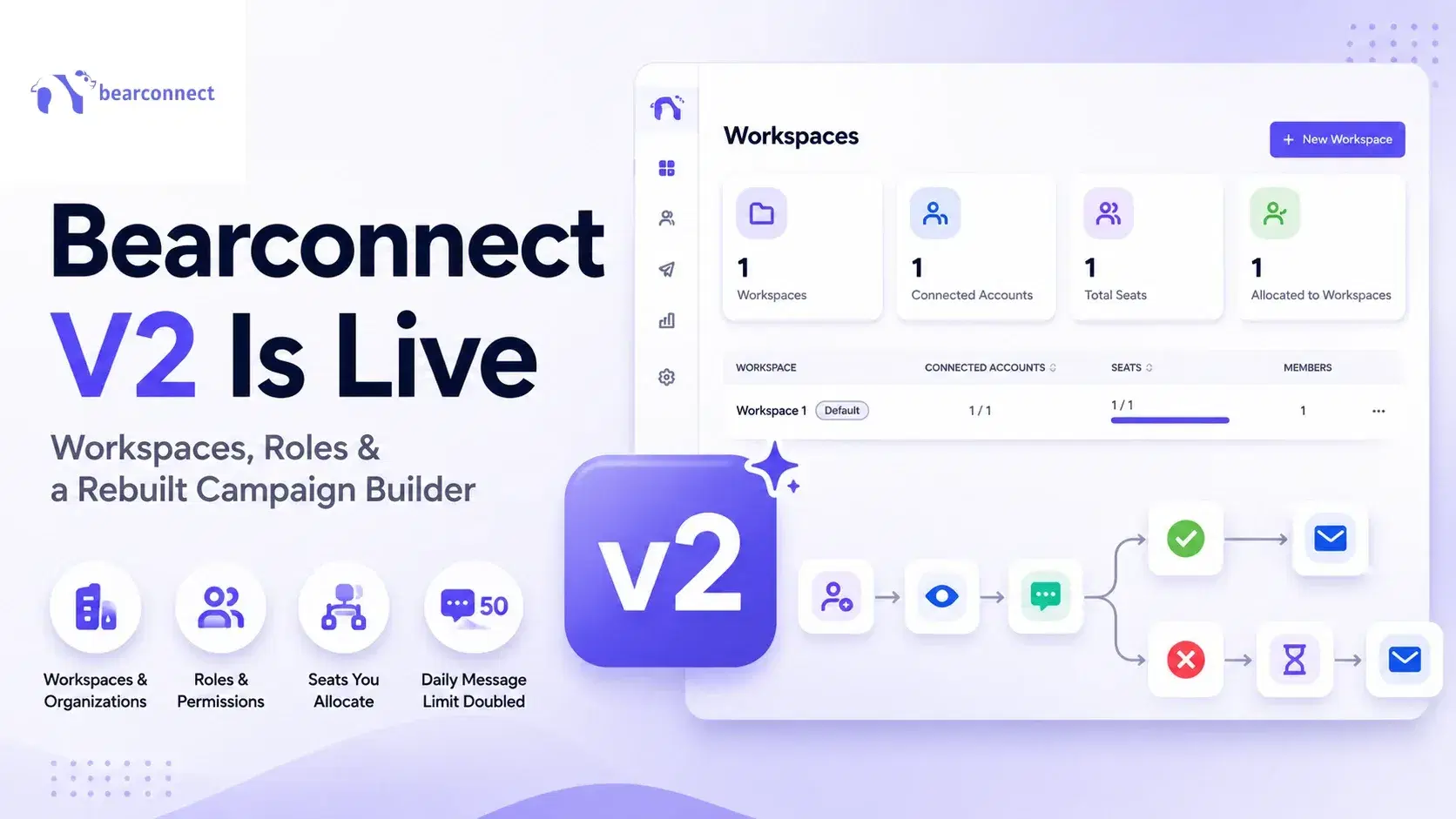
Bearconnect V2 Is Live: Workspaces, Roles and a Rebuilt Campaign Builder
Bearconnect V2 introduces dedicated workspaces, flexible roles, and a rebuilt campaign builder, giving agencies and sales teams more control over every LinkedIn account they manage.